
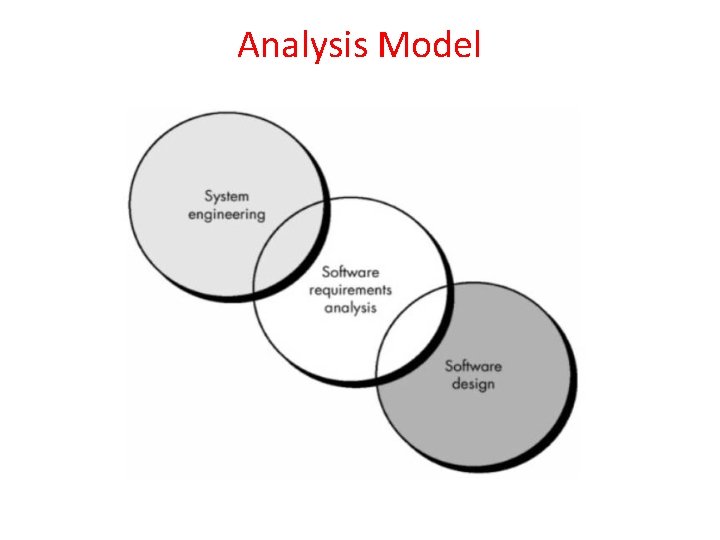
Requirements Analysis or Analysis Model Requirement analysis produces
![Receive Order [Fowler, 97] Multiple Trigger * Cancel Order [failed] Authorize Payment [succeeded] for](https://slidetodoc.com/presentation_image_h/831fb1c3f41ebec454c01b0839db8f74/image-29.jpg "Receive Order [Fowler, 97] Multiple Trigger * Cancel Order [failed] Authorize Payment [succeeded] for")







- Slides: 125
Requirements Analysis or Analysis Model
• Requirement analysis produces a software specification • Three categories of people included – • Analyst – develops – data model, functional model & behavioral model by using requirement analysis • Designer – After requirement analysis Designer can design for data, architectural interface & component level designs • Developer – using requirement specification & design The software can be developed
• Overall Objectives & Philosophy • Analysis Rules of Thumb • Domain Analysis
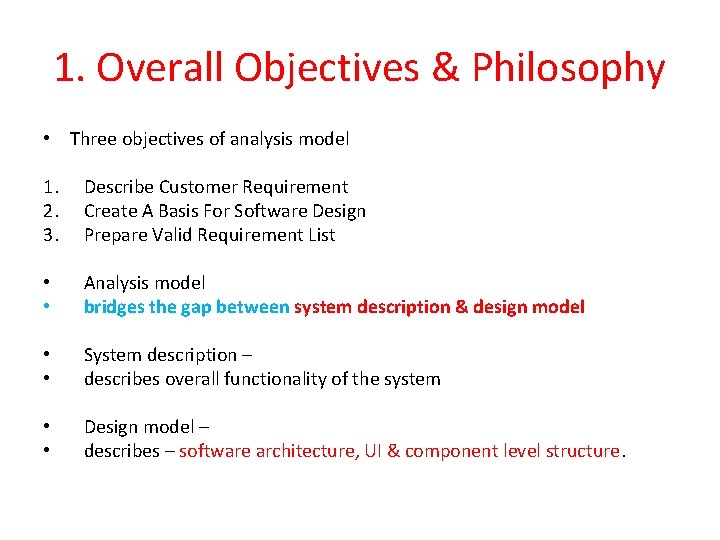
1. Overall Objectives & Philosophy • Three objectives of analysis model 1. 2. 3. Describe Customer Requirement Create A Basis For Software Design Prepare Valid Requirement List • • Analysis model bridges the gap between system description & design model • • System description – describes overall functionality of the system • • Design model – describes – software architecture, UI & component level structure.
Analysis Model
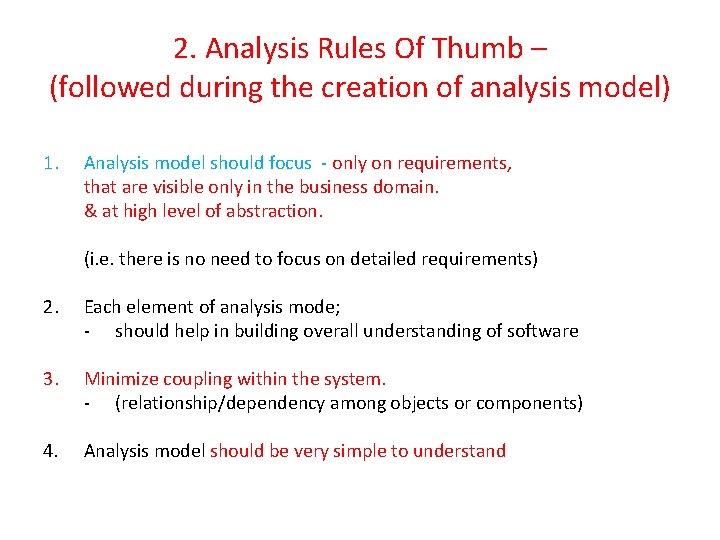
2. Analysis Rules Of Thumb – (followed during the creation of analysis model) 1. Analysis model should focus - only on requirements, that are visible only in the business domain. & at high level of abstraction. (i. e. there is no need to focus on detailed requirements) 2. Each element of analysis mode; - should help in building overall understanding of software 3. Minimize coupling within the system. - (relationship/dependency among objects or components) 4. Analysis model should be very simple to understand
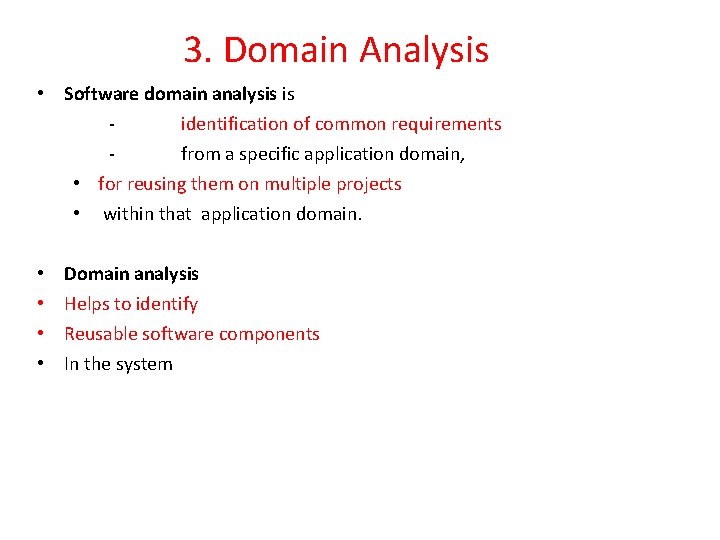
3. Domain Analysis • Software domain analysis is identification of common requirements from a specific application domain, • for reusing them on multiple projects • within that application domain. • • Domain analysis Helps to identify Reusable software components In the system
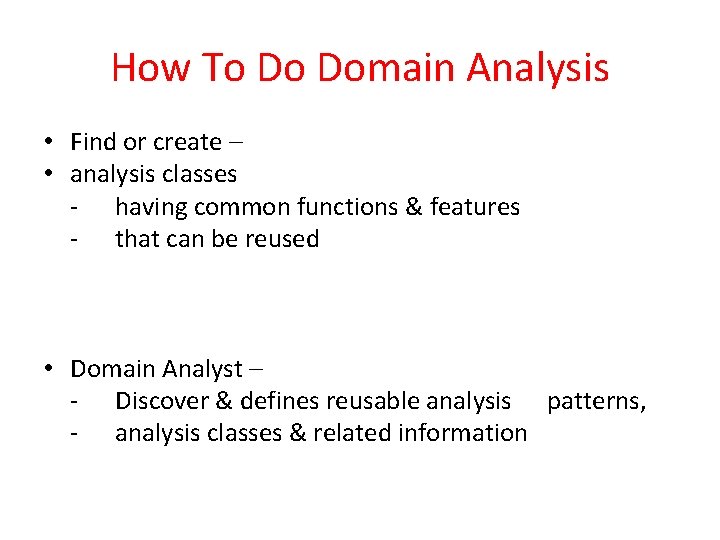
How To Do Domain Analysis • Find or create – • analysis classes - having common functions & features - that can be reused • Domain Analyst – - Discover & defines reusable analysis patterns, - analysis classes & related information
Advantages • • Reusability Low Cost Less Time Efficient software development
Domain Analysis • Define the domain to be investigated. • Collect a representative sample of applications in the domain. • Analyze each application in the sample. • Develop an analysis model for the objects. 10
Approaches of Analysis Model
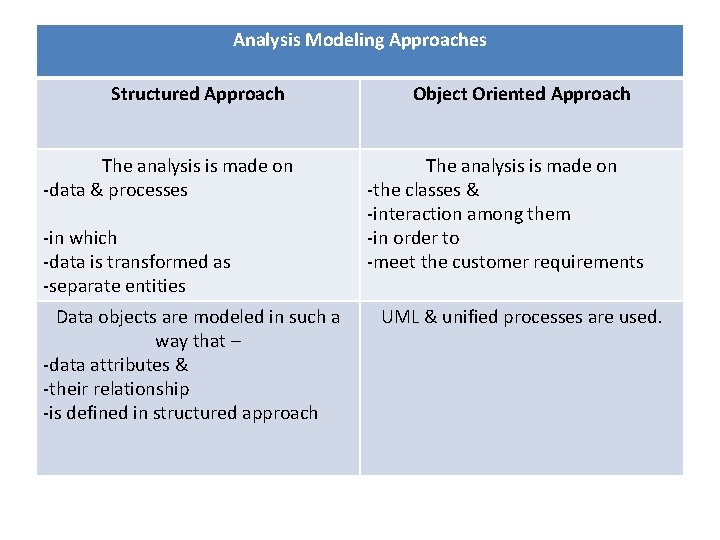
Analysis Modeling Approaches Structured Approach The analysis is made on -data & processes -in which -data is transformed as -separate entities Data objects are modeled in such a way that – -data attributes & -their relationship -is defined in structured approach Object Oriented Approach The analysis is made on -the classes & -interaction among them -in order to -meet the customer requirements UML & unified processes are used.
• But the commonly used analysis model - Combines features of both these approaches • because, - the best suitable analysis model - bridges - the software requirements & design software
Elements Of Analysis Model
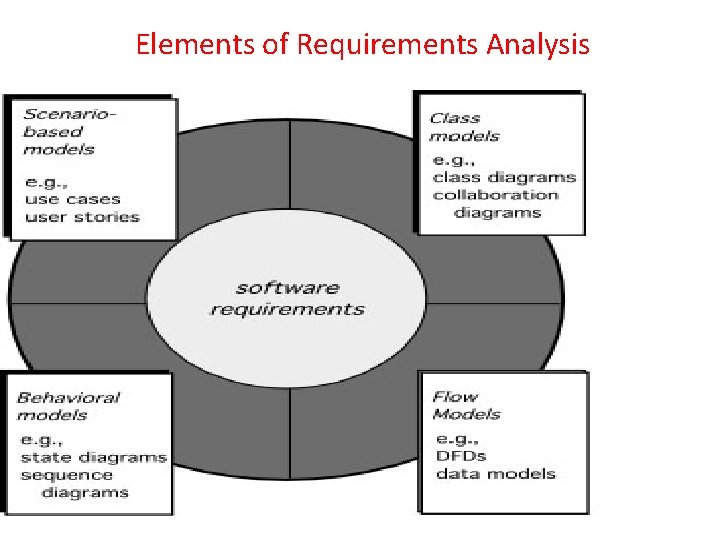
Elements of Requirements Analysis
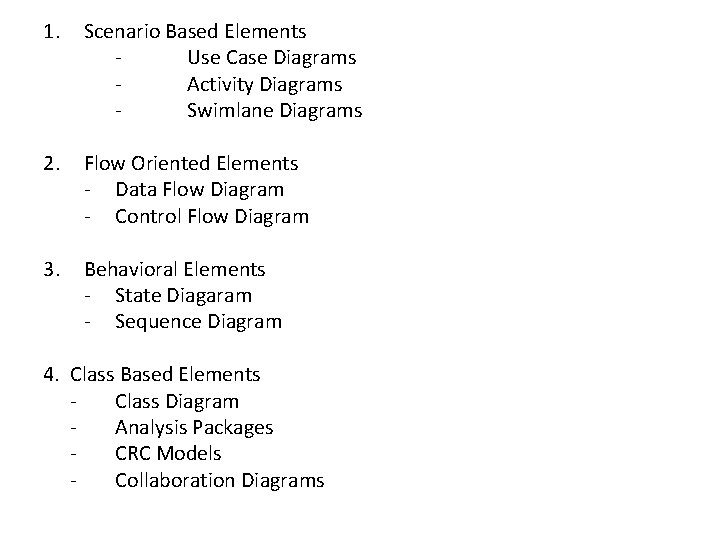
1. Scenario Based Elements Use Case Diagrams Activity Diagrams Swimlane Diagrams 2. Flow Oriented Elements - Data Flow Diagram - Control Flow Diagram 3. Behavioral Elements - State Diagaram - Sequence Diagram 4. Class Based Elements Class Diagram Analysis Packages CRC Models Collaboration Diagrams
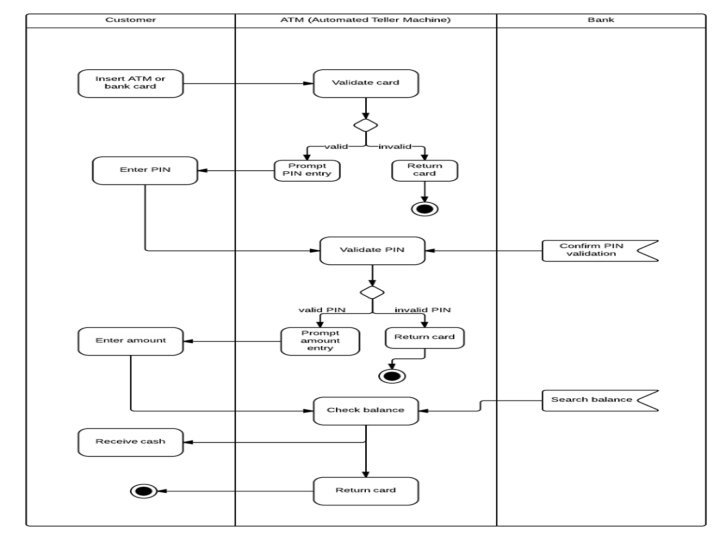
1. Scenario Based Modeling
• In analysis modeling - At the beginning Creation of scenarios • In the form of use cases activity diagrams & swim lane diagrams occurs
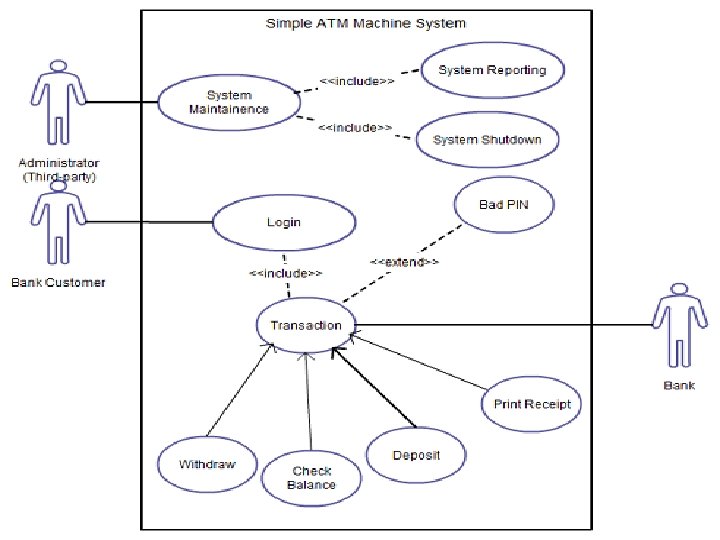
Writing Use Case • Use case diagrams represent the overall scenario of the system • Scenario – - a sequence of steps, - describing an interaction between - user & a system • Use case diagrams are drawn for - exposing the functionalities of the system.
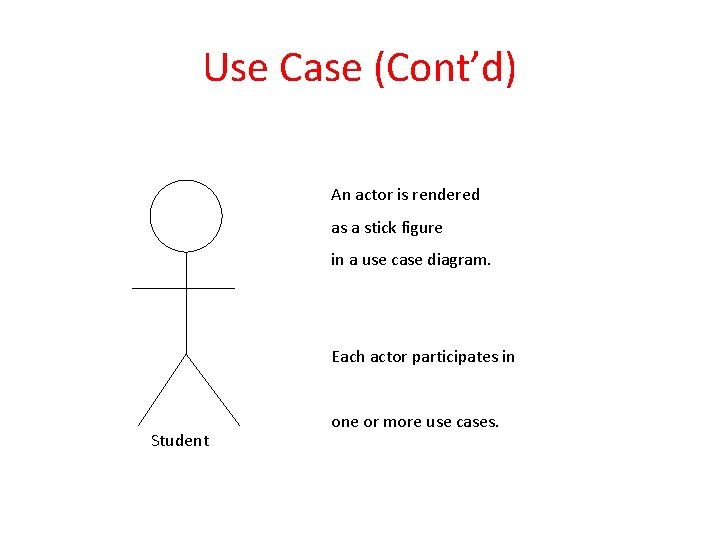
• Actor – - Can be, a User of the system or an external entity that gets some value or produce some value i. e. a device, an enterprise etc. • Interacts with the system • A single actor may perform many use cases or • A use case may have several actors
Use Case (Cont’d) An actor is rendered as a stick figure in a use case diagram. Each actor participates in Student one or more use cases.
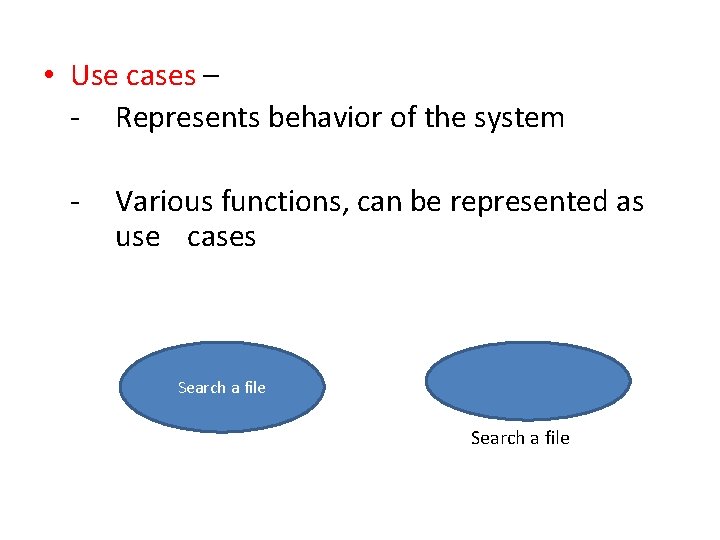
• Use cases – - Represents behavior of the system - Various functions, can be represented as use cases Search a file
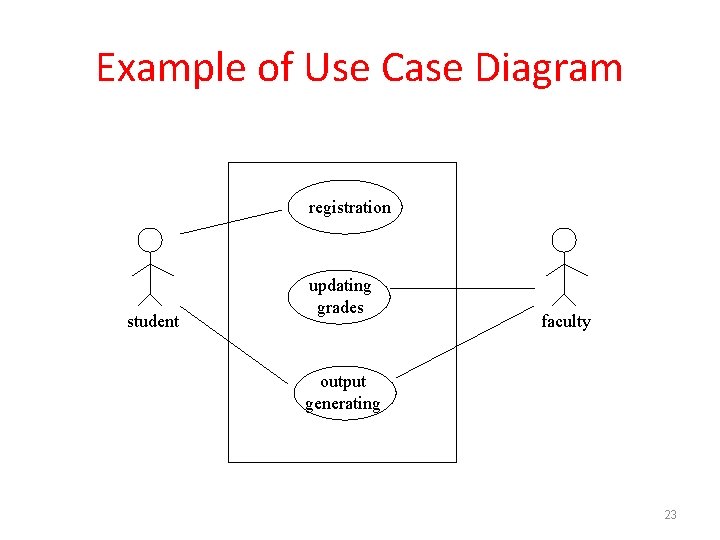
Example of Use Case Diagram registration student updating grades faculty output generating 23
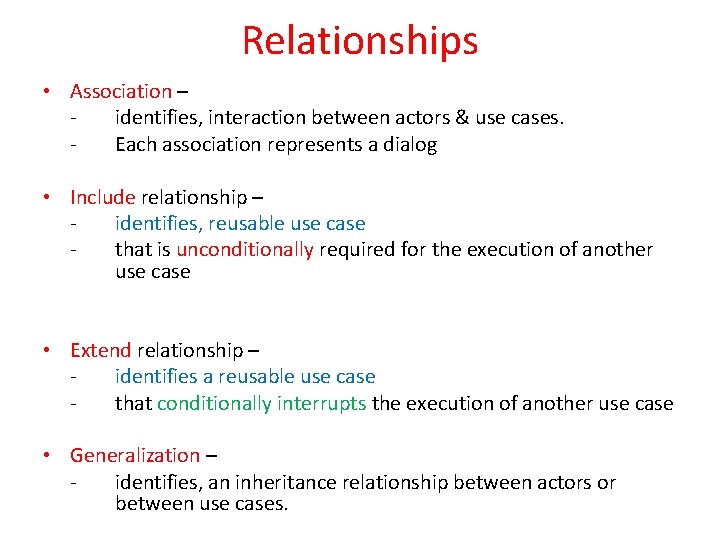
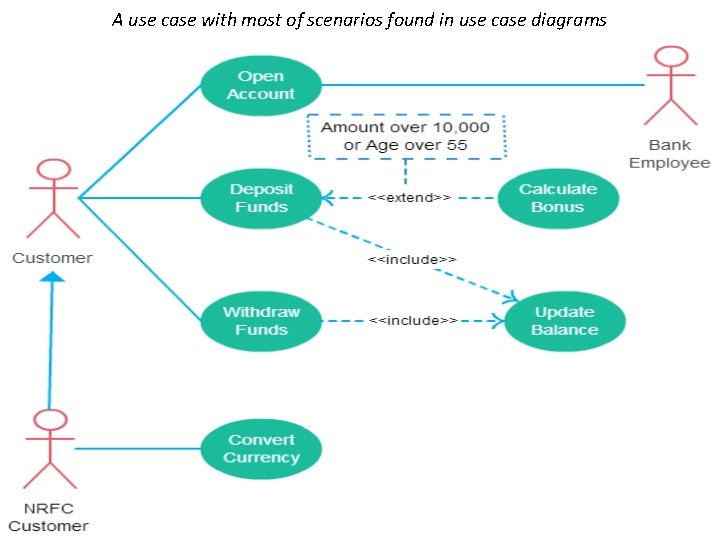
Relationships • Association – identifies, interaction between actors & use cases. Each association represents a dialog • Include relationship – identifies, reusable use case that is unconditionally required for the execution of another use case • Extend relationship – identifies a reusable use case that conditionally interrupts the execution of another use case • Generalization – identifies, an inheritance relationship between actors or between use cases.
A use case with most of scenarios found in use case diagrams
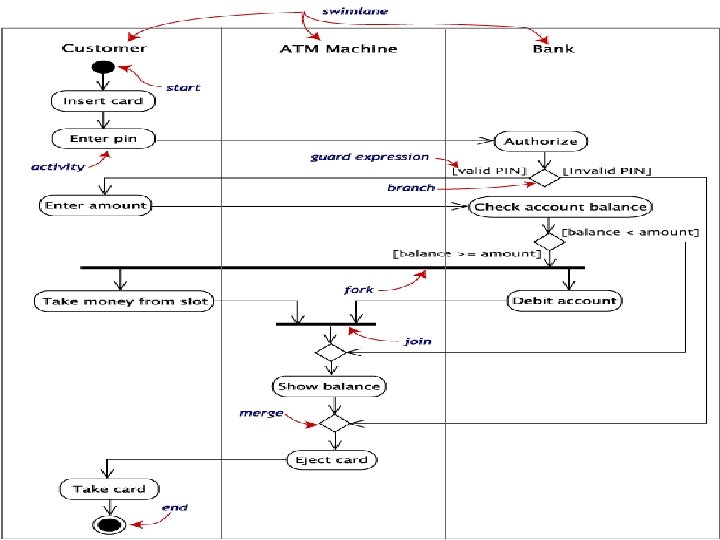
Activity Diagram • Represents – flow of interactions within specific scenarios It is similar to flow chart This diagram must be read from top to bottom • It consists of • Fork – allows multiple activities to be carried out in parallel • Branch – where multiple branches open • Merge – where multiple branches get combined • Join – comes before transitioning into final activity
Activity Diagram • An activity diagram is essentially a flowchart, - showing the flow of control from activity to activity. • Use activity diagrams - to specify, construct, and document - the dynamics of a society of objects, or - to model the flow of control of an operation. • activity diagrams emphasize the flow of control from activity to activity. • An activity is an ongoing non-atomic execution within a state machine. - The UML User Guide, [Booch, 99]
Receive Order [Fowler, 97] Multiple Trigger * Cancel Order [failed] Authorize Payment [succeeded] for each line item on order Check Line Item [in stock] Assign to Order Synchronization Condition [need to reorder] [stock assigned to all line items and payment authorized] Dispatch Order Software Design (UML) Reorder Item
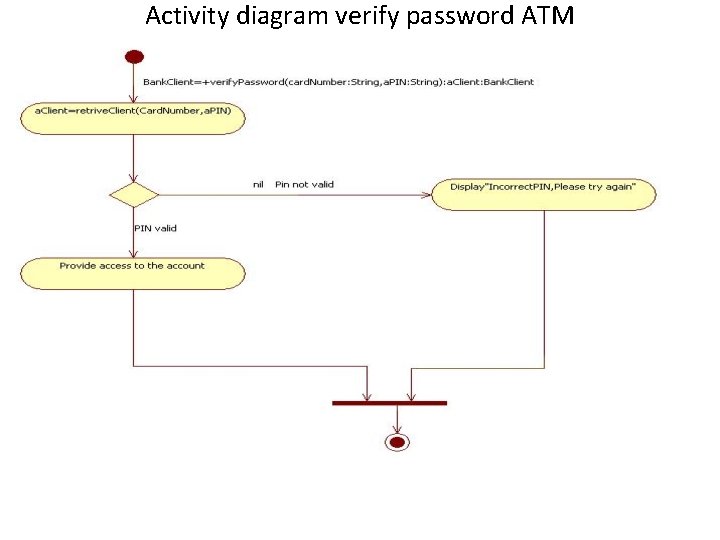
Activity diagram verify password ATM
Swim lane Diagram • In this diagram – - Activity diagram is partitioned according to the class - Who is responsible for carrying out these activities
3. Flow Oriented (Elements) Modeling 1. Data Flow Diagrams 2. Control Flow Diagrams
Flow-Oriented Modeling • Represents how data objects are transformed as they move through the system • data flow diagram (DFD) is the diagrammatic form that is used - to provide a view of the system that is unique— - it should be used to supplement other analysis model elements
• Flow oriented modeling includes 1. Data Flow Diagrams (DFDS) 2. Control Flow Diagrams (CFDS)
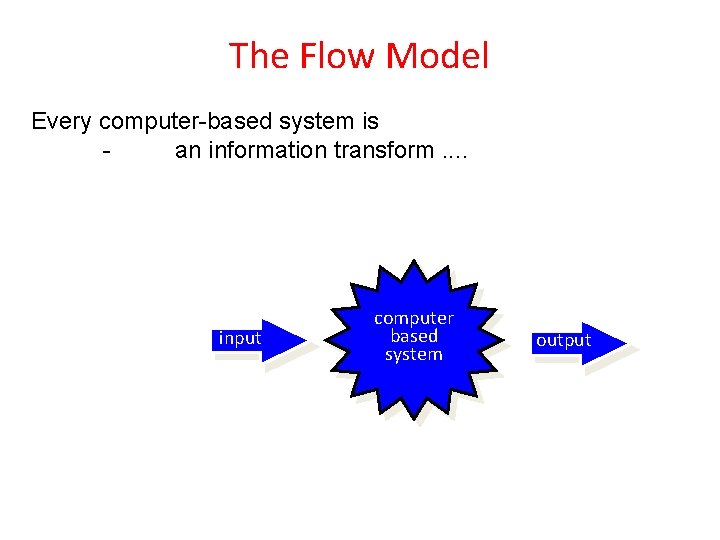
The Flow Model Every computer-based system is an information transform. . input computer based system output
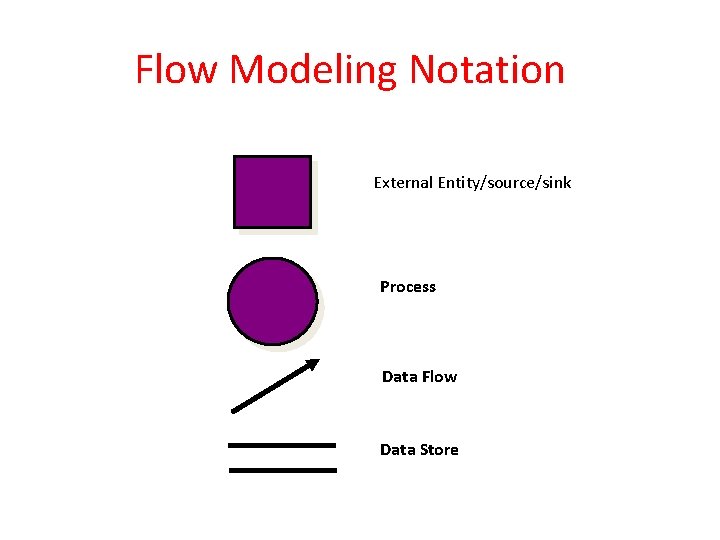
Flow Modeling Notation External Entity/source/sink Process Data Flow Data Store
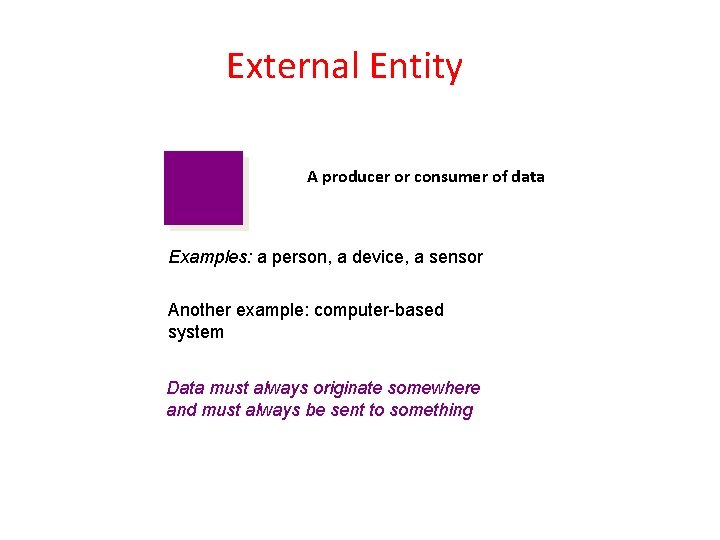
External Entity A producer or consumer of data Examples: a person, a device, a sensor Another example: computer-based system Data must always originate somewhere and must always be sent to something
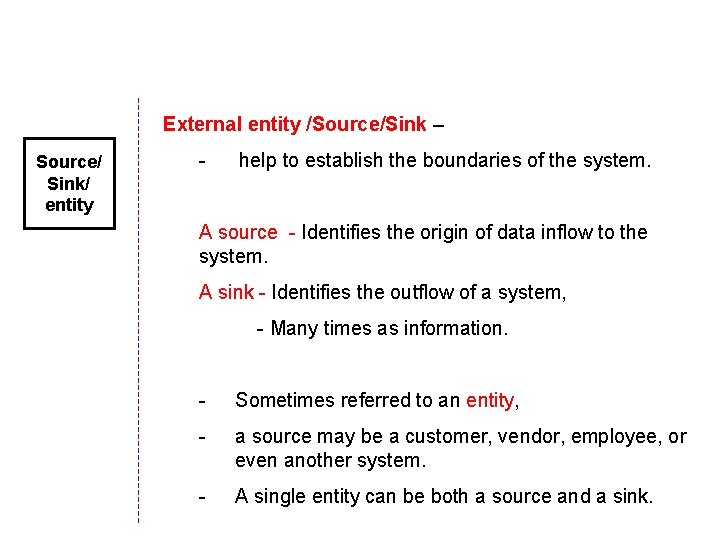
External entity /Source/Sink – Source/ Sink/ entity - help to establish the boundaries of the system. A source - Identifies the origin of data inflow to the system. A sink - Identifies the outflow of a system, - Many times as information. - Sometimes referred to an entity, - a source may be a customer, vendor, employee, or even another system. - A single entity can be both a source and a sink.
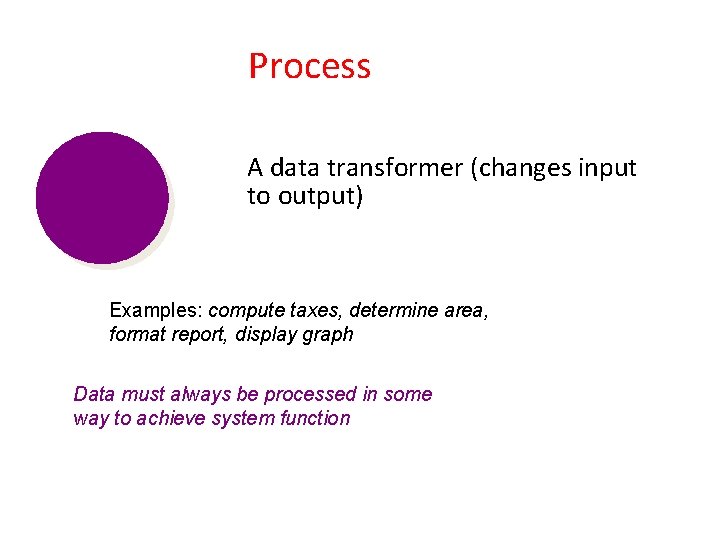
Process A data transformer (changes input to output) Examples: compute taxes, determine area, format report, display graph Data must always be processed in some way to achieve system function
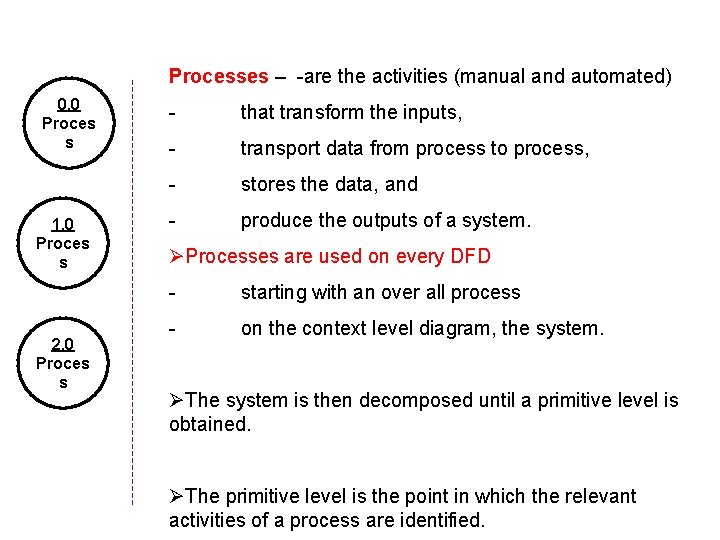
Processes – -are the activities (manual and automated) 0. 0 Proces s 1. 0 Proces s 2. 0 Proces s - that transform the inputs, - transport data from process to process, - stores the data, and - produce the outputs of a system. ØProcesses are used on every DFD - starting with an over all process - on the context level diagram, the system. ØThe system is then decomposed until a primitive level is obtained. ØThe primitive level is the point in which the relevant activities of a process are identified.
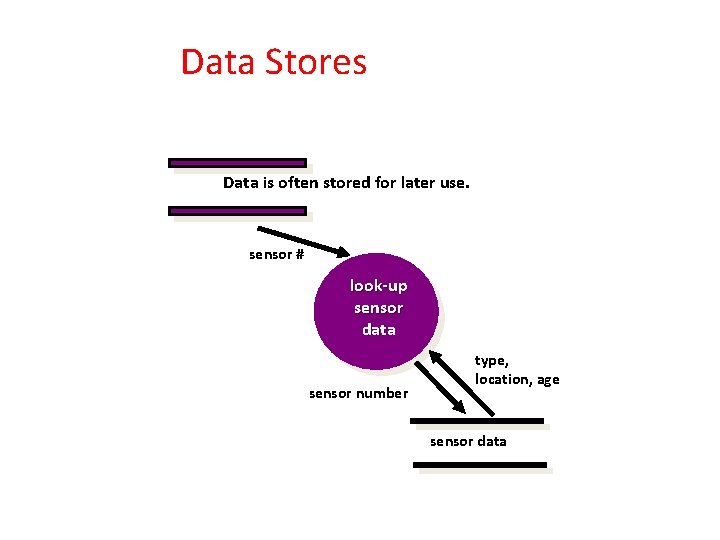
Data Stores Data is often stored for later use. sensor # look-up sensor data sensor number type, location, age sensor data
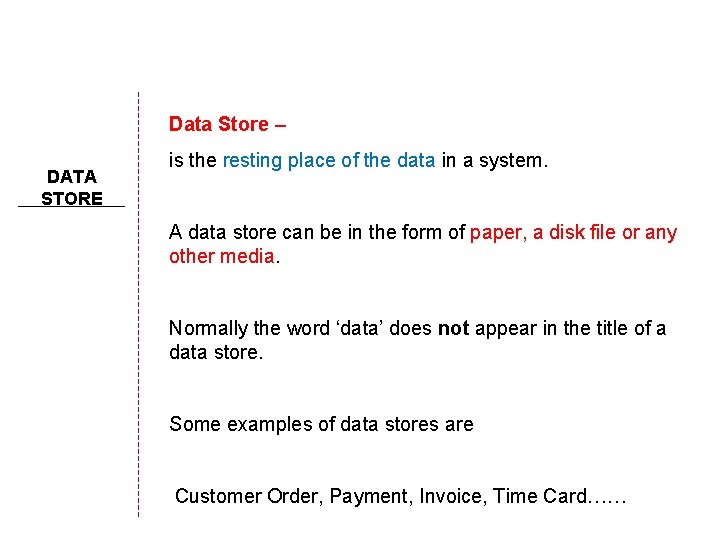
Data Store – DATA STORE is the resting place of the data in a system. A data store can be in the form of paper, a disk file or any other media. Normally the word ‘data’ does not appear in the title of a data store. Some examples of data stores are Customer Order, Payment, Invoice, Time Card……
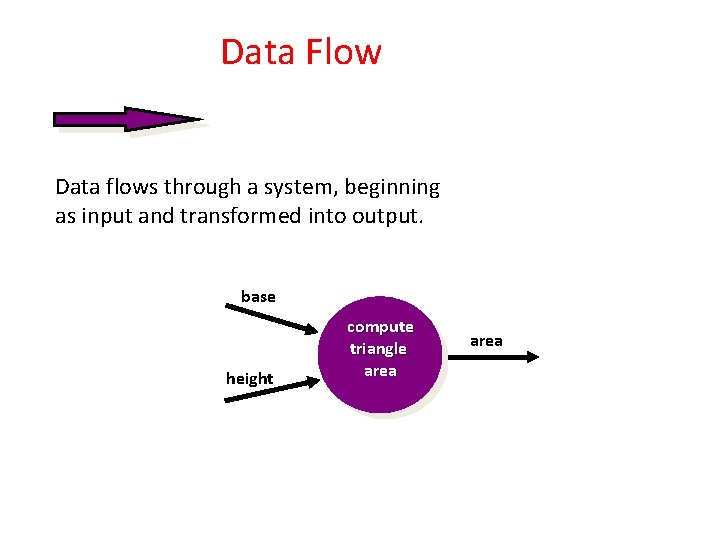
Data Flow Data flows through a system, beginning as input and transformed into output. base height compute triangle area
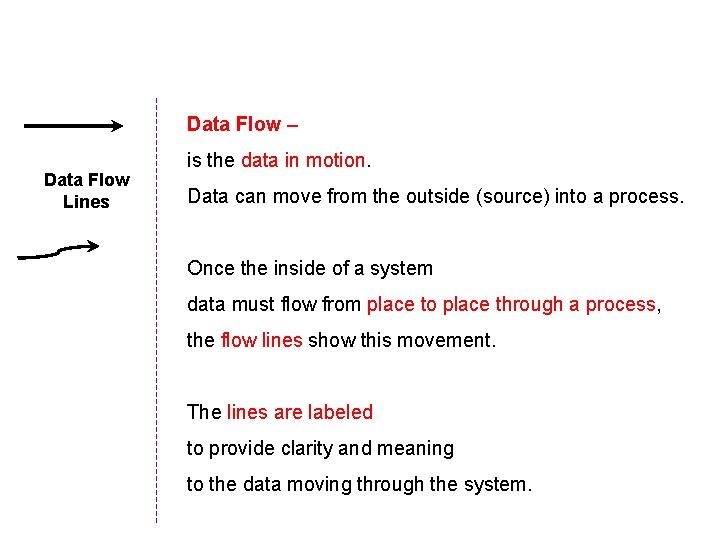
Data Flow – Data Flow Lines is the data in motion. Data can move from the outside (source) into a process. Once the inside of a system data must flow from place to place through a process, the flow lines show this movement. The lines are labeled to provide clarity and meaning to the data moving through the system.
Data Flow Diagramming: Guidelines • All icons must be labeled with meaningful names. • The DFD evolves through a number of levels of detail. • Always begin with a context level diagram (also called level 0). • Always show external entities at level 0. • Always label data flow arrows. • Do not represent procedural logic.
Constructing a DFD—I • review user scenarios and/or the data model - to isolate data objects and use a grammatical parse to determine “operations” • determine external entities (producers and consumers of data) • create a level 0 DFD
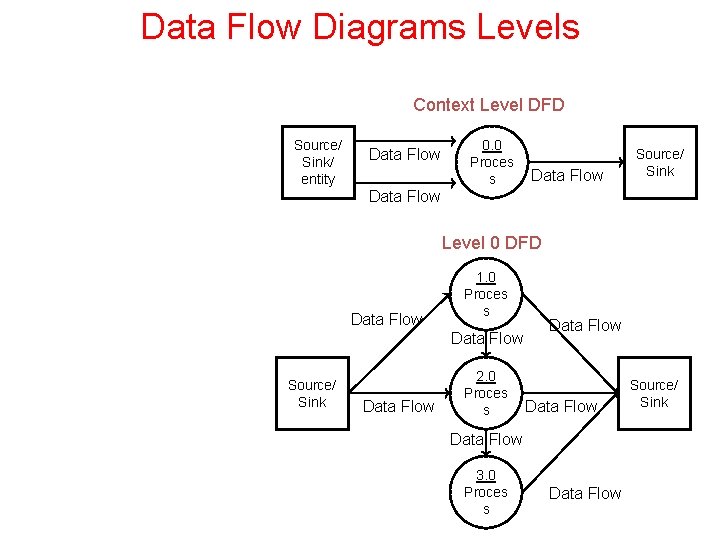
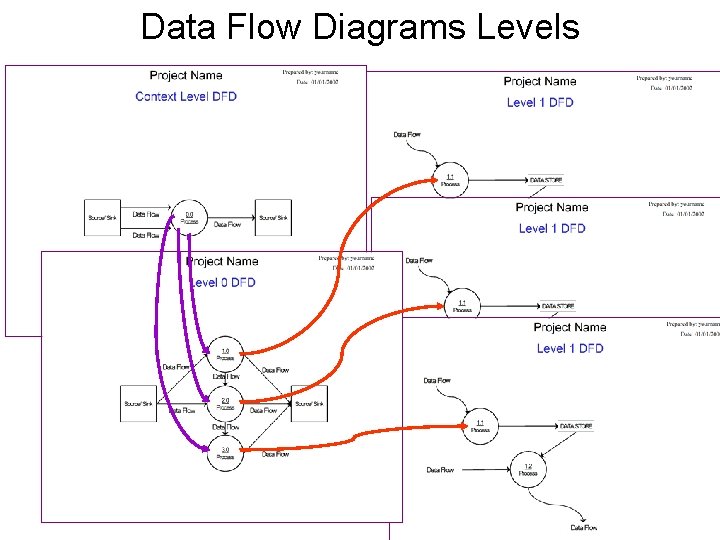
Data Flow Diagrams Levels Context Level DFD Source/ Sink/ entity Data Flow 0. 0 Proces s Data Flow Source/ Sink Data Flow Level 0 DFD Data Flow 1. 0 Proces s Data Flow Source/ Sink Data Flow 2. 0 Proces s Data Flow 3. 0 Proces s Data Flow Source/ Sink
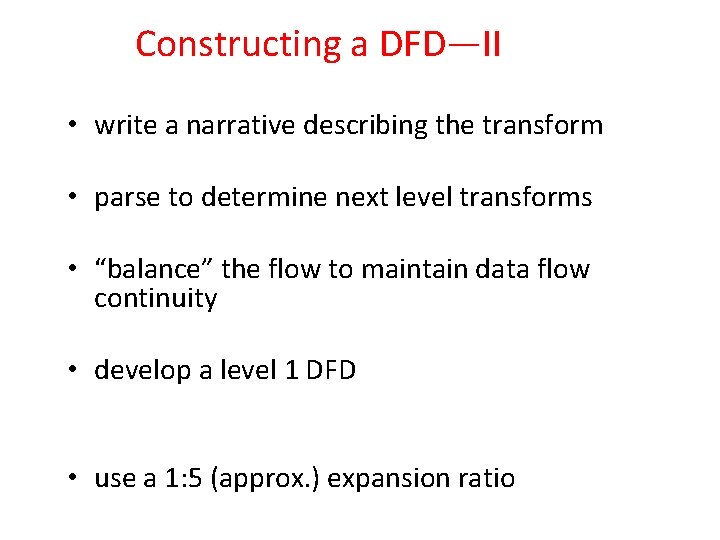
Constructing a DFD—II • write a narrative describing the transform • parse to determine next level transforms • “balance” the flow to maintain data flow continuity • develop a level 1 DFD • use a 1: 5 (approx. ) expansion ratio
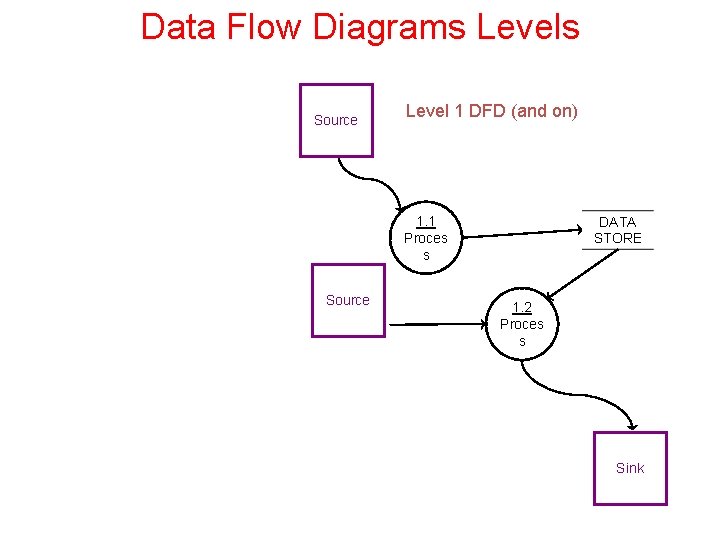
Data Flow Diagrams Levels Source Level 1 DFD (and on) 1. 1 Proces s Source DATA STORE 1. 2 Proces s Sink
Data Flow Diagrams Levels
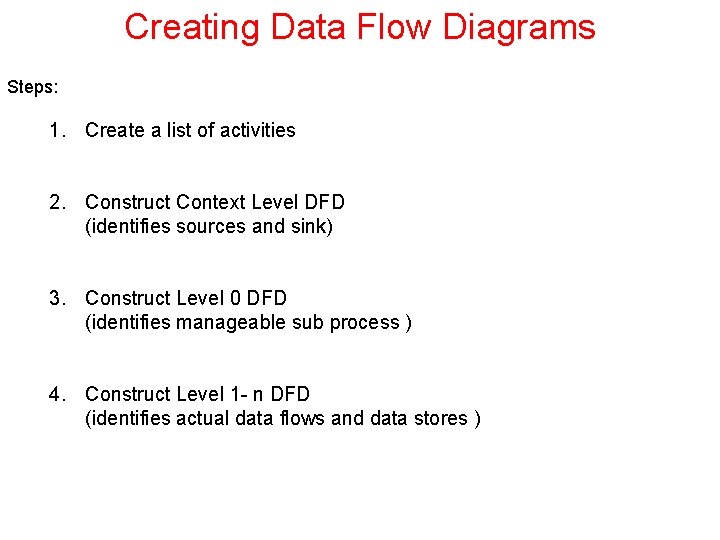
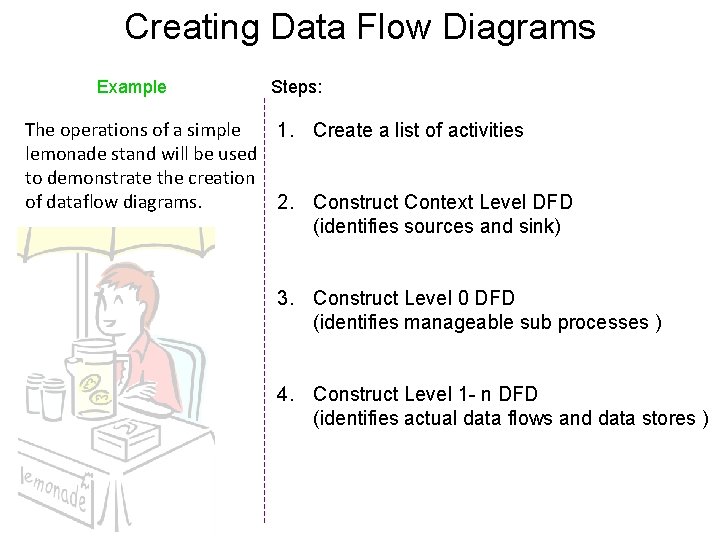
Creating Data Flow Diagrams Steps: 1. Create a list of activities 2. Construct Context Level DFD (identifies sources and sink) 3. Construct Level 0 DFD (identifies manageable sub process ) 4. Construct Level 1 - n DFD (identifies actual data flows and data stores )
Creating Data Flow Diagrams Lemonade Stand Example
Creating Data Flow Diagrams Example The operations of a simple lemonade stand will be used to demonstrate the creation of dataflow diagrams. Steps: 1. Create a list of activities 2. Construct Context Level DFD (identifies sources and sink) 3. Construct Level 0 DFD (identifies manageable sub processes ) 4. Construct Level 1 - n DFD (identifies actual data flows and data stores )
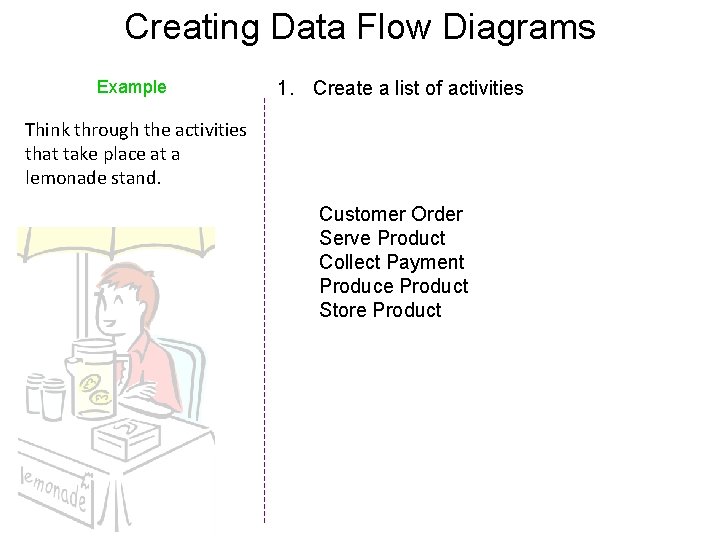
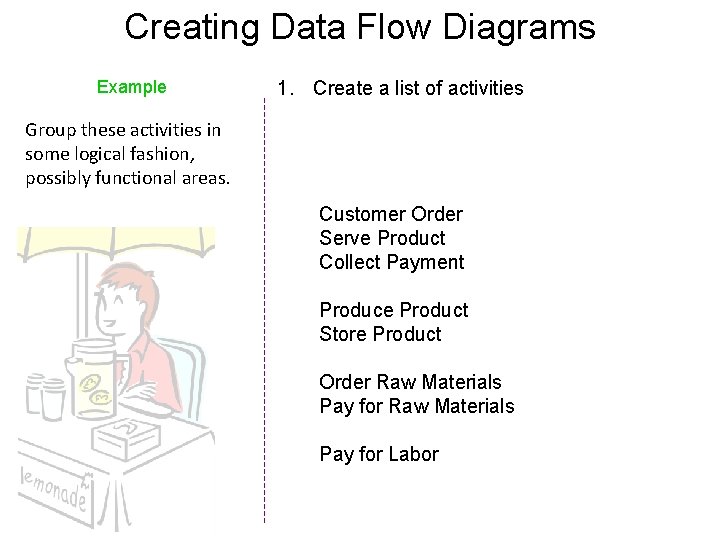
Creating Data Flow Diagrams Example 1. Create a list of activities Think through the activities that take place at a lemonade stand. Customer Order Serve Product Collect Payment Produce Product Store Product
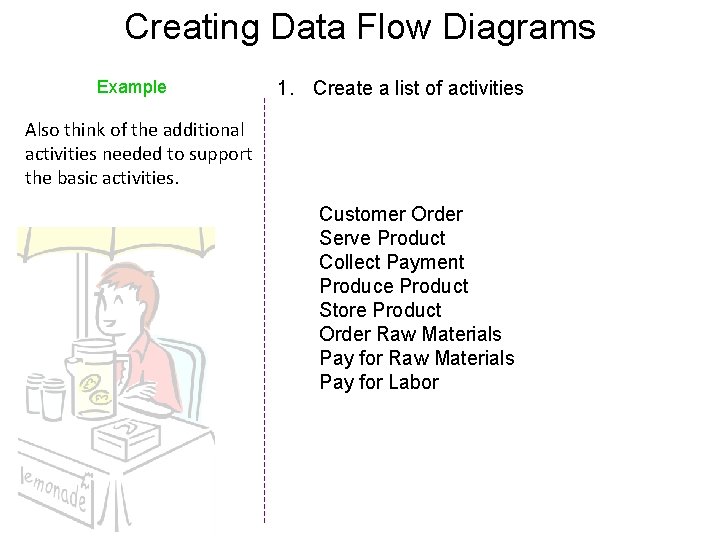
Creating Data Flow Diagrams Example 1. Create a list of activities Also think of the additional activities needed to support the basic activities. Customer Order Serve Product Collect Payment Produce Product Store Product Order Raw Materials Pay for Labor
Creating Data Flow Diagrams Example 1. Create a list of activities Group these activities in some logical fashion, possibly functional areas. Customer Order Serve Product Collect Payment Produce Product Store Product Order Raw Materials Pay for Labor
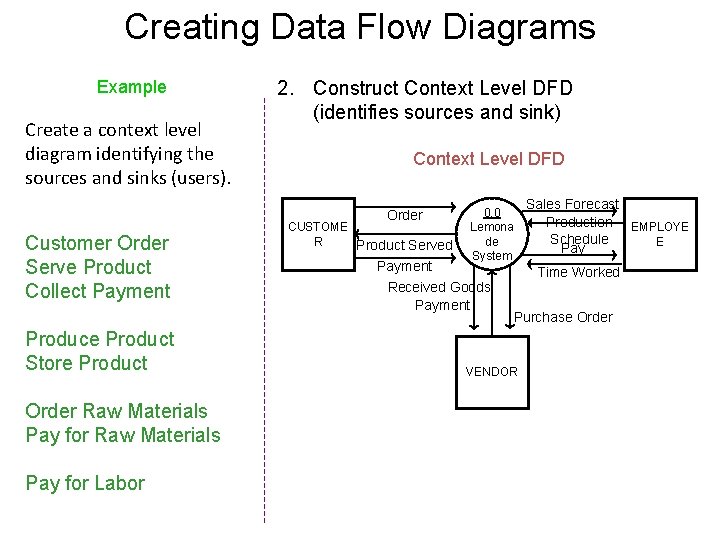
Creating Data Flow Diagrams Example Create a context level diagram identifying the sources and sinks (users). 2. Construct Context Level DFD (identifies sources and sink) Context Level DFD Order Customer Order Serve Product Collect Payment Produce Product Store Product Order Raw Materials Pay for Labor CUSTOME R Product Served 0. 0 Lemona de System Payment Received Goods Payment Sales Forecast Production EMPLOYE Schedule E Pay Time Worked Purchase Order VENDOR
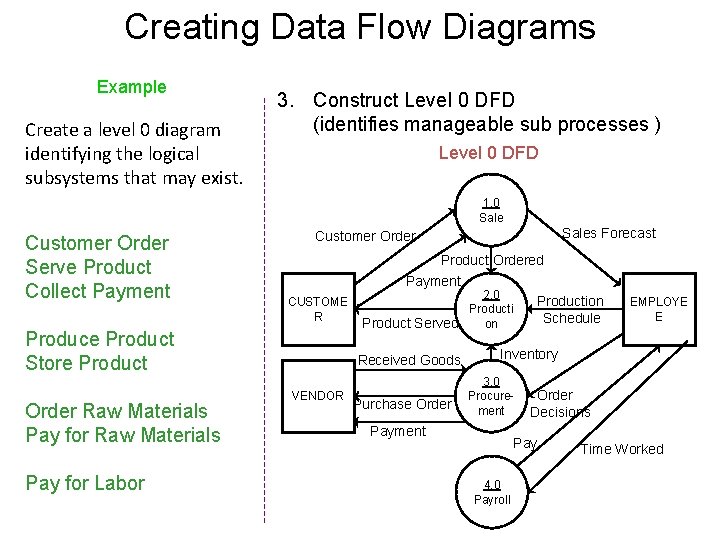
Creating Data Flow Diagrams Example Create a level 0 diagram identifying the logical subsystems that may exist. 3. Construct Level 0 DFD (identifies manageable sub processes ) Level 0 DFD 1. 0 Sale Customer Order Serve Product Collect Payment CUSTOME R Produce Product Store Product Order Raw Materials Pay for Labor Sales Forecast Customer Order Product Ordered Payment 2. 0 Production Producti Schedule Product Served on Received Goods VENDOR Purchase Order EMPLOYE E Inventory 3. 0 Procurement Payment Order Decisions Pay 4. 0 Payroll Time Worked
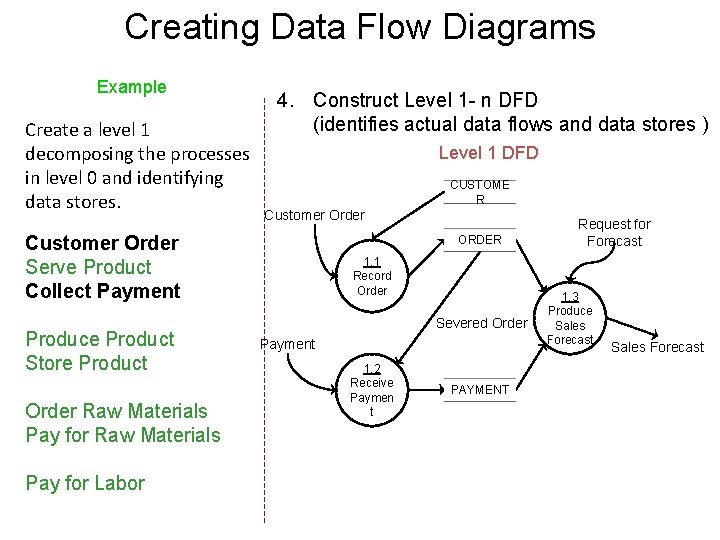
Creating Data Flow Diagrams Example Create a level 1 decomposing the processes in level 0 and identifying data stores. 4. Construct Level 1 - n DFD (identifies actual data flows and data stores ) Level 1 DFD CUSTOME R Customer Order Serve Product Collect Payment Produce Product Store Product Order Raw Materials Pay for Labor ORDER 1. 1 Record Order Severed Order Payment 1. 2 Receive Paymen t PAYMENT Request for Forecast 1. 3 Produce Sales Forecast
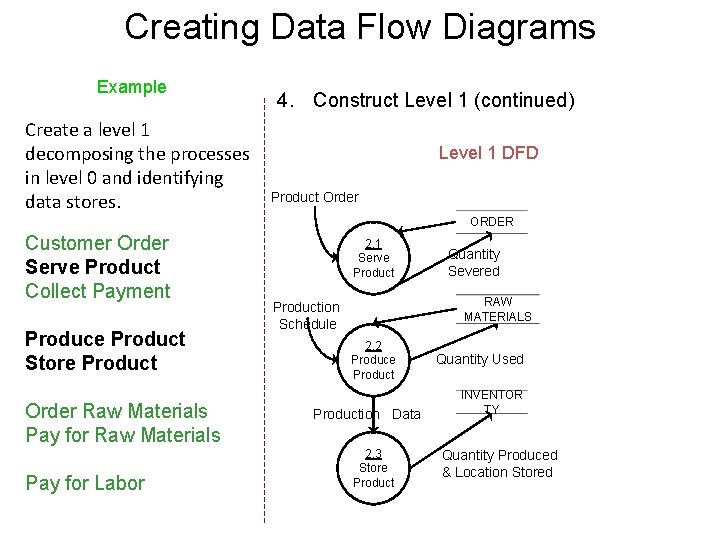
Creating Data Flow Diagrams Example Create a level 1 decomposing the processes in level 0 and identifying data stores. 4. Construct Level 1 (continued) Level 1 DFD Product Order ORDER Customer Order Serve Product Collect Payment Produce Product Store Product Order Raw Materials Pay for Labor 2. 1 Serve Product Quantity Severed RAW MATERIALS Production Schedule 2. 2 Produce Production Data 2. 3 Store Product Quantity Used INVENTOR TY Quantity Produced & Location Stored
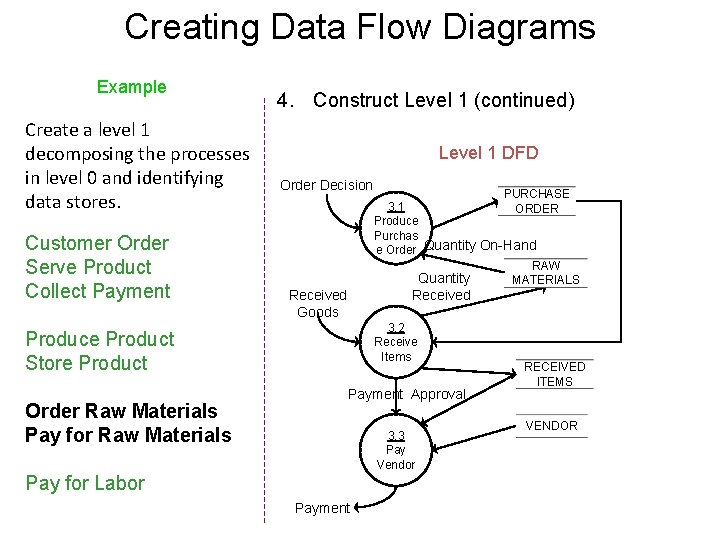
Creating Data Flow Diagrams Example Create a level 1 decomposing the processes in level 0 and identifying data stores. Customer Order Serve Product Collect Payment 4. Construct Level 1 (continued) Level 1 DFD Order Decision Received Goods 3. 2 Receive Items Produce Product Store Product Order Raw Materials Pay for Raw Materials PURCHASE 3. 1 ORDER Produce Purchas e Order Quantity On-Hand RAW Quantity MATERIALS Payment Approval 3. 3 Pay Vendor Pay for Labor Payment RECEIVED ITEMS VENDOR
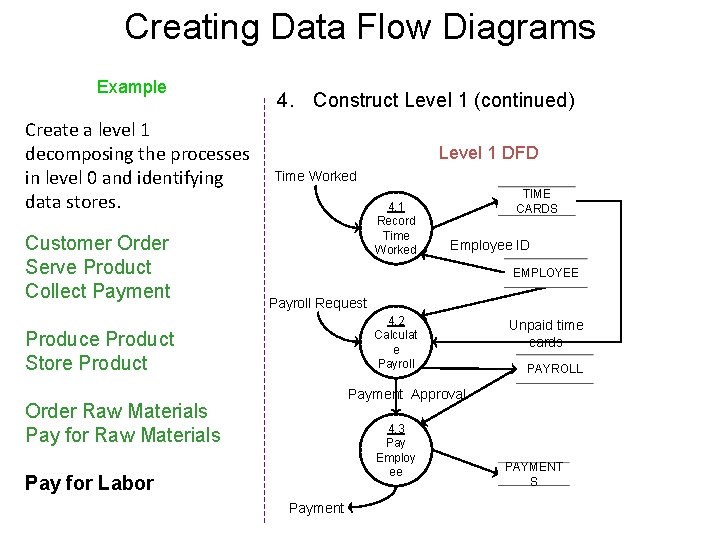
Creating Data Flow Diagrams Example Create a level 1 decomposing the processes in level 0 and identifying data stores. Customer Order Serve Product Collect Payment 4. Construct Level 1 (continued) Level 1 DFD Time Worked 4. 1 Record Time Worked TIME CARDS Employee ID EMPLOYEE Payroll Request 4. 2 Calculat e Payroll Produce Product Store Product Unpaid time cards PAYROLL Payment Approval Order Raw Materials Pay for Raw Materials 4. 3 Pay Employ ee Pay for Labor Payment PAYMENT S
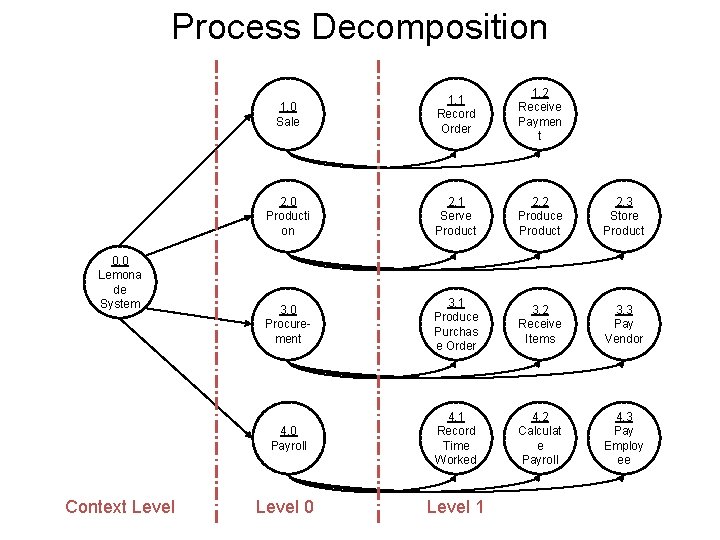
Process Decomposition 0. 0 Lemona de System Context Level 1. 0 Sale 1. 1 Record Order 1. 2 Receive Paymen t 2. 0 Producti on 2. 1 Serve Product 2. 2 Produce Product 2. 3 Store Product 3. 0 Procurement 3. 1 Produce Purchas e Order 3. 2 Receive Items 3. 3 Pay Vendor 4. 0 Payroll 4. 1 Record Time Worked 4. 2 Calculat e Payroll 4. 3 Pay Employ ee Level 0 Level 1
Lemonade Stand Example END
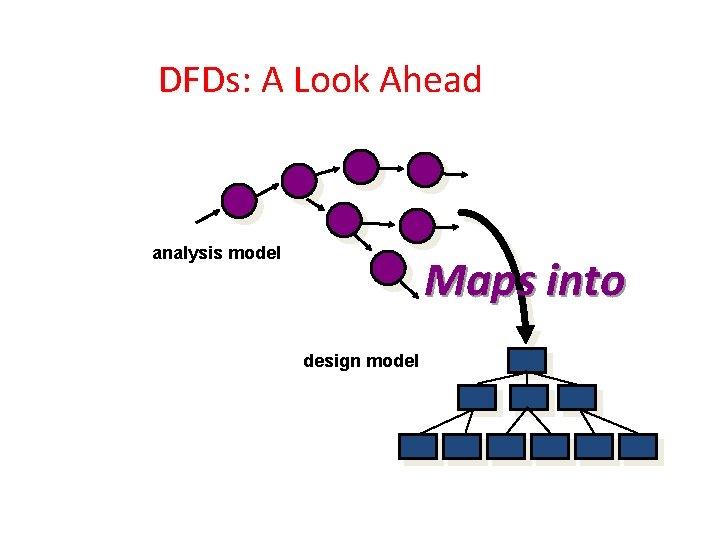
DFDs: A Look Ahead analysis model Maps into design model
Control Flow Diagrams
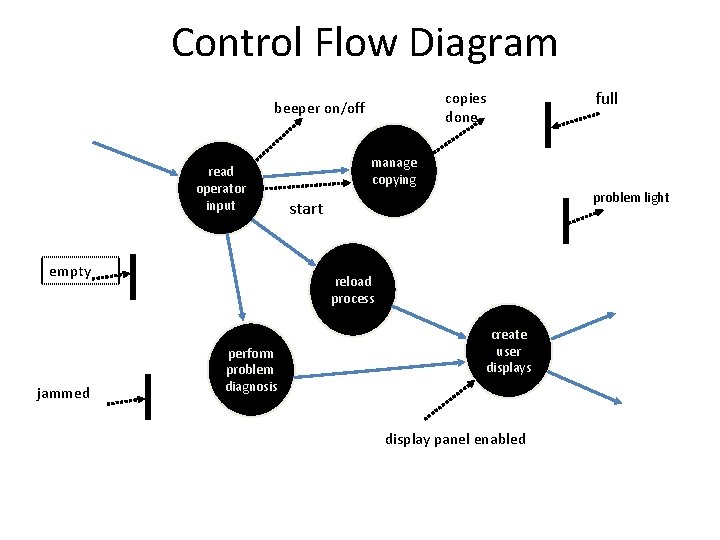
• CFD shows - same processes as in the DFDs - But rather than showing data flow, - They show – control flows. • CFD shows - How events flow among processes - How external events activate the processes
• The dashed arrow - is used to represent the control flow or event - - -> • A solid bar - is used to represent the window -
Control Flow Modeling • Represents “events” and the processes that manage events • An “event” is a Boolean condition that can be ascertained by: • • • listing all sensors that are "read" by the software. listing all interrupt conditions. listing all "switches" that are actuated by an operator. listing all data conditions. recalling the noun/verb parse that was applied to the processing narrative, review all "control items" as possible CSPEC inputs/outputs. 72
Control Flow Diagrams • Represents “events” and the processes that manage events • An “event” is a Boolean condition that can be ascertained by: • • • listing all sensors that are "read" by the software. listing all interrupt conditions. listing all "switches" that are actuated by an operator. listing all data conditions. recalling the noun/verb parse that was applied to the processing narrative, review all "control items" as possible CSPEC inputs/outputs.
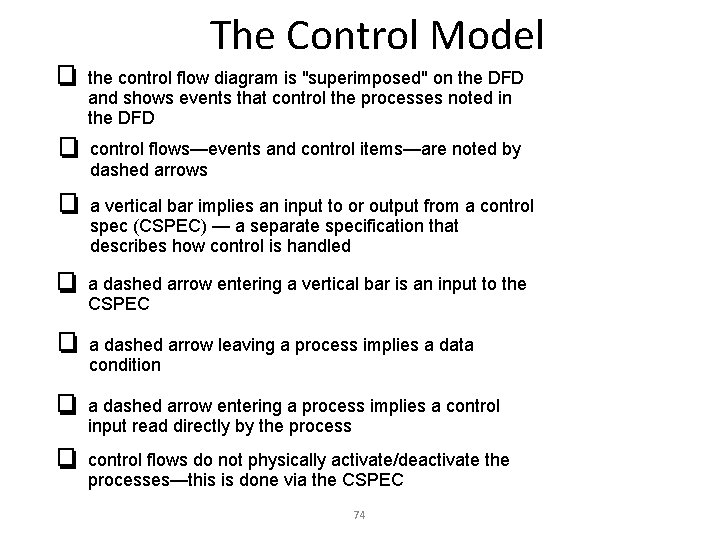
The Control Model the control flow diagram is "superimposed" on the DFD and shows events that control the processes noted in the DFD control flows—events and control items—are noted by dashed arrows a vertical bar implies an input to or output from a control spec (CSPEC) — a separate specification that describes how control is handled a dashed arrow entering a vertical bar is an input to the CSPEC a dashed arrow leaving a process implies a data condition a dashed arrow entering a process implies a control input read directly by the process control flows do not physically activate/deactivate the processes—this is done via the CSPEC 74
Control Flow Diagram copies done beeper on/off read operator input empty jammed manage copying problem light start reload process perform problem diagnosis full create user displays display panel enabled
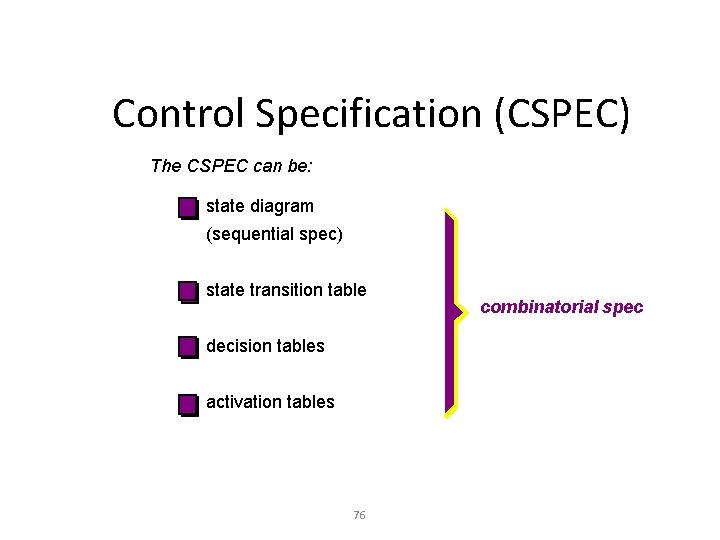
Control Specification (CSPEC) The CSPEC can be: state diagram (sequential spec) state transition table decision tables activation tables 76 combinatorial spec
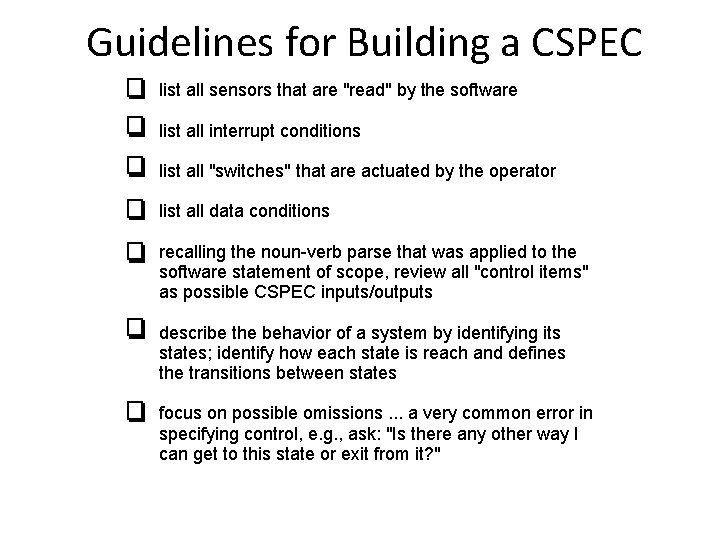
Guidelines for Building a CSPEC list all sensors that are "read" by the software list all interrupt conditions list all "switches" that are actuated by the operator list all data conditions recalling the noun-verb parse that was applied to the software statement of scope, review all "control items" as possible CSPEC inputs/outputs describe the behavior of a system by identifying its states; identify how each state is reach and defines the transitions between states focus on possible omissions. . . a very common error in specifying control, e. g. , ask: "Is there any other way I can get to this state or exit from it? "
Behavioral Elements (Model) 1. State diagrams 2. Sequence diagrams
4. Class Based Modeling
Class Diagrams - Used to capture static view of the system - Various classes & relationships among them is represented - Responsible for – how to put object together • For ex. – manager, executive, salesperson - can be represented by class - employee
• Objects & object classes – - An object has a state, behavior & identity The structure & behavior of similar objects are defined in their common class • Objects represents – instances in the real world. • object class are templates for objects Using object classes, objects can be created
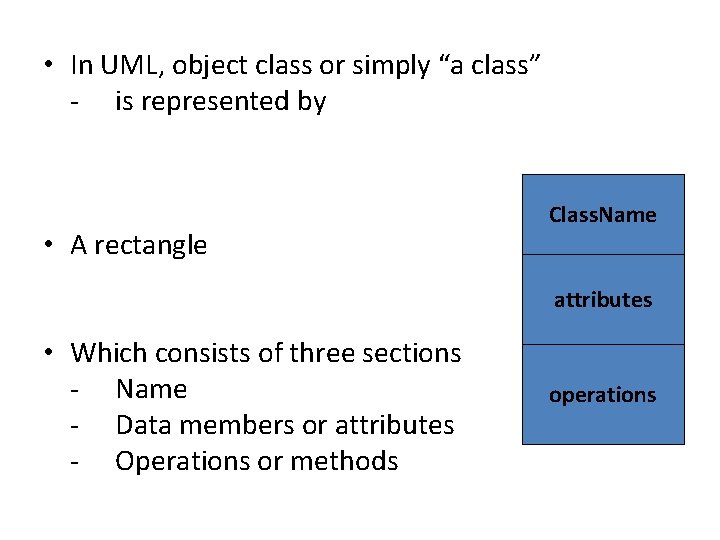
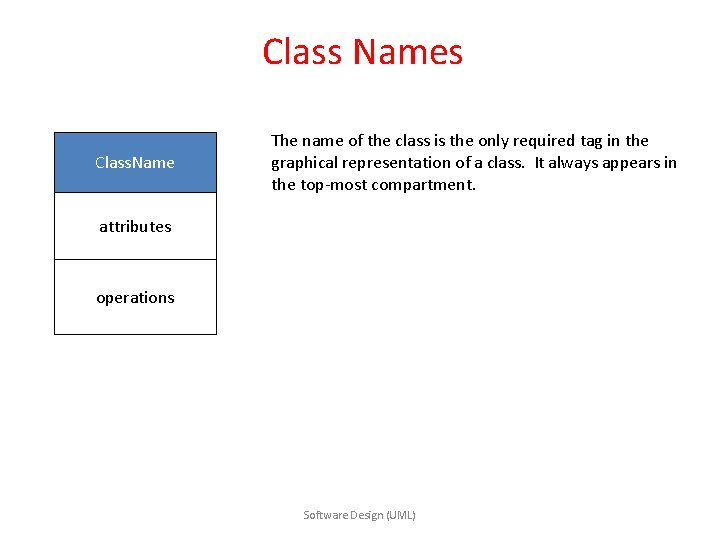
• In UML, object class or simply “a class” - is represented by • A rectangle Class. Name attributes • Which consists of three sections - Name - Data members or attributes - Operations or methods operations
Class Names Class. Name The name of the class is the only required tag in the graphical representation of a class. It always appears in the top-most compartment. attributes operations Software Design (UML)
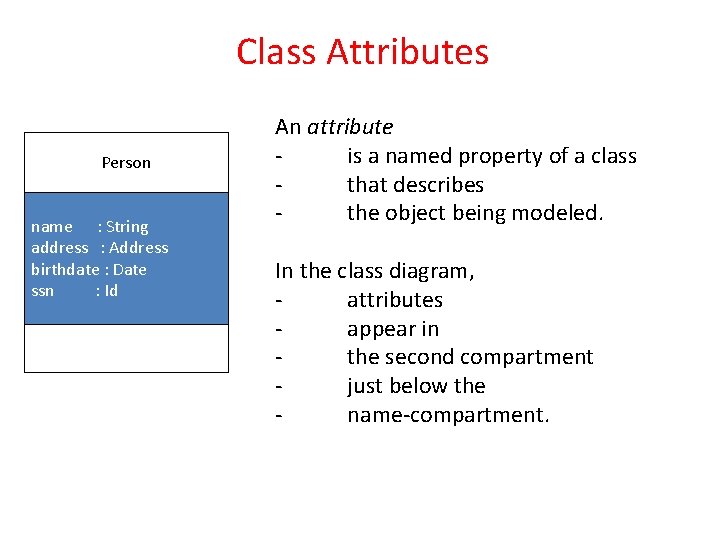
Class Attributes Person name : String address : Address birthdate : Date ssn : Id An attribute is a named property of a class that describes the object being modeled. In the class diagram, attributes appear in the second compartment just below the name-compartment.
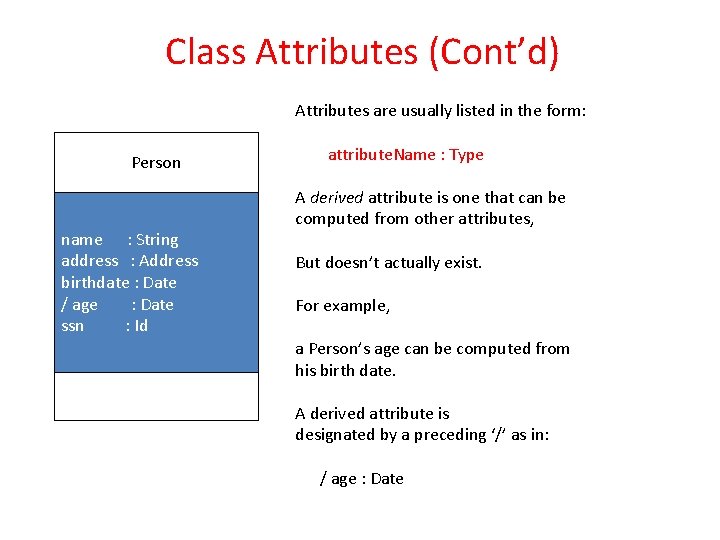
Class Attributes (Cont’d) Attributes are usually listed in the form: Person name : String address : Address birthdate : Date / age : Date ssn : Id attribute. Name : Type A derived attribute is one that can be computed from other attributes, But doesn’t actually exist. For example, a Person’s age can be computed from his birth date. A derived attribute is designated by a preceding ‘/’ as in: / age : Date
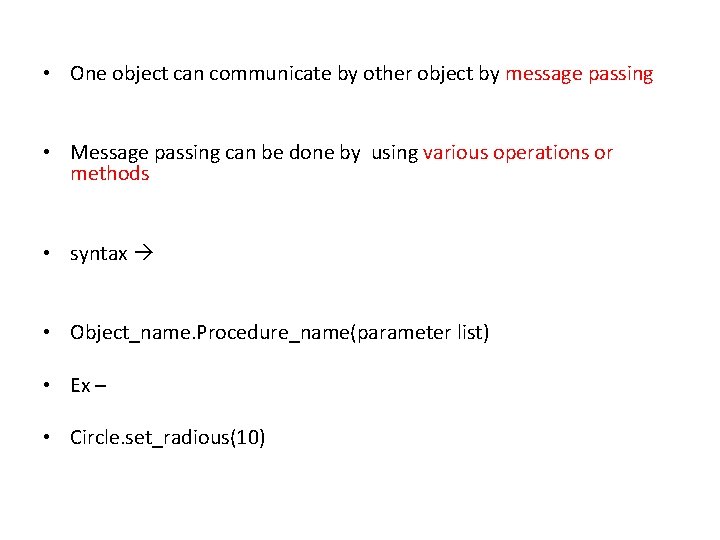
• One object can communicate by other object by message passing • Message passing can be done by using various operations or methods • syntax • Object_name. Procedure_name(parameter list) • Ex – • Circle. set_radious(10)
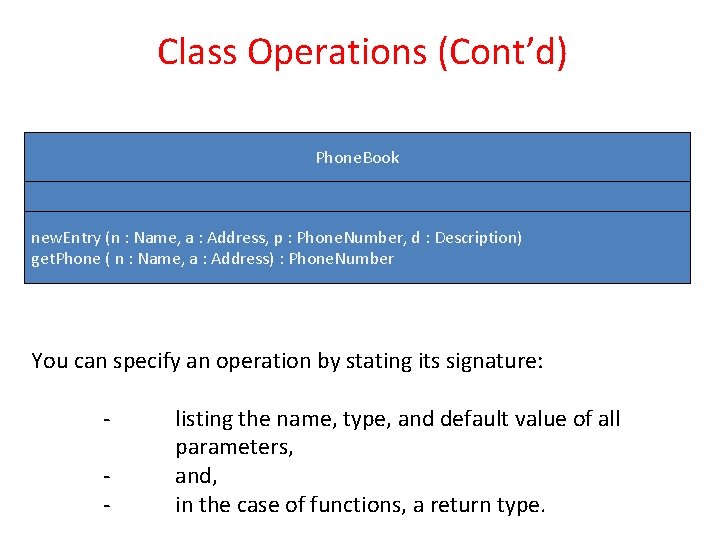
Class Operations (Cont’d) Phone. Book new. Entry (n : Name, a : Address, p : Phone. Number, d : Description) get. Phone ( n : Name, a : Address) : Phone. Number You can specify an operation by stating its signature: - listing the name, type, and default value of all parameters, and, in the case of functions, a return type.
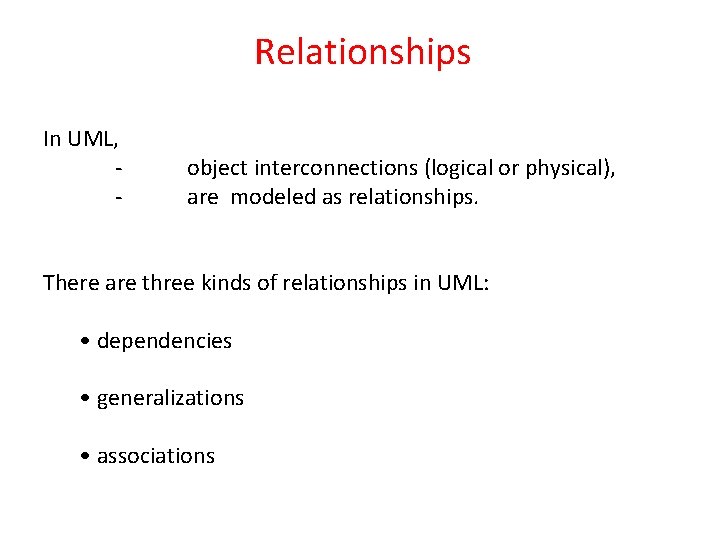
Relationships In UML, - object interconnections (logical or physical), are modeled as relationships. There are three kinds of relationships in UML: • dependencies • generalizations • associations
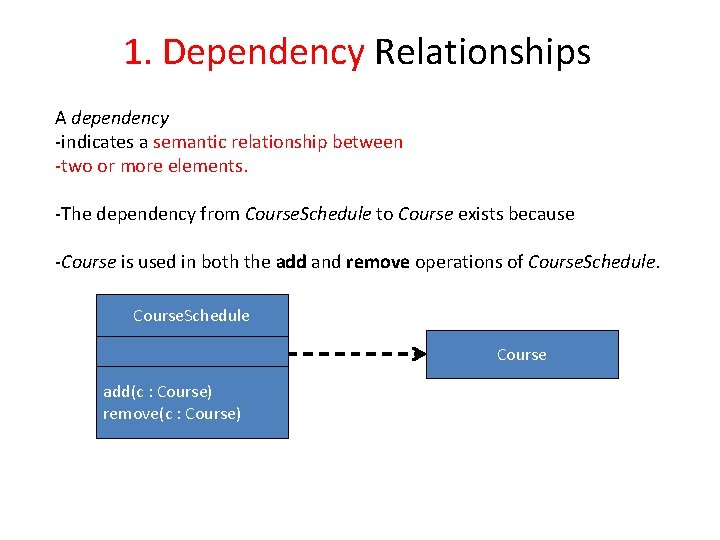
1. Dependency Relationships A dependency -indicates a semantic relationship between -two or more elements. -The dependency from Course. Schedule to Course exists because -Course is used in both the add and remove operations of Course. Schedule Course add(c : Course) remove(c : Course)
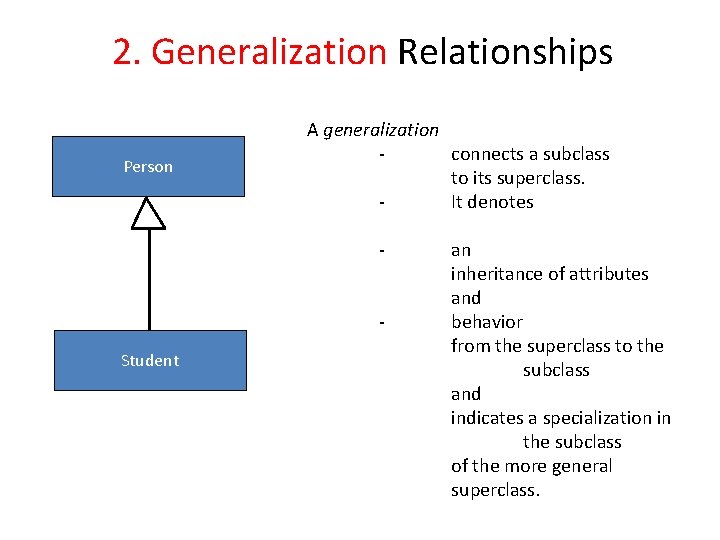
2. Generalization Relationships Person A generalization connects a subclass to its superclass. It denotes - Student an inheritance of attributes and behavior from the superclass to the subclass and indicates a specialization in the subclass of the more general superclass.
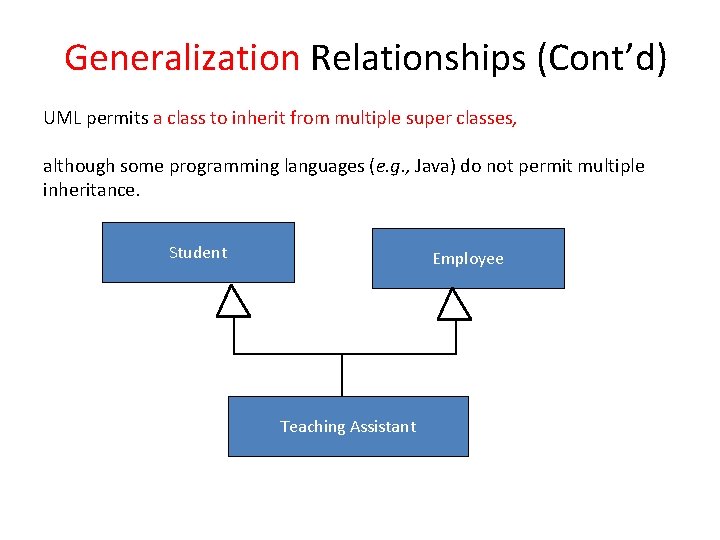
Generalization Relationships (Cont’d) UML permits a class to inherit from multiple super classes, although some programming languages (e. g. , Java) do not permit multiple inheritance. Student Employee Teaching Assistant
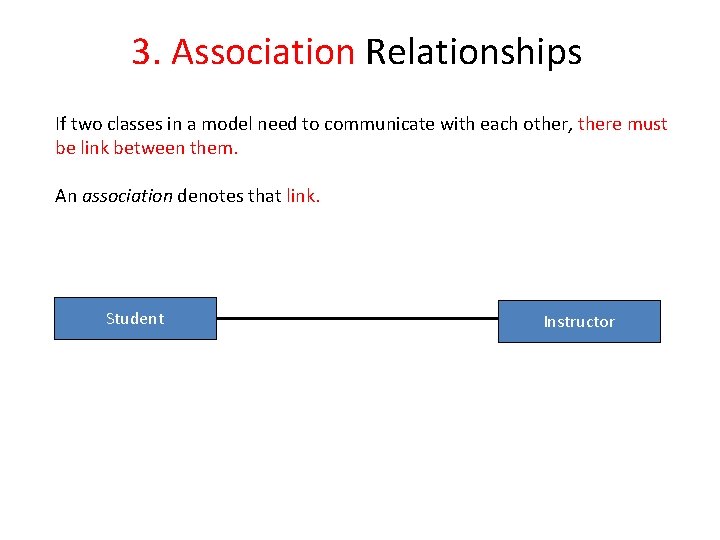
3. Association Relationships If two classes in a model need to communicate with each other, there must be link between them. An association denotes that link. Student Instructor
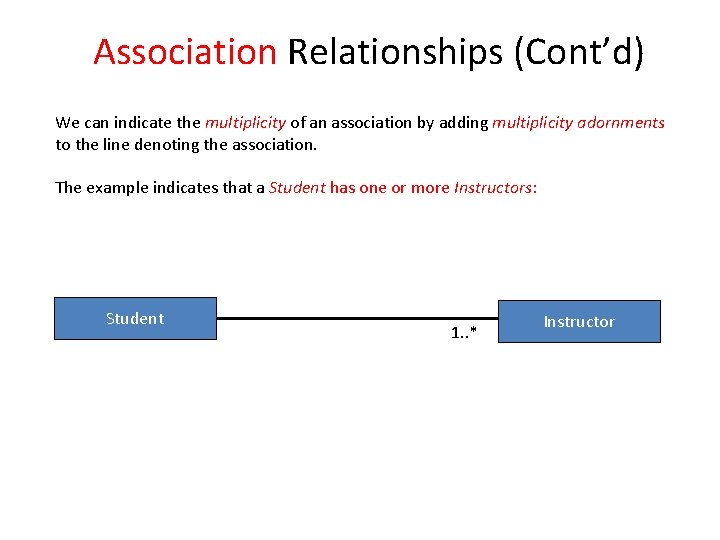
Association Relationships (Cont’d) We can indicate the multiplicity of an association by adding multiplicity adornments to the line denoting the association. The example indicates that a Student has one or more Instructors: Student 1. . * Instructor
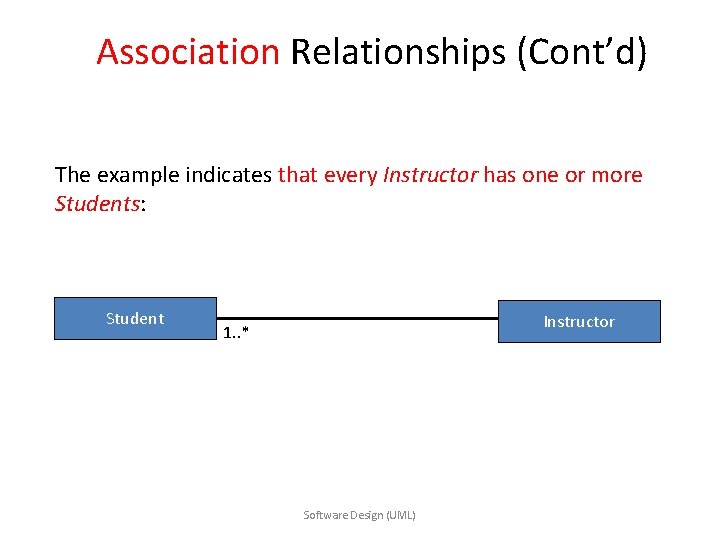
Association Relationships (Cont’d) The example indicates that every Instructor has one or more Students: Student Instructor 1. . * Software Design (UML)
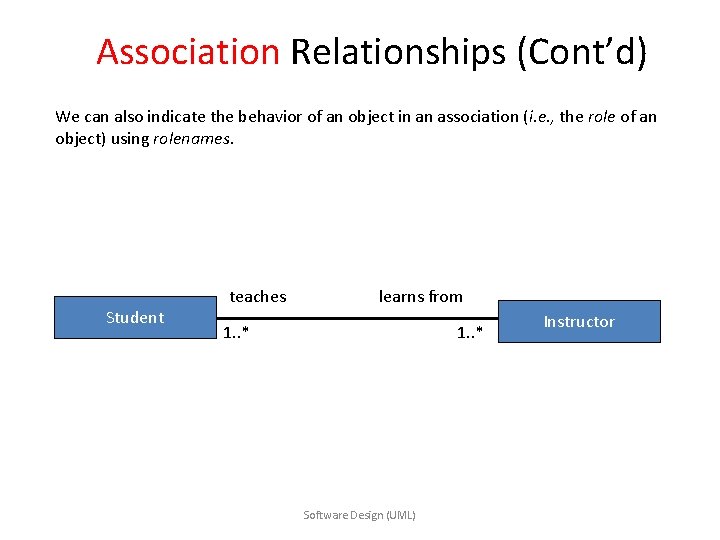
Association Relationships (Cont’d) We can also indicate the behavior of an object in an association (i. e. , the role of an object) using rolenames. Student teaches learns from 1. . * Software Design (UML) Instructor
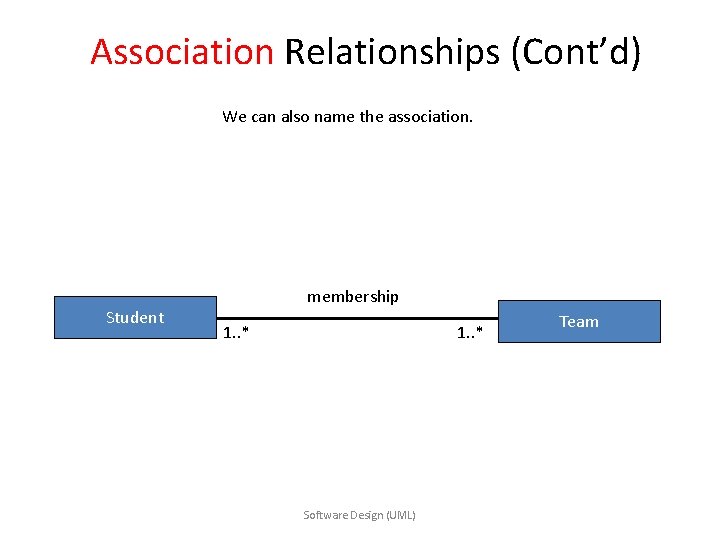
Association Relationships (Cont’d) We can also name the association. Student membership 1. . * Software Design (UML) Team
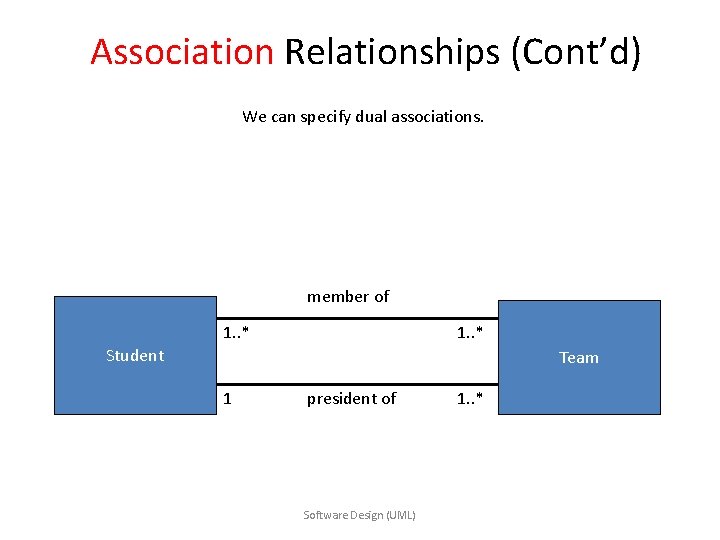
Association Relationships (Cont’d) We can specify dual associations. member of 1. . * Student Team 1 president of Software Design (UML) 1. . *
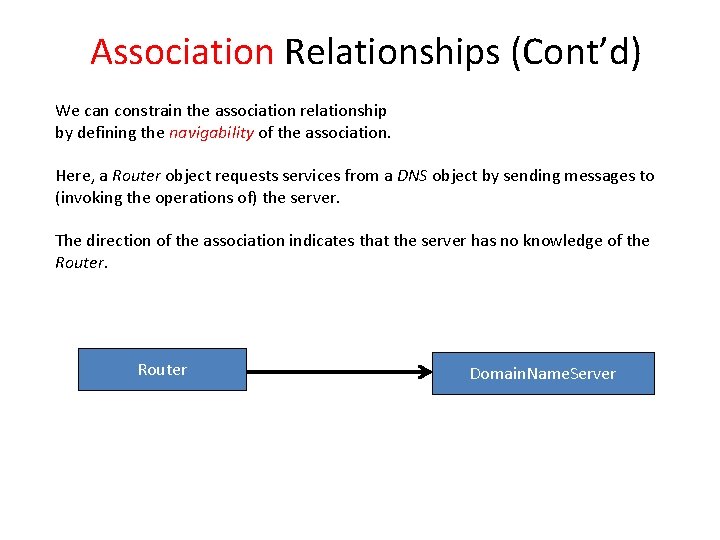
Association Relationships (Cont’d) We can constrain the association relationship by defining the navigability of the association. Here, a Router object requests services from a DNS object by sending messages to (invoking the operations of) the server. The direction of the association indicates that the server has no knowledge of the Router Domain. Name. Server
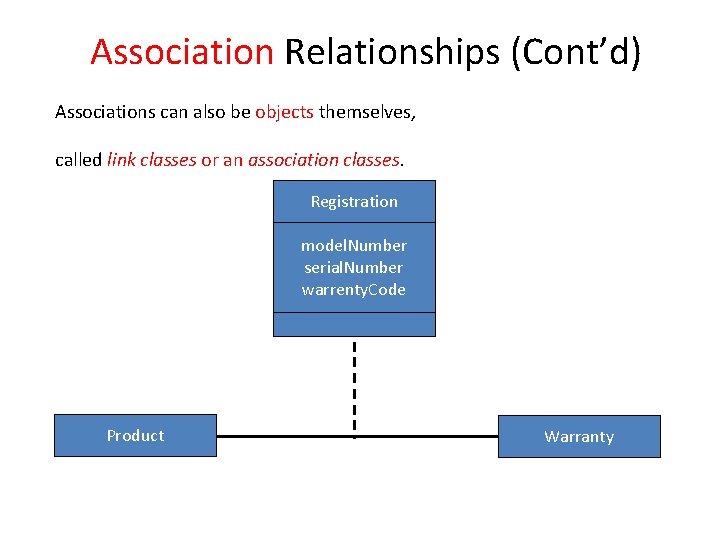
Association Relationships (Cont’d) Associations can also be objects themselves, called link classes or an association classes. Registration model. Number serial. Number warrenty. Code Product Warranty
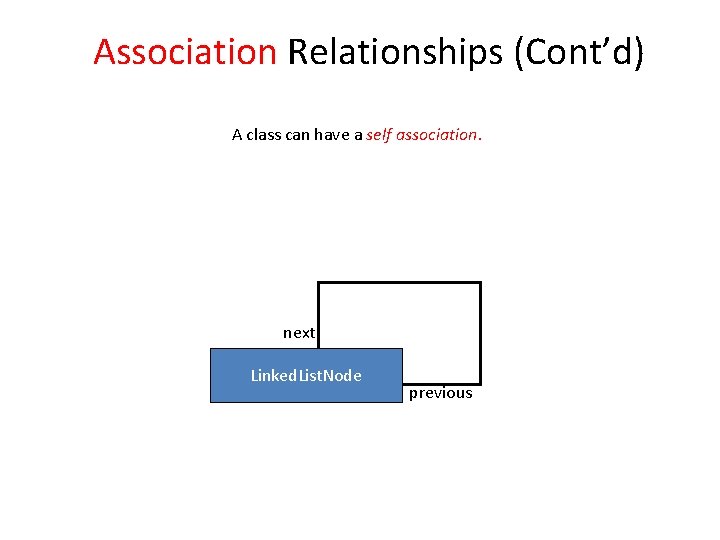
Association Relationships (Cont’d) A class can have a self association. next Linked. List. Node previous
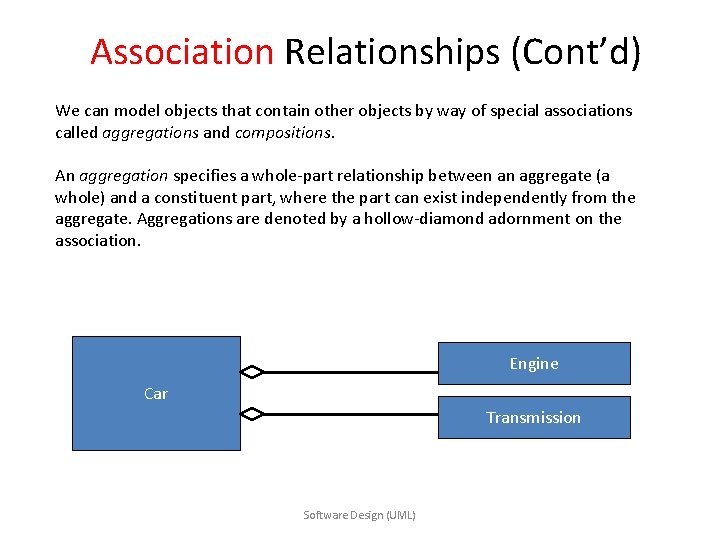
Association Relationships (Cont’d) We can model objects that contain other objects by way of special associations called aggregations and compositions. An aggregation specifies a whole-part relationship between an aggregate (a whole) and a constituent part, where the part can exist independently from the aggregate. Aggregations are denoted by a hollow-diamond adornment on the association. Engine Car Transmission Software Design (UML)
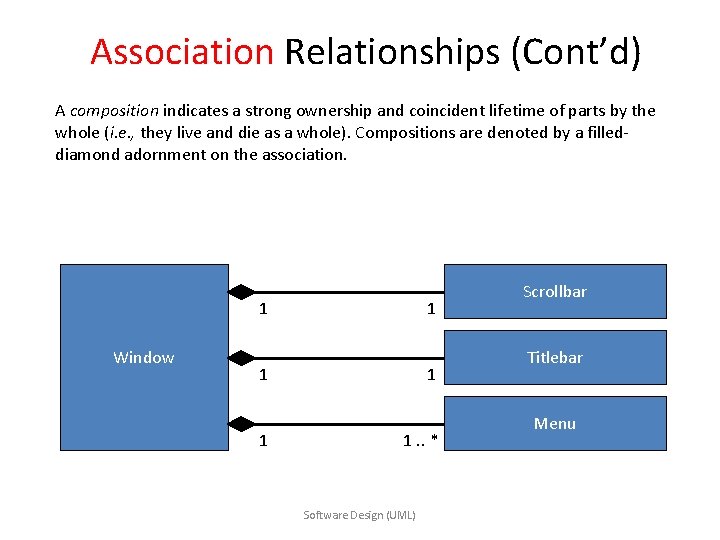
Association Relationships (Cont’d) A composition indicates a strong ownership and coincident lifetime of parts by the whole (i. e. , they live and die as a whole). Compositions are denoted by a filleddiamond adornment on the association. 1 Window 1 1 1. . * Software Design (UML) Scrollbar Titlebar Menu
Generalization And Inheritance Relationship • One class is generalization of one or more other classes • There is one super class, whose attributes & operations can be inherited by the one more sub class • The sub class may add its own attributed & methods • In UML, generalization is implemented as inheritance • Example of generalization hierarchy is as shown below
Inheritance example
• Arrow head points to base class or super class • & • Other end of arrow is connected to derived classes or child classes • • Multiple inheritance – • If child classes are derived from more than one parent, then it shows multiple inheritance
Class – Responsibility Collaborator (CRC) Modeling
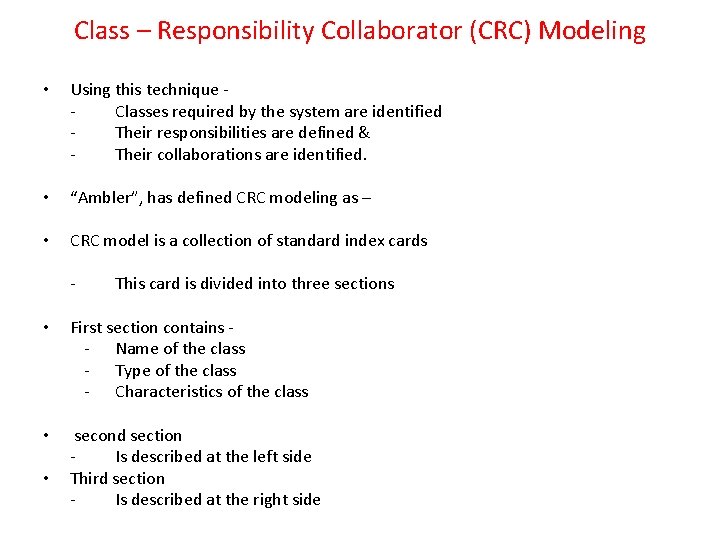
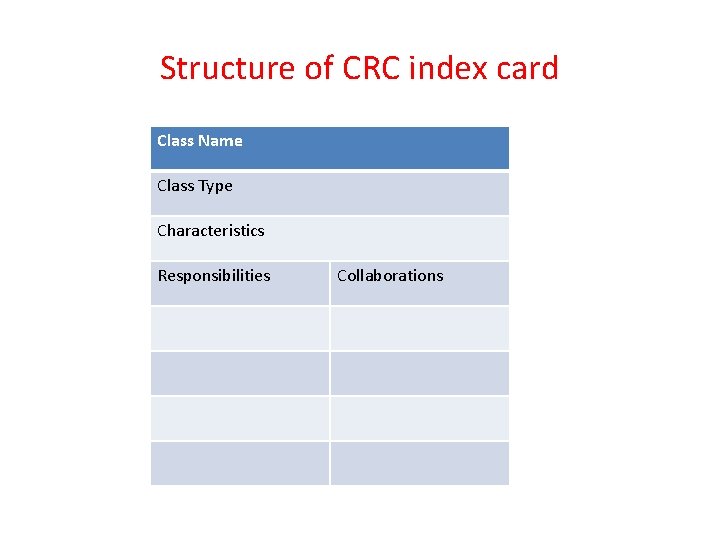
Class – Responsibility Collaborator (CRC) Modeling • Using this technique Classes required by the system are identified Their responsibilities are defined & Their collaborations are identified. • “Ambler”, has defined CRC modeling as – • CRC model is a collection of standard index cards - This card is divided into three sections • First section contains - Name of the class - Type of the class - Characteristics of the class • second section Is described at the left side Third section Is described at the right side •
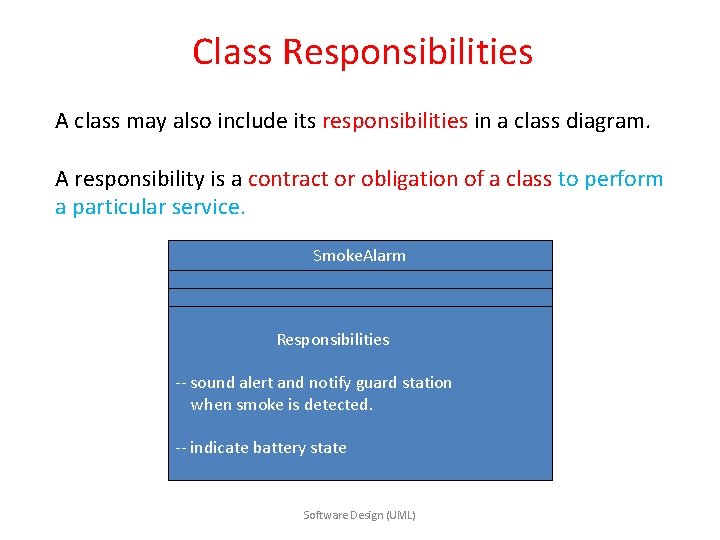
Class Responsibilities A class may also include its responsibilities in a class diagram. A responsibility is a contract or obligation of a class to perform a particular service. Smoke. Alarm Responsibilities -- sound alert and notify guard station when smoke is detected. -- indicate battery state Software Design (UML)
Structure of CRC index card Class Name Class Type Characteristics Responsibilities Collaborations
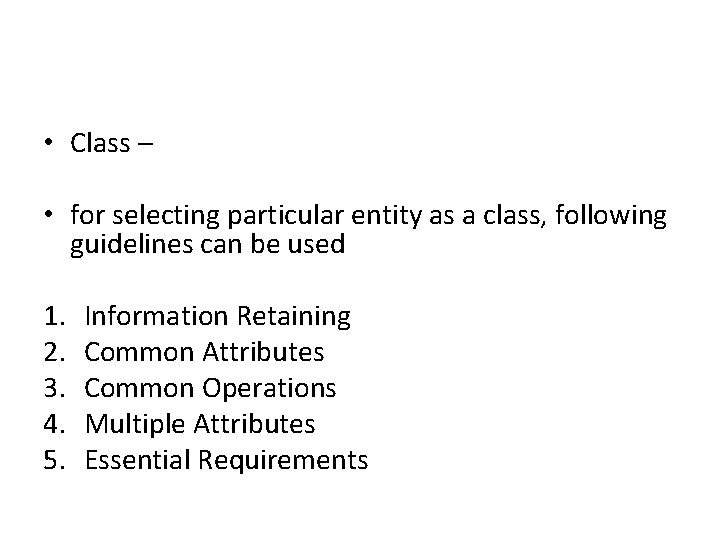
• Class – • for selecting particular entity as a class, following guidelines can be used 1. 2. 3. 4. 5. Information Retaining Common Attributes Common Operations Multiple Attributes Essential Requirements
1. Information Retaining - Some objects have potential of retaining the information - This information can be used by the system, for defining the functionalities - Hence, chosen object must contain some information.
2. Common Attributes • Every object defines – some set of attributes - These can be – variables or functions - Some member variables are common to all the objects - Selection of objects can done, based on such common characteristics of the system
3. Common Operations • Every object defines – some set of attributes - These can be – variables or functions - Some member functions are common to all the objects - Selection of objects can done, based on such common characteristics of the system
4. Multiple Attributes • Object that contain – - multiple attributes can retain more information about the system - Such objects can provide useful service to the system - (i. e. functions or variables)
5. Essential Requirements • External entities, - may produce or consume - some kind of information • These entities - can act as an object • Selection of such entities as an object - helps to perform various operations - that are required for getting solution of the problem - defined by the system
Types Of Classes Fishermith has suggested various types of classes
1. Device Classes – - External device can be declared as classes - such as – keyboard, mouse, control panel 2. Interaction Classes - interaction among various objects can be represented by the classes - foe ex. Account or purchase 3. Property Classes - particular property of the problem environment - can be represented by a class
Characteristics Of Objects
1. Tangibility - Does the class represent the tangible thing or - represent an abstract information? 2. Sequentiality - whether the class is concurrent or sequentially defined? 3. Inclusiveness does the class include other class? or it is dependent on other class? 4. Persistence – - is the class permanent or temporary? 5. Integrity – - do the class allow other resources to access it? or - does it protect itself from other resources?