
Requirement The process to gather the software requirements
![Class diagram [from UML Distilled Third Edition]](https://slidetodoc.com/presentation_image_h2/d589f494a43063c5f0e0a0a11d2fe2cb/image-21.jpg "Class diagram [from UML Distilled Third Edition]")
![Association: Model to Implementation * Student has Class Student { Course enrolls[4]; } Class](https://slidetodoc.com/presentation_image_h2/d589f494a43063c5f0e0a0a11d2fe2cb/image-22.jpg "Association: Model to Implementation * Student has Class Student { Course enrolls[4]; } Class")
![Deployment Diagram server: Host. Machine <<database>> meetings. DB : Scheduler reservations [Rumbaugh, 99] <<direct](https://slidetodoc.com/presentation_image_h2/d589f494a43063c5f0e0a0a11d2fe2cb/image-36.jpg "Deployment Diagram server: Host. Machine <<database>> meetings. DB : Scheduler reservations [Rumbaugh, 99] <<direct")
- Slides: 36
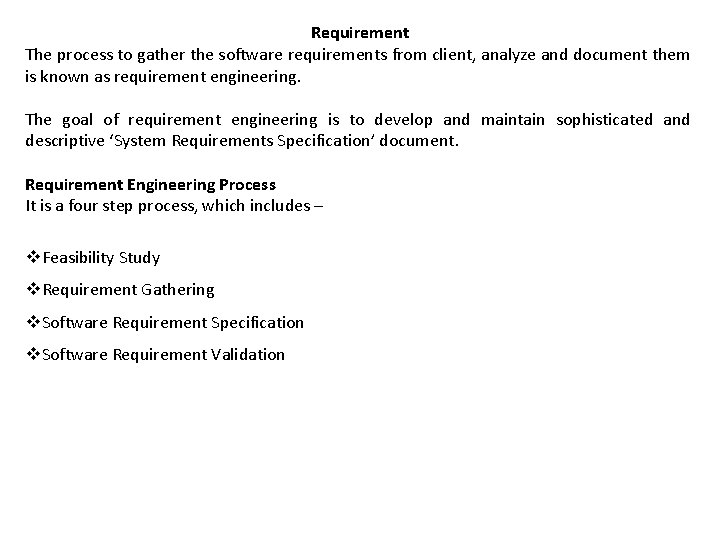
Requirement The process to gather the software requirements from client, analyze and document them is known as requirement engineering. The goal of requirement engineering is to develop and maintain sophisticated and descriptive ‘System Requirements Specification’ document. Requirement Engineering Process It is a four step process, which includes – v. Feasibility Study v. Requirement Gathering v. Software Requirement Specification v. Software Requirement Validation
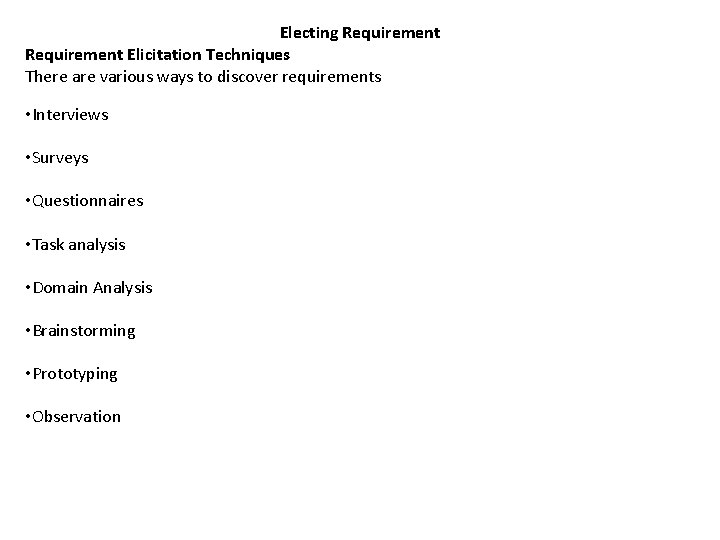
Electing Requirement Elicitation Techniques There are various ways to discover requirements • Interviews • Surveys • Questionnaires • Task analysis • Domain Analysis • Brainstorming • Prototyping • Observation
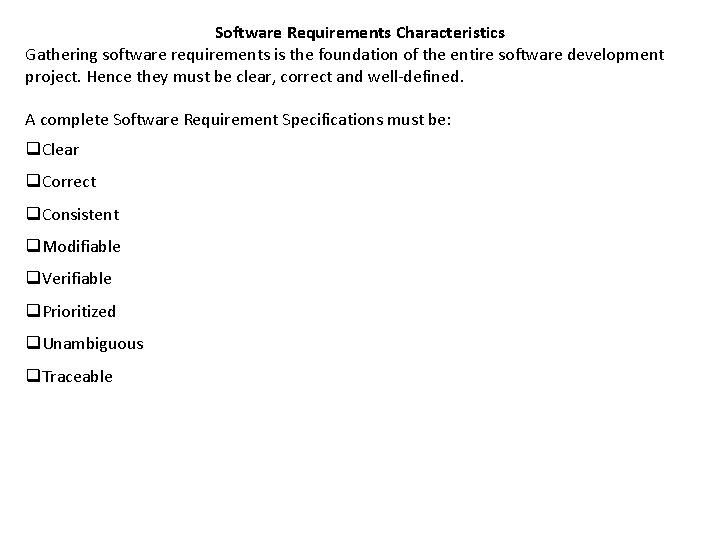
Software Requirements Characteristics Gathering software requirements is the foundation of the entire software development project. Hence they must be clear, correct and well-defined. A complete Software Requirement Specifications must be: q. Clear q. Correct q. Consistent q. Modifiable q. Verifiable q. Prioritized q. Unambiguous q. Traceable
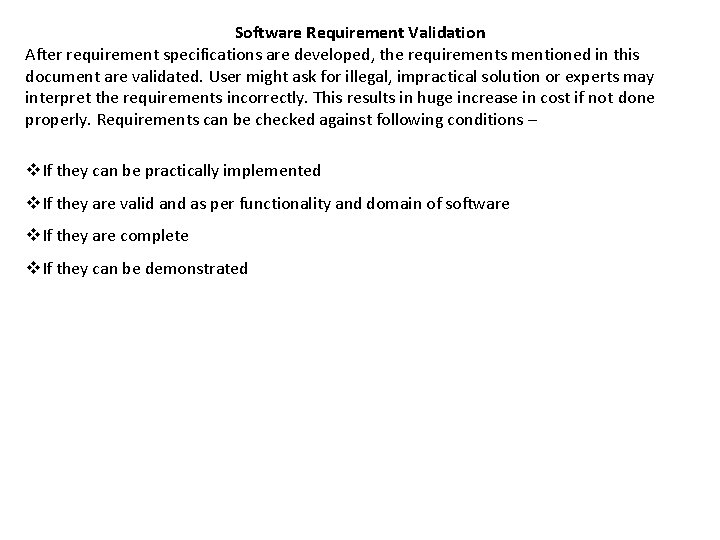
Software Requirement Validation After requirement specifications are developed, the requirements mentioned in this document are validated. User might ask for illegal, impractical solution or experts may interpret the requirements incorrectly. This results in huge increase in cost if not done properly. Requirements can be checked against following conditions – v. If they can be practically implemented v. If they are valid and as per functionality and domain of software v. If they are complete v. If they can be demonstrated
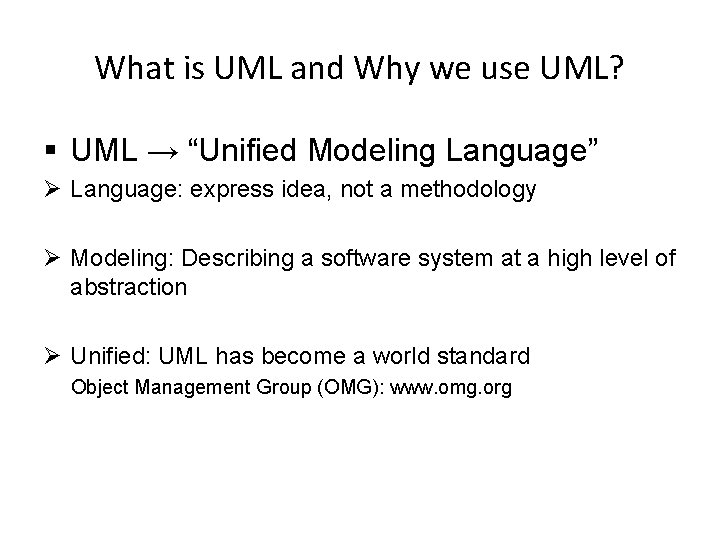
What is UML and Why we use UML? § UML → “Unified Modeling Language” Ø Language: express idea, not a methodology Ø Modeling: Describing a software system at a high level of abstraction Ø Unified: UML has become a world standard Object Management Group (OMG): www. omg. org
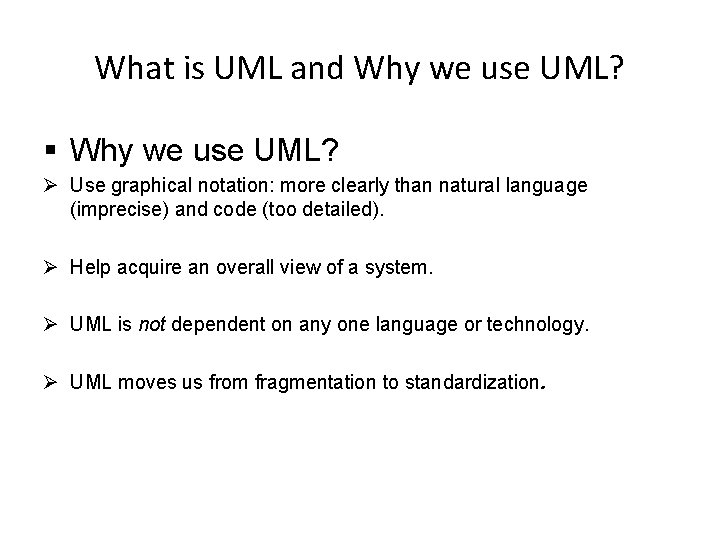
What is UML and Why we use UML? § Why we use UML? Ø Use graphical notation: more clearly than natural language (imprecise) and code (too detailed). Ø Help acquire an overall view of a system. Ø UML is not dependent on any one language or technology. Ø UML moves us from fragmentation to standardization.
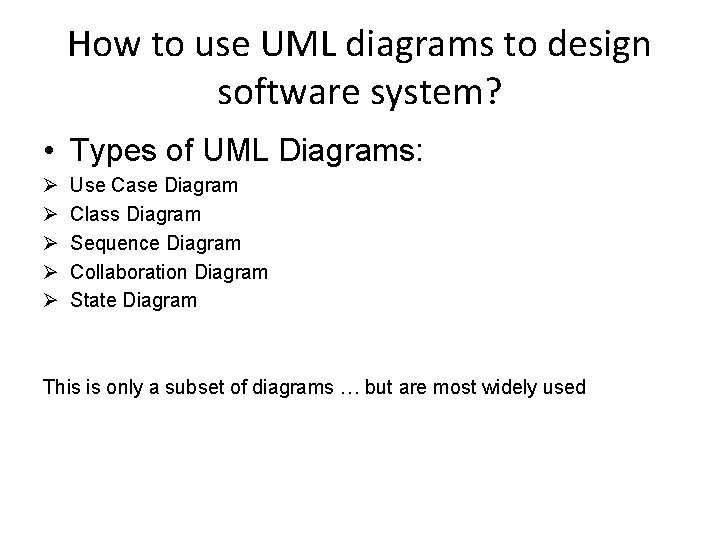
How to use UML diagrams to design software system? • Types of UML Diagrams: Ø Ø Ø Use Case Diagram Class Diagram Sequence Diagram Collaboration Diagram State Diagram This is only a subset of diagrams … but are most widely used
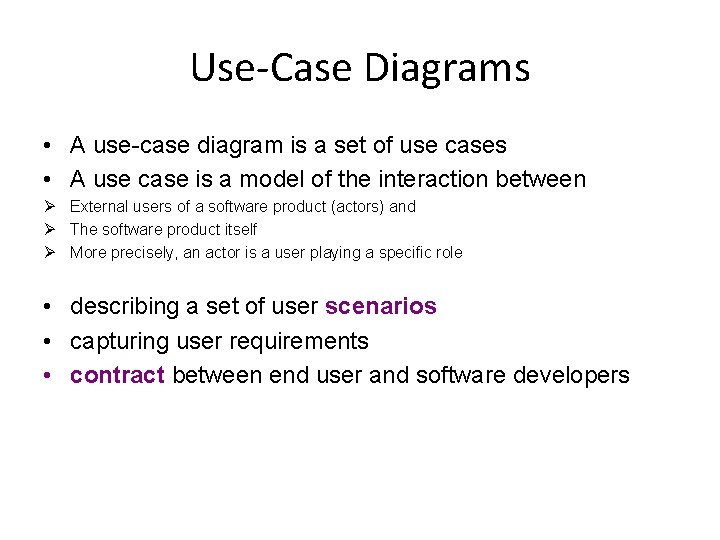
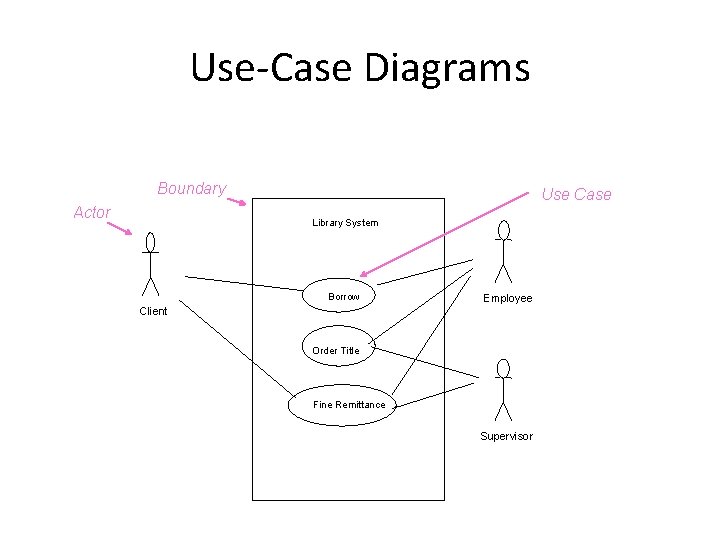
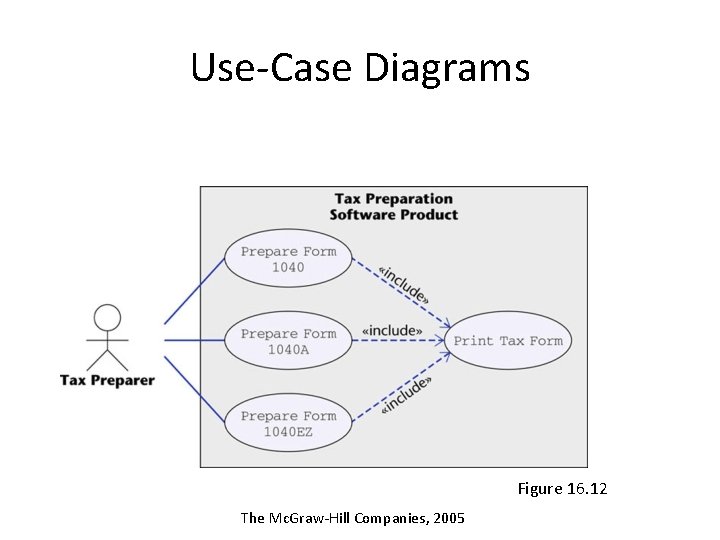
Use-Case Diagrams • A use-case diagram is a set of use cases • A use case is a model of the interaction between Ø External users of a software product (actors) and Ø The software product itself Ø More precisely, an actor is a user playing a specific role • describing a set of user scenarios • capturing user requirements • contract between end user and software developers
Use-Case Diagrams Boundary Actor Use Case Library System Borrow Employee Client Order Title Fine Remittance Supervisor
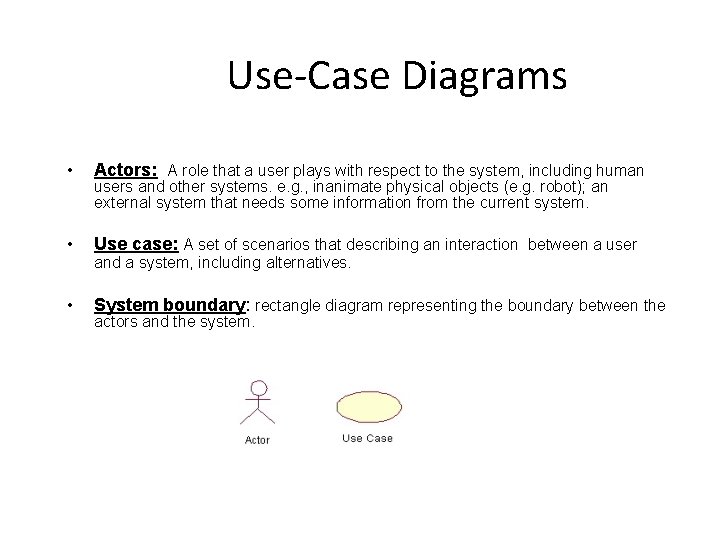
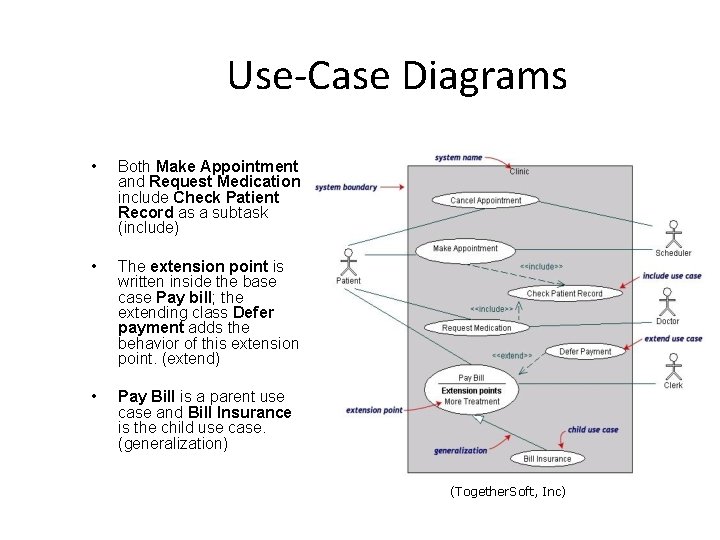
Use-Case Diagrams • Actors: A role that a user plays with respect to the system, including human • Use case: A set of scenarios that describing an interaction between a user • System boundary: rectangle diagram representing the boundary between the users and other systems. e. g. , inanimate physical objects (e. g. robot); an external system that needs some information from the current system. and a system, including alternatives. actors and the system.
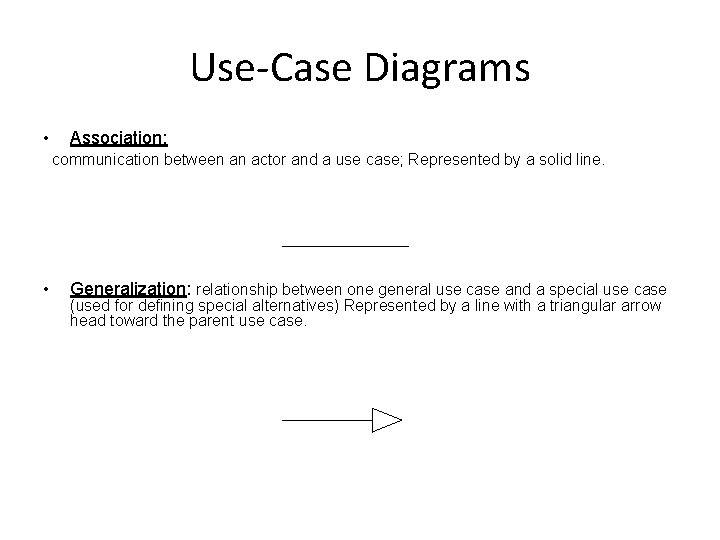
Use-Case Diagrams • Association: communication between an actor and a use case; Represented by a solid line. • Generalization: relationship between one general use case and a special use case (used for defining special alternatives) Represented by a line with a triangular arrow head toward the parent use case.
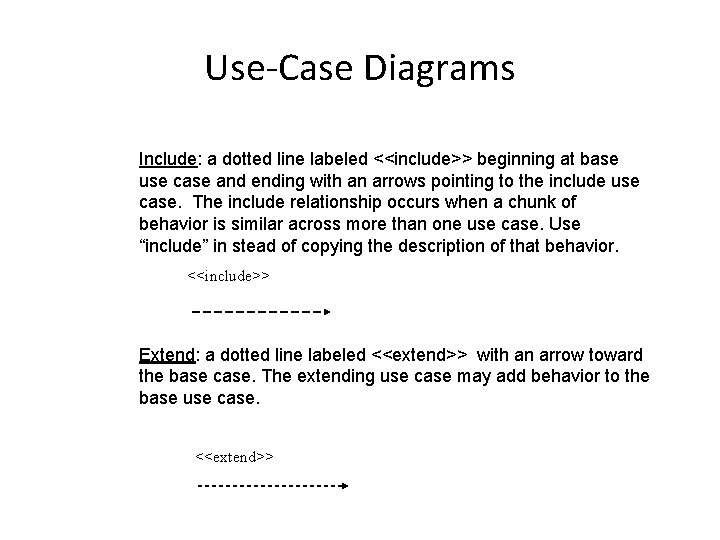
Use-Case Diagrams Include: a dotted line labeled <<include>> beginning at base use case and ending with an arrows pointing to the include use case. The include relationship occurs when a chunk of behavior is similar across more than one use case. Use “include” in stead of copying the description of that behavior. <<include>> Extend: a dotted line labeled <<extend>> with an arrow toward the base case. The extending use case may add behavior to the base use case. <<extend>>
Use-Case Diagrams Figure 16. 12 The Mc. Graw-Hill Companies, 2005
Use-Case Diagrams • Both Make Appointment and Request Medication include Check Patient Record as a subtask (include) • The extension point is written inside the base case Pay bill; the extending class Defer payment adds the behavior of this extension point. (extend) • Pay Bill is a parent use case and Bill Insurance is the child use case. (generalization) (Together. Soft, Inc)
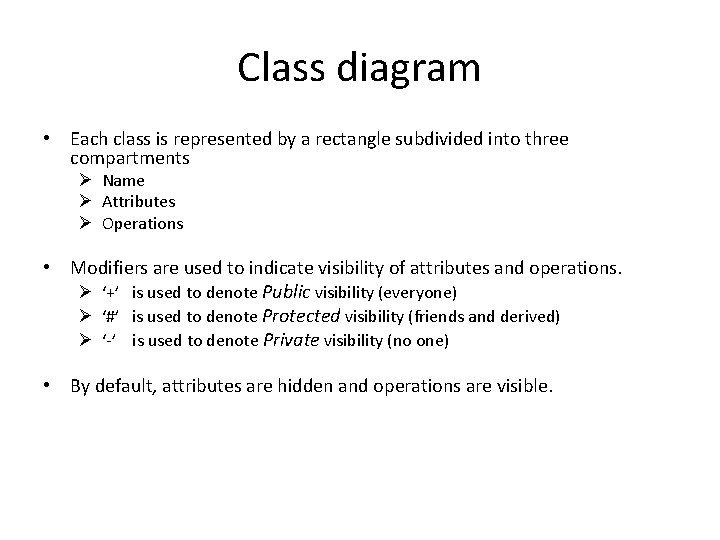
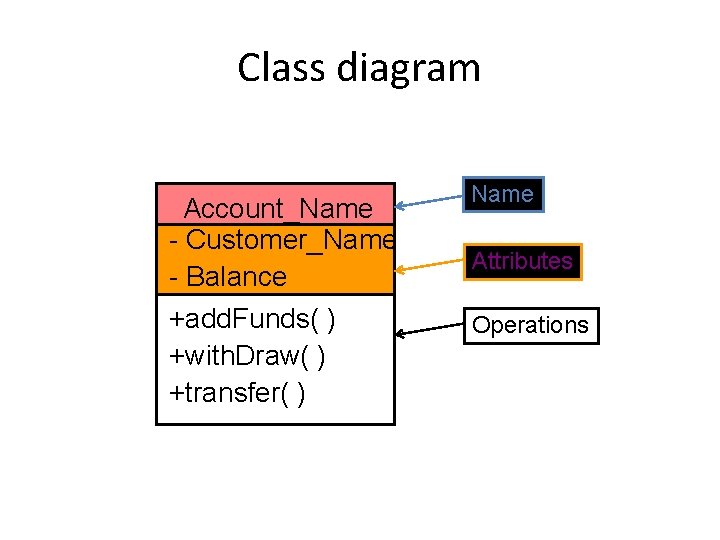
Class diagram • Each class is represented by a rectangle subdivided into three compartments Ø Name Ø Attributes Ø Operations • Modifiers are used to indicate visibility of attributes and operations. Ø ‘+’ is used to denote Public visibility (everyone) Ø ‘#’ is used to denote Protected visibility (friends and derived) Ø ‘-’ is used to denote Private visibility (no one) • By default, attributes are hidden and operations are visible.
Class diagram Account_Name - Customer_Name - Balance +add. Funds( ) +with. Draw( ) +transfer( ) Name Attributes Operations
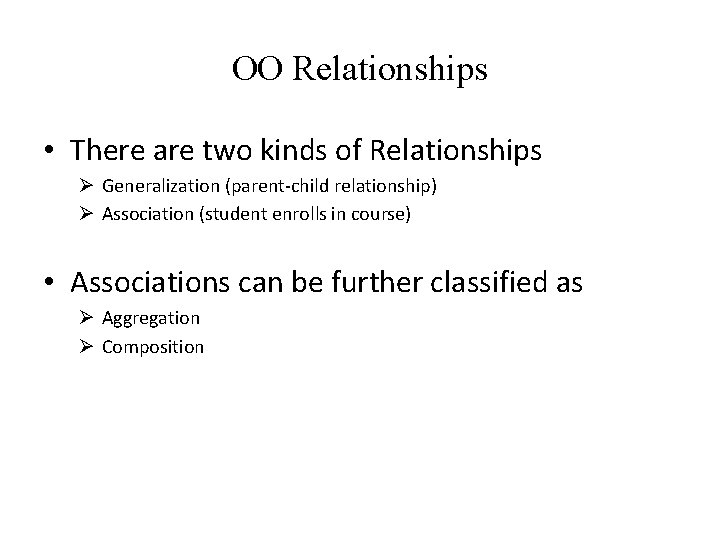
OO Relationships • There are two kinds of Relationships Ø Generalization (parent-child relationship) Ø Association (student enrolls in course) • Associations can be further classified as Ø Aggregation Ø Composition
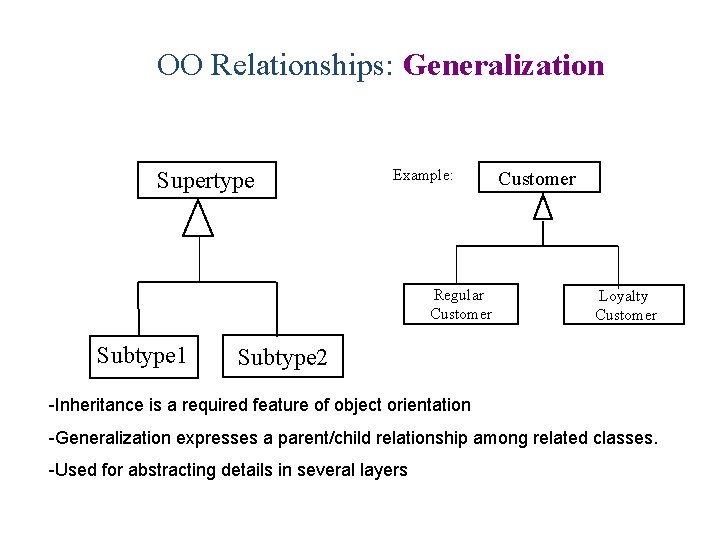
OO Relationships: Generalization Supertype Example: Regular Customer Subtype 1 Customer Loyalty Customer Subtype 2 -Inheritance is a required feature of object orientation -Generalization expresses a parent/child relationship among related classes. -Used for abstracting details in several layers
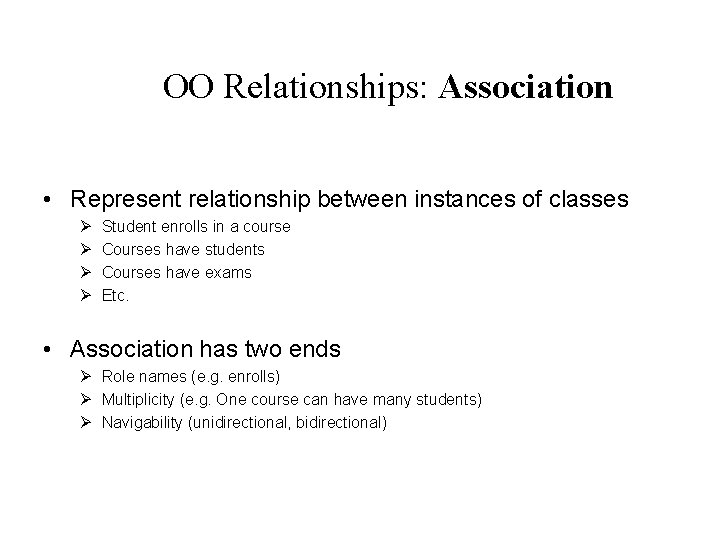
OO Relationships: Association • Represent relationship between instances of classes Ø Ø Student enrolls in a course Courses have students Courses have exams Etc. • Association has two ends Ø Role names (e. g. enrolls) Ø Multiplicity (e. g. One course can have many students) Ø Navigability (unidirectional, bidirectional)
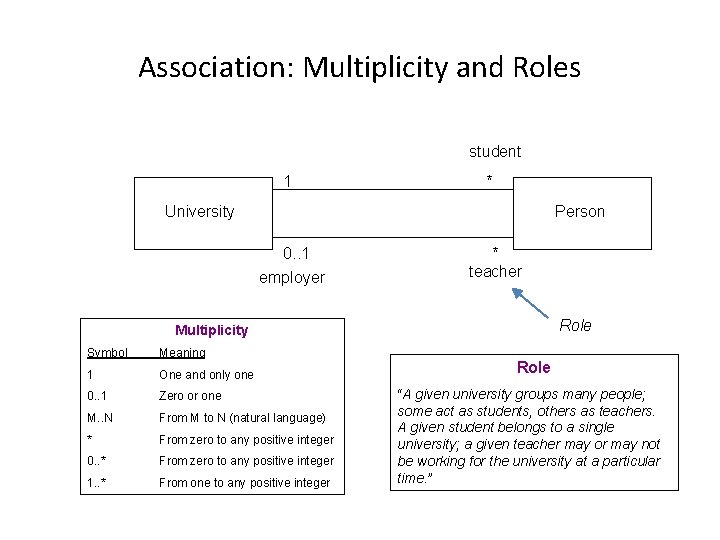
Association: Multiplicity and Roles student 1 * University Person 0. . 1 employer * teacher Role Multiplicity Symbol Meaning 1 One and only one 0. . 1 Zero or one M. . N From M to N (natural language) * From zero to any positive integer 0. . * From zero to any positive integer 1. . * From one to any positive integer Role “A given university groups many people; some act as students, others as teachers. A given student belongs to a single university; a given teacher may or may not be working for the university at a particular time. ”
Class diagram [from UML Distilled Third Edition]
Association: Model to Implementation * Student has Class Student { Course enrolls[4]; } Class Course { Student have[]; } 4 enrolls Course
Interaction Diagrams • show objects interact with one another • UML supports two types of interaction diagrams Ø Sequence diagrams Ø Collaboration diagrams
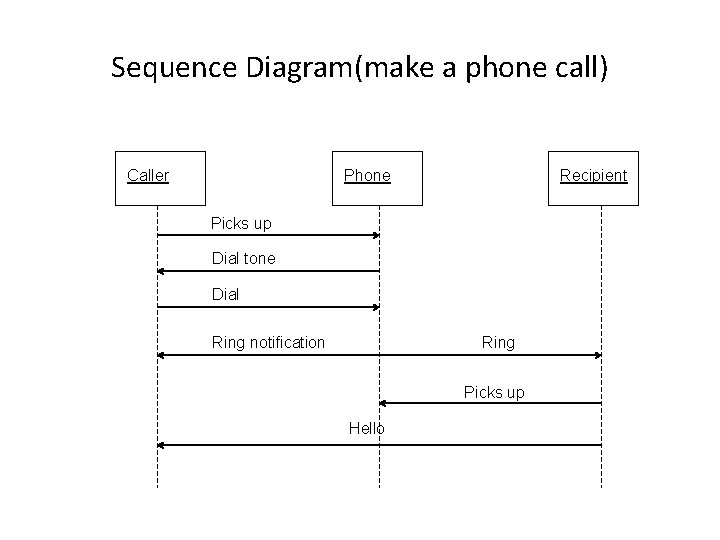
Sequence Diagram(make a phone call) Caller Phone Recipient Picks up Dial tone Dial Ring notification Ring Picks up Hello
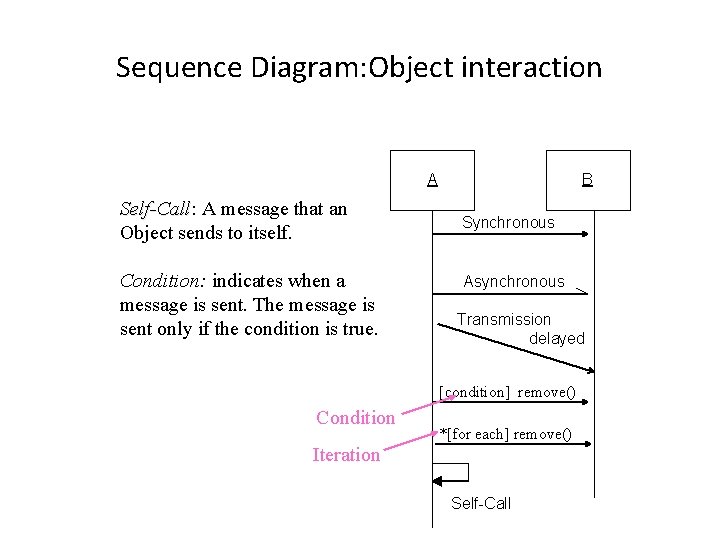
Sequence Diagram: Object interaction A Self-Call: Self-Call A message that an Object sends to itself. Condition: indicates when a message is sent. The message is sent only if the condition is true. B Synchronous Asynchronous Transmission delayed [condition] remove() Condition *[for each] remove() Iteration Self-Call
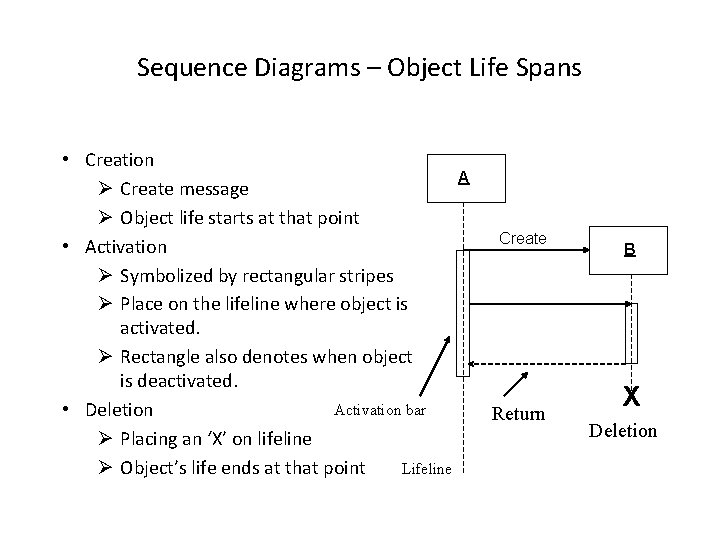
Sequence Diagrams – Object Life Spans • Creation A Ø Create message Ø Object life starts at that point • Activation Ø Symbolized by rectangular stripes Ø Place on the lifeline where object is activated. Ø Rectangle also denotes when object is deactivated. Activation bar • Deletion Ø Placing an ‘X’ on lifeline Ø Object’s life ends at that point Lifeline Create Return B X Deletion
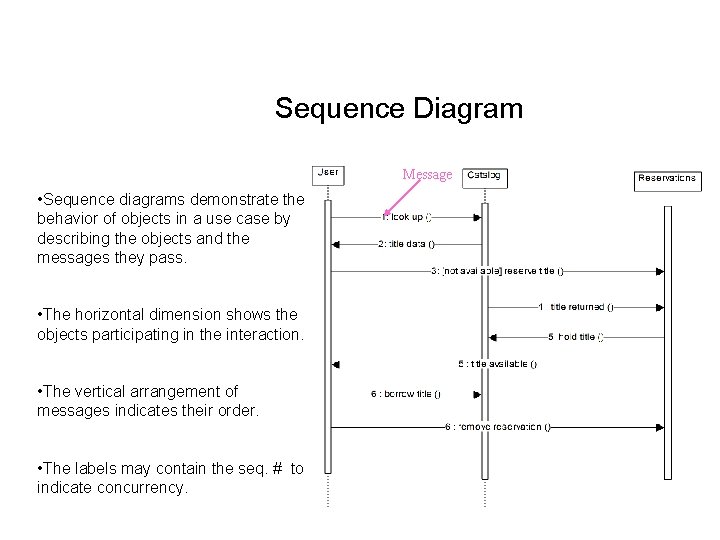
Sequence Diagram Message • Sequence diagrams demonstrate the behavior of objects in a use case by describing the objects and the messages they pass. • The horizontal dimension shows the objects participating in the interaction. • The vertical arrangement of messages indicates their order. • The labels may contain the seq. # to indicate concurrency.
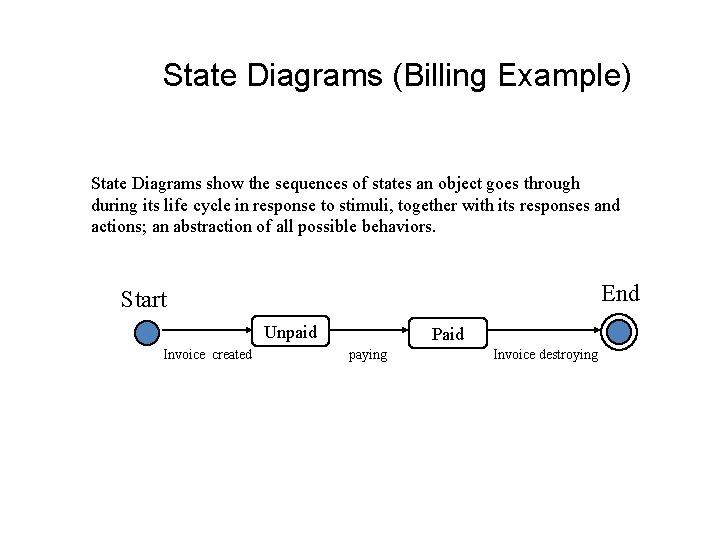
State Diagrams (Billing Example) State Diagrams show the sequences of states an object goes through during its life cycle in response to stimuli, together with its responses and actions; an abstraction of all possible behaviors. End Start Unpaid Invoice created Paid paying Invoice destroying
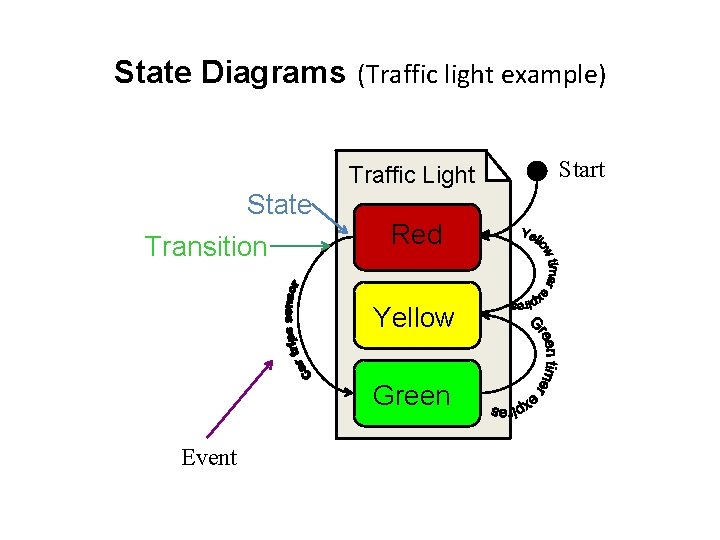
State Diagrams (Traffic light example) Traffic Light State Transition Red Yellow Green Event Start
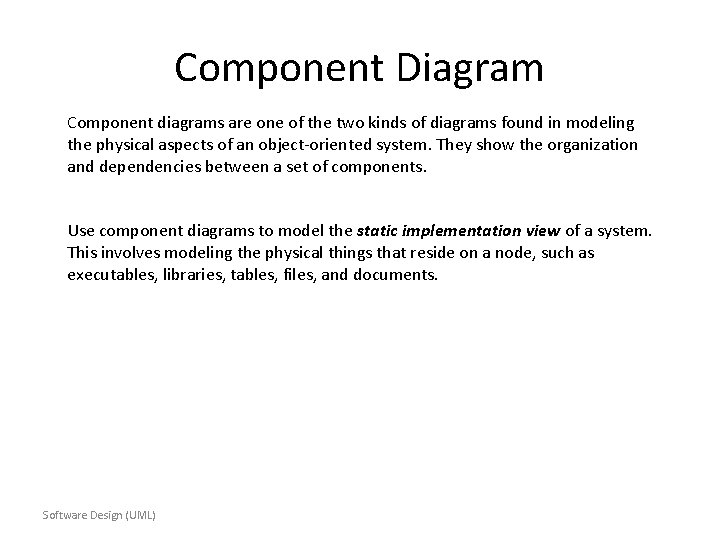
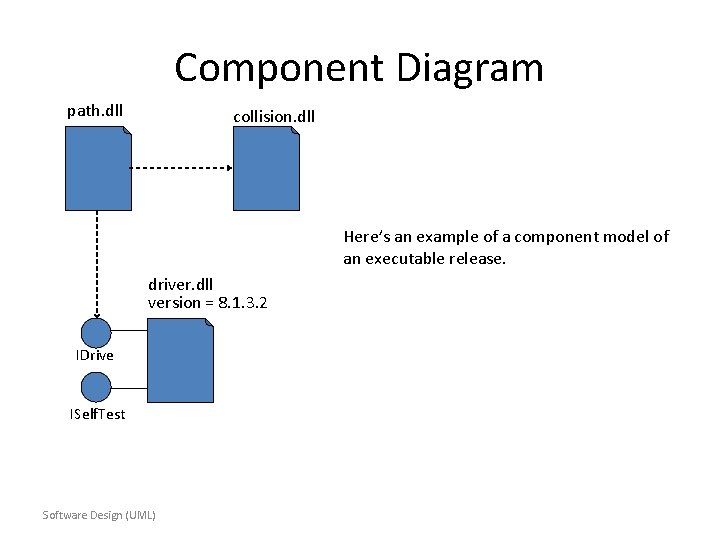
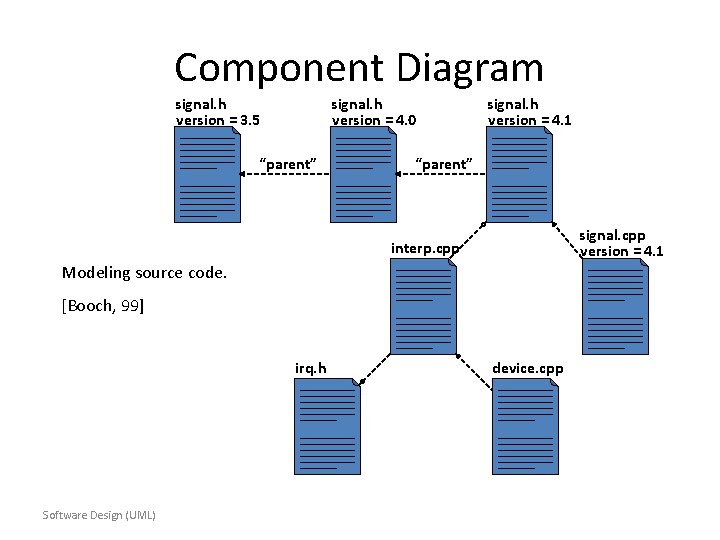
Component Diagram Component diagrams are one of the two kinds of diagrams found in modeling the physical aspects of an object-oriented system. They show the organization and dependencies between a set of components. Use component diagrams to model the static implementation view of a system. This involves modeling the physical things that reside on a node, such as executables, libraries, tables, files, and documents. Software Design (UML)
Component Diagram path. dll collision. dll Here’s an example of a component model of an executable release. driver. dll version = 8. 1. 3. 2 IDrive ISelf. Test Software Design (UML)
Component Diagram signal. h version = 3. 5 signal. h version = 4. 0 “parent” signal. h version = 4. 1 “parent” signal. cpp version = 4. 1 interp. cpp Modeling source code. [Booch, 99] irq. h Software Design (UML) device. cpp
Deployment Diagram Deployment diagrams are one of the two kinds of diagrams found in modeling the physical aspects of an object-oriented system. They show the configuration of run-time processing nodes and the components that live on them. Use deployment diagrams to model the static deployment view of a system. This involves modeling the topology of the hardware on which the system executes. - The UML User Guide, [Booch, 99] Software Design (UML)
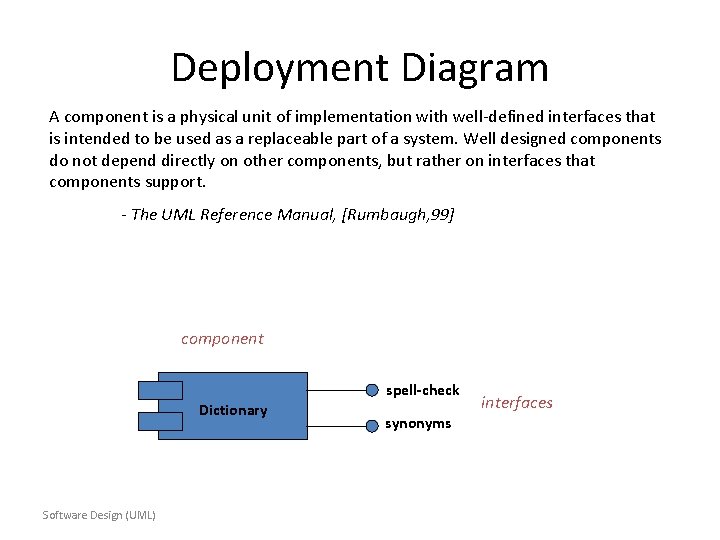
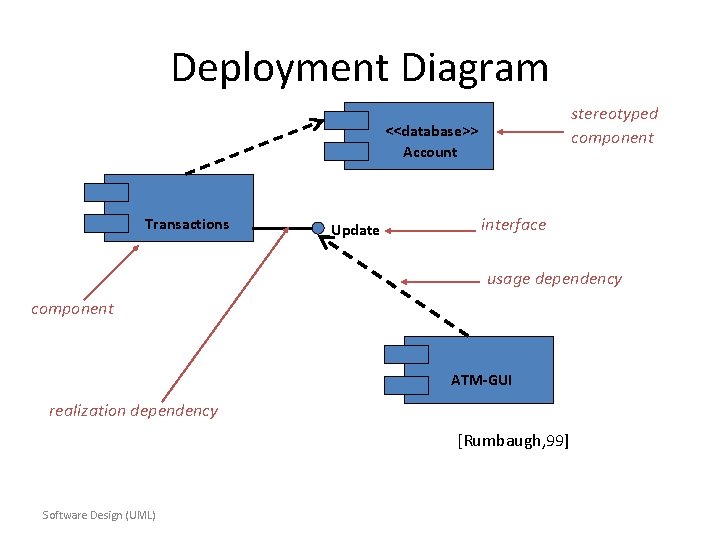
Deployment Diagram A component is a physical unit of implementation with well-defined interfaces that is intended to be used as a replaceable part of a system. Well designed components do not depend directly on other components, but rather on interfaces that components support. - The UML Reference Manual, [Rumbaugh, 99] component spell-check Dictionary Software Design (UML) synonyms interfaces
Deployment Diagram stereotyped component <<database>> Account Transactions Update interface usage dependency component ATM-GUI realization dependency [Rumbaugh, 99] Software Design (UML)
Deployment Diagram server: Host. Machine <<database>> meetings. DB : Scheduler reservations [Rumbaugh, 99] <<direct channel>> client. Machine: PC : Planner Software Design (UML) Deployment diagram of a client-server system.