
Request Status Basic IROC Training Slide Presentation Course
Request Status Basic IROC Training Slide Presentation
Course Objectives • • • View the status of multiple and single requests Edit a request Edit an assignment Unfill a request Retrieve a request
Request Status Request status is the state of requests that have been created or placed to your dispatch center. In IROC, you can: • Determine the status of an individual request • Provide information on groups of requests for briefings or shift changes.
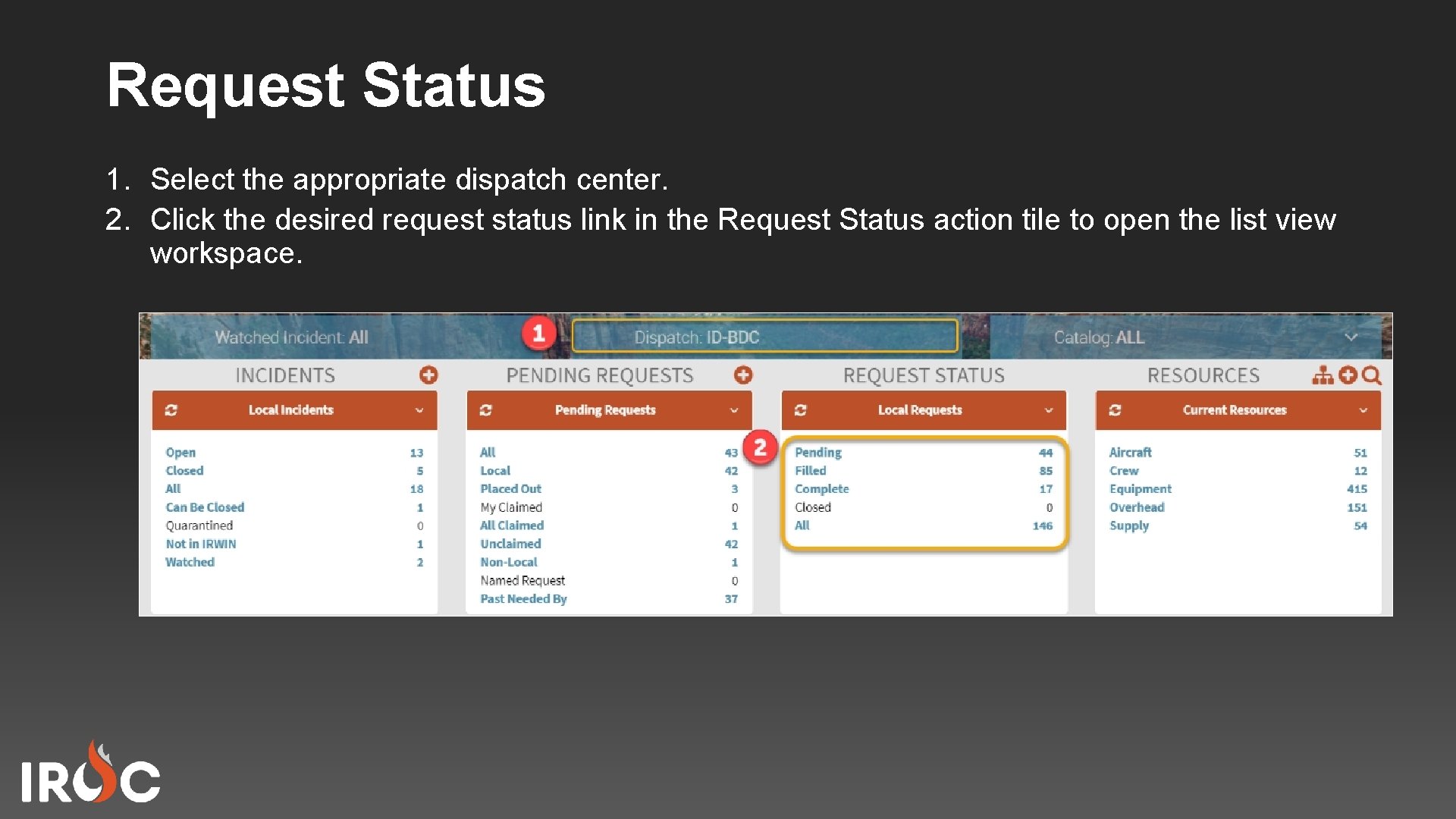
Request Status 1. Select the appropriate dispatch center. 2. Click the desired request status link in the Request Status action tile to open the list view workspace.
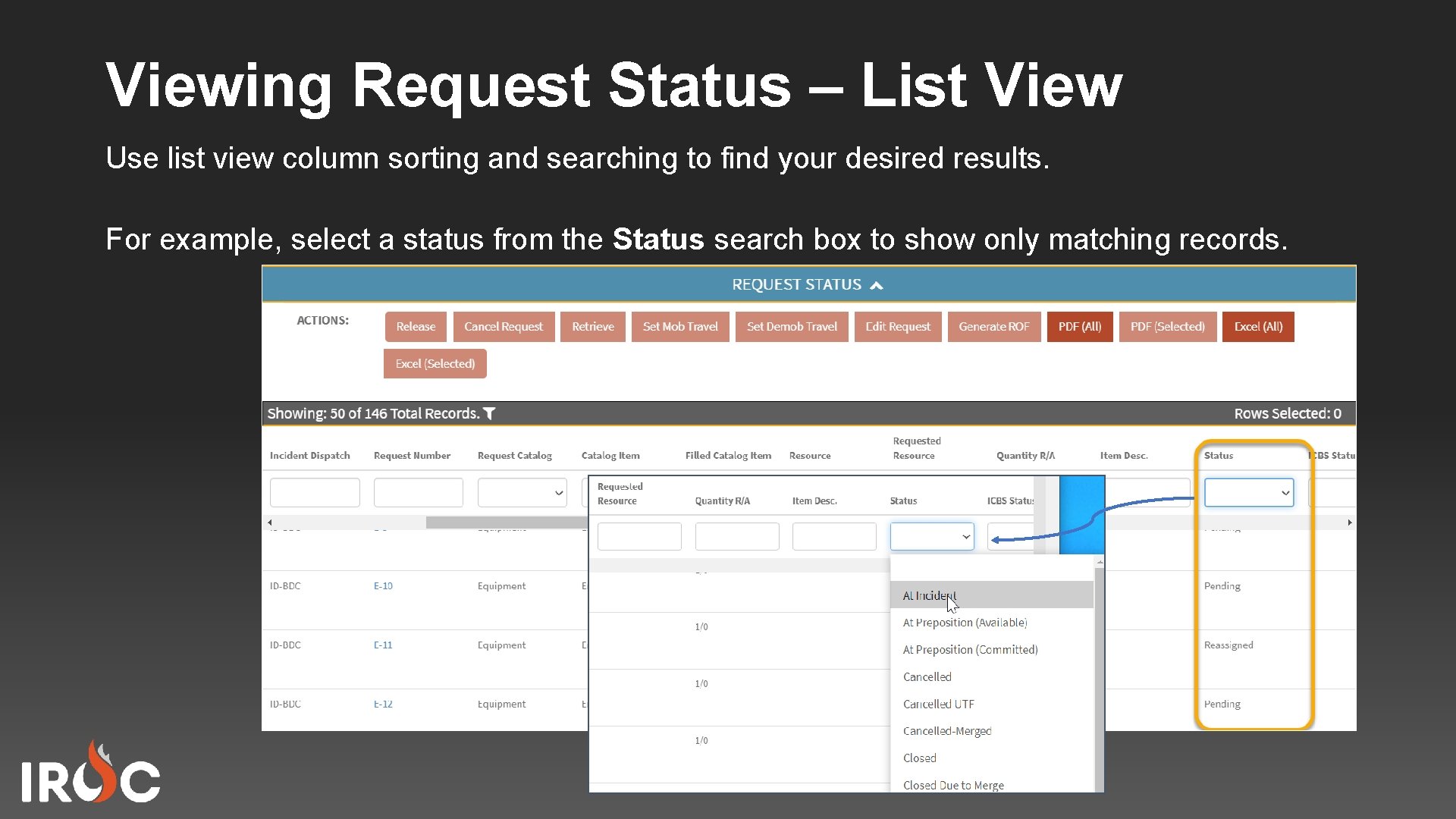
Viewing Request Status – List View Use list view column sorting and searching to find your desired results. For example, select a status from the Status search box to show only matching records.
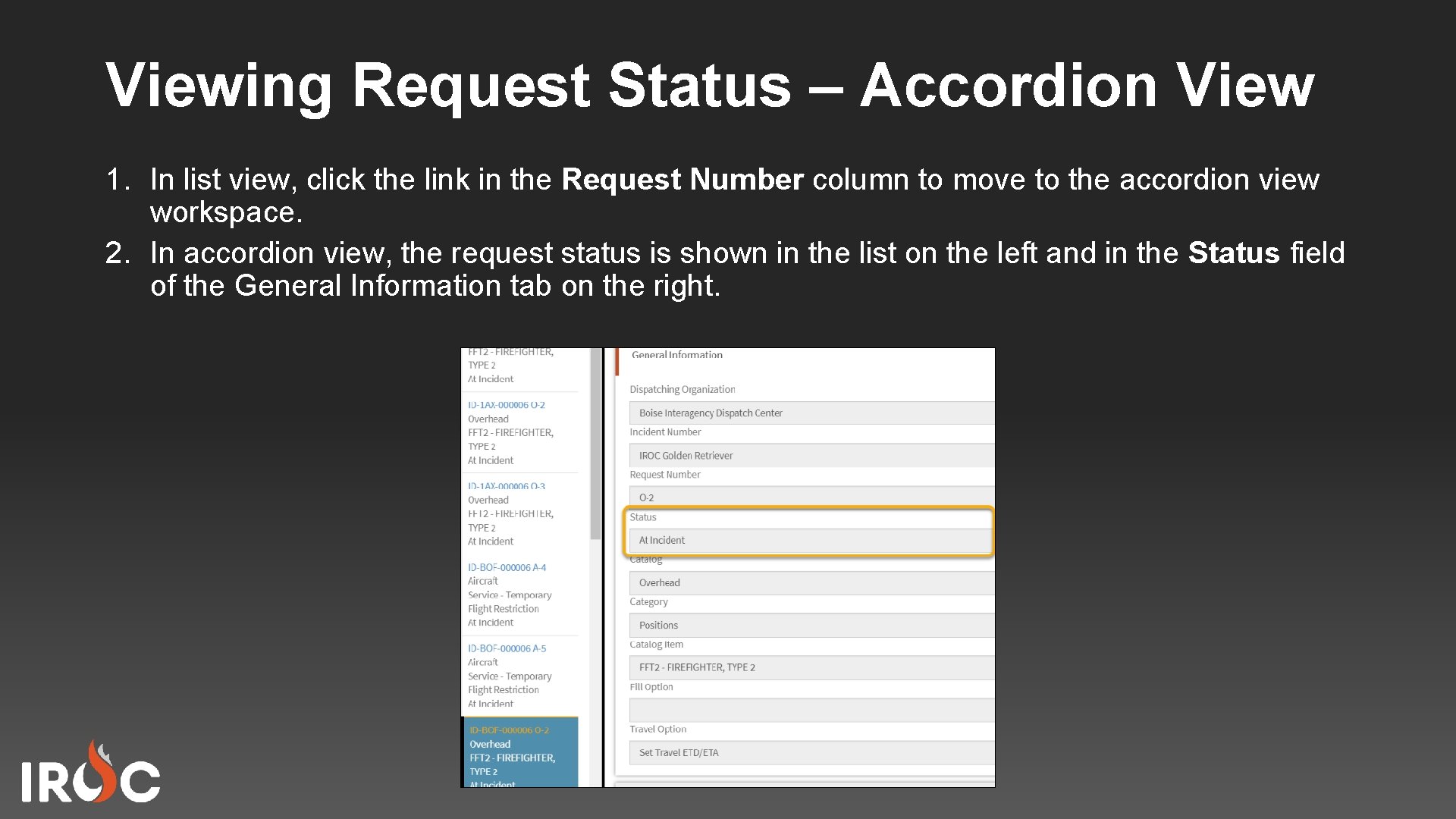
Viewing Request Status – Accordion View 1. In list view, click the link in the Request Number column to move to the accordion view workspace. 2. In accordion view, the request status is shown in the list on the left and in the Status field of the General Information tab on the right.
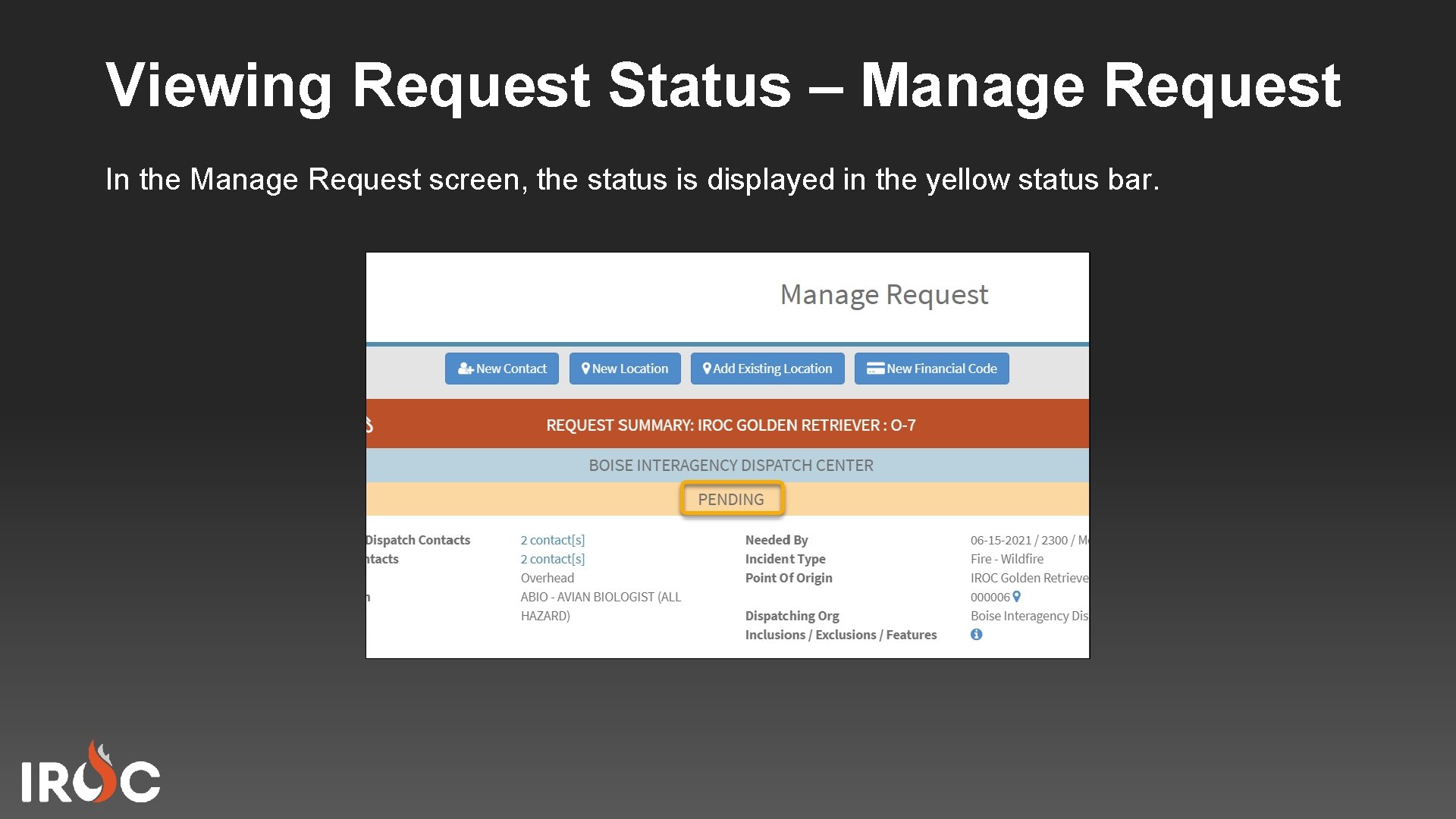
Viewing Request Status – Manage Request In the Manage Request screen, the status is displayed in the yellow status bar.
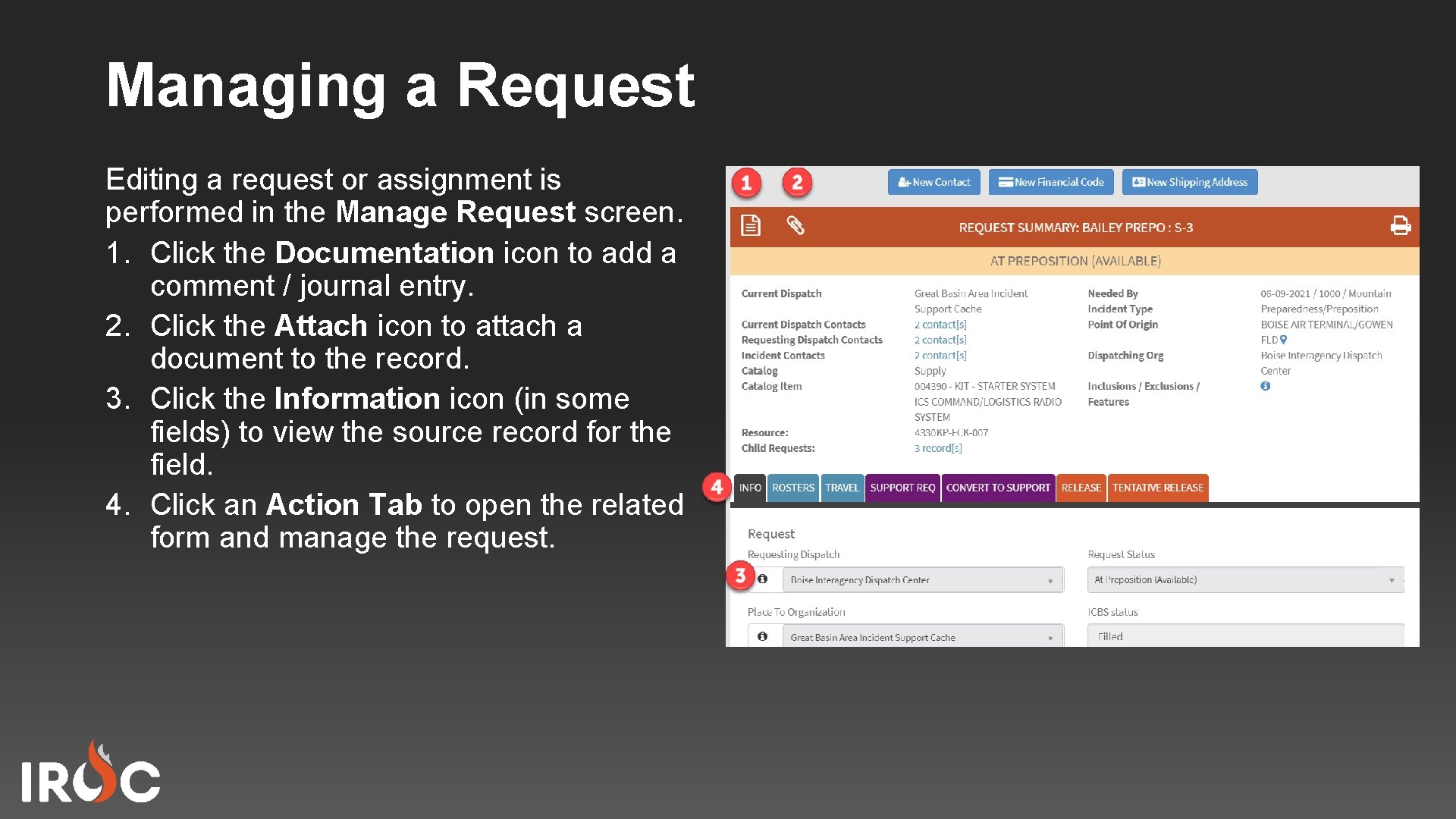
Managing a Request Editing a request or assignment is performed in the Manage Request screen. 1. Click the Documentation icon to add a comment / journal entry. 2. Click the Attach icon to attach a document to the record. 3. Click the Information icon (in some fields) to view the source record for the field. 4. Click an Action Tab to open the related form and manage the request.
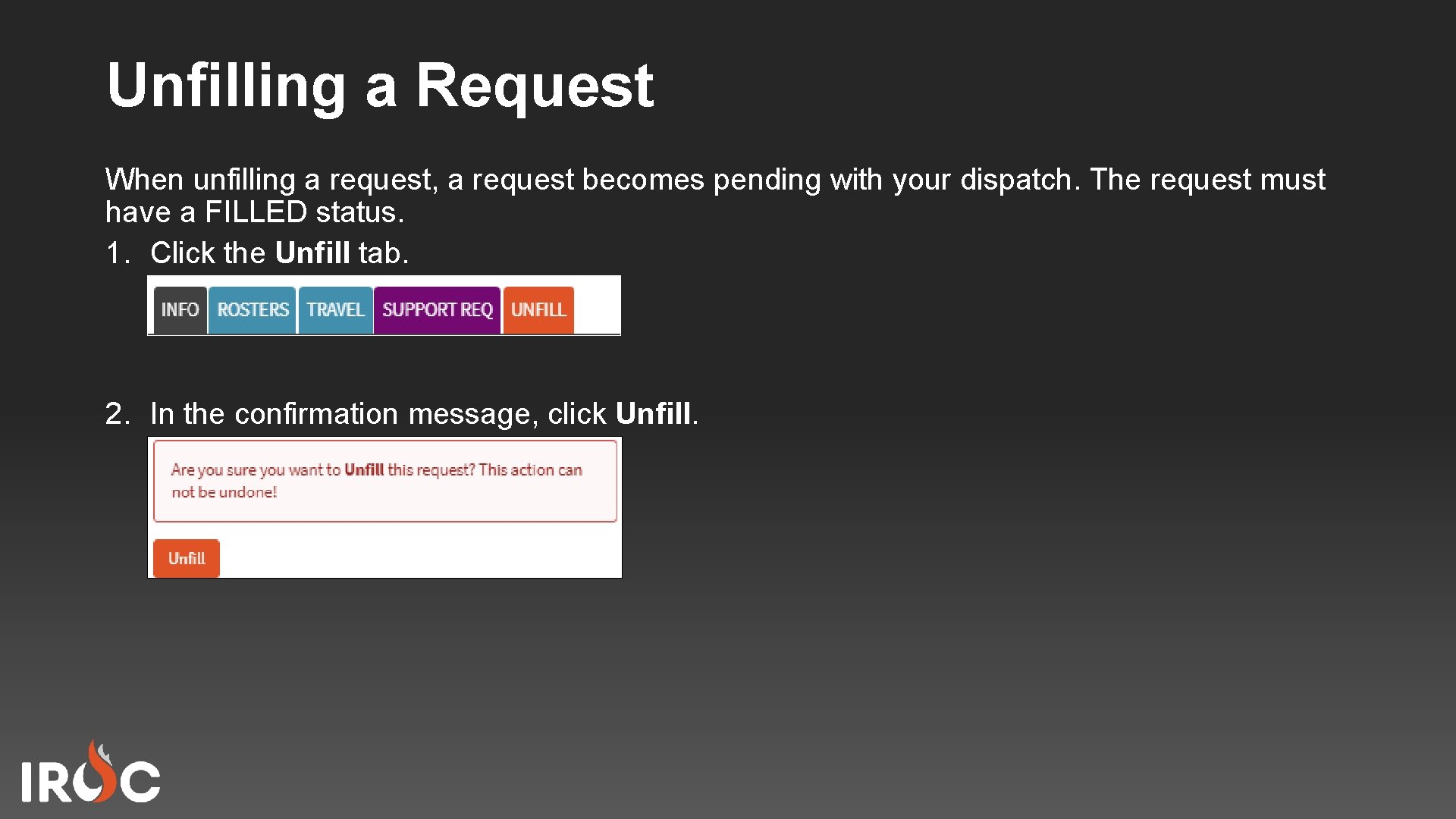
Unfilling a Request When unfilling a request, a request becomes pending with your dispatch. The request must have a FILLED status. 1. Click the Unfill tab. 2. In the confirmation message, click Unfill.
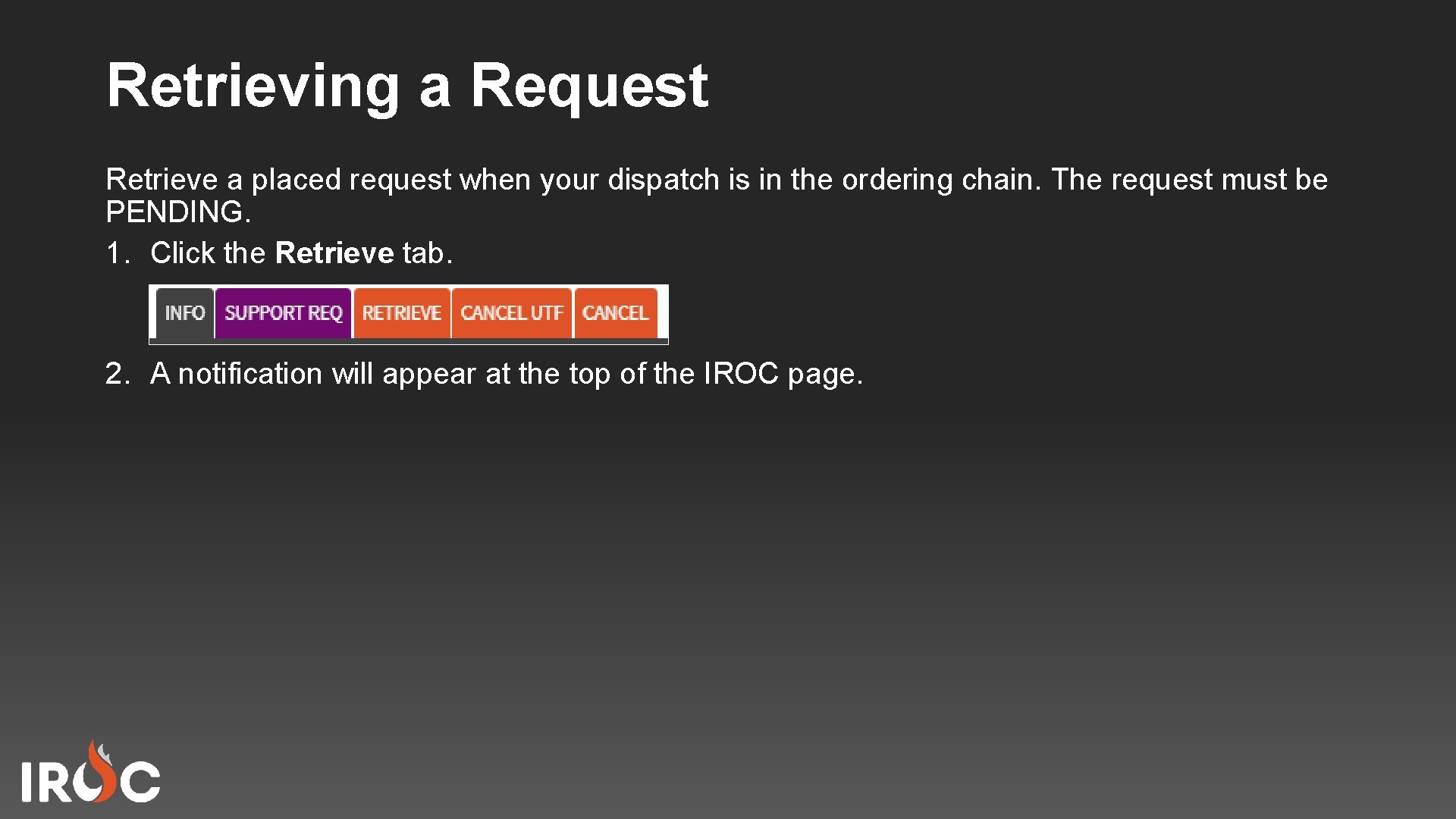
Retrieving a Request Retrieve a placed request when your dispatch is in the ordering chain. The request must be PENDING. 1. Click the Retrieve tab. 2. A notification will appear at the top of the IROC page.
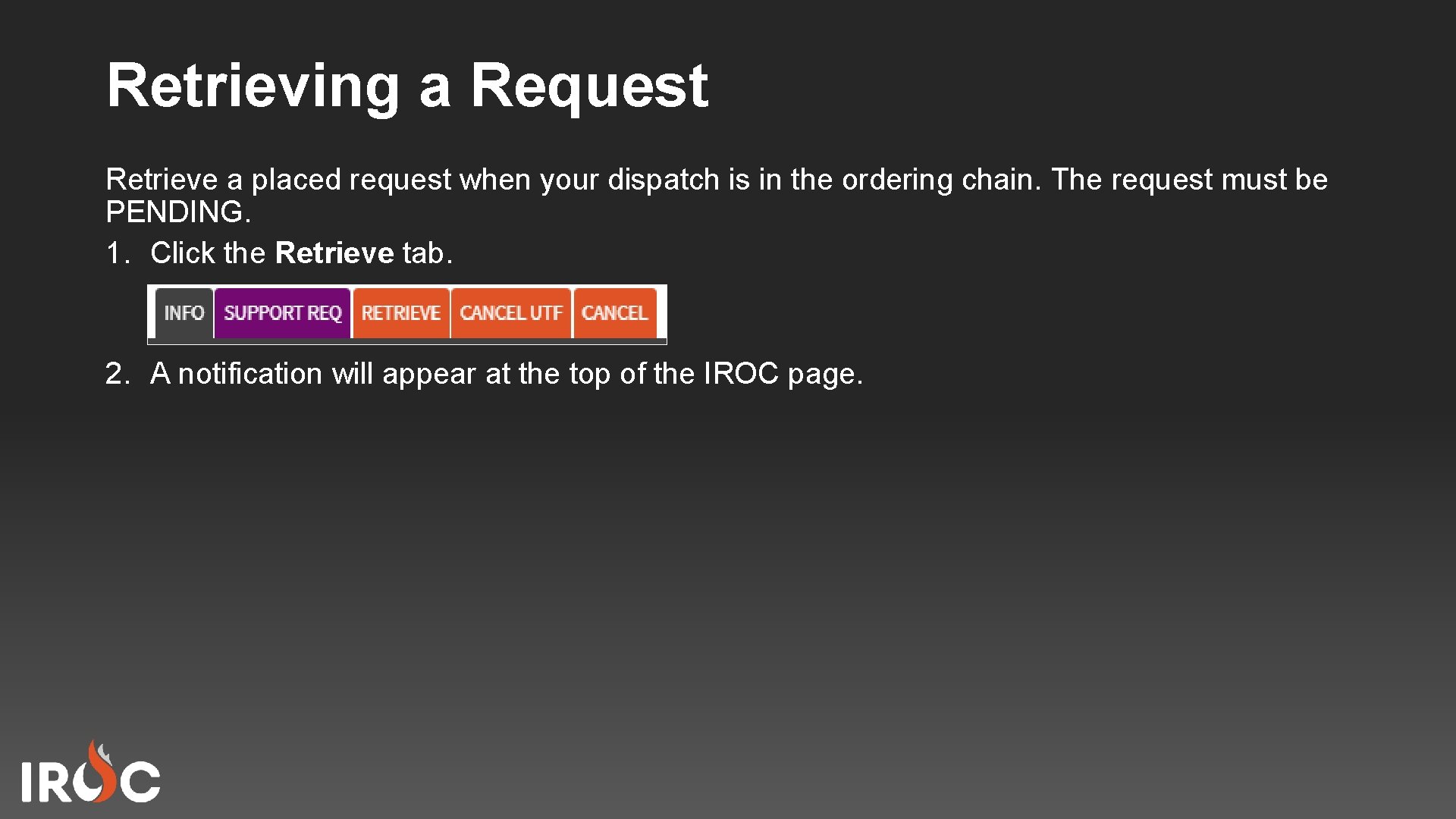
Retrieving a Request Retrieve a placed request when your dispatch is in the ordering chain. The request must be PENDING. 1. Click the Retrieve tab. 2. A notification will appear at the top of the IROC page.
Course Objectives Review • • • View the status of multiple and single requests Edit a request Edit an assignment Unfill a request Retrieve a request

- Slides: 13