
Representations Part 1 Visualizing Interaction Lecture slide deck
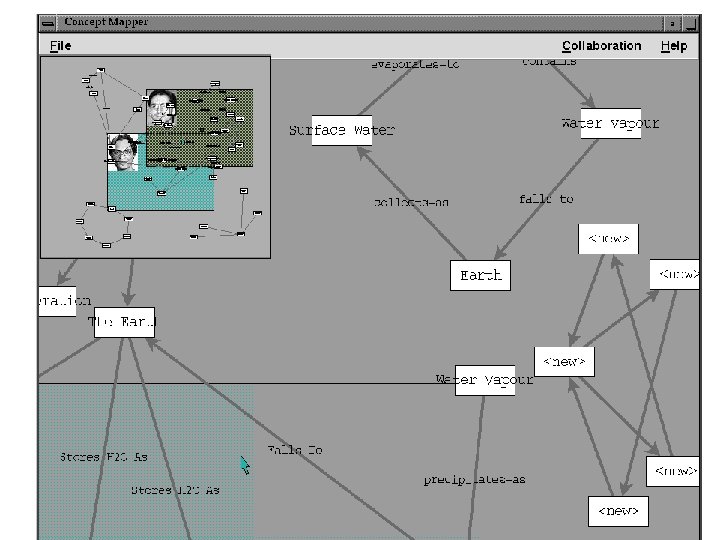
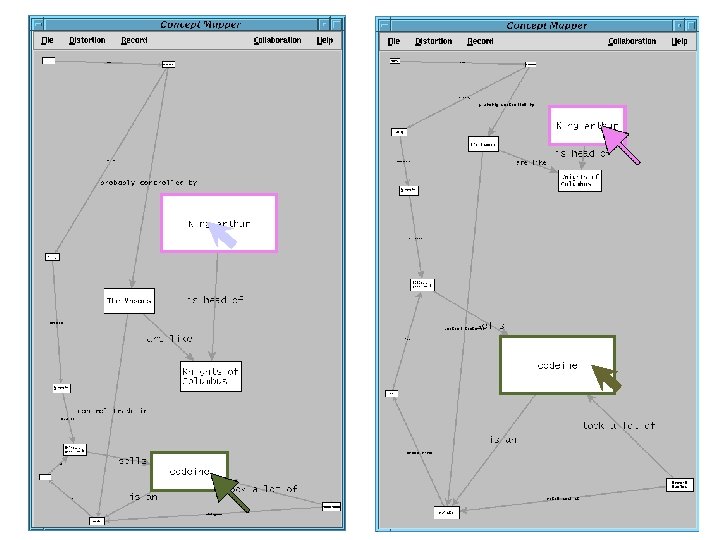
- Slides: 49
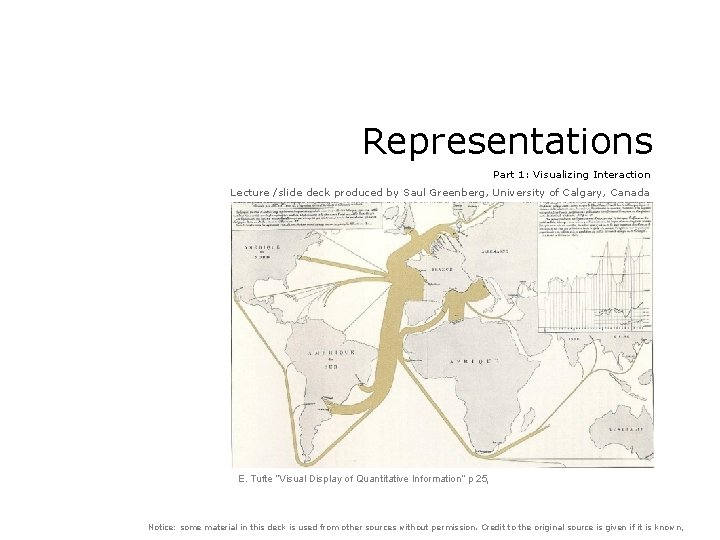
Representations Part 1: Visualizing Interaction Lecture /slide deck produced by Saul Greenberg, University of Calgary, Canada E. Tufte “Visual Display of Quantitative Information” p 25, Notice: some material in this deck is used from other sources without permission. Credit to the original source is given if it is known,
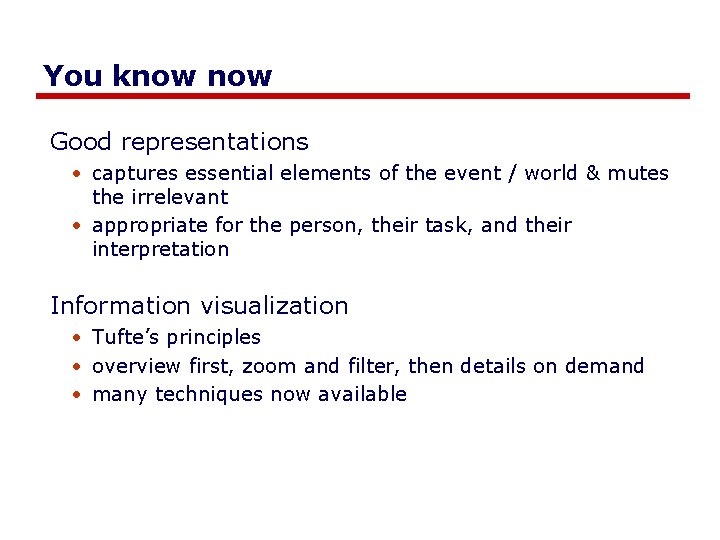
The messages Good representations • captures essential elements of the event / world & mutes the irrelevant • appropriate for the person, their task, and their interpretation Information visualization • Tufte’s principles • overview first, zoom and filter, then details on demand • many techniques now available
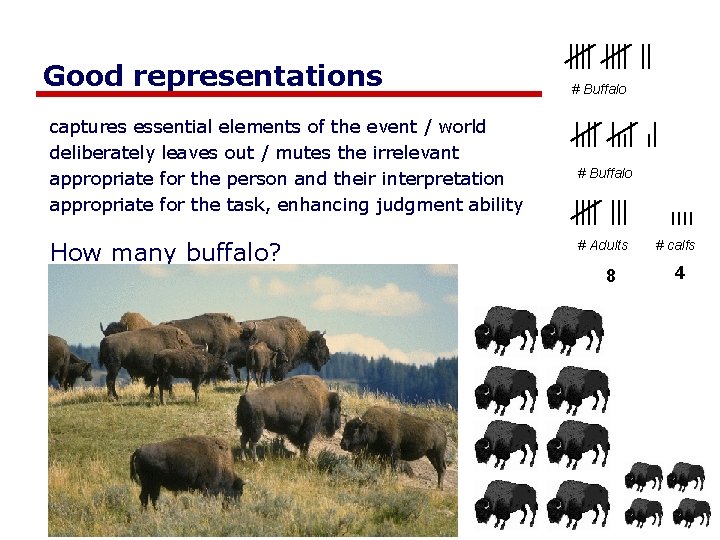
Good representations captures essential elements of the event / world deliberately leaves out / mutes the irrelevant appropriate for the person and their interpretation appropriate for the task, enhancing judgment ability How many buffalo? # Buffalo # Adults 8 # calfs 4
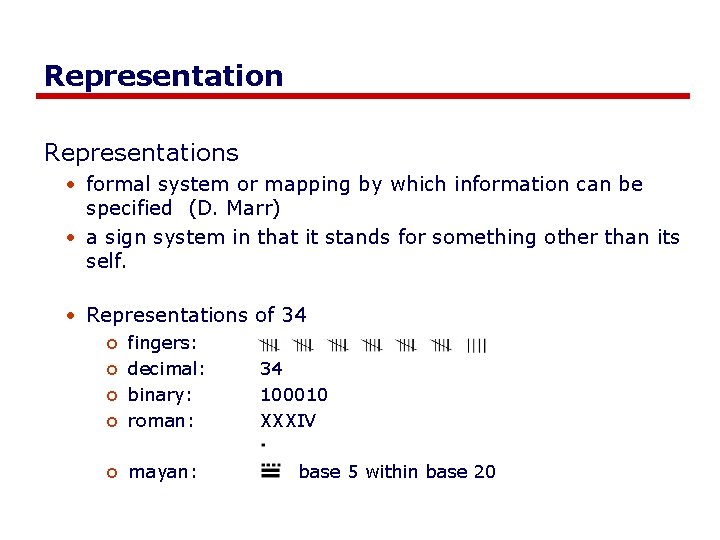
Representations • formal system or mapping by which information can be specified (D. Marr) • a sign system in that it stands for something other than its self. • Representations of 34 o o o fingers: decimal: binary: roman: 34 100010 XXXIV mayan: base 5 within base 20
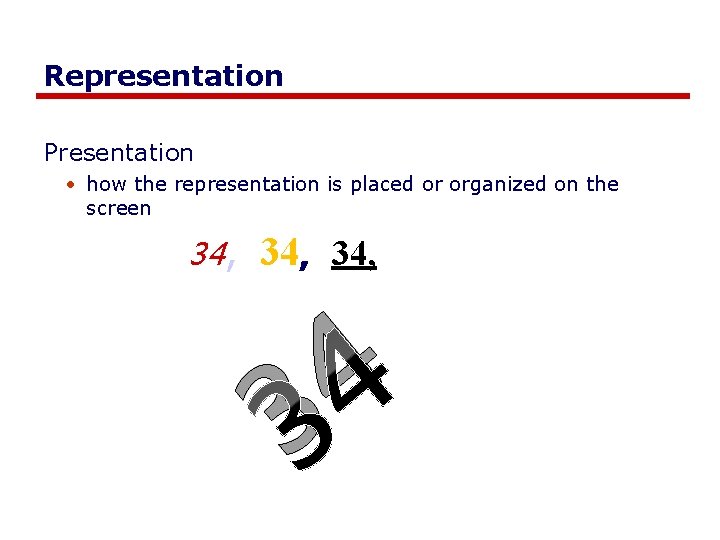
Representation Presentation • how the representation is placed or organized on the screen 34, 34, 4 3
Representations Solving a problem simply means representing it so as to make the solution transparent --Simon, 1981 Good representations • allow people to find relevant information o information may be present but hard to find • allow people to compute desired conclusions o computations may be difficult or “for free” depending on representations
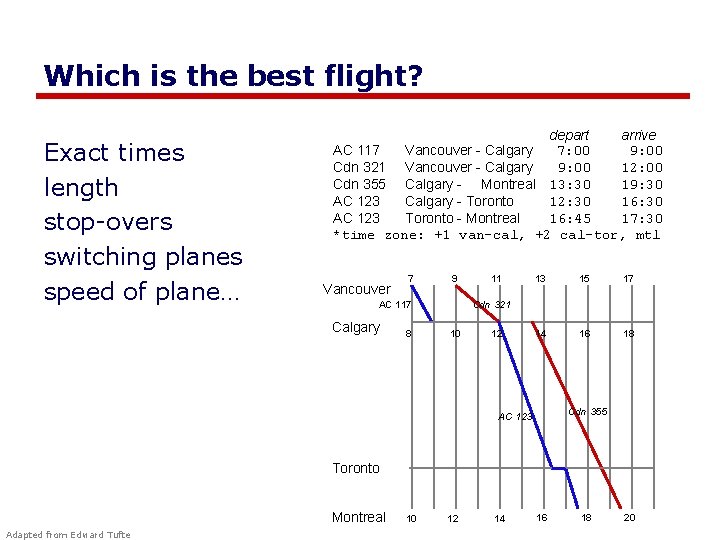
Which is the best flight? Exact times length stop-overs switching planes speed of plane… depart arrive AC 117 Vancouver - Calgary 7: 00 9: 00 Cdn 321 Vancouver - Calgary 9: 00 12: 00 Cdn 355 Calgary - Montreal 13: 30 19: 30 AC 123 Calgary - Toronto 12: 30 16: 30 AC 123 Toronto - Montreal 16: 45 17: 30 *time zone: +1 van-cal, +2 cal-tor, mtl Vancouver 7 9 AC 117 Calgary 8 11 13 15 17 14 16 18 Cdn 321 10 12 Cdn 355 AC 123 Toronto Montreal Adapted from Edward Tufte 10 12 14 16 18 20
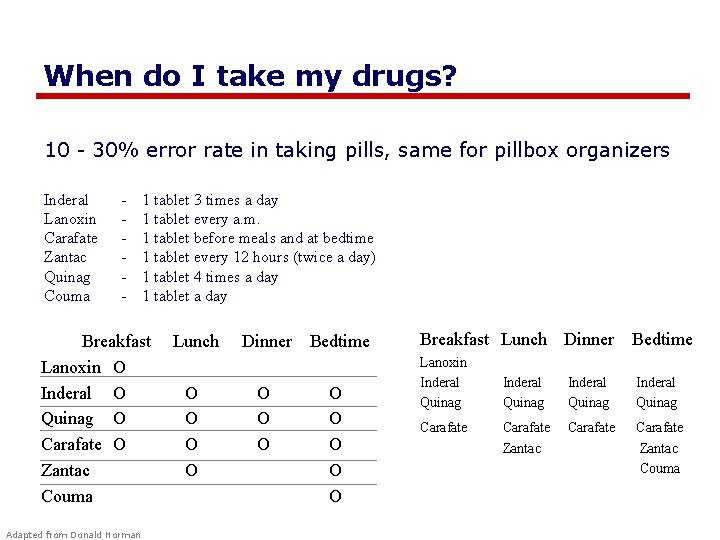
When do I take my drugs? 10 - 30% error rate in taking pills, same for pillbox organizers Inderal Lanoxin Carafate Zantac Quinag Couma - 1 tablet 3 times a day 1 tablet every a. m. 1 tablet before meals and at bedtime 1 tablet every 12 hours (twice a day) 1 tablet 4 times a day 1 tablet a day Breakfast Lanoxin O Inderal O Quinag O Carafate O Zantac Couma Adapted from Donald Norman Lunch O O Dinner Bedtime O O O O Breakfast Lunch Dinner Bedtime Lanoxin Inderal Quinag Carafate Zantac Couma
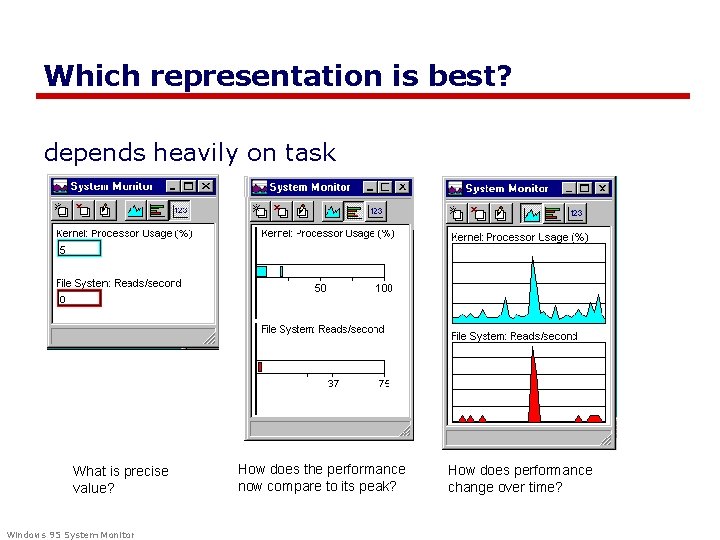
Which representation is best? depends heavily on task What is precise value? Windows 95 System Monitor How does the performance now compare to its peak? How does performance change over time?
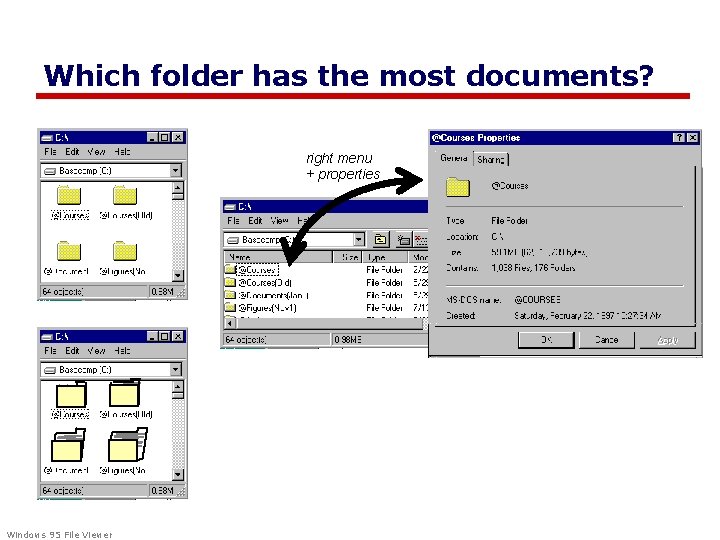
Which folder has the most documents? right menu + properties Windows 95 File Viewer
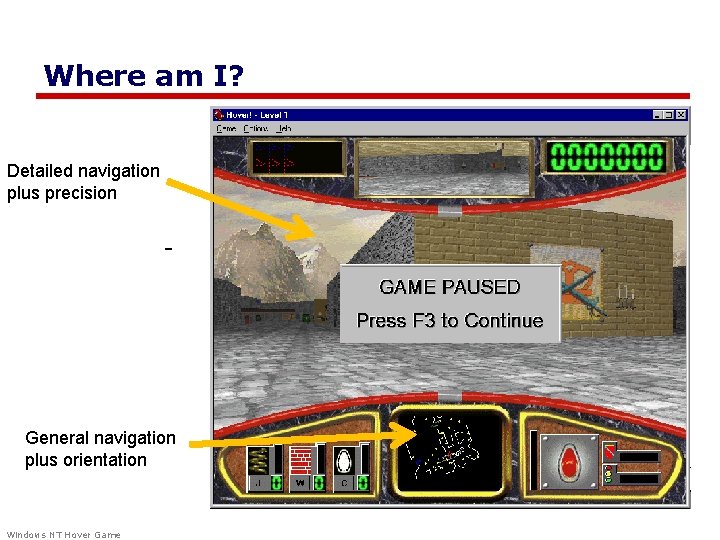
Where am I? Detailed navigation plus precision General navigation plus orientation Windows NT Hover Game
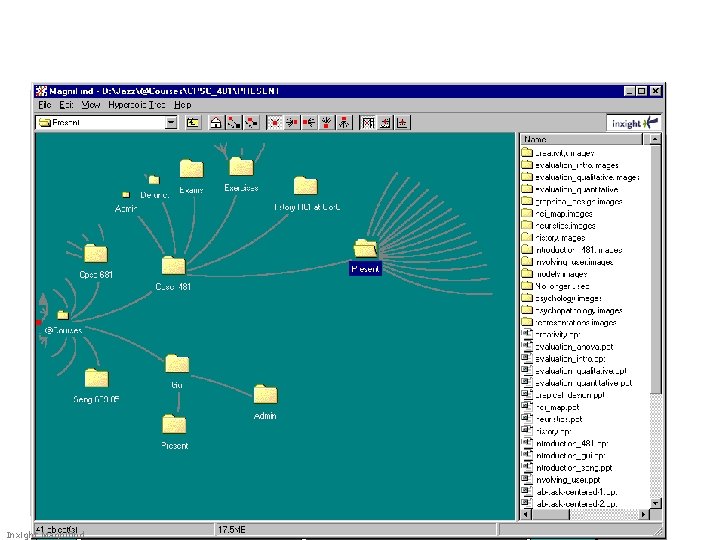
Where am I? Inxight Magnifind
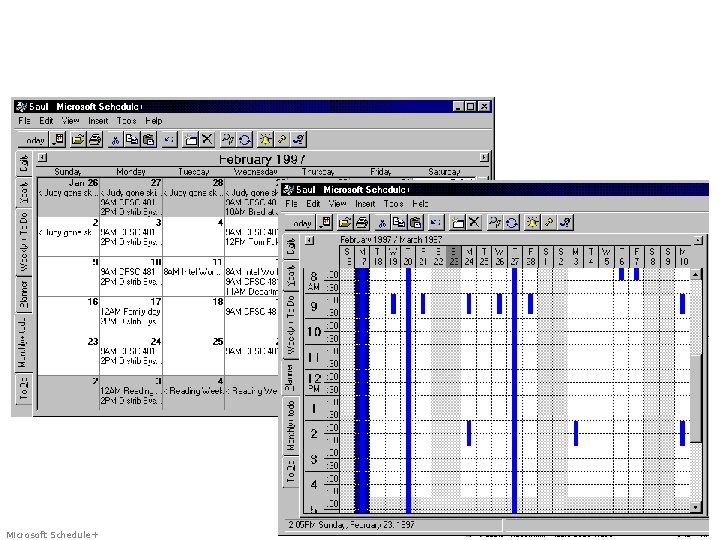
What do I have to do? Microsoft Schedule+
Information Visualization Graphics should reveal the data • show the data • not get in the way of the message • avoid distortion • present many numbers in a small space • make large data sets coherent • encourage comparison between data • supply both a broad overview and fine detail • serve a clear purpose E. Tufte Visual Display of Quantitative Information many examples on the following slides are taken from Tufte’s books
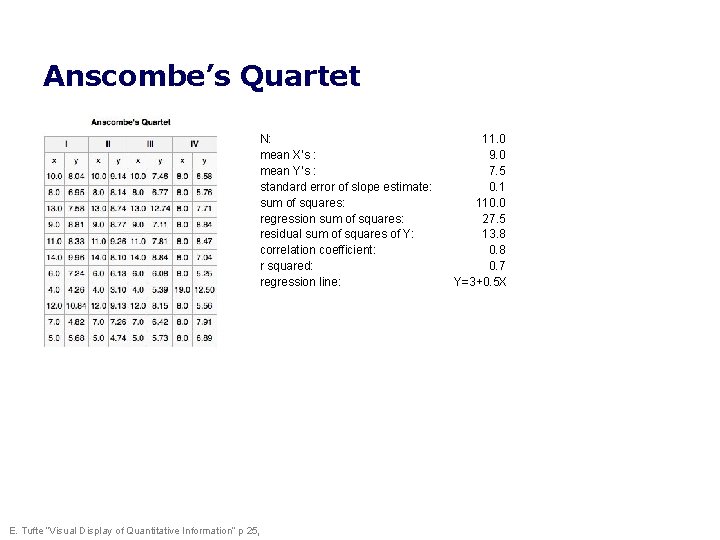
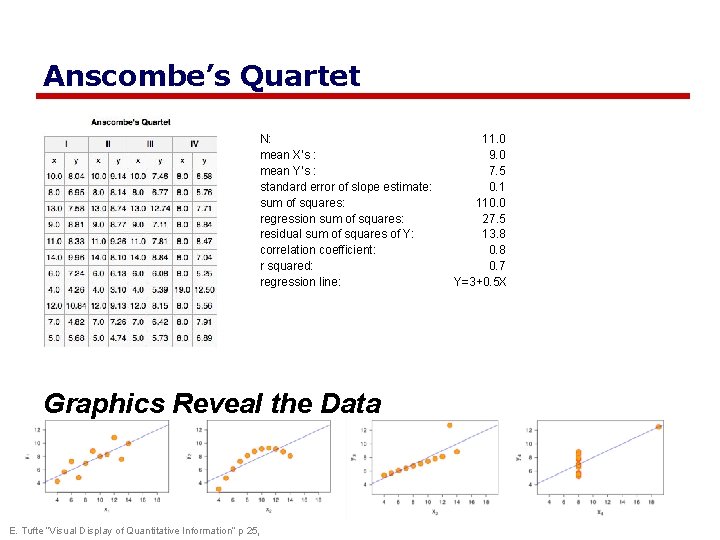
Anscombe’s Quartet N: mean X’s : mean Y’s : standard error of slope estimate: sum of squares: regression sum of squares: residual sum of squares of Y: correlation coefficient: r squared: regression line: E. Tufte “Visual Display of Quantitative Information” p 25, 11. 0 9. 0 7. 5 0. 1 110. 0 27. 5 13. 8 0. 7 Y=3+0. 5 X
Anscombe’s Quartet N: mean X’s : mean Y’s : standard error of slope estimate: sum of squares: regression sum of squares: residual sum of squares of Y: correlation coefficient: r squared: regression line: Graphics Reveal the Data E. Tufte “Visual Display of Quantitative Information” p 25, 11. 0 9. 0 7. 5 0. 1 110. 0 27. 5 13. 8 0. 7 Y=3+0. 5 X
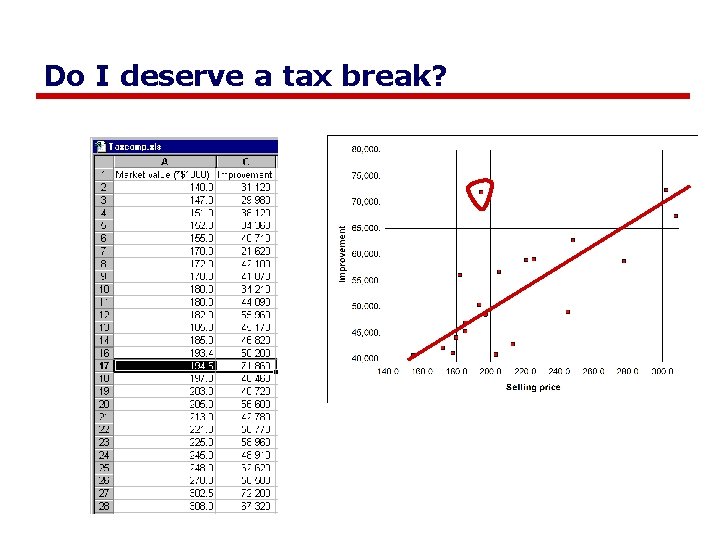
Do I deserve a tax break?
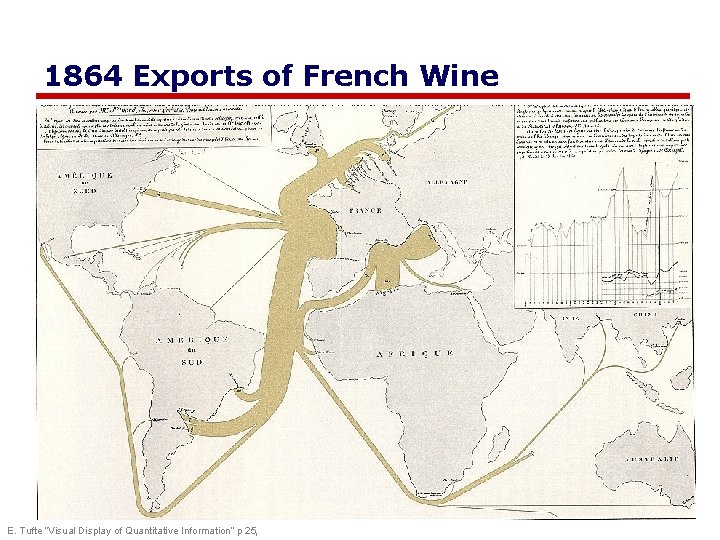
1864 Exports of French Wine E. Tufte “Visual Display of Quantitative Information” p 25,
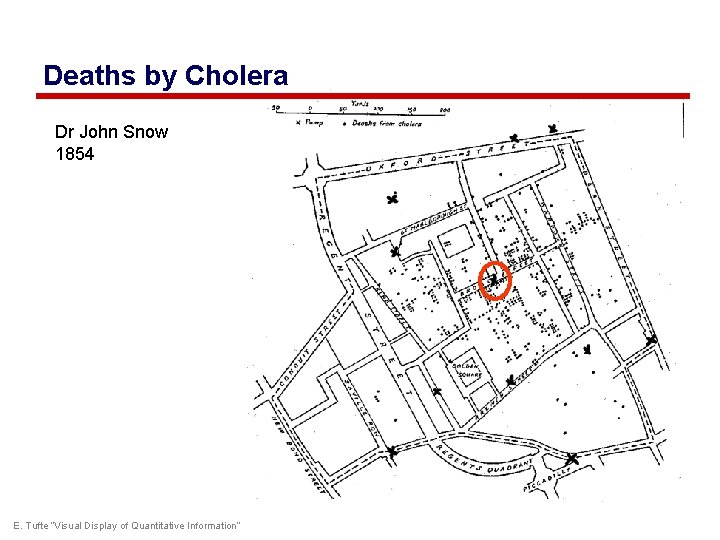
Deaths by Cholera Dr John Snow 1854 E. Tufte “Visual Display of Quantitative Information”
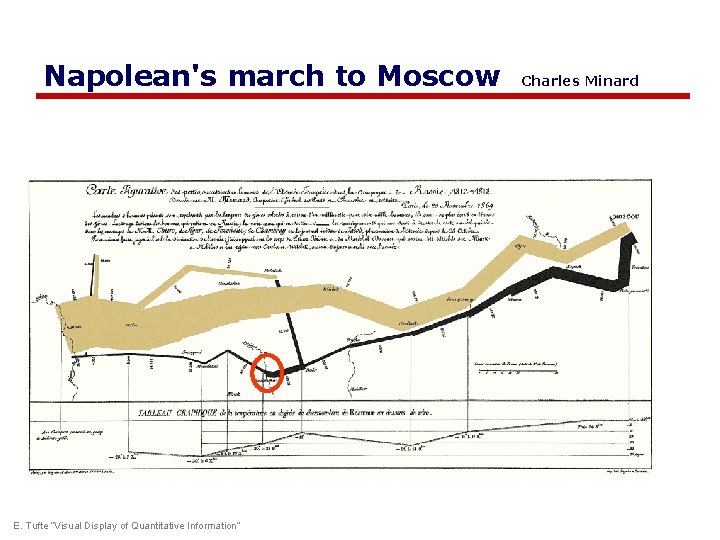
Napolean's march to Moscow E. Tufte “Visual Display of Quantitative Information” Charles Minard
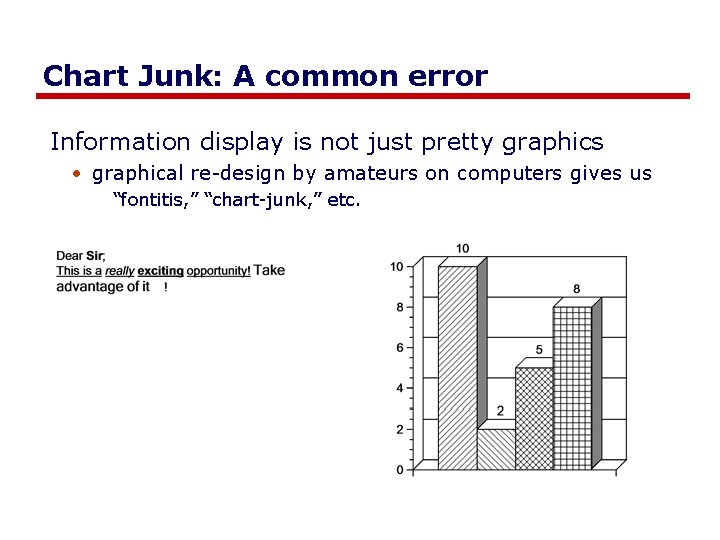
Chart Junk: A common error Information display is not just pretty graphics • graphical re-design by amateurs on computers gives us “fontitis, ” “chart-junk, ” etc.
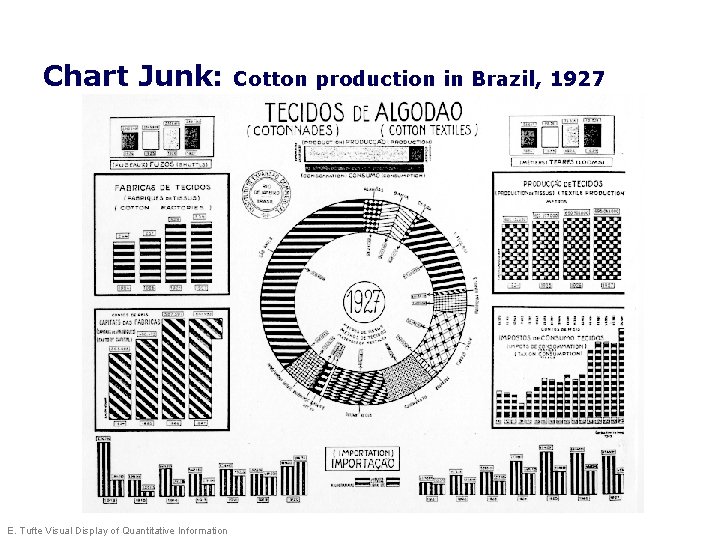
Chart Junk: E. Tufte Visual Display of Quantitative Information Cotton production in Brazil, 1927
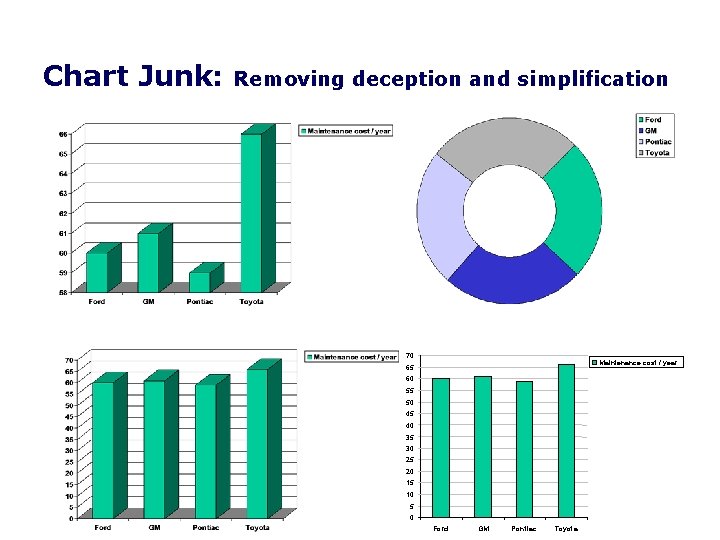
Chart Junk: Removing deception and simplification 70 Maintenance cost / year 65 60 55 50 45 40 35 30 25 20 15 10 5 0 Ford GM Pontiac Toyota
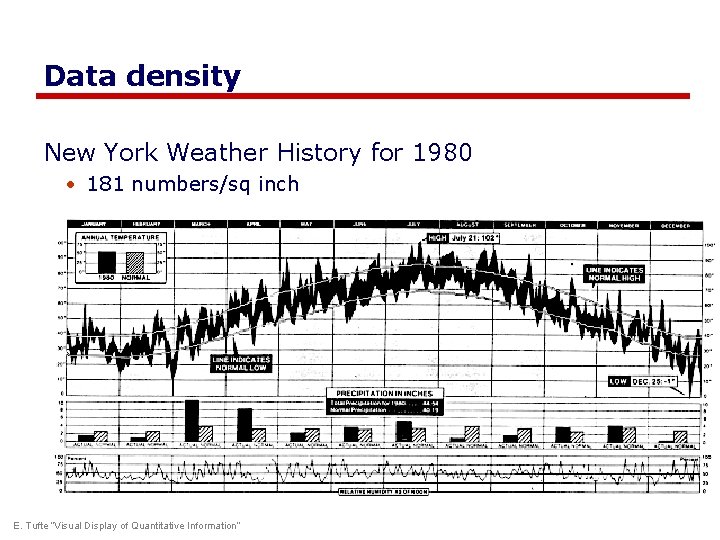
Data density New York Weather History for 1980 • 181 numbers/sq inch E. Tufte “Visual Display of Quantitative Information”
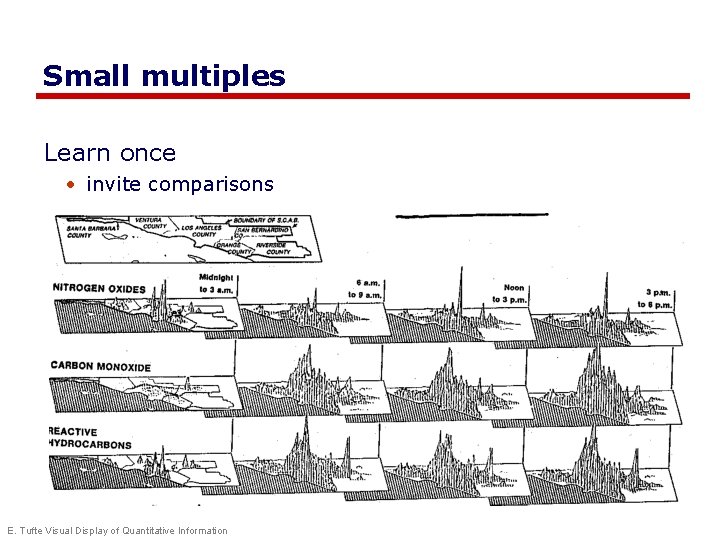
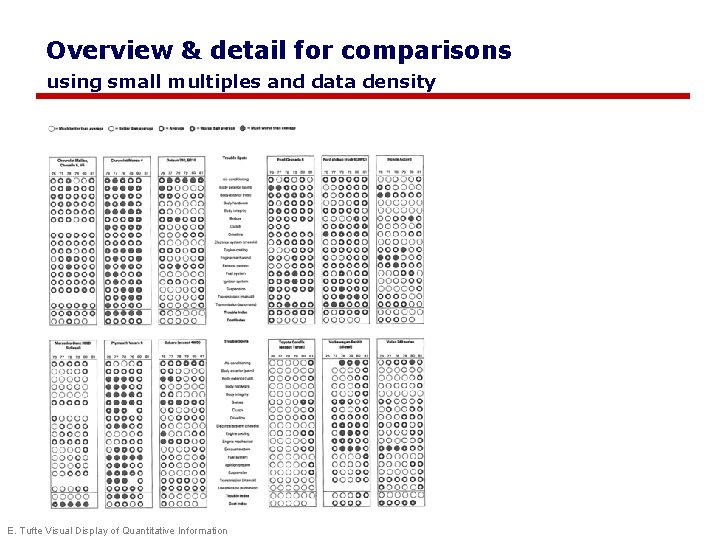
Small multiples Learn once • invite comparisons E. Tufte Visual Display of Quantitative Information
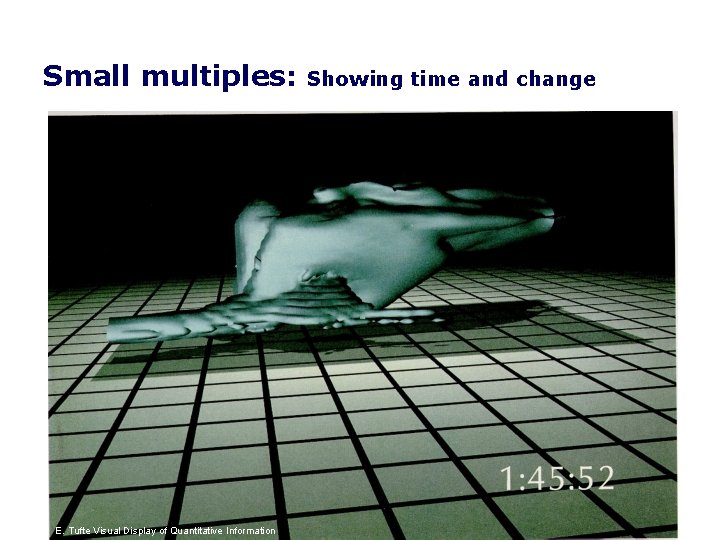
Small multiples: E. E. Tufte Visual Display of Quantitative Information Showing time and change
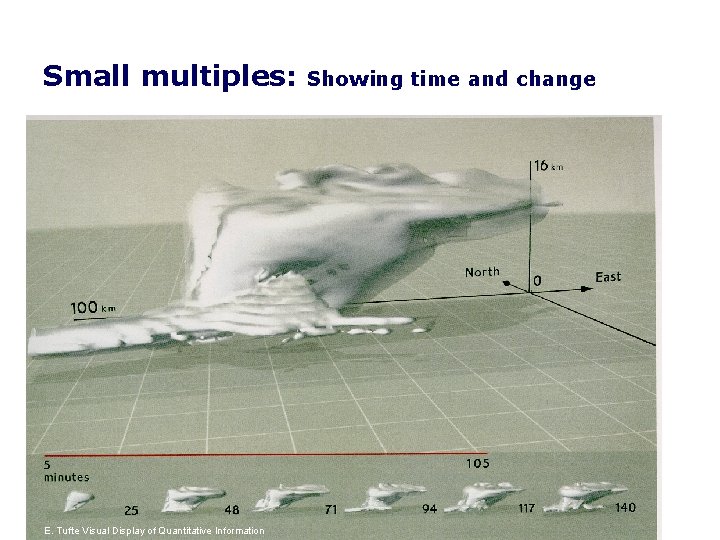
Small multiples: E. Tufte Visual Display of Quantitative Information Showing time and change
Visual information-seeking mantra Overview first, zoom and filter, then details on demand Overview first, zoom and filter, then details on demand Overview first, zoom and filter, then details on demand - Ben Shneiderman, Designing the User Interface 3 rd Ed. 1997 p 523
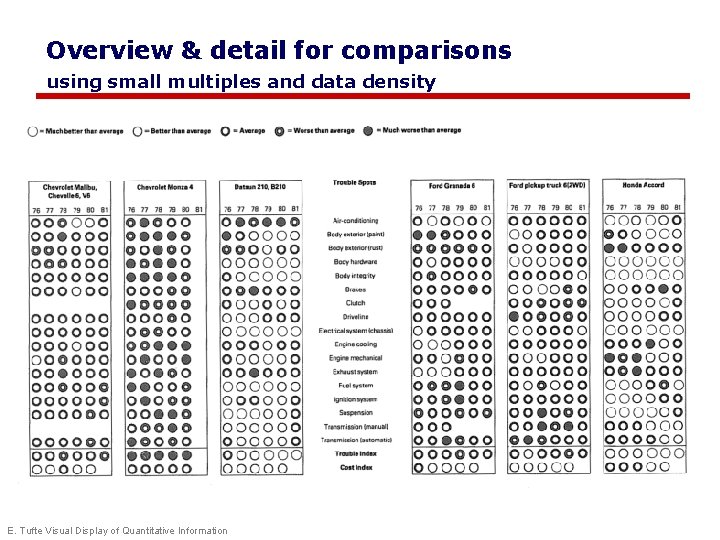
Overview & detail for comparisons using small multiples and data density E. Tufte Visual Display of Quantitative Information
Overview & detail for comparisons using small multiples and data density E. Tufte Visual Display of Quantitative Information
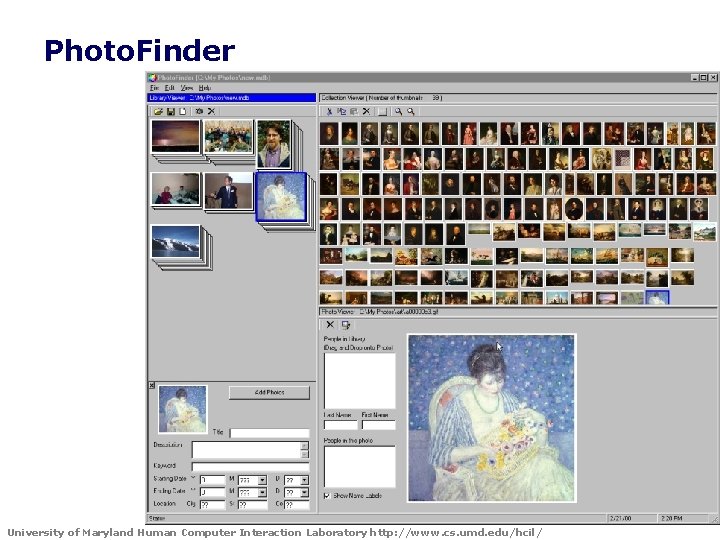
Photo. Finder University of Maryland Human Computer Interaction Laboratory http: //www. cs. umd. edu/hcil/
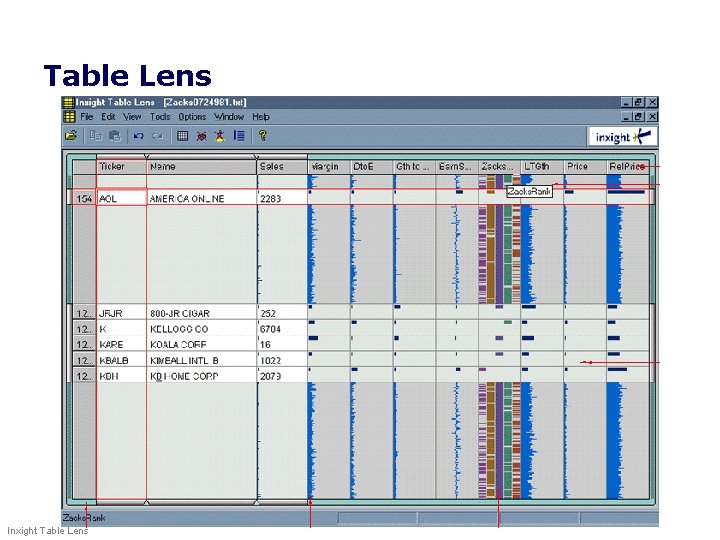
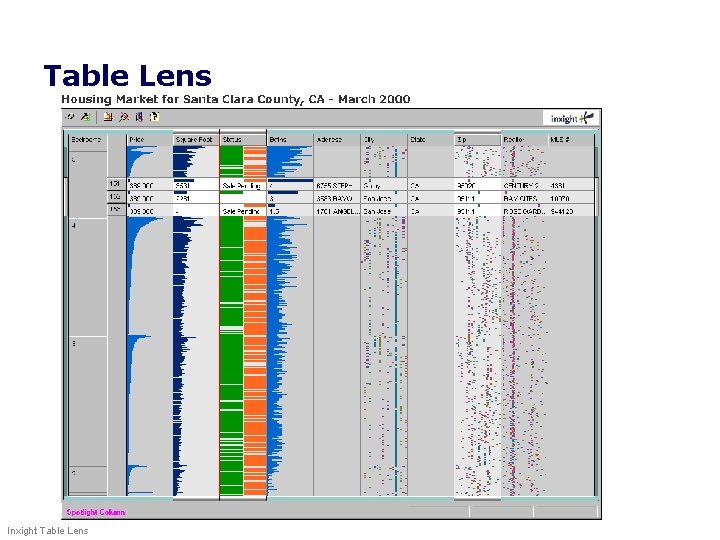
Table Lens Inxight Table Lens
Table Lens Inxight Table Lens
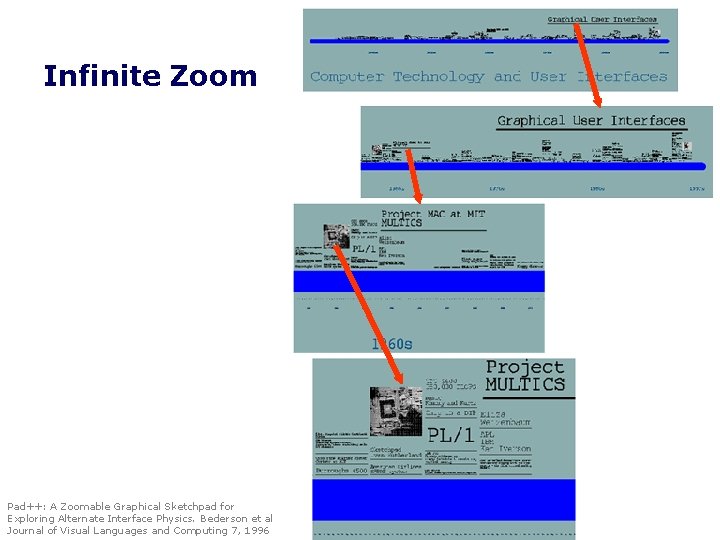
Infinite Zoom Pad++: A Zoomable Graphical Sketchpad for Exploring Alternate Interface Physics. Bederson et al Journal of Visual Languages and Computing 7, 1996
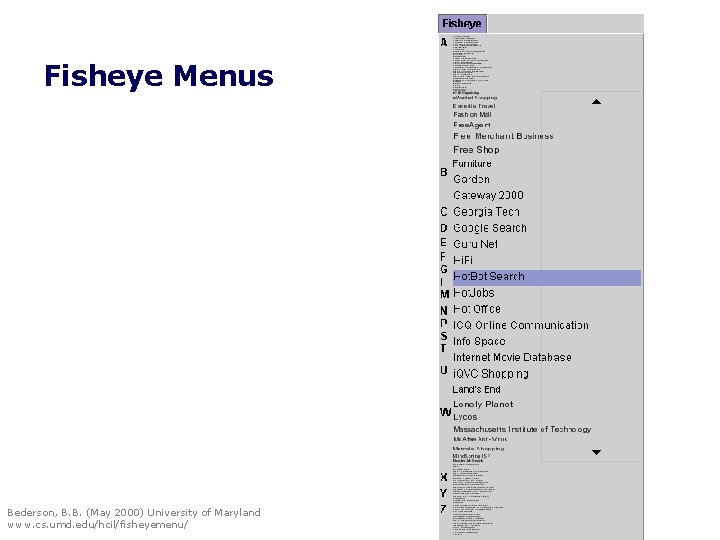
Fisheye Menus Bederson, B. B. (May 2000) University of Maryland www. cs. umd. edu/hcil/fisheyemenu/
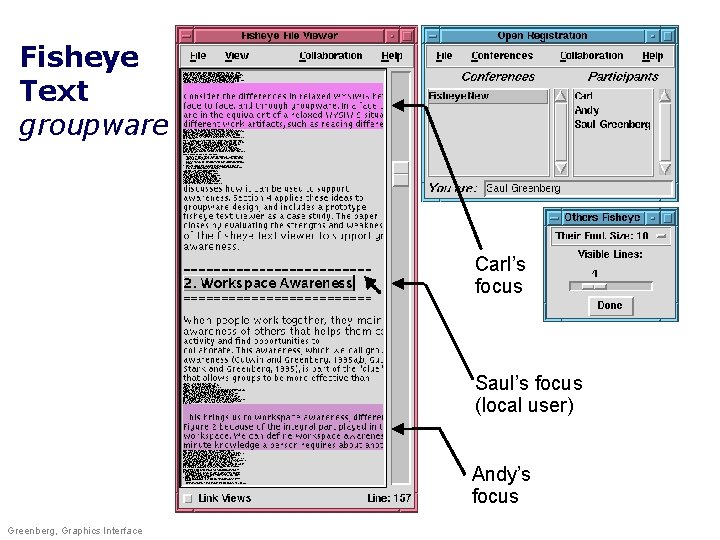
Fisheye Text groupware Carl’s focus Saul’s focus (local user) Andy’s focus Greenberg, Graphics Interface
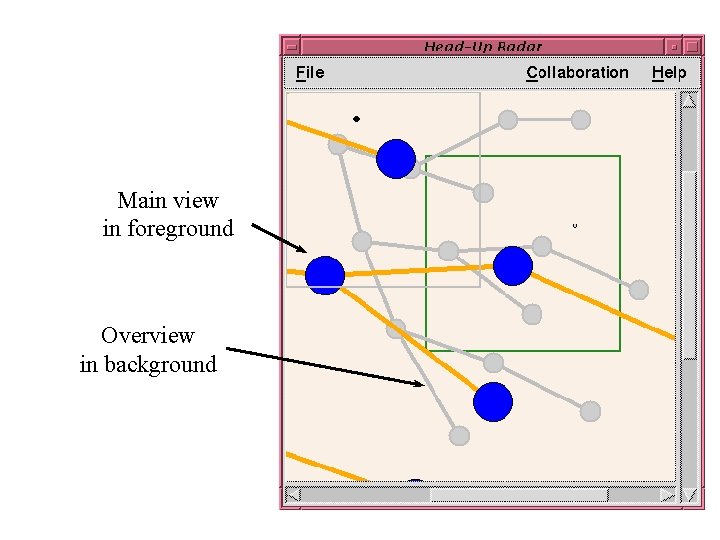
Main view in foreground Overview in background
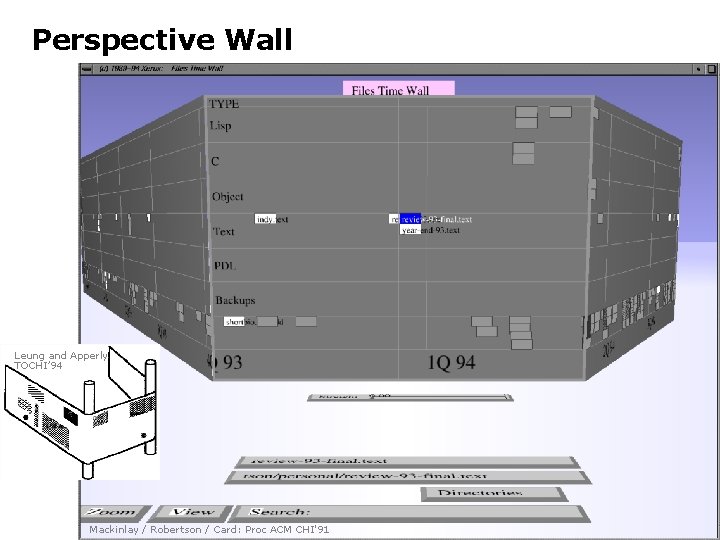
Perspective Wall Leung and Apperly TOCHI’ 94 Mackinlay / Robertson / Card: Proc ACM CHI'91
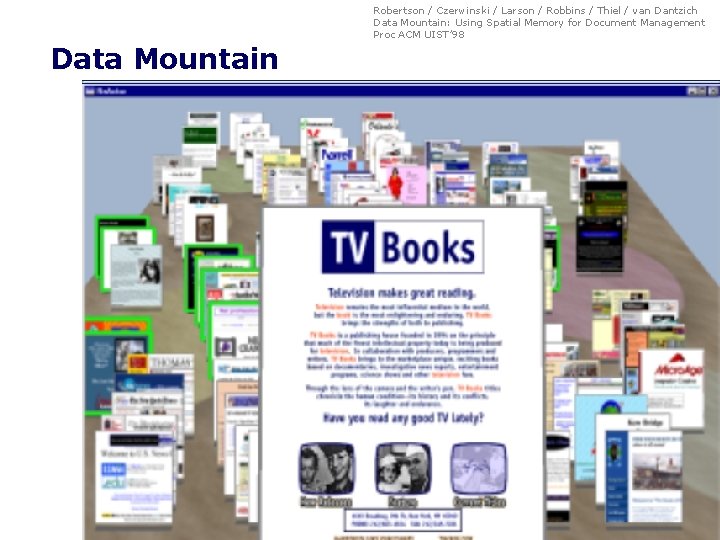
Robertson / Czerwinski / Larson / Robbins / Thiel / van Dantzich Data Mountain: Using Spatial Memory for Document Management Proc ACM UIST’ 98 Data Mountain
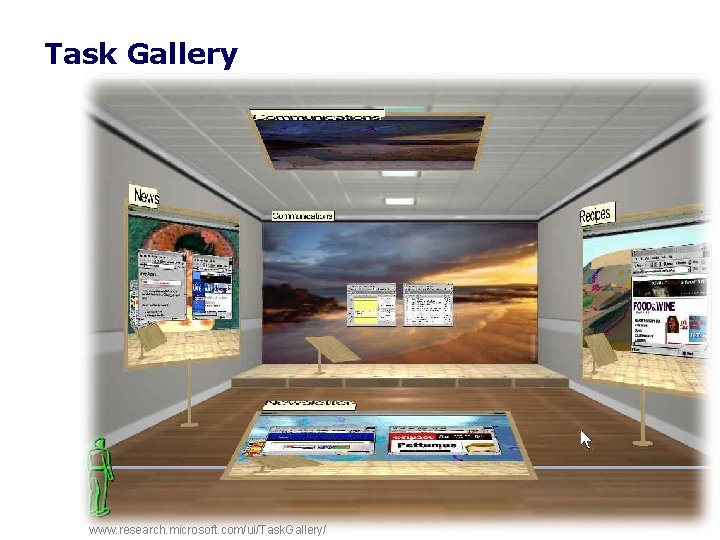
Task Gallery www. research. microsoft. com/ui/Task. Gallery/
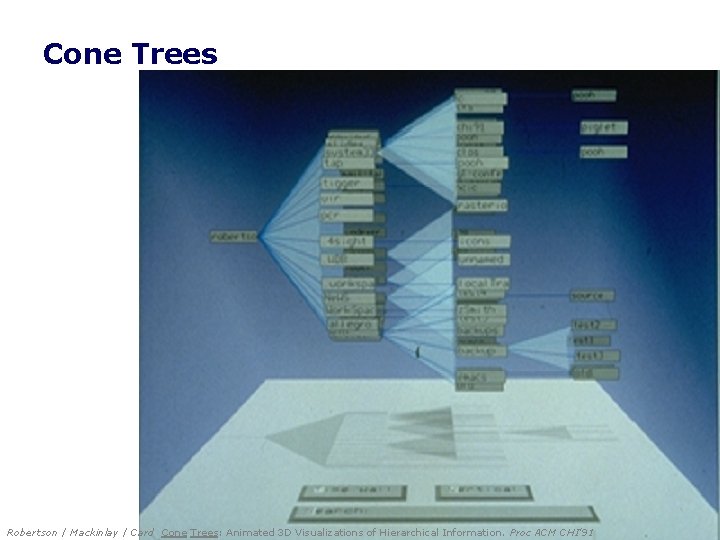
Cone Trees Robertson / Mackinlay / Card Cone Trees: Animated 3 D Visualizations of Hierarchical Information. Proc ACM CHI'91
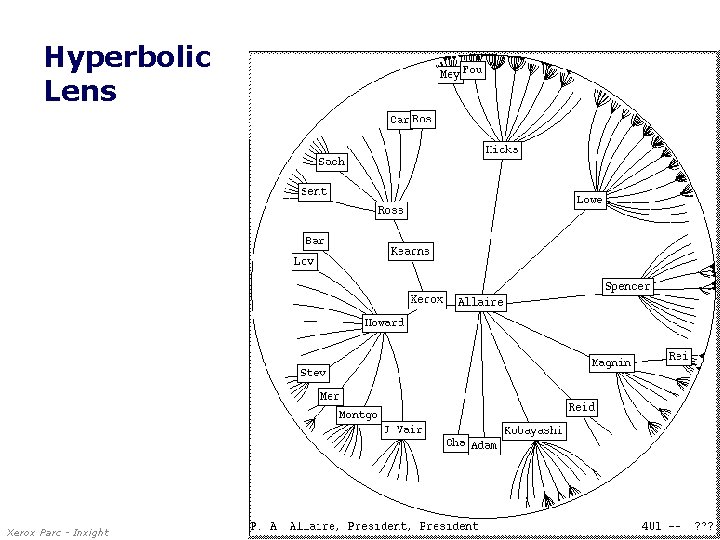
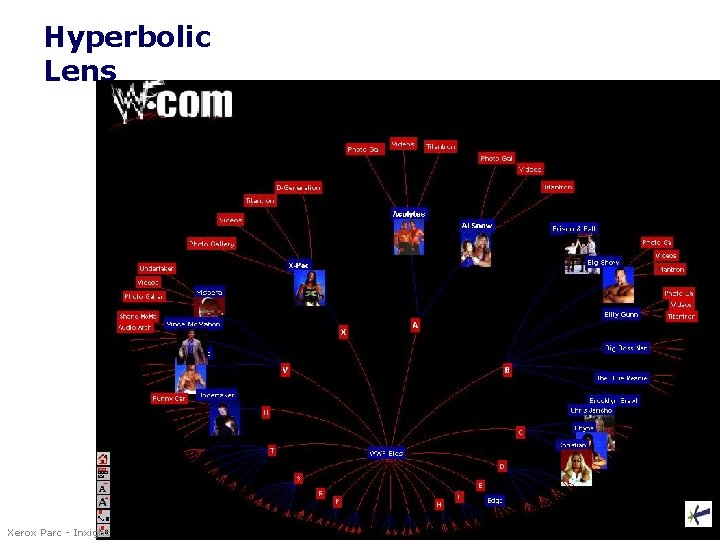
Hyperbolic Lens Xerox Parc - Inxight
Hyperbolic Lens Xerox Parc - Inxight
You know Good representations • captures essential elements of the event / world & mutes the irrelevant • appropriate for the person, their task, and their interpretation Information visualization • Tufte’s principles • overview first, zoom and filter, then details on demand • many techniques now available
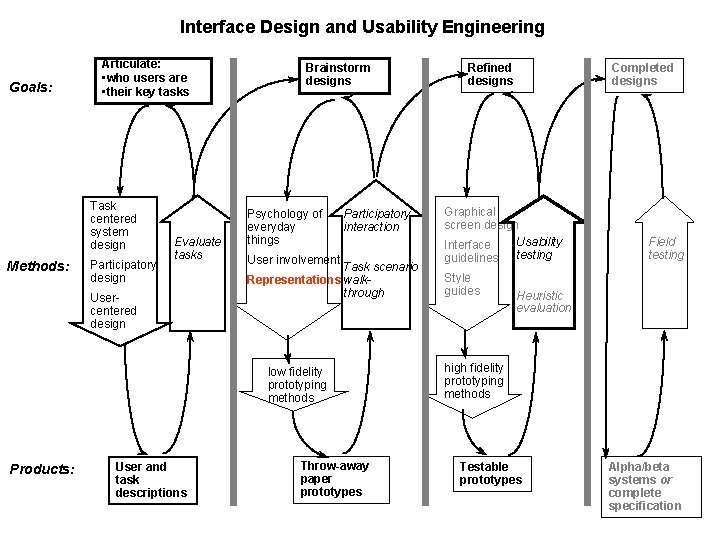
Interface Design and Usability Engineering Goals: Articulate: • who users are • their key tasks Task centered system design Methods: Participatory design Evaluate tasks Usercentered design Brainstorm designs Psychology of everyday things Participatory interaction User involvement Task scenario Representations walkthrough low fidelity prototyping methods Products: User and task descriptions Throw-away paper prototypes Refined designs Completed designs Graphical screen design Usability Interface guidelines testing Style guides Field testing Heuristic evaluation high fidelity prototyping methods Testable prototypes Alpha/beta systems or complete specification
Primary Sources This slide deck is partly based on concepts and illustrations as taught by: • The Visual Display of Quantitative Information, Edward Tufte, 1983 • The Power of Representations. Chapter 3 in Norman, D. Things that Make Us Smart, 43 -76, Addison-Wesley. (1993)
Permissions You are free: • to Share — to copy, distribute and transmit the work • to Remix — to adapt the work Under the following conditions: Attribution — You must attribute the work in the manner specified by the author (but not in any way that suggests that they endorse you or your use of the work) by citing: “Lecture materials by Saul Greenberg, University of Calgary, AB, Canada. http: //saul. cpsc. ucalgary. ca/saul/pmwiki. php/HCIResources/HCILectures” Noncommercial — You may not use this work for commercial purposes, except to assist one’s own teaching and training within commercial organizations. Share Alike — If you alter, transform, or build upon this work, you may distribute the resulting work only under the same or similar license to this one. With the understanding that: Not all material have transferable rights — materials from other sources which are included here are cited Waiver — Any of the above conditions can be waived if you get permission from the copyright holder. Public Domain — Where the work or any of its elements is in the public domain under applicable law, that status is in no way affected by the license. Other Rights — In no way are any of the following rights affected by the license: • Your fair dealing or fair use rights, or other applicable copyright exceptions and limitations; • The author's moral rights; • Rights other persons may have either in the work itself or in how the work is used, such as publicity or privacy rights. Notice — For any reuse or distribution, you must make clear to others the license terms of this work. The best way to do this is with a link to this web page.