
Reporting Parents on the CSS Profile 09012020 Reporting
- Slides: 13
Reporting Parents on the CSS Profile 09/01/2020
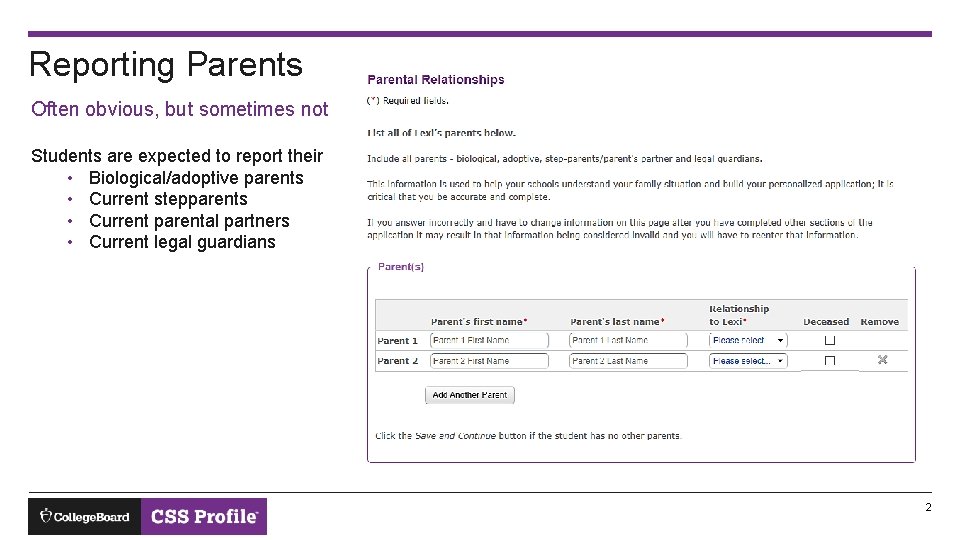
Reporting Parents Often obvious, but sometimes not Students are expected to report their • Biological/adoptive parents • Current stepparents • Current parental partners • Current legal guardians 2
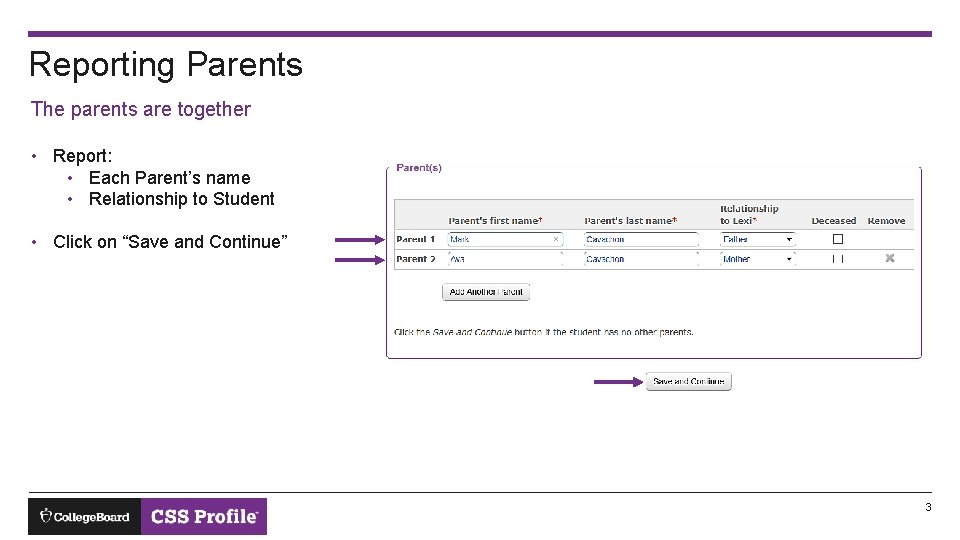
Reporting Parents The parents are together • Report: • Each Parent’s name • Relationship to Student • Click on “Save and Continue” 3
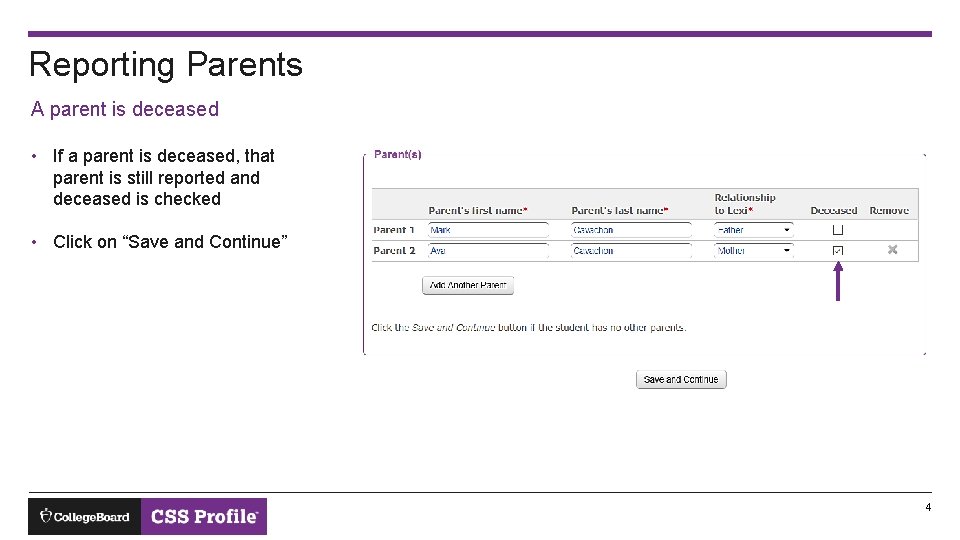
Reporting Parents A parent is deceased • If a parent is deceased, that parent is still reported and deceased is checked • Click on “Save and Continue” 4
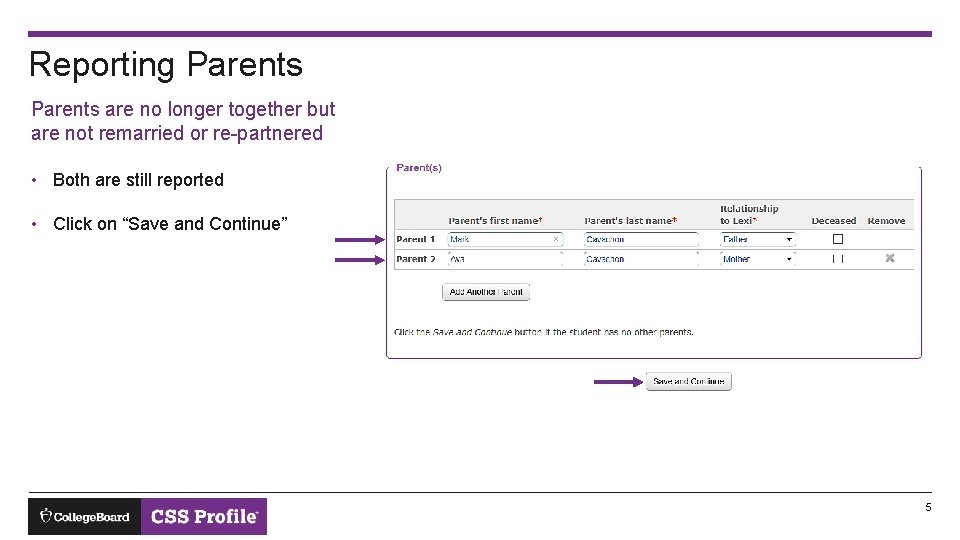
Reporting Parents are no longer together but are not remarried or re-partnered • Both are still reported • Click on “Save and Continue” 5
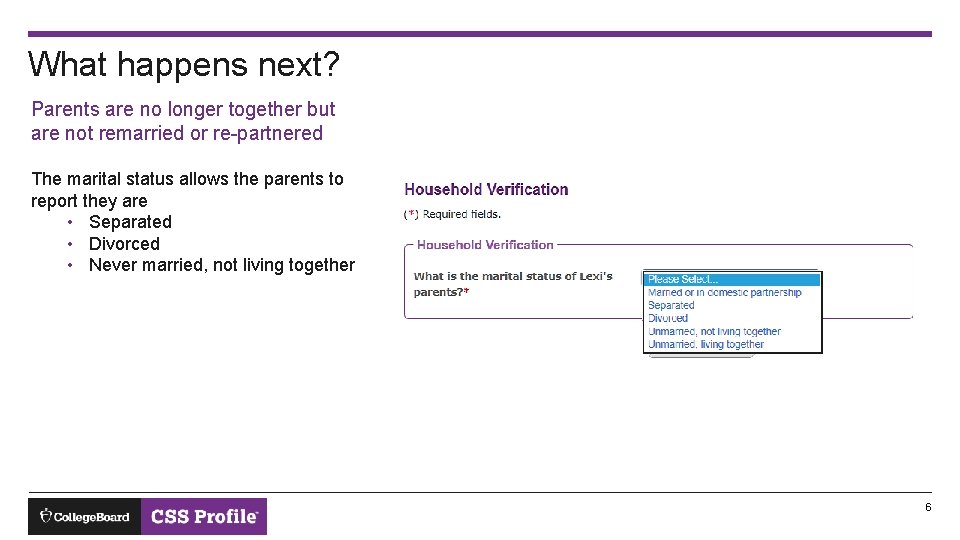
What happens next? Parents are no longer together but are not remarried or re-partnered The marital status allows the parents to report they are • Separated • Divorced • Never married, not living together 6
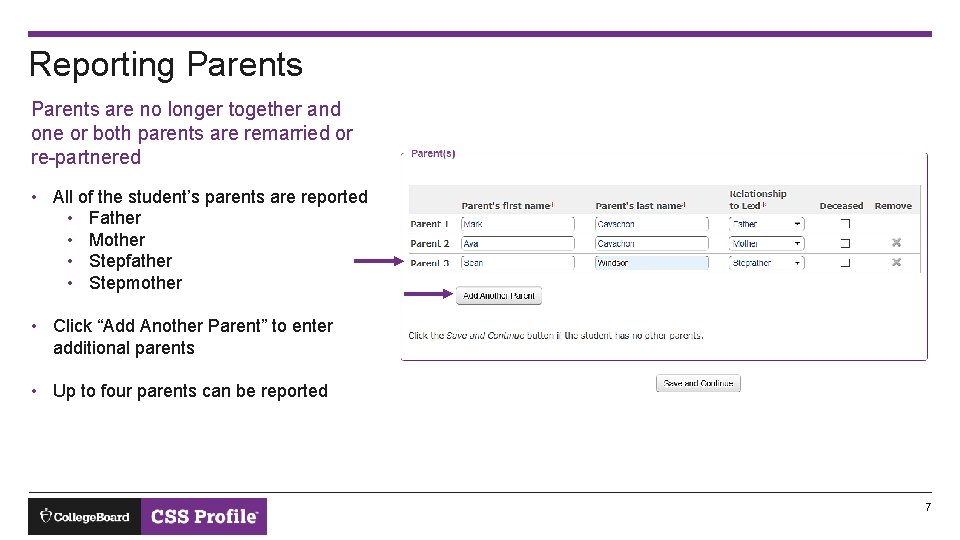
Reporting Parents are no longer together and one or both parents are remarried or re-partnered • All of the student’s parents are reported • Father • Mother • Stepfather • Stepmother • Click “Add Another Parent” to enter additional parents • Up to four parents can be reported 7
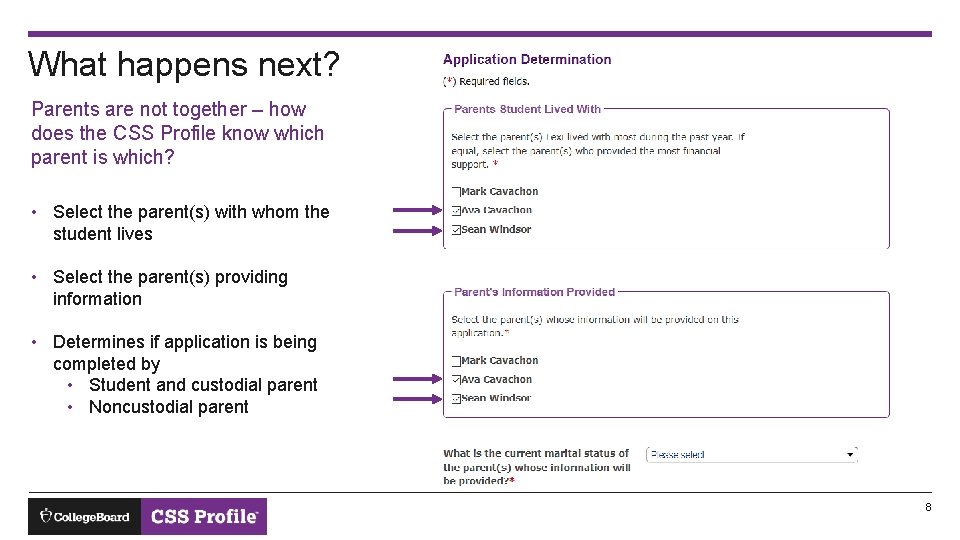
What happens next? Parents are not together – how does the CSS Profile know which parent is which? • Select the parent(s) with whom the student lives • Select the parent(s) providing information • Determines if application is being completed by • Student and custodial parent • Noncustodial parent 8
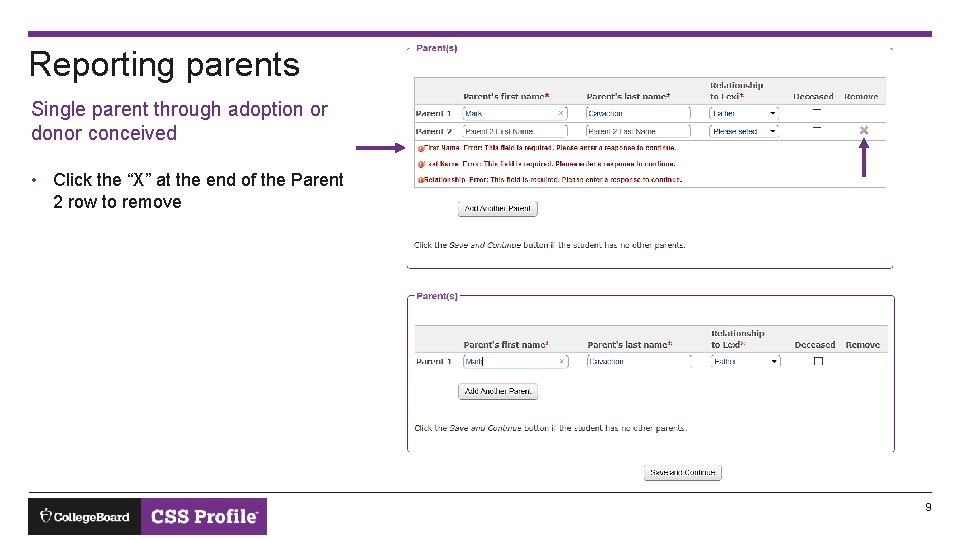
Reporting parents Single parent through adoption or donor conceived • Click the “X” at the end of the Parent 2 row to remove 9
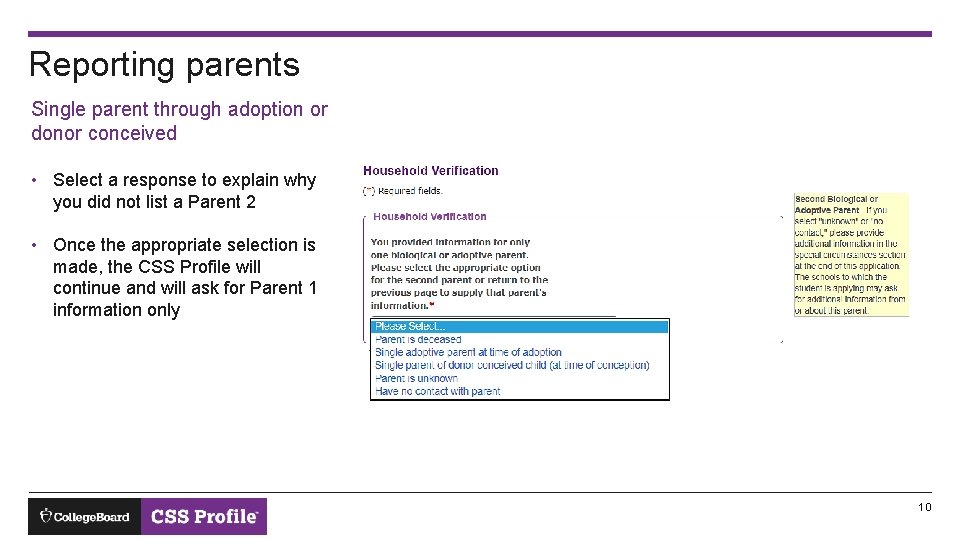
Reporting parents Single parent through adoption or donor conceived • Select a response to explain why you did not list a Parent 2 • Once the appropriate selection is made, the CSS Profile will continue and will ask for Parent 1 information only 10
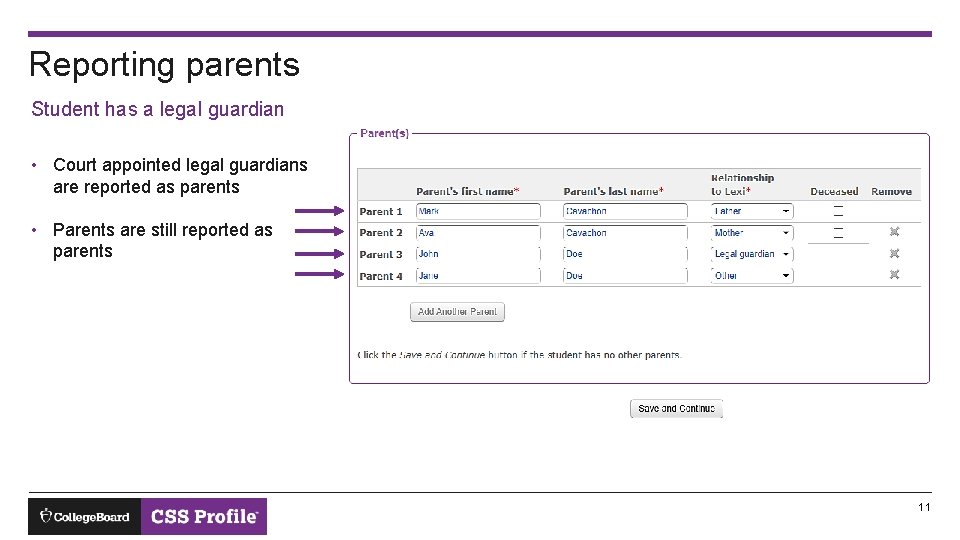
Reporting parents Student has a legal guardian • Court appointed legal guardians are reported as parents • Parents are still reported as parents 11
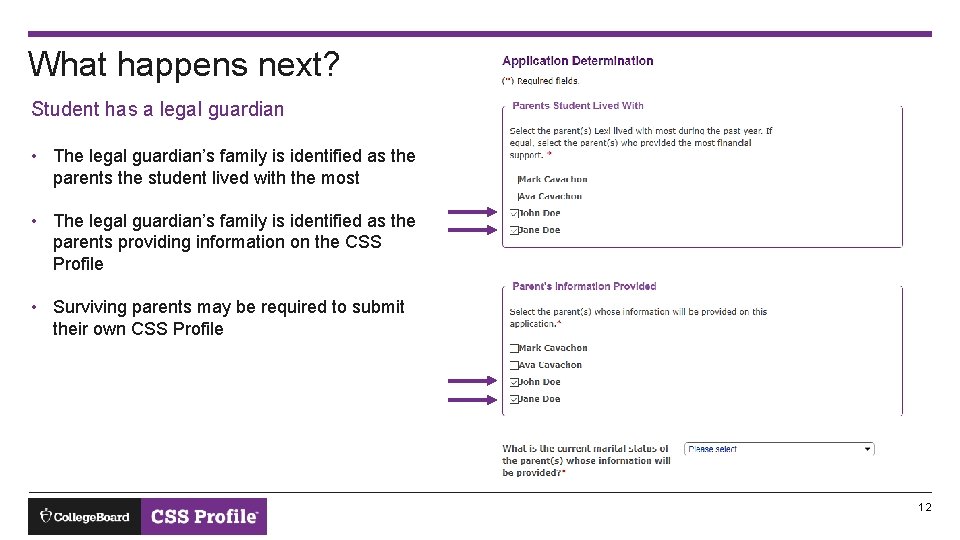
What happens next? Student has a legal guardian • The legal guardian’s family is identified as the parents the student lived with the most • The legal guardian’s family is identified as the parents providing information on the CSS Profile • Surviving parents may be required to submit their own CSS Profile 12
Resources: • • Thank you! • cssprofile. org Getting Started with your CSS Profile Application Other tutorials available CSS Profile Tutorial Completing the CSS Profile as the Noncustodial Parent Contact information for customer support Phone Email Chat 13