
Report Management Module Content 1 Background Requirement Analysis
Report Management Module
Content 1 Background 背景及需求分析 & Requirement Analysis 2 Computer Usage Report 3 4 Solution Advantages
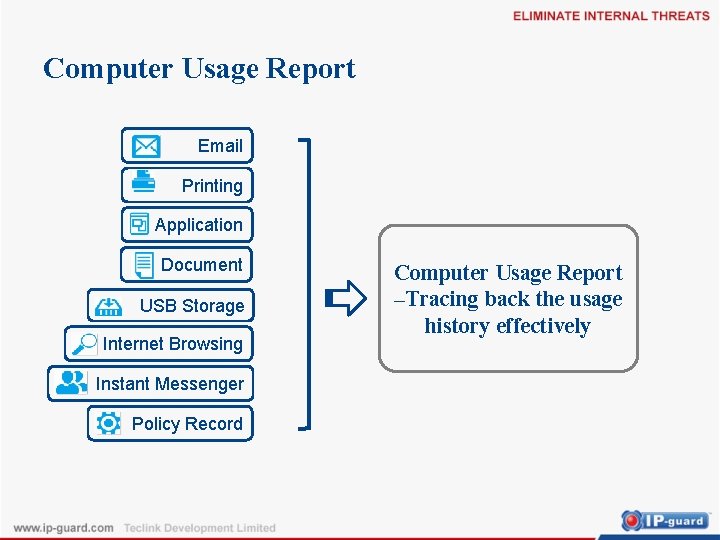
Computer Usage Report Email Printing Application Document USB Storage Internet Browsing Instant Messenger Policy Record Computer Usage Report –Tracing back the usage history effectively
Requirement of User l Analysis from different aspects to find out the Trend of Users Computer Usage( E. g. After adjustment in Policy, printing is increase or decrease? ) l Knowing the statistics of company usage from different aspects. (E. g. Printing status and website browsing time of different departments). l Get attention of Potential Risk through Statistics information (E. g. When lots of the files being copied in one day, which is job related? Which is not? ) l Sending relevant report periodically in order for the management review
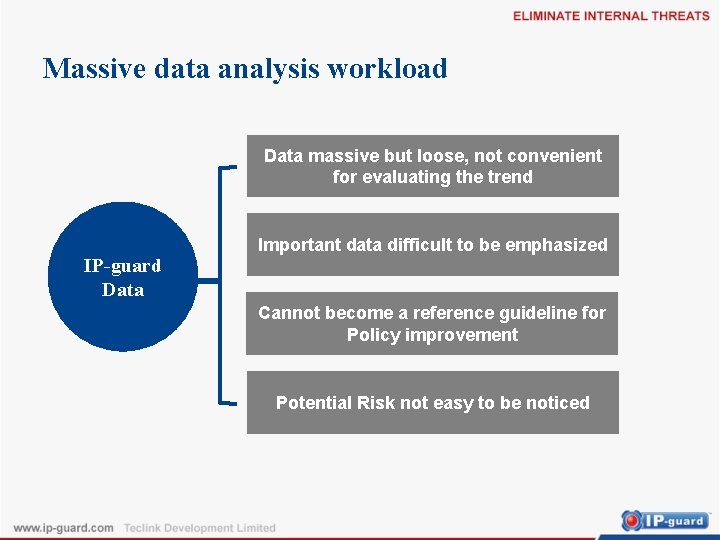
Massive data analysis workload Data massive but loose, not convenient for evaluating the trend IP-guard Data Important data difficult to be emphasized Cannot become a reference guideline for Policy improvement Potential Risk not easy to be noticed
The Best Solution — — Report
Content 1 Background & Requirement Analysis 背景及需求分析 2 Computer Usage Report 3 Solution Advantages
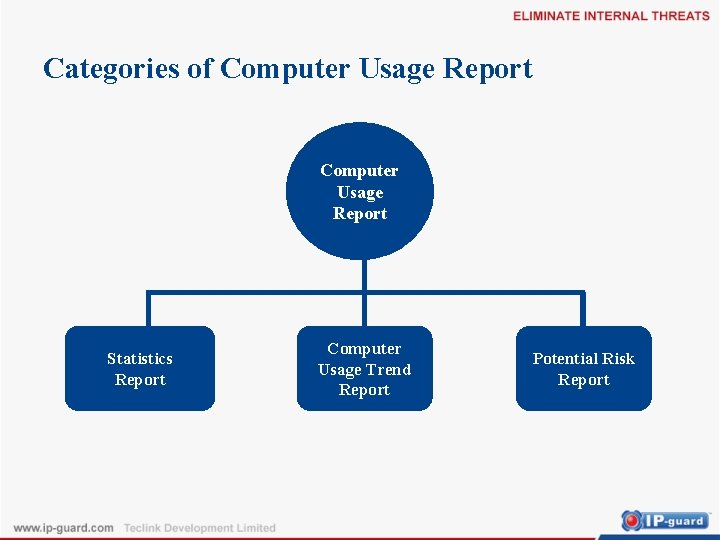
Categories of Computer Usage Report Statistics Report Computer Usage Trend Report Potential Risk Report
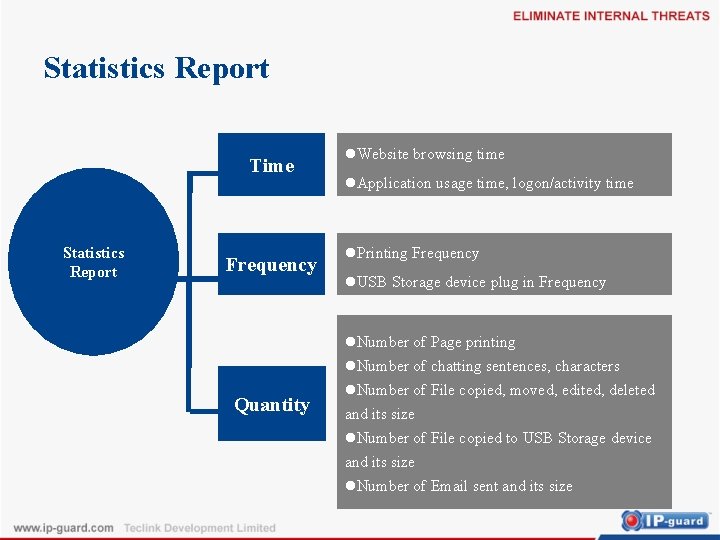
Statistics Report Time Statistics Report Frequency Quantity l. Website browsing time l. Application usage time, logon/activity time l. Printing Frequency l. USB Storage device plug in Frequency l. Number of Page printing l. Number of chatting sentences, characters l. Number of File copied, moved, edited, deleted and its size l. Number of File copied to USB Storage device and its size l. Number of Email sent and its size
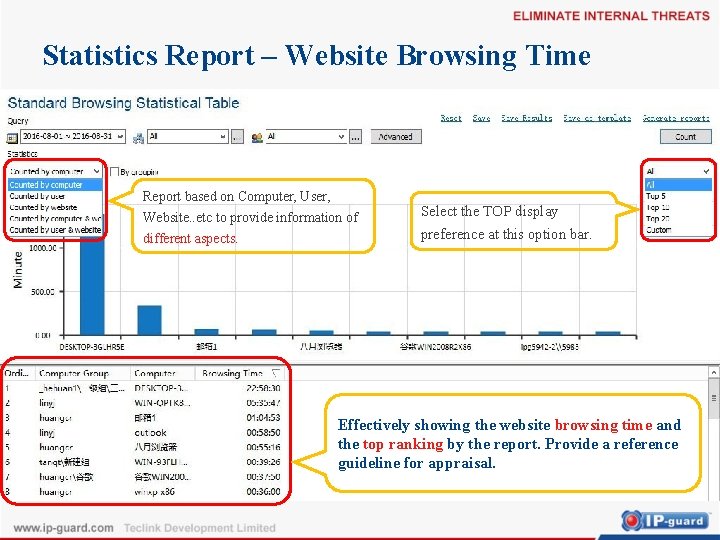
Statistics Report – Website Browsing Time Report based on Computer, User, Website. . etc to provide information of different aspects. Select the TOP display preference at this option bar. Effectively showing the website browsing time and the top ranking by the report. Provide a reference guideline for appraisal.
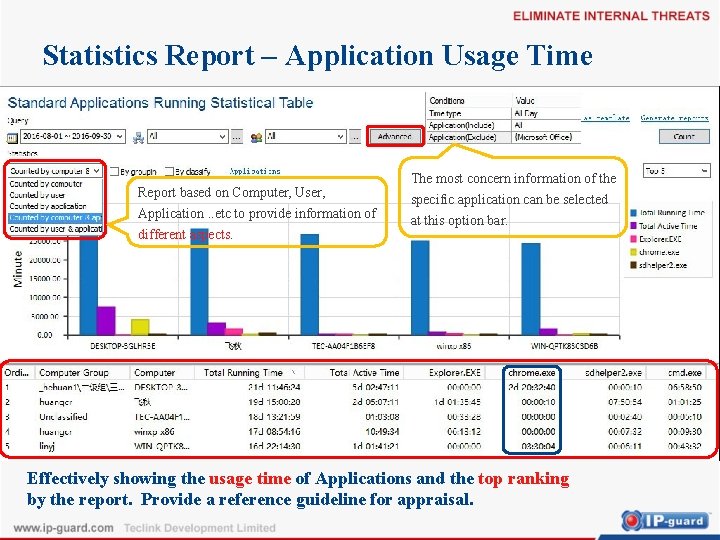
Statistics Report – Application Usage Time Report based on Computer, User, Application. . etc to provide information of different aspects. The most concern information of the specific application can be selected at this option bar. Effectively showing the usage time of Applications and the top ranking by the report. Provide a reference guideline for appraisal.
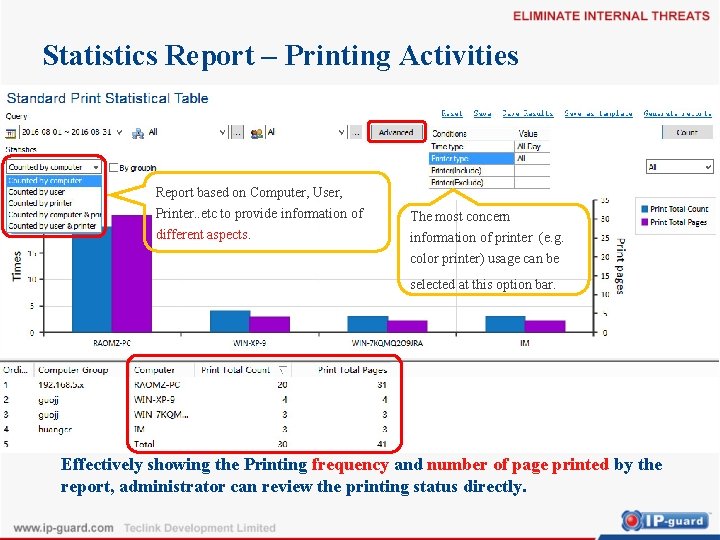
Statistics Report – Printing Activities Report based on Computer, User, Printer. . etc to provide information of different aspects. The most concern information of printer (e. g. color printer) usage can be selected at this option bar. Effectively showing the Printing frequency and number of page printed by the report, administrator can review the printing status directly.
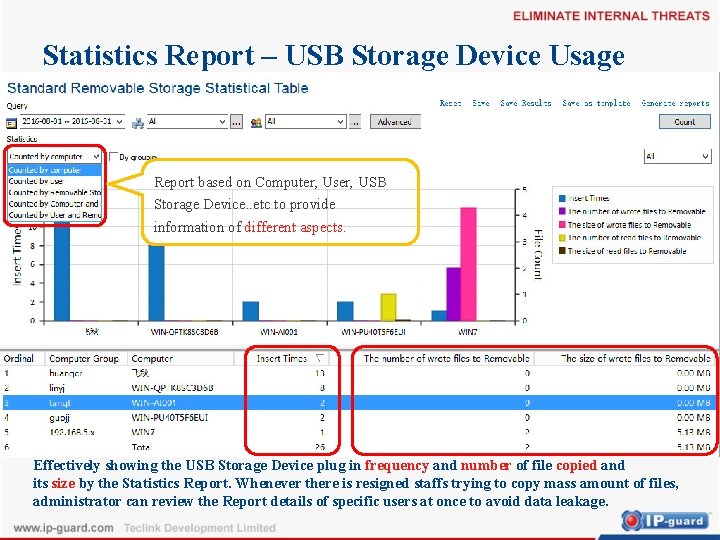
Statistics Report – USB Storage Device Usage Report based on Computer, User, USB Storage Device. . etc to provide information of different aspects. Effectively showing the USB Storage Device plug in frequency and number of file copied and its size by the Statistics Report. Whenever there is resigned staffs trying to copy mass amount of files, administrator can review the Report details of specific users at once to avoid data leakage.
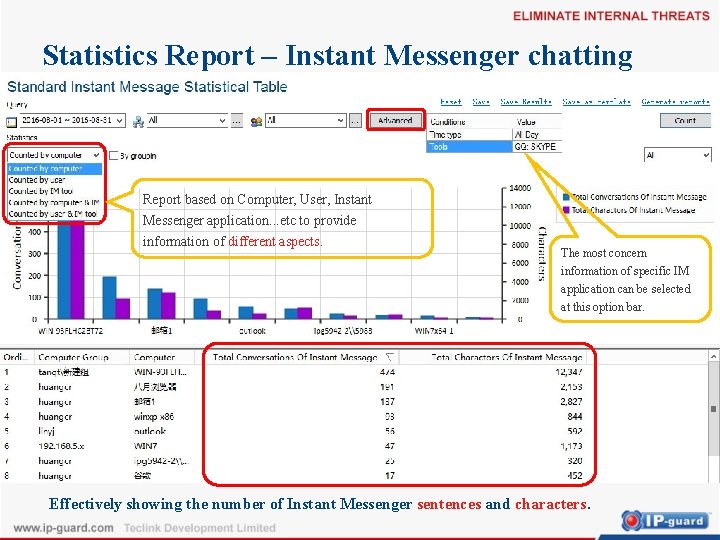
Statistics Report – Instant Messenger chatting Report based on Computer, User, Instant Messenger application. . . etc to provide information of different aspects. The most concern information of specific IM application can be selected at this option bar. Effectively showing the number of Instant Messenger sentences and characters.
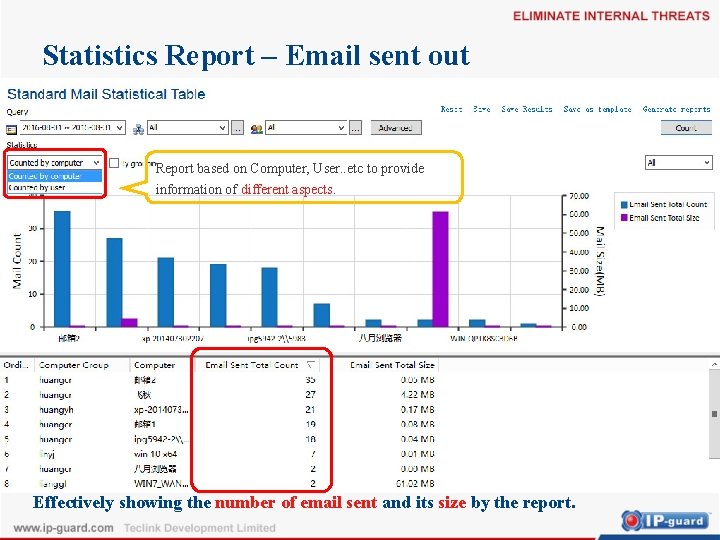
Statistics Report – Email sent out Report based on Computer, User. . etc to provide information of different aspects. Effectively showing the number of email sent and its size by the report.
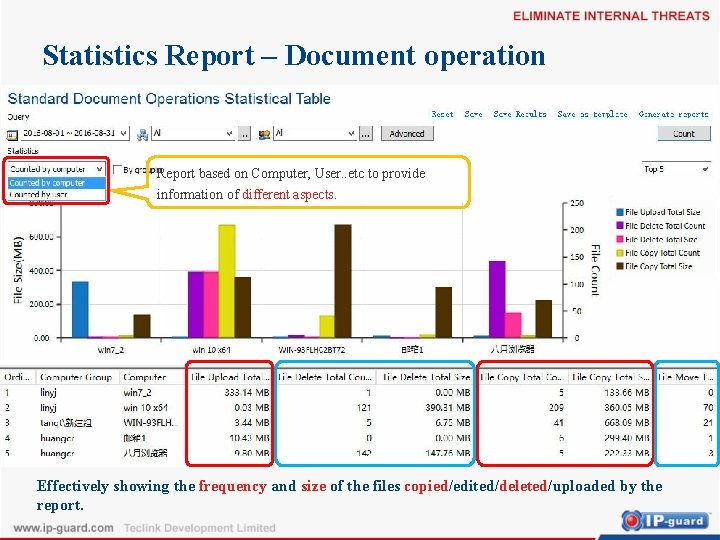
Statistics Report – Document operation Report based on Computer, User. . etc to provide information of different aspects. Effectively showing the frequency and size of the files copied/edited/deleted/uploaded by the report.
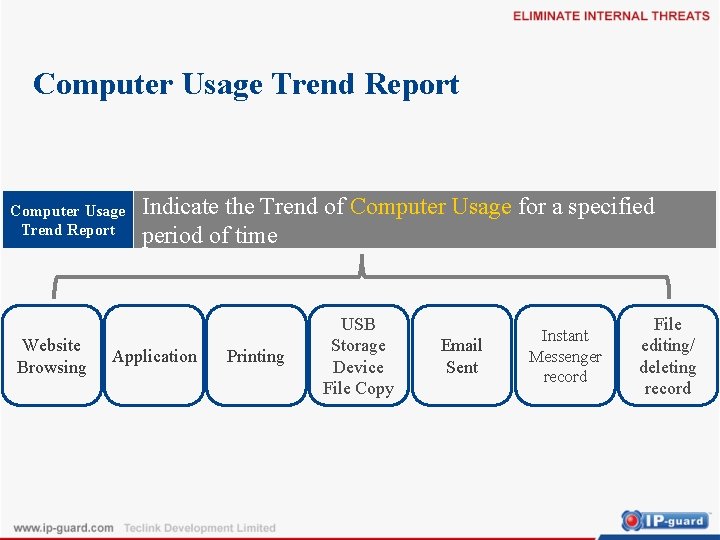
Computer Usage Trend Report Website Browsing Indicate the Trend of Computer Usage for a specified period of time Application Printing USB Storage Device File Copy Email Sent Instant Messenger record File editing/ deleting record
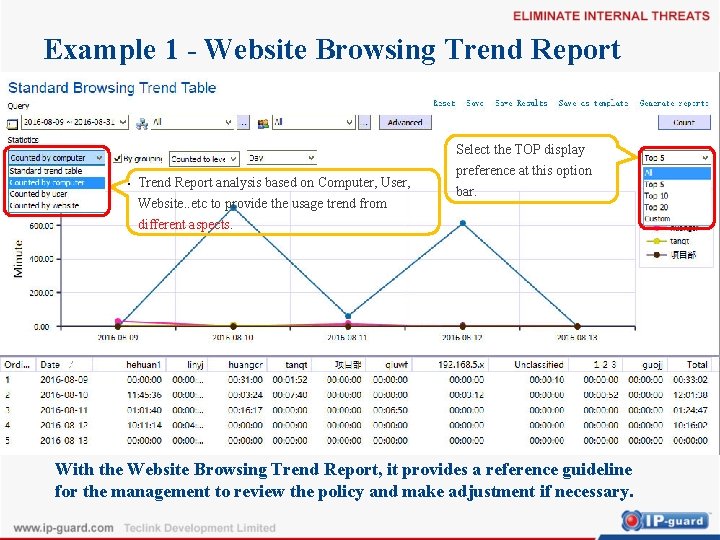
Example 1 - Website Browsing Trend Report Select the TOP display Trend Report analysis based on Computer, User, Website. . etc to provide the usage trend from preference at this option bar. different aspects. With the Website Browsing Trend Report, it provides a reference guideline for the management to review the policy and make adjustment if necessary.
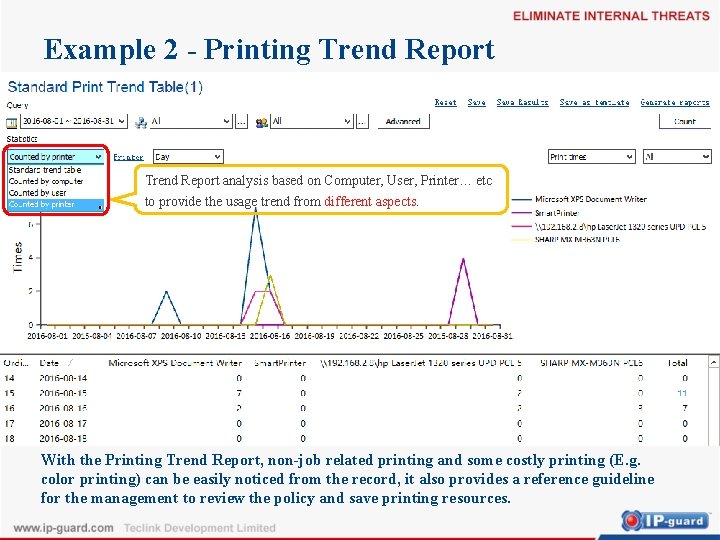
Example 2 - Printing Trend Report analysis based on Computer, User, Printer… etc to provide the usage trend from different aspects. With the Printing Trend Report, non-job related printing and some costly printing (E. g. color printing) can be easily noticed from the record, it also provides a reference guideline for the management to review the policy and save printing resources.
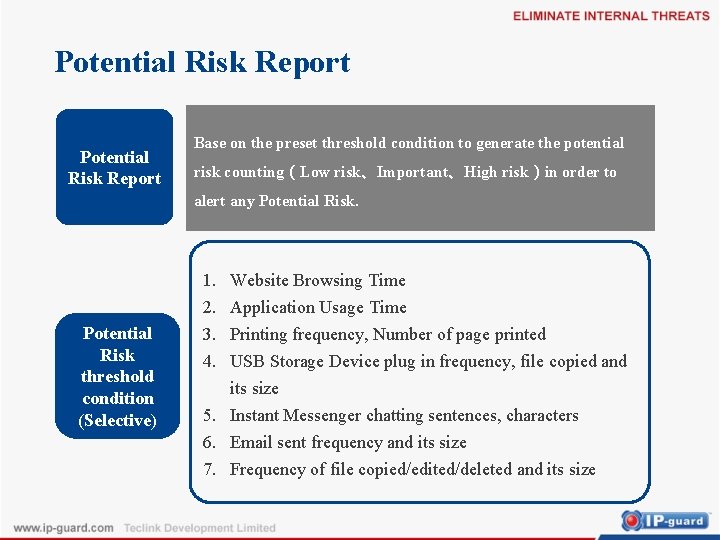
Potential Risk Report Base on the preset threshold condition to generate the potential risk counting(Low risk、Important、High risk)in order to alert any Potential Risk threshold condition (Selective) 1. 2. 3. 4. Website Browsing Time Application Usage Time Printing frequency, Number of page printed USB Storage Device plug in frequency, file copied and its size 5. Instant Messenger chatting sentences, characters 6. Email sent frequency and its size 7. Frequency of file copied/edited/deleted and its size
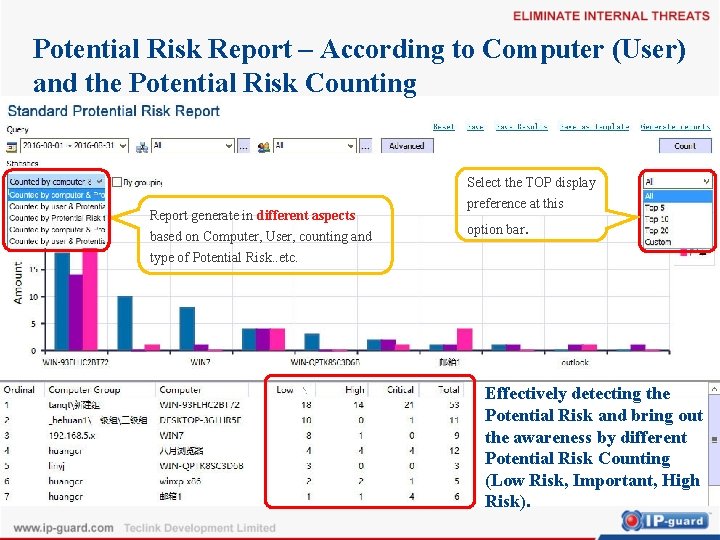
Potential Risk Report – According to Computer (User) and the Potential Risk Counting Select the TOP display Report generate in different aspects based on Computer, User, counting and type of Potential Risk. . etc. preference at this option bar. Effectively detecting the Potential Risk and bring out the awareness by different Potential Risk Counting (Low Risk, Important, High Risk).
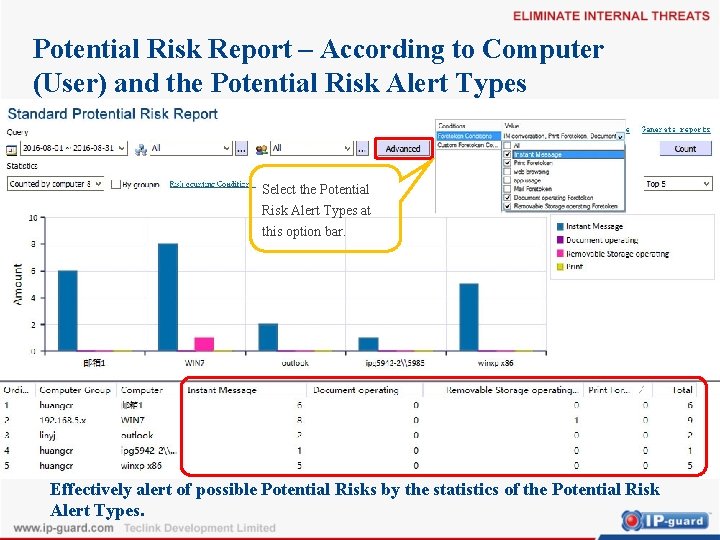
Potential Risk Report – According to Computer (User) and the Potential Risk Alert Types Select the Potential Risk Alert Types at this option bar. Effectively alert of possible Potential Risks by the statistics of the Potential Risk Alert Types.
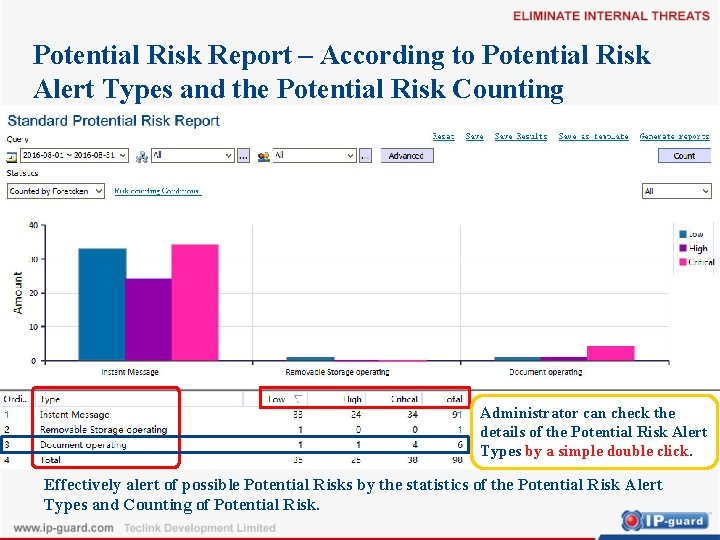
Potential Risk Report – According to Potential Risk Alert Types and the Potential Risk Counting Administrator can check the details of the Potential Risk Alert Types by a simple double click. Effectively alert of possible Potential Risks by the statistics of the Potential Risk Alert Types and Counting of Potential Risk.
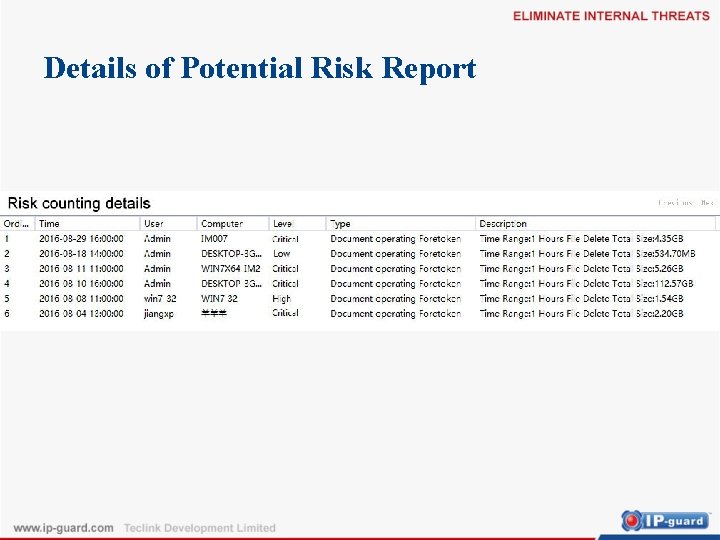
Details of Potential Risk Report
Content 1 Background & Requirement Analysis 背景及需求分析 2 Computer Usage Report 3 Solution Advantages
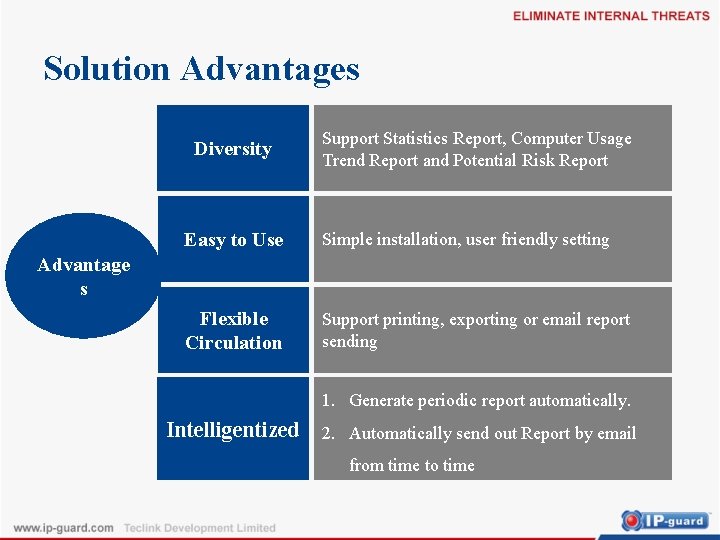
Solution Advantages Diversity Support Statistics Report, Computer Usage Trend Report and Potential Risk Report Easy to Use Simple installation, user friendly setting Flexible Circulation Support printing, exporting or email report sending Advantage s 1. Generate periodic report automatically. Intelligentized 2. Automatically send out Report by email from time to time

- Slides: 27