
Repetition Sometimes we need to repeat a set
- Slides: 14
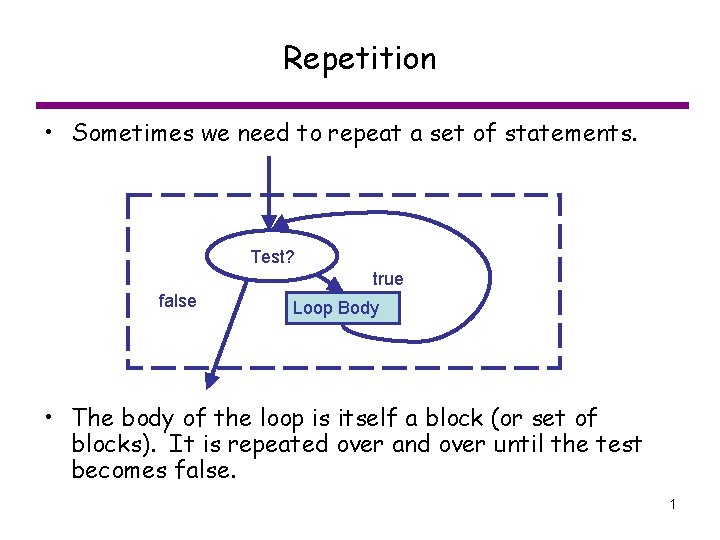
Repetition • Sometimes we need to repeat a set of statements. Test? true false Loop Body • The body of the loop is itself a block (or set of blocks). It is repeated over and over until the test becomes false. 1
Designing a loop block 1. Initialization – Are there any variables to initialize for the test? 2. Test condition – A condition to determine whether or not to repeat the loop body 3. Loop body – What are the steps to repeat? – Do something that could potentially change the test condition to be false sometime in the future. 2
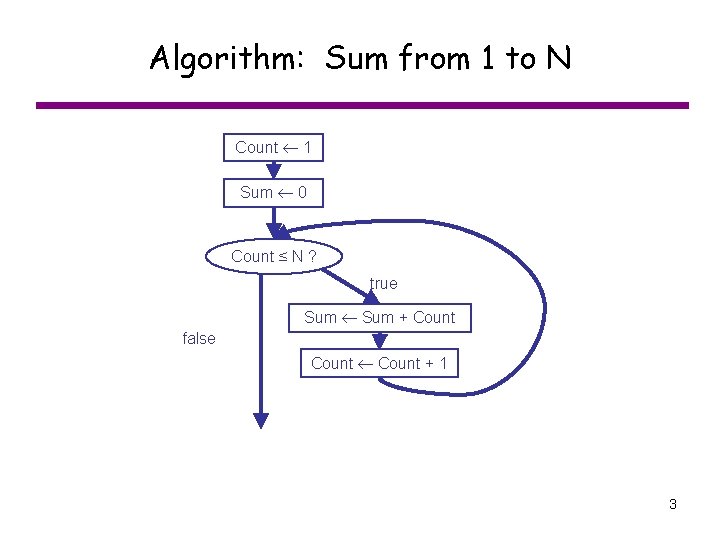
Algorithm: Sum from 1 to N Count 1 Sum 0 Count ≤ N ? true Sum + Count false Count + 1 3
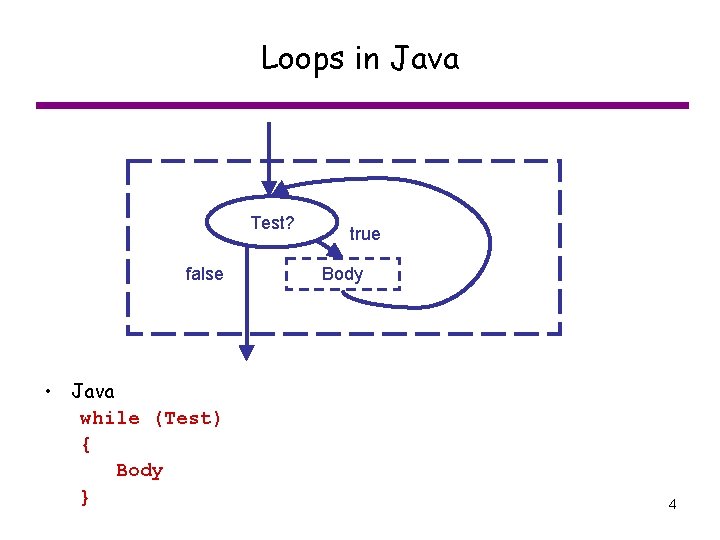
Loops in Java Test? false • Java while (Test) { Body } true Body 4
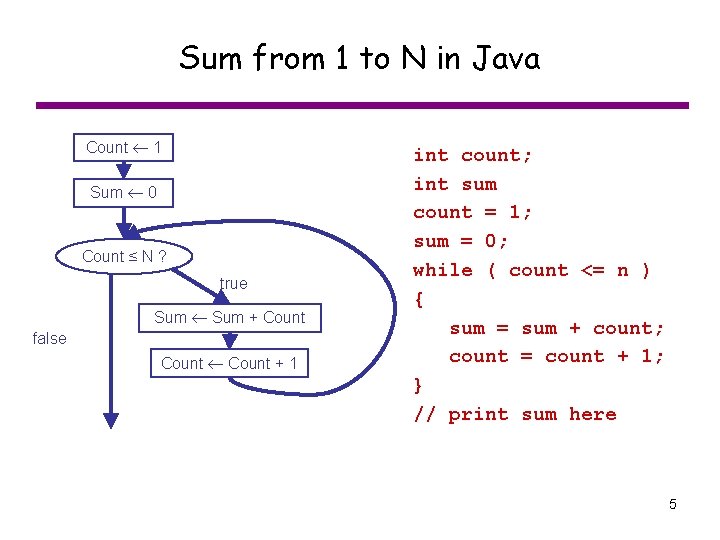
Sum from 1 to N in Java Count 1 Sum 0 Count ≤ N ? true Sum + Count false Count + 1 int count; int sum count = 1; sum = 0; while ( count <= n ) { sum = sum + count; count = count + 1; } // print sum here 5
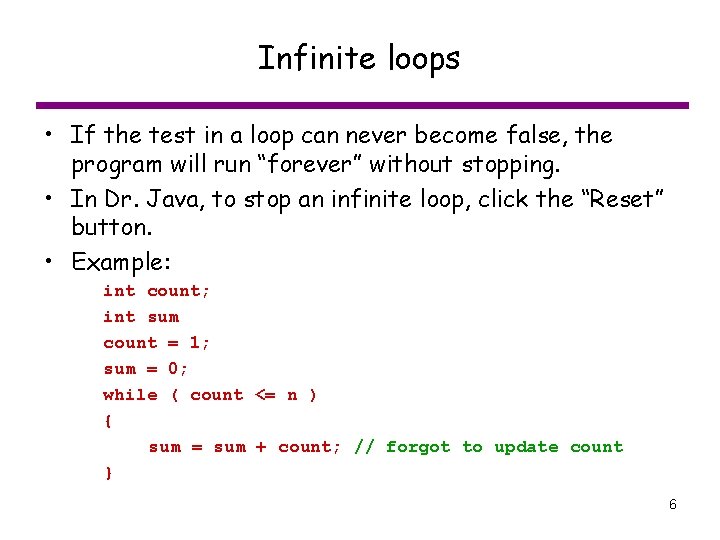
Infinite loops • If the test in a loop can never become false, the program will run “forever” without stopping. • In Dr. Java, to stop an infinite loop, click the “Reset” button. • Example: int count; int sum count = 1; sum = 0; while ( count <= n ) { sum = sum + count; // forgot to update count } 6
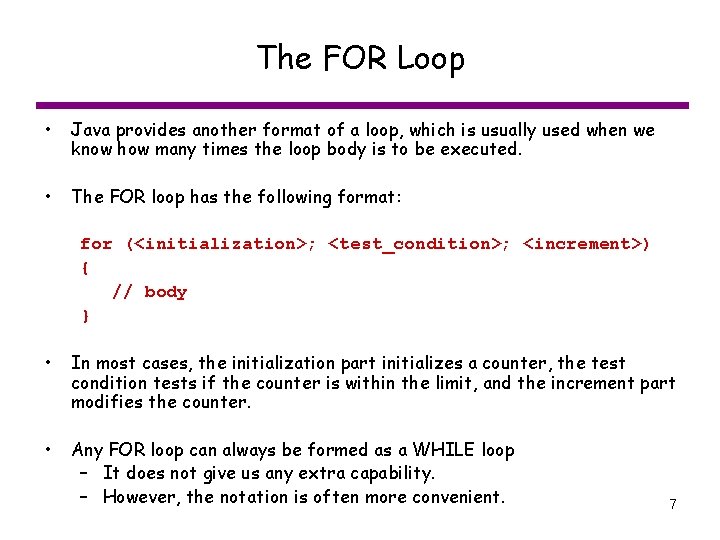
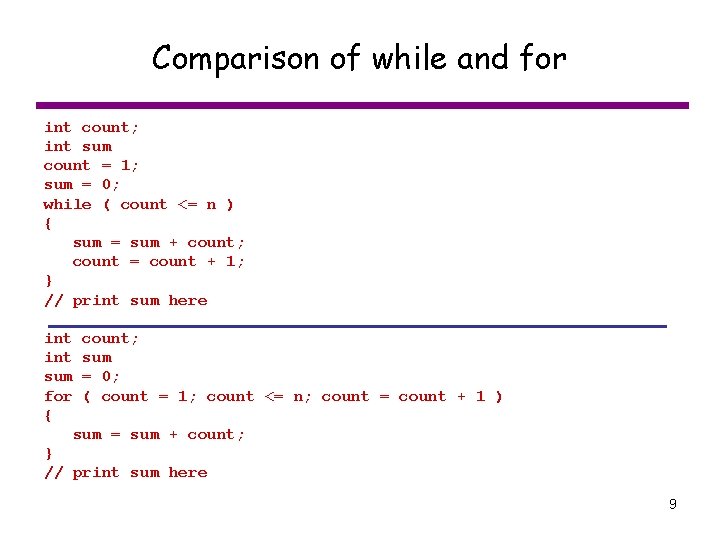
The FOR Loop • Java provides another format of a loop, which is usually used when we know how many times the loop body is to be executed. • The FOR loop has the following format: for (<initialization>; <test_condition>; <increment>) { // body } • In most cases, the initialization part initializes a counter, the test condition tests if the counter is within the limit, and the increment part modifies the counter. • Any FOR loop can always be formed as a WHILE loop – It does not give us any extra capability. – However, the notation is often more convenient. 7
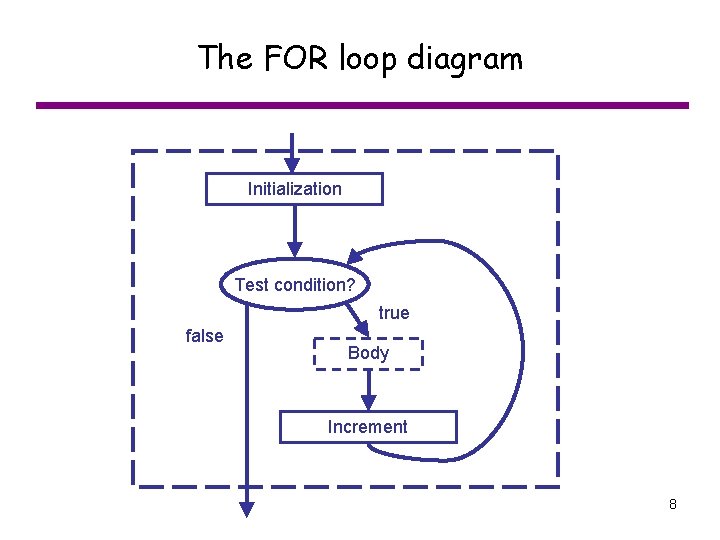
The FOR loop diagram Initialization Test condition? true false Body Increment 8
Comparison of while and for int count; int sum count = 1; sum = 0; while ( count <= n ) { sum = sum + count; count = count + 1; } // print sum here int sum for { count; sum = 0; ( count = 1; count <= n; count = count + 1 ) sum = sum + count; } // print sum here 9
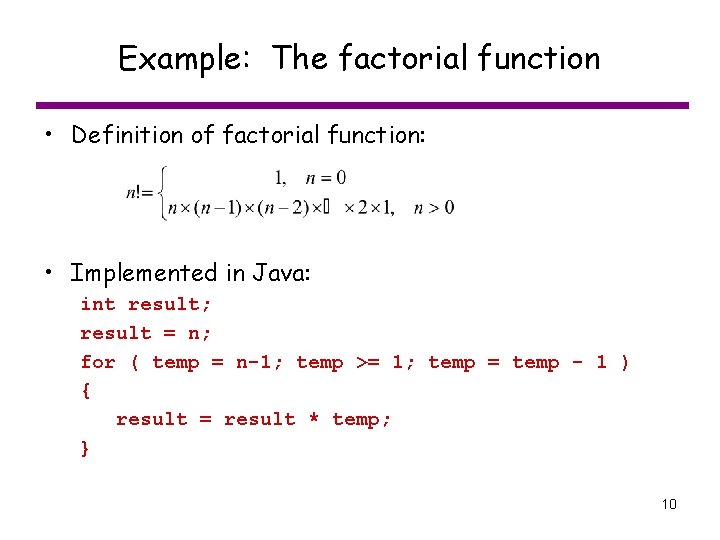
Example: The factorial function • Definition of factorial function: • Implemented in Java: int result; result = n; for ( temp = n-1; temp >= 1; temp = temp - 1 ) { result = result * temp; } 10
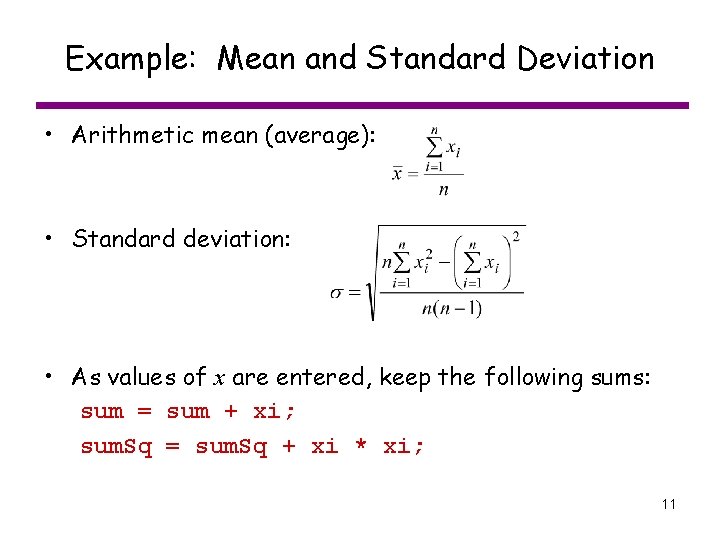
Example: Mean and Standard Deviation • Arithmetic mean (average): • Standard deviation: • As values of x are entered, keep the following sums: sum = sum + xi; sum. Sq = sum. Sq + xi * xi; 11
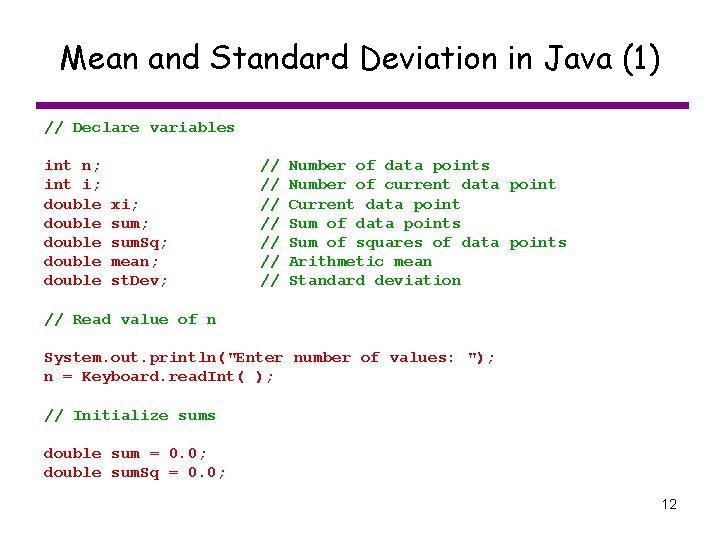
Mean and Standard Deviation in Java (1) // Declare variables int n; int i; double double xi; sum. Sq; mean; st. Dev; // // Number of data points Number of current data point Current data point Sum of data points Sum of squares of data points Arithmetic mean Standard deviation // Read value of n System. out. println("Enter number of values: "); n = Keyboard. read. Int( ); // Initialize sums double sum = 0. 0; double sum. Sq = 0. 0; 12
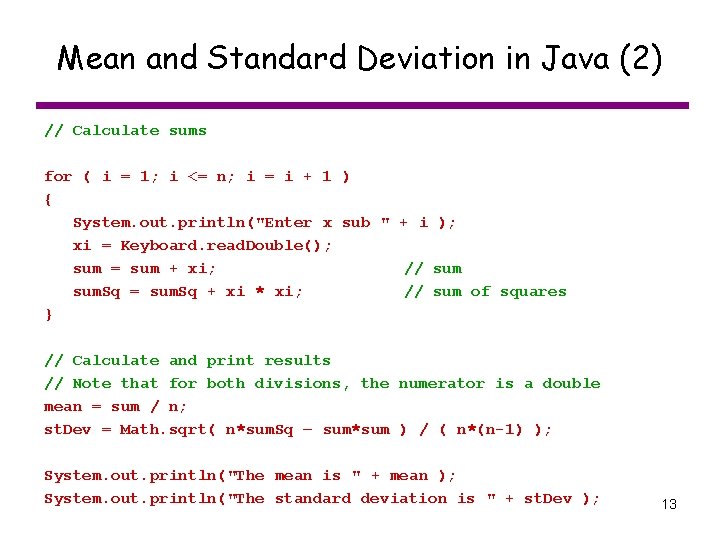
Mean and Standard Deviation in Java (2) // Calculate sums for ( i = 1; i <= n; i = i + 1 ) { System. out. println("Enter x sub " + i ); xi = Keyboard. read. Double(); sum = sum + xi; // sum. Sq = sum. Sq + xi * xi; // sum of squares } // Calculate and print results // Note that for both divisions, the numerator is a double mean = sum / n; st. Dev = Math. sqrt( n*sum. Sq – sum*sum ) / ( n*(n-1) ); System. out. println("The mean is " + mean ); System. out. println("The standard deviation is " + st. Dev ); 13
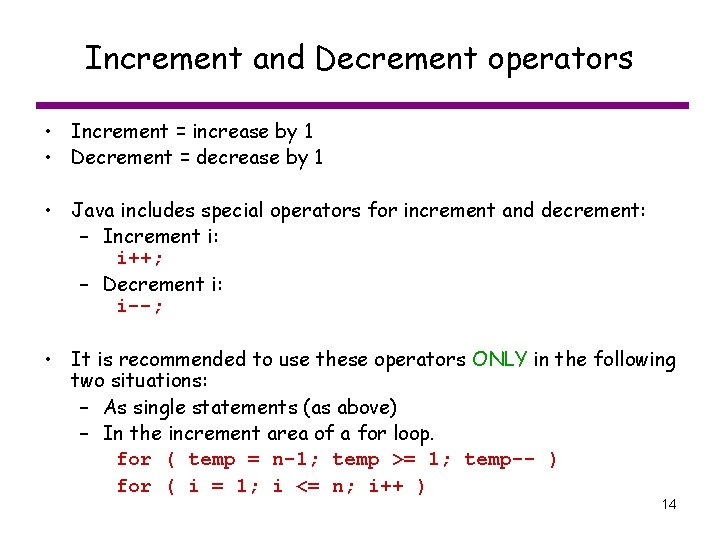
Increment and Decrement operators • Increment = increase by 1 • Decrement = decrease by 1 • Java includes special operators for increment and decrement: – Increment i: i++; – Decrement i: i--; • It is recommended to use these operators ONLY in the following two situations: – As single statements (as above) – In the increment area of a for loop. for ( temp = n-1; temp >= 1; temp-- ) for ( i = 1; i <= n; i++ ) 14