
Repeating FormsEvents Bas de Veer Institute of Translational
Repeating Forms/Events Bas de Veer Institute of Translational Health Sciences University of Washington Paul Litwin Collaborative Data Services Fred Hutchinson Cancer Research Center Michael Yingling Healthy Mind Lab Washington University in St. Louis
Infinitely Repeating Instruments or Events Repeating Instruments ► Repeat any instrument as many times as needed ► Works in both classic and longitudinal mode ► Use for “fuzzy” data entry like “adverse events” Repeating Events ► Only works for longitudinal mode ► Repeat any event as many times as needed ► Use for situations where the number of needed events differs per record. e. g. “Chemotherapy cycles” Limitations ► Adding a repeating instrument to a repeating event is not allowed ► Use of repeating function will make analysis more challenging 2
Infinitely Repeating Setup ► Done after setup of: ► Instruments ► Longitudinal model ► Navigate to the “optional modules” section in the project setup page ► Click on the ”Modify” button next to the “Repeatable instruments and events” button ► In the resulting pop-up, select from the following for each event: ► Not repeat anything ► Repeat the entire event ► Repeat instruments ► Select the instruments to repeat ► Use of a custom label is recommended ► Use the variable name of a variable within the repeated instrument ► Example labels: ► Visit date: [visit_date] ► Score: [score_total] 3
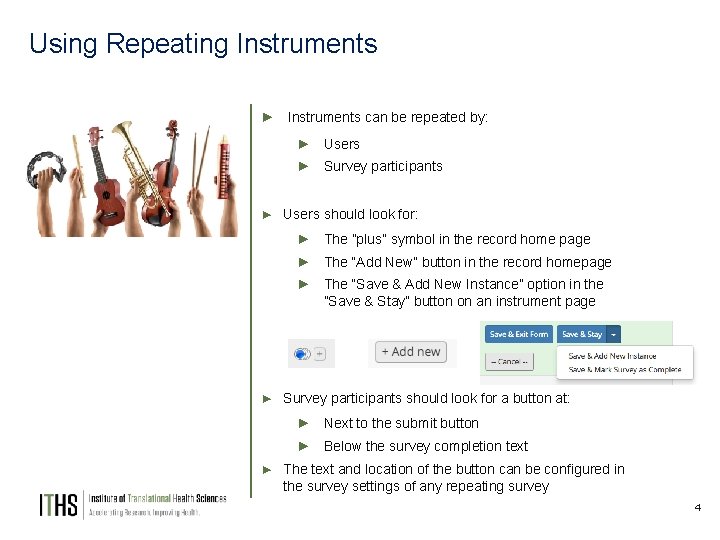
Using Repeating Instruments ► Instruments can be repeated by: ► Users ► Survey participants ► Users should look for: ► The ”plus” symbol in the record home page ► The “Add New” button in the record homepage ► The “Save & Add New Instance” option in the ”Save & Stay” button on an instrument page ► Survey participants should look for a button at: ► Next to the submit button ► Below the survey completion text ► The text and location of the button can be configured in the survey settings of any repeating survey 4
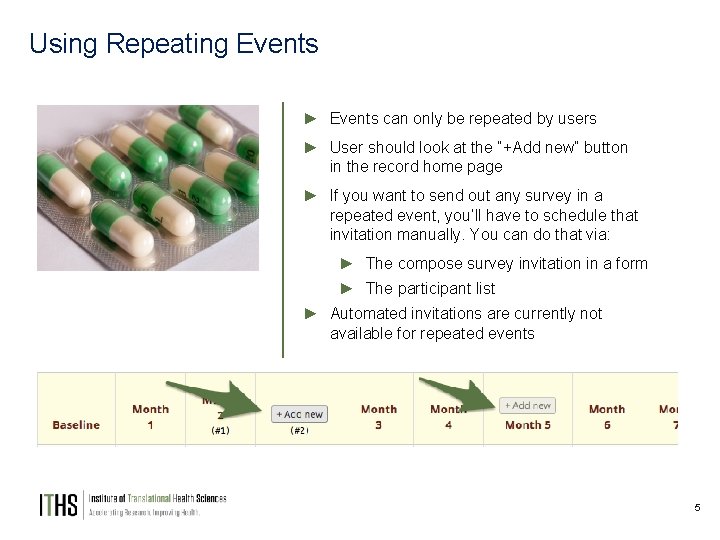
Using Repeating Events ► Events can only be repeated by users ► User should look at the “+Add new” button in the record home page ► If you want to send out any survey in a repeated event, you’ll have to schedule that invitation manually. You can do that via: ► The compose survey invitation in a form ► The participant list ► Automated invitations are currently not available for repeated events 5
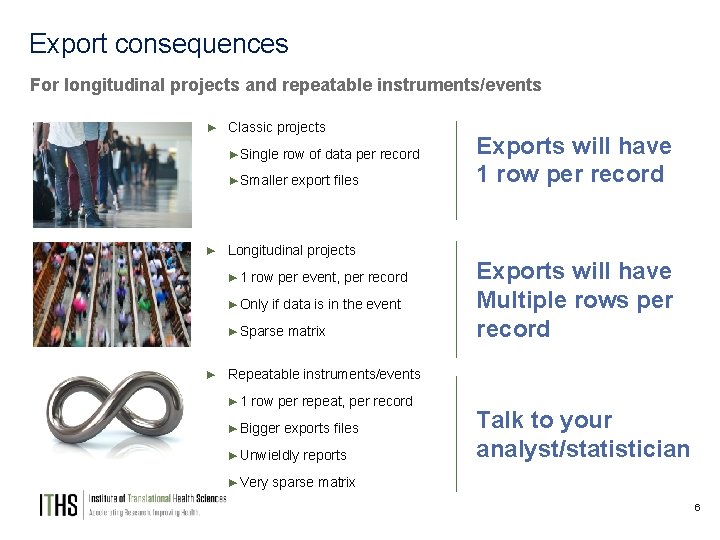
Export consequences For longitudinal projects and repeatable instruments/events ► Classic projects ►Single row of data per record ►Smaller export files ► Longitudinal projects ► 1 row per event, per record ►Only if data is in the event ►Sparse matrix Exports will have 1 row per record Exports will have Multiple rows per record ► Repeatable instruments/events ► 1 row per repeat, per record ►Bigger exports files ►Unwieldly reports Talk to your analyst/statistician ►Very sparse matrix 6
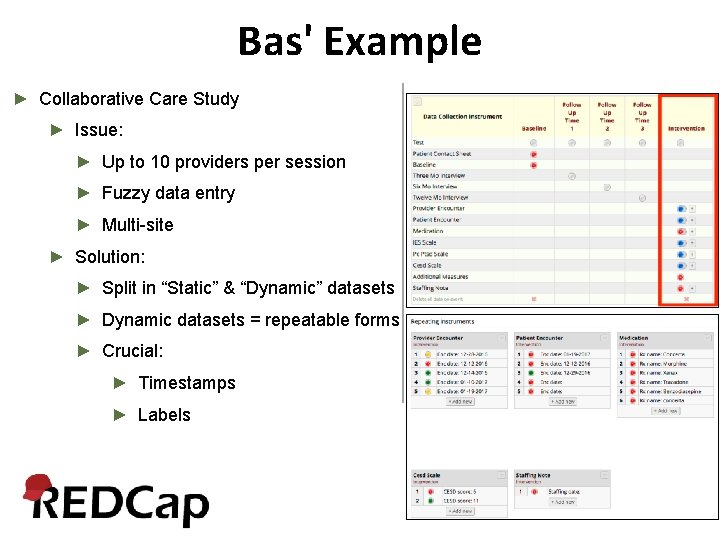
Bas' Example ► Collaborative Care Study ► Issue: ► Up to 10 providers per session ► Fuzzy data entry ► Multi-site ► Solution: ► Split in “Static” & “Dynamic” datasets ► Dynamic datasets = repeatable forms ► Crucial: ► Timestamps ► Labels
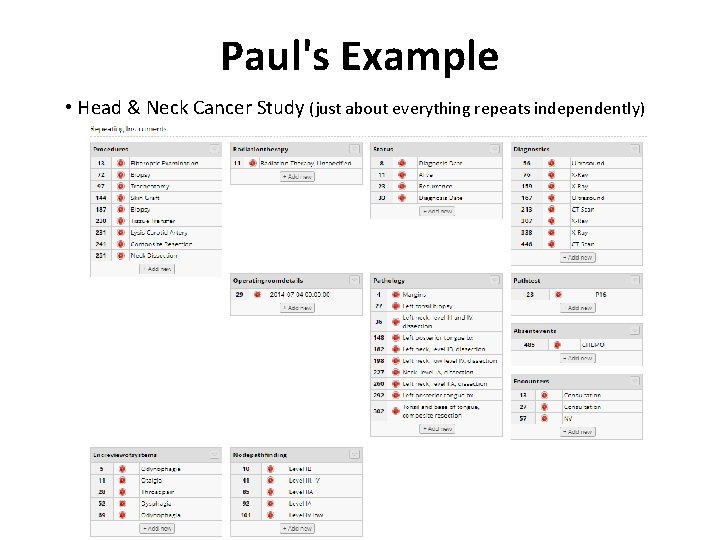
Paul's Example • Head & Neck Cancer Study (just about everything repeats independently)
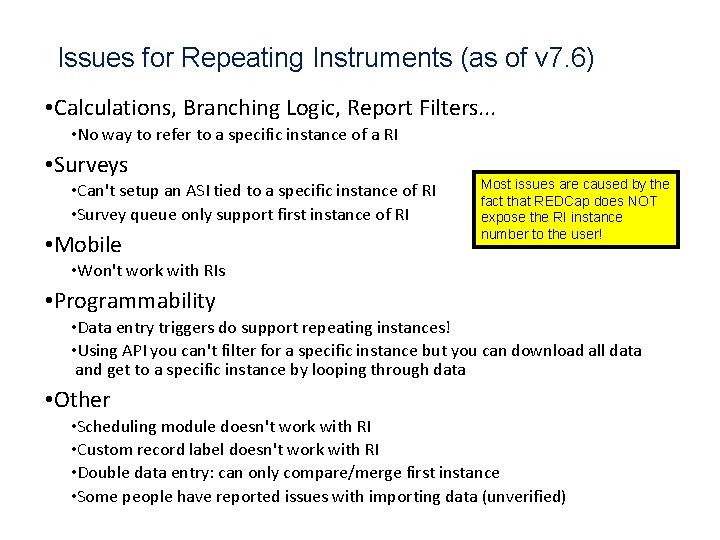
Issues for Repeating Instruments (as of v 7. 6) • Calculations, Branching Logic, Report Filters. . . • No way to refer to a specific instance of a RI • Surveys • Can't setup an ASI tied to a specific instance of RI • Survey queue only support first instance of RI • Mobile Most issues are caused by the fact that REDCap does NOT expose the RI instance number to the user! • Won't work with RIs • Programmability • Data entry triggers do support repeating instances! • Using API you can't filter for a specific instance but you can download all data and get to a specific instance by looping through data • Other • Scheduling module doesn't work with RI • Custom record label doesn't work with RI • Double data entry: can only compare/merge first instance • Some people have reported issues with importing data (unverified)
Questions / Discussion
- Slides: 10