
Renaissance 2020 2021 Star Reports How to get
- Slides: 31
Renaissance 2020 -2021 Star Reports
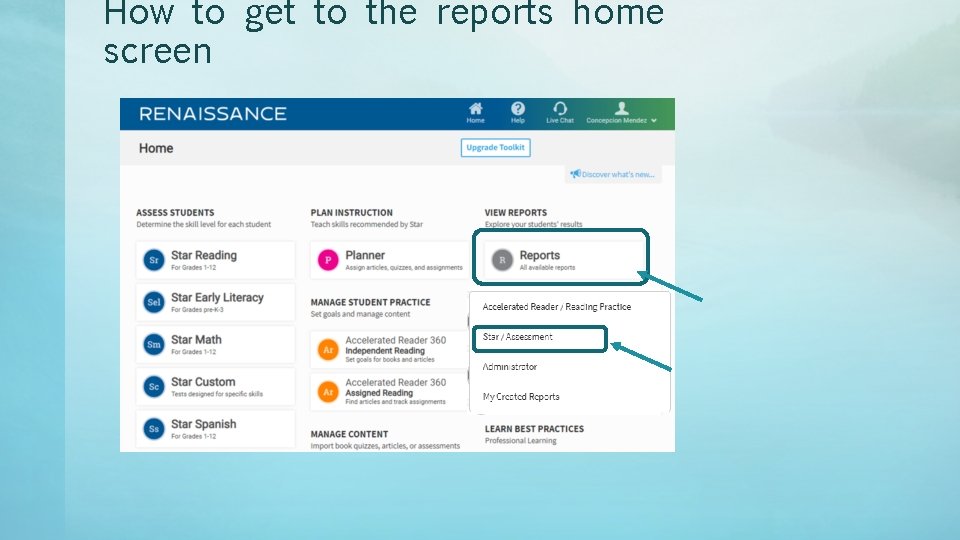
How to get to the reports home screen
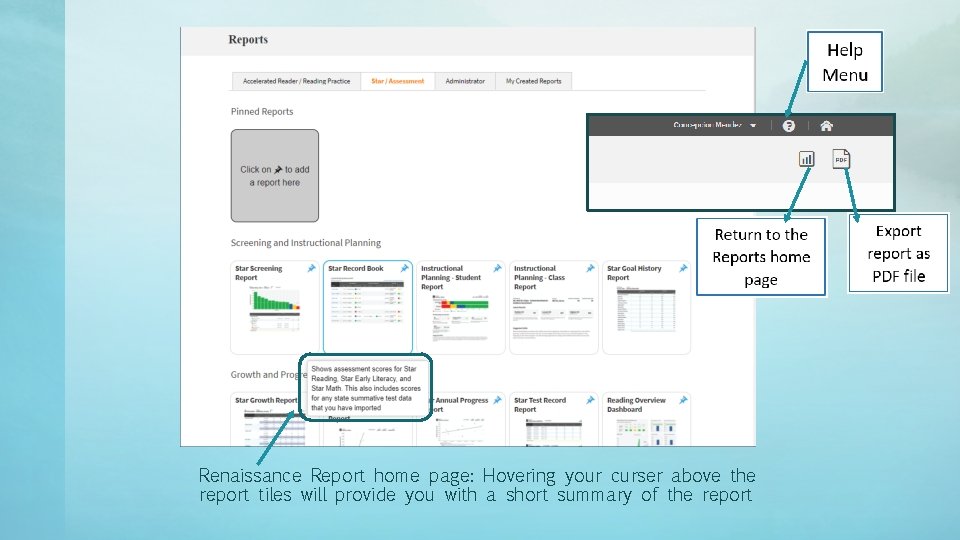
Renaissance Report home page: Hovering your curser above the report tiles will provide you with a short summary of the report
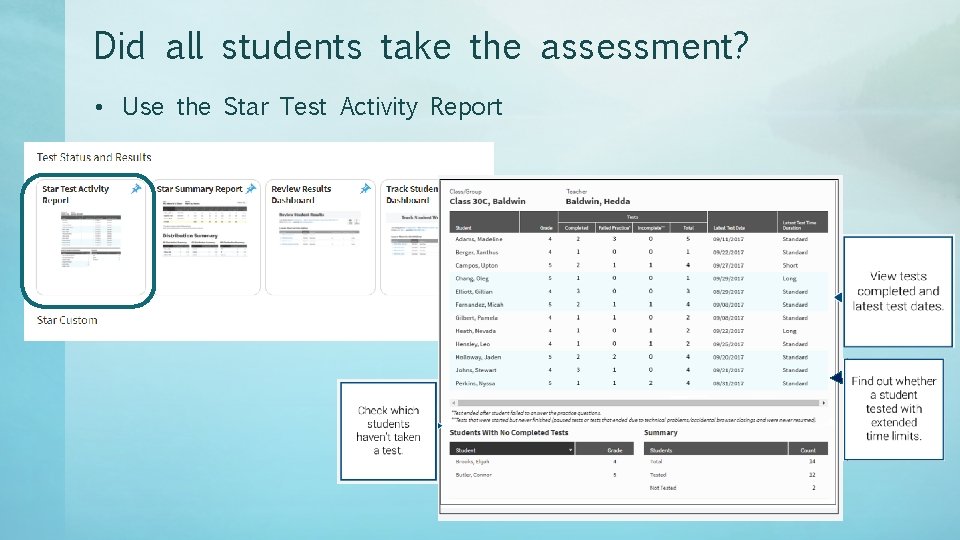
Did all students take the assessment? • Use the Star Test Activity Report
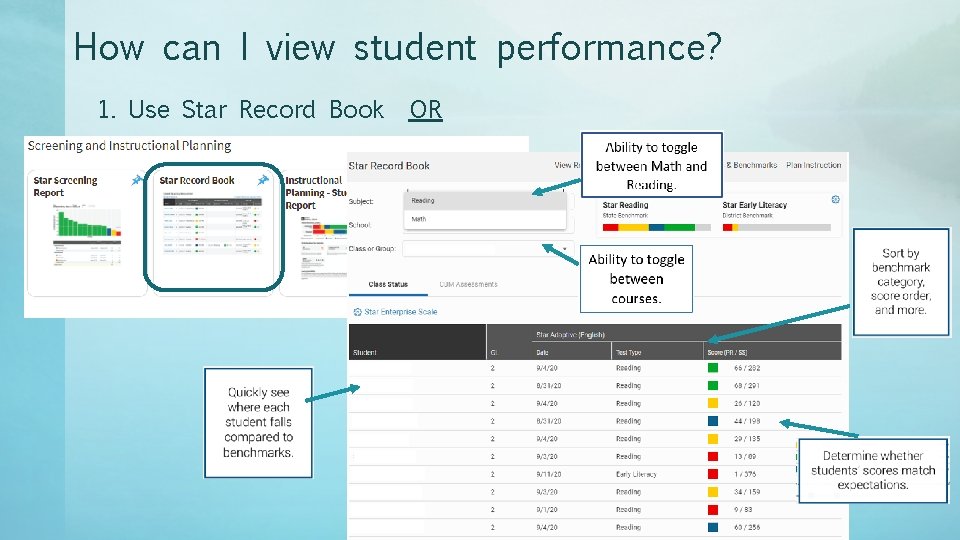
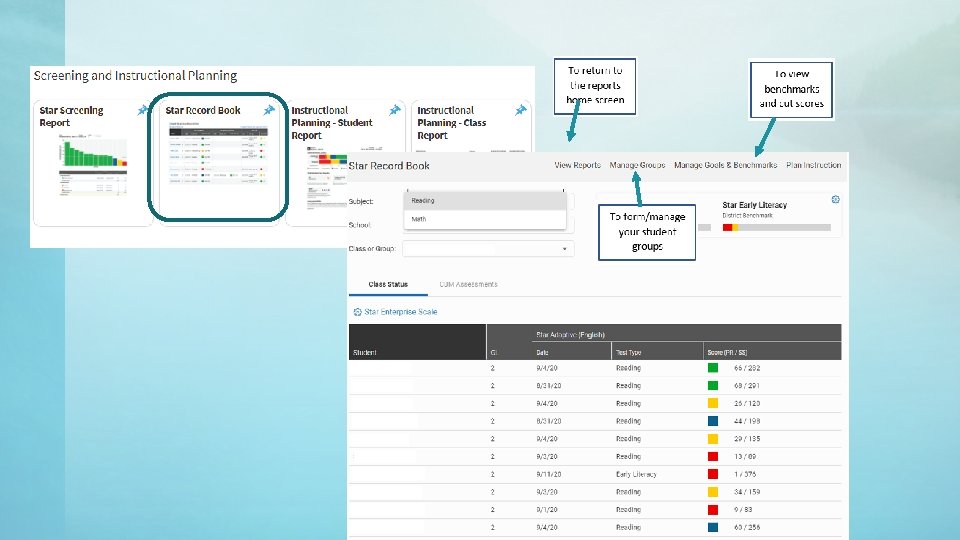
How can I view student performance? 1. Use Star Record Book OR
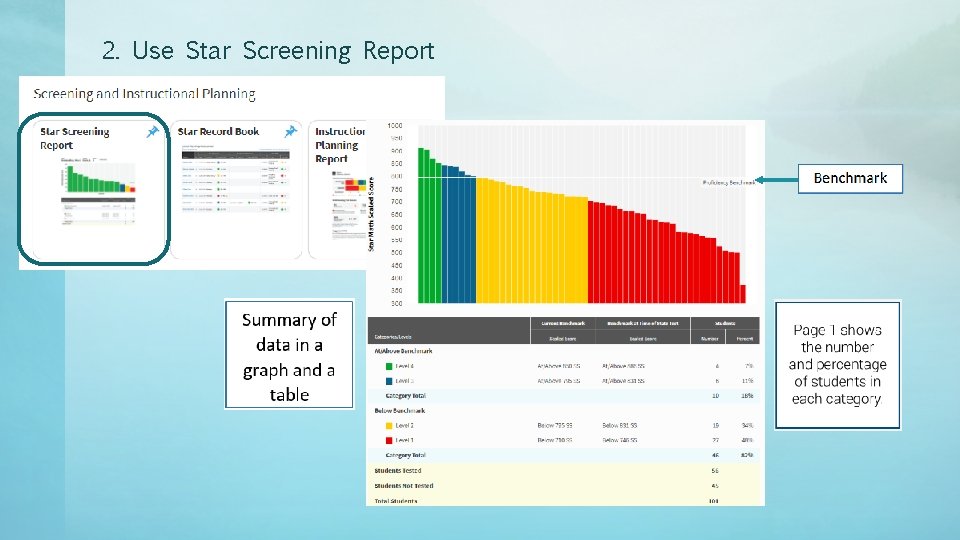
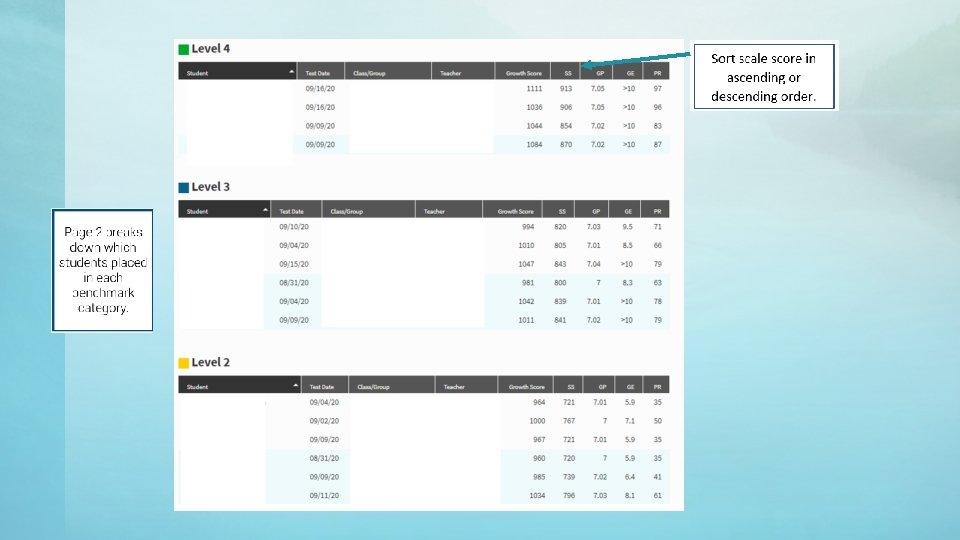
2. Use Star Screening Report
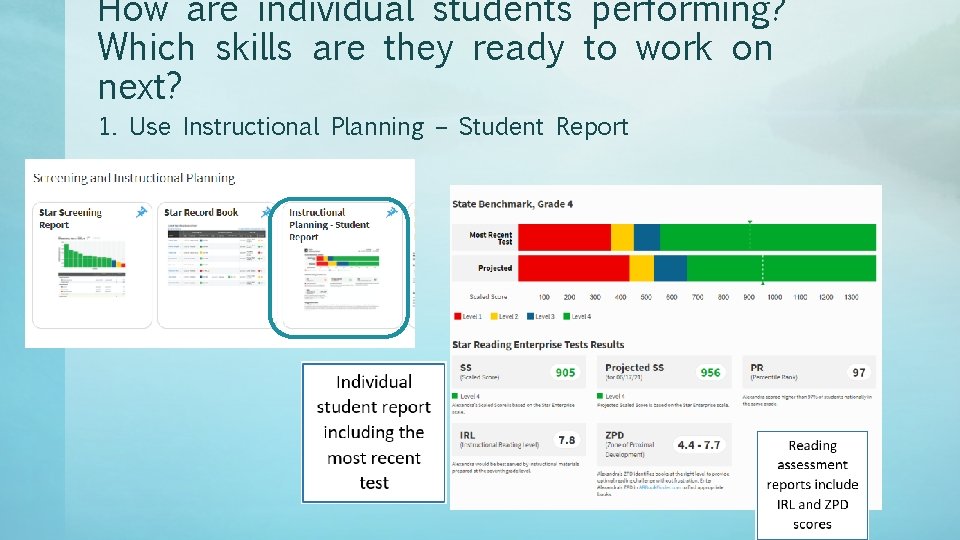
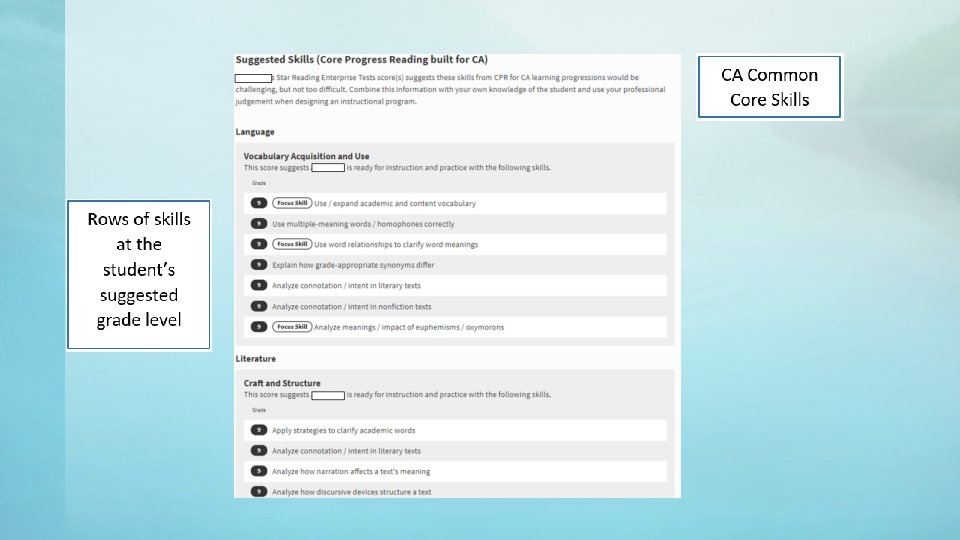
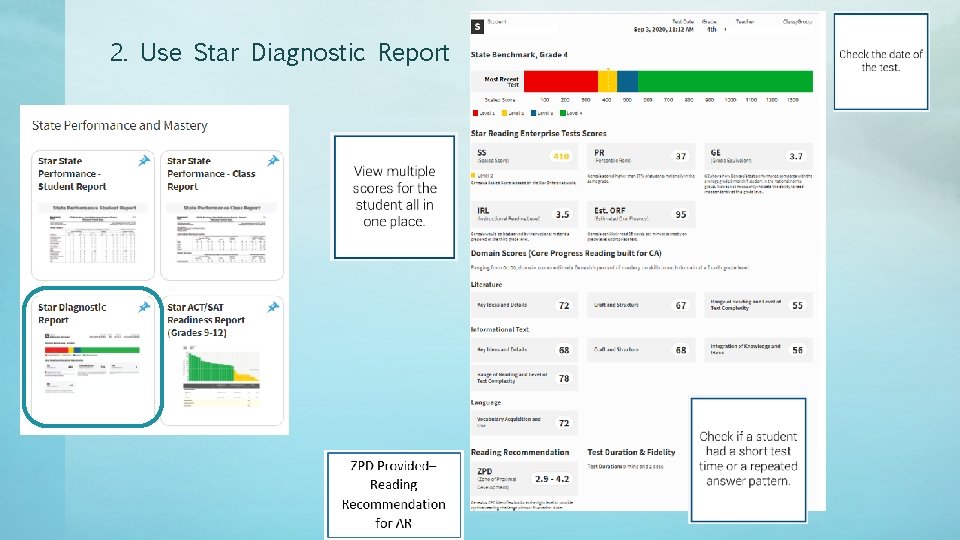
How are individual students performing? Which skills are they ready to work on next? 1. Use Instructional Planning – Student Report
2. Use Star Diagnostic Report
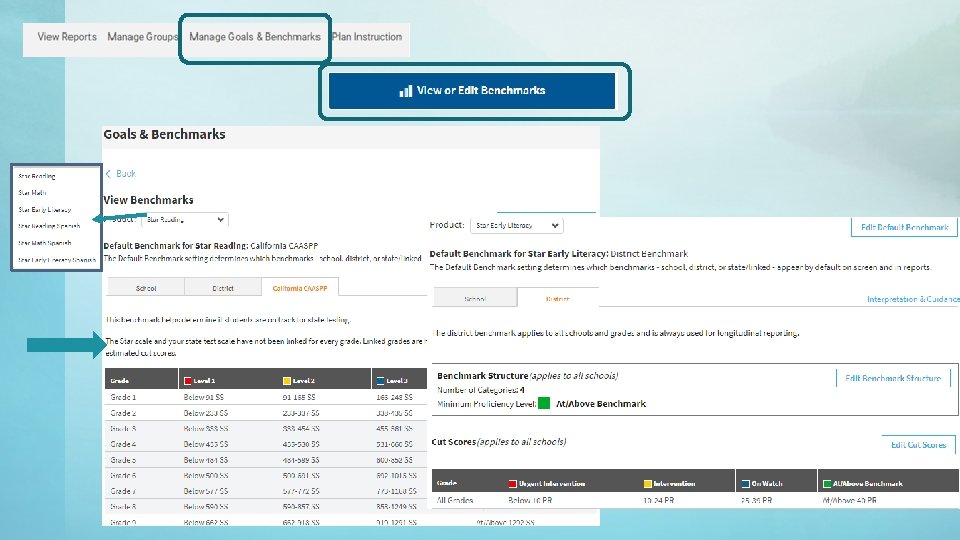
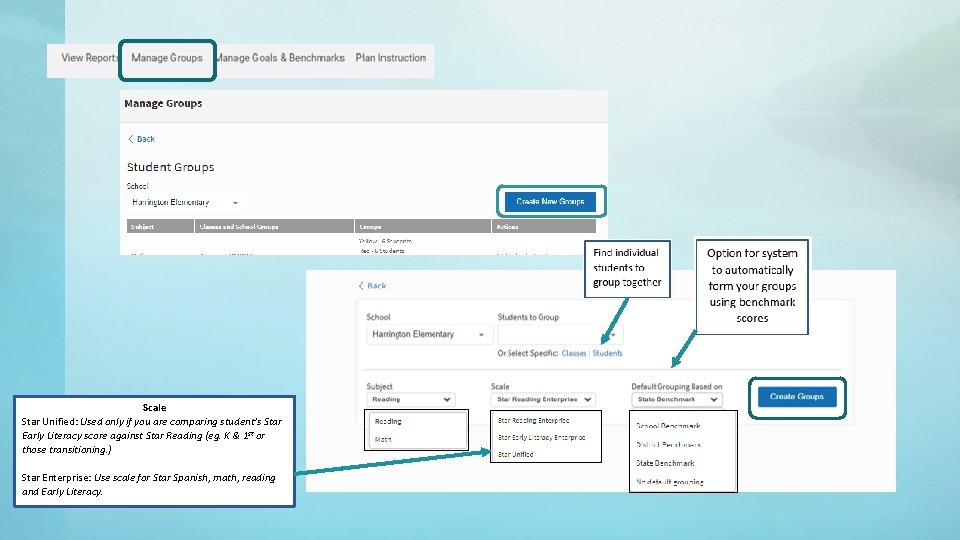
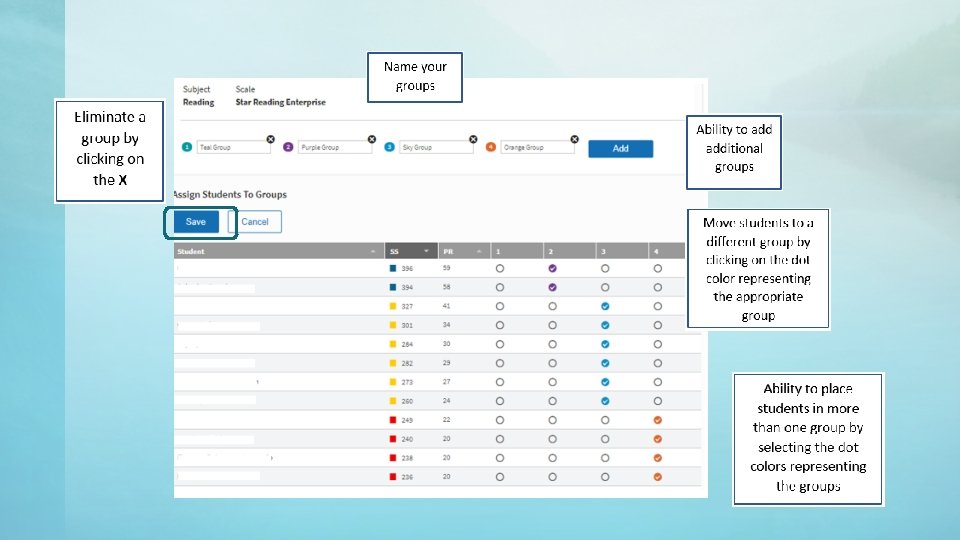
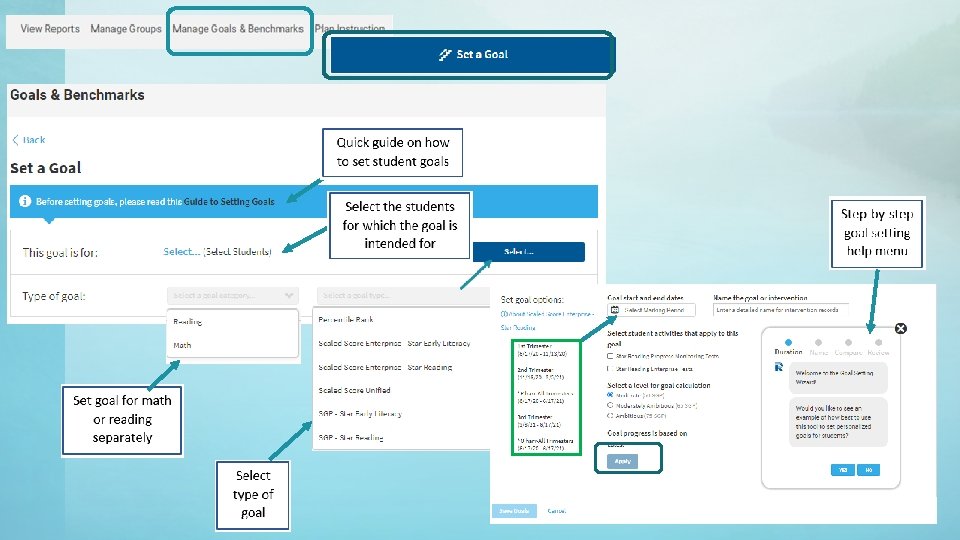
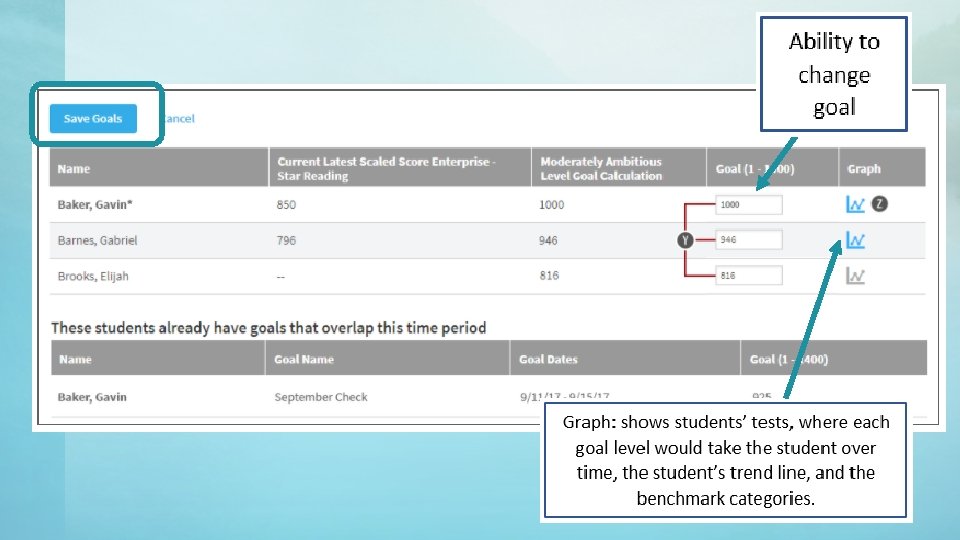
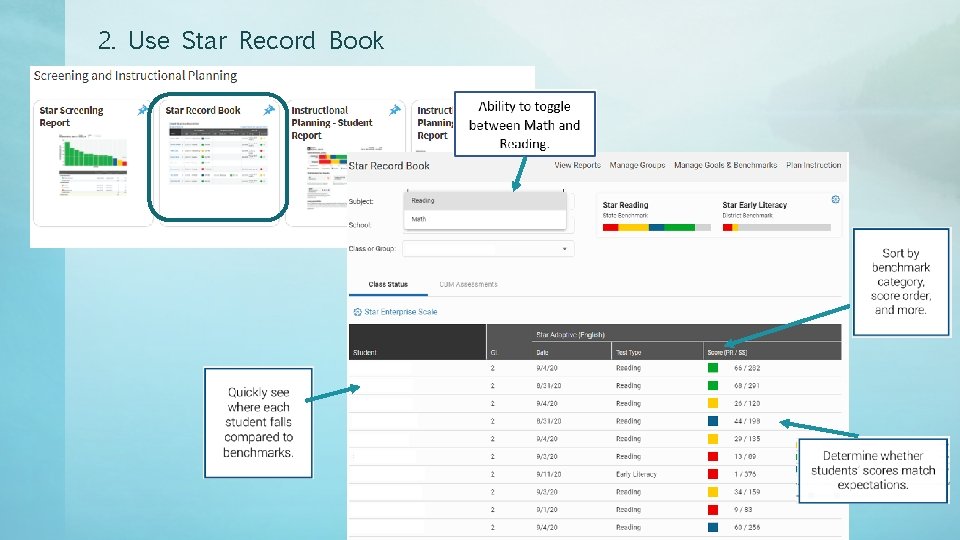
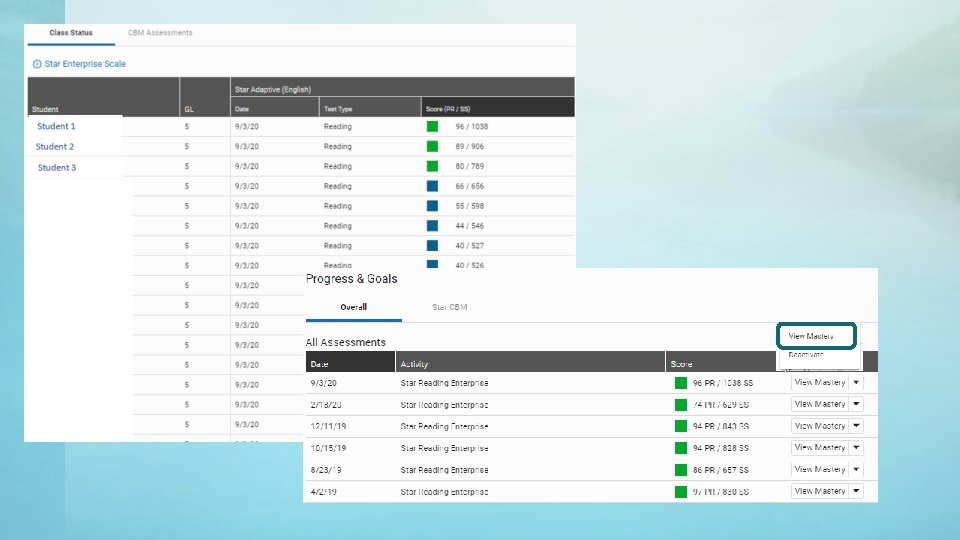
I have assessed all my students. Now what? Star Record Book • View student data quickly-which need to complete assessment, re-arrange in ascending and descending order • Toggle between reading and math • Ability to create student groups based on level • View/print benchmark levels – students are on the cusp • Create and manage goals
Scale Star Unified: Used only if you are comparing student’s Star Early Literacy score against Star Reading (eg. K & 1 st or those transitioning. ) Star Enterprise: Use scale for Star Spanish, math, reading and Early Literacy.
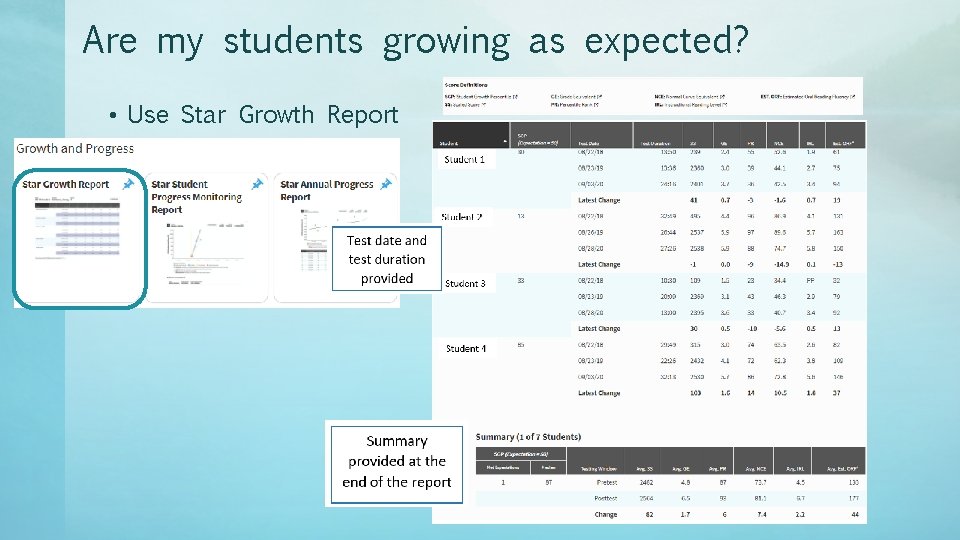
Are my students growing as expected? • Use Star Growth Report
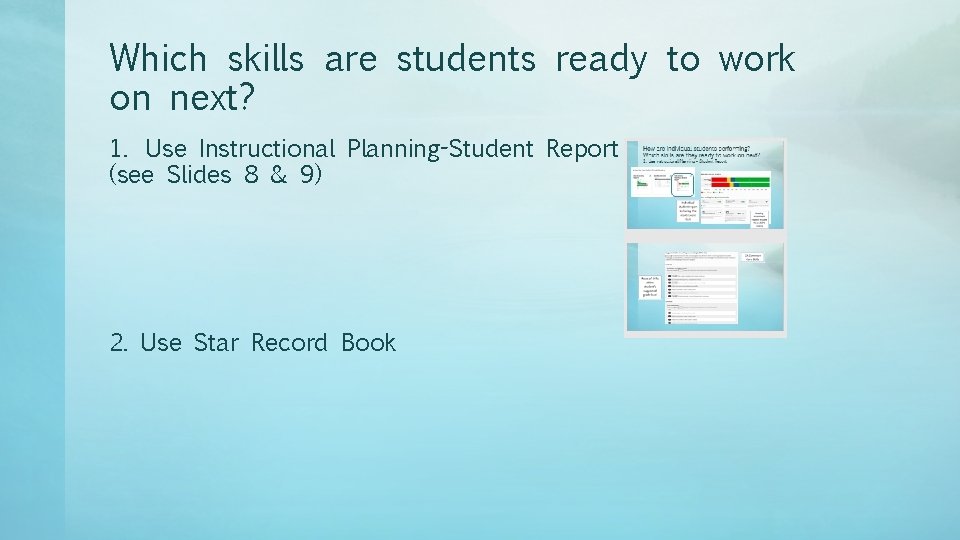
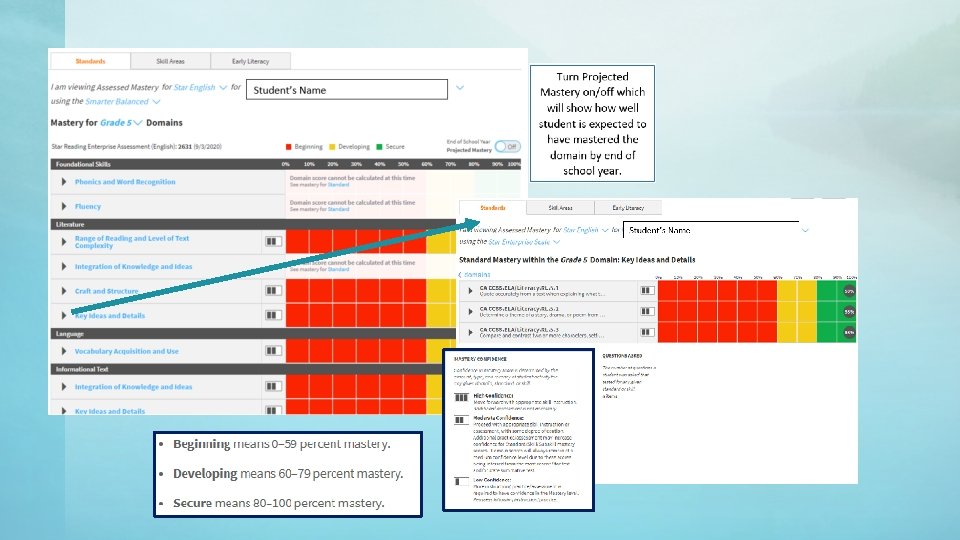
Which skills are students ready to work on next? 1. Use Instructional Planning-Student Report (see Slides 8 & 9) 2. Use Star Record Book
2. Use Star Record Book
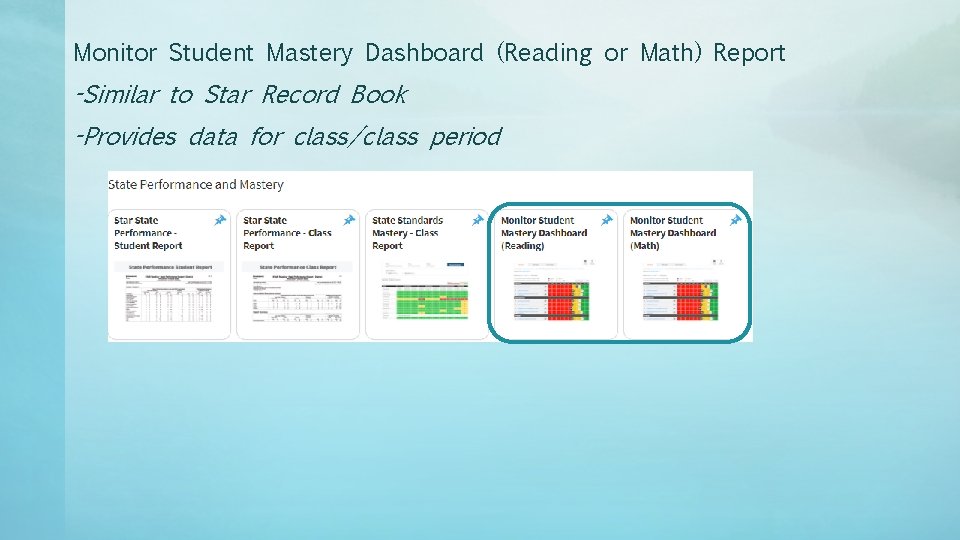
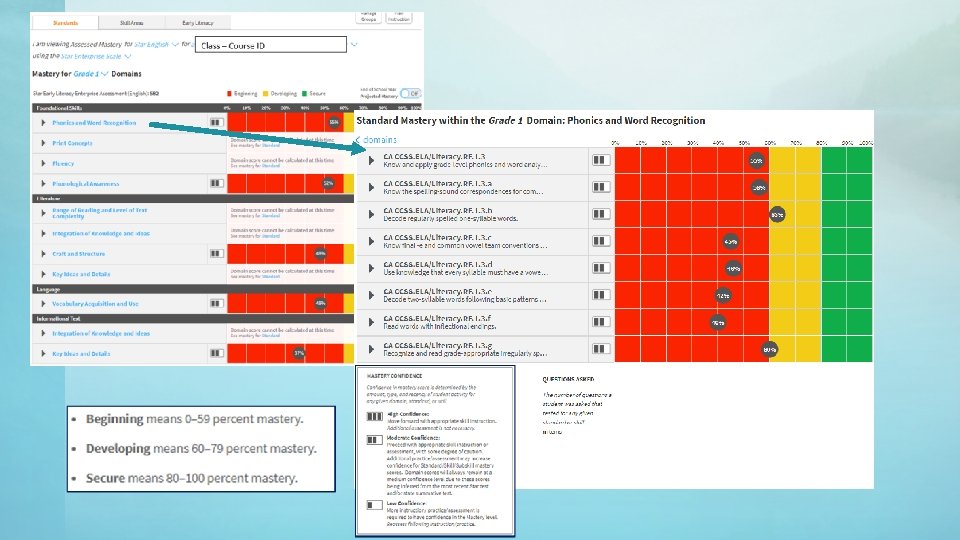
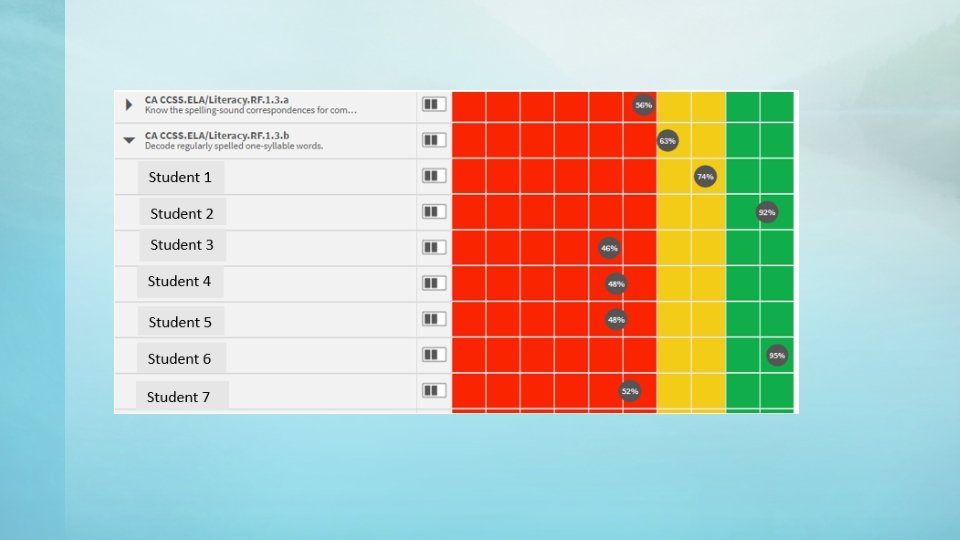
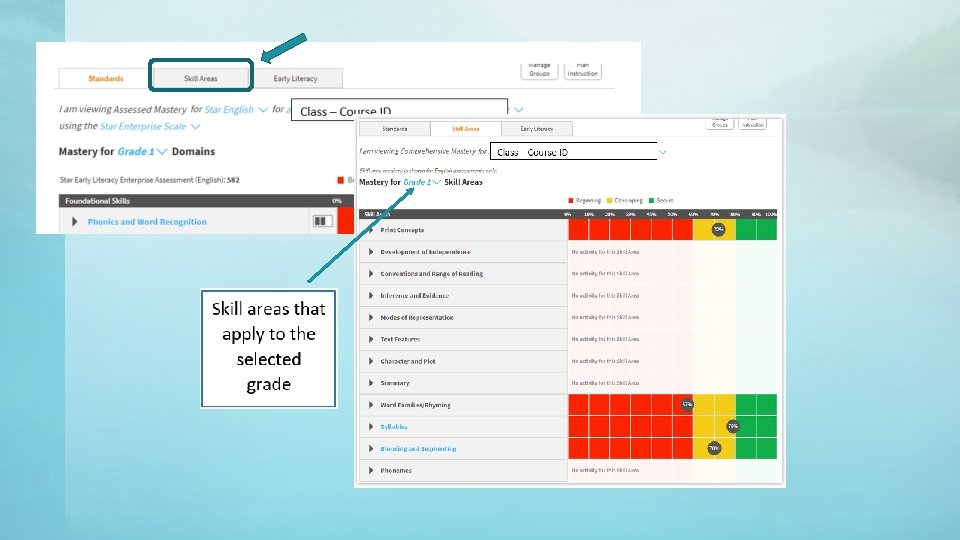
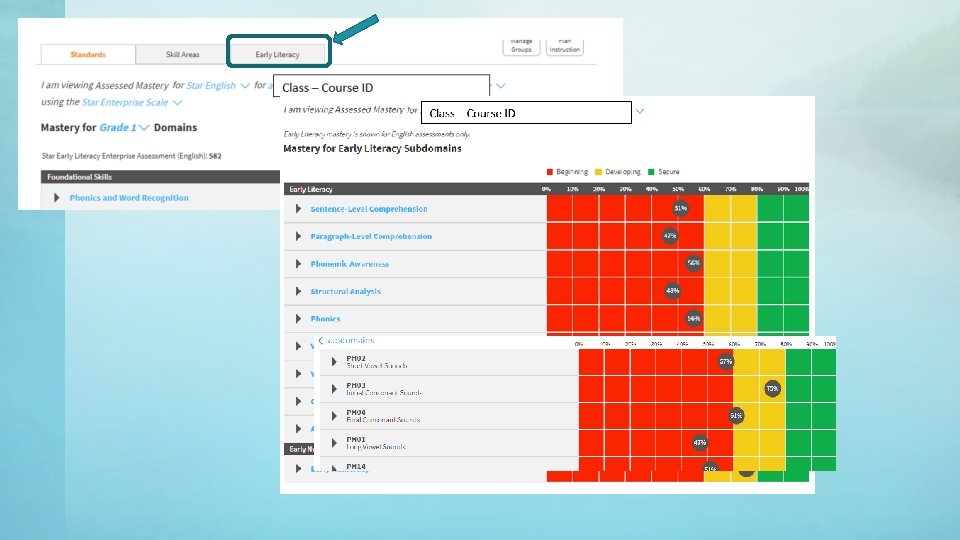
Monitor Student Mastery Dashboard (Reading or Math) Report -Similar to Star Record Book -Provides data for class/class period
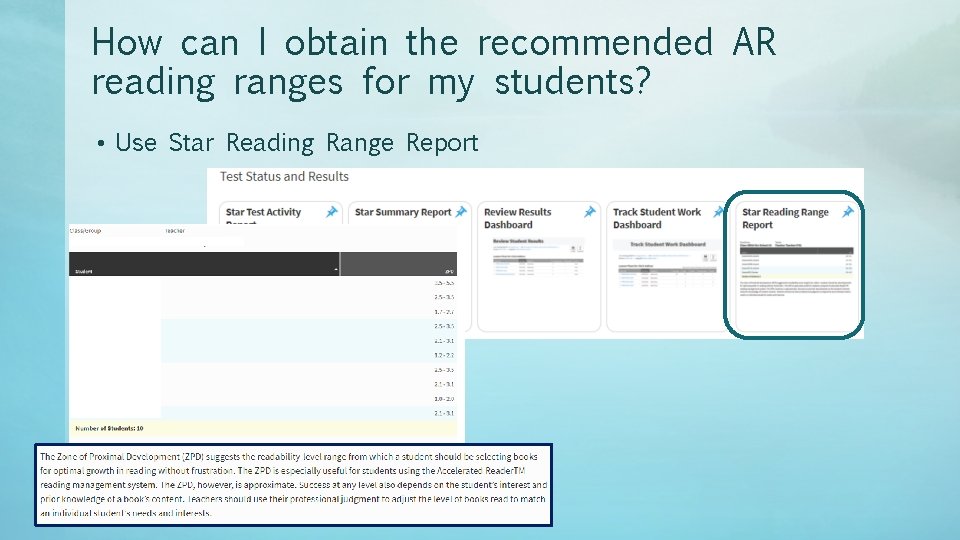
How can I obtain the recommended AR reading ranges for my students? • Use Star Reading Range Report
Video on Renaissance Reports Updates https: //p. widencdn. net/rzhafr/Final. Reports. Video
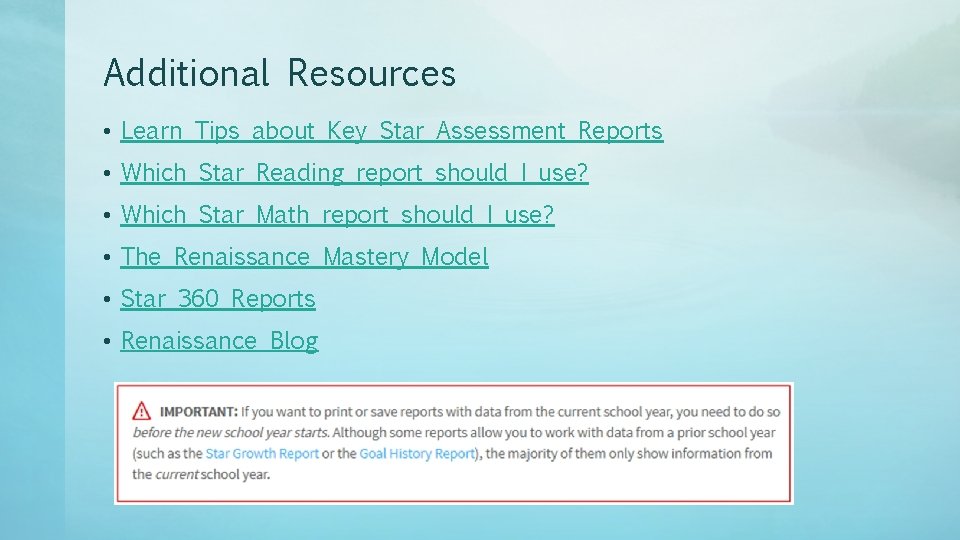
Additional Resources • Learn Tips about Key Star Assessment Reports • Which Star Reading report should I use? • Which Star Math report should I use? • The Renaissance Mastery Model • Star 360 Reports • Renaissance Blog