
Remote Proctoring with Lockdown Browser and Respondus Monitor
Remote Proctoring with Lockdown Browser and Respondus Monitor
Objectives • • • View details of a video produced by Respondus Monitor • Watch the process of setting up Lockdown Browser and Respondus Monitor and explain the options presented at each step. • Talk about the difficulties students encountered while using Respondus Monitor and the solutions suggested • Show anecdotal evidence of the effect introducing Lockdown Browser followed by Respondus Monitor has had on the distribution of grades in BL 141 Medical Terminology from 2013 -14 to Spring 2016 Explain the differences between Lockdown Browser and Respondus Monitor Explain how Respondus Monitor is used uniquely for testing and remote proctoring in an on-line course, BL 141 Medical Terminology
What’s unique about BL 141 Medical Terminology • Students may use notes they have prepared while taking an exam • Student must show me their notes as part of the environment scan • The exams are timed • The e. Book pronounces words for the students so they can prepare to say the words themselves • I use the Respondus Monitor system to have students pronounce medical terms as part of each exam
• I obtained permission from individual students before used their videos for this presentation.

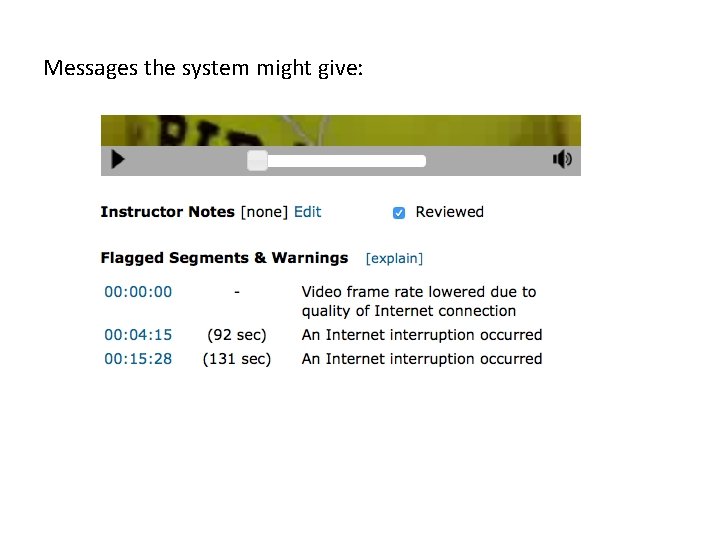
Messages the system might give:


How to set up Lockdowm Browser and Respondus Monitor

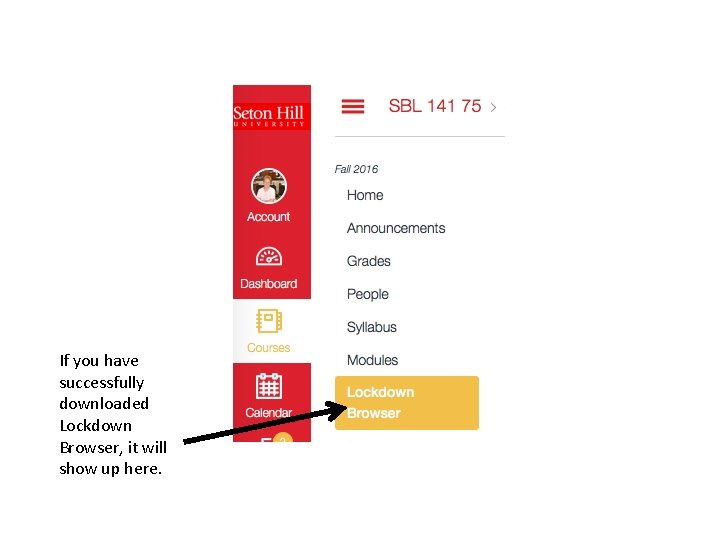
If you have successfully downloaded Lockdown Browser, it will show up here.
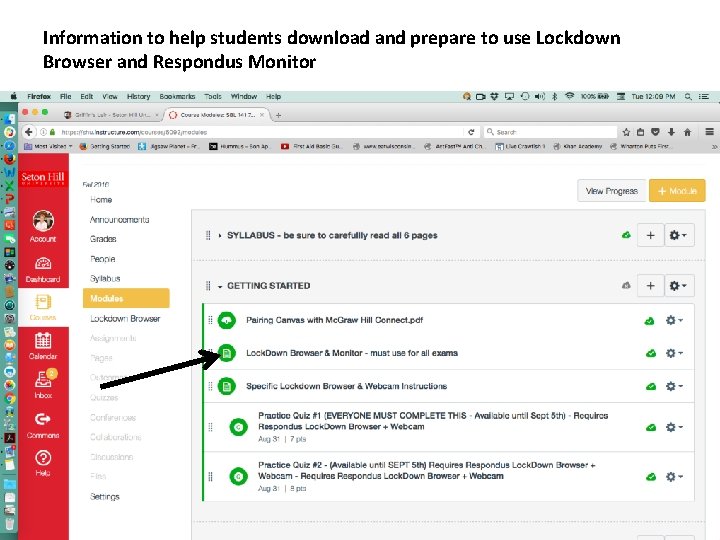
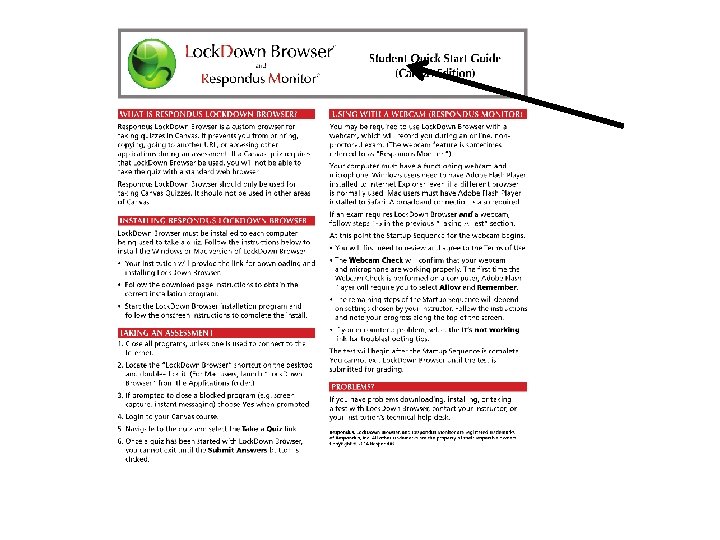
Information to help students download and prepare to use Lockdown Browser and Respondus Monitor
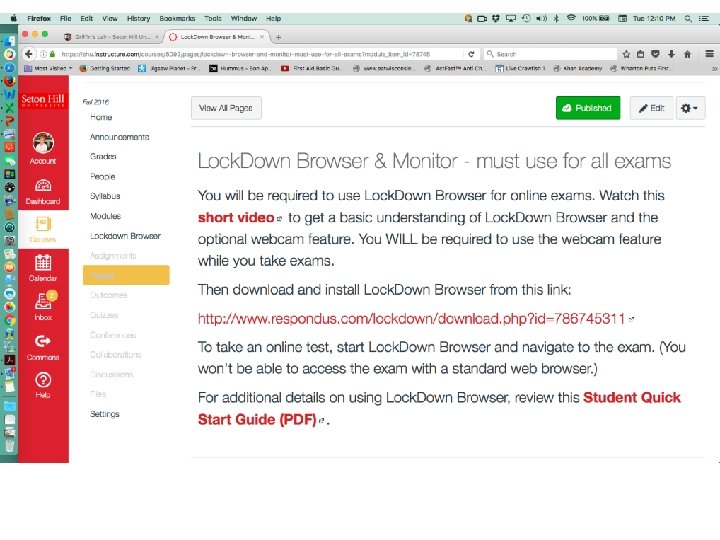
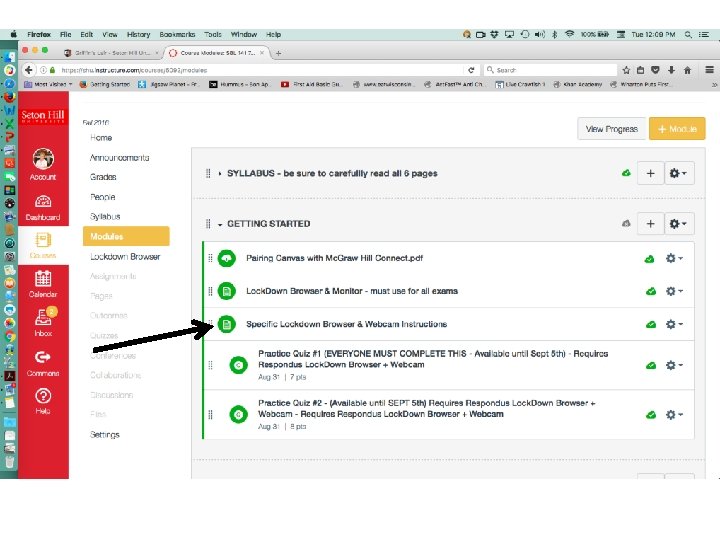
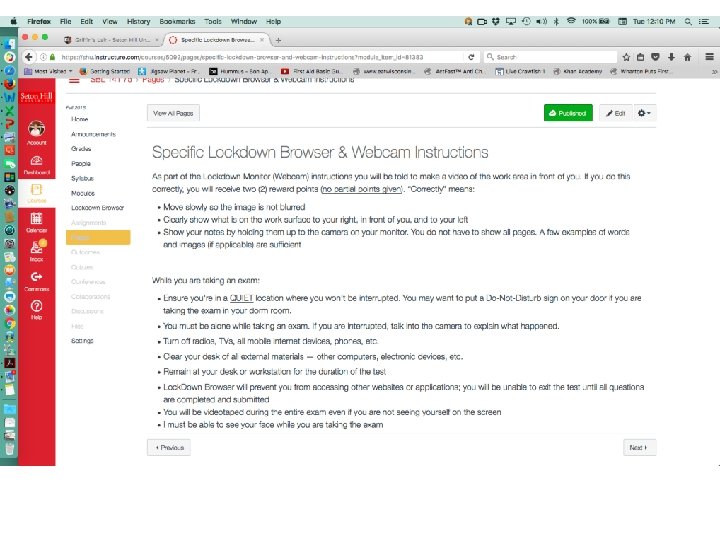
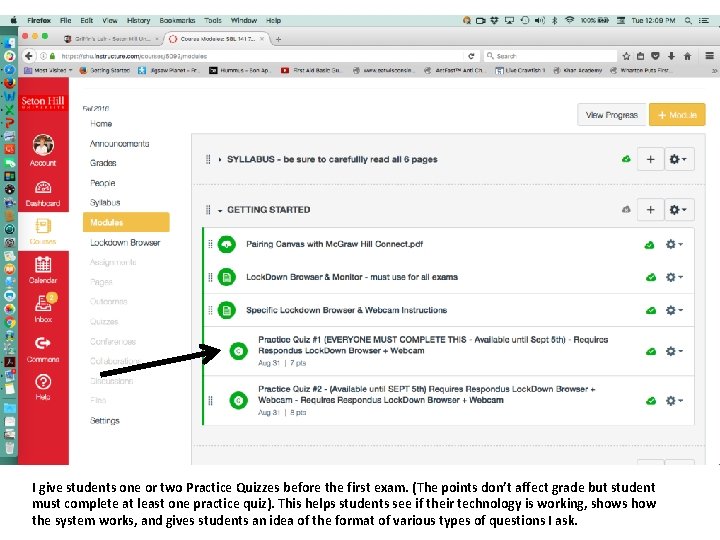
I give students one or two Practice Quizzes before the first exam. (The points don’t affect grade but student must complete at least one practice quiz). This helps students see if their technology is working, shows how the system works, and gives students an idea of the format of various types of questions I ask.

It’s a good idea to give students a practice quiz
How features of Lockdown Browser and Respondus Monitor are set up
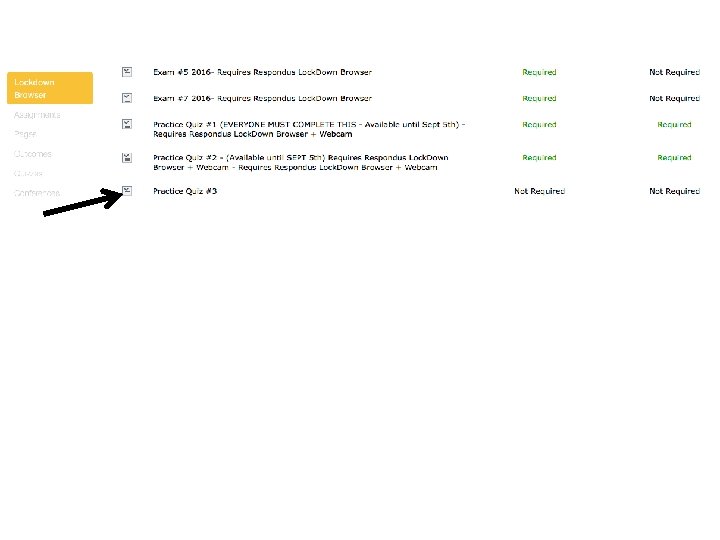
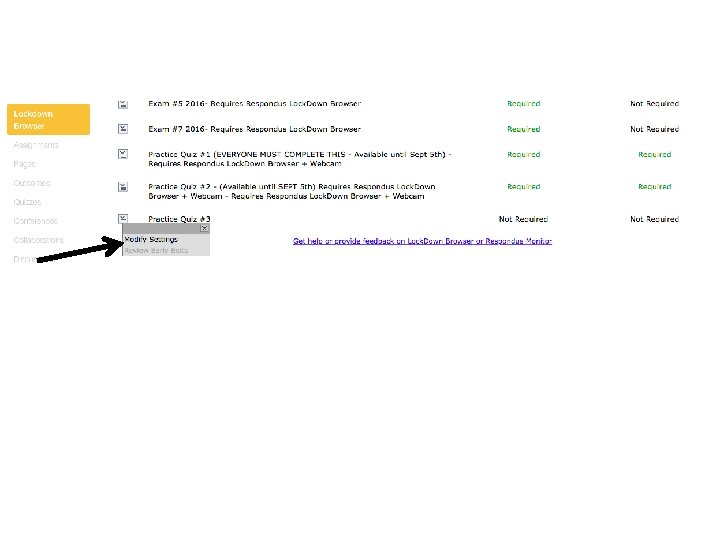
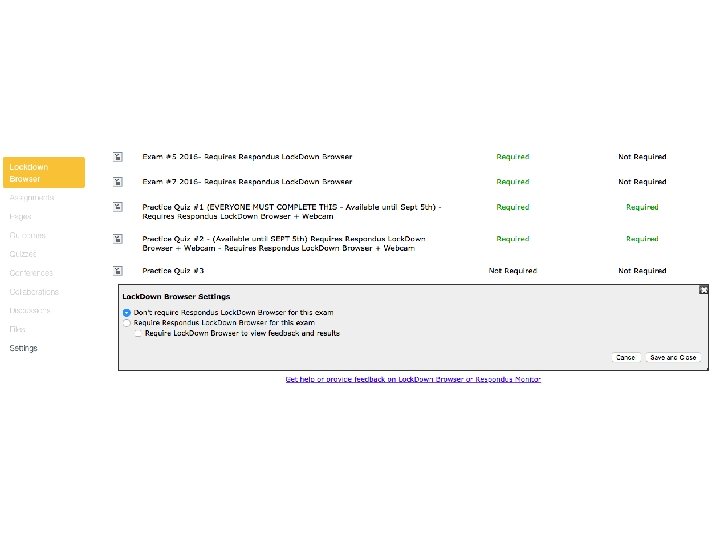
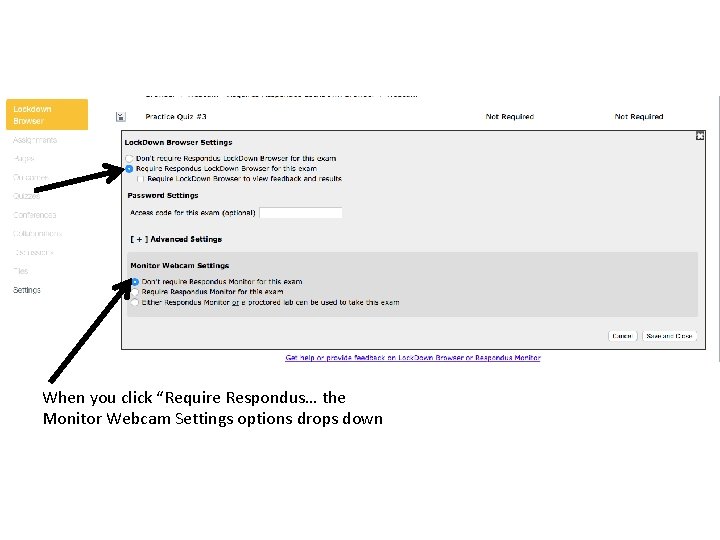
When you click “Require Respondus… the Monitor Webcam Settings options drops down
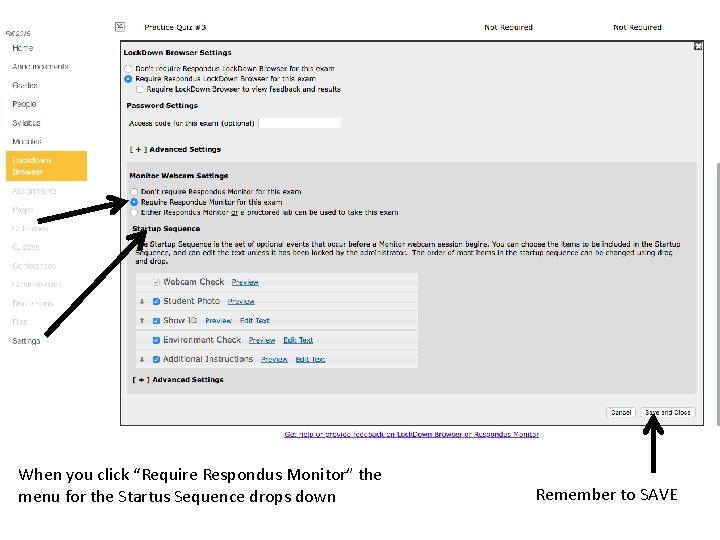
When you click “Require Respondus Monitor” the menu for the Startus Sequence drops down Remember to SAVE
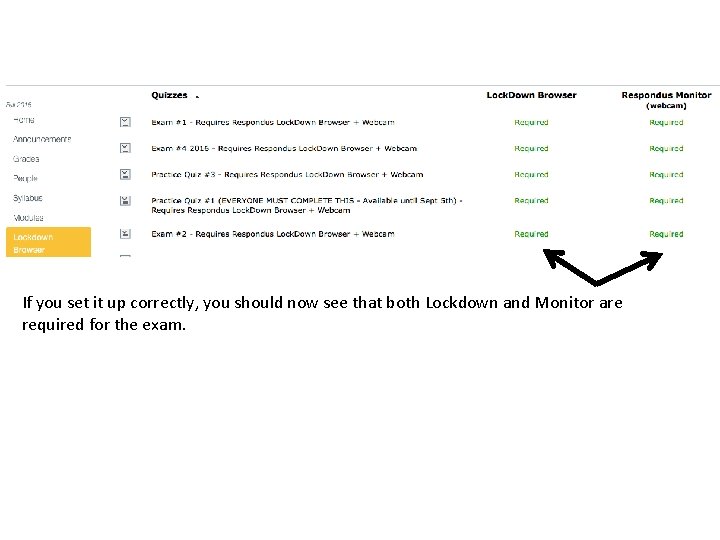
If you set it up correctly, you should now see that both Lockdown and Monitor are required for the exam.
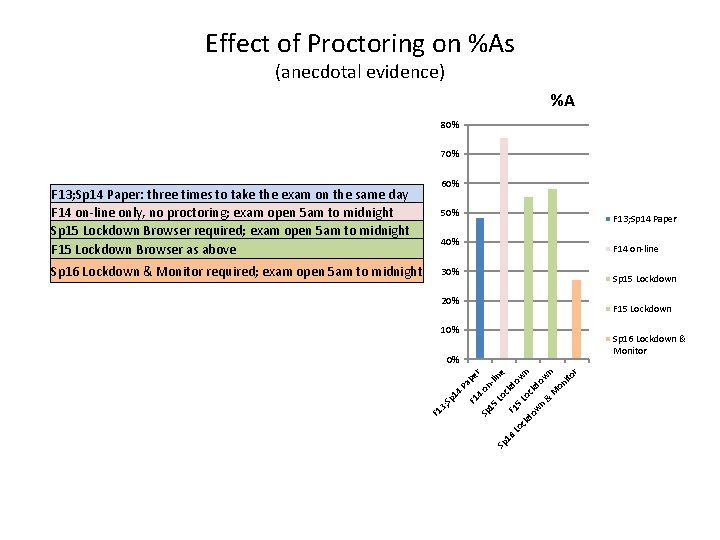
Effect of Proctoring on %As (anecdotal evidence) %A 80% 70% 50% F 13; Sp 14 Paper 40% F 14 on-line 30% Sp 15 Lockdown 20% F 15 Lockdown 10% Sp 16 Lockdown & Monitor F 1 o ck 5 Lo wn do ck do w n w & M n on ito r kd -li Lo c on Lo 16 Sp Sp 15 4 F 1 4 Pa pe r ne 0% 3; Sp 16 Lockdown & Monitor required; exam open 5 am to midnight 60% F 13; Sp 14 Paper: three times to take the exam on the same day F 14 on-line only, no proctoring; exam open 5 am to midnight Sp 15 Lockdown Browser required; exam open 5 am to midnight F 15 Lockdown Browser as above
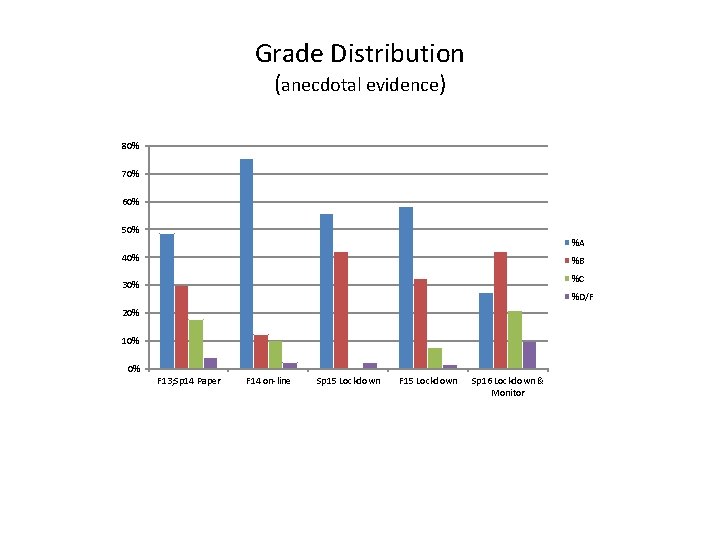
Grade Distribution (anecdotal evidence) 80% 70% 60% 50% %A 40% %B %C 30% %D/F 20% 10% 0% F 13; Sp 14 Paper F 14 on-line Sp 15 Lockdown F 15 Lockdown Sp 16 Lockdown & Monitor
- Slides: 27