
Remote Network Monitoring RMON Mani Subramanian Network Management
Remote Network Monitoring (RMON)* *Mani Subramanian “Network Management: Principles and practice”, Addison-Wesley, 2000.
Outline q Basic Concepts o RMON Goals o Control of Remote Monitors o Multiple Managers o Table Management q Statistics group q History group q Host and host. Top. N groups q Matrix group q Alarm group q Filter and packet Capture group
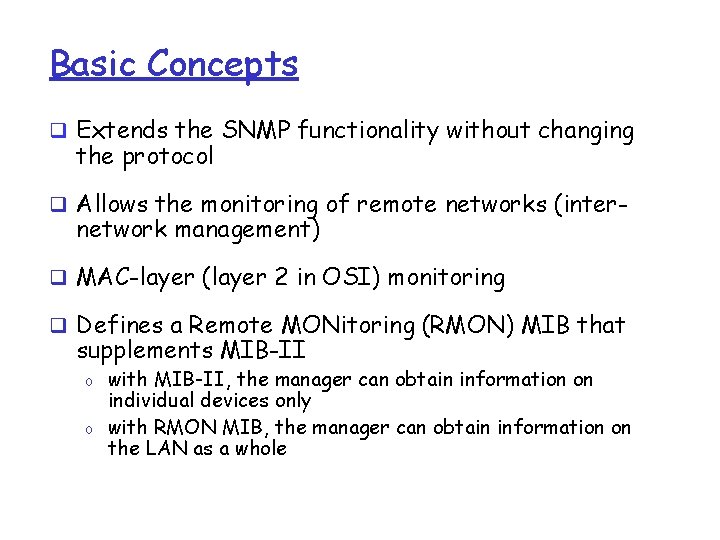
Basic Concepts q Extends the SNMP functionality without changing the protocol q Allows the monitoring of remote networks (inter- network management) q MAC-layer (layer 2 in OSI) monitoring q Defines a Remote MONitoring (RMON) MIB that supplements MIB-II o o with MIB-II, the manager can obtain information on individual devices only with RMON MIB, the manager can obtain information on the LAN as a whole
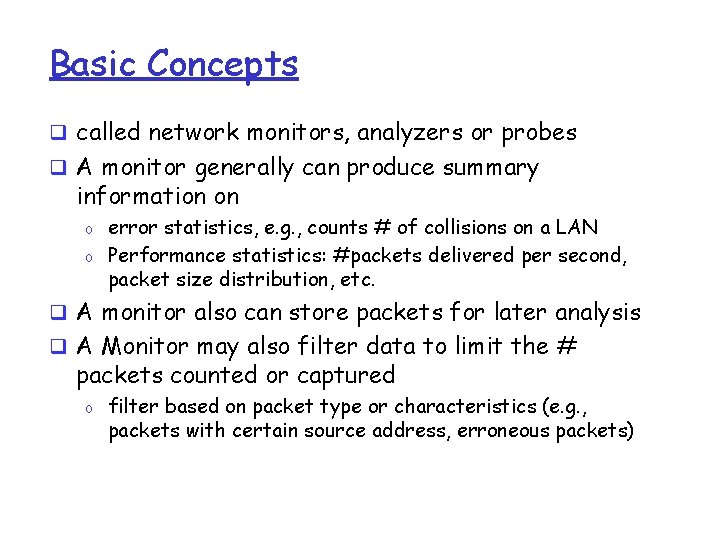
Basic Concepts q called network monitors, analyzers or probes q A monitor generally can produce summary information on o o error statistics, e. g. , counts # of collisions on a LAN Performance statistics: #packets delivered per second, packet size distribution, etc. q A monitor also can store packets for later analysis q A Monitor may also filter data to limit the # packets counted or captured o filter based on packet type or characteristics (e. g. , packets with certain source address, erroneous packets)
Basic Concepts q A Monitor is required per subnetwork o A monitor could either be a standalone device whose only job is monitoring and traffic analysis o or it could also be a device with other functionalities (e. g. , router, server) q A monitor usually communicates with one (or more) central MS q RMON essentially is a definition of a MIB o Standard monitoring functions and interfaces for communication between SNMP consoles and remote monitors

RMON Goals q Monitoring subnetwork-wide behavior while reducing the burden on agents and managers o Monitors and analyzes locally and relays data q Continuous off-line monitoring in the presence of failures o o RMON should collect fault, performance, and configuration information continuously even when it is not being polled save communication cost This information may be retrieved later by a manager q Proactive monitoring o Continuously runs diagnostics and store network performance even in the absence of failures o Upon a failure, notify the manager and provide him with useful info to be able to diagnose the fault
RMON Goals q Provide value-added data o Perform analysis on collected data, thus relieving the MS from this responsibility q Support multiple managers o Multiple managers improves reliability, provides diversity in network management, etc. o A monitor should be configured to deal with more than a manager simultaneously
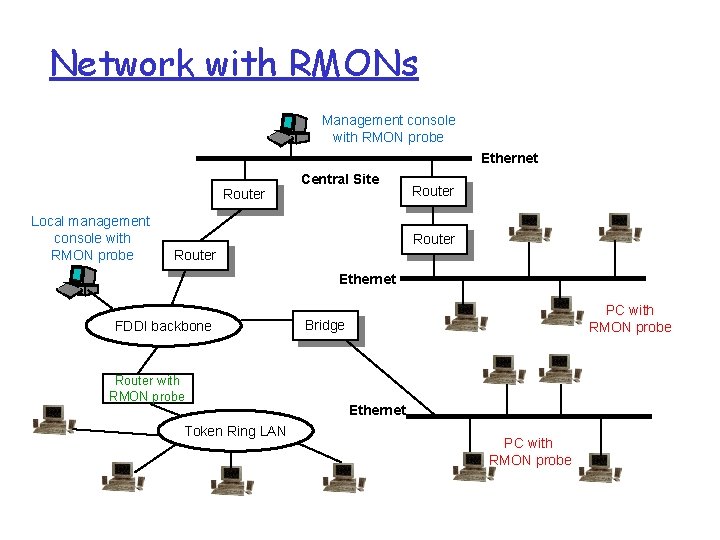
Network with RMONs Management console with RMON probe Ethernet Router Local management console with RMON probe Central Site Router Ethernet FDDI backbone Router with RMON probe Token Ring LAN PC with RMON probe Bridge Ethernet PC with RMON probe
Control of RMON- Configuration q RMON is configured for data collection: o RMON MIB contains a number of functional groups v Each group may contain one or more “control tables” and one or more “data tables” o Control tables (read-write) contain parameters describing data in data tables (read-only) q A NMS sets appropriate control parameters to configure RMON to collect the desired data: m m The parameters are set by adding a new row to the “control table” or by modifying an existing row As information is collected, data is stored in rows of the corresponding “data table”
Control of RMON- Configuration q Functions performed by a monitor are defined and implemented in terms of table rows o Control table may contain objects that specify the “source of data” to be collected, the “type of data”, the “collection timing”, etc. o Associated with a single control row are one ore more rows in one or more data tables q. To modify a particular data collection function: o it is necessary first to invalidate the control row o this causes the deletion of that row and the deletion of all associated rows in data tables o NMS can create a new control row with the modified parameters q. NOTE: when a row of a control table is deleted, associated rows in data tables are also deleted.
Multiple Managers q RMON probe may be subject to management from multiple MSs q Potential conflict and unwanted results o Simultaneous requests for resources could exceed the capability of the monitor o Monitor resources could be captured by a MS for a long time, preventing other MSs from accessing desired information o Resources could be assigned to a MS that crashes without releasing resources q Avoidance and resolution features are required o Ownership label: identifies the owner of a particular row of the control table and associated function
Multiple Managers q RMON suggests that ownership label contains one or more of: o IP address, management station name, network manager’s name, location or phone number q The ownership label can be used in the following ways o A MS may recognize resources it owns and no longer needs o A network operator can identify the MS that owns a particular resource and negotiate its release o A network operator may have the authority unilaterally to free resources o A MS after experiencing failure or re-initialization can recognize resources it had reserved in the past and free those it no longer needs q NOTE: o A row in a control table should only then be altered by its owner and read by other MSs.
Multiple Managers q Resource sharing to improve efficiency o If a certain management function has been defined by some MS, another MS can share its usage by observing the associated “read-only” data rows (see Entry. Status definition) o However, the MS that owns this control row may modify or delete the row at any time (and hence the associated data rows) q Monitor’s default functions o These are monitoring functions owned by the monitor itself o By convention, such ownership labels start with “monitor” o A MS can make use of such resources in a read-only fashion
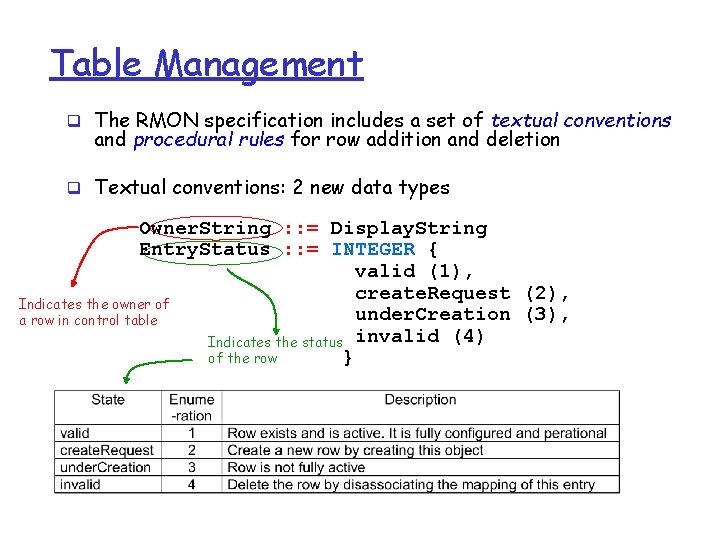
Table Management q The RMON specification includes a set of textual conventions and procedural rules for row addition and deletion q Textual conventions: 2 new data types Owner. String : : = Display. String Entry. Status : : = INTEGER { valid (1), create. Request (2), Indicates the owner of under. Creation (3), a row in control table Indicates the status invalid (4) of the row }
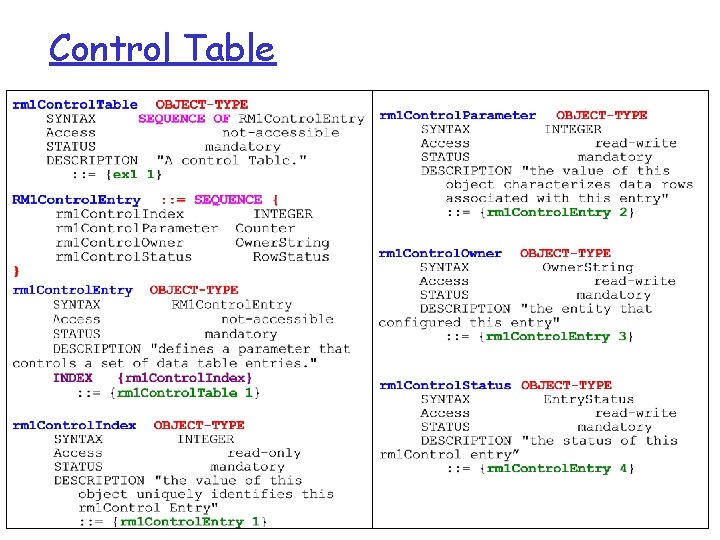
Control Table
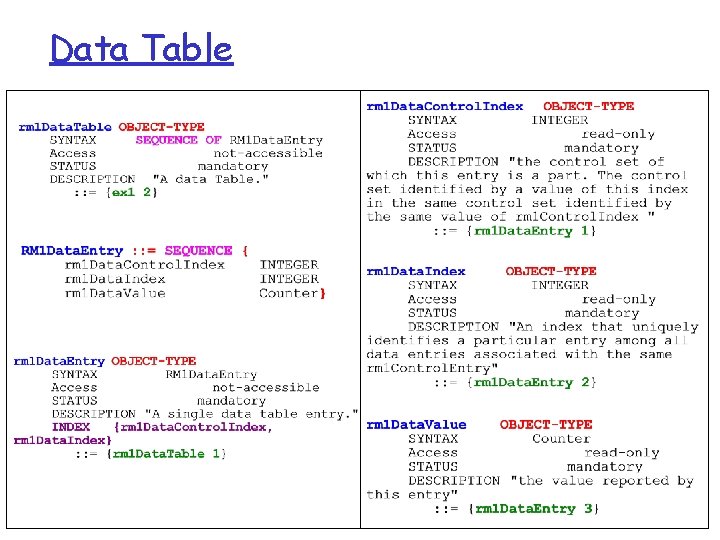
Data Table
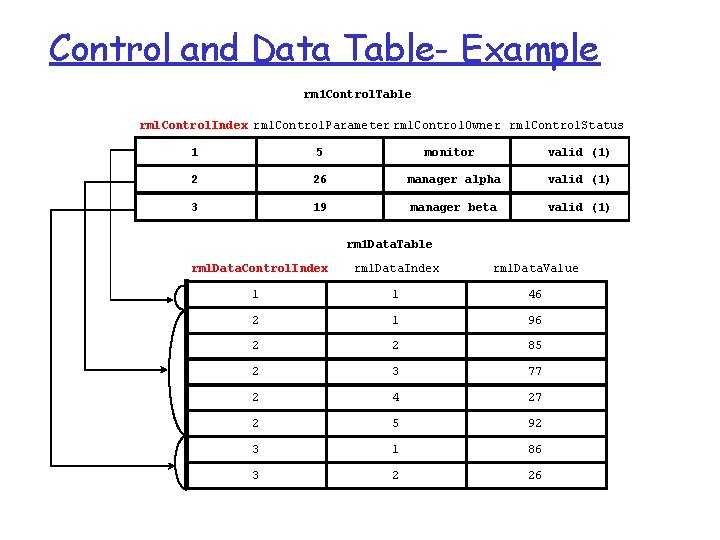
Control and Data Table- Example rm 1 Control. Table rml. Control. Index rml. Control. Parameter rml. Control. Owner rml. Control. Status 1 5 monitor valid (1) 2 26 manager alpha valid (1) 3 19 manager beta valid (1) rm 1 Data. Table rml. Data. Control. Index rml. Data. Value 1 1 46 2 1 96 2 2 85 2 3 77 2 4 27 2 5 92 3 1 86 3 2 26
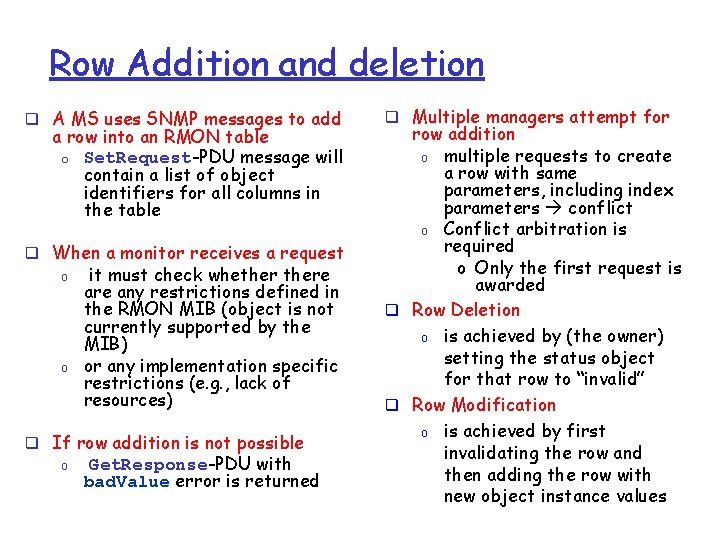
Row Addition and deletion q A MS uses SNMP messages to add a row into an RMON table o Set. Request-PDU message will contain a list of object identifiers for all columns in the table q When a monitor receives a request o o it must check whethere any restrictions defined in the RMON MIB (object is not currently supported by the MIB) or any implementation specific restrictions (e. g. , lack of resources) q If row addition is not possible o Get. Response-PDU with bad. Value error is returned q Multiple managers attempt for row addition o multiple requests to create a row with same parameters, including index parameters conflict o Conflict arbitration is required o Only the first request is awarded q Row Deletion o is achieved by (the owner) setting the status object for that row to “invalid” q Row Modification o is achieved by first invalidating the row and then adding the row with new object instance values
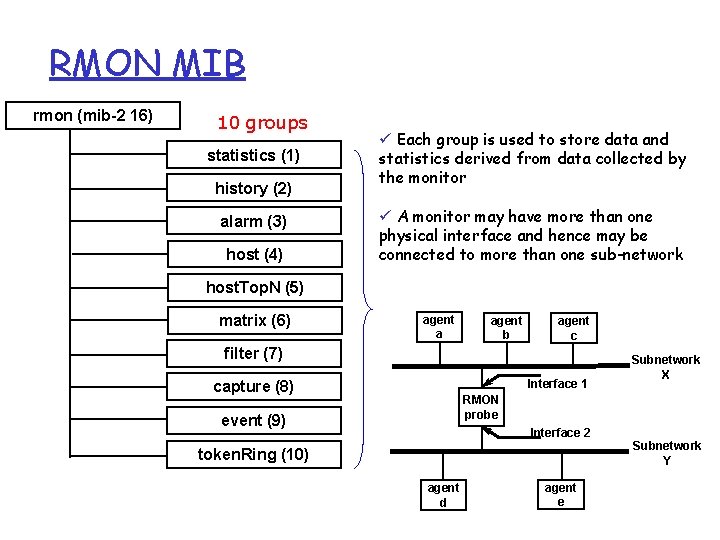
RMON MIB rmon (mib-2 16) 10 groups statistics (1) history (2) alarm (3) host (4) ü Each group is used to store data and statistics derived from data collected by the monitor ü A monitor may have more than one physical interface and hence may be connected to more than one sub-network host. Top. N (5) matrix (6) agent a agent b agent c filter (7) Interface 1 capture (8) Subnetwork X RMON probe event (9) Interface 2 Subnetwork Y token. Ring (10) agent d agent e
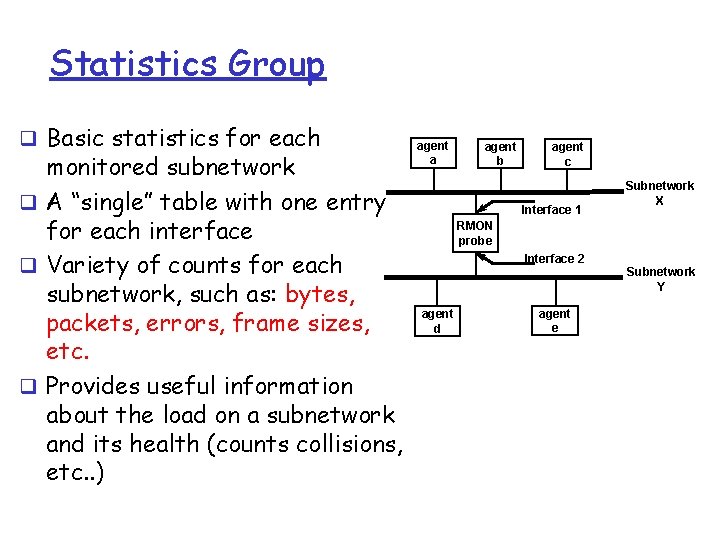
Statistics Group q Basic statistics for each monitored subnetwork q A “single” table with one entry for each interface q Variety of counts for each subnetwork, such as: bytes, packets, errors, frame sizes, etc. q Provides useful information about the load on a subnetwork and its health (counts collisions, etc. . ) agent a agent b agent c Interface 1 Subnetwork X RMON probe Interface 2 Subnetwork Y agent d agent e
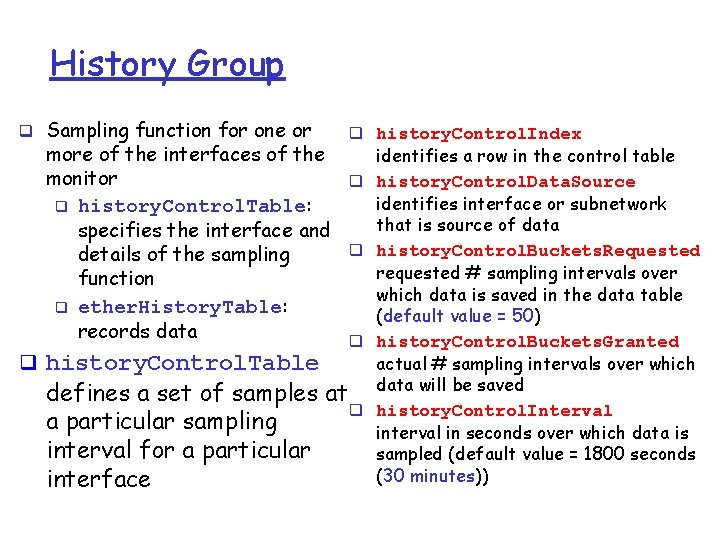
History Group q Sampling function for one or more of the interfaces of the monitor q history. Control. Table: specifies the interface and details of the sampling function q ether. History. Table: records data q history. Control. Table q history. Control. Index q q q defines a set of samples at q a particular sampling interval for a particular interface identifies a row in the control table history. Control. Data. Source identifies interface or subnetwork that is source of data history. Control. Buckets. Requested requested # sampling intervals over which data is saved in the data table (default value = 50) history. Control. Buckets. Granted actual # sampling intervals over which data will be saved history. Control. Interval in seconds over which data is sampled (default value = 1800 seconds (30 minutes))
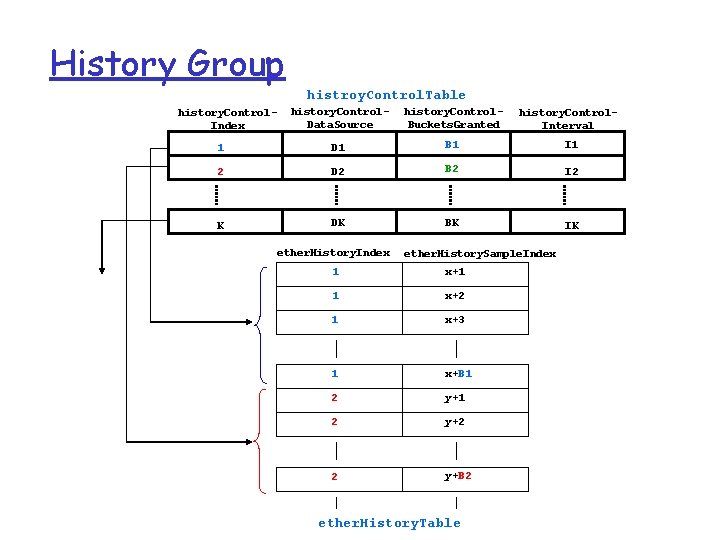
History Group histroy. Control. Table history. Control. Data. Source history. Control. Buckets. Granted history. Control. Interval 1 D 1 B 1 I 1 2 D 2 B 2 I 2 K DK BK IK history. Control. Index ether. History. Sample. Index 1 x+1 1 x+2 1 x+3 1 x+B 1 2 y+2 2 y+B 2 ether. History. Table
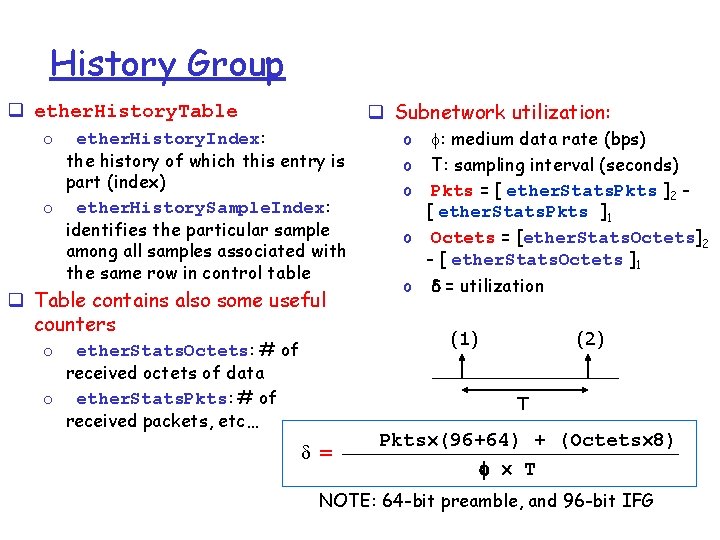
History Group q Subnetwork utilization: q ether. History. Table o ether. History. Index: the history of which this entry is part (index) o ether. History. Sample. Index: identifies the particular sample among all samples associated with the same row in control table q Table contains also some useful counters ether. Stats. Octets: # of received octets of data o ether. Stats. Pkts: # of received packets, etc… o o : medium data rate (bps) o T: sampling interval (seconds) o Pkts = [ ether. Stats. Pkts ]2 [ ether. Stats. Pkts ]1 o Octets = [ether. Stats. Octets]2 - [ ether. Stats. Octets ]1 o = utilization (1) (2) T = Pkts (96+64) + (Octets 8) T NOTE: 64 -bit preamble, and 96 -bit IFG
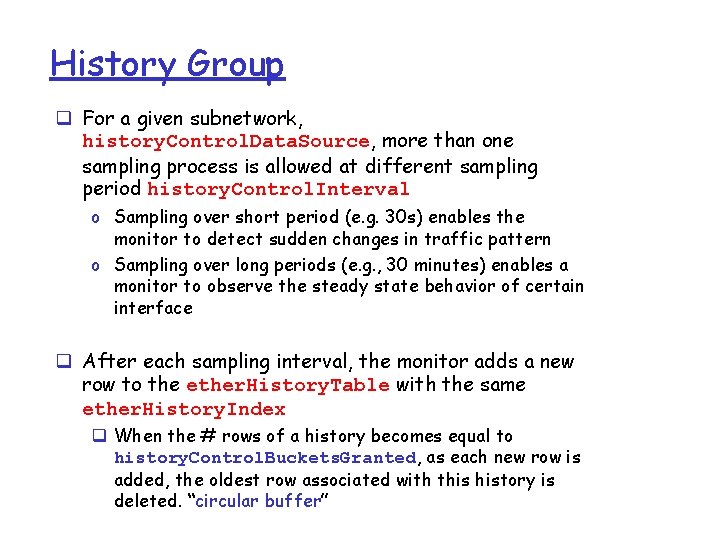
History Group q For a given subnetwork, history. Control. Data. Source, more than one sampling process is allowed at different sampling period history. Control. Interval o Sampling over short period (e. g. 30 s) enables the monitor to detect sudden changes in traffic pattern o Sampling over long periods (e. g. , 30 minutes) enables a monitor to observe the steady state behavior of certain interface q After each sampling interval, the monitor adds a new row to the ether. History. Table with the same ether. History. Index q When the # rows of a history becomes equal to history. Control. Buckets. Granted, as each new row is added, the oldest row associated with this history is deleted. “circular buffer”
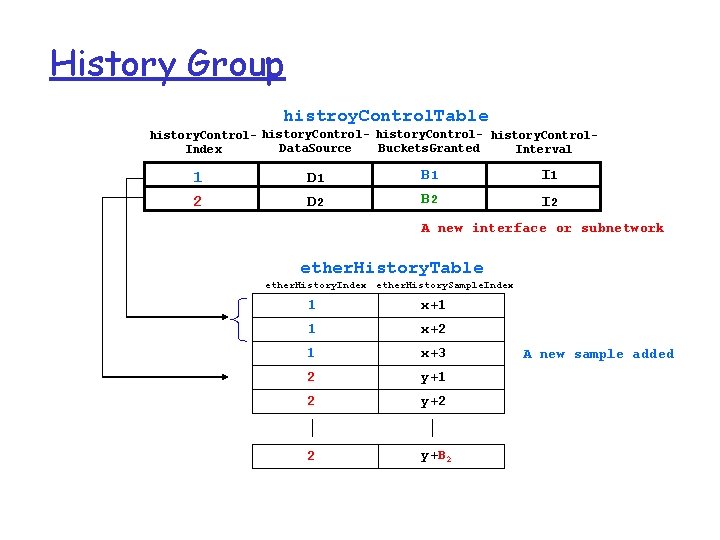
History Group histroy. Control. Table history. Control- history. Control. Data. Source Buckets. Granted Index Interval 1 2 D 1 D 2 B 1 B 2 I 1 I 2 A new interface or subnetwork ether. History. Table ether. History. Index ether. History. Sample. Index 1 x+1 1 x+2 1 x+3 2 y+1 2 y+2 2 y+B 2 A new sample added
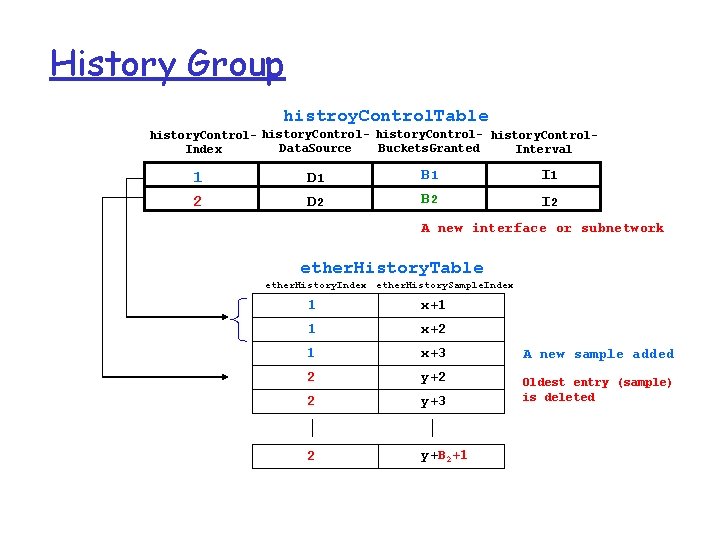
History Group histroy. Control. Table history. Control- history. Control. Data. Source Buckets. Granted Index Interval 1 2 D 1 D 2 B 1 B 2 I 1 I 2 A new interface or subnetwork ether. History. Table ether. History. Index ether. History. Sample. Index 1 x+1 1 x+2 1 x+3 2 y+2 2 y+3 2 y+B 2+1 A new sample added Oldest entry (sample) is deleted
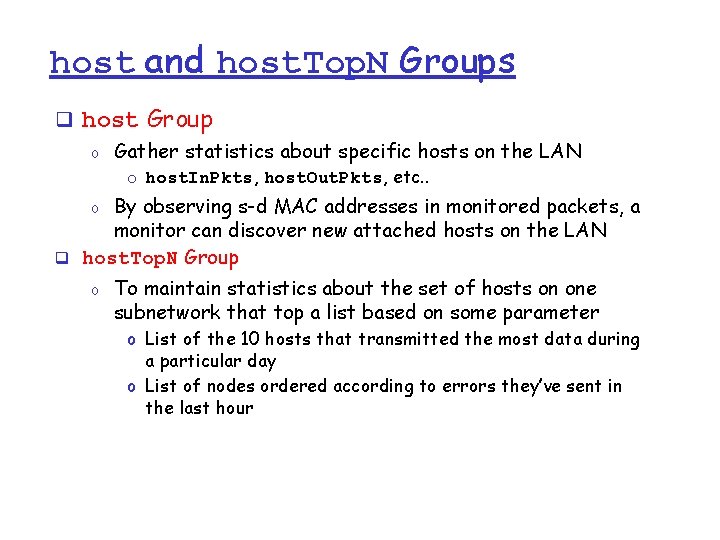
host and host. Top. N Groups q host Group o Gather statistics about specific hosts on the LAN o host. In. Pkts, host. Out. Pkts, etc. . By observing s-d MAC addresses in monitored packets, a monitor can discover new attached hosts on the LAN q host. Top. N Group o o To maintain statistics about the set of hosts on one subnetwork that top a list based on some parameter o List of the 10 hosts that transmitted the most data during a particular day o List of nodes ordered according to errors they’ve sent in the last hour
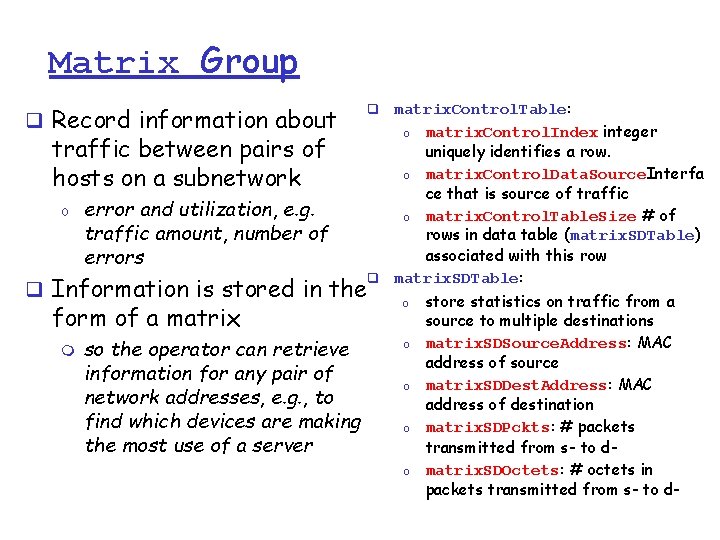
Matrix Group q Record information about traffic between pairs of hosts on a subnetwork o error and utilization, e. g. traffic amount, number of errors q Information is stored in the form of a matrix m so the operator can retrieve information for any pair of network addresses, e. g. , to find which devices are making the most use of a server matrix. Control. Table: o matrix. Control. Index integer uniquely identifies a row. o matrix. Control. Data. Source. Interfa ce that is source of traffic o matrix. Control. Table. Size # of rows in data table (matrix. SDTable) associated with this row q matrix. SDTable: q o o o store statistics on traffic from a source to multiple destinations matrix. SDSource. Address: MAC address of source matrix. SDDest. Address: MAC address of destination matrix. SDPckts: # packets transmitted from s- to dmatrix. SDOctets: # octets in packets transmitted from s- to d-
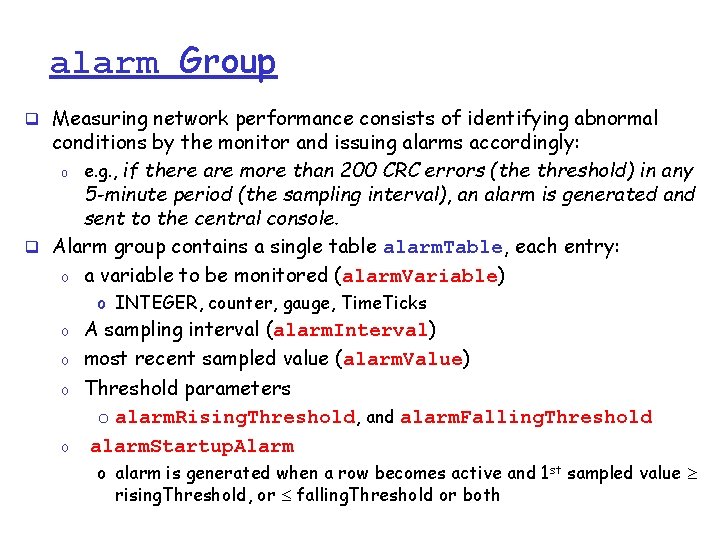
alarm Group q Measuring network performance consists of identifying abnormal conditions by the monitor and issuing alarms accordingly: o e. g. , if there are more than 200 CRC errors (the threshold) in any 5 -minute period (the sampling interval), an alarm is generated and sent to the central console. q Alarm group contains a single table alarm. Table, each entry: o a variable to be monitored (alarm. Variable) o INTEGER, counter, gauge, Time. Ticks o o A sampling interval (alarm. Interval) most recent sampled value (alarm. Value) Threshold parameters o alarm. Rising. Threshold, and alarm. Falling. Threshold alarm. Startup. Alarm o alarm is generated when a row becomes active and 1 st sampled value rising. Threshold, or falling. Threshold or both
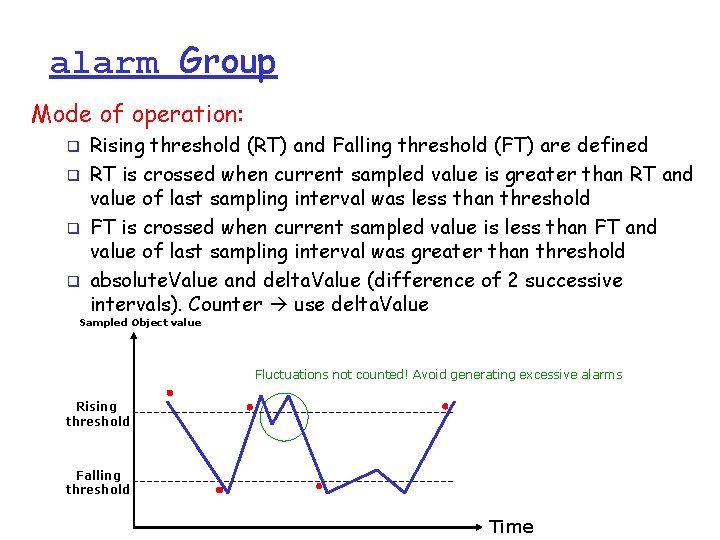
alarm Group Mode of operation: q q Rising threshold (RT) and Falling threshold (FT) are defined RT is crossed when current sampled value is greater than RT and value of last sampling interval was less than threshold FT is crossed when current sampled value is less than FT and value of last sampling interval was greater than threshold absolute. Value and delta. Value (difference of 2 successive intervals). Counter use delta. Value Sampled Object value Fluctuations not counted! Avoid generating excessive alarms Rising threshold Falling threshold Time
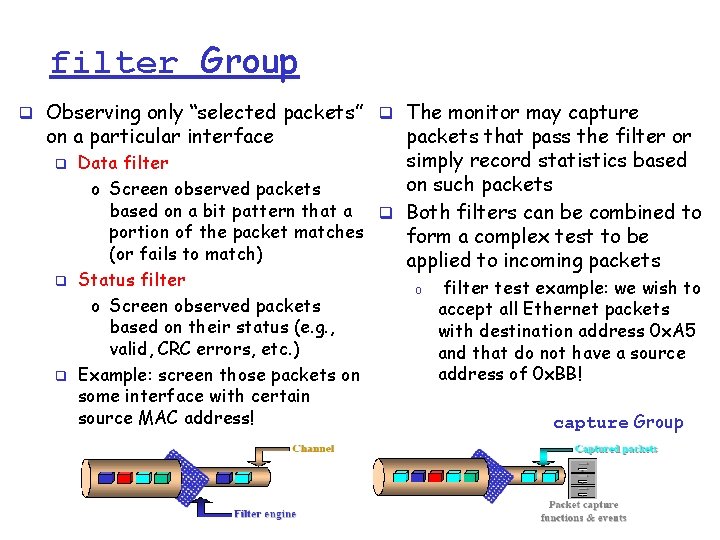
filter Group q Observing only “selected packets” q The monitor may capture on a particular interface q q q packets that pass the filter or simply record statistics based Data filter on such packets o Screen observed packets based on a bit pattern that a q Both filters can be combined to portion of the packet matches form a complex test to be (or fails to match) applied to incoming packets Status filter o Screen observed packets based on their status (e. g. , valid, CRC errors, etc. ) Example: screen those packets on some interface with certain source MAC address! o filter test example: we wish to accept all Ethernet packets with destination address 0 x. A 5 and that do not have a source address of 0 x. BB! capture Group
event Group q Supports definition of events (problems, symptoms of problems) q event. Table: event. Descritpion: textual description of the event q event. Type: none(1), log(2), snmpo An event is triggered by a trap (3) log-and-trap(4) condition located elsewhere in q log: an entry is added to the MIB log. Table for this event o E. g. , monitoring a variable q snmp-trap: an SNMP trap is that crossed a rising sent to a MS threshold would cause an q event. Community: identifies the event to be generated communities of MSs to receive the SNMP trap, etc. q Controls the generation and q log. Table: notification of events q An event may cause an SNMP trap message to be issued by the monitor q q log. Time: value of sys. Up. Time when this log entry was created log. Description: description of the event that activated this entry (implementation-dependent) log. Event. Index: the event that generated this log entry
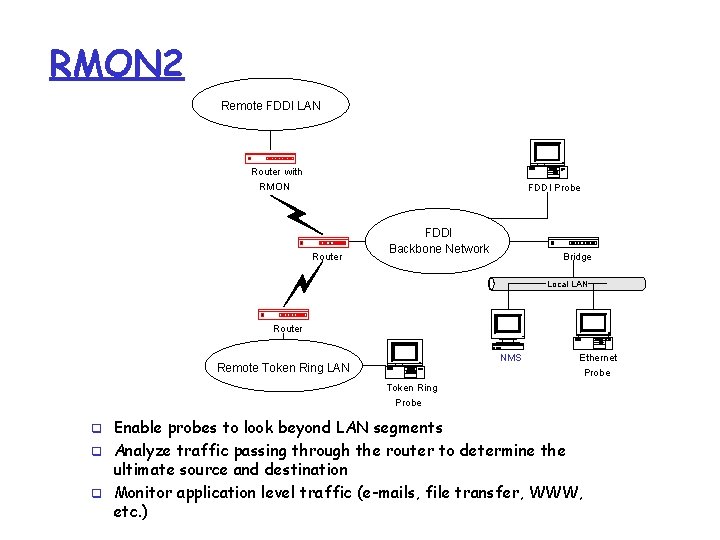
RMON 2 Remote FDDI LAN Router with RMON FDDI Probe Router FDDI Backbone Network Bridge Local LAN Router NMS Remote Token Ring LAN Ethernet Probe Token Ring Probe q q q Enable probes to look beyond LAN segments Analyze traffic passing through the router to determine the ultimate source and destination Monitor application level traffic (e-mails, file transfer, WWW, etc. )
- Slides: 33