
Remote Monitoring RMON These slides are based in
Remote Monitoring (RMON) These slides are based in parts upon slides of Prof. Dssouli (Concordia university) 1
Outline q Basic Concepts o o q q q q RMON Goals Control of Remote Monitors Multiple Managers Table Management Statistics group History group Host and host. Top. N groups Matrix group Alarm group Filter and packet Capture group RMON 2 2

Basic Concepts q q Remote Network Monitoring (RMON): monitoring the state of a network and its nodes through a remote probe. Why? q q q Reduces Ping messages. q q Defines a Remote MONitoring (RMON) MIB that supplements MIB-II with MIB-II, the manager can obtain information on individual devices only with RMON MIB, the manager can obtain information on the LAN as a whole Components: q q q Continuous monitoring of individual segments Has been shown to increase productivity for network administrators. Extends the SNMP functionality without changing the protocol o o q Significantly reduces SNMP traffic due to local polling. No need for agent to be visible to managers all the time. Data gatherer (monitor): a physical device Data analyzer: processor that analyzes data RMON does both and reports to a manager 3

Basic Concepts q A monitor generally can produce summary information on o o q q error statistics, e. g. , counts # of collisions on a LAN Performance statistics: #packets delivered per second, packet size distribution, etc. A monitor also can store packets for later analysis A Monitor may also filter data to limit the # packets counted or captured o filter based on packet type or characteristics (e. g. , packets with certain source address, erroneous packets) 4
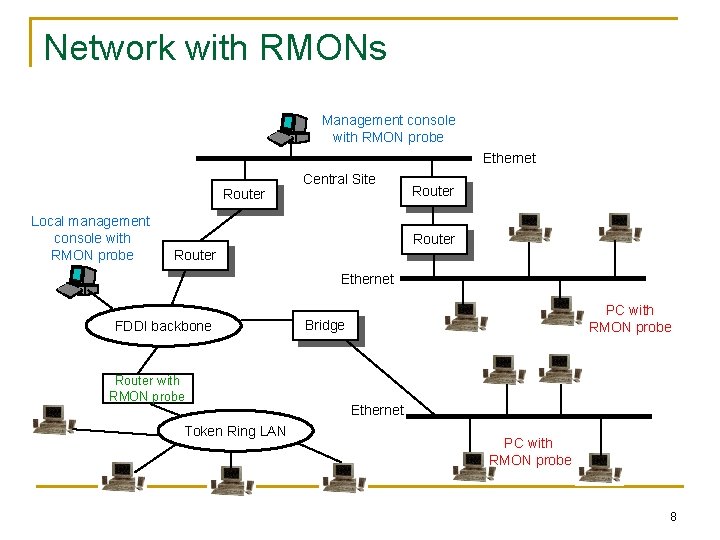
Basic Concepts q A Monitor is required per subnetwork o o q q A monitor could either be a standalone device whose only job is monitoring and traffic analysis or it could also be a device with other functionalities (e. g. , router, server) A monitor usually communicates with one (or more) central MS (Management Station) RMON essentially is a definition of a MIB o Standard monitoring functions and interfaces for communication between SNMP consoles and remote monitors 5

RMON Goals q Monitoring subnetwork-wide behavior while reducing the burden on agents and managers o o q Continuous off-line monitoring in the presence of failures o o q Monitors and analyzes locally and relays data An object may not afford to run SNMP agent RMON should collect fault, performance, and configuration information continuously even when it is not being polled save communication cost This information may be retrieved later by a manager Proactive monitoring o o Continuously runs diagnostics and log network performance even in the absence of failures Upon a failure, notify the manager and provide him with useful info to be able to diagnose the fault 6

RMON Goals q Provide value-added data o o q Perform analysis on collected data, thus relieving the MS from this responsibility For example, a monitor can analyze subnetwork traffic to determine which hosts generate the most traffic or errors on the subnetwork. Support multiple managers o o Multiple managers improves reliability, provides diversity in network management, etc. A monitor should be configured to deal with more than a manager simultaneously 7
Network with RMONs Management console with RMON probe Ethernet Router Local management console with RMON probe Central Site Router Ethernet FDDI backbone Router with RMON probe Token Ring LAN PC with RMON probe Bridge Ethernet PC with RMON probe 8
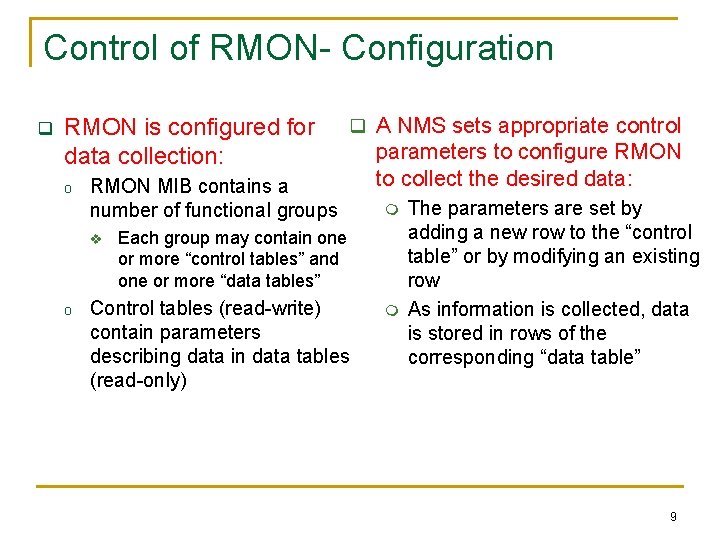
Control of RMON- Configuration q RMON is configured for data collection: o RMON MIB contains a number of functional groups v o q A NMS sets appropriate control parameters to configure RMON to collect the desired data: m Each group may contain one or more “control tables” and one or more “data tables” Control tables (read-write) contain parameters describing data in data tables (read-only) m The parameters are set by adding a new row to the “control table” or by modifying an existing row As information is collected, data is stored in rows of the corresponding “data table” 9

Control of RMON- Configuration q Functions performed by a monitor are defined and implemented in terms of table rows o Control table may contain objects that specify the “source of data” to be collected, the “type of data”, the “collection timing”, etc. o Associated with a single control row are one or more rows in one or more data tables q. To modify a particular data collection function: o it is necessary first to invalidate the control row o this causes the deletion of that row and the deletion of all associated rows in data tables o NMS can create a new control row with the modified parameters q. NOTE: when a row of a control table is deleted, associated rows in data tables are also deleted. 10

Multiple Managers q RMON probe may be subject to management from multiple MSs q Potential conflict and unwanted results o o o q Simultaneous requests for resources could exceed the capability of the monitor Monitor resources could be captured by a MS for a long time, preventing other MSs from accessing desired information Resources could be assigned to a MS that crashes without releasing resources Avoidance and resolution features are required o Ownership label: identifies the owner of a particular row of the control table and associated function 11

Table Management q The RMON specification includes a set of textual conventions and procedural rules for row addition and deletion q Textual conventions: 2 new data types Owner. String : : = Display. String Entry. Status : : = INTEGER { valid (1), create. Request (2), Indicates the owner of under. Creation (3), a row in control table Indicates the status invalid (4) } of the row 12
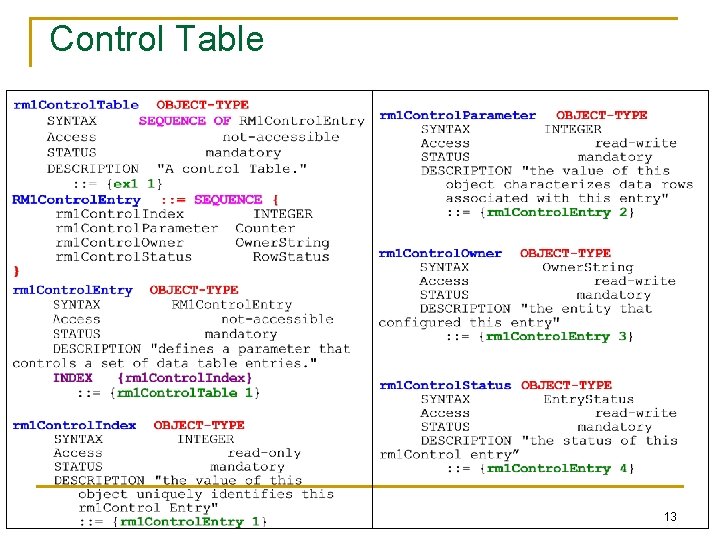
Control Table 13

Data Table 14

Control and Data Table- Example rm 1 Control. Table rml. Control. Index rml. Control. Parameter rml. Control. Owner rml. Control. Status 1 5 monitor valid (1) 2 26 manager alpha valid (1) 3 19 manager beta valid (1) rm 1 Data. Table rml. Data. Control. Index rml. Data. Value 1 1 46 2 1 96 2 2 85 2 3 77 2 4 27 2 5 92 3 1 86 3 2 26 15
Row Addition and deletion q A MS uses SNMP messages to add a row into an RMON table o Set. Request-PDU message will contain a list of object identifiers for all columns in the table q When a monitor receives a request o it must check whethere any restrictions defined in the RMON MIB (object is not currently supported by the MIB) o or any implementation specific restrictions (e. g. , lack of resources) q If row addition is not possible o Get. Response-PDU with bad. Value error is returned q Multiple managers attempt for row addition o multiple requests to create a row with same parameters, including index parameters conflict o Conflict arbitration is required o Only the first request is awarded q Row Deletion o is achieved by (the owner) setting the status object for that row to “invalid” q Row Modification o is achieved by first invalidating the row and then adding the row with new object instance values 16

RMON MIB rmon (mib-2 16) 10 groups statistics (1) history (2) alarm (3) host (4) ü Each group is used to store data and statistics derived from data collected by the monitor ü A monitor may have more than one physical interface and hence may be connected to more than one sub-network host. Top. N (5) matrix (6) agent a agent b agent c filter (7) Interface 1 capture (8) Subnetwork X RMON probe event (9) Interface 2 Subnetwork Y token. Ring (10) agent d agent e 17

RMON MIB • Ethernet RMON: (rmon 1 - 9) • Token ring extension: (rmon 10) • RMON 2: Higher layers (rmon 3 – 7 and rmon 11 - 20) RFC 1757 (2819) Layer: 2 (Ethernet) RFC 2021 Layers: 3 -7 RFC 1513 18
RMON Groups and Functions RMON Probe 19
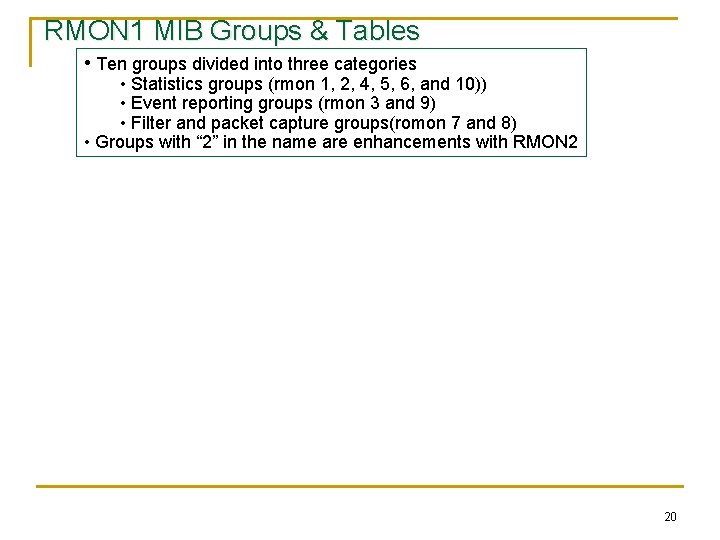
RMON 1 MIB Groups & Tables • Ten groups divided into three categories • Statistics groups (rmon 1, 2, 4, 5, 6, and 10)) • Event reporting groups (rmon 3 and 9) • Filter and packet capture groups(romon 7 and 8) • Groups with “ 2” in the name are enhancements with RMON 2 20

RMON 1 MIB Groups & Tables 21

Control and Data Tables • Control table used to set the instances of data rows in the data table. • Can be set to gather and store different instances of data. • Values of data index and control index are the same. Figure 8. 4 Relationship between Control and Data Tables 22
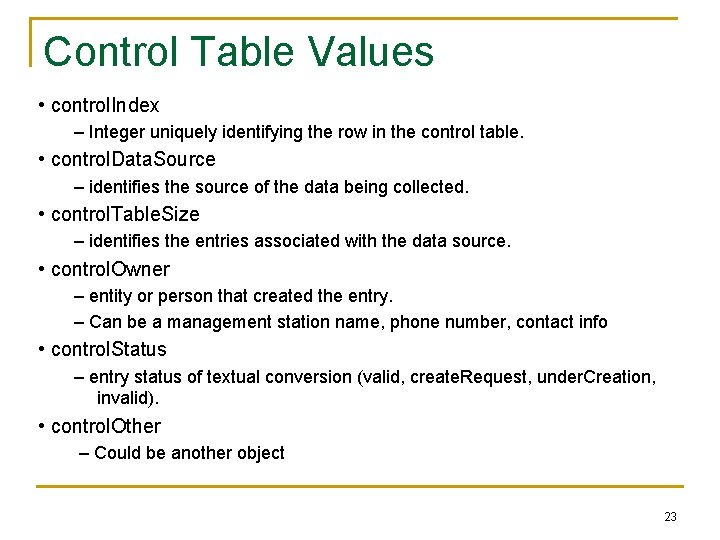
Control Table Values • control. Index – Integer uniquely identifying the row in the control table. • control. Data. Source – identifies the source of the data being collected. • control. Table. Size – identifies the entries associated with the data source. • control. Owner – entity or person that created the entry. – Can be a management station name, phone number, contact info • control. Status – entry status of textual conversion (valid, create. Request, under. Creation, invalid). • control. Other – Could be another object 23
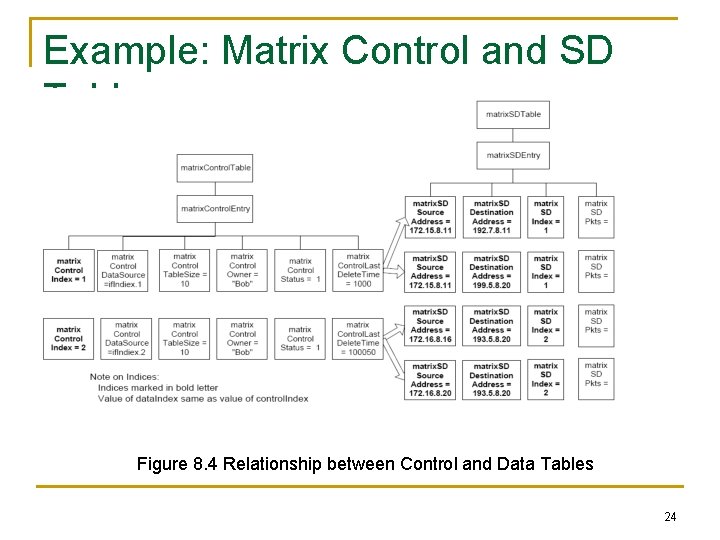
Example: Matrix Control and SD Tables Figure 8. 4 Relationship between Control and Data Tables 24
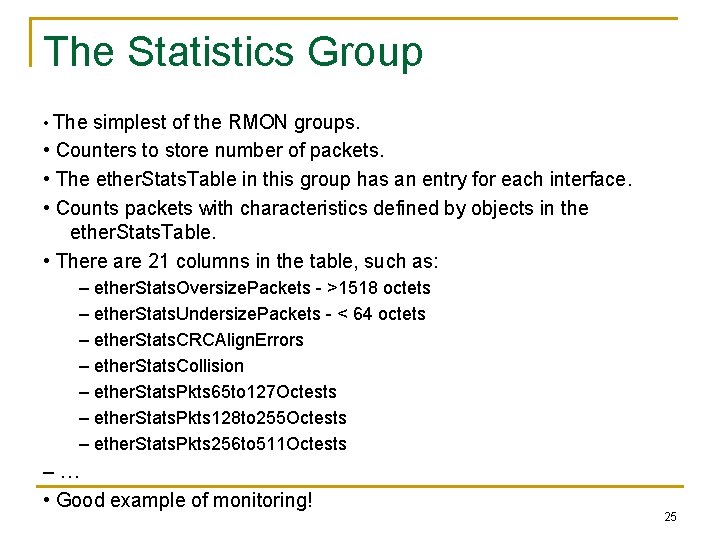
The Statistics Group • The simplest of the RMON groups. • Counters to store number of packets. • The ether. Stats. Table in this group has an entry for each interface. • Counts packets with characteristics defined by objects in the ether. Stats. Table. • There are 21 columns in the table, such as: – ether. Stats. Oversize. Packets - >1518 octets – ether. Stats. Undersize. Packets - < 64 octets – ether. Stats. CRCAlign. Errors – ether. Stats. Collision – ether. Stats. Pkts 65 to 127 Octests – ether. Stats. Pkts 128 to 255 Octests – ether. Stats. Pkts 256 to 511 Octests –… • Good example of monitoring! 25

statistics rmon 1 ether. Stats. Table if. Index. 1. ether. Stats. Entry ether. Stats. Index ether. Stats. Data. Source ether. Stats. Drop. Events ether. Stats. Octets ether. Stats. Pkts ether. Stats. Broadcast. Pkts ether. Stats. Multicast. Pkts ether. Stats. CRCAlign. Errors ether. Stats. Undersize. Pkts ether. Stats. Oversize. Pkts ether. Stats. Fragments ether. Stats. Jabbers ether. Stats. Collisions ether. Stats. Pkts 64 Octets ether. Stats. Pkts 65 to 127 Octets ether. Stats. Pkts 128 to 255 Octets ether. Stats. Pkts 256 to 511 Octets ether. Stats. Pkts 512 to 1023 Octets ether. Stats. Pkts 1024 to 1518 Octets ether. Stats. Owner ether. Stats. Status 26
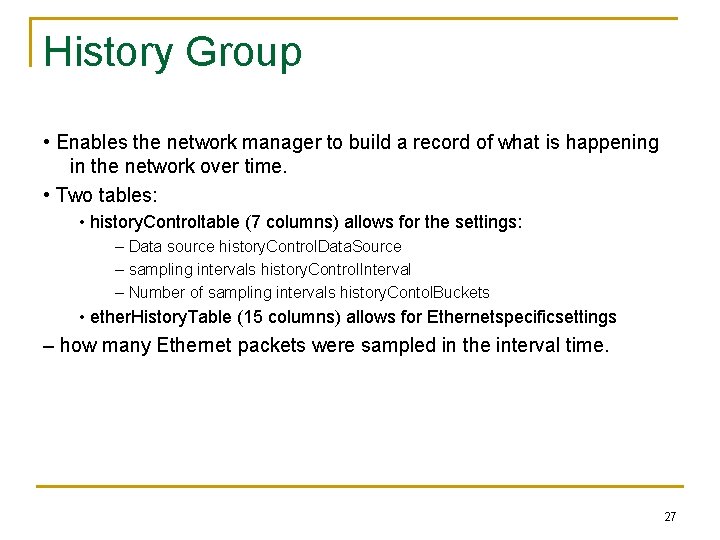
History Group • Enables the network manager to build a record of what is happening in the network over time. • Two tables: • history. Controltable (7 columns) allows for the settings: – Data source history. Control. Data. Source – sampling intervals history. Control. Interval – Number of sampling intervals history. Contol. Buckets • ether. History. Table (15 columns) allows for Ethernetspecificsettings – how many Ethernet packets were sampled in the interval time. 27
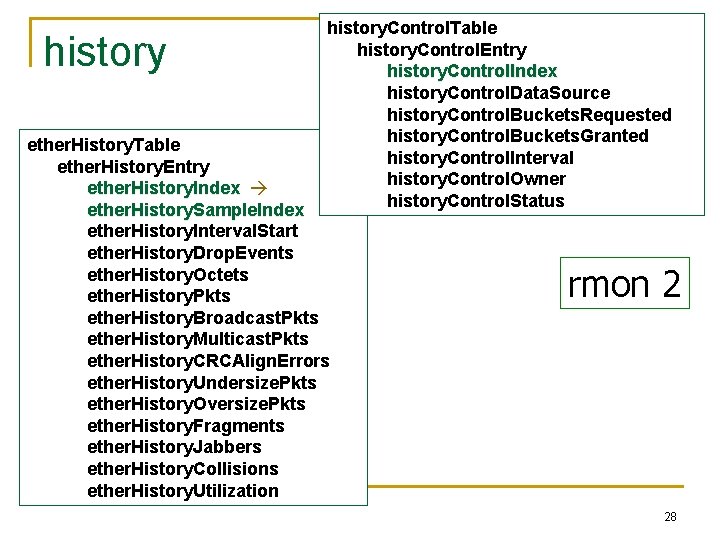
history. Control. Table history. Control. Entry history. Control. Index history. Control. Data. Source history. Control. Buckets. Requested history. Control. Buckets. Granted history. Control. Interval history. Control. Owner history. Control. Status ether. History. Table ether. History. Entry ether. History. Index ether. History. Sample. Index ether. History. Interval. Start ether. History. Drop. Events ether. History. Octets ether. History. Pkts ether. History. Broadcast. Pkts ether. History. Multicast. Pkts ether. History. CRCAlign. Errors ether. History. Undersize. Pkts ether. History. Oversize. Pkts ether. History. Fragments ether. History. Jabbers ether. History. Collisions ether. History. Utilization rmon 2 28
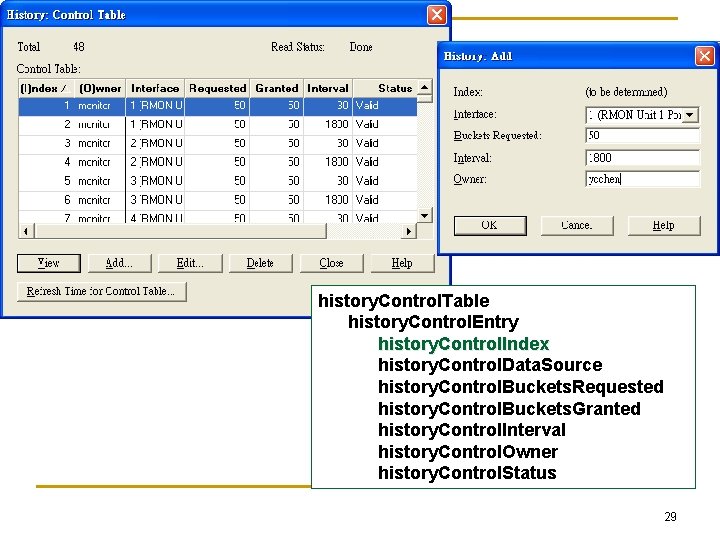
history. Control. Table history. Control. Entry history. Control. Index history. Control. Data. Source history. Control. Buckets. Requested history. Control. Buckets. Granted history. Control. Interval history. Control. Owner history. Control. Status 29

30
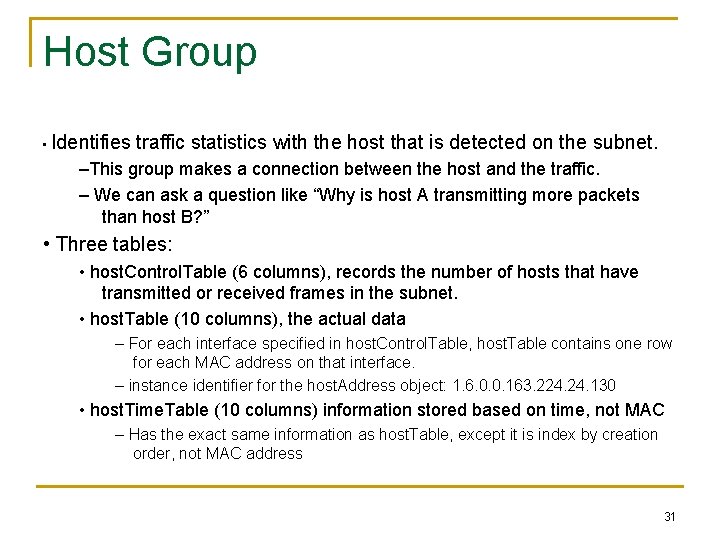
Host Group • Identifies traffic statistics with the host that is detected on the subnet. –This group makes a connection between the host and the traffic. – We can ask a question like “Why is host A transmitting more packets than host B? ” • Three tables: • host. Control. Table (6 columns), records the number of hosts that have transmitted or received frames in the subnet. • host. Table (10 columns), the actual data – For each interface specified in host. Control. Table, host. Table contains one row for each MAC address on that interface. – instance identifier for the host. Address object: 1. 6. 0. 0. 163. 224. 130 • host. Time. Table (10 columns) information stored based on time, not MAC – Has the exact same information as host. Table, except it is index by creation order, not MAC address 31
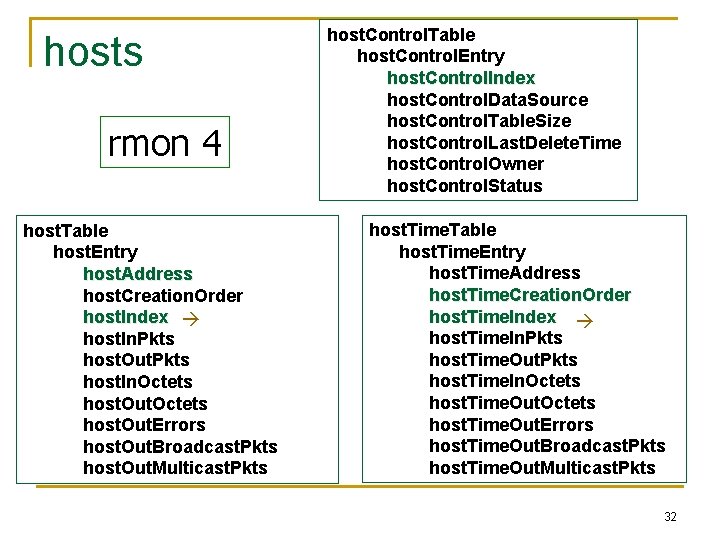
hosts rmon 4 host. Table host. Entry host. Address host. Creation. Order host. Index host. In. Pkts host. Out. Pkts host. In. Octets host. Out. Errors host. Out. Broadcast. Pkts host. Out. Multicast. Pkts host. Control. Table host. Control. Entry host. Control. Index host. Control. Data. Source host. Control. Table. Size host. Control. Last. Delete. Time host. Control. Owner host. Control. Status host. Time. Table host. Time. Entry host. Time. Address host. Time. Creation. Order host. Time. Index host. Time. In. Pkts host. Time. Out. Pkts host. Time. In. Octets host. Time. Out. Errors host. Time. Out. Broadcast. Pkts host. Time. Out. Multicast. Pkts 32
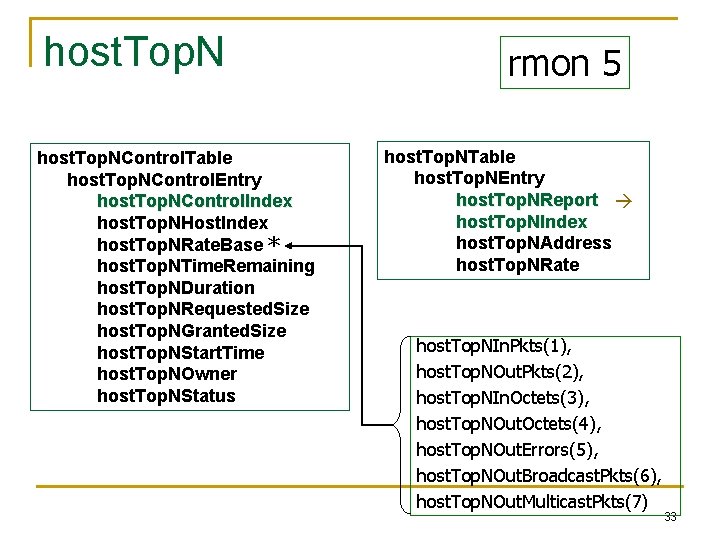
host. Top. NControl. Table host. Top. NControl. Entry host. Top. NControl. Index host. Top. NHost. Index host. Top. NRate. Base * host. Top. NTime. Remaining host. Top. NDuration host. Top. NRequested. Size host. Top. NGranted. Size host. Top. NStart. Time host. Top. NOwner host. Top. NStatus rmon 5 host. Top. NTable host. Top. NEntry host. Top. NReport host. Top. NIndex host. Top. NAddress host. Top. NRate host. Top. NIn. Pkts(1), host. Top. NOut. Pkts(2), host. Top. NIn. Octets(3), host. Top. NOut. Octets(4), host. Top. NOut. Errors(5), host. Top. NOut. Broadcast. Pkts(6), host. Top. NOut. Multicast. Pkts(7) 33

Host Top N Group Example 34
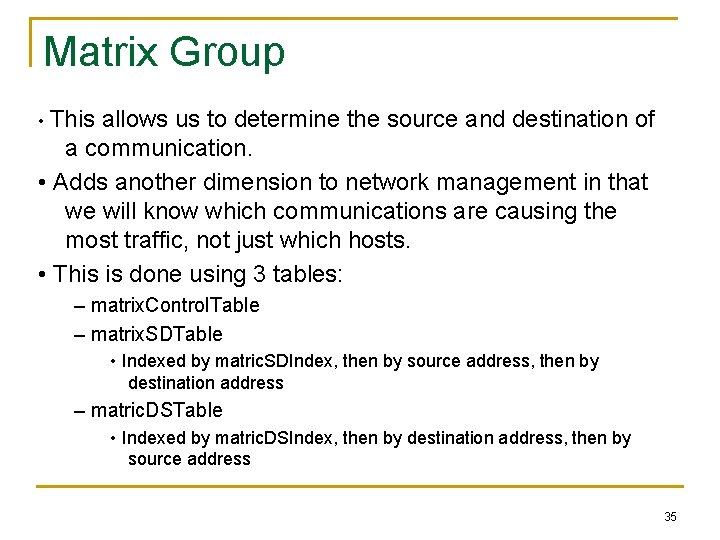
Matrix Group • This allows us to determine the source and destination of a communication. • Adds another dimension to network management in that we will know which communications are causing the most traffic, not just which hosts. • This is done using 3 tables: – matrix. Control. Table – matrix. SDTable • Indexed by matric. SDIndex, then by source address, then by destination address – matric. DSTable • Indexed by matric. DSIndex, then by destination address, then by source address 35
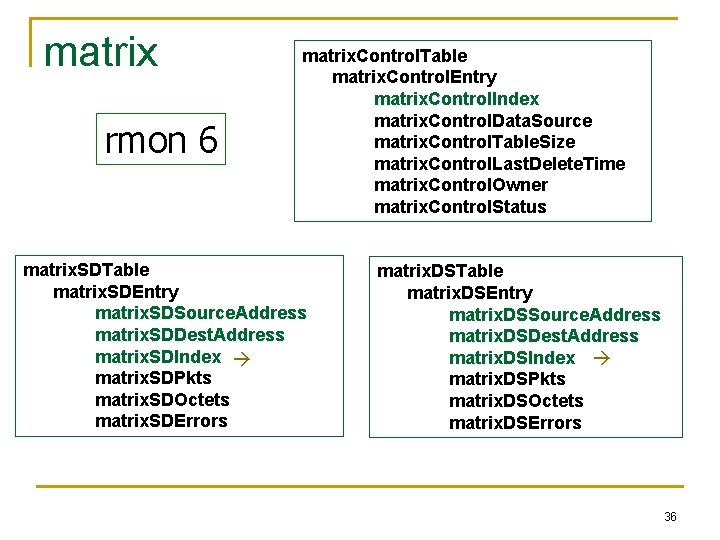
matrix rmon 6 matrix. Control. Table matrix. Control. Entry matrix. Control. Index matrix. Control. Data. Source matrix. Control. Table. Size matrix. Control. Last. Delete. Time matrix. Control. Owner matrix. Control. Status matrix. SDTable matrix. SDEntry matrix. SDSource. Address matrix. SDDest. Address matrix. SDIndex matrix. SDPkts matrix. SDOctets matrix. SDErrors matrix. DSTable matrix. DSEntry matrix. DSSource. Address matrix. DSDest. Address matrix. DSIndex matrix. DSPkts matrix. DSOctets matrix. DSErrors 36
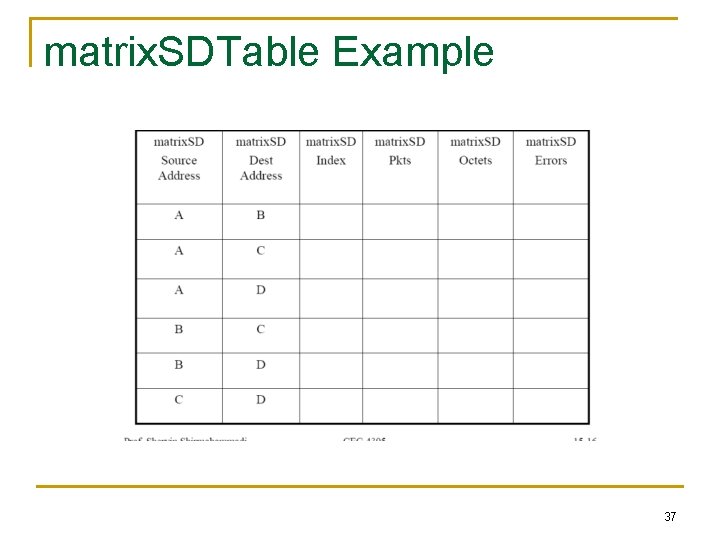
matrix. SDTable Example 37
alarm Group q Measuring network performance consists of identifying abnormal conditions by the monitor and issuing alarms accordingly: o e. g. , if there are more than 200 CRC errors (the threshold) in any 5 minute period (the sampling interval), an alarm is generated and sent to the central console. q Alarm group contains a single table alarm. Table, each entry: o a variable to be monitored (alarm. Variable) o INTEGER, counter, gauge, Time. Ticks o A sampling interval (alarm. Interval) o most recent sampled value (alarm. Value) o Threshold parameters o alarm. Rising. Threshold, and alarm. Falling. Threshold o alarm. Startup. Alarm o 1 (rising. Alarm), 2 (falling. Alarm), 3 (rising. Or. Falling. Alarm) o alarm is generated when a row becomes active and 1 st sampled value 38 rising. Threshold, or falling. Threshold or both

alarm Group Mode of operation: q q Rising threshold (RT) and Falling threshold (FT) are defined RT is crossed when current sampled value is greater than RT and value of last sampling interval was less than threshold FT is crossed when current sampled value is less than FT and value of last sampling interval was greater than threshold absolute. Value and delta. Value (difference of 2 successive intervals). Counter use delta. Value Sampled Object value Fluctuations not counted! Avoid generating excessive alarms Rising threshold Falling threshold Time 39
Filter Group rmon 7 • Filter group used to capture packets defined by logical expressions • Channel is a stream of data captured based on a logical expression • Filter table allows packets to be filtered with an arbitrary filter expression • A row in the channel table associated with multiple rows in the filter table 40

Filter Group q Observing only “selected packets” q Both filters can be combined on a particular interface q q q (e. g. , using logical AND and OR) to form a complex test to be Data filter applied to incoming packets o Screen observed packets based on a bit pattern that a portion of q The stream of packets that pass the packet matches (or fails to the test is referred ot as the match) channel Status filter o Screen observed packets based on their status (e. g. , valid, CRC errors, etc. ) Example: screen those packets on some interface with certain source MAC address q The channel can be configured to generate some events when a packet passes through the channel 41

Filter Group q Filter Logic: Define the following variables = the incoming portion of the a packet to be filtered filter. Pkt. Data = the bit pattern to be tested for filter. Pkt. Data. Mask = the relevant bits to be tested for filter. Pkt. Data. Not. Mask = indication of whether to test for a match or mismatch input To test the input against a bit pattern for a match (e. g. , screen packets with a specific source address) If ((input XOR filter. Pkt. Data) = = 0) filter. Result = match 42
Filter Group q A channel is defined by a set of filters q A channel is associated with an object “channel. Accept. Type” which determines when a packet is accepted to the channel (when there is a match or mismatch) q When a packet goes through a channel, a counter is incremented; an event may be generated in some circumstances, given that this channel has registered to generate events (event group) q The filter group has two tables: Filter Table and Channel Table 43

Filter Group 44

filter channel. Table filter. Table channel. Entry filter. Entry channel. Index filter. Index channel. If. Index filter. Channel. Index channel. Accept. Type On(1) filter. Pkt. Data. Offset Off(2) channel. Data. Control filter. Pkt. Data channel. Turn. On. Event. Index filter. Pkt. Data. Mask channel. Turn. Off. Event. Index filter. Pkt. Data. Not. Mask channel. Event. Index filter. Pkt. Status channel. Event. Status filter. Pkt. Status. Mask channel. Matches filter. Pkt. Status. Not. Mask channel. Description filter. Owner channel. Owner filter. Status channel. Status event. Ready(1), accept. Matched(1), event. Fired(2), accept. Failed(2) 45 event. Always. Ready(3
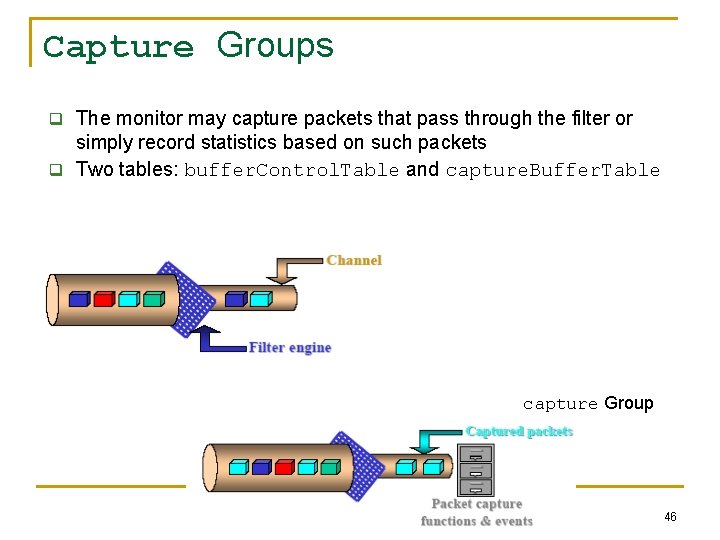
Capture Groups q The monitor may capture packets that pass through the filter or simply record statistics based on such packets q Two tables: buffer. Control. Table and capture. Buffer. Table capture Group 46

event Group q Supports definition of events (problems, symptoms of problems) o An event is triggered by a condition located elsewhere in the MIB o E. g. , monitoring a variable that crossed a rising threshold would cause an event to be generated q Controls the generation and notification of events q An event may cause (1) an SNMP trap message to be issued by the monitor, (2) info. to be logged q event. Table: event. Descritpion: textual description of the event q event. Type: none(1), log(2), snmp-trap (3) log-and-trap(4) q log: an entry is added to the log. Table for this event q snmp-trap: an SNMP trap is sent to a MS q event. Community: identifies the communities of MSs to receive the SNMP trap, etc. q log. Table: q q log. Time: value of sys. Up. Time when this log entry was created log. Description: description of the event that activated this entry (implementation-dependent) log. Event. Index: identifies the event that generated this log entry 47
RMON 2 • RMON 1 dealt primarily with the OSI data link layer. • RMON 2 is applicable to layers 3 and above: network to application layer. – Good for determining bandwidth use by applications. • Functions are similar to RMON 1. • Nine more groups are added to RMON 1. • Enhancement to RMON 1 • Defined conformance and compliance. 48

RMON 2 MIB Table 8. 4 RMON 2 MIB Groups and Tables 49

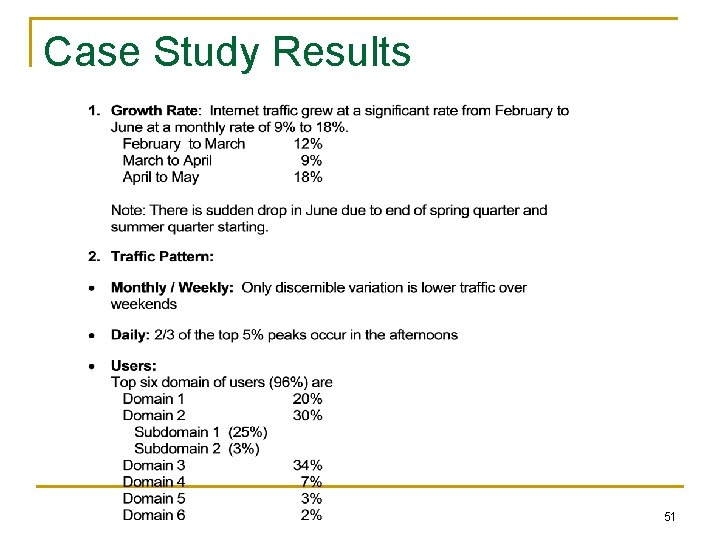
A Case Study • A study at Georgia Tech on Internet traffic • Objectives – Traffic growth and trend – Traffic patterns • Network comprising Ethernet and FDDI LANs • Tools used – HP Netmetrix protocol analyzer – Special high-speed TCP dump tool for FDDI LAN • RMON groups utilized – Host top-n – Matrix group – Filter group – Packet capture group (for application level protocols) 50
Case Study Results 51

Case Study Results Traffic Pattern 52
- Slides: 52