
Remote Management with the Avocent ACS 6000 Objectives
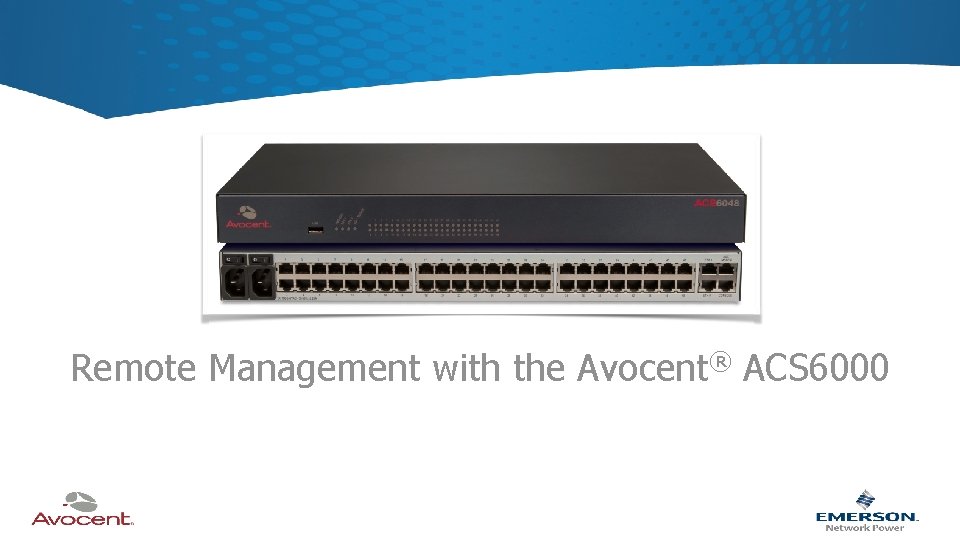
Remote Management with the Avocent® ACS 6000
Objectives • • • Identify different types of remote connectivity to IT equipment Discuss challenges of different access solutions Understand the benefits of the ACS 600/DSView software solution Describe ACS 6000 Zero Touch provisioning Identify the ACS 6000 cellular failover requirements
CEUs • Since this is a very brief presentation, in order to achieve CEU credit you must also complete an online course on remote management. • You will receive an email with a link to course and assessment within 5 business days. • You will have 2 weeks to complete the course and the assessment. • It is an “open book” test. You can use all resources you have been given in class. • You must achieve at least 85% to pass and download your certificate. • You are allowed 3 attempts. Upon successful completion of the course and assessment, you will receive 0. 1 CEU.
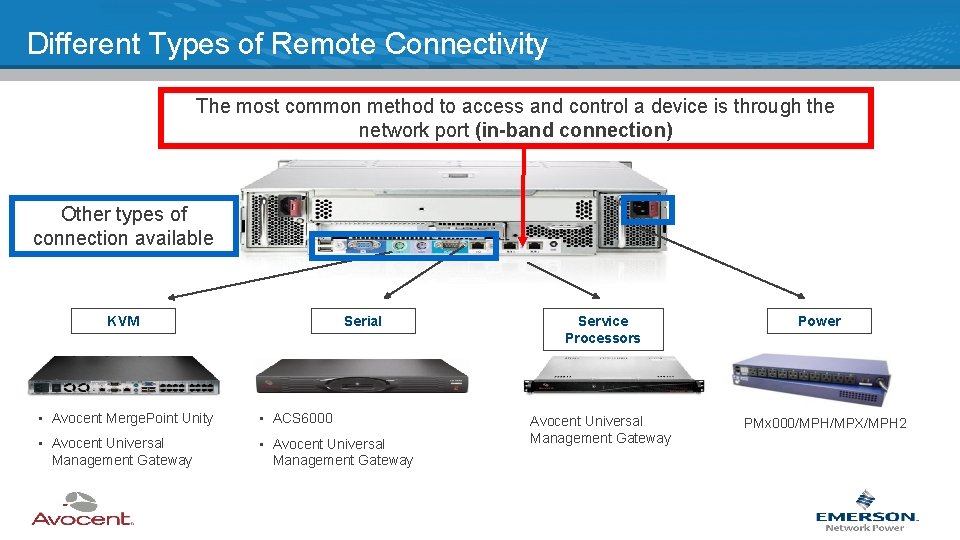
Different Types of Remote Connectivity The most common method to access and control a device is through the network port (in-band connection) Other types of connection available KVM Serial • Avocent Merge. Point Unity • ACS 6000 • Avocent Universal Management Gateway Service Processors Avocent Universal Management Gateway Power PMx 000/MPH/MPX/MPH 2
Remote Connectivity Challenges • Crash Cart Challenges – A local administrator can access only one device at a time – An administrator is not always present when disaster strikes • Terminal Server Challenges – Terminal servers lack key features to manage console ports such as: • encryption (weak security) • hardware break protection • offline buffering • traps • KVM or power management • Direct Network Access Challenges – Management solutions highly inadequate for the resources they are intended to fix
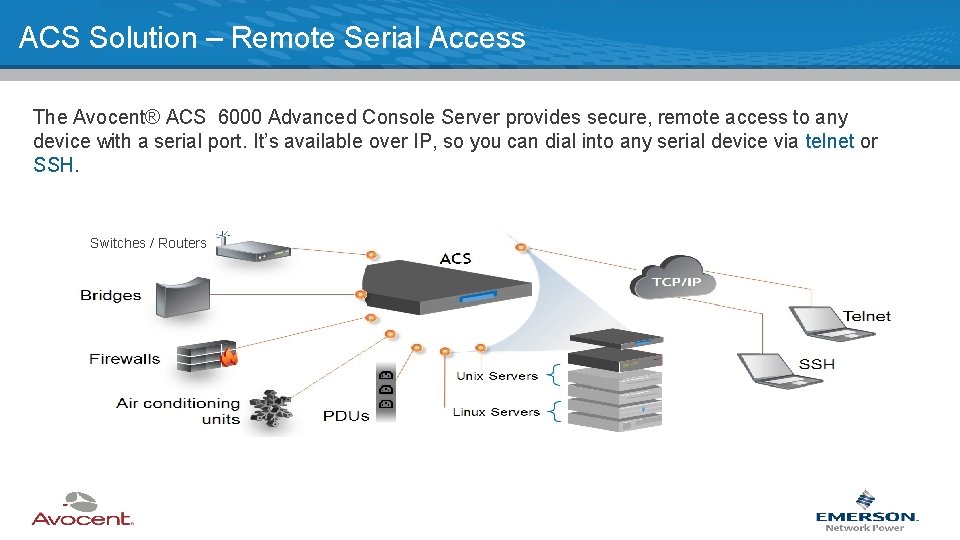
ACS Solution – Remote Serial Access The Avocent® ACS 6000 Advanced Console Server provides secure, remote access to any device with a serial port. It’s available over IP, so you can dial into any serial device via telnet or SSH. Switches / Routers
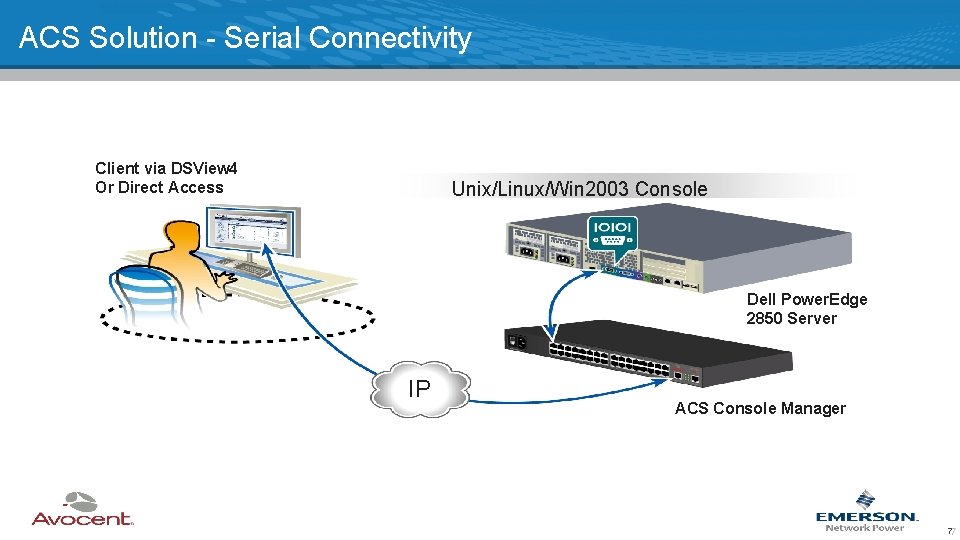
ACS Solution - Serial Connectivity Client via DSView 4 Or Direct Access Unix/Linux/Win 2003 Console Dell Power. Edge 2850 Server IP ACS Console Manager 77

ACS Solution – Power Device Support Client via DSView 4 Or Direct Access Horizontal & Vertical PDUs IP ACS Console Manager 88

Centralized Remote Management Solution The Avocent® ACS 6000 can be combined with Avocent DSView Management software for access and control of devices on different platforms and multiple locations from a single interface. + Centralized remote access Service and Centralized management of geographically dispersed datacontrol for the IT processors infrastructure centers and/or multi-vendor environments Virtual machines Rack PDUs KVM Consoles
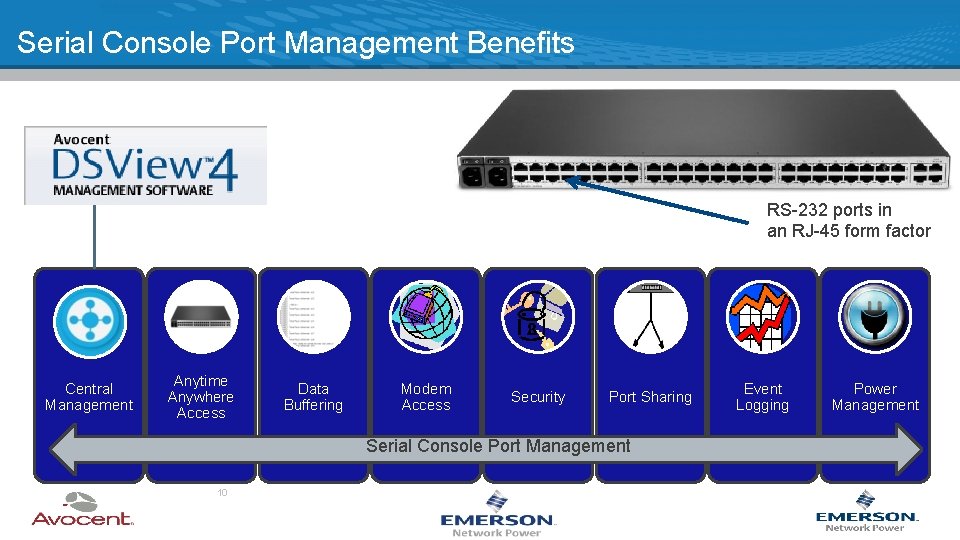
Serial Console Port Management Benefits RS-232 ports in an RJ-45 form factor Central Management Anytime Anywhere Access Data Buffering Modem Access Security Port Sharing Serial Console Port Management 10 Event Logging Power Management
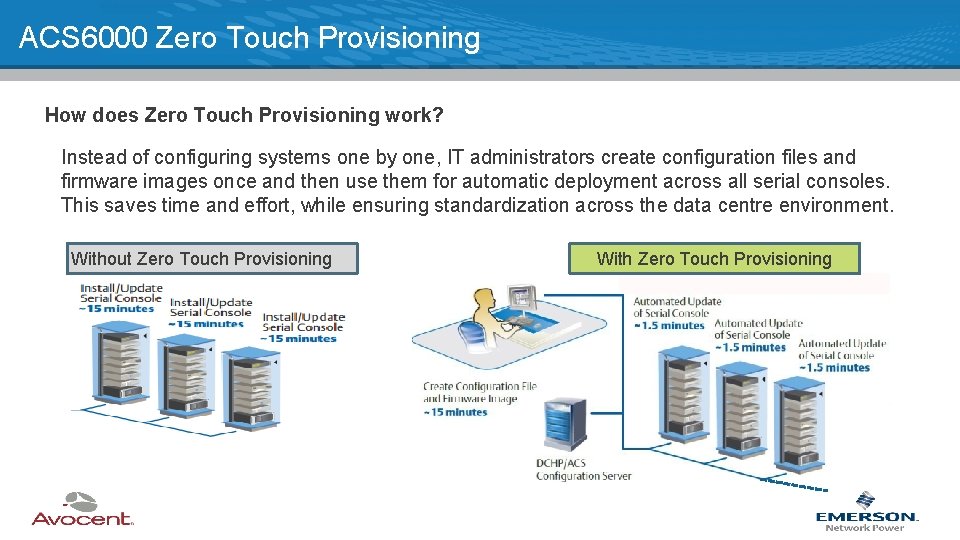
ACS 6000 Zero Touch Provisioning How does Zero Touch Provisioning work? Instead of configuring systems one by one, IT administrators create configuration files and firmware images once and then use them for automatic deployment across all serial consoles. This saves time and effort, while ensuring standardization across the data centre environment. Without Zero Touch Provisioning With Zero Touch Provisioning
ACS 6000 Zero Touch Provisioning Zero Touch provisioning is extremely beneficial in: 0 Minimum Requirements ACS with 3. 1. 0. 8 firmware DHCP/TFTP Server NOTE: Applicable to existing installations and new systems • Deploying firmware upgrades (e. g. POODLE and Shell. Shock patches) • Global configuration changes on multiple ACS • Configuring specific ports of an ACS • Configuring multiple ports of a group of ACS • Configuring an ACS after replacing it
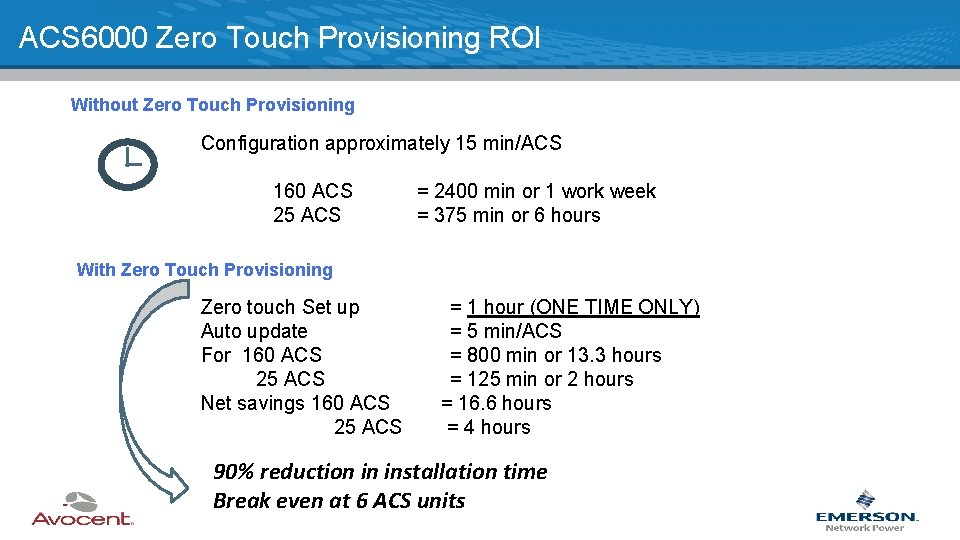
ACS 6000 Zero Touch Provisioning ROI Without Zero Touch Provisioning Configuration approximately 15 min/ACS 160 ACS 25 ACS = 2400 min or 1 work week = 375 min or 6 hours With Zero Touch Provisioning Zero touch Set up Auto update For 160 ACS 25 ACS Net savings 160 ACS 25 ACS = 1 hour (ONE TIME ONLY) = 5 min/ACS = 800 min or 13. 3 hours = 125 min or 2 hours = 16. 6 hours = 4 hours 90% reduction in installation time Break even at 6 ACS units
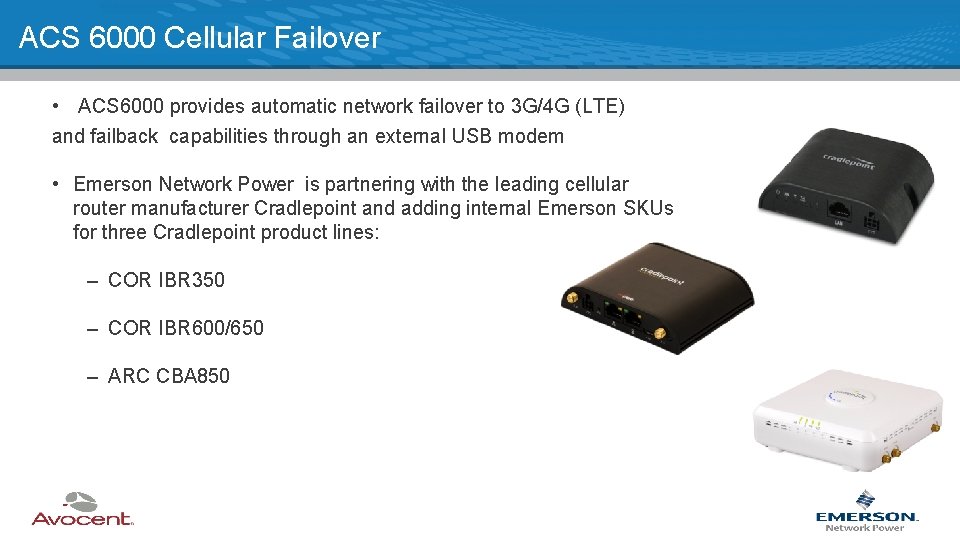
ACS 6000 Cellular Failover • ACS 6000 provides automatic network failover to 3 G/4 G (LTE) and failback capabilities through an external USB modem • Emerson Network Power is partnering with the leading cellular router manufacturer Cradlepoint and adding internal Emerson SKUs for three Cradlepoint product lines: – COR IBR 350 – COR IBR 600/650 – ARC CBA 850
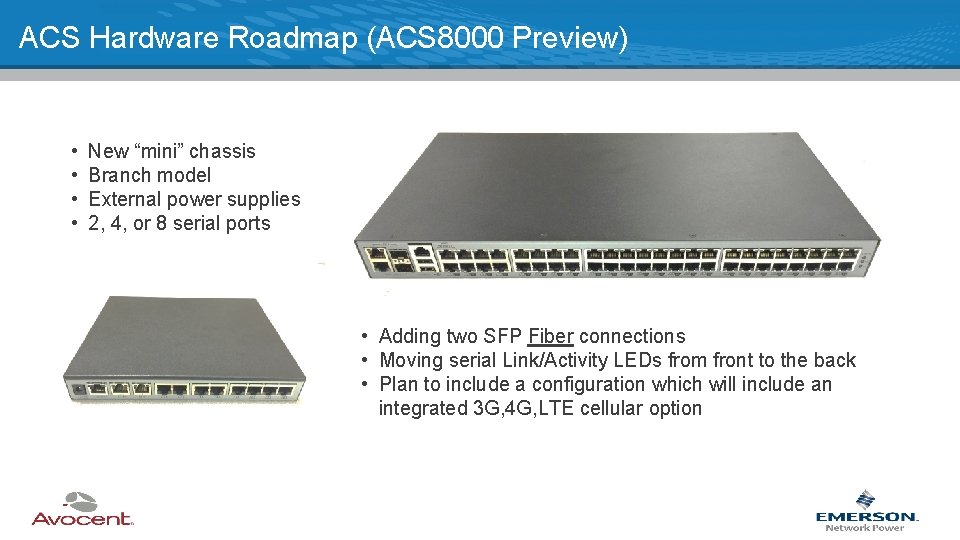
ACS Hardware Roadmap (ACS 8000 Preview) • • New “mini” chassis Branch model External power supplies 2, 4, or 8 serial ports • Adding two SFP Fiber connections • Moving serial Link/Activity LEDs from front to the back • Plan to include a configuration which will include an integrated 3 G, 4 G, LTE cellular option
Questions/Discussion
- Slides: 16