
Relative file paths In a number of script
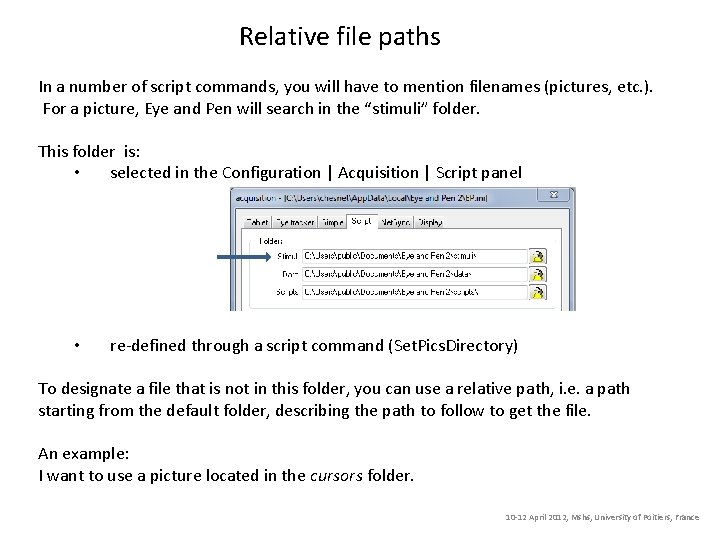
Relative file paths In a number of script commands, you will have to mention filenames (pictures, etc. ). For a picture, Eye and Pen will search in the “stimuli” folder. This folder is: • selected in the Configuration | Acquisition | Script panel • re-defined through a script command (Set. Pics. Directory) To designate a file that is not in this folder, you can use a relative path, i. e. a path starting from the default folder, describing the path to follow to get the file. An example: I want to use a picture located in the cursors folder. 10 -12 April 2012, Mshs, University of Poitiers, France
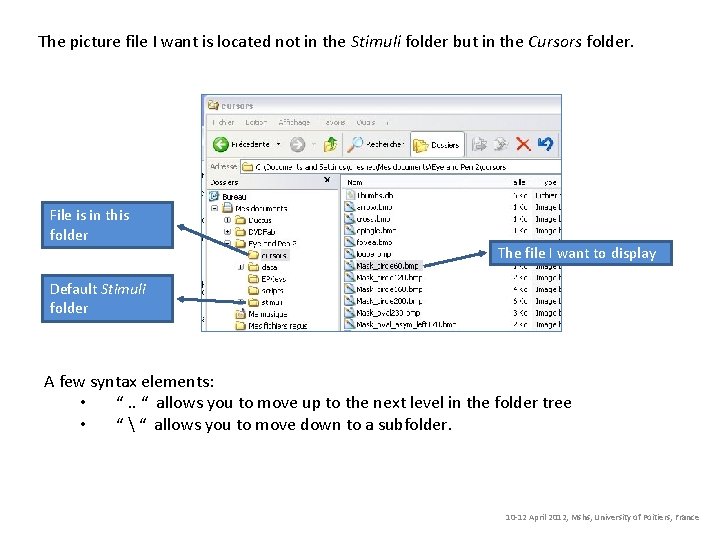
The picture file I want is located not in the Stimuli folder but in the Cursors folder. File is in this folder The file I want to display Default Stimuli folder A few syntax elements: • “. . “ allows you to move up to the next level in the folder tree • “ “ allows you to move down to a subfolder. 10 -12 April 2012, Mshs, University of Poitiers, France
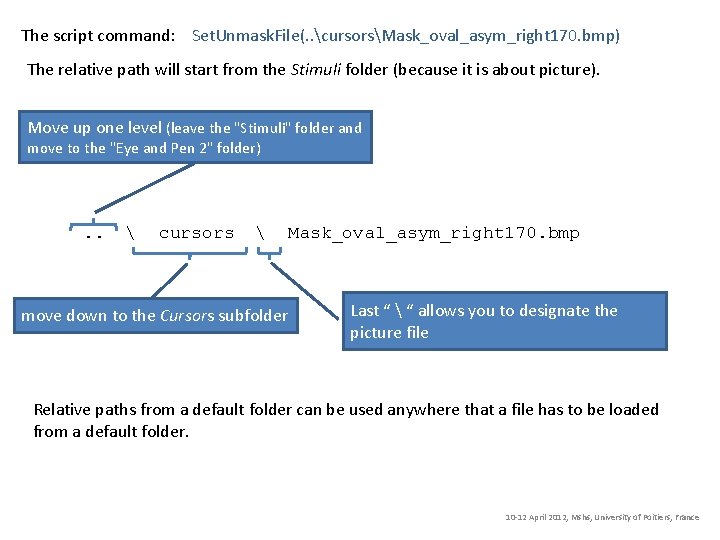
The script command: Set. Unmask. File(. . cursorsMask_oval_asym_right 170. bmp) The relative path will start from the Stimuli folder (because it is about picture). Move up one level (leave the "Stimuli" folder and move to the "Eye and Pen 2" folder) . . cursors move down to the Cursors subfolder Mask_oval_asym_right 170. bmp Last “ “ allows you to designate the picture file Relative paths from a default folder can be used anywhere that a file has to be loaded from a default folder. 10 -12 April 2012, Mshs, University of Poitiers, France
- Slides: 3