
Relational Databases CS 240 Advanced Programming Concepts Database
Relational Databases CS 240 – Advanced Programming Concepts
Database Management Systems (DBMS) • Databases are implemented by software systems called Database Management Systems (DBMS) • Commonly used Relational DBMS’s include Oracle, My. SQL, Postgre. SQL, and MS SQL Server • DBMS’s store data in files in a way that scales to large amounts of data and allows data to be accessed efficiently 2
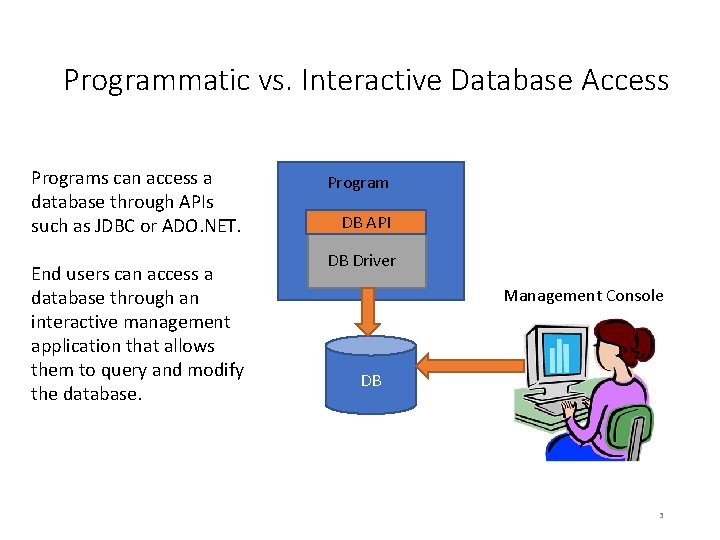
Programmatic vs. Interactive Database Access Programs can access a database through APIs such as JDBC or ADO. NET. End users can access a database through an interactive management application that allows them to query and modify the database. Program DB API DB Driver Management Console DB 3
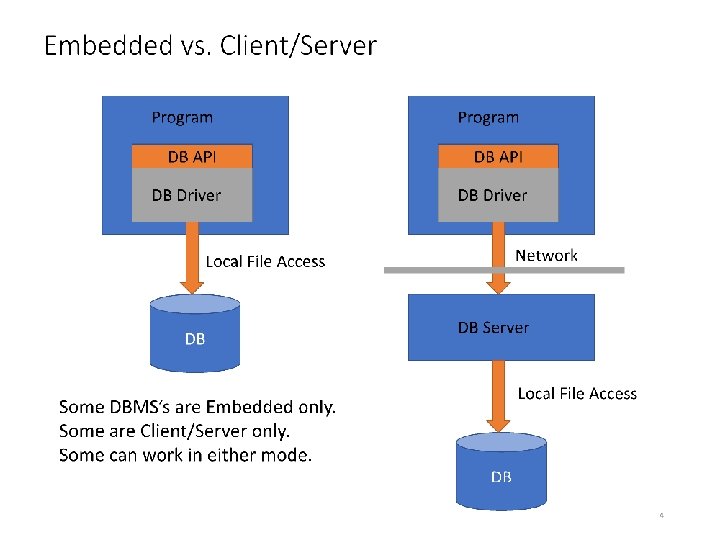
Embedded vs. Client/Server Program DB API DB Driver Network Local File Access DB Some DBMS’s are Embedded only. Some are Client/Server only. Some can work in either mode. DB Server Local File Access DB 4
Relational Databases • Relational databases use the relational data model you learned about in CS 236 • Relations = Tables • Tuples = Rows • In the relational data model, data is stored in tables consisting of columns and rows. • Tables are like classes • Each row in a table stores the data you may think of as belonging to an object. • Columns in a row store the object’s attributes (instance variables). • Each row has a “Primary Key” which is a unique identifier for that row. Relationships between rows in different tables are represented using keys. • The primary key in one table matches a foreign key in another table • Taken together, all the table definitions in a database make up the “schema” for the database. 5
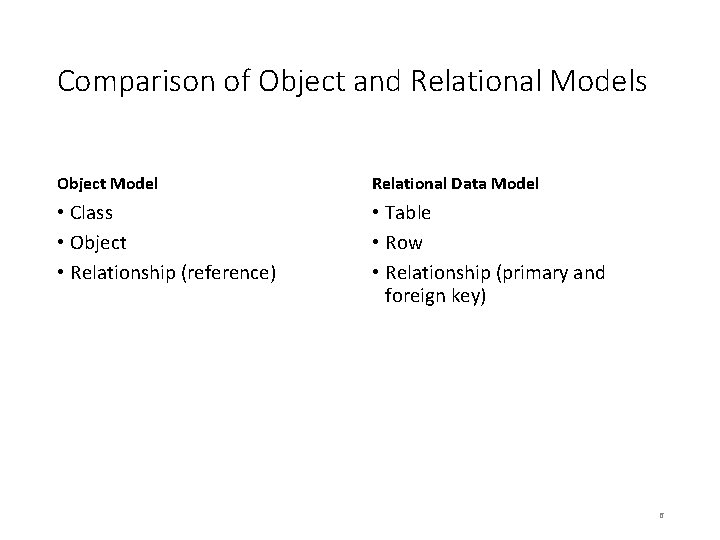
Comparison of Object and Relational Models Object Model Relational Data Model • Class • Object • Relationship (reference) • Table • Row • Relationship (primary and foreign key) 6
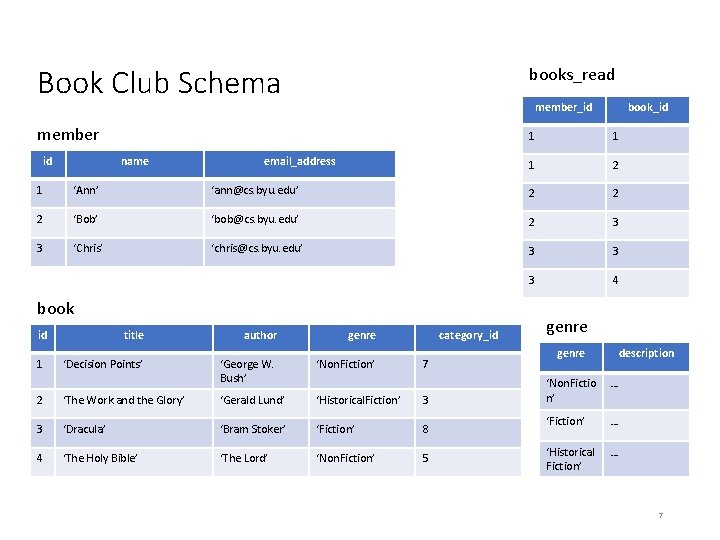
Book Club Schema books_read member 1 1 1 2 id name member_id email_address book_id 1 ‘Ann’ ‘ann@cs. byu. edu’ 2 2 2 ‘Bob’ ‘bob@cs. byu. edu’ 2 3 3 ‘Chris’ ‘chris@cs. byu. edu’ 3 3 3 4 book id 1 title author genre ‘Decision Points’ ‘George W. Bush’ ‘Non. Fiction’ category_id 7 2 ‘The Work and the Glory’ ‘Gerald Lund’ ‘Historical. Fiction’ 3 3 ‘Dracula’ ‘Bram Stoker’ ‘Fiction’ 8 4 ‘The Holy Bible’ ‘The Lord’ ‘Non. Fiction’ 5 genre description ‘Non. Fictio n’ … ‘Fiction’ … ‘Historical Fiction’ … 7
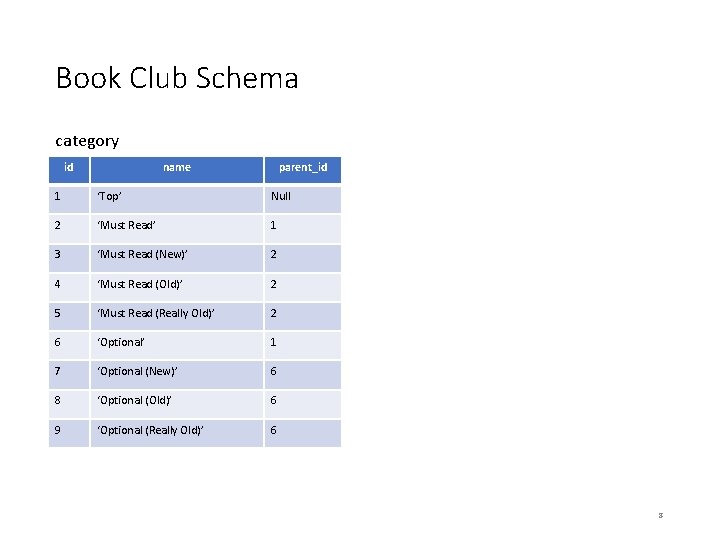
Book Club Schema category id name parent_id 1 ‘Top’ Null 2 ‘Must Read’ 1 3 ‘Must Read (New)’ 2 4 ‘Must Read (Old)’ 2 5 ‘Must Read (Really Old)’ 2 6 ‘Optional’ 1 7 ‘Optional (New)’ 6 8 ‘Optional (Old)’ 6 9 ‘Optional (Really Old)’ 6 8
Modeling Object Relationships • Connections between objects are represented using foreign keys • Foreign Key: A column in table T 1 stores primary keys of rows in table T 2 • Book Club Examples • Books_Read table stores Member and Book keys • Book table stores Category key • Category table stores parent Category key 9
Modeling Object Relationships • Types of Object Relationships • One-to-One • A Person has one Head; A Head belongs to one Person • Either table contains a foreign key referencing the other table • One-to-Many • • A Book has one Category; a Category has many Books A Book has one Genre; a Genre has many Books A Category has one parent Category; a Category has many sub Categories The “Many” table contains a foreign key referencing the “One” table • Many-to-Many • A Member has read many Books; a Book has been read by many Members • Create a “join table” (sometimes called an intersecting entity) whose rows contain foreign keys of both tables 10
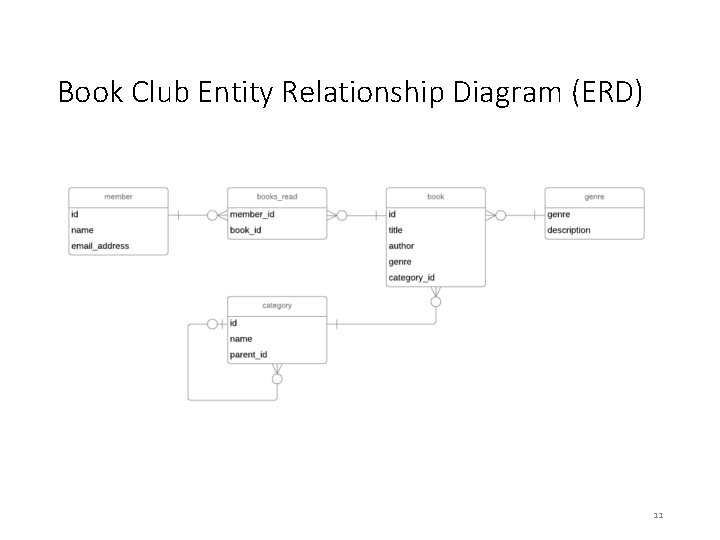
Book Club Entity Relationship Diagram (ERD) 11
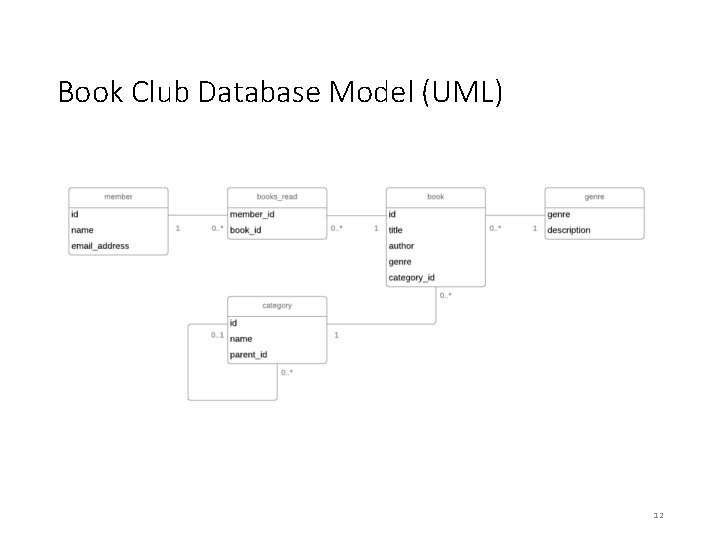
Book Club Database Model (UML) 12
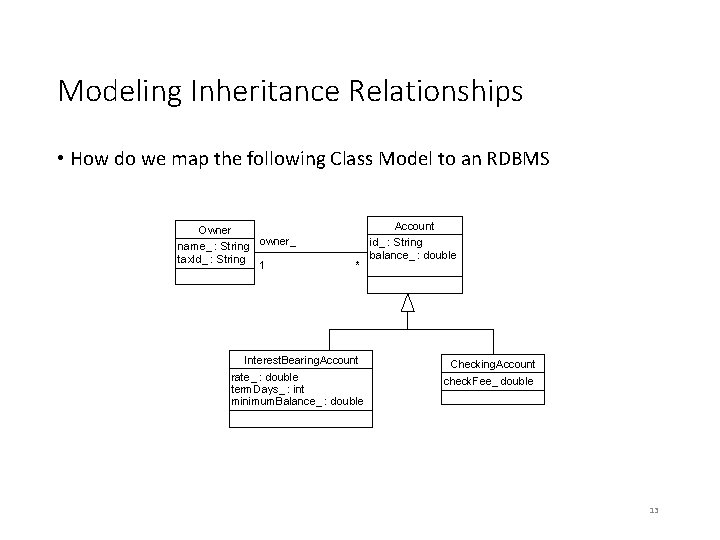
Modeling Inheritance Relationships • How do we map the following Class Model to an RDBMS Owner name_ : String tax. Id_ : String Account owner_ 1 * Interest. Bearing. Account rate_ : double term. Days_ : int minimum. Balance_ : double id_ : String balance_ : double Checking. Account check. Fee_ double 13
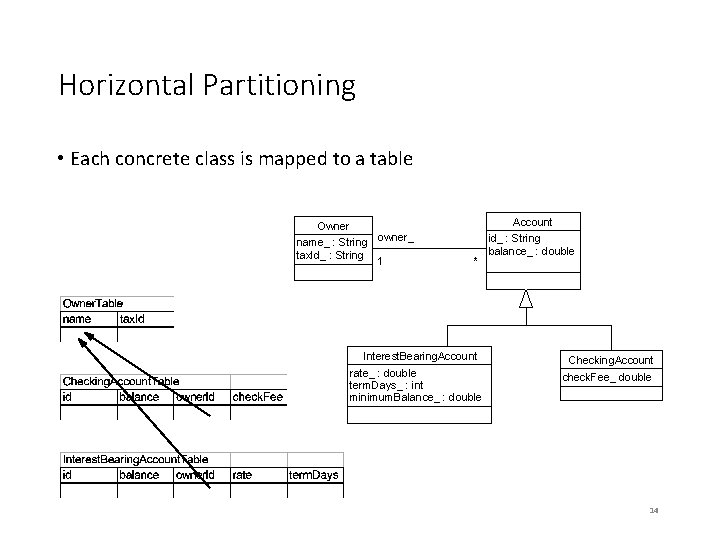
Horizontal Partitioning • Each concrete class is mapped to a table Owner name_ : String tax. Id_ : String Account owner_ 1 * Interest. Bearing. Account rate_ : double term. Days_ : int minimum. Balance_ : double id_ : String balance_ : double Checking. Account check. Fee_ double 14
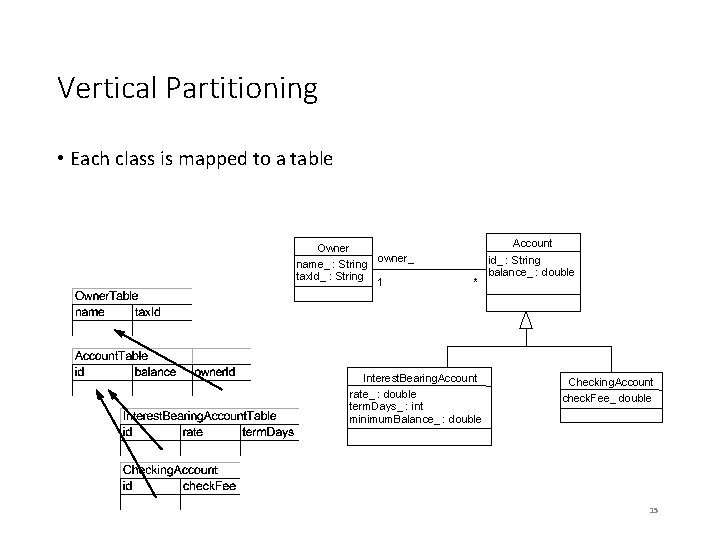
Vertical Partitioning • Each class is mapped to a table Owner name_ : String tax. Id_ : String Account owner_ 1 * Interest. Bearing. Account rate_ : double term. Days_ : int minimum. Balance_ : double id_ : String balance_ : double Checking. Account check. Fee_ double 15
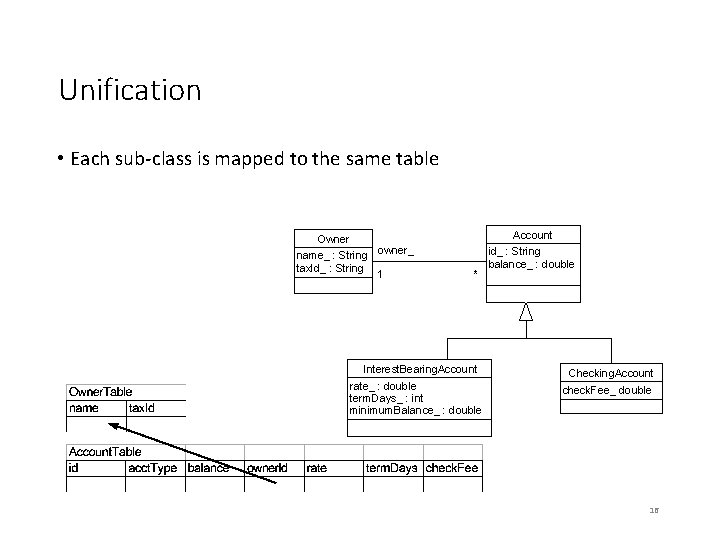
Unification • Each sub-class is mapped to the same table Owner name_ : String tax. Id_ : String Account owner_ 1 * Interest. Bearing. Account rate_ : double term. Days_ : int minimum. Balance_ : double id_ : String balance_ : double Checking. Account check. Fee_ double 16
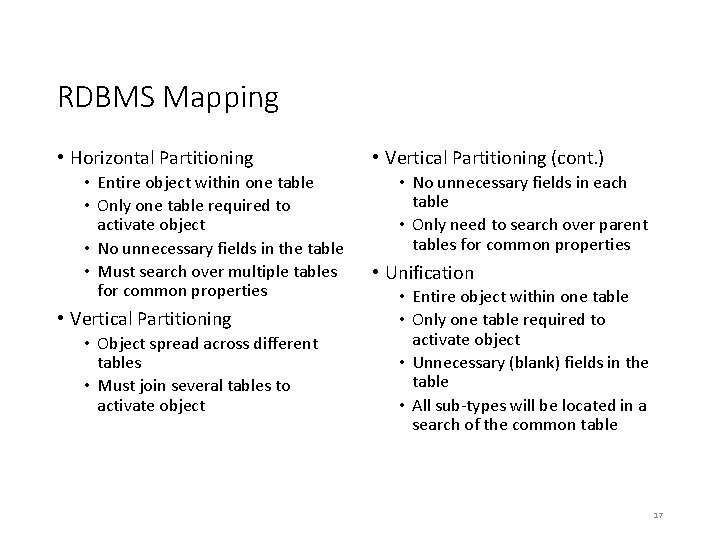
RDBMS Mapping • Horizontal Partitioning • Entire object within one table • Only one table required to activate object • No unnecessary fields in the table • Must search over multiple tables for common properties • Vertical Partitioning • Object spread across different tables • Must join several tables to activate object • Vertical Partitioning (cont. ) • No unnecessary fields in each table • Only need to search over parent tables for common properties • Unification • Entire object within one table • Only one table required to activate object • Unnecessary (blank) fields in the table • All sub-types will be located in a search of the common table 17
Structured Query Language (SQL) 18
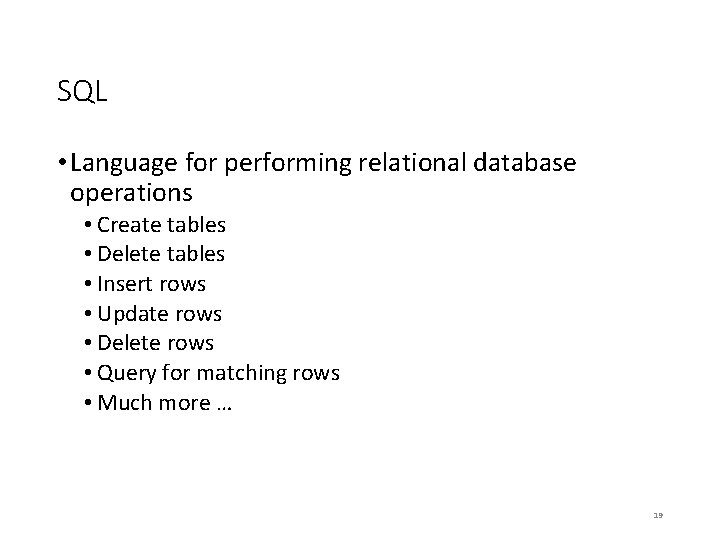
SQL • Language for performing relational database operations • Create tables • Delete tables • Insert rows • Update rows • Delete rows • Query for matching rows • Much more … 19
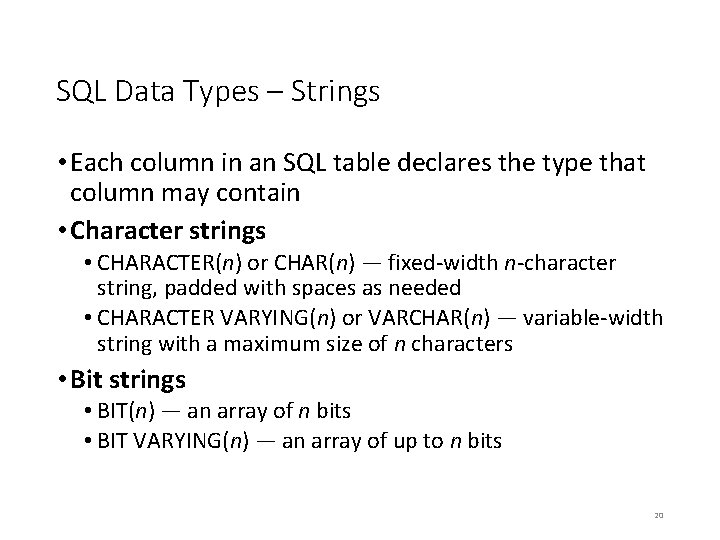
SQL Data Types – Strings • Each column in an SQL table declares the type that column may contain • Character strings • CHARACTER(n) or CHAR(n) — fixed-width n-character string, padded with spaces as needed • CHARACTER VARYING(n) or VARCHAR(n) — variable-width string with a maximum size of n characters • Bit strings • BIT(n) — an array of n bits • BIT VARYING(n) — an array of up to n bits 20
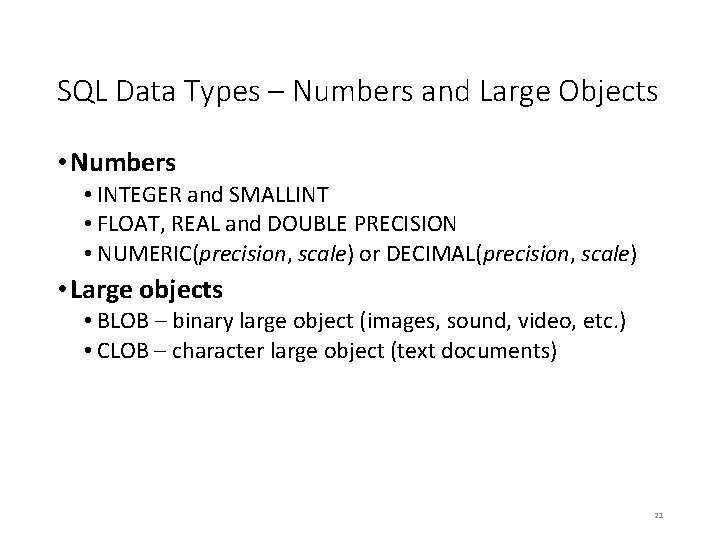
SQL Data Types – Numbers and Large Objects • Numbers • INTEGER and SMALLINT • FLOAT, REAL and DOUBLE PRECISION • NUMERIC(precision, scale) or DECIMAL(precision, scale) • Large objects • BLOB – binary large object (images, sound, video, etc. ) • CLOB – character large object (text documents) 21
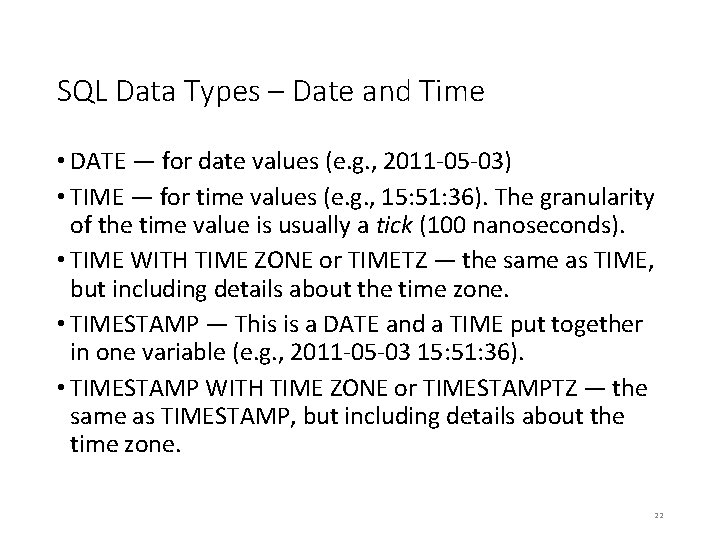
SQL Data Types – Date and Time • DATE — for date values (e. g. , 2011 -05 -03) • TIME — for time values (e. g. , 15: 51: 36). The granularity of the time value is usually a tick (100 nanoseconds). • TIME WITH TIME ZONE or TIMETZ — the same as TIME, but including details about the time zone. • TIMESTAMP — This is a DATE and a TIME put together in one variable (e. g. , 2011 -05 -03 15: 51: 36). • TIMESTAMP WITH TIME ZONE or TIMESTAMPTZ — the same as TIMESTAMP, but including details about the time zone. 22
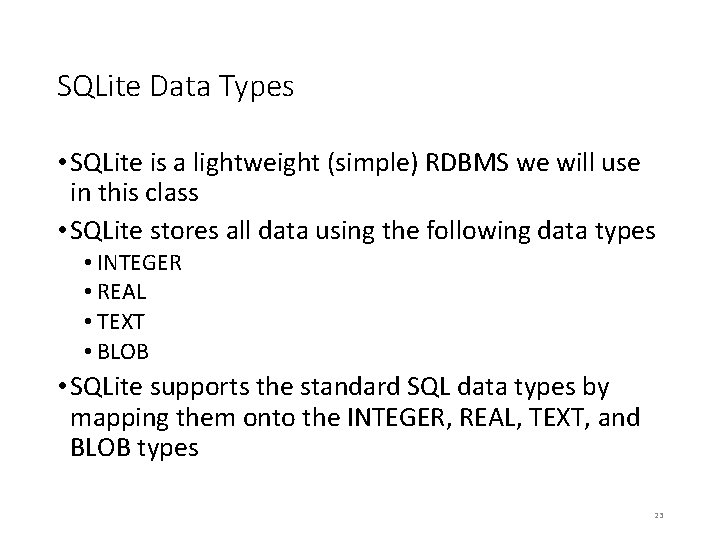
SQLite Data Types • SQLite is a lightweight (simple) RDBMS we will use in this class • SQLite stores all data using the following data types • INTEGER • REAL • TEXT • BLOB • SQLite supports the standard SQL data types by mapping them onto the INTEGER, REAL, TEXT, and BLOB types 23
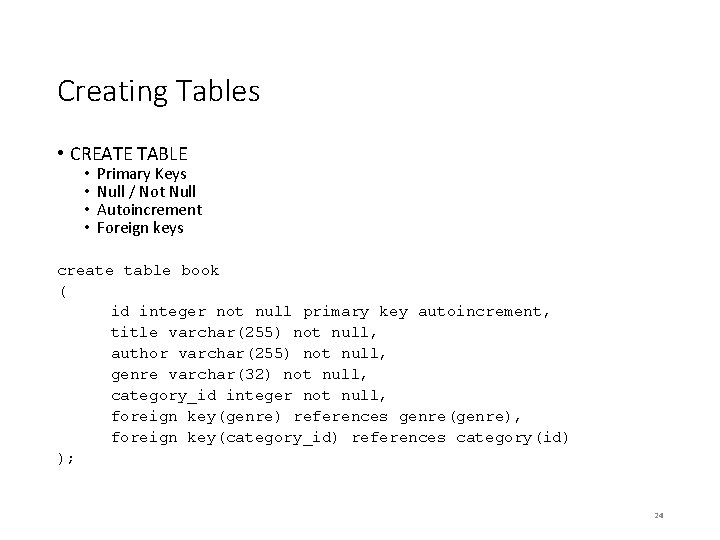
Creating Tables • CREATE TABLE • • Primary Keys Null / Not Null Autoincrement Foreign keys create table book ( id integer not null primary key autoincrement, title varchar(255) not null, author varchar(255) not null, genre varchar(32) not null, category_id integer not null, foreign key(genre) references genre(genre), foreign key(category_id) references category(id) ); 24
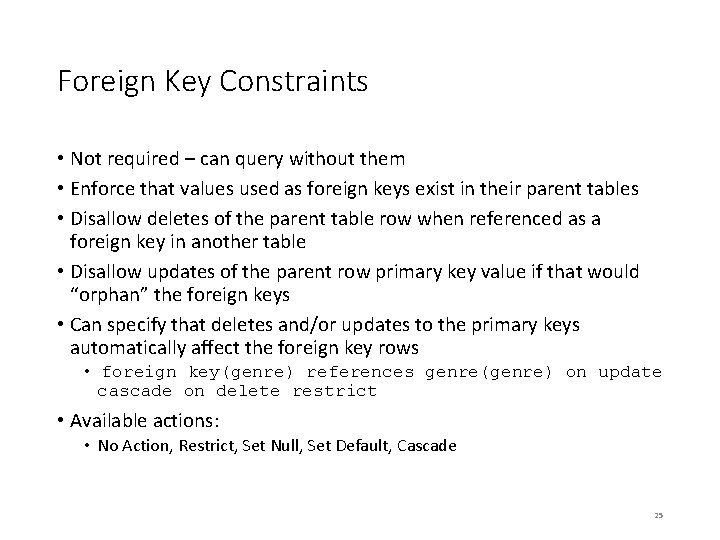
Foreign Key Constraints • Not required – can query without them • Enforce that values used as foreign keys exist in their parent tables • Disallow deletes of the parent table row when referenced as a foreign key in another table • Disallow updates of the parent row primary key value if that would “orphan” the foreign keys • Can specify that deletes and/or updates to the primary keys automatically affect the foreign key rows • foreign key(genre) references genre(genre) on update cascade on delete restrict • Available actions: • No Action, Restrict, Set Null, Set Default, Cascade 25
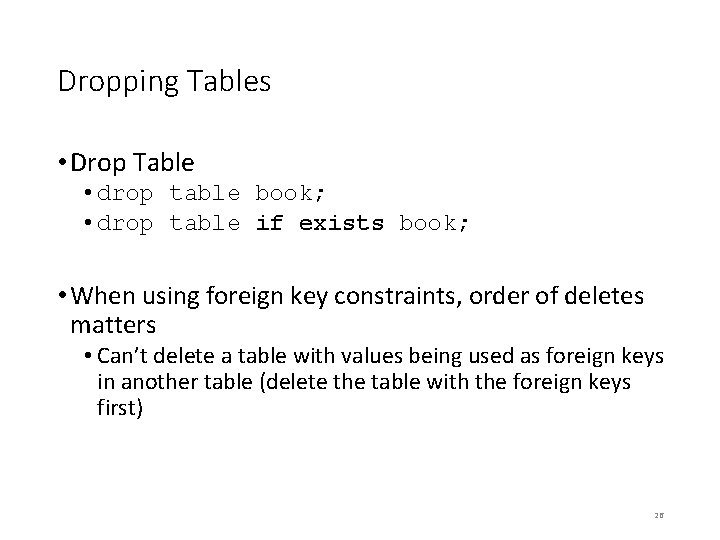
Dropping Tables • Drop Table • drop table book; • drop table if exists book; • When using foreign key constraints, order of deletes matters • Can’t delete a table with values being used as foreign keys in another table (delete the table with the foreign keys first) 26
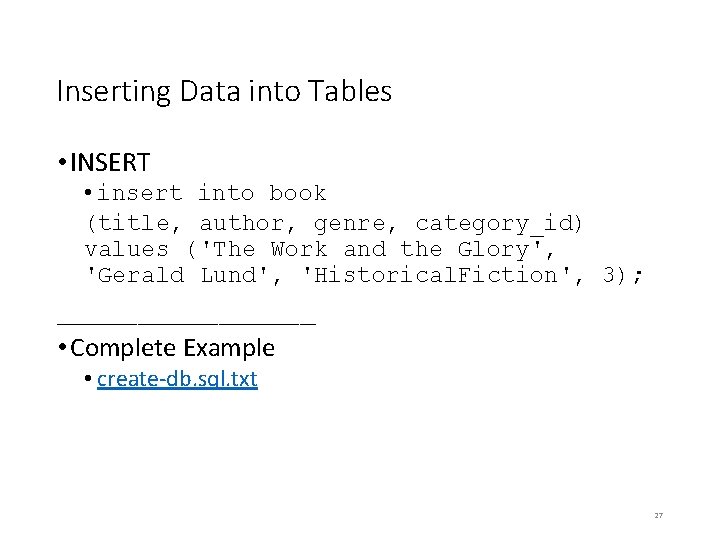
Inserting Data into Tables • INSERT • insert into book (title, author, genre, category_id) values ('The Work and the Glory', 'Gerald Lund', 'Historical. Fiction', 3); ________ • Complete Example • create-db. sql. txt 27
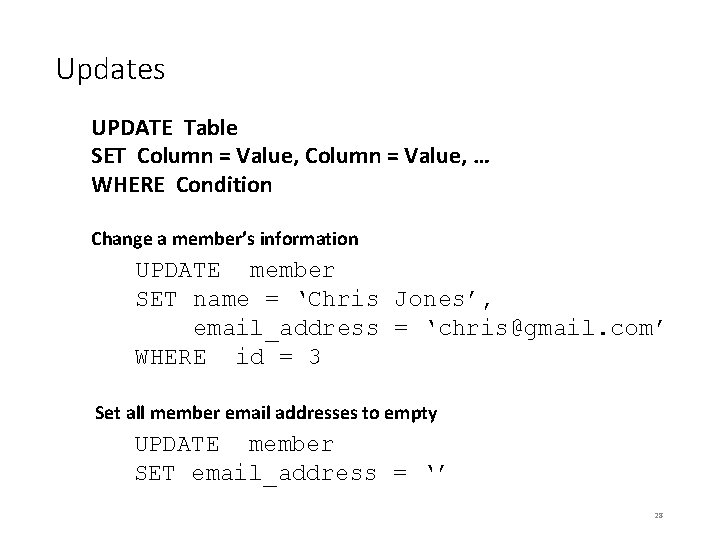
Updates UPDATE Table SET Column = Value, … WHERE Condition Change a member’s information UPDATE member SET name = ‘Chris Jones’, email_address = ‘chris@gmail. com’ WHERE id = 3 Set all member email addresses to empty UPDATE member SET email_address = ‘’ 28
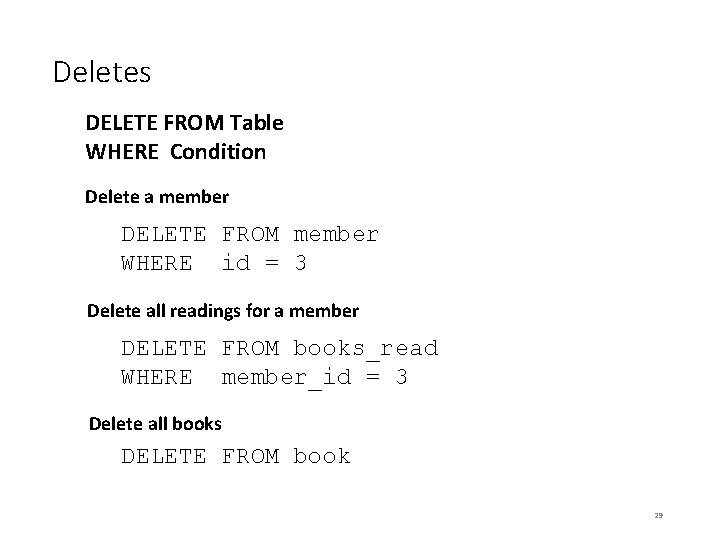
Deletes DELETE FROM Table WHERE Condition Delete a member DELETE FROM member WHERE id = 3 Delete all readings for a member DELETE FROM books_read WHERE member_id = 3 Delete all books DELETE FROM book 29
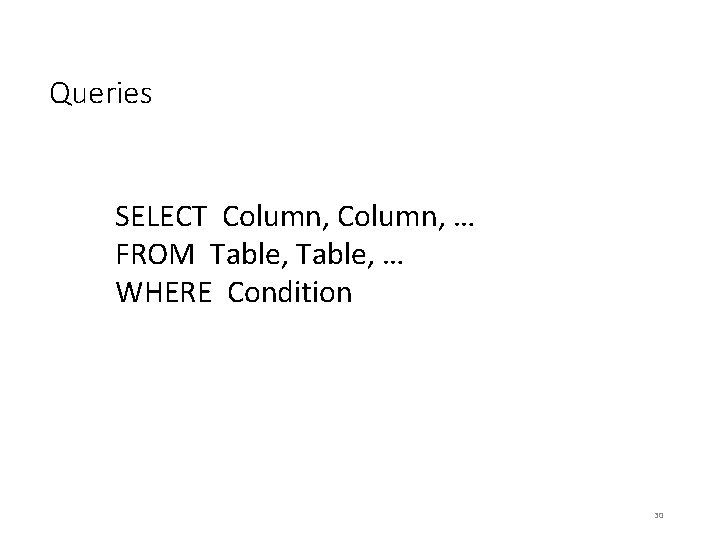
Queries SELECT Column, … FROM Table, … WHERE Condition 30
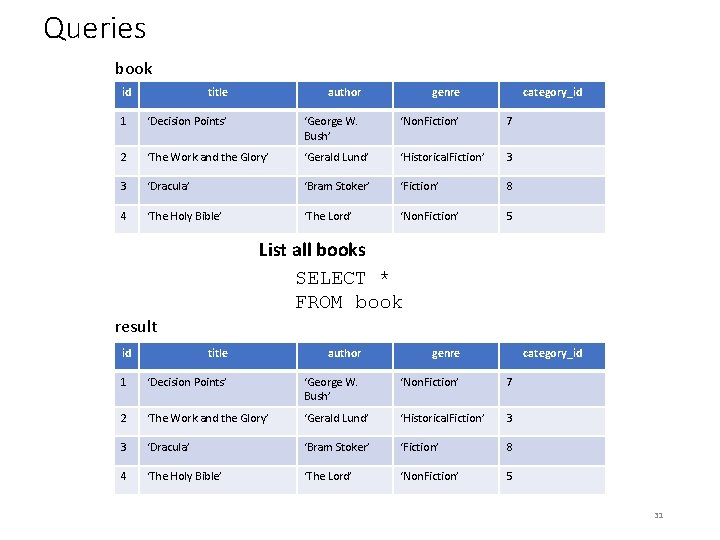
Queries book id title author genre category_id 1 ‘Decision Points’ ‘George W. Bush’ ‘Non. Fiction’ 7 2 ‘The Work and the Glory’ ‘Gerald Lund’ ‘Historical. Fiction’ 3 3 ‘Dracula’ ‘Bram Stoker’ ‘Fiction’ 8 4 ‘The Holy Bible’ ‘The Lord’ ‘Non. Fiction’ 5 List all books SELECT * FROM book result id title author genre category_id 1 ‘Decision Points’ ‘George W. Bush’ ‘Non. Fiction’ 7 2 ‘The Work and the Glory’ ‘Gerald Lund’ ‘Historical. Fiction’ 3 3 ‘Dracula’ ‘Bram Stoker’ ‘Fiction’ 8 4 ‘The Holy Bible’ ‘The Lord’ ‘Non. Fiction’ 5 31
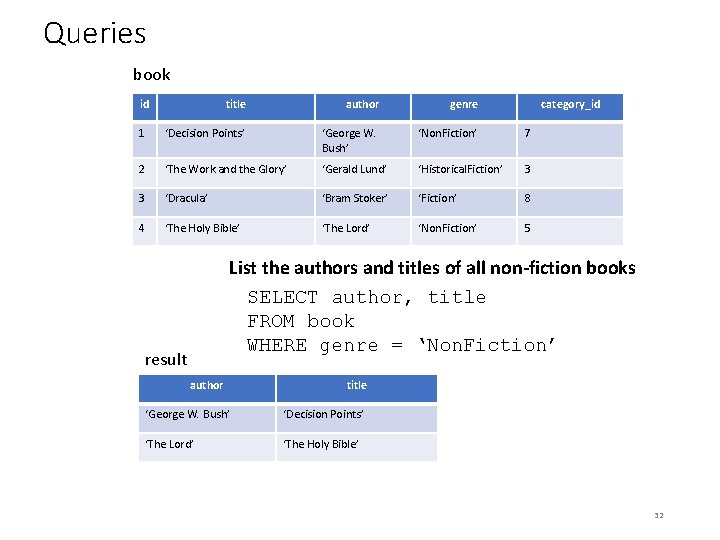
Queries book id title author genre category_id 1 ‘Decision Points’ ‘George W. Bush’ ‘Non. Fiction’ 7 2 ‘The Work and the Glory’ ‘Gerald Lund’ ‘Historical. Fiction’ 3 3 ‘Dracula’ ‘Bram Stoker’ ‘Fiction’ 8 4 ‘The Holy Bible’ ‘The Lord’ ‘Non. Fiction’ 5 List the authors and titles of all non-fiction books SELECT author, title FROM book WHERE genre = ‘Non. Fiction’ result author title ‘George W. Bush’ ‘Decision Points’ ‘The Lord’ ‘The Holy Bible’ 32
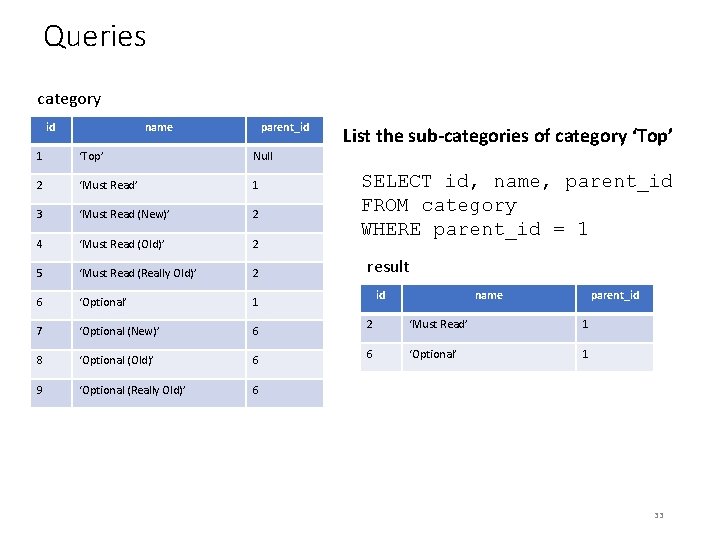
Queries category id name parent_id 1 ‘Top’ Null 2 ‘Must Read’ 1 3 ‘Must Read (New)’ 2 4 ‘Must Read (Old)’ 2 5 ‘Must Read (Really Old)’ 2 6 ‘Optional’ 1 7 ‘Optional (New)’ 6 8 ‘Optional (Old)’ 6 9 ‘Optional (Really Old)’ 6 List the sub-categories of category ‘Top’ SELECT id, name, parent_id FROM category WHERE parent_id = 1 result id name parent_id 2 ‘Must Read’ 1 6 ‘Optional’ 1 33
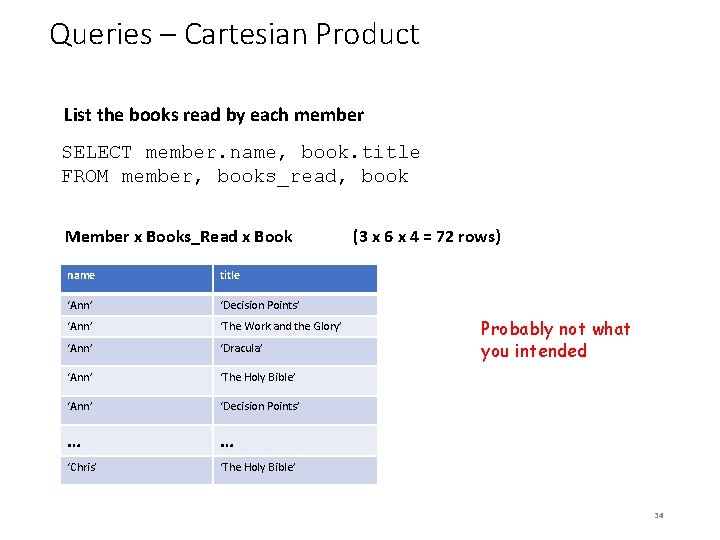
Queries – Cartesian Product List the books read by each member SELECT member. name, book. title FROM member, books_read, book Member x Books_Read x Book name title ‘Ann’ ‘Decision Points’ ‘Ann’ ‘The Work and the Glory’ ‘Ann’ ‘Dracula’ ‘Ann’ ‘The Holy Bible’ ‘Ann’ ‘Decision Points’ … … ‘Chris’ ‘The Holy Bible’ (3 x 6 x 4 = 72 rows) Probably not what you intended 34
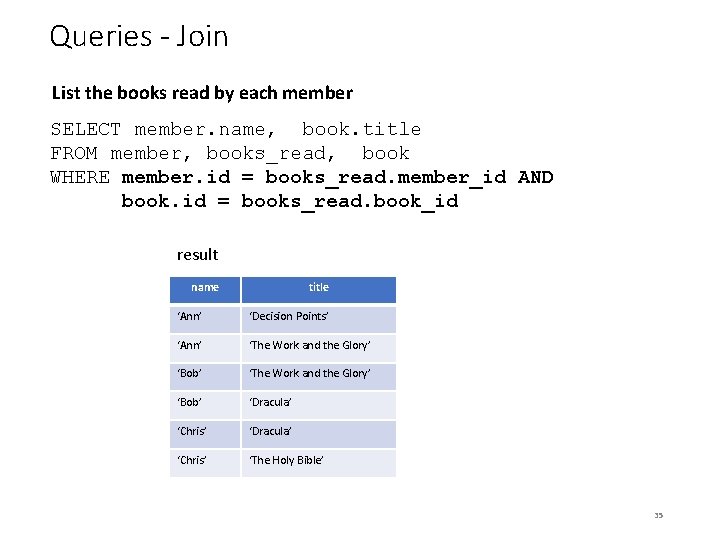
Queries - Join List the books read by each member SELECT member. name, book. title FROM member, books_read, book WHERE member. id = books_read. member_id AND book. id = books_read. book_id result name title ‘Ann’ ‘Decision Points’ ‘Ann’ ‘The Work and the Glory’ ‘Bob’ ‘Dracula’ ‘Chris’ ‘The Holy Bible’ 35
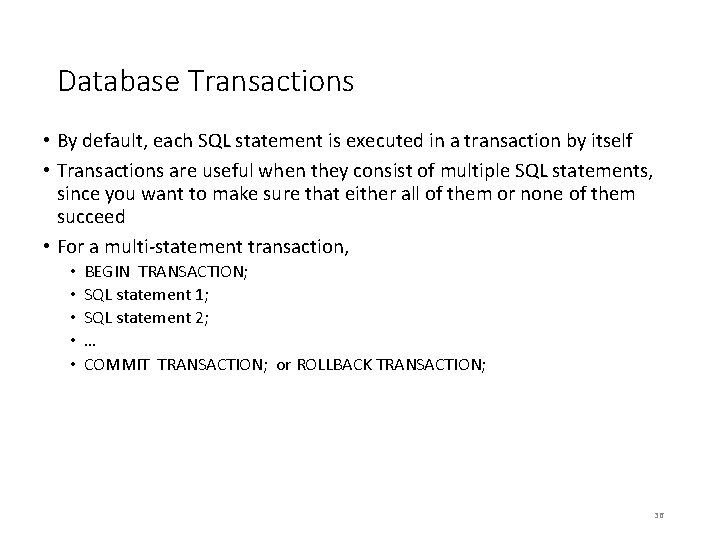
Database Transactions • By default, each SQL statement is executed in a transaction by itself • Transactions are useful when they consist of multiple SQL statements, since you want to make sure that either all of them or none of them succeed • For a multi-statement transaction, • • • BEGIN TRANSACTION; SQL statement 1; SQL statement 2; … COMMIT TRANSACTION; or ROLLBACK TRANSACTION; 36
Java Database Access (JDBC) 37
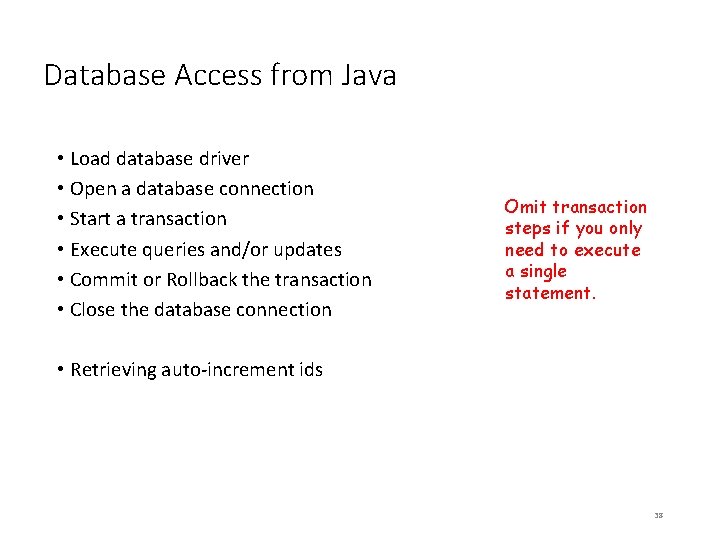
Database Access from Java • Load database driver • Open a database connection • Start a transaction • Execute queries and/or updates • Commit or Rollback the transaction • Close the database connection Omit transaction steps if you only need to execute a single statement. • Retrieving auto-increment ids 38
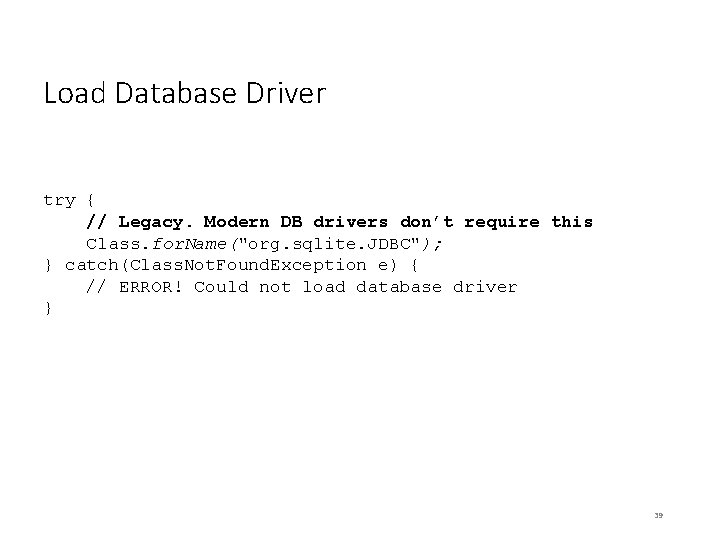
Load Database Driver try { // Legacy. Modern DB drivers don’t require this Class. for. Name("org. sqlite. JDBC"); } catch(Class. Not. Found. Exception e) { // ERROR! Could not load database driver } 39
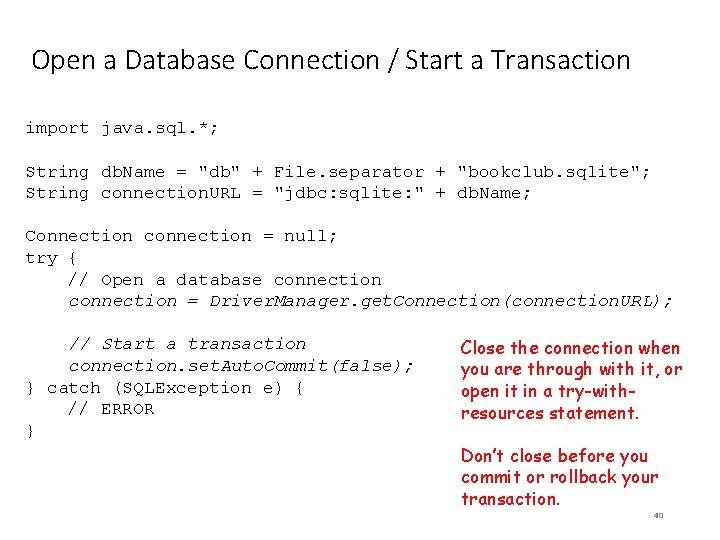
Open a Database Connection / Start a Transaction import java. sql. *; String db. Name = "db" + File. separator + "bookclub. sqlite"; String connection. URL = "jdbc: sqlite: " + db. Name; Connection connection = null; try { // Open a database connection = Driver. Manager. get. Connection(connection. URL); // Start a transaction connection. set. Auto. Commit(false); } catch (SQLException e) { // ERROR } Close the connection when you are through with it, or open it in a try-withresources statement. Don’t close before you commit or rollback your transaction. 40
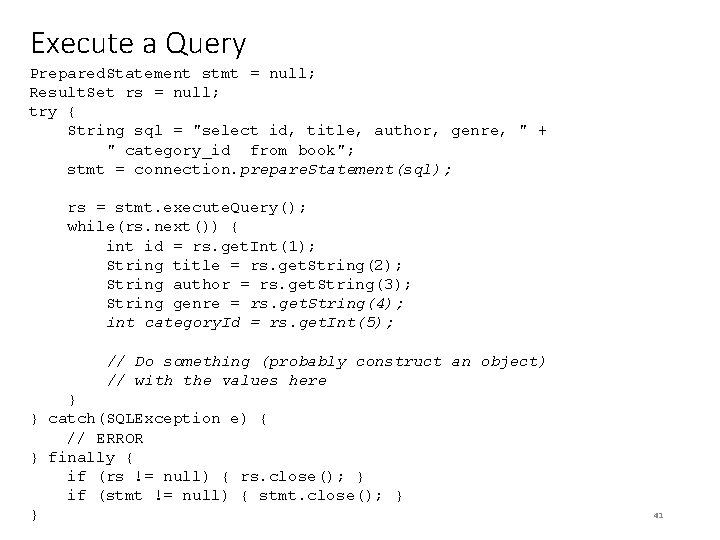
Execute a Query Prepared. Statement stmt = null; Result. Set rs = null; try { String sql = "select id, title, author, genre, " + " category_id from book"; stmt = connection. prepare. Statement(sql); rs = stmt. execute. Query(); while(rs. next()) { int id = rs. get. Int(1); String title = rs. get. String(2); String author = rs. get. String(3); String genre = rs. get. String(4); int category. Id = rs. get. Int(5); // Do something (probably construct an object) // with the values here } } catch(SQLException e) { // ERROR } finally { if (rs != null) { rs. close(); } if (stmt != null) { stmt. close(); } } 41
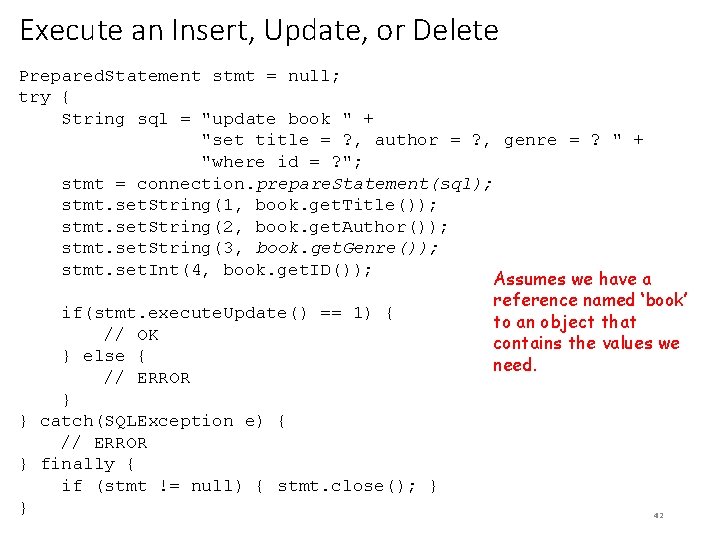
Execute an Insert, Update, or Delete Prepared. Statement stmt = null; try { String sql = "update book " + "set title = ? , author = ? , genre = ? " + "where id = ? "; stmt = connection. prepare. Statement(sql); stmt. set. String(1, book. get. Title()); stmt. set. String(2, book. get. Author()); stmt. set. String(3, book. get. Genre()); stmt. set. Int(4, book. get. ID()); Assumes we have a reference named ‘book’ if(stmt. execute. Update() == 1) { to an object that // OK contains the values we } else { need. // ERROR } } catch(SQLException e) { // ERROR } finally { if (stmt != null) { stmt. close(); } } 42
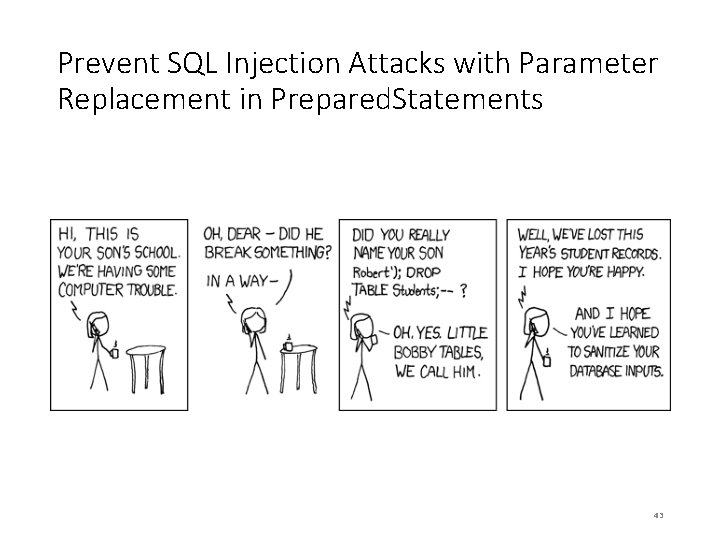
Prevent SQL Injection Attacks with Parameter Replacement in Prepared. Statements 43
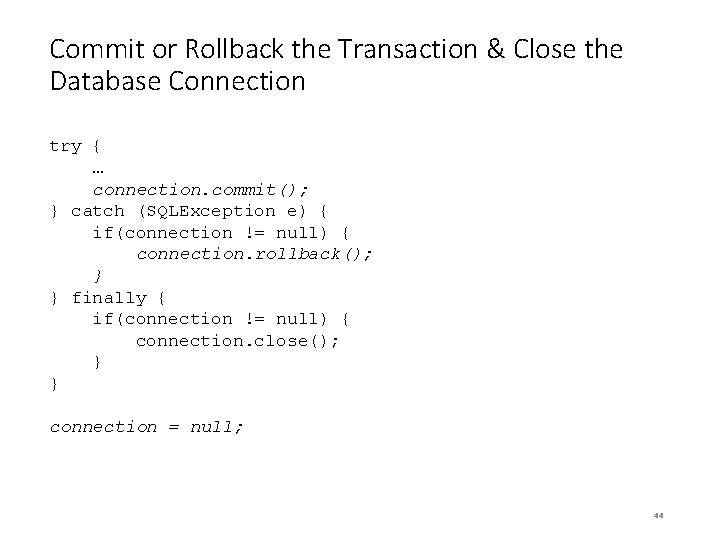
Commit or Rollback the Transaction & Close the Database Connection try { … connection. commit(); } catch (SQLException e) { if(connection != null) { connection. rollback(); } } finally { if(connection != null) { connection. close(); } } connection = null; 44
Putting It All Together • Code Example • Database. Access. Example. java • Book. java 45
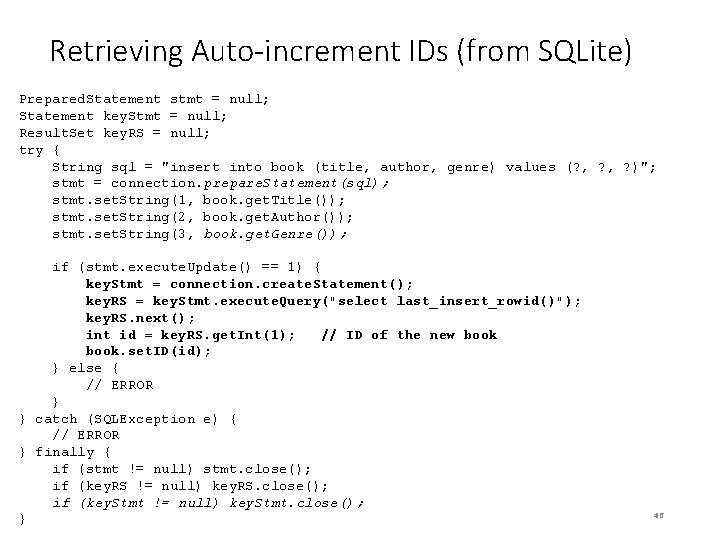
Retrieving Auto-increment IDs (from SQLite) Prepared. Statement stmt = null; Statement key. Stmt = null; Result. Set key. RS = null; try { String sql = "insert into book (title, author, genre) values (? , ? )"; stmt = connection. prepare. Statement(sql); stmt. set. String(1, book. get. Title()); stmt. set. String(2, book. get. Author()); stmt. set. String(3, book. get. Genre()); if (stmt. execute. Update() == 1) { key. Stmt = connection. create. Statement(); key. RS = key. Stmt. execute. Query("select last_insert_rowid()"); key. RS. next(); int id = key. RS. get. Int(1); // ID of the new book. set. ID(id); } else { // ERROR } } catch (SQLException e) { // ERROR } finally { if (stmt != null) stmt. close(); if (key. RS != null) key. RS. close(); if (key. Stmt != null) key. Stmt. close(); } 46
The SQLite RDMS 47
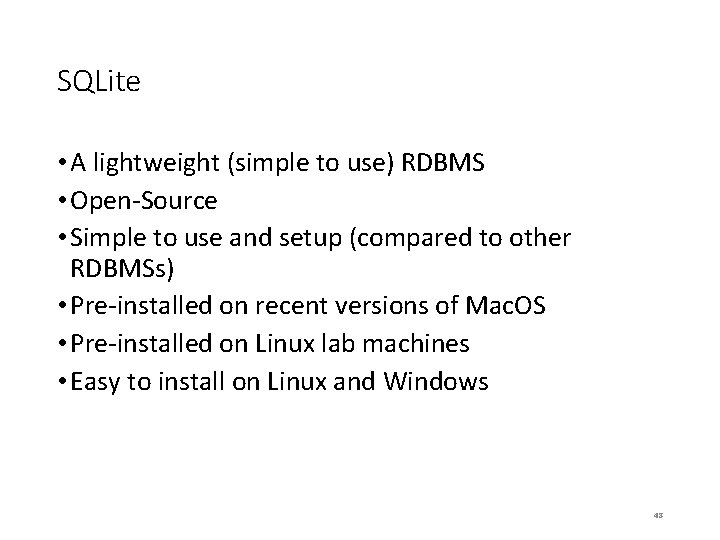
SQLite • A lightweight (simple to use) RDBMS • Open-Source • Simple to use and setup (compared to other RDBMSs) • Pre-installed on recent versions of Mac. OS • Pre-installed on Linux lab machines • Easy to install on Linux and Windows 48
Installing on Mac. OS • Do nothing. It’s already there. 49
Installing on Linux • Download the source file from (usually the second file listed) http: //www. sqlite. org/download. html • tar –xzvf the downloaded file • cd to the new folder • . /configure • make install 50
Installing on Windows • Download the first two zip files from the section labeled Precompiled Binaries for Windows. • Unzip them and place three resulting files in C: WINDOWSsystem 32 (or any directory on you PATH. • Alternative: I created a new directory called SQLite in C: Program Files (x 86) and placed the three files in that location. I then extended the PATH variable to search that location 51
Installing a GUI Browser/Admin Tool • Stand-Alone Tool (recommended) • Download and install DB Browser for SQLite (https: //sqlitebrowser. org/) • Browser Extensions • There are extensions for the popular browsers (find them with a Google search) 52
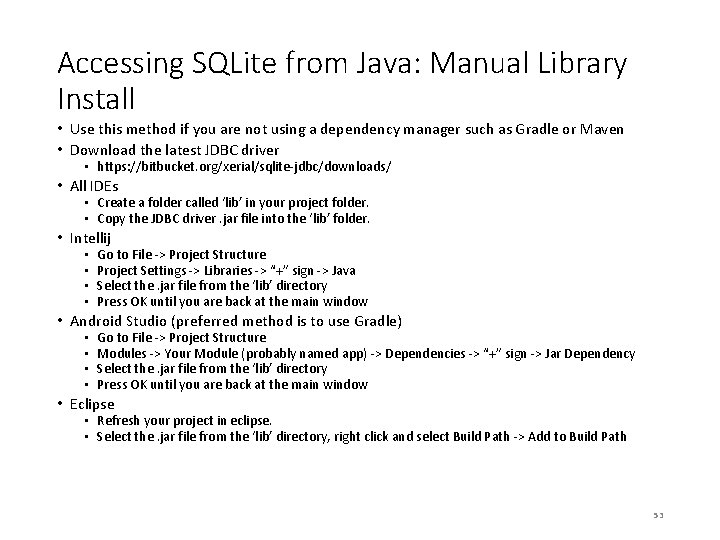
Accessing SQLite from Java: Manual Library Install • Use this method if you are not using a dependency manager such as Gradle or Maven • Download the latest JDBC driver • https: //bitbucket. org/xerial/sqlite-jdbc/downloads/ • All IDEs • Create a folder called ‘lib’ in your project folder. • Copy the JDBC driver. jar file into the ‘lib’ folder. • Intellij • • Go to File -> Project Structure Project Settings -> Libraries -> “+” sign -> Java Select the. jar file from the ‘lib’ directory Press OK until you are back at the main window • Android Studio (preferred method is to use Gradle) • • Go to File -> Project Structure Modules -> Your Module (probably named app) -> Dependencies -> “+” sign -> Jar Dependency Select the. jar file from the ‘lib’ directory Press OK until you are back at the main window • Eclipse • Refresh your project in eclipse. • Select the. jar file from the ‘lib’ directory, right click and select Build Path -> Add to Build Path 53
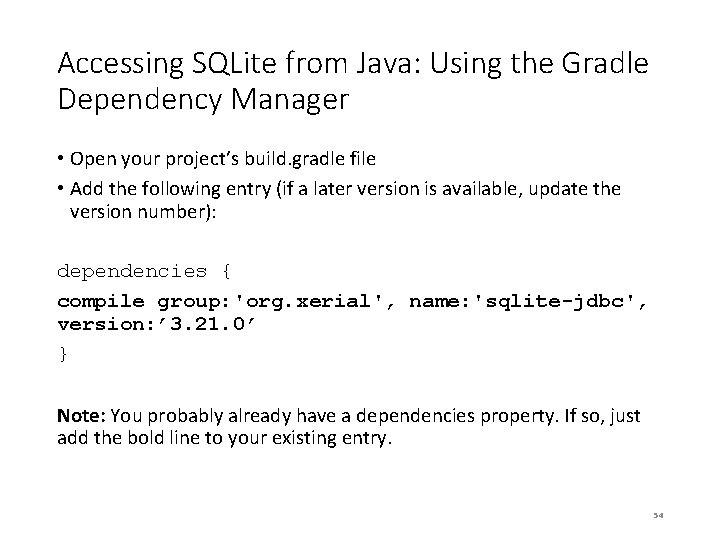
Accessing SQLite from Java: Using the Gradle Dependency Manager • Open your project’s build. gradle file • Add the following entry (if a later version is available, update the version number): dependencies { compile group: 'org. xerial', name: 'sqlite-jdbc', version: ’ 3. 21. 0’ } Note: You probably already have a dependencies property. If so, just add the bold line to your existing entry. 54
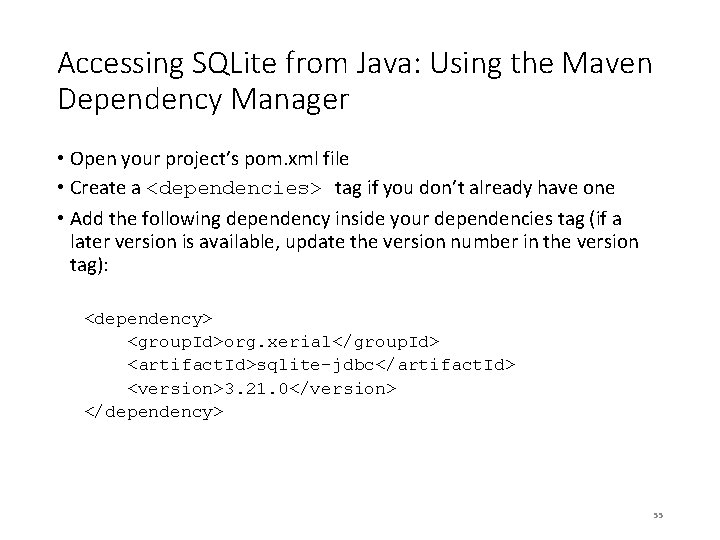
Accessing SQLite from Java: Using the Maven Dependency Manager • Open your project’s pom. xml file • Create a <dependencies> tag if you don’t already have one • Add the following dependency inside your dependencies tag (if a later version is available, update the version number in the version tag): <dependency> <group. Id>org. xerial</group. Id> <artifact. Id>sqlite-jdbc</artifact. Id> <version>3. 21. 0</version> </dependency> 55
- Slides: 55