
Relational Databases Charles Severance Relational Databases Relational databases
Relational Databases Charles Severance
Relational Databases Relational databases model data by storing rows and columns in tables. The power of the relational database lies in its ability to efficiently retrieve data from those tables and in particular where there are multiple tables and the relatinships between those tables involved in the query. http: //en. wikipedia. org/wiki/Relational_database
SQLite Database Browser • • SQLite is a very popular browser - it is free and fast and small We have a program to manipulate SQLite databases http: //sqlitebrowser. sourceforge. net/ SQLite is embedded in Python and a number of other languages
SQLite is in lots of software. . . Symbian GE Adobe Python Philips Skype Mc. Afee Apple Microsoft Firefox PHP Toshiba Sun Microsystems Google http: //www. sqlite. org/famous. html
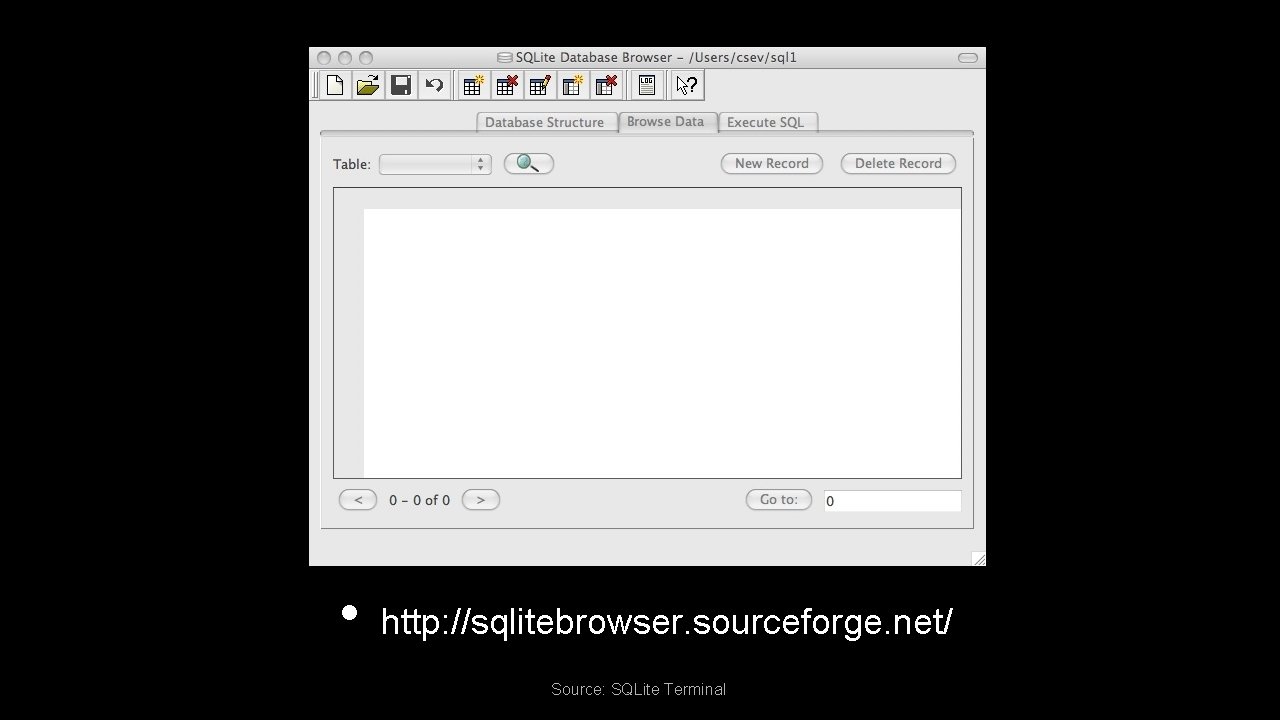
• http: //sqlitebrowser. sourceforge. net/ Source: SQLite Terminal
Start Simple - A Single Table • Lets make a table of People - with a Name and an E-Mail
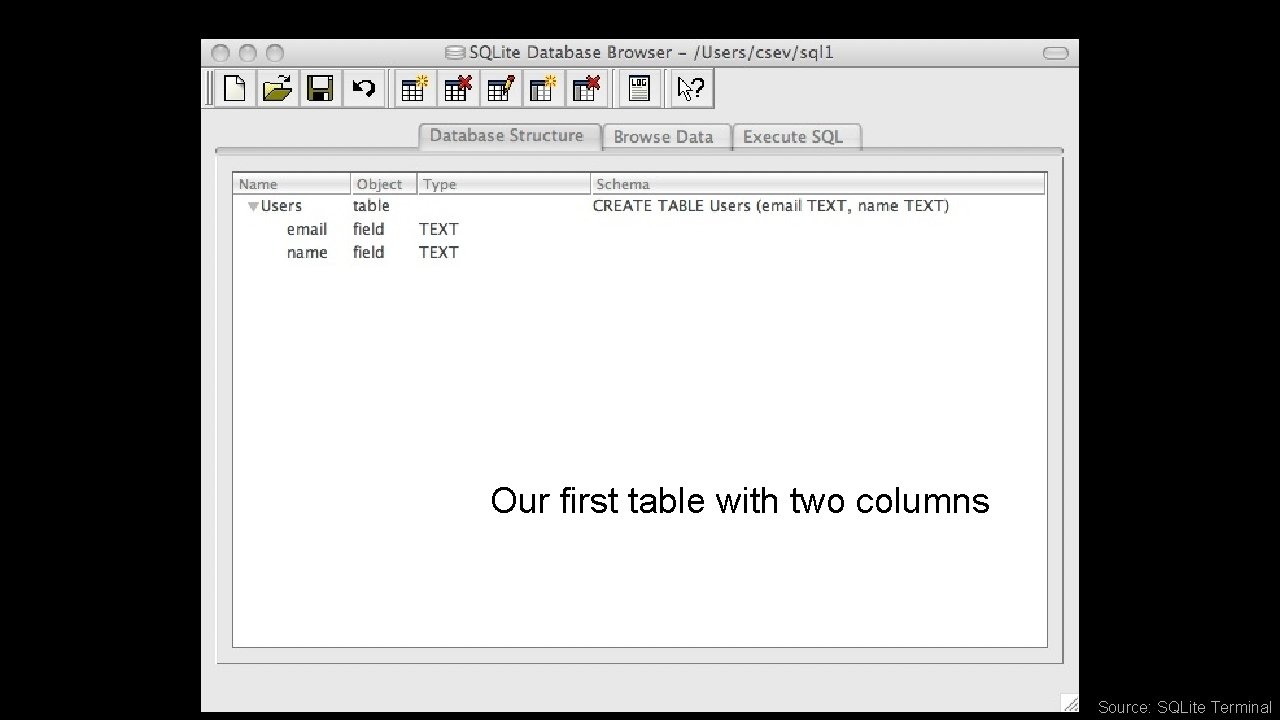
Our first table with two columns Source: SQLite Terminal
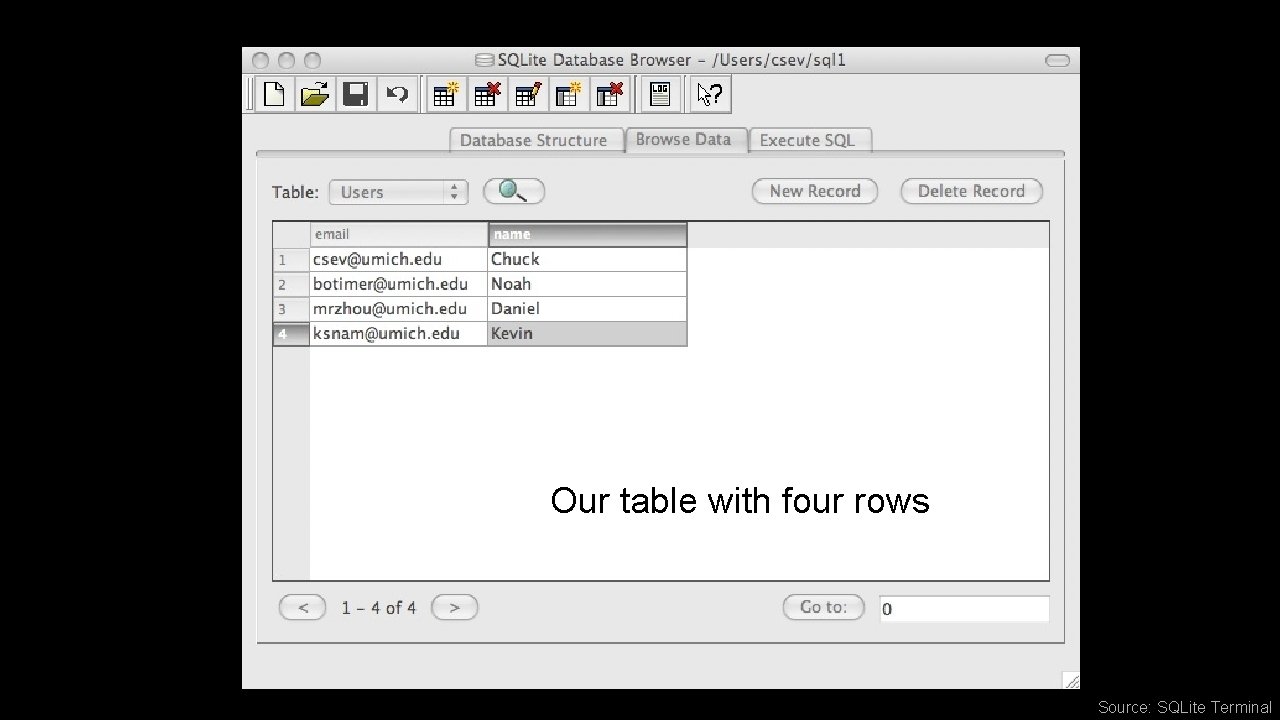
Our table with four rows Source: SQLite Terminal
SQL • Structured Query Language is the language we use to issue commands to the database • • Create a table Retieve some data Insert data Delete data http: //en. wikipedia. org/wiki/SQL
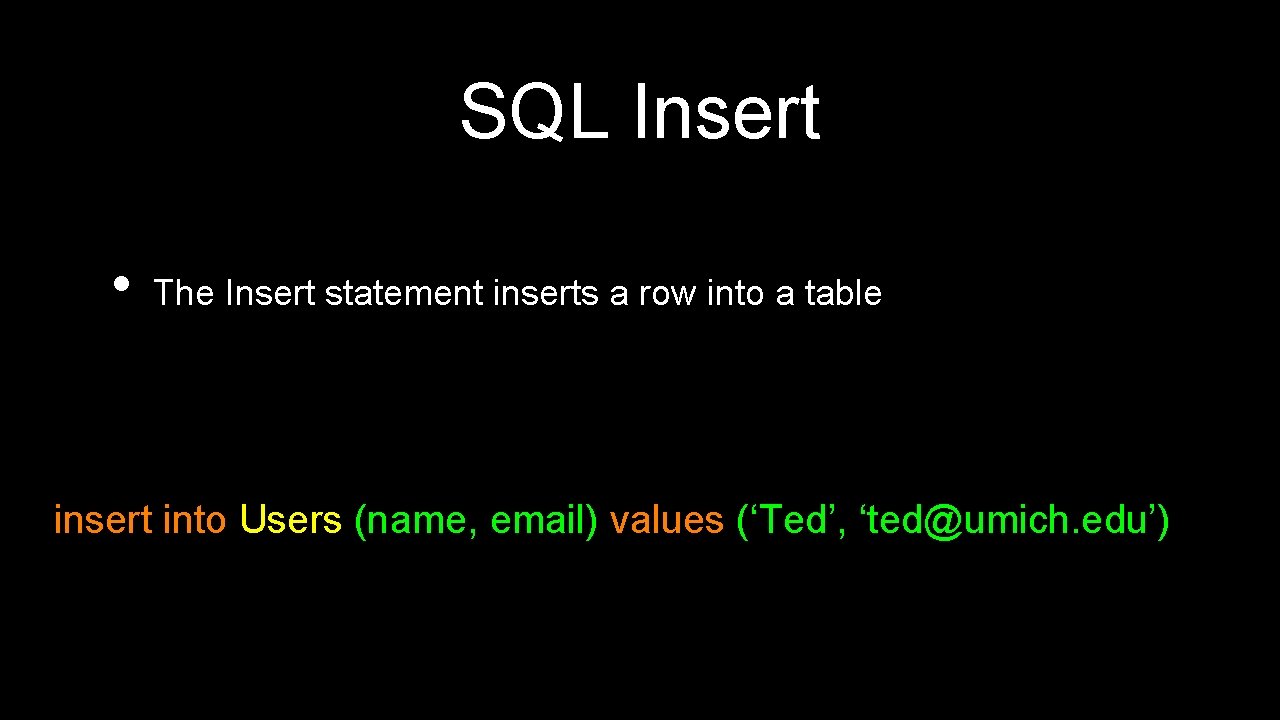
SQL Insert • The Insert statement inserts a row into a table insert into Users (name, email) values (‘Ted’, ‘ted@umich. edu’)
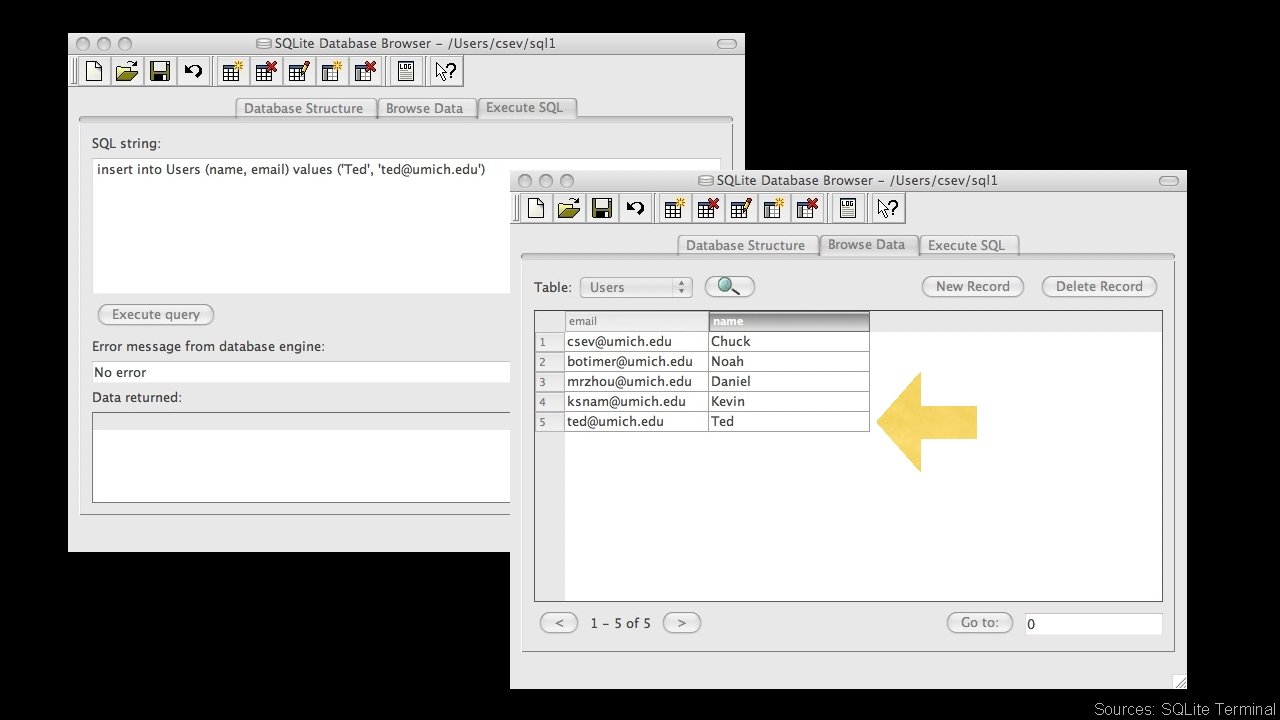
Sources: SQLite Terminal
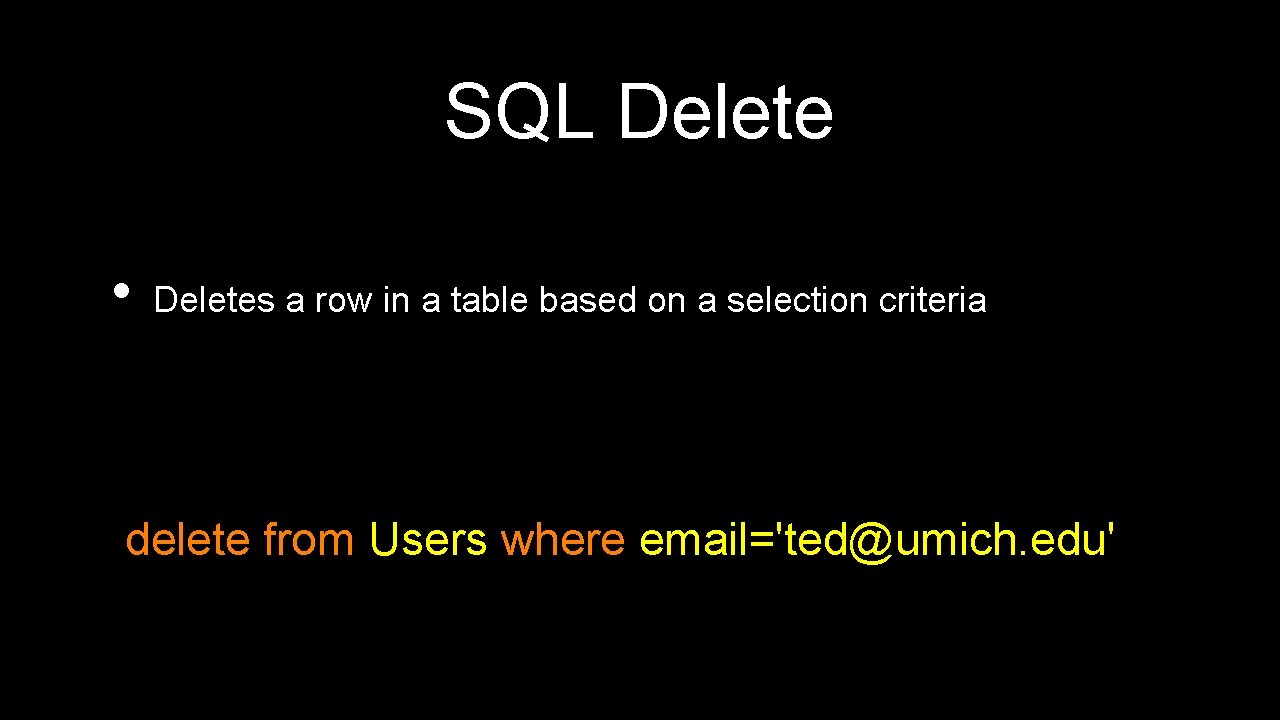
SQL Delete • Deletes a row in a table based on a selection criteria delete from Users where email='ted@umich. edu'
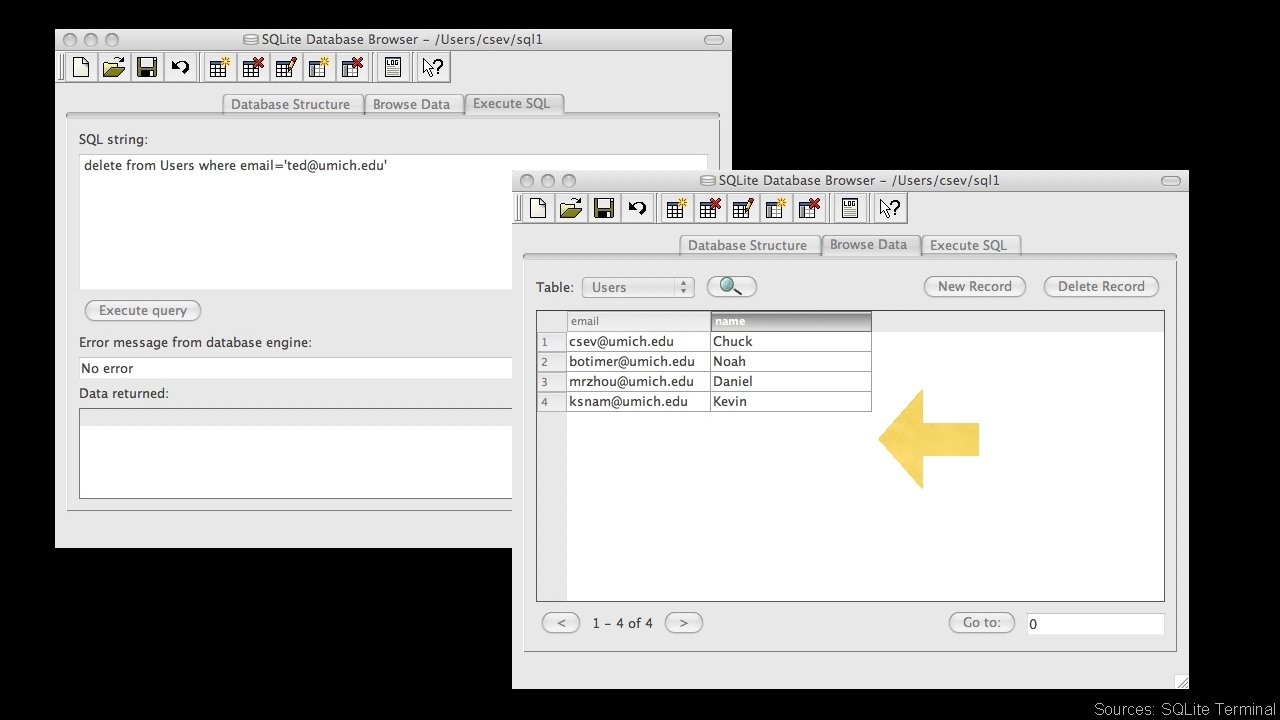
Sources: SQLite Terminal
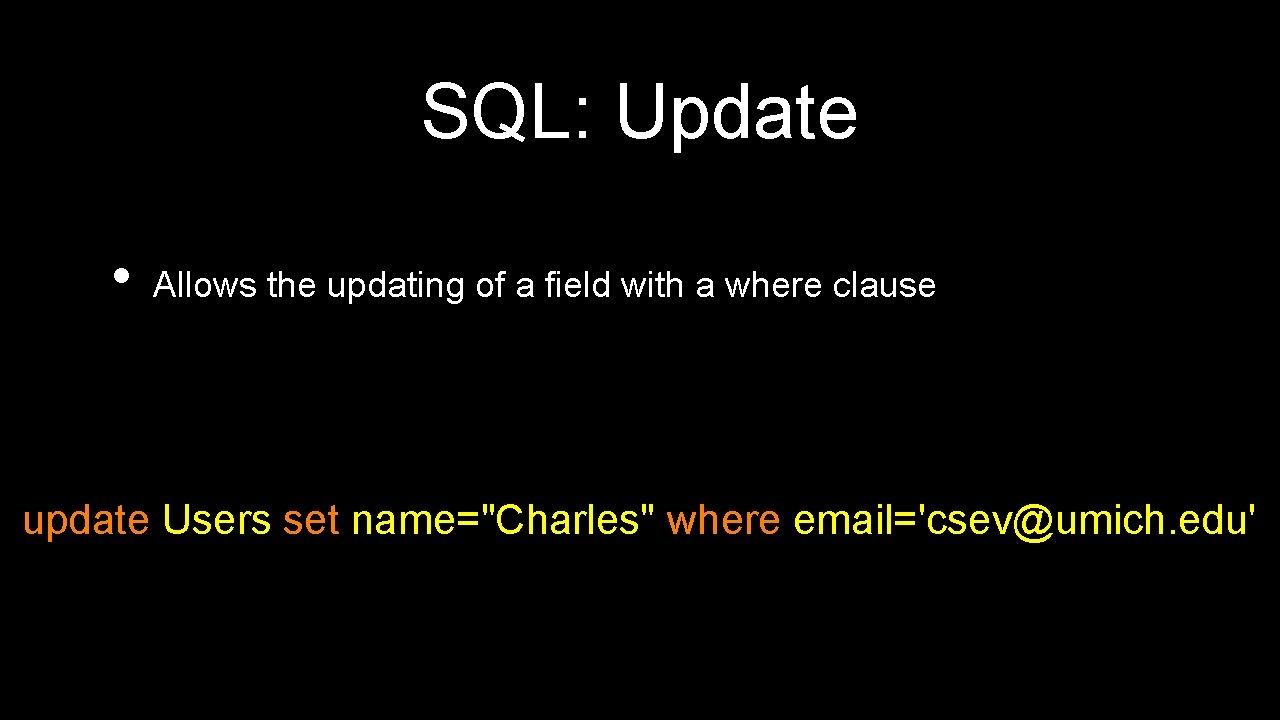
SQL: Update • Allows the updating of a field with a where clause update Users set name="Charles" where email='csev@umich. edu'
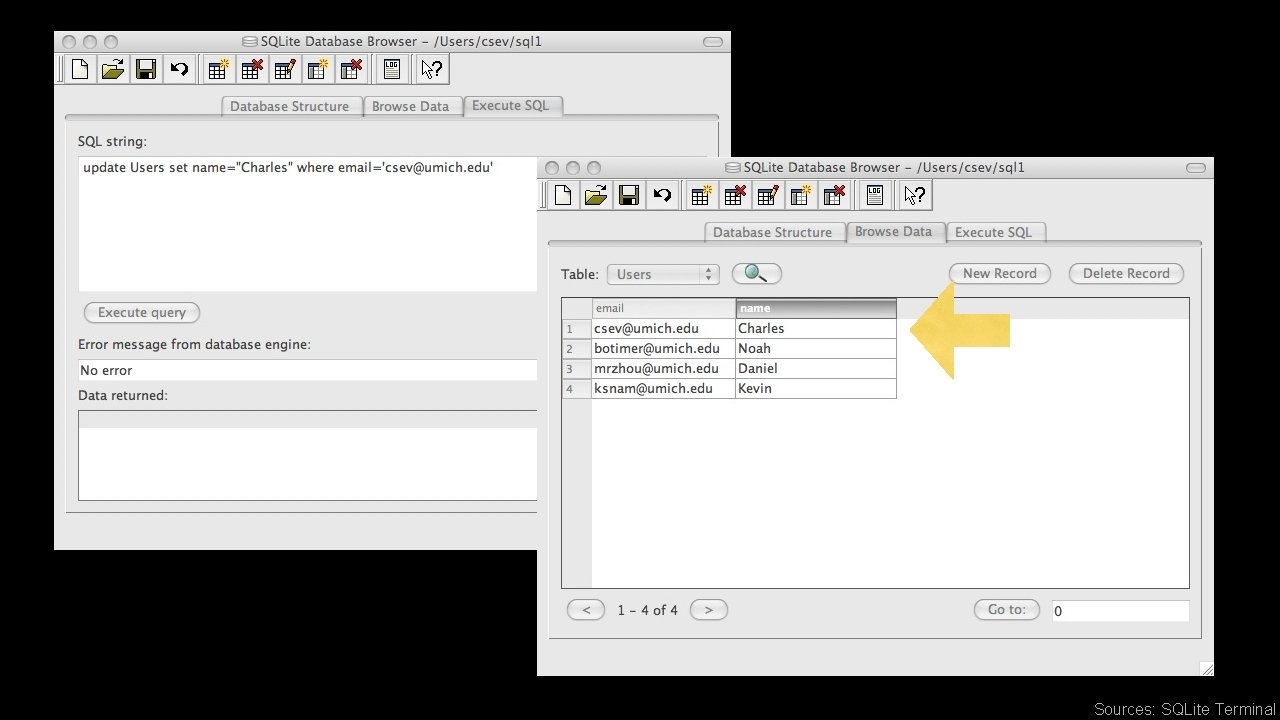
Sources: SQLite Terminal
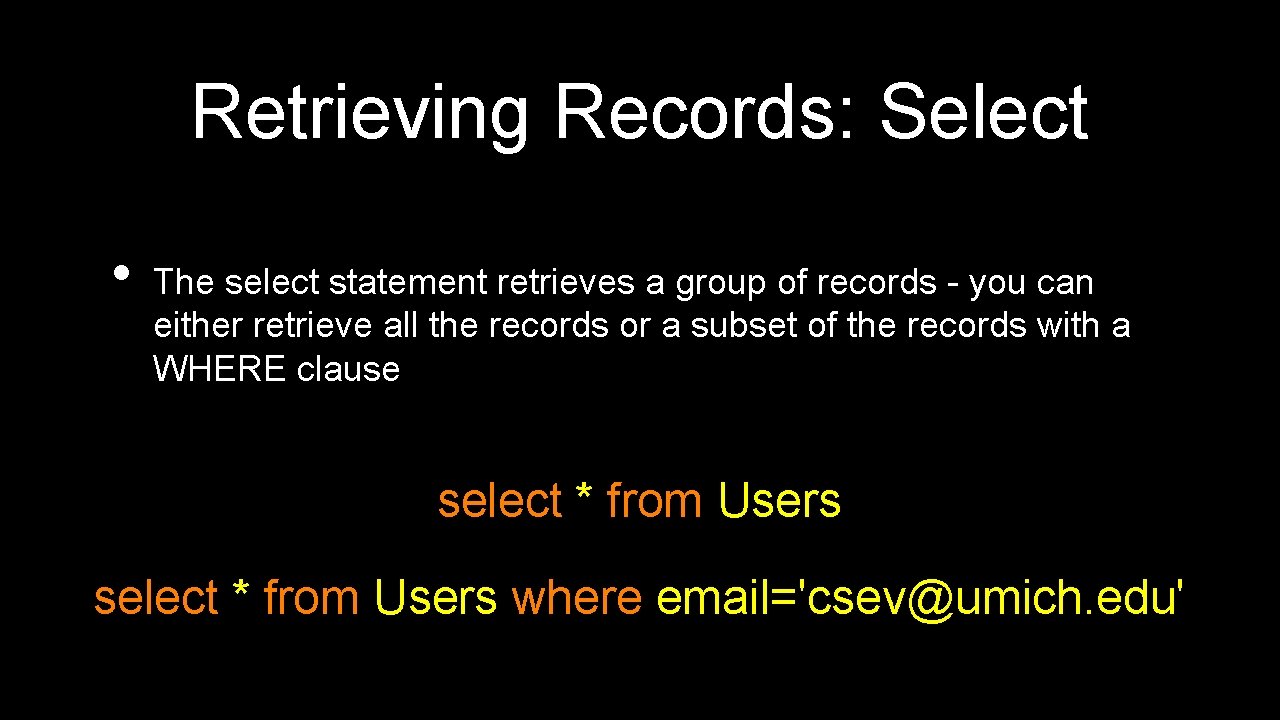
Retrieving Records: Select • The select statement retrieves a group of records - you can either retrieve all the records or a subset of the records with a WHERE clause select * from Users where email='csev@umich. edu'
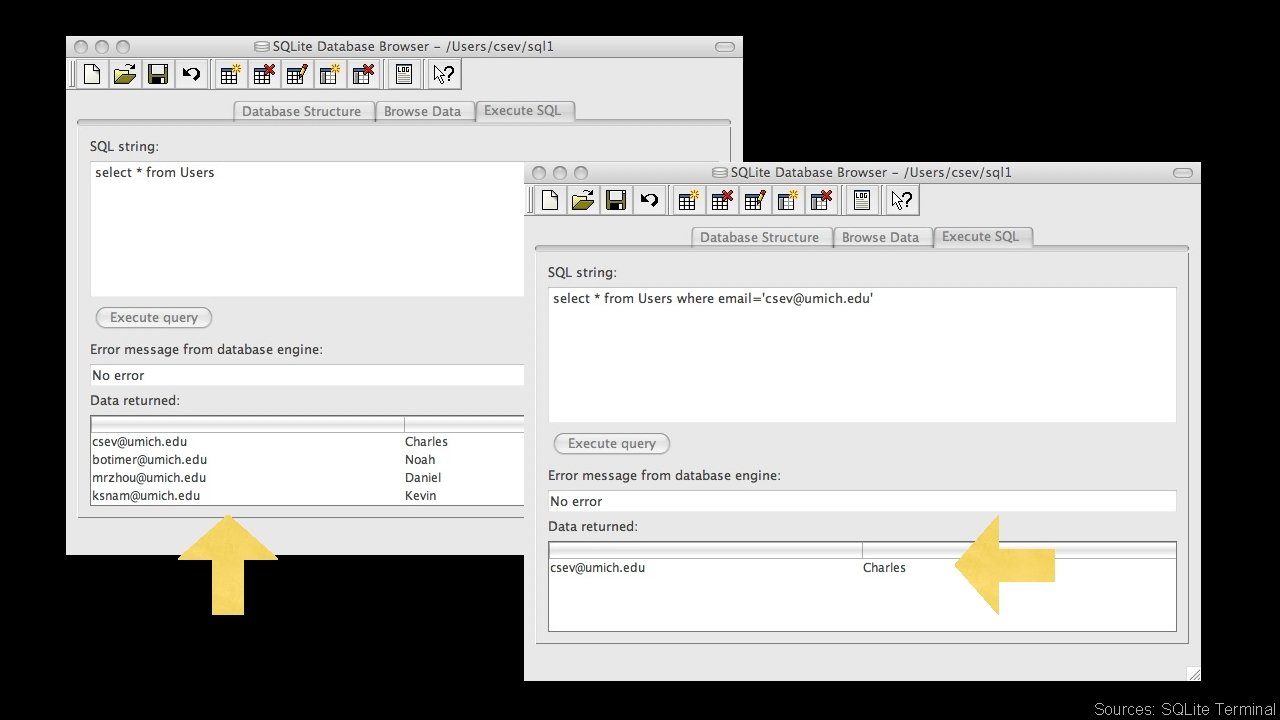
Sources: SQLite Terminal
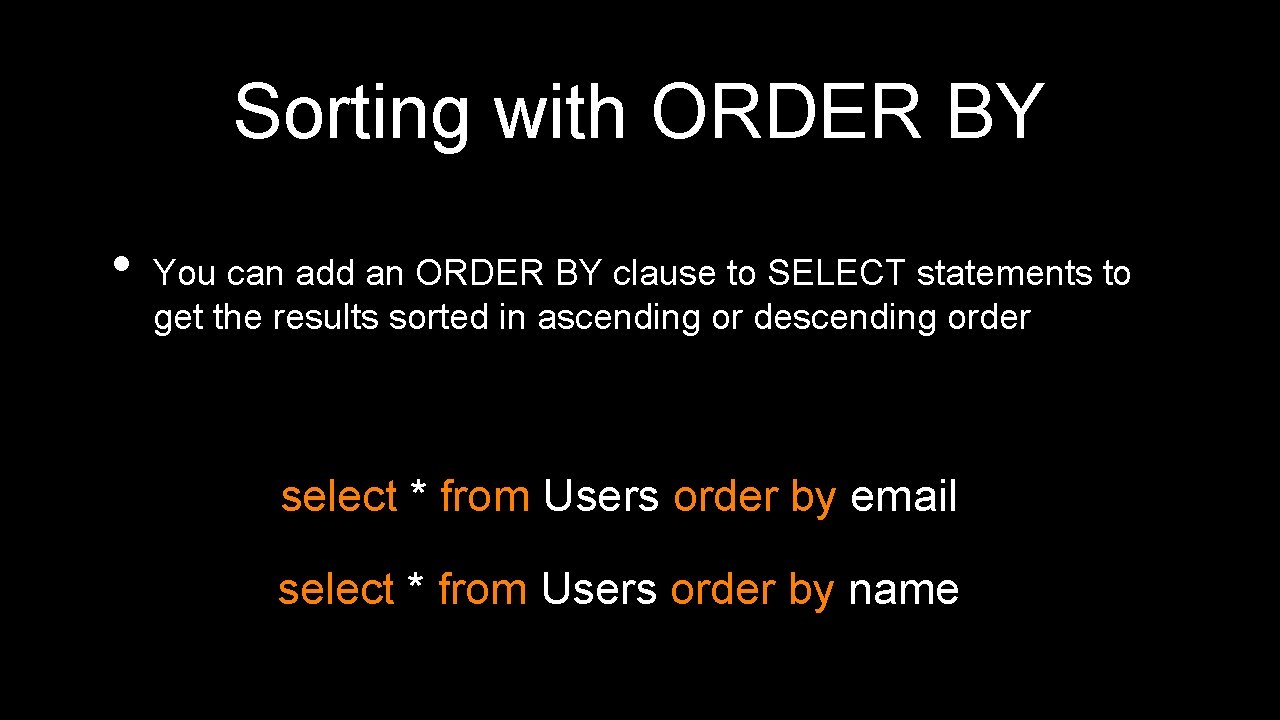
Sorting with ORDER BY • You can add an ORDER BY clause to SELECT statements to get the results sorted in ascending or descending order select * from Users order by email select * from Users order by name
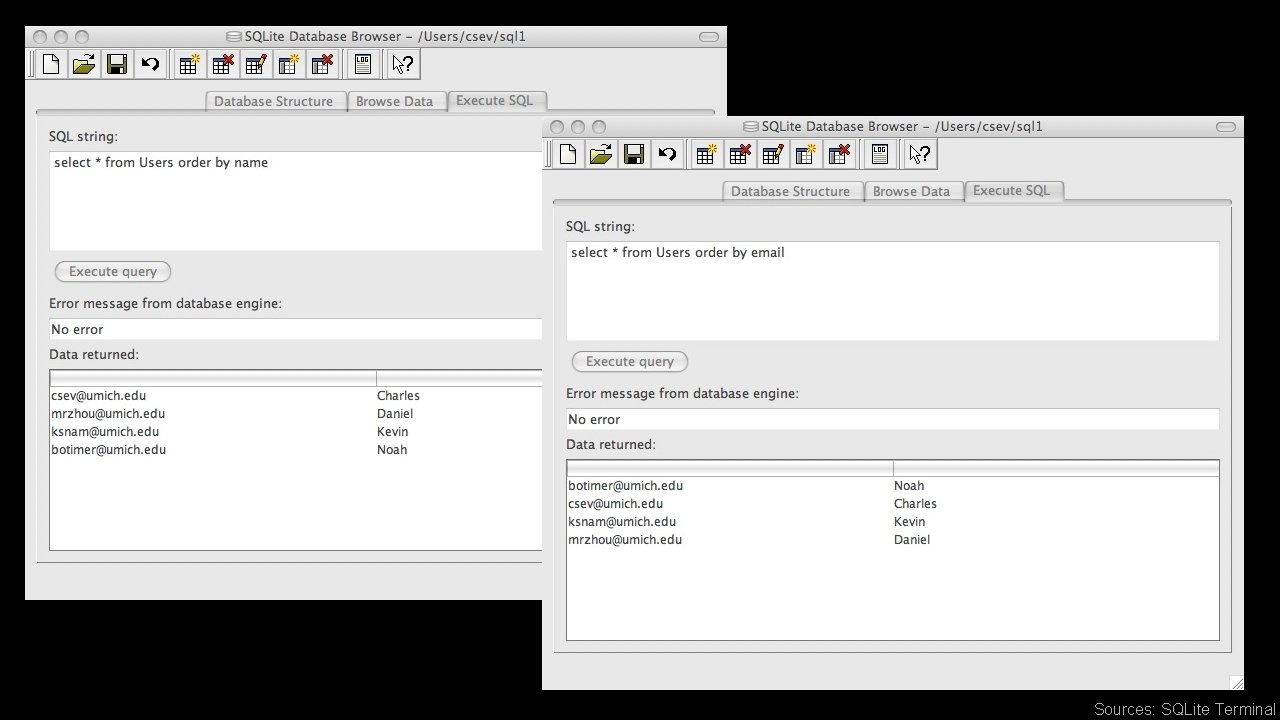
Sources: SQLite Terminal
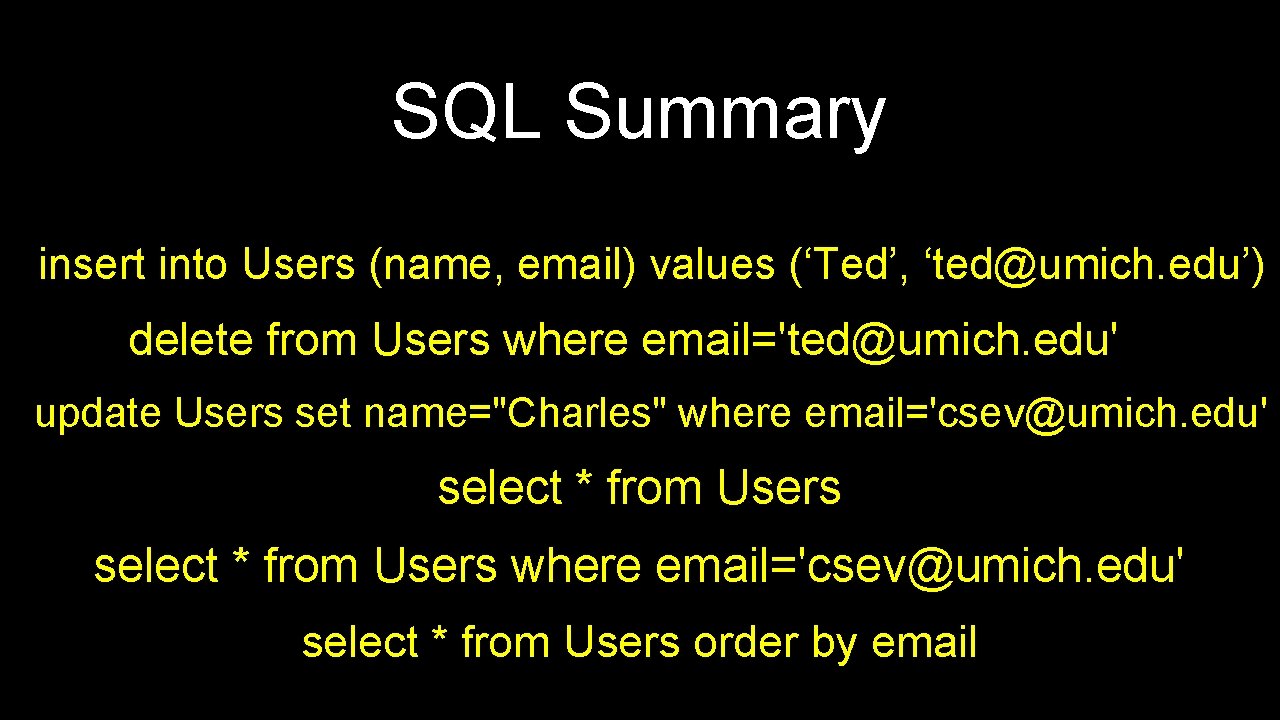
SQL Summary insert into Users (name, email) values (‘Ted’, ‘ted@umich. edu’) delete from Users where email='ted@umich. edu' update Users set name="Charles" where email='csev@umich. edu' select * from Users order by email
This is not too exciting (so far) • • Tables pretty much look like big fast programmable spreadsheet with rows, columns, and commands The power comes when we have more than one table and we can exploit the relationships between the tables
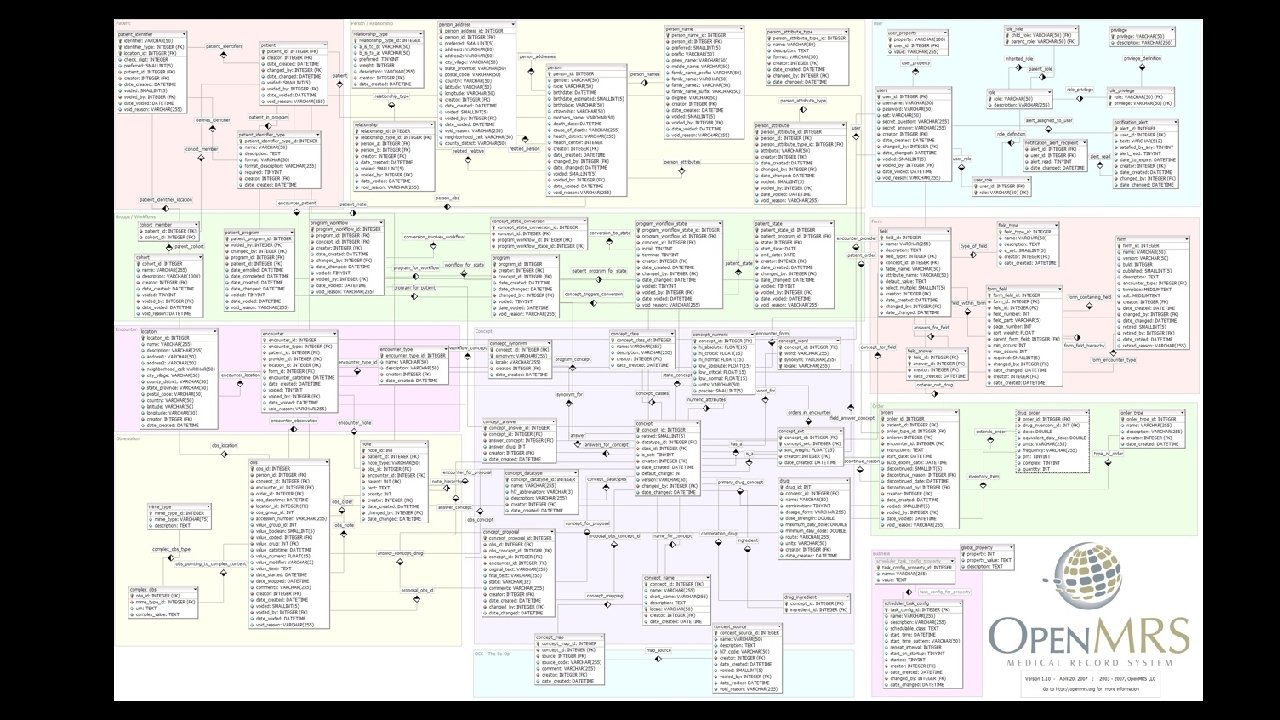
Complex Data Models and Relationships http: //en. wikipedia. org/wiki/Relational_model
Database Design • • Database design is an art form of its own with particular skills and experience Our goal is to avoid the really bad mistakes and design clean and easily understood databases Others may performance tune things later Database design starts with a picture. . .
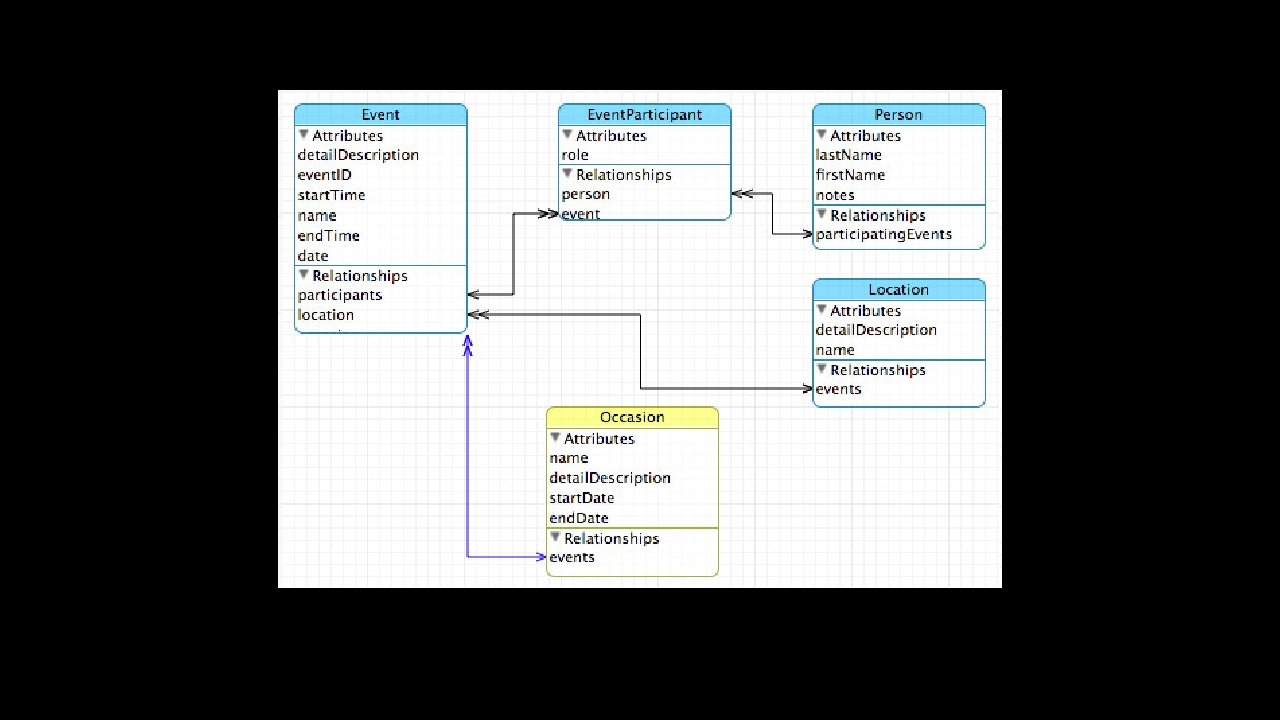
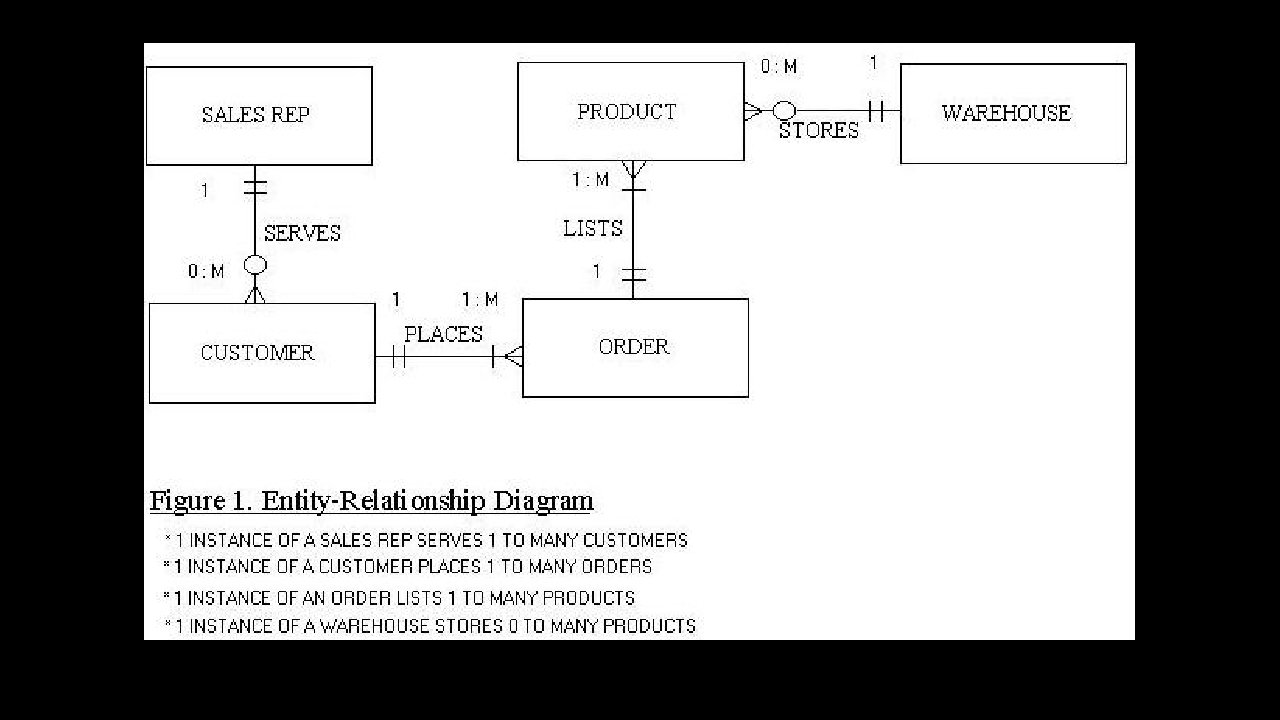
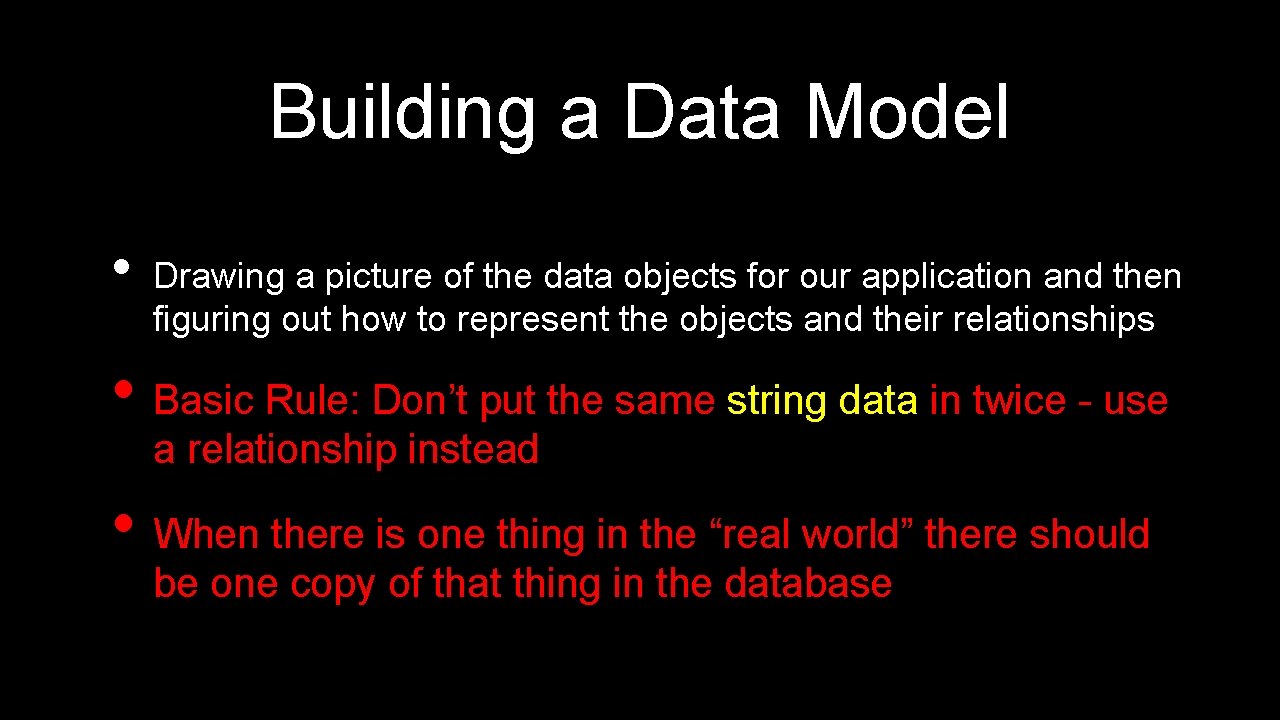
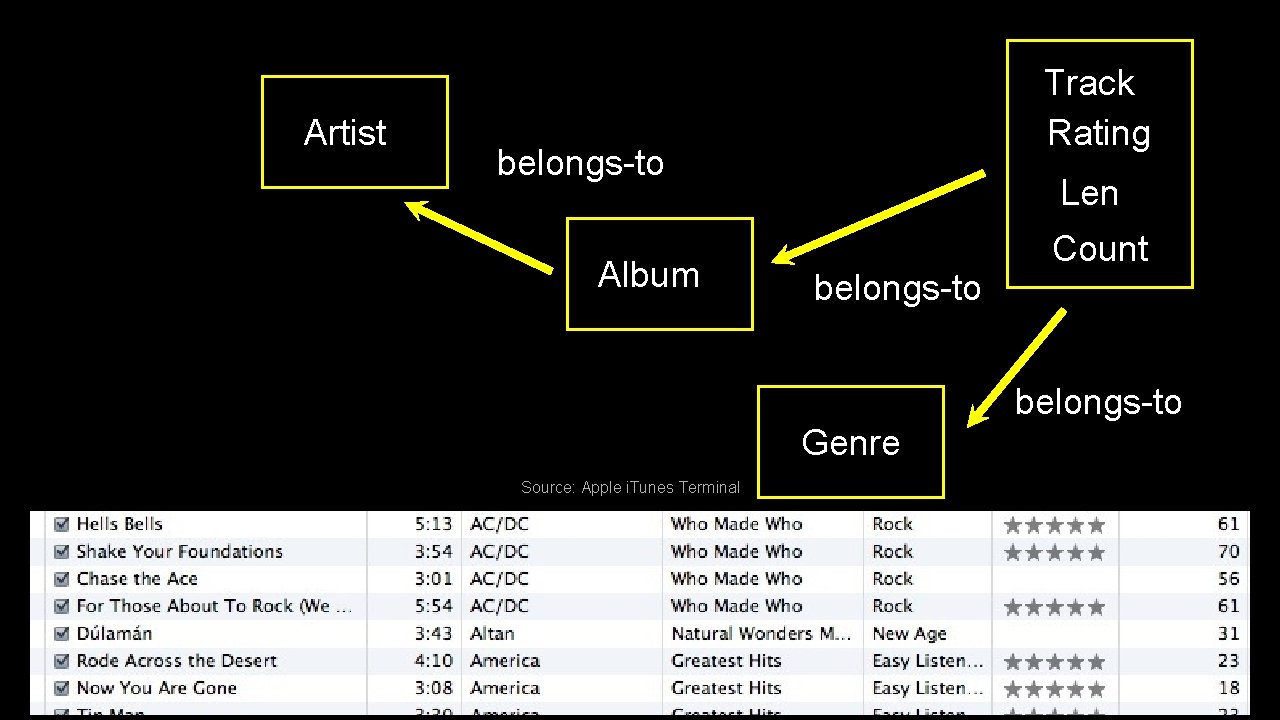
Building a Data Model • Drawing a picture of the data objects for our application and then figuring out how to represent the objects and their relationships • Basic Rule: Don’t put the same string data in twice - use a relationship instead • When there is one thing in the “real world” there should be one copy of that thing in the database
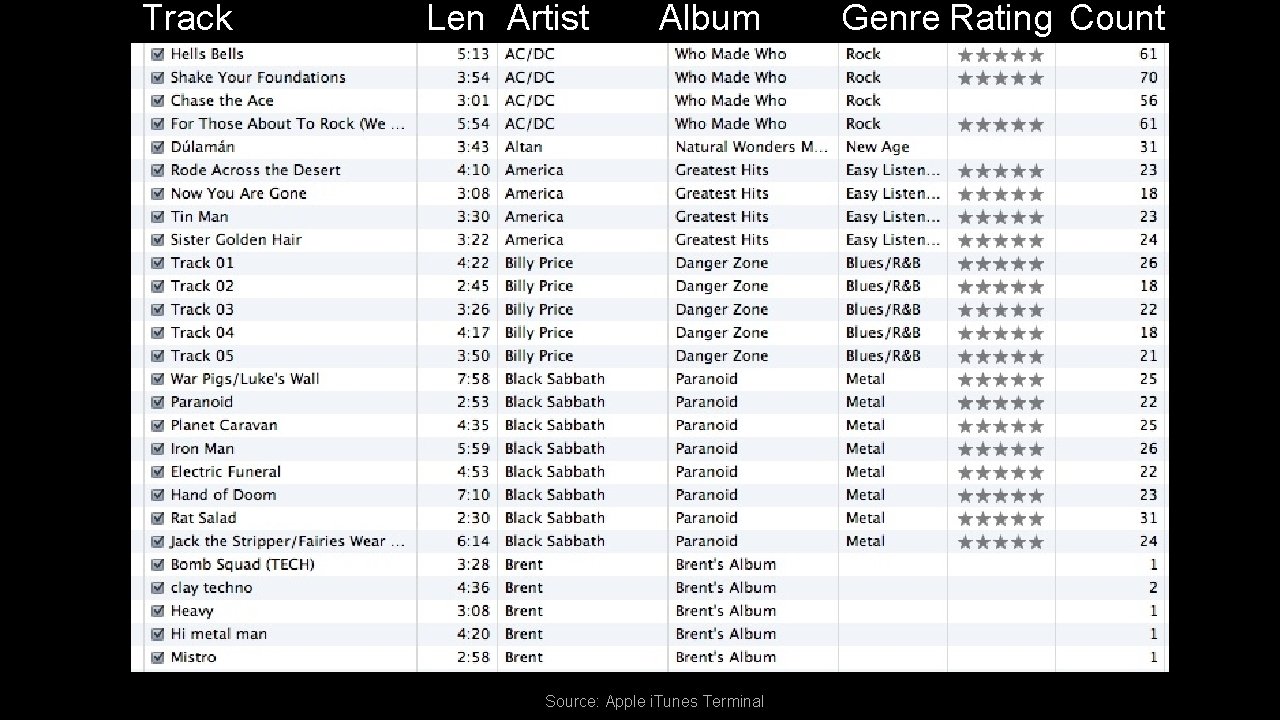
Track Len Artist Album Source: Apple i. Tunes Terminal Genre Rating Count
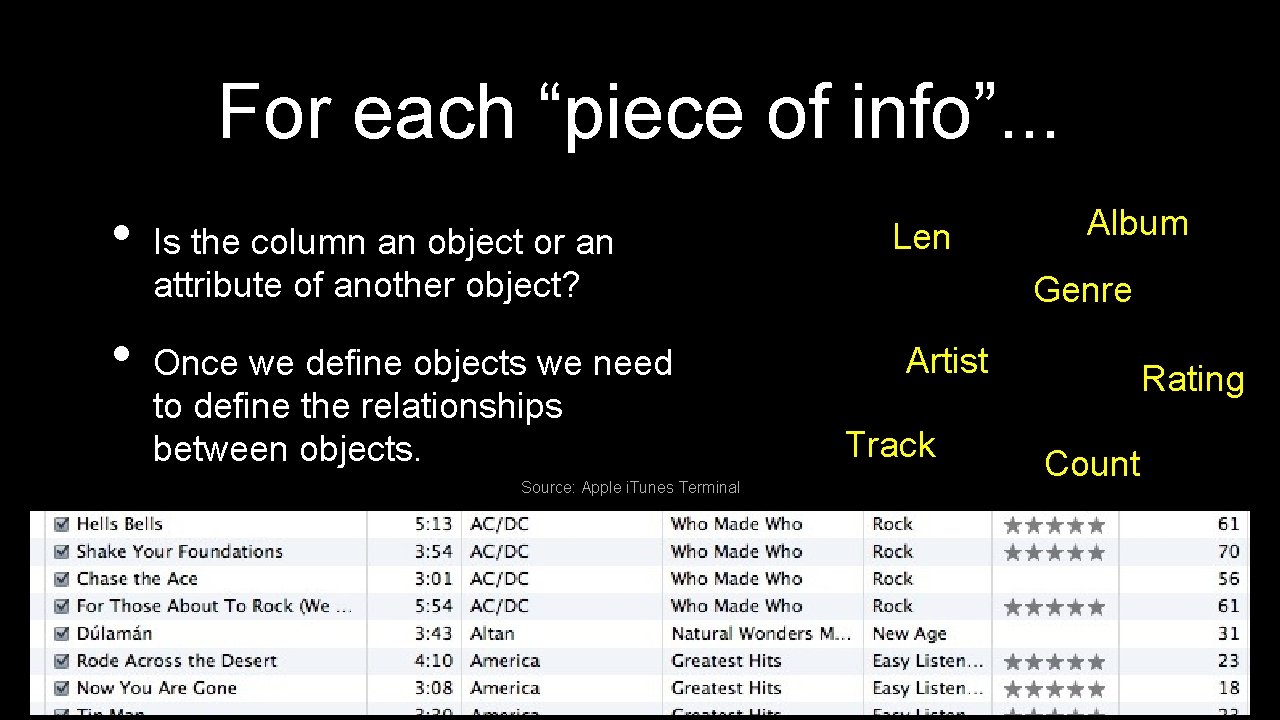
For each “piece of info”. . . • • Is the column an object or an attribute of another object? Once we define objects we need to define the relationships between objects. Source: Apple i. Tunes Terminal Len Album Genre Artist Track Rating Count
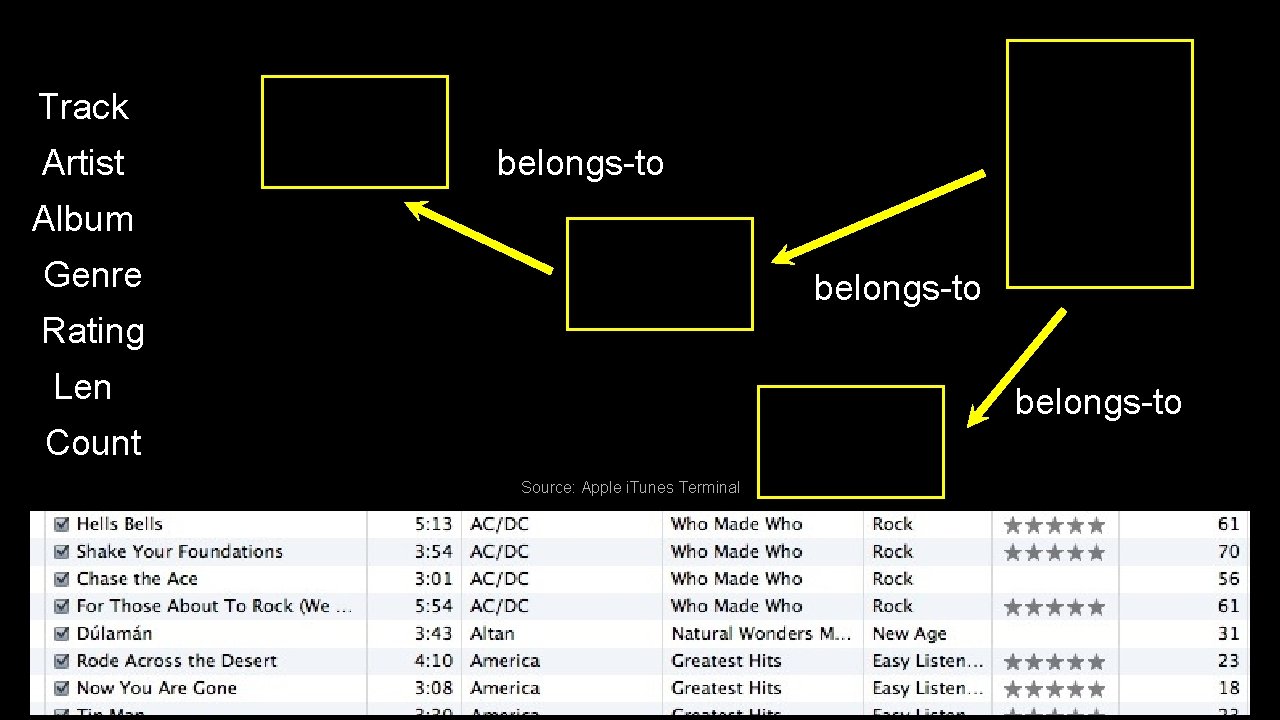
Track Artist belongs-to Album Genre belongs-to Rating Len belongs-to Count Source: Apple i. Tunes Terminal
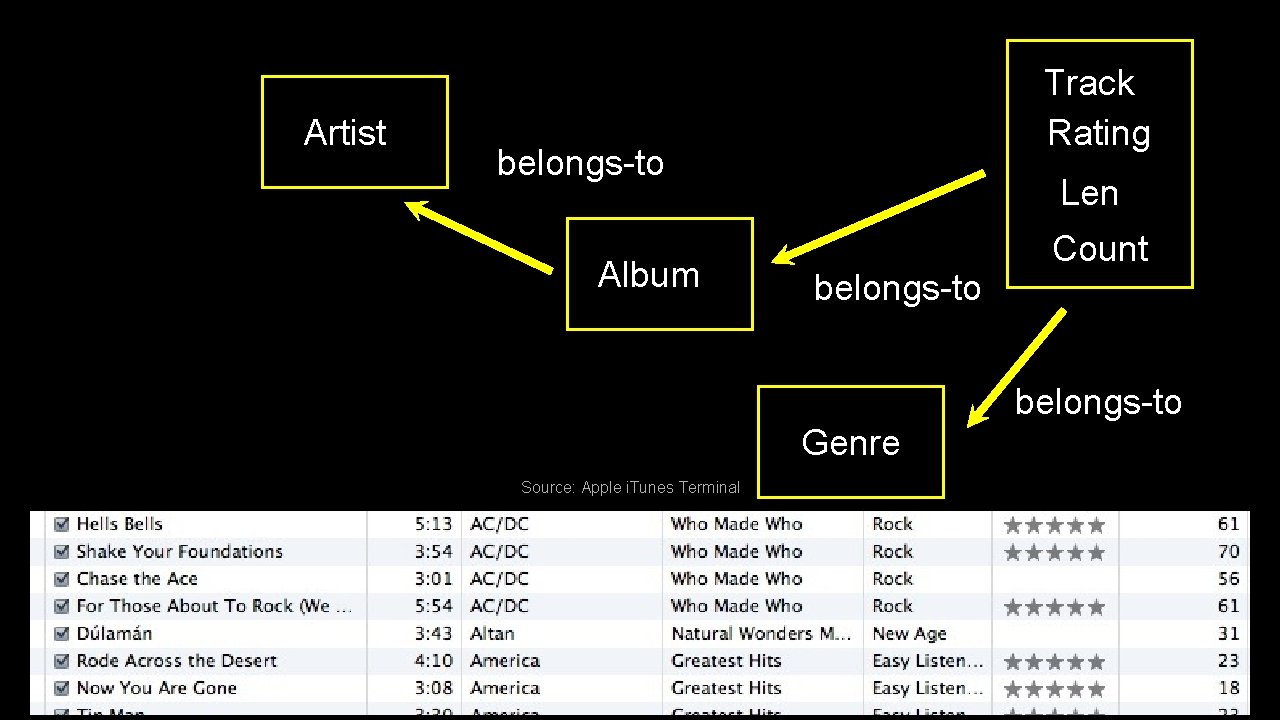
Artist Track Rating belongs-to Album Len belongs-to Count belongs-to Genre Source: Apple i. Tunes Terminal
Representing Relationships in a Database
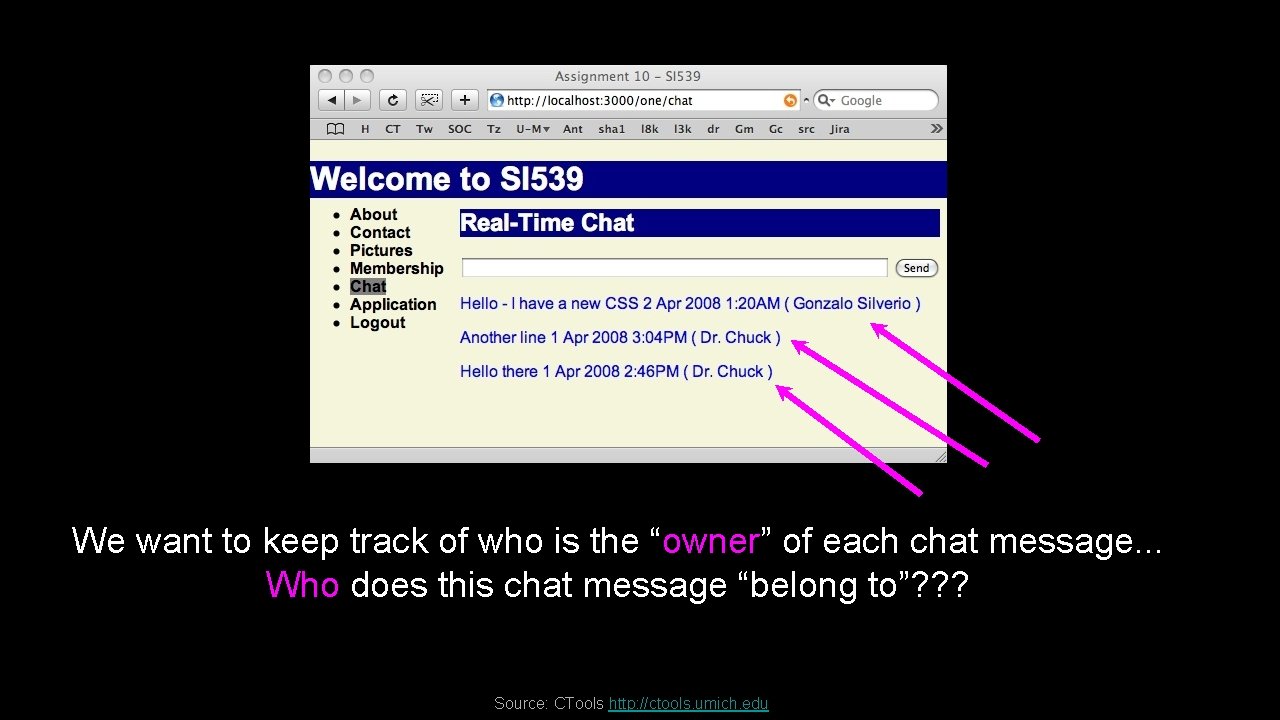
We want to keep track of who is the “owner” of each chat message. . . Who does this chat message “belong to”? ? ? Source: CTools http: //ctools. umich. edu
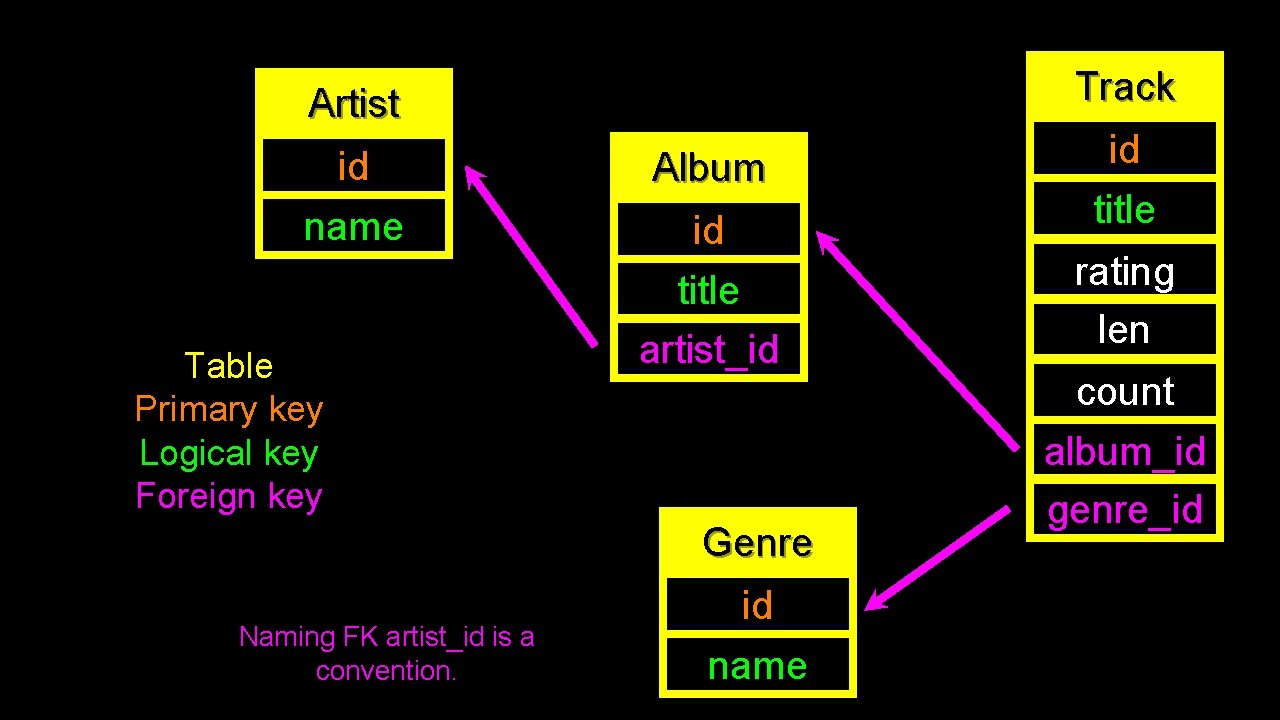
Database Normalization (3 NF) • There is *tons* of database theory - way too much to understand without excessive predicate calculus • • • Do not replicate data - reference data - point at data Use integers for keys and for references Add a special “key” to each table which we will reference - by convention many programmers call this “id” http: //en. wikipedia. org/wiki/Database_normalization
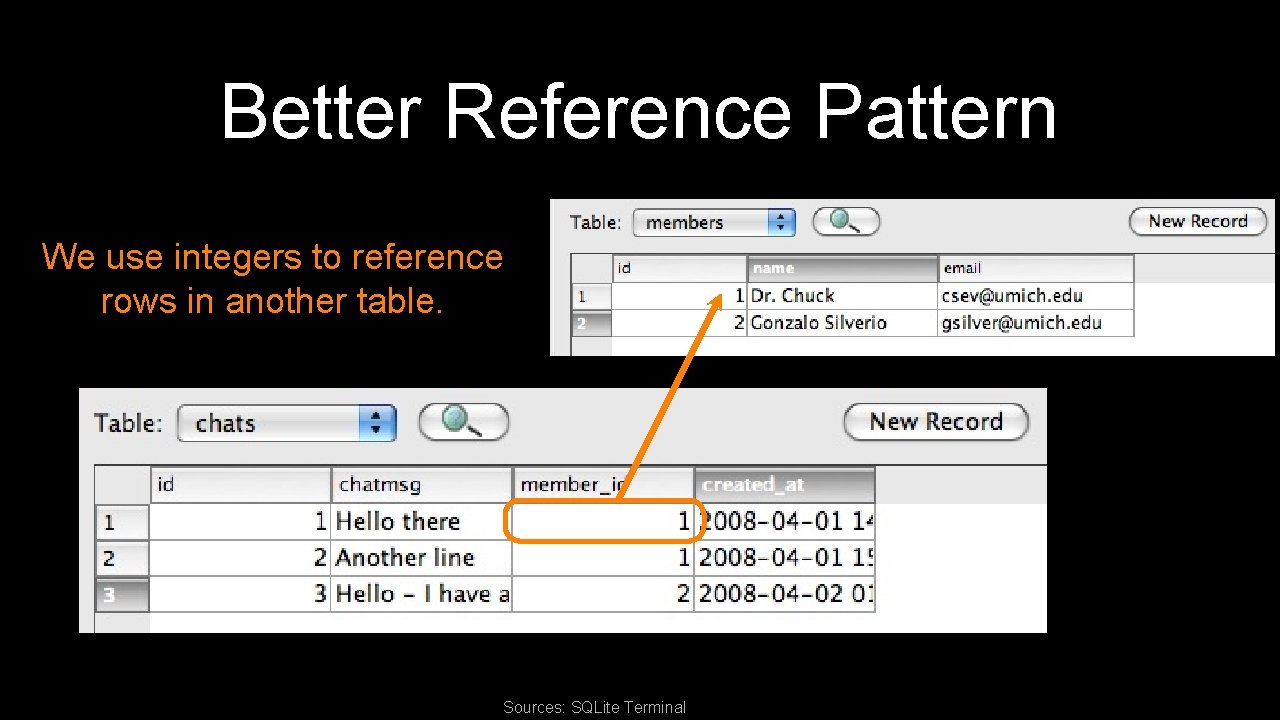
Better Reference Pattern We use integers to reference rows in another table. Sources: SQLite Terminal
Keys Finding our way around. .
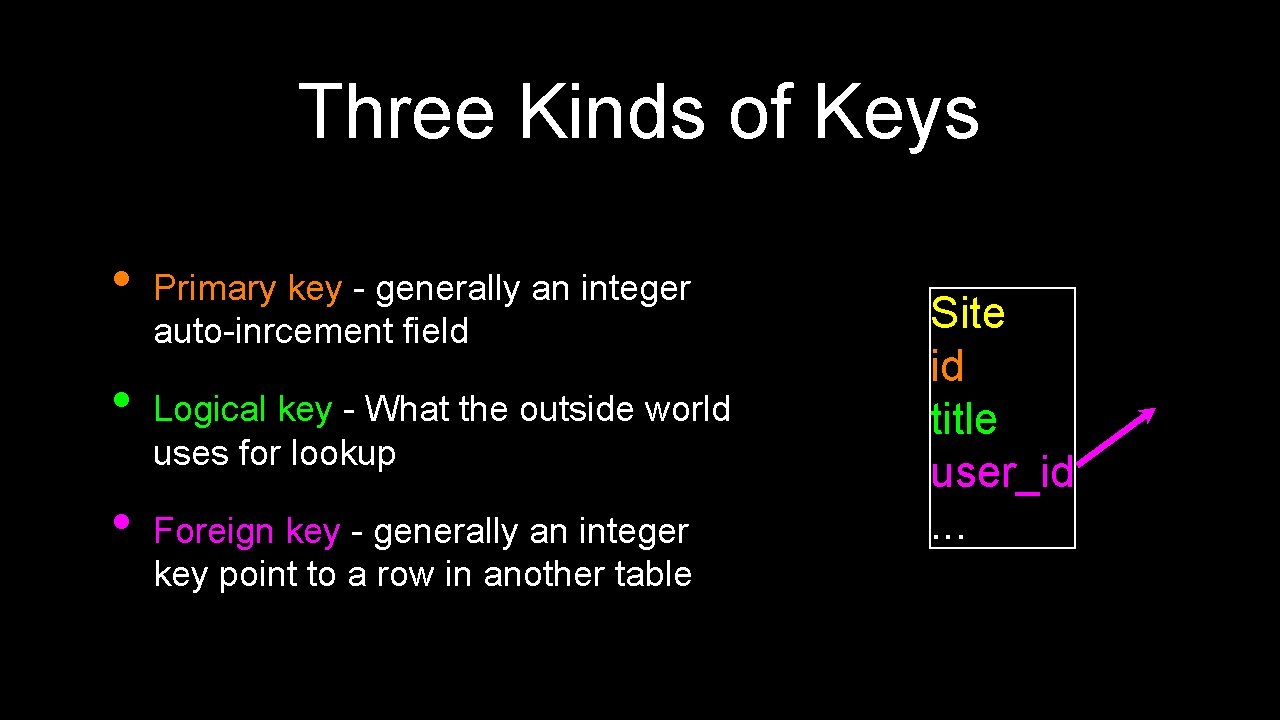
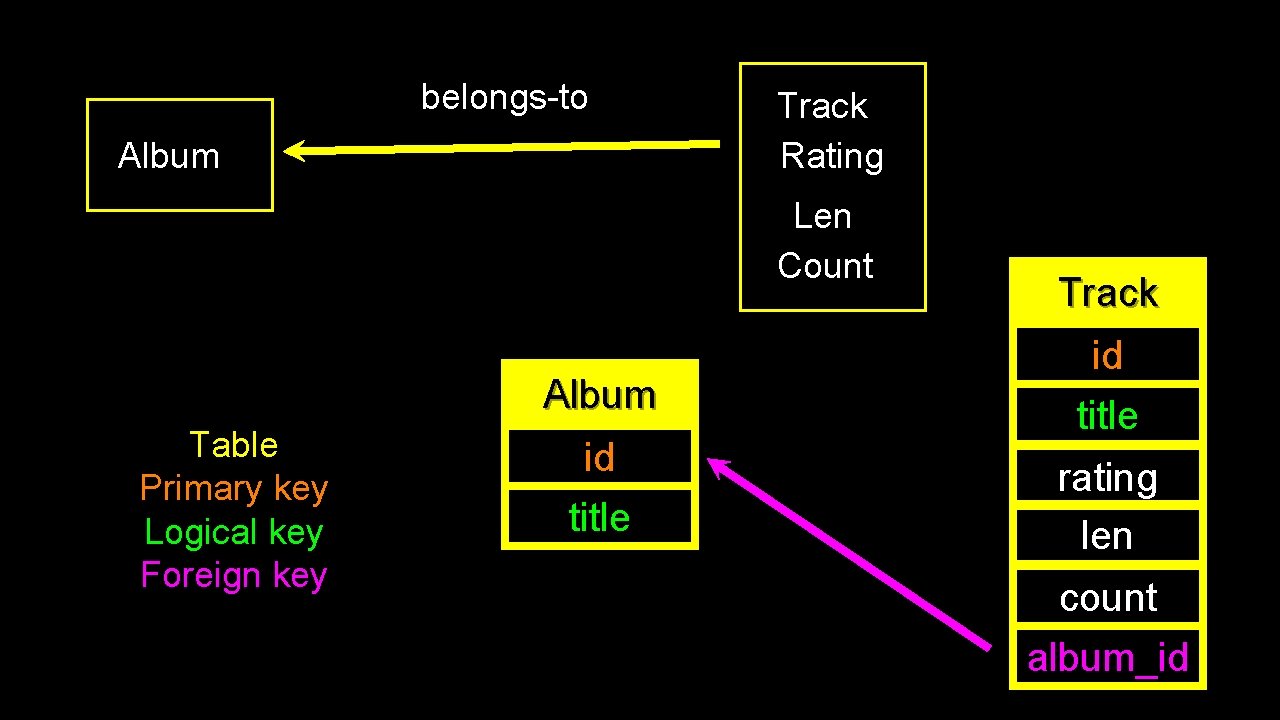
Three Kinds of Keys • • • Primary key - generally an integer auto-inrcement field Logical key - What the outside world uses for lookup Foreign key - generally an integer key point to a row in another table Site id title user_id. . .
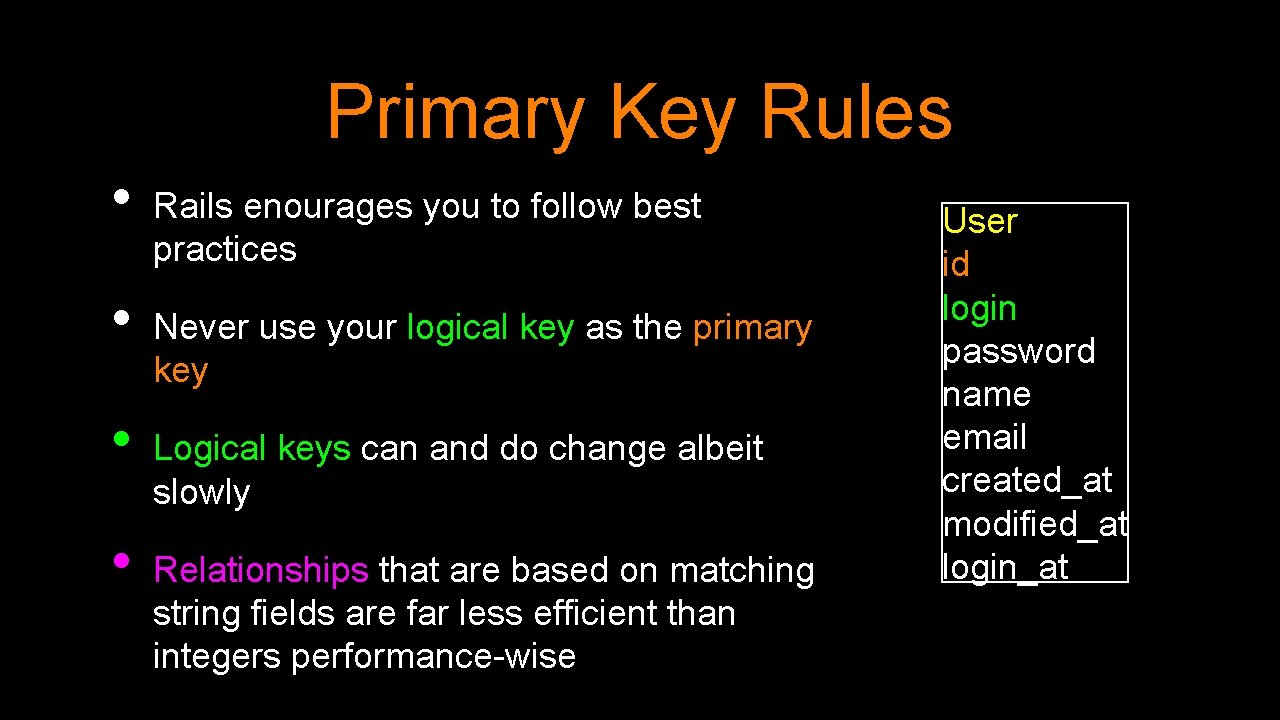
Primary Key Rules • • Rails enourages you to follow best practices Never use your logical key as the primary key Logical keys can and do change albeit slowly Relationships that are based on matching string fields are far less efficient than integers performance-wise User id login password name email created_at modified_at login_at
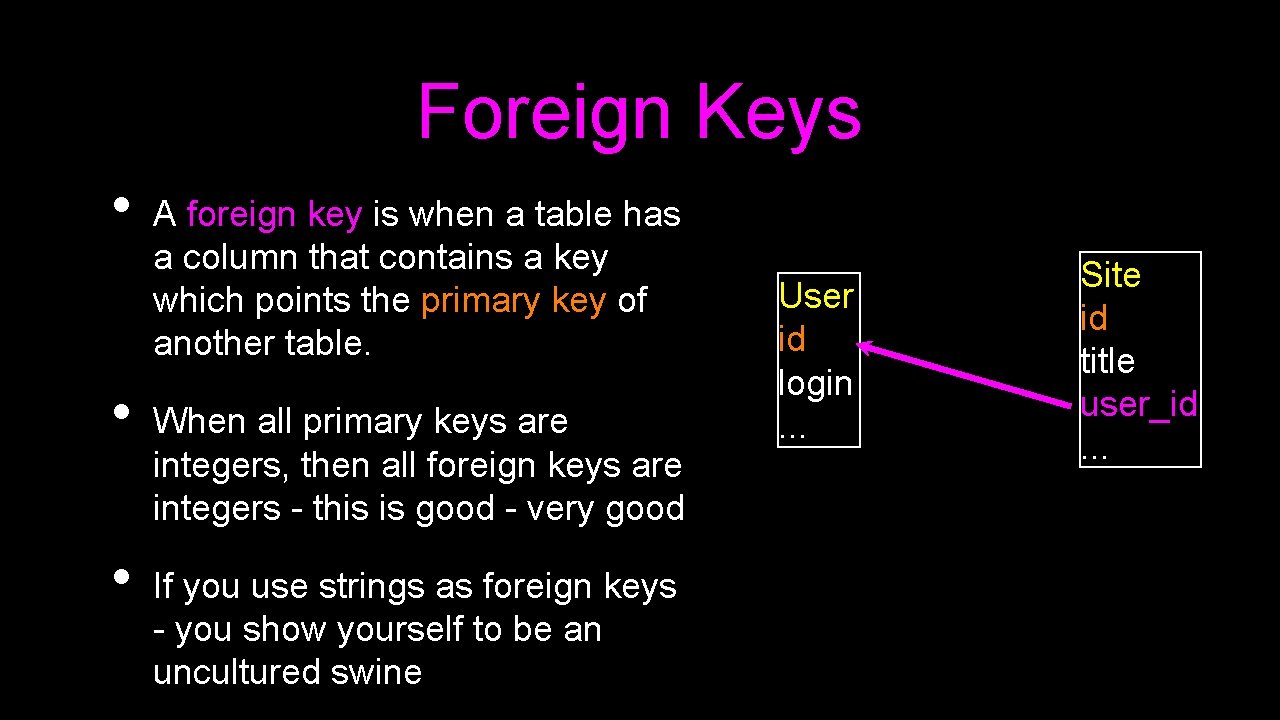
Foreign Keys • • • A foreign key is when a table has a column that contains a key which points the primary key of another table. When all primary keys are integers, then all foreign keys are integers - this is good - very good If you use strings as foreign keys - you show yourself to be an uncultured swine User id login. . . Site id title user_id. . .
Relationship Building (in tables)
Artist Track Rating belongs-to Album Len belongs-to Count belongs-to Genre Source: Apple i. Tunes Terminal
belongs-to Album Track Rating Len Count Album Table Primary key Logical key Foreign key id title Track id title rating len count album_id
Track Artist id name Table Primary key Logical key Foreign key Album id title artist_id Genre Naming FK artist_id is a convention. id name id title rating len count album_id genre_id
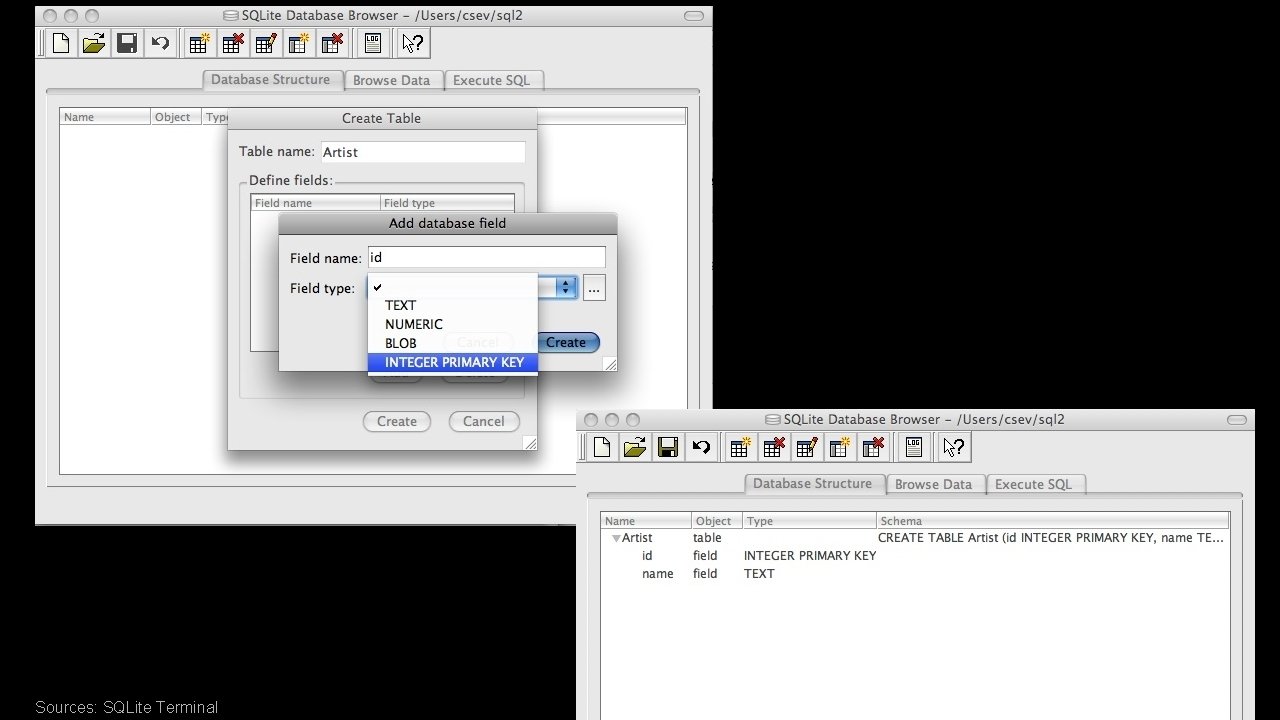
Sources: SQLite Terminal
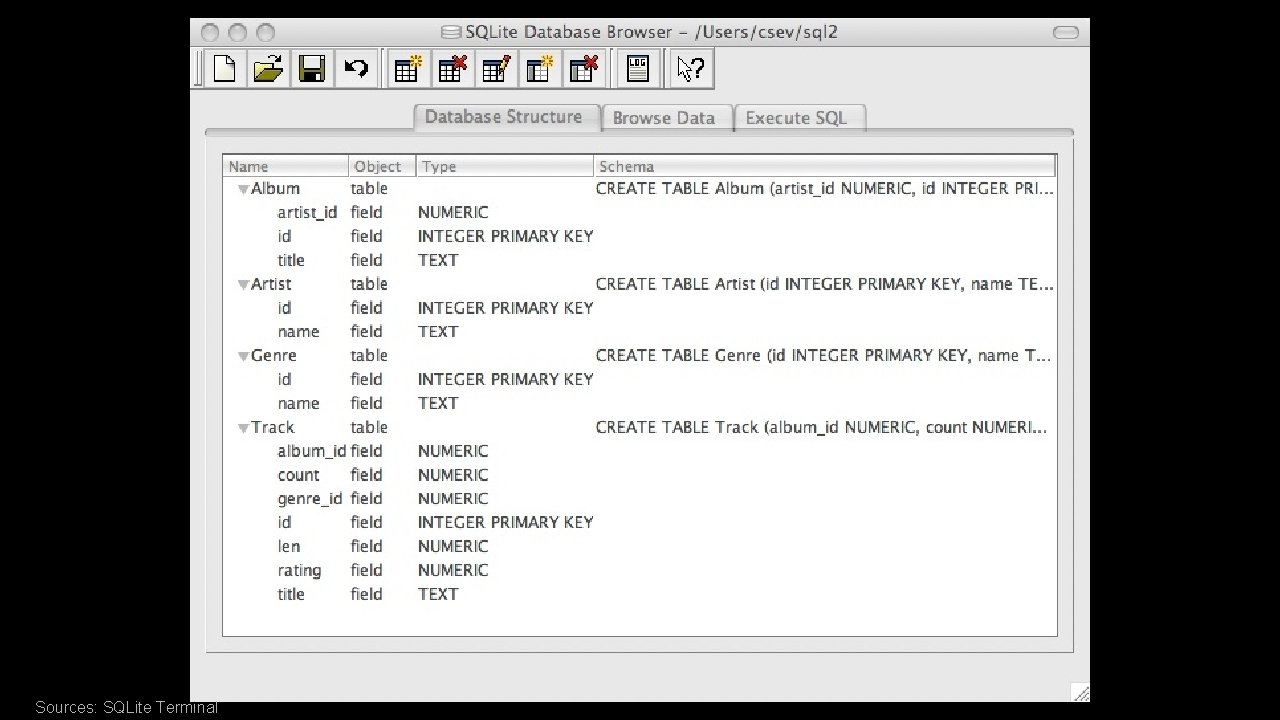
Sources: SQLite Terminal
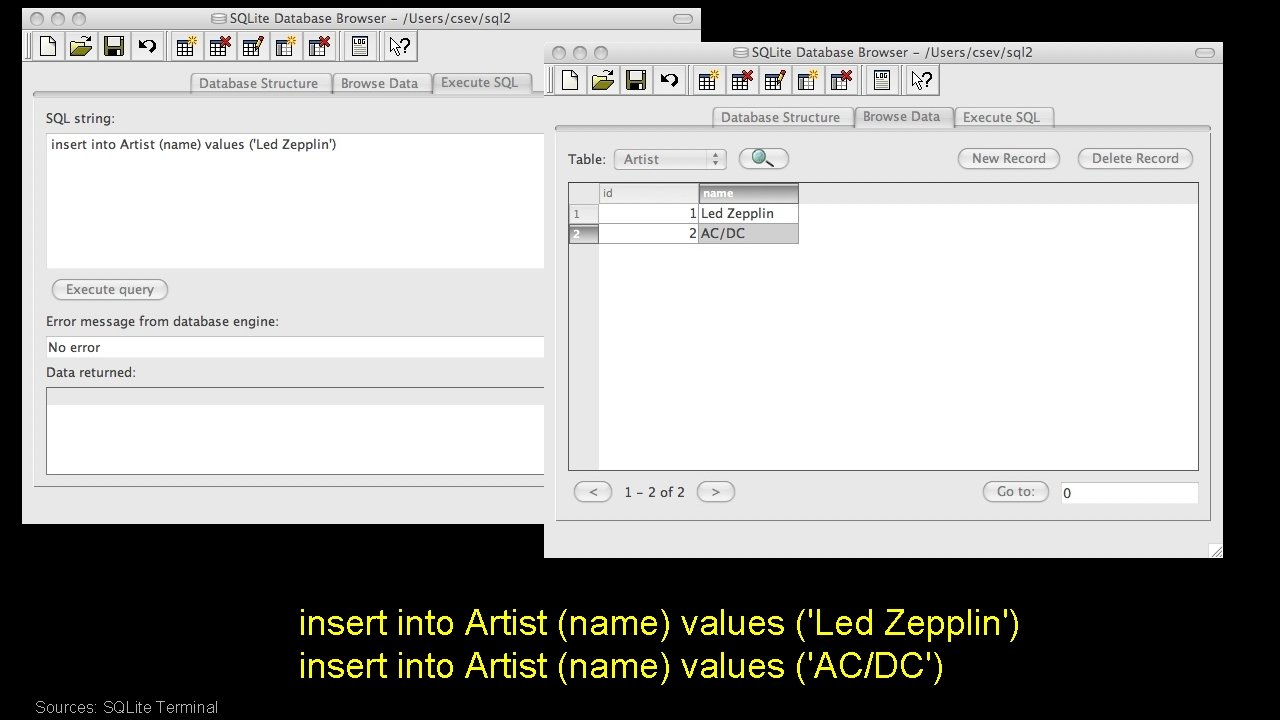
insert into Artist (name) values ('Led Zepplin') insert into Artist (name) values ('AC/DC') Sources: SQLite Terminal
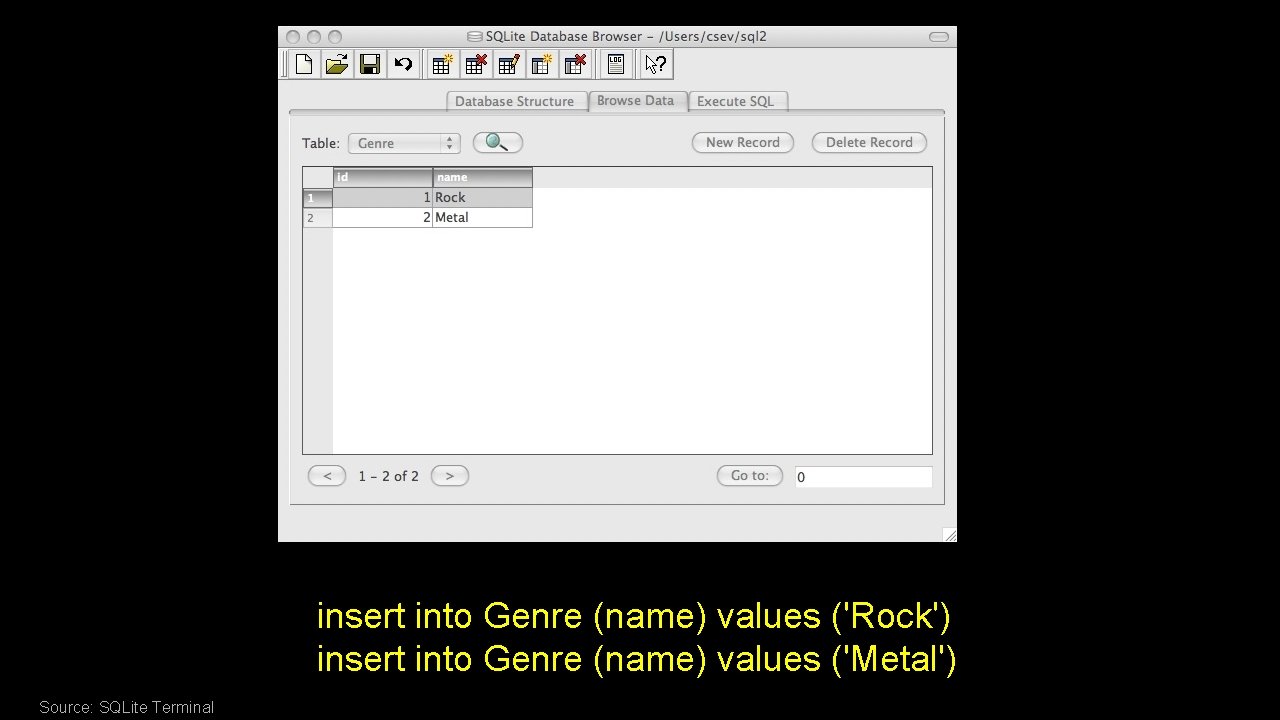
insert into Genre (name) values ('Rock') insert into Genre (name) values ('Metal') Source: SQLite Terminal
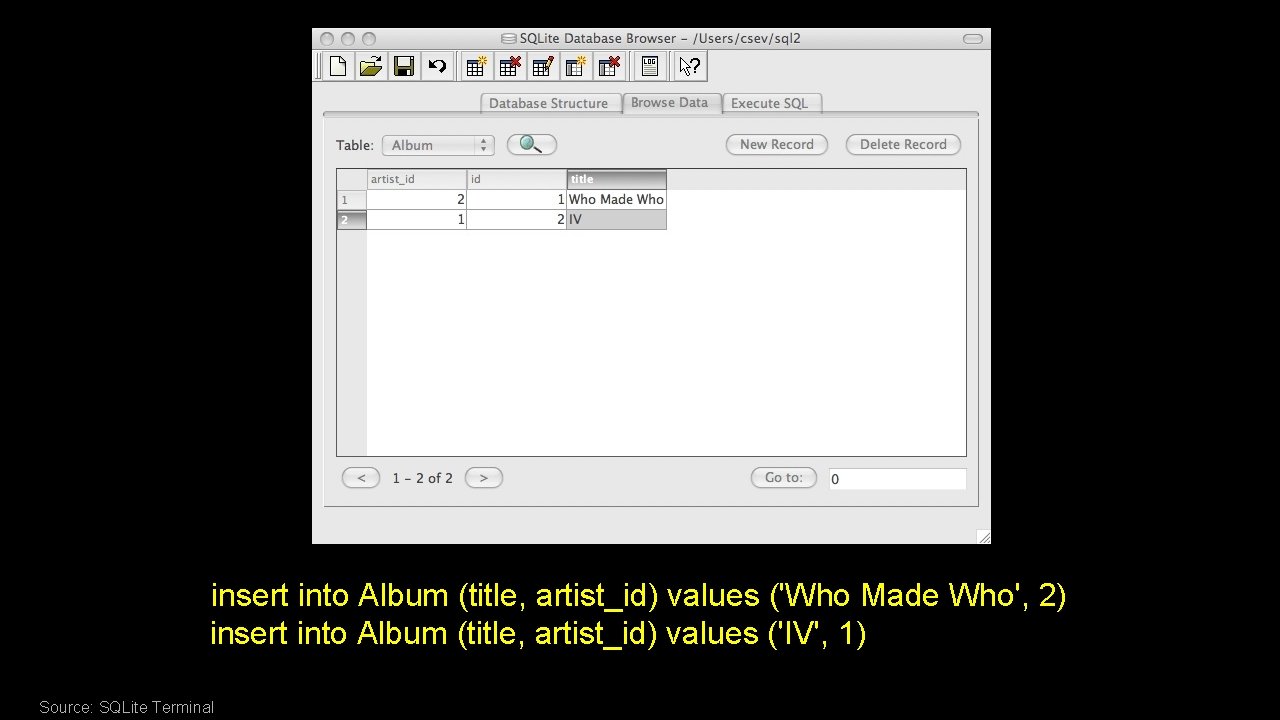
insert into Album (title, artist_id) values ('Who Made Who', 2) insert into Album (title, artist_id) values ('IV', 1) Source: SQLite Terminal
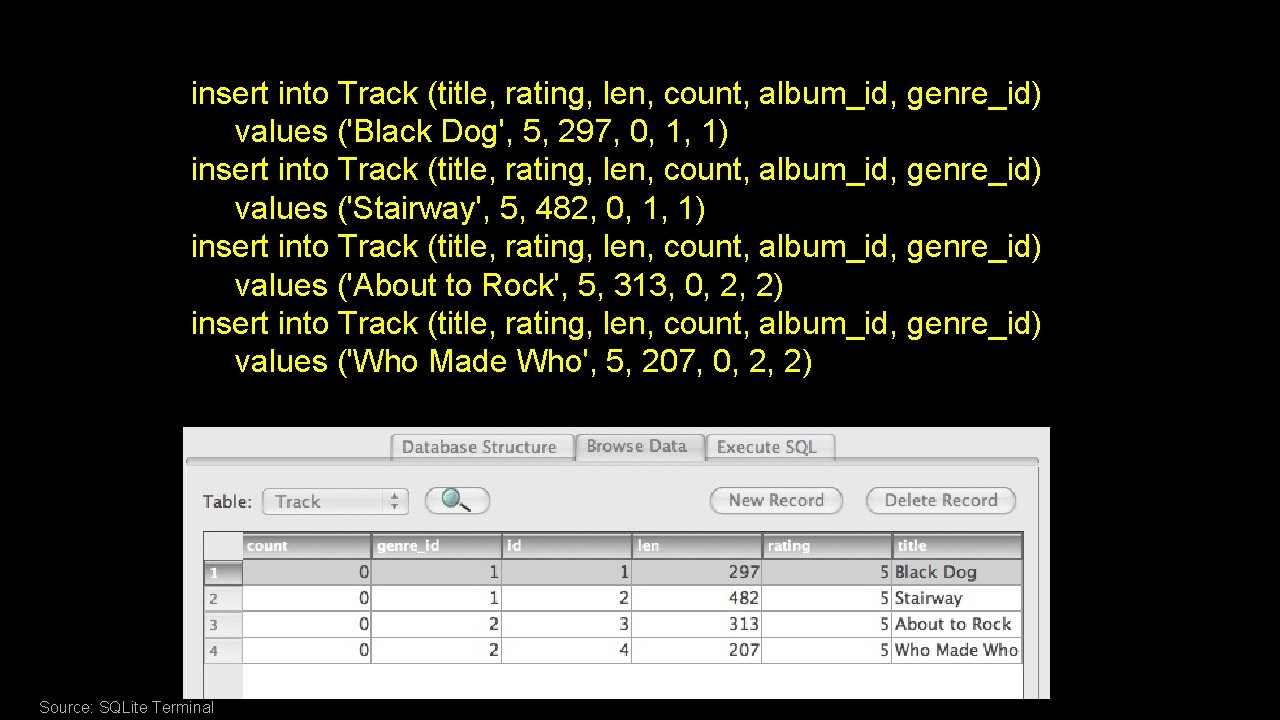
insert into Track (title, rating, len, count, album_id, genre_id) values ('Black Dog', 5, 297, 0, 1, 1) insert into Track (title, rating, len, count, album_id, genre_id) values ('Stairway', 5, 482, 0, 1, 1) insert into Track (title, rating, len, count, album_id, genre_id) values ('About to Rock', 5, 313, 0, 2, 2) insert into Track (title, rating, len, count, album_id, genre_id) values ('Who Made Who', 5, 207, 0, 2, 2) Source: SQLite Terminal
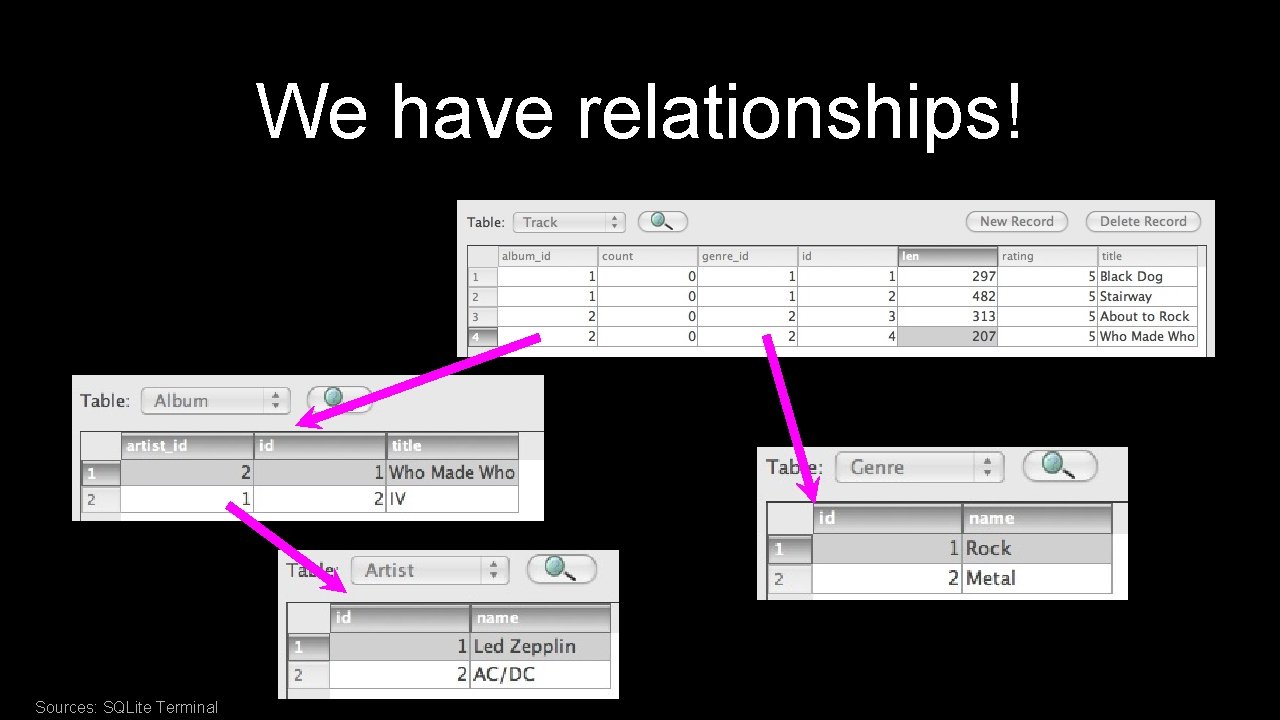
We have relationships! Sources: SQLite Terminal
Using Join Across Tables http: //en. wikipedia. org/wiki/Join_(SQL)
Relational Power • • By removing the replicated data and replacing it with references to a single copy of each bit of data we build a “web” of information that the relational database can read through very quickly - even for very large amounts of data Often when you want some data it comes from a number of tables linked by these foreign keys
The JOIN Operation • • The JOIN operation links across several tables as part of a select operation You must tell the JOIN the keys which make the connection between the tables using an ON clause
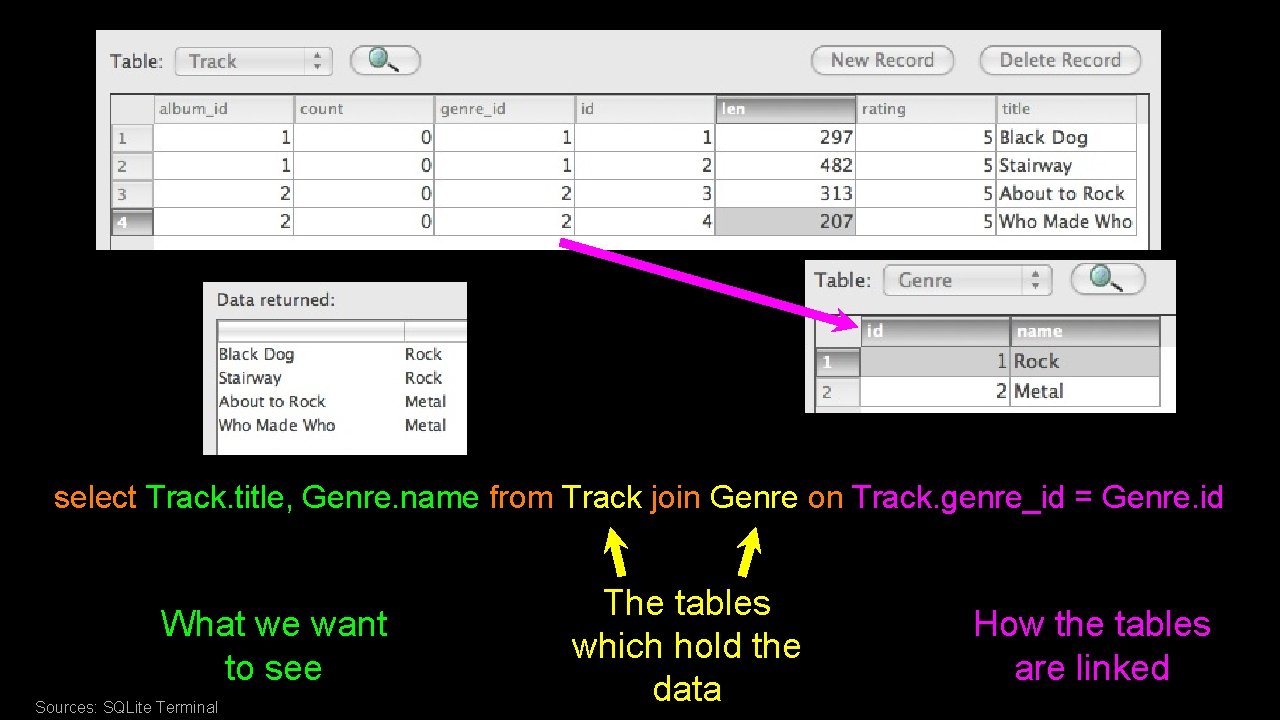
select Track. title, Genre. name from Track join Genre on Track. genre_id = Genre. id What we want to see Sources: SQLite Terminal The tables which hold the data How the tables are linked
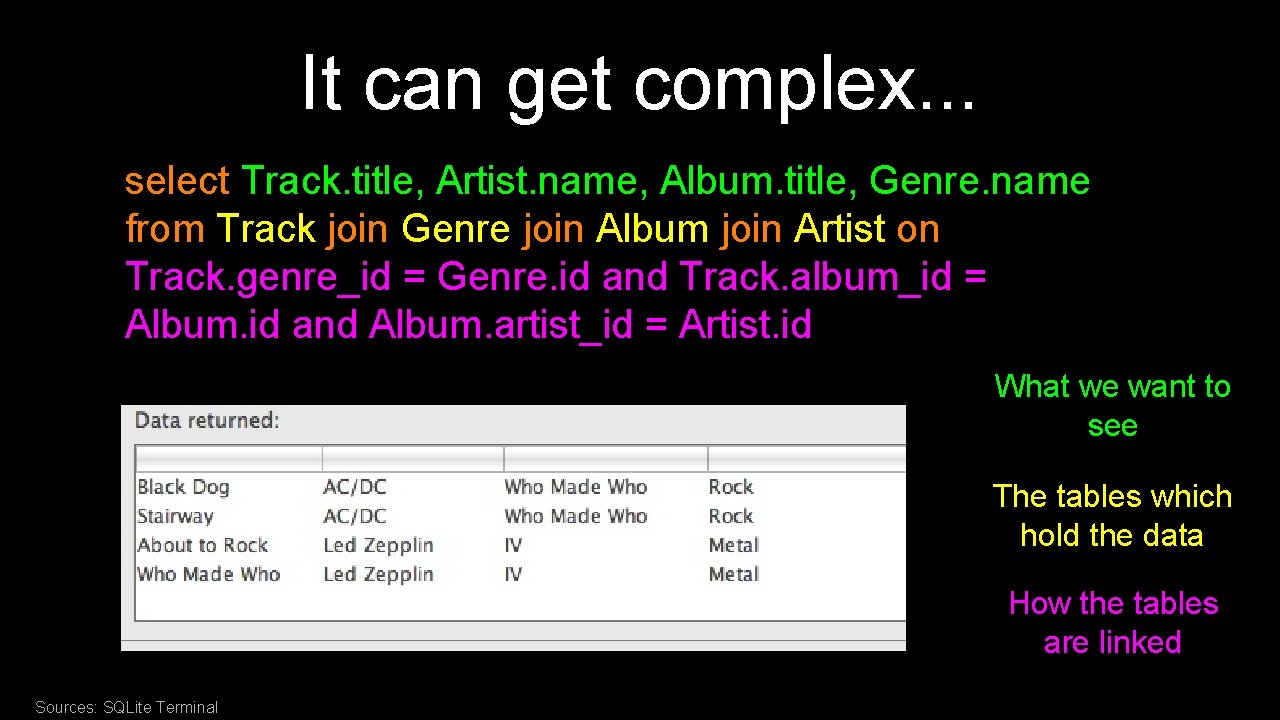
It can get complex. . . select Track. title, Artist. name, Album. title, Genre. name from Track join Genre join Album join Artist on Track. genre_id = Genre. id and Track. album_id = Album. id and Album. artist_id = Artist. id What we want to see The tables which hold the data How the tables are linked Sources: SQLite Terminal
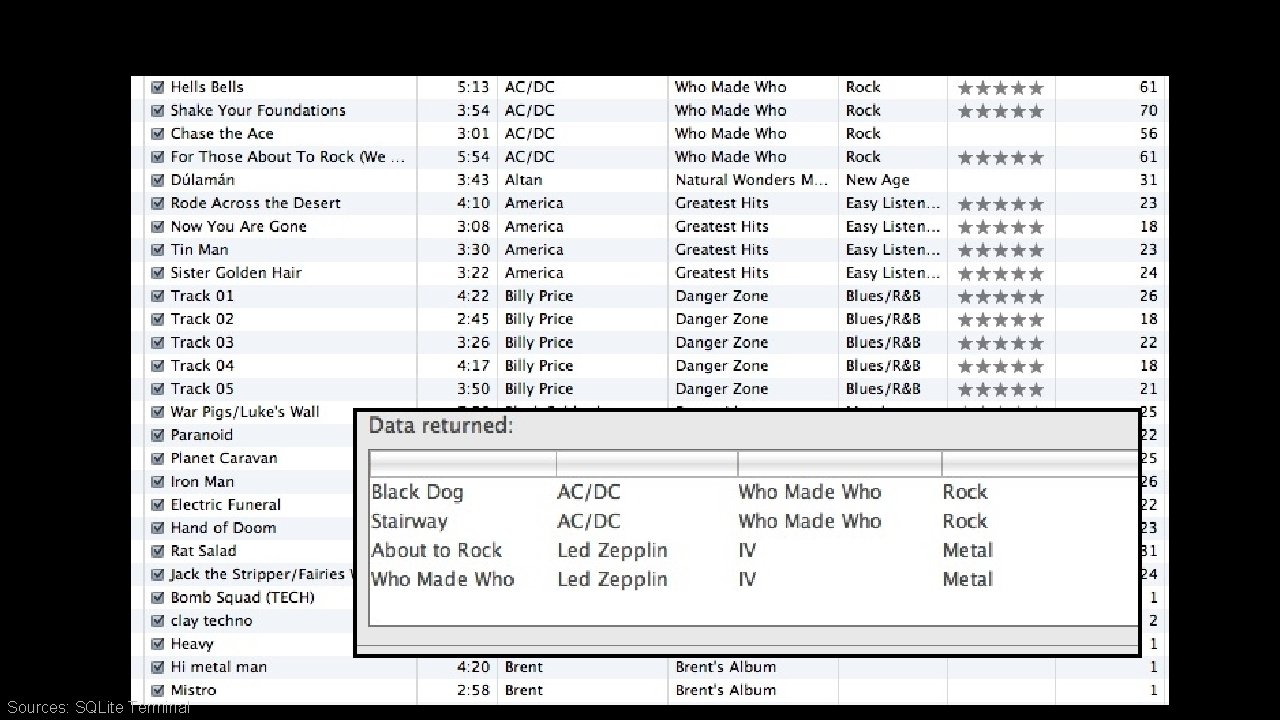
Sources: SQLite Terminal
Complexity enables Speed • • • Complexity makes speed possible and allows you to get very fast results as the data size grows. By normalizing the data and linking it with integer keys, the overall amount of data which the relational database must scan is far lower than if the data were simply flattened out. It might seem like a tradeoff - spend some time designing your database so it continues to be fast when your application is a success
Python and SQLite 3 http: //www. python. org/doc/2. 5. 2/lib/module-sqlite 3. html
SQLite 3 is built into Python • • Since SQLite is simple and small and designed to be “embedded” - Python decided to embed SQLite into Python You simply “import sqlite 3” and open a connection to the database and start doing SQL commands http: //www. python. org/doc/2. 5. 2/lib/module-sqlite 3. html
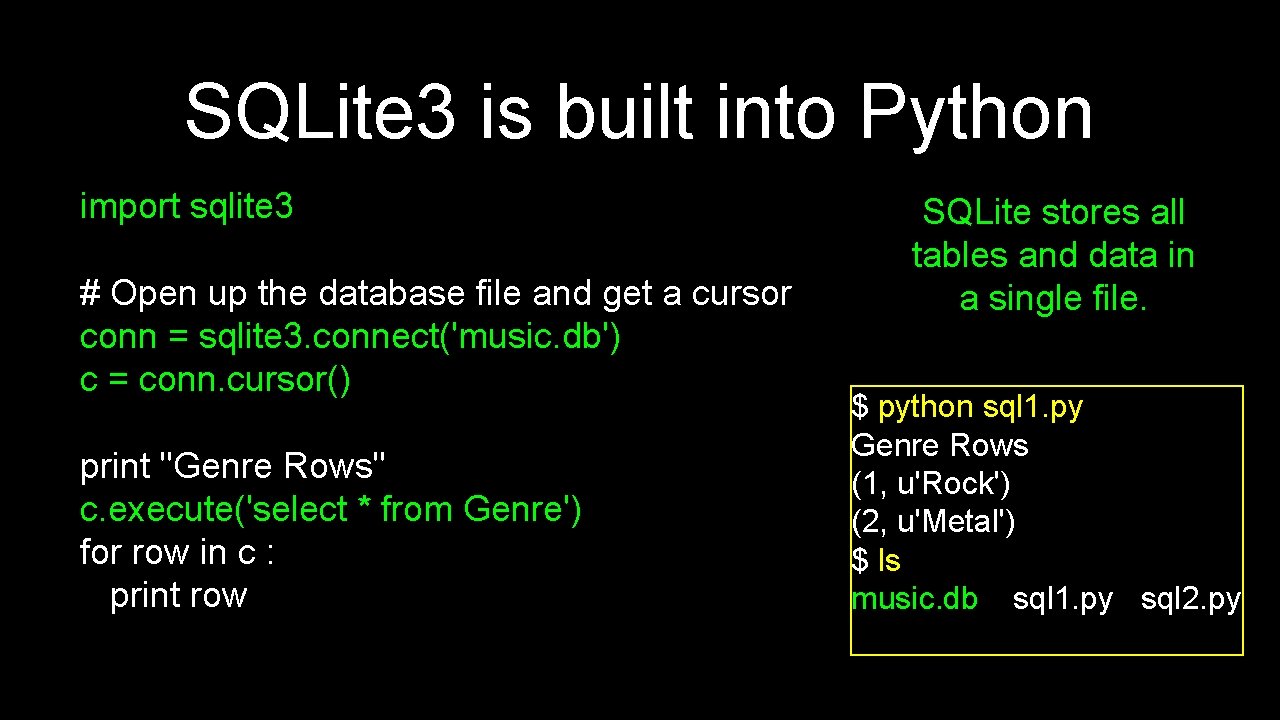
SQLite 3 is built into Python import sqlite 3 # Open up the database file and get a cursor conn = sqlite 3. connect('music. db') c = conn. cursor() print "Genre Rows" c. execute('select * from Genre') for row in c : print row SQLite stores all tables and data in a single file. $ python sql 1. py Genre Rows (1, u'Rock') (2, u'Metal') $ ls music. db sql 1. py sql 2. py
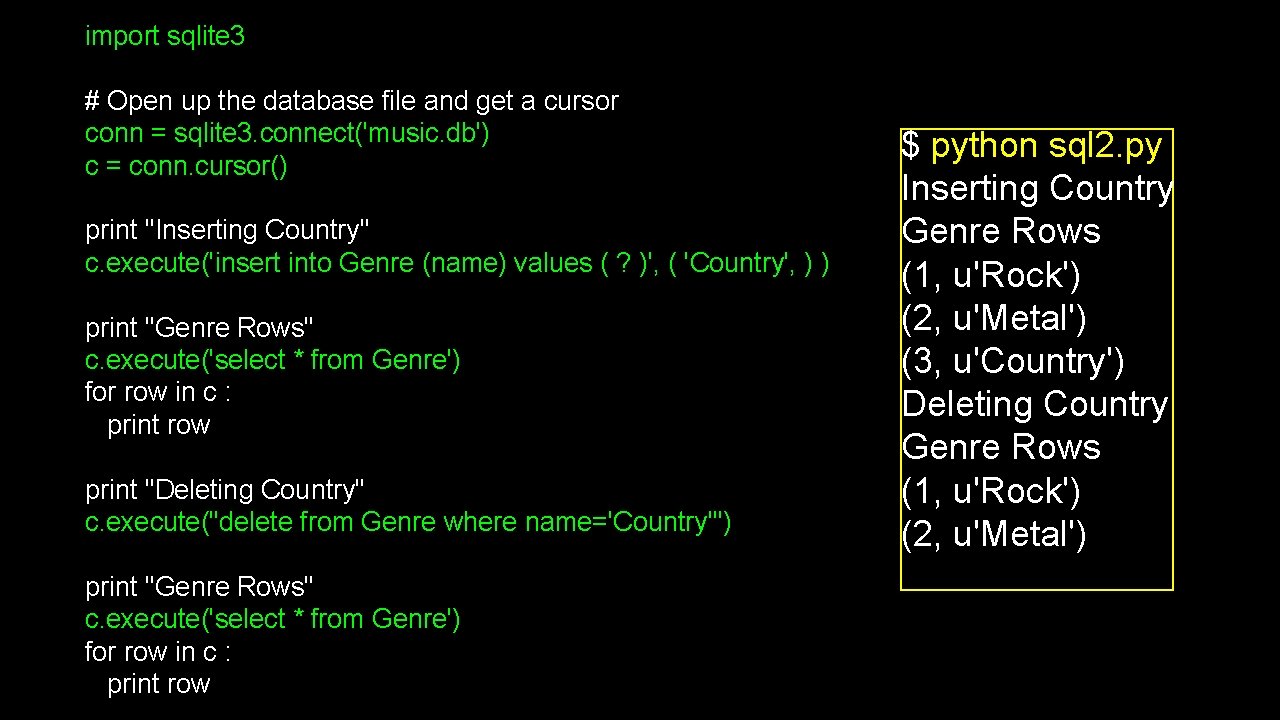
import sqlite 3 # Open up the database file and get a cursor conn = sqlite 3. connect('music. db') c = conn. cursor() print "Inserting Country" c. execute('insert into Genre (name) values ( ? )', ( 'Country', ) ) print "Genre Rows" c. execute('select * from Genre') for row in c : print row print "Deleting Country" c. execute("delete from Genre where name='Country'") print "Genre Rows" c. execute('select * from Genre') for row in c : print row $ python sql 2. py Inserting Country Genre Rows (1, u'Rock') (2, u'Metal') (3, u'Country') Deleting Country Genre Rows (1, u'Rock') (2, u'Metal')
Additional SQL Topics • • Indexes improve access performance for things like string fields Constraints on data - (cannot be NULL, etc. . ) Transactions - allow SQL operations to be grouped and done as a unit See SI 572 - Database Design
Summary • • Relational databases allow us to scale to very large amounts of data The key is to have one copy of any data element and use relations and joins to link the data to multiple places This greatly reduces the amount of data which much be scanned when doing complex operations across large amounts of data Database and SQL design is a bit of an art-form
- Slides: 64