
REIMBURSEMENT PRESENTATION BY GERALD DELGADO What is Reimbursement
REIMBURSEMENT PRESENTATION BY: GERALD DELGADO
What is Reimbursement? To make repayment to an employee for related travel and entertainment expenditures that are necessary in the performance of his/her assigned responsibilities.
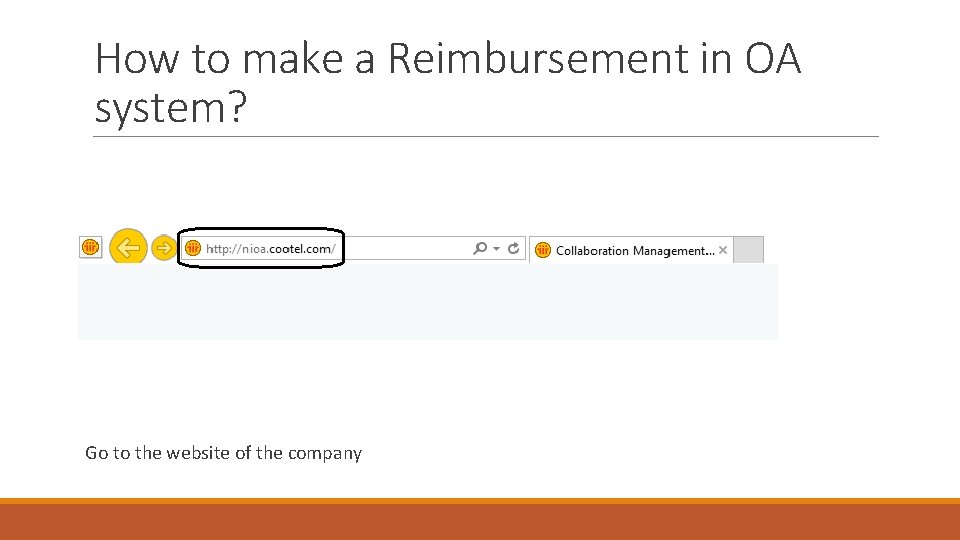
How to make a Reimbursement in OA system? Go to the website of the company
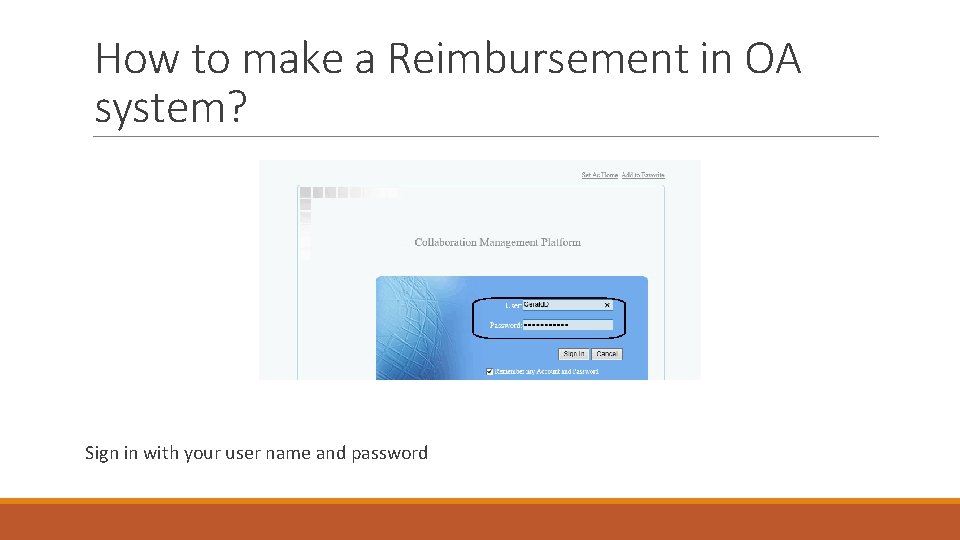
How to make a Reimbursement in OA system? Sign in with your user name and password
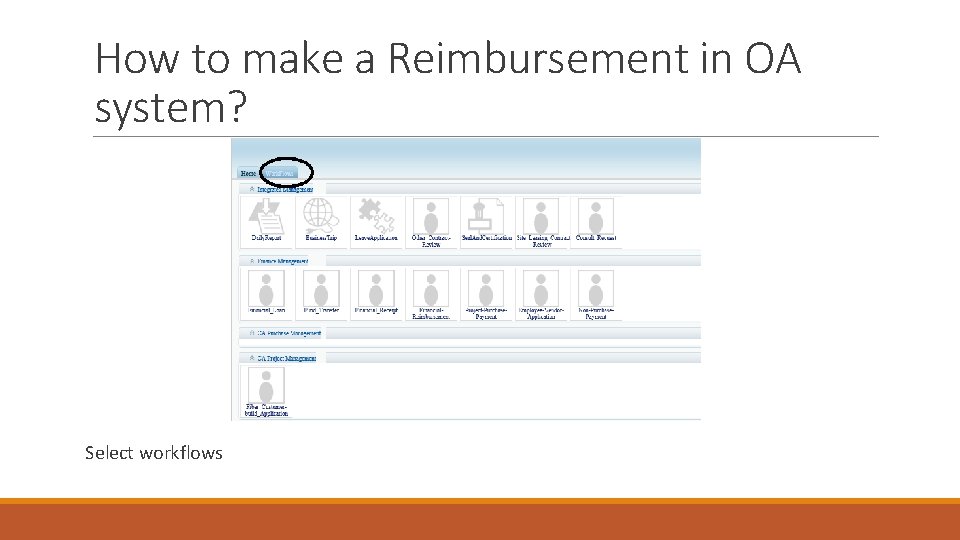
How to make a Reimbursement in OA system? Select workflows
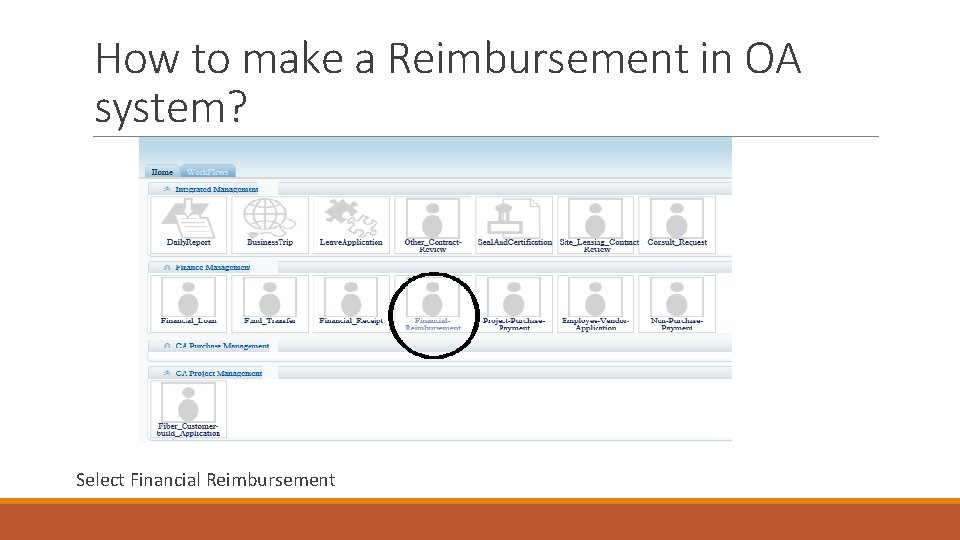
How to make a Reimbursement in OA system? Select Financial Reimbursement
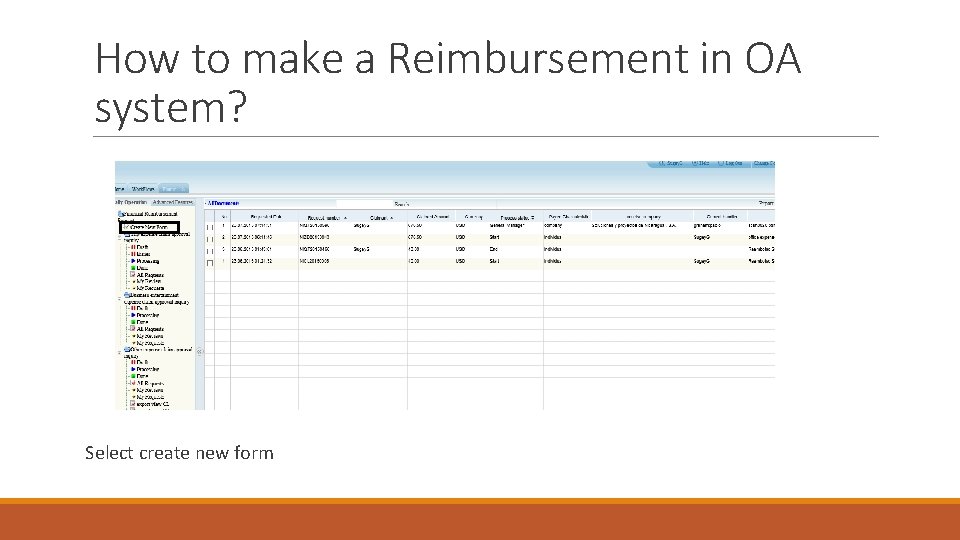
How to make a Reimbursement in OA system? Select create new form
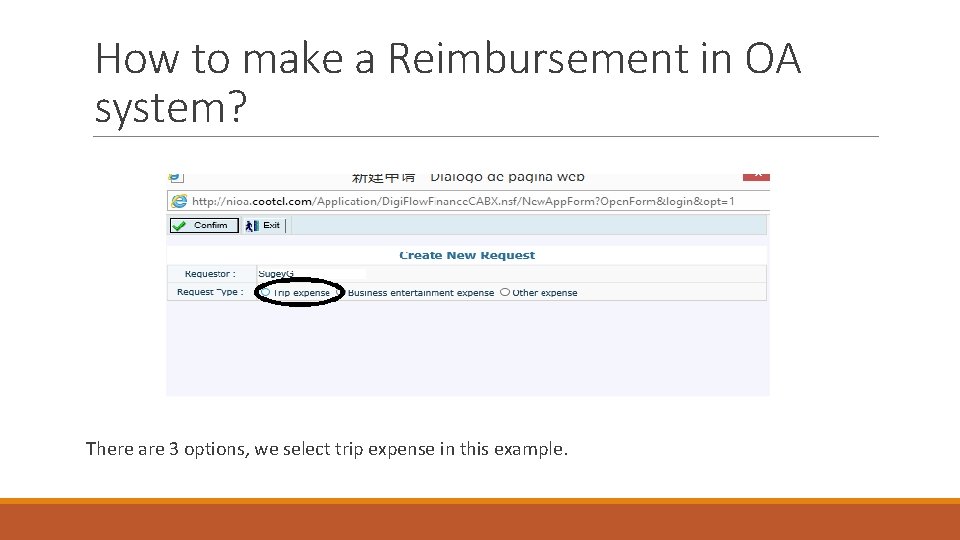
How to make a Reimbursement in OA system? There are 3 options, we select trip expense in this example.
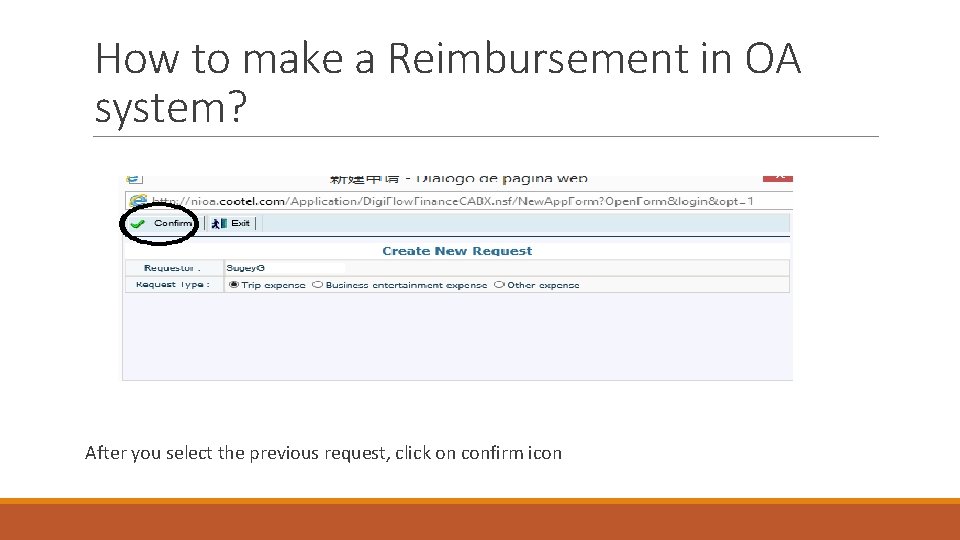
How to make a Reimbursement in OA system? After you select the previous request, click on confirm icon
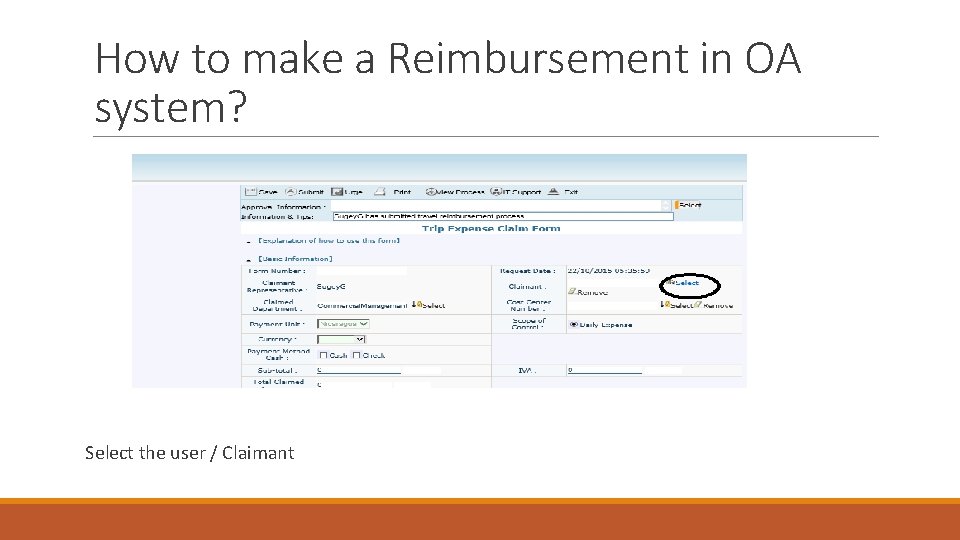
How to make a Reimbursement in OA system? Select the user / Claimant
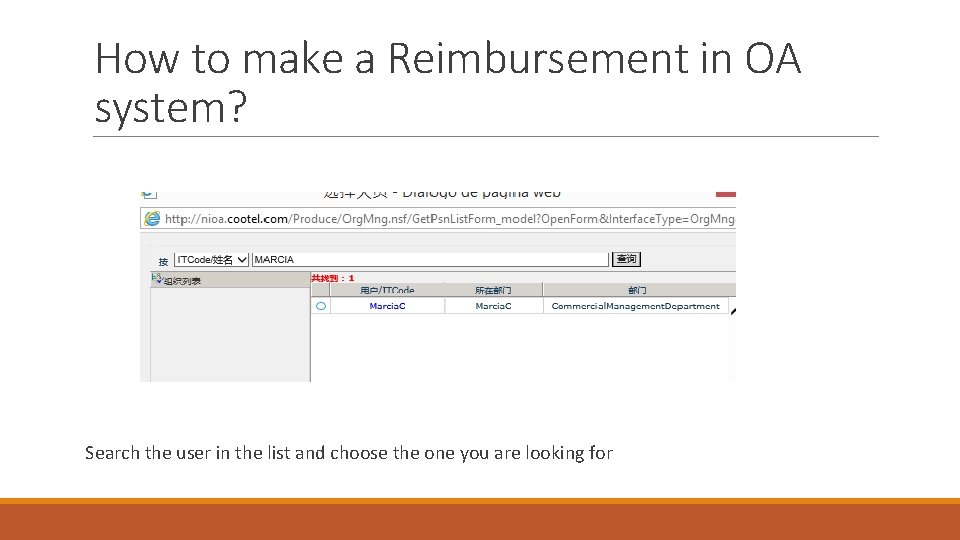
How to make a Reimbursement in OA system? Search the user in the list and choose the one you are looking for
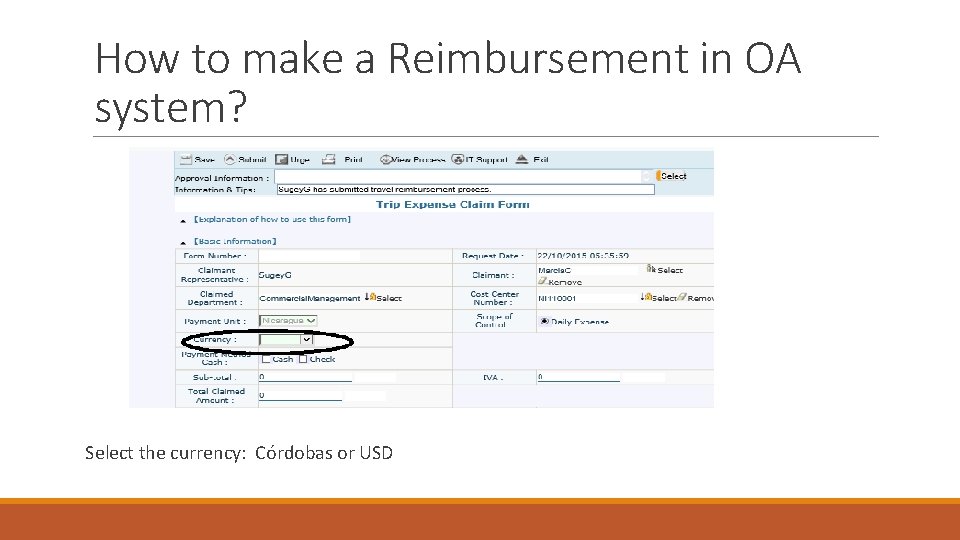
How to make a Reimbursement in OA system? Select the currency: Córdobas or USD
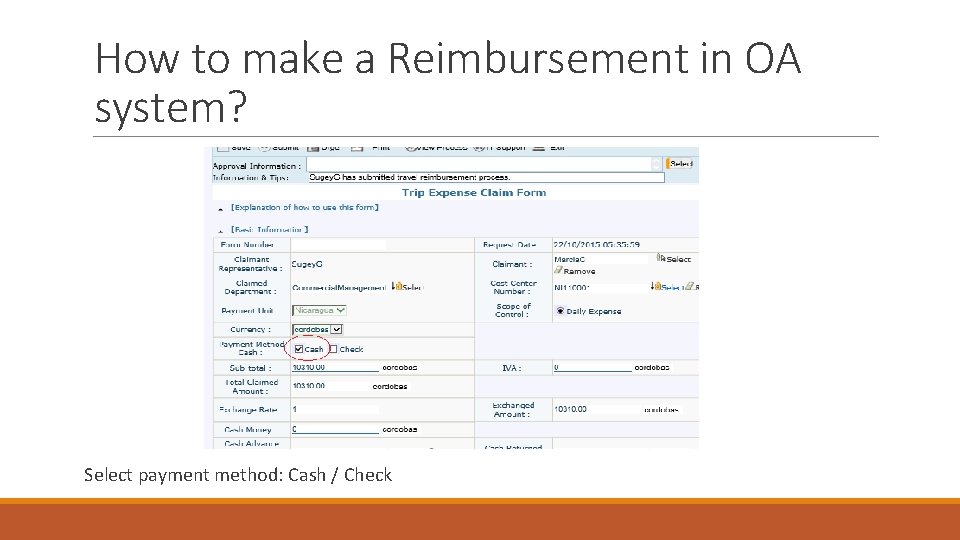
How to make a Reimbursement in OA system? Select payment method: Cash / Check
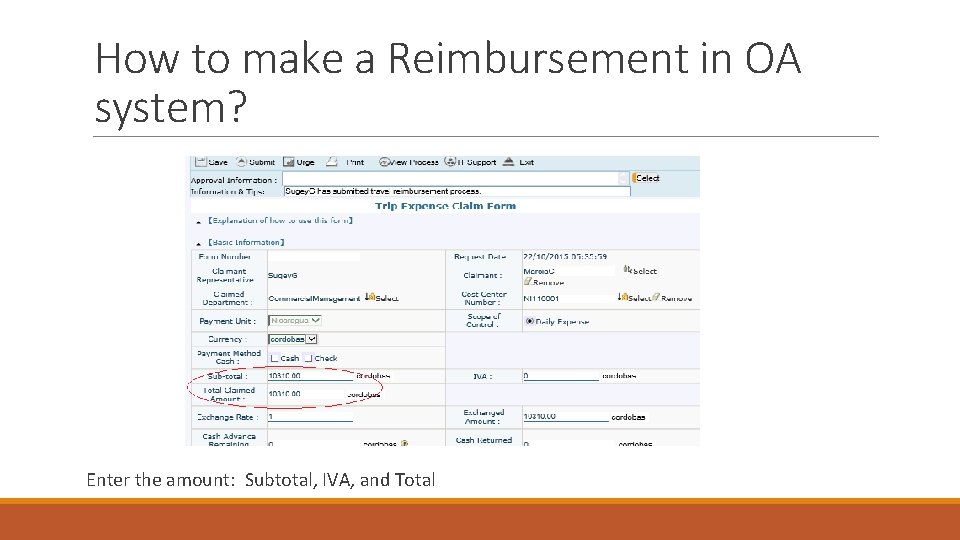
How to make a Reimbursement in OA system? Enter the amount: Subtotal, IVA, and Total
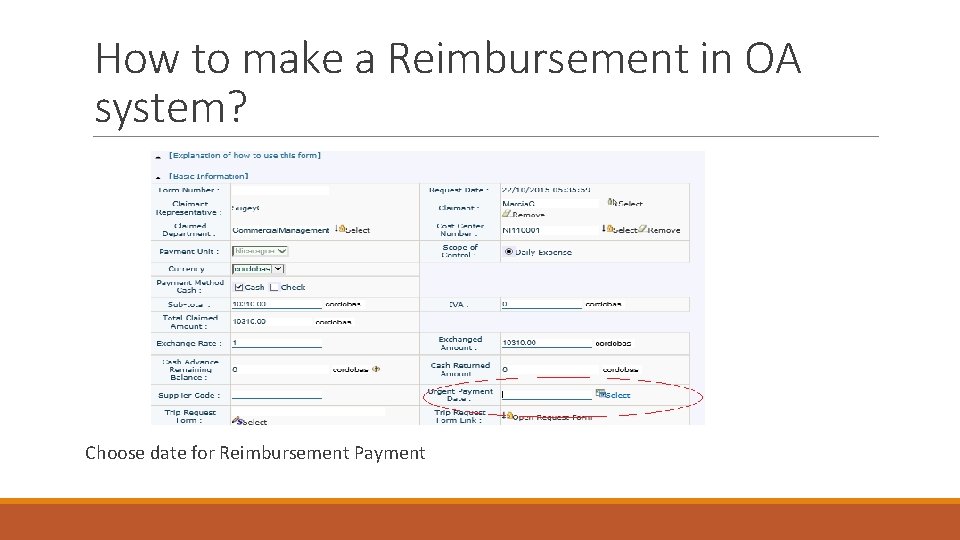
How to make a Reimbursement in OA system? Choose date for Reimbursement Payment
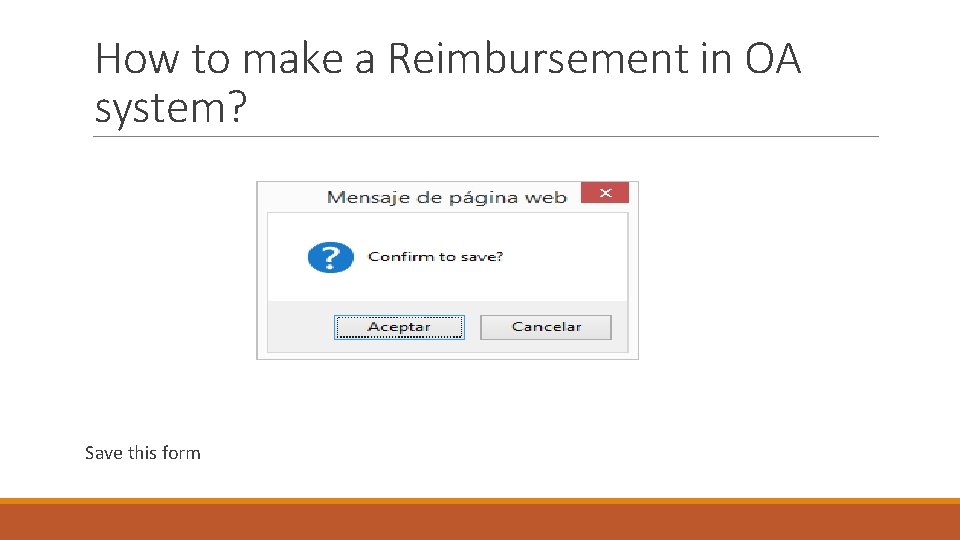
How to make a Reimbursement in OA system? Save this form
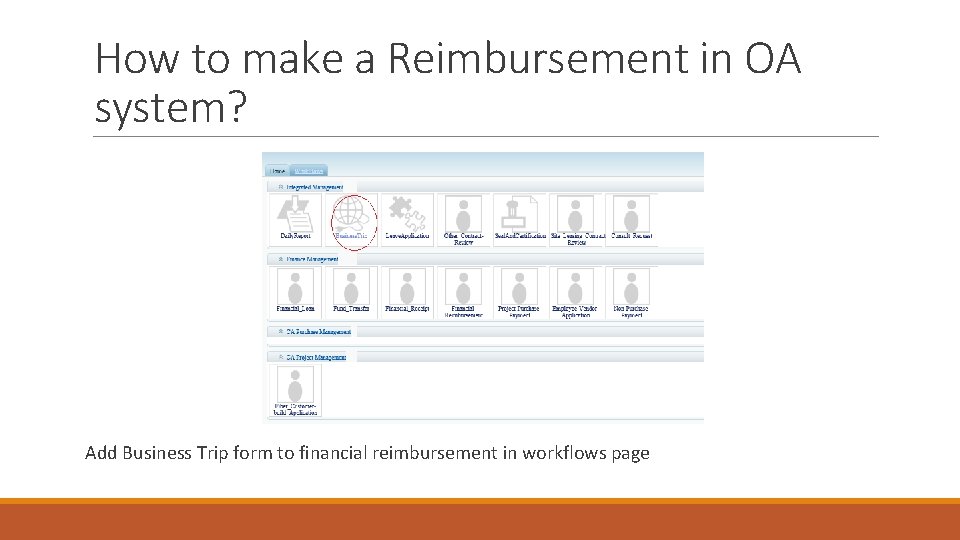
How to make a Reimbursement in OA system? Add Business Trip form to financial reimbursement in workflows page
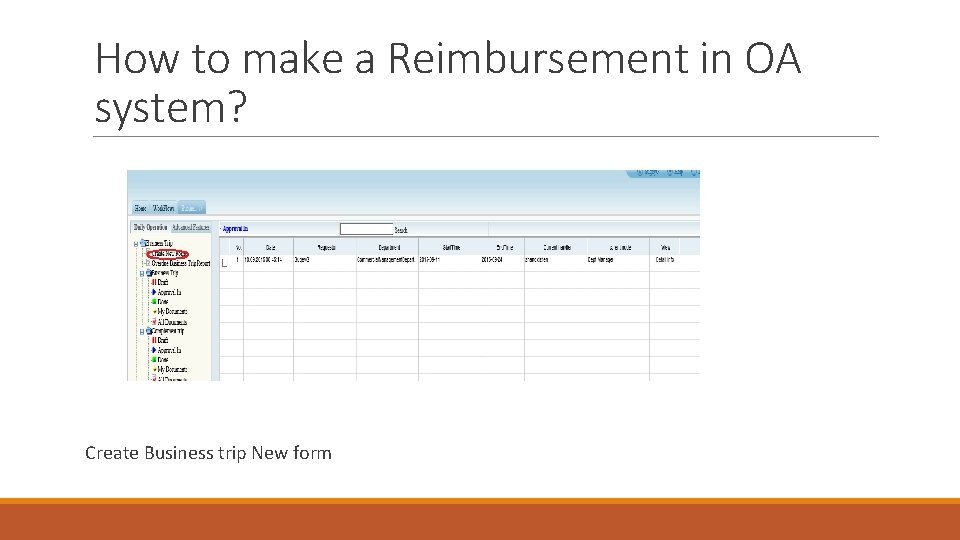
How to make a Reimbursement in OA system? Create Business trip New form
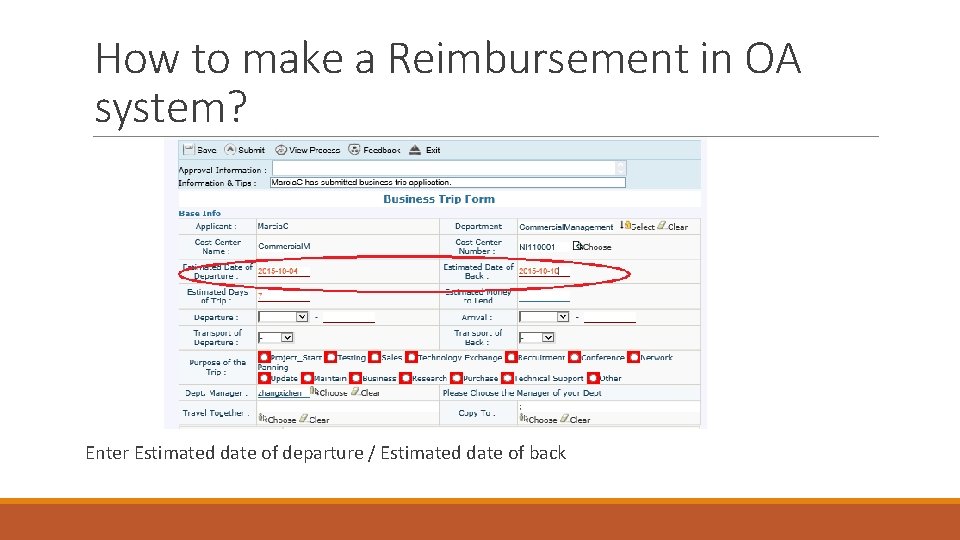
How to make a Reimbursement in OA system? Enter Estimated date of departure / Estimated date of back
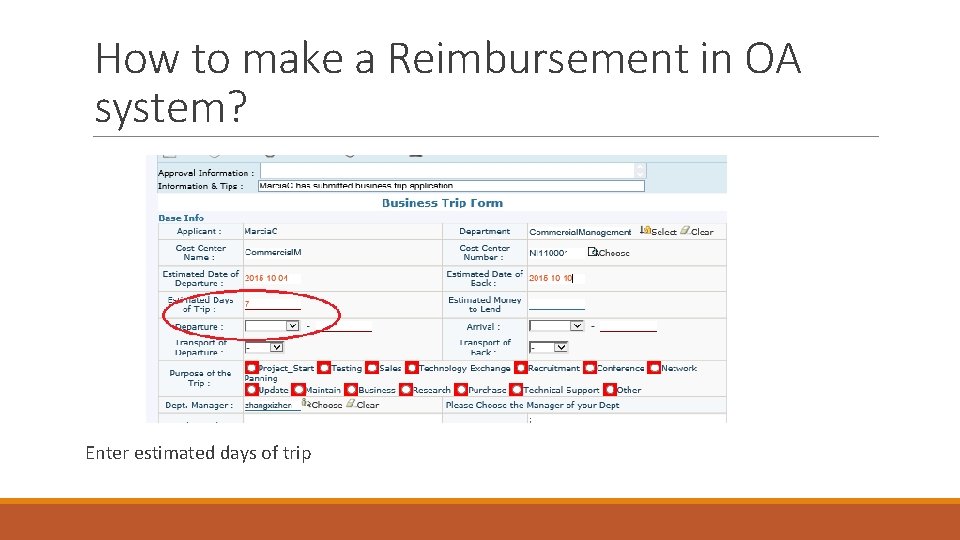
How to make a Reimbursement in OA system? Enter estimated days of trip
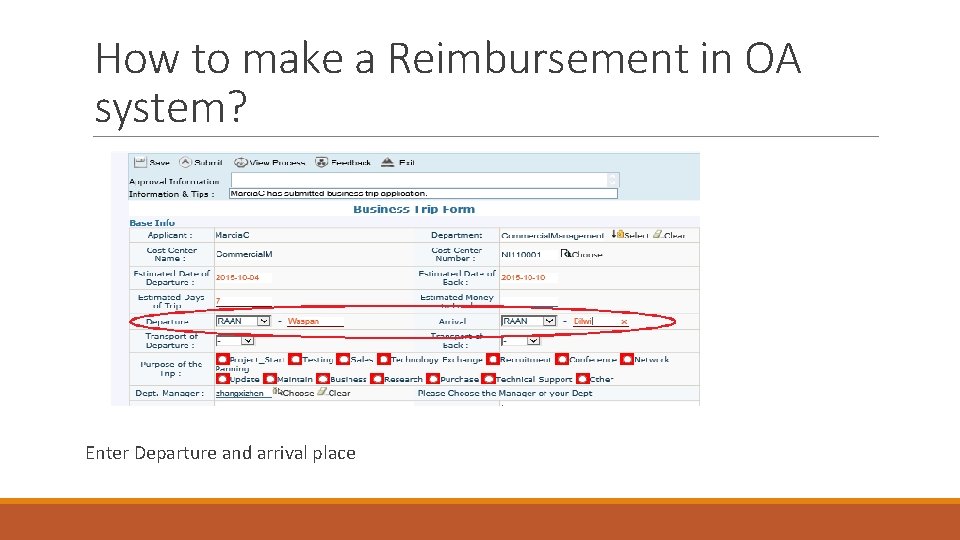
How to make a Reimbursement in OA system? Enter Departure and arrival place
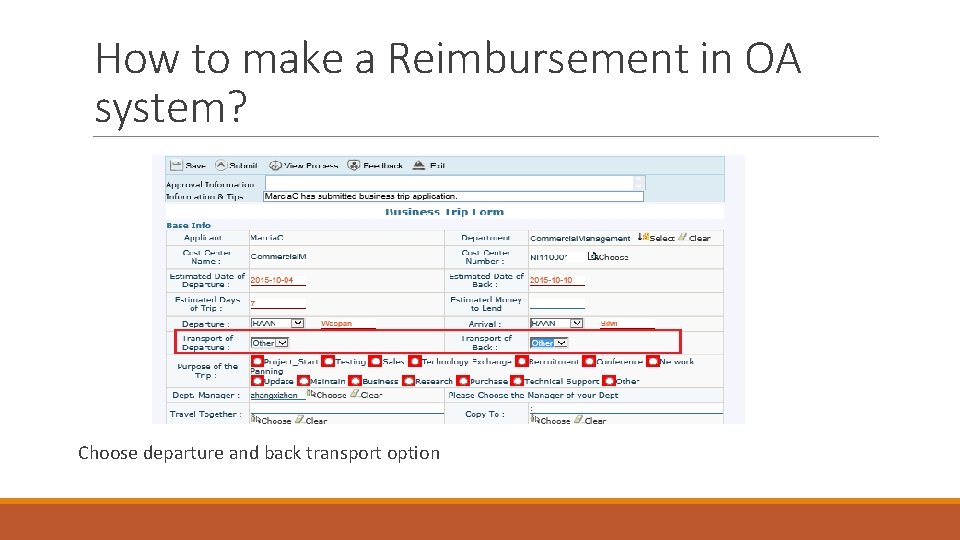
How to make a Reimbursement in OA system? Choose departure and back transport option
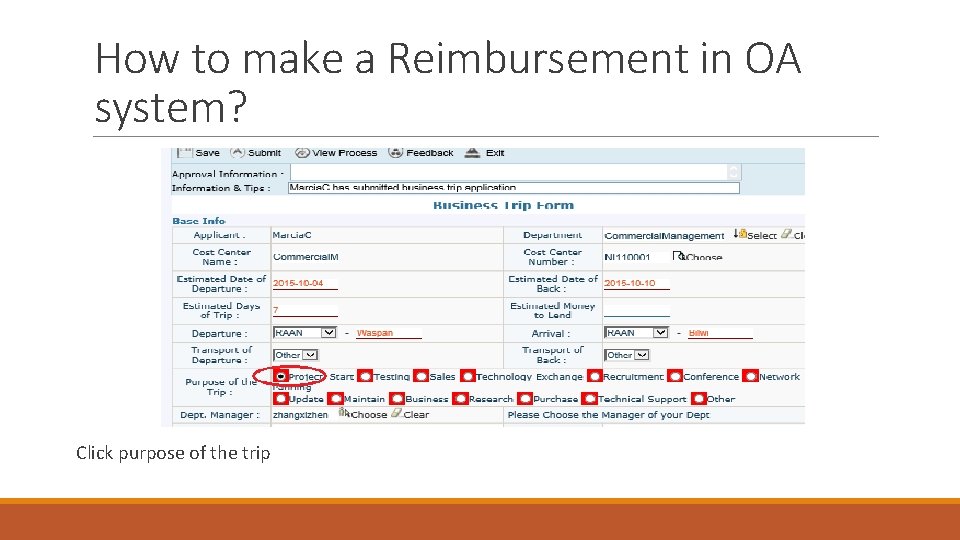
How to make a Reimbursement in OA system? Click purpose of the trip
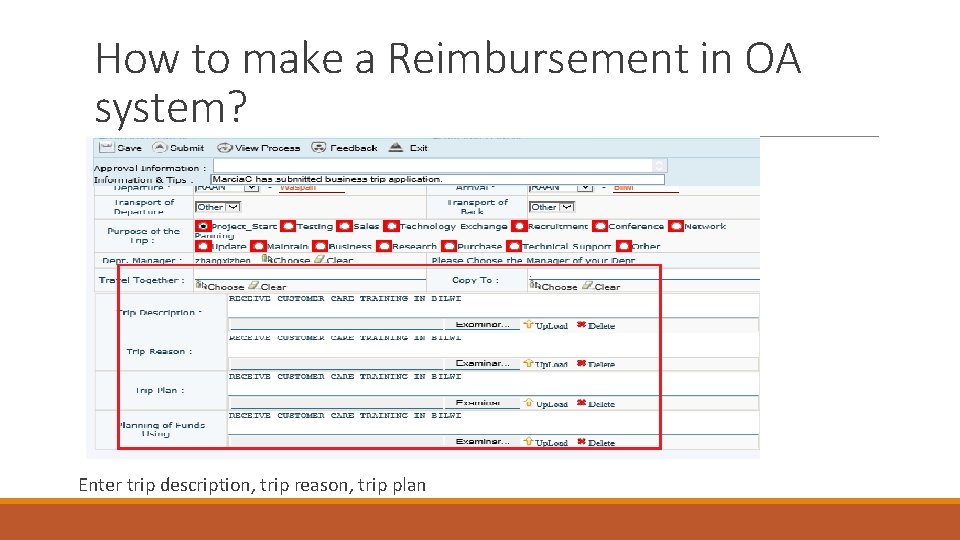
How to make a Reimbursement in OA system? Enter trip description, trip reason, trip plan
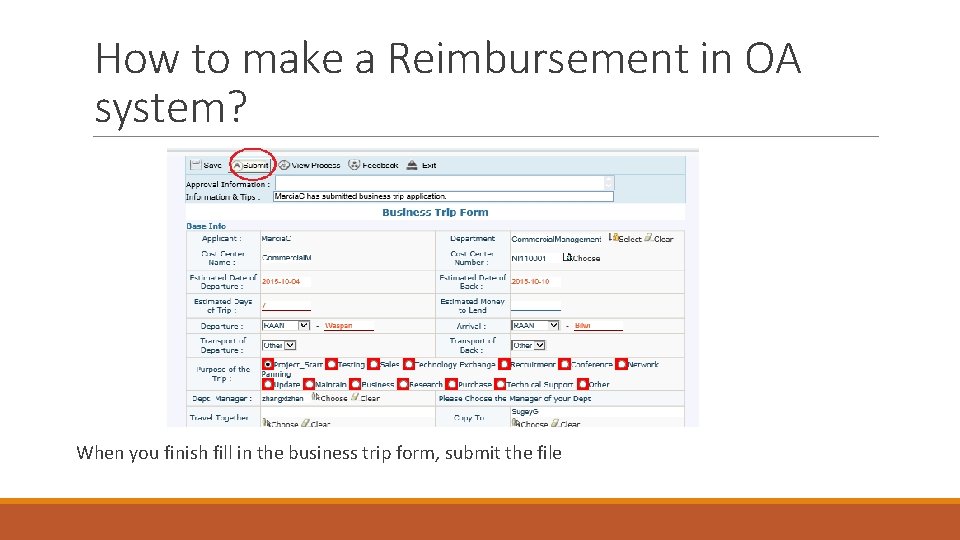
How to make a Reimbursement in OA system? When you finish fill in the business trip form, submit the file
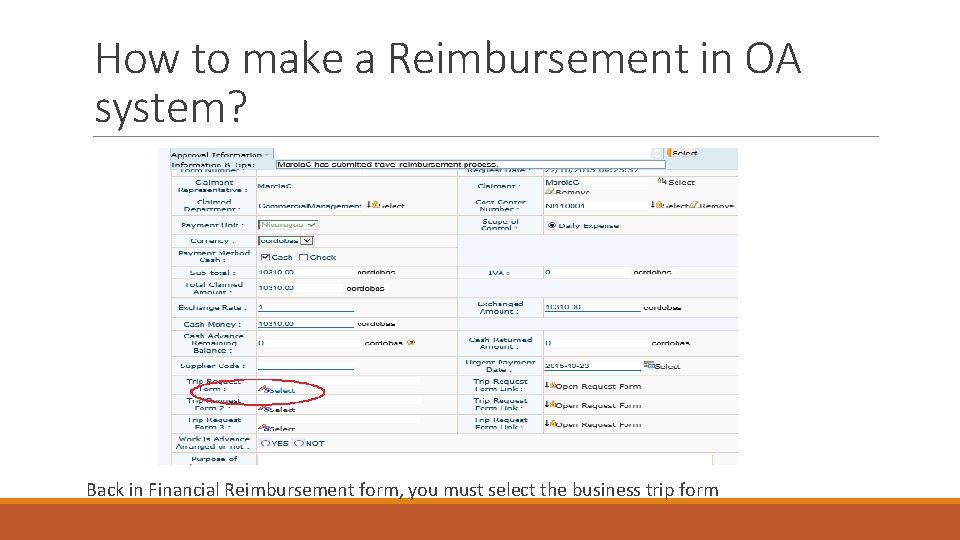
How to make a Reimbursement in OA system? Back in Financial Reimbursement form, you must select the business trip form
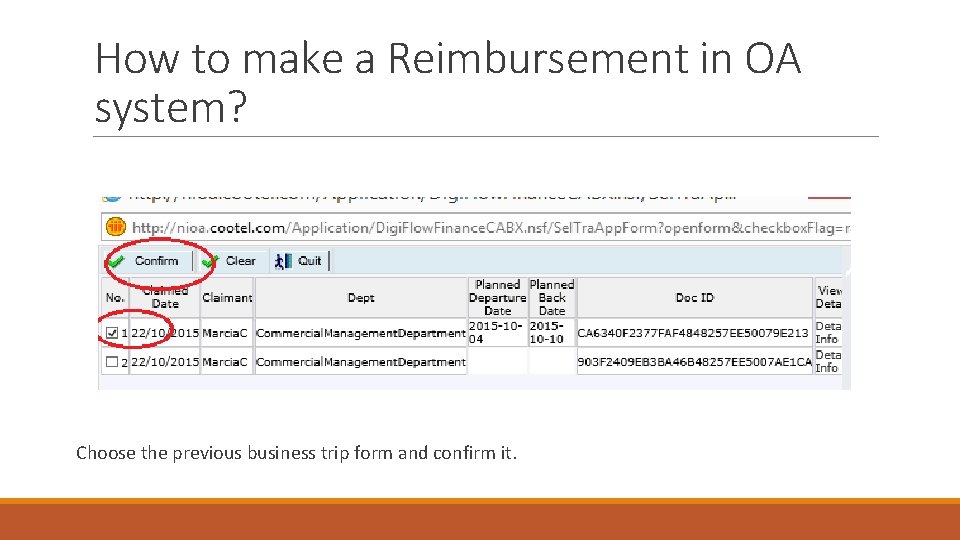
How to make a Reimbursement in OA system? Choose the previous business trip form and confirm it.
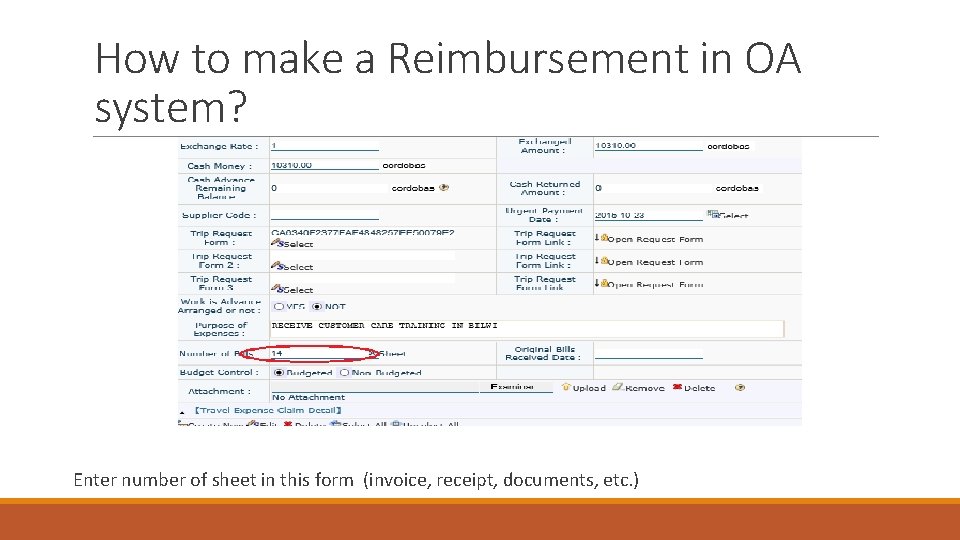
How to make a Reimbursement in OA system? Enter number of sheet in this form (invoice, receipt, documents, etc. )
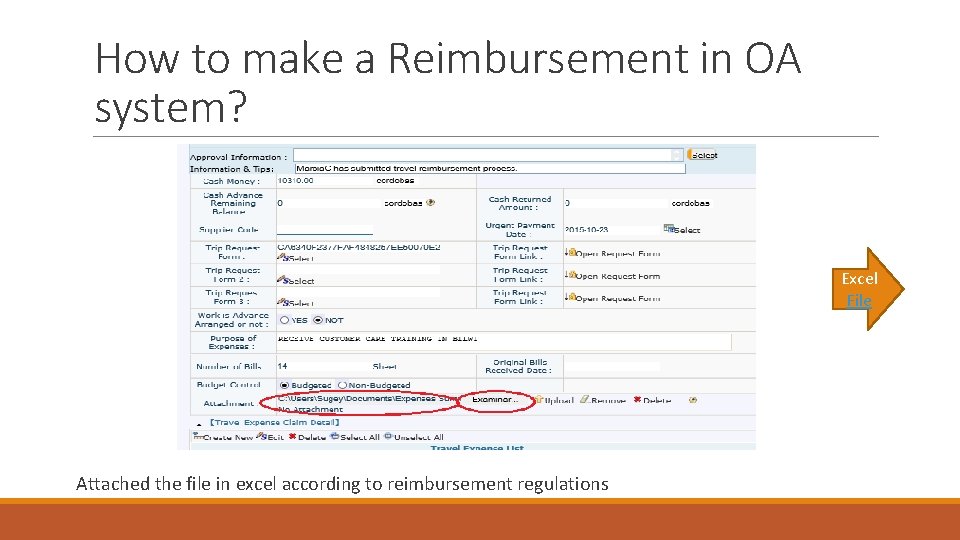
How to make a Reimbursement in OA system? Excel File Attached the file in excel according to reimbursement regulations
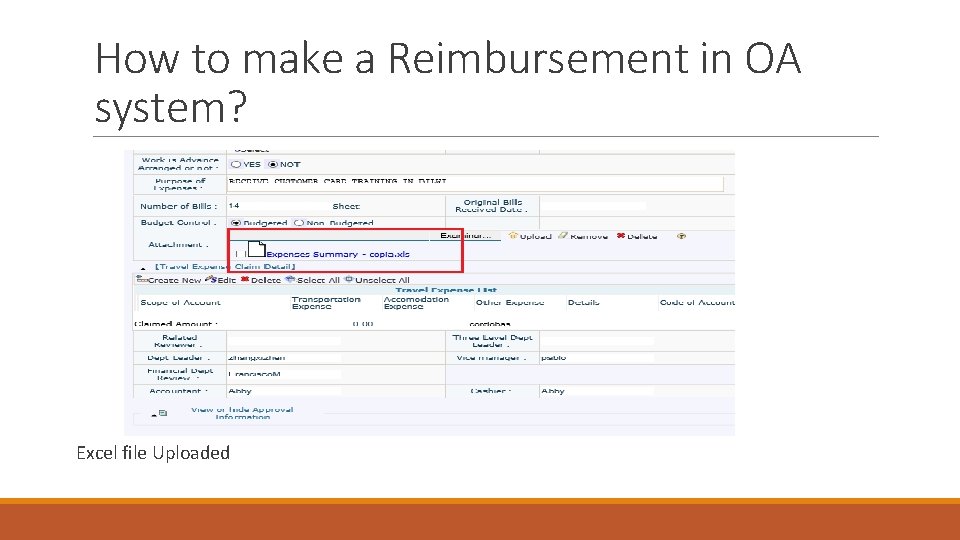
How to make a Reimbursement in OA system? Excel file Uploaded
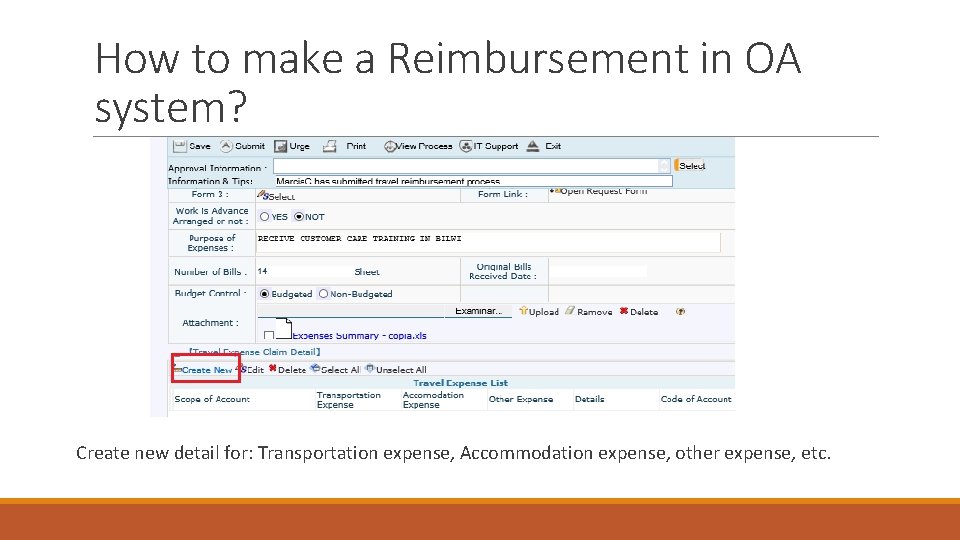
How to make a Reimbursement in OA system? Create new detail for: Transportation expense, Accommodation expense, other expense, etc.
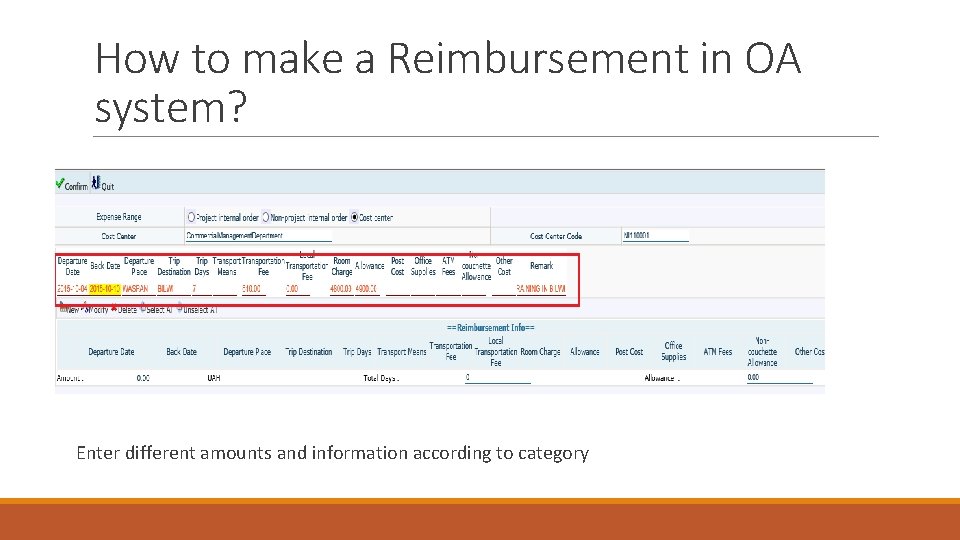
How to make a Reimbursement in OA system? Enter different amounts and information according to category
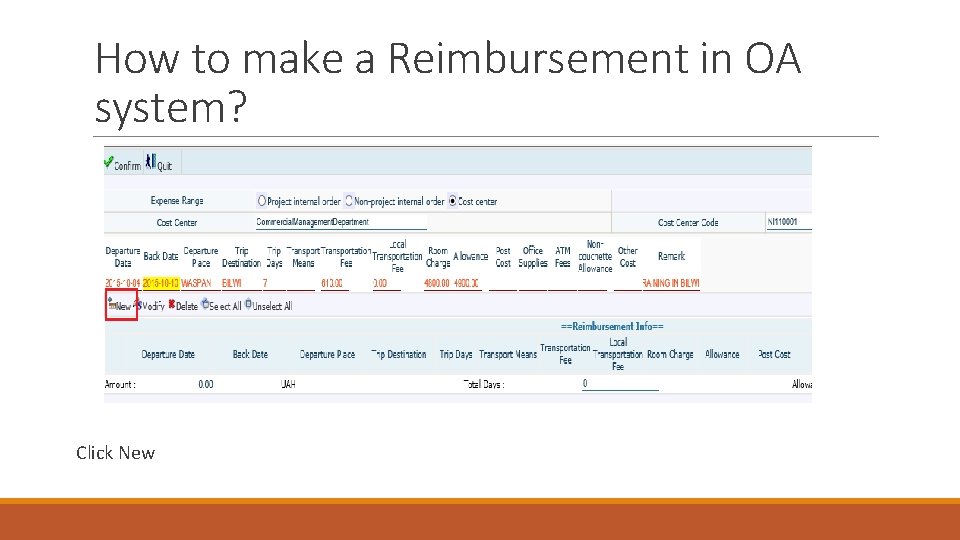
How to make a Reimbursement in OA system? Click New
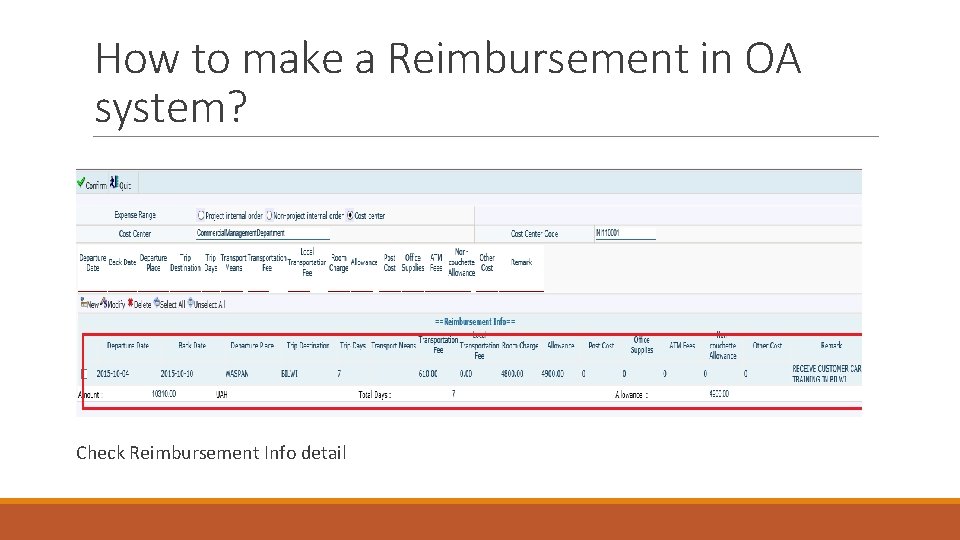
How to make a Reimbursement in OA system? Check Reimbursement Info detail
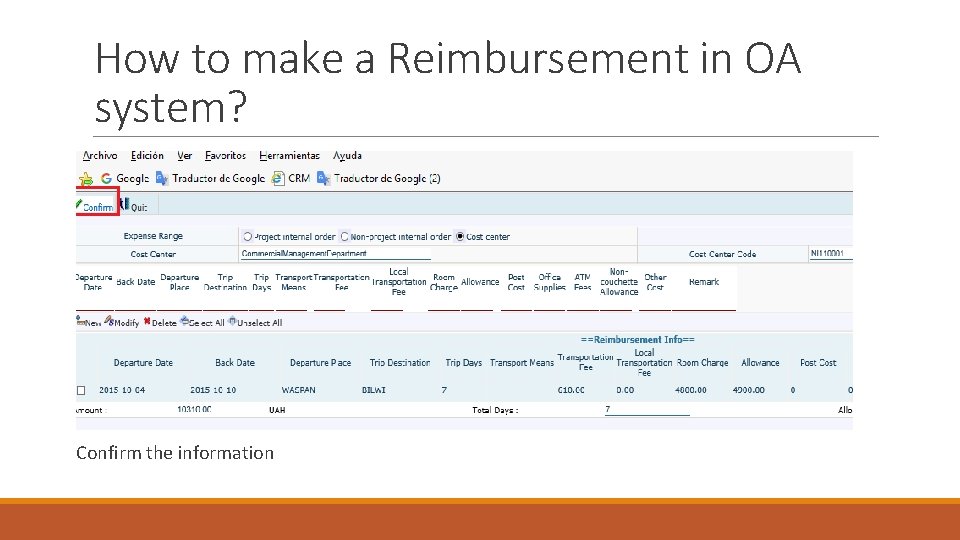
How to make a Reimbursement in OA system? Confirm the information
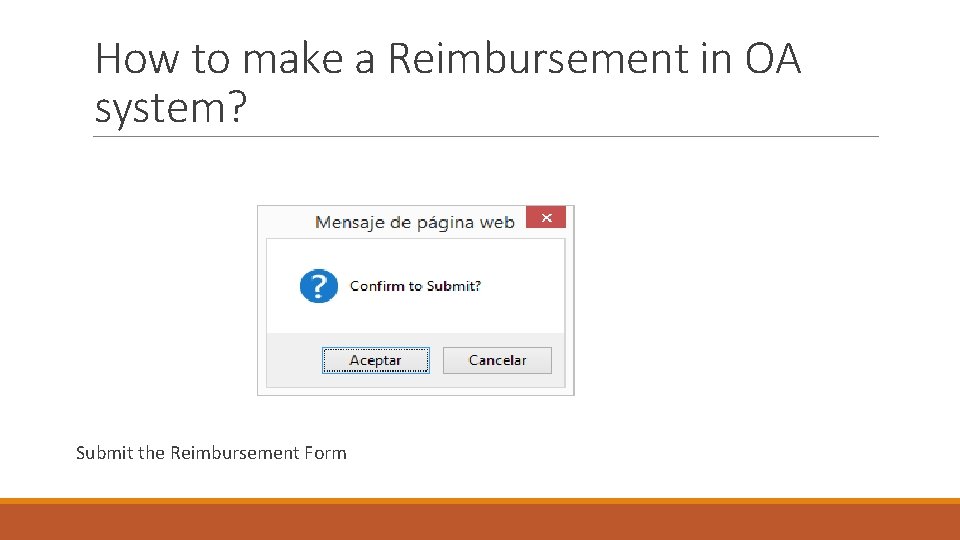
How to make a Reimbursement in OA system? Submit the Reimbursement Form
How to make a Reimbursement in OA system? Entertainment Expense
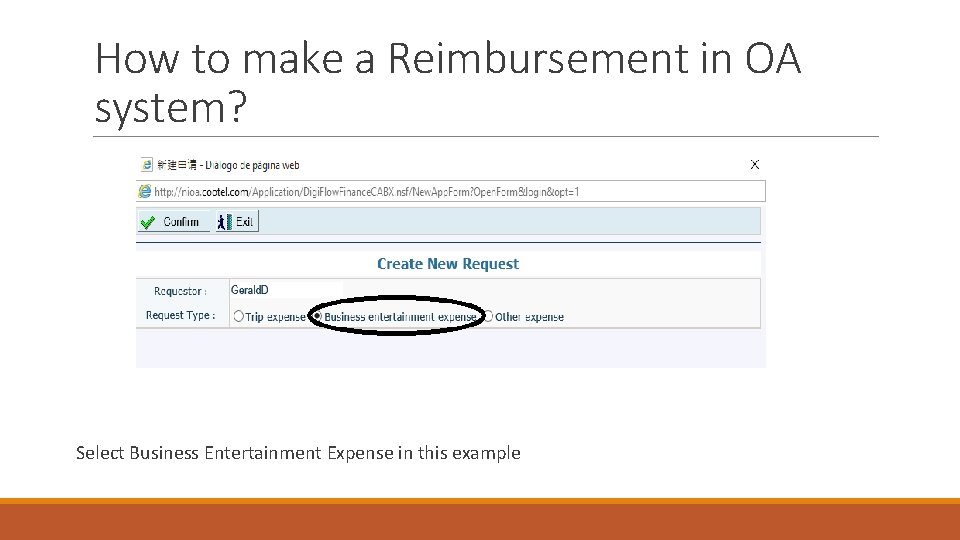
How to make a Reimbursement in OA system? Select Business Entertainment Expense in this example
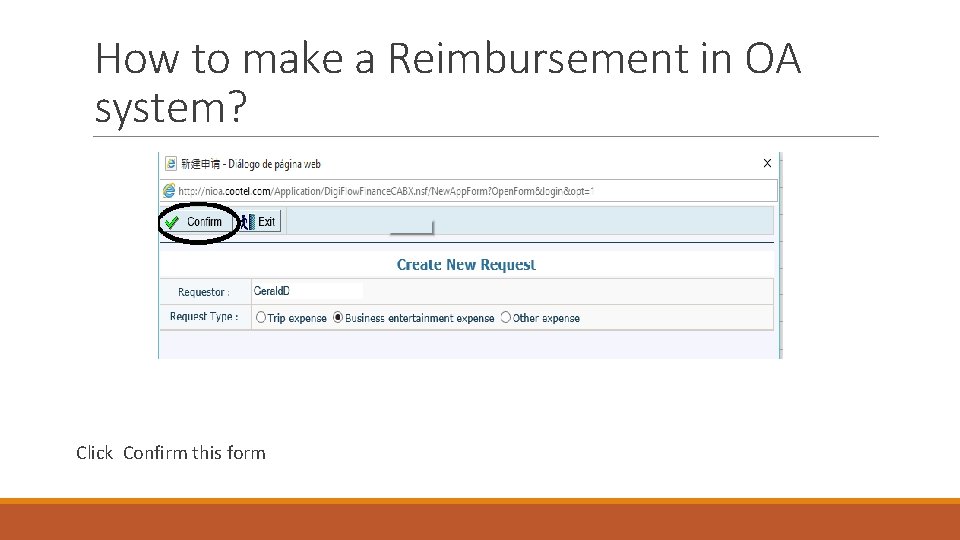
How to make a Reimbursement in OA system? Click Confirm this form
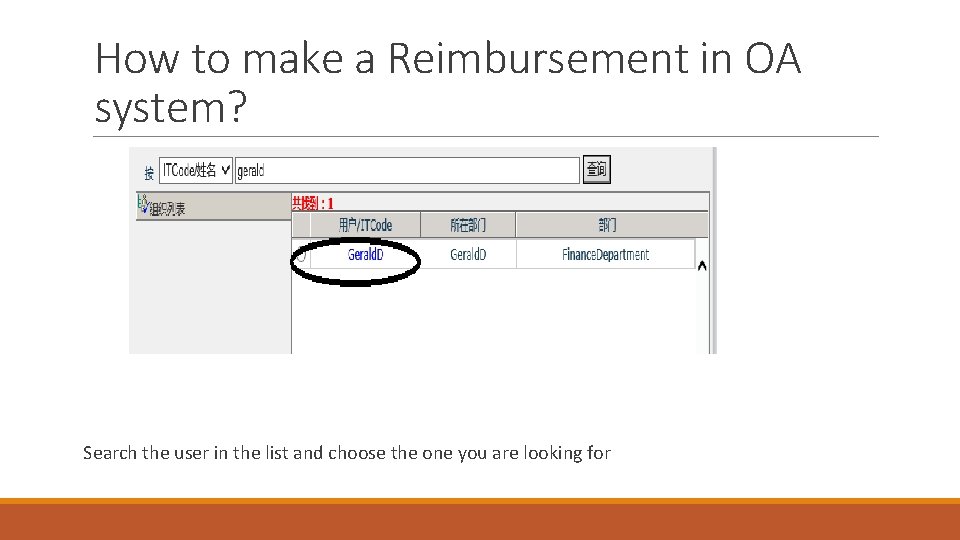
How to make a Reimbursement in OA system? Search the user in the list and choose the one you are looking for
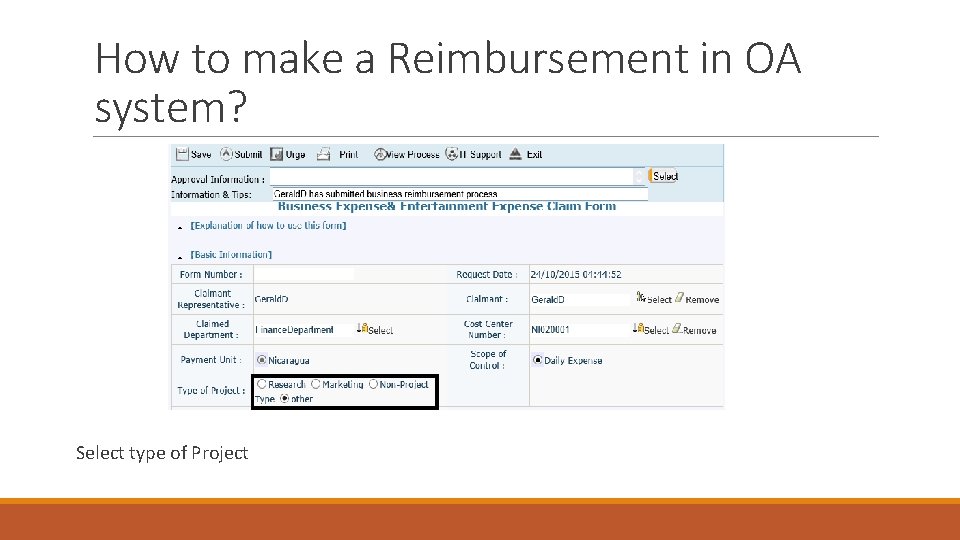
How to make a Reimbursement in OA system? Select type of Project
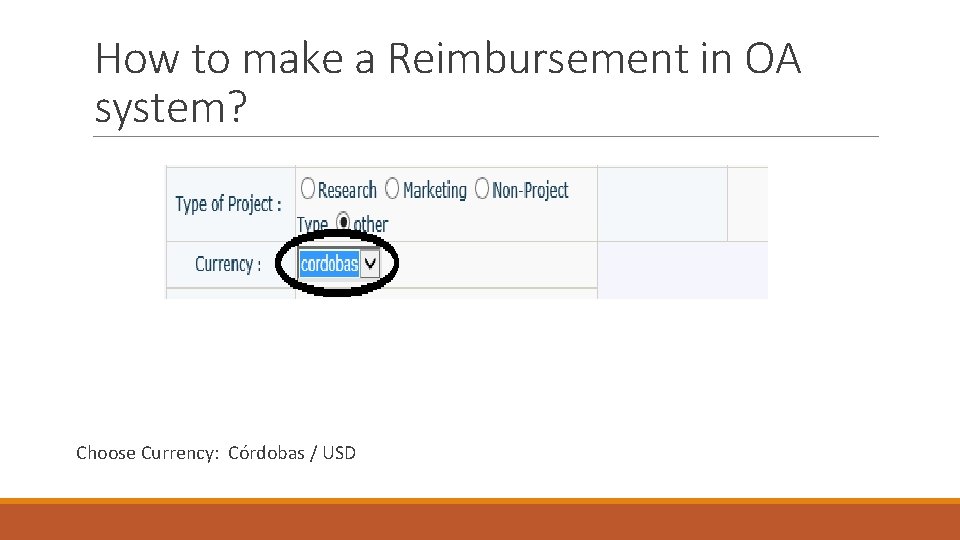
How to make a Reimbursement in OA system? Choose Currency: Córdobas / USD
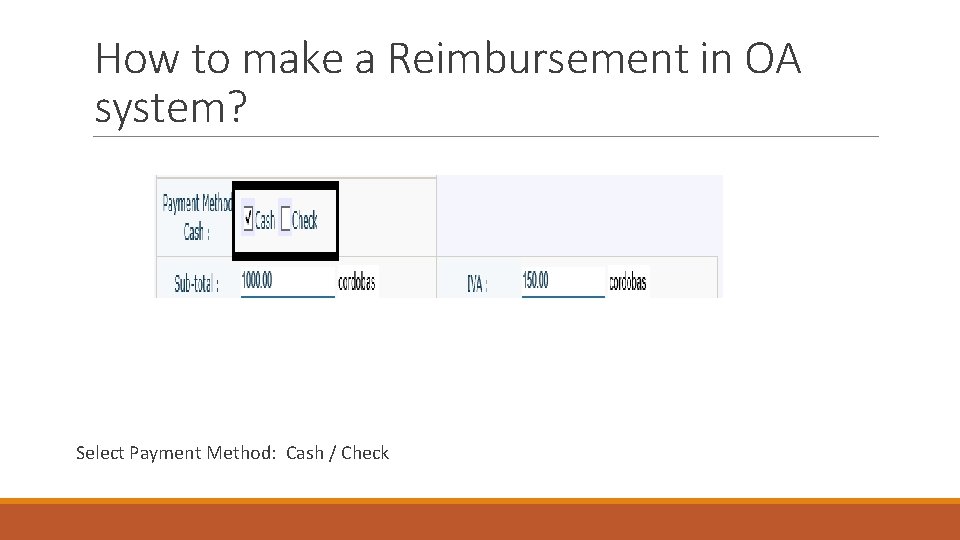
How to make a Reimbursement in OA system? Select Payment Method: Cash / Check
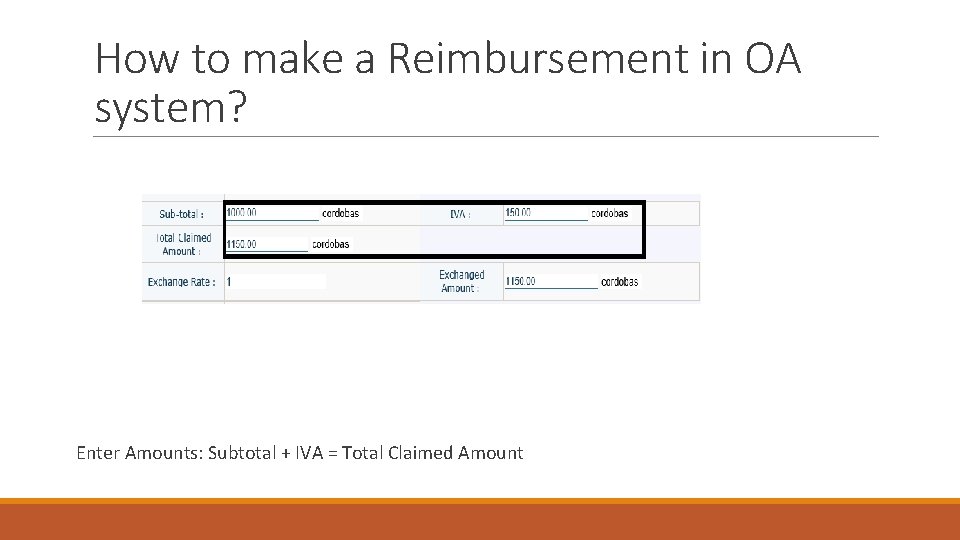
How to make a Reimbursement in OA system? Enter Amounts: Subtotal + IVA = Total Claimed Amount
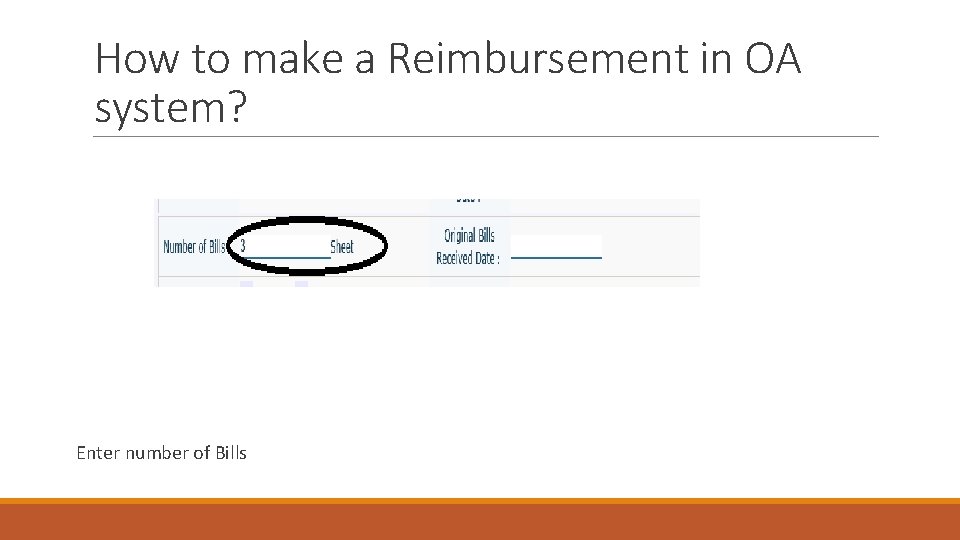
How to make a Reimbursement in OA system? Enter number of Bills
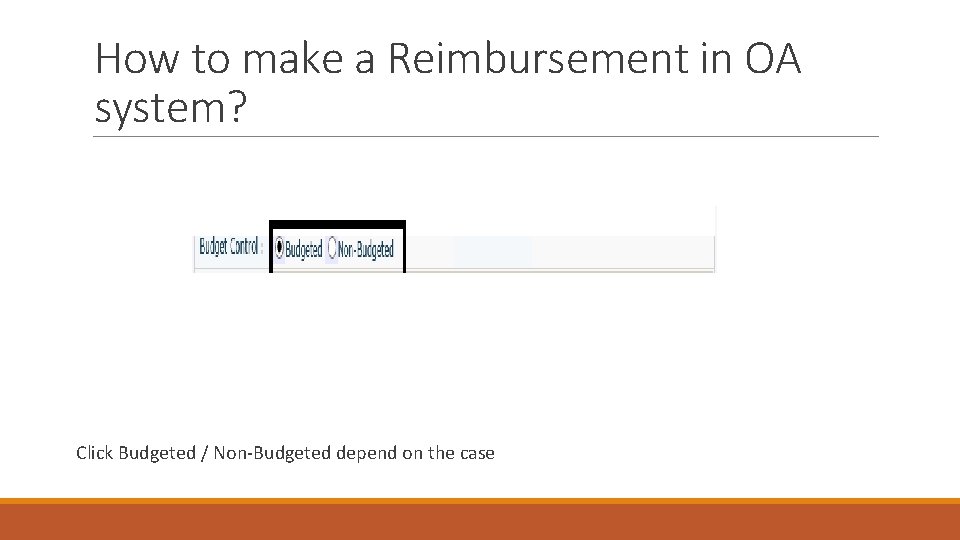
How to make a Reimbursement in OA system? Click Budgeted / Non-Budgeted depend on the case
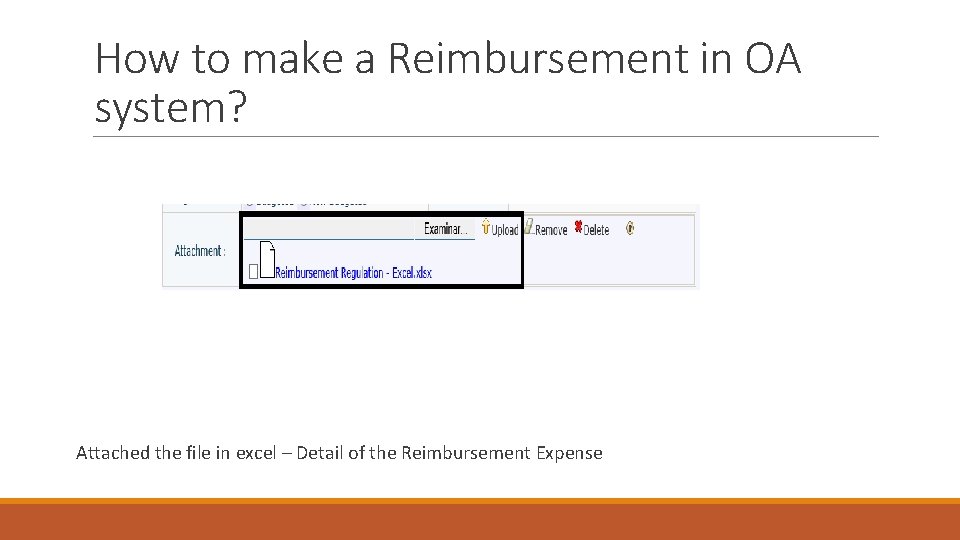
How to make a Reimbursement in OA system? Attached the file in excel – Detail of the Reimbursement Expense
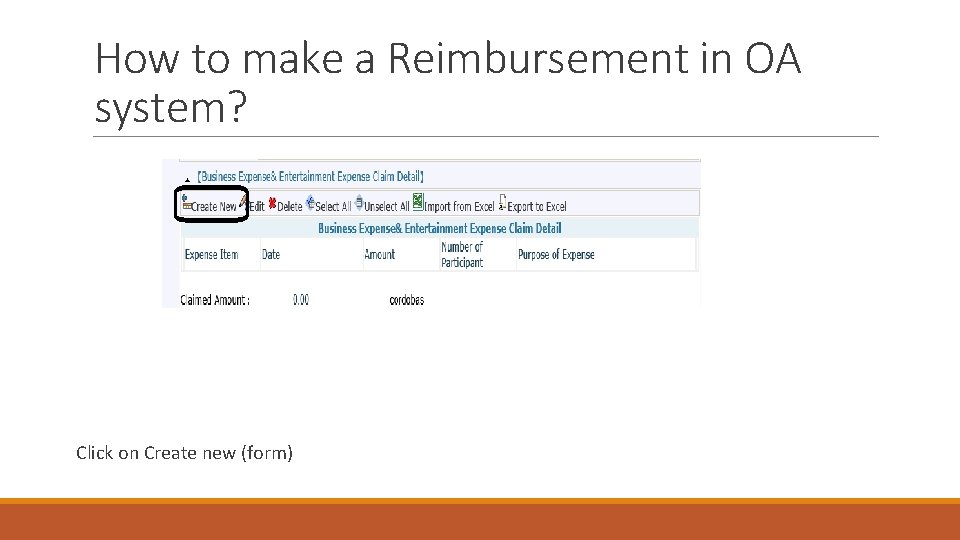
How to make a Reimbursement in OA system? Click on Create new (form)
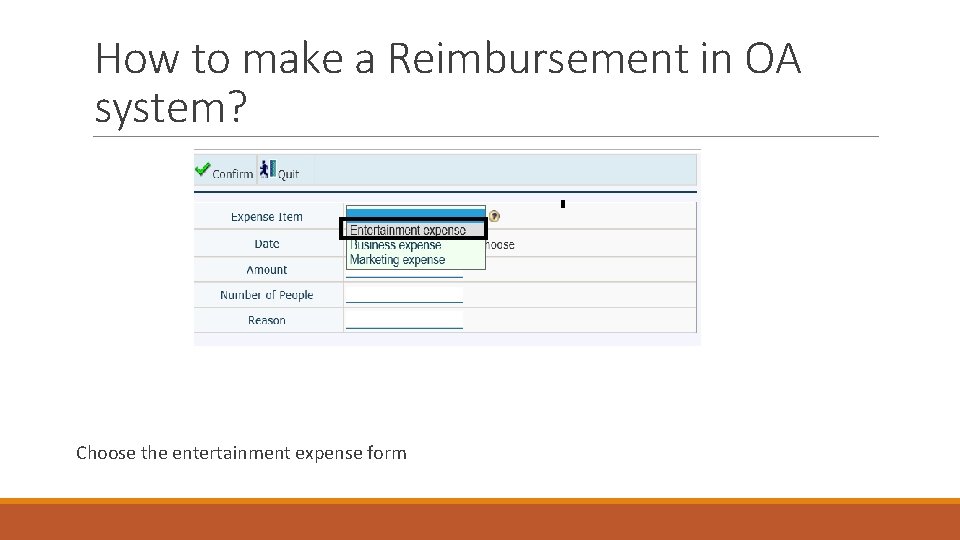
How to make a Reimbursement in OA system? Choose the entertainment expense form
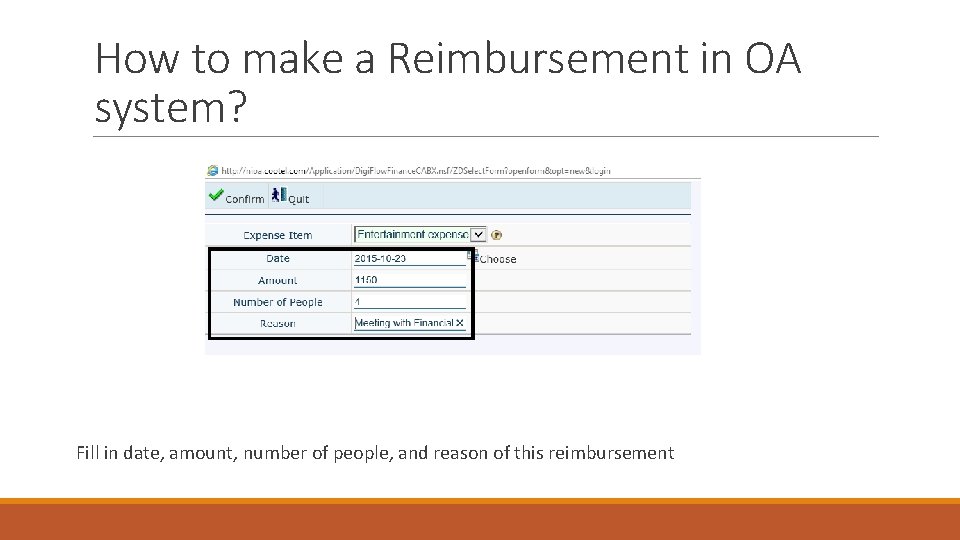
How to make a Reimbursement in OA system? Fill in date, amount, number of people, and reason of this reimbursement
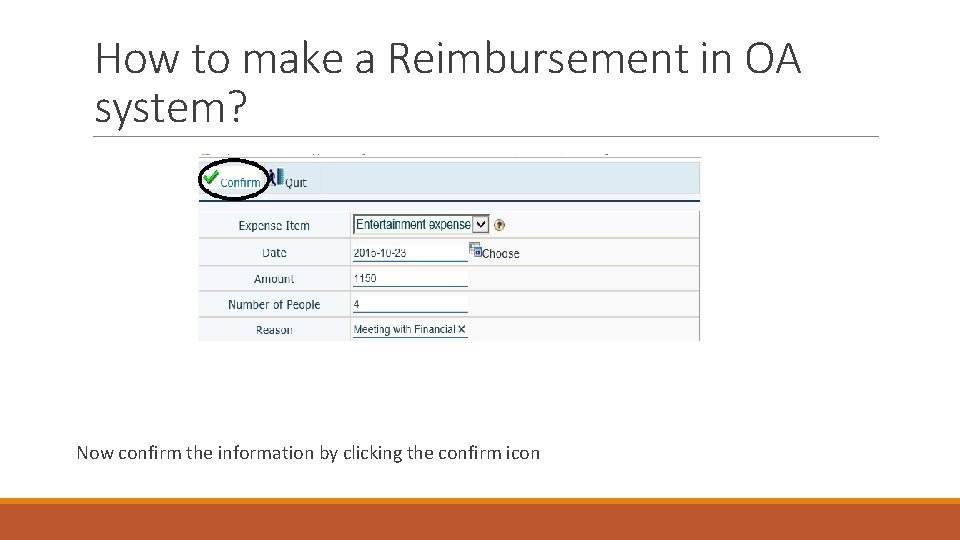
How to make a Reimbursement in OA system? Now confirm the information by clicking the confirm icon
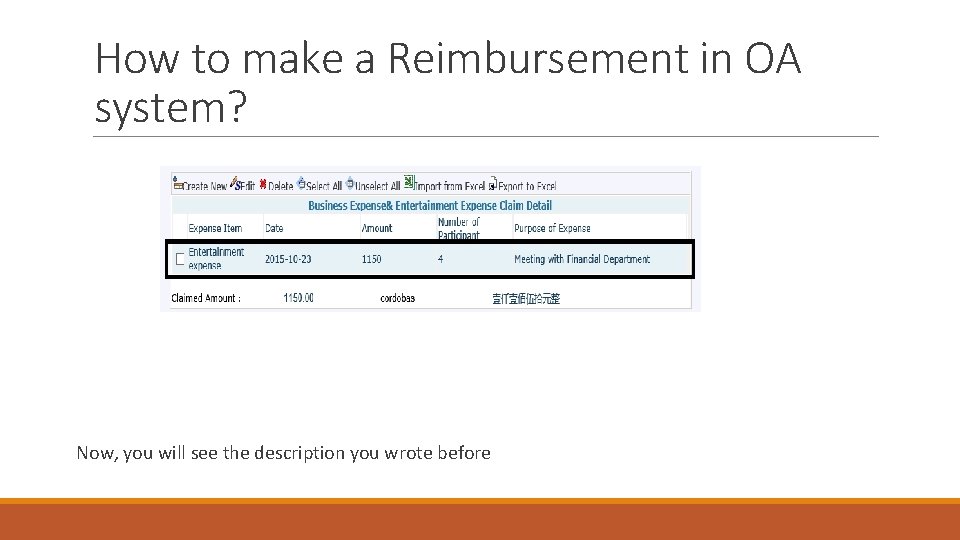
How to make a Reimbursement in OA system? Now, you will see the description you wrote before
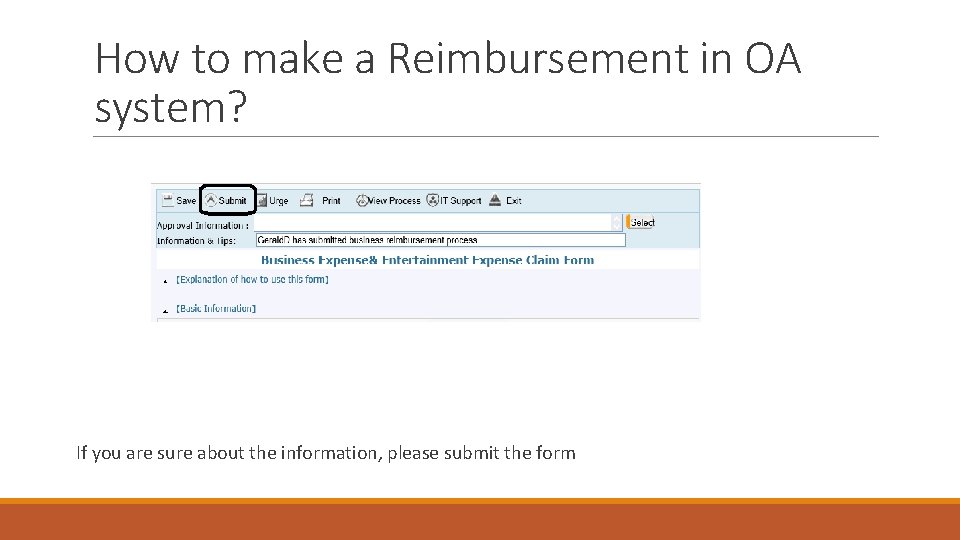
How to make a Reimbursement in OA system? If you are sure about the information, please submit the form
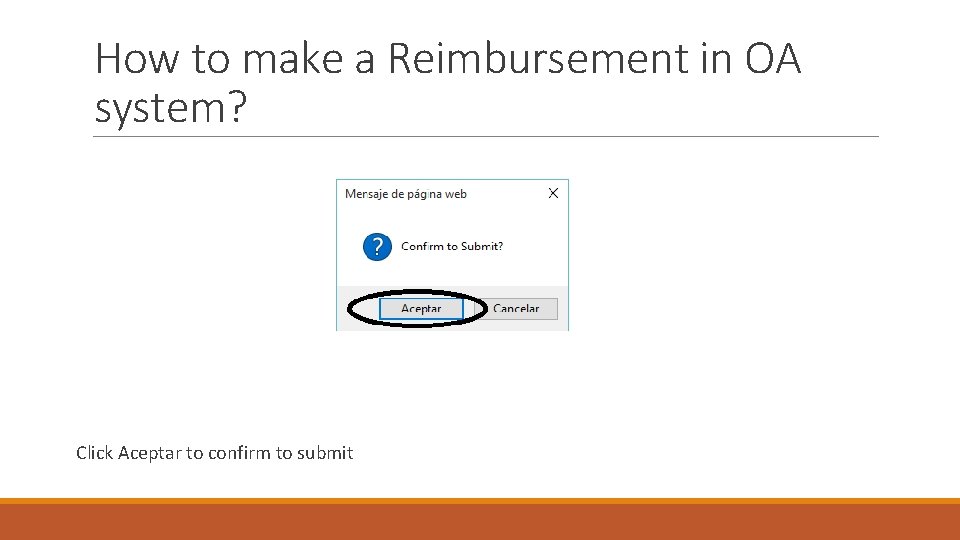
How to make a Reimbursement in OA system? Click Aceptar to confirm to submit
How to make a Reimbursement in OA system? Other Expense
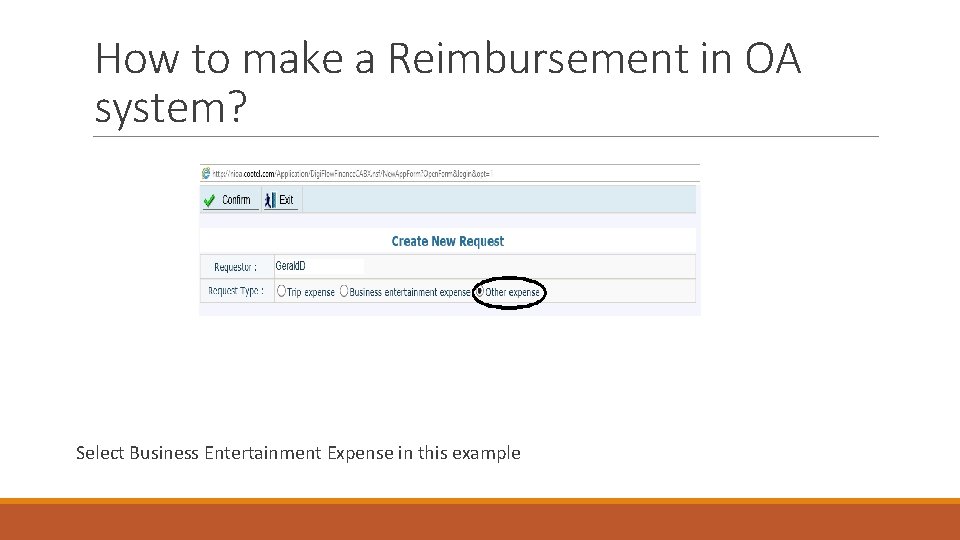
How to make a Reimbursement in OA system? Select Business Entertainment Expense in this example
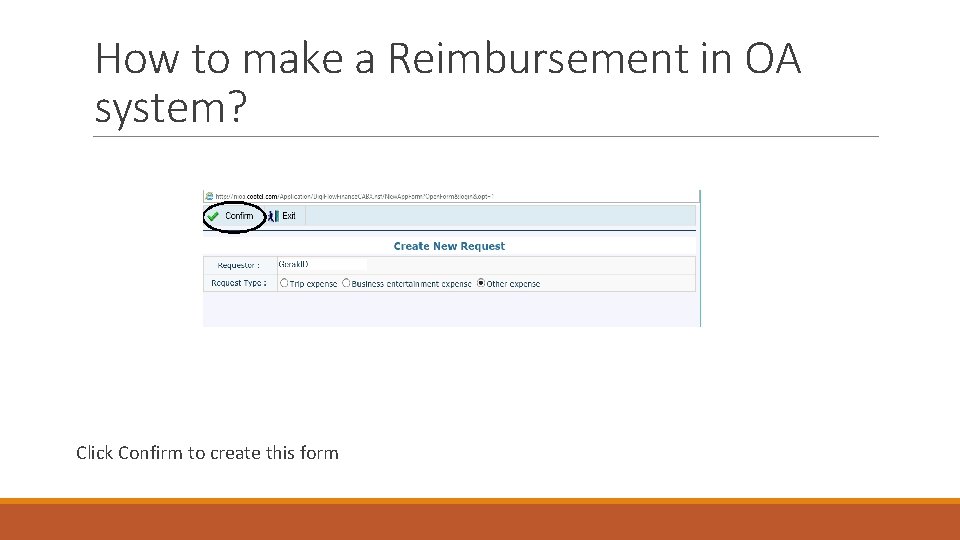
How to make a Reimbursement in OA system? Click Confirm to create this form
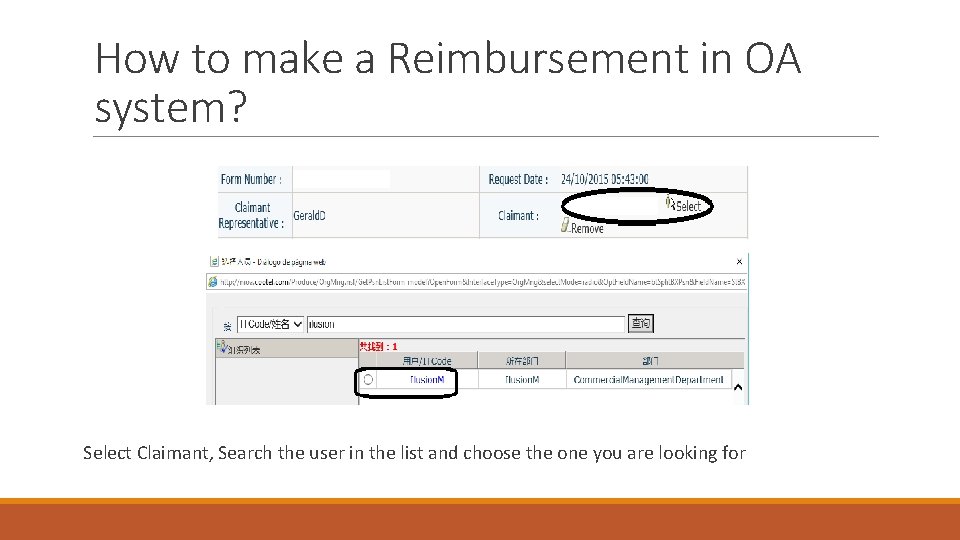
How to make a Reimbursement in OA system? Select Claimant, Search the user in the list and choose the one you are looking for
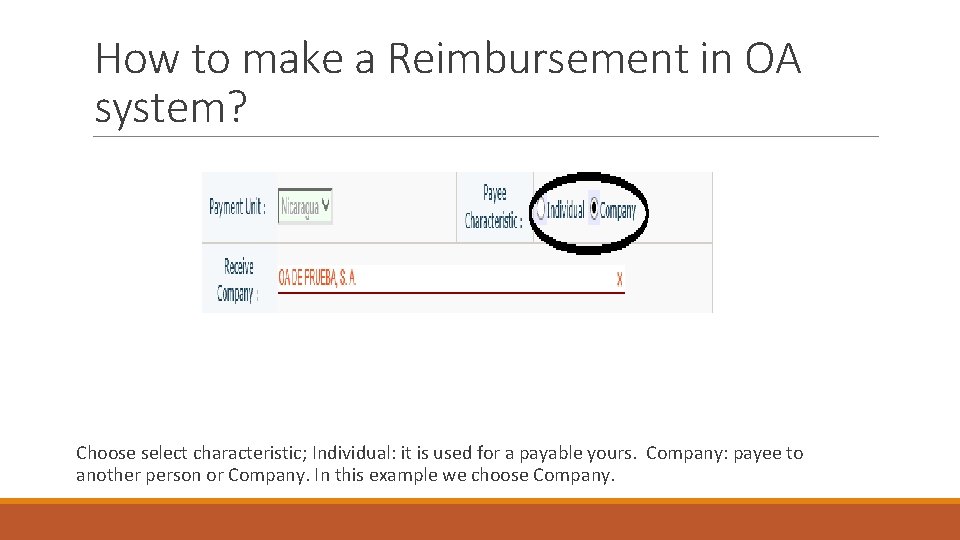
How to make a Reimbursement in OA system? Choose select characteristic; Individual: it is used for a payable yours. Company: payee to another person or Company. In this example we choose Company.
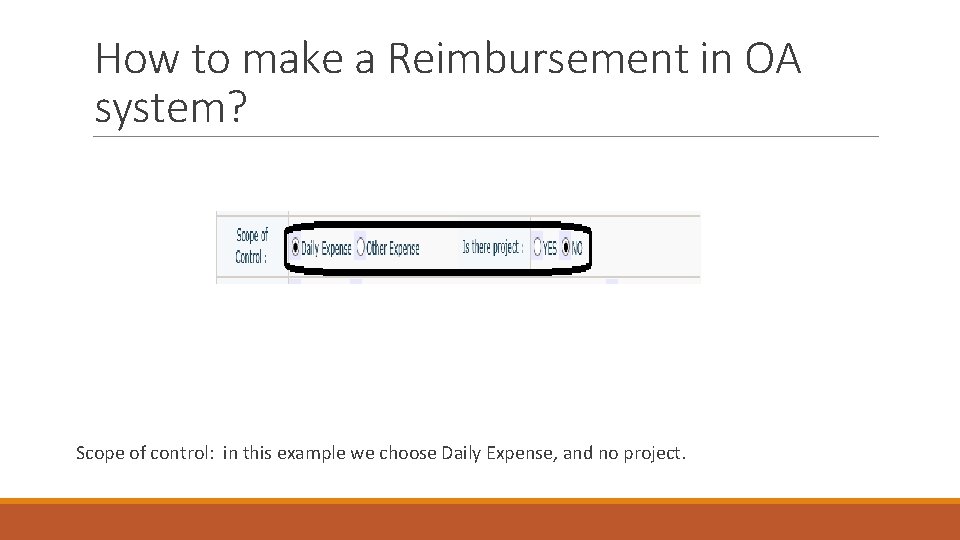
How to make a Reimbursement in OA system? Scope of control: in this example we choose Daily Expense, and no project.
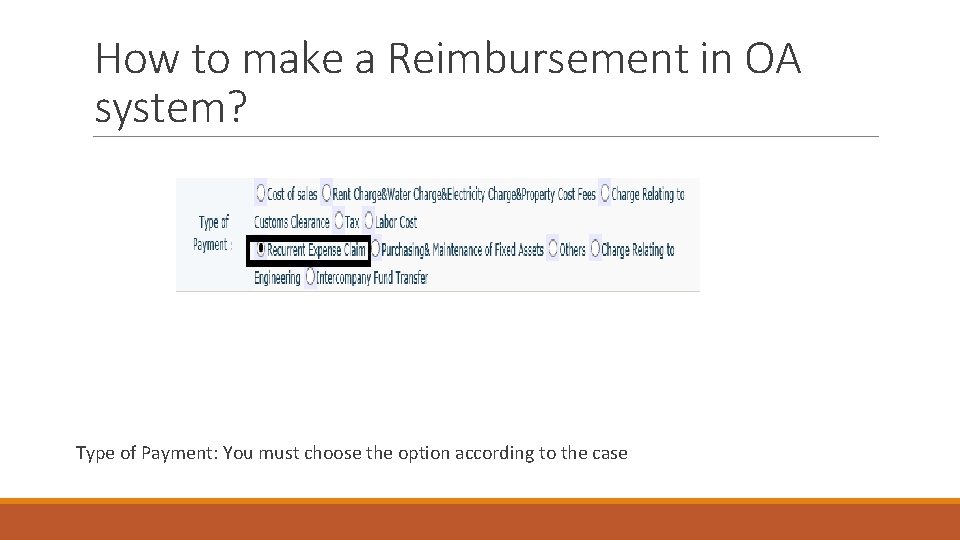
How to make a Reimbursement in OA system? Type of Payment: You must choose the option according to the case
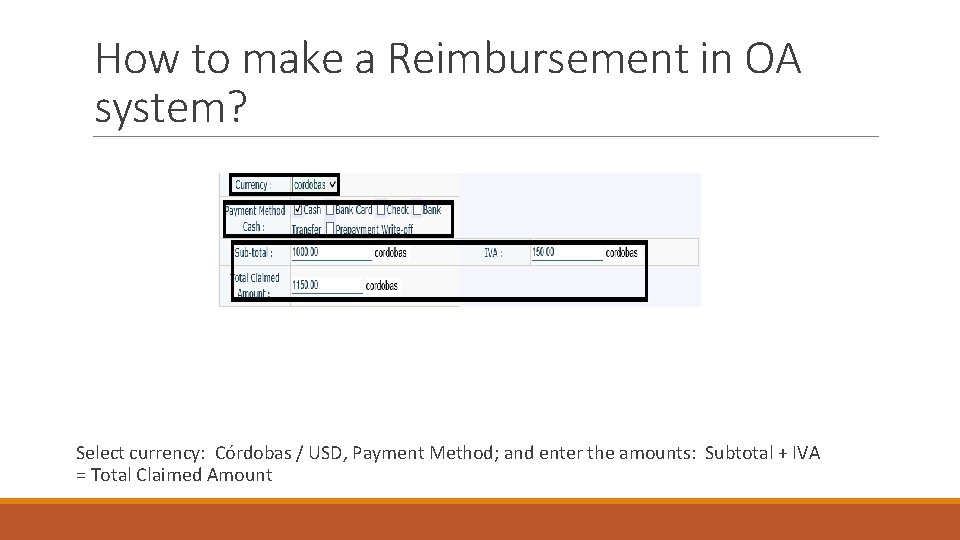
How to make a Reimbursement in OA system? Select currency: Córdobas / USD, Payment Method; and enter the amounts: Subtotal + IVA = Total Claimed Amount
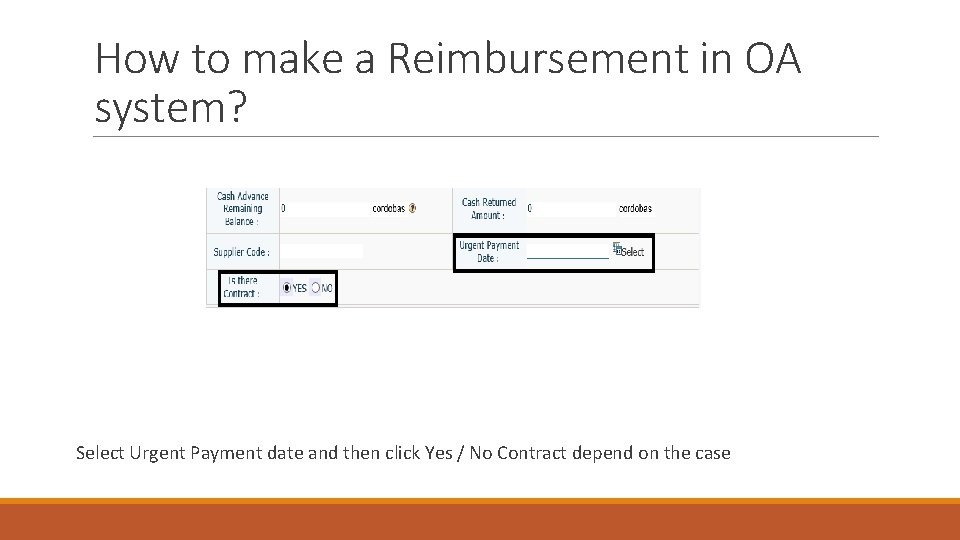
How to make a Reimbursement in OA system? Select Urgent Payment date and then click Yes / No Contract depend on the case
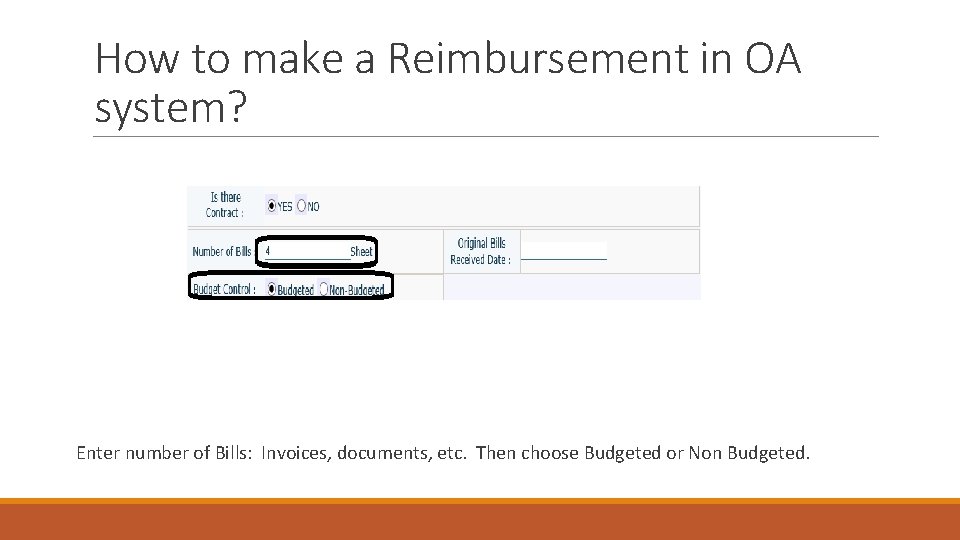
How to make a Reimbursement in OA system? Enter number of Bills: Invoices, documents, etc. Then choose Budgeted or Non Budgeted.
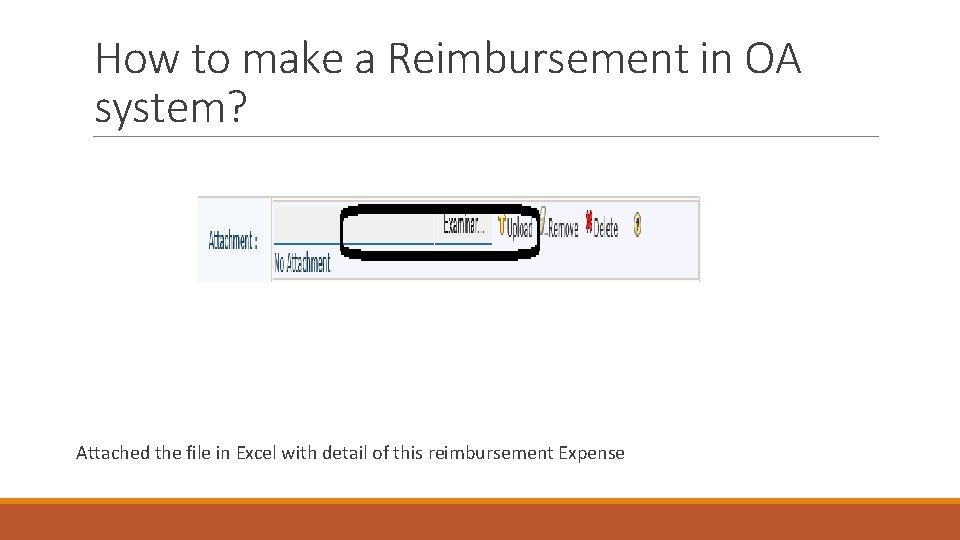
How to make a Reimbursement in OA system? Attached the file in Excel with detail of this reimbursement Expense
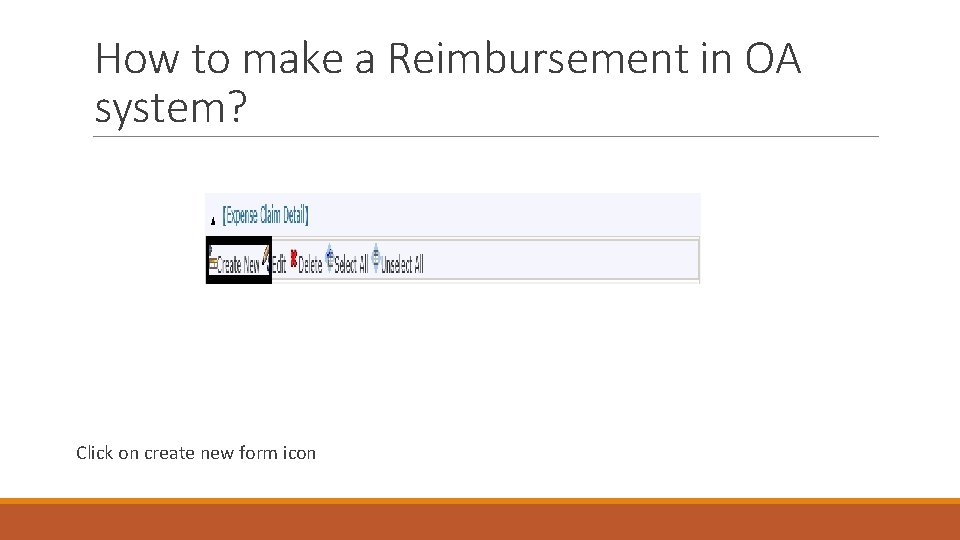
How to make a Reimbursement in OA system? Click on create new form icon
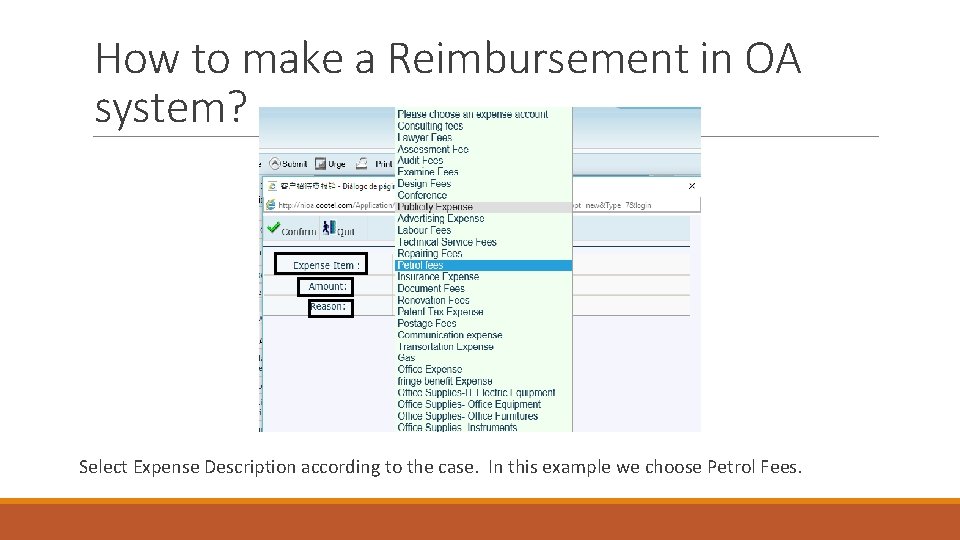
How to make a Reimbursement in OA system? Select Expense Description according to the case. In this example we choose Petrol Fees.
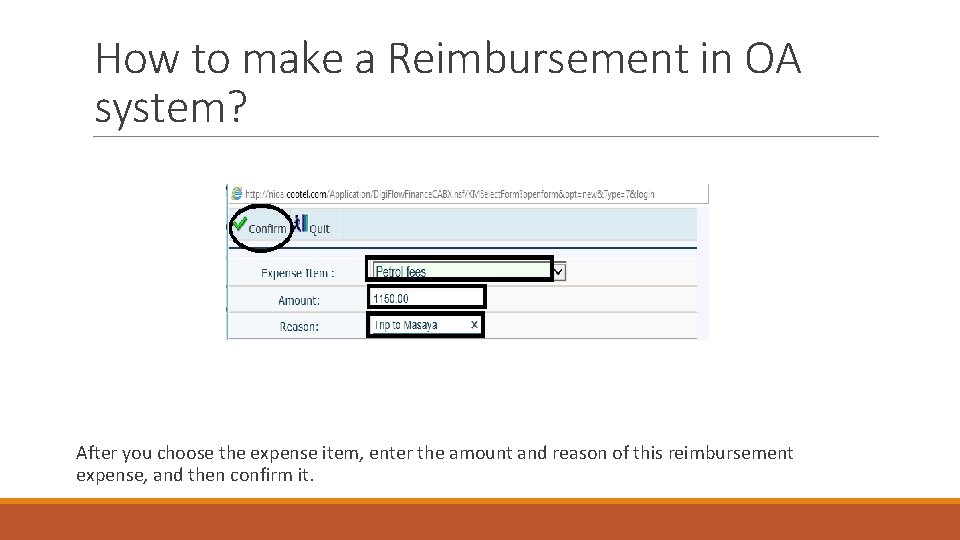
How to make a Reimbursement in OA system? After you choose the expense item, enter the amount and reason of this reimbursement expense, and then confirm it.
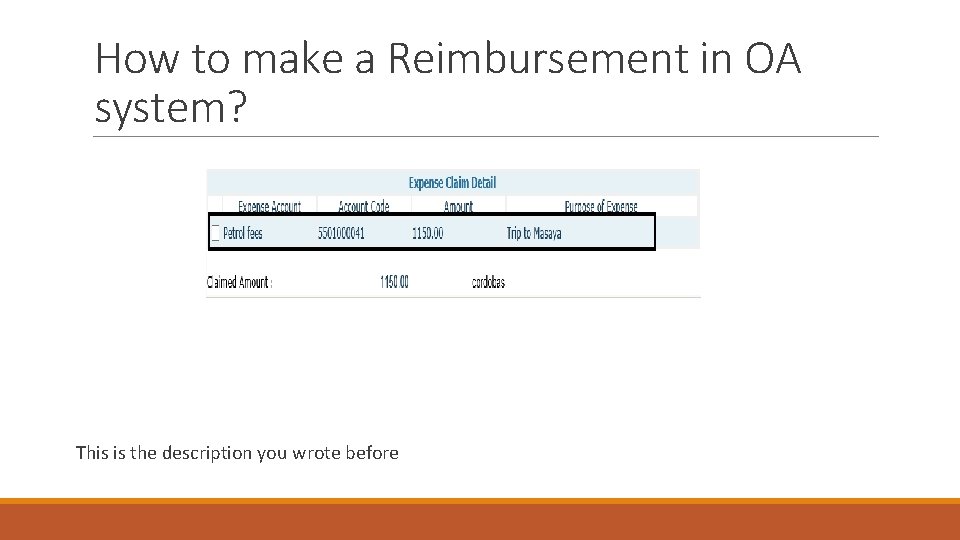
How to make a Reimbursement in OA system? This is the description you wrote before
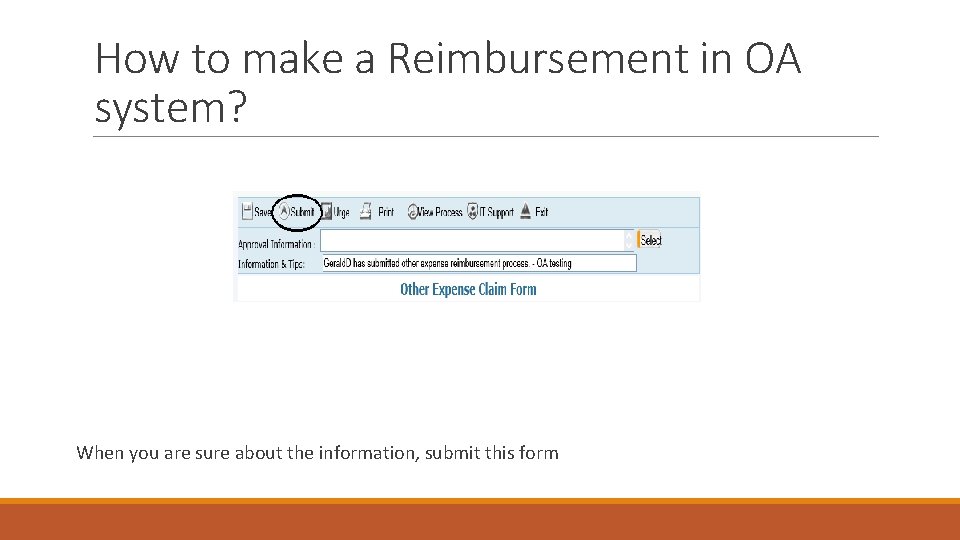
How to make a Reimbursement in OA system? When you are sure about the information, submit this form
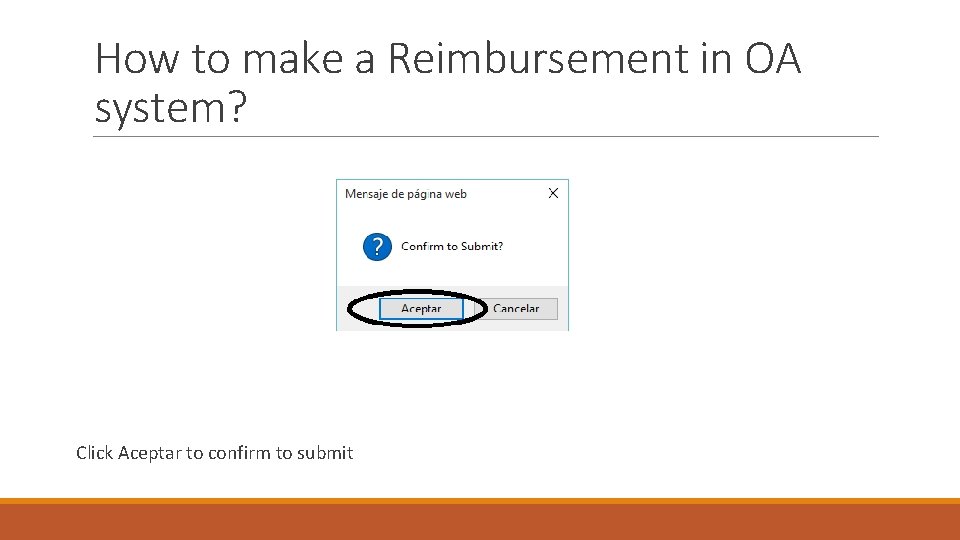
How to make a Reimbursement in OA system? Click Aceptar to confirm to submit

- Slides: 72