
Registration Overview 2019 UCF Orientation Program Before you
Registration Overview 2019 UCF Orientation Program
Before you can use my. UCF to enroll, you must know your Network ID (NID) & Password for the NID.
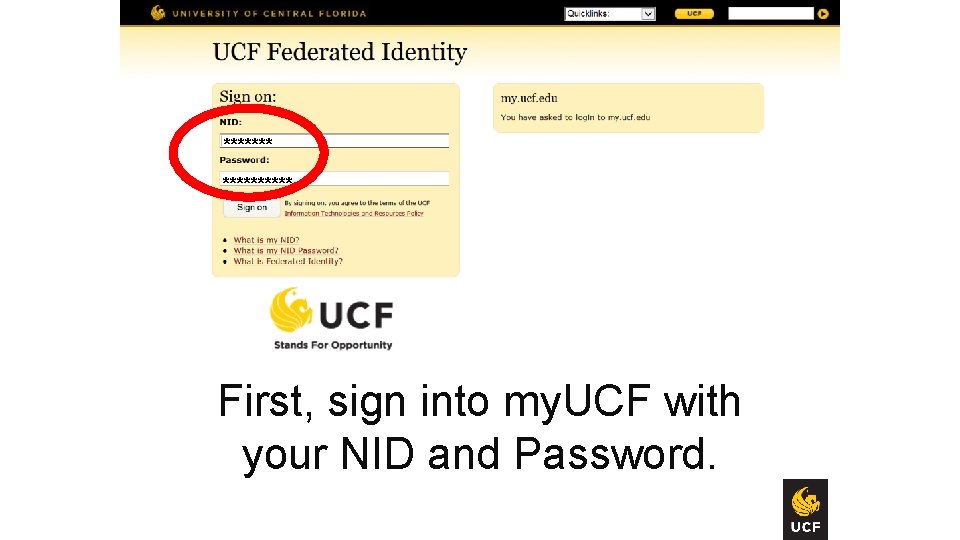
******* First, sign into my. UCF with your NID and Password.
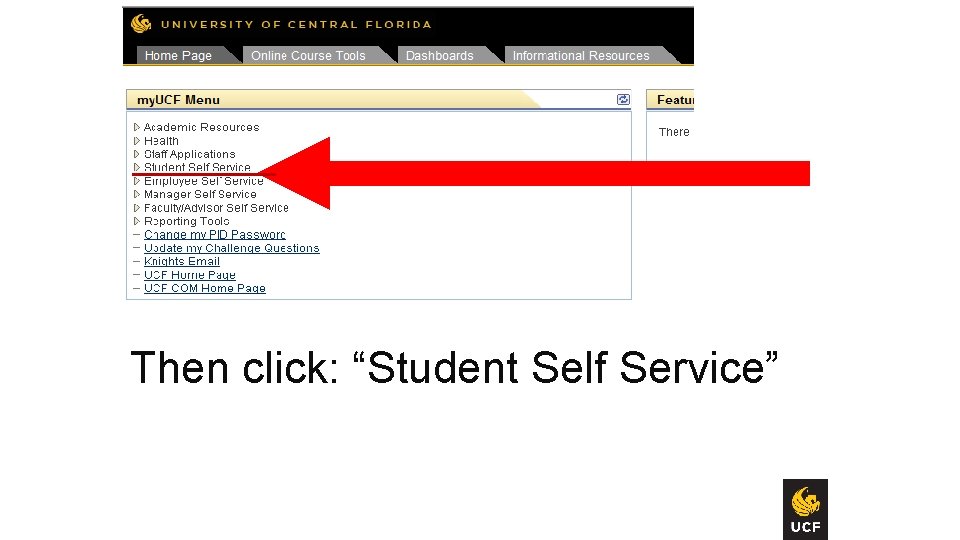
Then click: “Student Self Service”
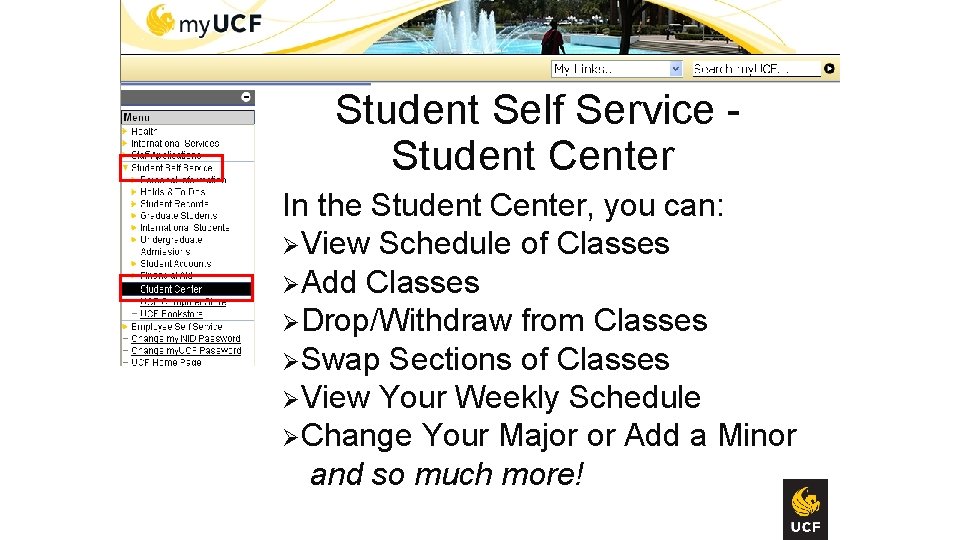
Student Self Service - Student Center In the Student Center, you can: ØView Schedule of Classes ØAdd Classes ØDrop/Withdraw from Classes ØSwap Sections of Classes ØView Your Weekly Schedule ØChange Your Major or Add a Minor and so much more!

If you have holds, then Contact the office(s) click on the hyperlink that placed the under Holds. Hold(s) before you register for classes.

Contact the office(s) that placed the Hold(s) before you register for classes.
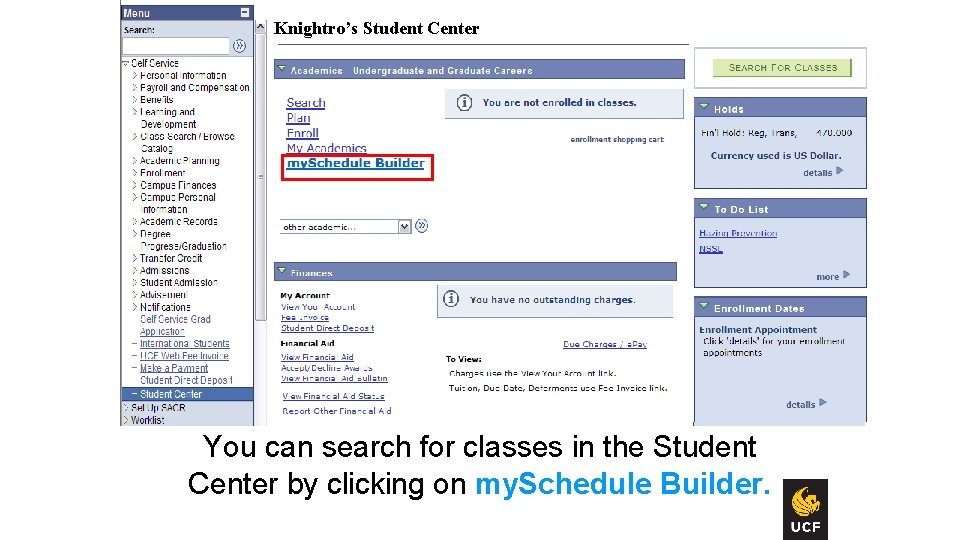
Knightro’s Student Center You can search for classes in the Student Center by clicking on my. Schedule Builder.
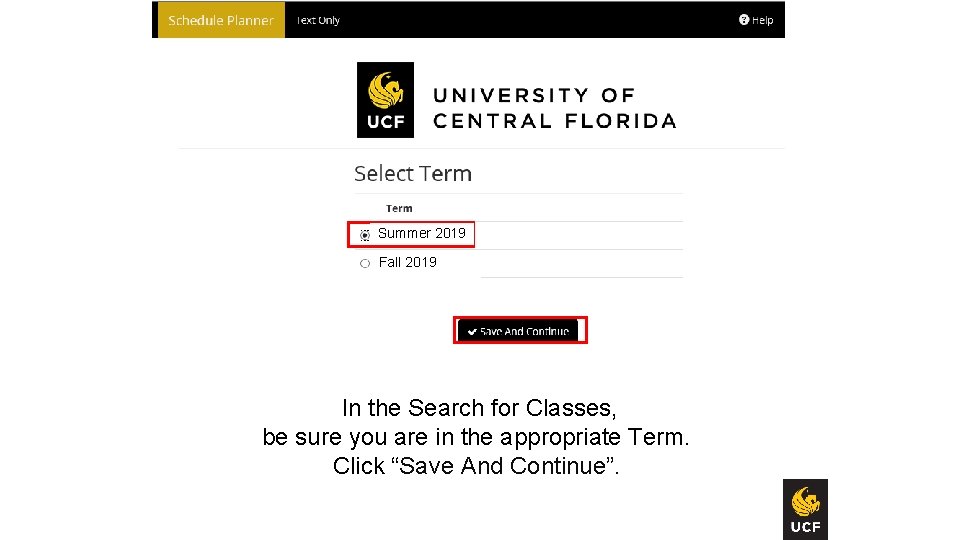
Summer 2019 Summer 2018 ing Spring 2018 ing Fall 2019 Fall 2018 ing In the Search for Classes, be sure you are in the appropriate Term. Click “Save And Continue”.
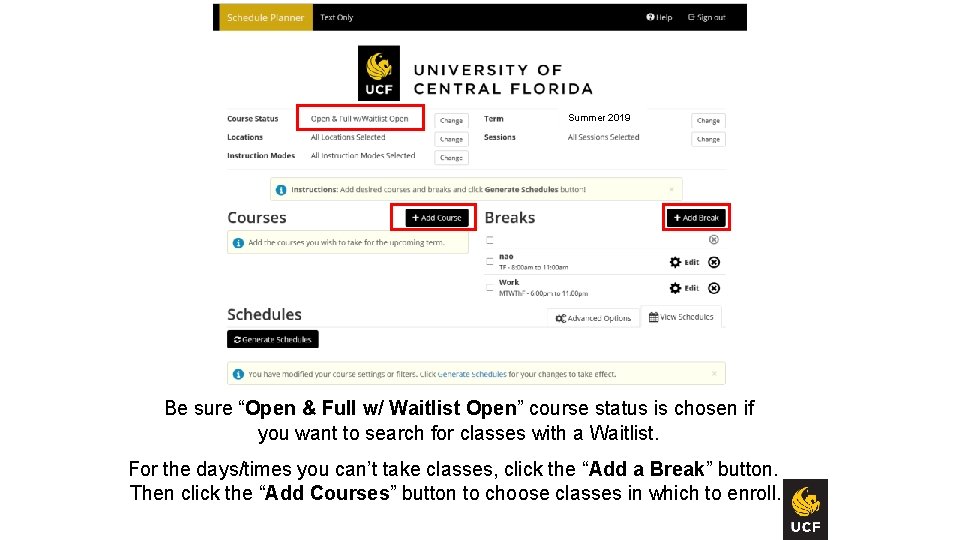
Summer 2019 Be sure “Open & Full w/ Waitlist Open” course status is chosen if you want to search for classes with a Waitlist. For the days/times you can’t take classes, click the “Add a Break” button. Then click the “Add Courses” button to choose classes in which to enroll.
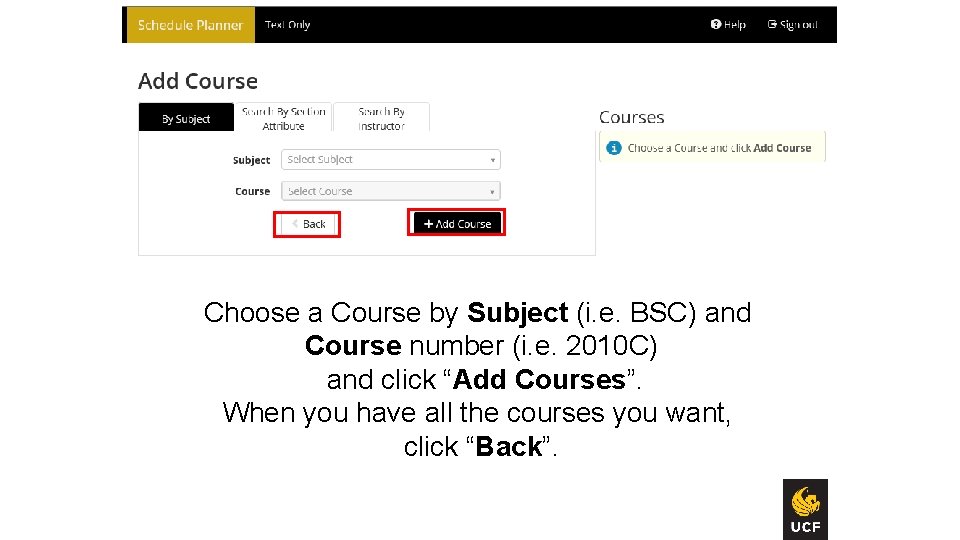
Choose a Course by Subject (i. e. BSC) and Course number (i. e. 2010 C) and click “Add Courses”. When you have all the courses you want, click “Back”.
Some courses (e. g. , Science, Engineering and Computer Science) have two components: 1) Lecture 2) Lab or Discussion (aka Related Component) You need each component to enroll in this type of class (e. g. , science, engineering, computer science).
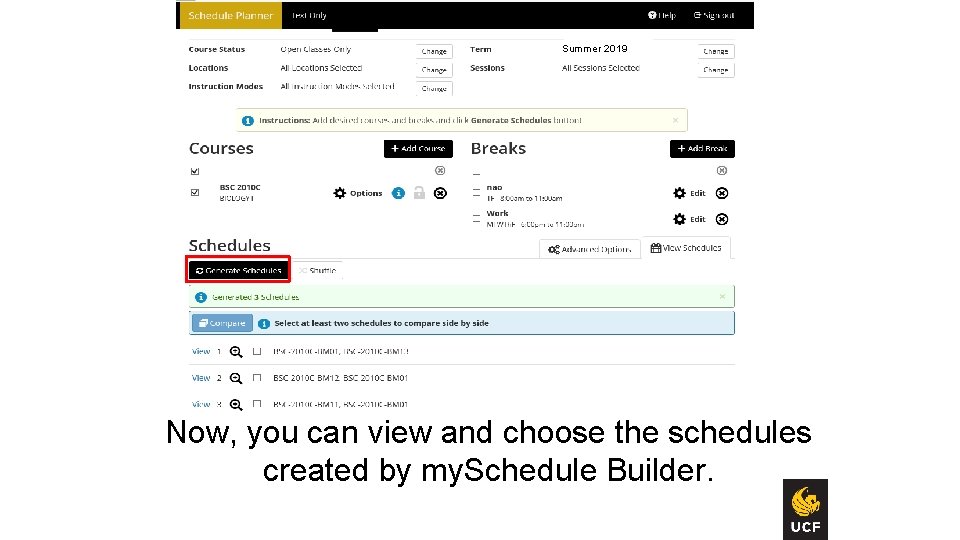
Spring 2018 ing Summer 2019 Now, you can view and choose the schedules created by my. Schedule Builder.
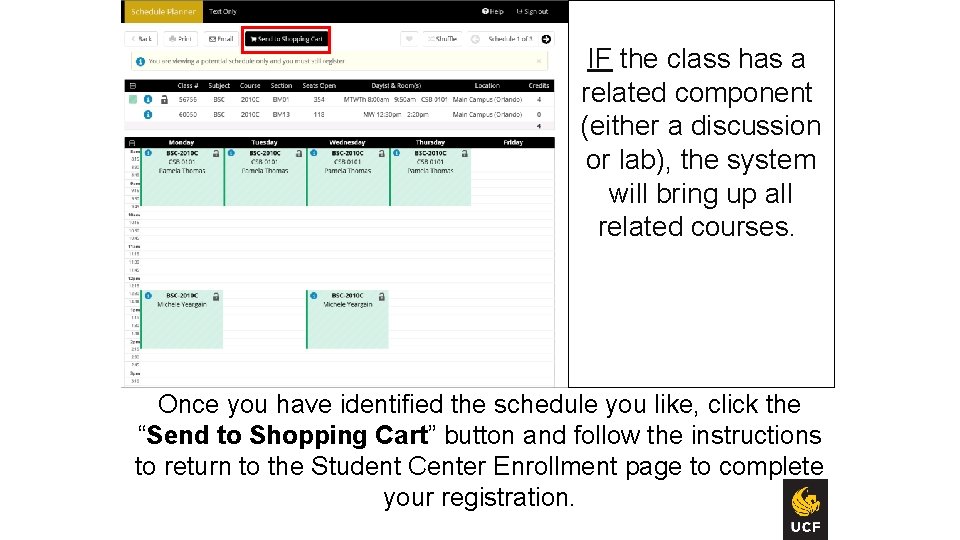
Fall 2012 IF the class has a related component (either a discussion or lab), the system will bring up all related courses. Once you have identified the schedule you like, click the “Send to Shopping Cart” button and follow the instructions to return to the Student Center Enrollment page to complete your registration.
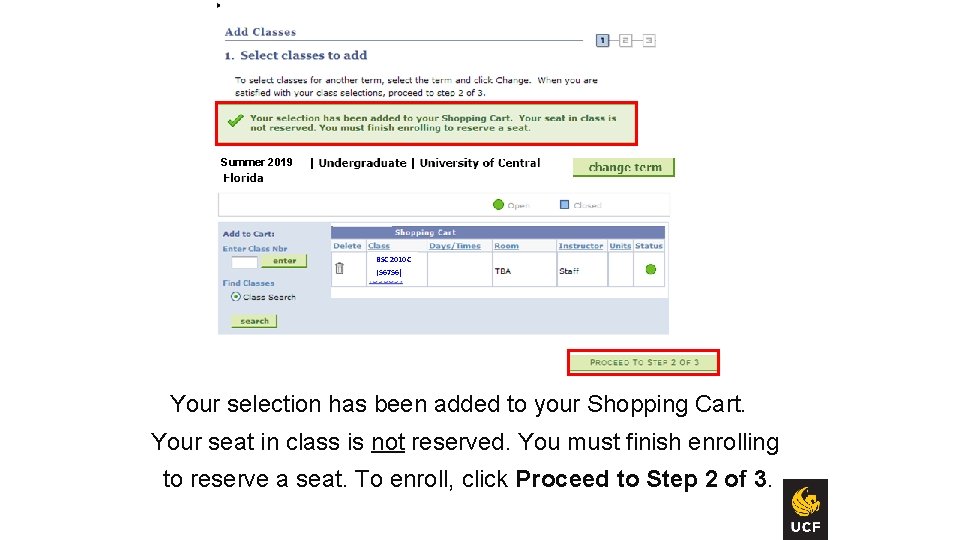
Summer 2019 Spring 2018 Fall 2016 BSC 2010 C (56756) Your selection has been added to your Shopping Cart. Your seat in class is not reserved. You must finish enrolling to reserve a seat. To enroll, click Proceed to Step 2 of 3.
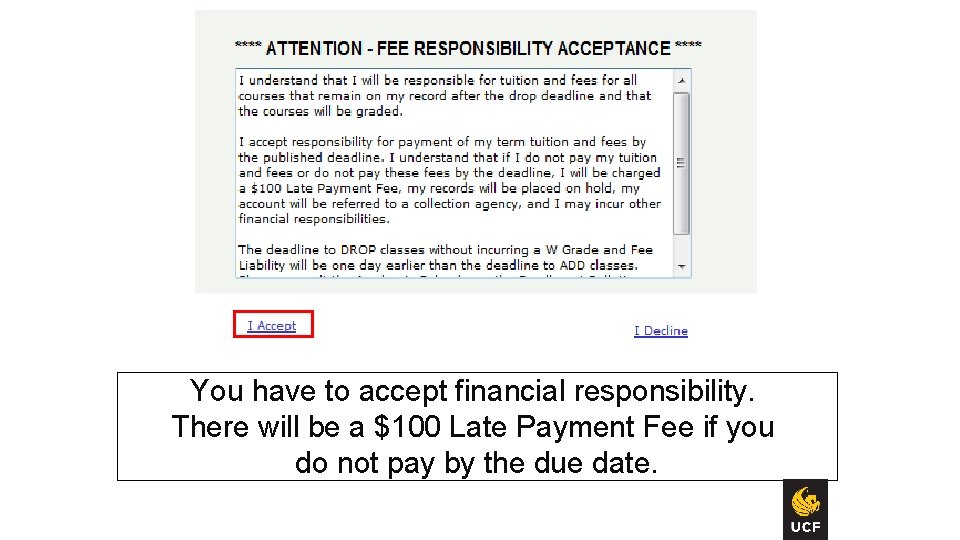
You have to accept financial responsibility. There will be a $100 Late Payment Fee if you do not pay by the due date.

Fall 2012 If everything is acceptable and this is the class you wanted, click “FINISH ENROLLING”.
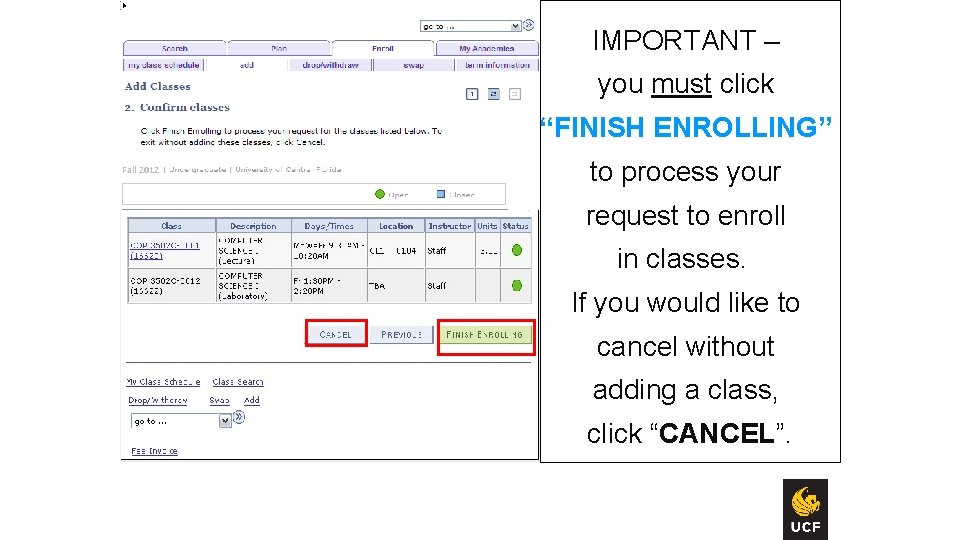
IMPORTANT – you must click FINISH ENROLLING to process your request for the classes listed below. If you would like to cancel without adding these classes, click CANCEL. Fall 2012 you must click “FINISH ENROLLING” to process your request to enroll in classes. If you would like to cancel without adding a class, click “CANCEL”. 11

Status Message: Success Fall 2012 Enrolled Review Status Error Message: Unable to add class
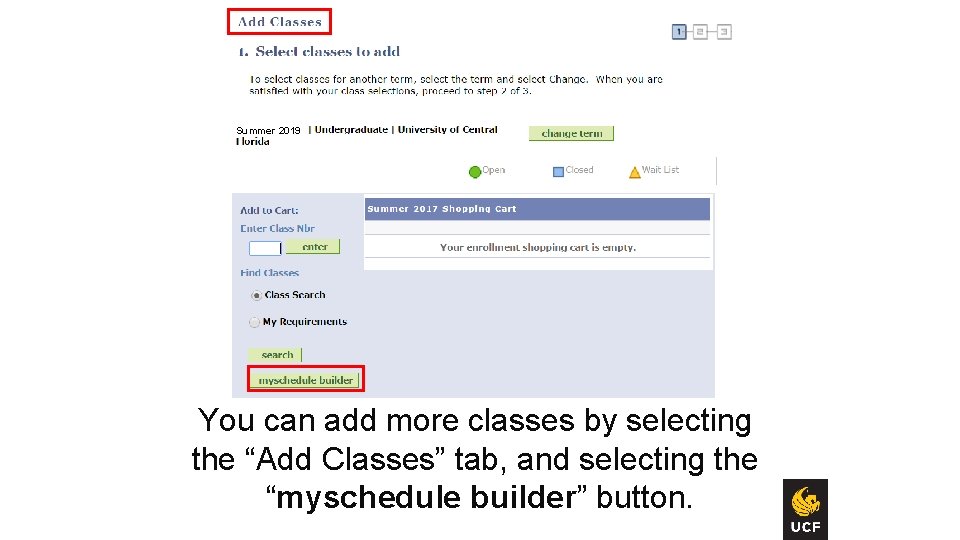
Summer 2019 You can add more classes by selecting the “Add Classes” tab, and selecting the “myschedule builder” button. 14

If you are finished, select Student Self Service > Student Accounts > Fee Invoice. Then select the appropriate Term. Summer 2019 Fall 2019

Always sign out of my. UCF Summer 2019
Protection of your records!! As a college student, even if you are under 18, your educational records are considered confidential thanks to a Federal law known as FERPA! Refer to the FERPA Reference Sheet for UCF Students in your handbook when you get home. Under most circumstances your records will not be released without your written and signed consent. But there is some information that can be released. . Directory Information is data or information, the disclosure of which generally is not considered to be harmful or an invasion of your privacy. *Defined by UCF (within FERPA guidelines) http: //registrar. ucf. edu/ferpa
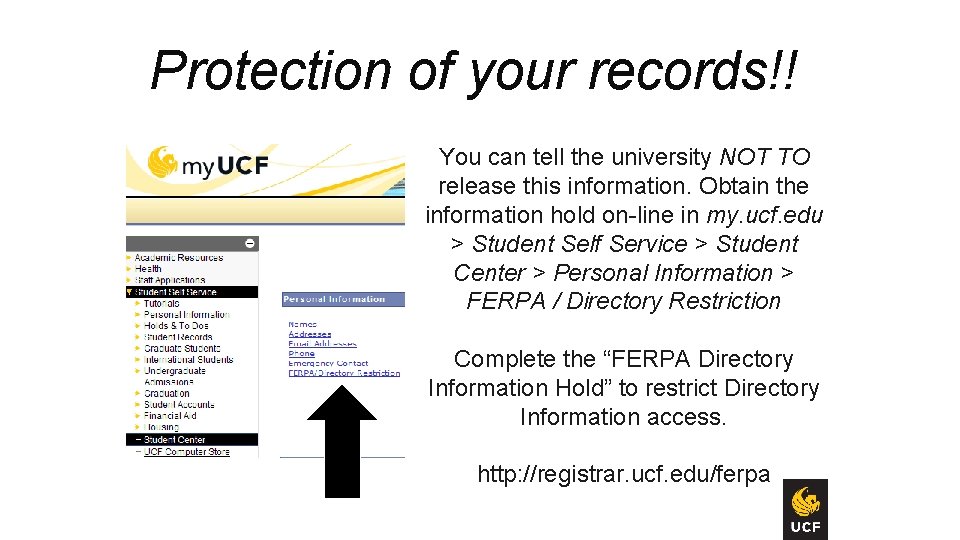
Protection of your records!! You can tell the university NOT TO release this information. Obtain the information hold on-line in my. ucf. edu > Student Self Service > Student Center > Personal Information > FERPA / Directory Restriction Complete the “FERPA Directory Information Hold” to restrict Directory Information access. http: //registrar. ucf. edu/ferpa
Registration Help Lines Monday through Friday 9: 00 a. m. to 5: 00 p. m. UCF Orlando Campus: 407 -823 -3533 Registrar’s Office 161 Millican Hall Telephone: 407 -823 -3100 Email: registrar@ucf. edu Use your Knights Email account to stay in touch! It’s how We stay in touch with You! videoking@knights. ucf. edu
- Slides: 25