
Reference Management with Mendeley A Video Tutorial Prof


- Slides: 25
Reference Management with Mendeley A Video Tutorial Prof. Yuji Murayama - Instructor Halgamage Malinda Siriwardana – Teaching Assistant Division of Spatial Information Science University of Tsukuba
What is Mendeley • Mendeley is a free reference manager and academic social network that can help you organize your research, collaborate with others online, and discover the latest research Source: http: //www. mendeley. com
Background of Mendeley • Launched in late 2008, Mendeley was the brainchild of three Ph. D students wanting an easier way to manage their research papers and collaborate with colleagues overseas • They developed a desktop app that could automatically extract metadata and keywords from PDFs, thus turning loose collections of PDFs into structured, searchable research paper databases that were synchronized to the cloud – • “London, 9 April, 2013 Elsevier, a world-leading provider of scientific, technical and medical information products and services, announced today the acquisition of Mendeley……” – http: //www. elsevier. com/about/press-releases/corporate/elsevier-acquires-mendeley, -aninnovative, -cloud-based-research-management-and-social-collaboration-platform
Background of Mendeley • This is not an Open source software but free software • It is possible to get some web storage for free, however if the limit exceeds, it is possible to buy additional web space
Features • Automatically generate bibliographies • Collaborate easily with other researchers online • Easily import papers from other research software • Find relevant papers based on what you’re reading • Access your papers from anywhere online • Read papers on the go, with our new Smartphone apps Source: http: //www. mendeley. com
Register and download Mendeley • It is possible to use “Mendeley Desktop version” with out an online account • Free online storage is available with an online account, however if the limit exceeds, additional storage can be purchased • With online account, access the content - any where - any time
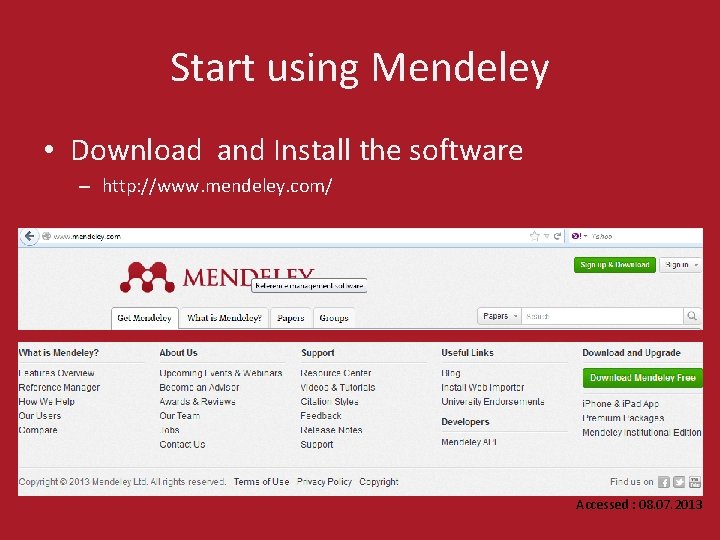
Start using Mendeley • Download and Install the software – http: //www. mendeley. com/ Accessed : 08. 07. 2013
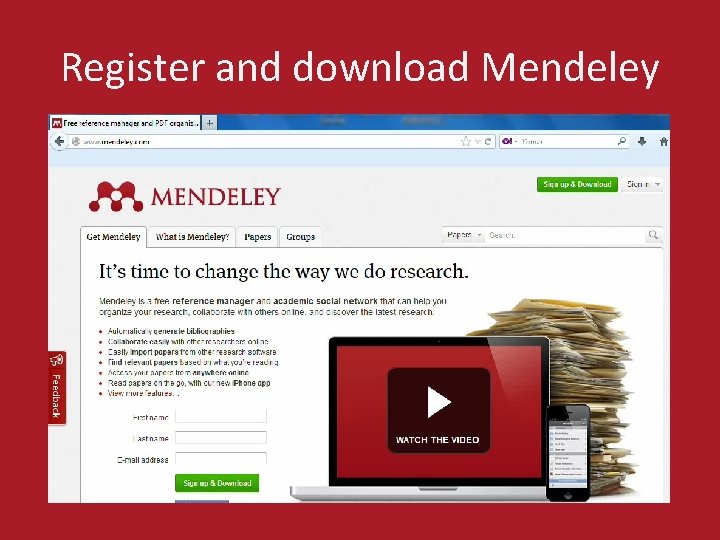
Register and download Mendeley
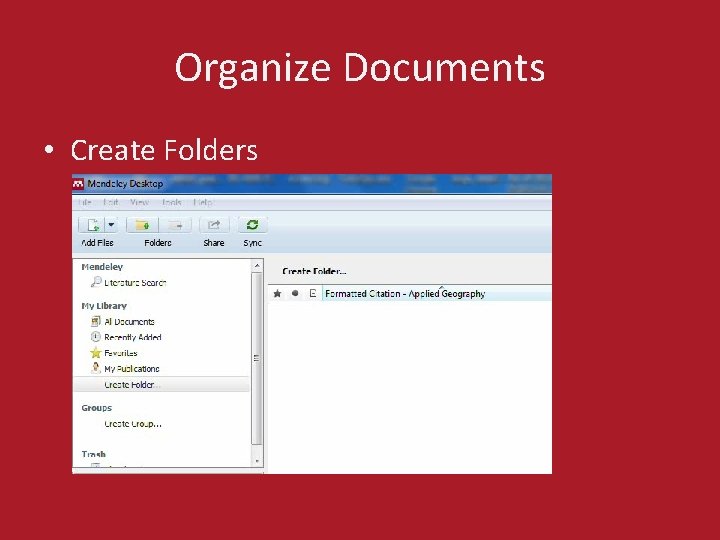
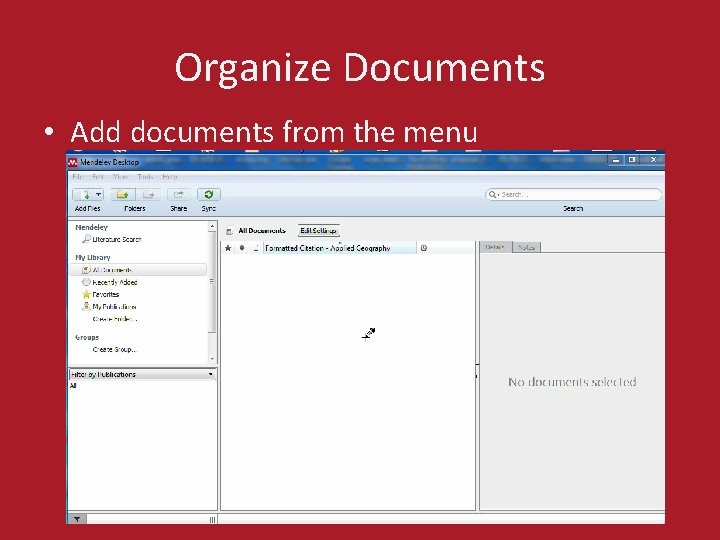
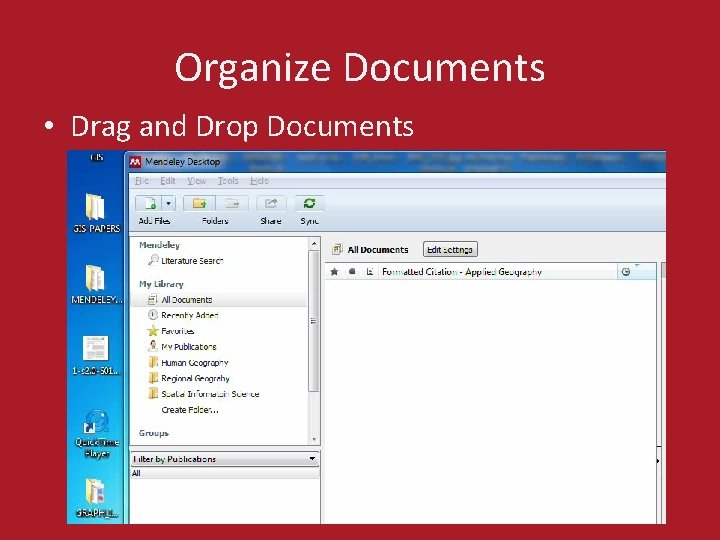
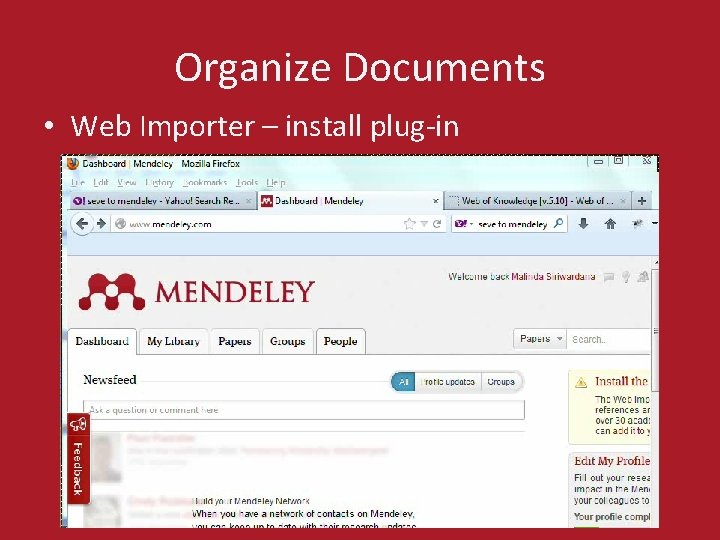
Organize Documents • • Create Folders Add documents from the menu Drag and Drop Documents Web Importer
Organize Documents • Create Folders
Organize Documents • Add documents from the menu
Organize Documents • Drag and Drop Documents
Organize Documents • Web Importer – install plug-in
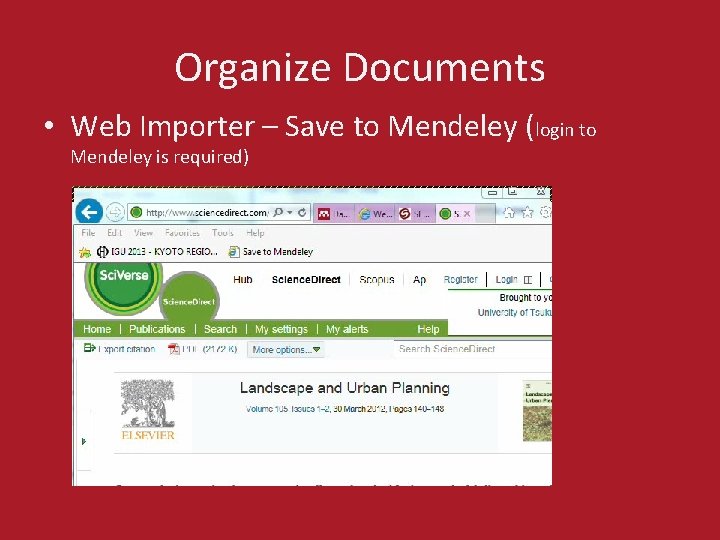
Organize Documents • Web Importer – Save to Mendeley (login to Mendeley is required)
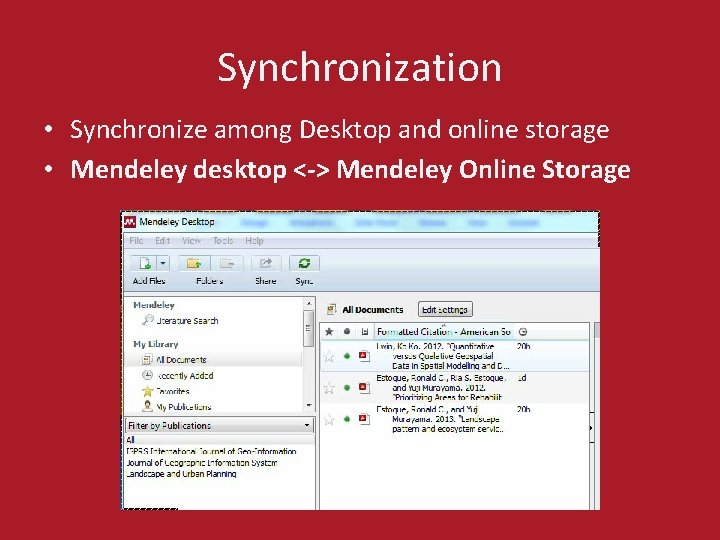
Synchronization • Synchronize among Desktop and online storage • Mendeley desktop <-> Mendeley Online Storage
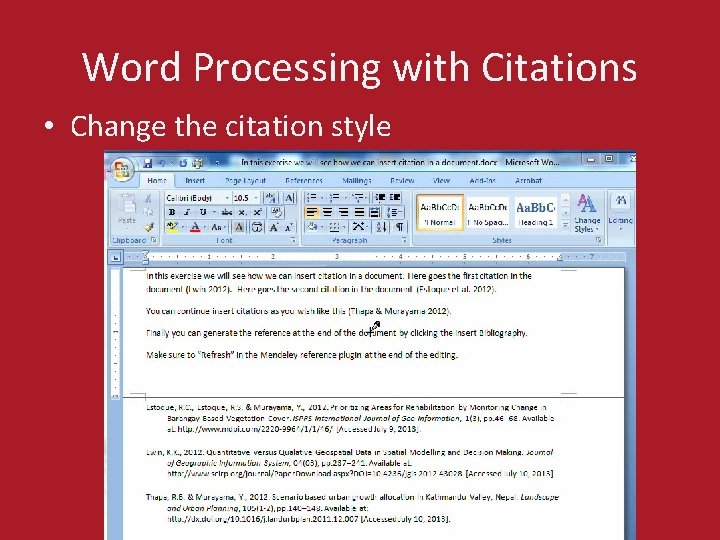
Citation Style • Select the citation style • Select the Journal’s citation style • Change the citation style for the whole document for another Journal
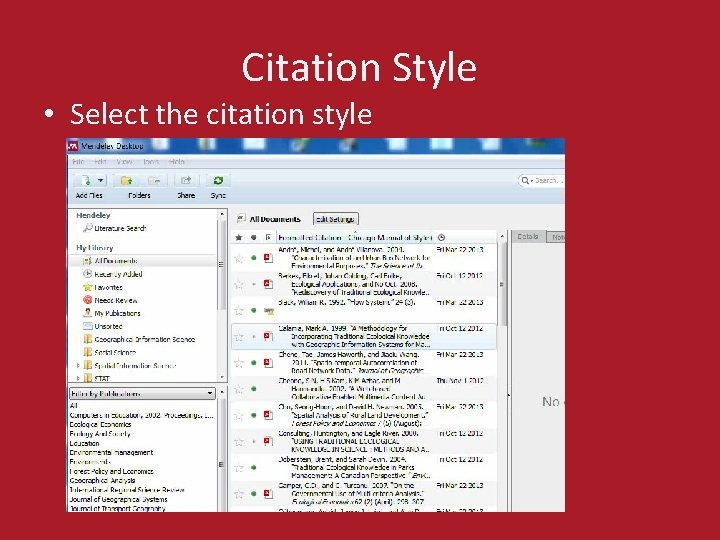
Citation Style • Select the citation style
Word Processors plug-in • Install MS Word Plugin • Install Libre. Office Plugin
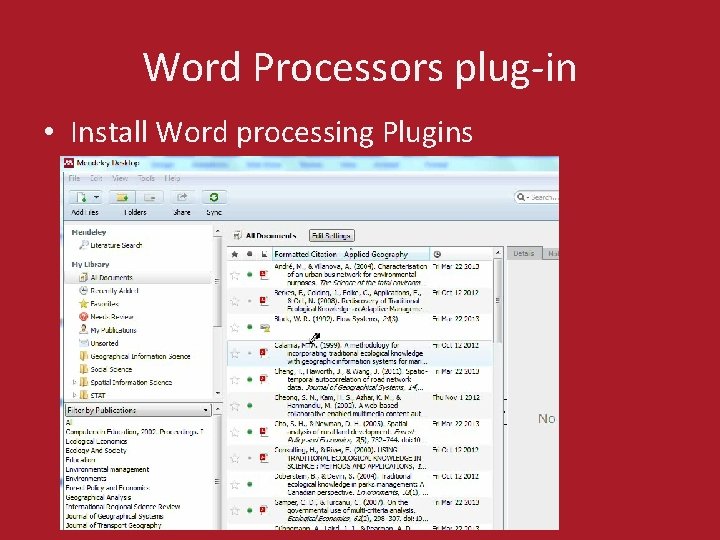
Word Processors plug-in • Install Word processing Plugins
Word Processing with Citations • Word Processor – insert citations – Create the document – Select the citation style – Insert citations into the document – Create the Bibliography – Edit the document – Regenerate (Refresh) the document
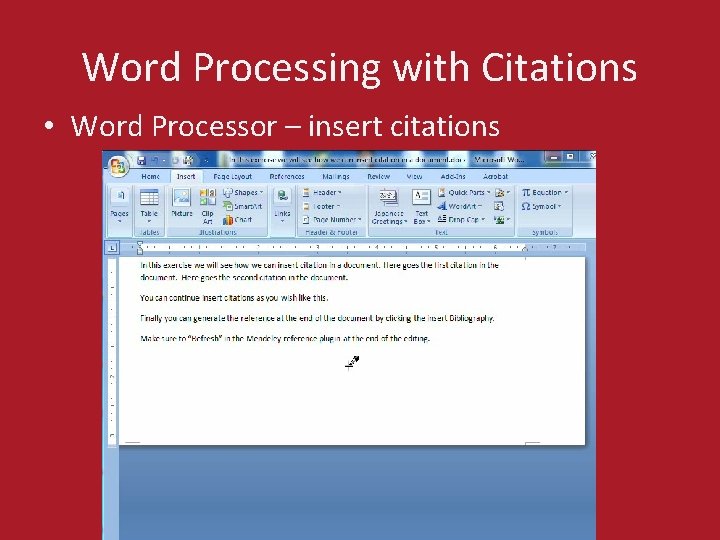
Word Processing with Citations • Word Processor – insert citations
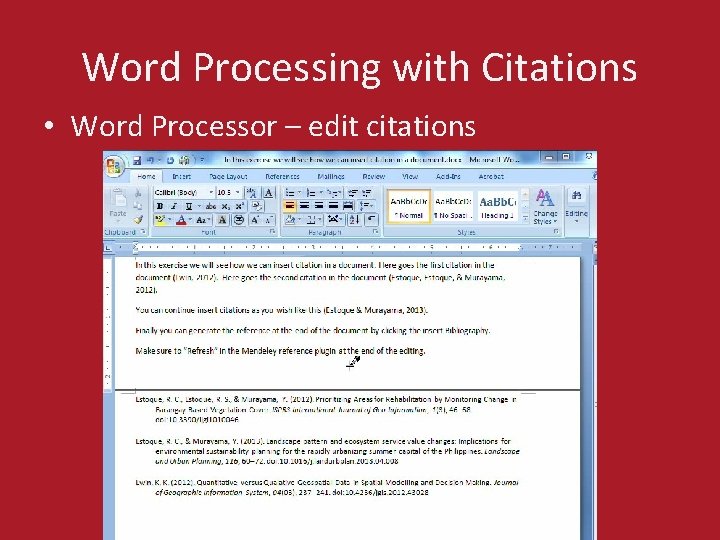
Word Processing with Citations • Word Processor – edit citations – Edit the document – Regenerate (Refresh) the document
Word Processing with Citations • Word Processor – edit citations
Word Processing with Citations • Change the citation style
Thank you!