
Refactoring RPG What Why and How Ted Holt


- Slides: 50
Refactoring RPG What, Why and How Ted Holt Senior Software Developer, Profound Logic Software Senior Technical Editor, itjungle. com
What is refactoring? ". . . a change made to the internal structure of the software to make it easier to understand cheaper to modify without changing its observable behavior. " - Martin Fowler, author of Refactoring: Improving the Design of Existing Code 2
What is refactoring? • Nothing new • First use of the term in publication was in September, 1990. • Often begins with a “code smell” (red flag) 3
What is refactoring? For example: • Replacing an outdated feature (the SUBST opcode) with a newer feature (the %SUBST function) • Renaming variables to longer, moredescriptive names • Creating a subprocedure from a section of code 4
What is refactoring NOT? Refactoring is not: • Debugging (Refactor working code only!) • Enhancing (Do NOT make enhancements while refactoring!) 5
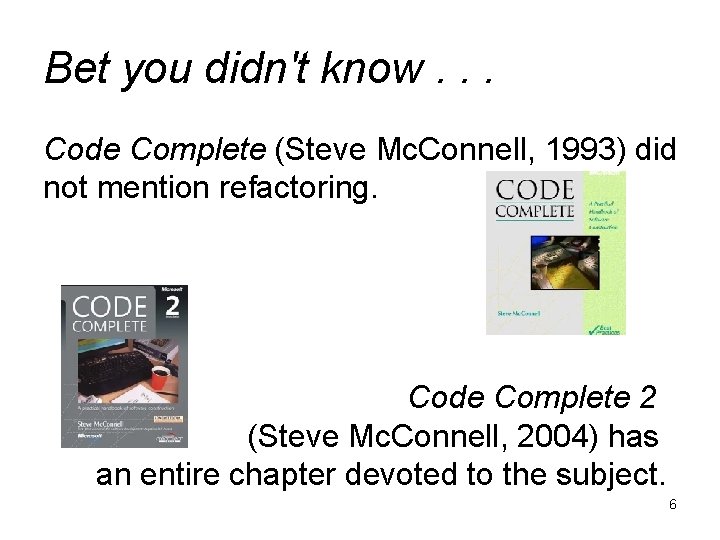
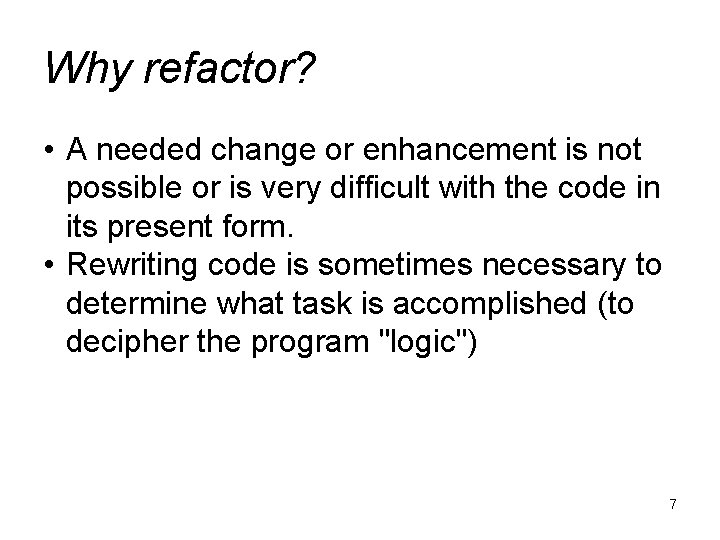
Bet you didn't know. . . Code Complete (Steve Mc. Connell, 1993) did not mention refactoring. Code Complete 2 (Steve Mc. Connell, 2004) has an entire chapter devoted to the subject. 6
Why refactor? • A needed change or enhancement is not possible or is very difficult with the code in its present form. • Rewriting code is sometimes necessary to determine what task is accomplished (to decipher the program "logic") 7
Why NOT to refactor “That's not the way I would have done it. ” 8
The only reason to refactor There must be a business case! 9
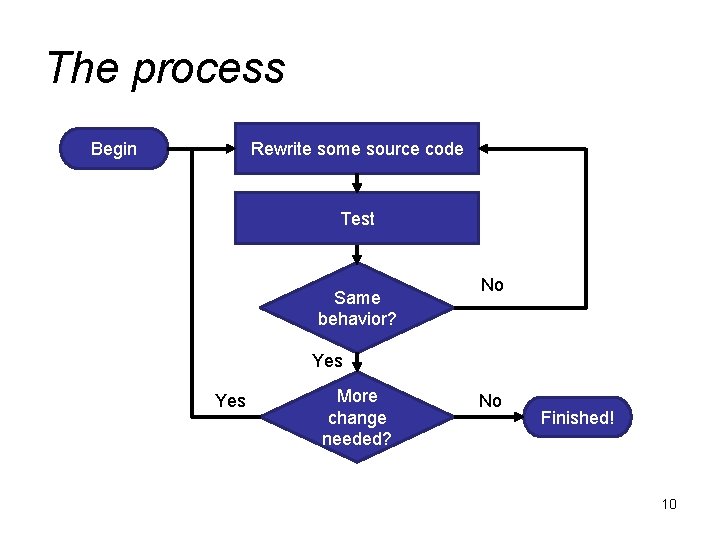
The process Rewrite some source code Begin Test Same behavior? No Yes More change needed? No Finished! 10
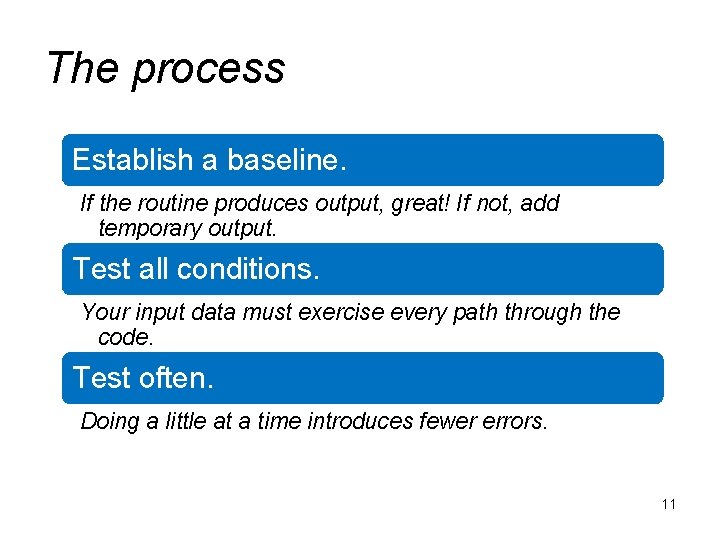
The process Establish a baseline. If the routine produces output, great! If not, add temporary output. Test all conditions. Your input data must exercise every path through the code. Test often. Doing a little at a time introduces fewer errors. 11
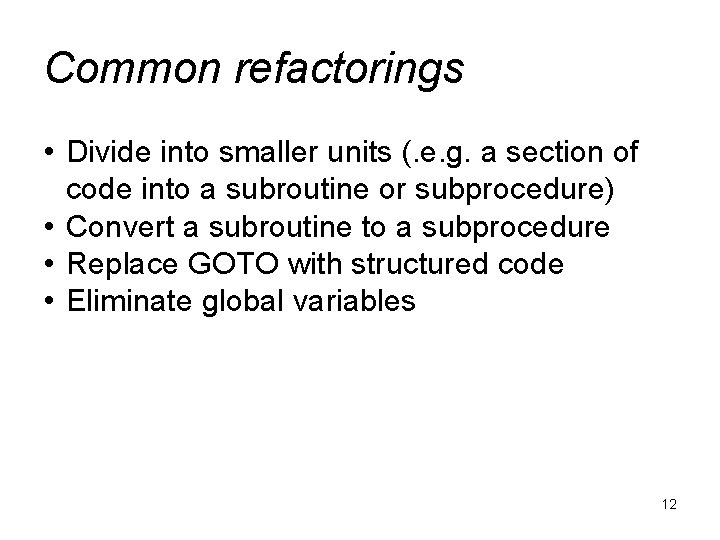
Common refactorings • Divide into smaller units (. e. g. a section of code into a subroutine or subprocedure) • Convert a subroutine to a subprocedure • Replace GOTO with structured code • Eliminate global variables 12
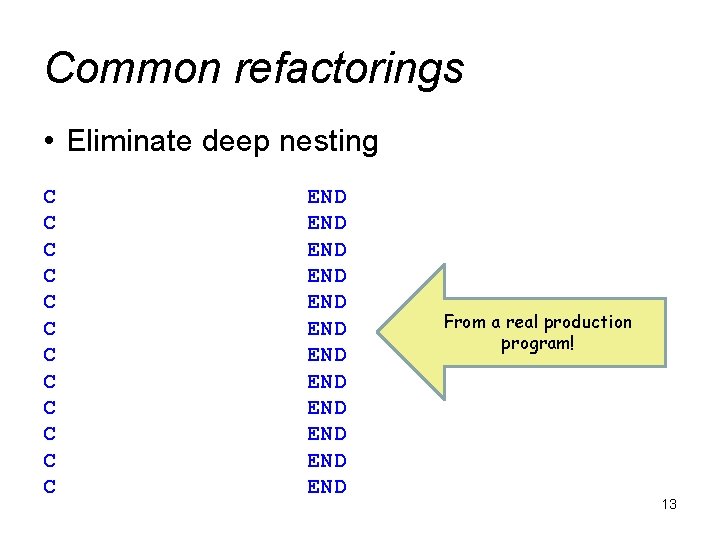
Common refactorings • Eliminate deep nesting C C C END END END From a real production program! 13
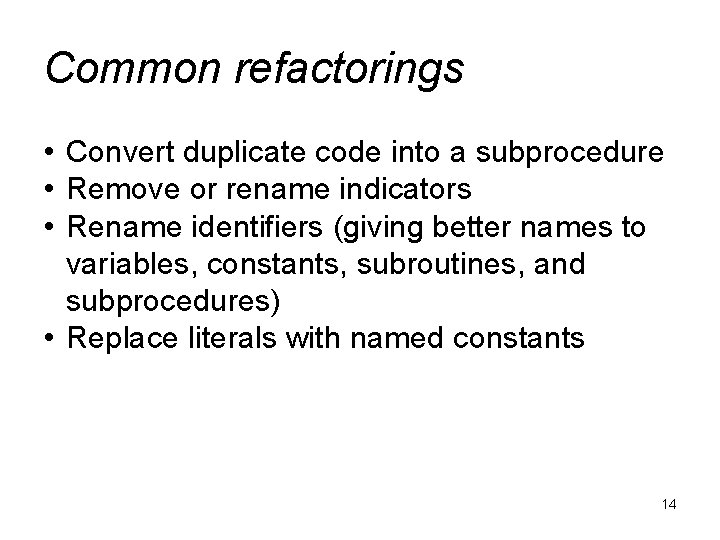
Common refactorings • Convert duplicate code into a subprocedure • Remove or rename indicators • Rename identifiers (giving better names to variables, constants, subroutines, and subprocedures) • Replace literals with named constants 14
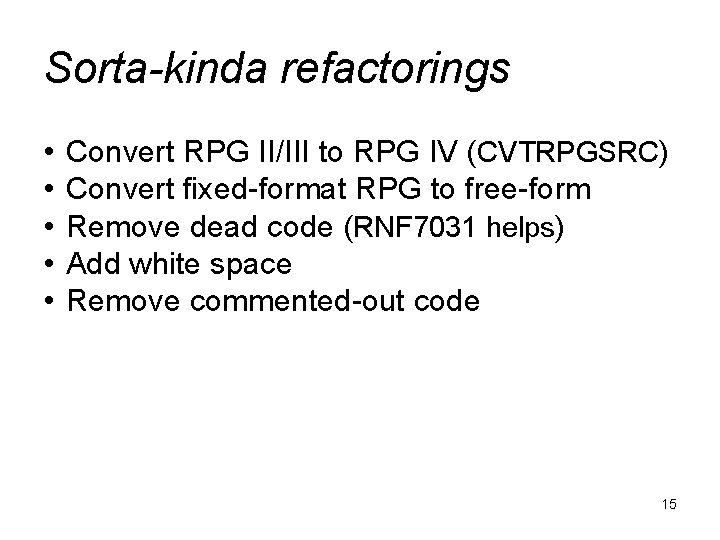
Sorta-kinda refactorings • • • Convert RPG II/III to RPG IV (CVTRPGSRC) Convert fixed-format RPG to free-form Remove dead code (RNF 7031 helps) Add white space Remove commented-out code 15
Refactoring identifiers • Replace six-character names (variables, subroutines) with longer, more legible names. • RDi can help 16
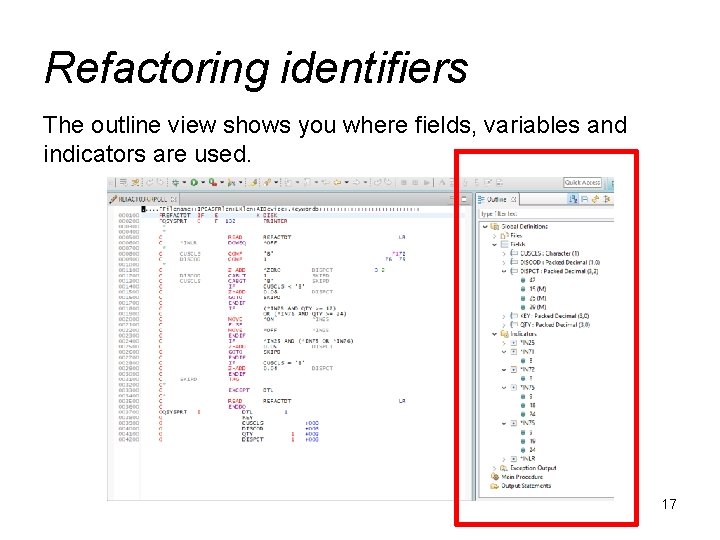
Refactoring identifiers The outline view shows you where fields, variables and indicators are used. 17
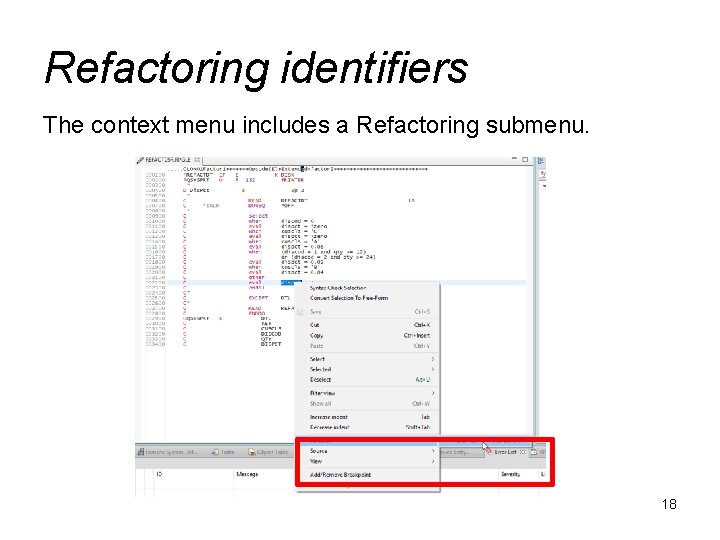
Refactoring identifiers The context menu includes a Refactoring submenu. 18
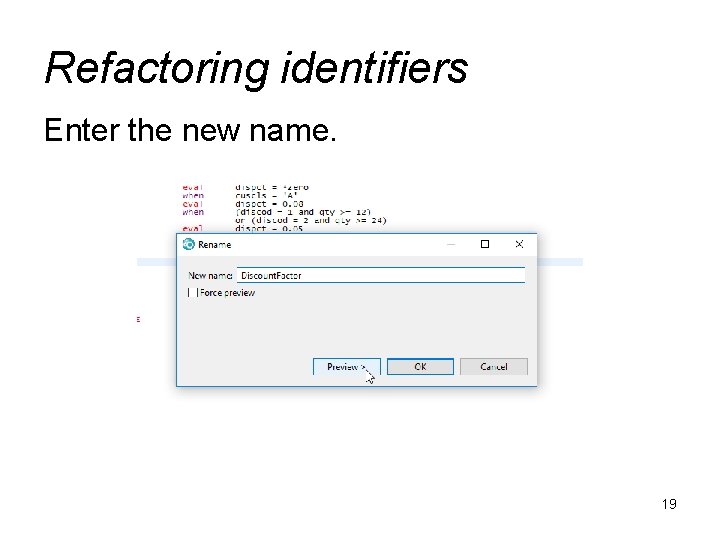
Refactoring identifiers Enter the new name. 19
Refactoring identifiers Click through the next panel to see what changes. Cu rre Re vis nt co d e ed co de 20
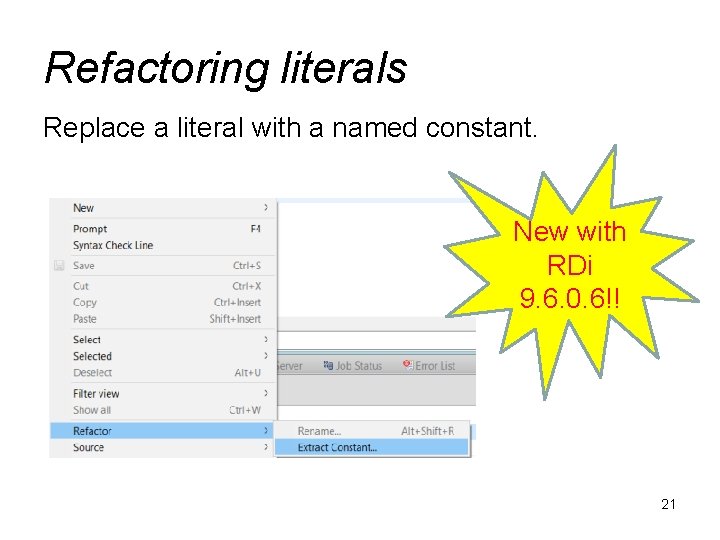
Refactoring literals Replace a literal with a named constant. New with RDi 9. 6. 0. 6!! 21
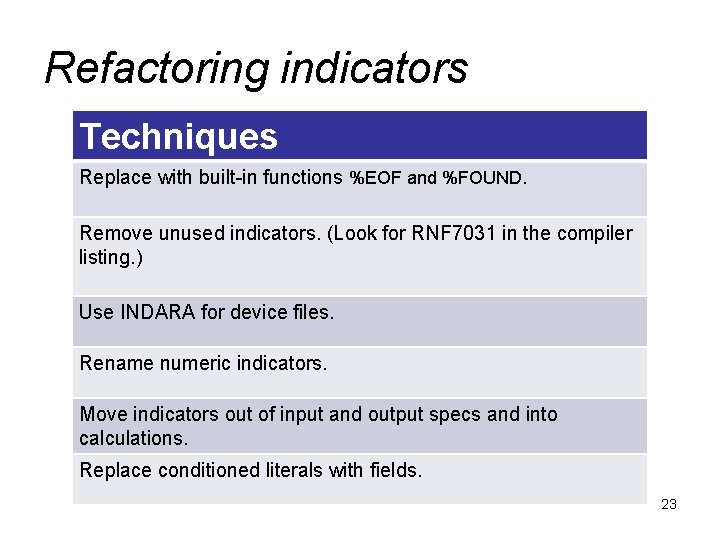
Refactoring indicators The problems: • Indicators are global. (Anything can change them. ) • Indicators are non-descriptive. (What does *IN 20 mean? ) 22
Refactoring indicators Techniques Replace with built-in functions %EOF and %FOUND. Remove unused indicators. (Look for RNF 7031 in the compiler listing. ) Use INDARA for device files. Rename numeric indicators. Move indicators out of input and output specs and into calculations. Replace conditioned literals with fields. 23
Refactoring indicators For more information: The New Basics: Indicators Jon Paris https: //www. itjungle. com/2012/09/19/fhg 091912 -story 01/ 24
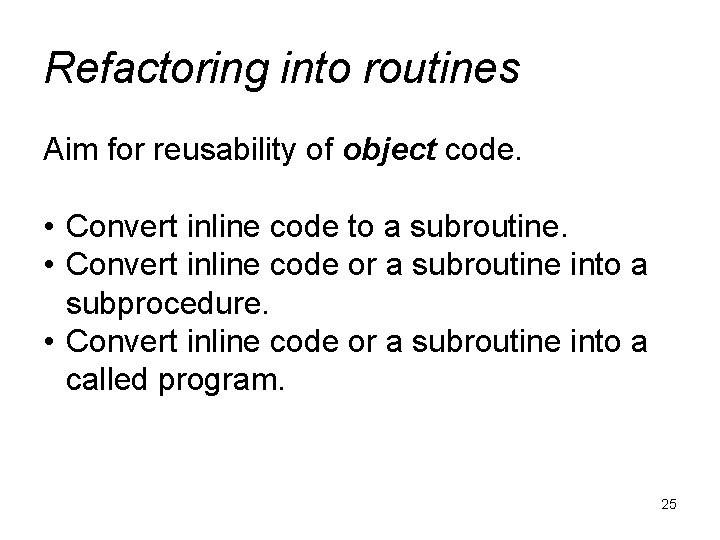
Refactoring into routines Aim for reusability of object code. • Convert inline code to a subroutine. • Convert inline code or a subroutine into a subprocedure. • Convert inline code or a subroutine into a called program. 25
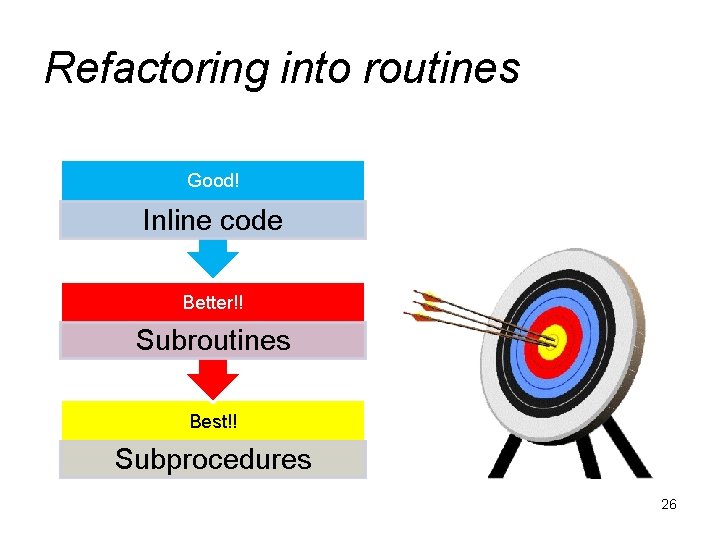
Refactoring into routines Good! Inline code Better!! Subroutines Best!! Subprocedures 26
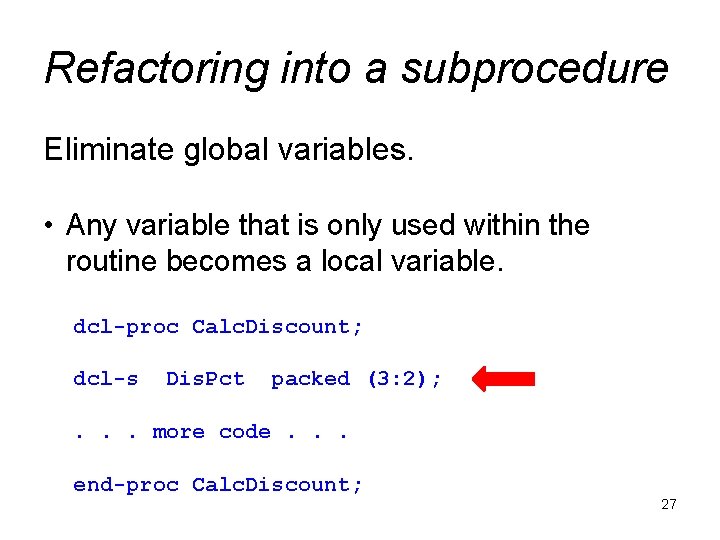
Refactoring into a subprocedure Eliminate global variables. • Any variable that is only used within the routine becomes a local variable. dcl-proc Calc. Discount; dcl-s Dis. Pct packed (3: 2); . . . more code. . . end-proc Calc. Discount; 27
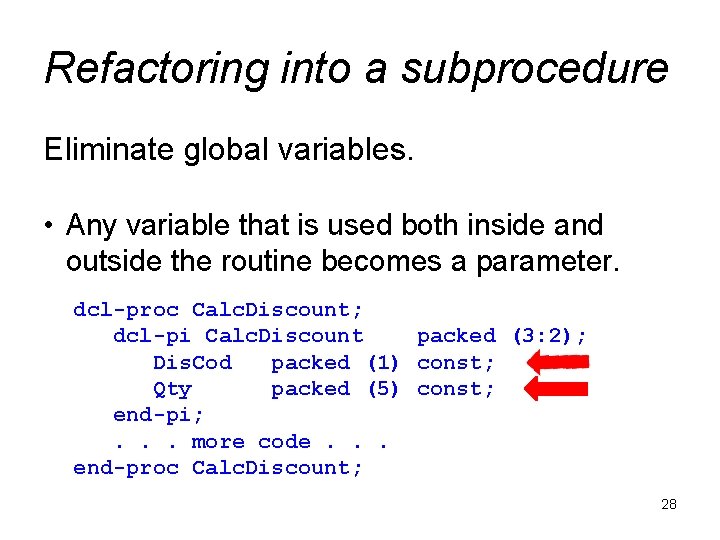
Refactoring into a subprocedure Eliminate global variables. • Any variable that is used both inside and outside the routine becomes a parameter. dcl-proc Calc. Discount; dcl-pi Calc. Discount packed (3: 2); Dis. Cod packed (1) const; Qty packed (5) const; end-pi; . . . more code. . . end-proc Calc. Discount; 28
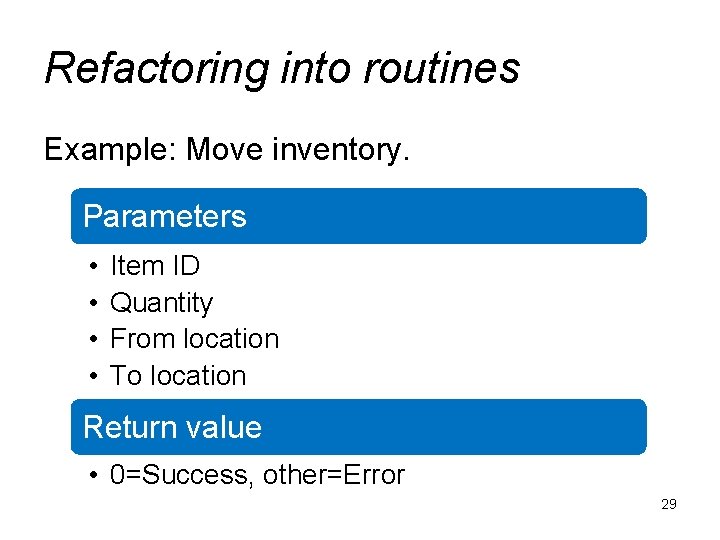
Refactoring into routines Example: Move inventory. Parameters • • Item ID Quantity From location To location Return value • 0=Success, other=Error 29
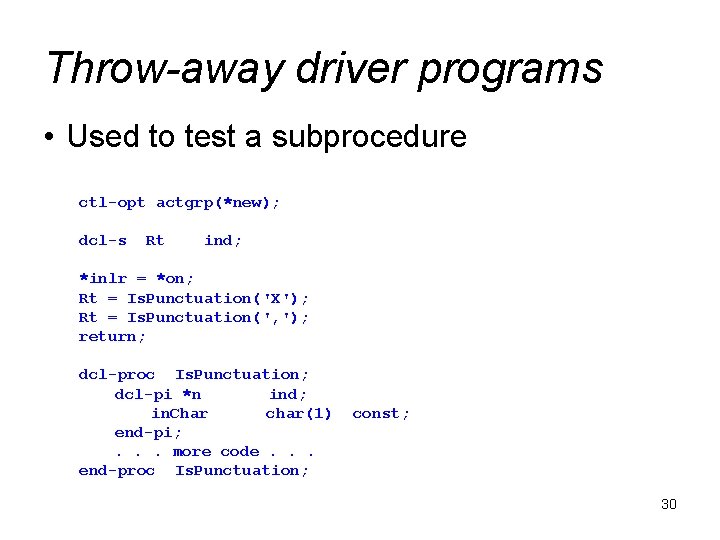
Throw-away driver programs • Used to test a subprocedure ctl-opt actgrp(*new); dcl-s Rt ind; *inlr = *on; Rt = Is. Punctuation('X'); Rt = Is. Punctuation(', '); return; dcl-proc Is. Punctuation; dcl-pi *n ind; in. Char char(1) end-pi; . . . more code. . . end-proc Is. Punctuation; const; 30
Throw-away driver programs For more information. . . Test Driven Development – Best Practices using Automated Tools Barbara Morris 31
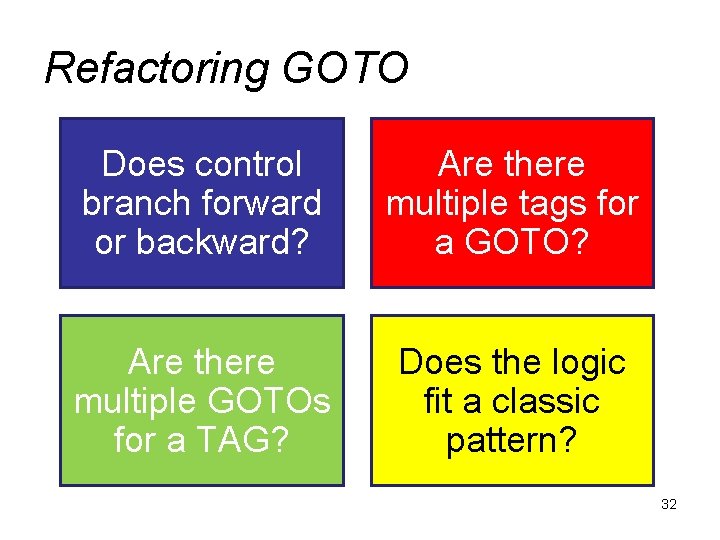
Refactoring GOTO Does control branch forward or backward? Are there multiple tags for a GOTO? Are there multiple GOTOs for a TAG? Does the logic fit a classic pattern? 32
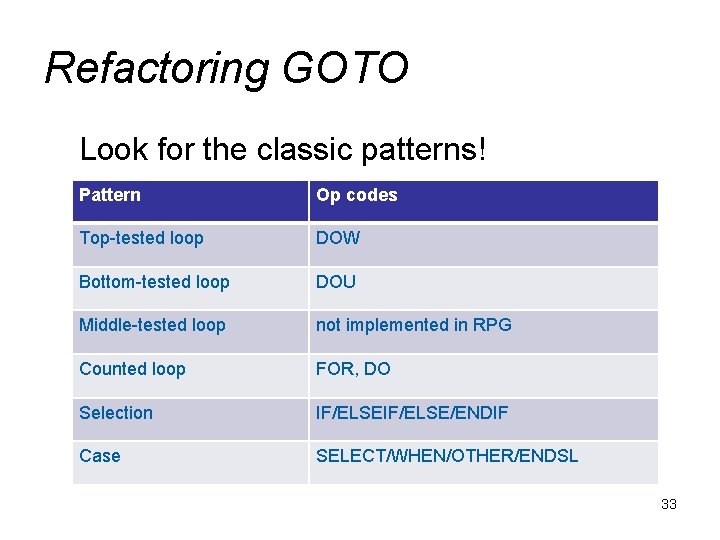
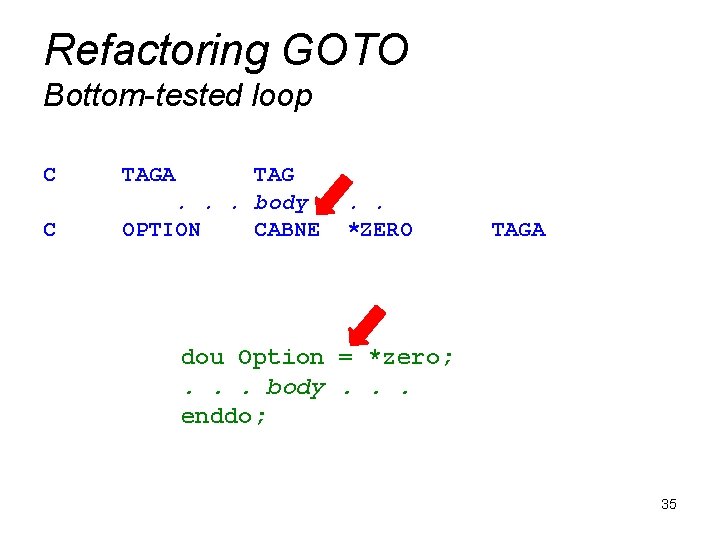
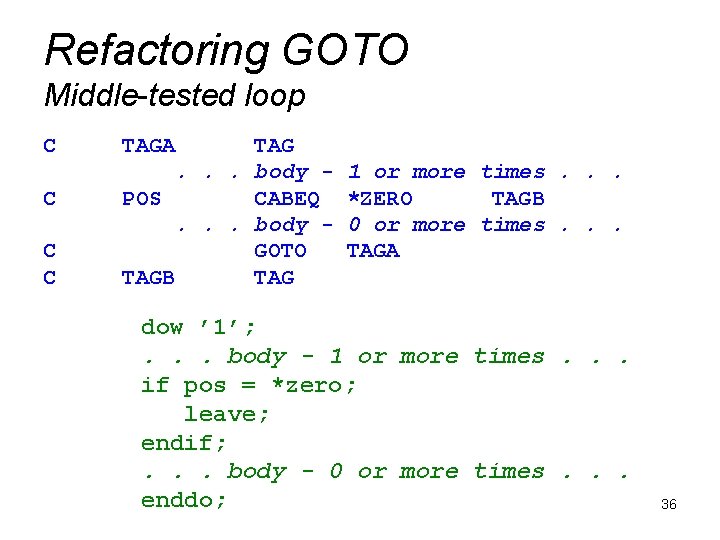
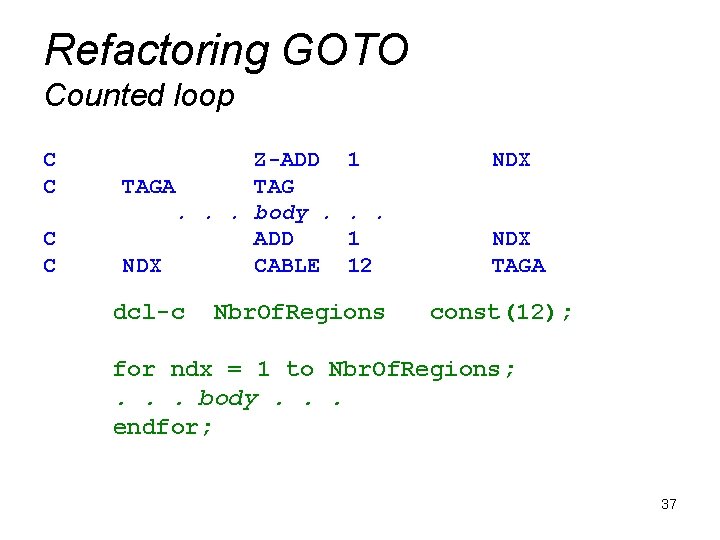
Refactoring GOTO Look for the classic patterns! Pattern Op codes Top-tested loop DOW Bottom-tested loop DOU Middle-tested loop not implemented in RPG Counted loop FOR, DO Selection IF/ELSE/ENDIF Case SELECT/WHEN/OTHER/ENDSL 33
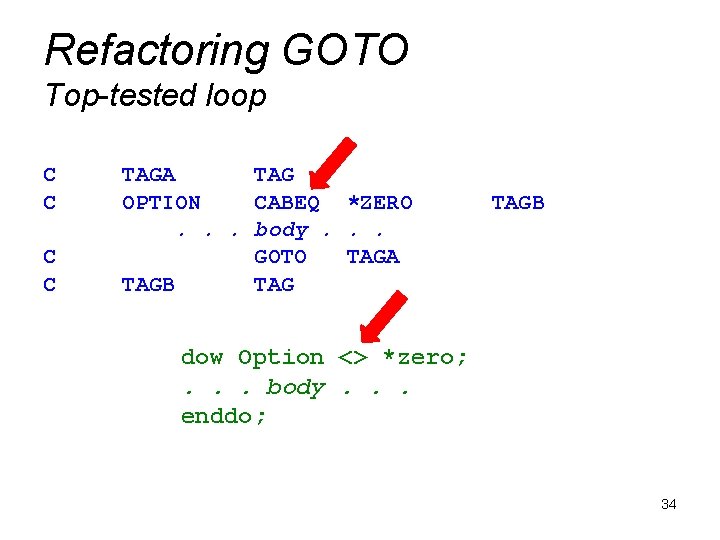
Refactoring GOTO Top-tested loop C C TAGA TAG OPTION CABEQ *ZERO. . . body. . . GOTO TAGA TAGB dow Option <> *zero; . . . body. . . enddo; 34
Refactoring GOTO Bottom-tested loop C C TAGA TAG. . . body. . . OPTION CABNE *ZERO TAGA dou Option = *zero; . . . body. . . enddo; 35
Refactoring GOTO Middle-tested loop C C TAGA TAG. . . body POS CABEQ. . . body GOTO TAGB TAG 1 or more times. . . *ZERO TAGB 0 or more times. . . TAGA dow ’ 1’; . . . body - 1 or more times. . . if pos = *zero; leave; endif; . . . body - 0 or more times. . . enddo; 36
Refactoring GOTO Counted loop C C Z-ADD TAGA TAG. . . body. ADD NDX CABLE dcl-c 1 NDX . . 1 12 NDX TAGA Nbr. Of. Regions const(12); for ndx = 1 to Nbr. Of. Regions; . . . body. . . endfor; 37
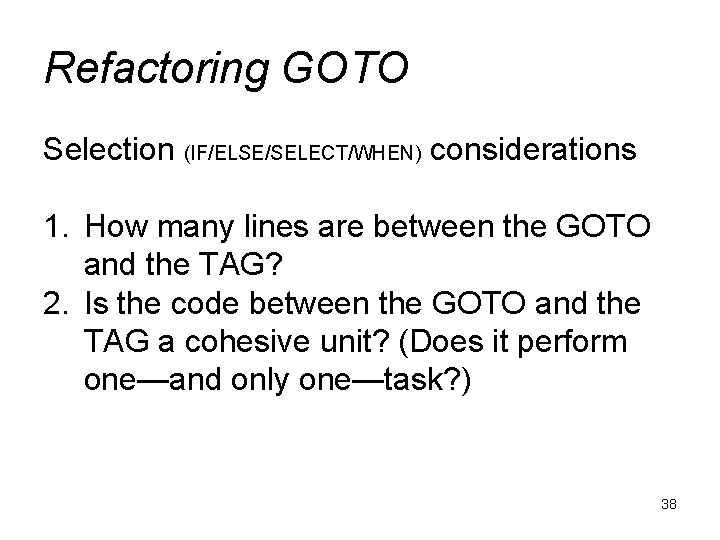
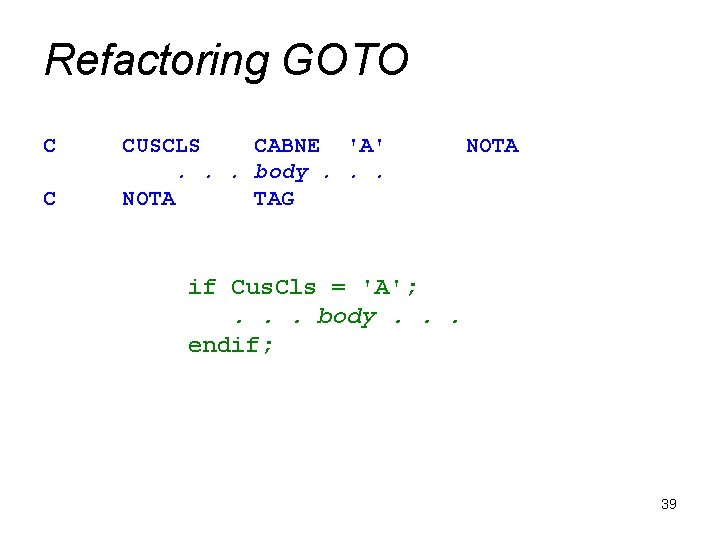
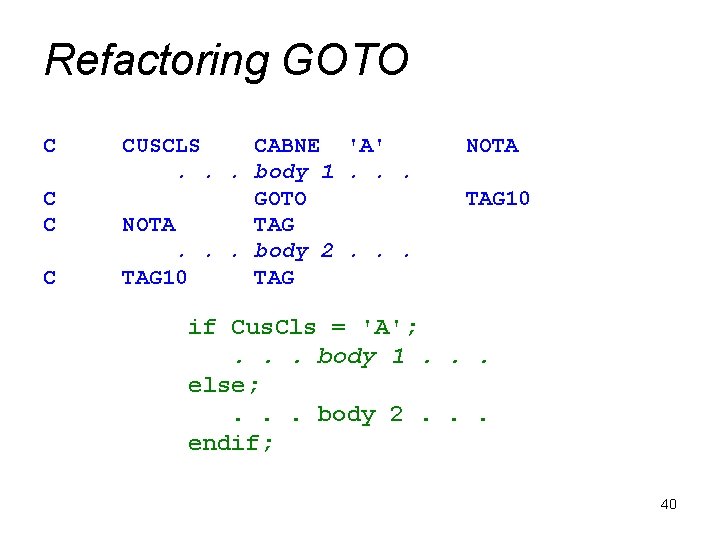
Refactoring GOTO Selection (IF/ELSE/SELECT/WHEN) considerations 1. How many lines are between the GOTO and the TAG? 2. Is the code between the GOTO and the TAG a cohesive unit? (Does it perform one—and only one—task? ) 38
Refactoring GOTO C C CUSCLS CABNE 'A'. . . body. . . NOTA TAG NOTA if Cus. Cls = 'A'; . . . body. . . endif; 39
Refactoring GOTO C C CUSCLS CABNE 'A'. . . body 1. . . GOTO NOTA TAG. . . body 2. . . TAG 10 TAG NOTA TAG 10 if Cus. Cls = 'A'; . . . body 1. . . else; . . . body 2. . . endif; 40
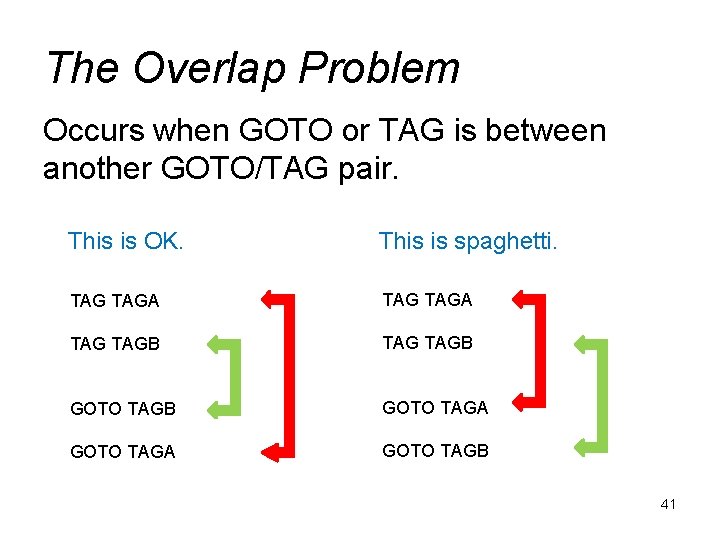
The Overlap Problem Occurs when GOTO or TAG is between another GOTO/TAG pair. This is OK. This is spaghetti. TAG TAGA TAG TAGB GOTO TAGA GOTO TAGB 41
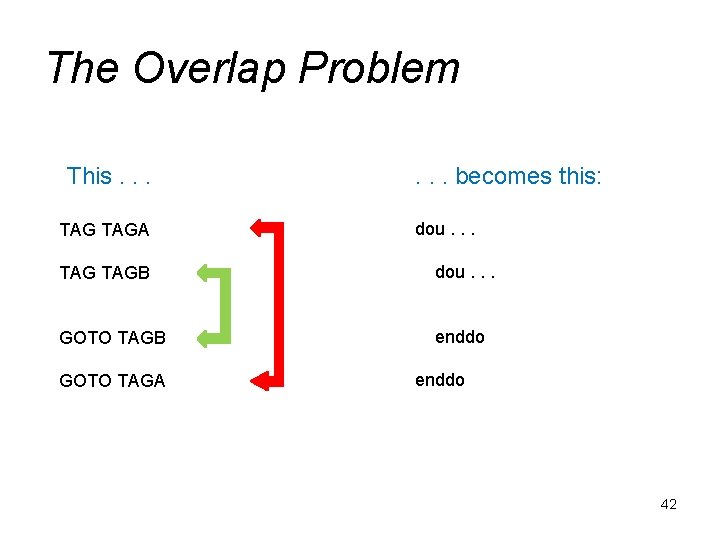
The Overlap Problem This. . . TAGA . . . becomes this: dou. . . TAGB dou. . . GOTO TAGB enddo GOTO TAGA enddo 42
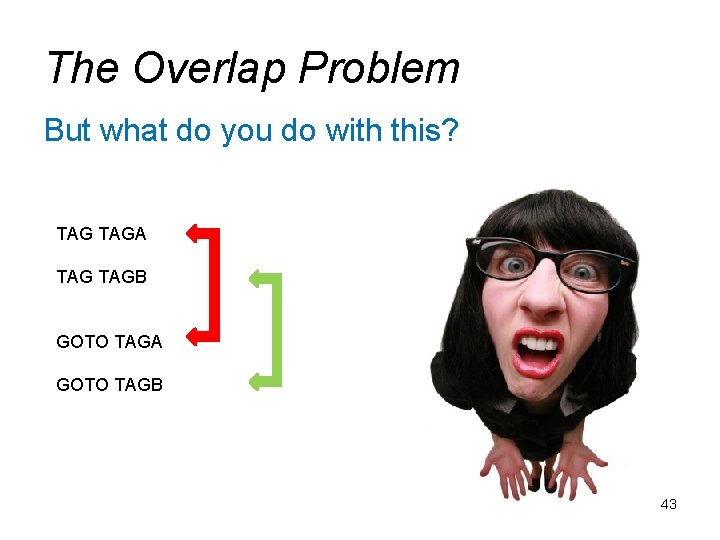
The Overlap Problem But what do you do with this? TAGA TAGB GOTO TAGA GOTO TAGB 43
The Overlap Problem 1. There are no hard and fast rules. 2. Sometimes you get lucky. 44
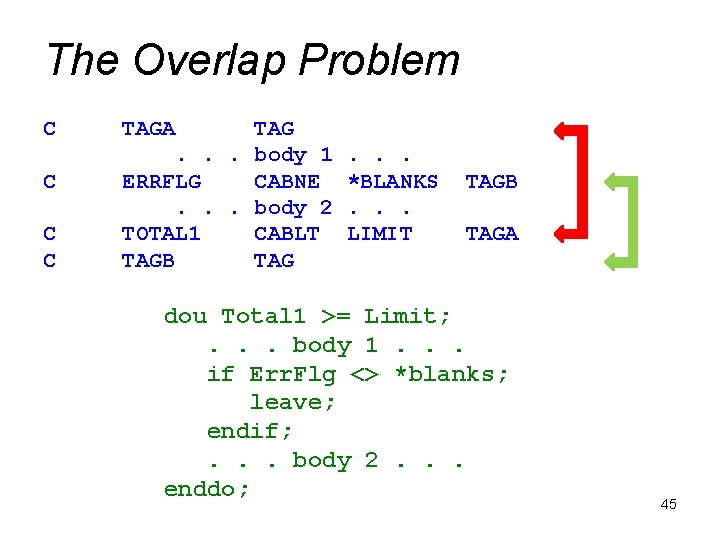
The Overlap Problem C C TAGA TAG. . . body 1 ERRFLG CABNE. . . body 2 TOTAL 1 CABLT TAGB TAG . . . *BLANKS. . . LIMIT TAGB TAGA dou Total 1 >= Limit; . . . body 1. . . if Err. Flg <> *blanks; leave; endif; . . . body 2. . . enddo; 45
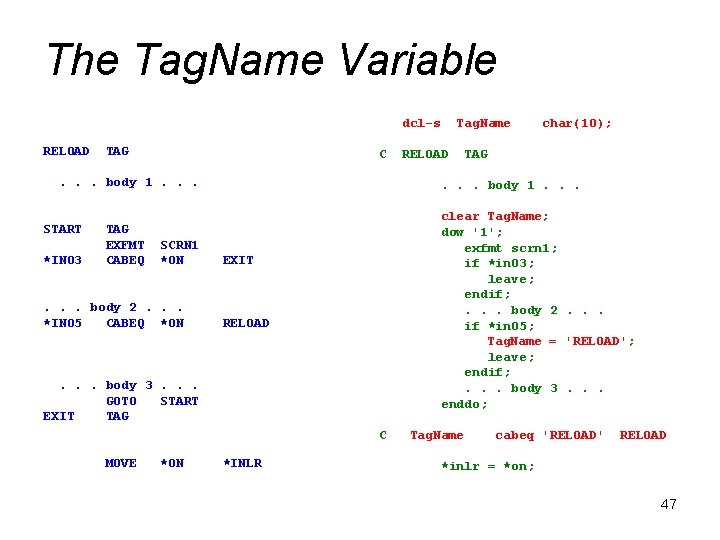
The Overlap Problem 1. There are no hard and fast rules. 2. Sometimes you get lucky. 3. Use a TAGNAME variable 46
The Tag. Name Variable dcl-s RELOAD TAG C . . . body 1. . . START *IN 03 TAG EXFMT CABEQ SCRN 1 *ON . . . body 2. . . *IN 05 CABEQ *ON TAG clear Tag. Name; dow '1'; exfmt scrn 1; if *in 03; leave; endif; . . . body 2. . . if *in 05; Tag. Name = 'RELOAD'; leave; endif; . . . body 3. . . enddo; EXIT RELOAD C *ON RELOAD char(10); . . . body 1. . . body 3. . . GOTO START EXIT TAG MOVE Tag. Name *INLR Tag. Name cabeq 'RELOAD' RELOAD *inlr = *on; 47
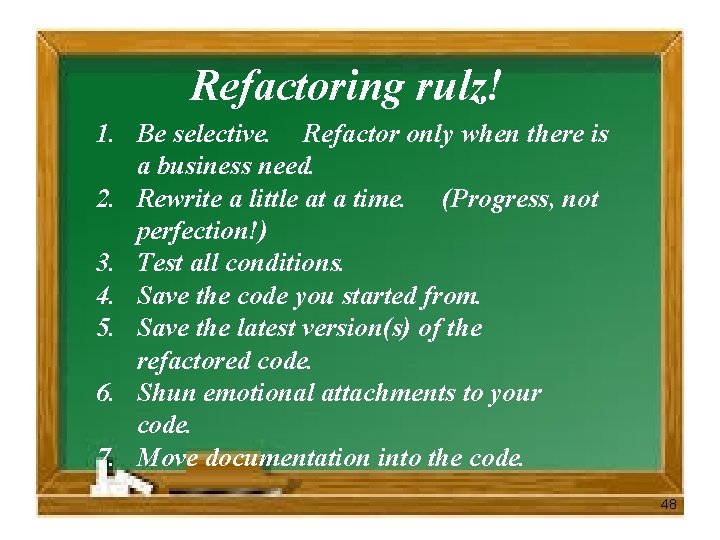
Refactoring rulz! 1. Be selective. Refactor only when there is a business need. 2. Rewrite a little at a time. (Progress, not perfection!) 3. Test all conditions. 4. Save the code you started from. 5. Save the latest version(s) of the refactored code. 6. Shun emotional attachments to your code. 7. Move documentation into the code. 48
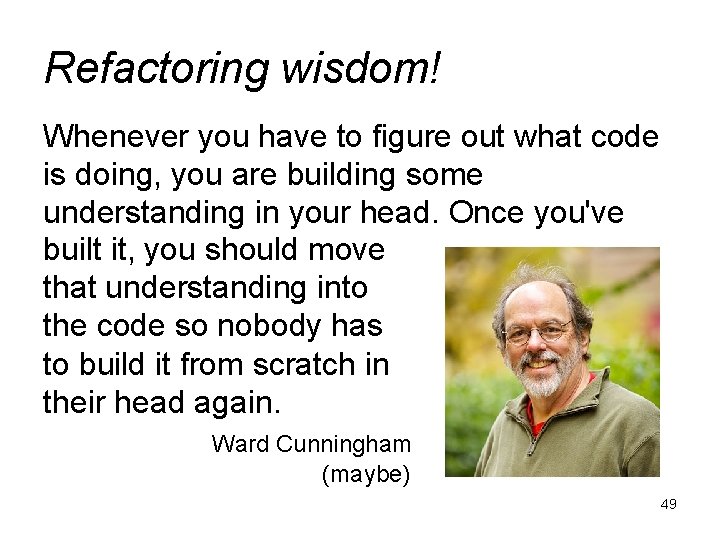
Refactoring wisdom! Whenever you have to figure out what code is doing, you are building some understanding in your head. Once you've built it, you should move that understanding into the code so nobody has to build it from scratch in their head again. Ward Cunningham (maybe) 49
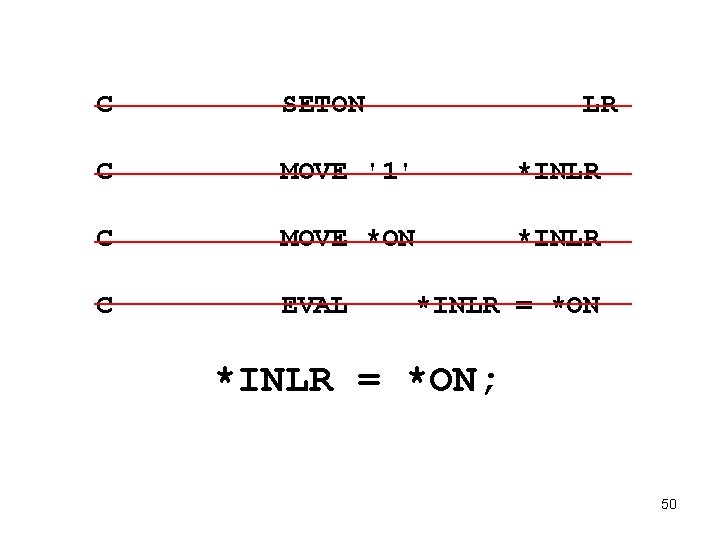
C SETON LR C MOVE '1' *INLR C MOVE *ON *INLR C EVAL *INLR = *ON; 50