
redy Accessories Options VI 23 10 2017 Slide









- Slides: 35
red-y Accessories & Options VI 23. 10. 2017/ Slide 1
General Topics - Cables & modules for MFM / MFC’s - Controle units - Other accessories and options VI 23. 10. 2017/ Slide 2
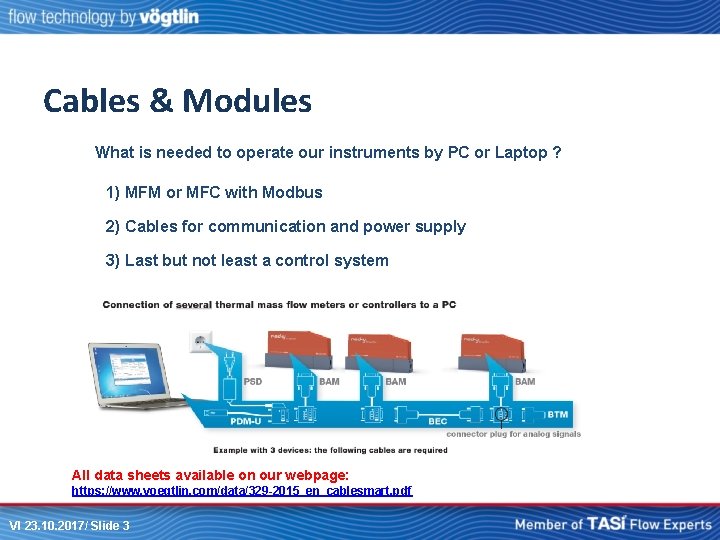
Cables & Modules What is needed to operate our instruments by PC or Laptop ? 1) MFM or MFC with Modbus 2) Cables for communication and power supply 3) Last but not least a control system All data sheets available on our webpage: https: //www. voegtlin. com/data/329 -2015_en_cablesmart. pdf VI 23. 10. 2017/ Slide 3
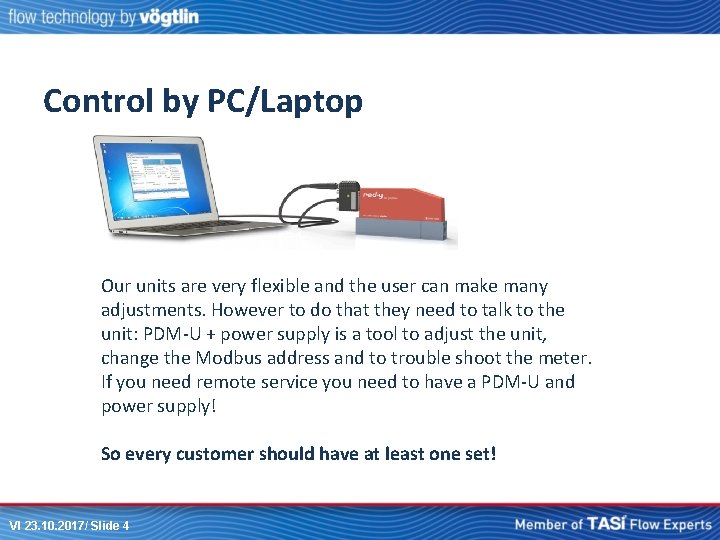
Control by PC/Laptop Our units are very flexible and the user can make many adjustments. However to do that they need to talk to the unit: PDM-U + power supply is a tool to adjust the unit, change the Modbus address and to trouble shoot the meter. If you need remote service you need to have a PDM-U and power supply! So every customer should have at least one set! VI 23. 10. 2017/ Slide 4
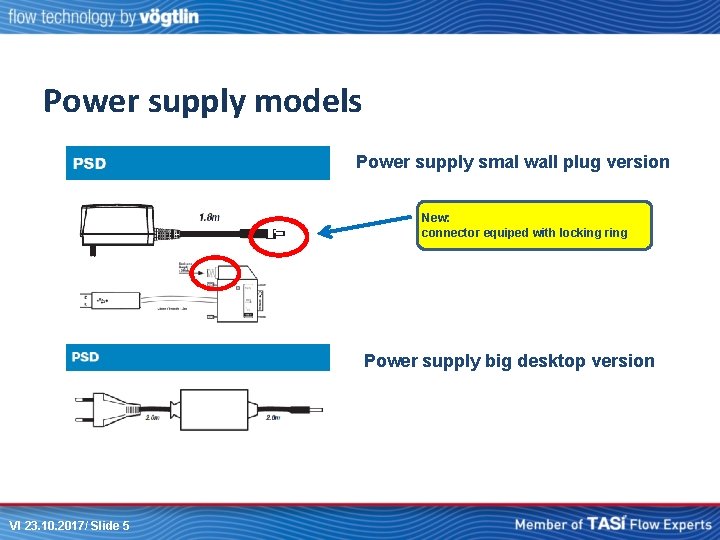
Power supply models Power supply smal wall plug version New: connector equiped with locking ring Power supply big desktop version VI 23. 10. 2017/ Slide 5
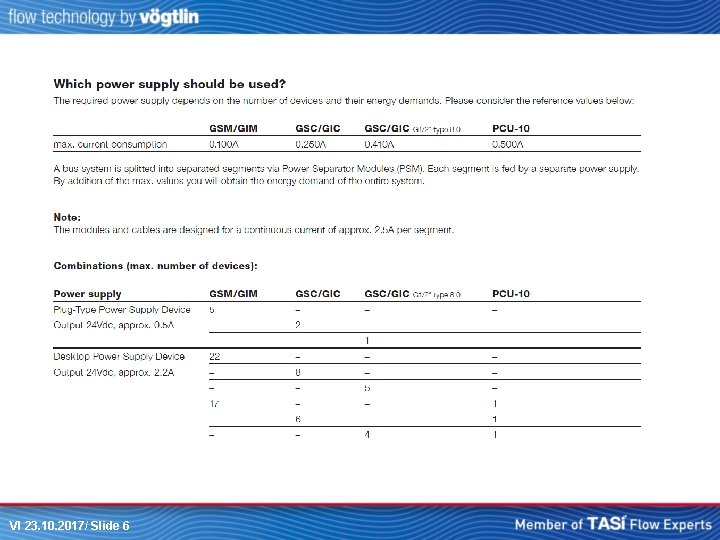
VI 23. 10. 2017/ Slide 6
• What to do if you need more power that one supply can deliver? Power separator module VI 23. 10. 2017/ Slide 7
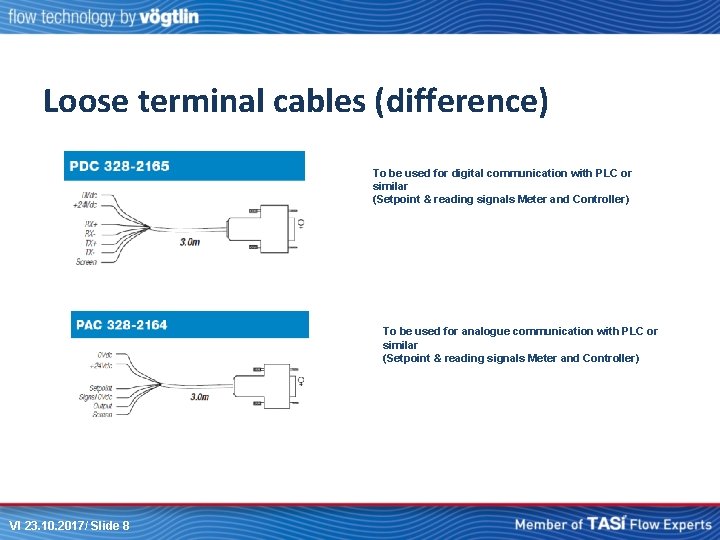
Loose terminal cables (difference) To be used for digital communication with PLC or similar (Setpoint & reading signals Meter and Controller) To be used for analogue communication with PLC or similar (Setpoint & reading signals Meter and Controller) VI 23. 10. 2017/ Slide 8
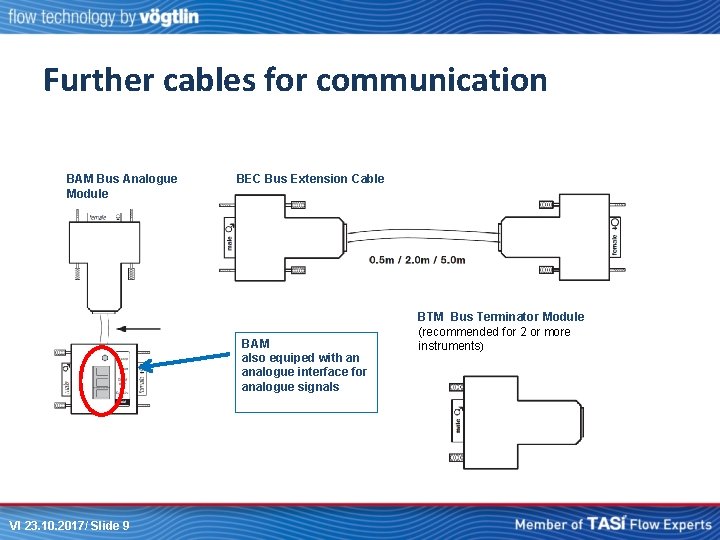
Further cables for communication BAM Bus Analogue Module BEC Bus Extension Cable BAM also equiped with an analogue interface for analogue signals VI 23. 10. 2017/ Slide 9 BTM Bus Terminator Module (recommended for 2 or more instruments)
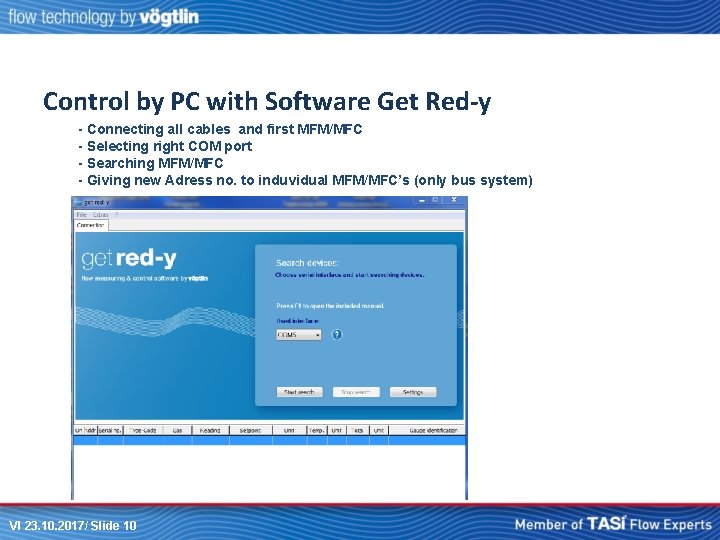
Control by PC with Software Get Red-y - Connecting all cables and first MFM/MFC - Selecting right COM port - Searching MFM/MFC - Giving new Adress no. to induvidual MFM/MFC’s (only bus system) VI 23. 10. 2017/ Slide 10
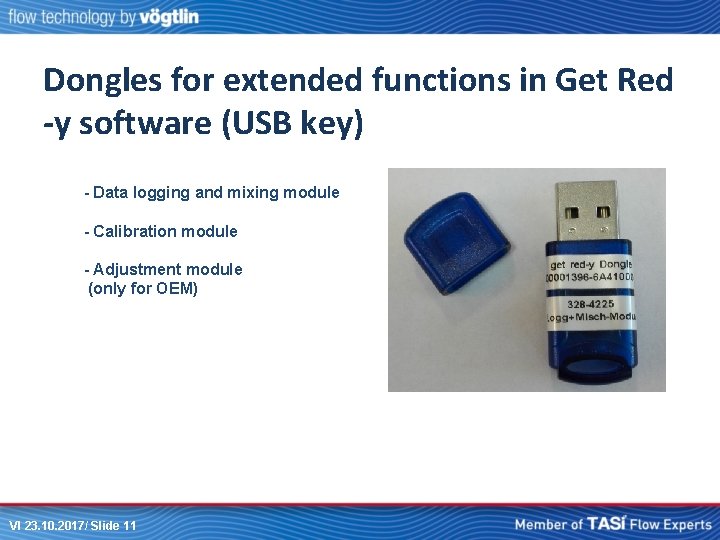
Dongles for extended functions in Get Red -y software (USB key) - Data logging and mixing module - Calibration module - Adjustment module (only for OEM) VI 23. 10. 2017/ Slide 11
Other ways to control with computer: - Labview program (Drivers available on our website) - Visual basic - C++ - Other software… Can also use stand-alone systems like HMI’s VI 23. 10. 2017/ Slide 12
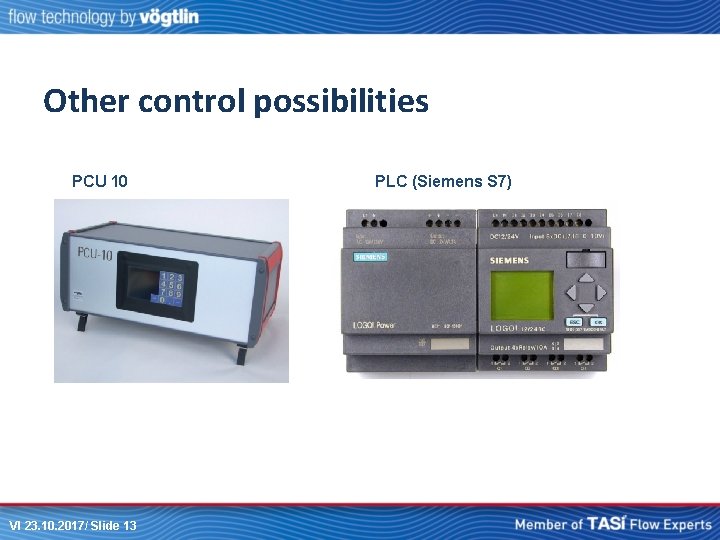
Other control possibilities PCU 10 VI 23. 10. 2017/ Slide 13 PLC (Siemens S 7)
PCU 10 - Standalone solution if PC or PLC is not available. - Able to control up to 8 bussystems with max. 10 controllers/meters - Controle of gasmixtures (max. 12 recipes) BFC Bus feeder cable to connect MFM/MFC to PCU 10 VI 23. 10. 2017/ Slide 14
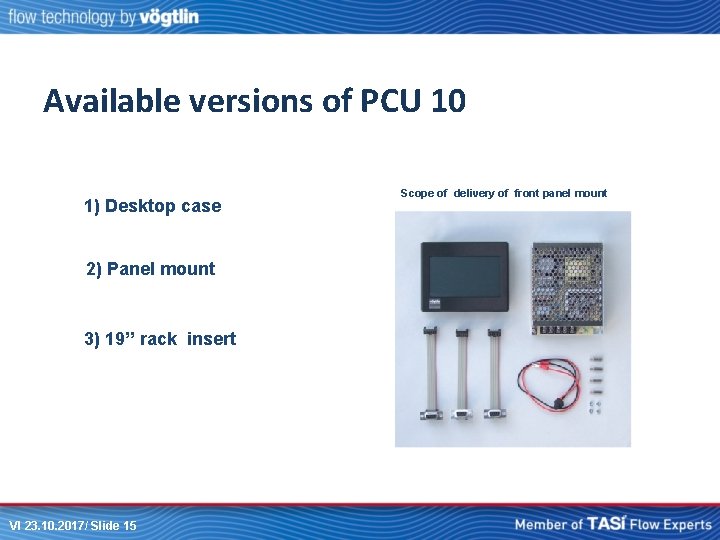
Available versions of PCU 10 1) Desktop case 2) Panel mount 3) 19’’ rack insert VI 23. 10. 2017/ Slide 15 Scope of delivery of front panel mount
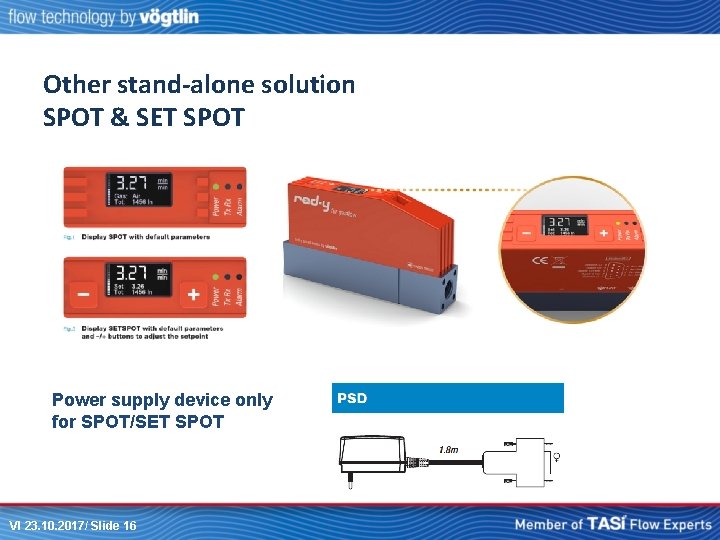
Other stand-alone solution SPOT & SET SPOT Power supply device only for SPOT/SET SPOT VI 23. 10. 2017/ Slide 16
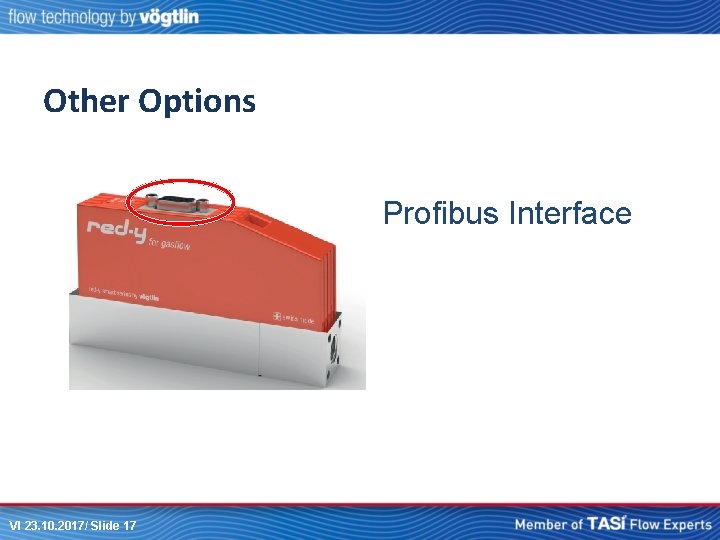
Other Options Profibus Interface VI 23. 10. 2017/ Slide 17
Other Digital communication • If you need something else than Profibus or Modbus contact use. We did: M-bus, Modbus IP, Ethernet, Canbus…talk to David! • Ask David for others VI 23. 10. 2017/ Slide 18
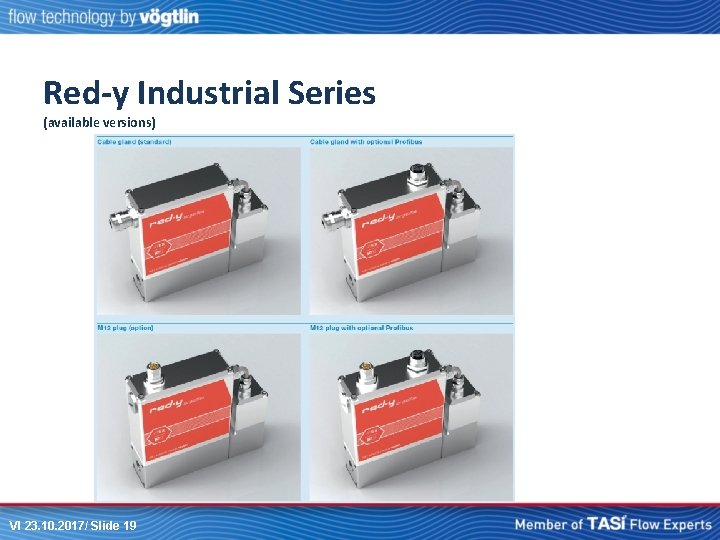
Red-y Industrial Series (available versions) VI 23. 10. 2017/ Slide 19
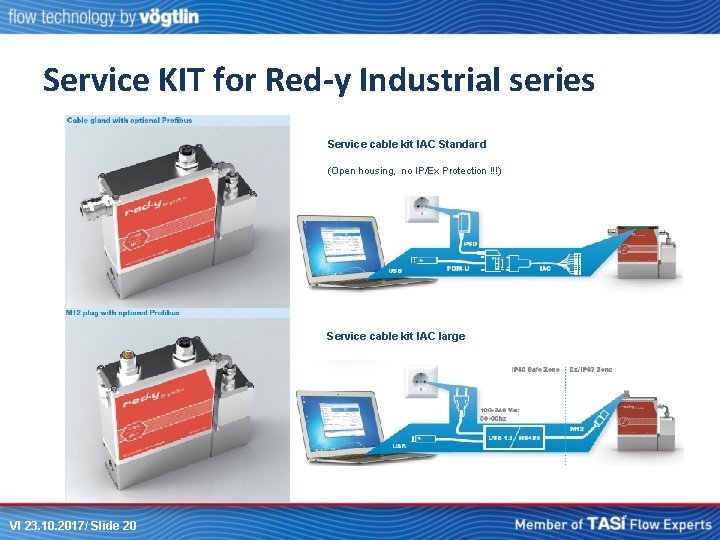
Service KIT for Red-y Industrial series Service cable kit IAC Standard (Open housing, no IP/Ex Protection !!!) Service cable kit IAC large VI 23. 10. 2017/ Slide 20
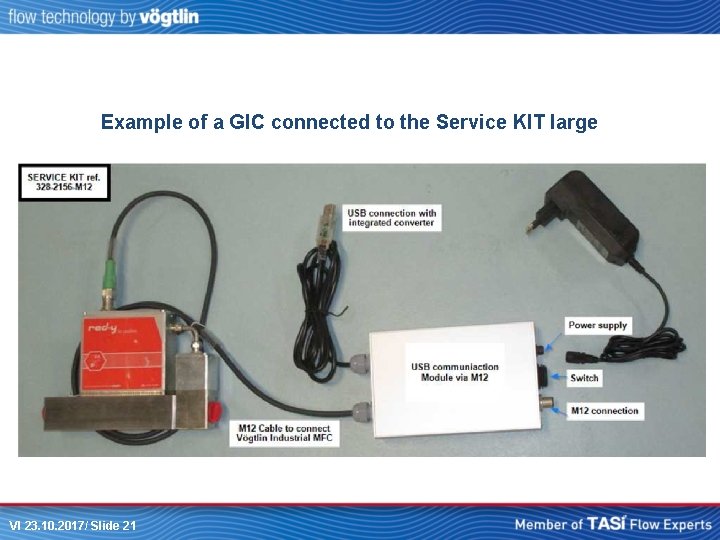
Example of a GIC connected to the Service KIT large VI 23. 10. 2017/ Slide 21
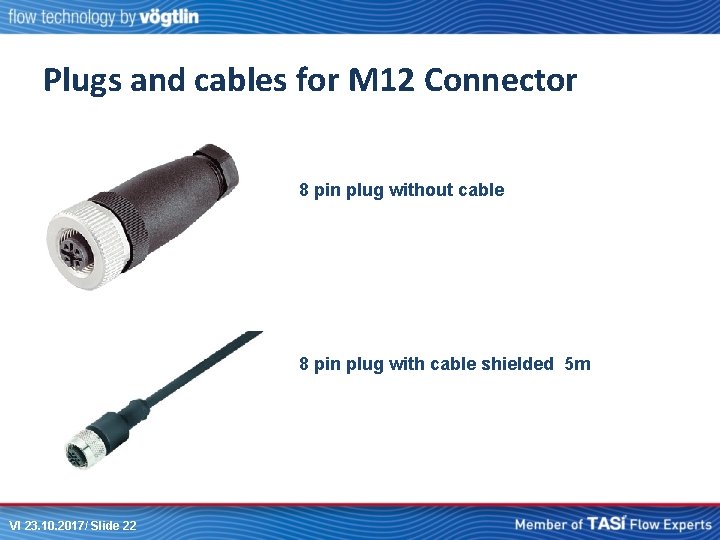
Plugs and cables for M 12 Connector 8 pin plug without cable 8 pin plug with cable shielded 5 m VI 23. 10. 2017/ Slide 22
Available Fittings PVC hose connectors VCR flange mounted brass (push-in) fittings brass hose connectors VCR Compression fittings with filter Do not use sealing tape or liquid sealant !! VI 23. 10. 2017/ Slide 23
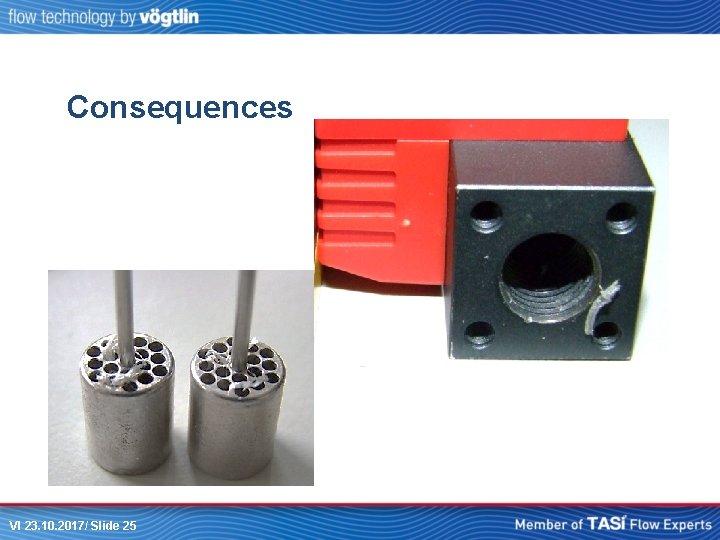
Reasons why, not to use sealing tape or liquide sealant (bad examples) VI 23. 10. 2017/ Slide 24
Consequences VI 23. 10. 2017/ Slide 25
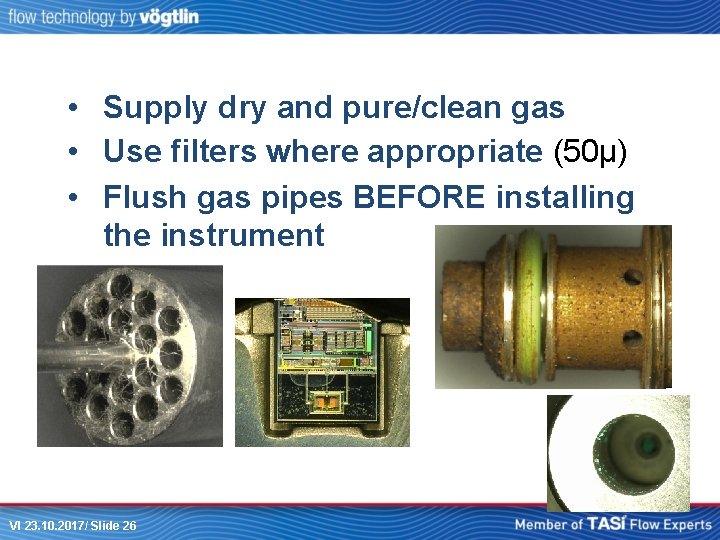
• Supply dry and pure/clean gas • Use filters where appropriate (50µ) • Flush gas pipes BEFORE installing the instrument VI 23. 10. 2017/ Slide 26
It can be done better ! • No particles that will be cut-off • No blocking of the flow splitter • NO TROUBLES FOR THE USER, FOR YOU AND FOR US !!! VI 23. 10. 2017/ Slide 27
We strongly recommend: • Use fittings with facial O-ring seal • Alternatively sealing washer • Use filters (50µ) • No teflon tape • No liquid sealing agent VI 23. 10. 2017/ Slide 28
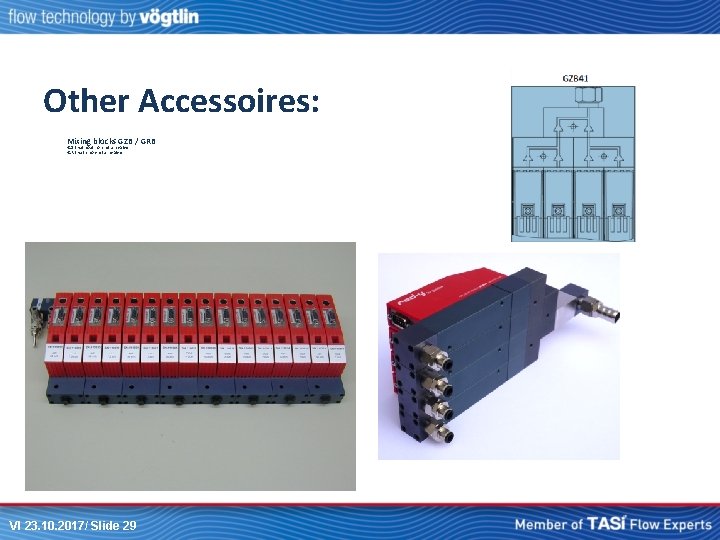
Other Accessoires: Mixing blocks GZB / GRB -GZB without non-return valve -GRB with non-return valve VI 23. 10. 2017/ Slide 29
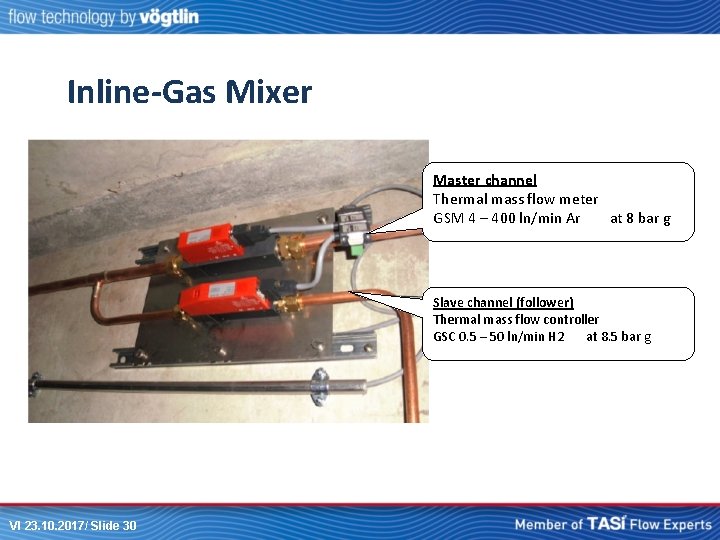
Inline-Gas Mixer Master channel Thermal mass flow meter GSM 4 – 400 ln/min Ar at 8 bar g Slave channel (follower) Thermal mass flow controller GSC 0. 5 – 50 ln/min H 2 at 8. 5 bar g VI 23. 10. 2017/ Slide 30
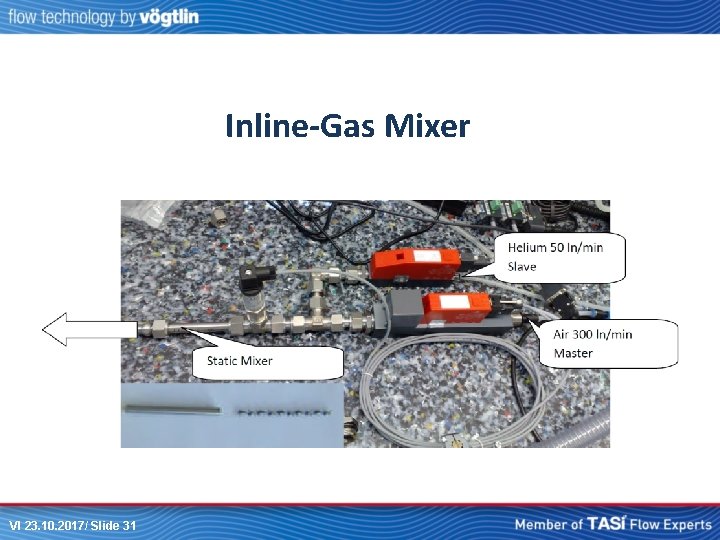
Inline-Gas Mixer VI 23. 10. 2017/ Slide 31
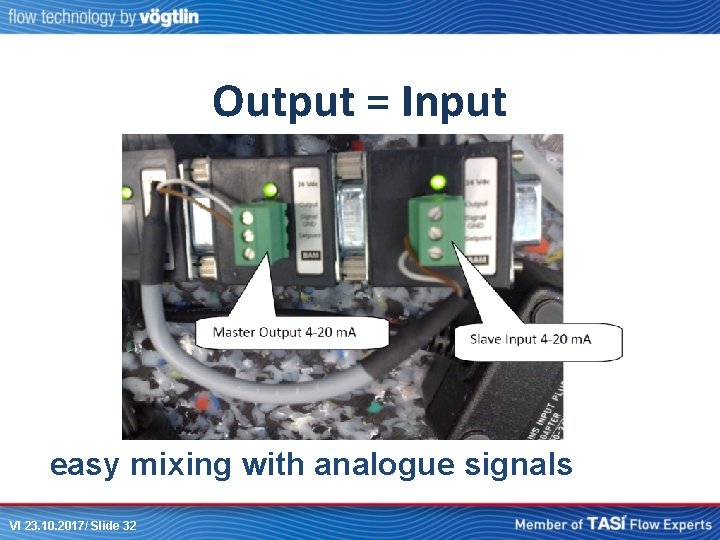
Output = Input easy mixing with analogue signals VI 23. 10. 2017/ Slide 32
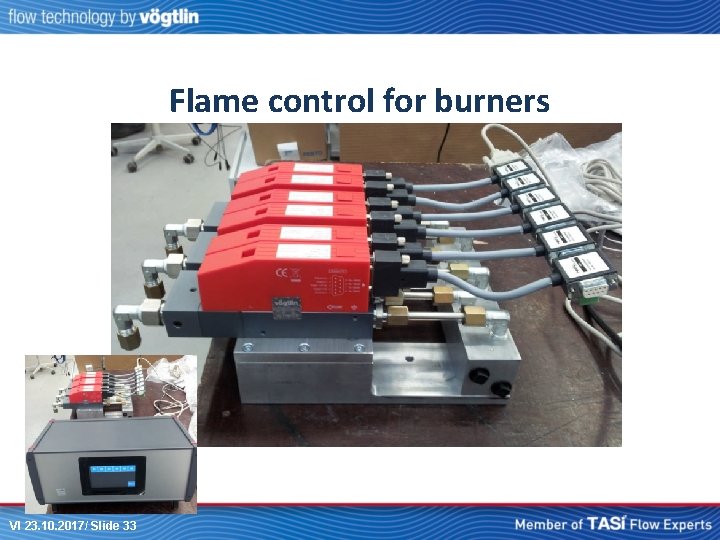
Flame control for burners VI 23. 10. 2017/ Slide 33
Finally…. . • Remember to quote cables and accessories in every quotation you make ! • Add. value for customer (due to complete solution) • Awareness of what is needed to operate our instruments (plug and play) • Creat ability to provide service! VI 23. 10. 2017/ Slide 34
Thank you ! VI 23. 10. 2017/ Slide 35