
Reducing Registration Times with Patient Pass CheckIn BRETT
Reducing Registration Times with Patient Pass Check-In BRETT LIGHT, OPTIMIZATION DIRECTOR, PATIENT ACCESS AND FINANCIAL CLEARANCE SERVICES BLIGHT@STANFORDHEALTHCARE. ORG STANFORD HEALTHCARE 1
Program Overview v. Business Case / Background v. Objectives v. Considerations v. Implementation Recommendations v. Workflow v. Epic Tools / Build Information v. Reporting v. Staff Training and Preparation v. Results v. Lessons Learned 2
Developing the Business Case Fundamentally this is about Compassion Most multi-specialty and cancer centers across the nation have subspecialties and often see patients who have multiple appointments on the same day v For cancer centers, this can be 40% of all patients Ø According to the NIH, in 2018 over 1. 7 million patients will be diagnosed with cancer in the U. S. Ø 40% of 1. 7 million = 680, 000 new cancer patients can benefit from this each year v Additionally, many of these patients are seen several times a month v It is important to ask ourselves if our processes are compassionate v The chronically ill generally value their time as much as they value the best medical outcomes v Ultimately, current processes lack compassion when they require frequent return and multiple same day appointment patients to stand in a check-in line for each appointment and give the same information at multiple front desks 3
Business Case Challenge Streamline the registration process for patient satisfaction and their healing while supporting our clinical team requirements Solution Achieve our concept of one-stop registration for multiple encounters in the same day by streamlining workflows and optimizing technologies to consolidate various registration types and activities 4
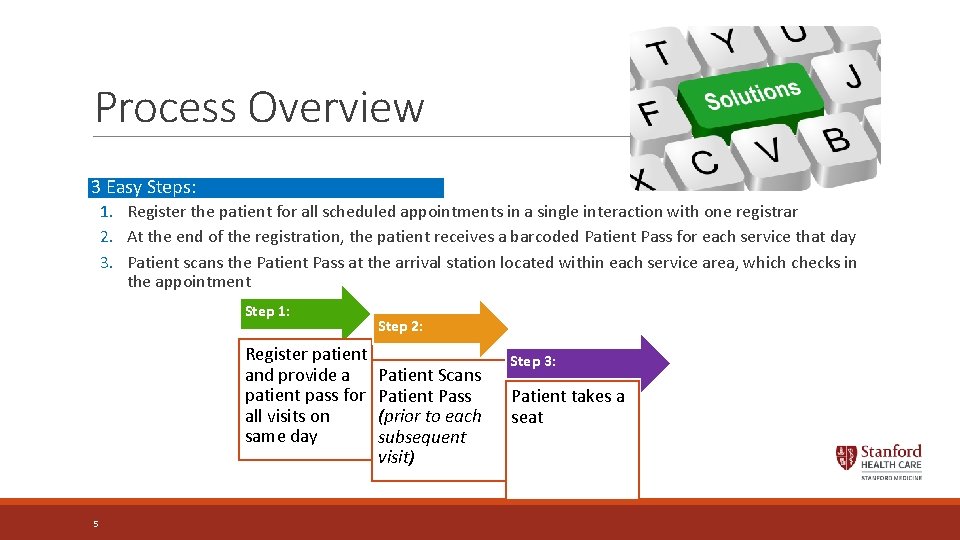
Process Overview 3 Easy Steps: 1. Register the patient for all scheduled appointments in a single interaction with one registrar 2. At the end of the registration, the patient receives a barcoded Patient Pass for each service that day 3. Patient scans the Patient Pass at the arrival station located within each service area, which checks in the appointment Step 1: Register patient and provide a patient pass for all visits on same day 5 Step 2: Patient Scans Patient Pass (prior to each subsequent visit) Step 3: Patient takes a seat
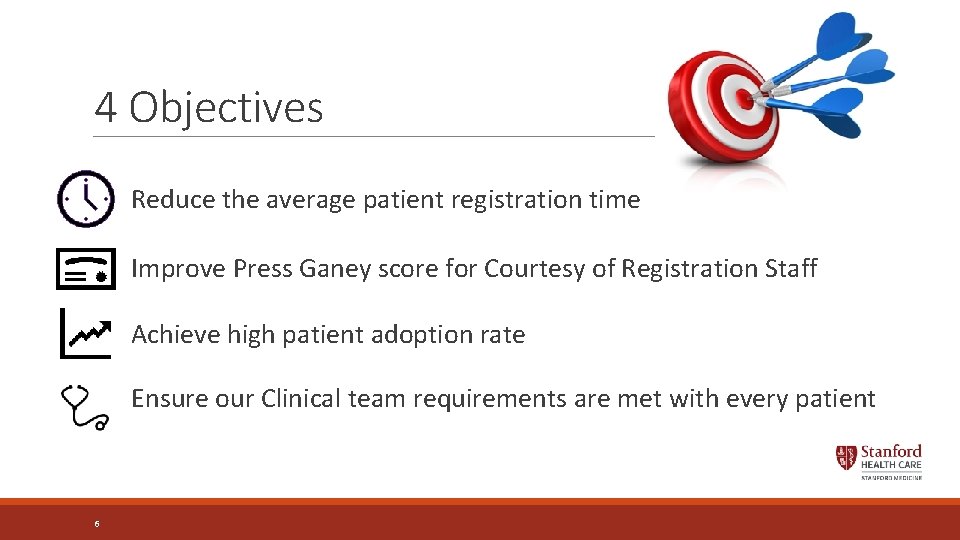
4 Objectives Reduce the average patient registration time Improve Press Ganey score for Courtesy of Registration Staff Achieve high patient adoption rate Ensure our Clinical team requirements are met with every patient 6

Patient Pass Project: 5 Key Steps 1. Address all patient and provider questions and secure clinical buy-in for the new process 2. Design Arrival Station locations for optimal patient flow (as patients exit elevators or between the entry door and the front desk) 3. Obtain the appropriate hardware 4. Determine check-in restrictions for Arrival Stations ◦ Such as clinical department cut-off time for early or late arriving patients 5. Carefully design the Patient Pass 7
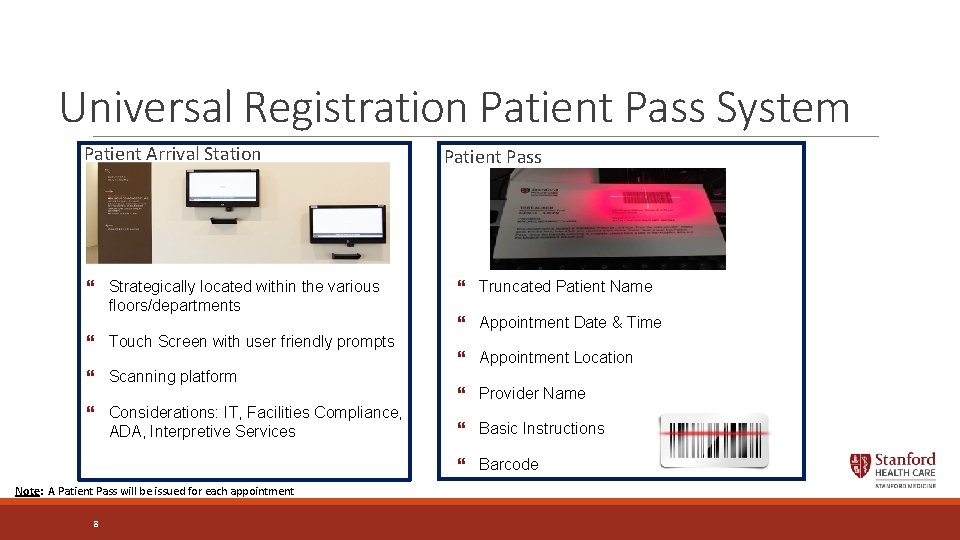
Universal Registration Patient Pass System Patient Arrival Station } Strategically located within the various floors/departments } Touch Screen with user friendly prompts } Scanning platform } Considerations: IT, Facilities Compliance, ADA, Interpretive Services Patient Pass } Truncated Patient Name } Appointment Date & Time } Appointment Location } Provider Name } Basic Instructions } Barcode Note: A Patient Pass will be issued for each appointment 8

Elements of the Patient Pass Document Title Barcode Company Logo Patient Name, Appointment Date and Time Department Address / Phone Number Provider Name Department Name Instructions on location and use 9
Recommendations Include Patient Advocacy in Design Ø By assuming we understand the patient needs we might miss a great opportunity to improve our project outcomes Ø The importance of being able to state “this design is based on direct patient feedback”, can overcome the inertia that may come in the form of budgets, staff, and provider resistance 10
Recommendations Align Requirements with Clinical Partners Ø How early can patients arrive? Ø How late can patients arrive? Ø Should we restrict patients from scanning too early or too late? Ø How do we want to respond when a patient tries to scan in the wrong service area or on the wrong floor? Ø The next illustration highlights what we were asking our IT partners to accomplish. 11
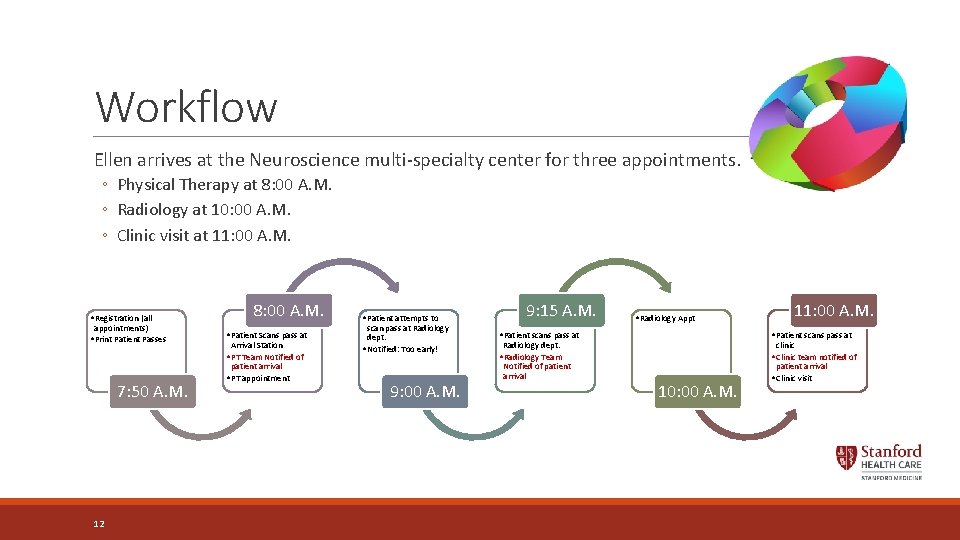
Workflow Ellen arrives at the Neuroscience multi-specialty center for three appointments. ◦ Physical Therapy at 8: 00 A. M. ◦ Radiology at 10: 00 A. M. ◦ Clinic visit at 11: 00 A. M. • Registration (all appointments) • Print Patient Passes 7: 50 A. M. 12 8: 00 A. M. • Patient Scans pass at Arrival Station • PT Team Notified of patient arrival • PT appointment • Patient attempts to scan pass at Radiology dept. • Notified: Too early! 9: 00 A. M. 9: 15 A. M. • Radiology Appt • Patient scans pass at Radiology dept. • Radiology Team Notified of patient arrival 11: 00 A. M. • Patient scans pass at clinic • Clinic team notified of patient arrival 10: 00 A. M. • Clinic visit

Clinical Team Hand-Off The Patient Pass is Collected by Clinical Staff Team Member Shred any patient sensitive information, including the patient pass 13
New Patient Status 1. Scheduled: Service is scheduled but patient is not present yet 2. Present: Patient is present but not checked in yet (The patient is between registration and scanning the patient pass) ØThis tells the clinical staff that patient is here but not available to be roomed yet 3. Arrived: Patient is present, has scanned their pass, and is checked-in for their appointment ØThis tells the clinical staff that the patient is here and they are checked-in and ready to be roomed 14
Build: 5 criteria you need the system to enable 1. Collect multiple payments during sign-in ◦ New feature in Epic 2015 2. Print Patient Passes when patients sign in ◦ Be sure to validate the patient Pass Smart. Text, print group, and report ◦ Enable automatic printing 3. Enable Arrival Stations to scan Patient passes ◦ ◦ Install Welcome, if not already present Set up workstations only to scan passes and change appointment status to Arrived Enable check-in barcode scanning Prevent patients from scanning passes at the wrong place or time 4. Highlight rows on the DAR based on the patient’s appointment status 5. Track patient locations ◦ On the DAR ◦ On providers’ schedules ◦ On Status Boards 15
Testing the Build Be Sure To Validate The Following: v. Multiple visit copayments can be collected from a single screen and generate one receipt v. Patient Passes are printed when patients complete sign-in v. Each Patient Pass contains the appropriate information for the patient's appointment v. Arrival Stations scan barcodes and check in patients v. Rows are highlighted on the Daily Activity Report (DAR) or Schedule for the clinical team as expected v. Patient locations appear on the DAR, provider schedules, and Status Board as expected 16
Implementation Impact Moderate Ø This project should take your organization's Cadence team about one to two months to implement Ø If you need additional hardware, such as touchscreen monitors, printers, and barcode scanners ü Plan time to select, purchase, and install the new devices 17
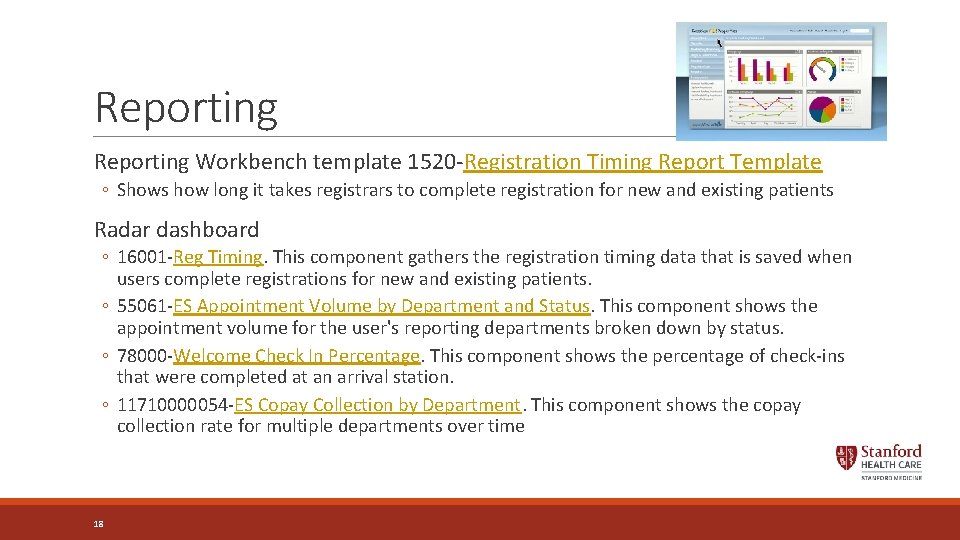
Reporting Workbench template 1520 -Registration Timing Report Template ◦ Shows how long it takes registrars to complete registration for new and existing patients Radar dashboard ◦ 16001 -Reg Timing. This component gathers the registration timing data that is saved when users complete registrations for new and existing patients. ◦ 55061 -ES Appointment Volume by Department and Status. This component shows the appointment volume for the user's reporting departments broken down by status. ◦ 78000 -Welcome Check In Percentage. This component shows the percentage of check-ins that were completed at an arrival station. ◦ 11710000054 -ES Copay Collection by Department. This component shows the copay collection rate for multiple departments over time 18
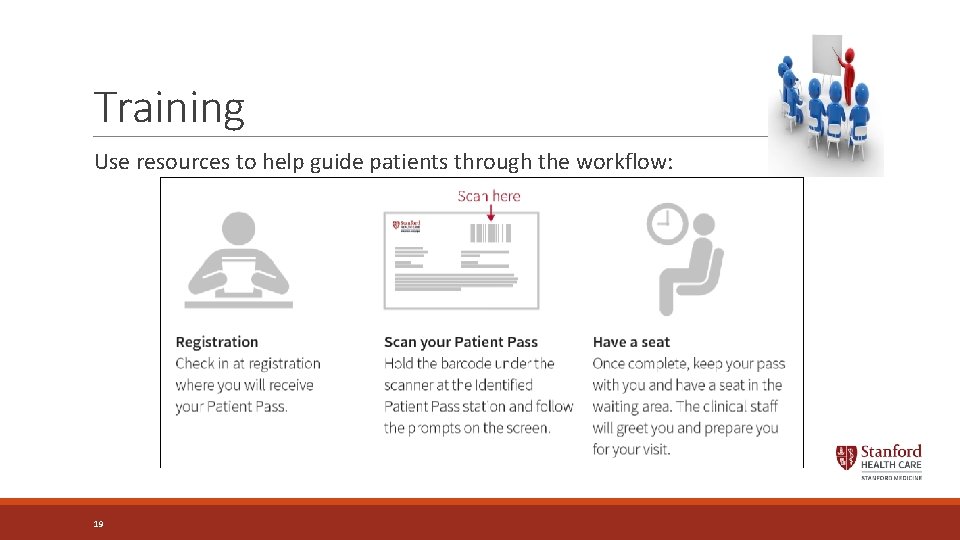
Training Use resources to help guide patients through the workflow: 19
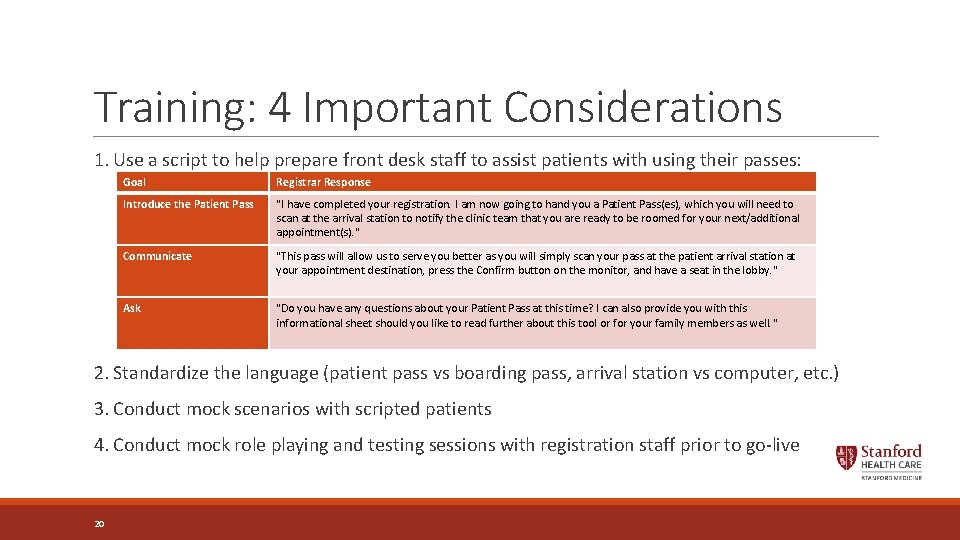
Training: 4 Important Considerations 1. Use a script to help prepare front desk staff to assist patients with using their passes: Goal Registrar Response Introduce the Patient Pass "I have completed your registration. I am now going to hand you a Patient Pass(es), which you will need to scan at the arrival station to notify the clinic team that you are ready to be roomed for your next/additional appointment(s). " Communicate "This pass will allow us to serve you better as you will simply scan your pass at the patient arrival station at your appointment destination, press the Confirm button on the monitor, and have a seat in the lobby. " Ask "Do you have any questions about your Patient Pass at this time? I can also provide you with this informational sheet should you like to read further about this tool or for your family members as well. " 2. Standardize the language (patient pass vs boarding pass, arrival station vs computer, etc. ) 3. Conduct mock scenarios with scripted patients 4. Conduct mock role playing and testing sessions with registration staff prior to go-live 20
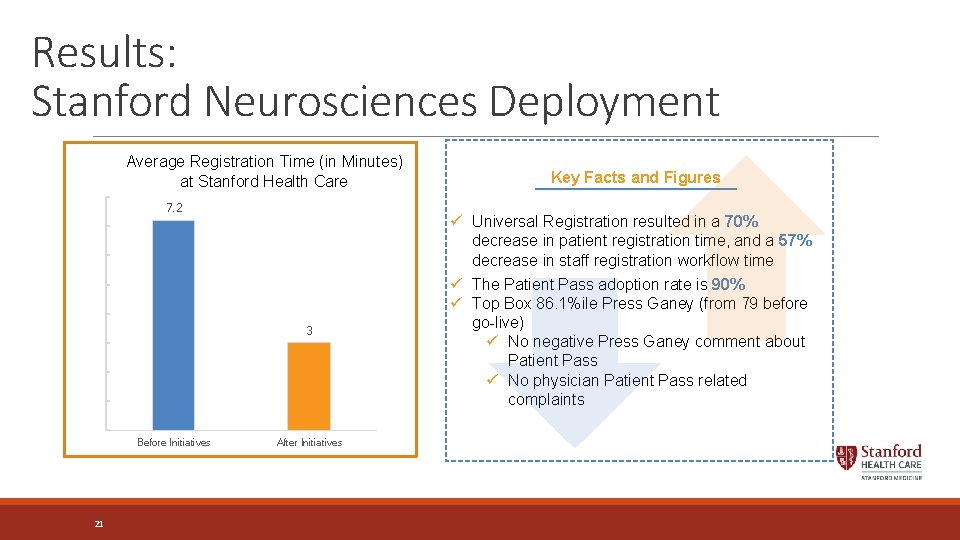
Results: Stanford Neurosciences Deployment Average Registration Time (in Minutes) at Stanford Health Care 7. 2 3 Before Initiatives 21 After Initiatives Key Facts and Figures ü Universal Registration resulted in a 70% decrease in patient registration time, and a 57% decrease in staff registration workflow time ü The Patient Pass adoption rate is 90% ü Top Box 86. 1%ile Press Ganey (from 79 before go-live) ü No negative Press Ganey comment about Patient Pass ü No physician Patient Pass related complaints
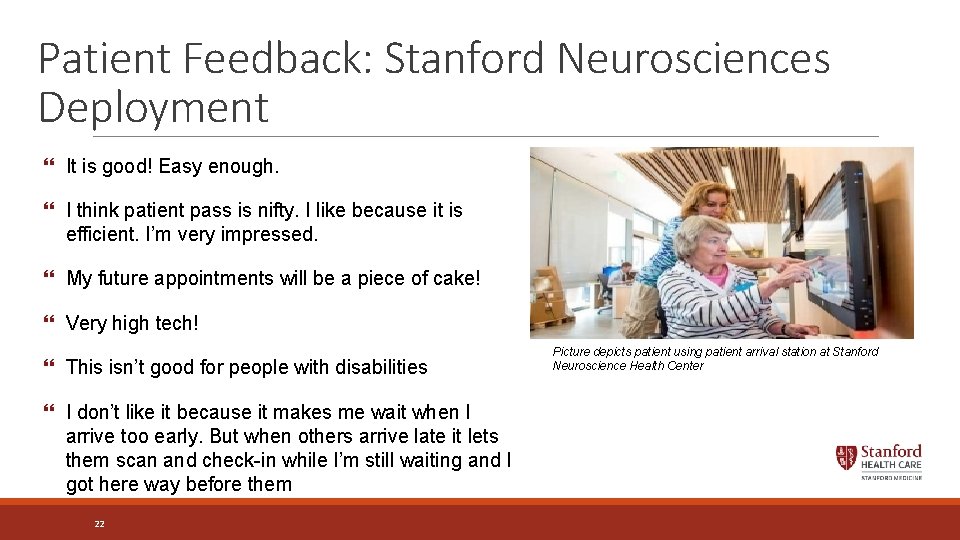
Patient Feedback: Stanford Neurosciences Deployment } It is good! Easy enough. } I think patient pass is nifty. I like because it is efficient. I’m very impressed. } My future appointments will be a piece of cake! } Very high tech! } This isn’t good for people with disabilities } I don’t like it because it makes me wait when I arrive too early. But when others arrive late it lets them scan and check-in while I’m still waiting and I got here way before them 22 Picture depicts patient using patient arrival station at Stanford Neuroscience Health Center
Sharing Lessons Learned It is critical to partner with your IT and Clinical teams through every phase of the project v. For technology solutions with patient navigation, identify infrastructure requirements early in the process in the event these require building permits or facilities support v. Expect resistance from within. To overcome this, consider: ØUtilizing patient feedback to steer the implementation decisions ØUsing a smaller sized proof of concept (POC) first ØGathering data from the POC to guide decisions and provide context for moving forward 23
Questions? Special Thanks to the following Stanford Healthcare Staff: Ø Anna Dapelo-Garcia, Administrative Director, PAS and PFC at Stanford Healthcare Ø Shannon Jamarck, PAS Manager - Neurosciences Ø Marvin Quant, Manager – Access: Cadence, Referrals, CRM Ø Premkumar Shanmugamani, Senior Systems Analyst, Access – Cadence, Referrals and CRM Ø Courtney Mc. Crary, Senior Systems Analyst, Revenue Cycle Systems and Services All rights reserved. This presentation or any portion thereof may not be reproduced or used in any manner whatsoever without the express written permission of Stanford Healthcare 24 For more information contact Brett Light at: blight@stanfordhealthcare. org Stanford Health. Care
- Slides: 24