
reddit com 1 Cool video prototype 2 Prototyping
- Slides: 32
reddit. com 1
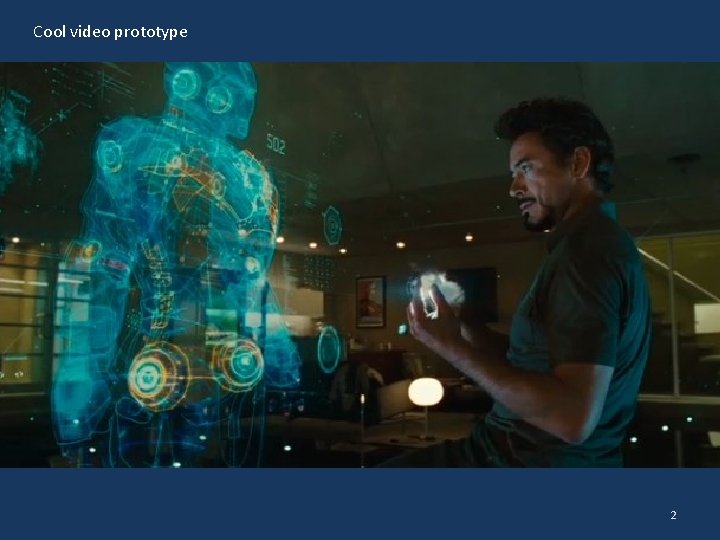
Cool video prototype 2
Prototyping 2 CPSC 481: HCI I Fall 2012 Anthony Tang, with acknowledgements to Julie Kientz, Saul Greenberg, Nicolai Marquardt, Ehud Sharlin 3
Last Time… What are prototypes Why should we use prototypes Two dimensions of prototypes (lo vs. hi fidelity, vertical vs. horizontal) 4
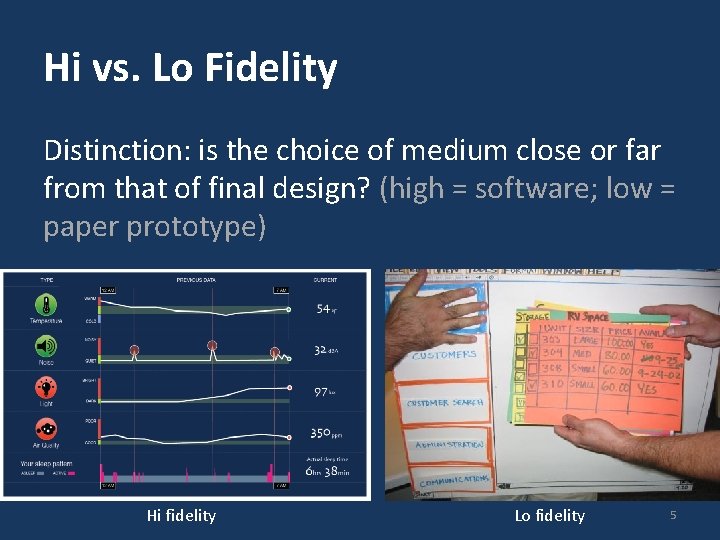
Hi vs. Lo Fidelity Distinction: is the choice of medium close or far from that of final design? (high = software; low = paper prototype) Hi fidelity Lo fidelity 5
Pros and Cons Lo-Fi Hi-Fi Advantages Disadvantages 6
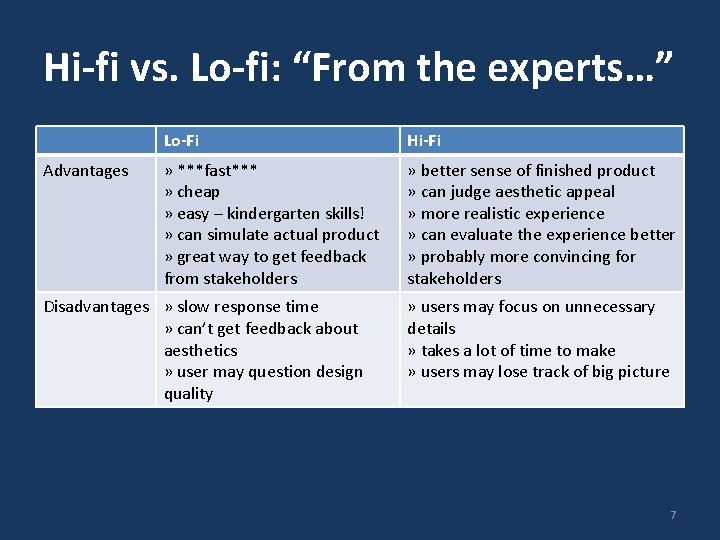
Hi-fi vs. Lo-fi: “From the experts…” Advantages Lo-Fi Hi-Fi » ***fast*** » cheap » easy – kindergarten skills! » can simulate actual product » great way to get feedback from stakeholders » better sense of finished product » can judge aesthetic appeal » more realistic experience » can evaluate the experience better » probably more convincing for stakeholders Disadvantages » slow response time » can’t get feedback about aesthetics » user may question design quality » users may focus on unnecessary details » takes a lot of time to make » users may lose track of big picture 7
Hi Fidelity Prototypes: More Big part: prototyping the visual design With the right tools, hi-fi prototypes can be done very nicely Requires very little client imagination Communicates the form very well Very effective in persuasion 8
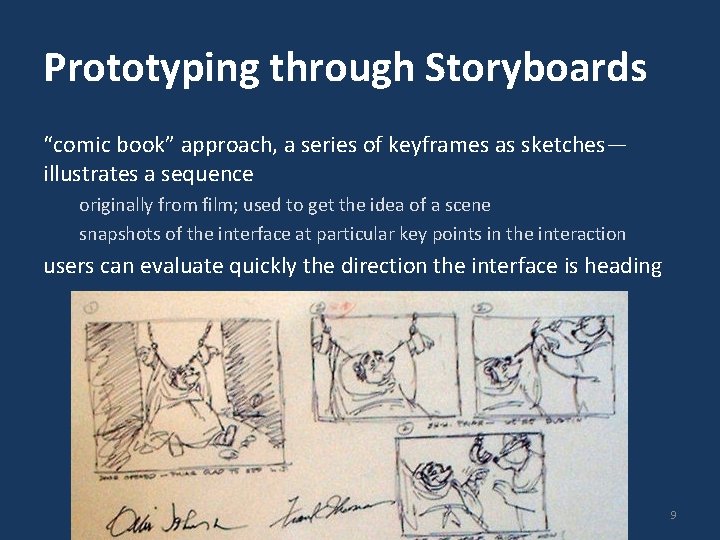
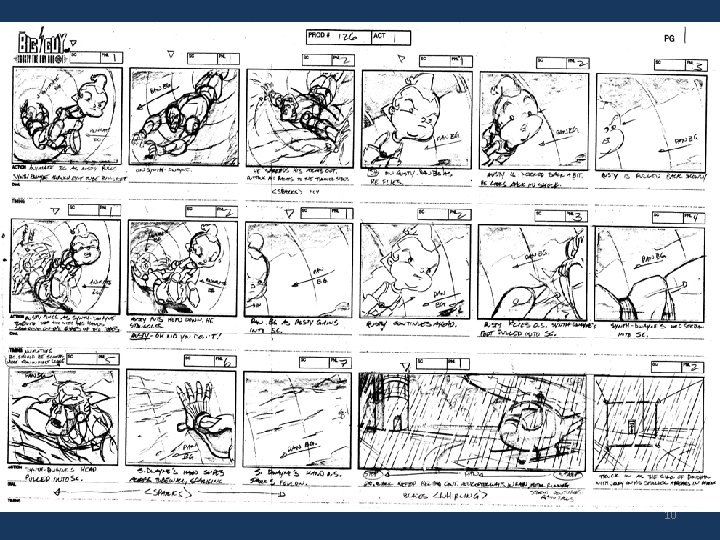
Prototyping through Storyboards “comic book” approach, a series of keyframes as sketches— illustrates a sequence originally from film; used to get the idea of a scene snapshots of the interface at particular key points in the interaction users can evaluate quickly the direction the interface is heading 9
10
Prototyping with PICTIVE: Plastic Interface for Collaborative Technology Initiatives through Video Exploration Designing with customers using office supplies » multiple layers of sticky notes and plastic overlays » different sized stickies represent icons, menus, windows etc. Interaction demonstrated by manipulating notes » new interfaces built on the fly Session videotaped for later analysis » usually end up with mess of paper and plastic! 11
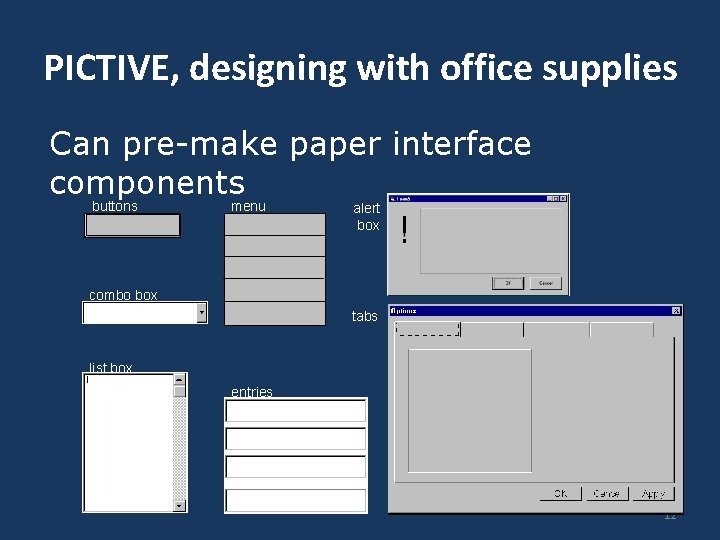
PICTIVE, designing with office supplies Can pre-make paper interface components buttons menu alert box combo box tabs list box entries 12
Prototyping with Power. Point can also be used to simulate very specific interaction scenarios Problem: People give me gifts I don’t want Solution: Maybe a web-based gift-list social networking site could help 13
Powerpoint prototype here 14
Prototyping Functionality: Wizard-of-Oz Common problem: it’s difficult to prototype some piece of functionality Need: test whether it is actually good Solution: fake it! Make the interaction as authentic as possible Key: user has no idea that the interaction is being faked 15
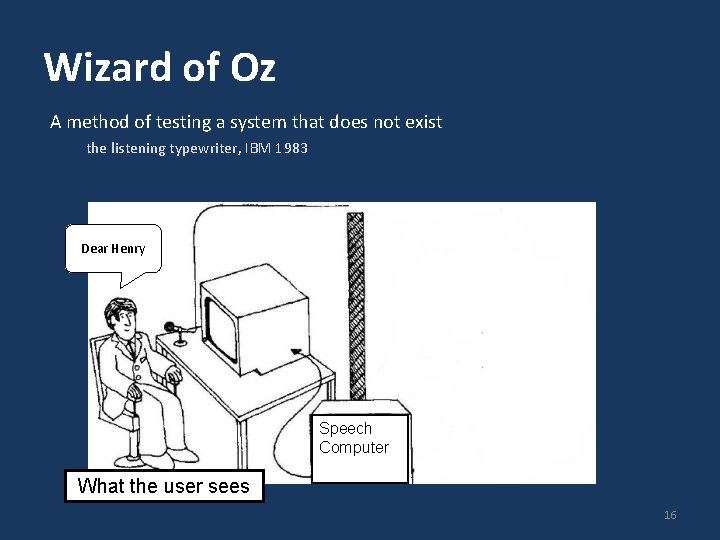
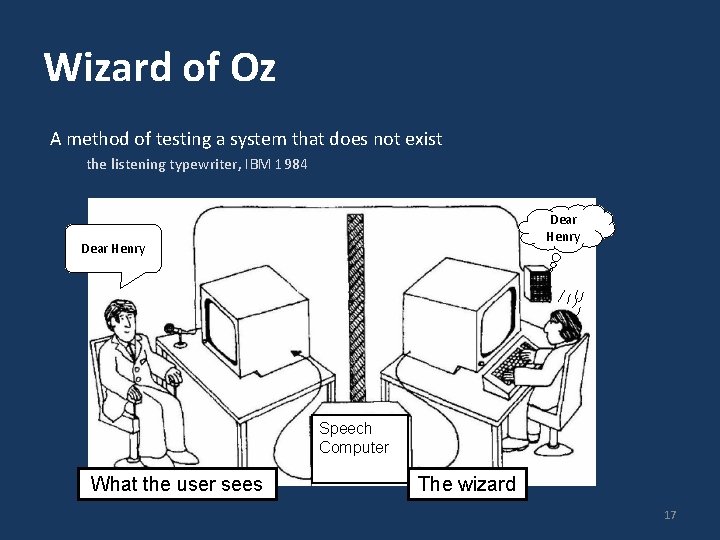
Wizard of Oz A method of testing a system that does not exist the listening typewriter, IBM 1983 Dear Henry Speech Computer What the user sees 16
Wizard of Oz A method of testing a system that does not exist the listening typewriter, IBM 1984 Dear Henry Speech Computer What the user sees The wizard 17
Name Origin: Wizard-of-Oz The Wizard of Oz: book and movie clip 18
Wizard of Oz: The Point Up until the point the wizard is discovered, the thoughts, feelings, and actions of Dorothy and the others were all genuine They were genuinely experiencing what it would be like to talk to a powerful and terrible wizard 19
Wizard of Oz: Anti-Gravity Bar http: //www. youtube. com/watch? v=DL 9 c. Ac. Q-g. KQd 20
Prototyping Functionality: Video Prototyping Video prototyping allows you to prototype functionality without needing to be physically present. Paper prototypes and wizard-of-oz require you to be around to simulate functionality. A video prototype frees you from that, but constrains you to a limited scenario. You can also simulate this through a stitched together set of images (slow-mation). 21
i. Phone paper+video prototype 22
Body Centric Interaction New design concept. Realized as a mediumfidelity prototype, and captured as a video prototype. 23
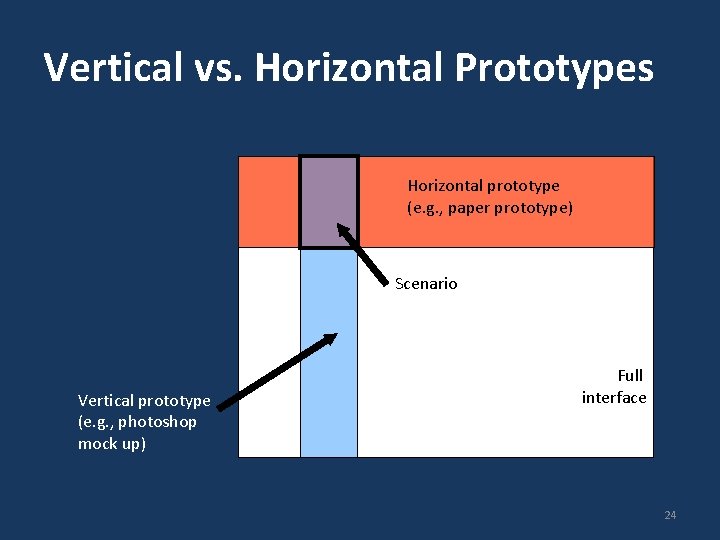
Vertical vs. Horizontal Prototypes Horizontal prototype (e. g. , paper prototype) Scenario Vertical prototype (e. g. , photoshop mock up) Full interface 24
Fat-Thumb High fidelity prototype, but very much a vertical one Fat-Thumb video example w/ maps 25
More specific narrow scenarios Video. Draw 26
Yet Another Specific Narrow Scenario Clear. Board 27
Next week Tutorial: storyboards and paper prototypes Monday tutorial students: please go to another tutorial section (preferably with your team) Wednesday: Midterm Friday: Guest lecture (SMART UX team) 28
Midterm – Wednesday, 10 am Coverage: everything up to the end of today Focus: I am mainly interested that you understand the concepts, and can apply them in a logical way. I am not concerned that you memorize everything, but you should be able to explain the main concepts. How to study: re-read notes from lecture, the reading that I assigned you, as well as your assignments. Exam: Closed book. Arrive early. Be concise. 29
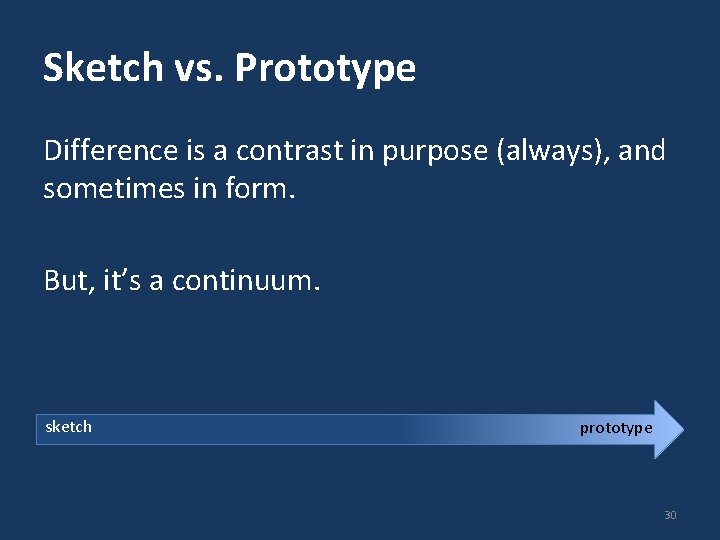
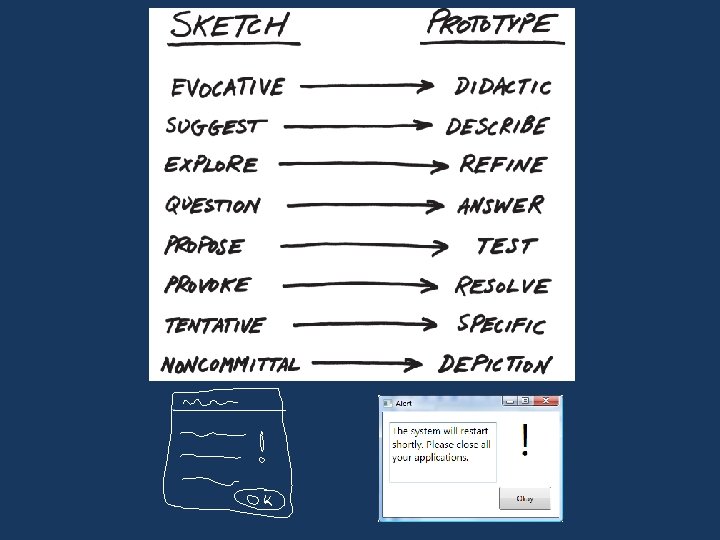
Sketch vs. Prototype Difference is a contrast in purpose (always), and sometimes in form. But, it’s a continuum. sketch prototype 30
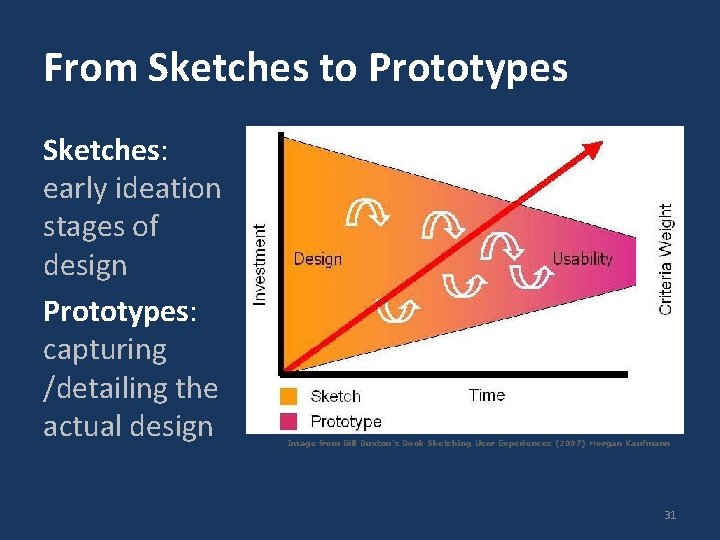
From Sketches to Prototypes Sketches: early ideation stages of design Prototypes: capturing /detailing the actual design Image from Bill Buxton’s Book Sketching User Experiences (2007) Morgan Kaufmann 31