
Red Hat JBoss Fuse Service Works A Common
Red Hat JBoss Fuse Service Works - A Common Framework Wayne Toh SENIOR CONSULTANT RED HAT ASEAN

What you can expect • We will be talking about a real world implementation of FSW. Some experience with Enterprise Service Bus will make the session more digestible. • More than just a quickstart Enable practitioners to adopt best practices for customers • Based on web services Apache Camel code will be shared to assist practitioners

Fuse Service Works • JBoss Fuse Service Works is Red Hat’s middleware ESB solution for application integration, messaging, SOA, and service governance requirements.
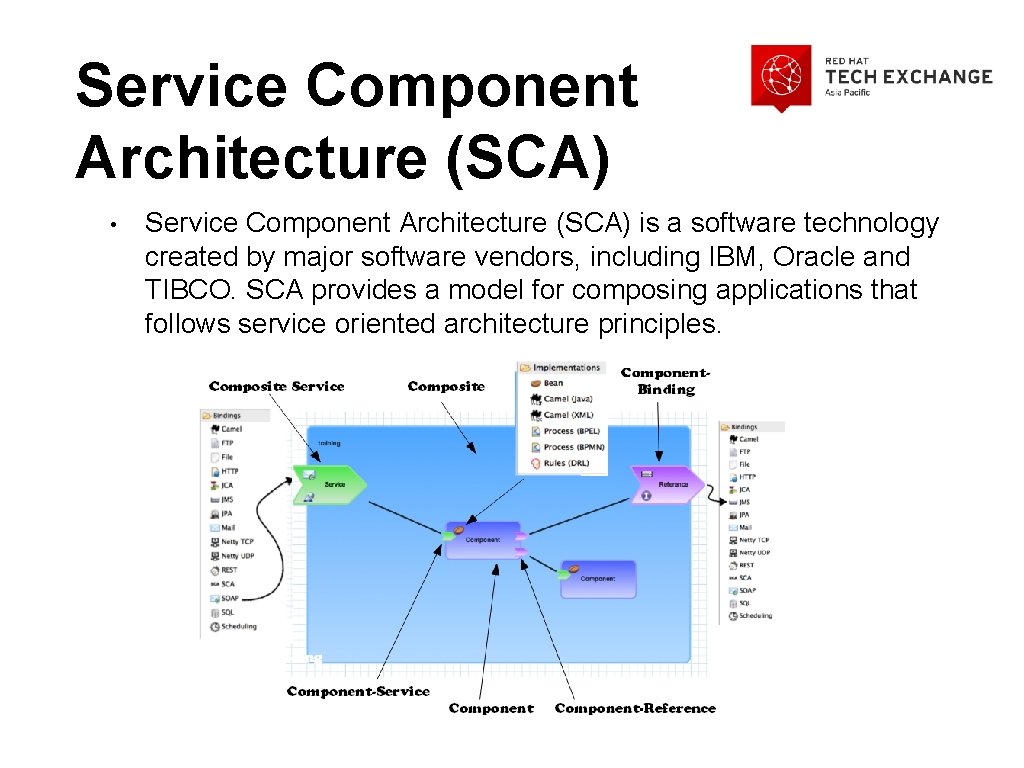
Service Component Architecture (SCA) • Service Component Architecture (SCA) is a software technology created by major software vendors, including IBM, Oracle and TIBCO. SCA provides a model for composing applications that follows service oriented architecture principles.

Apache Camel • Apache Camel is a rule-based routing and mediation engine that provides a Java object-based implementation of the Enterprise Integration Patterns using an API (or declarative Java Domain Specific Language) to configure routing and mediation rules. • Enterprise Integration Patterns include the following: Message Router Request-Reply Message Sequencing Content-Based Router Splitter Aggregator Wire Tap
Definition of Framework • Framework - An architecture that implements a set of specific design elements. Enforces adherence to a consistent design approach • Also an asset which can be leveraged • Benefits – avoid common implementation pitfalls, adopts best practices, promotes reusability of components, serves as implementation guideline for developers
A Little Bit of Background • The customer is a Telco that leverages an ESB to decouple service consumers and providers. • A mediation application that serves as a proxy to expose a web service that would act as a facade to allow consumers to retrieve information from the backend service provider. The intent is to achieve a loose coupling of the web service consumer and producer via an enterprise service bus to achieve Service Oriented Architecture. • They selected SOA Platform • Engaged Red Hat JBoss services to overcome implementation issues
Challenges • Lack of implementation guidelines and a common framework. • Performance issues due to single threaded ESB. Maxthreads property is not set. By default it is 1. • Using Log 4 j to print message body to server. log. It increases the size of the log. Performance impact due to synchronous invocation. • Inconsistencies in programming, sometimes use static. Router, sometimes Content. Based. Router�
Exception Handling Issue • When a backend service times out due to a long query, HTML code is returned instead of a proper SOAP exception • Exception handling implemented in multiple places
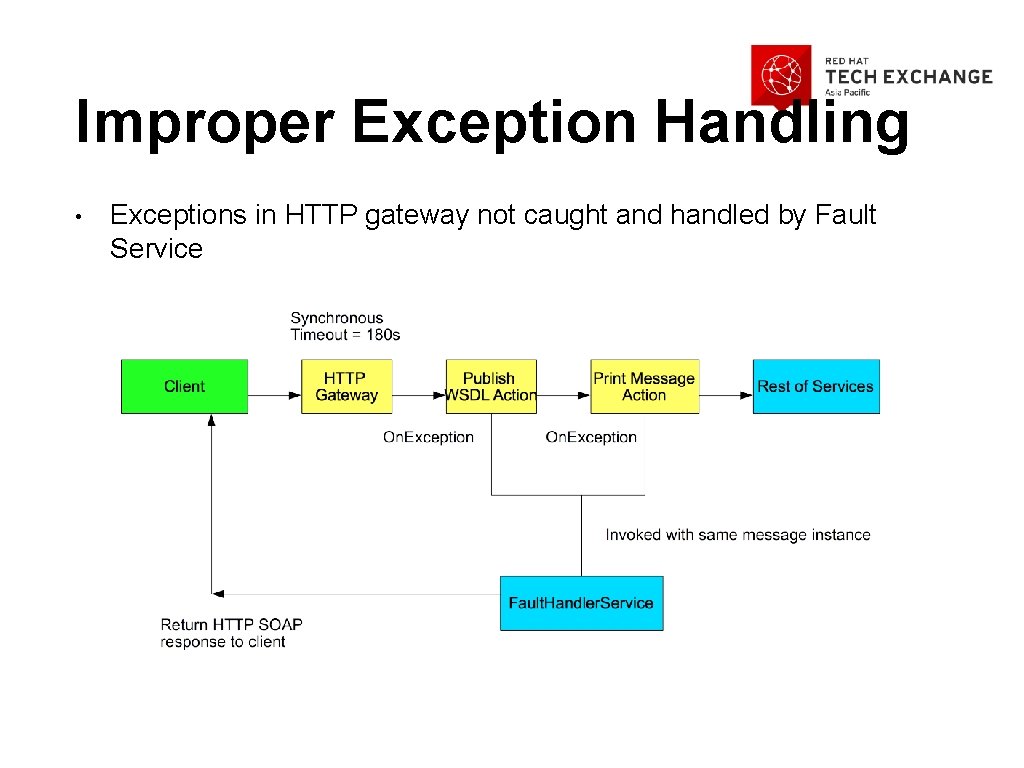
Improper Exception Handling • Exceptions in HTTP gateway not caught and handled by Fault Service
Common Framework in FSW • Red Hat migrated the existing SOA-P service to FSW 6. 0. 0. GA • Designed, developed and documented a common framework that serves as guidelines to developers • Incorporates exception handling, logging, audit and security.
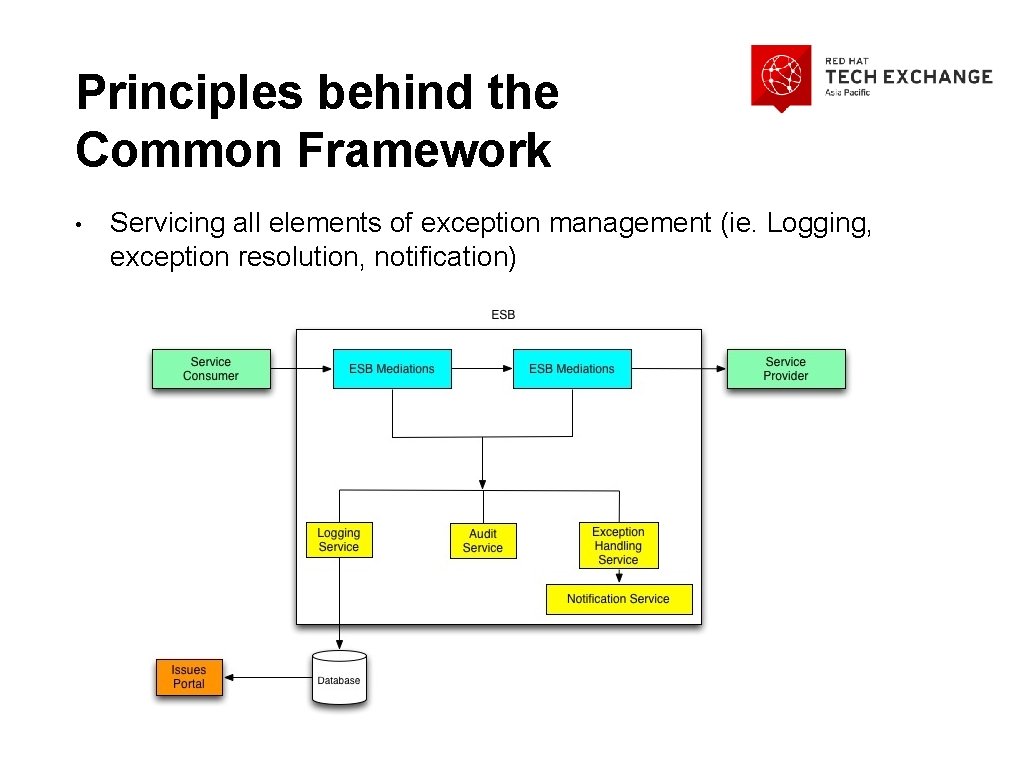
Principles behind the Common Framework • Servicing all elements of exception management (ie. Logging, exception resolution, notification)
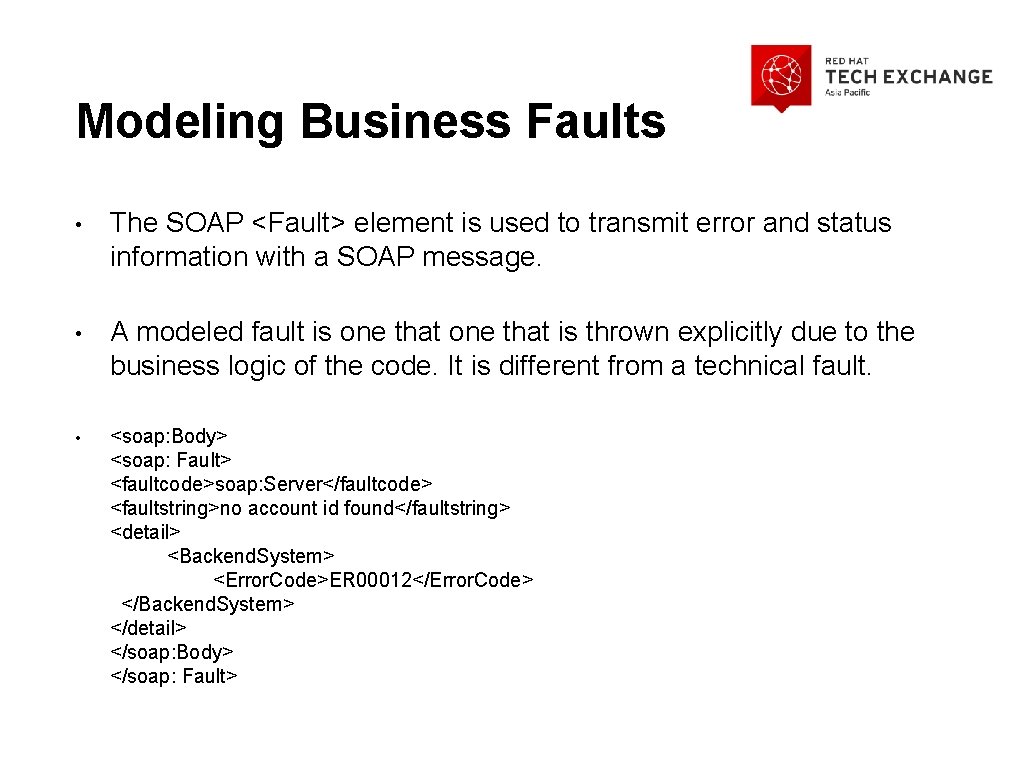
Modeling Business Faults • The SOAP <Fault> element is used to transmit error and status information with a SOAP message. • A modeled fault is one that is thrown explicitly due to the business logic of the code. It is different from a technical fault. • <soap: Body> <soap: Fault> <faultcode>soap: Server</faultcode> <faultstring>no account id found</faultstring> <detail> <Backend. System> <Error. Code>ER 00012</Error. Code> </Backend. System> </detail> </soap: Body> </soap: Fault>

The Framework
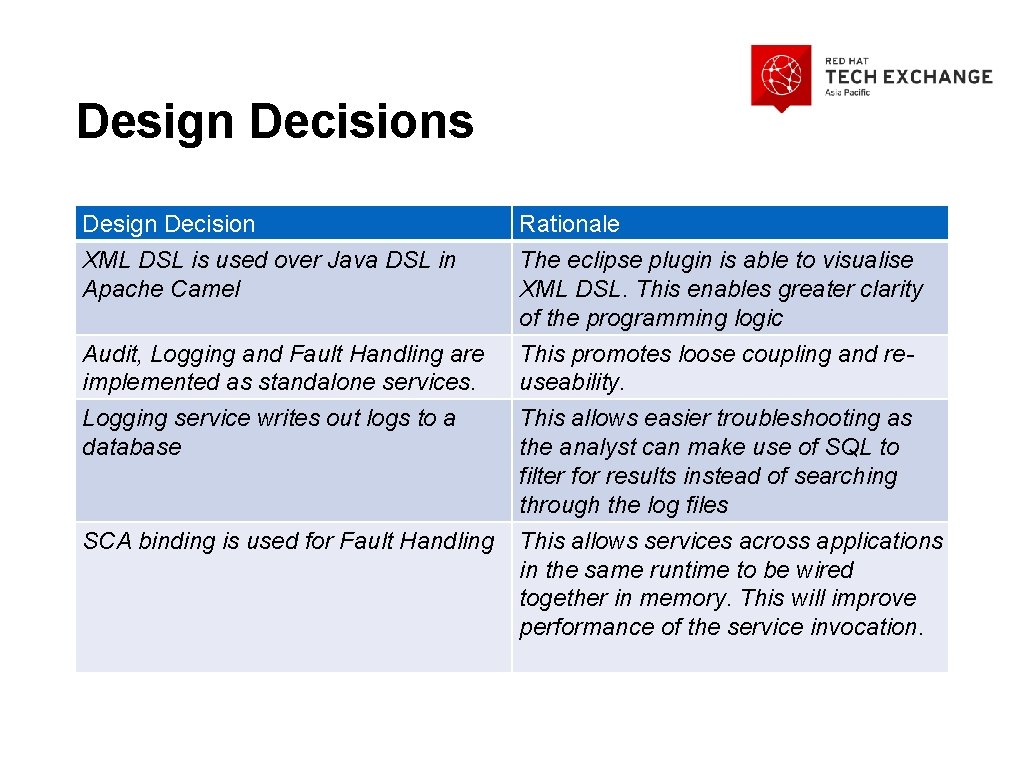
Design Decisions Design Decision Rationale XML DSL is used over Java DSL in Apache Camel The eclipse plugin is able to visualise XML DSL. This enables greater clarity of the programming logic Audit, Logging and Fault Handling are implemented as standalone services. This promotes loose coupling and reuseability. Logging service writes out logs to a database This allows easier troubleshooting as the analyst can make use of SQL to filter for results instead of searching through the log files SCA binding is used for Fault Handling This allows services across applications in the same runtime to be wired together in memory. This will improve performance of the service invocation.

Switch. Yard Project Structure Project Proxy. Service Commons Fault. Handling Service Description Contains the main Switch. Yard project for routing and service invocation. This contains the common java interface and exception object classes. It also contains the SOAPFault. Message. Composer A switchyard project that contains the implementation of the fault handling.
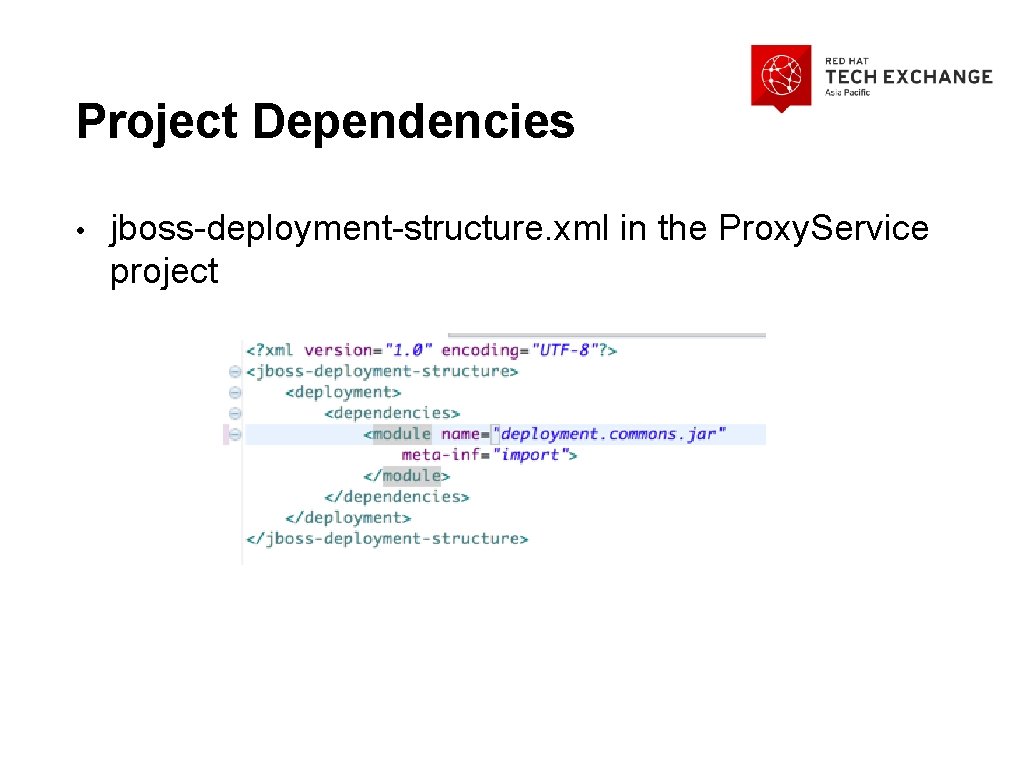
Project Dependencies • jboss-deployment-structure. xml in the Proxy. Service project
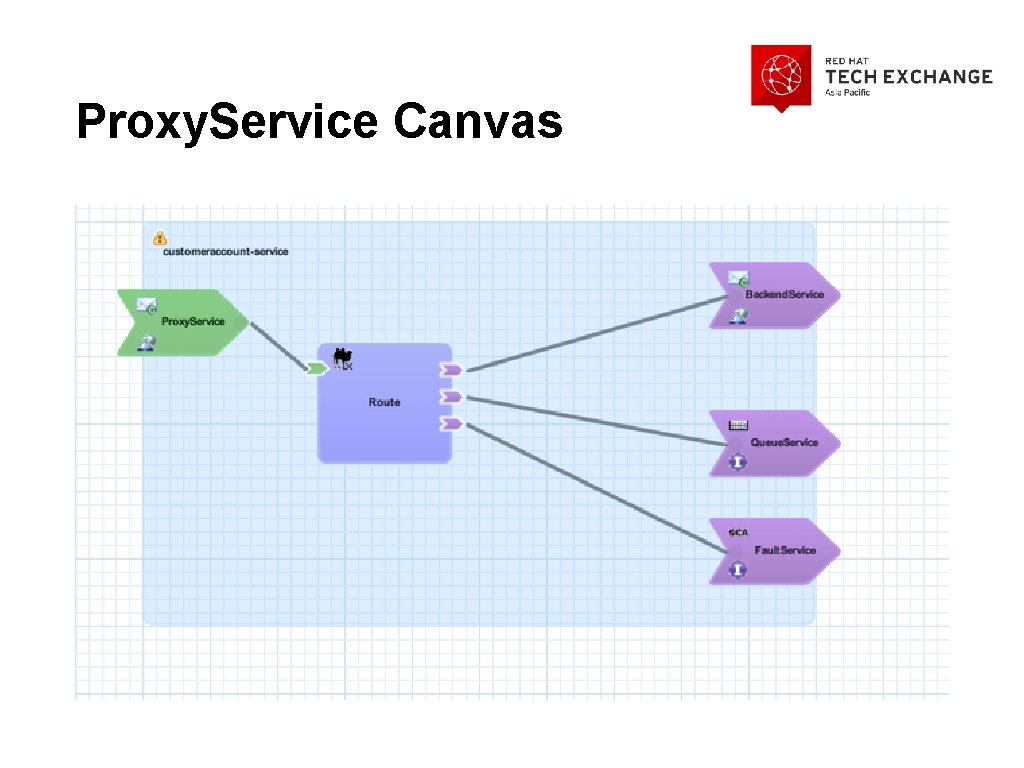
Proxy. Service Canvas
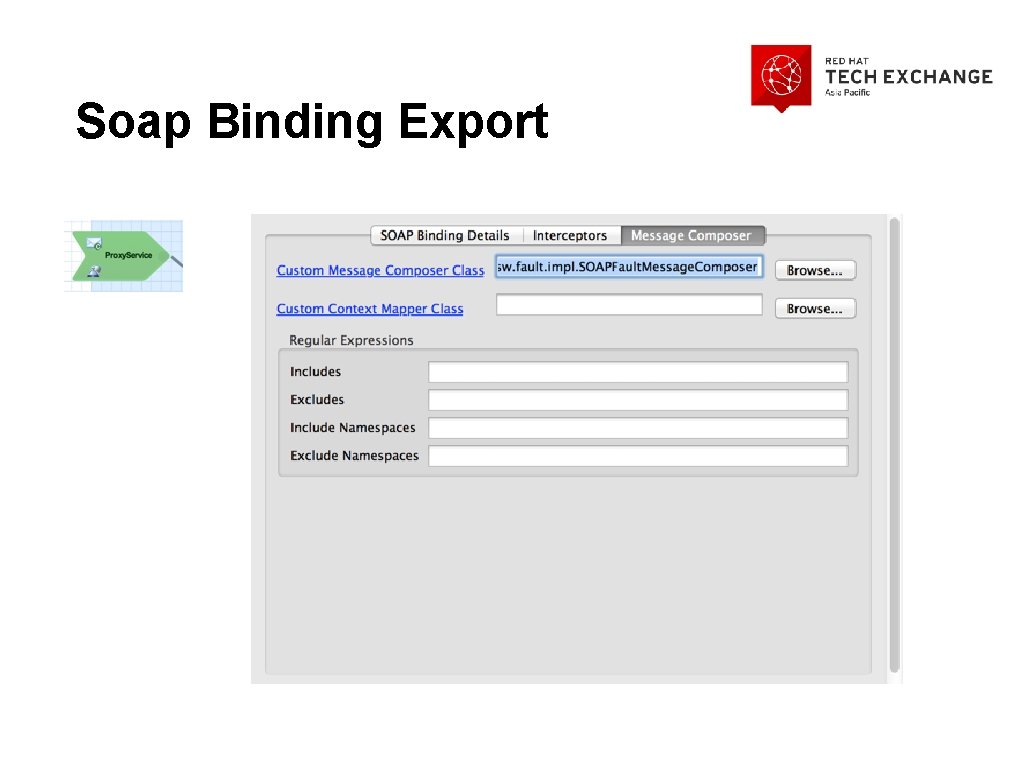
Soap Binding Export
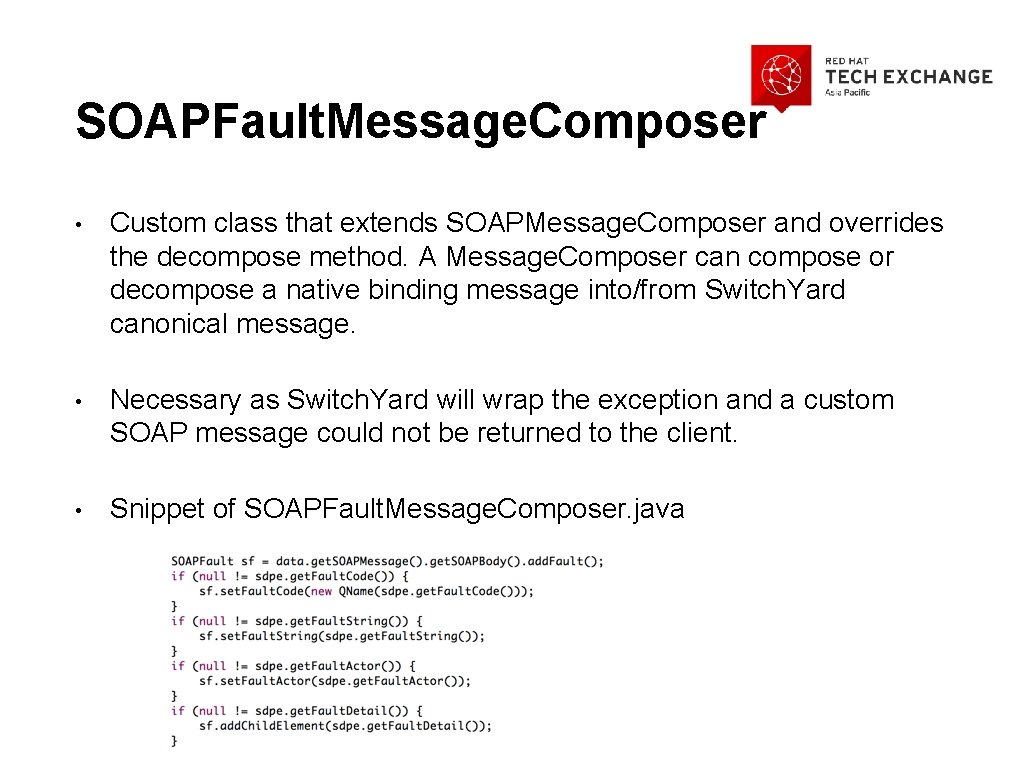
SOAPFault. Message. Composer • Custom class that extends SOAPMessage. Composer and overrides the decompose method. A Message. Composer can compose or decompose a native binding message into/from Switch. Yard canonical message. • Necessary as Switch. Yard will wrap the exception and a custom SOAP message could not be returned to the client. • Snippet of SOAPFault. Message. Composer. java
Environment properties • The “Endpoint Address” field is used to indicate the backend address. As this value is environment specific, it needs to be filled with an environment property. Switch. Yard supports environment properties. Environment properties allow one to replace any attribute or element value in switchyard. xml with a property from the runtime environment. • This allows code promotion through various environments without necessitating changes in the code

Backend Service Reference
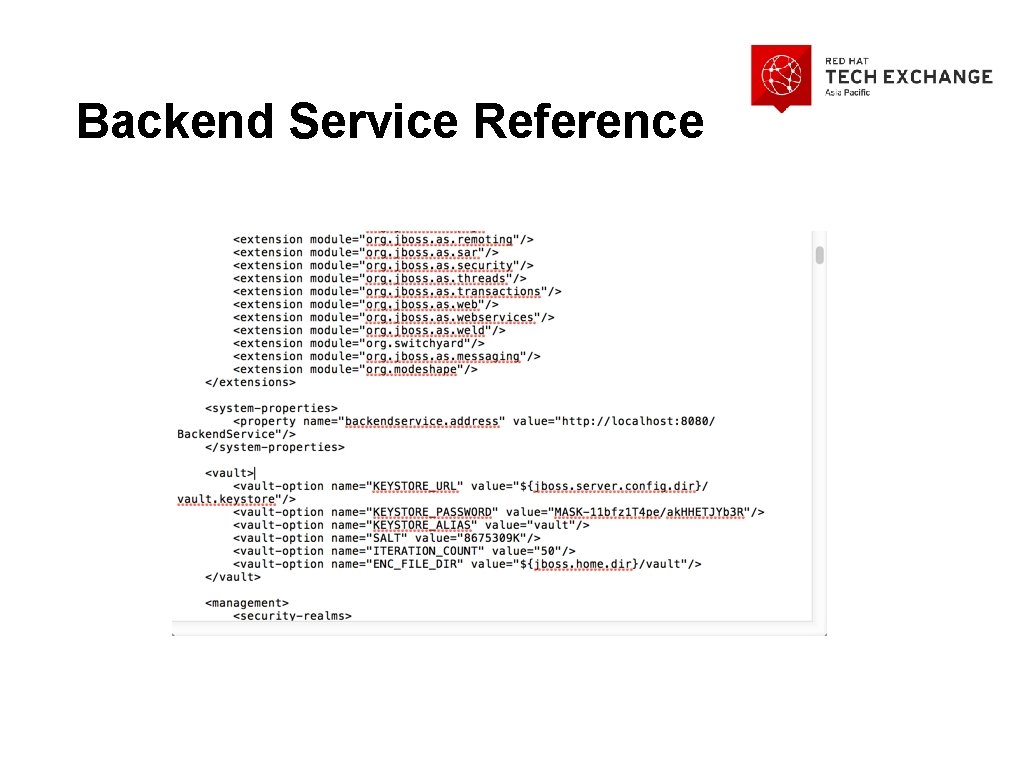
Backend Service Reference
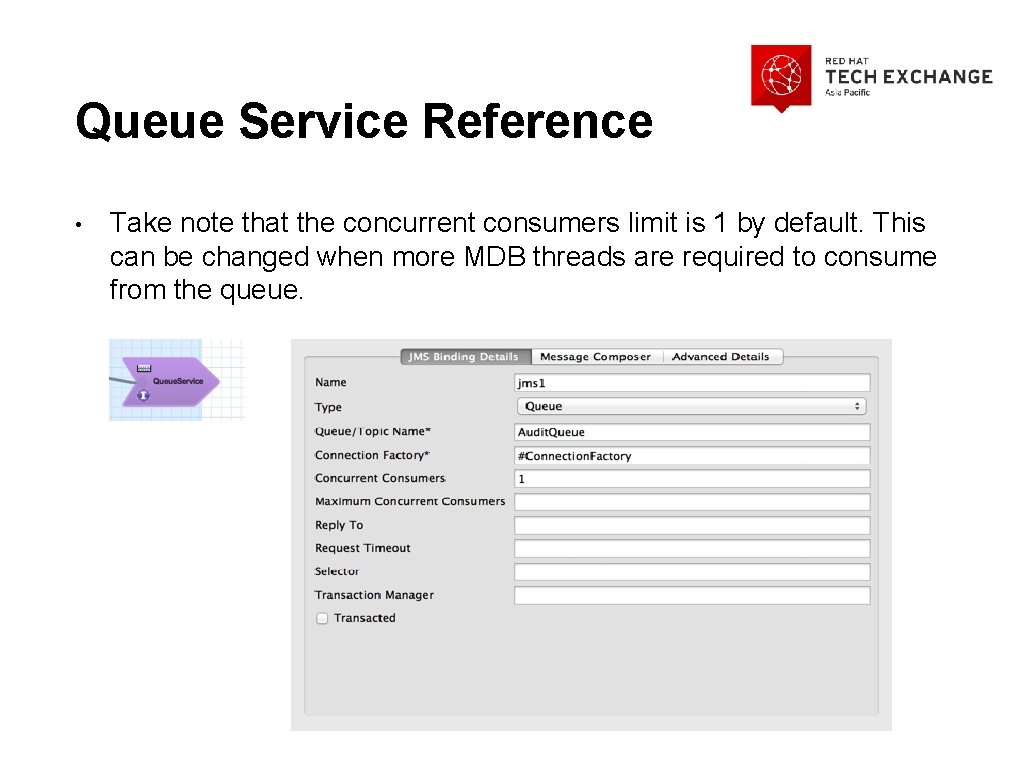
Queue Service Reference • Take note that the concurrent consumers limit is 1 by default. This can be changed when more MDB threads are required to consume from the queue.
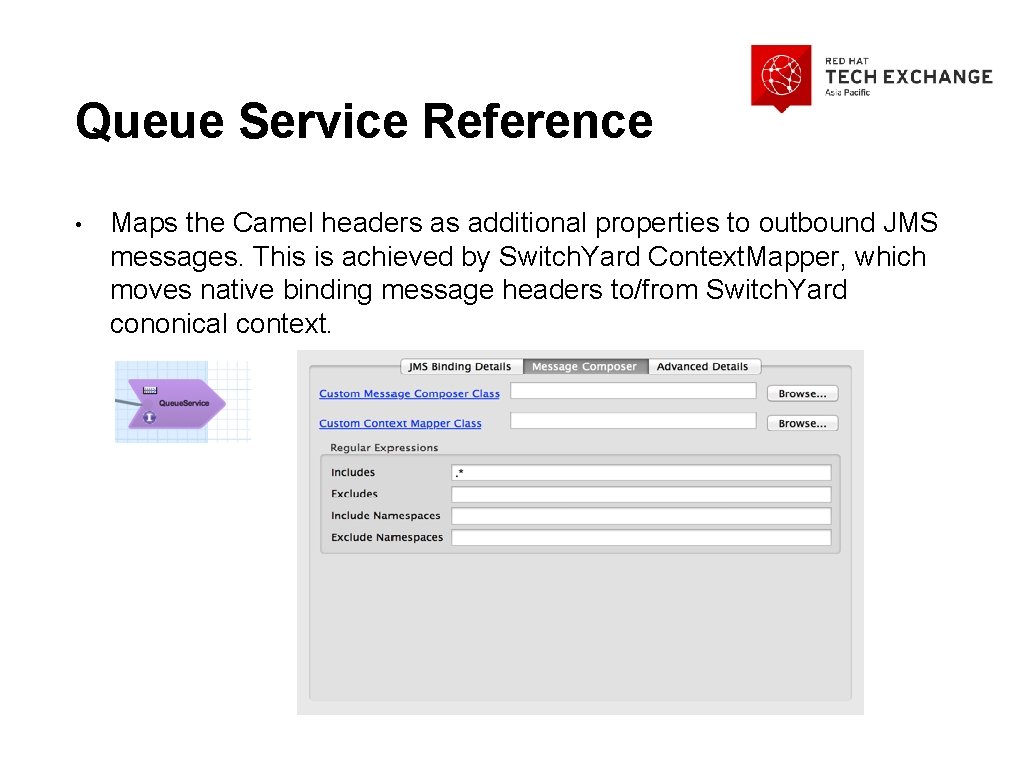
Queue Service Reference • Maps the Camel headers as additional properties to outbound JMS messages. This is achieved by Switch. Yard Context. Mapper, which moves native binding message headers to/from Switch. Yard cononical context.
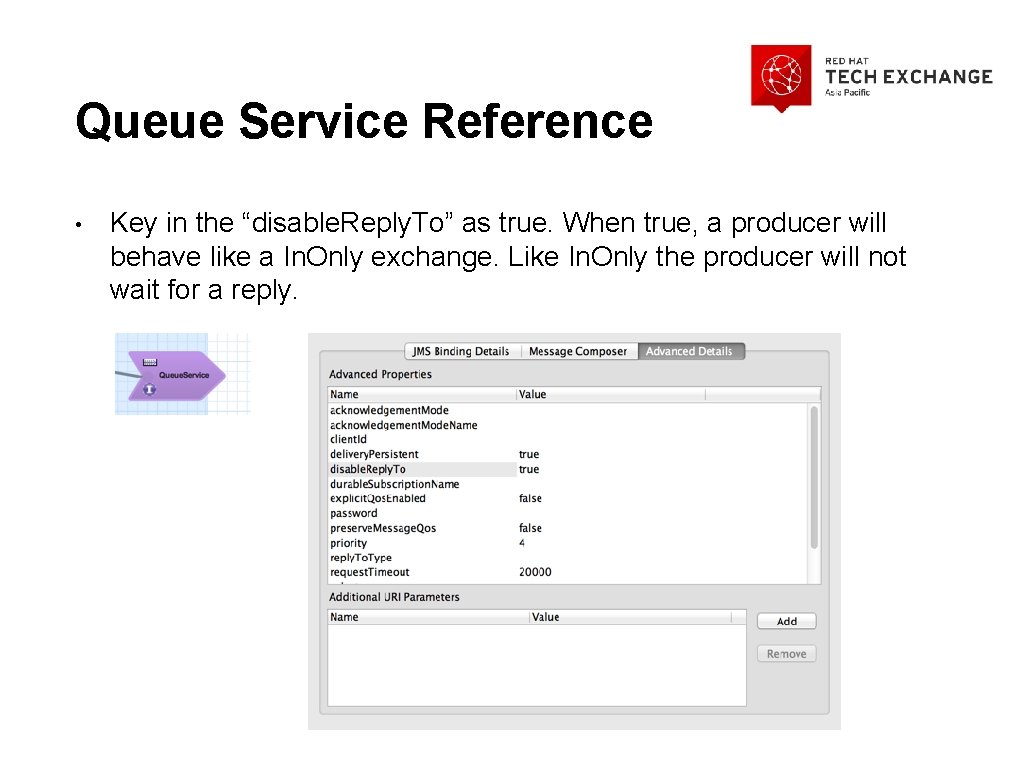
Queue Service Reference • Key in the “disable. Reply. To” as true. When true, a producer will behave like a In. Only exchange. Like In. Only the producer will not wait for a reply.
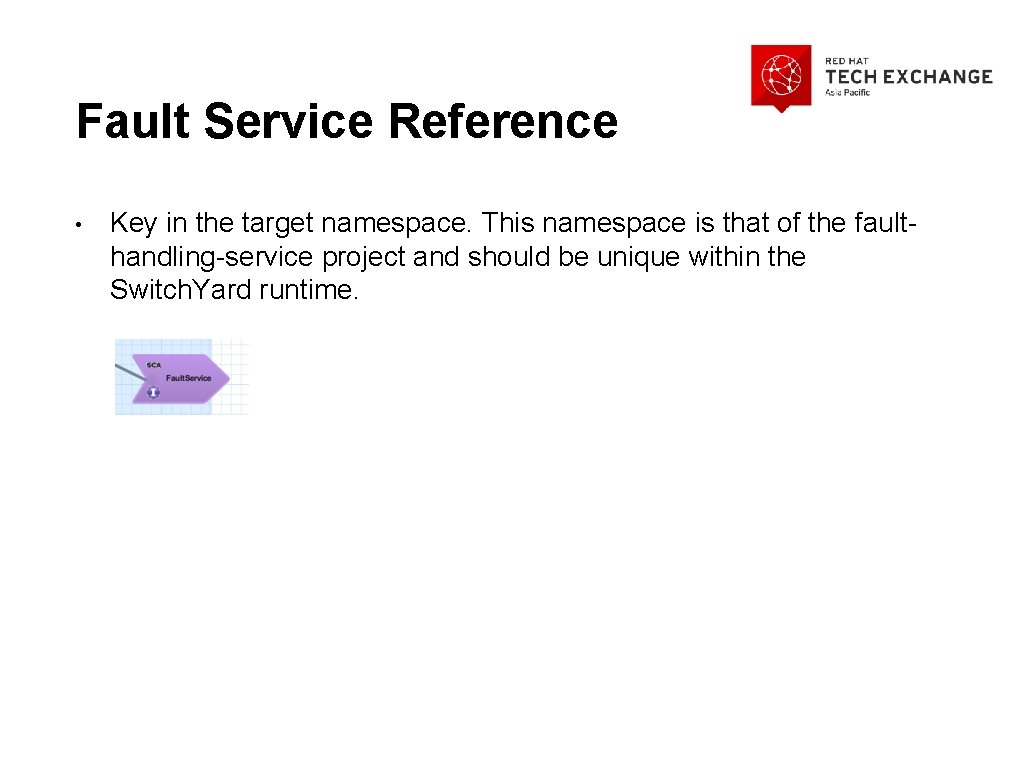
Fault Service Reference • Key in the target namespace. This namespace is that of the faulthandling-service project and should be unique within the Switch. Yard runtime.

Camel Route • All processing should be done in the Try section. This allows all exceptions to be caught and handled by the Fault Handler Service.
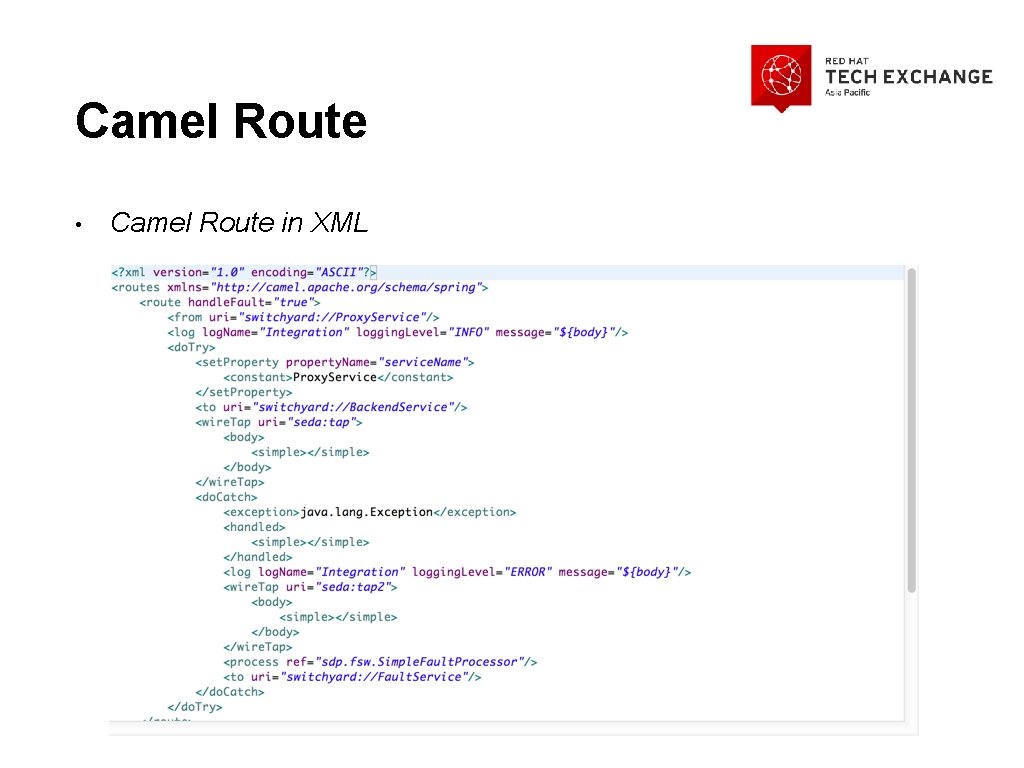
Camel Route • Camel Route in XML

Camel Route (cont’d) • Camel Route in XML
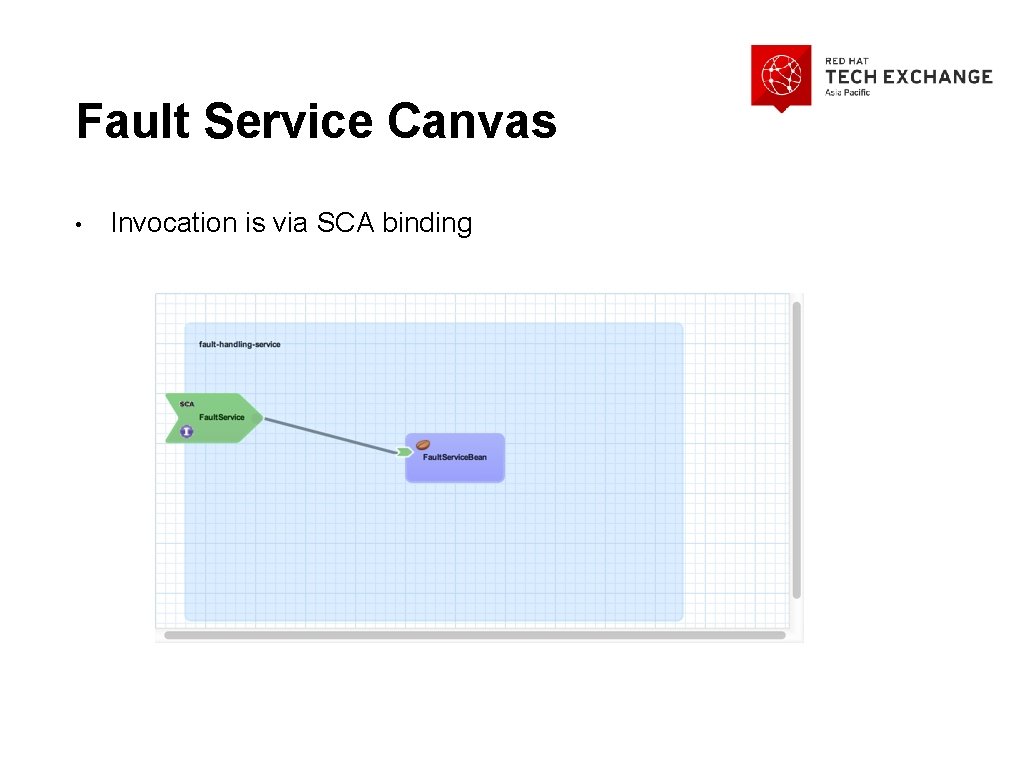
Fault Service Canvas • Invocation is via SCA binding

Camel Canvas Properties • “Handle Fault” is true. This turns SOAP faults into exceptions, allowing Camel to catch the exceptions.

Fault Handling in Details
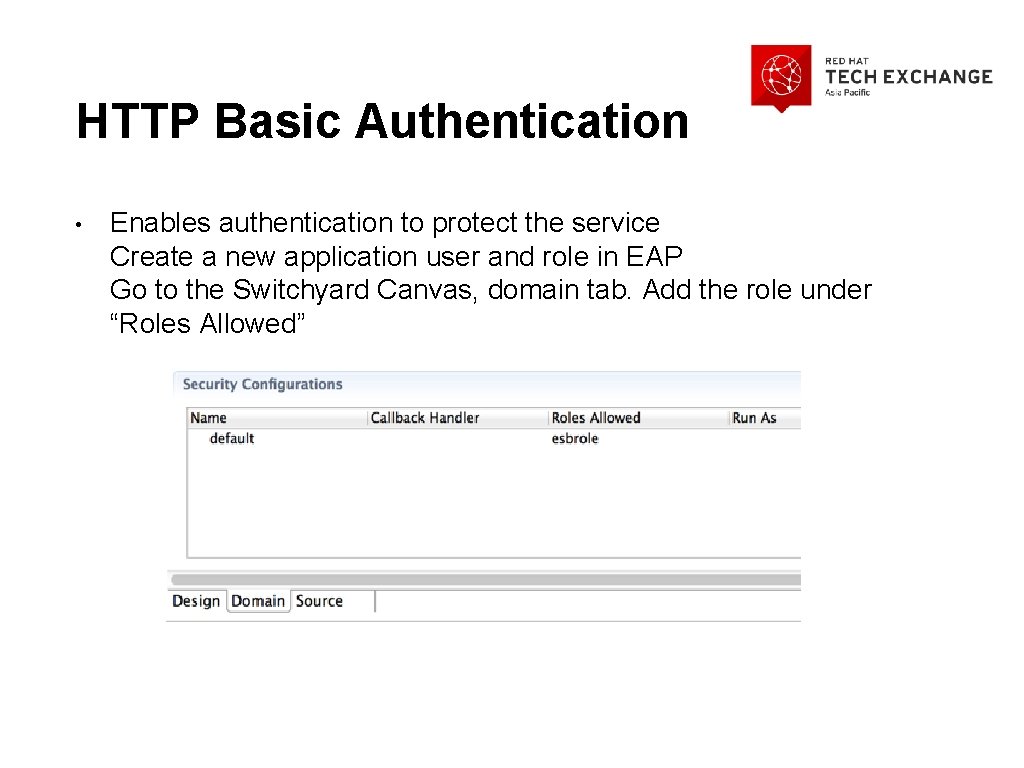
HTTP Basic Authentication • Enables authentication to protect the service Create a new application user and role in EAP Go to the Switchyard Canvas, domain tab. Add the role under “Roles Allowed”
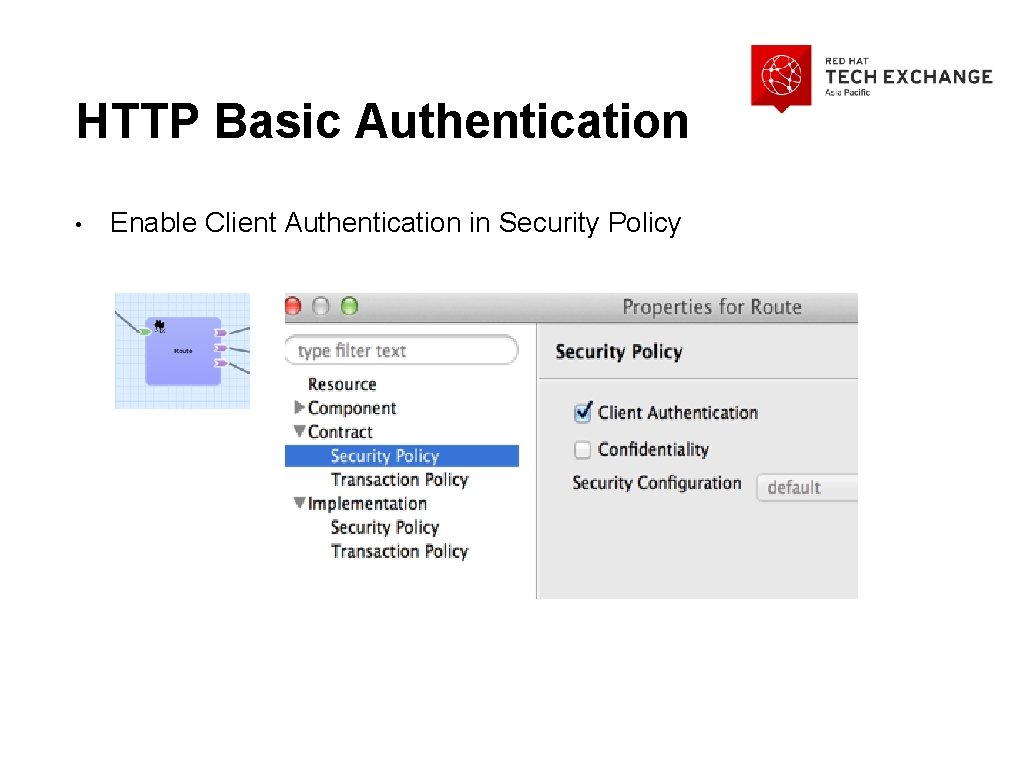
HTTP Basic Authentication • Enable Client Authentication in Security Policy
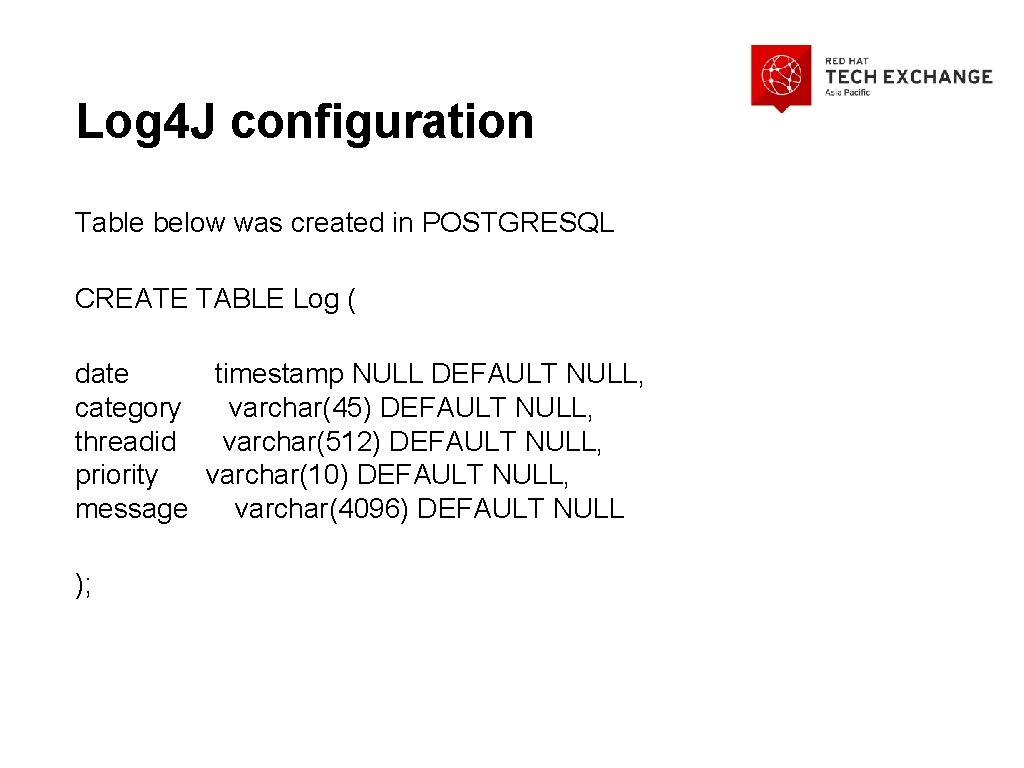
Log 4 J configuration Table below was created in POSTGRESQL CREATE TABLE Log ( date timestamp NULL DEFAULT NULL, category varchar(45) DEFAULT NULL, threadid varchar(512) DEFAULT NULL, priority varchar(10) DEFAULT NULL, message varchar(4096) DEFAULT NULL );
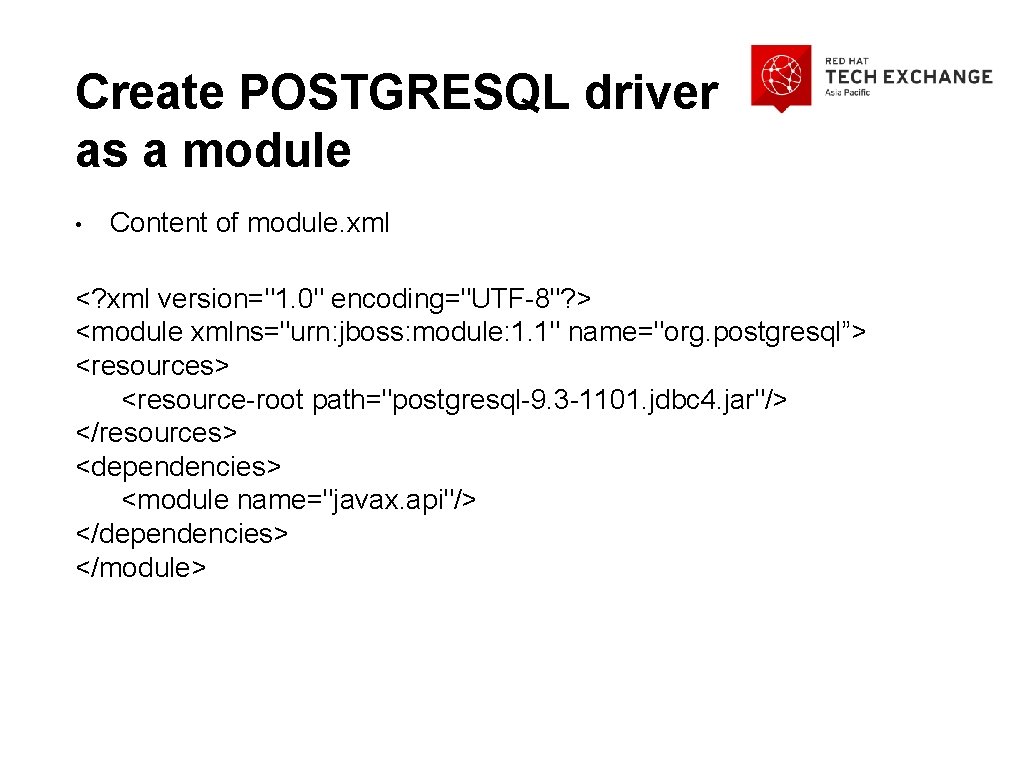
Create POSTGRESQL driver as a module • Content of module. xml <? xml version="1. 0" encoding="UTF-8"? > <module xmlns="urn: jboss: module: 1. 1" name="org. postgresql”> <resources> <resource-root path="postgresql-9. 3 -1101. jdbc 4. jar"/> </resources> <dependencies> <module name="javax. api"/> </dependencies> </module>

Add database module as a dependency to log 4 j • Go to jboss-eap 6. 1/modules/system/layers/base/org/jboss/log 4 j/logmanager/main. In the module. xml, add postgresql as one of the dependency. <module xmlns="urn: jboss: module: 1. 1” name="org. jboss. log 4 j. logmanager”> <resources> <resource-root path="log 4 j-jboss-logmanager-1. 0. 2. Final-redhat-1. jar"/> </resources> <dependencies> <module name="javax. api"/> <module name="org. dom 4 j" optional="true"/> <module name="org. jboss. logmanager"/> <module name="org. jboss. modules"/> <module name="org. postgresql"/> </dependencies> </module>
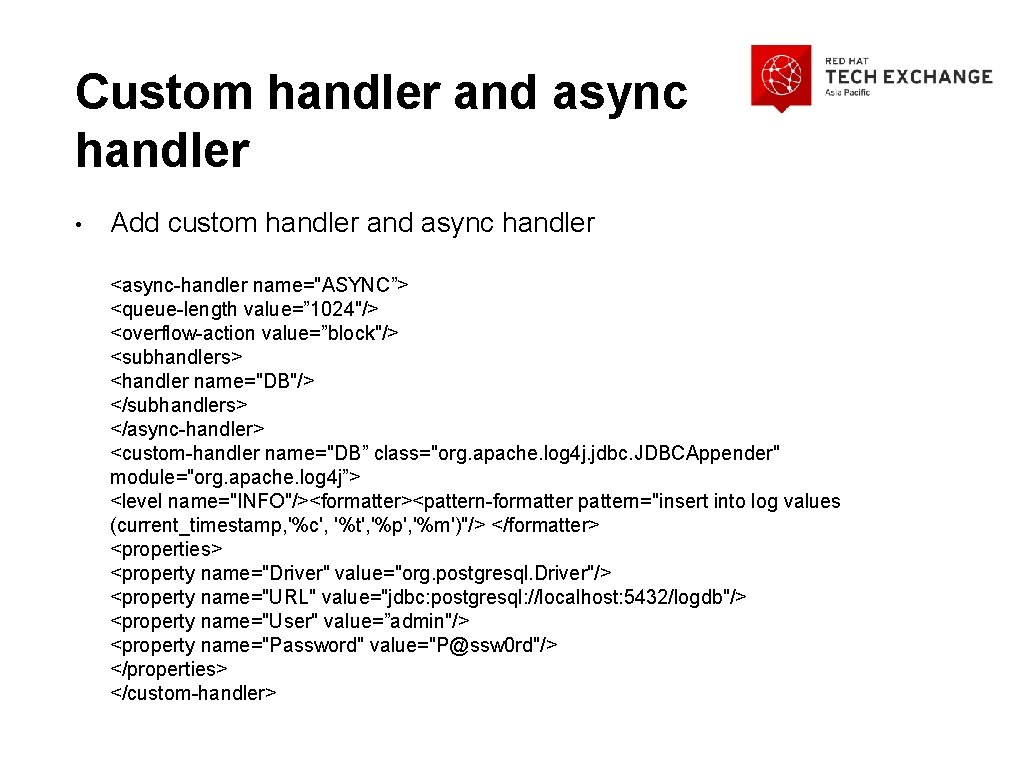
Custom handler and async handler • Add custom handler and async handler <async-handler name="ASYNC”> <queue-length value=” 1024"/> <overflow-action value=”block"/> <subhandlers> <handler name="DB"/> </subhandlers> </async-handler> <custom-handler name="DB” class="org. apache. log 4 j. jdbc. JDBCAppender" module="org. apache. log 4 j”> <level name="INFO"/><formatter><pattern-formatter pattern="insert into log values (current_timestamp, '%c', '%t', '%p', '%m')"/> </formatter> <properties> <property name="Driver" value="org. postgresql. Driver"/> <property name="URL" value="jdbc: postgresql: //localhost: 5432/logdb"/> <property name="User" value=”admin"/> <property name="Password" value="P@ssw 0 rd"/> </properties> </custom-handler>
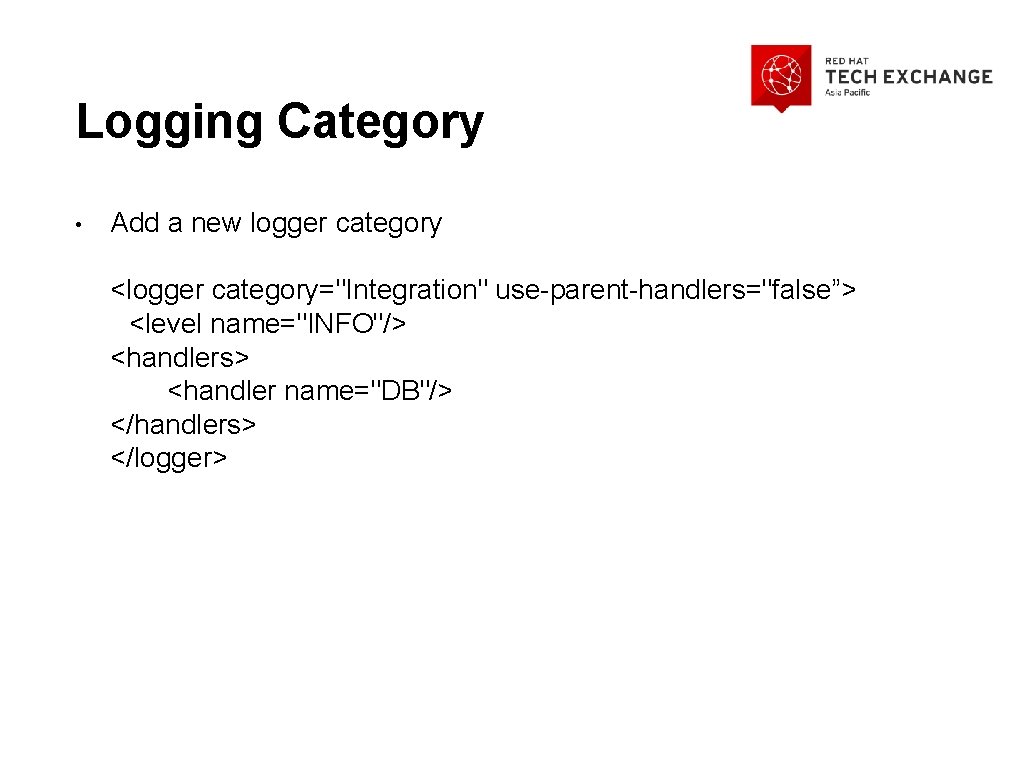
Logging Category • Add a new logger category <logger category="Integration" use-parent-handlers="false”> <level name="INFO"/> <handlers> <handler name="DB"/> </handlers> </logger>
- Slides: 41