
Realistic Shading of Human Skin in Real time
- Slides: 9
Realistic Shading of Human Skin in Real time Florian Struck Christian-A. Bohn Sebastian Schmidt Volker Helzle University of Applied Sciences Wedel, Germany University of Applied Sciences Wedel , Germany Bauhaus University Weimar , Germany Institute of Animation Filmakademie B-W , Germany 05. November 2004
Introduction – Project Background Lecturer: Florian Struck University of Applied Sciences Wedel, Germany • Computer Graphic Departure • Head: Christian-A. Bohn • Thesis about skin shading (final exam) Filmakademie Baden-Württemberg, Germany • Research Project „Artificial Actors“ • Head: Volker Helzle • Supported by Sebastian Schmidt Motivation of the Short Paper • Highly practical reference to skin shading • Publishers of Computer Games want realistic environments • Describes basic anatomy, physics with imitative approaches • Paper‘s structure: Basic to more complex and additional effects 2
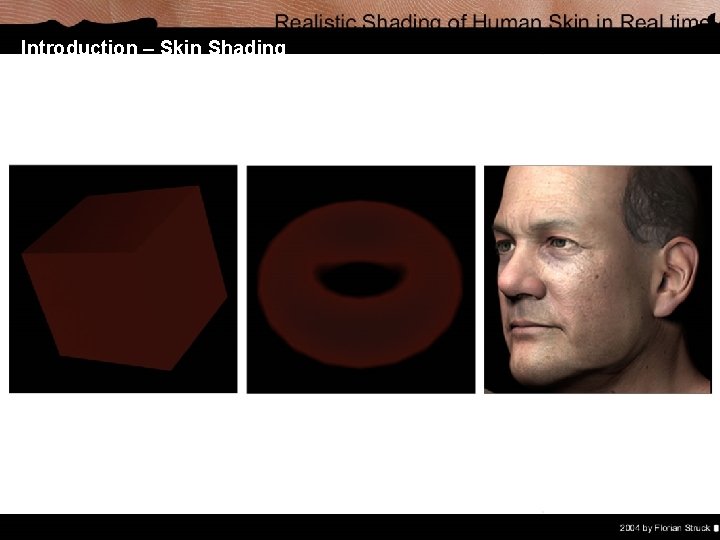
Introduction – Skin Shading Complexity of Real Skin • Characters background as age, gender and nationality (e. g. old grandfather or young woman) • Appearance varies over the skin‘s surface: Thickness, softness, cornea, oiliness, sweat, small hairs. . . • Manifold layers with different characteristics • Complex behaviour in interacting with light Skin in Computer Graphics • Complexity of a simulation is challenging ú Soft skin versus „harsh“ look in computer graphics ú Diffuse illumination mostly from subsurface scattering • Limitations of hardware (e. g. shader profiles) • For performance issues imitative approaches are used
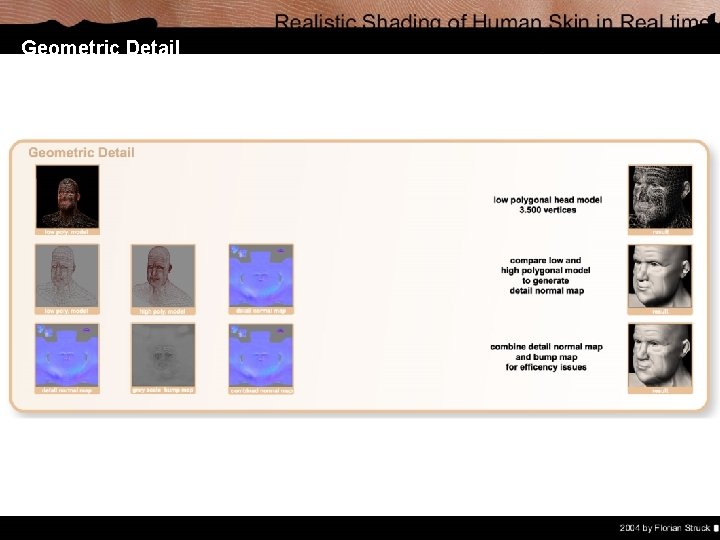
Geometric Detail Geometry • Basic shape and distinctive furrows • Langer‘s Lines: indicate figure of wrinkles ú Permanent visible folds ú Wrinkles only seen on some facial expressions • Eligible construction for animation (3. 500 vertices) Detail Normal Mapping • Smoothen geometry and refine folds • Normal Map: ú Compare normals of low and high polygonal model ú New normals stored in color channels • Used for illumination calculation Bump Mapping • Fine details as characteristically fielded structure of the dermis, pores. . . • Bump Map: convert grey scaled map into normal map • Combine with (detail) normal map
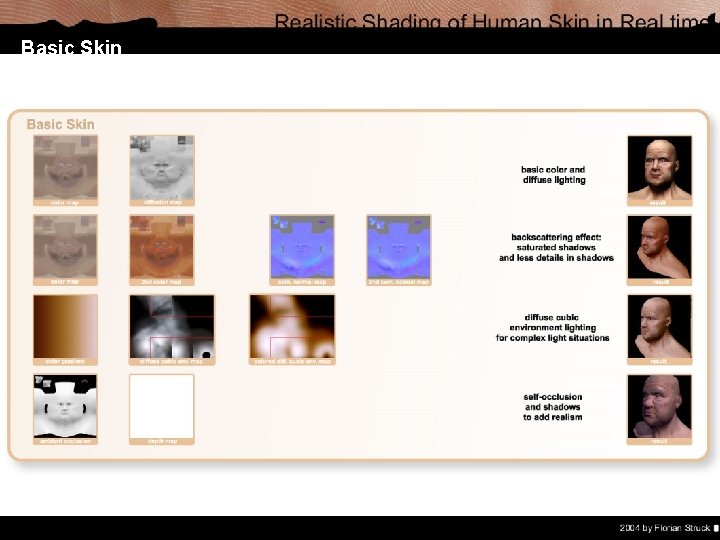
Basic Skin Fundamental Maps • Created in coherance with normal / bump map • Color Map: diversity of skin‘s base color (no shades) • Diffusion Map: light behaviour varies over skin‘s surface Illuminating Skin • Extended Lambertian Lighting Model • Separate: shaded and lit parts, transitions ú Control light situation with color gradient ú Or use 2 nd color map (contrast, saturation, transition) • Backsurface Scattering: ú less detail in shadows, high detail in shiny areas ú Use 2 nd normal map (with less details) ú Rim Lighting Ambient Occlusion and Shadows • To indicate dimension of object, add realism • Shadow Map: prev. pass – store depth from light‘s pov • Ambient Occlusion Map: areas light hardly reaches
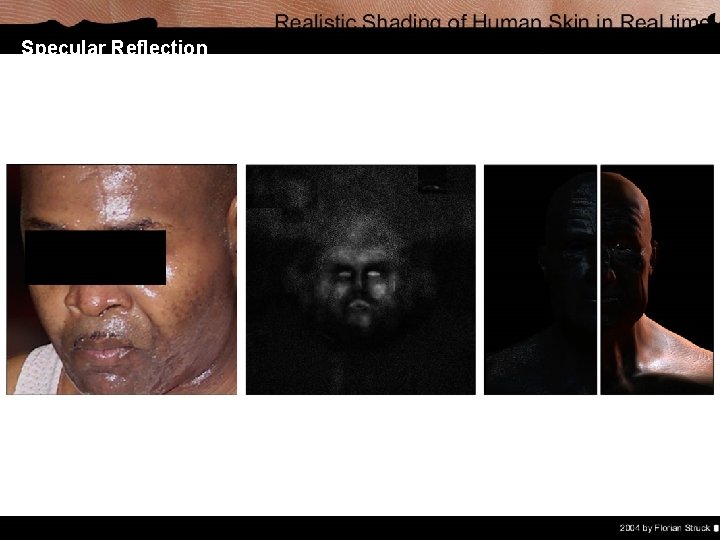
Specular Reflection Specular Highlights • Modified Blinn / Phong Lighting Model • Depending on viewing angle / light position • Oiliness Map: ú Epidermis emits fat like fluid ú Highlights should have a soft white / blue • Influence of normal map is strong Perspiration • Overall shininess increases • Beads of sweat are formed • Perspiration Map: Noisiness and wet map • Factorized by the characters sweat factor • Environmental reflections with cube maps
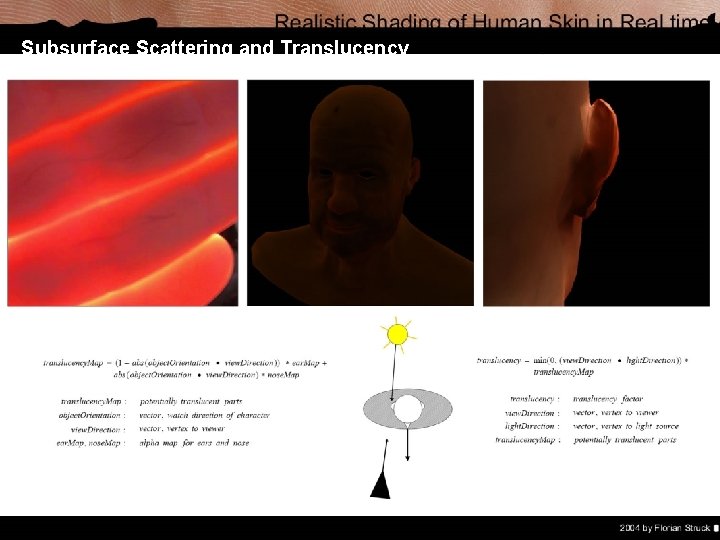
Subsurface Scattering and Translucency Subsurface Scattering • Reflections between layers of the skin • Depends on viewing angle and e. g. thickness of skin • Approximation - Softness Equation: ú Directly illuminated skin / shilouette ú Increases softness / deepness of skin • Subsurface Scattering Map: ú Modified Color Map, reddish, blurred Translucency for Ears and Nose • Translucency: not fully transparent, dimly shining through • Example: if light is behind character - ears appear red • Ear and Nose Map: ú Equation manages separation and interpolation ú Character‘s orientation, view and light direction Additional Improvements • Backscattering and rim lighting • in post rendering process, next slide • There a number of more advanced approaches
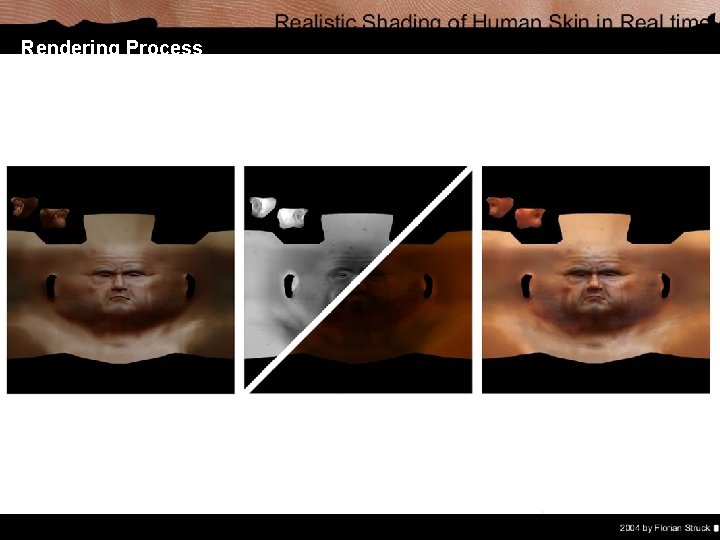
Rendering Process Post-Process Rendering • The already rendered image is modified • Access to texel-neighbours • The alpha channel is used for masks • E. g. depth of field, shadow mapping (prev. pass) • Based on the sss factor the rendering is blurred Texture-Space Lighting • Render lighting of object into texture • Texture is modified and at last mapped to character • Diffuse lighted texture is blured to soften skin and remove harsh edges and to soften parts based on sss factor • Costs a minimum of 2 passes • Visual artifacts may be visible depending on uv mapping
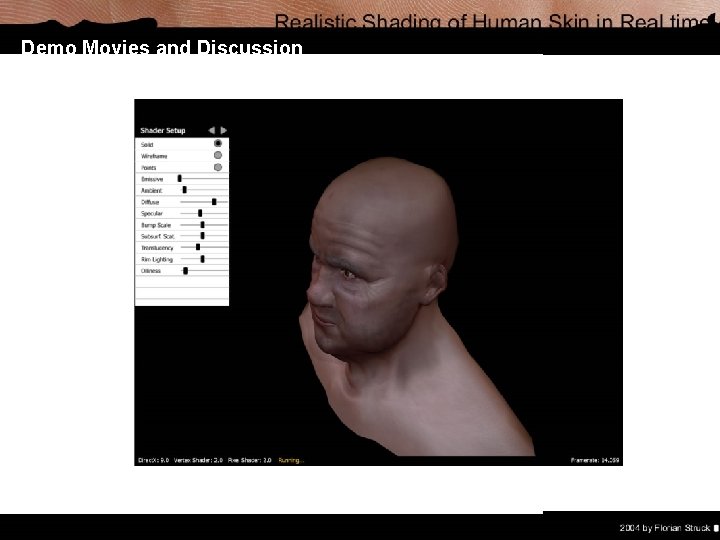
Demo Movies and Discussion Thanks for your Attention! For presentation slides, demo movies and additional material visit www. florian. webkoenig. net