
Real Life SDE Applications Virtual Layers Partitioning Very




- Slides: 54
Real Life SDE Applications • • • Virtual Layers Partitioning Very Large Datasets. Geocoding in SDE Shape Table Deploy SDE on the Web SDE and Images SDE and COM/Java Bonus: SDE Web Admin Utility Q&A
Virtual Layers • • • One Layer of Data With Different Views Are Very Different in Sizes. Different “Sweet Spot” Grid Sizes. Do Not Want To Duplicate Data. Performance issue
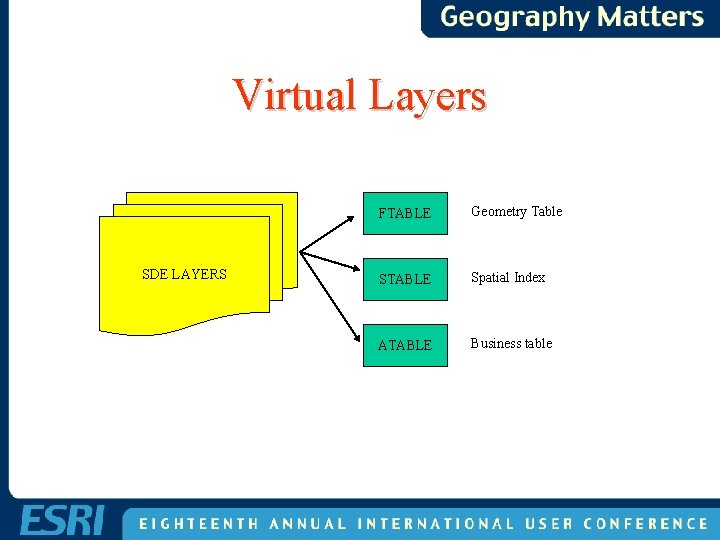
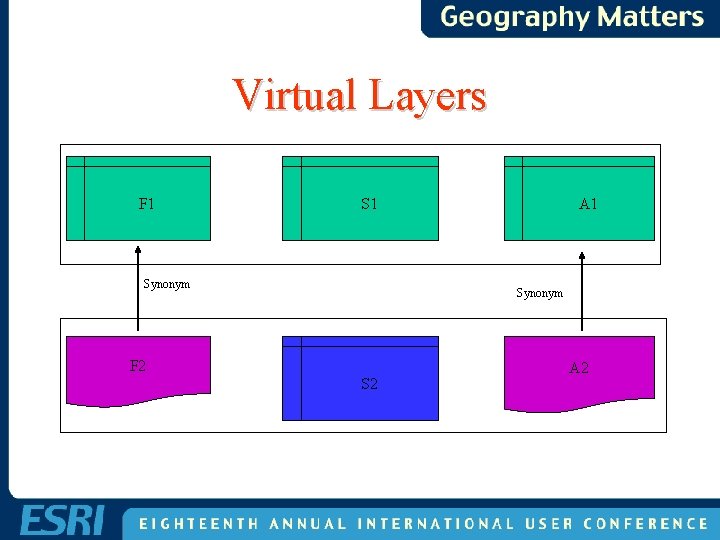
Virtual Layers SDE LAYERS FTABLE Geometry Table STABLE Spatial Index ATABLE Business table
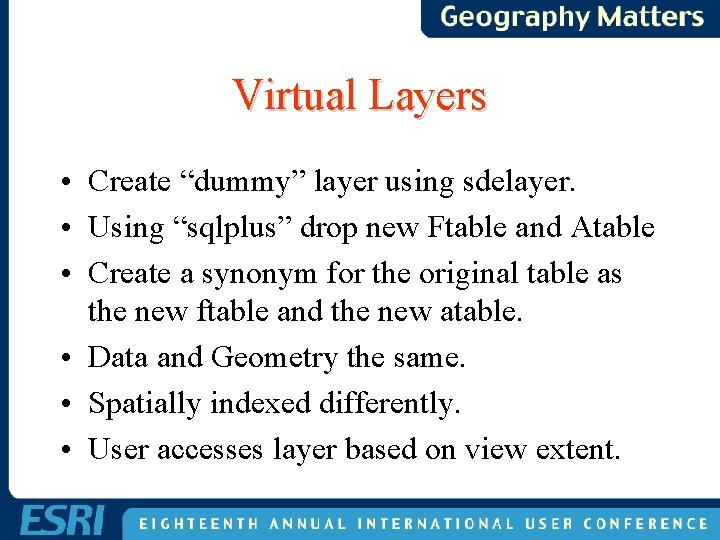
Virtual Layers • Create “dummy” layer using sdelayer. • Using “sqlplus” drop new Ftable and Atable • Create a synonym for the original table as the new ftable and the new atable. • Data and Geometry the same. • Spatially indexed differently. • User accesses layer based on view extent.
Virtual Layers F 1 Synonym A 1 Synonym F 2 S 2 A 2
Partitioning Very Large Data • TRUE, SDE enables seamless dataset. • For sanity and maintenance sake, partition the layer into smaller layers. • Create a “master” layer that “points” to the partitioned layer. • Oracle 8. x partition scheme.
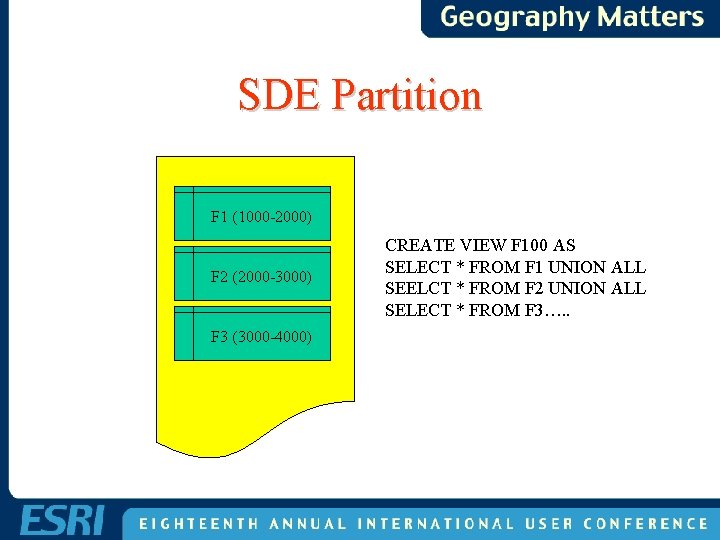
Oracle 8 Partition • Instead of a table of a 10 million rows. • Create a view as “select union all” of 10 one million row tables. • Create range of fids for each layer in the view.
SDE Partition F 1 (1000 -2000) F 2 (2000 -3000) F 3 (3000 -4000) CREATE VIEW F 100 AS SELECT * FROM F 1 UNION ALL SEELCT * FROM F 2 UNION ALL SELECT * FROM F 3…. .
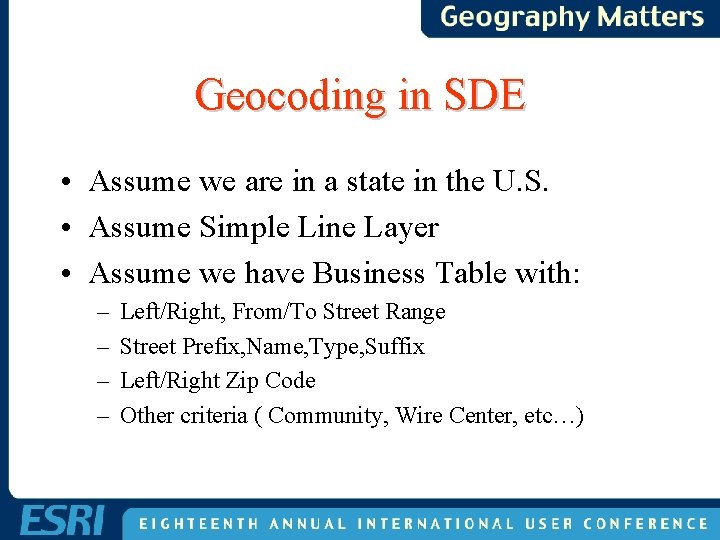
Geocoding in SDE • Assume we are in a state in the U. S. • Assume Simple Line Layer • Assume we have Business Table with: – – Left/Right, From/To Street Range Street Prefix, Name, Type, Suffix Left/Right Zip Code Other criteria ( Community, Wire Center, etc…)
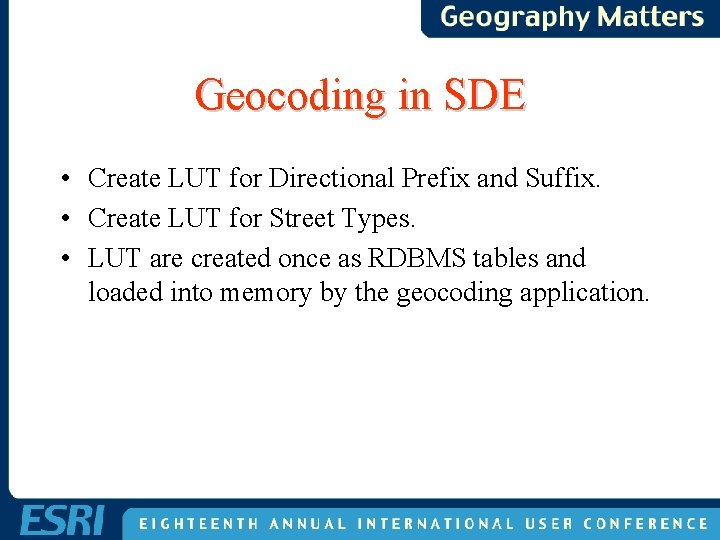
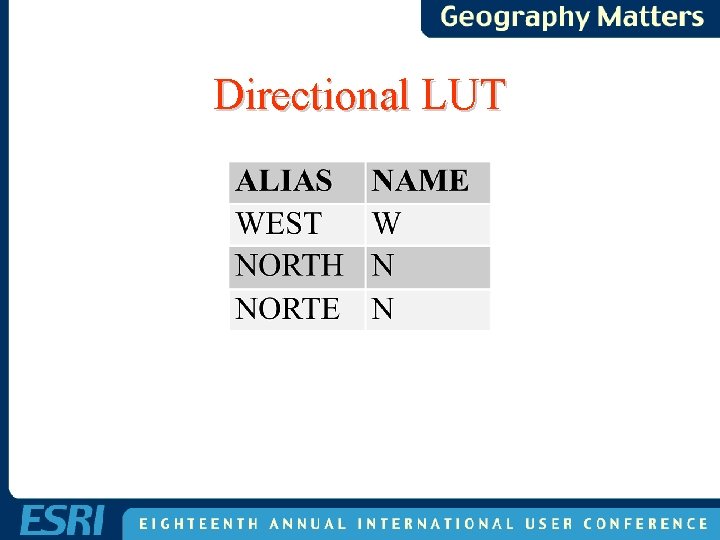
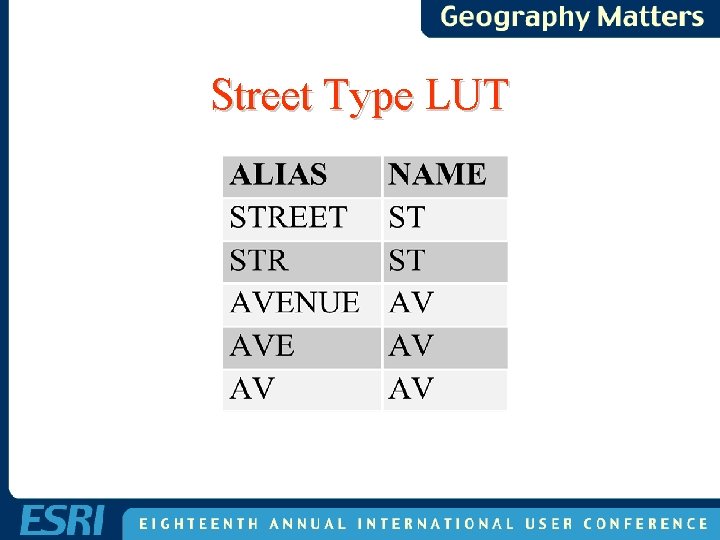
Geocoding in SDE • Create LUT for Directional Prefix and Suffix. • Create LUT for Street Types. • LUT are created once as RDBMS tables and loaded into memory by the geocoding application.
Directional LUT
Street Type LUT
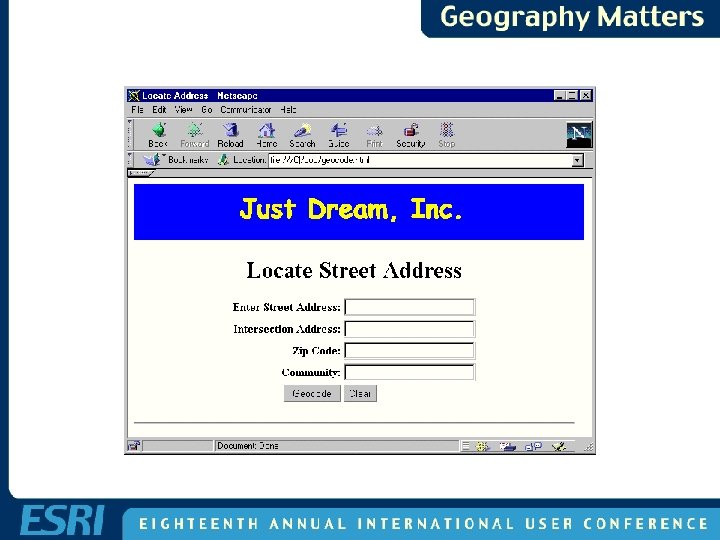
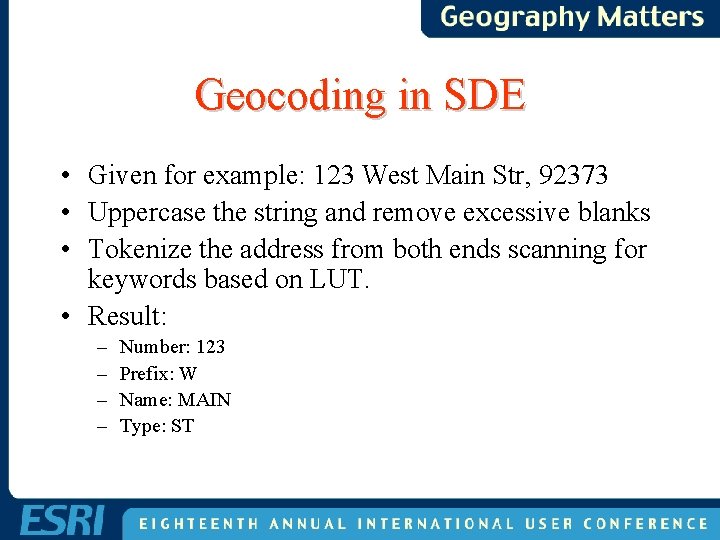
Geocoding in SDE • Given for example: 123 West Main Str, 92373 • Uppercase the string and remove excessive blanks • Tokenize the address from both ends scanning for keywords based on LUT. • Result: – – Number: 123 Prefix: W Name: MAIN Type: ST
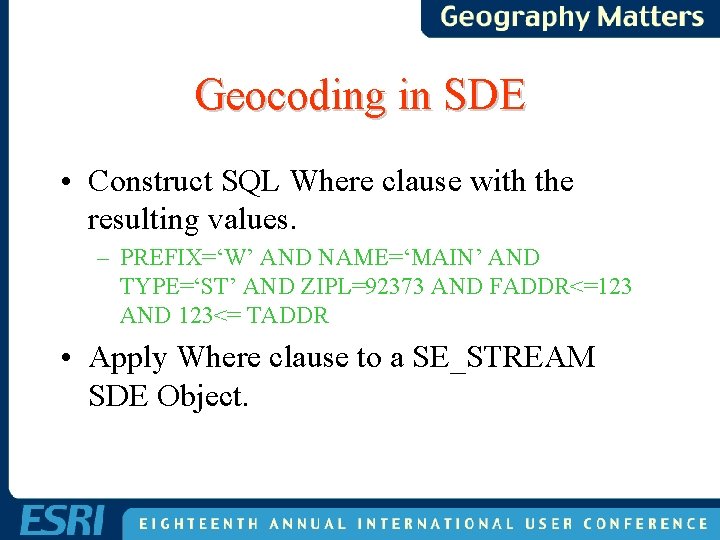
Geocoding in SDE • Construct SQL Where clause with the resulting values. – PREFIX=‘W’ AND NAME=‘MAIN’ AND TYPE=‘ST’ AND ZIPL=92373 AND FADDR<=123 AND 123<= TADDR • Apply Where clause to a SE_STREAM SDE Object.
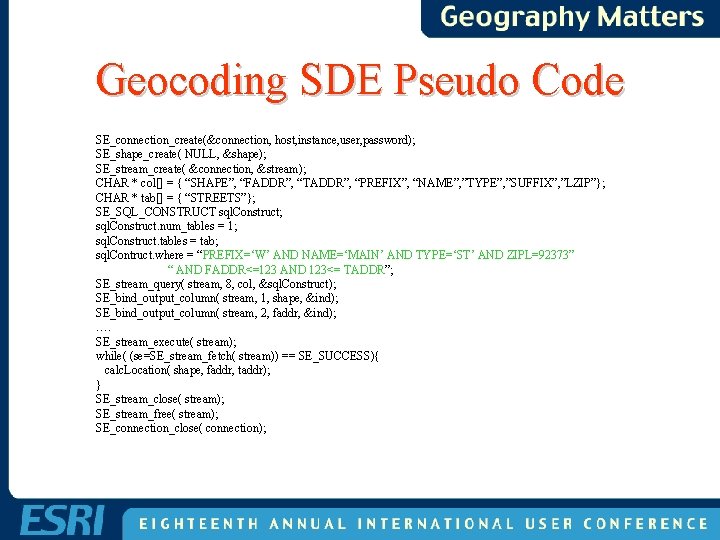
Geocoding SDE Pseudo Code SE_connection_create(&connection, host, instance, user, password); SE_shape_create( NULL, &shape); SE_stream_create( &connection, &stream); CHAR * col[] = { “SHAPE”, “FADDR”, “TADDR”, “PREFIX”, “NAME”, ”TYPE”, ”SUFFIX”, ”LZIP”}; CHAR * tab[] = { “STREETS”}; SE_SQL_CONSTRUCT sql. Construct; sql. Construct. num_tables = 1; sql. Construct. tables = tab; sql. Contruct. where = “PREFIX=‘W’ AND NAME=‘MAIN’ AND TYPE=‘ST’ AND ZIPL=92373” “ AND FADDR<=123 AND 123<= TADDR”; SE_stream_query( stream, 8, col, &sql. Construct); SE_bind_output_column( stream, 1, shape, &ind); SE_bind_output_column( stream, 2, faddr, &ind); …. SE_stream_execute( stream); while( (se=SE_stream_fetch( stream)) == SE_SUCCESS){ calc. Location( shape, faddr, taddr); } SE_stream_close( stream); SE_stream_free( stream); SE_connection_close( connection);
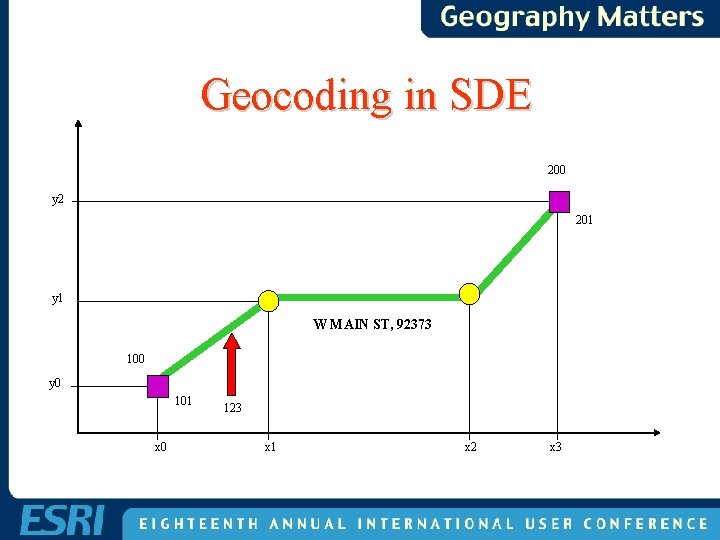
Geocoding in SDE 200 y 2 201 y 1 W MAIN ST, 92373 100 y 0 101 x 0 123 x 1 x 2 x 3
Geocoding in SDE • Given the nodes and the vertices x and y coordinates. • Given the address range. • Assuming a linear distribution. • Calculate the location of the given address.
Geocoding Pitfalls • Select range distribution based on EVEN or ODD side. • Not guaranteed that the FROM address range is less that the TO address range • Watch for “ 123 North Avenue”
Cannot Geocode • • Cannot geocode with given values. Should be 123 E Main Street. Present the user with alternative candidates. Candidates should be “close” to the given values. • Proceed with elimination and permutation.
Elimination And Permutation • Iterate over presence of tokens (prefix, suffix, type, …) to find one or more candidate. • Name is always a present token. • Eliminate in order of importance the most likely token in error. First, prefix. Next, type. Etc. . . • Rebuild SQL Where clause with present tokens and execute the statement. • If candidate is found, stop the iteration.
Geocoding in SDE • Given for example “ 123 South Main St W” • In Database – PREFIX=S – NAME=MAIN – TYPE=AV – SUFFIX=W
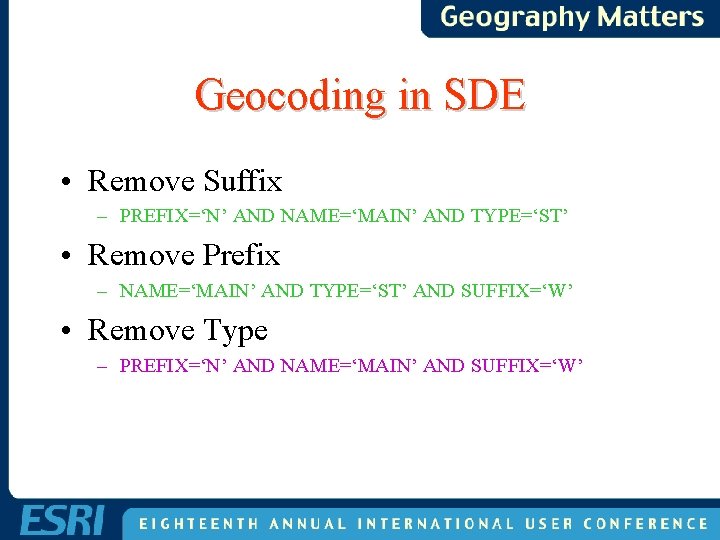
Geocoding in SDE • Remove Suffix – PREFIX=‘N’ AND NAME=‘MAIN’ AND TYPE=‘ST’ • Remove Prefix – NAME=‘MAIN’ AND TYPE=‘ST’ AND SUFFIX=‘W’ • Remove Type – PREFIX=‘N’ AND NAME=‘MAIN’ AND SUFFIX=‘W’
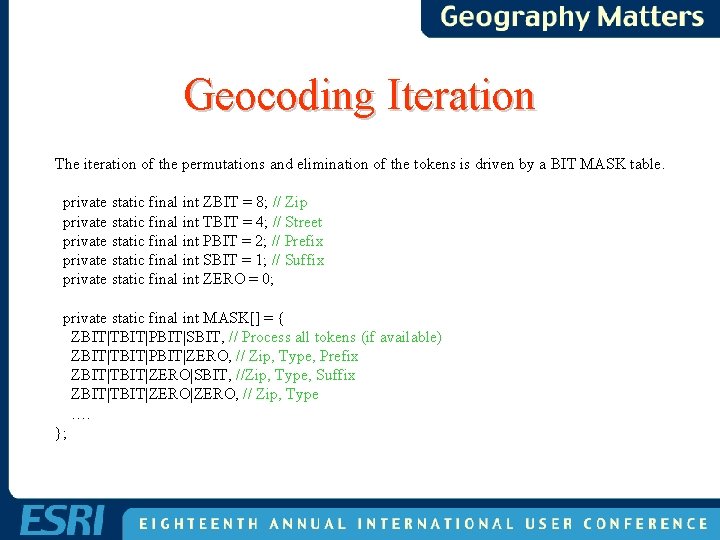
Geocoding Iteration The iteration of the permutations and elimination of the tokens is driven by a BIT MASK table. private static final int ZBIT = 8; // Zip private static final int TBIT = 4; // Street private static final int PBIT = 2; // Prefix private static final int SBIT = 1; // Suffix private static final int ZERO = 0; private static final int MASK[] = { ZBIT|TBIT|PBIT|SBIT, // Process all tokens (if available) ZBIT|TBIT|PBIT|ZERO, // Zip, Type, Prefix ZBIT|TBIT|ZERO|SBIT, //Zip, Type, Suffix ZBIT|TBIT|ZERO, // Zip, Type …. };
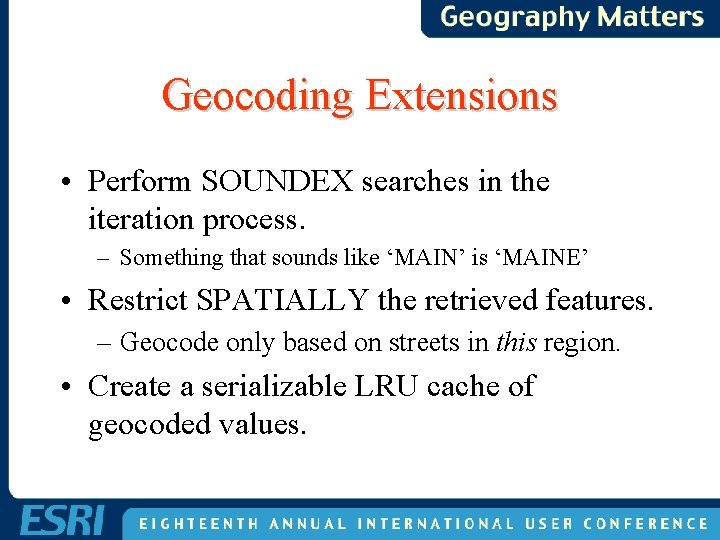
Geocoding Extensions • Perform SOUNDEX searches in the iteration process. – Something that sounds like ‘MAIN’ is ‘MAINE’ • Restrict SPATIALLY the retrieved features. – Geocode only based on streets in this region. • Create a serializable LRU cache of geocoded values.
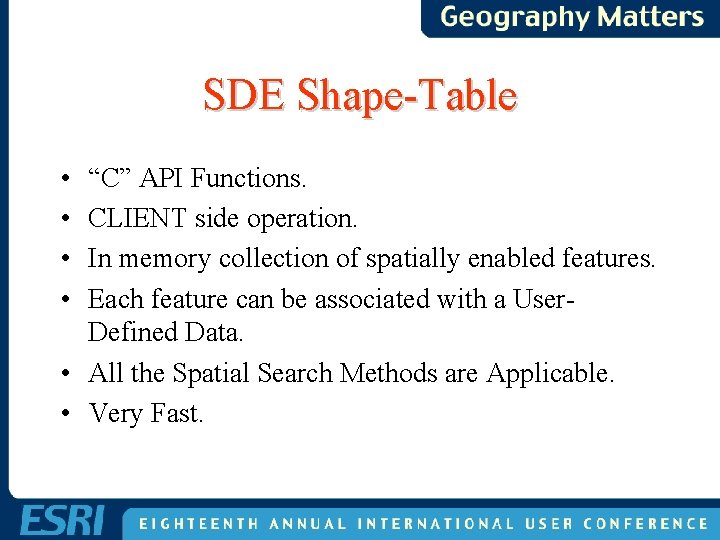
SDE Shape-Table • • “C” API Functions. CLIENT side operation. In memory collection of spatially enabled features. Each feature can be associated with a User. Defined Data. • All the Spatial Search Methods are Applicable. • Very Fast.
SDE Shape-Table Usage • • High volume of spatial requests on a layer. Reduction of Disk I/O Reduction of Network Traffic. Construction of user-defined spatial objects that need to spatially enabled. • Real-Time Tracking with Spatial Properties.
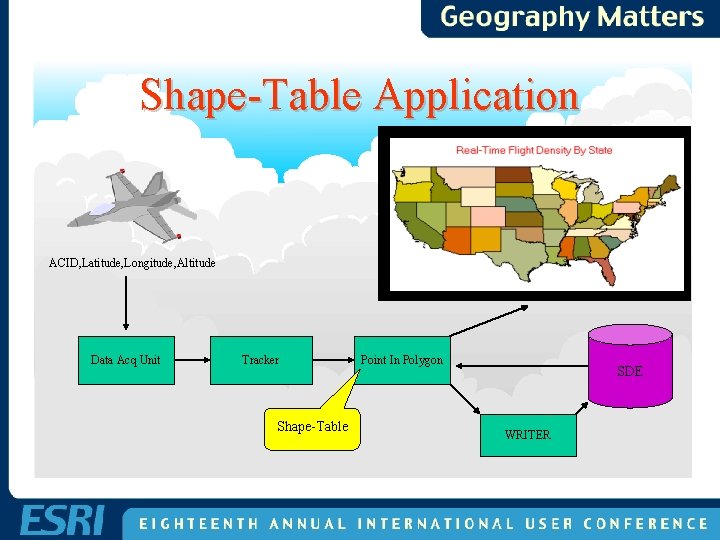
Shape-Table Application ACID, Latitude, Longitude, Altitude Data Acq Unit Tracker Shape-Table Point In Polygon SDE WRITER
Other Shape-Table Applications • Route tracker from GPS feed with Fuzzy logic analysis. – Closest Street. – Aligned with Street. – Most probable street continuation. • Post processing geographical associations.
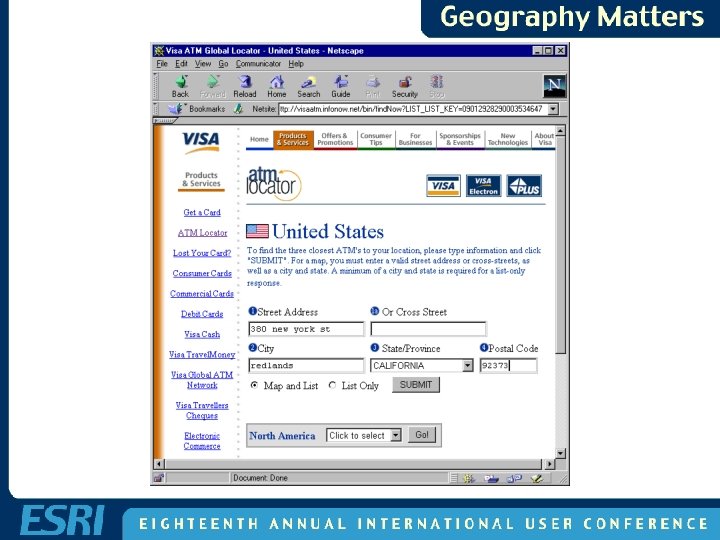
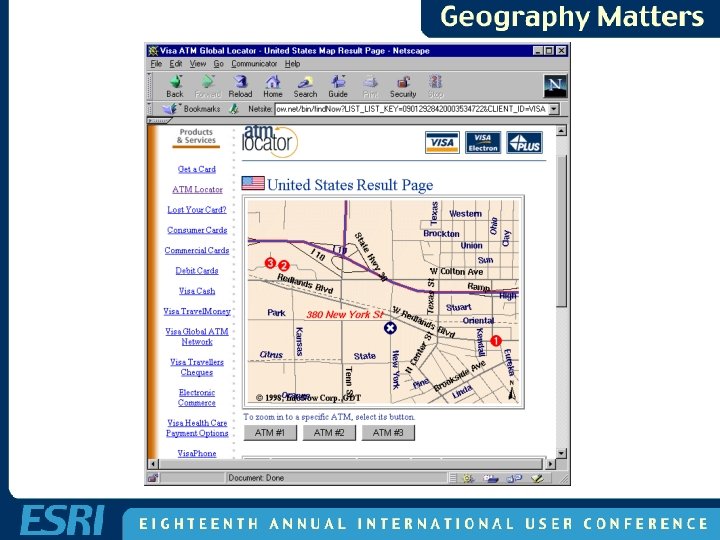
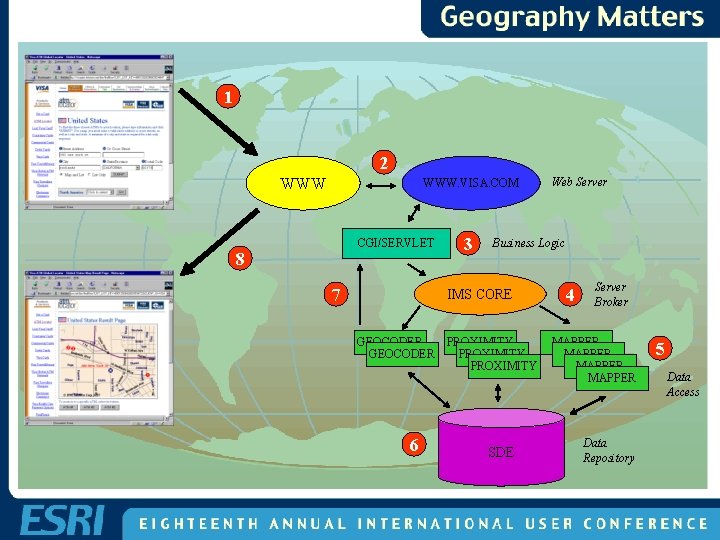
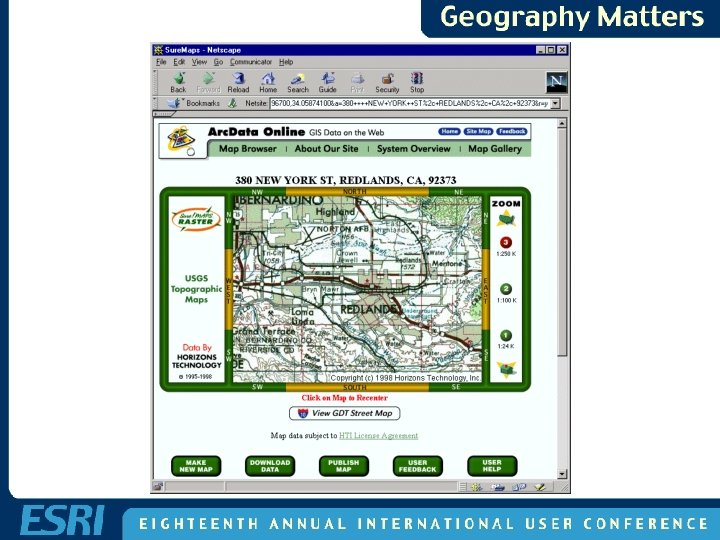
SDE on the Web • • Visa ATM application Realtor. com. ARC Data Online. MSP Flight Track Data.
SDE on the Web • • Integrate with a Web Server. Communicate via CGI or Servlet. Handle lots of users. Fast Reply. Load Balancing. Scalable. Flexible.
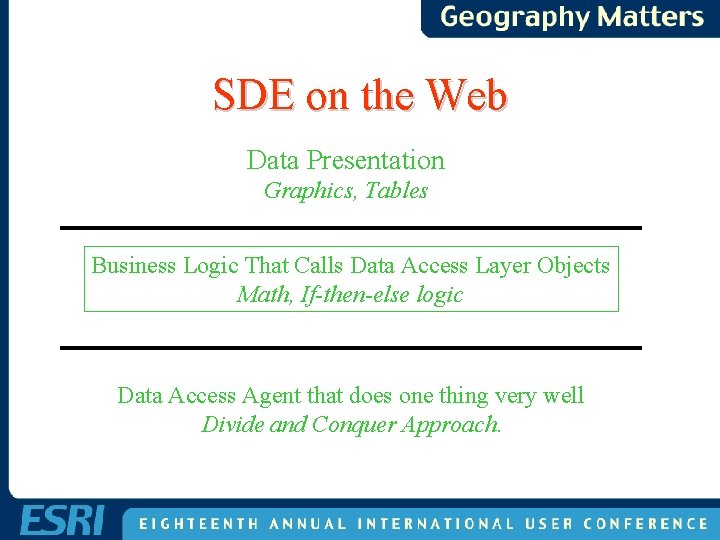
SDE on the Web • Adopted a Multi-Tier architecture • Separated – Business Logic – Data Access – Data Presentation • Platform independent • Protocol independent
SDE on the Web Data Presentation Graphics, Tables Business Logic That Calls Data Access Layer Objects Math, If-then-else logic Data Access Agent that does one thing very well Divide and Conquer Approach.
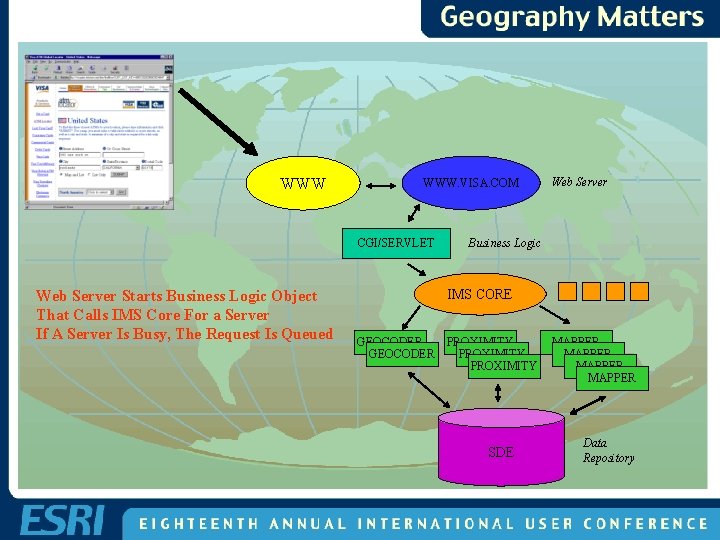
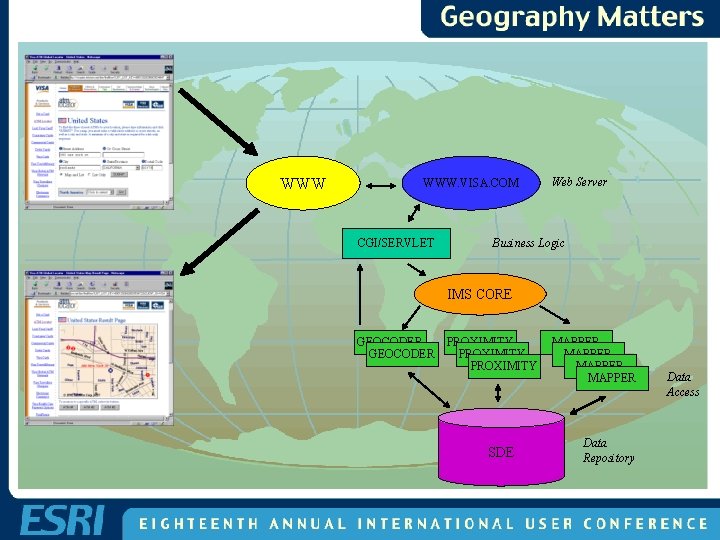
1 2 WWW. VISA. COM CGI/SERVLET 8 7 3 Business Logic IMS CORE GEOCODER 6 Web Server PROXIMITY SDE 4 Server Broker MAPPER Data Repository 5 Data Access
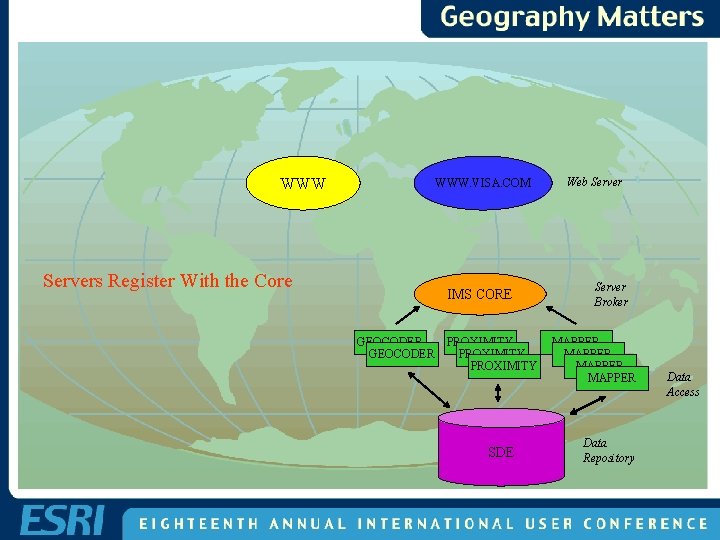
WWW WWW. VISA. COM Servers Register With the Core IMS CORE GEOCODER PROXIMITY SDE Web Server Broker MAPPER Data Repository Data Access
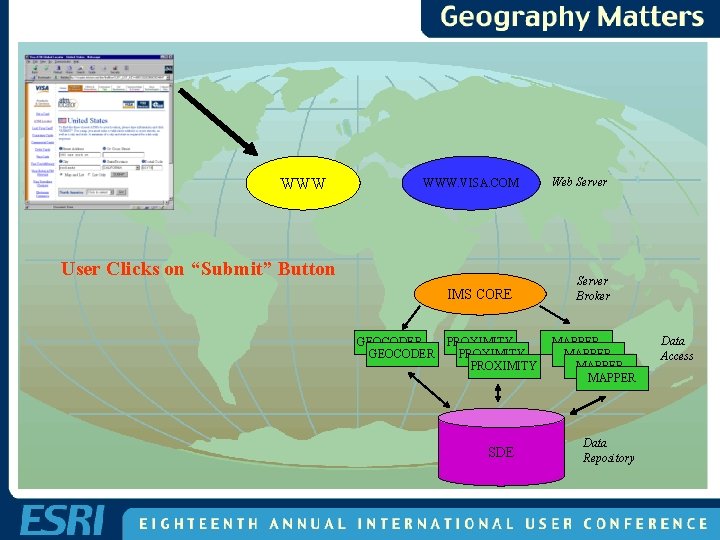
WWW WWW. VISA. COM User Clicks on “Submit” Button IMS CORE GEOCODER PROXIMITY SDE Web Server Broker MAPPER Data Repository Data Access
WWW WWW. VISA. COM CGI/SERVLET Web Server Starts Business Logic Object That Calls IMS Core For a Server If A Server Is Busy, The Request Is Queued Web Server Business Logic IMS CORE GEOCODER PROXIMITY SDE MAPPER Data Repository
WWW WWW. VISA. COM CGI/SERVLET Web Server Business Logic IMS CORE GEOCODER PROXIMITY SDE MAPPER Data Repository Data Access
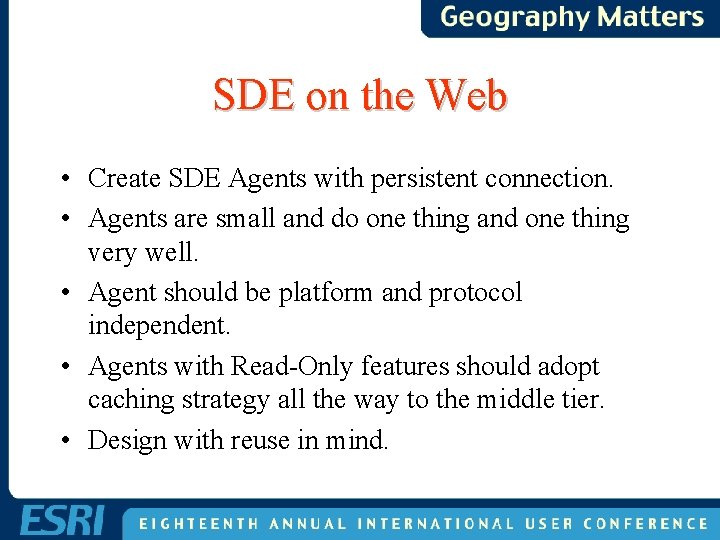
SDE on the Web • Create SDE Agents with persistent connection. • Agents are small and do one thing and one thing very well. • Agent should be platform and protocol independent. • Agents with Read-Only features should adopt caching strategy all the way to the middle tier. • Design with reuse in mind.
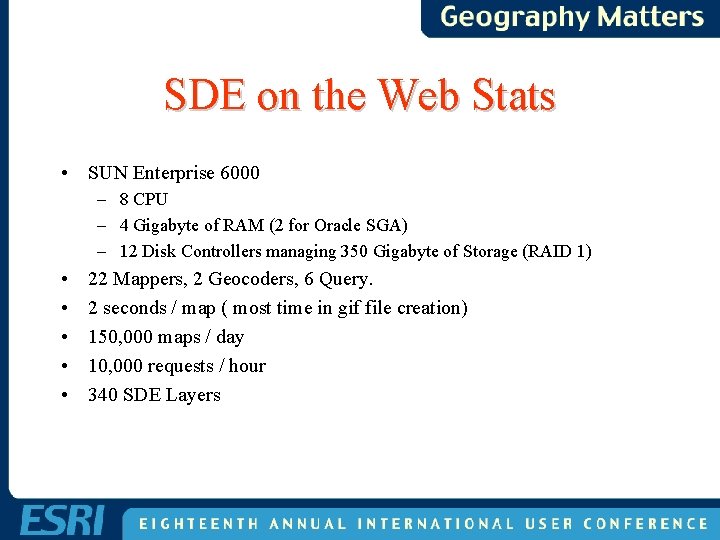
SDE on the Web Stats • SUN Enterprise 6000 – 8 CPU – 4 Gigabyte of RAM (2 for Oracle SGA) – 12 Disk Controllers managing 350 Gigabyte of Storage (RAID 1) • • • 22 Mappers, 2 Geocoders, 6 Query. 2 seconds / map ( most time in gif file creation) 150, 000 maps / day 10, 000 requests / hour 340 SDE Layers
SDE and Images • Images are stored as Blobs in the business table. • Images are compressed and cached in the SGA. • The envelope of the images represents the geometry in the F-Table. • World File info are stored as additional attributes. • Cookie-cutting and mosaic is the responsibility of the application.
SDE and COM • SDE is “C” API. • Using Visual “C” Wizards, You Can Create COM DLL and Services, That Encapsulates Logic. • Map. Objects (v 1) is Missing projection. • COM Wrap Projection API And Instantiate in the Application.
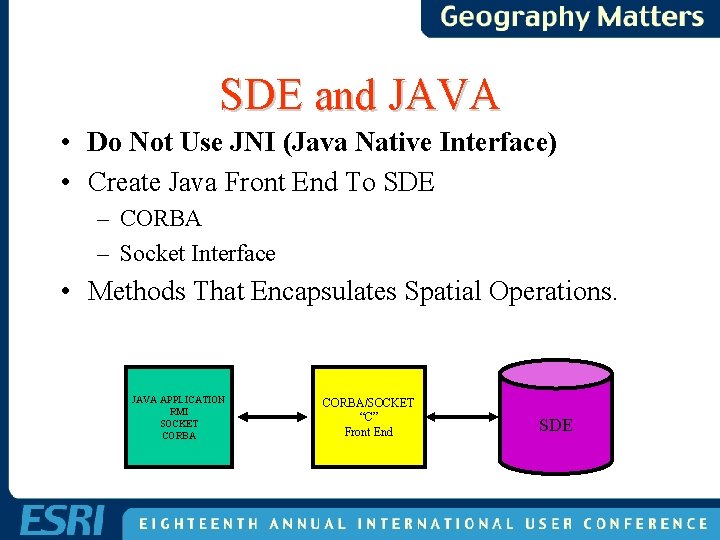
SDE and JAVA • Do Not Use JNI (Java Native Interface) • Create Java Front End To SDE – CORBA – Socket Interface • Methods That Encapsulates Spatial Operations. JAVA APPLICATION RMI SOCKET CORBA/SOCKET “C” Front End SDE
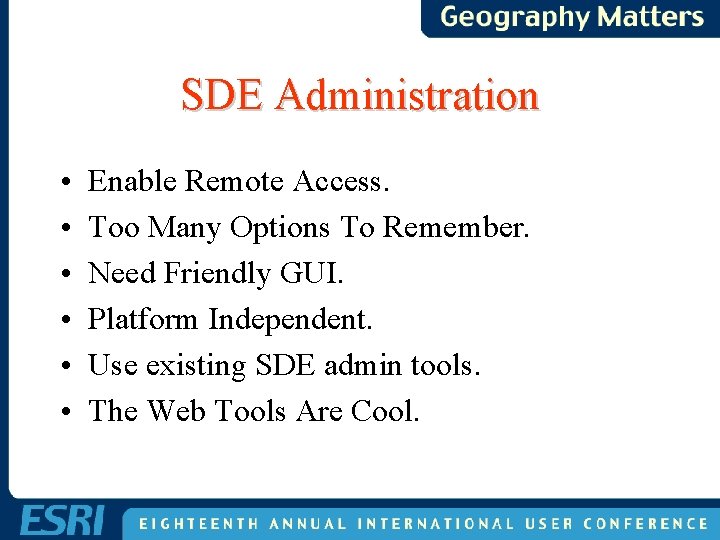
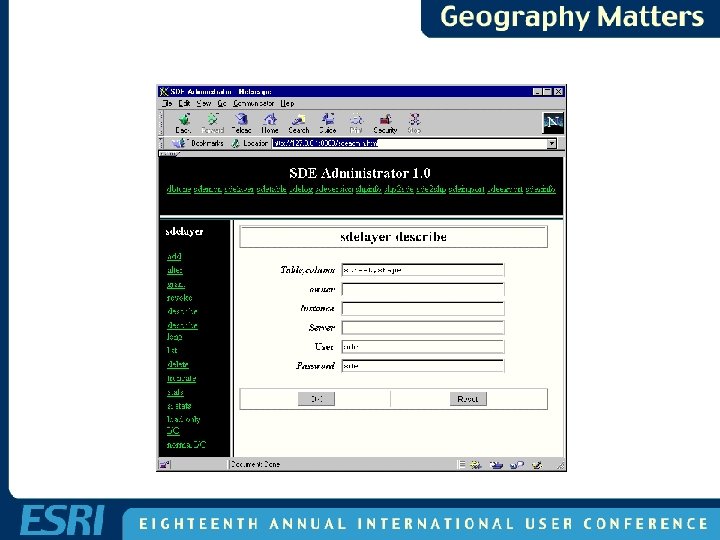
SDE Administration • • • Enable Remote Access. Too Many Options To Remember. Need Friendly GUI. Platform Independent. Use existing SDE admin tools. The Web Tools Are Cool.
SDE HTML Requirements • Java. Script Enabled Web Browser. • Servlet Enabled Web Server. – CGI version also available • SDE 3. x Version. • Downloaded *. html, *. class files.
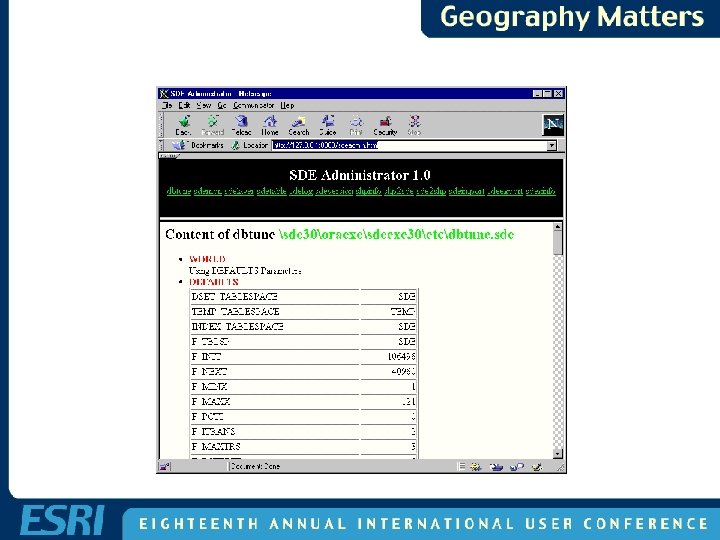
SDE HTML Admin WEB Server Dbtune Servlet Sdeexec Servlet ##WORLD END ##DEFAULTS DSET_TABLESPACE SDE TEMP_TABLESPACE TEMP INDEX_TABLESPACE SDE F_TBLSP SDE F_INIT 106496 F_NEXT 40960 F_MINX 1 F_MAXX 121 F_PCTI 0 F_ITRANS 2 SDE Admin Command sdemon sdelayer ….
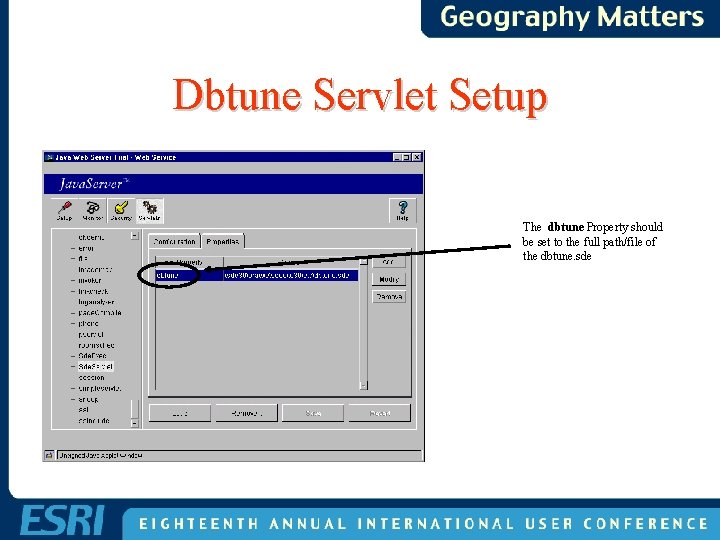
Dbtune Servlet Setup The dbtune Property should be set to the full path/file of the dbtune. sde
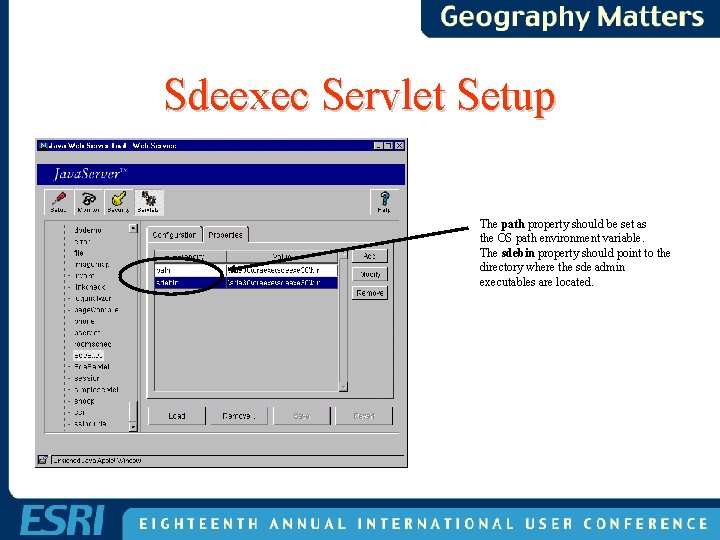
Sdeexec Servlet Setup The path property should be set as the OS path environment variable. The sdebin property should point to the directory where the sde admin executables are located.
Questions & Answers Survey Sheet Mraad@esri. com lbynum@esri. com