
Reading Text Files Use Scanner class for reading
![Formatting Output System. out. printf("%-10 s%10. 2 f", items[i] + ": ", prices[i]); §](https://slidetodoc.com/presentation_image_h2/975983d4b3ec2e91e8e7a0259fa894b2/image-28.jpg "Formatting Output System. out. printf(\"%-10 s%10. 2 f\", items[i] + \": \", prices[i]); §")
![Formatting Output System. out. printf("%-10 s%10. 2 f", items[i] + ": ", prices[i]); §](https://slidetodoc.com/presentation_image_h2/975983d4b3ec2e91e8e7a0259fa894b2/image-29.jpg "Formatting Output System. out. printf(\"%-10 s%10. 2 f\", items[i] + \": \", prices[i]); §")
- Slides: 43
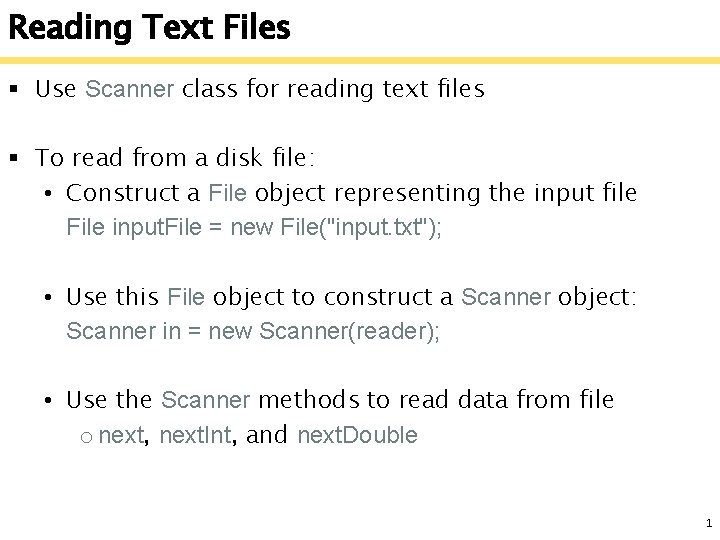
Reading Text Files § Use Scanner class for reading text files § To read from a disk file: • Construct a File object representing the input file File input. File = new File("input. txt"); • Use this File object to construct a Scanner object: Scanner in = new Scanner(reader); • Use the Scanner methods to read data from file o next, next. Int, and next. Double 1
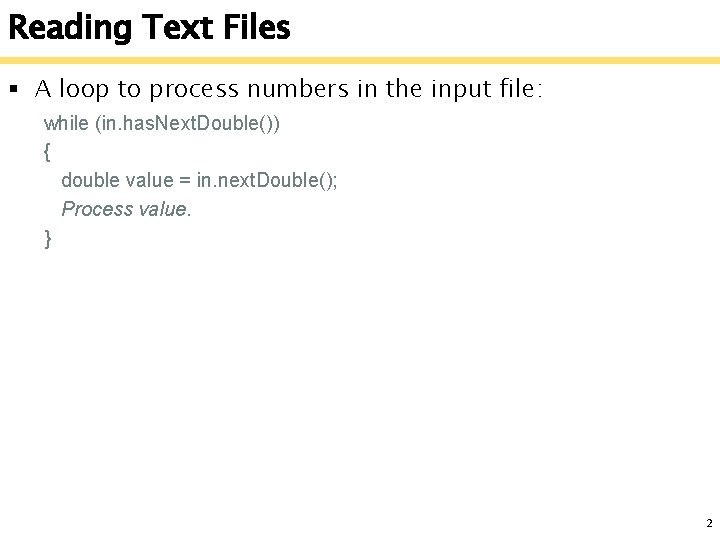
Reading Text Files § A loop to process numbers in the input file: while (in. has. Next. Double()) { double value = in. next. Double(); Process value. } 2
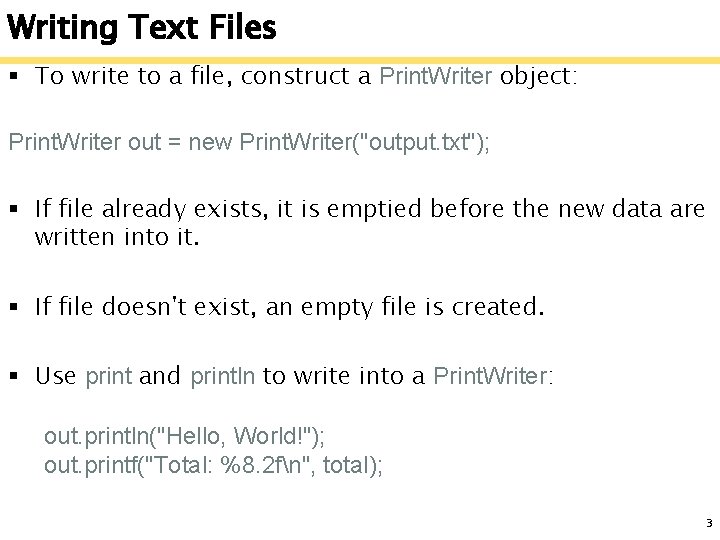
Writing Text Files § To write to a file, construct a Print. Writer object: Print. Writer out = new Print. Writer("output. txt"); § If file already exists, it is emptied before the new data are written into it. § If file doesn't exist, an empty file is created. § Use print and println to write into a Print. Writer: out. println("Hello, World!"); out. printf("Total: %8. 2 fn", total); 3
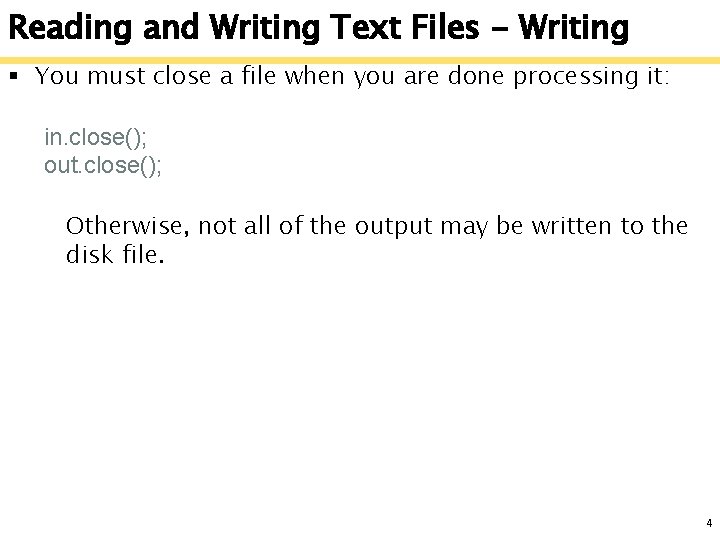
Reading and Writing Text Files - Writing § You must close a file when you are done processing it: in. close(); out. close(); Otherwise, not all of the output may be written to the disk file. 4
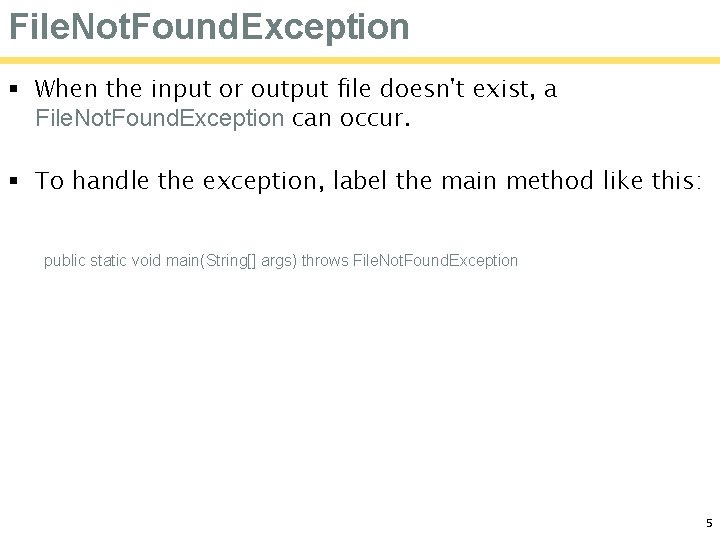
File. Not. Found. Exception § When the input or output file doesn't exist, a File. Not. Found. Exception can occur. § To handle the exception, label the main method like this: public static void main(String[] args) throws File. Not. Found. Exception 5
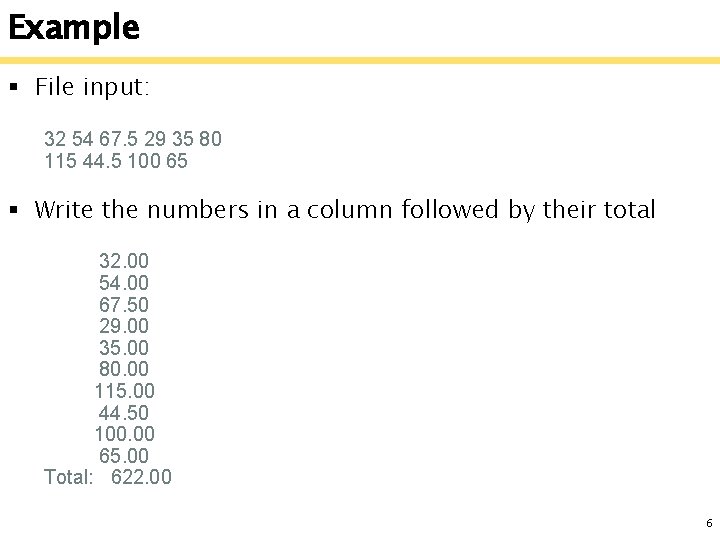
Example § File input: 32 54 67. 5 29 35 80 115 44. 5 100 65 § Write the numbers in a column followed by their total 32. 00 54. 00 67. 50 29. 00 35. 00 80. 00 115. 00 44. 50 100. 00 65. 00 Total: 622. 00 6
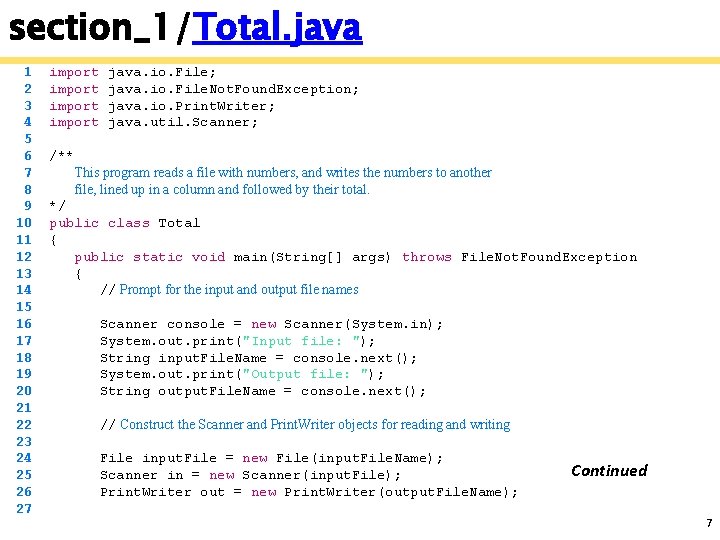
section_1/Total. java 1 2 3 4 5 6 7 8 9 10 11 12 13 14 15 16 17 18 19 20 21 22 23 24 25 26 27 import java. io. File; java. io. File. Not. Found. Exception; java. io. Print. Writer; java. util. Scanner; /** This program reads a file with numbers, and writes the numbers to another file, lined up in a column and followed by their total. */ public class Total { public static void main(String[] args) throws File. Not. Found. Exception { // Prompt for the input and output file names Scanner console = new Scanner(System. in); System. out. print("Input file: "); String input. File. Name = console. next(); System. out. print("Output file: "); String output. File. Name = console. next(); // Construct the Scanner and Print. Writer objects for reading and writing File input. File = new File(input. File. Name); Scanner in = new Scanner(input. File); Print. Writer out = new Print. Writer(output. File. Name); Continued 7
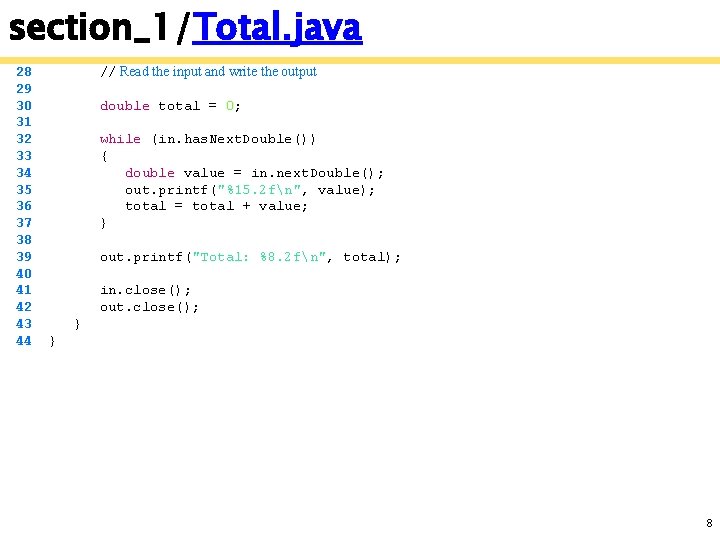
section_1/Total. java 28 29 30 31 32 33 34 35 36 37 38 39 40 41 42 43 44 // Read the input and write the output double total = 0; while (in. has. Next. Double()) { double value = in. next. Double(); out. printf("%15. 2 fn", value); total = total + value; } out. printf("Total: %8. 2 fn", total); in. close(); out. close(); } } 8
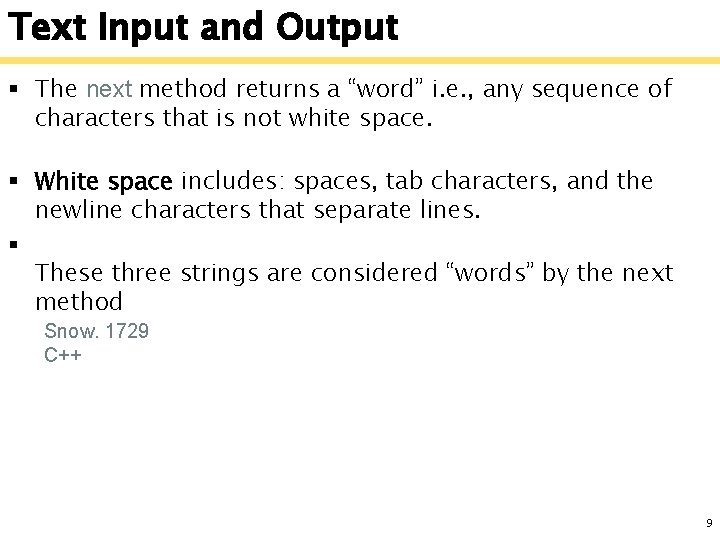
Text Input and Output § The next method returns a “word” i. e. , any sequence of characters that is not white space. § White space includes: spaces, tab characters, and the newline characters that separate lines. § These three strings are considered “words” by the next method Snow. 1729 C++ 9
Text Input and Output § When next is called: • Input characters that are white space are consumed removed from the input • They do not become part of the word • The first character that is not white space becomes the first character of the word • More characters are added until o Either another white space character occurs o Or the end of the input file has been reached 10
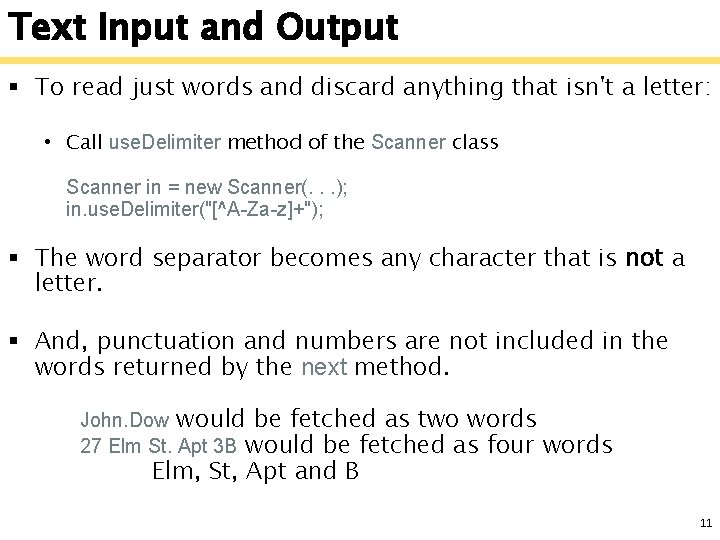
Text Input and Output § To read just words and discard anything that isn't a letter: • Call use. Delimiter method of the Scanner class Scanner in = new Scanner(. . . ); in. use. Delimiter("[^A-Za-z]+"); § The word separator becomes any character that is not a letter. § And, punctuation and numbers are not included in the words returned by the next method. John. Dow would be fetched as two words 27 Elm St. Apt 3 B would be fetched as four words Elm, St, Apt and B 11
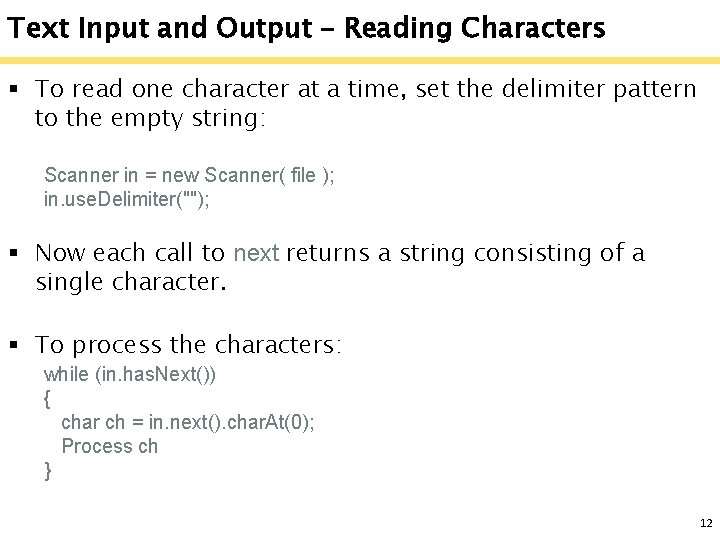
Text Input and Output – Reading Characters § To read one character at a time, set the delimiter pattern to the empty string: Scanner in = new Scanner( file ); in. use. Delimiter(""); § Now each call to next returns a string consisting of a single character. § To process the characters: while (in. has. Next()) { char ch = in. next(). char. At(0); Process ch } 12
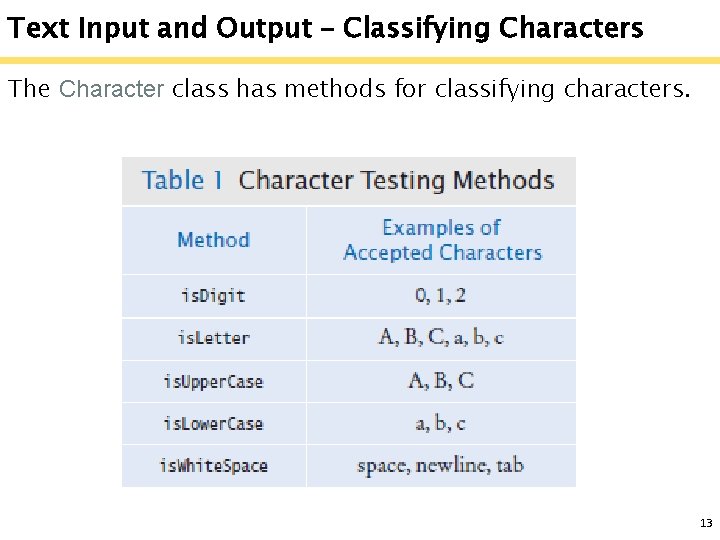
Text Input and Output – Classifying Characters The Character class has methods for classifying characters. 13
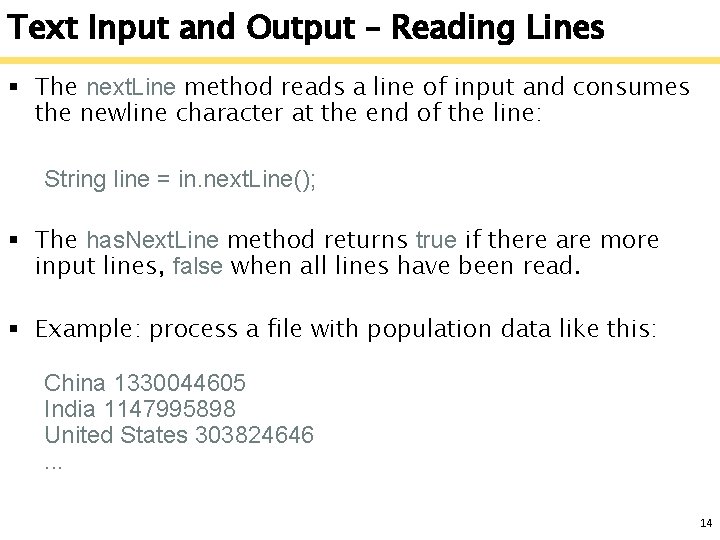
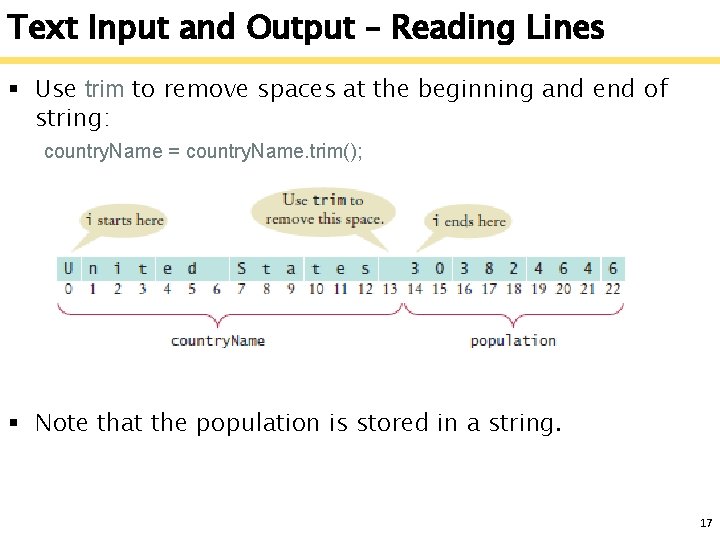
Text Input and Output – Reading Lines § The next. Line method reads a line of input and consumes the newline character at the end of the line: String line = in. next. Line(); § The has. Next. Line method returns true if there are more input lines, false when all lines have been read. § Example: process a file with population data like this: China 1330044605 India 1147995898 United States 303824646. . . 14
Text Input and Output – Reading Lines § Read each input line into a string while (in. has. Next. Line()) { String line = next. Line(); Process line. } § Then use the is. Digit and is. Whitespace methods to find out where the name ends and the number starts. 15
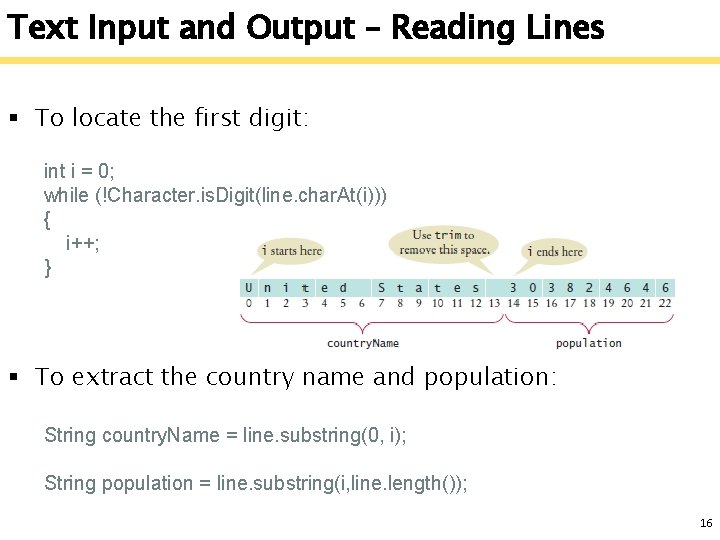
Text Input and Output – Reading Lines § To locate the first digit: int i = 0; while (!Character. is. Digit(line. char. At(i))) { i++; } § To extract the country name and population: String country. Name = line. substring(0, i); String population = line. substring(i, line. length()); 16
Text Input and Output – Reading Lines § Use trim to remove spaces at the beginning and end of string: country. Name = country. Name. trim(); § Note that the population is stored in a string. 17
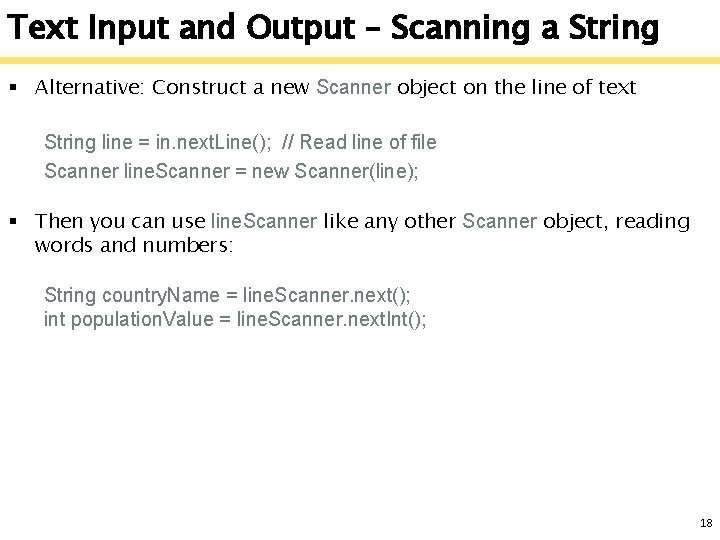
Text Input and Output – Scanning a String § Alternative: Construct a new Scanner object on the line of text String line = in. next. Line(); // Read line of file Scanner line. Scanner = new Scanner(line); § Then you can use line. Scanner like any other Scanner object, reading words and numbers: String country. Name = line. Scanner. next(); int population. Value = line. Scanner. next. Int(); 18
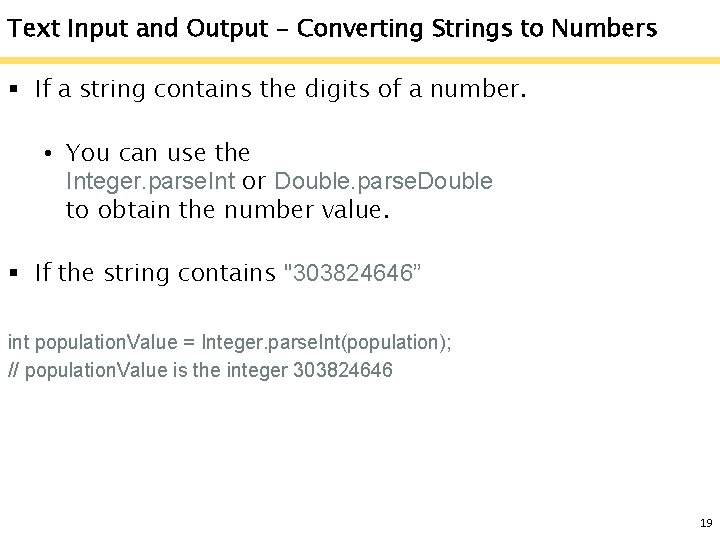
Text Input and Output - Converting Strings to Numbers § If a string contains the digits of a number. • You can use the Integer. parse. Int or Double. parse. Double to obtain the number value. § If the string contains "303824646” int population. Value = Integer. parse. Int(population); // population. Value is the integer 303824646 19
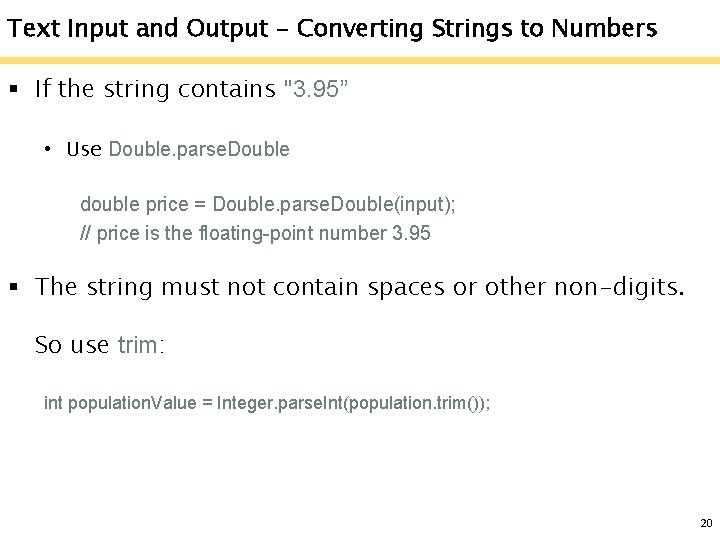
Text Input and Output - Converting Strings to Numbers § If the string contains "3. 95” • Use Double. parse. Double double price = Double. parse. Double(input); // price is the floating-point number 3. 95 § The string must not contain spaces or other non-digits. So use trim: int population. Value = Integer. parse. Int(population. trim()); 20
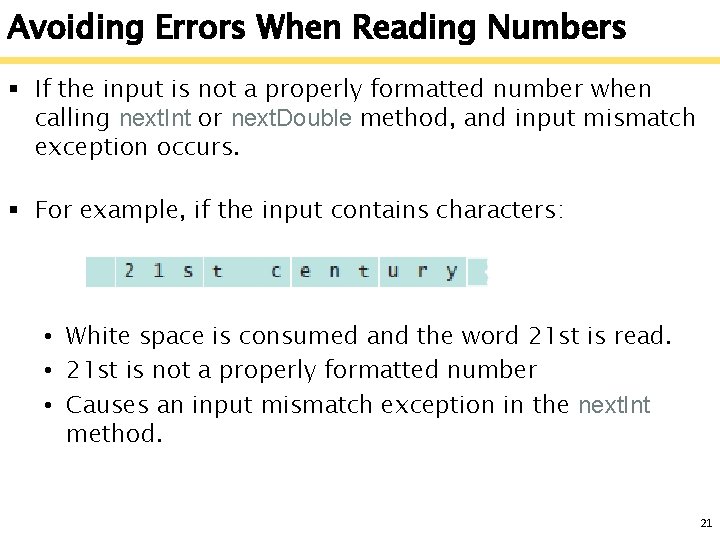
Avoiding Errors When Reading Numbers § If the input is not a properly formatted number when calling next. Int or next. Double method, and input mismatch exception occurs. § For example, if the input contains characters: • White space is consumed and the word 21 st is read. • 21 st is not a properly formatted number • Causes an input mismatch exception in the next. Int method. 21
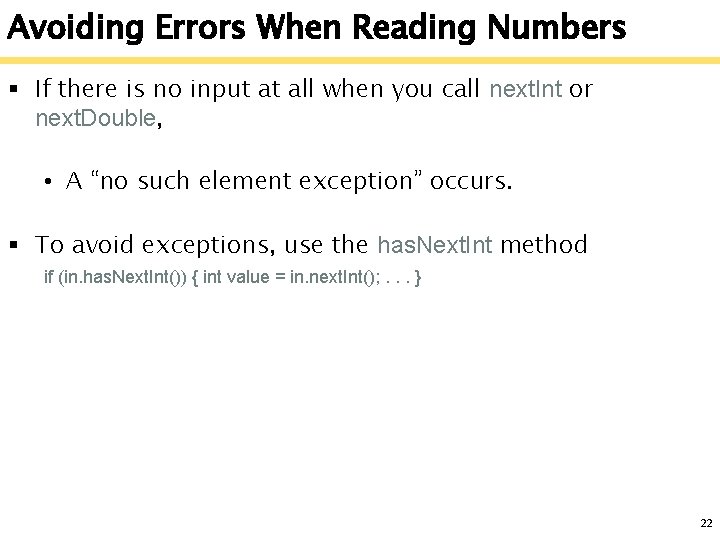
Avoiding Errors When Reading Numbers § If there is no input at all when you call next. Int or next. Double, • A “no such element exception” occurs. § To avoid exceptions, use the has. Next. Int method if (in. has. Next. Int()) { int value = in. next. Int(); . . . } 22
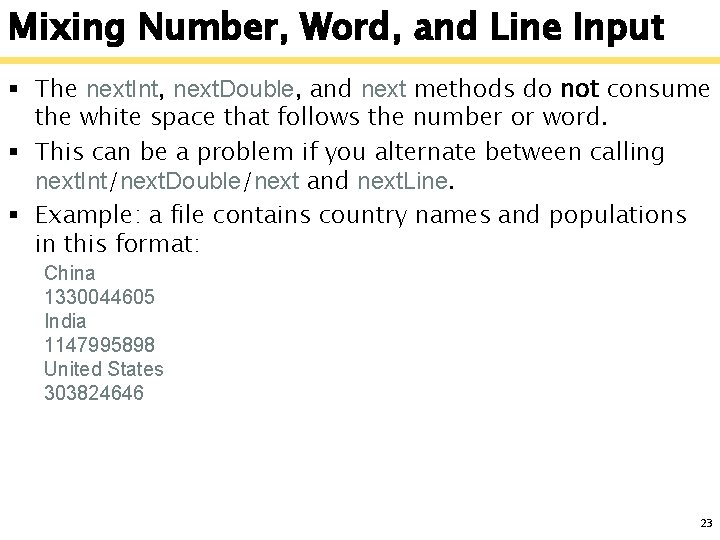
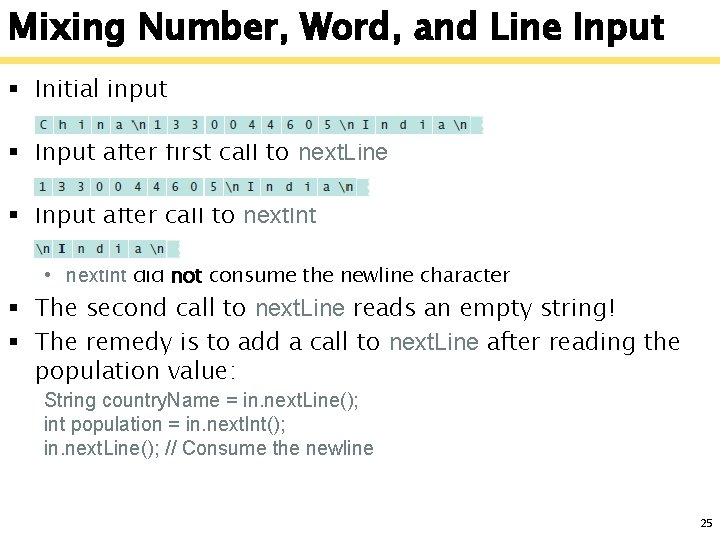
Mixing Number, Word, and Line Input § The next. Int, next. Double, and next methods do not consume the white space that follows the number or word. § This can be a problem if you alternate between calling next. Int/next. Double/next and next. Line. § Example: a file contains country names and populations in this format: China 1330044605 India 1147995898 United States 303824646 23
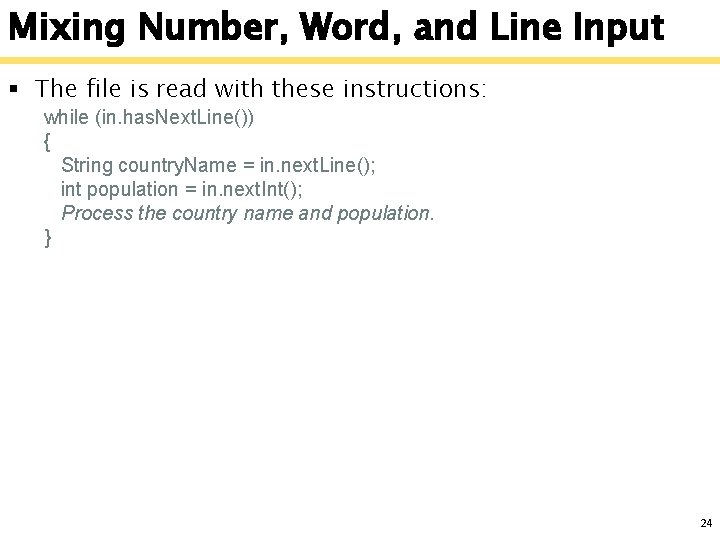
Mixing Number, Word, and Line Input § The file is read with these instructions: while (in. has. Next. Line()) { String country. Name = in. next. Line(); int population = in. next. Int(); Process the country name and population. } 24
Mixing Number, Word, and Line Input § Initial input § Input after first call to next. Line § Input after call to next. Int • next. Int did not consume the newline character § The second call to next. Line reads an empty string! § The remedy is to add a call to next. Line after reading the population value: String country. Name = in. next. Line(); int population = in. next. Int(); in. next. Line(); // Consume the newline 25
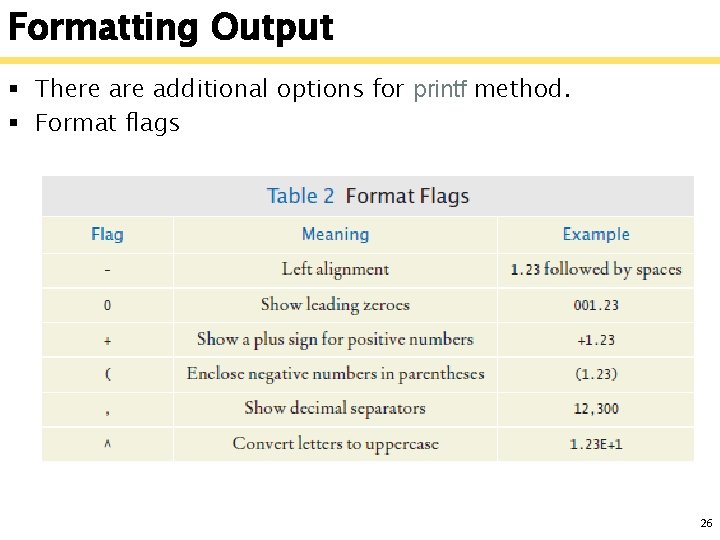
Formatting Output § There additional options for printf method. § Format flags 26
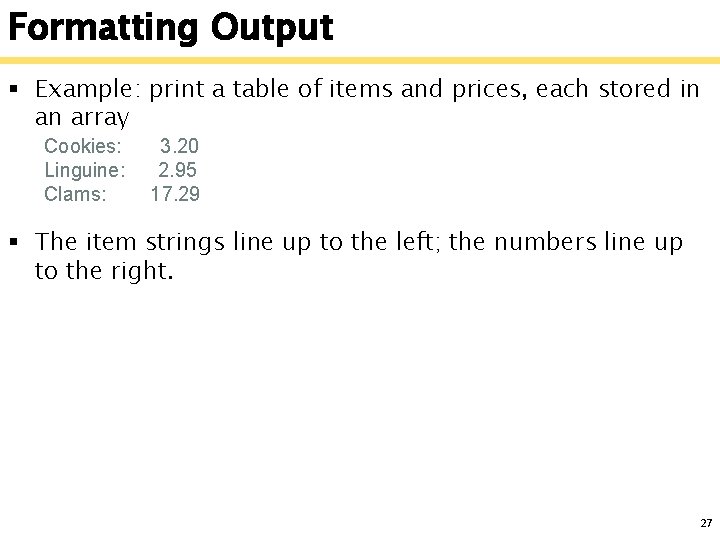
Formatting Output § Example: print a table of items and prices, each stored in an array Cookies: Linguine: Clams: 3. 20 2. 95 17. 29 § The item strings line up to the left; the numbers line up to the right. 27
Formatting Output System. out. printf("%-10 s%10. 2 f", items[i] + ": ", prices[i]); § § § § § "%-10 s%10. 2 f” is the pattern we want to print % indicates a placeholder for a variable s means string placeholder f means a floating point number placeholder The hyphen (-) specifies left alignment 10 means “use 10 columns 10. 2 means _ _ _ _ (7 digits, dot, 2 digits) items[i] + ": ” is the string we are printing prices[i] is the floating point number 28
Formatting Output System. out. printf("%-10 s%10. 2 f", items[i] + ": ", prices[i]); § To clarify, there are two format placeholders: %-10 s • Formats a left-justified string. • Padded with spaces so it becomes ten characters wide § %10. 2 f • Formats a floating-point number • The field that is ten characters wide. • Spaces appear to the left and the value to the right 29
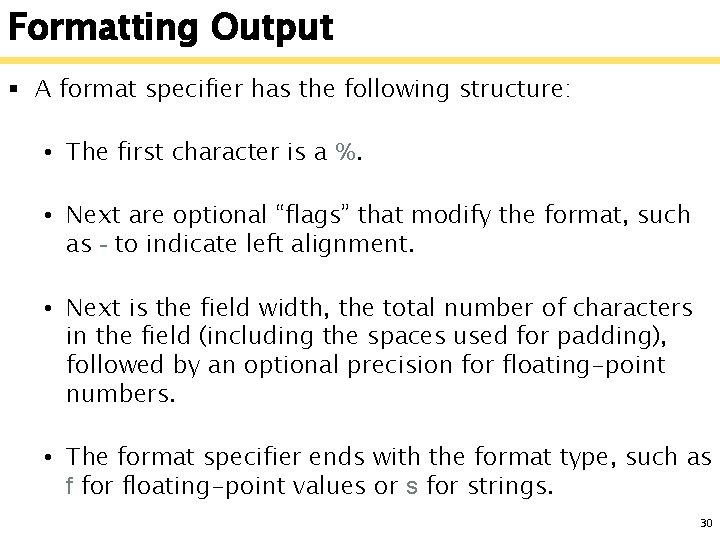
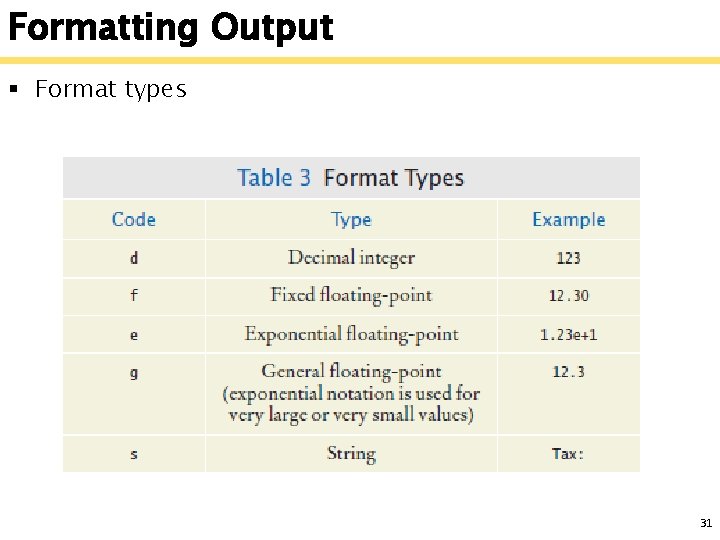
Formatting Output § A format specifier has the following structure: • The first character is a %. • Next are optional “flags” that modify the format, such as - to indicate left alignment. • Next is the field width, the total number of characters in the field (including the spaces used for padding), followed by an optional precision for floating-point numbers. • The format specifier ends with the format type, such as f for floating-point values or s for strings. 30
Formatting Output § Format types 31
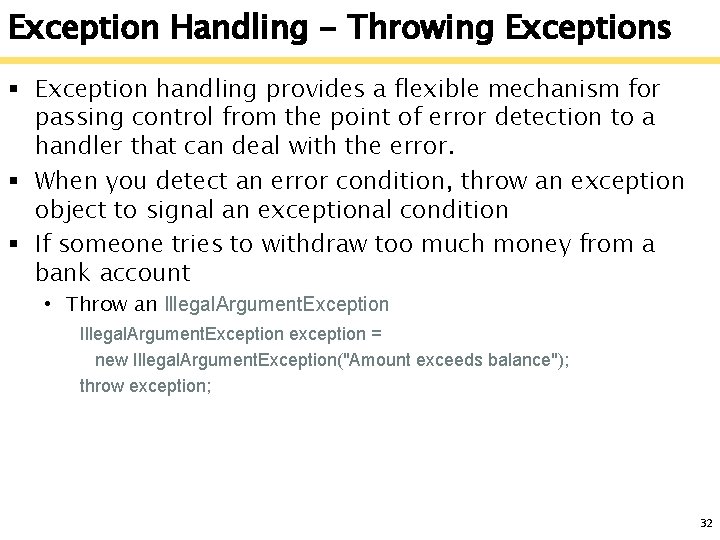
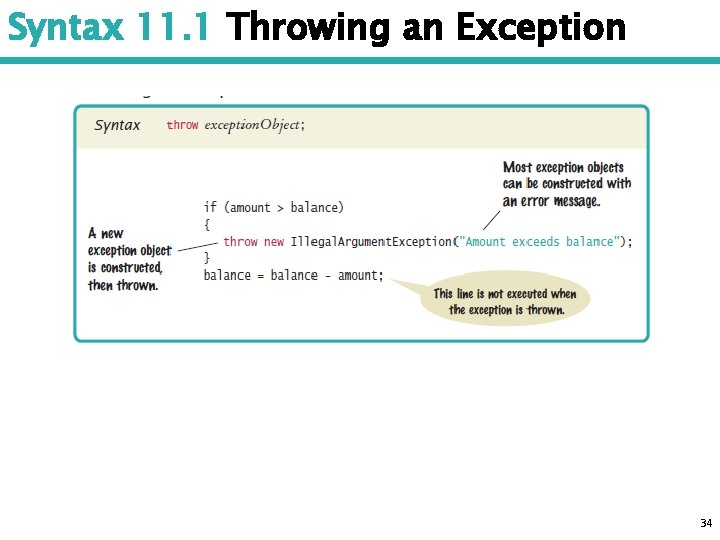
Exception Handling - Throwing Exceptions § Exception handling provides a flexible mechanism for passing control from the point of error detection to a handler that can deal with the error. § When you detect an error condition, throw an exception object to signal an exceptional condition § If someone tries to withdraw too much money from a bank account • Throw an Illegal. Argument. Exception exception = new Illegal. Argument. Exception("Amount exceeds balance"); throw exception; 32
Exception Handling - Throwing Exceptions § When an exception is thrown, method terminates immediately • Execution continues with an exception handler § When you throw an exception, the normal control flow is terminated. This is similar to a circuit breaker that cuts off the flow of electricity in a dangerous situation. 33
Syntax 11. 1 Throwing an Exception 34
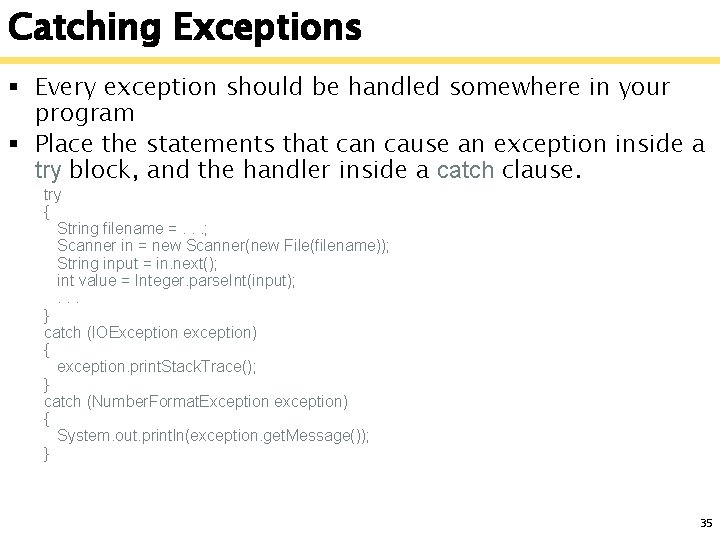
Catching Exceptions § Every exception should be handled somewhere in your program § Place the statements that can cause an exception inside a try block, and the handler inside a catch clause. try { String filename =. . . ; Scanner in = new Scanner(new File(filename)); String input = in. next(); int value = Integer. parse. Int(input); . . . } catch (IOException exception) { exception. print. Stack. Trace(); } catch (Number. Format. Exception exception) { System. out. println(exception. get. Message()); } 35
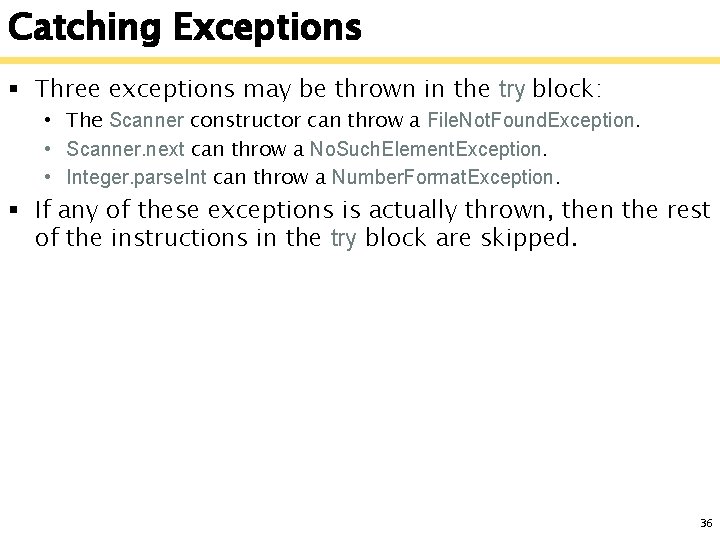
Catching Exceptions § Three exceptions may be thrown in the try block: • The Scanner constructor can throw a File. Not. Found. Exception. • Scanner. next can throw a No. Such. Element. Exception. • Integer. parse. Int can throw a Number. Format. Exception. § If any of these exceptions is actually thrown, then the rest of the instructions in the try block are skipped. 36
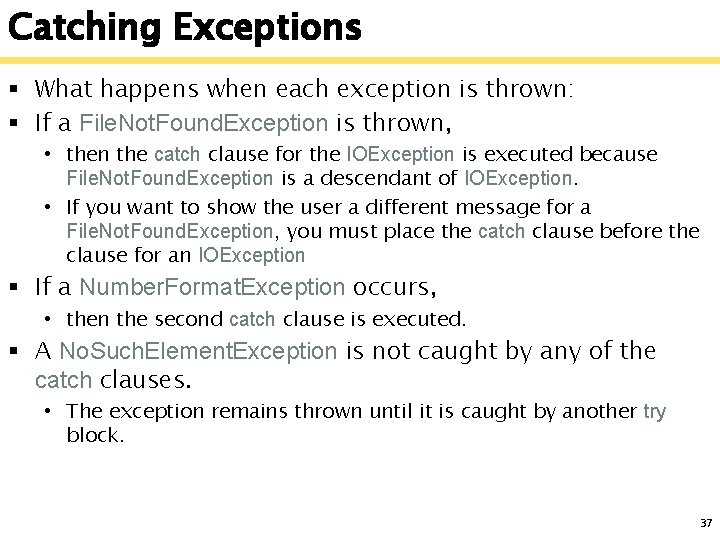
Catching Exceptions § What happens when each exception is thrown: § If a File. Not. Found. Exception is thrown, • then the catch clause for the IOException is executed because File. Not. Found. Exception is a descendant of IOException. • If you want to show the user a different message for a File. Not. Found. Exception, you must place the catch clause before the clause for an IOException § If a Number. Format. Exception occurs, • then the second catch clause is executed. § A No. Such. Element. Exception is not caught by any of the catch clauses. • The exception remains thrown until it is caught by another try block. 37
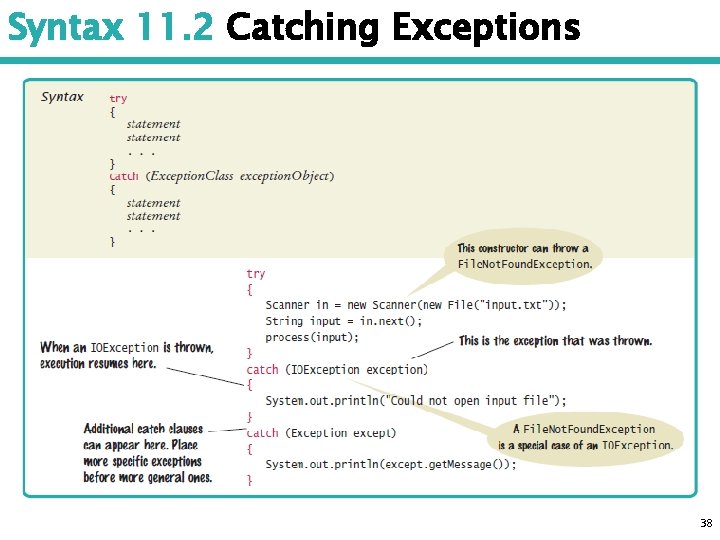
Syntax 11. 2 Catching Exceptions 38
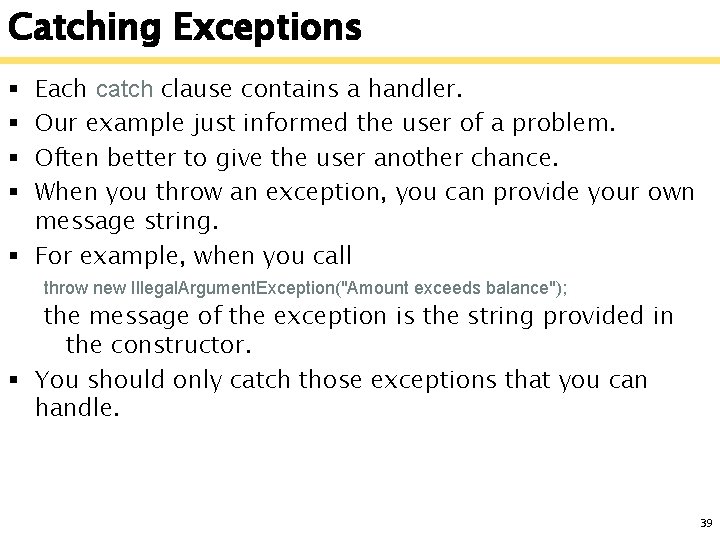
Catching Exceptions Each catch clause contains a handler. Our example just informed the user of a problem. Often better to give the user another chance. When you throw an exception, you can provide your own message string. § For example, when you call § § throw new Illegal. Argument. Exception("Amount exceeds balance"); the message of the exception is the string provided in the constructor. § You should only catch those exceptions that you can handle. 39
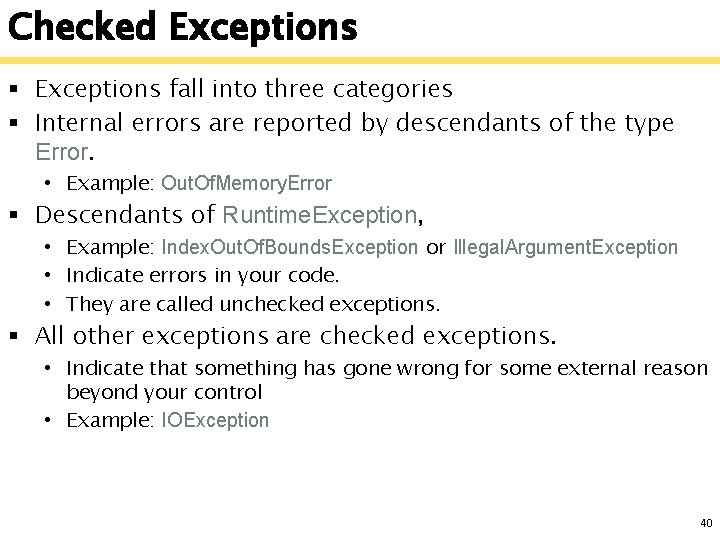
Checked Exceptions § Exceptions fall into three categories § Internal errors are reported by descendants of the type Error. • Example: Out. Of. Memory. Error § Descendants of Runtime. Exception, • Example: Index. Out. Of. Bounds. Exception or Illegal. Argument. Exception • Indicate errors in your code. • They are called unchecked exceptions. § All other exceptions are checked exceptions. • Indicate that something has gone wrong for some external reason beyond your control • Example: IOException 40
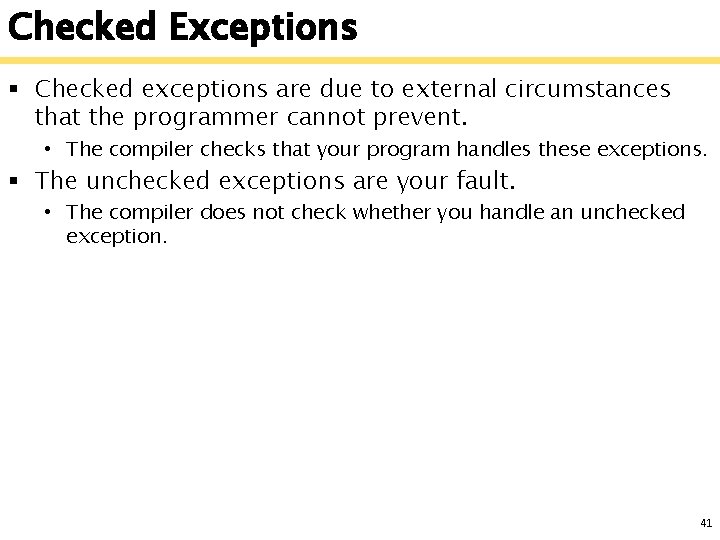
Checked Exceptions § Checked exceptions are due to external circumstances that the programmer cannot prevent. • The compiler checks that your program handles these exceptions. § The unchecked exceptions are your fault. • The compiler does not check whether you handle an unchecked exception. 41
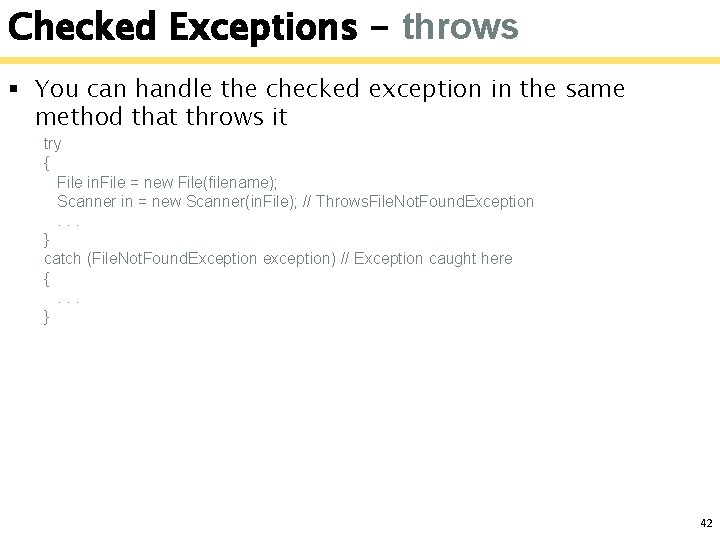
Checked Exceptions - throws § You can handle the checked exception in the same method that throws it try { File in. File = new File(filename); Scanner in = new Scanner(in. File); // Throws. File. Not. Found. Exception. . . } catch (File. Not. Found. Exception exception) // Exception caught here {. . . } 42
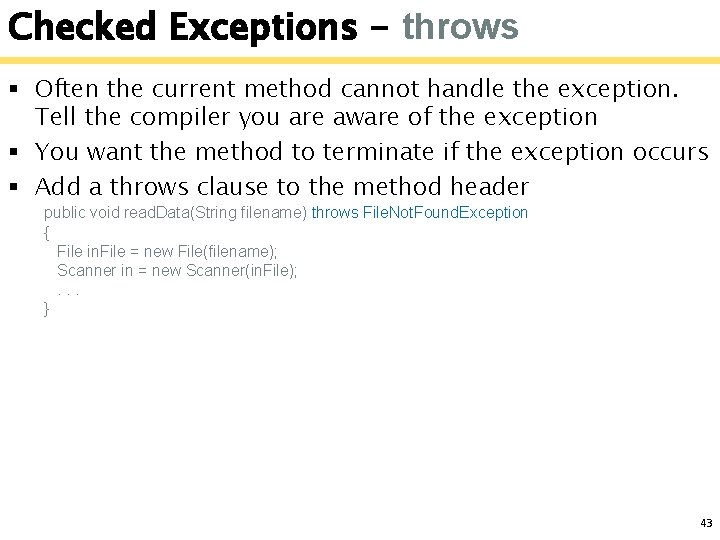
Checked Exceptions - throws § Often the current method cannot handle the exception. Tell the compiler you are aware of the exception § You want the method to terminate if the exception occurs § Add a throws clause to the method header public void read. Data(String filename) throws File. Not. Found. Exception { File in. File = new File(filename); Scanner in = new Scanner(in. File); . . . } 43