
Ray Tracing Writing a Very Simple Version What
![Usage of Image. IO. c int main(int argc, char* argv[]) { Color. Image image;](https://slidetodoc.com/presentation_image_h2/73ceaf072237898173106a8df2881ecb/image-37.jpg "Usage of Image. IO. c int main(int argc, char* argv[]) { Color. Image image;")
- Slides: 37
Ray Tracing Writing a Very Simple Version
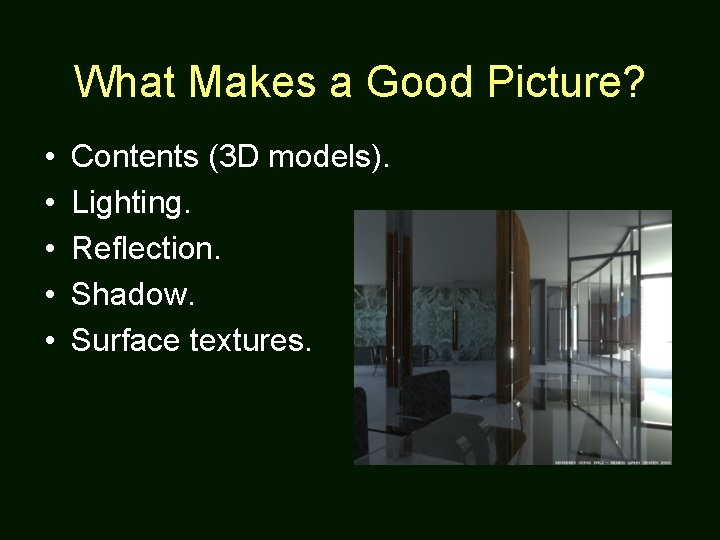
What Makes a Good Picture? • • • Contents (3 D models). Lighting. Reflection. Shadow. Surface textures.
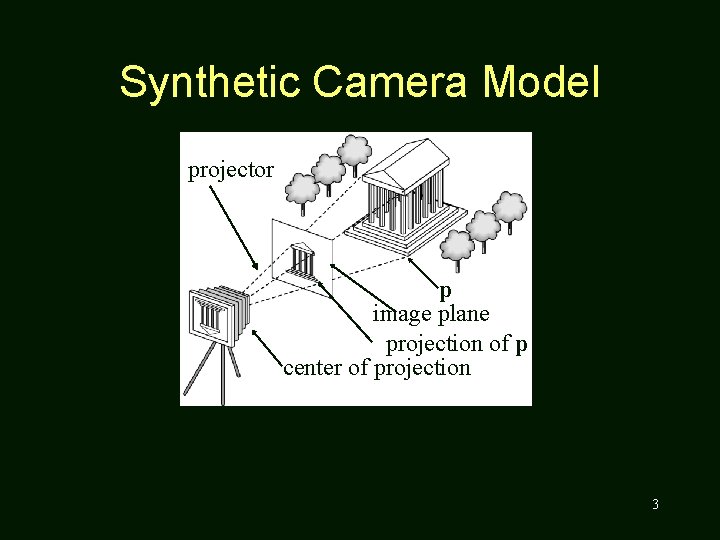
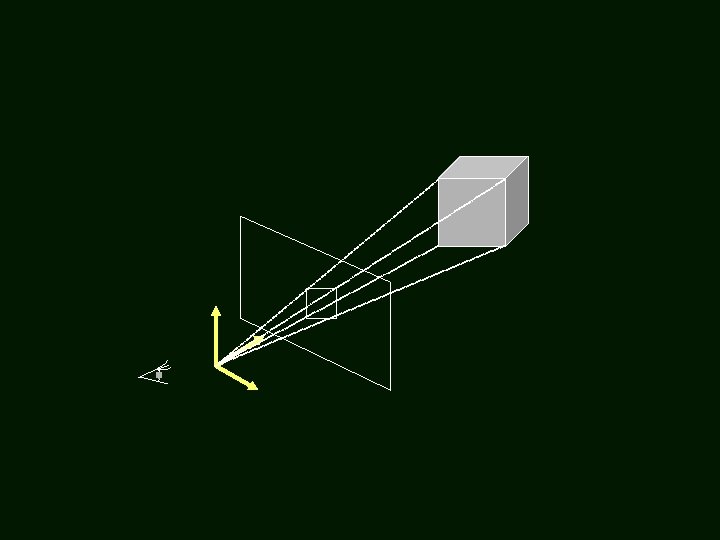
Synthetic Camera Model projector p image plane projection of p center of projection 3
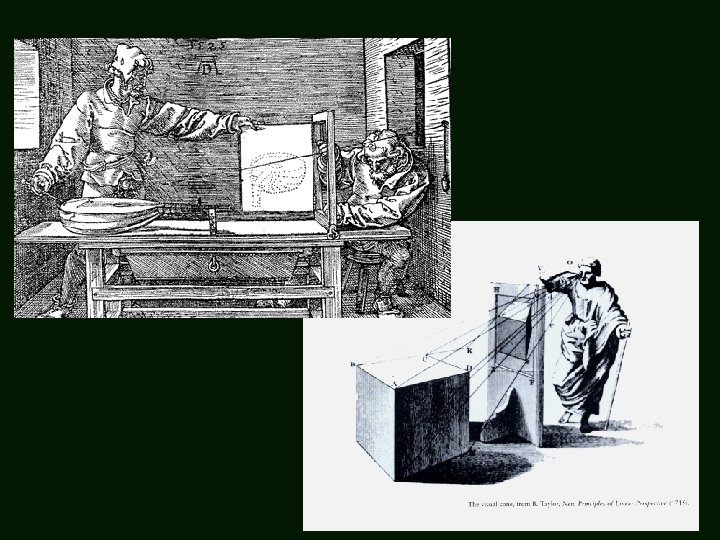
4
Method A: Object Order Algorithm (Process one polygon at a time. )
3 D to 2 D Projection • OK, so we can map a 3 D point (or vertex) to 2 D image. • But what about a 3 D surface? • Polygons are made from points. • Actually, we only need triangles!
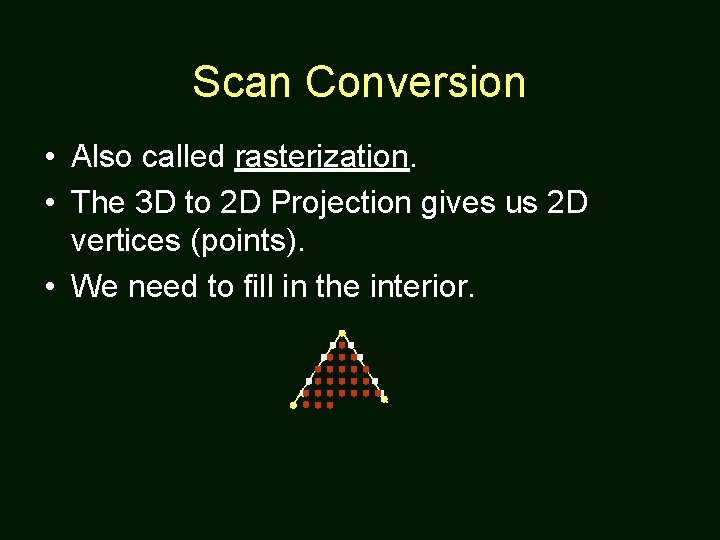
Scan Conversion • Also called rasterization. • The 3 D to 2 D Projection gives us 2 D vertices (points). • We need to fill in the interior.
Method B: Screen Order Algorithm (Process one pixel at a time. )
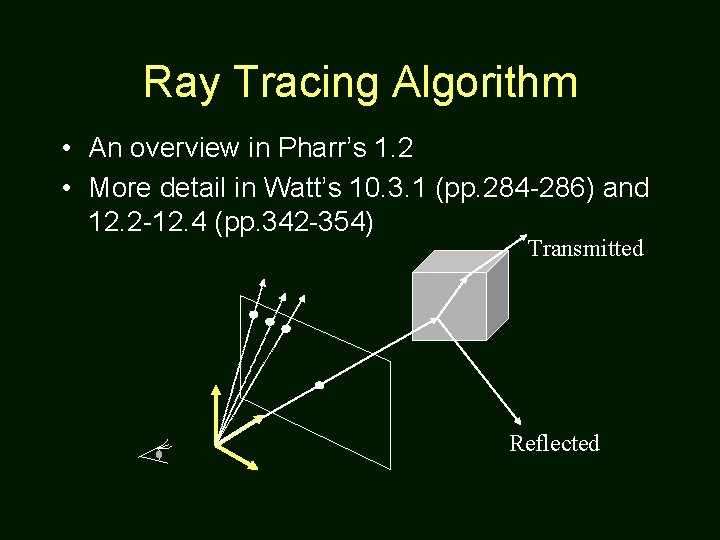
Ray Tracing Algorithm • An overview in Pharr’s 1. 2 • More detail in Watt’s 10. 3. 1 (pp. 284 -286) and 12. 2 -12. 4 (pp. 342 -354) Transmitted Reflected
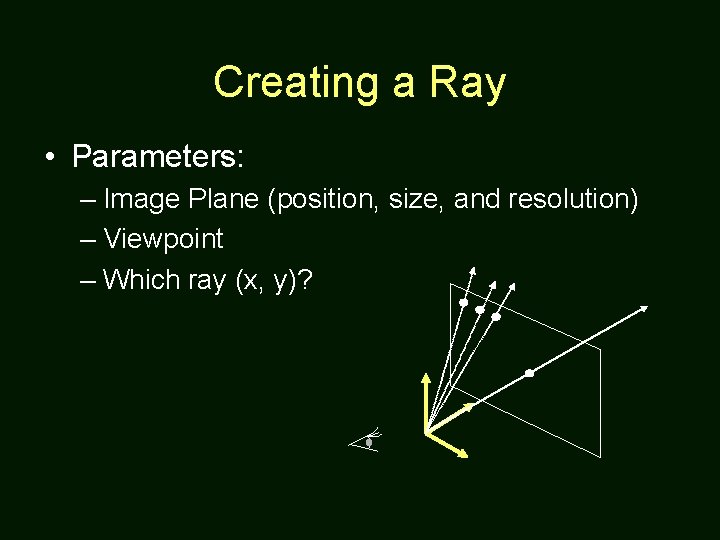
Creating a Ray • Parameters: – Image Plane (position, size, and resolution) – Viewpoint – Which ray (x, y)?
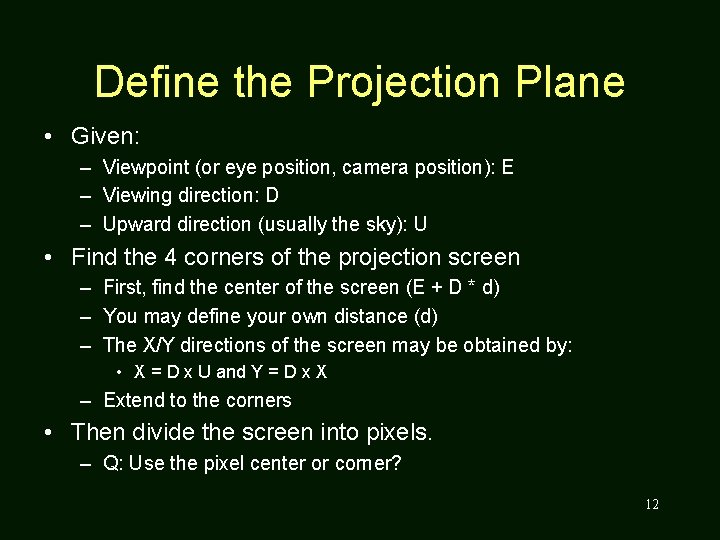
Define the Projection Plane • Given: – Viewpoint (or eye position, camera position): E – Viewing direction: D – Upward direction (usually the sky): U • Find the 4 corners of the projection screen – First, find the center of the screen (E + D * d) – You may define your own distance (d) – The X/Y directions of the screen may be obtained by: • X = D x U and Y = D x X – Extend to the corners • Then divide the screen into pixels. – Q: Use the pixel center or corner? 12
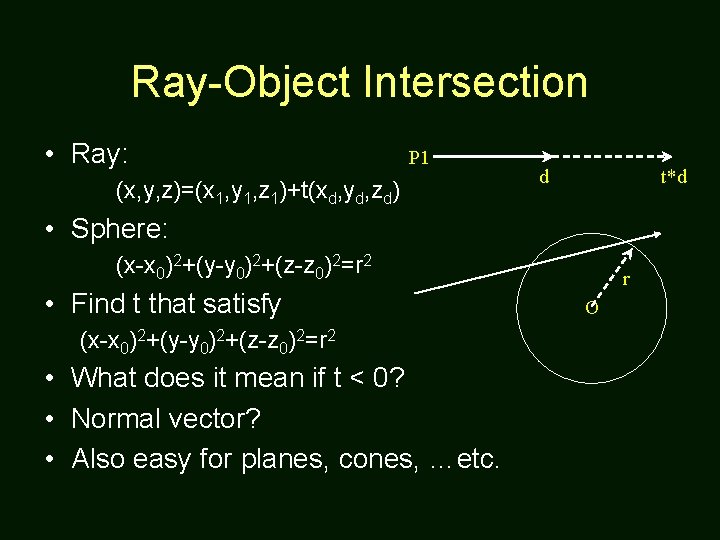
Ray-Object Intersection • Ray: P 1 (x, y, z)=(x 1, y 1, z 1)+t(xd, yd, zd) d t*d • Sphere: (x-x 0)2+(y-y 0)2+(z-z 0)2=r 2 • Find t that satisfy (x-x 0)2+(y-y 0)2+(z-z 0)2=r 2 • What does it mean if t < 0? • Normal vector? • Also easy for planes, cones, …etc. r O
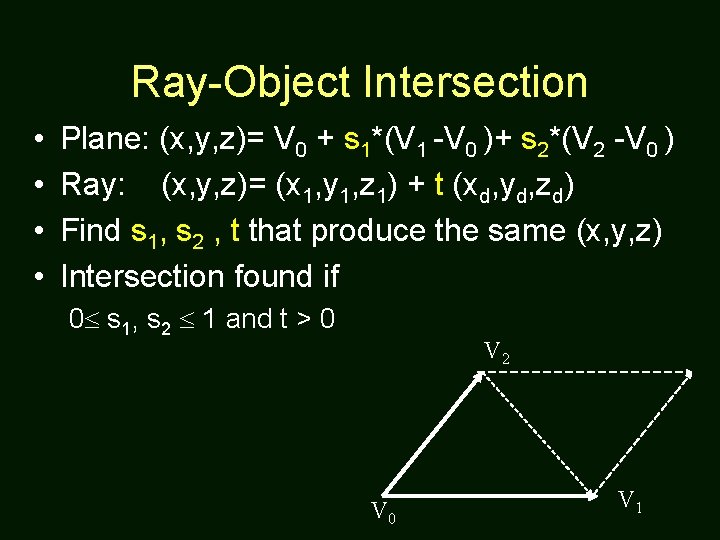
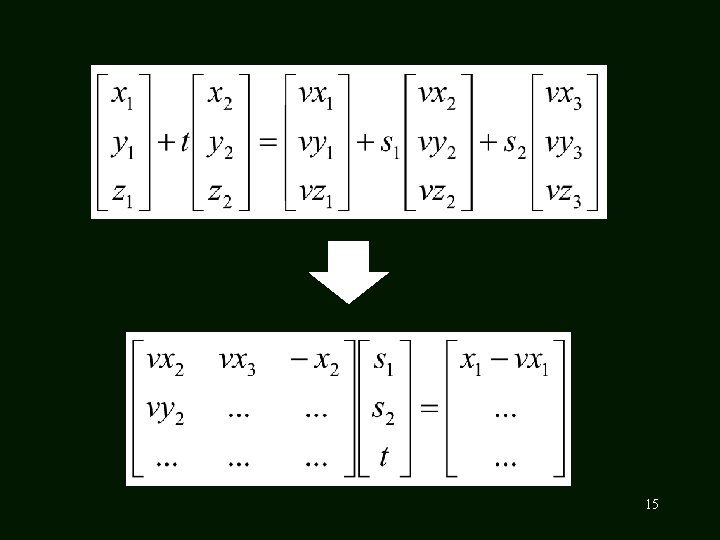
Ray-Object Intersection • • Plane: (x, y, z)= V 0 + s 1*(V 1 -V 0 )+ s 2*(V 2 -V 0 ) Ray: (x, y, z)= (x 1, y 1, z 1) + t (xd, yd, zd) Find s 1, s 2 , t that produce the same (x, y, z) Intersection found if 0 s 1, s 2 1 and t > 0 V 2 V 0 V 1
15
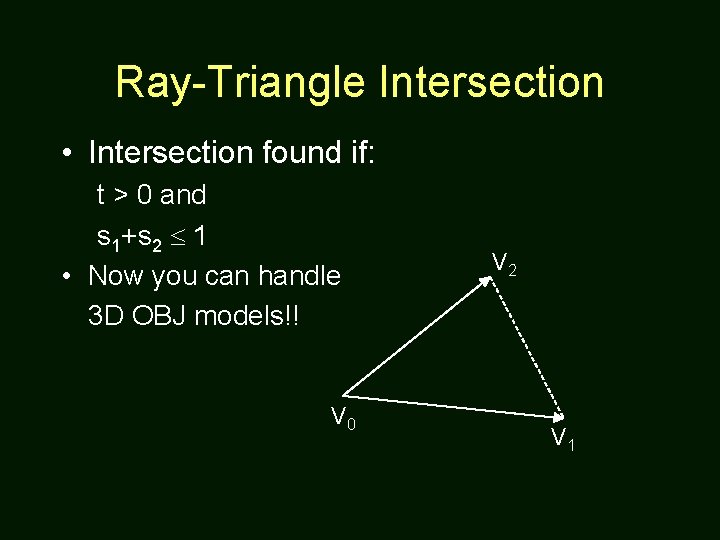
Ray-Triangle Intersection • Intersection found if: t > 0 and s 1+s 2 1 • Now you can handle 3 D OBJ models!! V 0 V 2 V 1
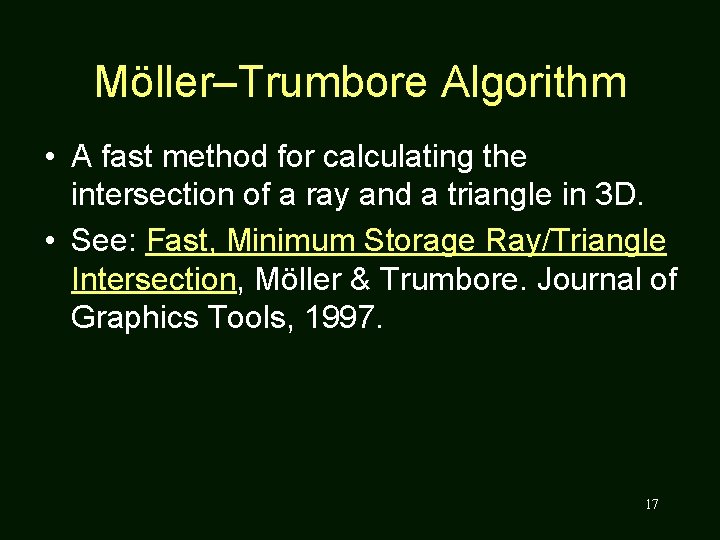
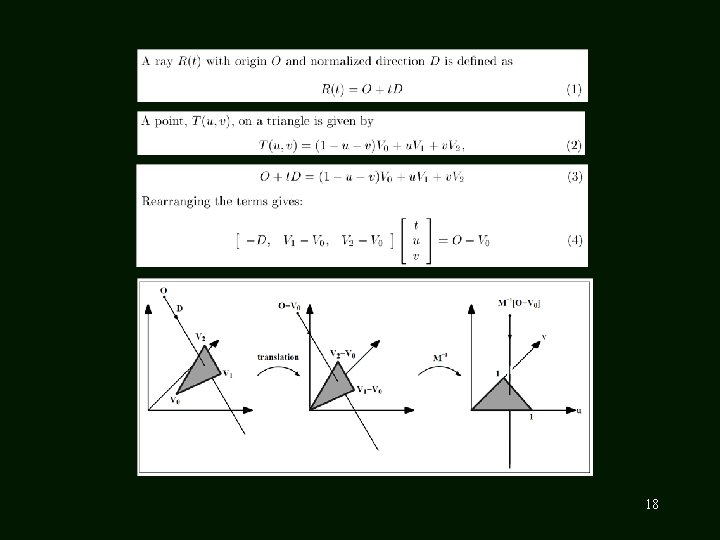
Möller–Trumbore Algorithm • A fast method for calculating the intersection of a ray and a triangle in 3 D. • See: Fast, Minimum Storage Ray/Triangle Intersection, Möller & Trumbore. Journal of Graphics Tools, 1997. 17
18
SHADING, REFLECTION, REFRACTION
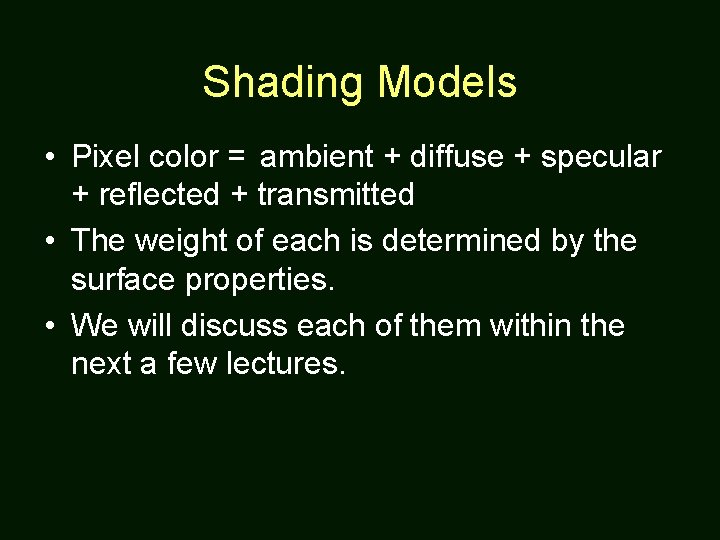
Shading Models • Pixel color = ambient + diffuse + specular + reflected + transmitted • The weight of each is determined by the surface properties. • We will discuss each of them within the next a few lectures.
Lighting (Shading) & Shadow • Point light is easy to implement. • How to determine a surface point is in the shadow? Use a shadow ray (from intersection point to light). • Shading will be introduced in the next lecture.
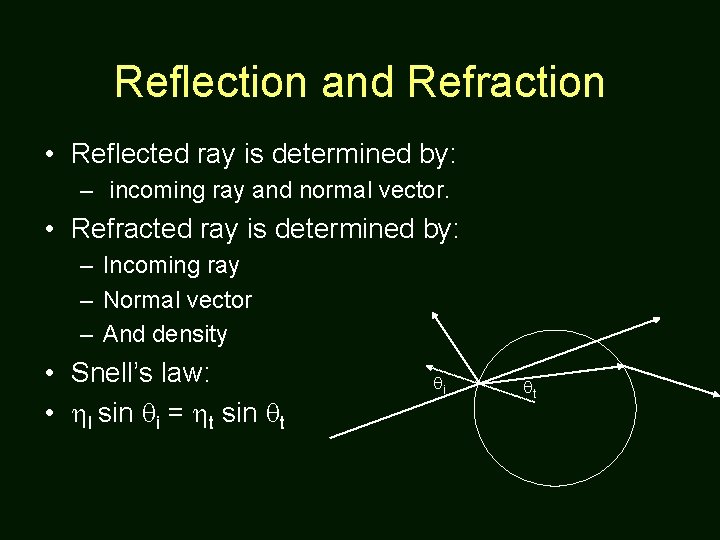
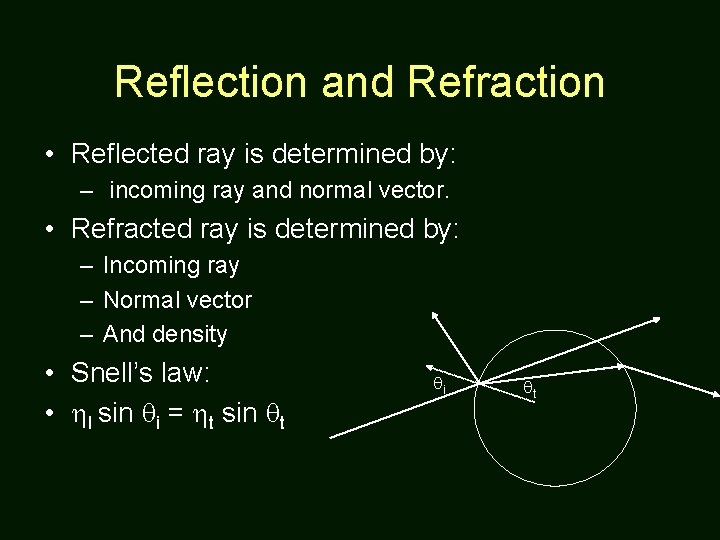
Reflection and Refraction • Reflected ray is determined by: – incoming ray and normal vector. • Refracted ray is determined by: – Incoming ray – Normal vector – And density • Snell’s law: • I sin i = t sin t i t
Recursive Algorithm • The reflected ray, refracted ray, and shadow ray are traced recursively. • Termination condition: – Depth of trace – Weight (to the final pixel color) of ray
Advantage • We get all the following automatically: – Hidden surface removal – Shadow – Reflection – Transparency and refraction
Disadvantage • Slow. Many rays are spawned. • Slow. Ray-object intersection for every ray and every object. (We will discuss how to avoid this in the next lecture). • The lighting is still not completely right!
Assignments 1 & 2 – A Ray Tracer • Split into two parts. • Part A due in 2 weeks. – Camera module – Object module – No recursive ray tracing – Simple output (just black and white) • The rest (Part B) are due in 2 more weeks.
Required Modules • • Ray Generation Module Ray Object Intersection Module Shading Module (Recursive Rays Gen. ) Display (Output) Module
Ray Generation Module • Reads camera setup from input files. • Definition of eye position and image plane in 3 D coordinates. • Generates a ray if given image screen coordinates (x, y) – Note that x and y may be real numbers (not integers).
Intersection Module • Sphere and triangle types only (for now). • Ray-object intersection. • Light (for Part B). •
Shading Module • Integration of other modules. • Shading (for Part B). • Spawn reflected and refracted rays.
Part A • Ray generation module • Ray-object intersection module – Spheres and triangles only • Shading module: – No shading. No reflection and refraction. • Display module (black & white only)
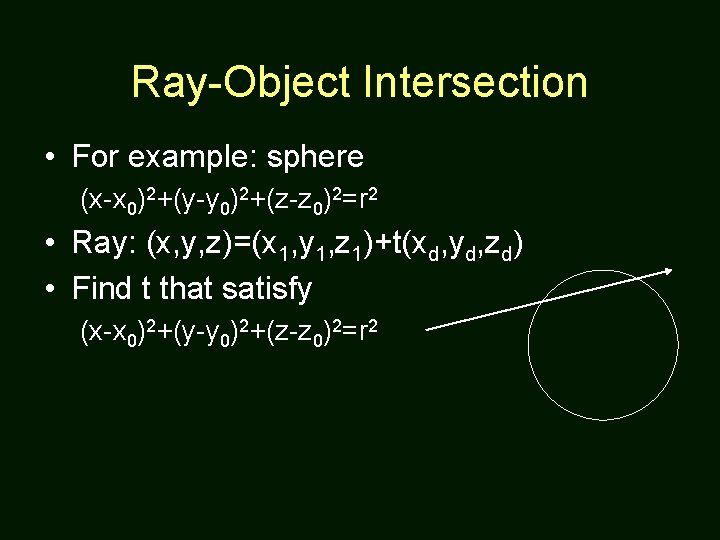
Ray-Object Intersection • For example: sphere (x-x 0)2+(y-y 0)2+(z-z 0)2=r 2 • Ray: (x, y, z)=(x 1, y 1, z 1)+t(xd, yd, zd) • Find t that satisfy (x-x 0)2+(y-y 0)2+(z-z 0)2=r 2
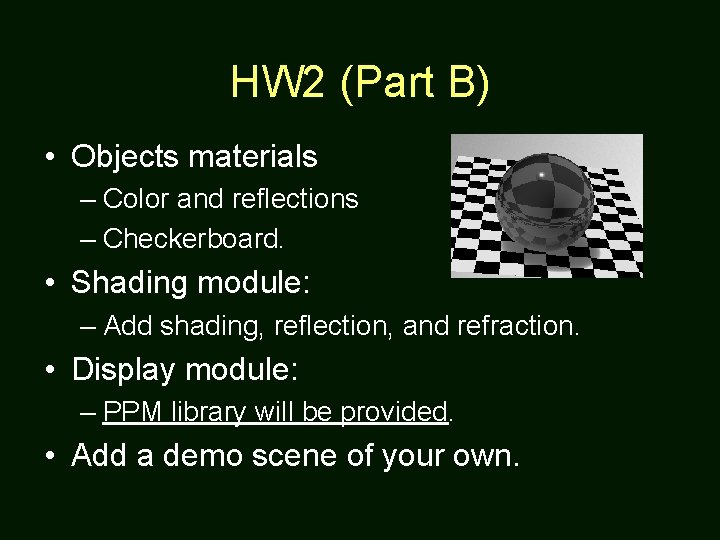
HW 2 (Part B) • Objects materials – Color and reflections – Checkerboard. • Shading module: – Add shading, reflection, and refraction. • Display module: – PPM library will be provided. • Add a demo scene of your own.
Lighting (Shading) & Shadow • Point light is easy to implement. • How to determine a surface point is in the shadow? Use a shadow ray (from intersection point to light). • Shading will be introduced in the next lecture.
Reflection and Refraction • Reflected ray is determined by: – incoming ray and normal vector. • Refracted ray is determined by: – Incoming ray – Normal vector – And density • Snell’s law: • I sin i = t sin t i t
Output to PPM Format • A image forma that is easy to support • IO code available as Image. IO. [c, h] • Download Irfan. View (freeware) to view the generated output images. 36
Usage of Image. IO. c int main(int argc, char* argv[]) { Color. Image image; int x, y; Pixel p={0, 0, 0}; init. Color. Image(256, &image); for (y=0; y<256; y++) { for (x=0; x<256; x++) { p. R = y; write. Pixel(x, y, p, &image); } } output. PPM("reds. ppm", &image); } 37