
Raw Beauty Pass with VRay Advanced VRay Render
Raw Beauty Pass with V-Ray: Advanced V-Ray Render Elements

Lesson Introduction – Orientation • This presentation will take you through creating and using V-Ray Advanced Render Elements for compositing back to Beauty • This information centers around the Render Elements you can create using V-Ray • The lesson topic is approximately 30 minutes in length • Presentation covers all 3 Learning Cycles for the Lesson Topic – Lecture, Demonstration, and Activity
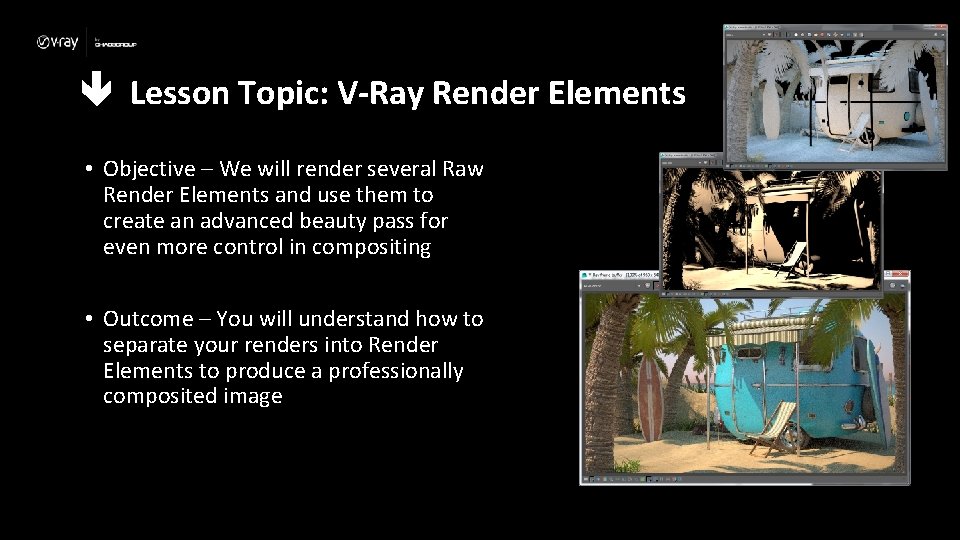
Lesson Topic: V-Ray Render Elements • Objective – We will render several Raw Render Elements and use them to create an advanced beauty pass for even more control in compositing • Outcome – You will understand how to separate your renders into Render Elements to produce a professionally composited image
Lecture: Terminology • Here’s some terms to be aware of when thinking about Render Elements. – Pass – A “once-over” on the rendering to produce a specific effect. You can think of a pass as a “sweep” through the image to do one specific thing. – Render pass – A pass that renders the entire image and stores one or more elements of the scene, for example just the lighting or just the reflections – Render Element – The results of a render pass that can be combined in a post process to adjust the final image – Compositing – The combining and adjustment of Render Elements and/or other elements such as live footage or background plates – Beauty pass – The combining and editing of certain Render Elements to create a traditional rendered image

Lecture: V-Ray Render Elements • For a high-end work such as feature films, rendering straight out of Maya/V-Ray is usually never enough control to get the desired look • Rendered image might need adjustment to match liveaction lighting, color temperature, etc. • Director might want to try different sky backgrounds, combinations of landscape elements, etc. • Common adjustments include color correction, improvement of contrast, adding or enhancing Lens Effects • Making changes to Render Elements is faster and easier than re-rendering
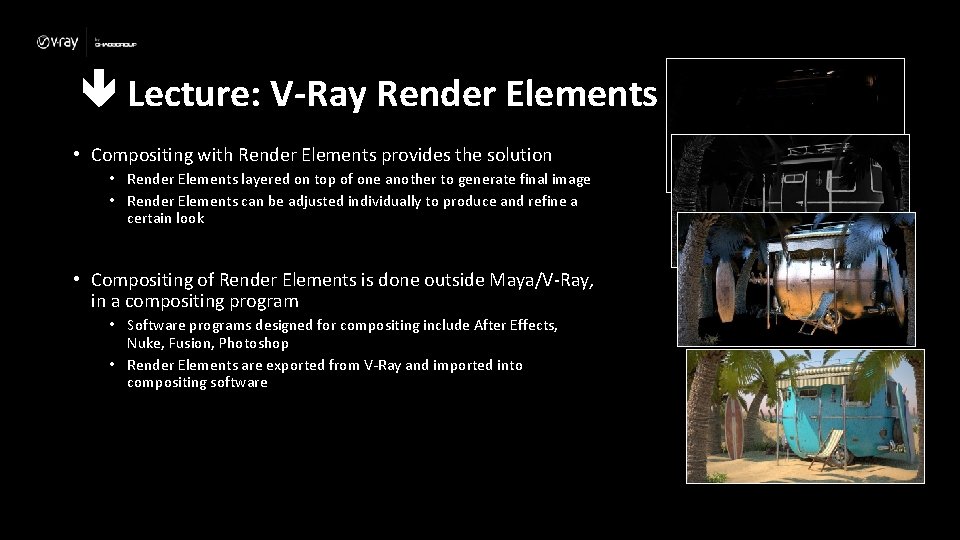
Lecture: V-Ray Render Elements • Compositing with Render Elements provides the solution • Render Elements layered on top of one another to generate final image • Render Elements can be adjusted individually to produce and refine a certain look • Compositing of Render Elements is done outside Maya/V-Ray, in a compositing program • Software programs designed for compositing include After Effects, Nuke, Fusion, Photoshop • Render Elements are exported from V-Ray and imported into compositing software
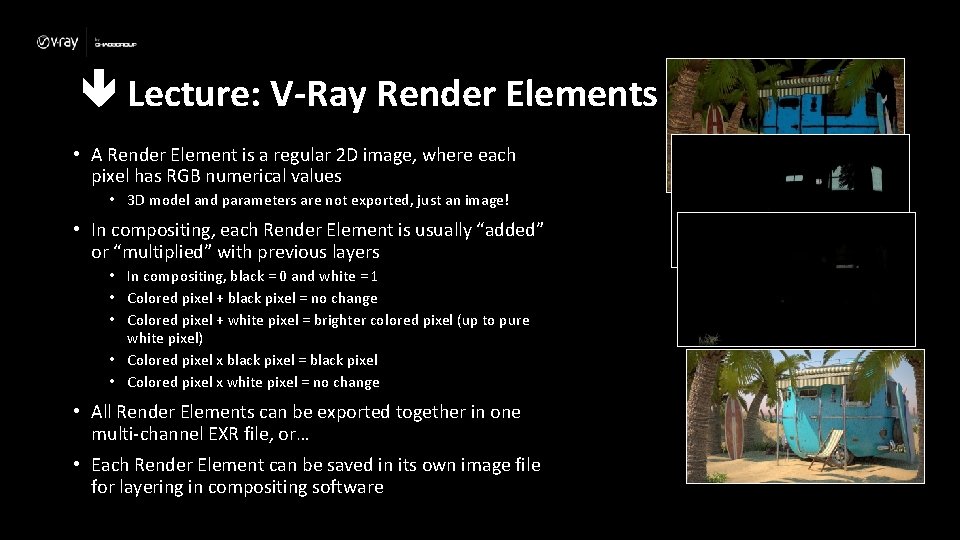
Lecture: V-Ray Render Elements • A Render Element is a regular 2 D image, where each pixel has RGB numerical values • 3 D model and parameters are not exported, just an image! • In compositing, each Render Element is usually “added” or “multiplied” with previous layers • In compositing, black = 0 and white = 1 • Colored pixel + black pixel = no change • Colored pixel + white pixel = brighter colored pixel (up to pure white pixel) • Colored pixel x black pixel = black pixel • Colored pixel x white pixel = no change • All Render Elements can be exported together in one multi-channel EXR file, or… • Each Render Element can be saved in its own image file for layering in compositing software

Lesson Topic: V-Ray Render Elements • Render Elements Compositing Workflow • Add Render Elements in Render Settings window • Once added, elements automatically available in VFB for each rendered image • Save as EXR file for compositing • EXR file is a collection of Render Elements (2 D images) • Composite Render Elements in programs like After Effects • Using plugins, multi-channel EXR files open as layers, one layer per Render Element • Render Elements can be adjusted to create different effects • Render beauty pass as final image
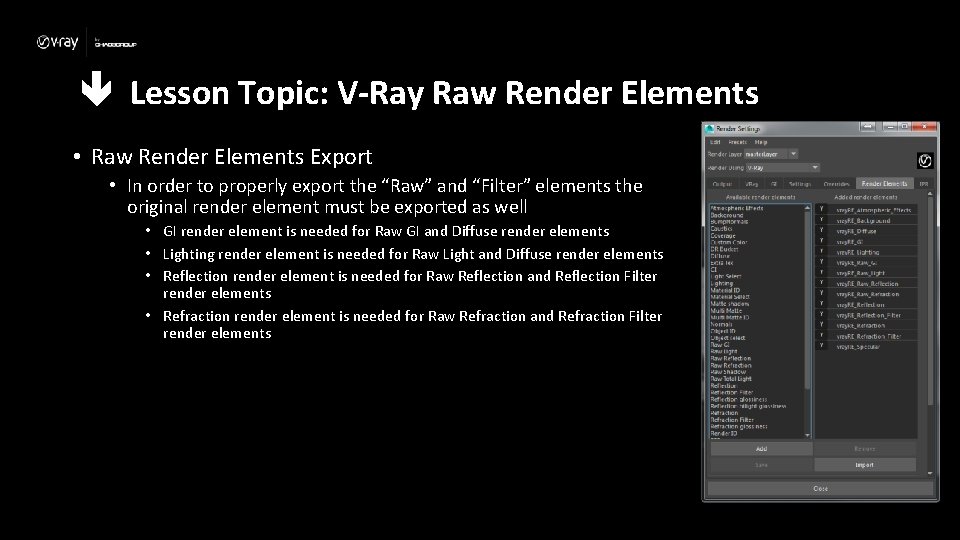
Lesson Topic: V-Ray Raw Render Elements • Raw Render Elements Export • In order to properly export the “Raw” and “Filter” elements the original render element must be exported as well • GI render element is needed for Raw GI and Diffuse render elements • Lighting render element is needed for Raw Light and Diffuse render elements • Reflection render element is needed for Raw Reflection and Reflection Filter render elements • Refraction render element is needed for Raw Refraction and Refraction Filter render elements
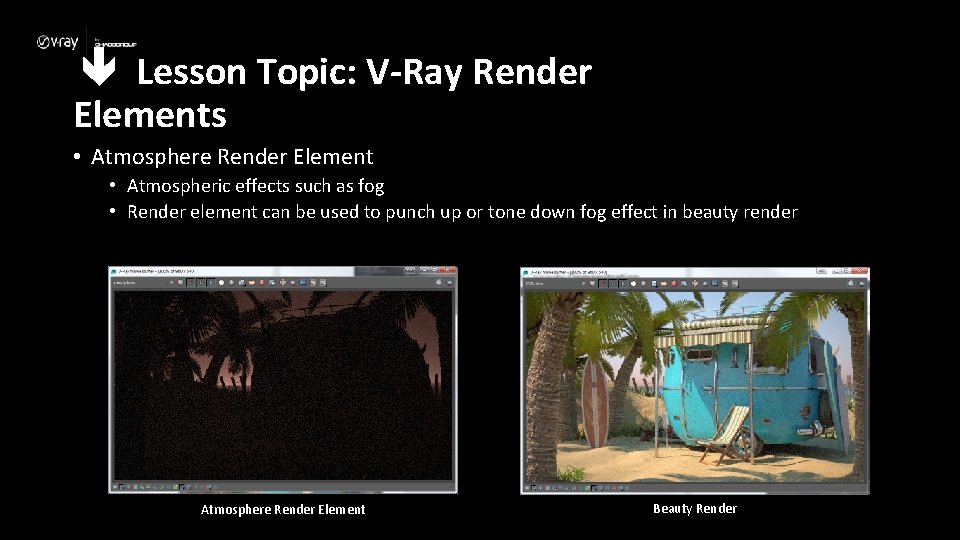
Lesson Topic: V-Ray Render Elements • Atmosphere Render Element • Atmospheric effects such as fog • Render element can be used to punch up or tone down fog effect in beauty render Atmosphere Render Element Beauty Render
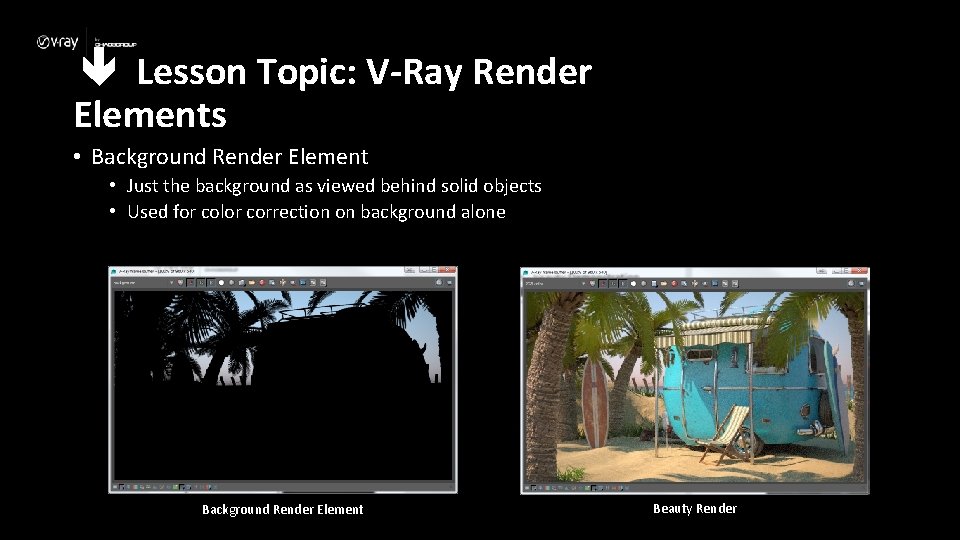
Lesson Topic: V-Ray Render Elements • Background Render Element • Just the background as viewed behind solid objects • Used for color correction on background alone Background Render Element Beauty Render

Lesson Topic: V-Ray Render Elements • Diffuse Render Element • Contains the diffuse surface color (not affected by lights) • Base color that all the other passes affect Diffuse Render Element Beauty Render
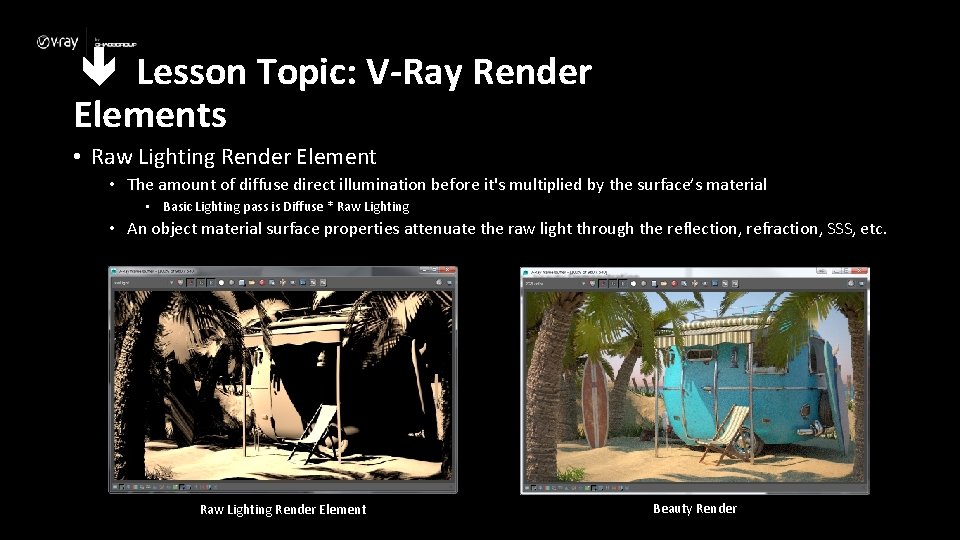
Lesson Topic: V-Ray Render Elements • Raw Lighting Render Element • The amount of diffuse direct illumination before it's multiplied by the surface’s material • Basic Lighting pass is Diffuse * Raw Lighting • An object material surface properties attenuate the raw light through the reflection, refraction, SSS, etc. Raw Lighting Render Element Beauty Render
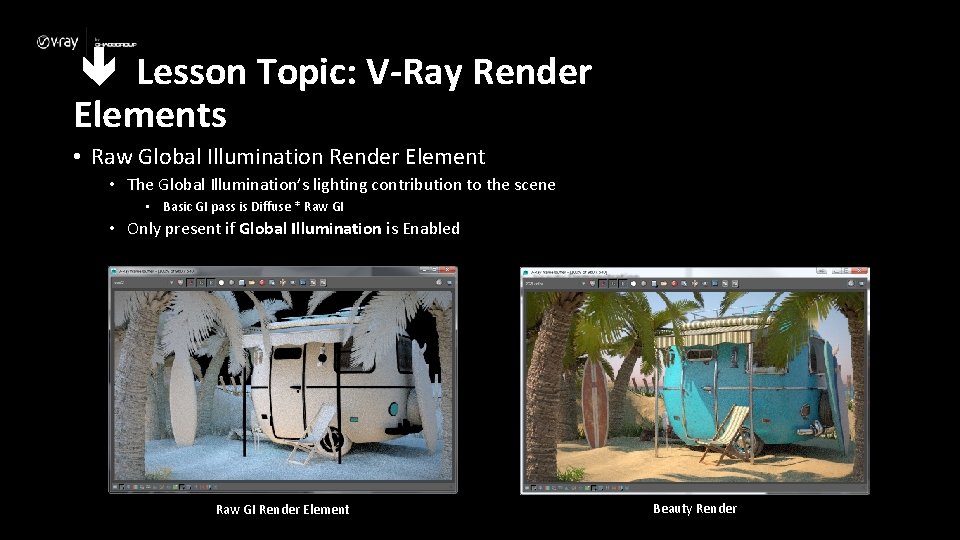
Lesson Topic: V-Ray Render Elements • Raw Global Illumination Render Element • The Global Illumination’s lighting contribution to the scene • Basic GI pass is Diffuse * Raw GI • Only present if Global Illumination is Enabled Raw GI Render Element Beauty Render
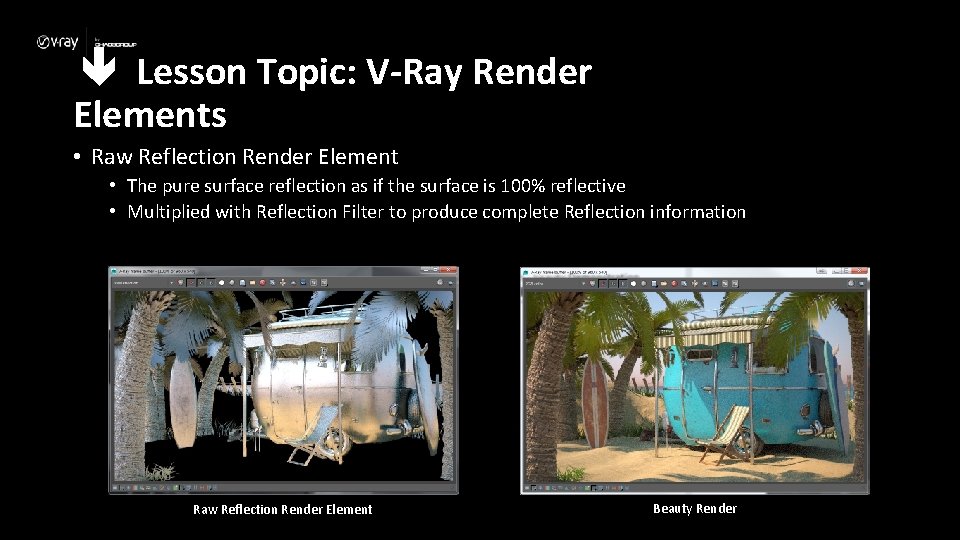
Lesson Topic: V-Ray Render Elements • Raw Reflection Render Element • The pure surface reflection as if the surface is 100% reflective • Multiplied with Reflection Filter to produce complete Reflection information Raw Reflection Render Element Beauty Render
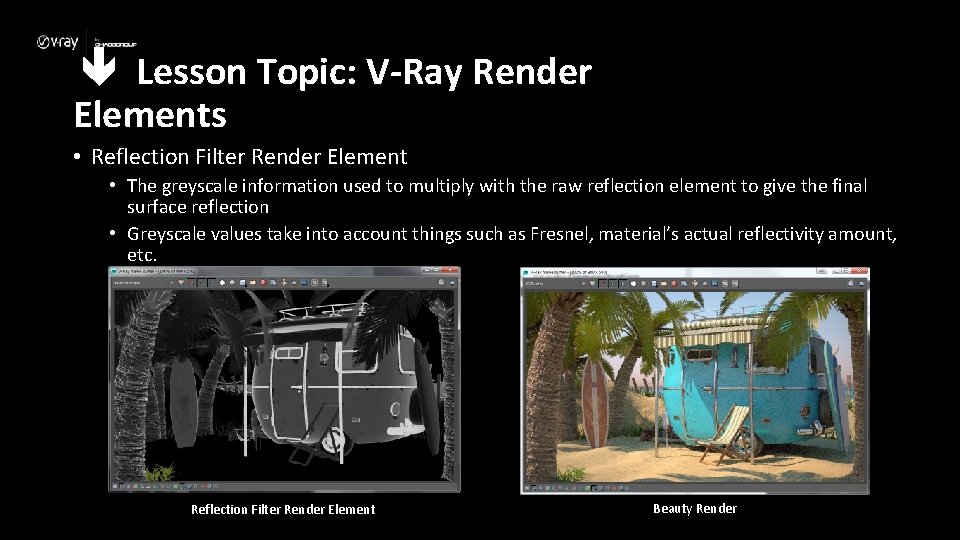
Lesson Topic: V-Ray Render Elements • Reflection Filter Render Element • The greyscale information used to multiply with the raw reflection element to give the final surface reflection • Greyscale values take into account things such as Fresnel, material’s actual reflectivity amount, etc. Reflection Filter Render Element Beauty Render
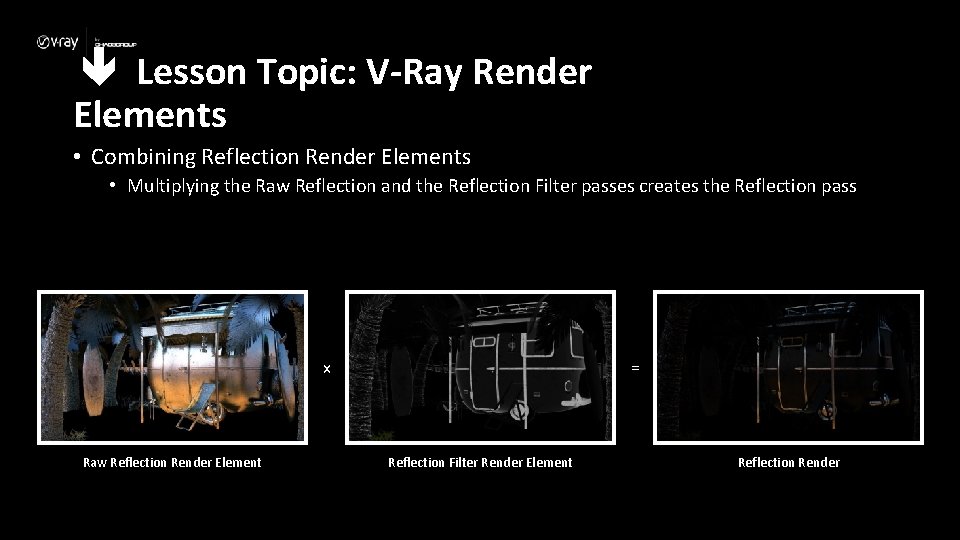
Lesson Topic: V-Ray Render Elements • Combining Reflection Render Elements • Multiplying the Raw Reflection and the Reflection Filter passes creates the Reflection pass x Raw Reflection Render Element = Reflection Filter Render Element Reflection Render
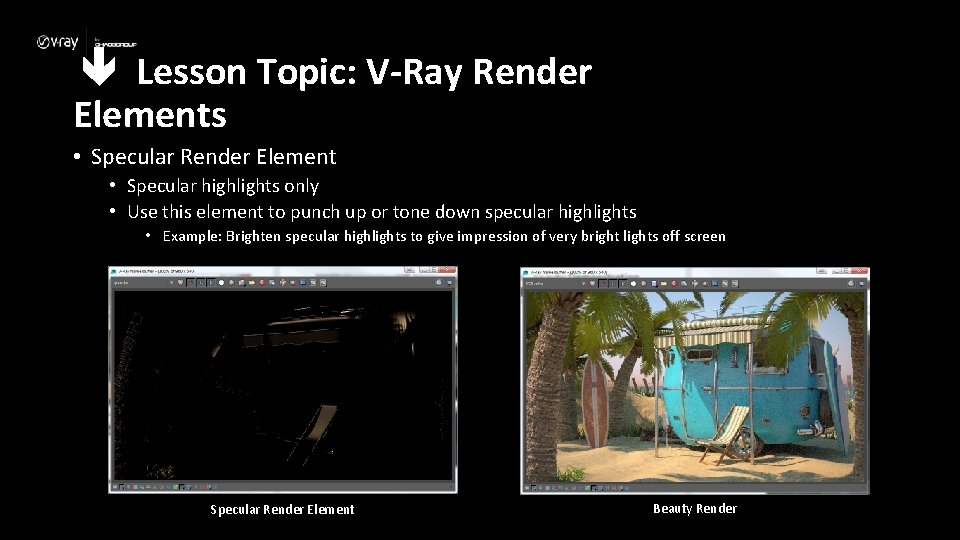
Lesson Topic: V-Ray Render Elements • Specular Render Element • Specular highlights only • Use this element to punch up or tone down specular highlights • Example: Brighten specular highlights to give impression of very bright lights off screen Specular Render Element Beauty Render
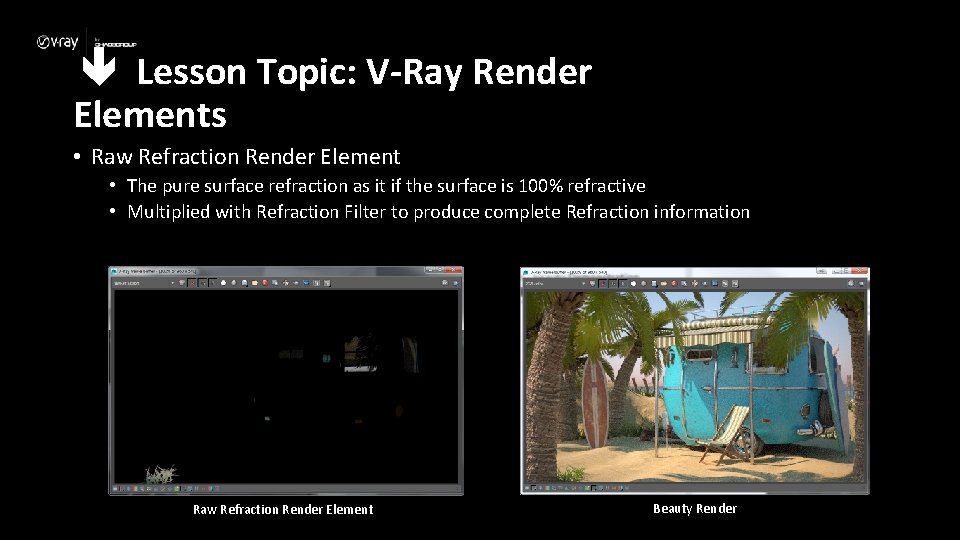
Lesson Topic: V-Ray Render Elements • Raw Refraction Render Element • The pure surface refraction as it if the surface is 100% refractive • Multiplied with Refraction Filter to produce complete Refraction information Raw Refraction Render Element Beauty Render
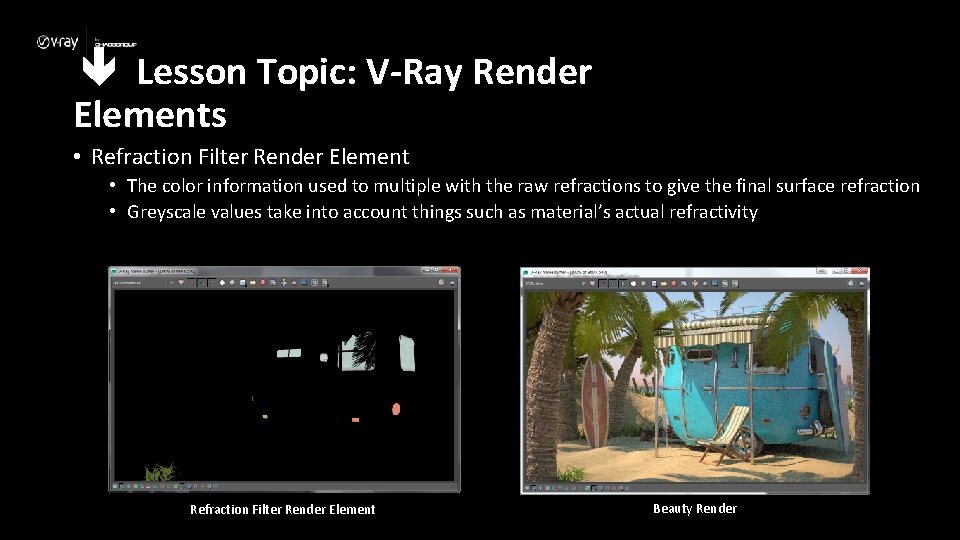
Lesson Topic: V-Ray Render Elements • Refraction Filter Render Element • The color information used to multiple with the raw refractions to give the final surface refraction • Greyscale values take into account things such as material’s actual refractivity Refraction Filter Render Element Beauty Render
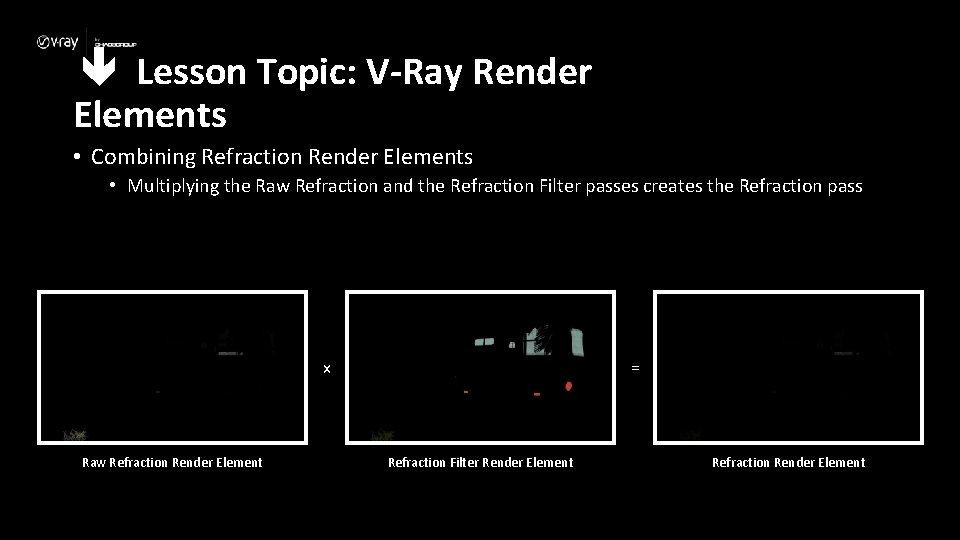
Lesson Topic: V-Ray Render Elements • Combining Refraction Render Elements • Multiplying the Raw Refraction and the Refraction Filter passes creates the Refraction pass x Raw Refraction Render Element = Refraction Filter Render Element Refraction Render Element
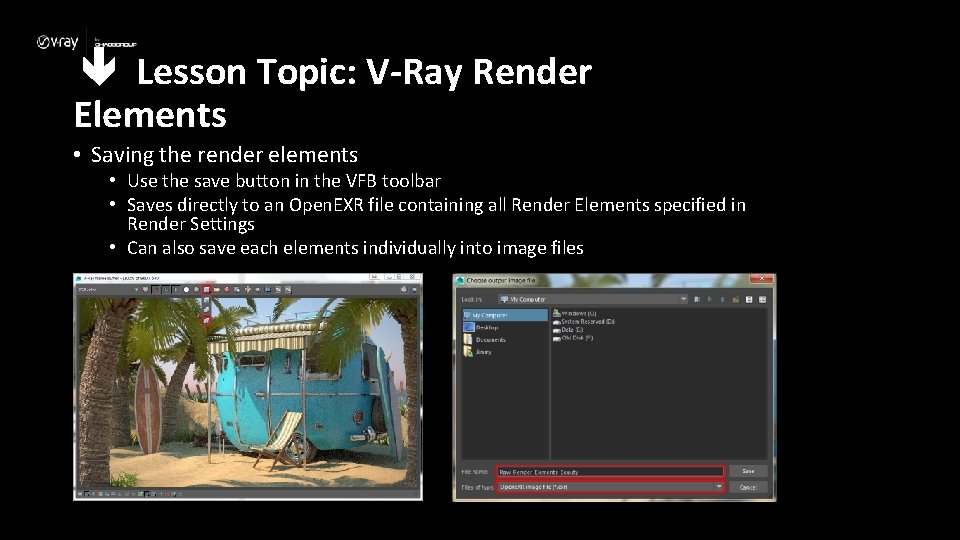
Lesson Topic: V-Ray Render Elements • Saving the render elements • Use the save button in the VFB toolbar • Saves directly to an Open. EXR file containing all Render Elements specified in Render Settings • Can also save each elements individually into image files
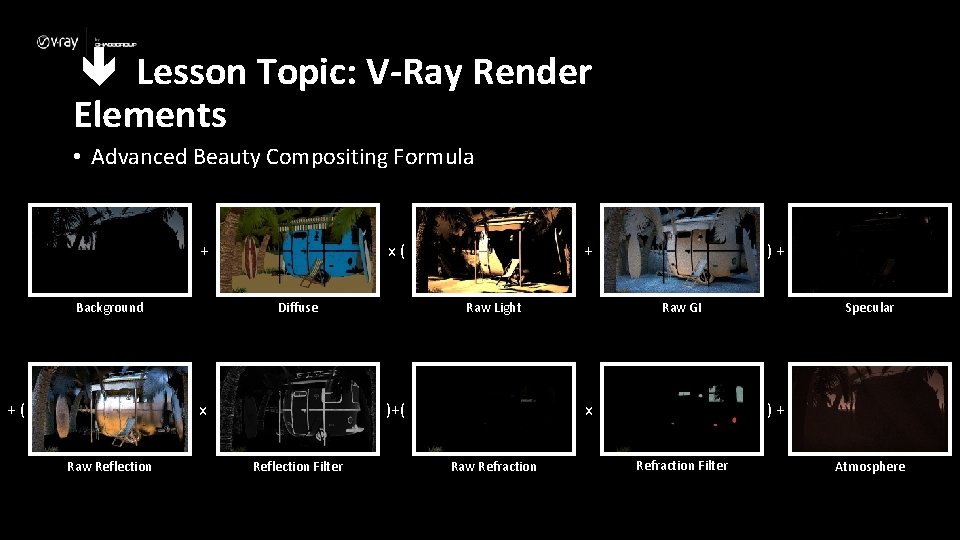
Lesson Topic: V-Ray Render Elements • Advanced Beauty Compositing Formula x( + Background +( Diffuse Raw Light )+( x Raw Reflection + Reflection Filter )+ x Raw Refraction Specular Raw GI )+ Refraction Filter Atmosphere
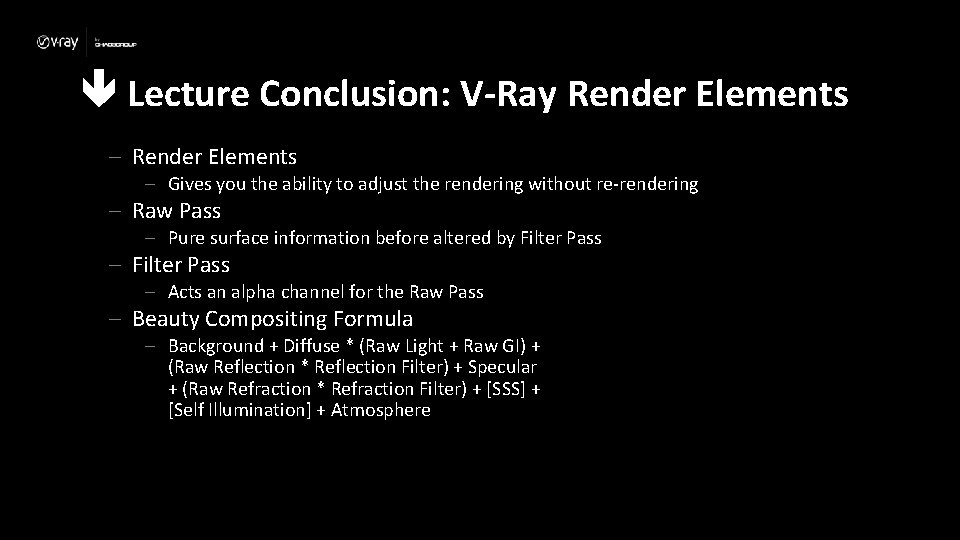
Lecture Conclusion: V-Ray Render Elements – Gives you the ability to adjust the rendering without re-rendering – Raw Pass – Pure surface information before altered by Filter Pass – Acts an alpha channel for the Raw Pass – Beauty Compositing Formula – Background + Diffuse * (Raw Light + Raw GI) + (Raw Reflection * Reflection Filter) + Specular + (Raw Refraction * Refraction Filter) + [SSS] + [Self Illumination] + Atmosphere
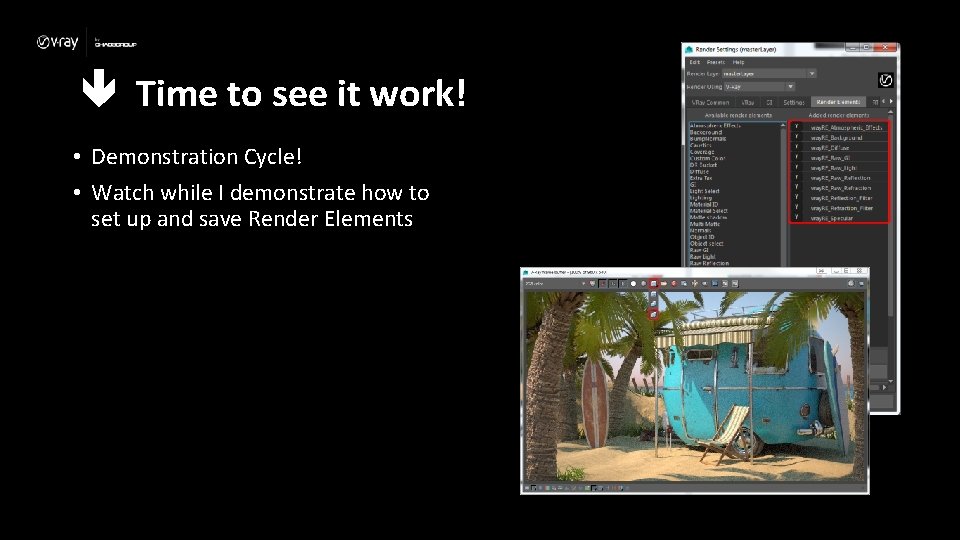
Time to see it work! • Demonstration Cycle! • Watch while I demonstrate how to set up and save Render Elements
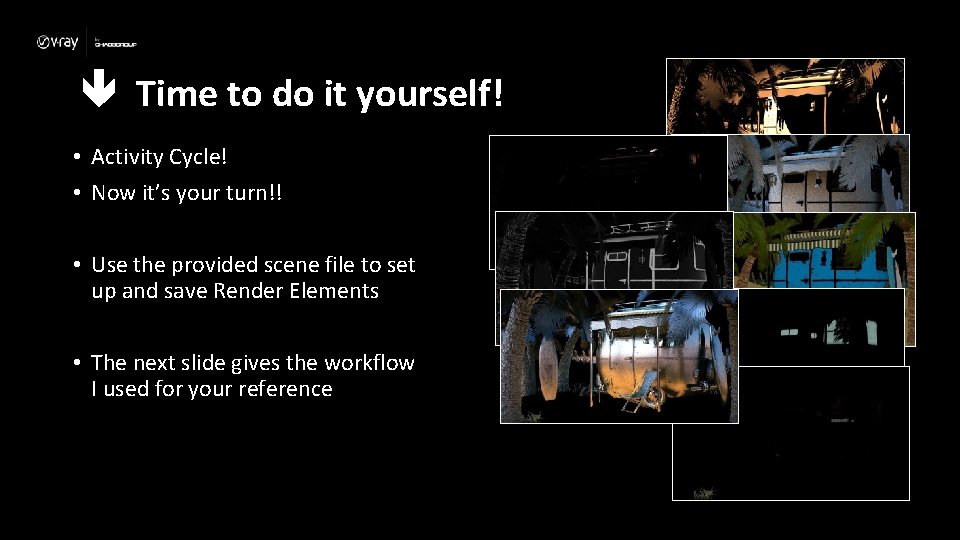
Time to do it yourself! • Activity Cycle! • Now it’s your turn!! • Use the provided scene file to set up and save Render Elements • The next slide gives the workflow I used for your reference
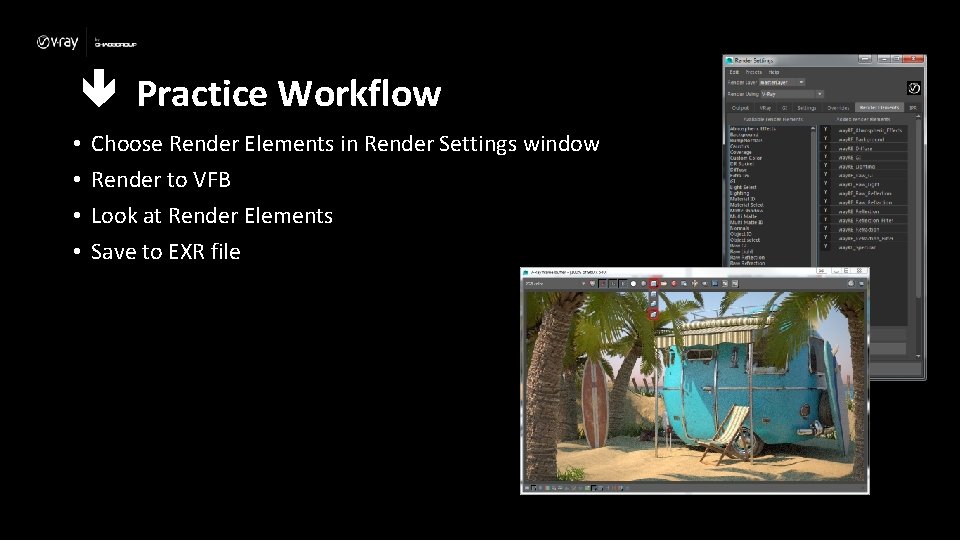
Practice Workflow • • Choose Render Elements in Render Settings window Render to VFB Look at Render Elements Save to EXR file
- Slides: 29