
Rational Unified Process by Amir Ranjbar aranjmehr sharif
Rational Unified Process by Amir Ranjbar aranj@mehr. sharif. edu
Rational Unified Process (RUP) n n n Introduction Phases Core Workflows Best Practices Tools
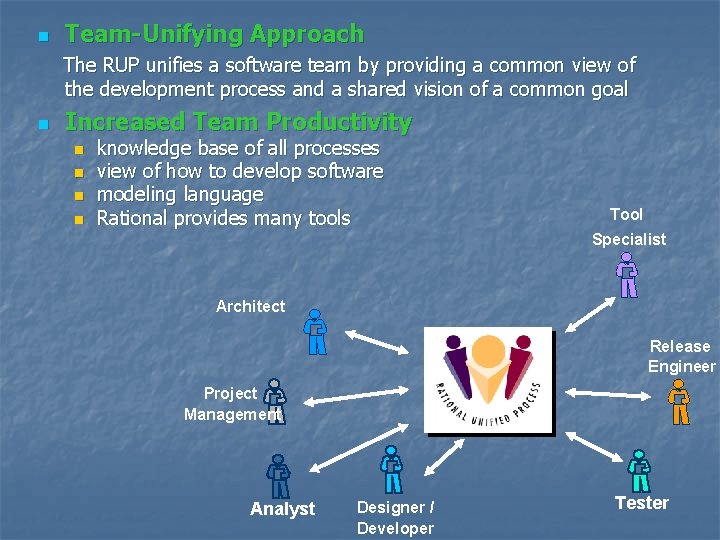
n Team-Unifying Approach The RUP unifies a software team by providing a common view of the development process and a shared vision of a common goal n Increased Team Productivity n n knowledge base of all processes view of how to develop software modeling language Rational provides many tools Tool Specialist Architect Release Engineer Project Management Analyst Designer / Developer Tester
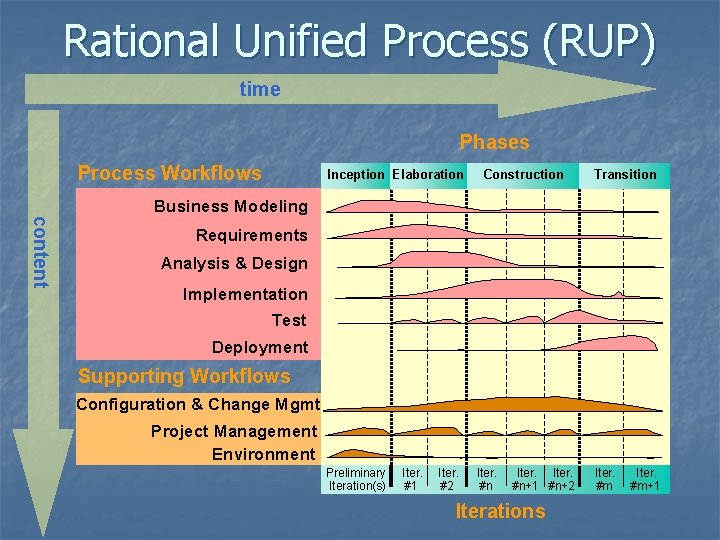
Rational Unified Process (RUP) time Phases Process Workflows Inception Elaboration Construction Transition Business Modeling content Requirements Analysis & Design Implementation Test Deployment Supporting Workflows Configuration & Change Mgmt Project Management Environment Preliminary Iteration(s) Iter. #1 Iter. #2 Iter. #n+1 #n+2 Iterations Iter. #m+1
Rational Unified Process (RUP) n n n Introduction Phases Core Workflows Best Practices Tools
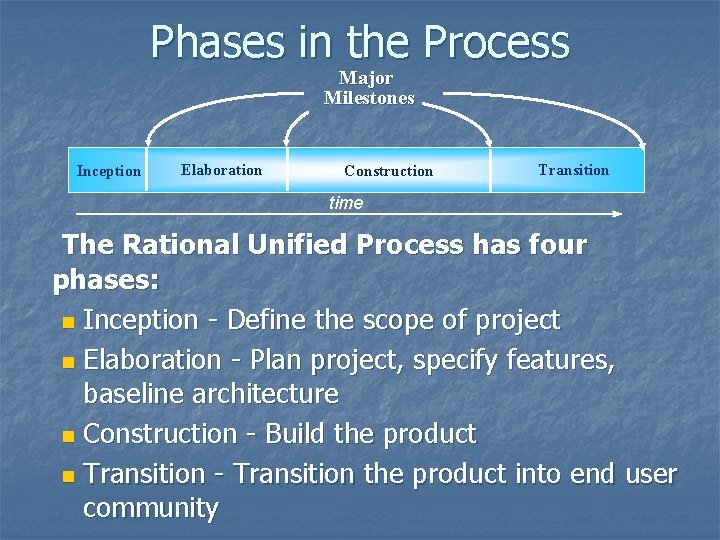
Phases in the Process Major Milestones Inception Elaboration Construction Transition time The Rational Unified Process has four phases: n Inception - Define the scope of project n Elaboration - Plan project, specify features, baseline architecture n Construction - Build the product n Transition - Transition the product into end user community
Inception phase n n n Establishing the project's software scope and boundary conditions, including an operational vision, acceptance criteria and what is intended to be in the product and what is not. Discriminating the critical use cases of the system, the primary scenarios of operation that will drive the major design tradeoffs. Exhibiting, and maybe demonstrating, at least one candidate architecture against some of the primary scenarios. Estimating the overall cost and schedule for the entire project (and more detailed estimates for the elaboration phase that will immediately follow). Estimating potential risks (the sources of unpredictability) Preparing the supporting environment for the project.
Elaboration phase n n n Defining, validating and baselining the architecture as rapidly as practical. Refining the Vision, based on new information obtained during the phase, establishing a solid understanding of the most critical use cases that drive the architectural and planning decisions. Creating and baselining detailed iteration plans for the construction phase. Refining the development case and putting in place the development environment, including the process, tools and automation support required to support the construction team. Refining the architecture and selecting components. Potential components are evaluated and the make/buy/reuse decisions sufficiently understood to determine the construction phase cost and schedule with confidence. The selected architectural components are integrated and assessed against the primary scenarios.
Construction phase n n n Resource management, control and process optimization Complete component development and testing against the defined evaluation criteria Assessment of product releases against acceptance criteria for the vision.
Transition phase n Executing deployment plans. Finalizing end-user support material. Testing the deliverable product at the development site. Creating a product release. Getting user feedback. Fine-tuning the product based on feedback. n Making the product available to end users. n n n
Rational Unified Process (RUP) n n n Introduction Phases Core Workflows Best Practices Tools
What is a workflow? n A set of activities that is performed by the various roles in a project n Describes a meaningful sequence of activities that produce a useful result (an artifact) n Shows interaction between roles
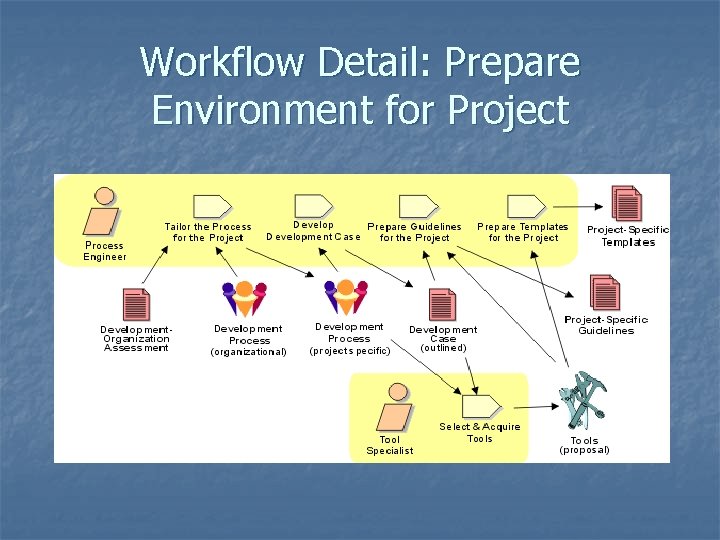
Workflow Detail: Prepare Environment for Project
Workflows - 3 key elements n Three key elements of each workflows: n n n Artifacts Roles Activities
Artifacts A piece of information that: n Is produced, modified, or used by a process n Defines an area of responsibility n Is subject to version control. An artifact can be a model, a model element, or a document. A document can enclose other documents.
Roles n n n Represent a role that an individual may play on the project Responsible for producing artifacts Distinct from actors
Activities n Tasks performed by people representing particular roles in order to produce artifacts
Brief summary of process workflows n Business Modelling n Requirements n Analysis & Design n Implementation n Test n Deployment
Business Modelling n n Understand structure & dynamics of organization in which system is to be deployed Understand current problems in the target organization & identify improvement potential Ensure customers, end users & developers have common understanding of target organisation Derive system requirements to support target organisation
Analysis & Design n Transform requirements into a design of the system Evolve a robust architecture for the system Adapt design to match the implementation environment, designing it for performance
Implementation n Define organization of the code, in terms of implementation subsystems organized in layers n Implement classes & objects in terms of components n Test developed components as units n Integrate results into an executable system
Test n n Verify interaction between objects Verify proper integration of all components of the software Verify that all requirements have been correctly implemented Identify & ensure defects are addressed prior to deployment
Deployment n n n Provide custom installation Provide shrink wrap product offering Provide software over internet
Brief summary of supporting workflows n Configuration & Change Management n Project Management n Environment
Configuration & Change Management n n n Supports development methods Maintains product integrity Ensures completeness & correctness of configured product Provides stable environment within which to develop product Restricts changes to artifacts based on project policies Provides an audit trail on why, when & by whom any artifact was changed
Project Management n n n A framework for managing softwareintensive projects Practical guidelines for planning, staffing, executing & monitoring projects A framework for managing risk
Environment n Design, implement and manage the project’s required technical environments n Define the technical architectures for the development, system validation, testing & staging/release management environments n When possible, standard architectural models for given types of platforms should be utilized when defining the production environment
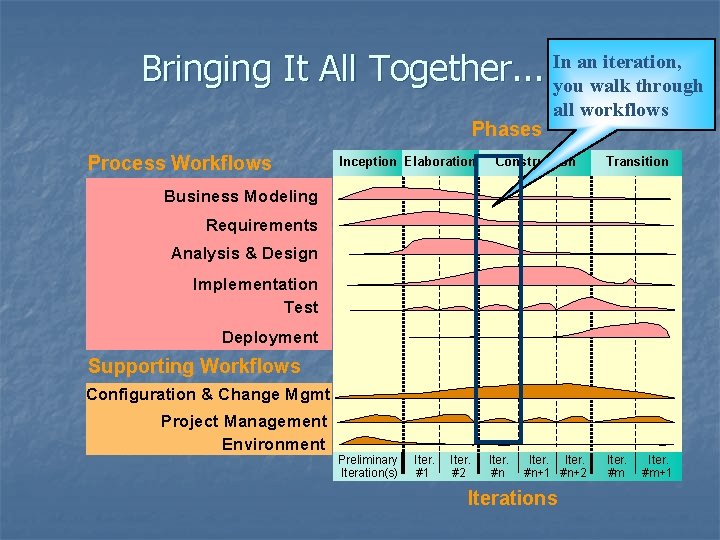
Bringing It All Together. . . Phases Process Workflows Inception Elaboration In an iteration, you walk through all workflows Construction Transition Business Modeling Requirements Analysis & Design Implementation Test Deployment Supporting Workflows Configuration & Change Mgmt Project Management Environment Preliminary Iteration(s) Iter. #1 Iter. #2 Iter. #n+1 #n+2 Iterations Iter. #m+1
Rational Unified Process (RUP) n n n Introduction Phases Core Workflows Best Practices Tools
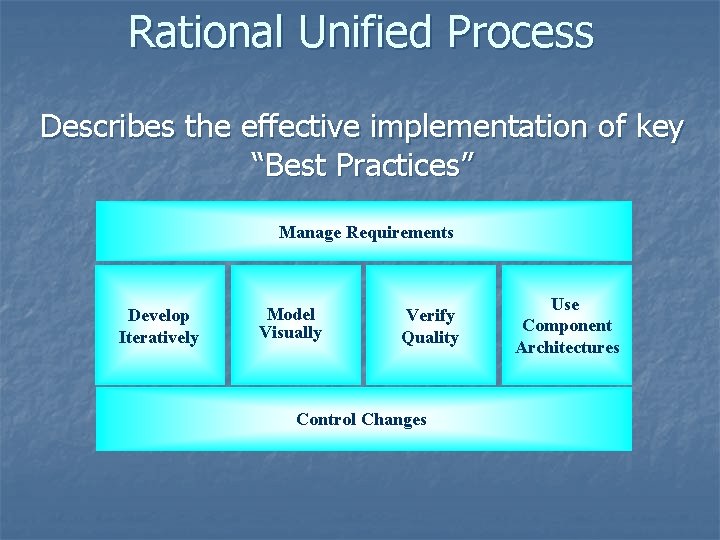
Rational Unified Process Describes the effective implementation of key “Best Practices” Manage Requirements Develop Iteratively Model Visually Verify Quality Control Changes Use Component Architectures
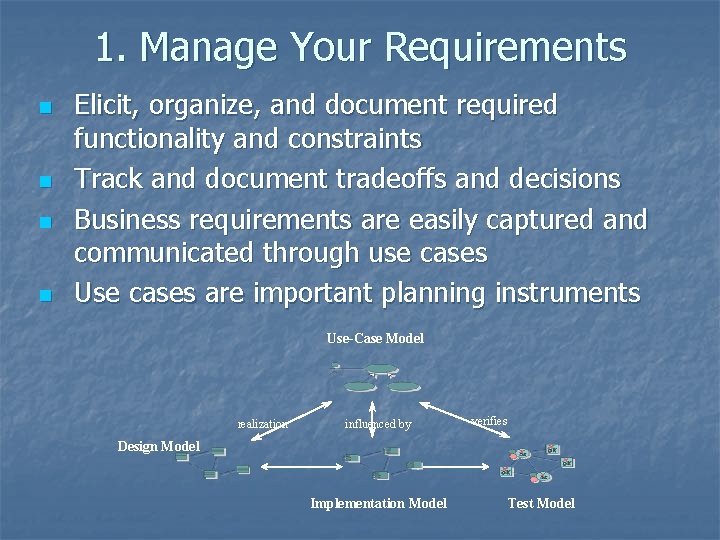
1. Manage Your Requirements n n Elicit, organize, and document required functionality and constraints Track and document tradeoffs and decisions Business requirements are easily captured and communicated through use cases Use cases are important planning instruments Use-Case Model realization influenced by verifies Design Model Implementation Model Test Model
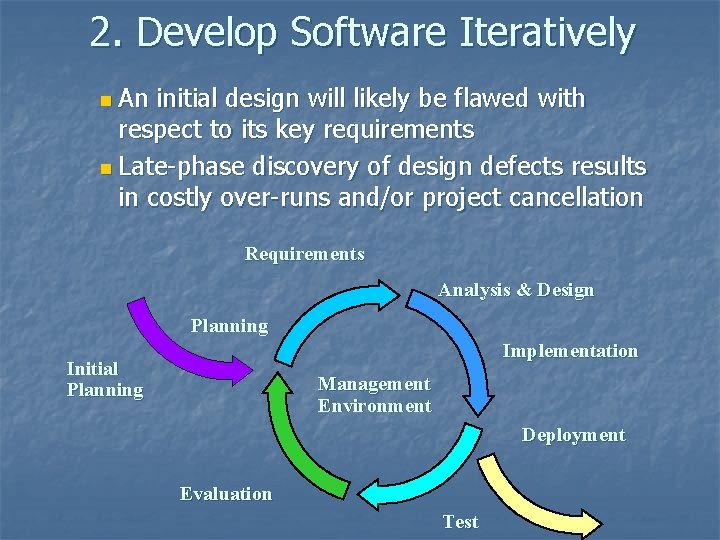
2. Develop Software Iteratively n An initial design will likely be flawed with respect to its key requirements n Late-phase discovery of design defects results in costly over-runs and/or project cancellation Requirements Analysis & Design Planning Implementation Initial Planning Management Environment Deployment Evaluation Test
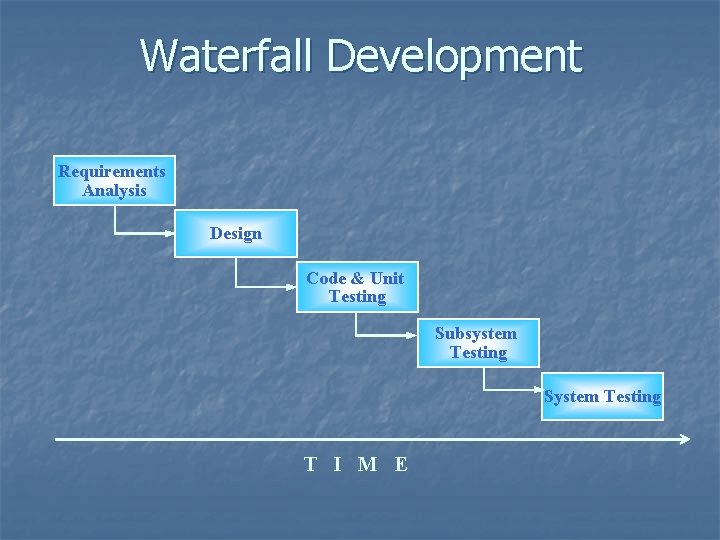
Waterfall Development Requirements Analysis Design Code & Unit Testing Subsystem Testing System Testing T I M E
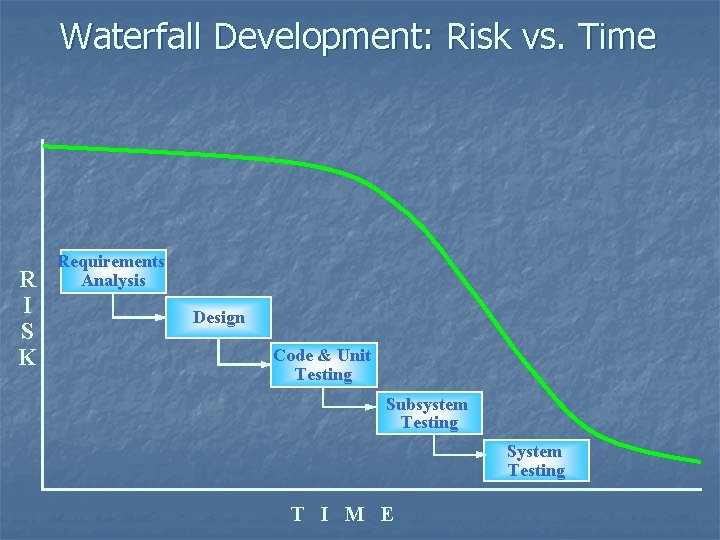
Waterfall Development: Risk vs. Time R I S K Requirements Analysis Design Code & Unit Testing Subsystem Testing System Testing T I M E
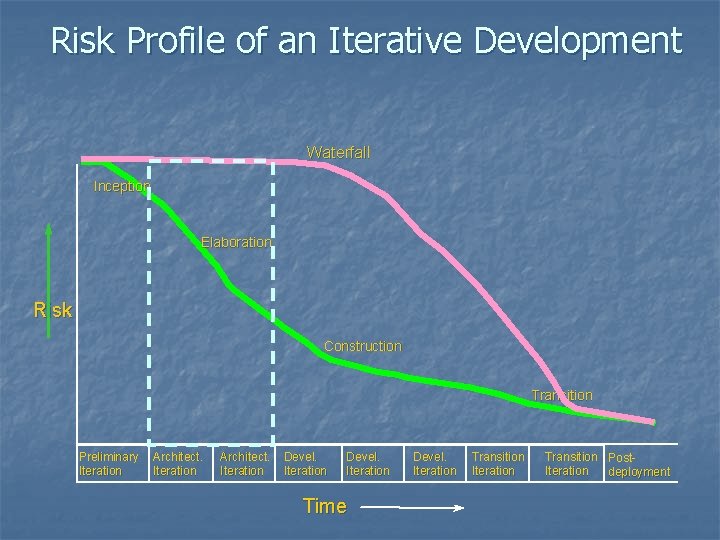
Risk Profile of an Iterative Development Waterfall Inception Elaboration Risk Construction Transition Preliminary Iteration Architect. Iteration Devel. Iteration Time Devel. Iteration Transition Post. Iteration deployment
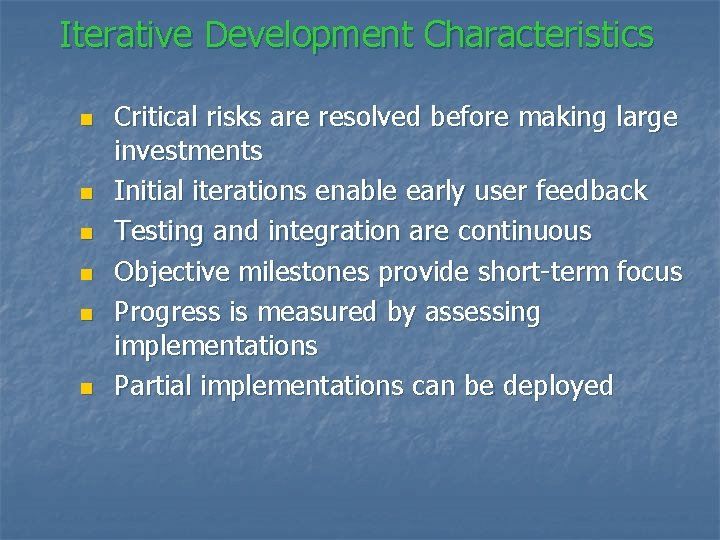
Iterative Development Characteristics n n n Critical risks are resolved before making large investments Initial iterations enable early user feedback Testing and integration are continuous Objective milestones provide short-term focus Progress is measured by assessing implementations Partial implementations can be deployed
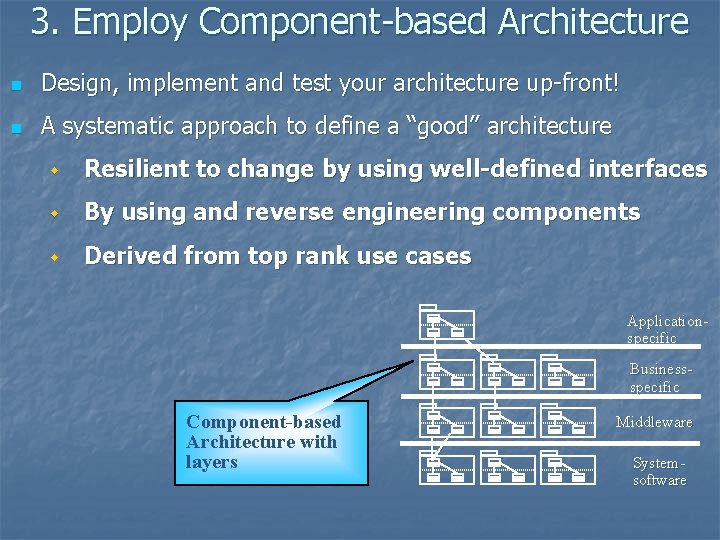
3. Employ Component-based Architecture n Design, implement and test your architecture up-front! n A systematic approach to define a “good” architecture w Resilient to change by using well-defined interfaces w By using and reverse engineering components w Derived from top rank use cases Applicationspecific Businessspecific Component-based Architecture with layers Middleware Systemsoftware
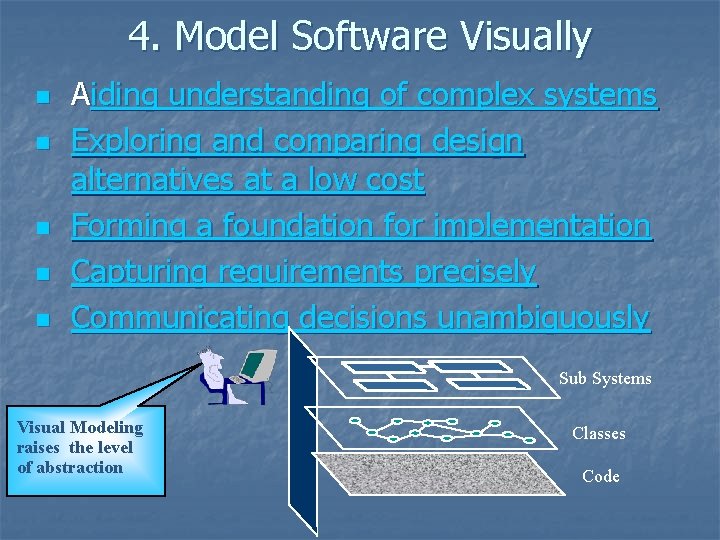
4. Model Software Visually n n n Aiding understanding of complex systems Exploring and comparing design alternatives at a low cost Forming a foundation for implementation Capturing requirements precisely Communicating decisions unambiguously Sub Systems Visual Modeling raises the level of abstraction Classes Code
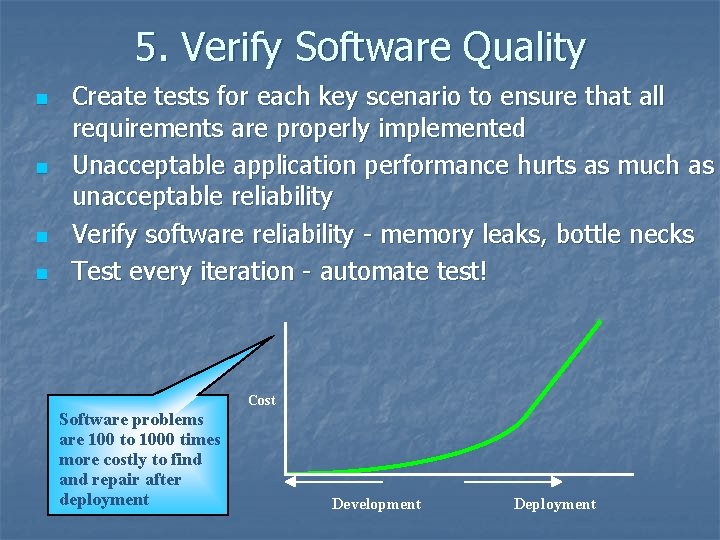
5. Verify Software Quality n n Create tests for each key scenario to ensure that all requirements are properly implemented Unacceptable application performance hurts as much as unacceptable reliability Verify software reliability - memory leaks, bottle necks Test every iteration - automate test! Cost Software problems are 100 to 1000 times more costly to find and repair after deployment Development Deployment
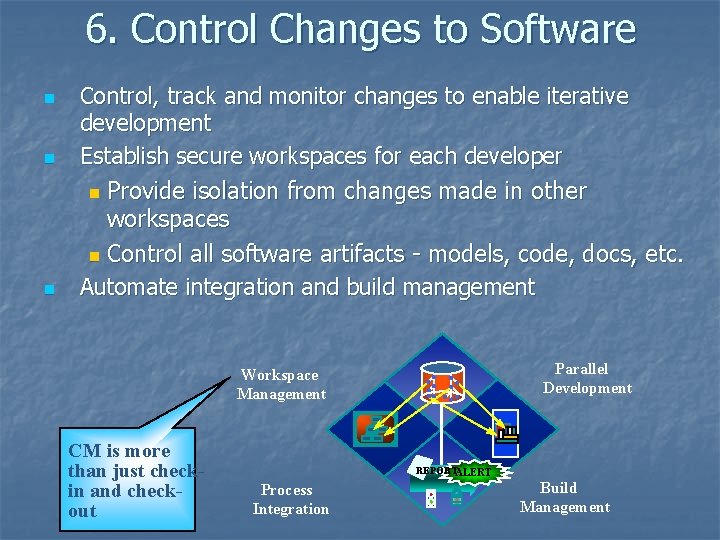
6. Control Changes to Software n n n Control, track and monitor changes to enable iterative development Establish secure workspaces for each developer n Provide isolation from changes made in other workspaces n Control all software artifacts - models, code, docs, etc. Automate integration and build management Parallel Development Workspace Management CM is more than just checkin and checkout REPORTALERT Process Integration Build Management
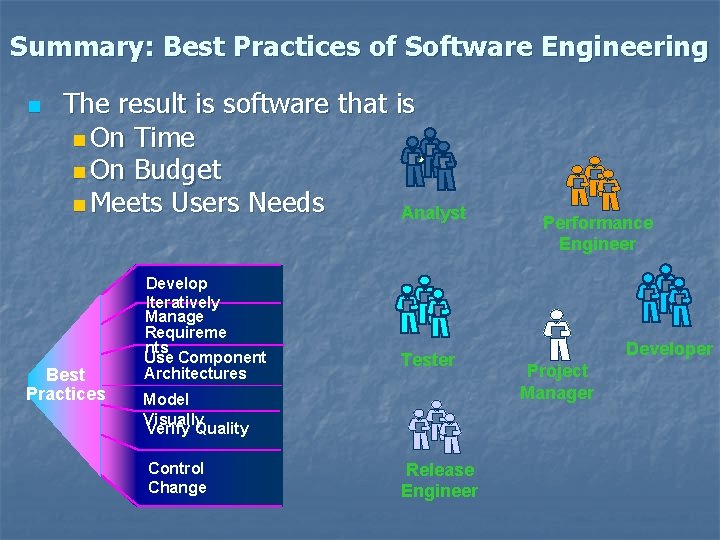
Summary: Best Practices of Software Engineering n The result is software that is n On Time n On Budget n Meets Users Needs Analyst Best Practices Develop Iteratively Manage Requireme nts Use Component Architectures Tester Model Visually Verify Quality Control Change Release Engineer Performance Engineer Developer Project Manager
Rational Unified Process (RUP) n n n Introduction Phases Core Workflows Best Practices Tools
Tools n n The success of process adoption is significantly improved by the use of appropriate supporting tools. Tool Mentors provide detailed descriptions of how to perform specific process activities or steps, or produce a particular artifact or report, using one or more tools.
Tools n n n n n Rational Unified Process RUP Builder Rational Process Workbench Rational Administrator Rational Suite Analyst. Studio Rational Clear. Case Rational Clear. Quest Rational Project. Console Rational Purify. Plus Rational Quality. Architect
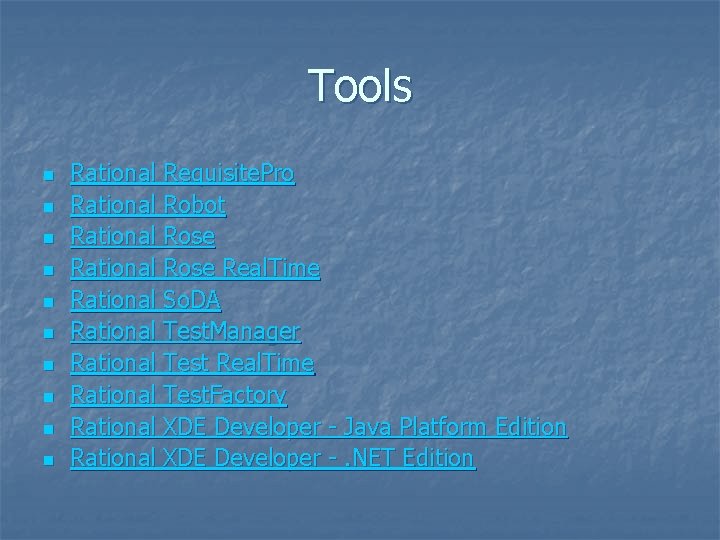
Tools n n n n n Rational Requisite. Pro Rational Robot Rational Rose Real. Time Rational So. DA Rational Test. Manager Rational Test Real. Time Rational Test. Factory Rational XDE Developer - Java Platform Edition Rational XDE Developer -. NET Edition
- Slides: 45