
Raintree Live Ideas in Action June 28 2016







- Slides: 39
Raintree Live! Ideas in Action June 28, 2016 10: 00 am PT © 2016 Raintree Systems, Incorporated
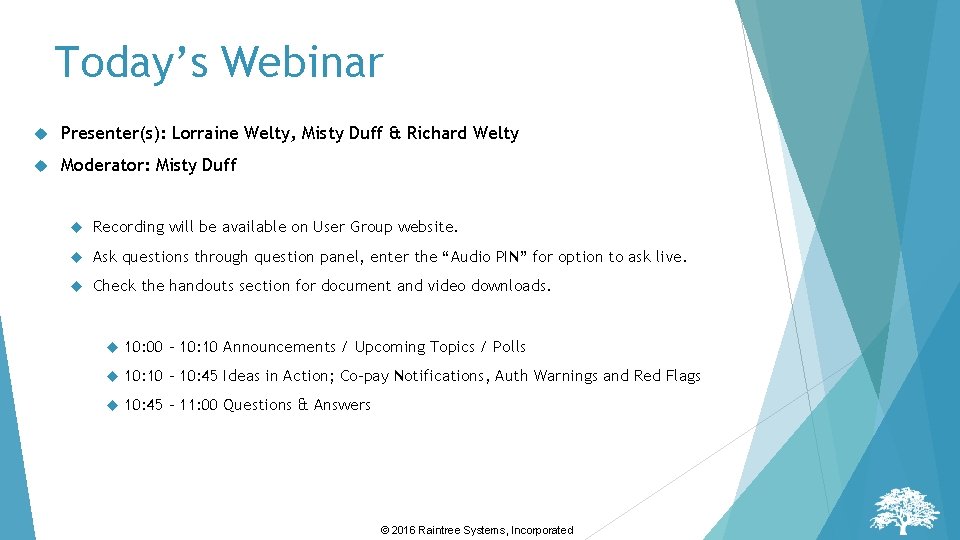
Today’s Webinar Presenter(s): Lorraine Welty, Misty Duff & Richard Welty Moderator: Misty Duff Recording will be available on User Group website. Ask questions through question panel, enter the “Audio PIN” for option to ask live. Check the handouts section for document and video downloads. 10: 00 – 10: 10 Announcements / Upcoming Topics / Polls 10: 10 – 10: 45 Ideas in Action; Co-pay Notifications, Auth Warnings and Red Flags 10: 45 – 11: 00 Questions & Answers © 2016 Raintree Systems, Incorporated
Handouts & Polls © 2016 Raintree Systems, Incorporated
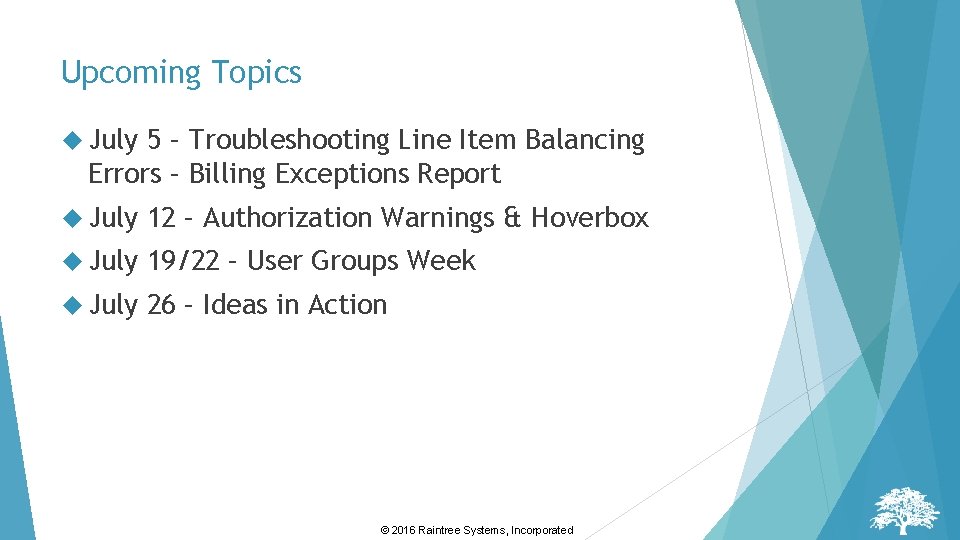
Upcoming Topics July 5 – Troubleshooting Line Item Balancing Errors – Billing Exceptions Report July 12 – Authorization Warnings & Hoverbox July 19/22 – User Groups Week July 26 – Ideas in Action © 2016 Raintree Systems, Incorporated
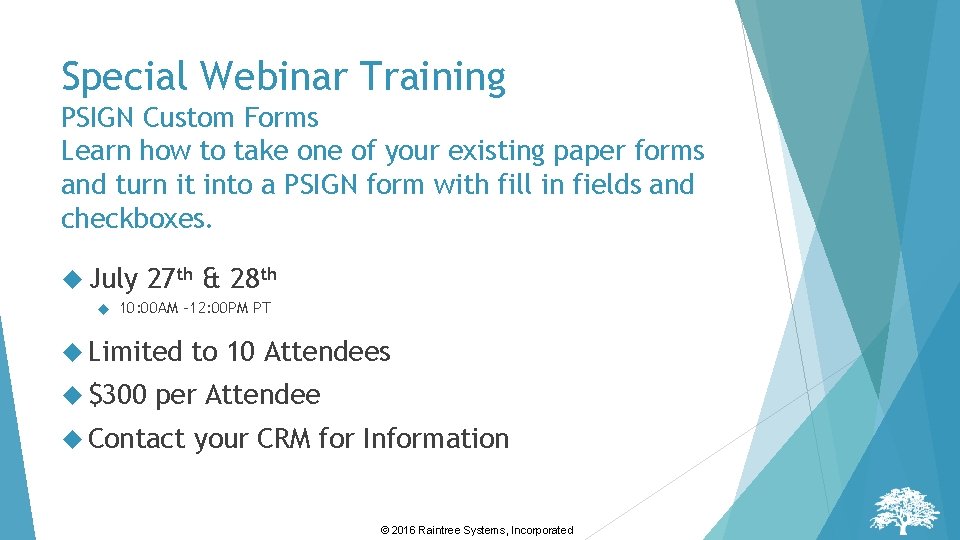
Special Webinar Training PSIGN Custom Forms Learn how to take one of your existing paper forms and turn it into a PSIGN form with fill in fields and checkboxes. July 27 th & 28 th 10: 00 AM -12: 00 PM PT Limited $300 to 10 Attendees per Attendee Contact your CRM for Information © 2016 Raintree Systems, Incorporated
Raintree Users Conference © 2016 Raintree Systems, Incorporated
Have questions? Don’t hesitate to reach out to your CRM, e-mail solutions@raintreeinc. com or go to the UC website www. raintreeuserconference. com © 2016 Raintree Systems, Incorporated
Copays & Case Audit Report Lorraine Welty © 2016 Raintree Systems, Incorporated
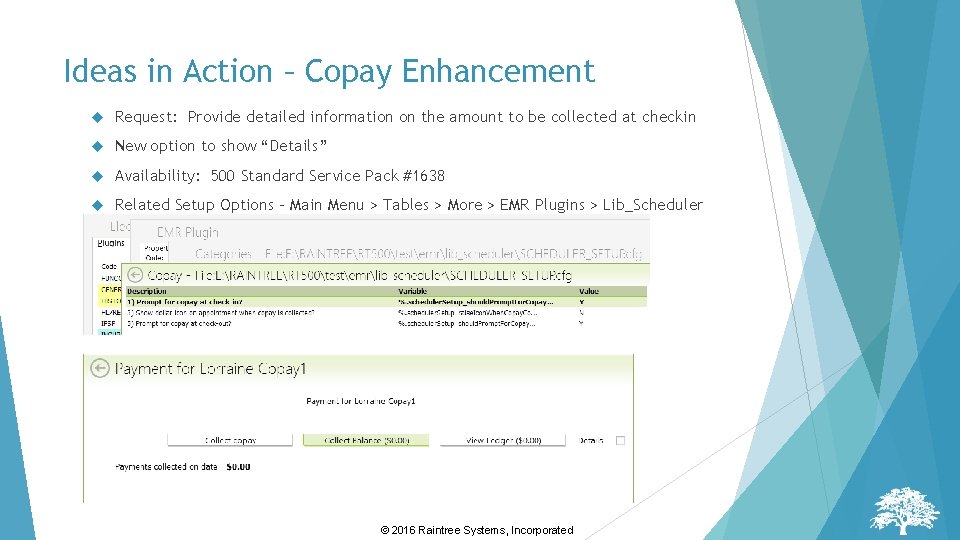
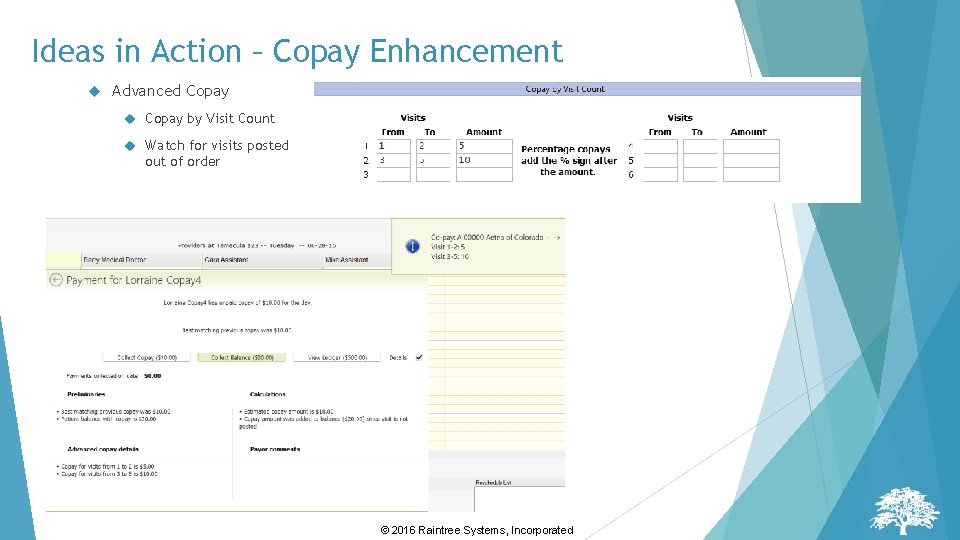
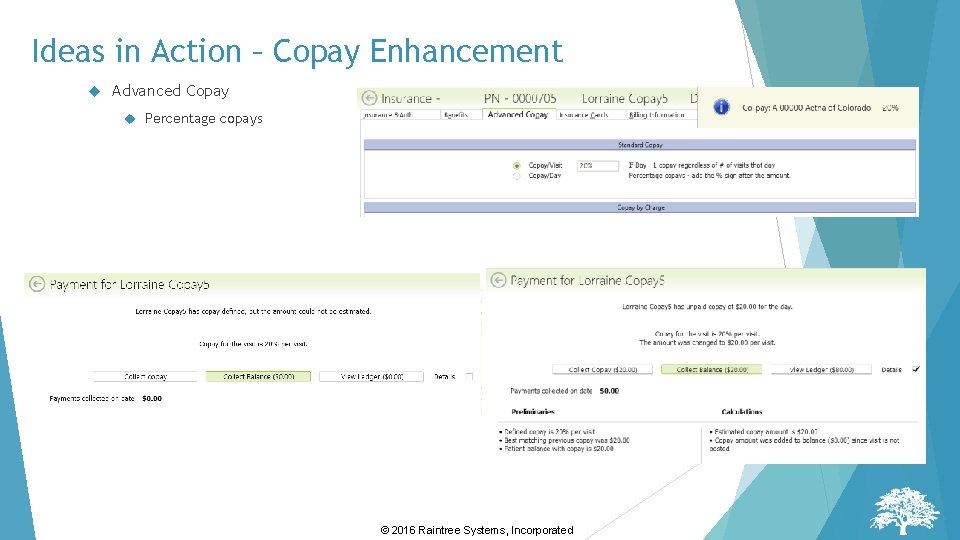
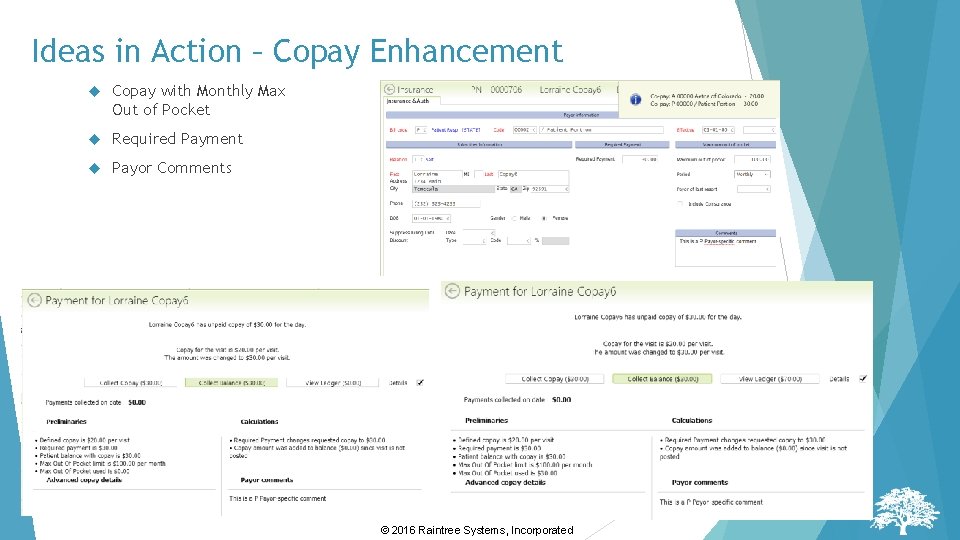
Ideas in Action – Copay Enhancement Request: Provide detailed information on the amount to be collected at checkin New option to show “Details” Availability: 500 Standard Service Pack #1638 Related Setup Options – Main Menu > Tables > More > EMR Plugins > Lib_Scheduler © 2016 Raintree Systems, Incorporated
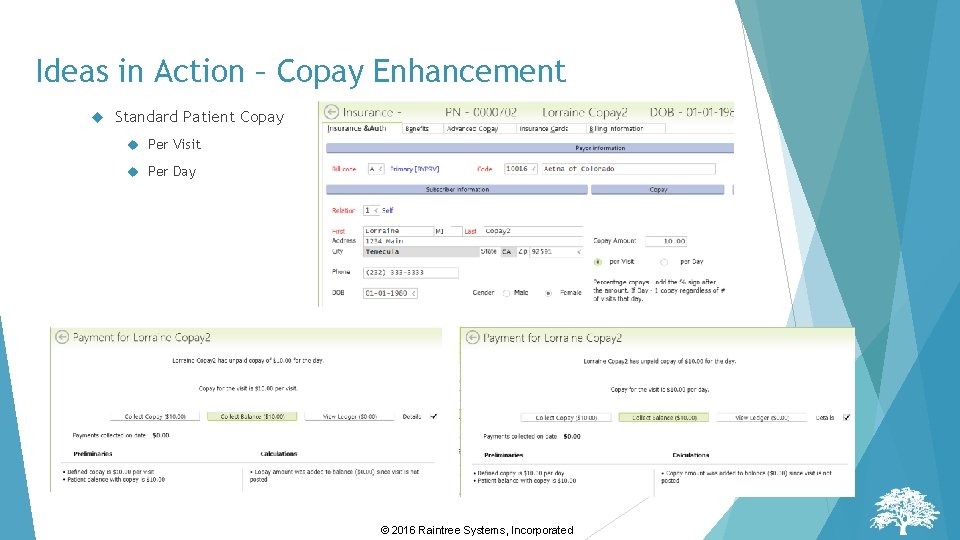
Ideas in Action – Copay Enhancement Standard Patient Copay Per Visit Per Day © 2016 Raintree Systems, Incorporated
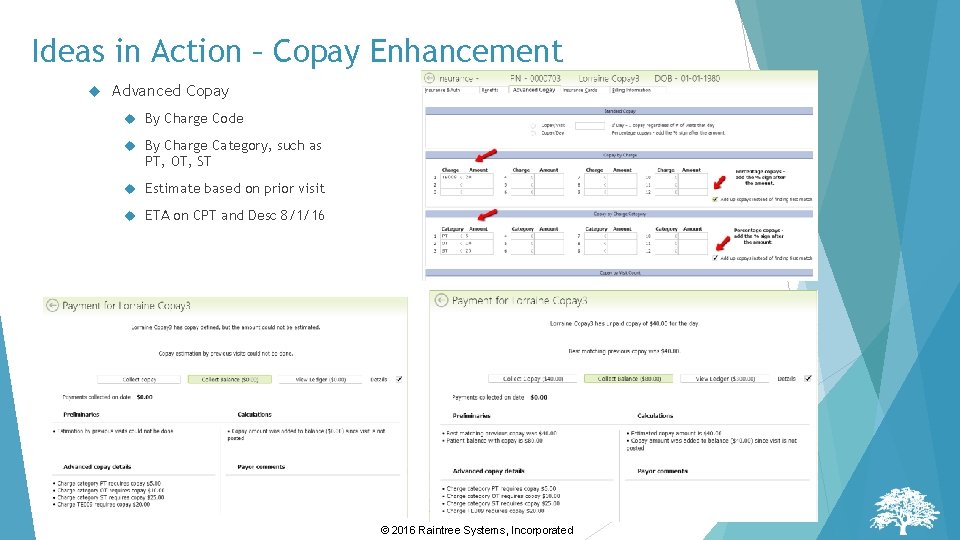
Ideas in Action – Copay Enhancement Advanced Copay By Charge Code By Charge Category, such as PT, OT, ST Estimate based on prior visit ETA on CPT and Desc 8/1/16 © 2016 Raintree Systems, Incorporated
Ideas in Action – Copay Enhancement Advanced Copay by Visit Count Watch for visits posted out of order © 2016 Raintree Systems, Incorporated
Ideas in Action – Copay Enhancement Advanced Copay Percentage copays © 2016 Raintree Systems, Incorporated
Ideas in Action – Copay Enhancement Copay with Monthly Max Out of Pocket Required Payment Payor Comments © 2016 Raintree Systems, Incorporated
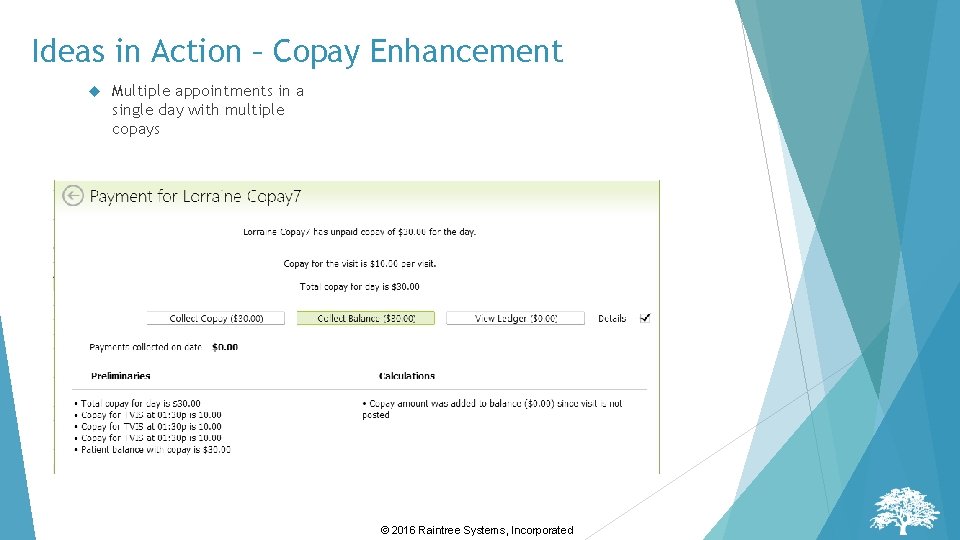
Ideas in Action – Copay Enhancement Multiple appointments in a single day with multiple copays © 2016 Raintree Systems, Incorporated
Idea #211 – Scheduler to display Different Copays for different services Request: Need ability to display in the scheduler the copay by charge code if it is defined in the patient's insurance or by appt type. Example-some pts. that only have a copay when they have an Initial Evaluation or Re-Evaluation Solution: Use combo of a per visit copay with a monthly Max OOP Solution: Display copay by CPT and/or Charge Category Question: Do we still need to define copay by appointment type? © 2016 Raintree Systems, Incorporated
Idea #236 – Tricare is starting monthly copays Request: We have a client that is starting to see monthly copays for services provided. Would have to see if a copay and or the copay amount has been reached for the month to determine if the amount has been met. Solution: Use combo of a per visit copay with a monthly Max OOP Question: Do we need any additional definition for monthly copay? © 2016 Raintree Systems, Incorporated
Idea #430 – Co-Pay Prompt for all visits in check in Request: Currently when you check in an appointment and the patient has additional appointments that same day, you have the ability to check in all of the appointments at once. After you have done this, when you get the co-pay prompt screen, it only prompts for the co-pay amount for the first appointment of the day. If patients have a per visit copay, Raintree should add the co-pays for each visit together and prompt the person checking in the appointment to collect the full co-pay for all appointments on that day. Solution: Copay Detail option now shows all appointments and copays for each with a total for the day © 2016 Raintree Systems, Incorporated
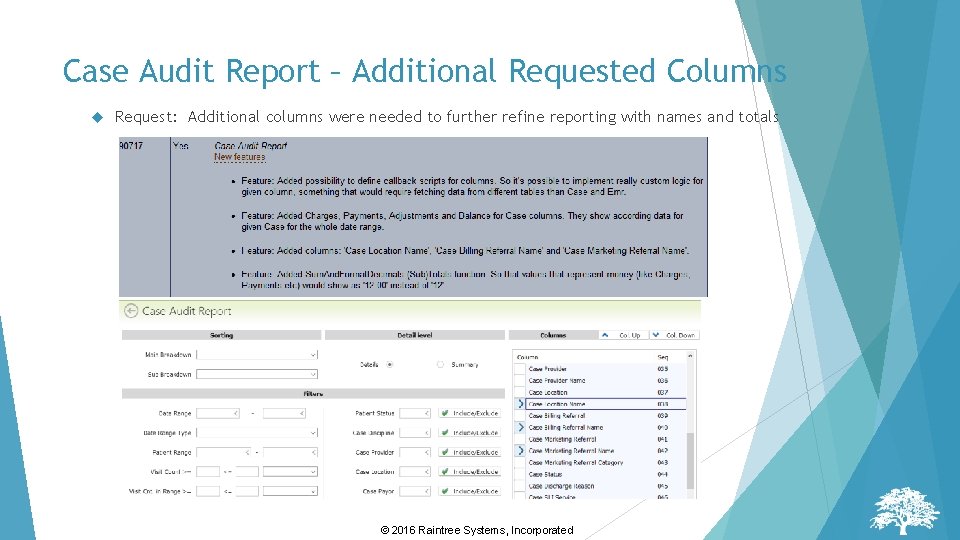
Case Audit Report – Additional Requested Columns Request: Additional columns were needed to further refine reporting with names and totals © 2016 Raintree Systems, Incorporated
Auth Warnings & Hover Boxes Misty Duff © 2016 Raintree Systems, Incorporated
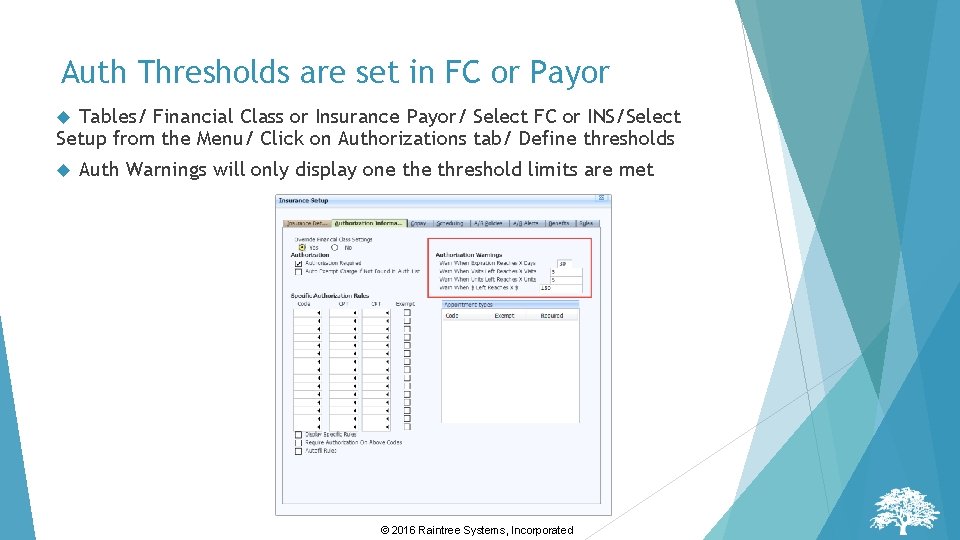
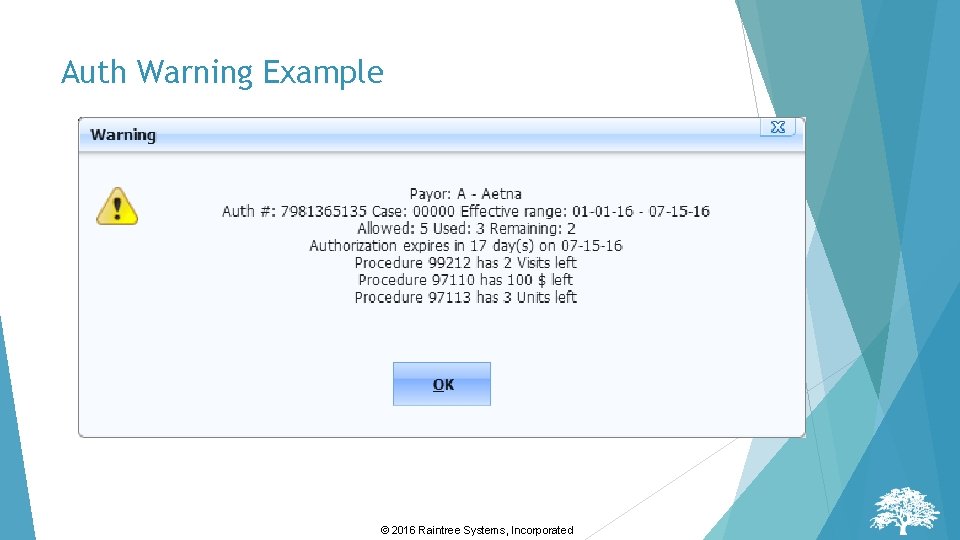
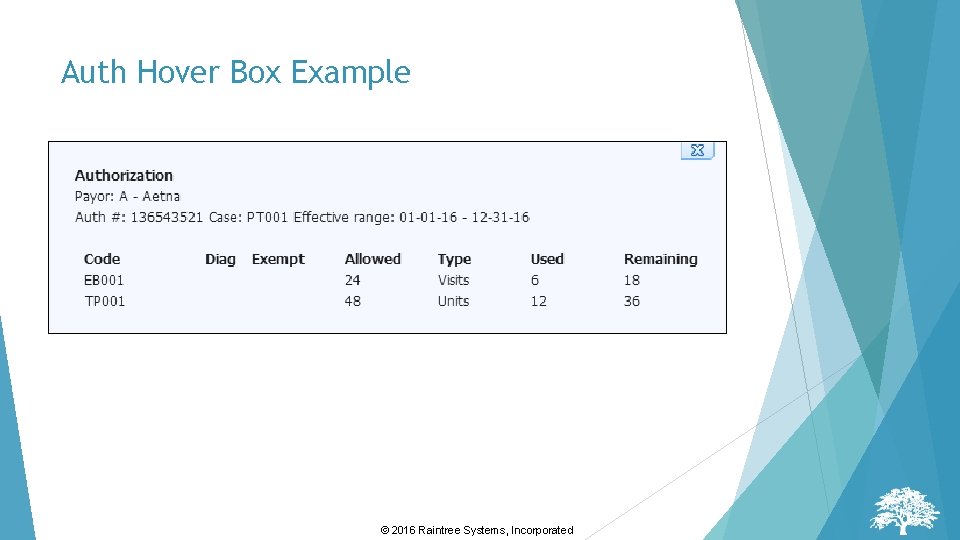
Auth Warnings & Hover Boxes Can be displayed for only users/user groups with the AUTHWARN = E security right Option to show case-specific authorization warnings/hover boxes only to matching user groups Displayed when defined actions are performed Can display basic or detailed information Auth Warnings Displayed ONLY when FC or Payor auth threshold settings are reached Must be clicked to clear Auth Hover Boxes Display if patient has an Auth defined, warning level items will be displayed in red Hover box will be displayed for a predefined number of seconds © 2016 Raintree Systems, Incorporated
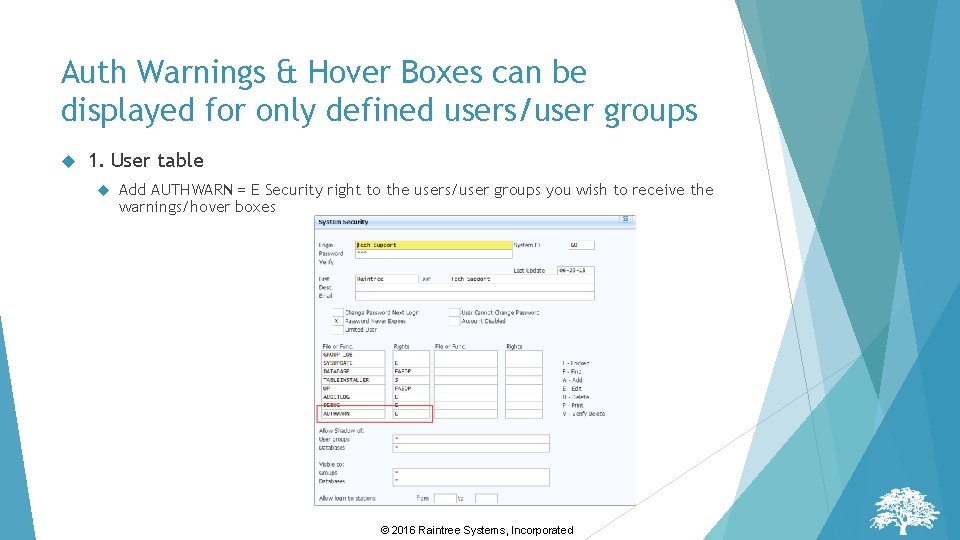
Auth Warnings & Hover Boxes can be displayed for only defined users/user groups 1. User table Add AUTHWARN = E Security right to the users/user groups you wish to receive the warnings/hover boxes © 2016 Raintree Systems, Incorporated
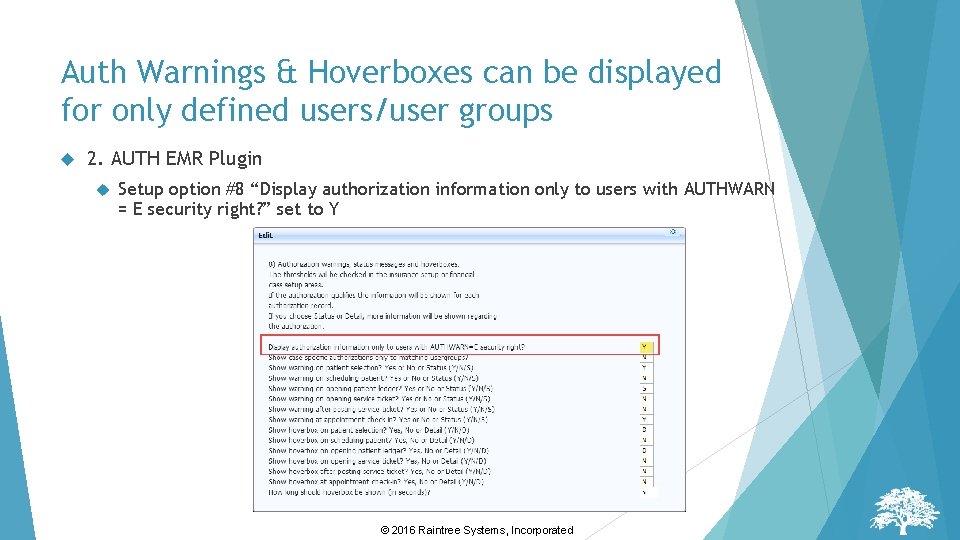
Auth Warnings & Hoverboxes can be displayed for only defined users/user groups 2. AUTH EMR Plugin Setup option #8 “Display authorization information only to users with AUTHWARN = E security right? ” set to Y © 2016 Raintree Systems, Incorporated
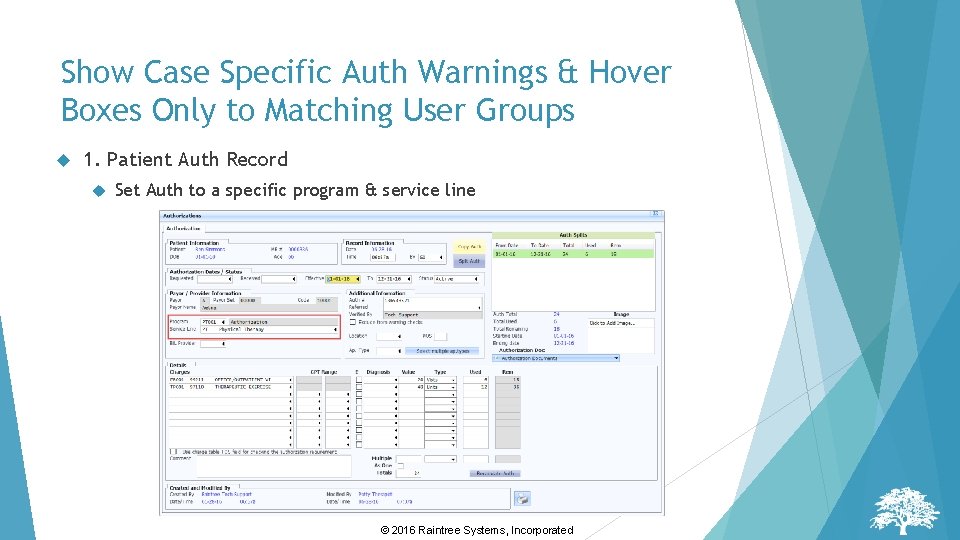
Show Case Specific Auth Warnings & Hover Boxes Only to Matching User Groups 1. Patient Auth Record Set Auth to a specific program & service line © 2016 Raintree Systems, Incorporated
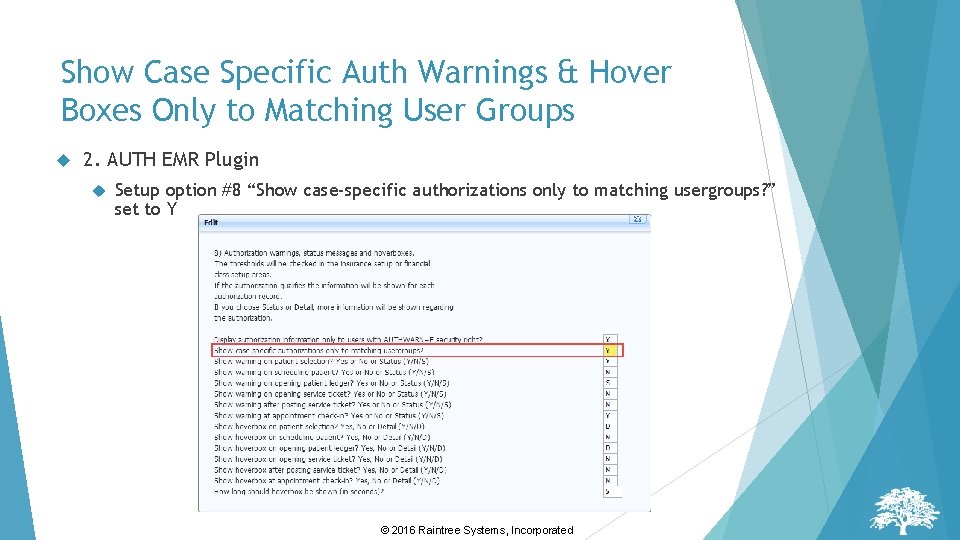
Show Case Specific Auth Warnings & Hover Boxes Only to Matching User Groups 2. AUTH EMR Plugin Setup option #8 “Show case-specific authorizations only to matching usergroups? ” set to Y © 2016 Raintree Systems, Incorporated
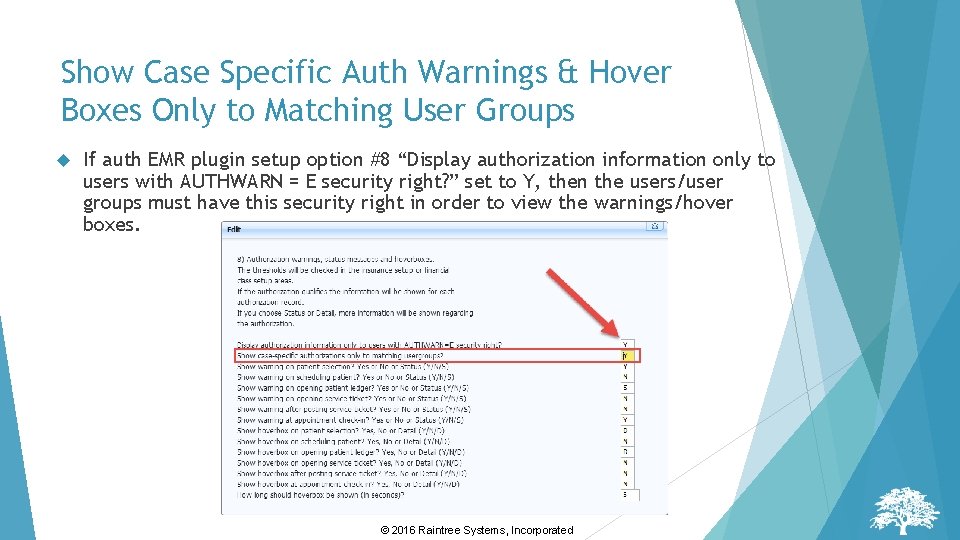
Show Case Specific Auth Warnings & Hover Boxes Only to Matching User Groups If auth EMR plugin setup option #8 “Display authorization information only to users with AUTHWARN = E security right? ” set to Y, then the users/user groups must have this security right in order to view the warnings/hover boxes. © 2016 Raintree Systems, Incorporated
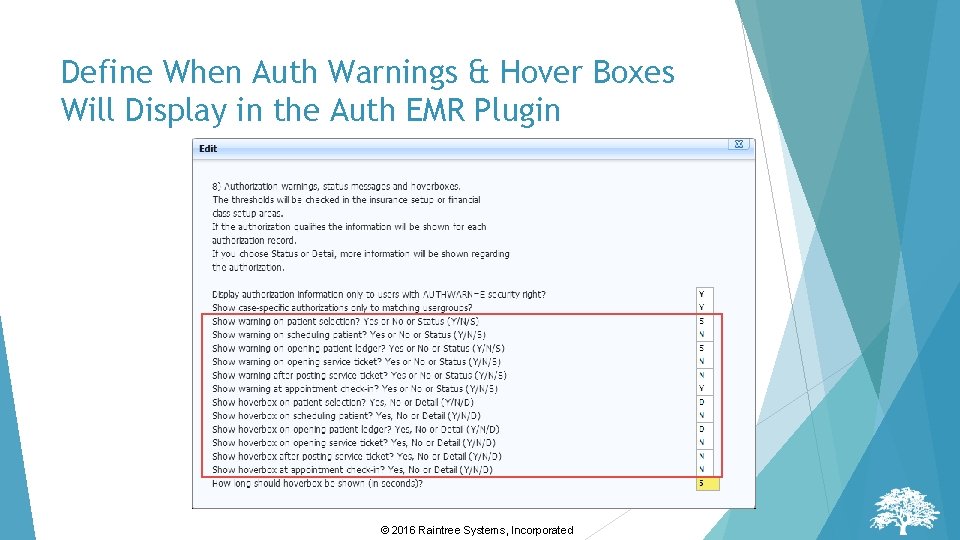
Define When Auth Warnings & Hover Boxes Will Display in the Auth EMR Plugin © 2016 Raintree Systems, Incorporated
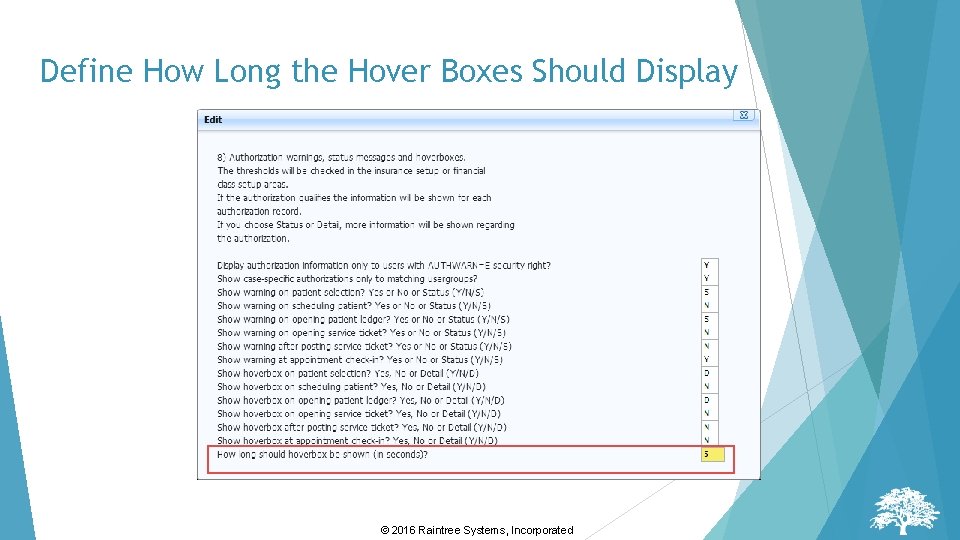
Define How Long the Hover Boxes Should Display © 2016 Raintree Systems, Incorporated
Auth Thresholds are set in FC or Payor Tables/ Financial Class or Insurance Payor/ Select FC or INS/Select Setup from the Menu/ Click on Authorizations tab/ Define thresholds Auth Warnings will only display one threshold limits are met © 2016 Raintree Systems, Incorporated
Auth Warning Example © 2016 Raintree Systems, Incorporated
Auth Hover Box Example © 2016 Raintree Systems, Incorporated
Red Flags Richard Welty © 2016 Raintree Systems, Incorporated
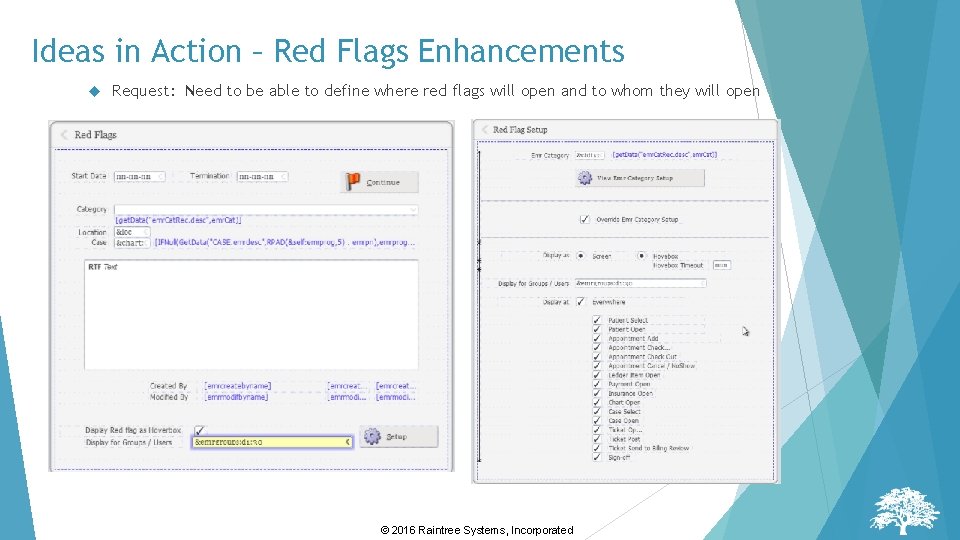
Idea #227 – Let me define where I want the Red Flags to open Request: Can I define where I want the Red Flags to pop up? For example, some should pop up when I have the chart open, but not in the ledger Proposed Solution: Provide a setup screen to define location for pop up, and users or groups © 2016 Raintree Systems, Incorporated
Ideas in Action – Red Flags Enhancements Request: Need to be able to define where red flags will open and to whom they will open © 2016 Raintree Systems, Incorporated
Upcoming Topics July 5 – Troubleshooting Line Item Balancing Errors – Billing Exceptions Report July 12 – Authorization Warnings & Hoverbox July 19/22 – User Groups Week July 26 – Ideas in Action © 2016 Raintree Systems, Incorporated
Special Webinar Training PSIGN Custom Forms Learn how to take one of your existing paper forms and turn it into a PSIGN form with fill in fields and checkboxes. July 27 th & 28 th 10: 00 AM -12: 00 PM PT Limited $300 to 10 Attendees per Attendee Contact your CRM for Information © 2016 Raintree Systems, Incorporated
Raintree Users Conference © 2016 Raintree Systems, Incorporated
Have questions? Don’t hesitate to reach out to your CRM, or e-mail solutions@raintreeinc. com. © 2016 Raintree Systems, Incorporated
Thank you for attending this event. We look forward to seeing you next time! 39 © 2016 Raintree Systems, Incorporated