
RADIO OPERATIONS RADIO OPERATIONS SECTION OBJECTIVE AND OVERVIEW
RADIO OPERATIONS
RADIO OPERATIONS SECTION OBJECTIVE AND OVERVIEW Introduce approved radio equipment and provide an overview of correct usage. 1) Explain how the radio network operates 2) Detail basic transmitting and receiving procedures 3) Introduce rescue emergency procedures 4) Provide an overview of pre / post patrol procedures 5) Set out routine and emergency maintenance procedures
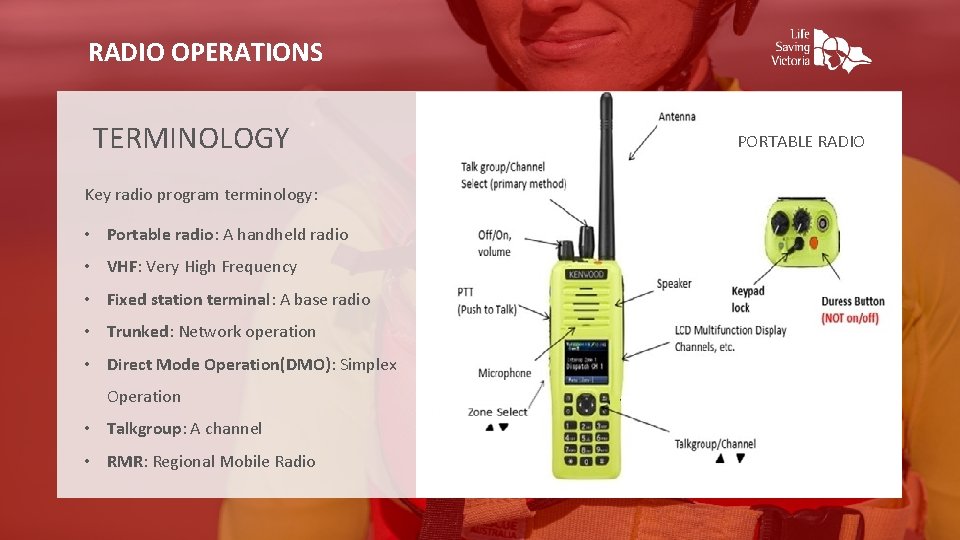
RADIO OPERATIONS TERMINOLOGY Key radio program terminology: • Portable radio: A handheld radio • VHF: Very High Frequency • Fixed station terminal: A base radio • Trunked: Network operation • Direct Mode Operation(DMO): Simplex Operation • Talkgroup: A channel • RMR: Regional Mobile Radio PORTABLE RADIO
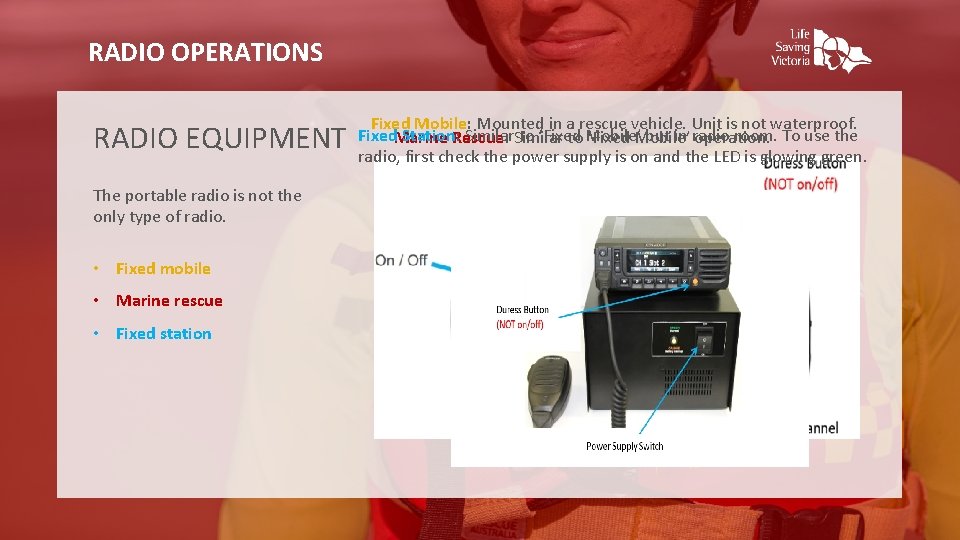
RADIO OPERATIONS RADIO EQUIPMENT The portable radio is not the only type of radio. • Fixed mobile • Marine rescue • Fixed station Fixed Mobile: Mounted in a rescue vehicle. Unit is not waterproof. Fixed. Marine Station: Rescue: Similar to ‘Fixed but in radio room. To use the to Mobile’ ‘Fixed Mobile’ operation. radio, first check the power supply is on and the LED is glowing green.
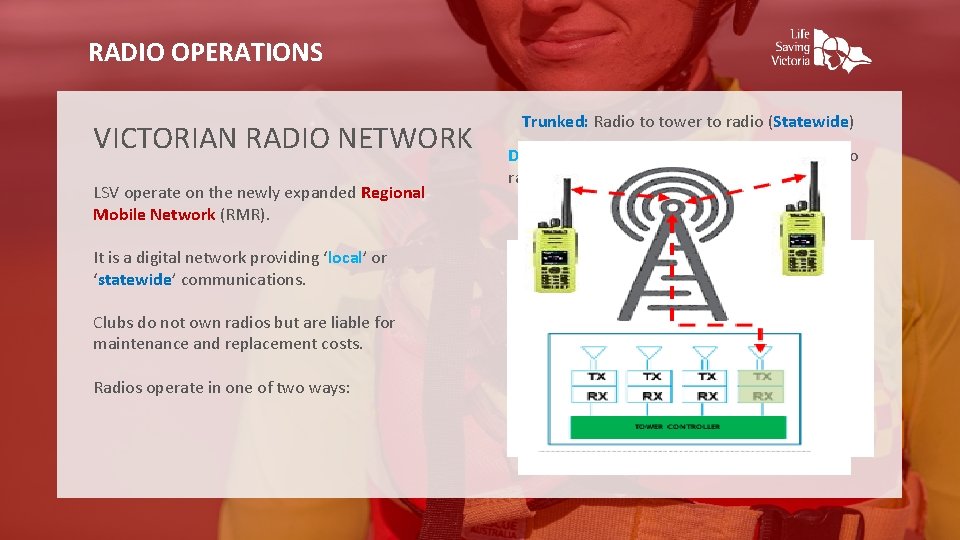
RADIO OPERATIONS VICTORIAN RADIO NETWORK LSV operate on the newly expanded Regional Mobile Network (RMR). It is a digital network providing ‘local’ or ‘statewide’ communications. Clubs do not own radios but are liable for maintenance and replacement costs. Radios operate in one of two ways: Trunked: Radio to tower to radio (Statewide) Direct Mode Operations (DMO): Direct radio to radio communication (Local).

RADIO OPERATIONS TALKGROUPS AND ZONES • Clubs have been issued with documents identifying which talkgroups to use Example: 10 -34 means Zone 10, Talk group 34 The LSV talkgroups are separated into geographic or task-based groups. • Areas highlighted blue are trunked and orange are local These talkgroupings are called ‘zones’. • ‘DIS’ Dispatch Talkgroups = Usedzones for general patrol communications There are ten (10) geographical and five (5) State task-based zones. • ‘INC’ Incident Talkgroups – Used to managed complex situations usually of an extended duration • Local Talkgroups - Used for direct communication within the club and should not be used to manage incidents. Also used for training and exercises.
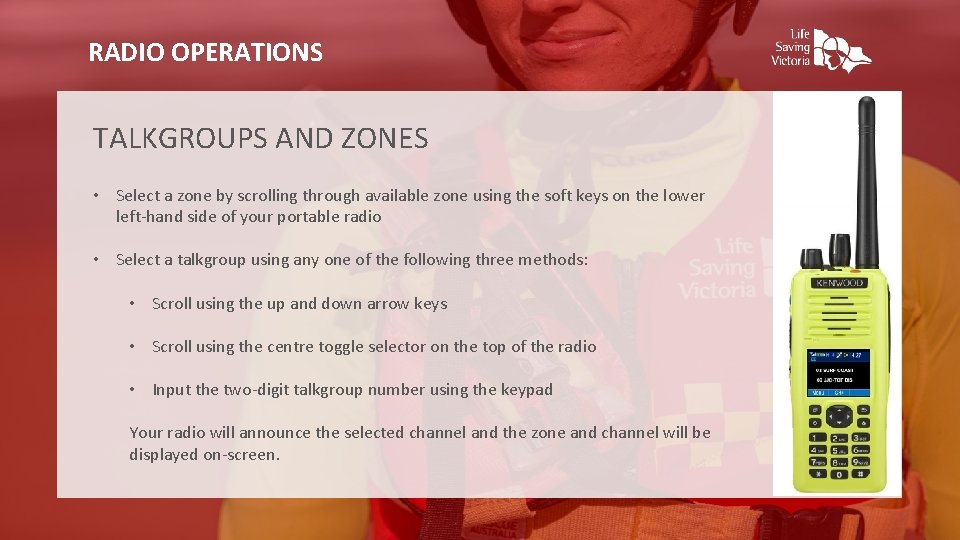
RADIO OPERATIONS TALKGROUPS AND ZONES • Select a zone by scrolling through available zone using the soft keys on the lower left-hand side of your portable radio • Select a talkgroup using any one of the following three methods: • Scroll using the up and down arrow keys • Scroll using the centre toggle selector on the top of the radio • Input the two-digit talkgroup number using the keypad Your radio will announce the selected channel and the zone and channel will be displayed on-screen.
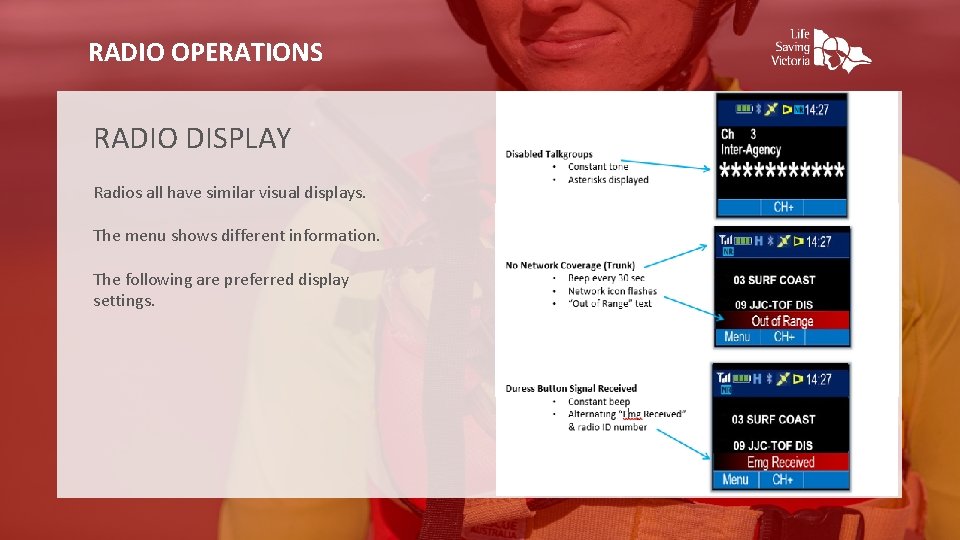
RADIO OPERATIONS RADIO DISPLAY Radios all have similar visual displays. The menu shows different information. The following are preferred display settings.
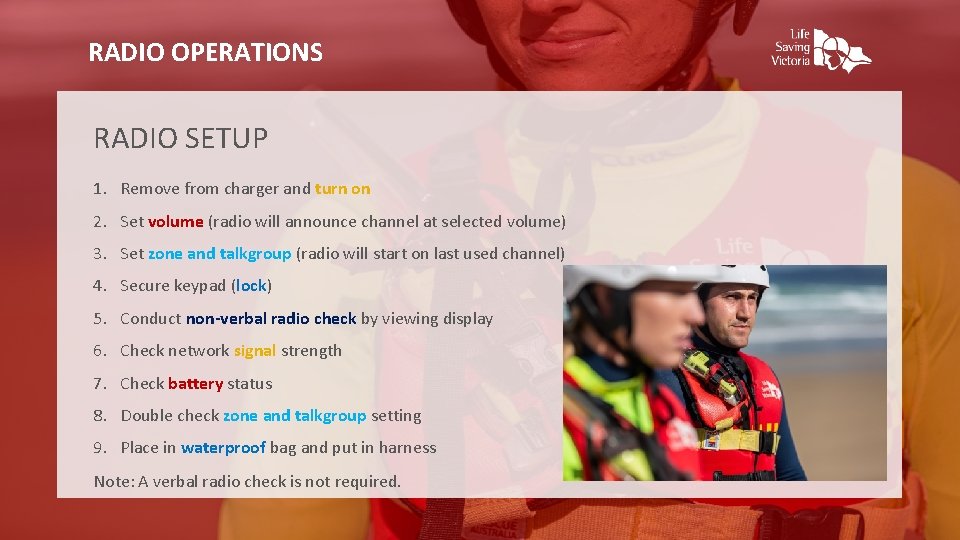
RADIO OPERATIONS RADIO SETUP 1. Remove from charger and turn on 2. Set volume (radio will announce channel at selected volume) 3. Set zone and talkgroup (radio will start on last used channel) 4. Secure keypad (lock) 5. Conduct non-verbal radio check by viewing display 6. Check network signal strength 7. Check battery status 8. Double check zone and talkgroup setting 9. Place in waterproof bag and put in harness Note: A verbal radio check is not required.
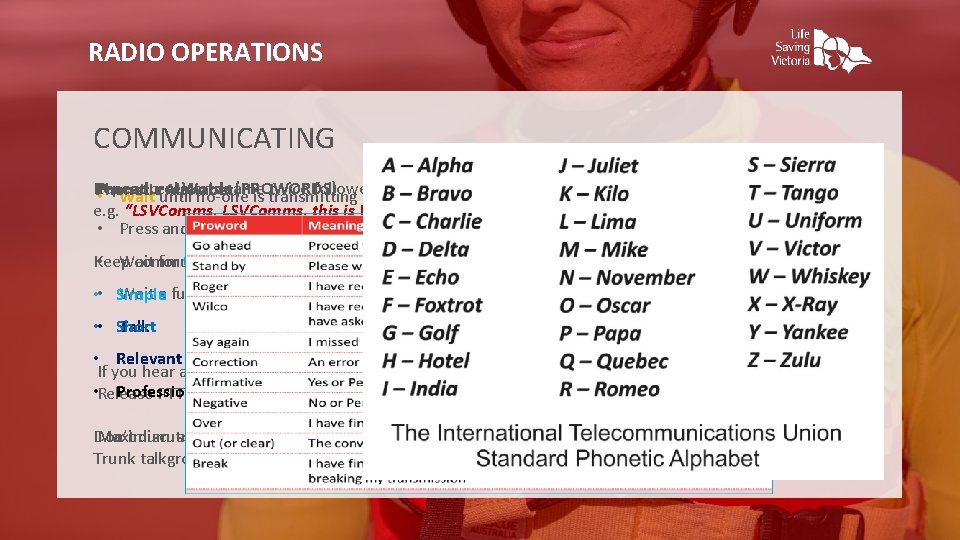
RADIO OPERATIONS COMMUNICATING Repeat Words name (PROWORDS) twice followed by your call sign and ‘over’ Phonetic Alphabet • Procedural Waitreceiver’s until no-one is transmitting e. g. “LSVComms, this is Wye River Patrol, over” • Press and hold PTT button • Wait for three chirps (beeps) Keep communications: Wait a further one (1) second • • Simple Talk • • Short • Relevant If you hear a long beep, when you press PTT, the channel is busy. • Release Professional PTT button, wait until free and try again. Maximum transmission is 60 seconds, then cuts off (and beeps) Don’t discuss patient / personal information Trunk talkgroup comms and data is recorded
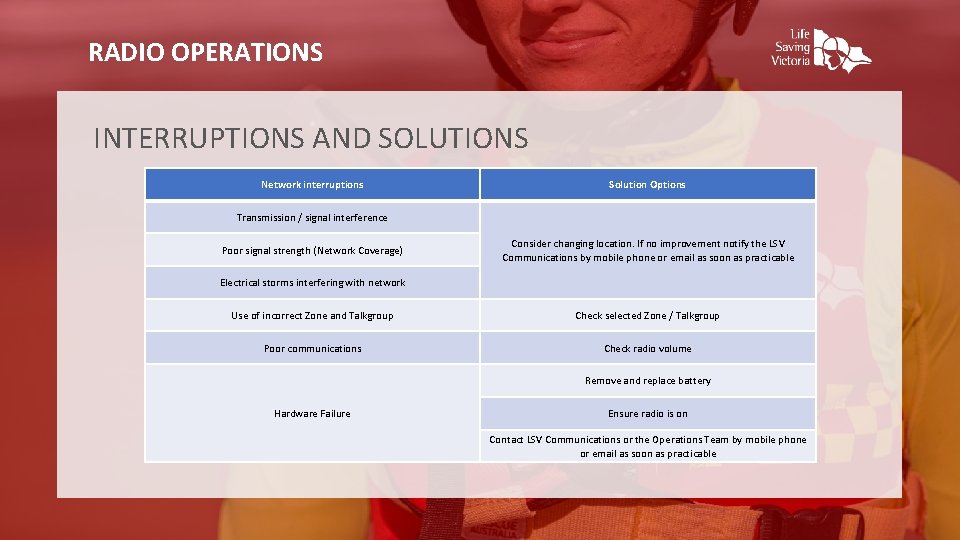
RADIO OPERATIONS INTERRUPTIONS AND SOLUTIONS Network interruptions Solution Options Transmission / signal interference Poor signal strength (Network Coverage) Consider changing location. If no improvement notify the LSV Communications by mobile phone or email as soon as practicable Electrical storms interfering with network Use of incorrect Zone and Talkgroup Check selected Zone / Talkgroup Poor communications Check radio volume Remove and replace battery Hardware Failure Ensure radio is on Contact LSV Communications or the Operations Team by mobile phone or email as soon as practicable
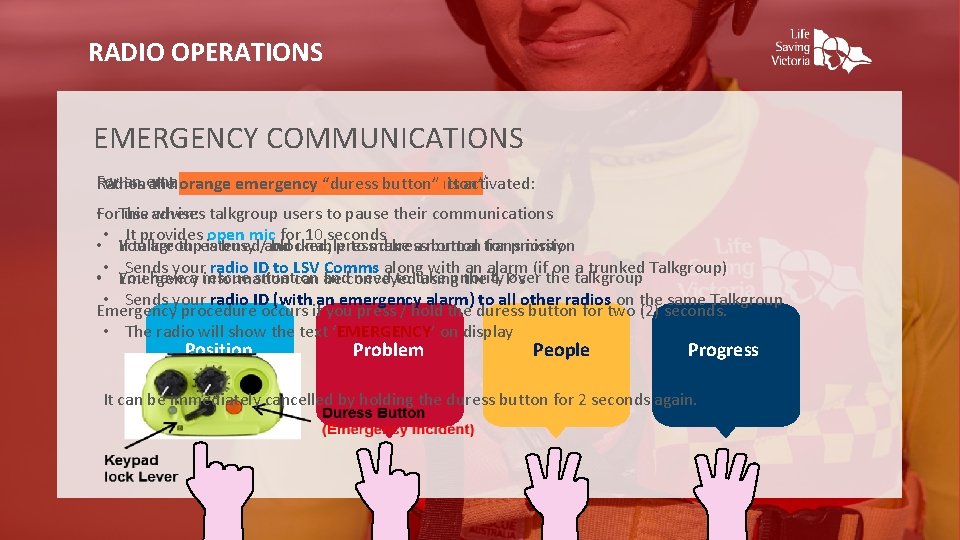
RADIO OPERATIONS EMERGENCY COMMUNICATIONS For an emergency transmit “Rescue, Rescue” When thehave orange emergency “duress button” is activated: Radios all an orange emergency ‘duress button’ use advises when: talkgroup users to pause their communications • For. This • It provides open mic for 10 seconds You are threatened unable to make a normal • If talkgroup is busy /and blocked, press duress button transmission for priority • Sends your radio ID to LSV Comms along with an alarm (if on a trunked Talkgroup) You have a rescue situation need to take over the talkgroup • Emergency information can and be conveyed usingpriority the 4 P’s • Sends your radio ID (with an emergency alarm) to all other radios on the same Talkgroup Emergency procedure occurs if you press / hold the duress button for two (2) seconds. • The radio will show the text ‘EMERGENCY’ on display Position Problem People Progress It can be immediately cancelled by holding the duress button for 2 seconds again.
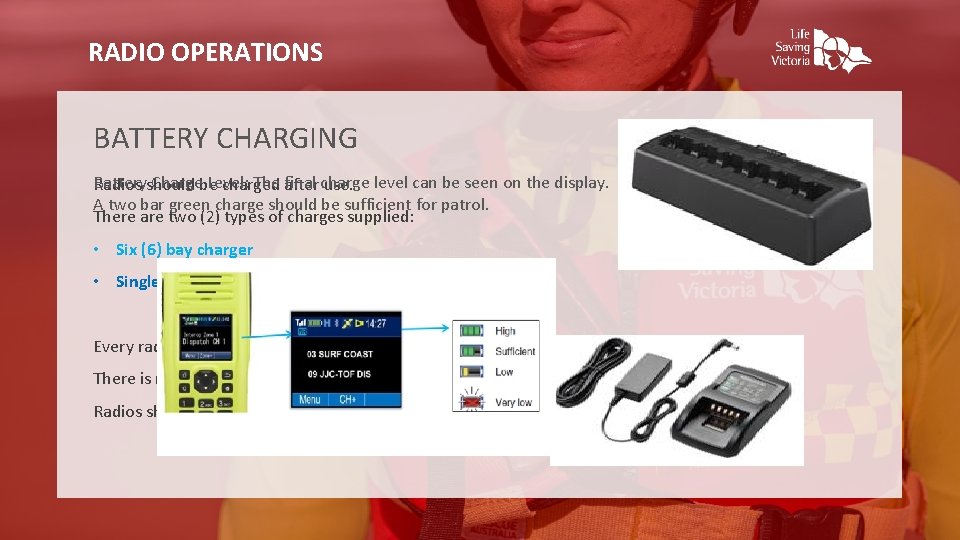
RADIO OPERATIONS BATTERY CHARGING Batteryshould Chargebe Level: The after final charge Radios charged use. level can be seen on the display. A two bar green charge should be sufficient for patrol. There are two (2) types of charges supplied: • Six (6) bay charger • Single bay charger Every radio has its own battery There is no requirement to remove and charge separately Radios should be turned off whilst on charge
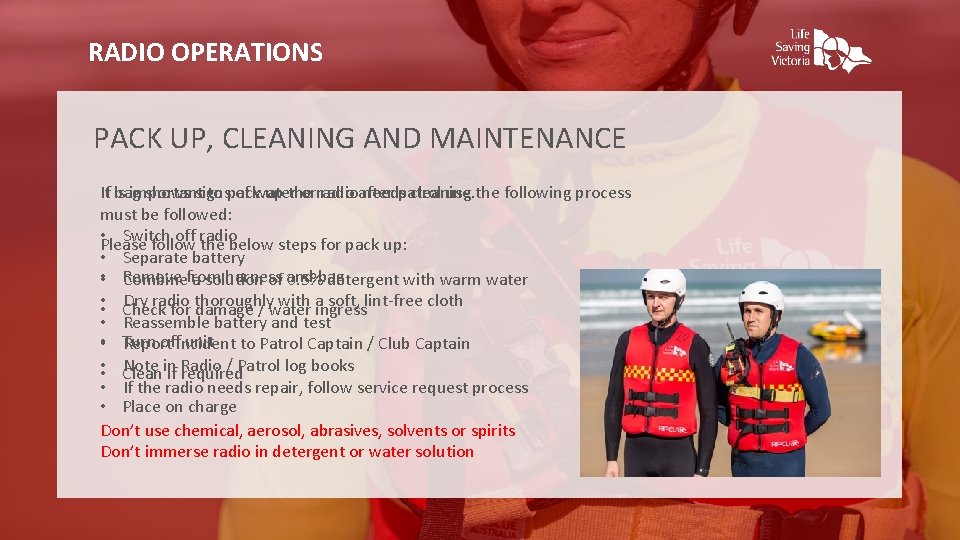
RADIO OPERATIONS PACK UP, CLEANING AND MAINTENANCE It If bag is important shows signs to pack of water up the orradioafter needspatrol cleaning use. the following process must be followed: • Switch off radio Please follow the below steps for pack up: • Separate battery • Remove harness Combinefrom a solution of and 0. 5%bag detergent with warm water Dry radio with aingress soft, lint-free cloth • • Check for thoroughly damage / water • Reassemble battery and test • Turn offincident unit to Patrol Captain / Club Captain Report Note in / Patrol log books • • Clean if Radio required • If the radio needs repair, follow service request process • Place on charge Don’t use chemical, aerosol, abrasives, solvents or spirits Don’t immerse radio in detergent or water solution
- Slides: 14