
Radio Frequency Transmitter and Receiver 1 DISCLAIMER USAGE

- Slides: 9
Radio Frequency Transmitter and Receiver 1
DISCLAIMER & USAGE • The content of this presentation is for informational purposes only and is intended for students attending Louisiana Tech University only. • The authors of this information do not make any claims as to the validity or accuracy of the information or methods presented. • Any procedures demonstrated here are potentially dangerous and could result in damage and injury. boosting application-focused learning through student ownership of learning platforms • Louisiana Tech University, its officers, employees, agents and volunteers, are not liable or responsible for any injuries, illness, damage or losses which may result from your using the materials or ideas, or from your performing the experiments or procedures depicted in this presentation. • The Living with the Lab logos should remain attached to each slide, and the work should be attributed to Louisiana Tech University. • If you do not agree, then please do not view this content. 2
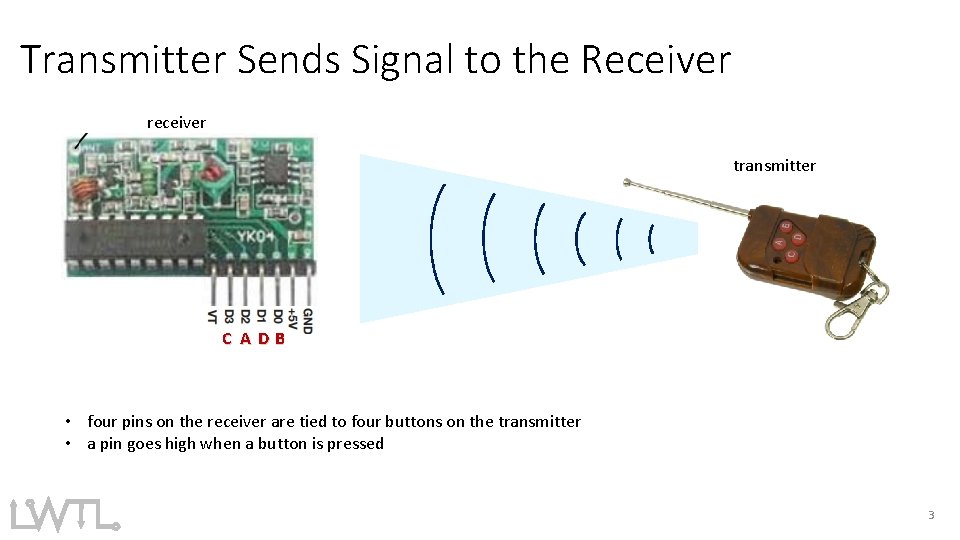
Transmitter Sends Signal to the Receiver receiver transmitter C A DB • four pins on the receiver are tied to four buttons on the transmitter • a pin goes high when a button is pressed 3
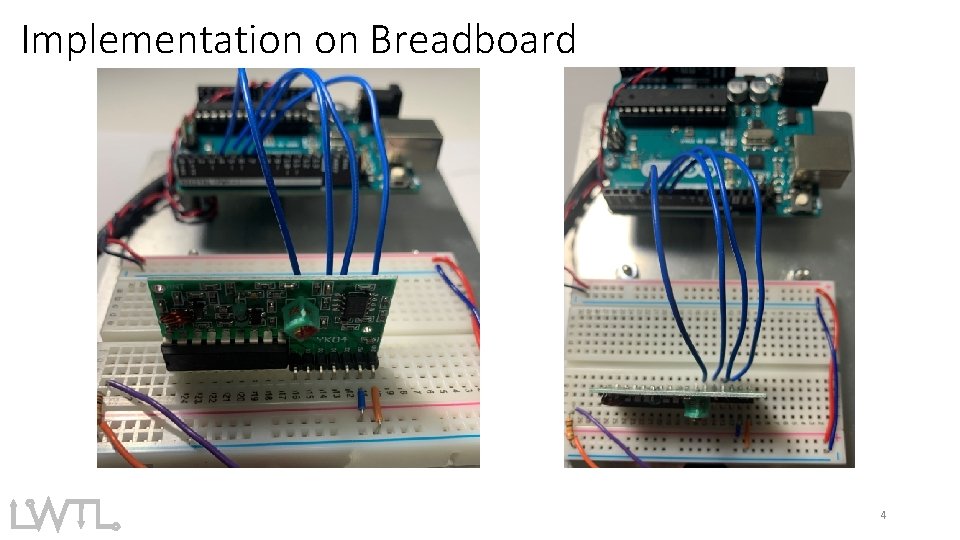
Implementation on Breadboard 4
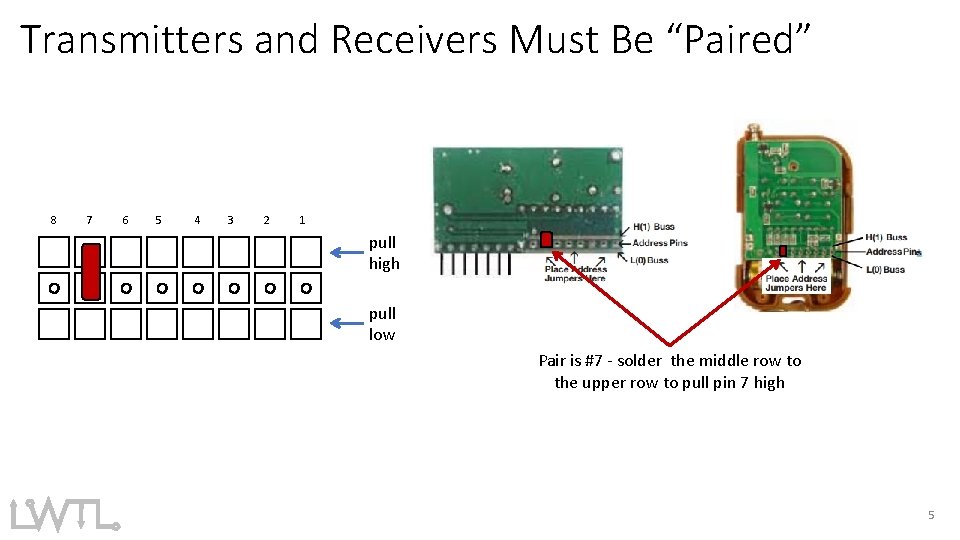
Transmitters and Receivers Must Be “Paired” 8 7 6 5 4 3 2 1 pull high pull low Pair is #7 - solder the middle row to the upper row to pull pin 7 high 5
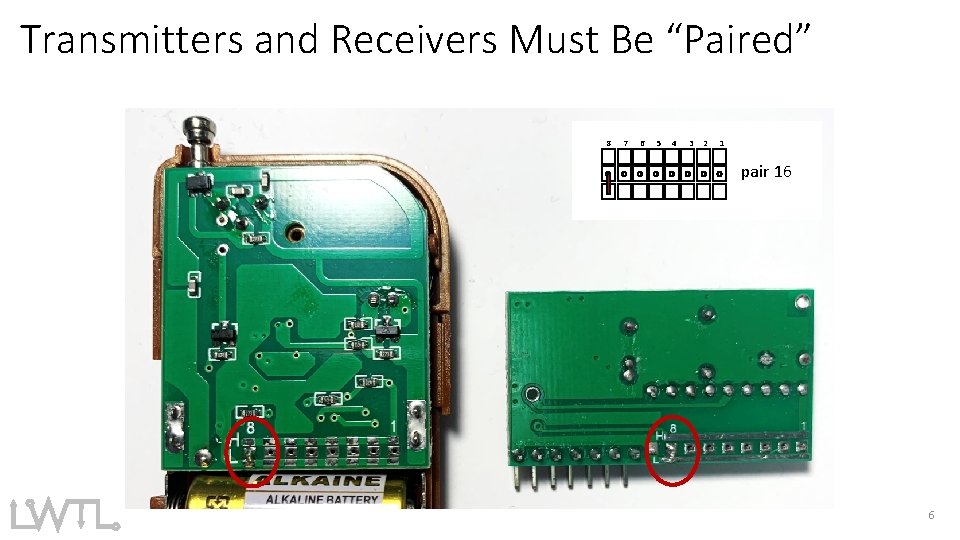
Transmitters and Receivers Must Be “Paired” 8 7 6 5 4 3 2 1 pair 16 6
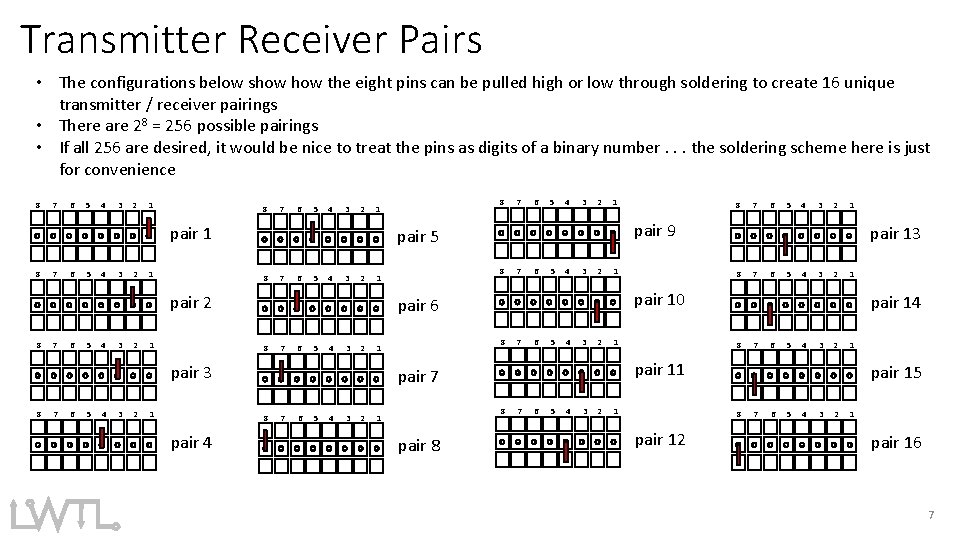
Transmitter Receiver Pairs • The configurations below show the eight pins can be pulled high or low through soldering to create 16 unique transmitter / receiver pairings • There are 28 = 256 possible pairings • If all 256 are desired, it would be nice to treat the pins as digits of a binary number. . . the soldering scheme here is just for convenience 8 7 6 5 4 3 2 1 8 7 6 5 4 3 2 pair 1 8 7 6 5 4 3 2 1 7 6 5 4 3 2 8 1 7 6 5 4 3 2 1 7 6 5 4 3 2 pair 8 6 5 4 3 2 1 pair 13 8 7 6 5 4 3 2 1 pair 14 8 7 6 5 4 3 2 1 pair 11 8 1 7 pair 10 8 1 pair 7 8 pair 4 5 pair 6 8 1 6 pair 9 8 1 pair 3 8 7 pair 5 pair 2 8 8 1 7 6 5 4 3 2 1 pair 15 8 pair 12 7 6 5 4 3 2 1 pair 16 7
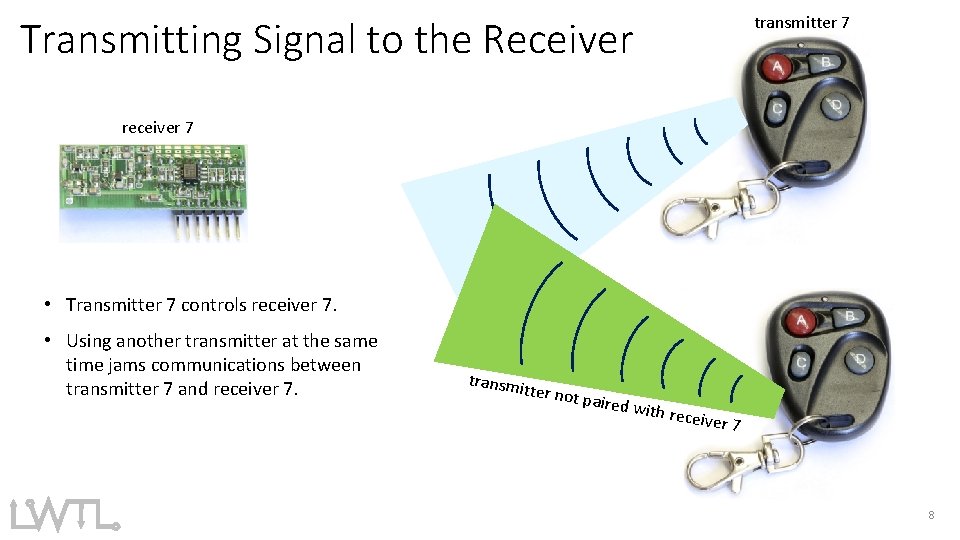
transmitter 7 Transmitting Signal to the Receiver receiver 7 • Transmitter 7 controls receiver 7. • Using another transmitter at the same time jams communications between transmitter 7 and receiver 7. transmi tter not paired w ith rece i ver 7 8
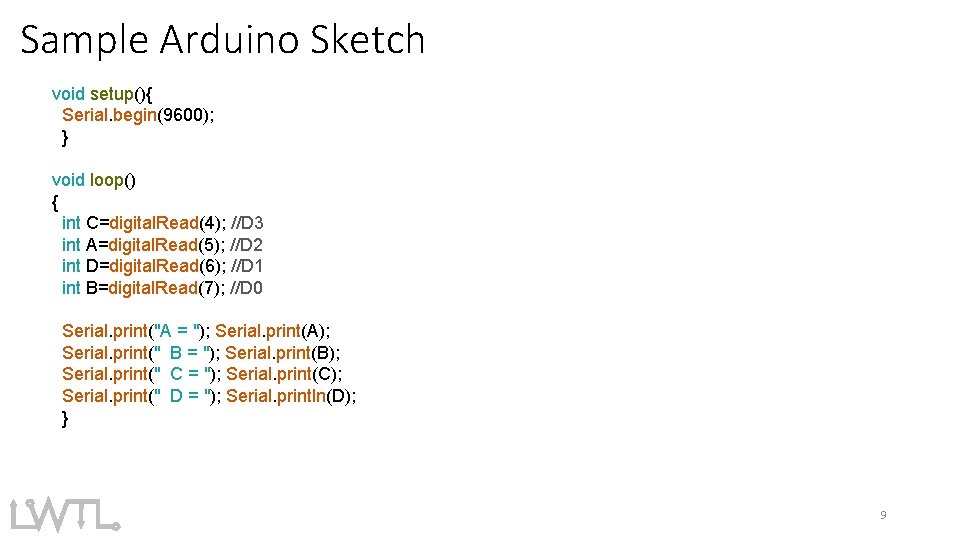
Sample Arduino Sketch void setup(){ Serial. begin(9600); } void loop() { int C=digital. Read(4); //D 3 int A=digital. Read(5); //D 2 int D=digital. Read(6); //D 1 int B=digital. Read(7); //D 0 Serial. print("A = "); Serial. print(A); Serial. print(" B = "); Serial. print(B); Serial. print(" C = "); Serial. print(C); Serial. print(" D = "); Serial. println(D); } 9