
R programming Jos R Valverde jrvalverdecnb csic es

R programming José R. Valverde jrvalverde@cnb. csic. es CNB/CSIC Exercises Statistics means never having to say you’re certain. 9 1 20

Preparation Download the archive with the R example files Create a directory for it Extract the contents in said directory Make the directory your working directory Launch R

Opening an external file The safest way is to convert any file to CSV (or TAB) format This allows you to inspect the file contents with a text editor Open cherry. xlsx in Excel or OOCalc Save the data as a CSV file with Save as. . . cherry <- read. csv(file. choose(), dec=’, ’, sep=’; ’) Choose the relevant file

Opening an Excel file library(xlsx) cherry <- read. xlsx(file. choose(), sheet. Index=1) This will open the chosen Excel (. xlsx) file and load the first spreadsheet in the file as “cherry” Inspect the contents head(cherry) cherry plot(cherry) summary(cherry)

Accessing named data Data in a dataset or frame can be labelled with names (e. g. column and row names) We refer to data by name using the “$” sign cherry$Girth mean(cherry$Girth) hist(cherry$Girth)
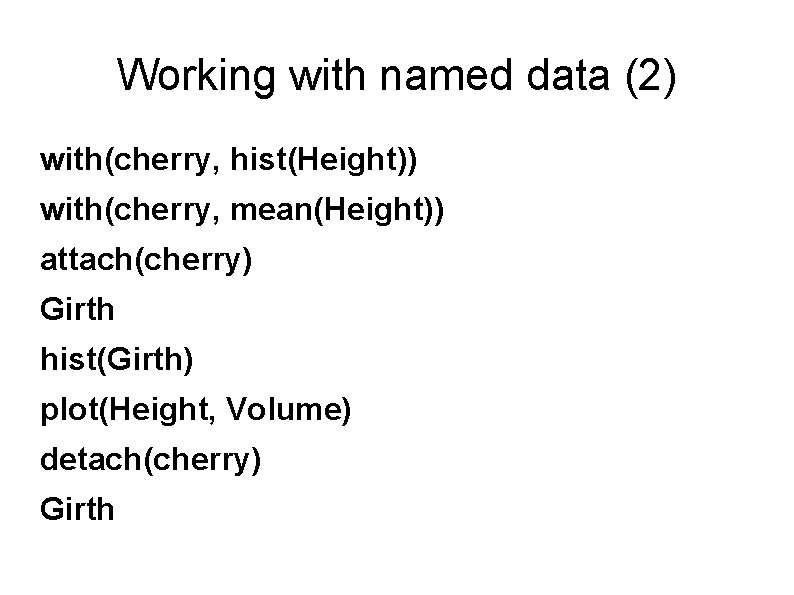
Working with named data (2) with(cherry, hist(Height)) with(cherry, mean(Height)) attach(cherry) Girth hist(Girth) plot(Height, Volume) detach(cherry) Girth
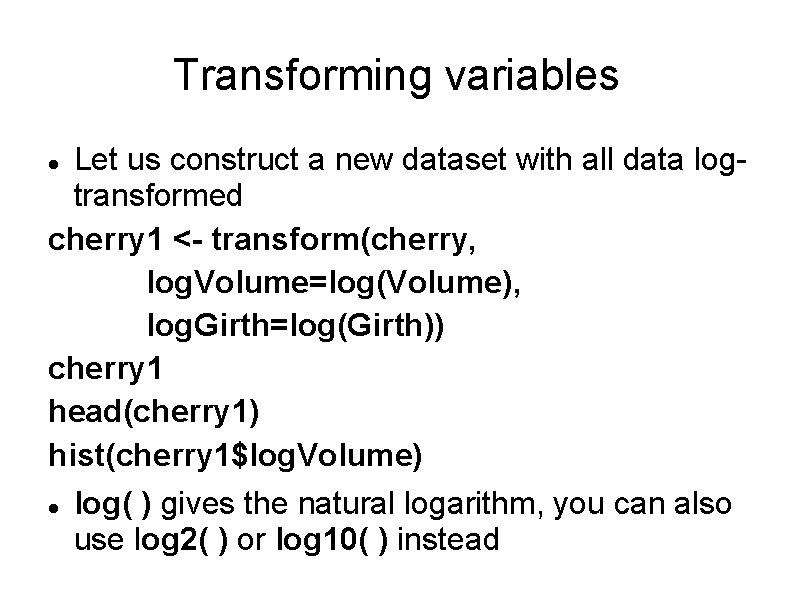
Transforming variables Let us construct a new dataset with all data logtransformed cherry 1 <- transform(cherry, log. Volume=log(Volume), log. Girth=log(Girth)) cherry 1 head(cherry 1) hist(cherry 1$log. Volume) log( ) gives the natural logarithm, you can also use log 2( ) or log 10( ) instead
![Selecting subsets cherry[3, ] # third row cherry[3: 5, ] # rows 3 to](http://slidetodoc.com/presentation_image/8f41bf5d6117f32aca86a31c85d0e439/image-8.jpg "Selecting subsets cherry[3, ] # third row cherry[3: 5, ] # rows 3 to")
Selecting subsets cherry[3, ] # third row cherry[3: 5, ] # rows 3 to 5 cherry[-c(2, 4), ] # all rows except # rows 2 and 4 Now try the following and see if you can understand what you get after each call. We are not assigning the result to a variable, but you certainly can if you want to use the subset afterwards
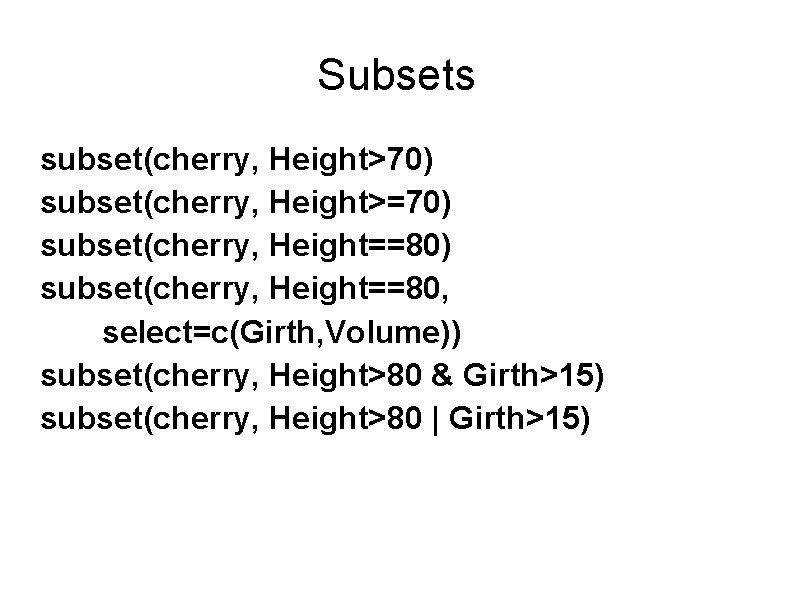
Subsets subset(cherry, Height>70) subset(cherry, Height>=70) subset(cherry, Height==80, select=c(Girth, Volume)) subset(cherry, Height>80 & Girth>15) subset(cherry, Height>80 | Girth>15)

Merging data Sometimes data comes from different sources and we need to merge it into a new dataset to facilitate analysis. Try the following and see what happens new. Data <- data. frame(Girth=c(11. 5, 17. 0), Height=c(71, 75), Volume=c(22, 40)) new. Data all. Data <- rbind(cherry, new. Data) all. Data What does each command do?
Linear Regression
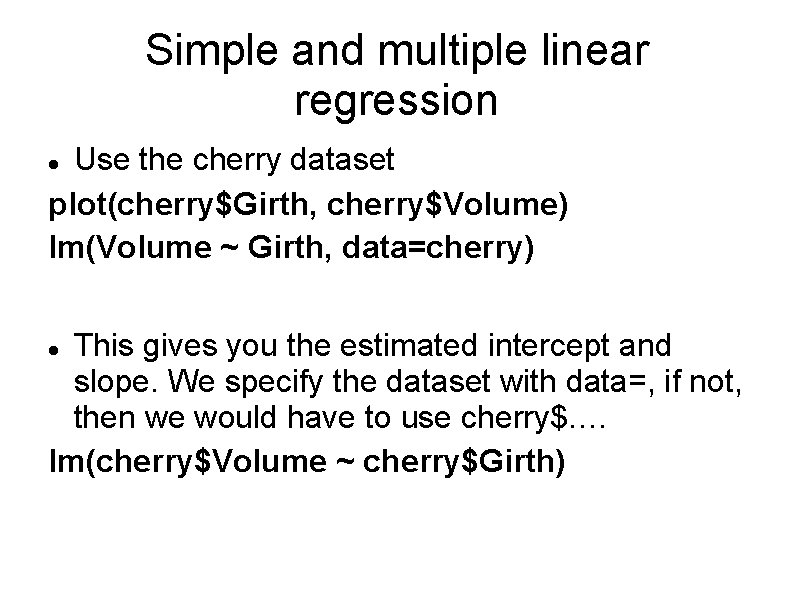
Simple and multiple linear regression Use the cherry dataset plot(cherry$Girth, cherry$Volume) lm(Volume ~ Girth, data=cherry) This gives you the estimated intercept and slope. We specify the dataset with data=, if not, then we would have to use cherry$. … lm(cherry$Volume ~ cherry$Girth)
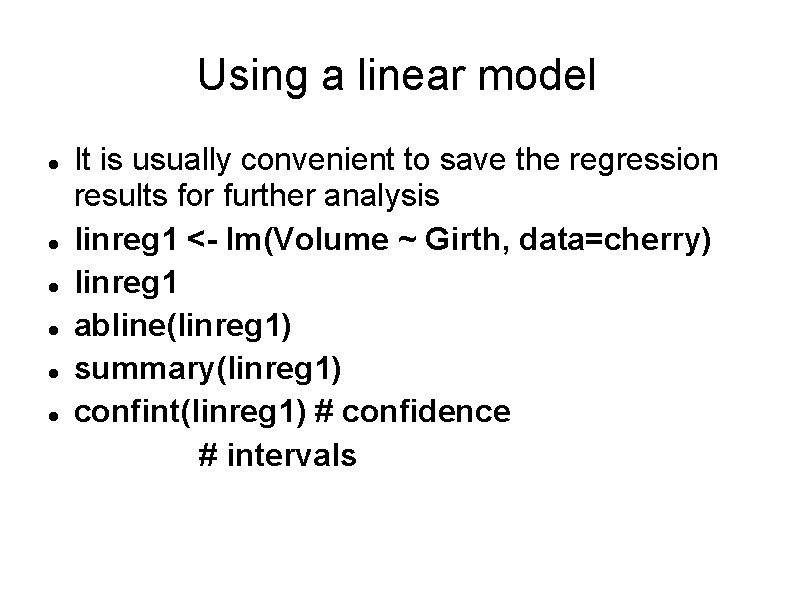
Using a linear model It is usually convenient to save the regression results for further analysis linreg 1 <- lm(Volume ~ Girth, data=cherry) linreg 1 abline(linreg 1) summary(linreg 1) confint(linreg 1) # confidence # intervals
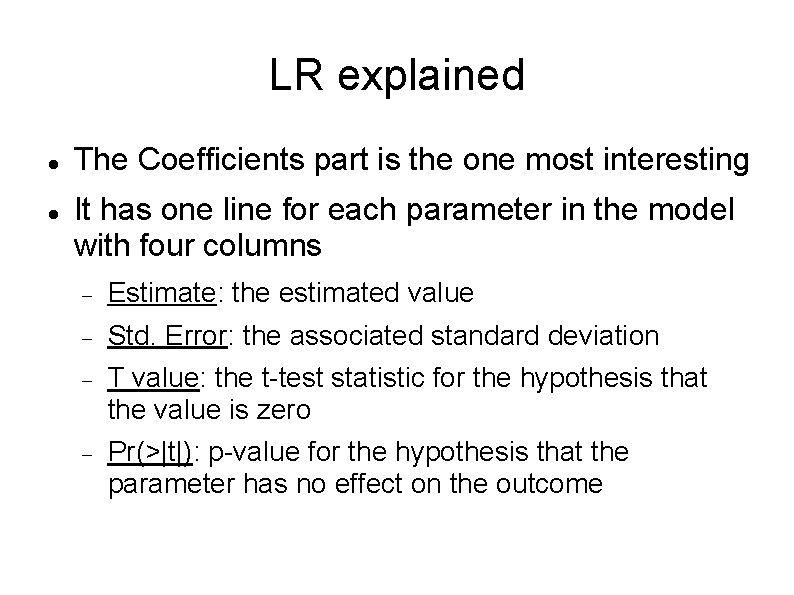
LR explained The Coefficients part is the one most interesting It has one line for each parameter in the model with four columns Estimate: the estimated value Std. Error: the associated standard deviation T value: the t-test statistic for the hypothesis that the value is zero Pr(>|t|): p-value for the hypothesis that the parameter has no effect on the outcome
Exercise Fit a new model where you use log(Volume) as the response variable and log(Girth) as covariate. Call the model linreg 2 Check the model.
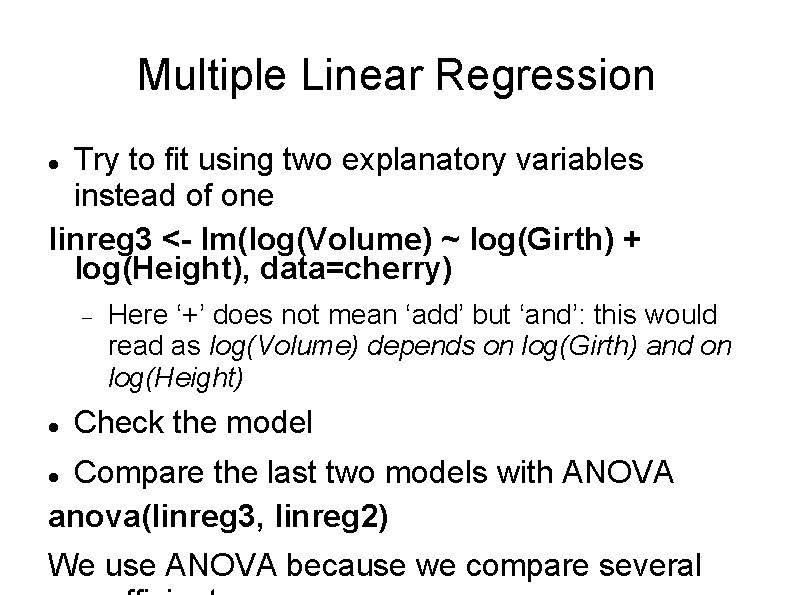
Multiple Linear Regression Try to fit using two explanatory variables instead of one linreg 3 <- lm(log(Volume) ~ log(Girth) + log(Height), data=cherry) Here ‘+’ does not mean ‘add’ but ‘and’: this would read as log(Volume) depends on log(Girth) and on log(Height) Check the model Compare the last two models with ANOVA anova(linreg 3, linreg 2) We use ANOVA because we compare several

Functions
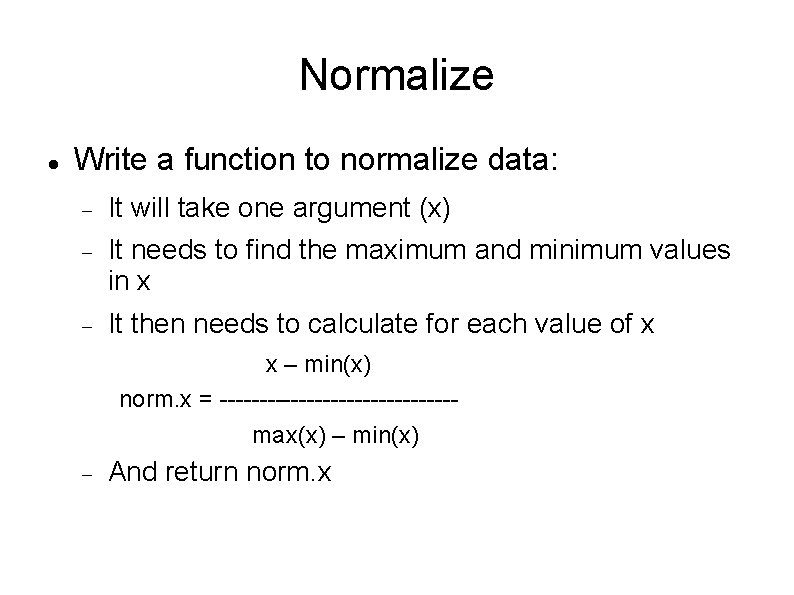
Normalize Write a function to normalize data: It will take one argument (x) It needs to find the maximum and minimum values in x It then needs to calculate for each value of x x – min(x) norm. x = ---------------max(x) – min(x) And return norm. x
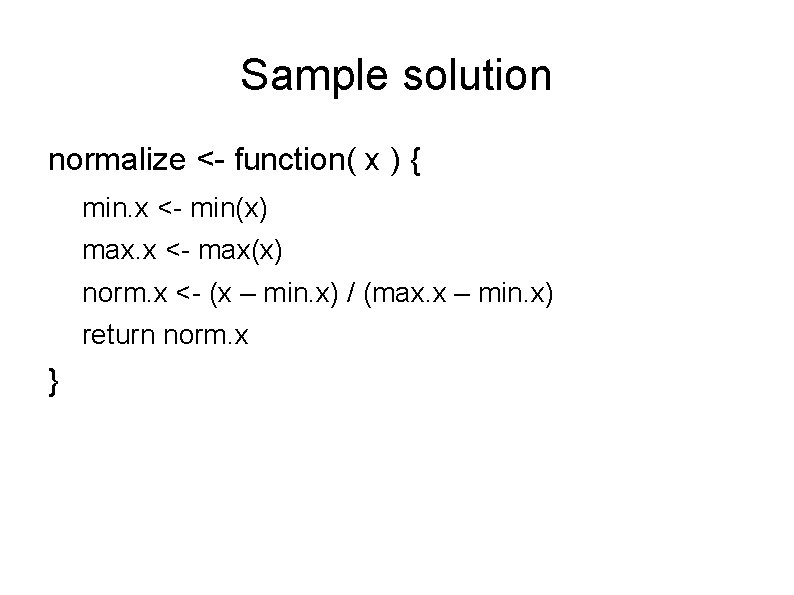
Sample solution normalize <- function( x ) { min. x <- min(x) max. x <- max(x) norm. x <- (x – min. x) / (max. x – min. x) return norm. x }

Debug Try your function with normalize(4) normalize( c(4, 4, 4, 4) ) What happened? Try to fix the problem.
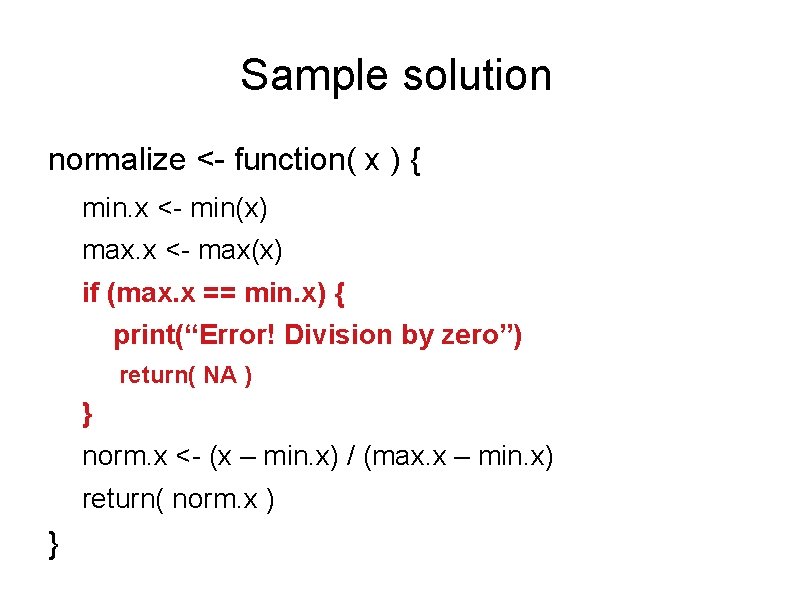
Sample solution normalize <- function( x ) { min. x <- min(x) max. x <- max(x) if (max. x == min. x) { print(“Error! Division by zero”) return( NA ) } norm. x <- (x – min. x) / (max. x – min. x) return( norm. x ) }

Defining your own functions There are many functions already available But sometimes we'll want to define our own ones: f <- function(x) return(2*x^2 - 0. 9*x - 1) f(0) f(1. 5)
Functions are also variables You can use a function as you would use a variable, e. g. when calling another function. If your function produces a value, it is the same as a variable that contains a value plot(f) plot(f, from=-1, to=2)
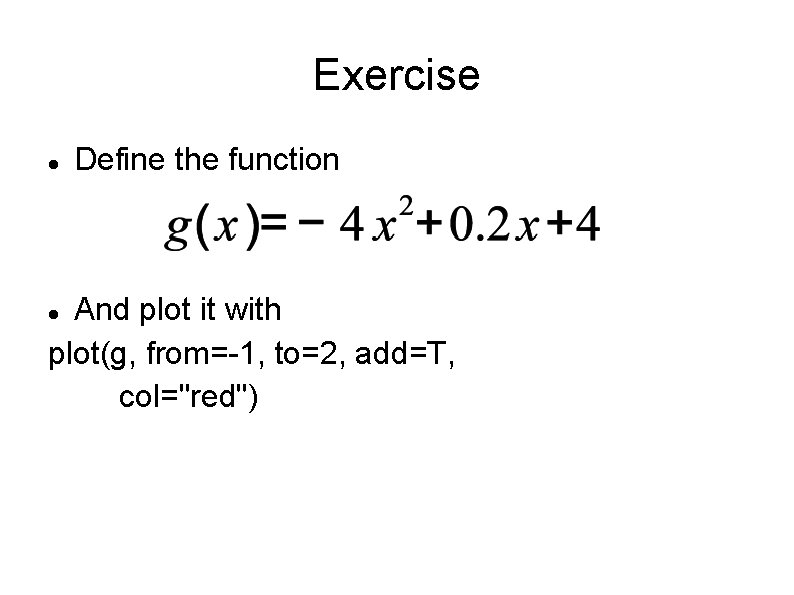
Exercise Define the function And plot it with plot(g, from=-1, to=2, add=T, col="red")
Minima and maxima We can see that f(x) has a minimum around 0. 25 and g(x) a maximum around 0 optimize(f, interval=c(-1, 2)) Exercise: Find the maximum of g(x) using optimize
Minima and maxima We can see that f(x) has a minimum around 0. 25 and g(x) a maximum around 0 optimize(f, interval=c(-1, 2)) Exercise: Find the maximum of g(x) using optimize Which function has the minimum at the same point where g(x) has the maximum? CHECK IT
Roots f(x) is 0 around -0. 5 and 1 We can use uniroot to obtain the exact values: uniroot(f, interval=c(-1, 2)) # that gave an error uniroot(f, interval=c(-2, 0)) Find the root close to 1 Find the roots of g(x)
Exercise Find the values for which f(x) = g(x)
Exercise Find the values for which f(x) = g(x) Which function is zero if and only if f(x) = g(x)?

Functions with several arguments We can define it in two ways As a function taking two argumens (x 1 and x 2) As a function taking one argument, which is a vector with two components (x = (x 1, x 2)) Try it
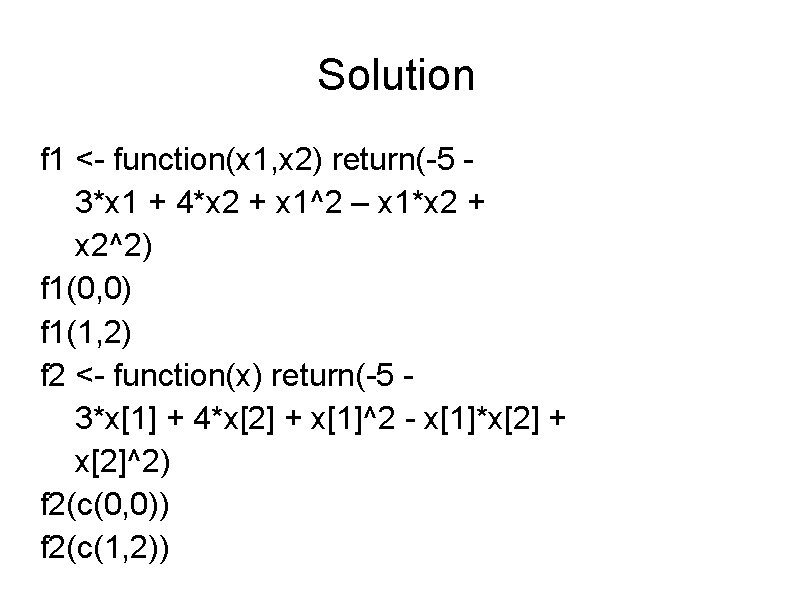
Solution f 1 <- function(x 1, x 2) return(-5 3*x 1 + 4*x 2 + x 1^2 – x 1*x 2 + x 2^2) f 1(0, 0) f 1(1, 2) f 2 <- function(x) return(-5 3*x[1] + 4*x[2] + x[1]^2 - x[1]*x[2] + x[2]^2) f 2(c(0, 0)) f 2(c(1, 2))

Contour plot For functions of one argument we plot a line, for two arguments (dimensions) it is convenient to draw a contour plot. The axis are X 1 and X 2 We draw lines/curves corresponding to different values of the function All values of x 1, x 2 in a line give the same result for the function
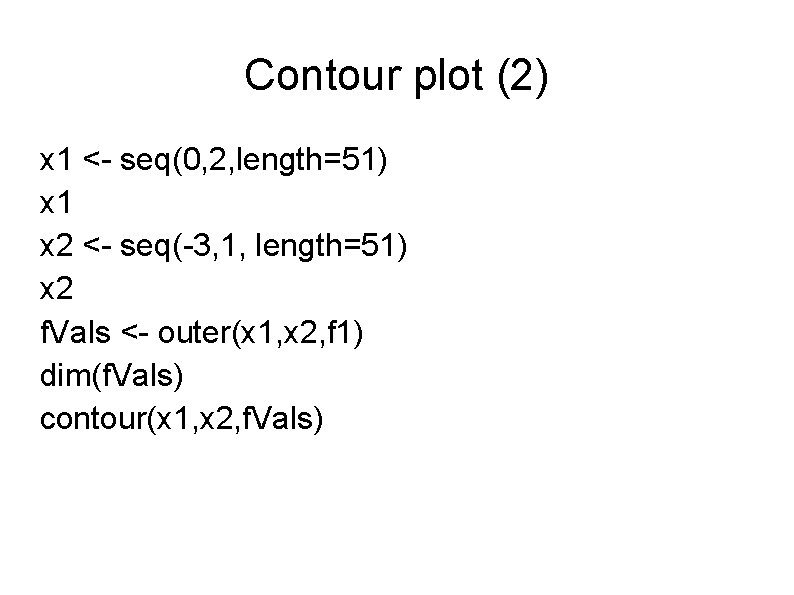
Contour plot (2) x 1 <- seq(0, 2, length=51) x 1 x 2 <- seq(-3, 1, length=51) x 2 f. Vals <- outer(x 1, x 2, f 1) dim(f. Vals) contour(x 1, x 2, f. Vals)

Contour plot (3) We want a plot with 50 grid points in X 1 and X 2 So we need 51 points, from 0 to 50 Function outer( ) will compute the function in all grid points And then we use function contour( ) to draw the plot.
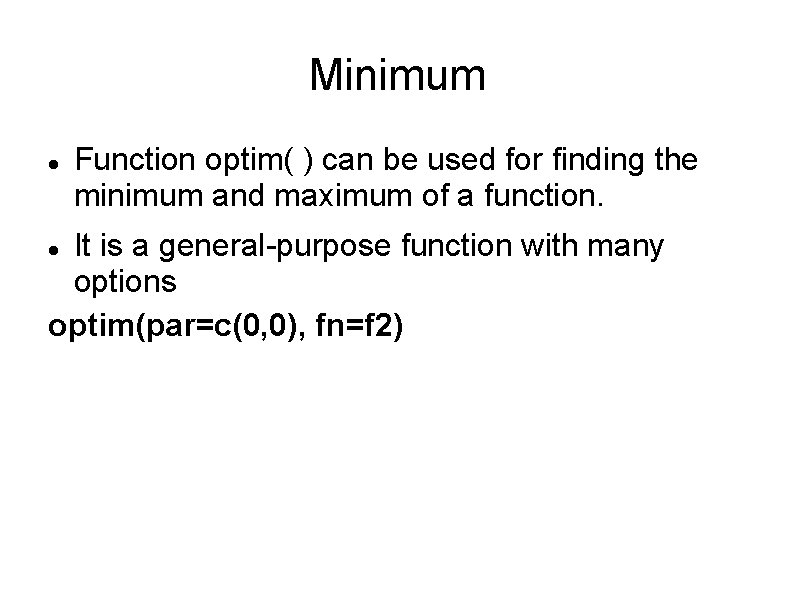
Minimum Function optim( ) can be used for finding the minimum and maximum of a function. It is a general-purpose function with many options optim(par=c(0, 0), fn=f 2)

Optimization (2) Note that optim( ) requires that we use a function taking one argument, which is why we need to use the second implementation of the function The one that takes a vector of two values (x 1, x 2) We needed to provide a point where we'll start the search In general, multidimensional optimization is a difficult task and will require additional arguments to optim( ) for fine tuning. nlsminb( ) is a slower but more reliable
Enzyme Kinetics
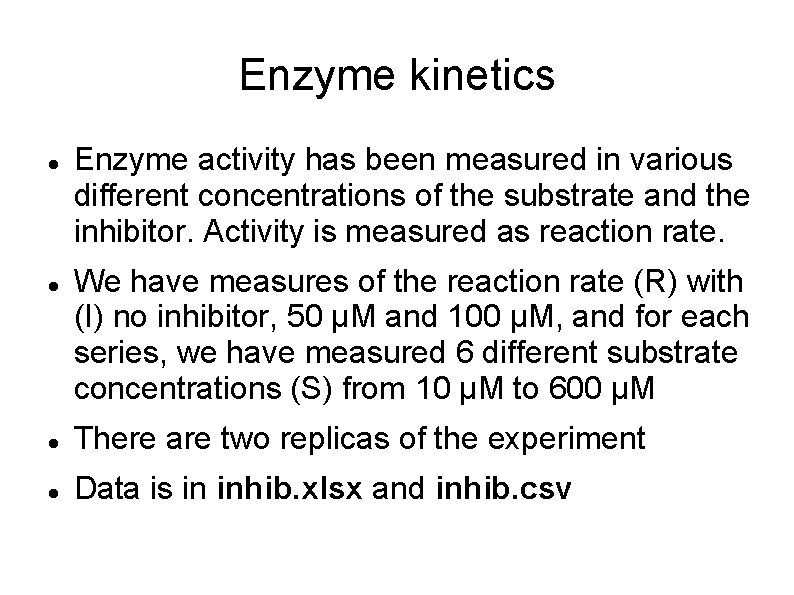
Enzyme kinetics Enzyme activity has been measured in various different concentrations of the substrate and the inhibitor. Activity is measured as reaction rate. We have measures of the reaction rate (R) with (I) no inhibitor, 50 μM and 100 μM, and for each series, we have measured 6 different substrate concentrations (S) from 10 μM to 600 μM There are two replicas of the experiment Data is in inhib. xlsx and inhib. csv

Inspect the data Read the data into variable 'inhib' Make a scatterplot with substrate concentration (S) on the x-axis and reaction rate ( R ) on the y -axis. Can you spot any problem?
Inspect the data Read the data into variable 'inhib' Make a scatterplot with substrate concentration (S) on the x-axis and reaction rate ( R ) on the y -axis. Can you spot any problem? Can you tell apart the reactions with different inhibitor concentrations?
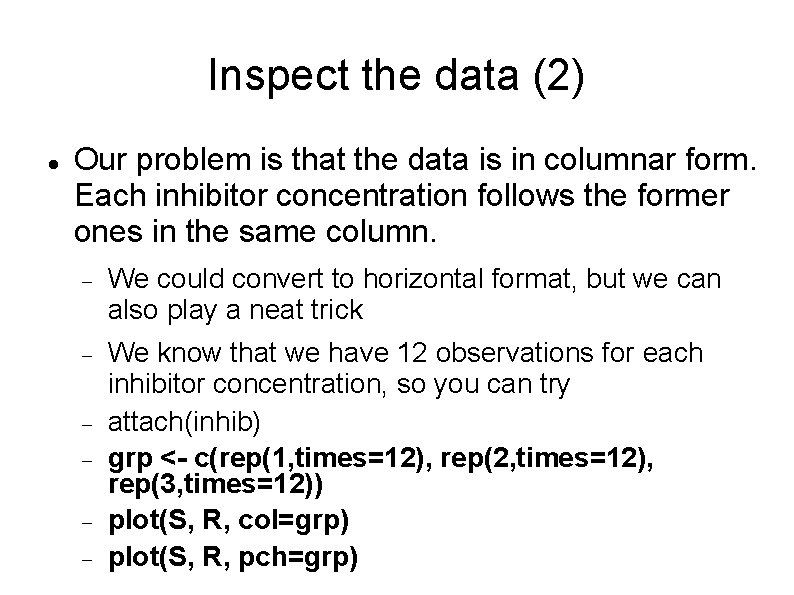
Inspect the data (2) Our problem is that the data is in columnar form. Each inhibitor concentration follows the former ones in the same column. We could convert to horizontal format, but we can also play a neat trick We know that we have 12 observations for each inhibitor concentration, so you can try attach(inhib) grp <- c(rep(1, times=12), rep(2, times=12), rep(3, times=12)) plot(S, R, col=grp) plot(S, R, pch=grp)
Inspect the data (3) We have created a vector with 12 ones, 12 twos and 12 threes. Then we simply use this vector to indicate the color (or marker) for each value in S/R. The first 12 observations will use color/marker #1 The second 12 obervations, color/marker #2 The third 12 observations, colot/marker #3
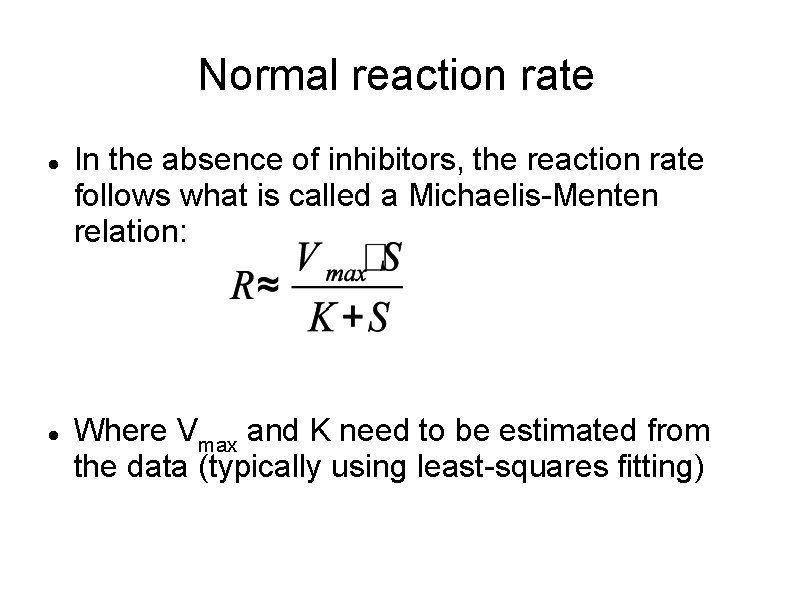
Normal reaction rate In the absence of inhibitors, the reaction rate follows what is called a Michaelis-Menten relation: Where Vmax and K need to be estimated from the data (typically using least-squares fitting)
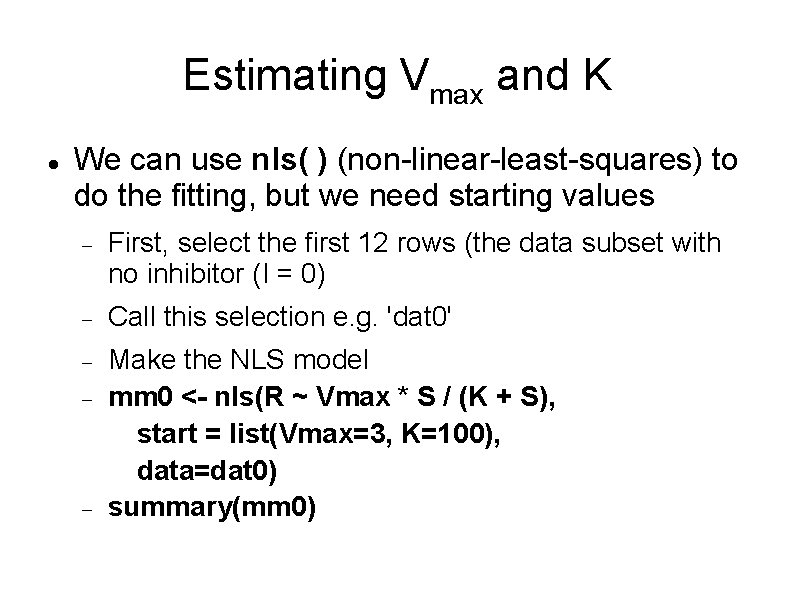
Estimating Vmax and K We can use nls( ) (non-linear-least-squares) to do the fitting, but we need starting values First, select the first 12 rows (the data subset with no inhibitor (I = 0) Call this selection e. g. 'dat 0' Make the NLS model mm 0 <- nls(R ~ Vmax * S / (K + S), start = list(Vmax=3, K=100), data=dat 0) summary(mm 0)
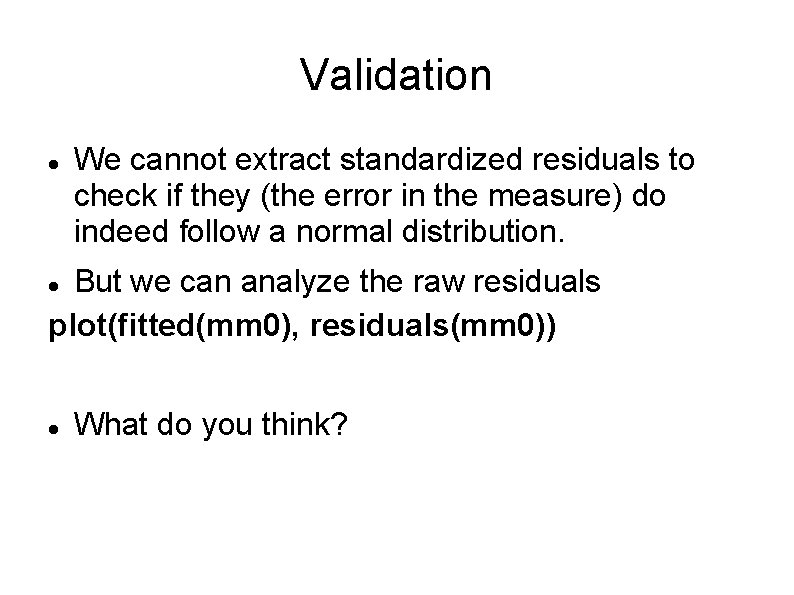
Validation We cannot extract standardized residuals to check if they (the error in the measure) do indeed follow a normal distribution. But we can analyze the raw residuals plot(fitted(mm 0), residuals(mm 0)) What do you think?
Validation (2) Make a scatterplot for the data and add the line corresponding to the fitted function.
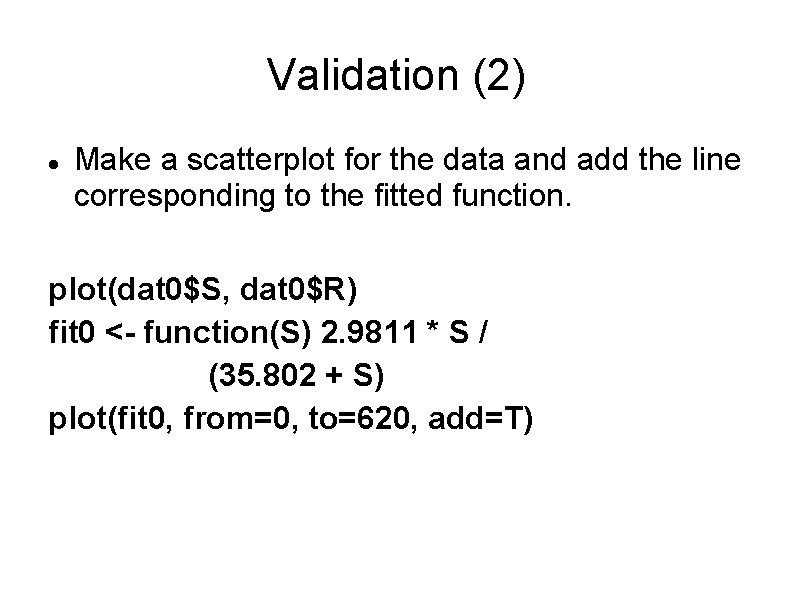
Validation (2) Make a scatterplot for the data and add the line corresponding to the fitted function. plot(dat 0$S, dat 0$R) fit 0 <- function(S) 2. 9811 * S / (35. 802 + S) plot(fit 0, from=0, to=620, add=T)
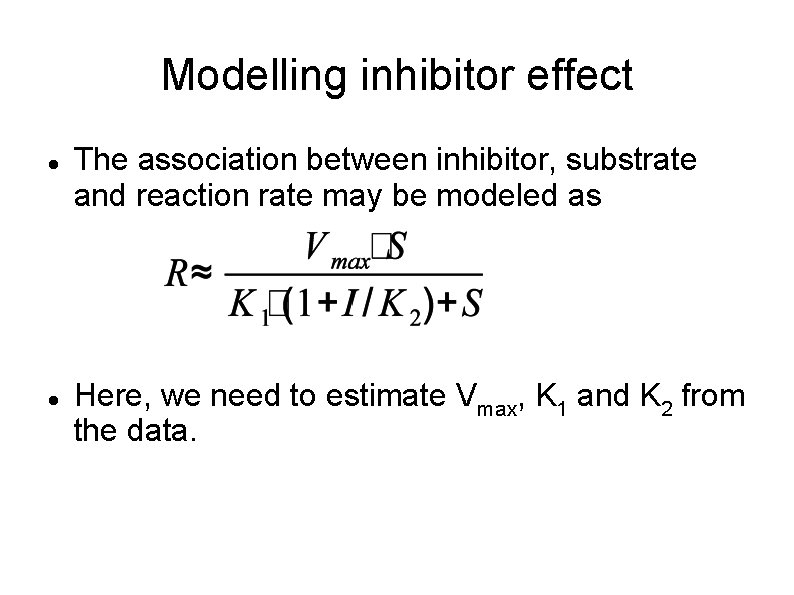
Modelling inhibitor effect The association between inhibitor, substrate and reaction rate may be modeled as Here, we need to estimate Vmax, K 1 and K 2 from the data.
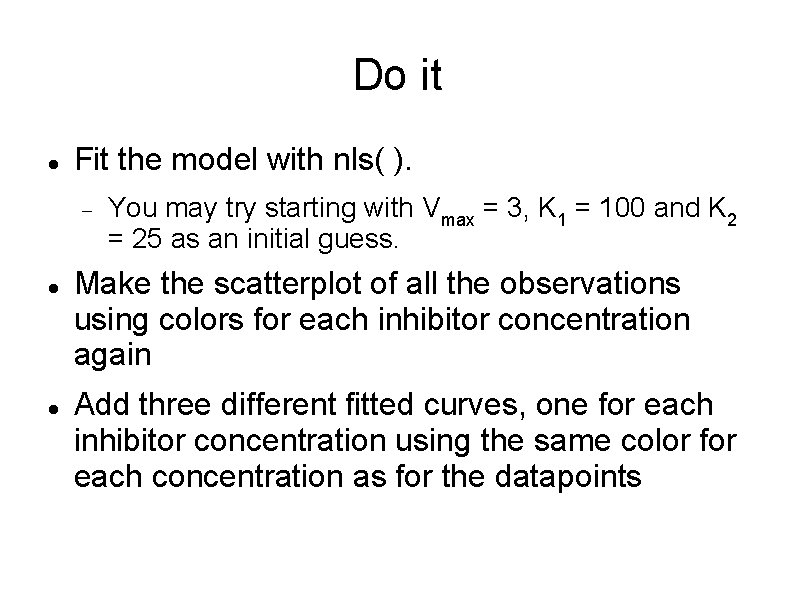
Do it Fit the model with nls( ). You may try starting with Vmax = 3, K 1 = 100 and K 2 = 25 as an initial guess. Make the scatterplot of all the observations using colors for each inhibitor concentration again Add three different fitted curves, one for each inhibitor concentration using the same color for each concentration as for the datapoints
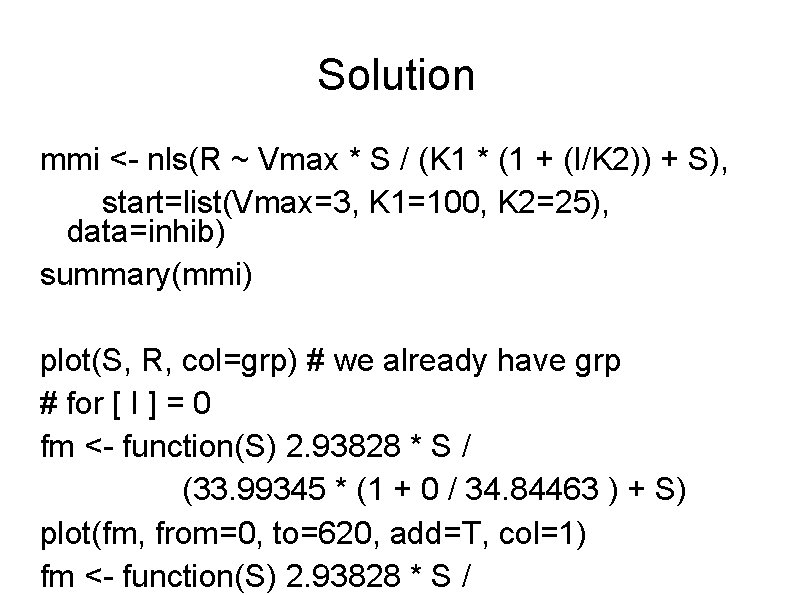
Solution mmi <- nls(R ~ Vmax * S / (K 1 * (1 + (I/K 2)) + S), start=list(Vmax=3, K 1=100, K 2=25), data=inhib) summary(mmi) plot(S, R, col=grp) # we already have grp # for [ I ] = 0 fm <- function(S) 2. 93828 * S / (33. 99345 * (1 + 0 / 34. 84463 ) + S) plot(fm, from=0, to=620, add=T, col=1) fm <- function(S) 2. 93828 * S /
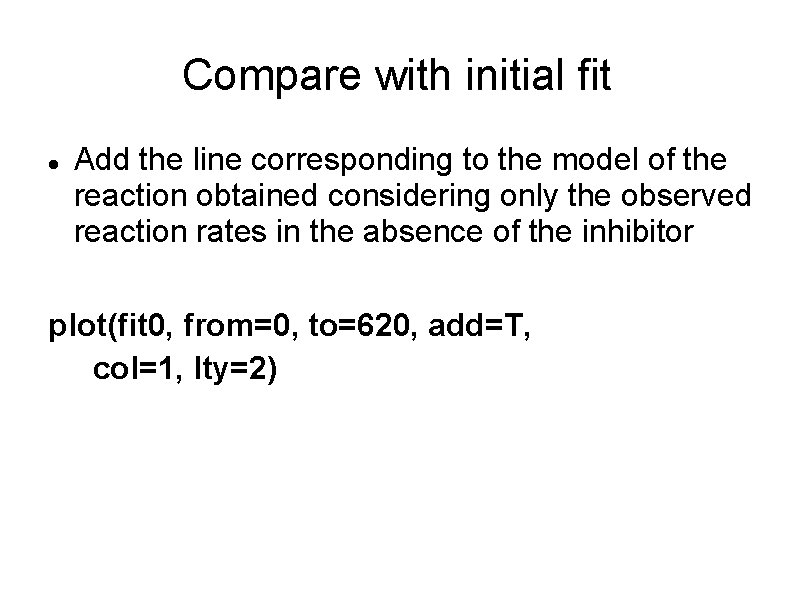
Compare with initial fit Add the line corresponding to the model of the reaction obtained considering only the observed reaction rates in the absence of the inhibitor plot(fit 0, from=0, to=620, add=T, col=1, lty=2)
![Make separate models for [ I ] We can use separate models for each](http://slidetodoc.com/presentation_image/8f41bf5d6117f32aca86a31c85d0e439/image-52.jpg "Make separate models for [ I ] We can use separate models for each")
Make separate models for [ I ] We can use separate models for each Michaelis Menten fit for each inhibitor concentration [ I ], that is, use the initial MM equation for each. They can be done all at once, indeed! mm 3 <- nls(R ~ Vmax[grp] * S / (K[grp] + S), start = list(Vmax=c(3, 3, 3), K=c(100, 100)), data=inhib)
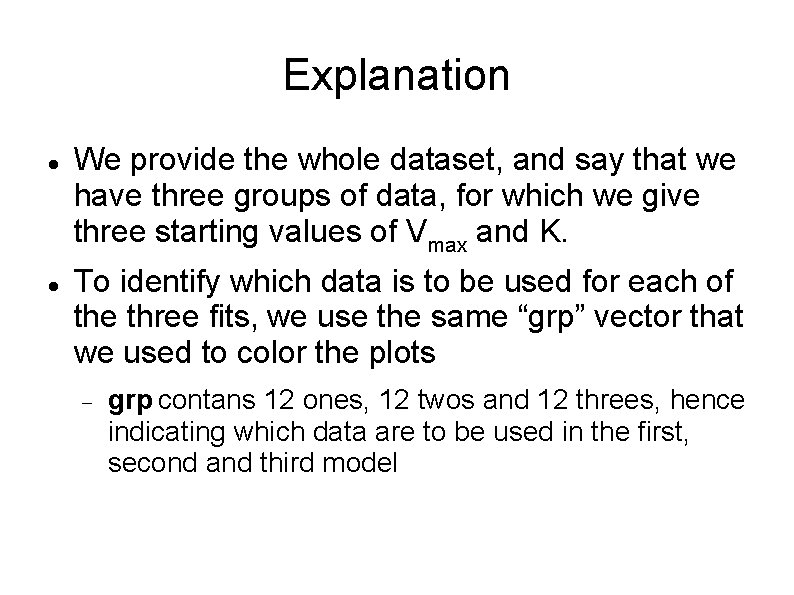
Explanation We provide the whole dataset, and say that we have three groups of data, for which we give three starting values of Vmax and K. To identify which data is to be used for each of the three fits, we use the same “grp” vector that we used to color the plots grp contans 12 ones, 12 twos and 12 threes, hence indicating which data are to be used in the first, second and third model
![Compare the models We have mm 0 (model with no inhibitor, [ I ]](http://slidetodoc.com/presentation_image/8f41bf5d6117f32aca86a31c85d0e439/image-54.jpg "Compare the models We have mm 0 (model with no inhibitor, [ I ]")
Compare the models We have mm 0 (model with no inhibitor, [ I ] = 0) mmi (model with all the inhibitor concentrations) mm 3 (three models, one for each inhibitor concentration We can compare models using anova, e. g. anova(mmi, mm 3) Are they the significantly different?
Yonder and beyond There is a lot more to curve fitting, specially when we talk about enzyme reactions You may have more than one substrate, more than one inhibitor and various error (residual) distributions. This may demand Various logistic regression, Generalized Least Squares, ARIMA or mixed-effects modeling methods Fitting to sigmoidal, third-degree polynomials or other types of curves Repeated measures analyses
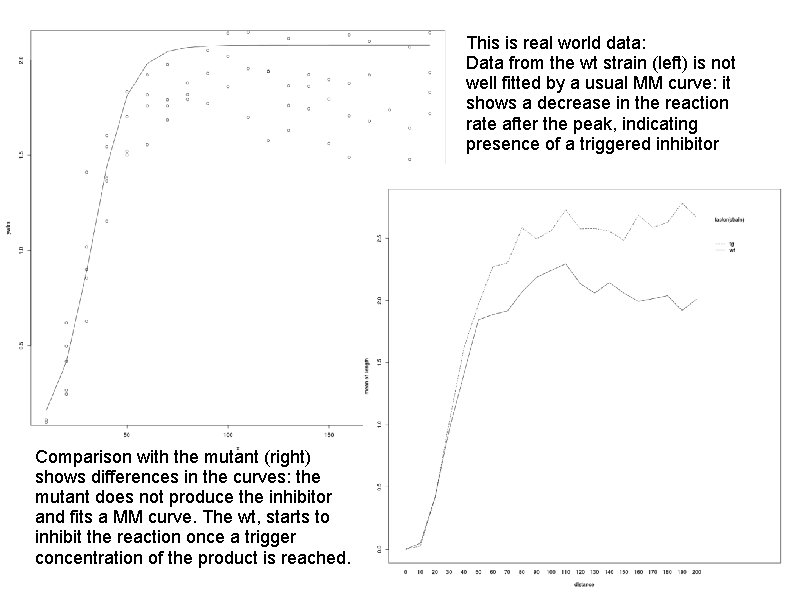
This is real world data: Data from the wt strain (left) is not well fitted by a usual MM curve: it shows a decrease in the reaction rate after the peak, indicating presence of a triggered inhibitor Comparison with the mutant (right) shows differences in the curves: the mutant does not produce the inhibitor and fits a MM curve. The wt, starts to inhibit the reaction once a trigger concentration of the product is reached.

Principal Components Analysis

The experiment Data is available from the MASS package as dataset “crabs” 100 blue and 100 orange crabs were measured (50 male and 50 female each) for Caparace length (CL) Caparace width (CW) Frontal lobe length (FL) Rear width (RW) Body depth (BD) Can we tell color from (any, some, or all of) the other variables?

Data input and transformation library(MASS) # load package MASS head(crabs) # look at the data # compute a dataset with log values logcrabs <- log(crabs[, 4: 8]) head(logcrabs) # Group variable group <- crabs$sex : crabs$sp group plot(logcrabs, col=group)

Question Does the raw data show a clear asociation between the four groups and the variables measured? Blue / Female Orange / Male Blue / Male
PCA pca <- princomp(logcrabs, cor=T) pca summary(pca) plot(pca) loadings(pca) pca$scores

Explanation We carry out Principal Components Analysis with function princomp( ) We can use the covariance function (default) or the correlation matrix (which we have selected here with cor=T) to cause a scaling of the variables. The first component explains the greatest amount of variance in our observations.
![Investigating PCA scor. Data <- data. frame(pca$scores) plot(scor. Data, col=group) plot(scor. Data[, 1: 3],](http://slidetodoc.com/presentation_image/8f41bf5d6117f32aca86a31c85d0e439/image-63.jpg "Investigating PCA scor. Data <- data. frame(pca$scores) plot(scor. Data, col=group) plot(scor. Data[, 1: 3],")
Investigating PCA scor. Data <- data. frame(pca$scores) plot(scor. Data, col=group) plot(scor. Data[, 1: 3], col=group) plot(logcrabs[, 1], scor. Data[, 1], col=group) Is there any association between components and groups (remember the color association)?

More Info You can obtain more examples, details and information in Introduction to R: Exercises Helle Sørensen, 2015 U. Of Copenhagen Which it so happens is the source upon which parts of this presentation are based.

Thank you Questions?
- Slides: 65