
R 081 Revision Objectives for next 4 weeks
R 081 - Revision
Objectives for next 4 weeks • You must be able to describe the process of creating preproduction documents and the role they play in the development of your ideas. • You should be able to describe how you would analyse a client’s requirements and how they might provide their requirements to you. I. e. client brief, meetings, scripts. • You should be able to analyse your client brief to ascertain your clients target audience and provide examples of how your proposed product will meet their specification. • You should be able to show that you can complete primary (questionnaires, sampling, surveys) and secondary (books, internet, television) research to develop your ideas. • You will be able to discuss the time scales for a set a project and describe steps you may have to take to avoid
Effective searching Search for the following using specific key words. • Who is the Premier of Western Australia • What is the weathere today? • What are the names of the four main theme parks in Disneyland? • Find out the address for the Marriott Downtown hotel in Orlando • What is theme of the restaurant/pub Fionn Mac. Cool’s in Orlando?
Understanding URLS What are these URLS • http: //www. gpen. org • http: //www. greenpeace. co. uk • http: //www. facebook. com • http: //www. greenparkhigh. sch
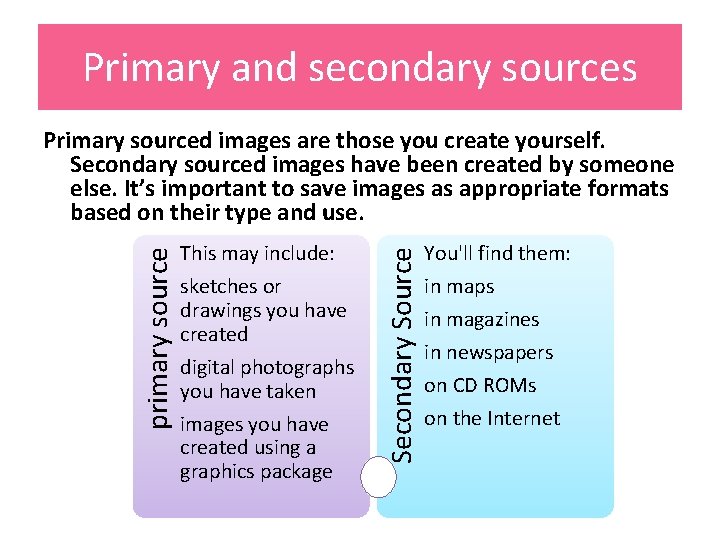
Primary and secondary sources This may include: sketches or drawings you have created digital photographs you have taken images you have created using a graphics package Secondary Source primary source Primary sourced images are those you create yourself. Secondary sourced images have been created by someone else. It’s important to save images as appropriate formats based on their type and use. You'll find them: in maps in magazines in newspapers on CD ROMs on the Internet
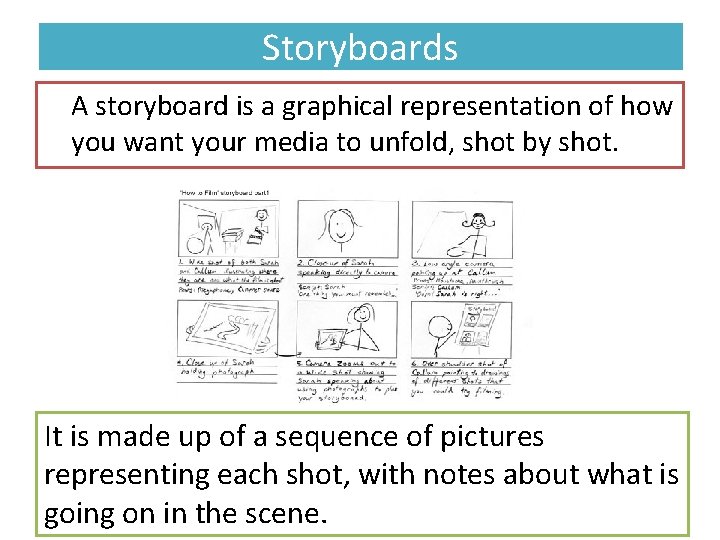
Storyboards A storyboard is a graphical representation of how you want your media to unfold, shot by shot. It is made up of a sequence of pictures representing each shot, with notes about what is going on in the scene.
Key words Storyboard - A drawing and information about scenes for a film or animation Purpose - The reason why something has been created or done Content- What goes onto something or has been put into something Technique- The way in which a particular task is carried out or the skills used Movement - Shots that involve changing position or moving the camera during the shot
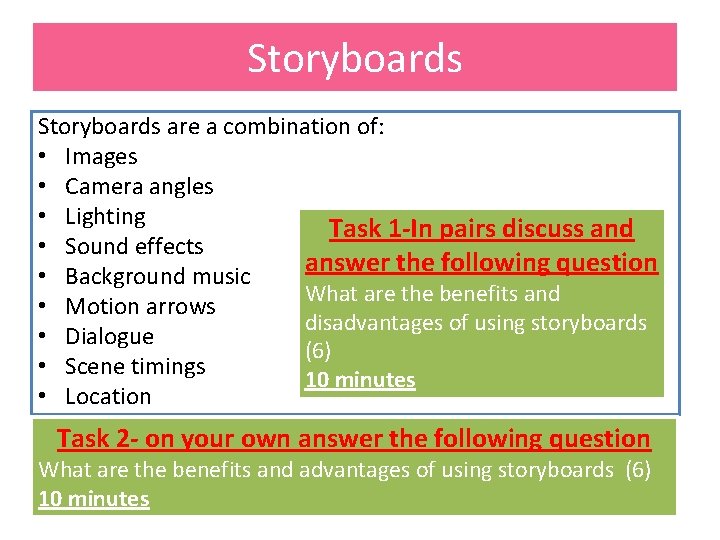
Storyboards are a combination of: • Images • Camera angles • Lighting Task 1 -In pairs discuss and • Sound effects answer the following question • Background music What are the benefits and • Motion arrows disadvantages of using storyboards • Dialogue (6) • Scene timings 10 minutes • Location Task 2 - on your own answer the following question What are the benefits and advantages of using storyboards (6) 10 minutes
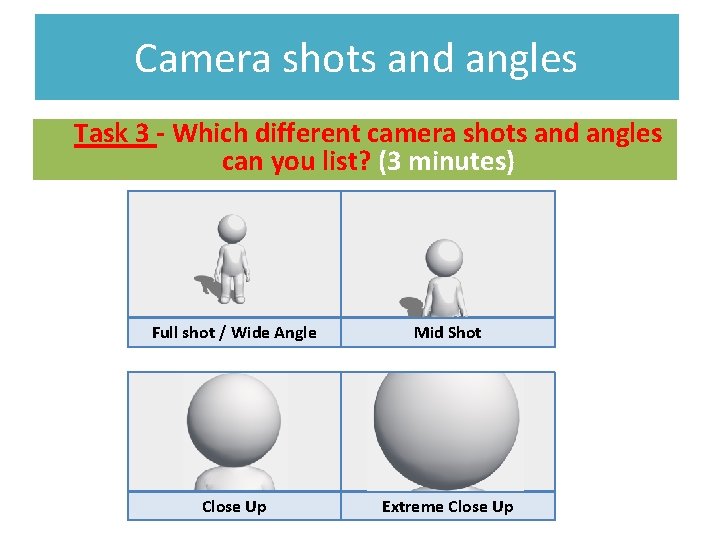
Camera shots and angles Task 3 - Which different camera shots and angles can you list? (3 minutes) Full shot / Wide Angle Mid Shot Close Up Extreme Close Up
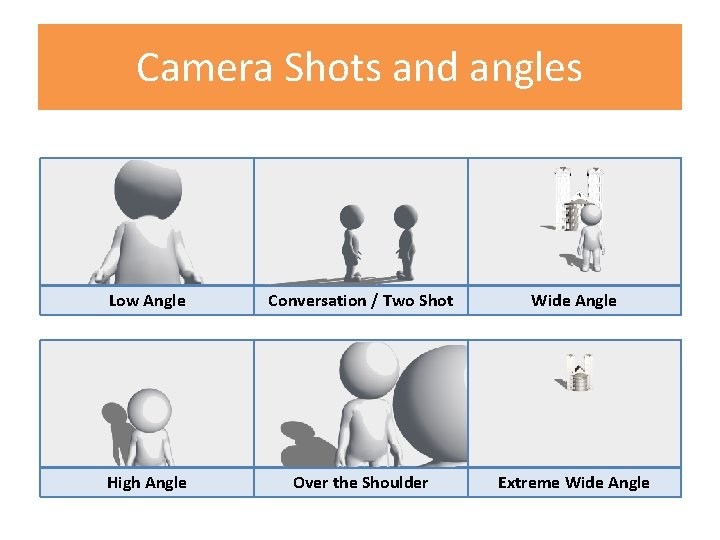
Camera Shots and angles Low Angle Conversation / Two Shot Wide Angle High Angle Over the Shoulder Extreme Wide Angle
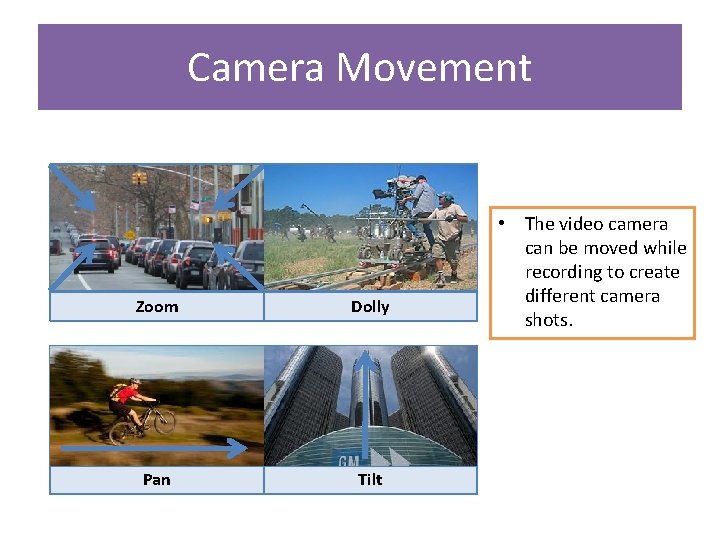
Camera Movement Zoom Dolly Pan Tilt • The video camera can be moved while recording to create different camera shots.
Task 4 • • • Full shot / Wide Angle Mid Shot Give an explanation Close Up for each camera Extreme Close Up shot/angle High Angle Over the Shoulder Each is worth 2 marks Extreme Wide Angle Low Angle Conversation / Two Shot
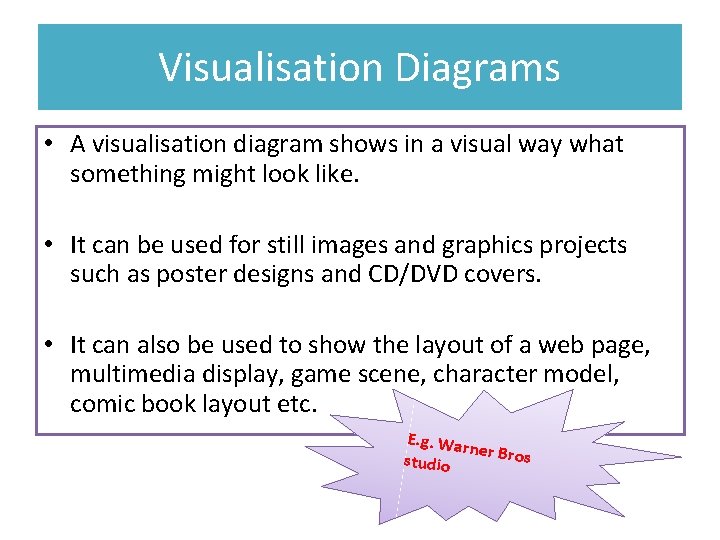
Visualisation Diagrams • A visualisation diagram shows in a visual way what something might look like. • It can be used for still images and graphics projects such as poster designs and CD/DVD covers. • It can also be used to show the layout of a web page, multimedia display, game scene, character model, comic book layout etc. E. g. War ner Bros studio
Visualisation Diagrams A visualisation diagram will show the content and position of different elements such as: - Images - Graphics (background style, borders) - Text (Font style, size, and colour) - Navigation (location and style of buttons or menus, only on a website or interactive presentation)
Task 5– Exam question practise A new CGI animation, blockbuster film is being created. What could visualisation diagrams be used for in both the production, and advertising of the film? Think of 5 examples. 1………………………………………………. 2………………………………………………. 3………………………………………………. 4………………………………………………. 5………………………………………………. Pick one example and draw a visualisation diagram (8 marks)
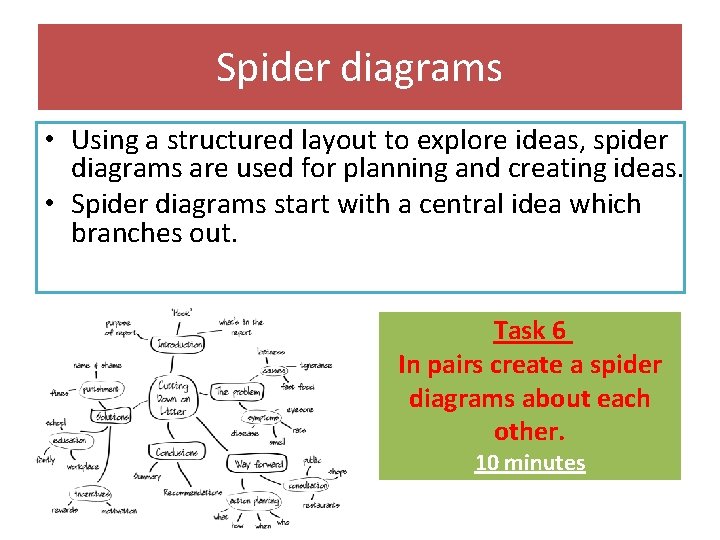
Spider diagrams • Using a structured layout to explore ideas, spider diagrams are used for planning and creating ideas. • Spider diagrams start with a central idea which branches out. Task 6 In pairs create a spider diagrams about each other. 10 minutes
Mood boards • A mood board is a type of collage consisting of images, text and samples of objects. • They may be physical or digital, and can be "extremely effective" presentation tools. • You can use mood boards to show ideas for a wide variety of product from posters and DVD covers to animations and TV adverts.

Mood boards
Task 7 – Answer questions in exam style Questions 1. Explain some benefits of using a mood board, over just a written description. (3) …………………………………………………………………………………………………. 2. Give two reasons why a mood board might be a suitable choice of pre-production fort an advertising company to pitch their ideas to a client for a new TV advert. (2) ………………………………………………………………………………………………….
Planning pre- production When planning it is important to work with clients and knowing their requirements, this can be done through client discussions, reviewing a written brief, script or specification, it can also be done through interviews and questionnaires.
Planning pre- production Timescales for production based on target audience and user requirements When producing a work plan and a production schedule they should include the following: • Tasks • Activities • Work flow • Timescales • Resources • Milestones • Contingencies
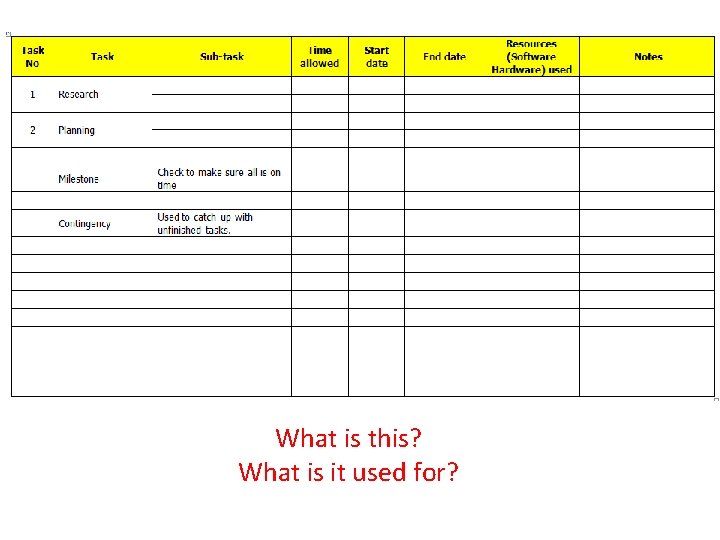
What is this? What is it used for?
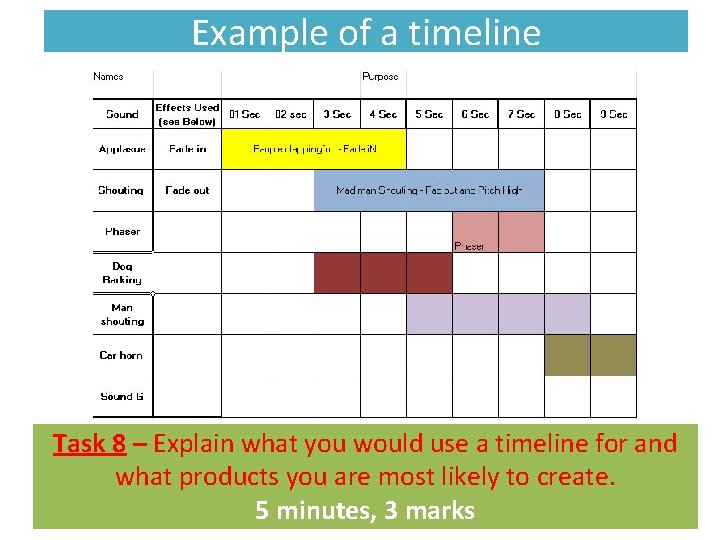
Example of a timeline Task 8 – Explain what you would use a timeline for and what products you are most likely to create. 5 minutes, 3 marks
Planning – key words Check points - When ever you are project managing it is crucial to ensure that you have checkpoints or Milestones added into your project plan. These checkpoints are where you review the success of the project so far. It is where you evaluate the project/plan so far indicating possible problems and solutions to these. Contingency time - You should identify areas where deadlines may not be met and suggest ways to catch up on this time. You should add contingency time to all parts of your plan. Milestones- a synchronization point. Major milestones mark the transition of a project from one phase to another.
Target Audience What is target Audience? Why do you need a target audience? Categories for target audience include the following: • Gender • Age Task 9 • Ethnicity Identify how each of these • Income categories can be used as a • Location target audience using examples. • accessibility 10 minutes
Hardware, techniques and software Task 10 Which hardware would you need to use to digitalise paper based documents and why is it of an advantage? (3 marks) Which software would you need to use to complete production documents and explain? (2 marks)
Health and safety Task 11 - Using the link provided, in pairs answer the following question. (8 marks) http: //www. hse. gov. uk/risk/controlling-risks. htm Provide a detailed explanation of why we use risk assessments and what they are used for. Here is some guidance what is a risk assessment? Why do we use risk assessments? What does a risk assessment include?
Health and safety Location recess Safe working practise Type out the following link and read the website. http: //www. hse. gov. uk/entertainment/theatretv/index. htm
Legislation – Copyright gives the creators of some types of media rights to control how they're used and distributed. Music, books, video and software can all be covered by copyright law. Limitations imposed by copyright When you buy software, for example, copyright law forbids you from: • giving a copy to a friend • making a copy and then selling it • using the software on a network (unless the licence allows it) • renting the software without the permission of the copyright holder The law that governs copyright in the UK is called the Copyright, Designs and Patents Act 1988.
Legislation – Trademark A symbol, word, phrase, logo, or combination of these that legally distinguishes one company's product from any others. Any infringement on a trademark is illegal and therefore grounds for the company owning the trademark to sue the infringing party. For example: A good example of a popular trademark is Nike's tick. If another company tried to use a symbol that looked like the tick, that company would be infringing on the Nike's trademark rights. Nike would therefore has grounds to sue. Task 11 – in pairs Give 3 advantages and disadvantages of using trademarks. 10 minutes
Legislation – Data protection The Data Protection Act (DPA) is a law designed to protect personal data stored on computers or in an organised paper filing system. The roles of those involved • The Information Commissioner is the person (and his/her office) who has powers to enforce the Act. • A data controller is a person or company that collects and keeps data about people. • A data subject is someone who has data about them stored somewhere, outside of their direct control. For example, a bank stores its customers' names, addresses and phone numbers. This makes us all data subjects as there can be few people in the UK who do not feature in computer records somewhere. Task 12 – in pairs Give an explanation stating the advantages of why data protection is highly used around the world especially in the filming industry. 10 minutes, 8 marks
Legislation – Data protection • • It must be collected and used fairly and inside the law. It must only be held and used for the reasons given to the Information Commissioner. It can only be used for those registered purposes and only be disclosed to those people mentioned in the register entry. You cannot give it away or sell it unless you said you would to begin with. The information held must be adequate, relevant and not excessive when compared with the purpose stated in the register. So you must have enough detail but not too much for the job that you are doing with the data. It must be accurate and be kept up to date. There is a duty to keep it up to date, for example to change an address when people move. It must not be kept longer than is necessary for the registered purpose. It is alright to keep information for certain lengths of time but not indefinitely. This rule means that it would be wrong to keep information about past customers longer than a few years at most. The information must be kept safe and secure. This includes keeping the information backed up and away from any unauthorised access. It would be wrong to leave personal data open to be viewed by just anyone. The files may not be transferred outside of the European Economic Area (that's the EU plus some small European countries) unless the country that the data is being sent to has a suitable data protection law. This part of the DPA has led to some countries passing similar laws to allow computer data centres to be located in their area.
File formats for still images JPG When you save an image using this format, some of the data is lost because the file is compressed. JPG files can be saved at various quality settings which are measured as a percentage of the original quality. The lower the quality percentage, the higher the compression rate; therefore if storage space is an issue, you should aim to save your JPG file at 30 per cent quality.
File formats for still images GIF Graphics Interchange Format It is ideal for images that have large blocks of a single colour, and it can support up to a maximum of 256 colours. Unlike with JPGs, it is possible to alter the background colour of a GIF to make it transparent. This makes it possible to place it over other images or on Web. Pages. When you save an image as a GIF, you can decide how many colours to use - 256 colours is the maximum amount and 2 is the minimum (black and white). The fewer colours you use, the smaller the file size will be.
File formats for still images TIFF - Tagged Image File (pronounced 'tiff') Like a JPG, a TIFF file can be compressed to reduce the file size, while still maintaining a high degree of image detail. Alternatively, it can be saved without compression to retain 100 per cent of the original image taken - where each pixel is identical to the original image taken. Like a GIF, you can also save it with a transparent background. BMP - Bit-mapped This is an appropriate file format for Windows users. It is used for general storage purposes - such as when images are awaiting editing - or as wallpaper for a Windows desktop. BMPs aren't really suitable for Macintosh computers or the web. BMP images are large files that require a lot of storage space because no effort is made to reduce the file size.
File formats for audio MP 3 PCMMP 4 WAVAIFF- Task 13 – In pairs For each file format give 2 advantages and disadvantages of using them. 15 minutes
File formats for moving images
Review Look at the following websites and review them. www. cbbc. co. uk www. chiswickschool. org www. skynews. co. uk
- Slides: 38