
Quest for Actionable Intelligence TSCO Workspace Tab Design
Quest for Actionable Intelligence TSCO Workspace Tab Design and Organization Conversations about TSCO Andrea Gallo – andrea. gallo@moviri. com
Agenda q Introduce Moviri q Review the TSCO Layout, Business Model Canvas, and Value Proposition q Review our Value Proposition for Capacity Manager q Expand that Value proposition q Focus on ways to organize the Workspace tab q Implications on the Presentation Service q Tags, Filters and Search q Call to action q Review, Questions and Conversation 2
Why Listen To Us • Movìri is a global IT consultancy with multiple offices in the US and around the globe • More than 200 engineers worldwide • More Doctors than most hospitals • Developers of Caplan, become BMC True. Sight Capacity Optimization • Movìri has several lines of business: • • • Testing & Optimization Monitoring Operations and Cloud Security, Analytics Capacity Management • Big picture, many disciplines, much experience • Content. Wise. com; Cleafy. com; AKAMAS. IO • We can help you do this quickly and cleanly
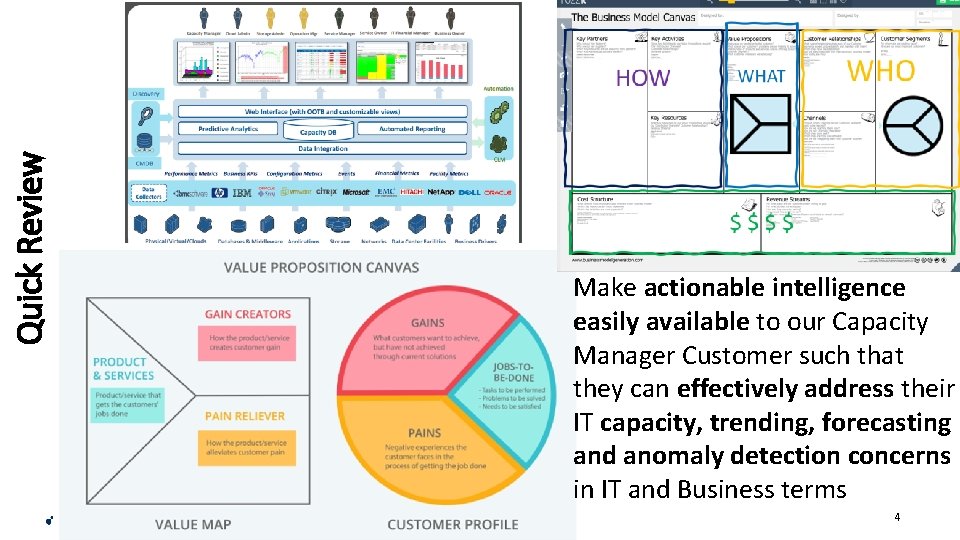
Quick Review Make actionable intelligence easily available to our Capacity Manager Customer such that they can effectively address their IT capacity, trending, forecasting and anomaly detection concerns in IT and Business terms 4
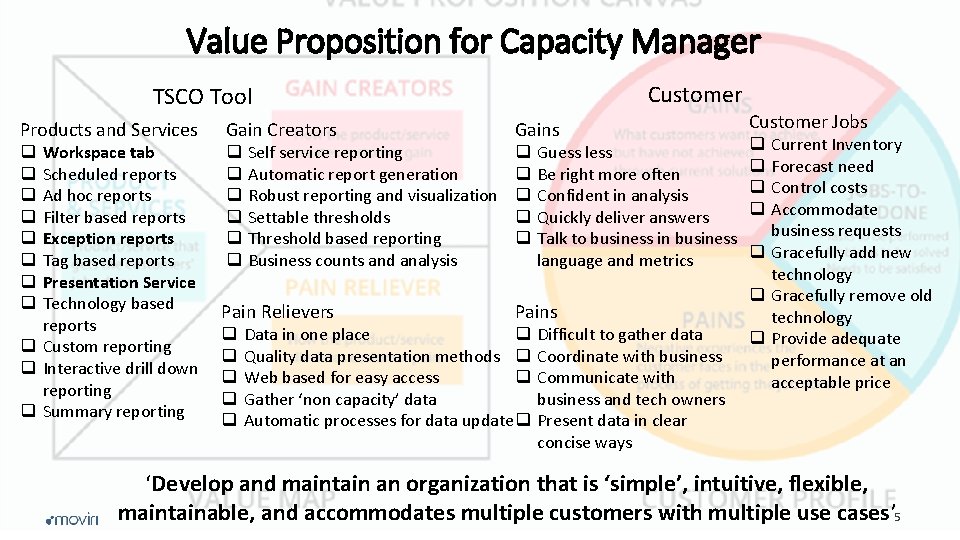
Value Proposition for Capacity Manager Customer TSCO Tool Products and Services Gain Creators Gains q q q q q Workspace tab Scheduled reports Ad hoc reports Filter based reports Exception reports Tag based reports Presentation Service Technology based reports q Custom reporting q Interactive drill down reporting q Summary reporting Self service reporting Automatic report generation Robust reporting and visualization Settable thresholds Threshold based reporting Business counts and analysis Pain Relievers q q q Guess less Be right more often Confident in analysis Quickly deliver answers Talk to business in business language and metrics Pains Data in one place q Quality data presentation methods q Web based for easy access q Gather ‘non capacity’ data Automatic processes for data update q Difficult to gather data Coordinate with business Communicate with business and tech owners Present data in clear concise ways Customer Jobs Current Inventory Forecast need Control costs Accommodate business requests q Gracefully add new technology q Gracefully remove old technology q Provide adequate performance at an acceptable price q q ‘Develop and maintain an organization that is ‘simple’, intuitive, flexible, maintainable, and accommodates multiple customers with multiple use cases’ 5
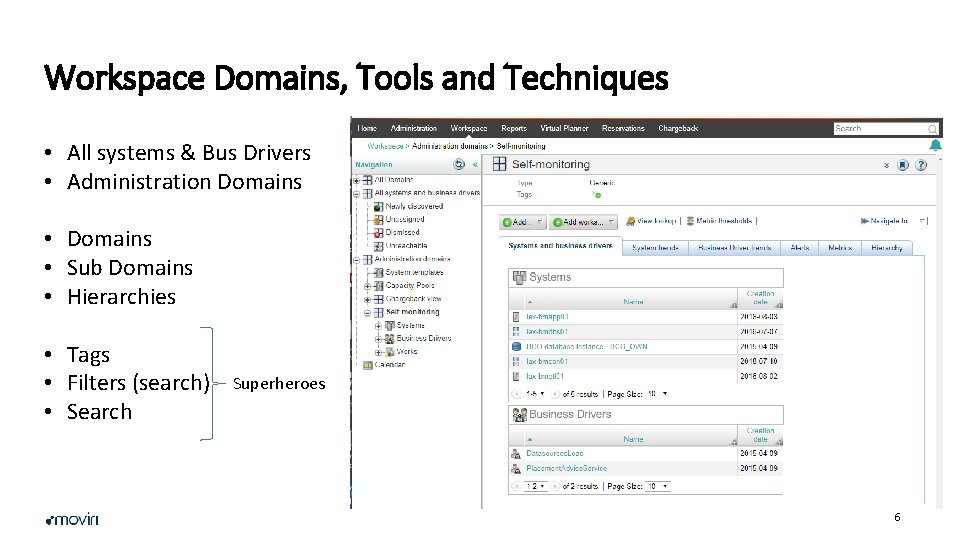
Workspace Domains, Tools and Techniques • All systems & Bus Drivers • Administration Domains • Sub Domains • Hierarchies • Tags • Filters (search) • Search Superheroes 6
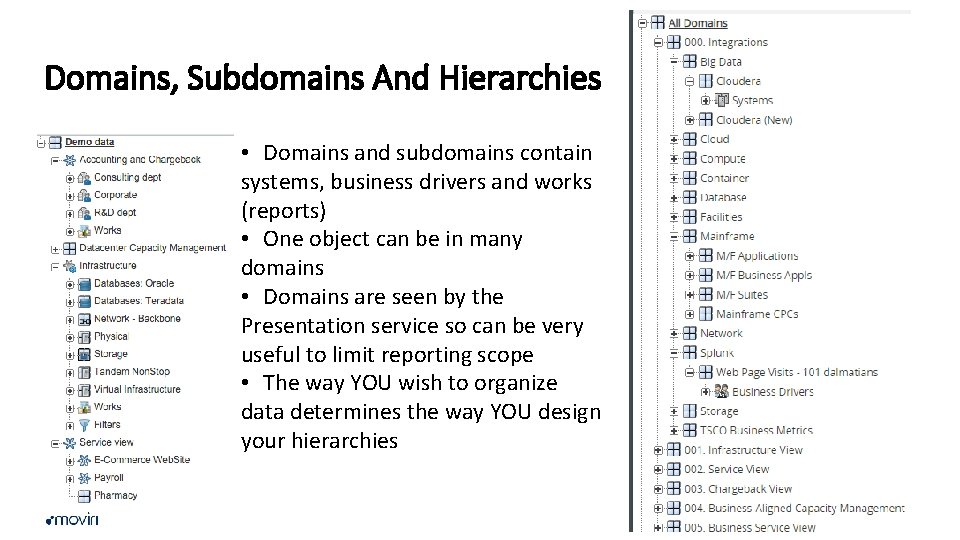
Domains, Subdomains And Hierarchies • Domains and subdomains contain systems, business drivers and works (reports) • One object can be in many domains • Domains are seen by the Presentation service so can be very useful to limit reporting scope • The way YOU wish to organize data determines the way YOU design your hierarchies 7
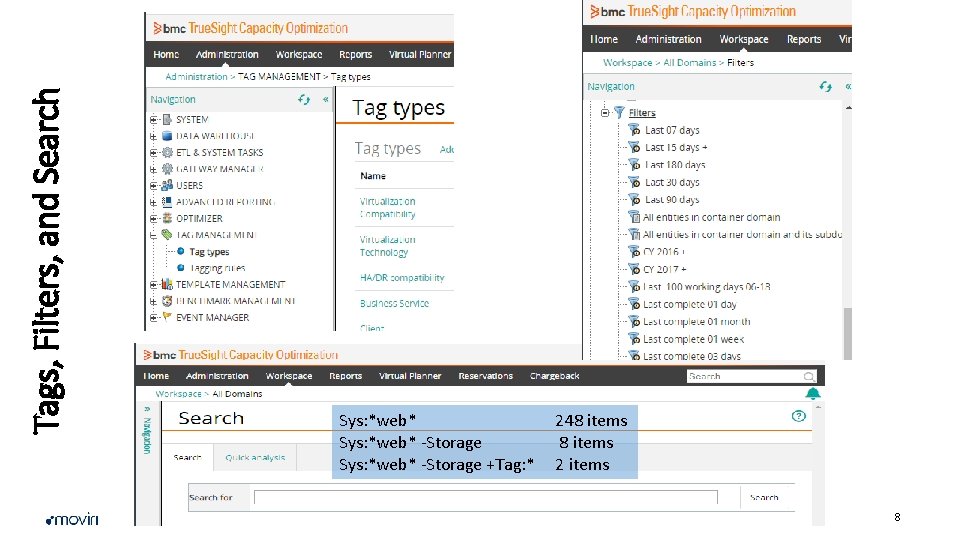
Tags, Filters, and Search Sys: *web* -Storage +Tag: * 248 items 2 items 8
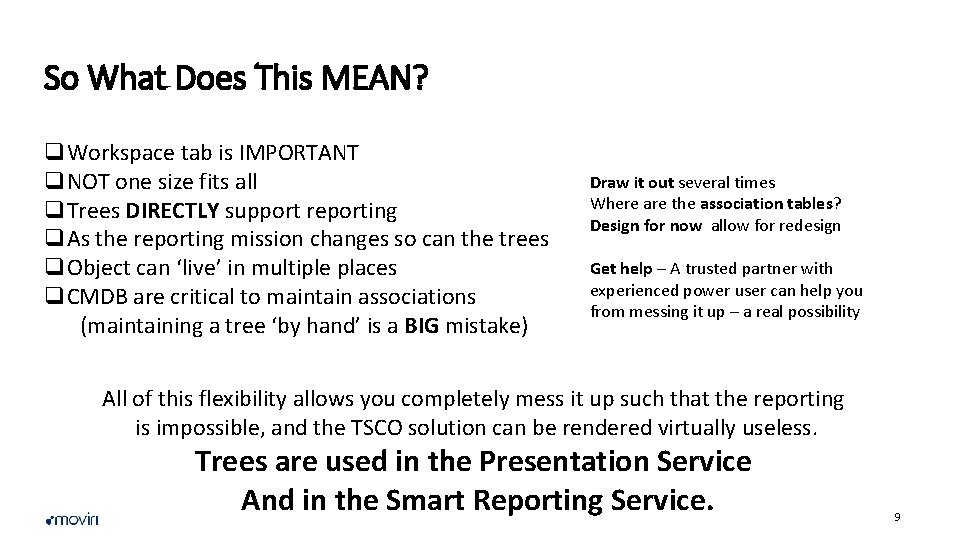
So What Does This MEAN? q. Workspace tab is IMPORTANT q. NOT one size fits all q. Trees DIRECTLY support reporting q. As the reporting mission changes so can the trees q. Object can ‘live’ in multiple places q. CMDB are critical to maintain associations (maintaining a tree ‘by hand’ is a BIG mistake) Draw it out several times Where are the association tables? Design for now allow for redesign Get help – A trusted partner with experienced power user can help you from messing it up – a real possibility All of this flexibility allows you completely mess it up such that the reporting is impossible, and the TSCO solution can be rendered virtually useless. Trees are used in the Presentation Service And in the Smart Reporting Service. 9
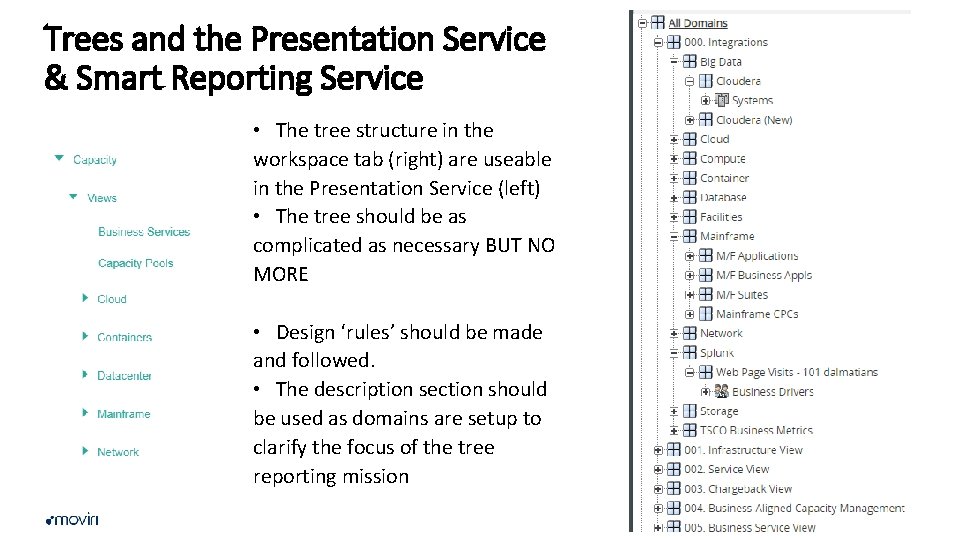
Trees and the Presentation Service & Smart Reporting Service • The tree structure in the workspace tab (right) are useable in the Presentation Service (left) • The tree should be as complicated as necessary BUT NO MORE • Design ‘rules’ should be made and followed. • The description section should be used as domains are setup to clarify the focus of the tree reporting mission 10
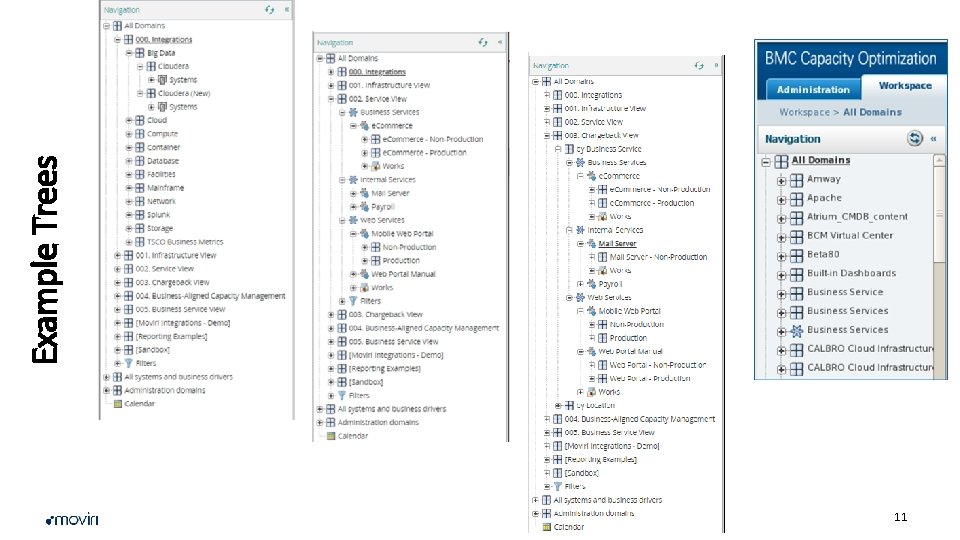
11 Example Trees
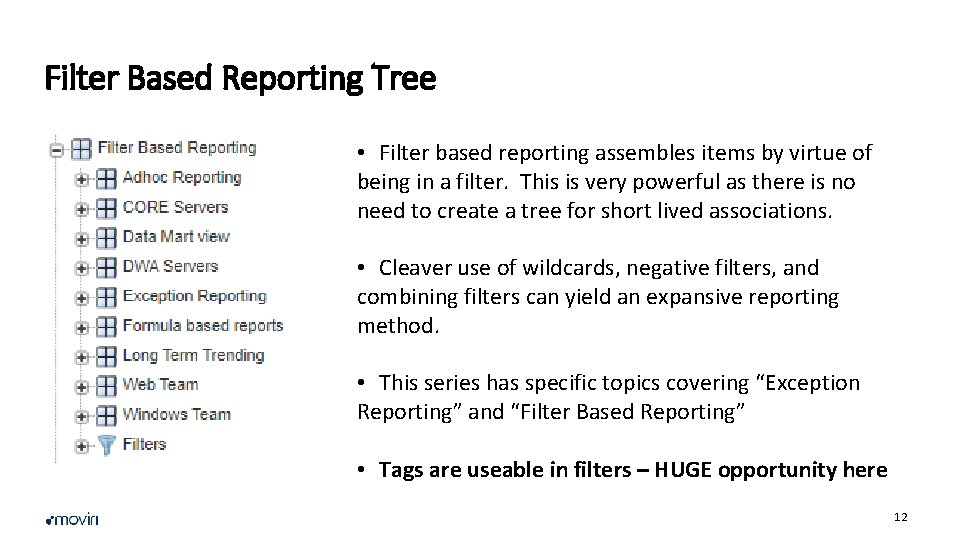
Filter Based Reporting Tree • Filter based reporting assembles items by virtue of being in a filter. This is very powerful as there is no need to create a tree for short lived associations. • Cleaver use of wildcards, negative filters, and combining filters can yield an expansive reporting method. • This series has specific topics covering “Exception Reporting” and “Filter Based Reporting” • Tags are useable in filters – HUGE opportunity here 12
Call To Action • Planning goes a long way but…. Just do it. • Make as many trees as is necessary to support reporting – and NO MORE • Keep your automatic trees automatic; and your manual trees manual (actually… avoid manual trees) • Use Filters to augment tree reporting • Use Tags to augment filters 13
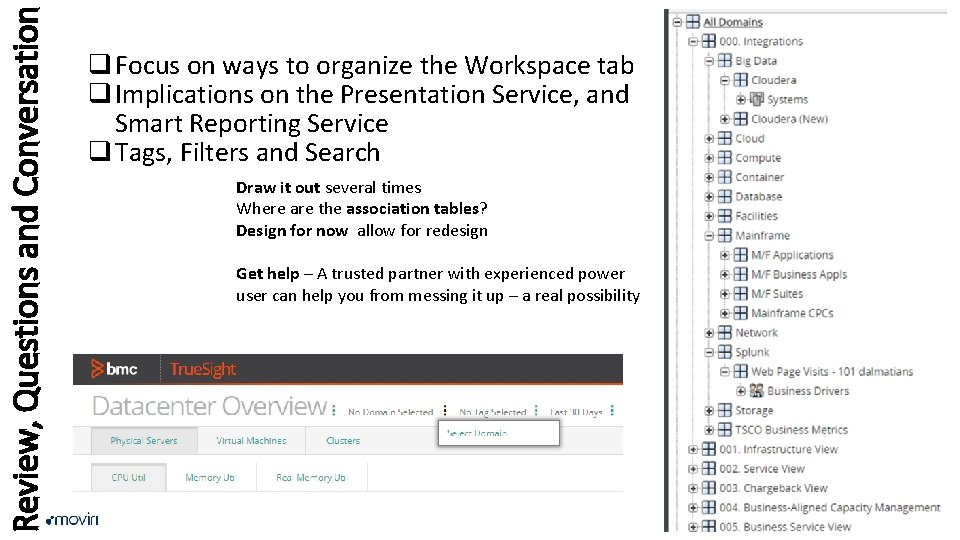
Review, Questions and Conversation q Focus on ways to organize the Workspace tab q Implications on the Presentation Service, and Smart Reporting Service q Tags, Filters and Search Draw it out several times Where are the association tables? Design for now allow for redesign Get help – A trusted partner with experienced power user can help you from messing it up – a real possibility 14
Questions • Can I delete the tree and start over? Short answer: Yes. Long answer: Yes But • Yes but as trees are removed the objects will eventually go to “Unassigned”. When the ETLs run, if they are set to make a place in a tree, the tree will become rebuilt to the extent the ETLs are set to make the trees. As the tree rebuilds the ‘unassigned’ devices will be associated to the new tree. • There is more nuance to this answer • Can I automate a tree that I am maintaining by hand? Short answer: Yes. Long answer: Yes But • Yes you can use a CMDB type data source to build the tree. The structure can be ‘the same’ or not to how it is managed manually, but the manual additions will have to be removed manually as well. • Can I have several trees from several CMDB sources? Short answer: Yes • We have done this and label the tree as “reality according to Server team”, “Reality according to Application team”, and “Reality according to finance team”. Each team has their own reporting requirements and each tree supports those specific requirements. • Configuration data from each source augments the objects data. This enhances the understanding of how objects relate to each other. Remember the tree is an association list and objects can be associated to any number of domains. 15
Contacts Headquarters Via Schiaffino 11 20158 Milan Italy T +39 -02 -4951 -7001 USA East 211 Congress Street Boston, MA 02110 T: +1 -617 -936 -0212 USA West 12655 W. Jefferson Blvd Los Angeles, CA 90066 T +1 -323 -524 -0524 @moviricorp moviri +moviri
- Slides: 16