
Quality Touch Installation and Set Up STEP 1

- Slides: 7
Quality Touch Installation and Set Up
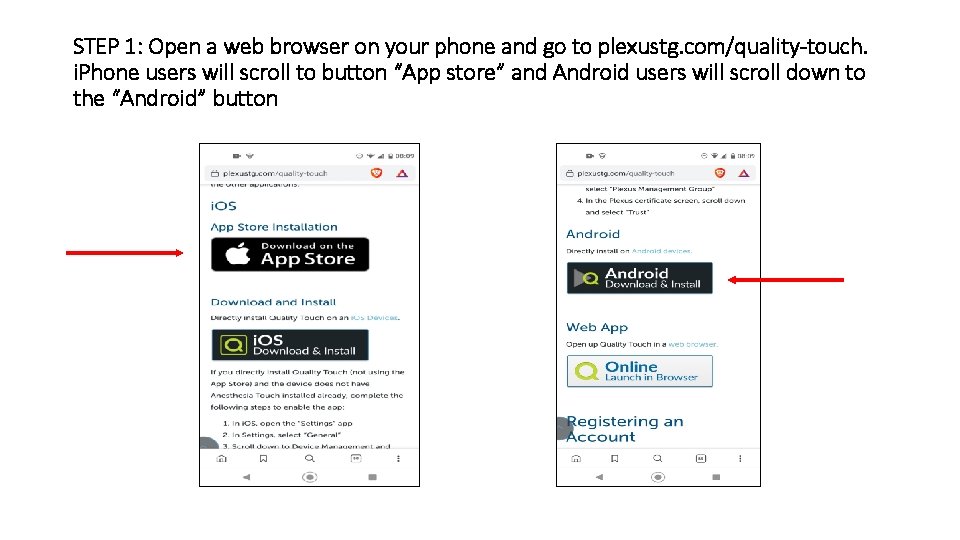
STEP 1: Open a web browser on your phone and go to plexustg. com/quality-touch. i. Phone users will scroll to button “App store” and Android users will scroll down to the “Android” button
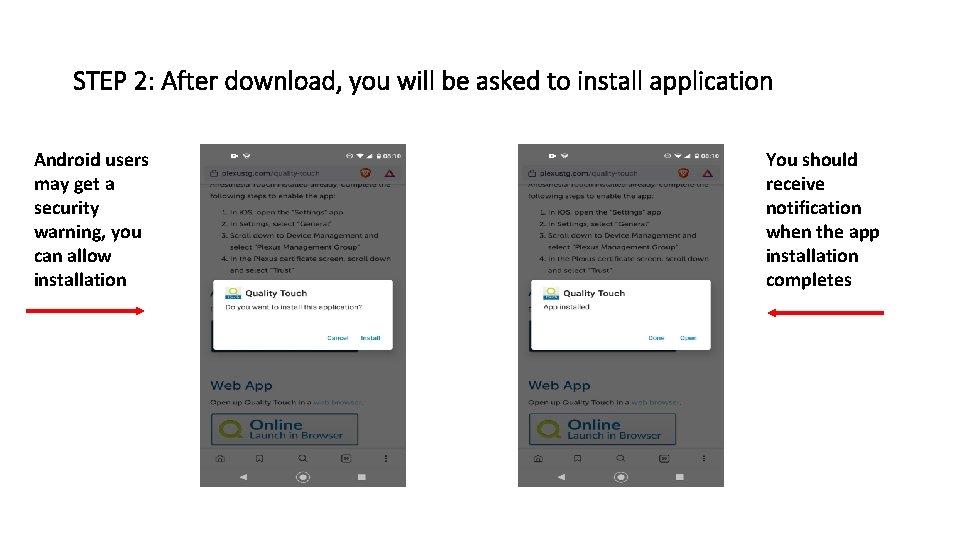
STEP 2: After download, you will be asked to install application Android users may get a security warning, you can allow installation You should receive notification when the app installation completes
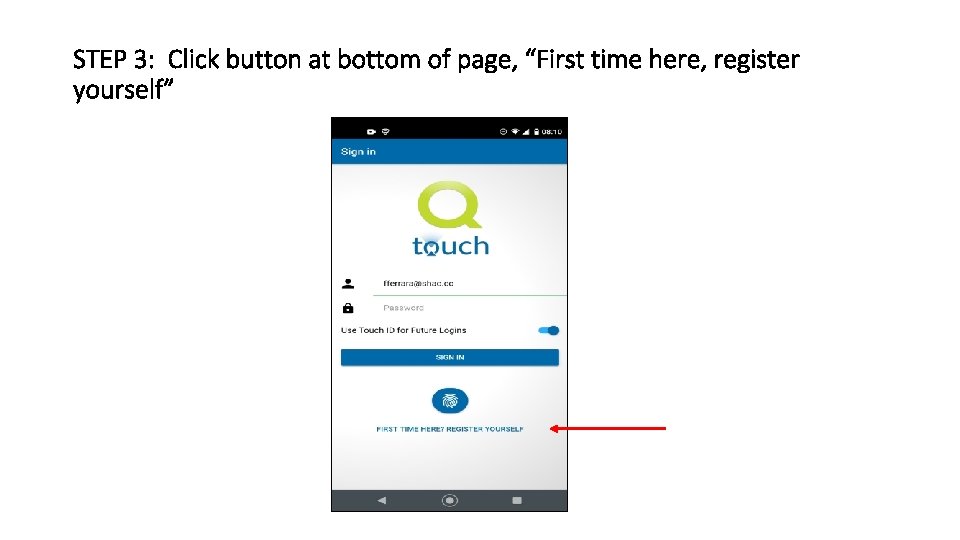
STEP 3: Click button at bottom of page, “First time here, register yourself”
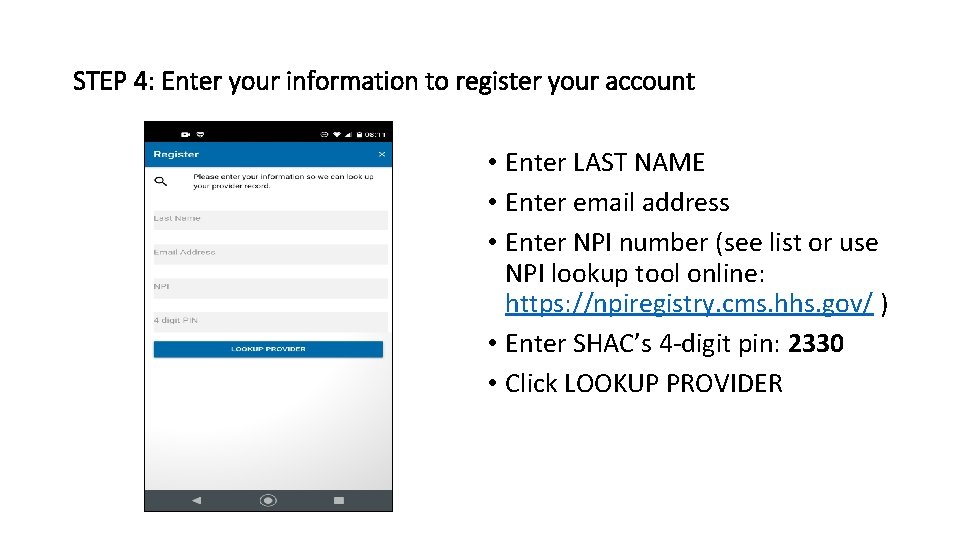
STEP 4: Enter your information to register your account • Enter LAST NAME • Enter email address • Enter NPI number (see list or use NPI lookup tool online: https: //npiregistry. cms. hhs. gov/ ) • Enter SHAC’s 4 -digit pin: 2330 • Click LOOKUP PROVIDER
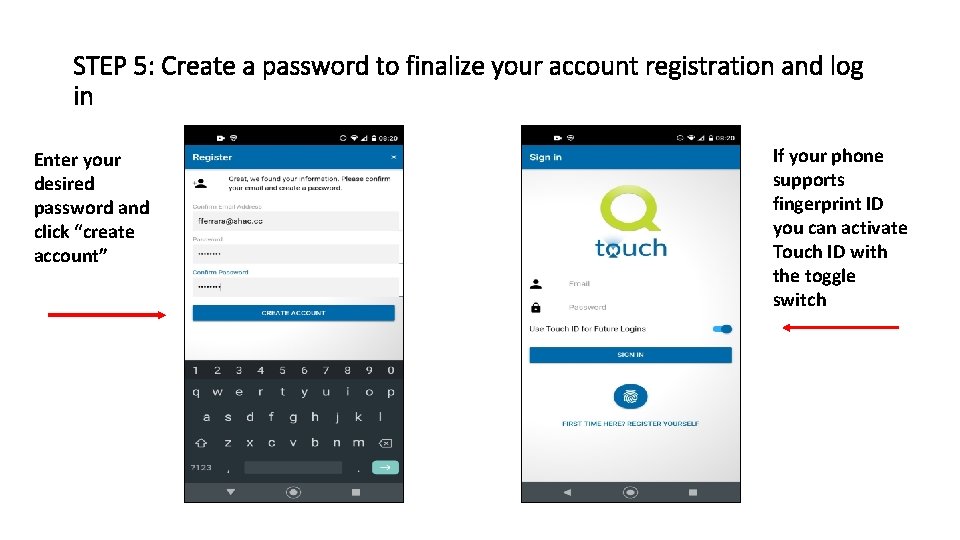
STEP 5: Create a password to finalize your account registration and log in Enter your desired password and click “create account” If your phone supports fingerprint ID you can activate Touch ID with the toggle switch
Additional Information • The Quality Touch app replaces e. QA - user accounts for e. QA will be disabled • The planned GO LIVE for Quality Touch is scheduled for Monday, 2/1/21 • We are planning a webinar Thursday evening, 01/28/2021, to provide a live demonstration of Quality Touch and answer questions (more information will be sent via email) • A brief (2: 30) video of the current status of the app can be viewed at: https: //www. youtube. com/watch? v=IKhr 9 Hv. ZKp. A **In 2021 SHAC must report quality metrics on at least 70% of our cases to avoid a penalty in reimbursement from Medicare**