
QHY 174 Calibration How Why Best Practices 2020
QHY 174 Calibration How, Why, Best Practices 2020 -07 -26
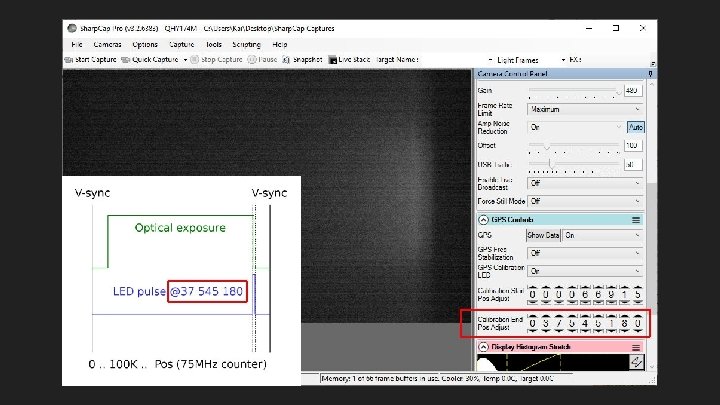
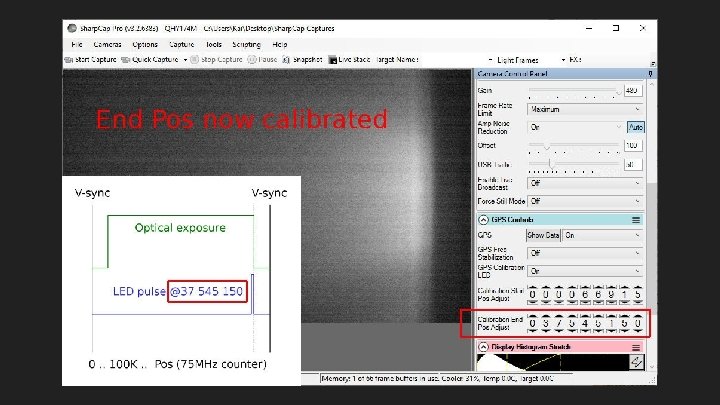
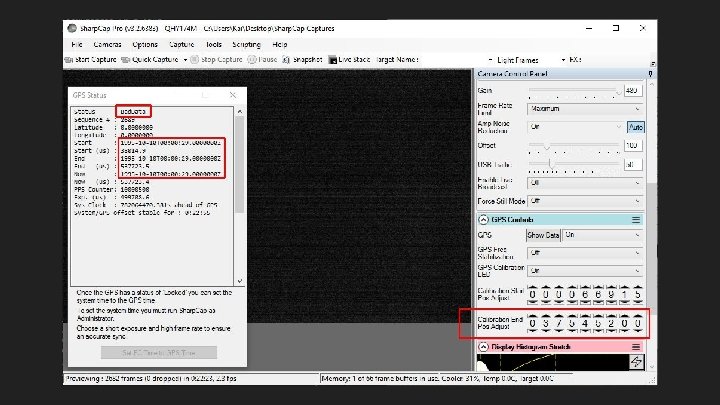
What is QHY 174 calibration? ● ● On-camera method of finding camera delay and compensating for it Want to know this delay for any camera, even QHY with its internal GPS Most trusted answer is from separate optical timing system like SEXTA QHY provides an on-camera method that is also optical based
Why calibrate? ● ● Timestamp accuracy Exposure accuracy -- can be off by 100 ms+ if calibration way off Avoid complete timestamp loss (frozen and/or Bad. Calibration. Reduce. End. Pos) Correct calibration changes with setting changes: ○ ○ ○ Exposure Binning Capture Area (vertical extent) Color Space (MONO 8 vs MONO 16) USB Traffic (also USB 2 vs USB 3 ports) Start/End Pos (the actual calibration settings)
How to Calibrate
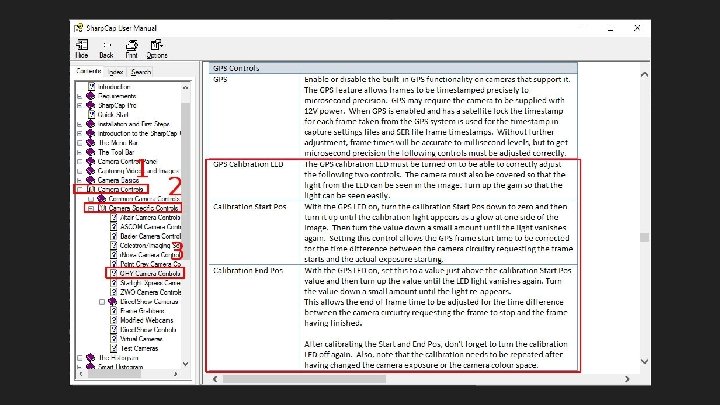
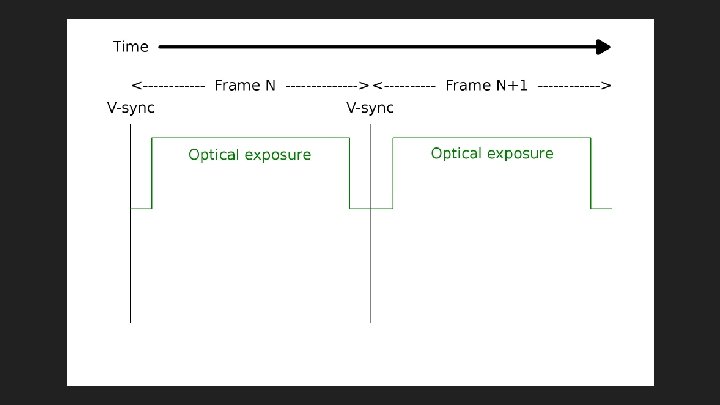
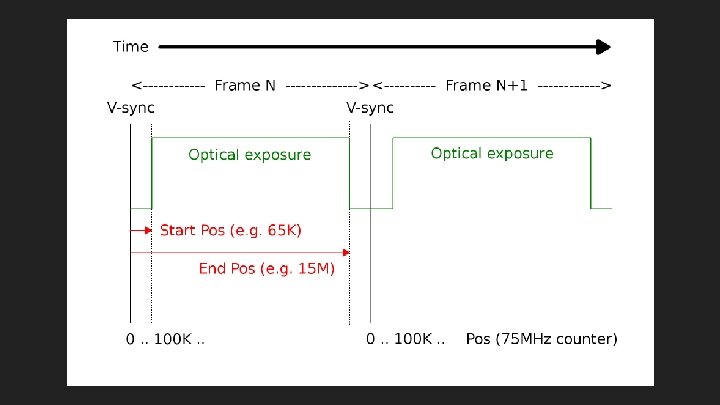
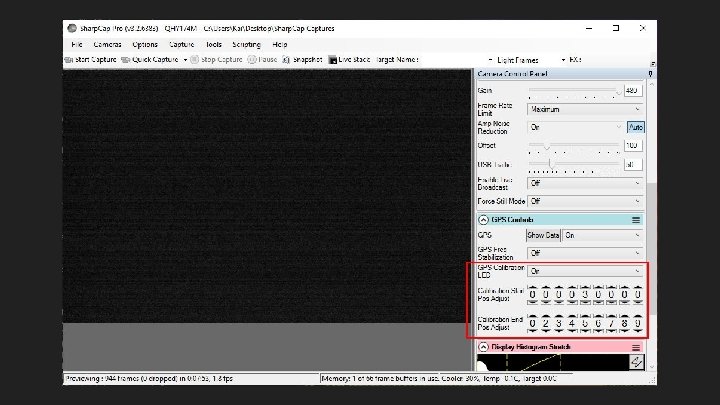
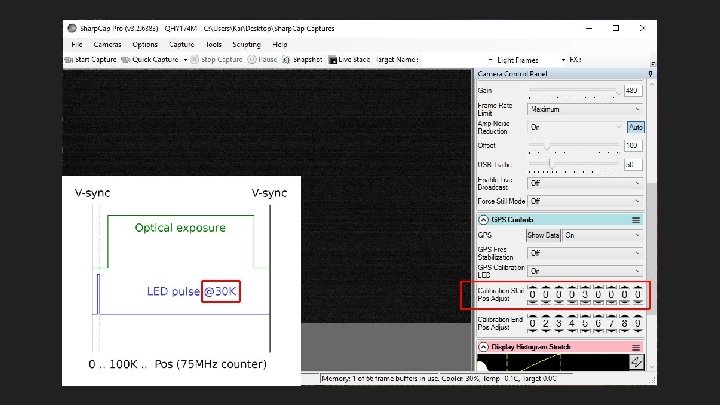
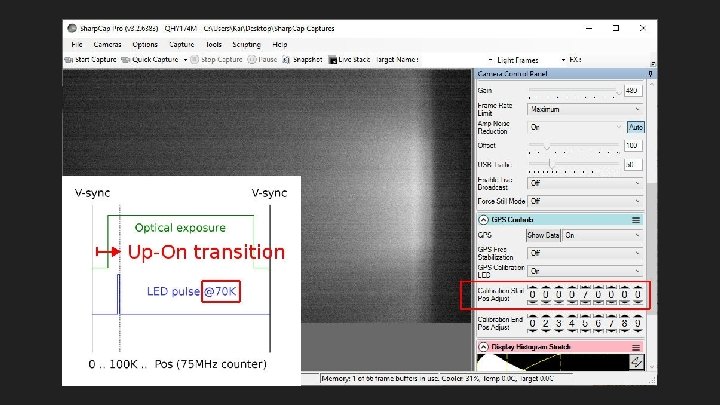
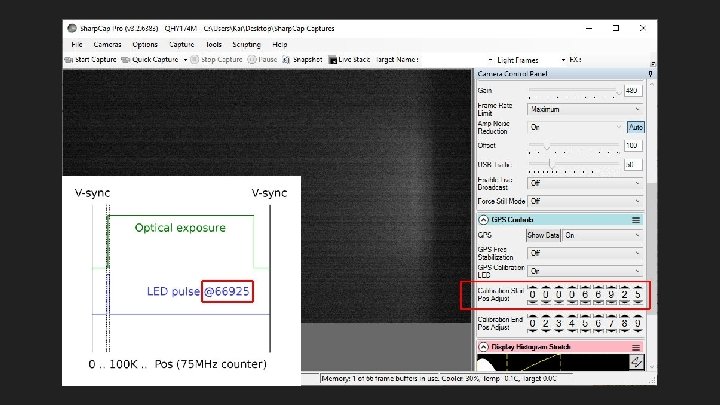
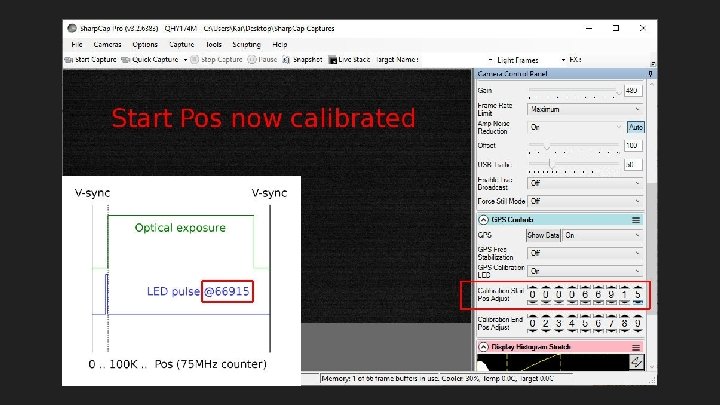
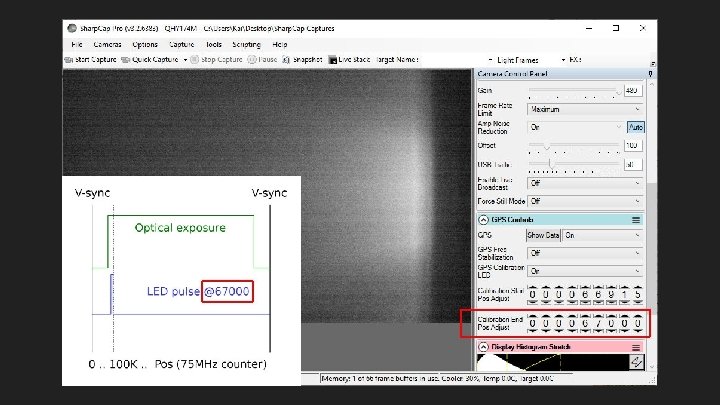
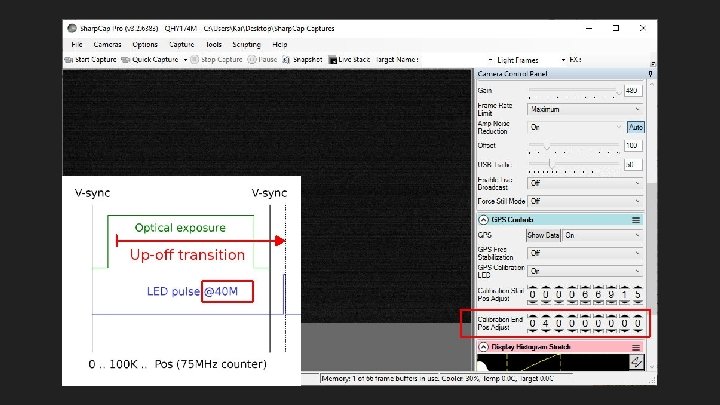
Calibration Problems I Common issues and the Sharp. Cap changes they caused
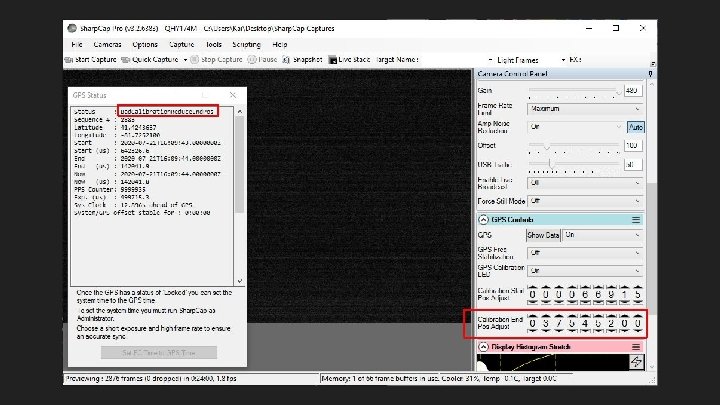
Calibration needed more often ● Users were having timestamp issues, often not seen earlier ● Robin Glover (Sharp. Cap author) said the QHY SDK seems to have changed: ○ “. . . it looks like the way that the calibration needs to be done has changed … [V]alues of a few thousand were sufficient [once], but now values in the millions seem to be the correct result. ” ○ Also: “. . . we discovered that if you don't have accurate calibration. . . the GPS system can be badly off (much more than you would think if you had the idea that the calibration was just [a] fine tuning mechanism). ”
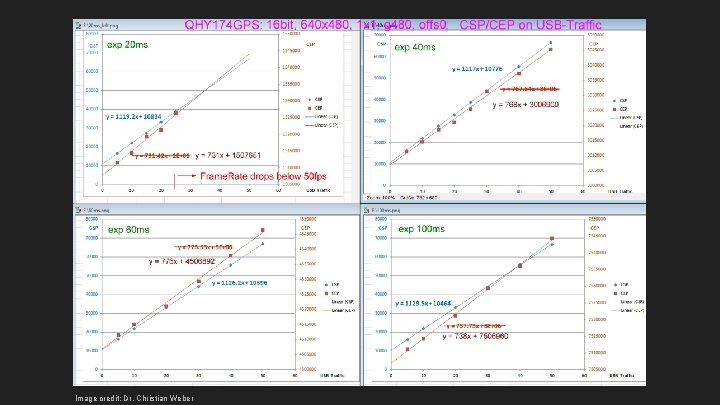
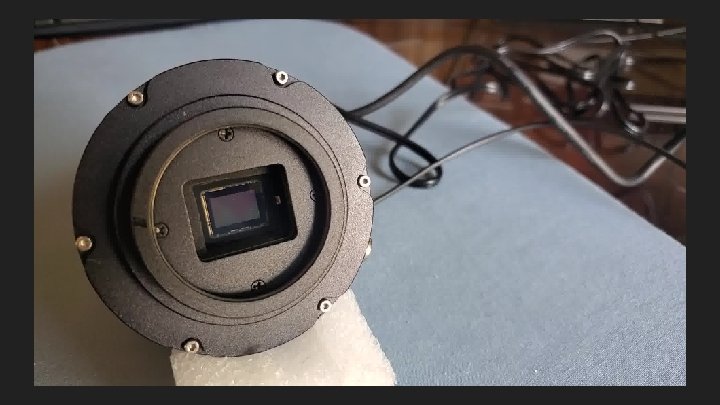
Image credit: Dr. Christian Weber
Results of tests ● Correct Start/End Pos values depend on: ○ ○ ○ Exposure Binning Capture Area (vertical extent) Color Space (MONO 8 vs MONO 16) USB Traffic (also USB 2 vs USB 3 ports) ● Formula was derived to roughly predict Start/End Pos based on settings
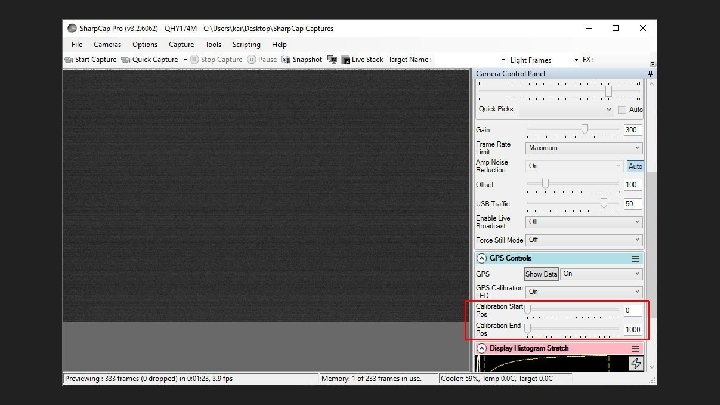
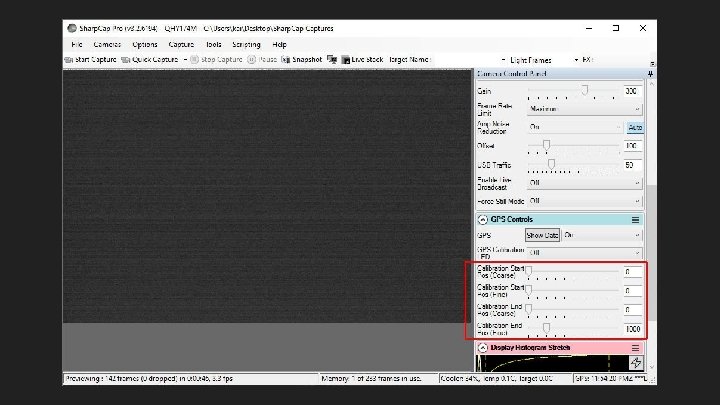
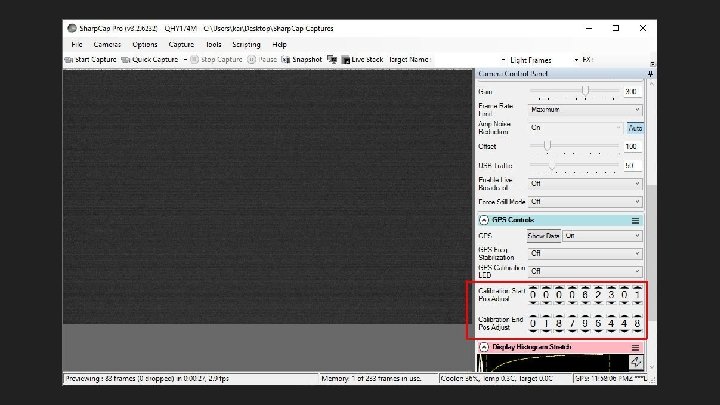
Calibration Problems II The deep dive: Crazy stuff that requires calibration
1/6: End Pos cliff
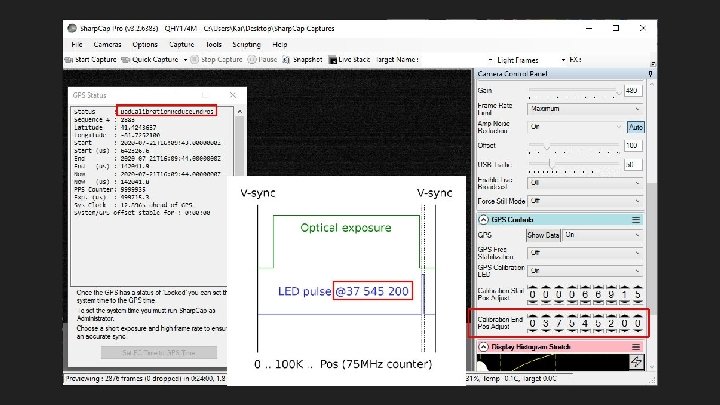
End Pos cliff: Bad. Cal near calibrated value ● Solution: Stay back from cliff: Set End Pos down ~1 K - ~10 K from calibration ○ ○ No real accuracy issue: even 10 K is ~0. 13 ms Clock skew could push a close-to-cliff value (50 away) over the cliff -- so stay back Downside: more susceptible to LED-may-light-when-profile-loads bug (to be discussed) Upside: more likely to notice and hence work around LED-may-light-when-profile-loads ● Versions affected: 3. 2. 6226+? Unsure
2/6: Bad. Data can really mean Bad. Cal -and stay stuck
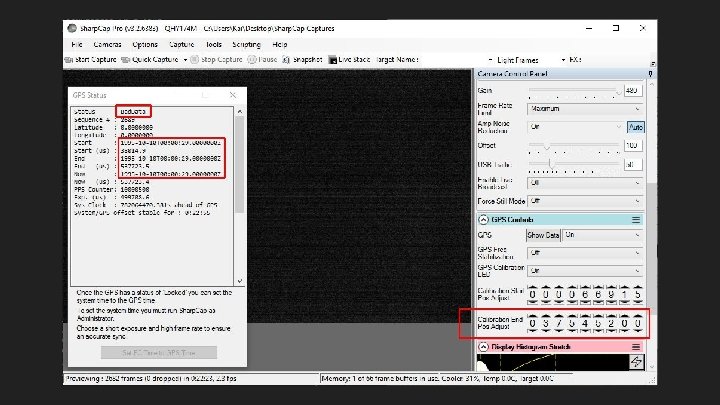
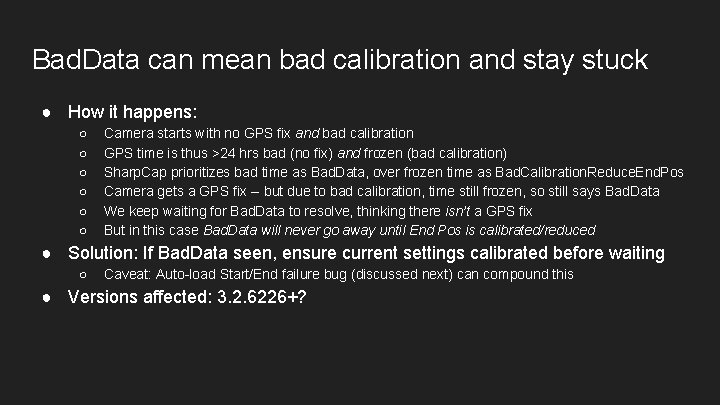
Bad. Data can mean bad calibration and stay stuck ● How it happens: ○ ○ ○ Camera starts with no GPS fix and bad calibration GPS time is thus >24 hrs bad (no fix) and frozen (bad calibration) Sharp. Cap prioritizes bad time as Bad. Data, over frozen time as Bad. Calibration. Reduce. End. Pos Camera gets a GPS fix -- but due to bad calibration, time still frozen, so still says Bad. Data We keep waiting for Bad. Data to resolve, thinking there isn’t a GPS fix But in this case Bad. Data will never go away until End Pos is calibrated/reduced ● Solution: If Bad. Data seen, ensure current settings calibrated before waiting ○ Caveat: Auto-load Start/End failure bug (discussed next) can compound this ● Versions affected: 3. 2. 6226+?
3/6: Auto-load profile can fail to set Start/End Pos
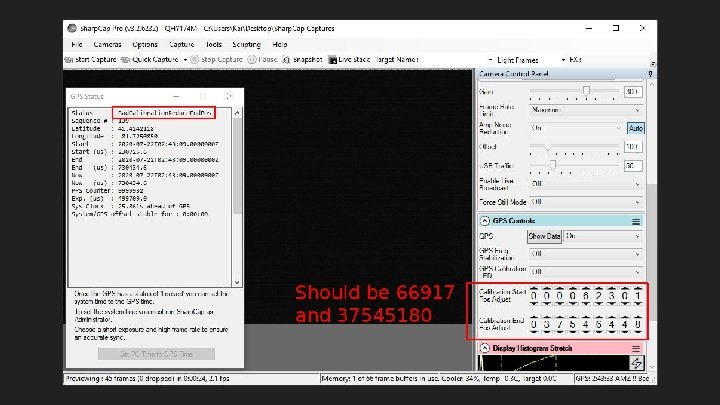
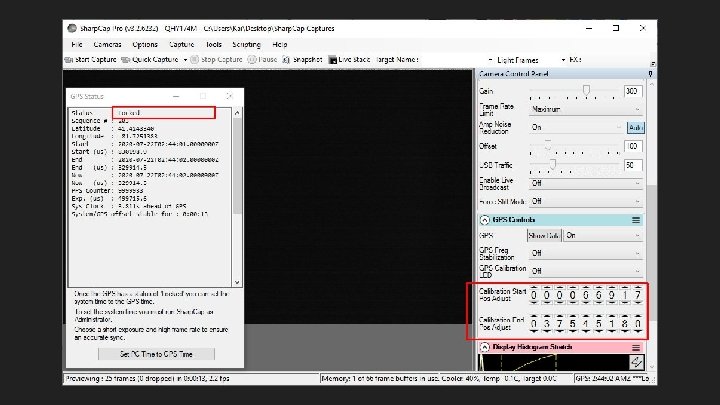
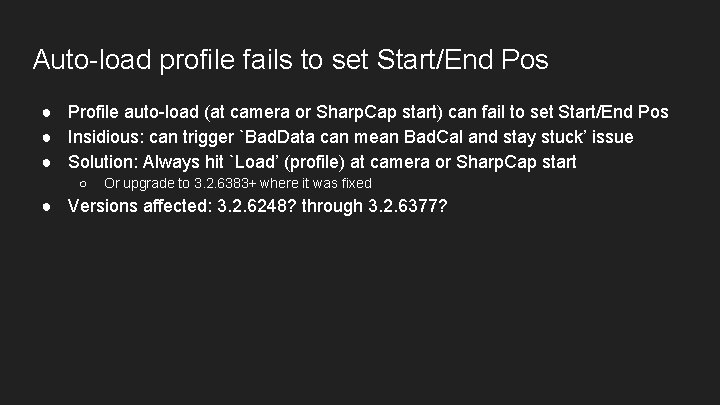
Auto-load profile fails to set Start/End Pos ● Profile auto-load (at camera or Sharp. Cap start) can fail to set Start/End Pos ● Insidious: can trigger `Bad. Data can mean Bad. Cal and stay stuck’ issue ● Solution: Always hit `Load’ (profile) at camera or Sharp. Cap start ○ Or upgrade to 3. 2. 6383+ where it was fixed ● Versions affected: 3. 2. 6248? through 3. 2. 6377?
4/6: Auto-preset of Start/End Pos can trigger End Pos cliff
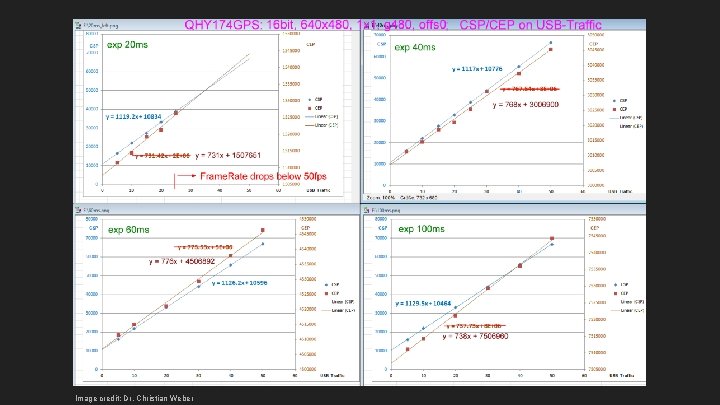
Image credit: Dr. Christian Weber
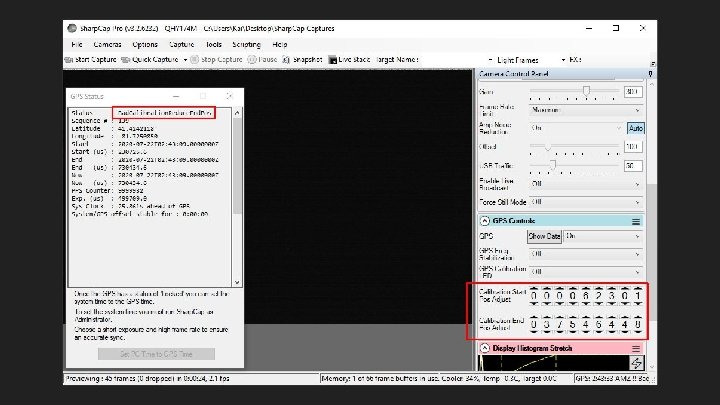
Auto-preset of Start/End Pos can trigger End Pos cliff ● Exposure/etc. change triggers Sharp. Cap auto-preset of Start/End Pos ● If preset too high, can trigger End Pos cliff and Bad. Cal/Bad. Data error ● Solution: Calibrate every Exposure etc. combo used for captures, and only capture with a freshly-loaded calibrated profile ● Versions affected: 3. 2. 6226+
5/6: Profile load may light LED
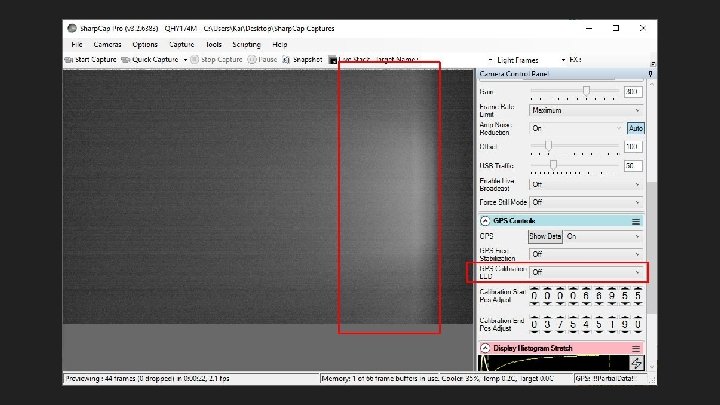
Profile load may light LED ● ● Profile loads -- either automatically at camera/Sharp. Cap start or manually LED may be visible despite profile and GUI saying it is off Might not see it if Start/End Pos calibrated dim Solution: after loading profile, toggle GPS Calibration LED on then off ○ ○ Also calibrate profile with Start Pos completely off, and End Pos completely on This may avoid issue for Start Pos, and make it noticeable (hence fixable) for End Pos ● Versions affected: 3. 2. 6219+
6/6: GPS-reported vs GUI-set exposure can differ
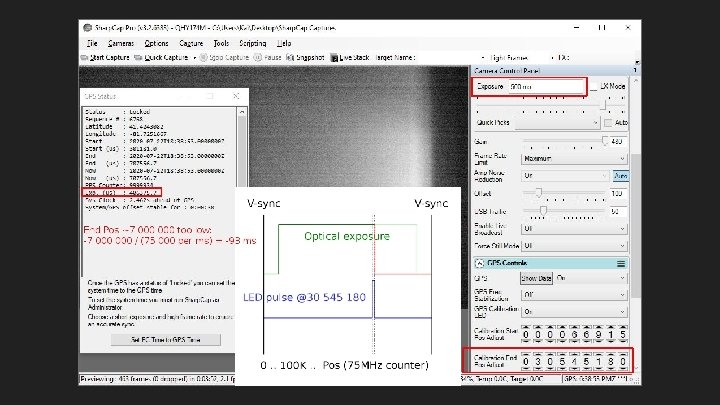
GPS-reported vs GUI-set exposure can differ ● Usually due to real low End Pos (millions too low) ● Solution: ○ ○ Calibrate Keep End Pos at most ~1 K - 10 K lower than calibration point when avoiding the cliff ● Versions affected: 3. 2. 6226+? Earlier?
Calibration Problems III Issues during calibration
1/2: Third-transition issue
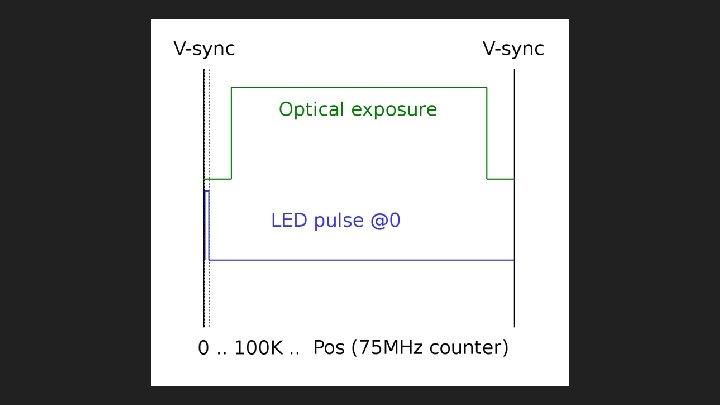
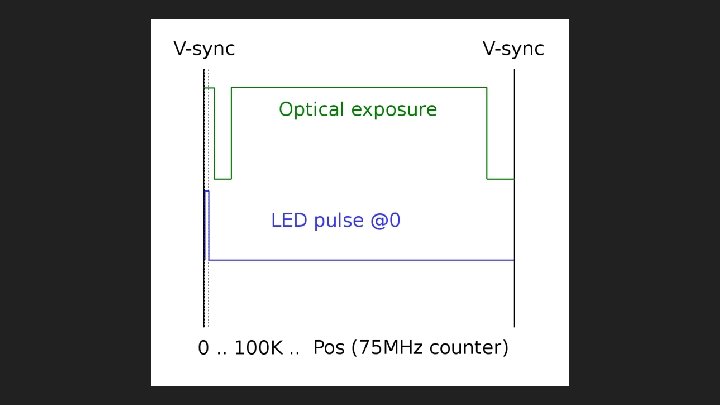
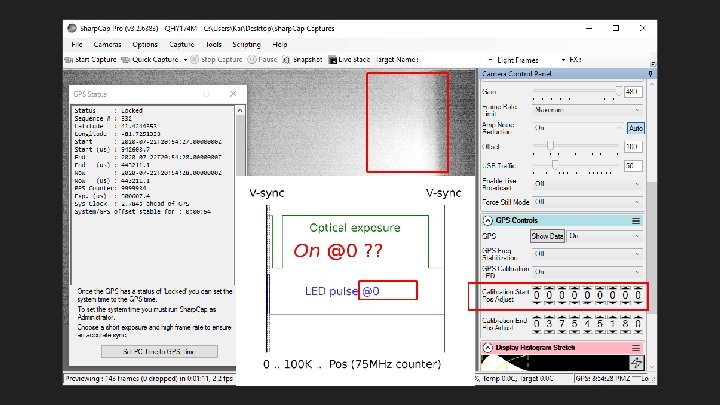
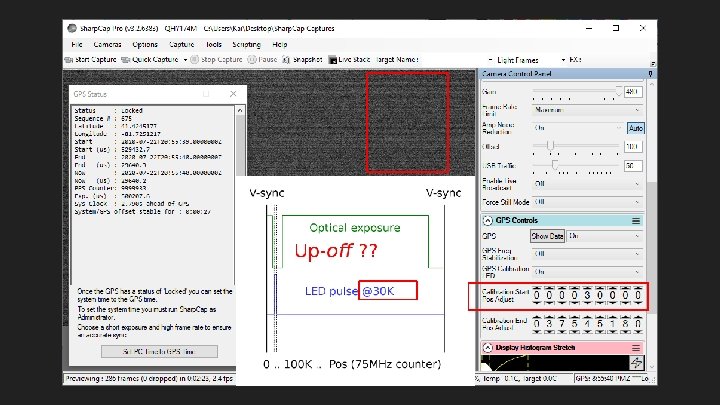
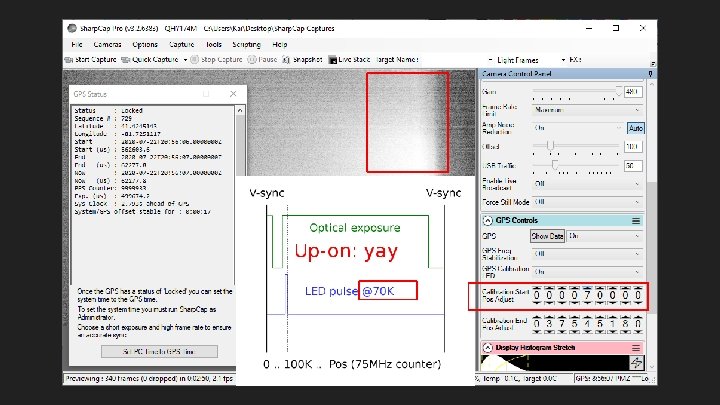
Third-transition issue ● May find extra, third, up-off transition when calibrating, below start exposure ● Confusing if expecting lowest transition to be up-on for Start Pos ● Solution: ○ ○ Check Start Pos at 0: is LED on? Normally off If LED on, extra third up-off transition is present and must be found and skipped first Try to find it with small steps -- 10 K or less -- or might miss it Then proceed to find normal up-on Start Pos transition ● Versions affected: 3. 2. 6219+?
2/2: LED goes bright or off for one frame
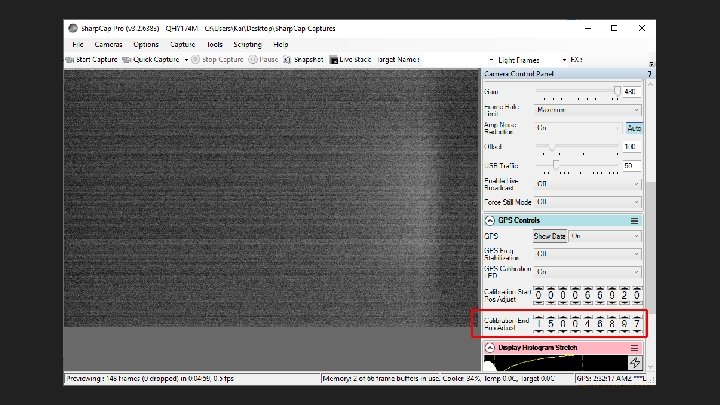
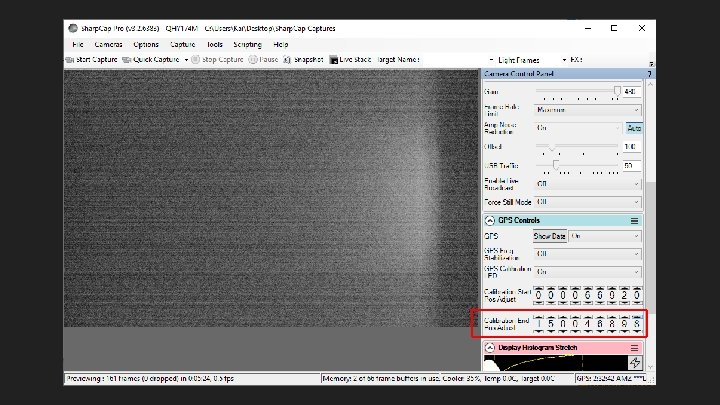
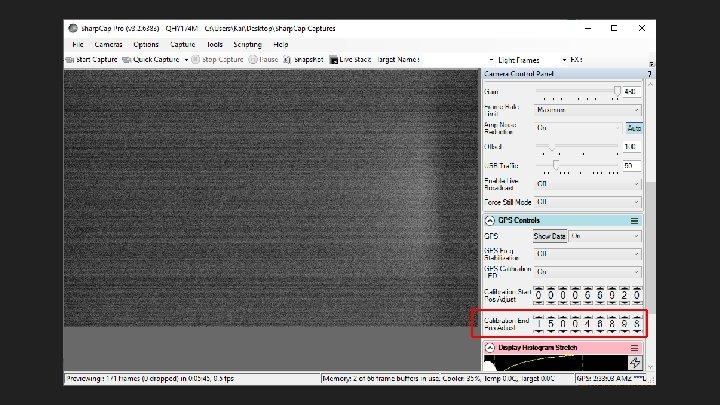
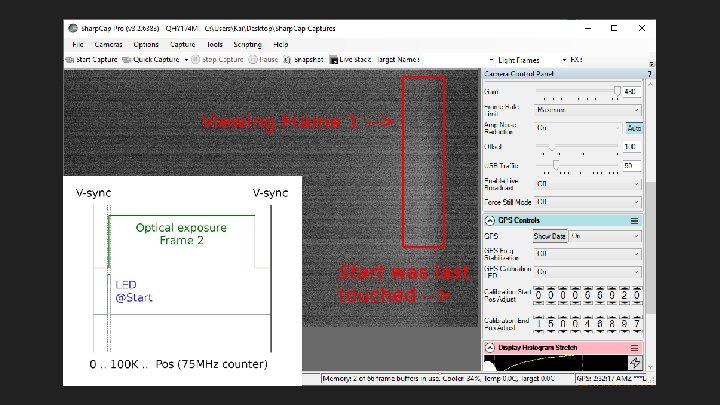
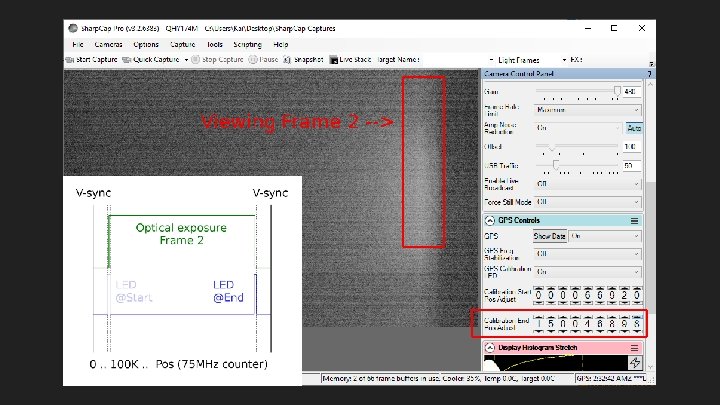
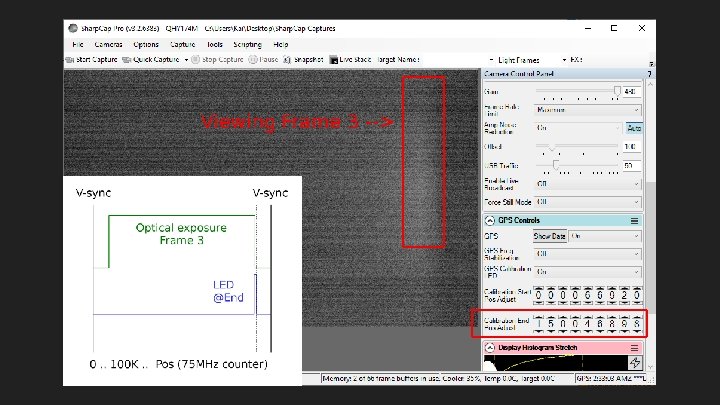
LED goes bright or off for one frame ● ● Counter increment can push LED blink into the future: double-exposed LED Counter decrement can push LED blink into the past: no exposed LED Solution: Ignore it, just a one-frame unlucky timing thing Versions affected: 3. 2. 6226+?
Best Practices Avoid some problems, deal with others
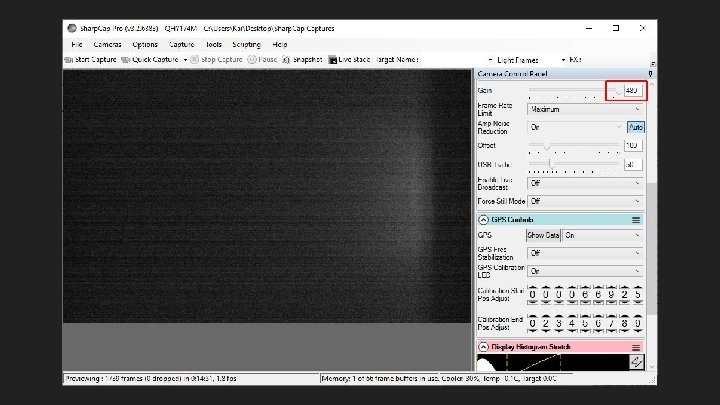
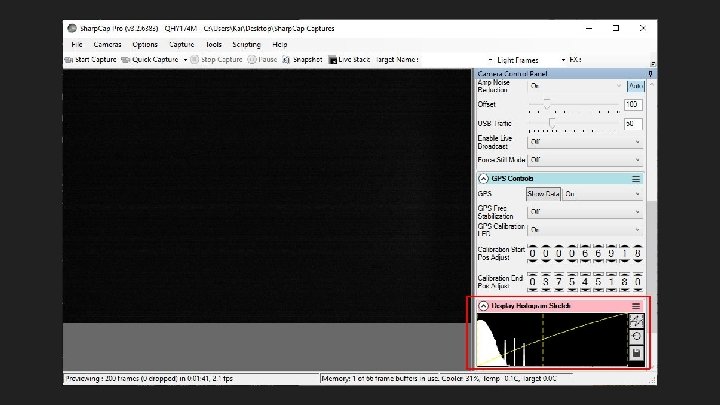
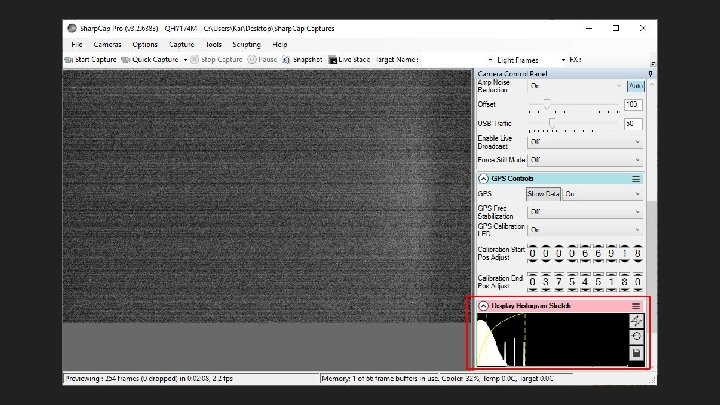
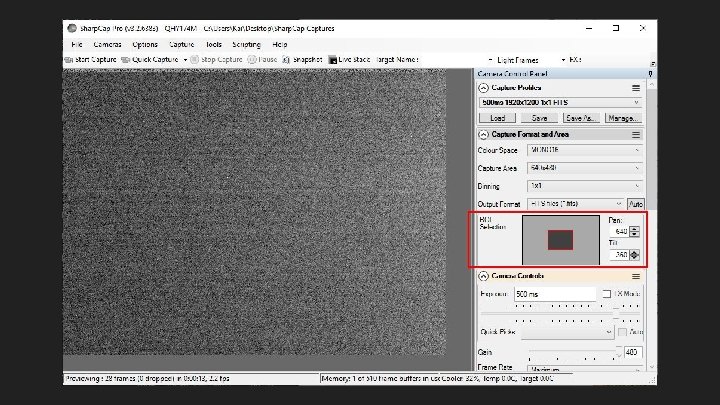
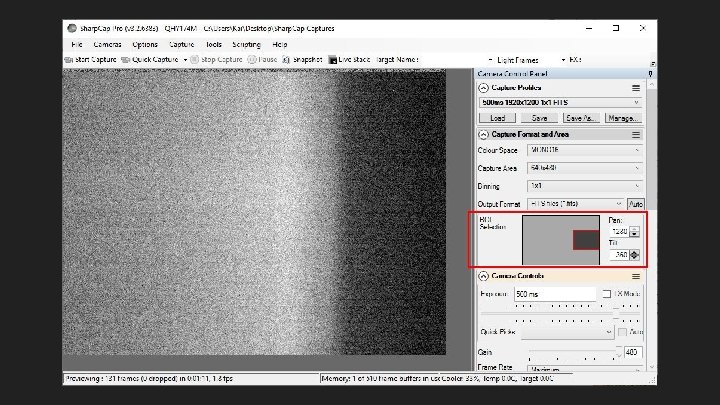
Best practices I -- while calibrating ● Whack the Gain high to see the LED better (some versions do this already) ○ But turn it back down before saving profile ● Use Display Histogram Stretch to see the LED better ● Move small ROIs to the right to see LED better
Best practices II -- configuring at home ● Upgrade to 3. 2. 6383+ -- fixes auto-load of profile not setting Start/End Pos ● Make calibrated profiles for every exposure etc. combo to be captured ○ Affected by Exposure, Binning, Capture Area, Color Space, USB Traffic, Start Pos, End Pos ● When calibrating, first check for and skip possible third transition ○ Set Start Pos 0: is LED on? Then first look for third transition (using small steps -- 10 K) ● Leave Start Pos below (~1 K - 10 K) calibrated value ○ Helps avoid profile-load-may-light-LED bug; little accuracy effect (< 0. 2 ms) ● Leave End Pos below (~1 K - 10 K) calibrated value -- important ○ ○ Keeps away from End Pos cliff (Bad. Cal / frozen timestamps), little accuracy effect (< 0. 2 ms) May help alert you in the field to profile-load-may-light-LED bug ● Ensure LED is turned off, and Gain is back to 300, before saving profile
![Best practices III -- in the field ● Hit `Load’ [profile] after camera/Sharp. Cap](http://slidetodoc.com/presentation_image_h/854078a18c8147e65df9a10f56d79bc4/image-73.jpg "Best practices III -- in the field ● Hit `Load’ [profile] after camera/Sharp. Cap")
Best practices III -- in the field ● Hit `Load’ [profile] after camera/Sharp. Cap start, to ensure Start/End Pos set ○ Works around bug prior to 3. 2. 6383: auto-load of profile does not set Start/End Pos ● Only capture from freshly-loaded calibrated profile (no settings changes after) ○ Avoids auto-presets maybe causing Bad. Cal / Bad. Data / frozen timestamps ● Watch preview after profile loads for lit LED (profile-load-may-light-LED bug) ○ If visible, must toggle GPS Calibration LED on then off to turn it off ● Watch for signs of bad calibration: ○ ○ Bad. Calibration. Reduce. End. Pos of course Bad. Data that doesn’t go away: always manually load a calibrated profile Frozen GPS timestamps that don’t update (might not get error Status in older versions) GPS-reported exposure different than GUI-set exposure (will not get an error Status)
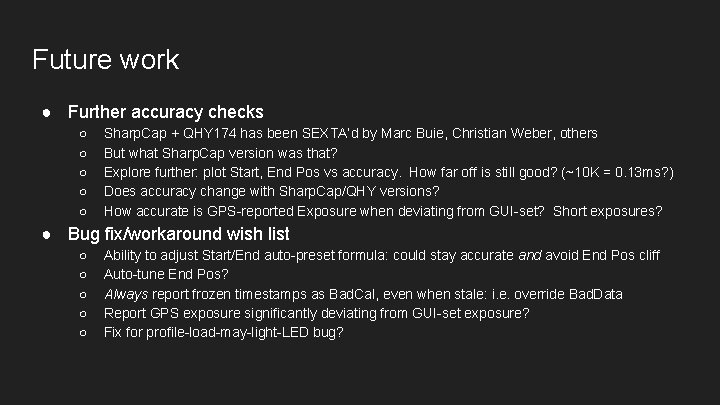
Future work ● Further accuracy checks ○ ○ ○ Sharp. Cap + QHY 174 has been SEXTA’d by Marc Buie, Christian Weber, others But what Sharp. Cap version was that? Explore further: plot Start, End Pos vs accuracy. How far off is still good? (~10 K = 0. 13 ms? ) Does accuracy change with Sharp. Cap/QHY versions? How accurate is GPS-reported Exposure when deviating from GUI-set? Short exposures? ● Bug fix/workaround wish list ○ ○ ○ Ability to adjust Start/End auto-preset formula: could stay accurate and avoid End Pos cliff Auto-tune End Pos? Always report frozen timestamps as Bad. Cal, even when stale: i. e. override Bad. Data Report GPS exposure significantly deviating from GUI-set exposure? Fix for profile-load-may-light-LED bug?
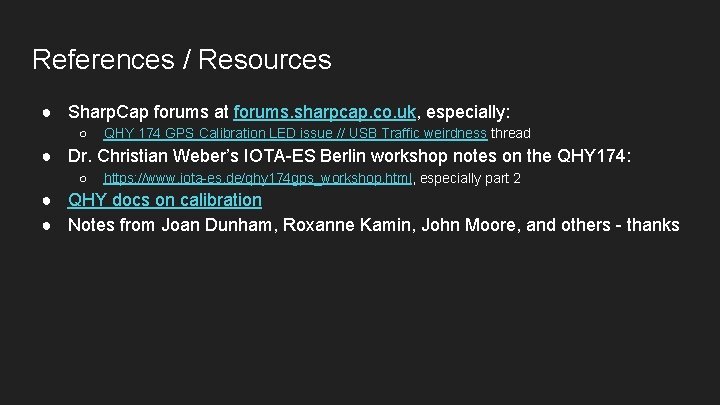
References / Resources ● Sharp. Cap forums at forums. sharpcap. co. uk, especially: ○ QHY 174 GPS Calibration LED issue // USB Traffic weirdness thread ● Dr. Christian Weber’s IOTA-ES Berlin workshop notes on the QHY 174: ○ https: //www. iota-es. de/qhy 174 gps_workshop. html, especially part 2 ● QHY docs on calibration ● Notes from Joan Dunham, Roxanne Kamin, John Moore, and others - thanks
- Slides: 75