
Python I Some material adapted from Upenn cmpe

![Copying the Whole Sequence · [ : ] makes a copy of an entire](https://slidetodoc.com/presentation_image_h/0953c3190bb82cc168703a5d93820c65/image-21.jpg "Copying the Whole Sequence · [ : ] makes a copy of an entire")

![Lists are mutable >>> li = [‘abc’, 23, 4. 34, 23] >>> li[1] =](https://slidetodoc.com/presentation_image_h/0953c3190bb82cc168703a5d93820c65/image-26.jpg "Lists are mutable >>> li = [‘abc’, 23, 4. 34, 23] >>> li[1] =")
![Operations on Lists Only >>> li = [1, 11, 3, 4, 5] >>> li.](https://slidetodoc.com/presentation_image_h/0953c3190bb82cc168703a5d93820c65/image-28.jpg "Operations on Lists Only >>> li = [1, 11, 3, 4, 5] >>> li.")
![Operations on Lists Only >>> li = [5, 2, 6, 8] >>> li. reverse()](https://slidetodoc.com/presentation_image_h/0953c3190bb82cc168703a5d93820c65/image-31.jpg "Operations on Lists Only >>> li = [5, 2, 6, 8] >>> li. reverse()")
![Why? Changing a Shared List a = [1, 2, 3] a 1 2 3](https://slidetodoc.com/presentation_image_h/0953c3190bb82cc168703a5d93820c65/image-49.jpg "Why? Changing a Shared List a = [1, 2, 3] a 1 2 3")
- Slides: 51
Python I Some material adapted from Upenn cmpe 391 slides and other sources
Overview · Names & Assignment · Sequences types: Lists, Tuples, and Strings · Mutability · Understanding Reference Semantics in Python
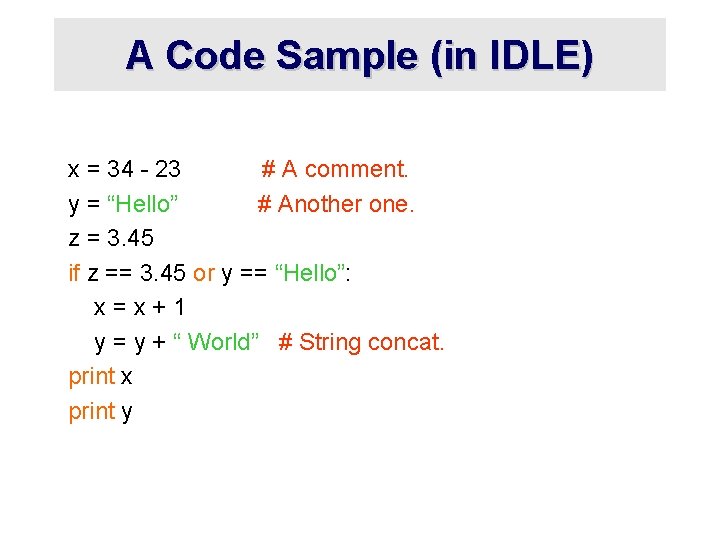
A Code Sample (in IDLE) x = 34 - 23 # A comment. y = “Hello” # Another one. z = 3. 45 if z == 3. 45 or y == “Hello”: x=x+1 y = y + “ World” # String concat. print x print y
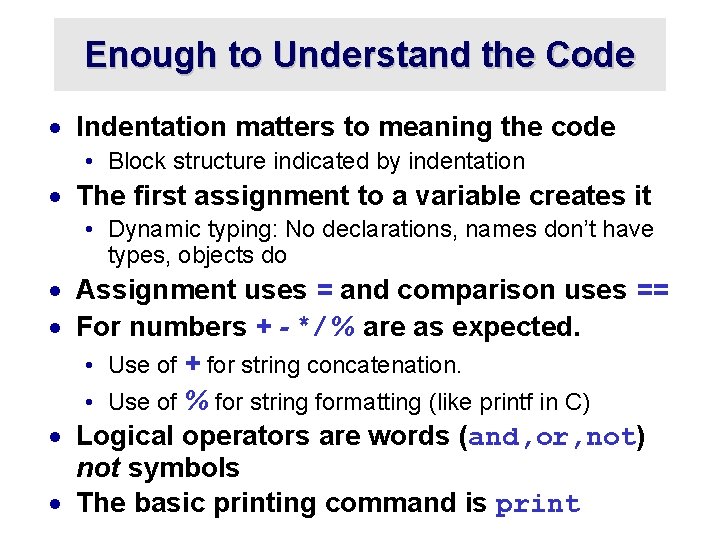
Enough to Understand the Code · Indentation matters to meaning the code • Block structure indicated by indentation · The first assignment to a variable creates it • Dynamic typing: No declarations, names don’t have types, objects do · Assignment uses = and comparison uses == · For numbers + - * / % are as expected. • Use of + for string concatenation. • Use of % for string formatting (like printf in C) · Logical operators are words (and, or, not) not symbols · The basic printing command is print
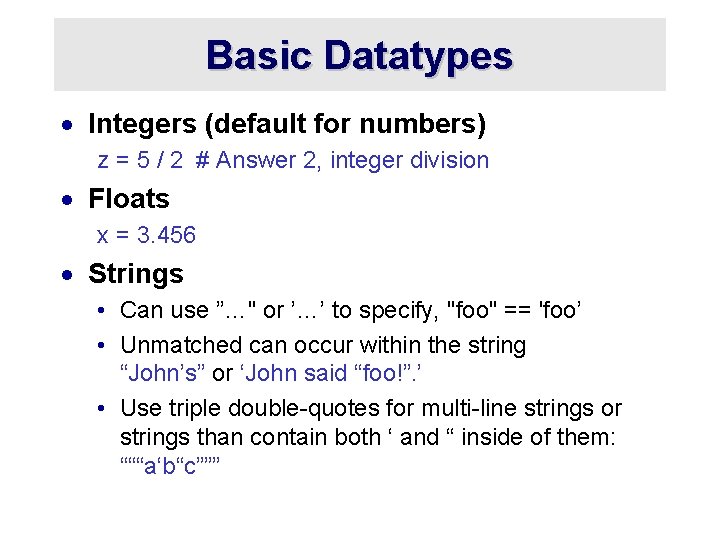
Basic Datatypes · Integers (default for numbers) z = 5 / 2 # Answer 2, integer division · Floats x = 3. 456 · Strings • Can use ”…" or ’…’ to specify, "foo" == 'foo’ • Unmatched can occur within the string “John’s” or ‘John said “foo!”. ’ • Use triple double-quotes for multi-line strings or strings than contain both ‘ and “ inside of them: “““a‘b“c”””
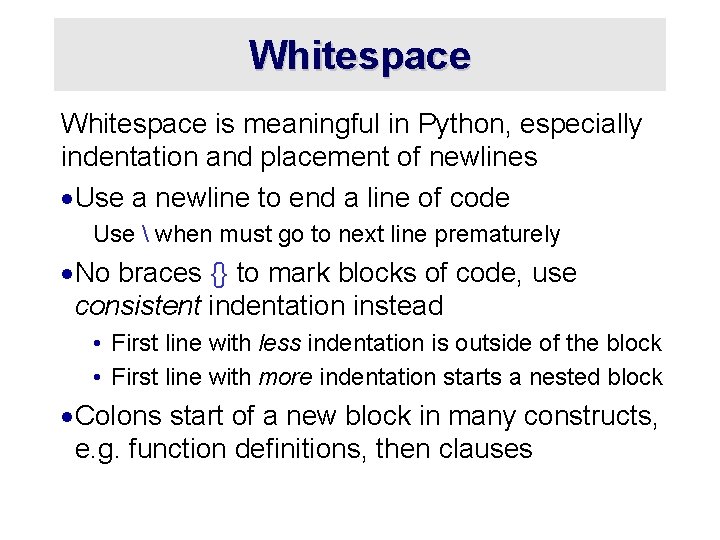
Whitespace is meaningful in Python, especially indentation and placement of newlines ·Use a newline to end a line of code Use when must go to next line prematurely ·No braces {} to mark blocks of code, use consistent indentation instead • First line with less indentation is outside of the block • First line with more indentation starts a nested block ·Colons start of a new block in many constructs, e. g. function definitions, then clauses
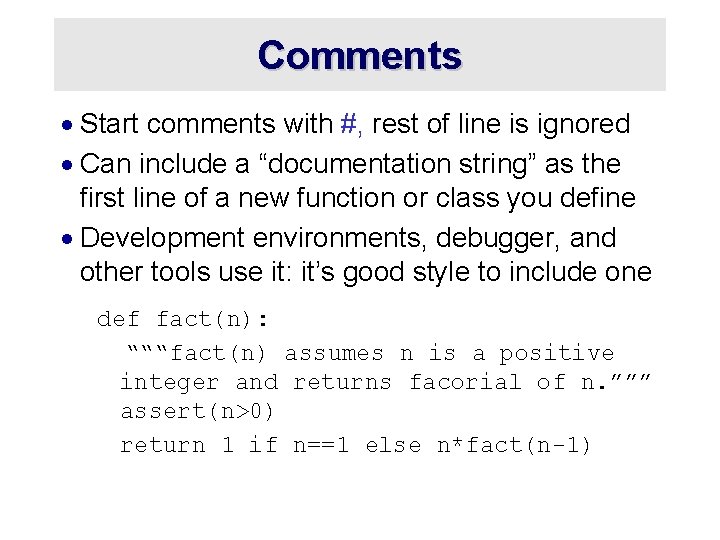
Comments · Start comments with #, rest of line is ignored · Can include a “documentation string” as the first line of a new function or class you define · Development environments, debugger, and other tools use it: it’s good style to include one def fact(n): “““fact(n) assumes n is a positive integer and returns facorial of n. ””” assert(n>0) return 1 if n==1 else n*fact(n-1)
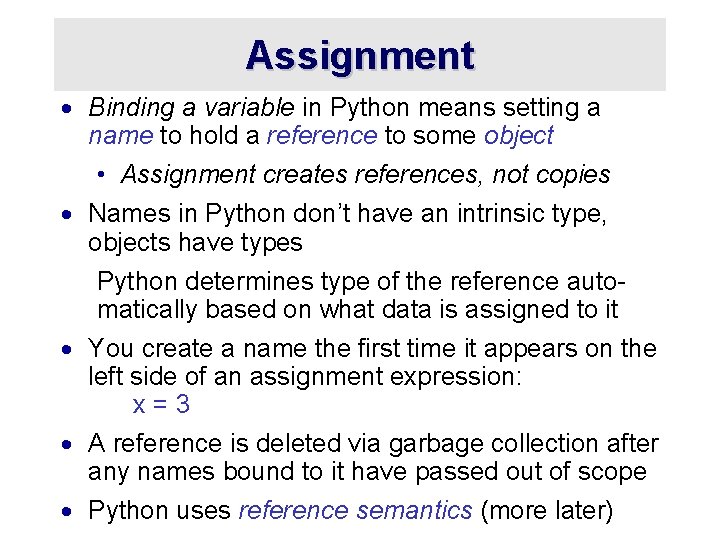
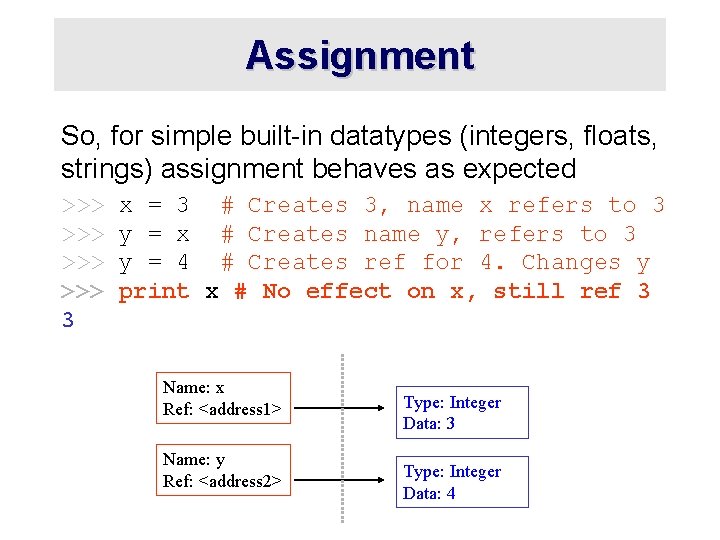
Assignment · Binding a variable in Python means setting a name to hold a reference to some object • Assignment creates references, not copies · Names in Python don’t have an intrinsic type, objects have types Python determines type of the reference automatically based on what data is assigned to it · You create a name the first time it appears on the left side of an assignment expression: x=3 · A reference is deleted via garbage collection after any names bound to it have passed out of scope · Python uses reference semantics (more later)
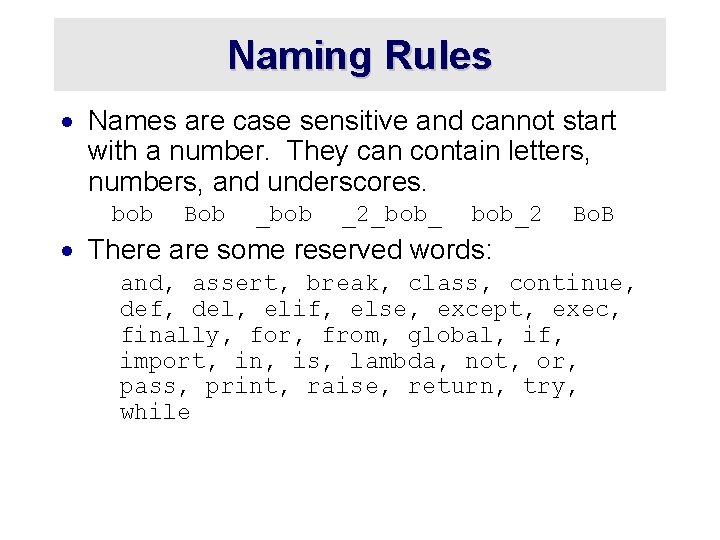
Naming Rules · Names are case sensitive and cannot start with a number. They can contain letters, numbers, and underscores. bob Bob _bob _2_bob_2 Bo. B · There are some reserved words: and, assert, break, class, continue, def, del, elif, else, except, exec, finally, for, from, global, if, import, in, is, lambda, not, or, pass, print, raise, return, try, while
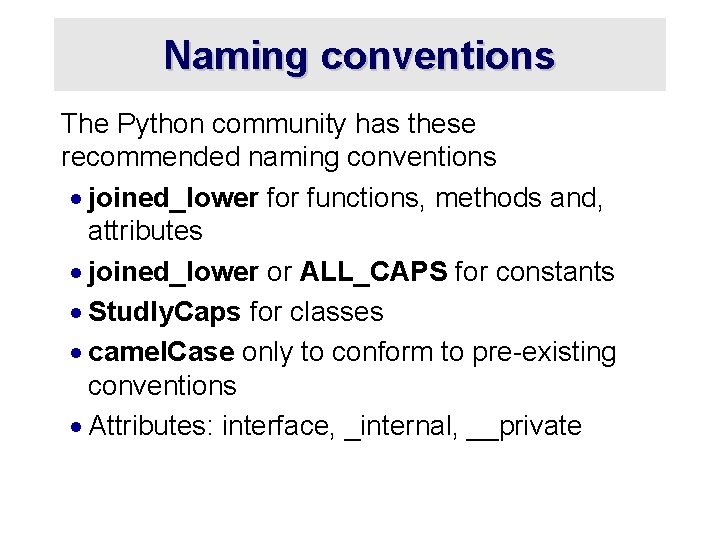
Naming conventions The Python community has these recommended naming conventions · joined_lower for functions, methods and, attributes · joined_lower or ALL_CAPS for constants · Studly. Caps for classes · camel. Case only to conform to pre-existing conventions · Attributes: interface, _internal, __private
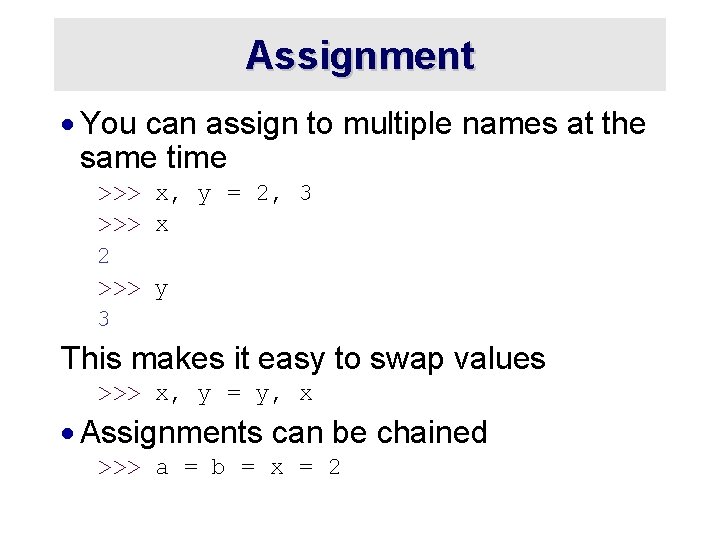
Assignment · You can assign to multiple names at the same time >>> x, y = 2, 3 >>> x 2 >>> y 3 This makes it easy to swap values >>> x, y = y, x · Assignments can be chained >>> a = b = x = 2
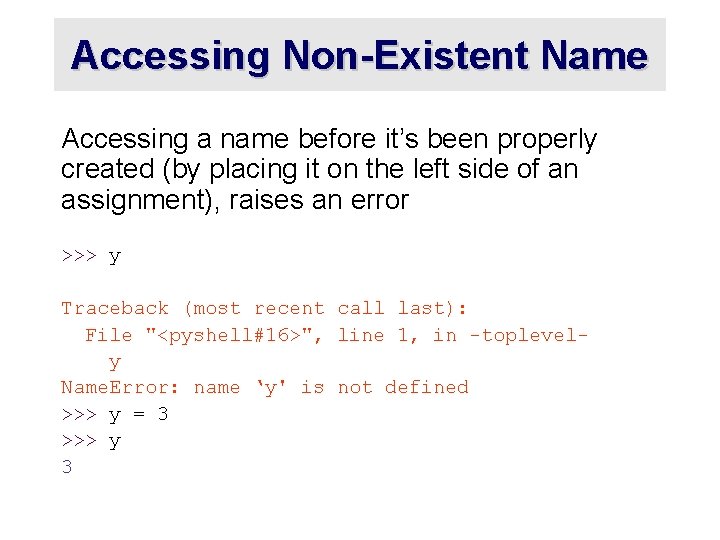
Accessing Non-Existent Name Accessing a name before it’s been properly created (by placing it on the left side of an assignment), raises an error >>> y Traceback (most recent call last): File "<pyshell#16>", line 1, in -toplevely Name. Error: name ‘y' is not defined >>> y = 3 >>> y 3
Sequence types: Tuples, Lists, and Strings
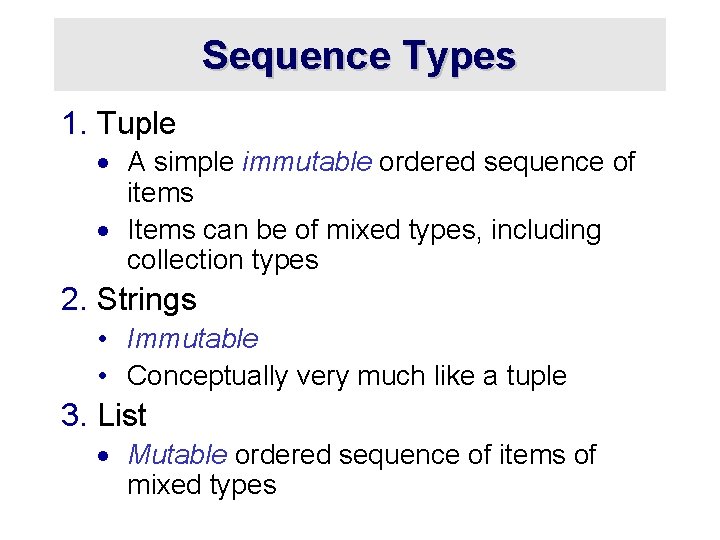
Sequence Types 1. Tuple · A simple immutable ordered sequence of items · Items can be of mixed types, including collection types 2. Strings • Immutable • Conceptually very much like a tuple 3. List · Mutable ordered sequence of items of mixed types
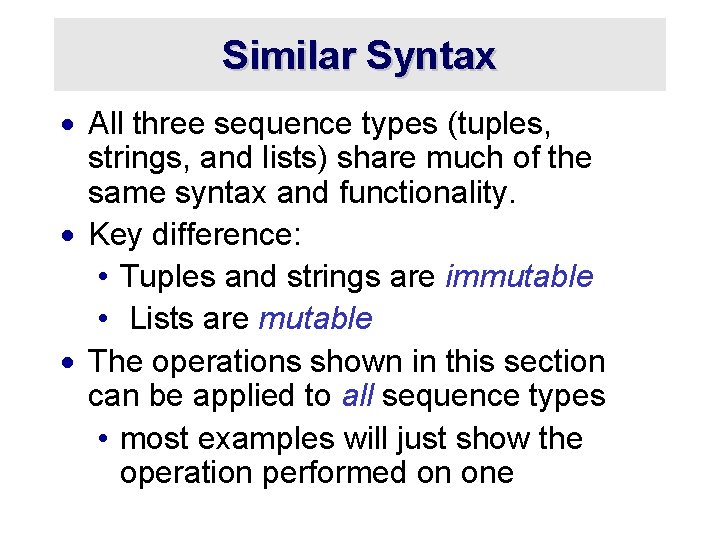
Similar Syntax · All three sequence types (tuples, strings, and lists) share much of the same syntax and functionality. · Key difference: • Tuples and strings are immutable • Lists are mutable · The operations shown in this section can be applied to all sequence types • most examples will just show the operation performed on one
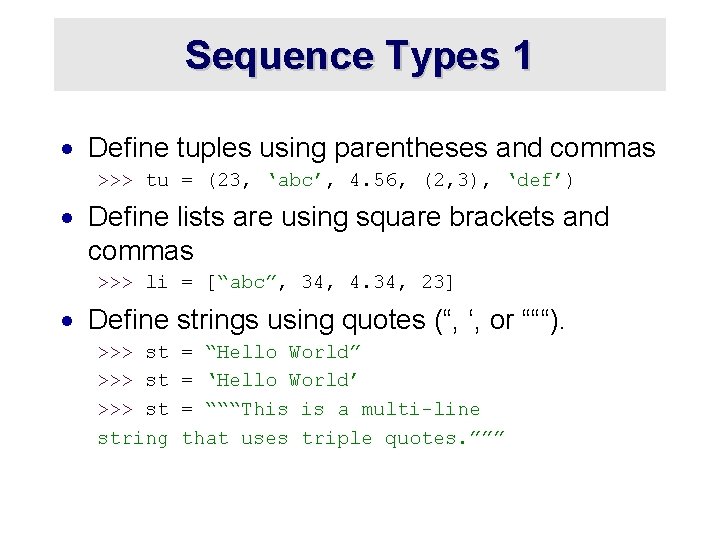
Sequence Types 1 · Define tuples using parentheses and commas >>> tu = (23, ‘abc’, 4. 56, (2, 3), ‘def’) · Define lists are using square brackets and commas >>> li = [“abc”, 34, 4. 34, 23] · Define strings using quotes (“, ‘, or “““). >>> st string = “Hello World” = ‘Hello World’ = “““This is a multi-line that uses triple quotes. ”””
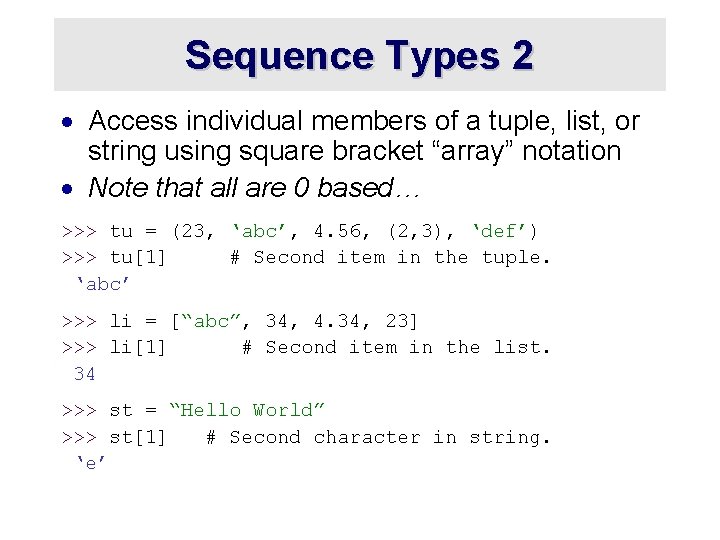
Sequence Types 2 · Access individual members of a tuple, list, or string using square bracket “array” notation · Note that all are 0 based… >>> tu = (23, ‘abc’, 4. 56, (2, 3), ‘def’) >>> tu[1] # Second item in the tuple. ‘abc’ >>> li = [“abc”, 34, 4. 34, 23] >>> li[1] # Second item in the list. 34 >>> st = “Hello World” >>> st[1] # Second character in string. ‘e’
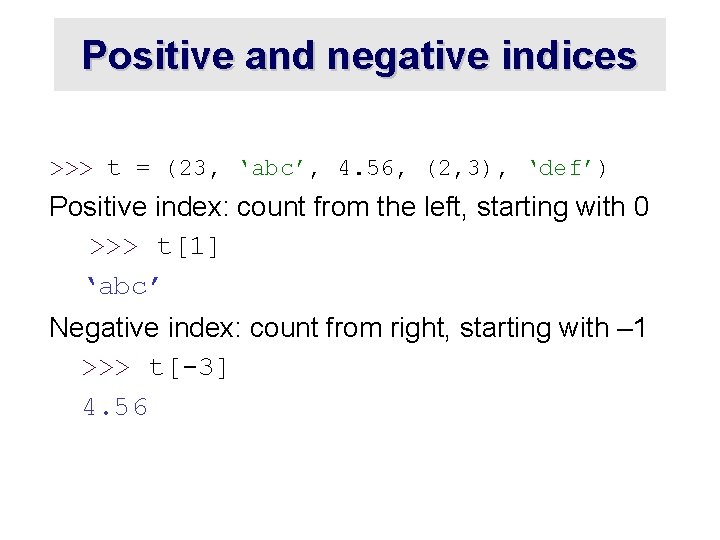
Positive and negative indices >>> t = (23, ‘abc’, 4. 56, (2, 3), ‘def’) Positive index: count from the left, starting with 0 >>> t[1] ‘abc’ Negative index: count from right, starting with – 1 >>> t[-3] 4. 56
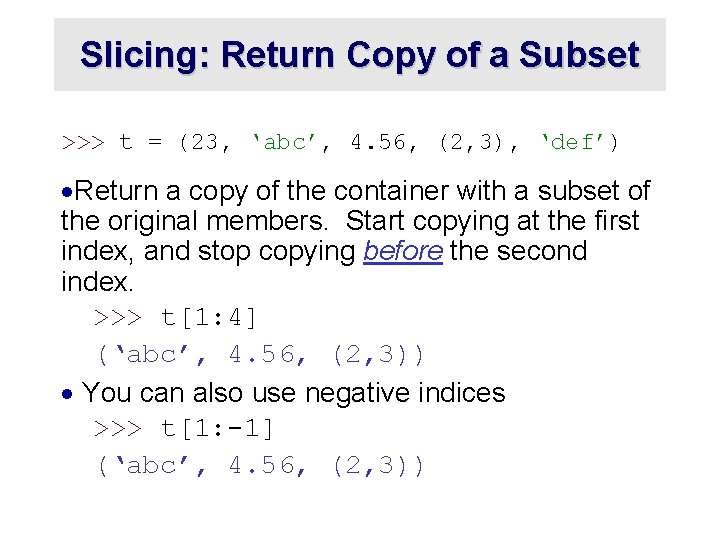
Slicing: Return Copy of a Subset >>> t = (23, ‘abc’, 4. 56, (2, 3), ‘def’) ·Return a copy of the container with a subset of the original members. Start copying at the first index, and stop copying before the second index. >>> t[1: 4] (‘abc’, 4. 56, (2, 3)) · You can also use negative indices >>> t[1: -1] (‘abc’, 4. 56, (2, 3))
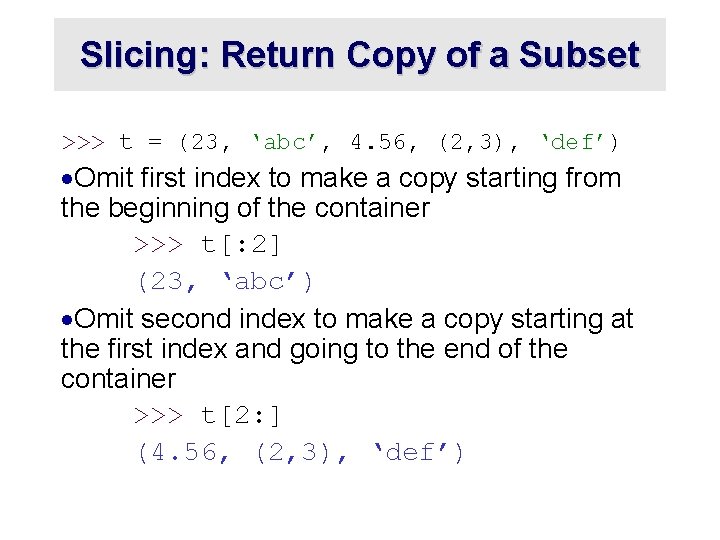
Slicing: Return Copy of a Subset >>> t = (23, ‘abc’, 4. 56, (2, 3), ‘def’) ·Omit first index to make a copy starting from the beginning of the container >>> t[: 2] (23, ‘abc’) ·Omit second index to make a copy starting at the first index and going to the end of the container >>> t[2: ] (4. 56, (2, 3), ‘def’)
Copying the Whole Sequence · [ : ] makes a copy of an entire sequence >>> t[: ] (23, ‘abc’, 4. 56, (2, 3), ‘def’) · Note the difference between these two lines for mutable sequences >>> l 2 = l 1 # Both refer to 1 ref, # changing one affects both >>> l 2 = l 1[: ] # Independent copies, two refs
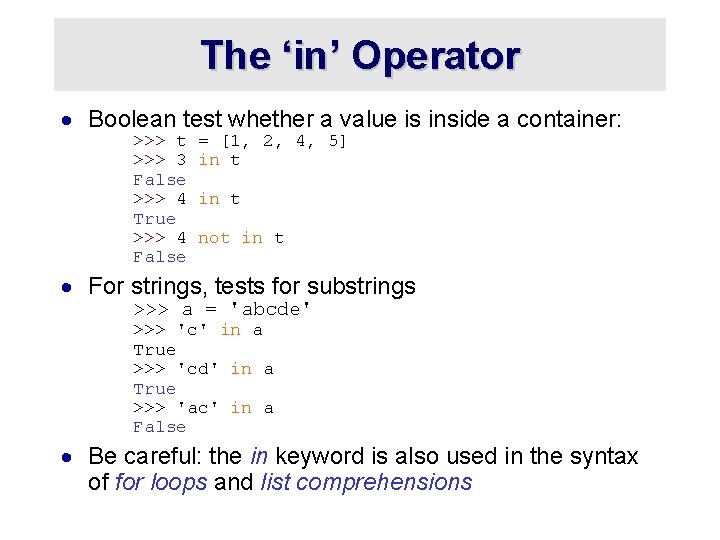
The ‘in’ Operator · Boolean test whether a value is inside a container: >>> t >>> 3 False >>> 4 True >>> 4 False = [1, 2, 4, 5] in t not in t · For strings, tests for substrings >>> a = 'abcde' >>> 'c' in a True >>> 'cd' in a True >>> 'ac' in a False · Be careful: the in keyword is also used in the syntax of for loops and list comprehensions
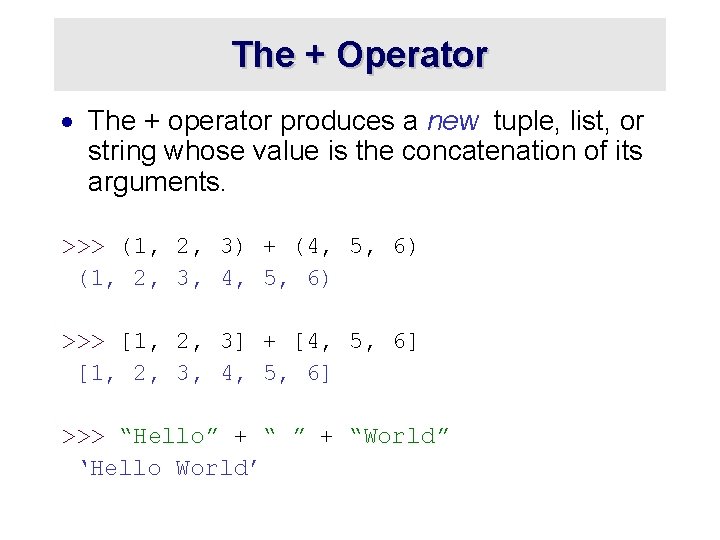
The + Operator · The + operator produces a new tuple, list, or string whose value is the concatenation of its arguments. >>> (1, 2, 3) + (4, 5, 6) (1, 2, 3, 4, 5, 6) >>> [1, 2, 3] + [4, 5, 6] [1, 2, 3, 4, 5, 6] >>> “Hello” + “World” ‘Hello World’
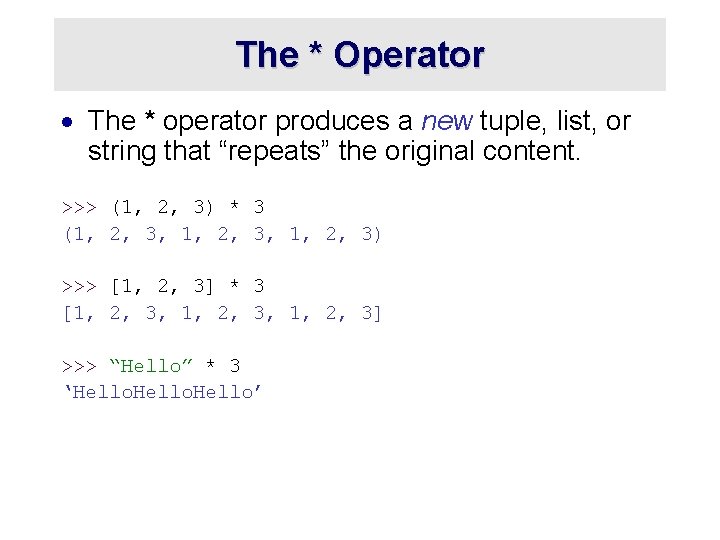
The * Operator · The * operator produces a new tuple, list, or string that “repeats” the original content. >>> (1, 2, 3) * 3 (1, 2, 3, 1, 2, 3) >>> [1, 2, 3] * 3 [1, 2, 3, 1, 2, 3] >>> “Hello” * 3 ‘Hello’
Mutability: Tuples vs. Lists
Lists are mutable >>> li = [‘abc’, 23, 4. 34, 23] >>> li[1] = 45 >>> li [‘abc’, 45, 4. 34, 23] · We can change lists in place. · Name li still points to the same memory reference when we’re done.
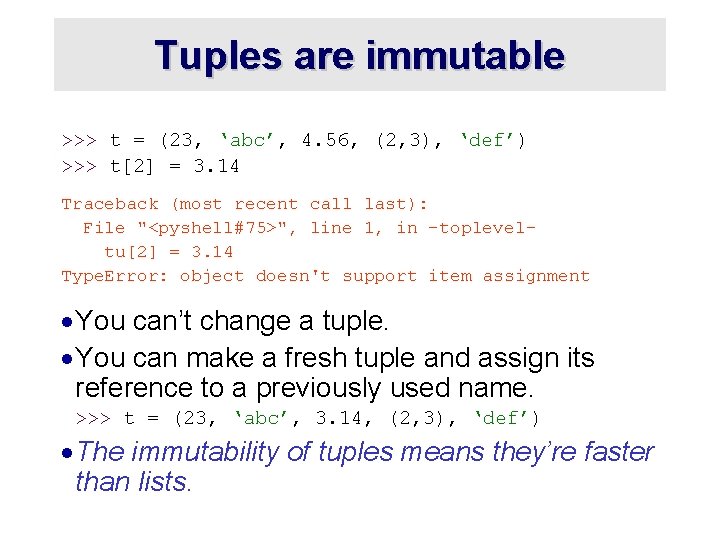
Tuples are immutable >>> t = (23, ‘abc’, 4. 56, (2, 3), ‘def’) >>> t[2] = 3. 14 Traceback (most recent call last): File "<pyshell#75>", line 1, in -topleveltu[2] = 3. 14 Type. Error: object doesn't support item assignment · You can’t change a tuple. · You can make a fresh tuple and assign its reference to a previously used name. >>> t = (23, ‘abc’, 3. 14, (2, 3), ‘def’) · The immutability of tuples means they’re faster than lists.
Operations on Lists Only >>> li = [1, 11, 3, 4, 5] >>> li. append(‘a’) # Note the method syntax >>> li [1, 11, 3, 4, 5, ‘a’] >>> li. insert(2, ‘i’) >>>li [1, 11, ‘i’, 3, 4, 5, ‘a’]
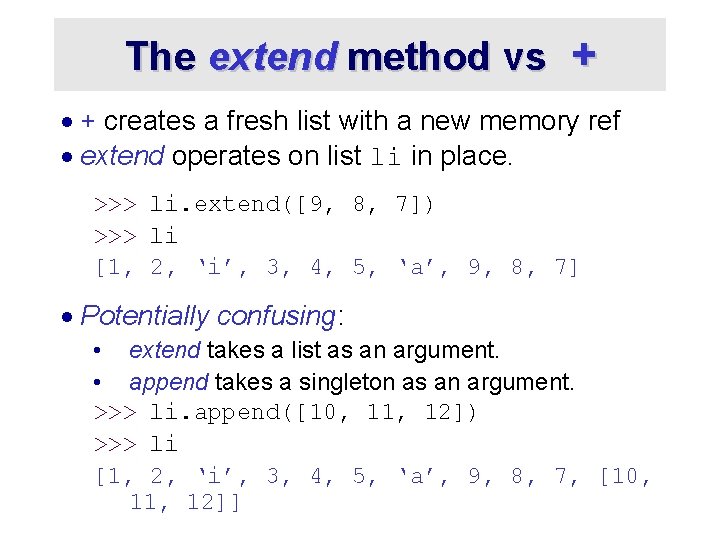
The extend method vs + · + creates a fresh list with a new memory ref · extend operates on list li in place. >>> li. extend([9, 8, 7]) >>> li [1, 2, ‘i’, 3, 4, 5, ‘a’, 9, 8, 7] · Potentially confusing: • extend takes a list as an argument. • append takes a singleton as an argument. >>> li. append([10, 11, 12]) >>> li [1, 2, ‘i’, 3, 4, 5, ‘a’, 9, 8, 7, [10, 11, 12]]
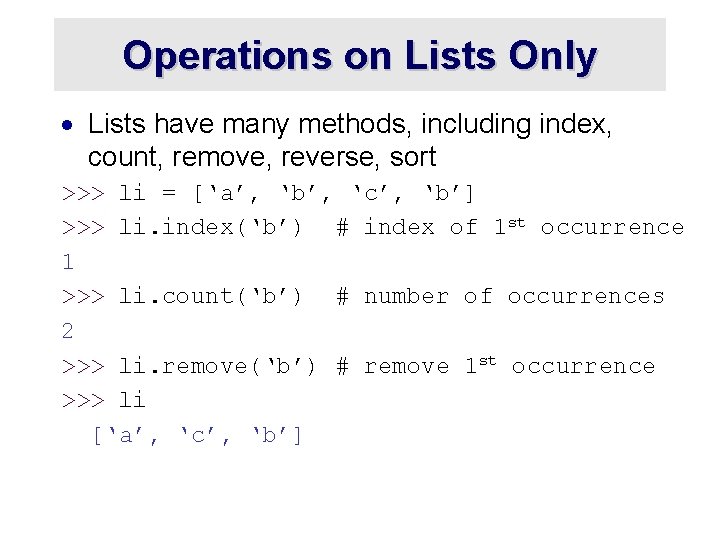
Operations on Lists Only · Lists have many methods, including index, count, remove, reverse, sort >>> li = [‘a’, ‘b’, ‘c’, ‘b’] >>> li. index(‘b’) # index of 1 st occurrence 1 >>> li. count(‘b’) # number of occurrences 2 >>> li. remove(‘b’) # remove 1 st occurrence >>> li [‘a’, ‘c’, ‘b’]
Operations on Lists Only >>> li = [5, 2, 6, 8] >>> li. reverse() >>> li [8, 6, 2, 5] # reverse the list *in place* >>> li. sort() >>> li [2, 5, 6, 8] # sort the list *in place* >>> li. sort(some_function) # sort in place using user-defined comparison
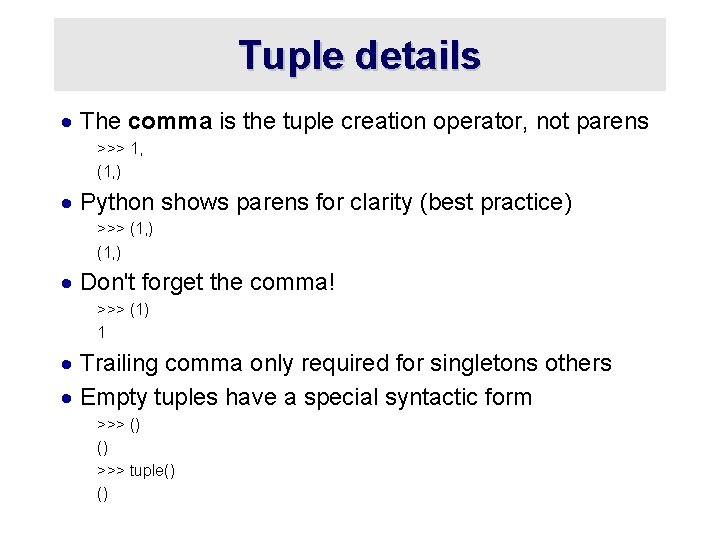
Tuple details · The comma is the tuple creation operator, not parens >>> 1, (1, ) · Python shows parens for clarity (best practice) >>> (1, ) · Don't forget the comma! >>> (1) 1 · Trailing comma only required for singletons others · Empty tuples have a special syntactic form >>> () () >>> tuple() ()
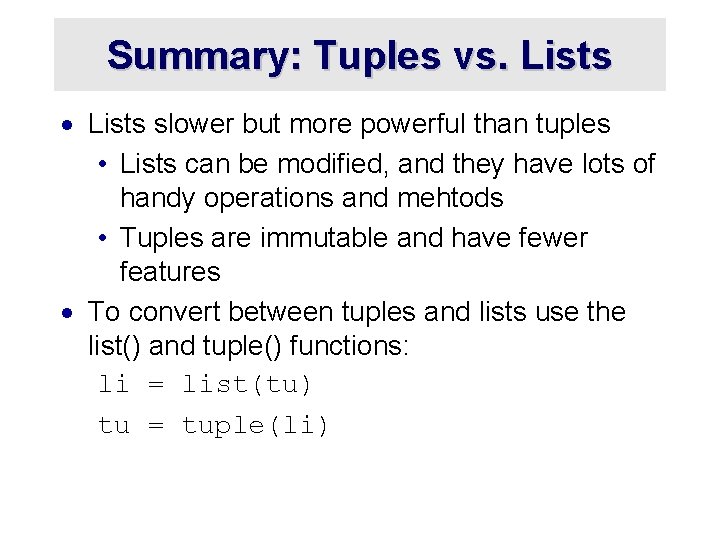
Summary: Tuples vs. Lists · Lists slower but more powerful than tuples • Lists can be modified, and they have lots of handy operations and mehtods • Tuples are immutable and have fewer features · To convert between tuples and lists use the list() and tuple() functions: li = list(tu) tu = tuple(li)
Understanding Reference Semantics in Python
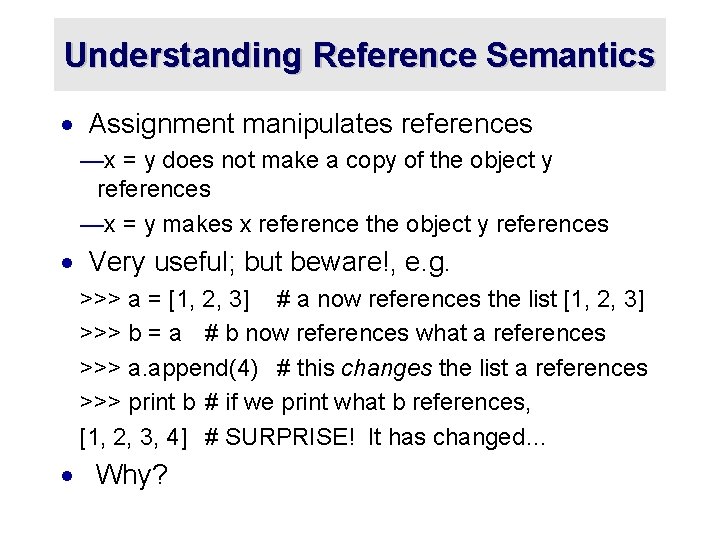
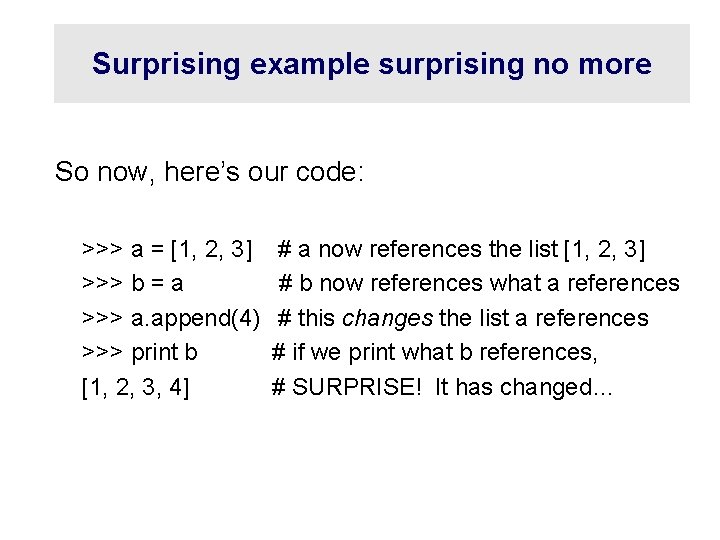
Understanding Reference Semantics · Assignment manipulates references —x = y does not make a copy of the object y references —x = y makes x reference the object y references · Very useful; but beware!, e. g. >>> a = [1, 2, 3] # a now references the list [1, 2, 3] >>> b = a # b now references what a references >>> a. append(4) # this changes the list a references >>> print b # if we print what b references, [1, 2, 3, 4] # SURPRISE! It has changed… · Why?
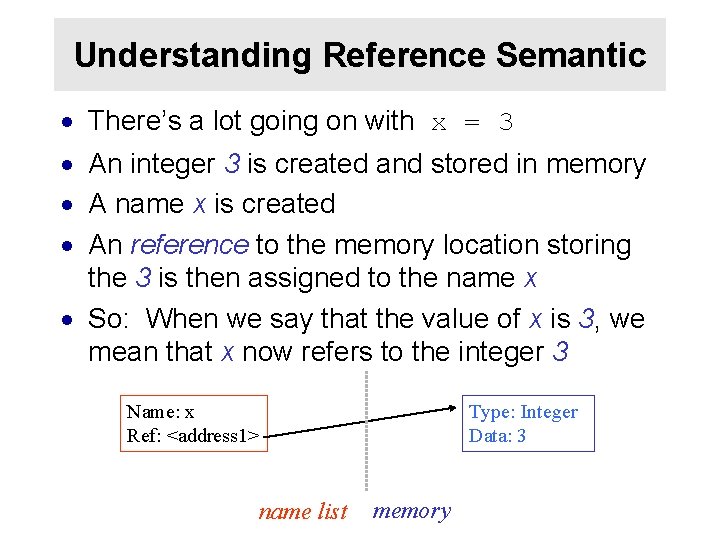
Understanding Reference Semantic · There’s a lot going on with x = 3 · An integer 3 is created and stored in memory · A name x is created · An reference to the memory location storing the 3 is then assigned to the name x · So: When we say that the value of x is 3, we mean that x now refers to the integer 3 Name: x Ref: <address 1> Type: Integer Data: 3 name list memory
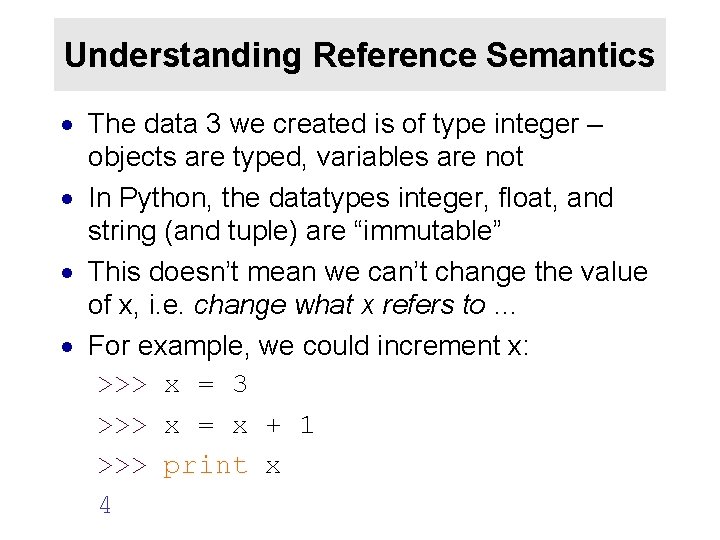
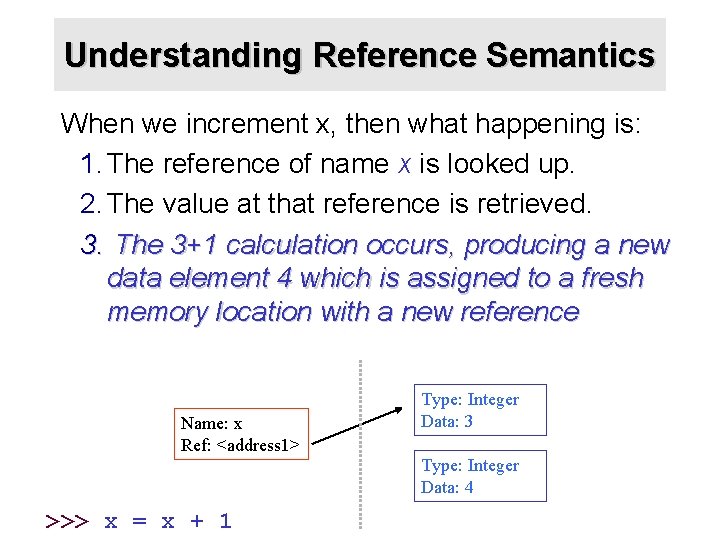
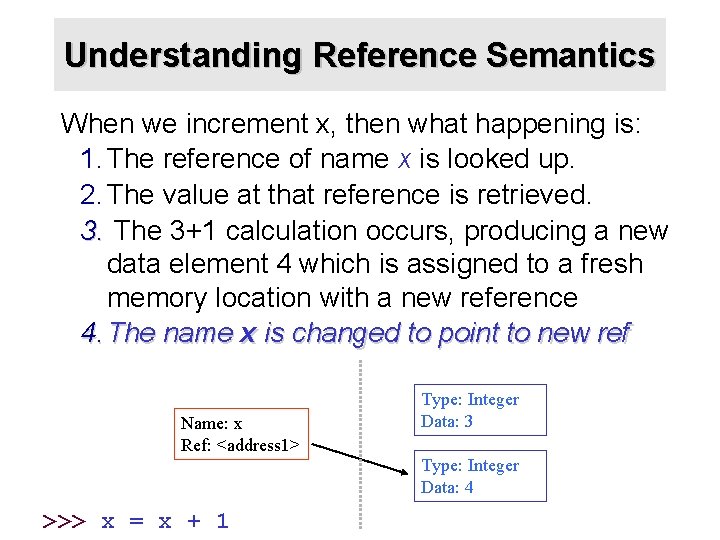
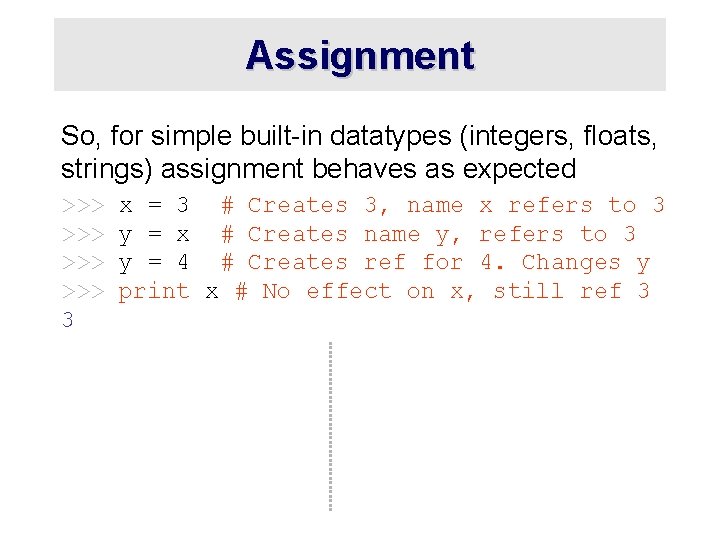
Understanding Reference Semantics · The data 3 we created is of type integer – objects are typed, variables are not · In Python, the datatypes integer, float, and string (and tuple) are “immutable” · This doesn’t mean we can’t change the value of x, i. e. change what x refers to … · For example, we could increment x: >>> x = 3 >>> x = x + 1 >>> print x 4
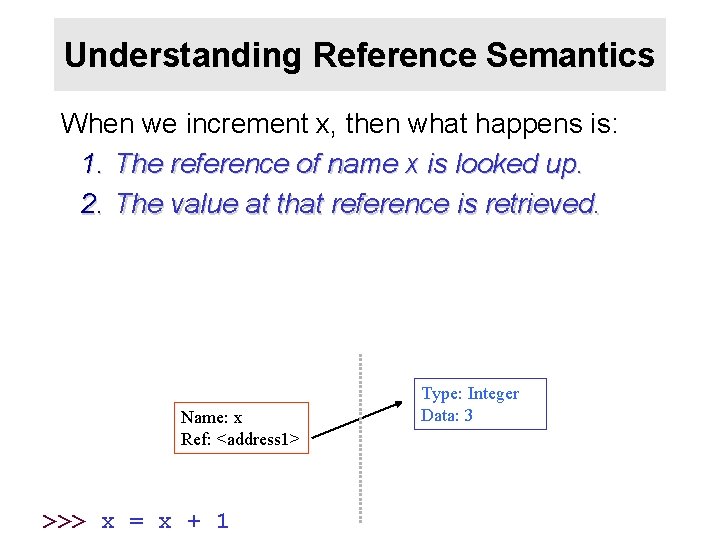
Understanding Reference Semantics When we increment x, then what happens is: 1. The reference of name x is looked up. 2. The value at that reference is retrieved. Name: x Ref: <address 1> >>> x = x + 1 Type: Integer Data: 3
Understanding Reference Semantics When we increment x, then what happening is: 1. The reference of name x is looked up. 2. The value at that reference is retrieved. 3. The 3+1 calculation occurs, producing a new data element 4 which is assigned to a fresh memory location with a new reference Name: x Ref: <address 1> Type: Integer Data: 3 Type: Integer Data: 4 >>> x = x + 1
Understanding Reference Semantics When we increment x, then what happening is: 1. The reference of name x is looked up. 2. The value at that reference is retrieved. 3. The 3+1 calculation occurs, producing a new data element 4 which is assigned to a fresh memory location with a new reference 4. The name x is changed to point to new ref Name: x Ref: <address 1> Type: Integer Data: 3 Type: Integer Data: 4 >>> x = x + 1
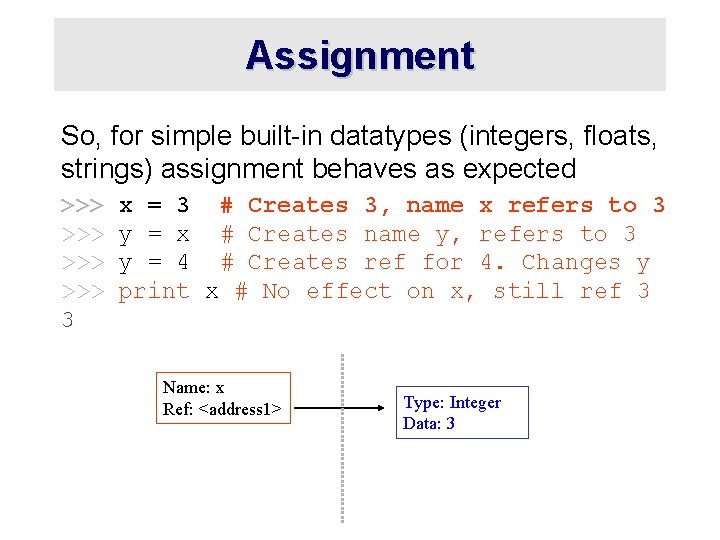
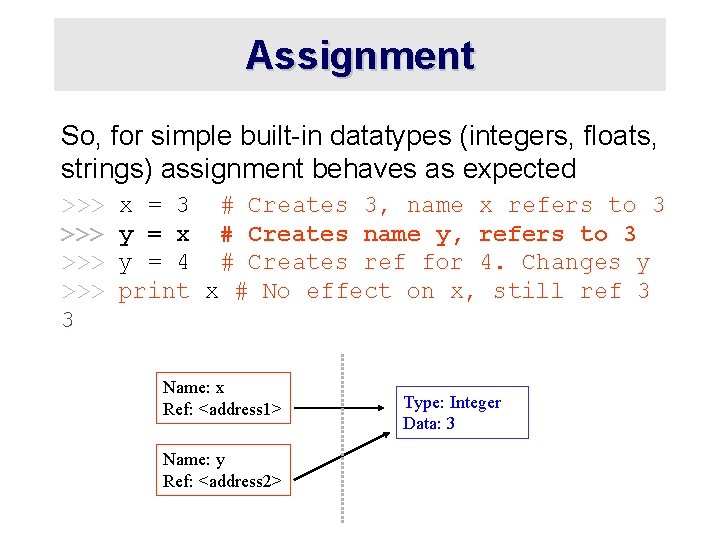
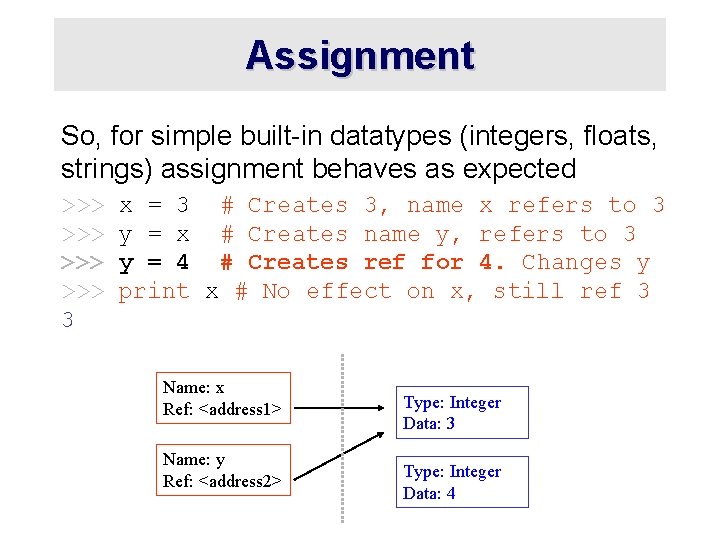
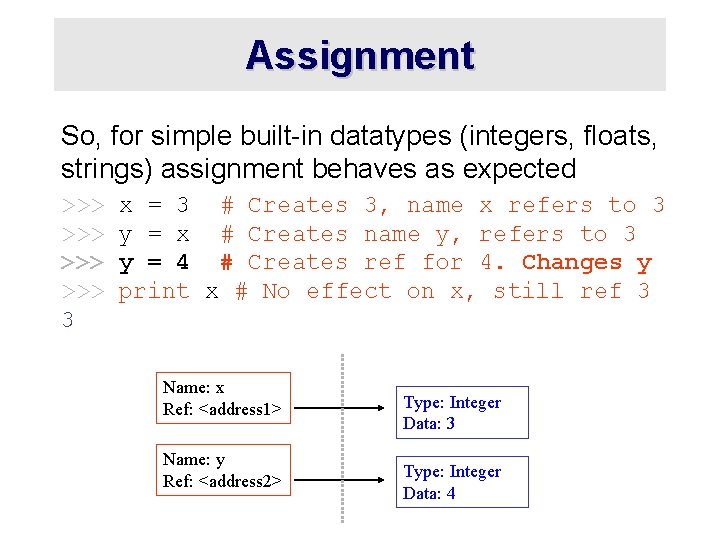
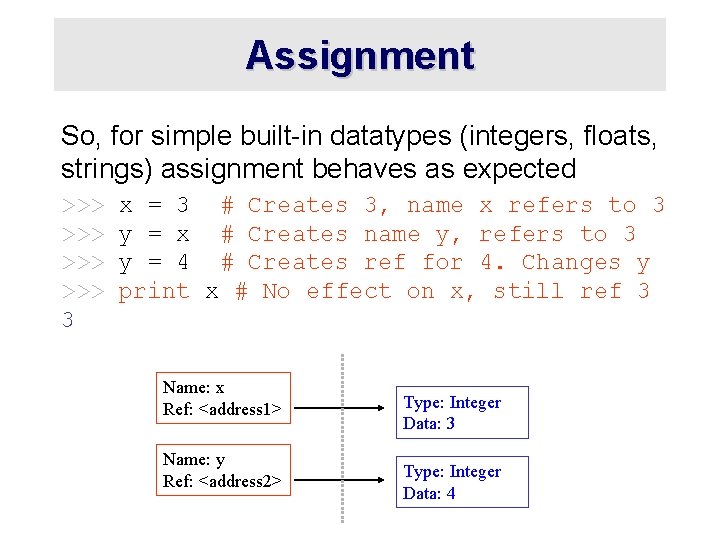
Assignment So, for simple built-in datatypes (integers, floats, strings) assignment behaves as expected >>> >>> 3 x = 3 # Creates 3, name x refers to 3 y = x # Creates name y, refers to 3 y = 4 # Creates ref for 4. Changes y print x # No effect on x, still ref 3
Assignment So, for simple built-in datatypes (integers, floats, strings) assignment behaves as expected >>> >>> 3 x = 3 # Creates 3, name x refers to 3 y = x # Creates name y, refers to 3 y = 4 # Creates ref for 4. Changes y print x # No effect on x, still ref 3 Name: x Ref: <address 1> Type: Integer Data: 3
Assignment So, for simple built-in datatypes (integers, floats, strings) assignment behaves as expected >>> >>> 3 x = 3 # Creates 3, name x refers to 3 y = x # Creates name y, refers to 3 y = 4 # Creates ref for 4. Changes y print x # No effect on x, still ref 3 Name: x Ref: <address 1> Name: y Ref: <address 2> Type: Integer Data: 3
Assignment So, for simple built-in datatypes (integers, floats, strings) assignment behaves as expected >>> >>> 3 x = 3 # Creates 3, name x refers to 3 y = x # Creates name y, refers to 3 y = 4 # Creates ref for 4. Changes y print x # No effect on x, still ref 3 Name: x Ref: <address 1> Name: y Ref: <address 2> Type: Integer Data: 3 Type: Integer Data: 4
Assignment So, for simple built-in datatypes (integers, floats, strings) assignment behaves as expected >>> >>> 3 x = 3 # Creates 3, name x refers to 3 y = x # Creates name y, refers to 3 y = 4 # Creates ref for 4. Changes y print x # No effect on x, still ref 3 Name: x Ref: <address 1> Name: y Ref: <address 2> Type: Integer Data: 3 Type: Integer Data: 4
Assignment So, for simple built-in datatypes (integers, floats, strings) assignment behaves as expected >>> >>> 3 x = 3 # Creates 3, name x refers to 3 y = x # Creates name y, refers to 3 y = 4 # Creates ref for 4. Changes y print x # No effect on x, still ref 3 Name: x Ref: <address 1> Name: y Ref: <address 2> Type: Integer Data: 3 Type: Integer Data: 4
Assignment So, for simple built-in datatypes (integers, floats, strings) assignment behaves as expected >>> >>> 3 x = 3 # Creates 3, name x refers to 3 y = x # Creates name y, refers to 3 y = 4 # Creates ref for 4. Changes y print x # No effect on x, still ref 3 Name: x Ref: <address 1> Name: y Ref: <address 2> Type: Integer Data: 3 Type: Integer Data: 4
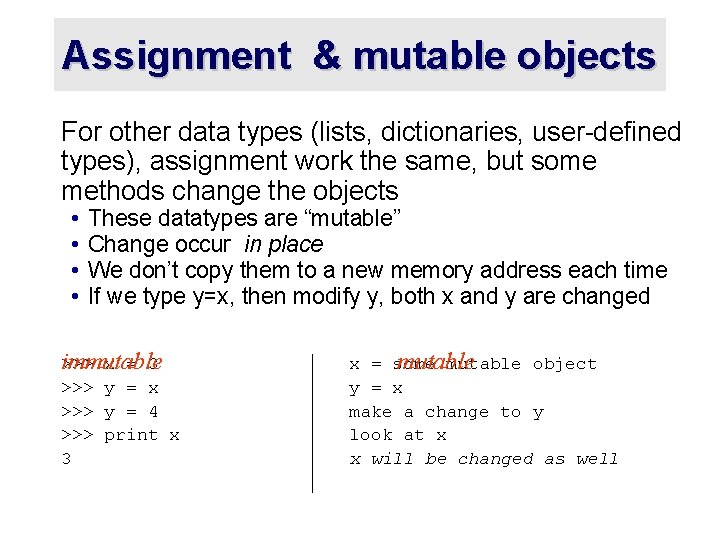
Assignment & mutable objects For other data types (lists, dictionaries, user-defined types), assignment work the same, but some methods change the objects • • These datatypes are “mutable” Change occur in place We don’t copy them to a new memory address each time If we type y=x, then modify y, both x and y are changed immutable >>> x = 3 >>> y = x >>> y = 4 >>> print x 3 mutable x = some mutable object y = x make a change to y look at x x will be changed as well
Why? Changing a Shared List a = [1, 2, 3] a 1 2 3 a b=a b a a. append(4) b 4
Surprising example surprising no more So now, here’s our code: >>> a = [1, 2, 3] >>> b = a >>> a. append(4) >>> print b [1, 2, 3, 4] # a now references the list [1, 2, 3] # b now references what a references # this changes the list a references # if we print what b references, # SURPRISE! It has changed…
Conclusion · Python uses a simple reference semantics much like Scheme or Java