
Python Data Structures LING 5200 Computational Corpus Linguistics
![Tuples: Immutable >>> t = (23, ‘abc’, 4. 56, (2, 3), ‘def’) >>> t[2]](https://slidetodoc.com/presentation_image/cccc5c48bedc6fd80c00ff2efd38204e/image-49.jpg "Tuples: Immutable >>> t = (23, ‘abc’, 4. 56, (2, 3), ‘def’) >>> t[2]")
![Lists: Mutable >>> li = [‘abc’, 23, 4. 34, 23] >>> li[1] = 45](https://slidetodoc.com/presentation_image/cccc5c48bedc6fd80c00ff2efd38204e/image-50.jpg "Lists: Mutable >>> li = [‘abc’, 23, 4. 34, 23] >>> li[1] = 45")
![Slicing: with mutable lists n n >>> L = [‘spam’, ’SPAM’] >>> L[1] =](https://slidetodoc.com/presentation_image/cccc5c48bedc6fd80c00ff2efd38204e/image-51.jpg "Slicing: with mutable lists n n >>> L = [‘spam’, ’SPAM’] >>> L[1] =")
![Operations on Lists Only 2 >>> li = [1, 2, 3, 4, 5] >>>](https://slidetodoc.com/presentation_image/cccc5c48bedc6fd80c00ff2efd38204e/image-53.jpg "Operations on Lists Only 2 >>> li = [1, 2, 3, 4, 5] >>>")
![Operations on Lists Only 4 >>> li = [‘a’, ‘b’, ‘c’, ‘b’] >>> li.](https://slidetodoc.com/presentation_image/cccc5c48bedc6fd80c00ff2efd38204e/image-55.jpg "Operations on Lists Only 4 >>> li = [‘a’, ‘b’, ‘c’, ‘b’] >>> li.")
![Operations on Lists Only 5 >>> li = [5, 2, 6, 8] >>> li.](https://slidetodoc.com/presentation_image/cccc5c48bedc6fd80c00ff2efd38204e/image-56.jpg "Operations on Lists Only 5 >>> li = [5, 2, 6, 8] >>> li.")
![Basic Syntax for Dictionaries 2 >>> d = {‘user’: ‘bozo’, ‘pswd’: 1234} >>> d[‘user’]](https://slidetodoc.com/presentation_image/cccc5c48bedc6fd80c00ff2efd38204e/image-63.jpg "Basic Syntax for Dictionaries 2 >>> d = {‘user’: ‘bozo’, ‘pswd’: 1234} >>> d[‘user’]")
![Basic Syntax for Dictionaries 3 >>> d = {‘user’: ‘bozo’, ‘pswd’: 1234} >>> d[‘user’]](https://slidetodoc.com/presentation_image/cccc5c48bedc6fd80c00ff2efd38204e/image-64.jpg "Basic Syntax for Dictionaries 3 >>> d = {‘user’: ‘bozo’, ‘pswd’: 1234} >>> d[‘user’]")
- Slides: 70
Python Data Structures LING 5200 Computational Corpus Linguistics Martha Palmer 1
An Overview of Python 2
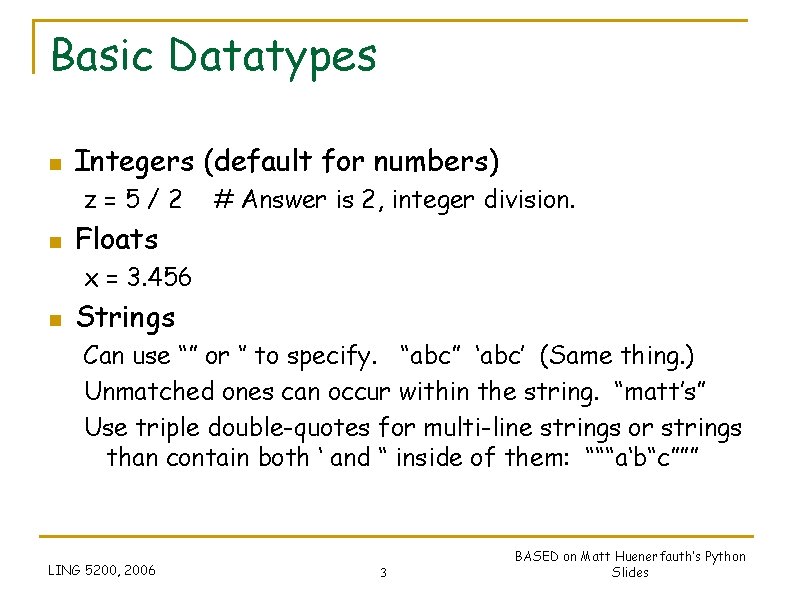
Basic Datatypes n Integers (default for numbers) z=5/2 n # Answer is 2, integer division. Floats x = 3. 456 n Strings Can use “” or ‘’ to specify. “abc” ‘abc’ (Same thing. ) Unmatched ones can occur within the string. “matt’s” Use triple double-quotes for multi-line strings or strings than contain both ‘ and “ inside of them: “““a‘b“c””” LING 5200, 2006 3 BASED on Matt Huenerfauth’s Python Slides
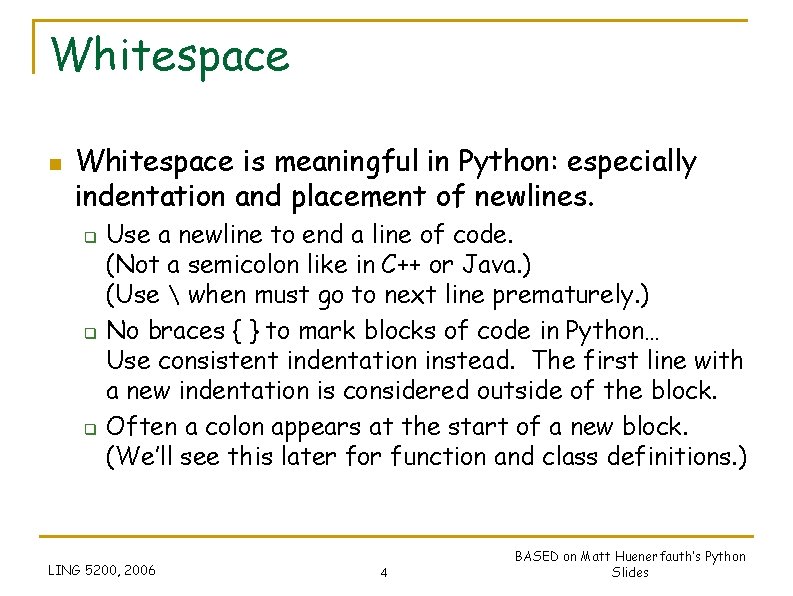
Whitespace n Whitespace is meaningful in Python: especially indentation and placement of newlines. q q q Use a newline to end a line of code. (Not a semicolon like in C++ or Java. ) (Use when must go to next line prematurely. ) No braces { } to mark blocks of code in Python… Use consistent indentation instead. The first line with a new indentation is considered outside of the block. Often a colon appears at the start of a new block. (We’ll see this later for function and class definitions. ) LING 5200, 2006 4 BASED on Matt Huenerfauth’s Python Slides
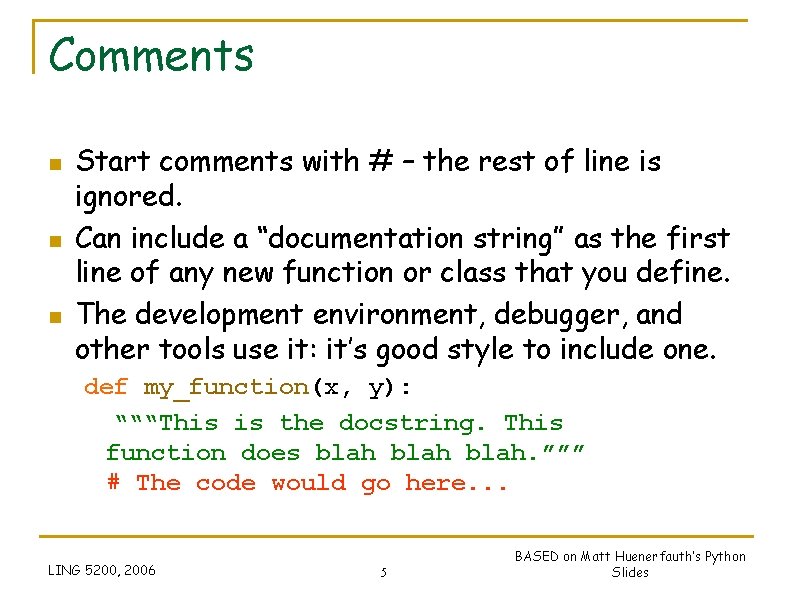
Comments n n n Start comments with # – the rest of line is ignored. Can include a “documentation string” as the first line of any new function or class that you define. The development environment, debugger, and other tools use it: it’s good style to include one. def my_function(x, y): “““This is the docstring. This function does blah. ””” # The code would go here. . . LING 5200, 2006 5 BASED on Matt Huenerfauth’s Python Slides
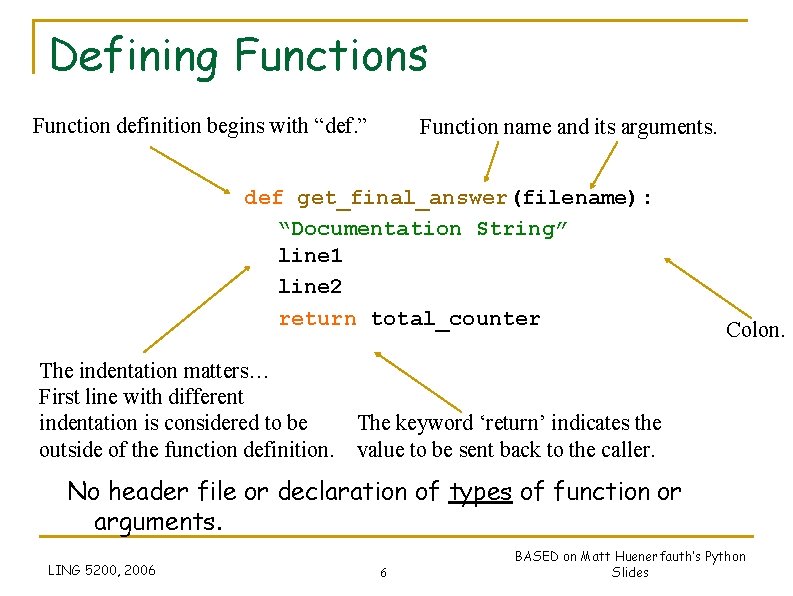
Defining Functions Function definition begins with “def. ” Function name and its arguments. def get_final_answer(filename): “Documentation String” line 1 line 2 return total_counter The indentation matters… First line with different indentation is considered to be outside of the function definition. Colon. The keyword ‘return’ indicates the value to be sent back to the caller. No header file or declaration of types of function or arguments. LING 5200, 2006 6 BASED on Matt Huenerfauth’s Python Slides
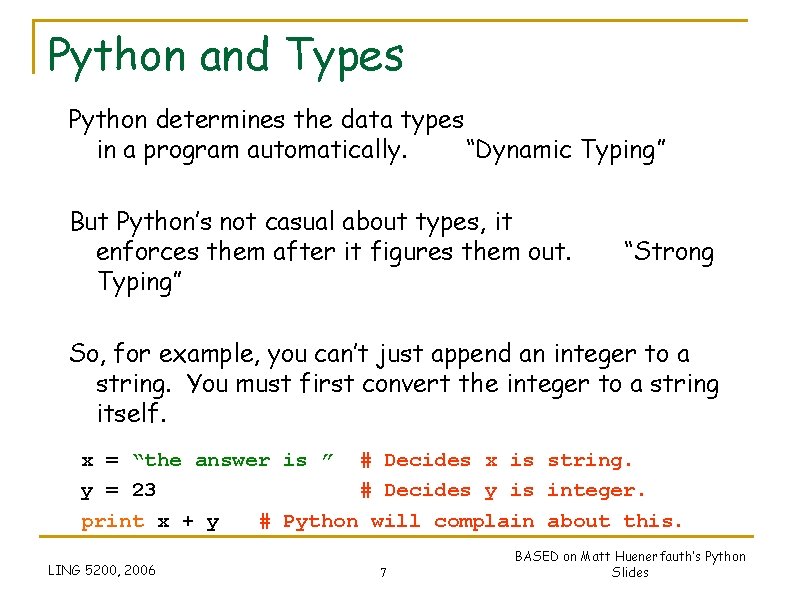
Python and Types Python determines the data types in a program automatically. “Dynamic Typing” But Python’s not casual about types, it enforces them after it figures them out. Typing” “Strong So, for example, you can’t just append an integer to a string. You must first convert the integer to a string itself. x = “the answer is ” # Decides x is string. y = 23 # Decides y is integer. print x + y # Python will complain about this. LING 5200, 2006 7 BASED on Matt Huenerfauth’s Python Slides
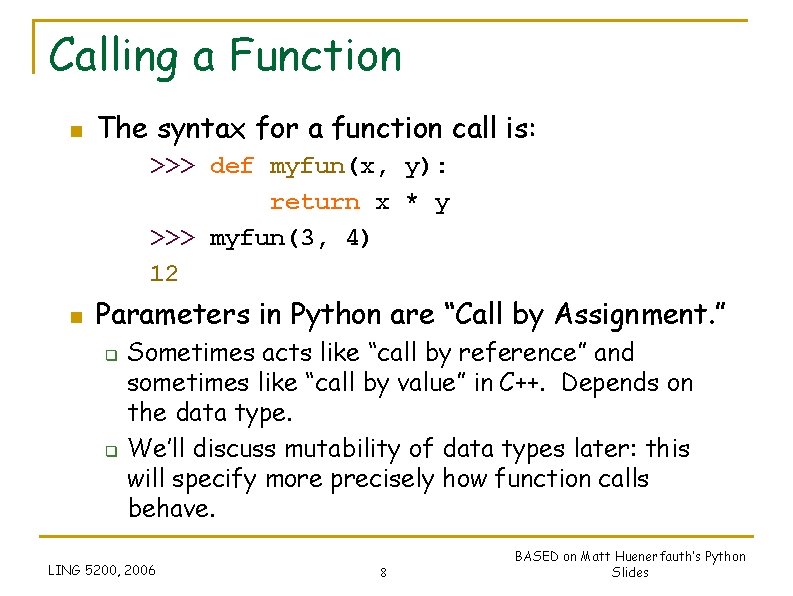
Calling a Function n The syntax for a function call is: >>> def myfun(x, y): return x * y >>> myfun(3, 4) 12 n Parameters in Python are “Call by Assignment. ” q q Sometimes acts like “call by reference” and sometimes like “call by value” in C++. Depends on the data type. We’ll discuss mutability of data types later: this will specify more precisely how function calls behave. LING 5200, 2006 8 BASED on Matt Huenerfauth’s Python Slides
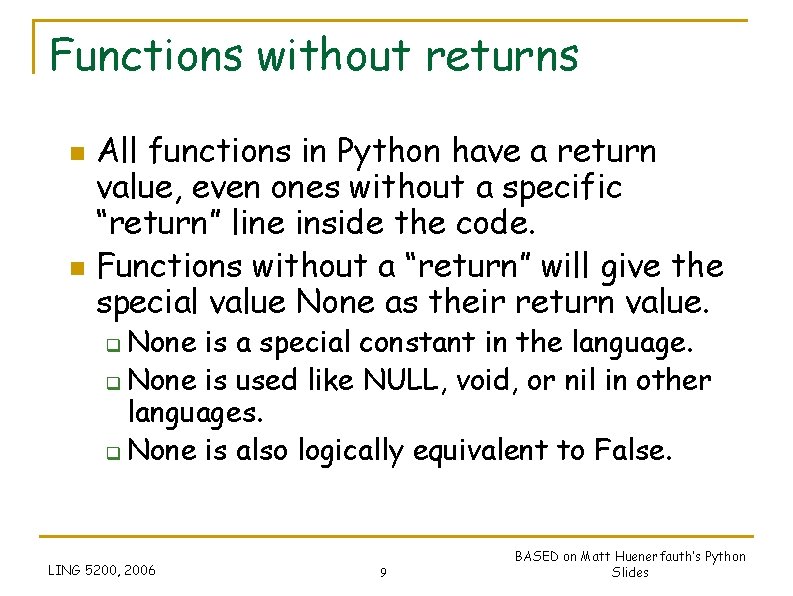
Functions without returns n n All functions in Python have a return value, even ones without a specific “return” line inside the code. Functions without a “return” will give the special value None as their return value. None is a special constant in the language. q None is used like NULL, void, or nil in other languages. q None is also logically equivalent to False. q LING 5200, 2006 9 BASED on Matt Huenerfauth’s Python Slides
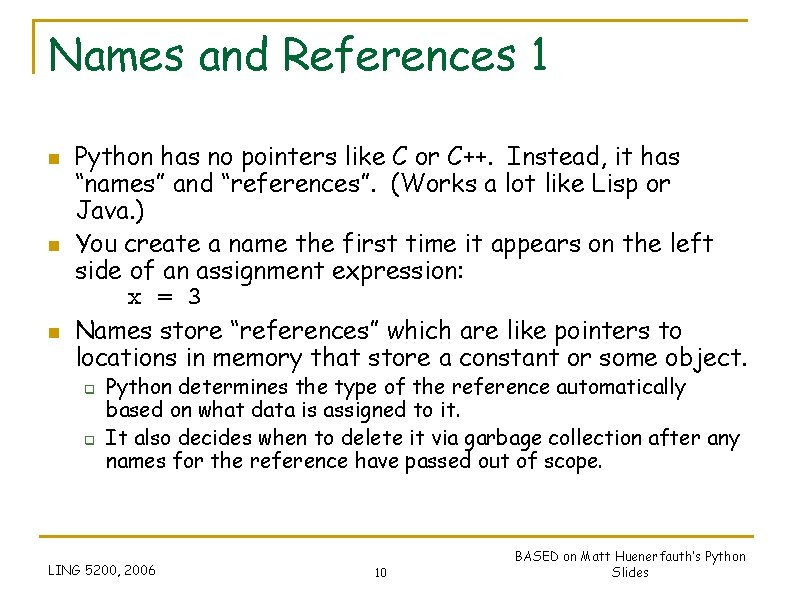
Names and References 1 n n n Python has no pointers like C or C++. Instead, it has “names” and “references”. (Works a lot like Lisp or Java. ) You create a name the first time it appears on the left side of an assignment expression: x = 3 Names store “references” which are like pointers to locations in memory that store a constant or some object. q q Python determines the type of the reference automatically based on what data is assigned to it. It also decides when to delete it via garbage collection after any names for the reference have passed out of scope. LING 5200, 2006 10 BASED on Matt Huenerfauth’s Python Slides
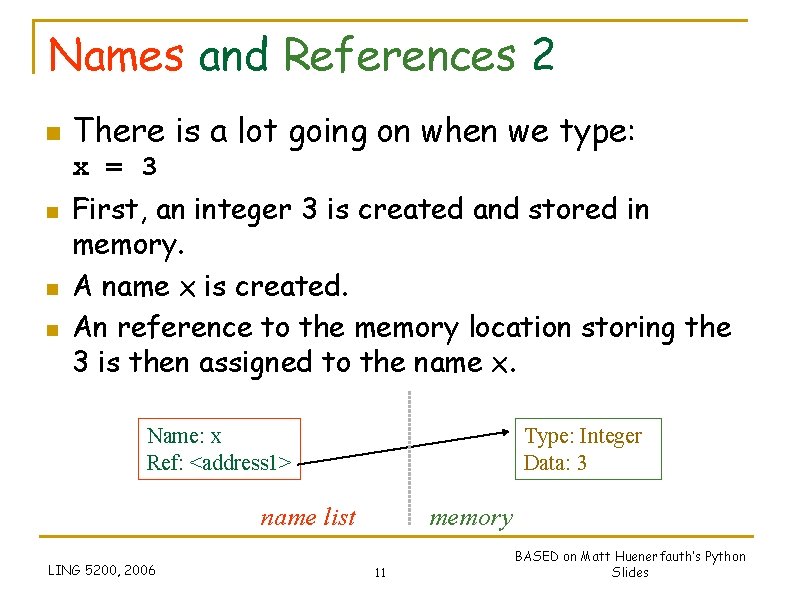
Names and References 2 n There is a lot going on when we type: x = 3 n n n First, an integer 3 is created and stored in memory. A name x is created. An reference to the memory location storing the 3 is then assigned to the name x. Name: x Ref: <address 1> Type: Integer Data: 3 name list LING 5200, 2006 memory 11 BASED on Matt Huenerfauth’s Python Slides
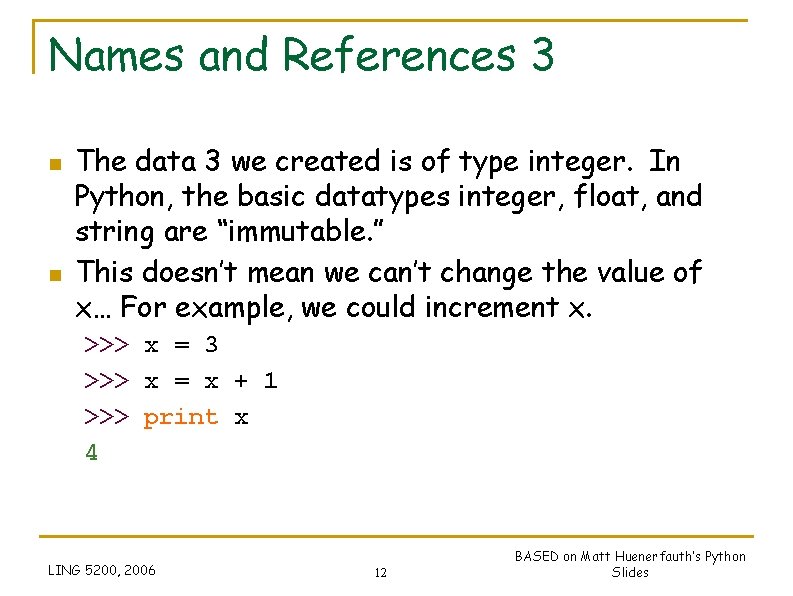
Names and References 3 n n The data 3 we created is of type integer. In Python, the basic datatypes integer, float, and string are “immutable. ” This doesn’t mean we can’t change the value of x… For example, we could increment x. >>> x = 3 >>> x = x + 1 >>> print x 4 LING 5200, 2006 12 BASED on Matt Huenerfauth’s Python Slides
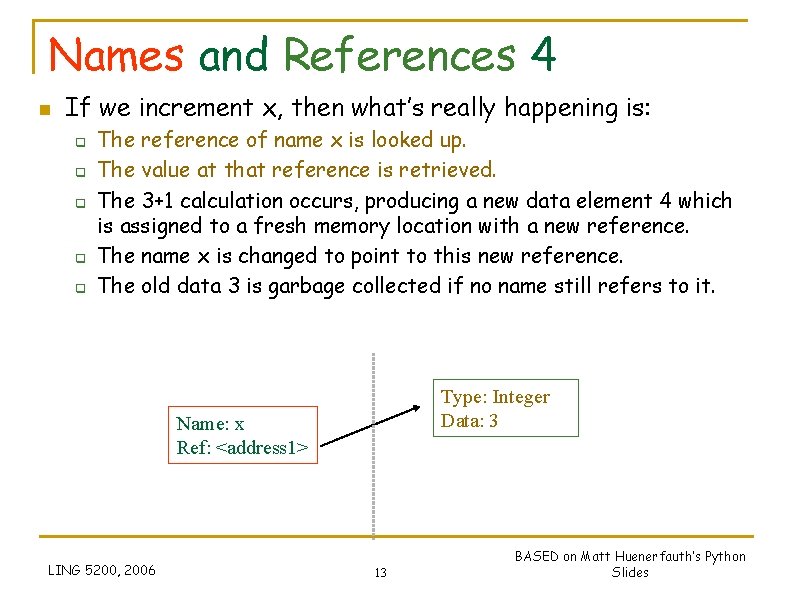
Names and References 4 n If we increment x, then what’s really happening is: q q q The reference of name x is looked up. The value at that reference is retrieved. The 3+1 calculation occurs, producing a new data element 4 which is assigned to a fresh memory location with a new reference. The name x is changed to point to this new reference. The old data 3 is garbage collected if no name still refers to it. Type: Integer Data: 3 Name: x Ref: <address 1> LING 5200, 2006 13 BASED on Matt Huenerfauth’s Python Slides
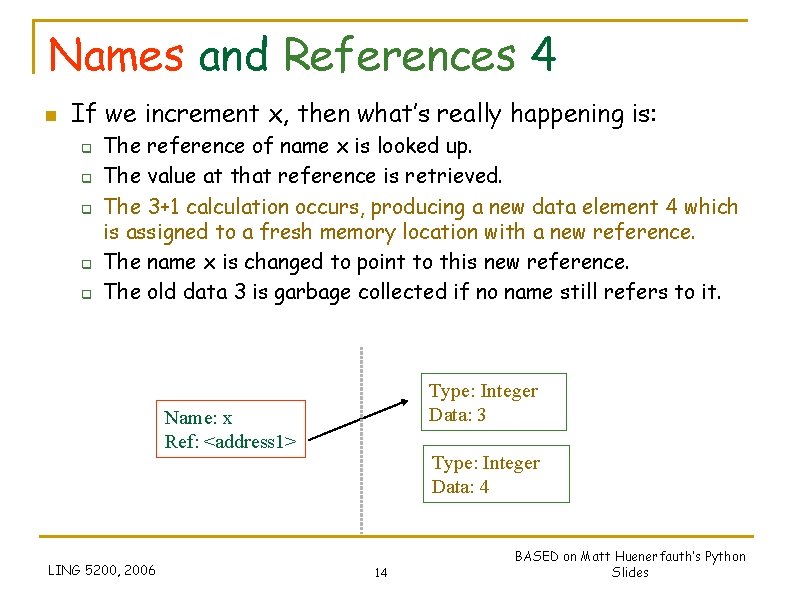
Names and References 4 n If we increment x, then what’s really happening is: q q q The reference of name x is looked up. The value at that reference is retrieved. The 3+1 calculation occurs, producing a new data element 4 which is assigned to a fresh memory location with a new reference. The name x is changed to point to this new reference. The old data 3 is garbage collected if no name still refers to it. Type: Integer Data: 3 Name: x Ref: <address 1> LING 5200, 2006 Type: Integer Data: 4 14 BASED on Matt Huenerfauth’s Python Slides
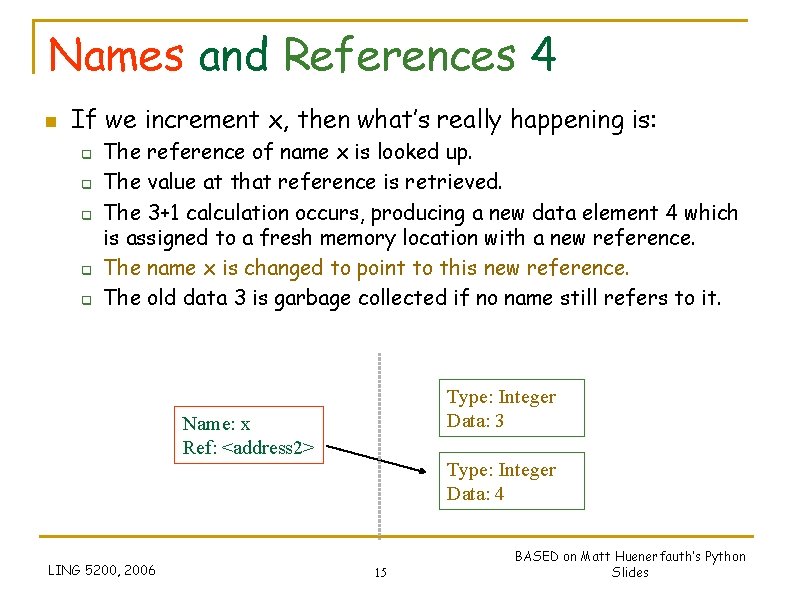
Names and References 4 n If we increment x, then what’s really happening is: q q q The reference of name x is looked up. The value at that reference is retrieved. The 3+1 calculation occurs, producing a new data element 4 which is assigned to a fresh memory location with a new reference. The name x is changed to point to this new reference. The old data 3 is garbage collected if no name still refers to it. Type: Integer Data: 3 Name: x Ref: <address 2> Type: Integer Data: 4 LING 5200, 2006 15 BASED on Matt Huenerfauth’s Python Slides
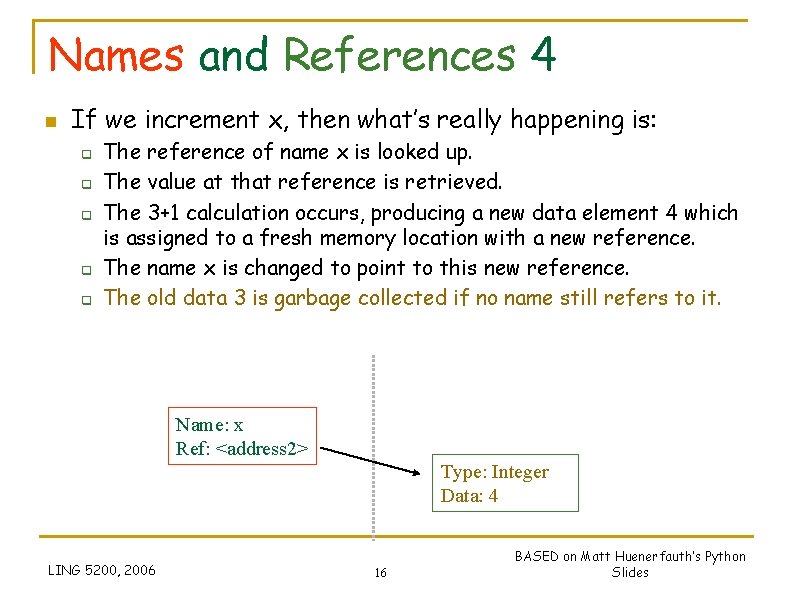
Names and References 4 n If we increment x, then what’s really happening is: q q q The reference of name x is looked up. The value at that reference is retrieved. The 3+1 calculation occurs, producing a new data element 4 which is assigned to a fresh memory location with a new reference. The name x is changed to point to this new reference. The old data 3 is garbage collected if no name still refers to it. Name: x Ref: <address 2> Type: Integer Data: 4 LING 5200, 2006 16 BASED on Matt Huenerfauth’s Python Slides
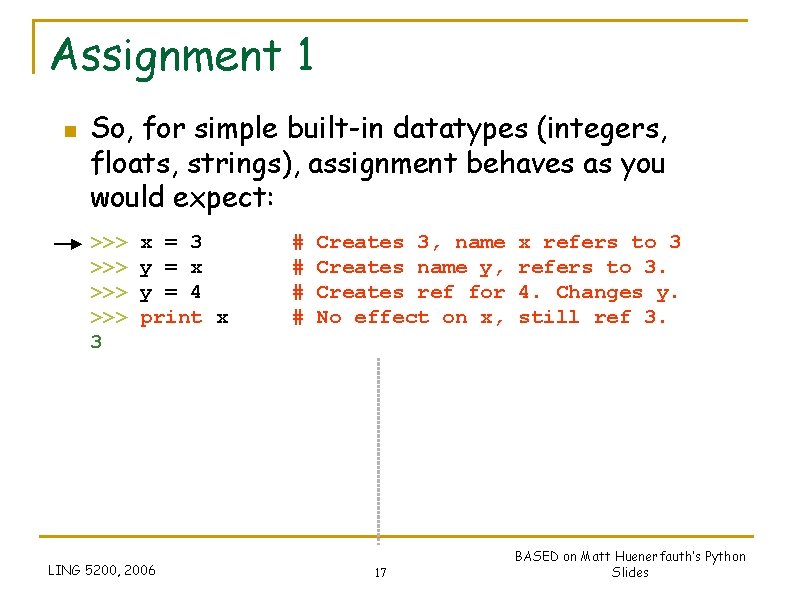
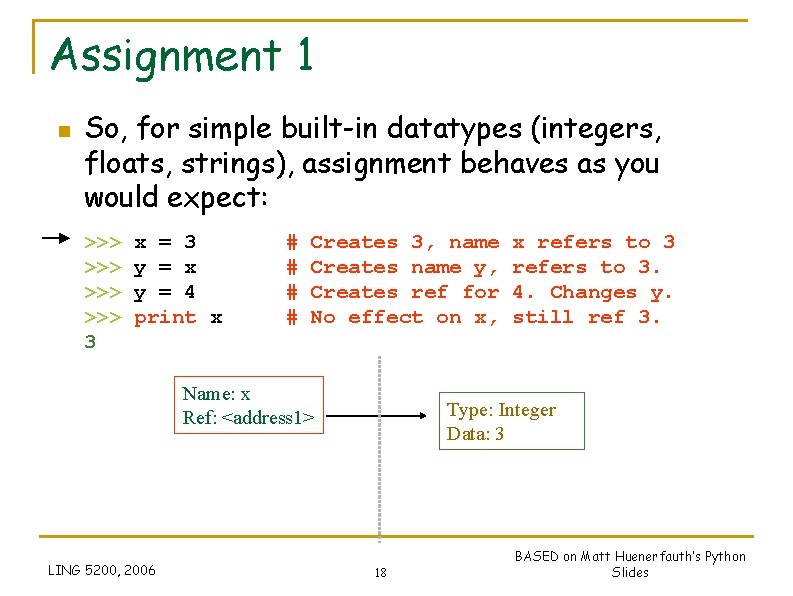
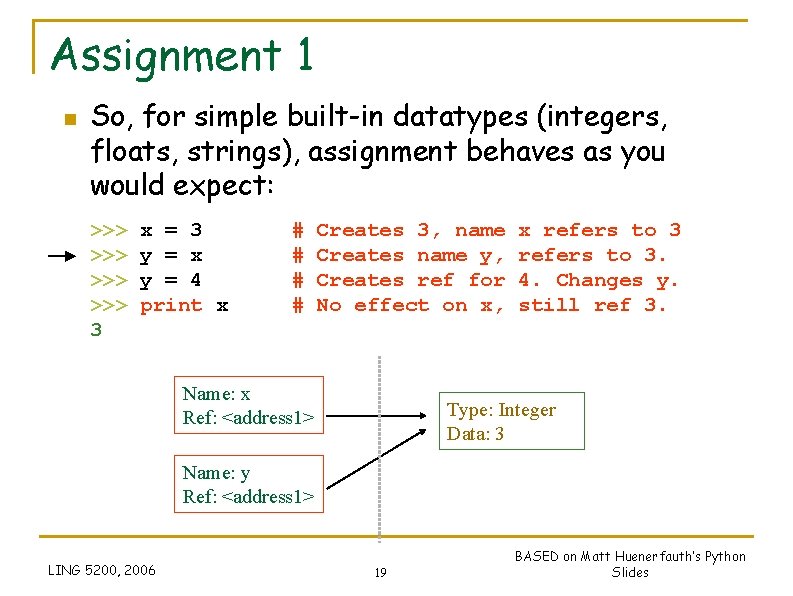
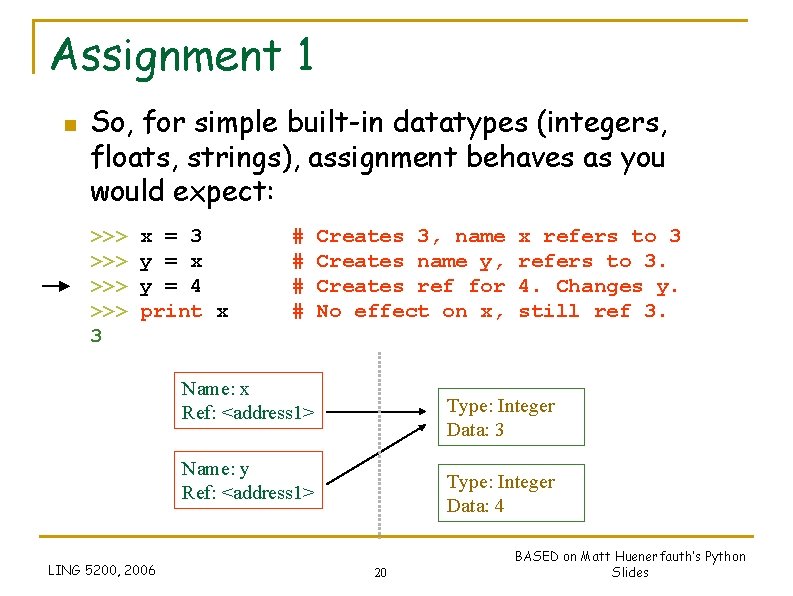
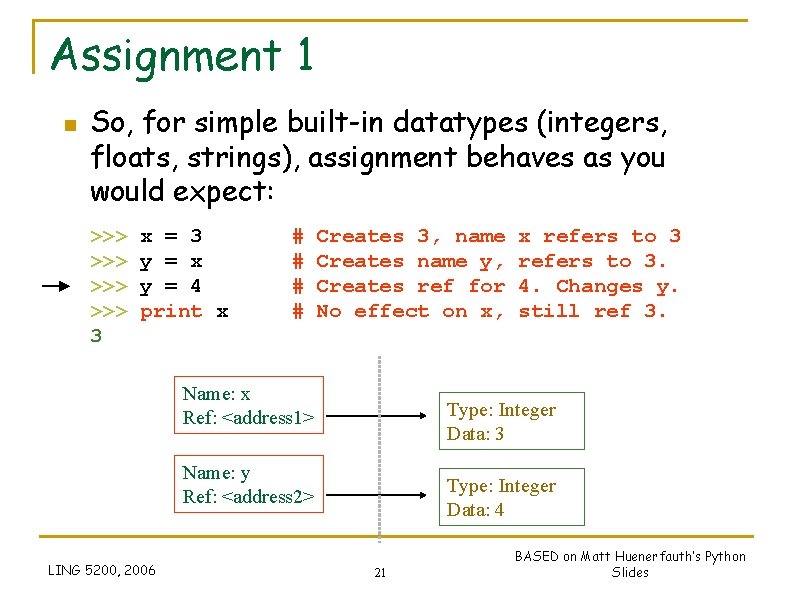
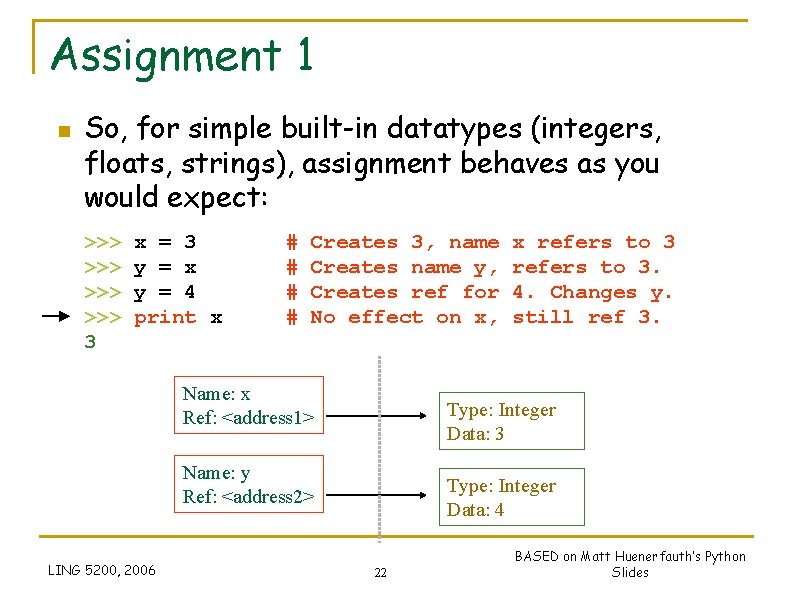
Assignment 1 n So, for simple built-in datatypes (integers, floats, strings), assignment behaves as you would expect: >>> >>> 3 x = 3 y = x y = 4 print x LING 5200, 2006 # # Creates 3, name Creates name y, Creates ref for No effect on x, 17 x refers to 3. 4. Changes y. still ref 3. BASED on Matt Huenerfauth’s Python Slides
Assignment 1 n So, for simple built-in datatypes (integers, floats, strings), assignment behaves as you would expect: >>> >>> 3 x = 3 y = x y = 4 print x # # Creates 3, name Creates name y, Creates ref for No effect on x, Name: x Ref: <address 1> LING 5200, 2006 x refers to 3. 4. Changes y. still ref 3. Type: Integer Data: 3 18 BASED on Matt Huenerfauth’s Python Slides
Assignment 1 n So, for simple built-in datatypes (integers, floats, strings), assignment behaves as you would expect: >>> >>> 3 x = 3 y = x y = 4 print x # # Creates 3, name Creates name y, Creates ref for No effect on x, Name: x Ref: <address 1> x refers to 3. 4. Changes y. still ref 3. Type: Integer Data: 3 Name: y Ref: <address 1> LING 5200, 2006 19 BASED on Matt Huenerfauth’s Python Slides
Assignment 1 n So, for simple built-in datatypes (integers, floats, strings), assignment behaves as you would expect: >>> >>> 3 x = 3 y = x y = 4 print x # # Creates 3, name Creates name y, Creates ref for No effect on x, Name: x Ref: <address 1> Type: Integer Data: 3 Name: y Ref: <address 1> LING 5200, 2006 x refers to 3. 4. Changes y. still ref 3. Type: Integer Data: 4 20 BASED on Matt Huenerfauth’s Python Slides
Assignment 1 n So, for simple built-in datatypes (integers, floats, strings), assignment behaves as you would expect: >>> >>> 3 x = 3 y = x y = 4 print x # # Creates 3, name Creates name y, Creates ref for No effect on x, Name: x Ref: <address 1> Type: Integer Data: 3 Name: y Ref: <address 2> LING 5200, 2006 x refers to 3. 4. Changes y. still ref 3. Type: Integer Data: 4 21 BASED on Matt Huenerfauth’s Python Slides
Assignment 1 n So, for simple built-in datatypes (integers, floats, strings), assignment behaves as you would expect: >>> >>> 3 x = 3 y = x y = 4 print x # # Creates 3, name Creates name y, Creates ref for No effect on x, Name: x Ref: <address 1> Type: Integer Data: 3 Name: y Ref: <address 2> LING 5200, 2006 x refers to 3. 4. Changes y. still ref 3. Type: Integer Data: 4 22 BASED on Matt Huenerfauth’s Python Slides
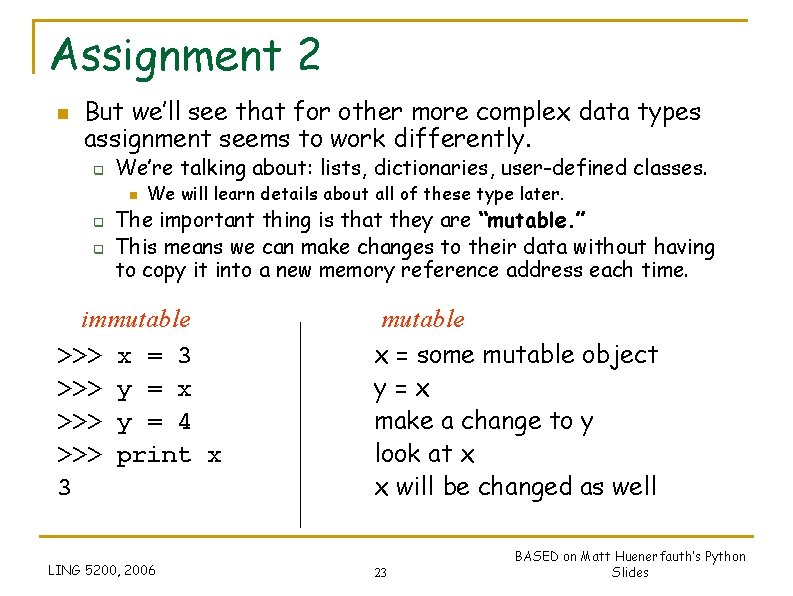
Assignment 2 n But we’ll see that for other more complex data types assignment seems to work differently. q We’re talking about: lists, dictionaries, user-defined classes. n q q We will learn details about all of these type later. The important thing is that they are “mutable. ” This means we can make changes to their data without having to copy it into a new memory reference address each time. immutable >>> x = 3 >>> y = x >>> y = 4 >>> print x 3 LING 5200, 2006 mutable x = some mutable object y=x make a change to y look at x x will be changed as well 23 BASED on Matt Huenerfauth’s Python Slides
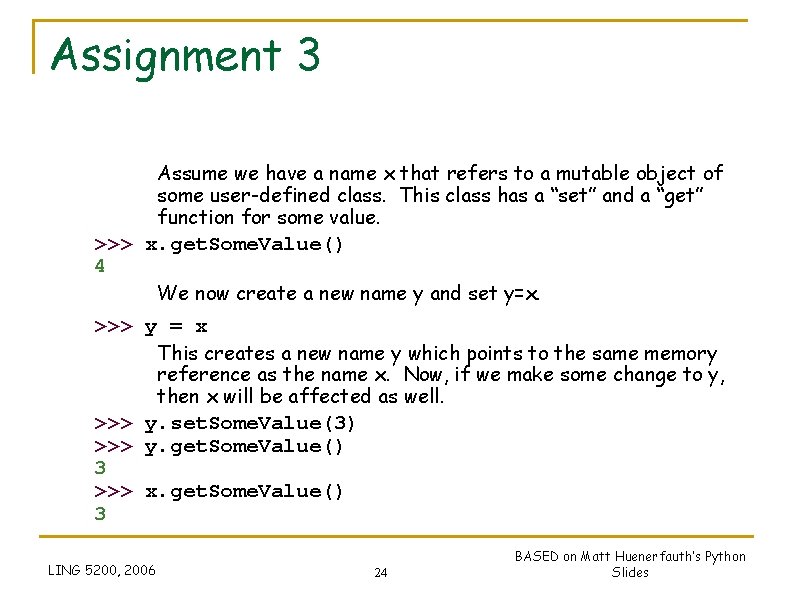
Assignment 3 Assume we have a name x that refers to a mutable object of some user-defined class. This class has a “set” and a “get” function for some value. >>> x. get. Some. Value() 4 We now create a new name y and set y=x. >>> y = x This creates a new name y which points to the same memory reference as the name x. Now, if we make some change to y, then x will be affected as well. >>> y. set. Some. Value(3) >>> y. get. Some. Value() 3 >>> x. get. Some. Value() 3 LING 5200, 2006 24 BASED on Matt Huenerfauth’s Python Slides
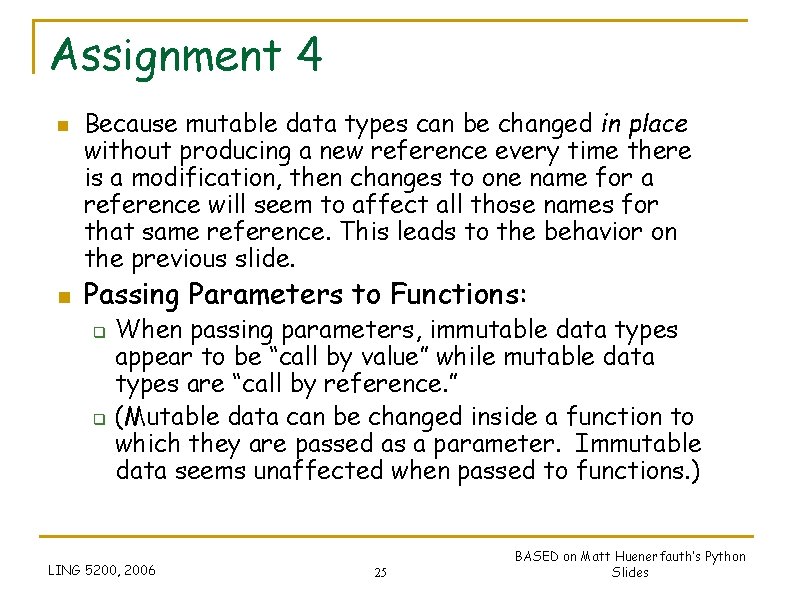
Assignment 4 n n Because mutable data types can be changed in place without producing a new reference every time there is a modification, then changes to one name for a reference will seem to affect all those names for that same reference. This leads to the behavior on the previous slide. Passing Parameters to Functions: q q When passing parameters, immutable data types appear to be “call by value” while mutable data types are “call by reference. ” (Mutable data can be changed inside a function to which they are passed as a parameter. Immutable data seems unaffected when passed to functions. ) LING 5200, 2006 25 BASED on Matt Huenerfauth’s Python Slides
Naming and Assignment Details 26
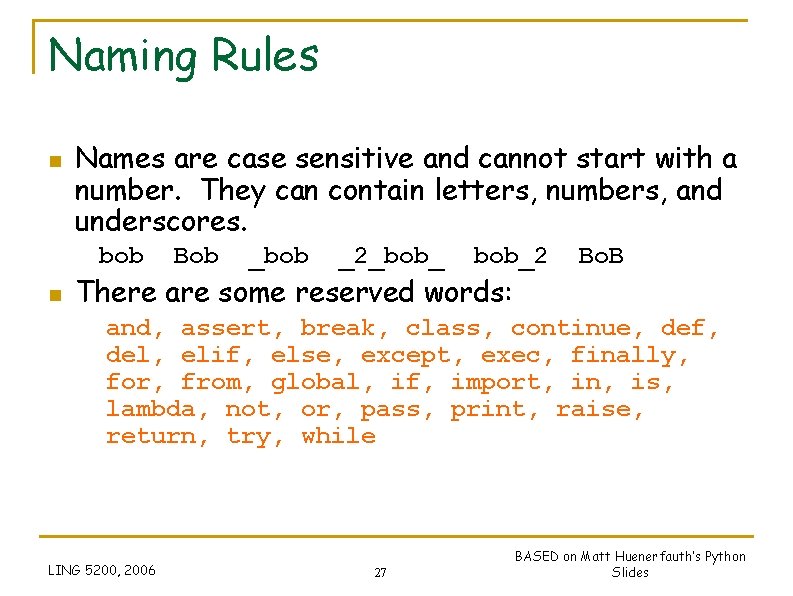
Naming Rules n Names are case sensitive and cannot start with a number. They can contain letters, numbers, and underscores. bob n Bob _bob _2_bob_2 There are some reserved words: Bo. B and, assert, break, class, continue, def, del, elif, else, except, exec, finally, for, from, global, if, import, in, is, lambda, not, or, pass, print, raise, return, try, while LING 5200, 2006 27 BASED on Matt Huenerfauth’s Python Slides
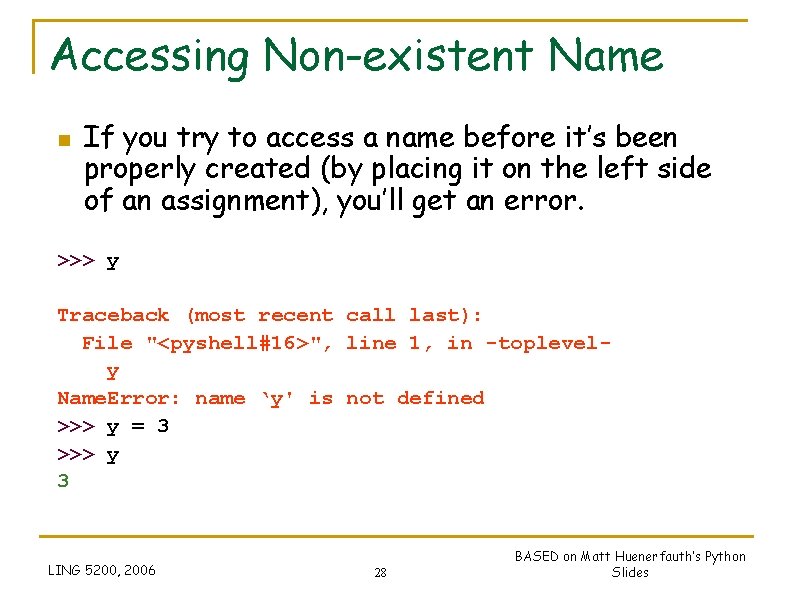
Accessing Non-existent Name n If you try to access a name before it’s been properly created (by placing it on the left side of an assignment), you’ll get an error. >>> y Traceback (most recent call last): File "<pyshell#16>", line 1, in -toplevely Name. Error: name ‘y' is not defined >>> y = 3 >>> y 3 LING 5200, 2006 28 BASED on Matt Huenerfauth’s Python Slides
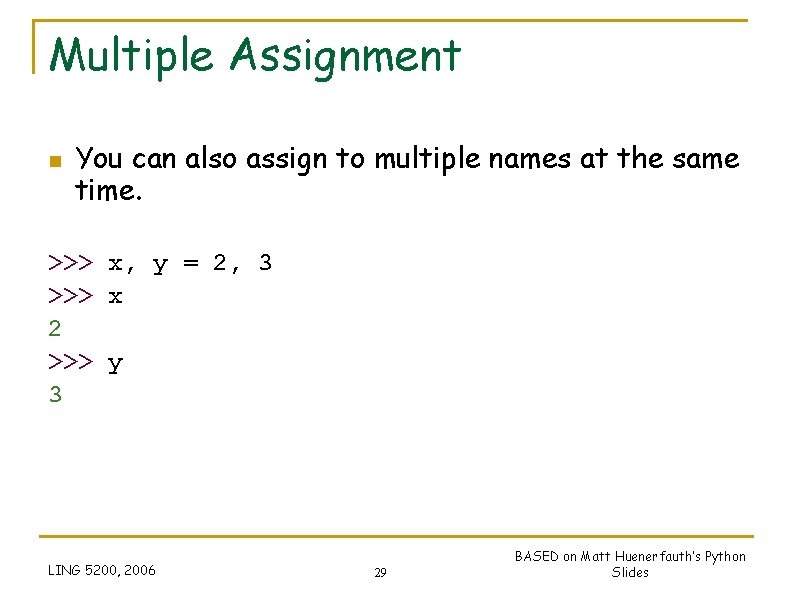
Multiple Assignment n You can also assign to multiple names at the same time. >>> x, y = 2, 3 >>> x 2 >>> y 3 LING 5200, 2006 29 BASED on Matt Huenerfauth’s Python Slides
String Operations 30
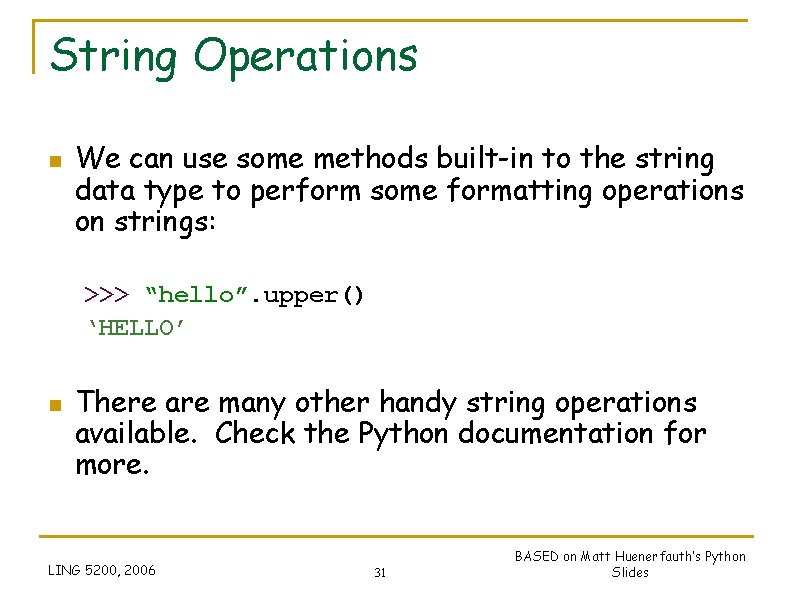
String Operations n We can use some methods built-in to the string data type to perform some formatting operations on strings: >>> “hello”. upper() ‘HELLO’ n There are many other handy string operations available. Check the Python documentation for more. LING 5200, 2006 31 BASED on Matt Huenerfauth’s Python Slides
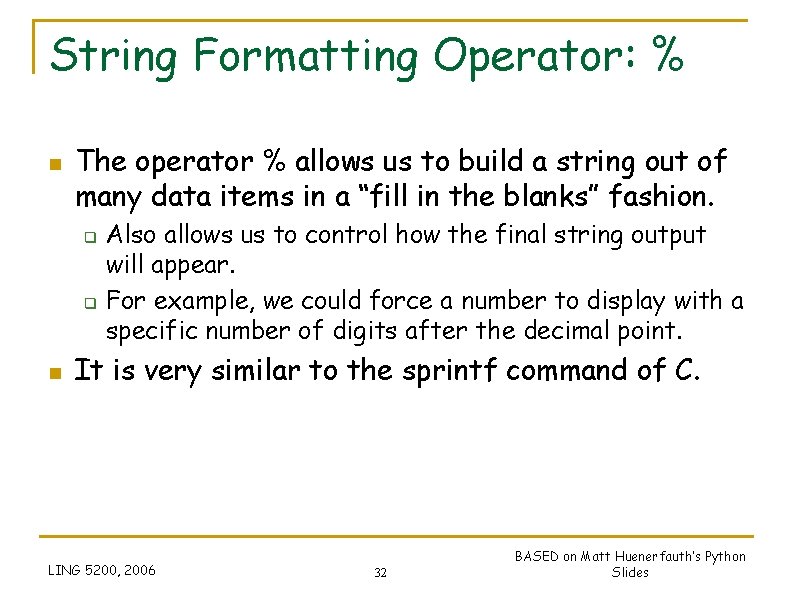
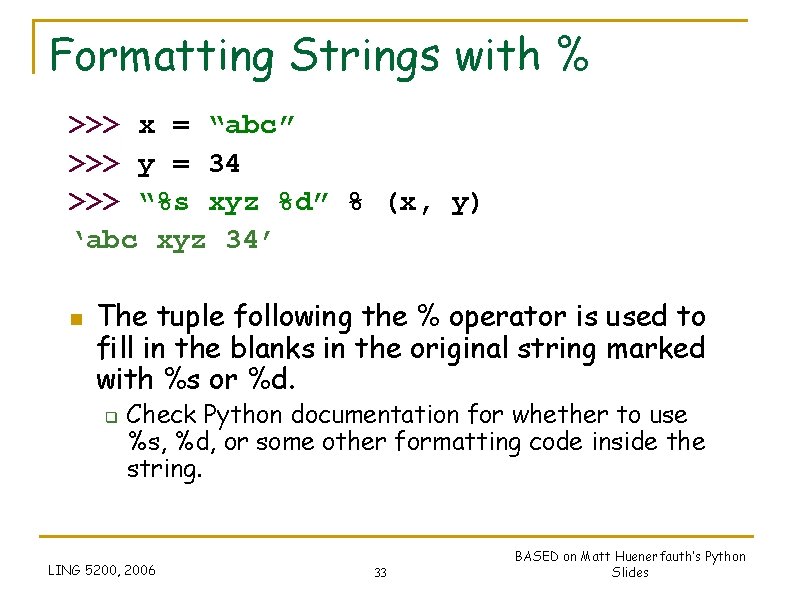
String Formatting Operator: % n The operator % allows us to build a string out of many data items in a “fill in the blanks” fashion. q q n Also allows us to control how the final string output will appear. For example, we could force a number to display with a specific number of digits after the decimal point. It is very similar to the sprintf command of C. LING 5200, 2006 32 BASED on Matt Huenerfauth’s Python Slides
Formatting Strings with % >>> x = “abc” >>> y = 34 >>> “%s xyz %d” % (x, y) ‘abc xyz 34’ n The tuple following the % operator is used to fill in the blanks in the original string marked with %s or %d. q Check Python documentation for whether to use %s, %d, or some other formatting code inside the string. LING 5200, 2006 33 BASED on Matt Huenerfauth’s Python Slides
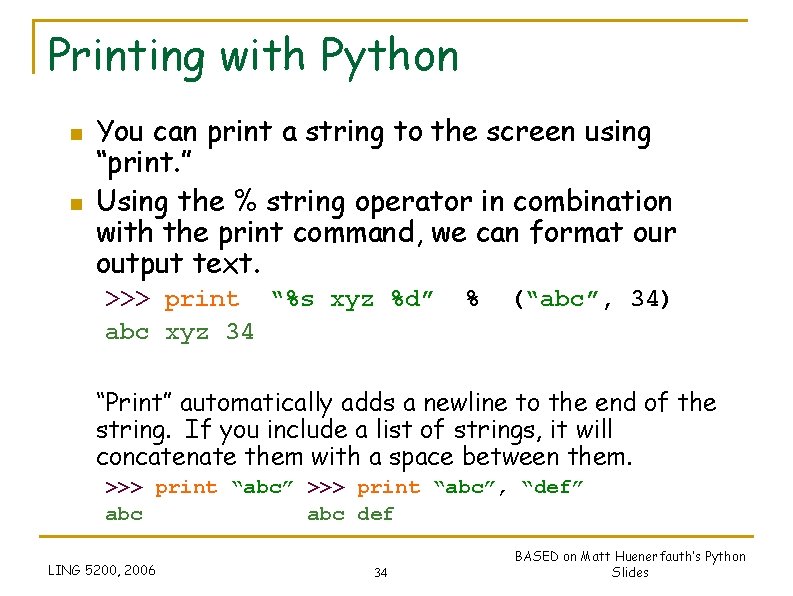
Printing with Python n n You can print a string to the screen using “print. ” Using the % string operator in combination with the print command, we can format our output text. >>> print “%s xyz %d” abc xyz 34 % (“abc”, 34) “Print” automatically adds a newline to the end of the string. If you include a list of strings, it will concatenate them with a space between them. >>> print “abc”, “def” abc def LING 5200, 2006 34 BASED on Matt Huenerfauth’s Python Slides
Container Types in Python 35
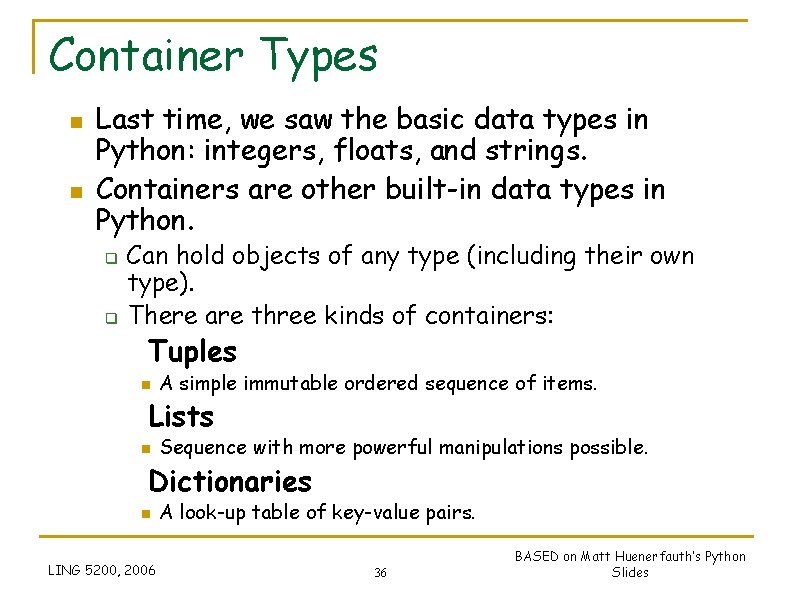
Container Types n n Last time, we saw the basic data types in Python: integers, floats, and strings. Containers are other built-in data types in Python. q q Can hold objects of any type (including their own type). There are three kinds of containers: Tuples n A simple immutable ordered sequence of items. Lists n Sequence with more powerful manipulations possible. Dictionaries n LING 5200, 2006 A look-up table of key-value pairs. 36 BASED on Matt Huenerfauth’s Python Slides
Tuples, Lists, and Strings: Similarities 37
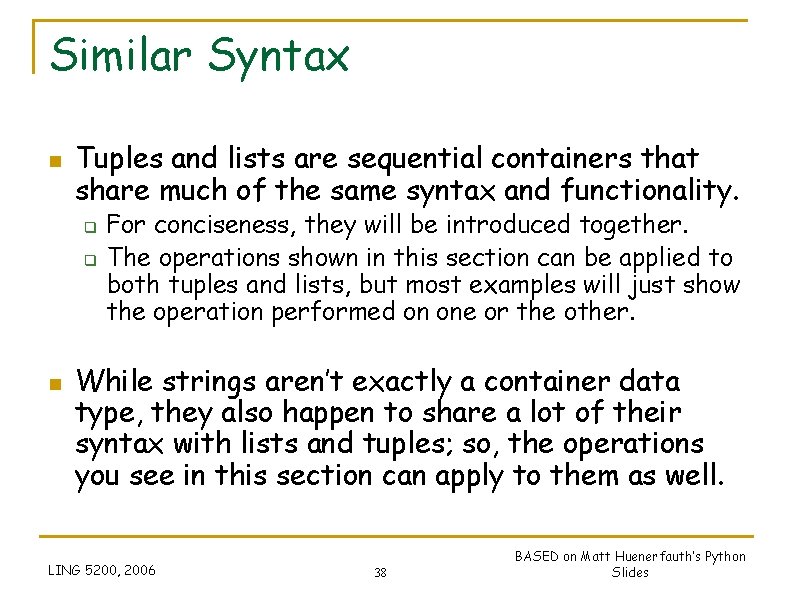
Similar Syntax n Tuples and lists are sequential containers that share much of the same syntax and functionality. q q n For conciseness, they will be introduced together. The operations shown in this section can be applied to both tuples and lists, but most examples will just show the operation performed on one or the other. While strings aren’t exactly a container data type, they also happen to share a lot of their syntax with lists and tuples; so, the operations you see in this section can apply to them as well. LING 5200, 2006 38 BASED on Matt Huenerfauth’s Python Slides
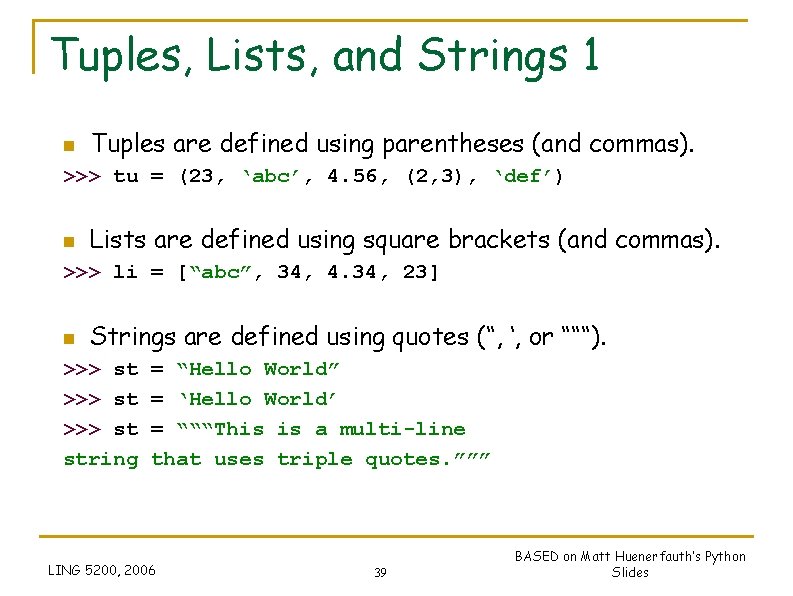
Tuples, Lists, and Strings 1 n Tuples are defined using parentheses (and commas). >>> tu = (23, ‘abc’, 4. 56, (2, 3), ‘def’) n Lists are defined using square brackets (and commas). >>> li = [“abc”, 34, 4. 34, 23] n Strings are defined using quotes (“, ‘, or “““). >>> st string = “Hello World” = ‘Hello World’ = “““This is a multi-line that uses triple quotes. ””” LING 5200, 2006 39 BASED on Matt Huenerfauth’s Python Slides
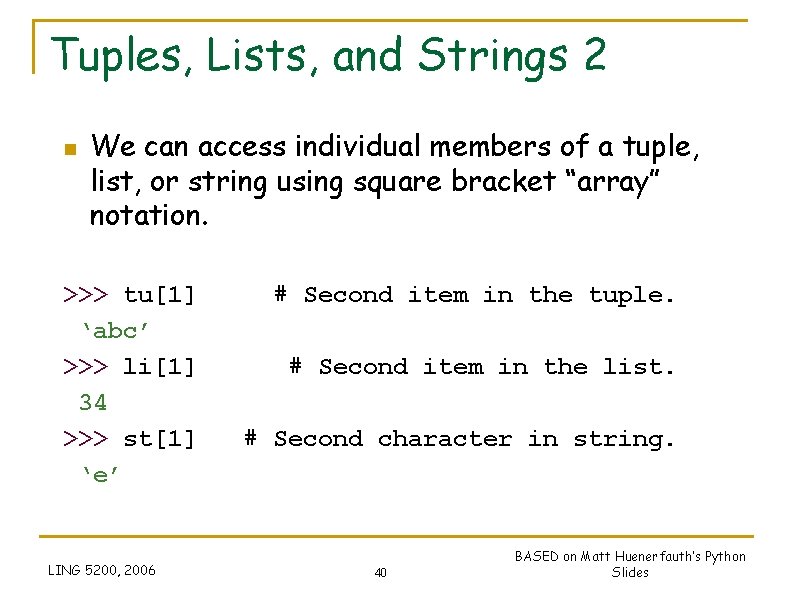
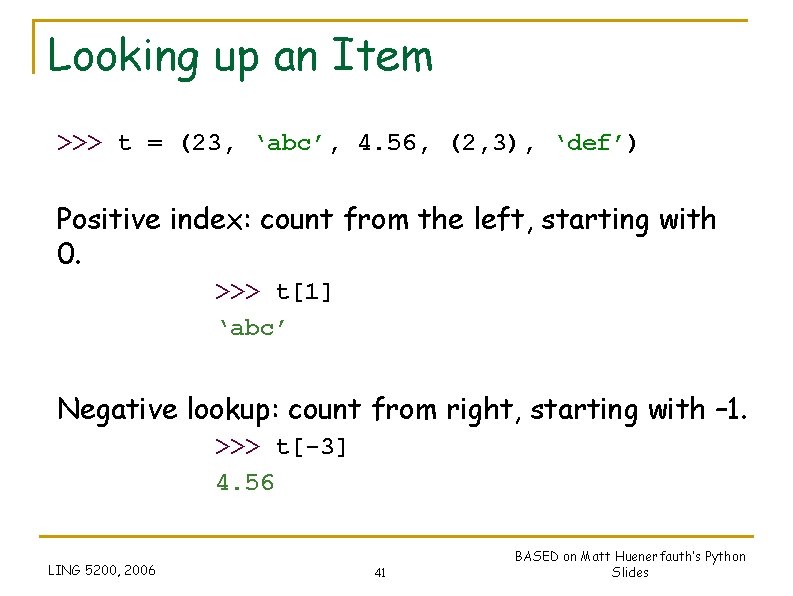
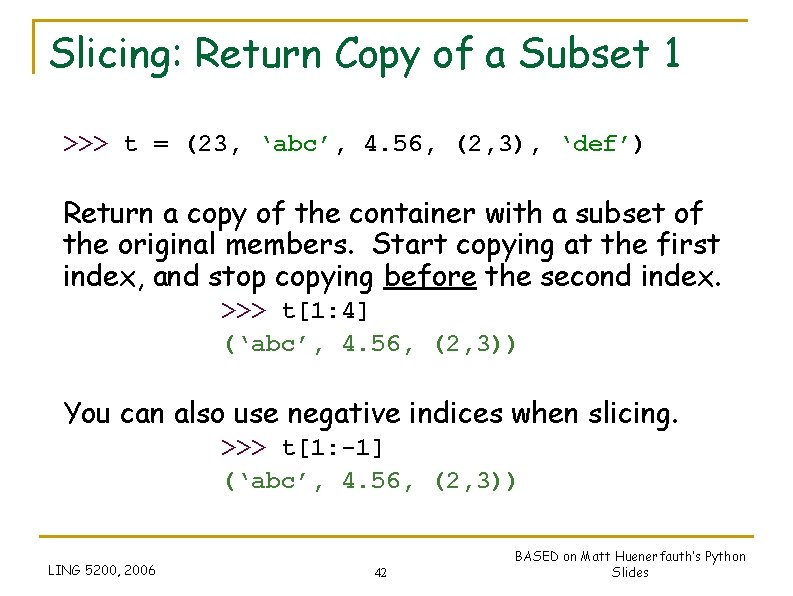
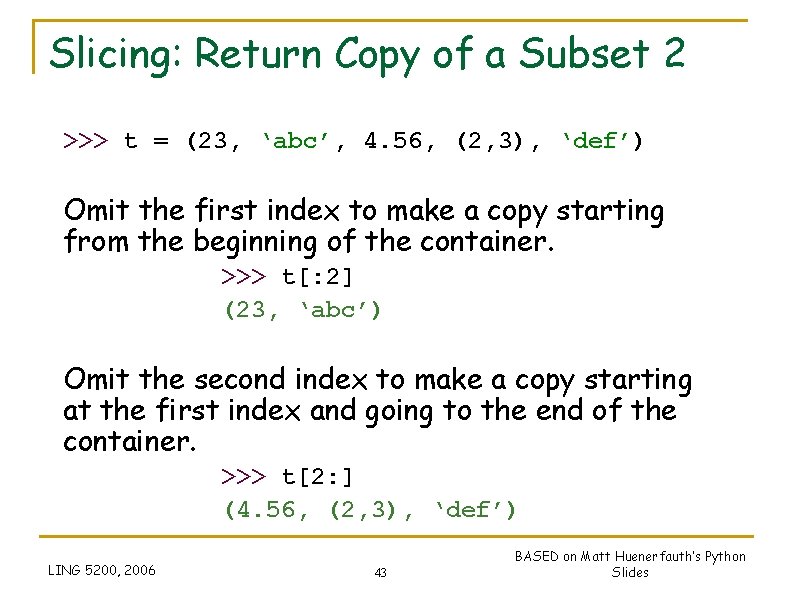
Tuples, Lists, and Strings 2 n We can access individual members of a tuple, list, or string using square bracket “array” notation. >>> tu[1] ‘abc’ >>> li[1] 34 >>> st[1] ‘e’ LING 5200, 2006 # Second item in the tuple. # Second item in the list. # Second character in string. 40 BASED on Matt Huenerfauth’s Python Slides
Looking up an Item >>> t = (23, ‘abc’, 4. 56, (2, 3), ‘def’) Positive index: count from the left, starting with 0. >>> t[1] ‘abc’ Negative lookup: count from right, starting with – 1. >>> t[-3] 4. 56 LING 5200, 2006 41 BASED on Matt Huenerfauth’s Python Slides
Slicing: Return Copy of a Subset 1 >>> t = (23, ‘abc’, 4. 56, (2, 3), ‘def’) Return a copy of the container with a subset of the original members. Start copying at the first index, and stop copying before the second index. >>> t[1: 4] (‘abc’, 4. 56, (2, 3)) You can also use negative indices when slicing. >>> t[1: -1] (‘abc’, 4. 56, (2, 3)) LING 5200, 2006 42 BASED on Matt Huenerfauth’s Python Slides
Slicing: Return Copy of a Subset 2 >>> t = (23, ‘abc’, 4. 56, (2, 3), ‘def’) Omit the first index to make a copy starting from the beginning of the container. >>> t[: 2] (23, ‘abc’) Omit the second index to make a copy starting at the first index and going to the end of the container. >>> t[2: ] (4. 56, (2, 3), ‘def’) LING 5200, 2006 43 BASED on Matt Huenerfauth’s Python Slides
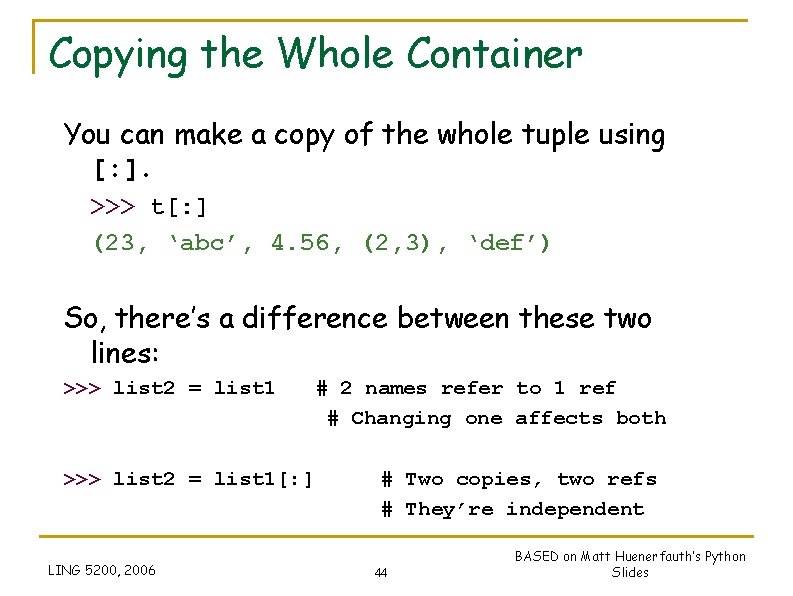
Copying the Whole Container You can make a copy of the whole tuple using [: ]. >>> t[: ] (23, ‘abc’, 4. 56, (2, 3), ‘def’) So, there’s a difference between these two lines: >>> list 2 = list 1 # 2 names refer to 1 ref # Changing one affects both >>> list 2 = list 1[: ] LING 5200, 2006 # Two copies, two refs # They’re independent 44 BASED on Matt Huenerfauth’s Python Slides
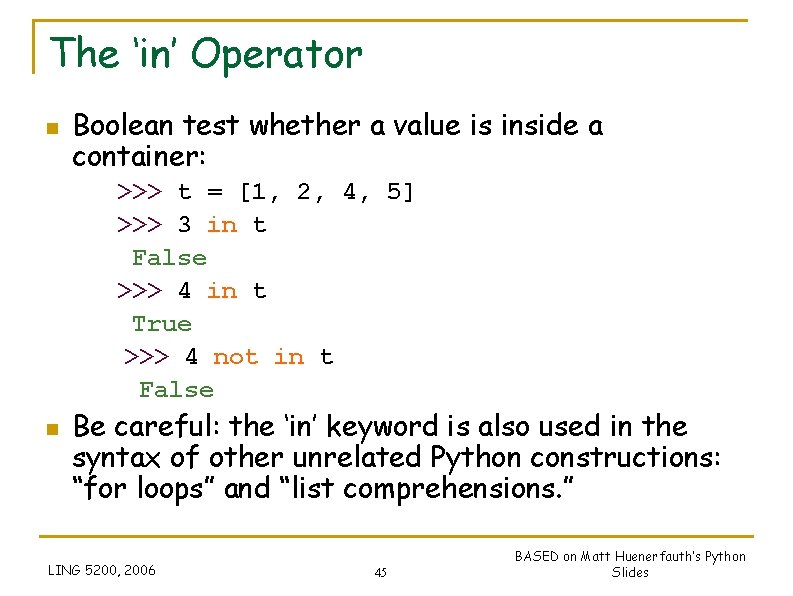
The ‘in’ Operator n Boolean test whether a value is inside a container: >>> t = [1, 2, 4, 5] >>> 3 in t False >>> 4 in t True >>> 4 not in t False n Be careful: the ‘in’ keyword is also used in the syntax of other unrelated Python constructions: “for loops” and “list comprehensions. ” LING 5200, 2006 45 BASED on Matt Huenerfauth’s Python Slides
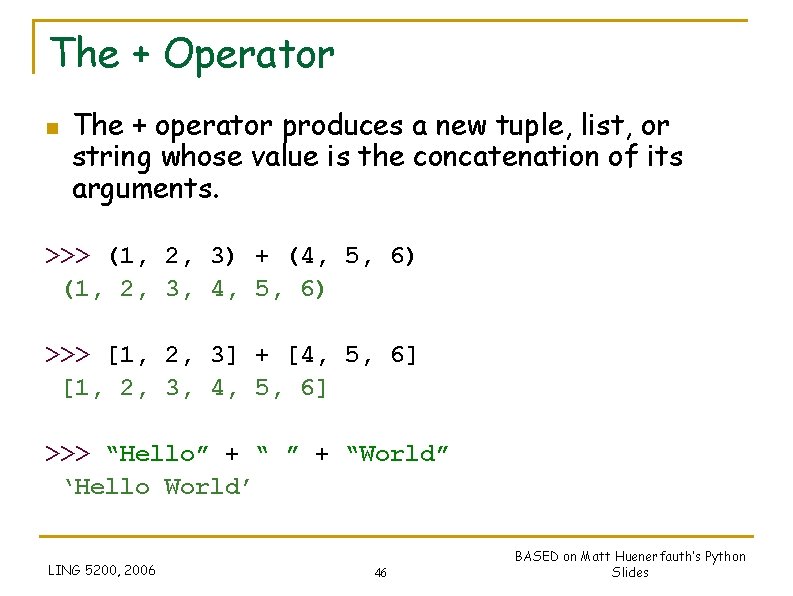
The + Operator n The + operator produces a new tuple, list, or string whose value is the concatenation of its arguments. >>> (1, 2, 3) + (4, 5, 6) (1, 2, 3, 4, 5, 6) >>> [1, 2, 3] + [4, 5, 6] [1, 2, 3, 4, 5, 6] >>> “Hello” + “World” ‘Hello World’ LING 5200, 2006 46 BASED on Matt Huenerfauth’s Python Slides
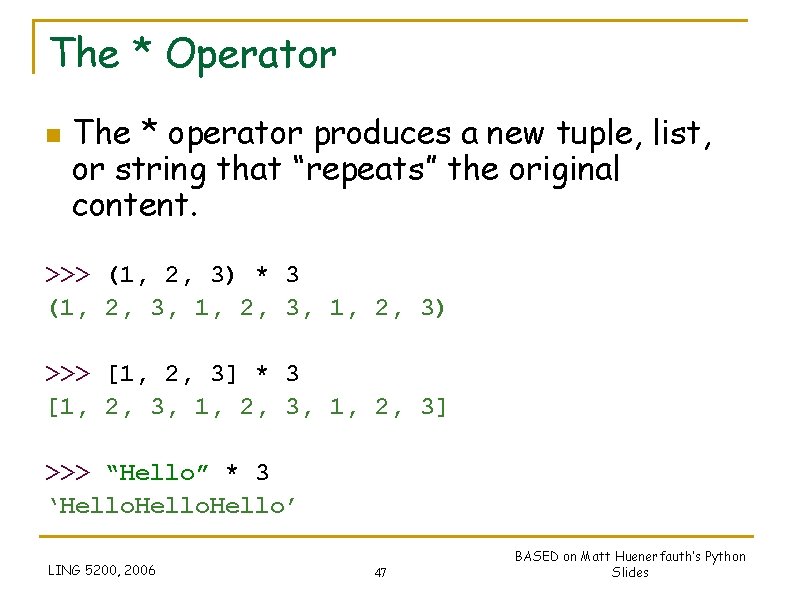
The * Operator n The * operator produces a new tuple, list, or string that “repeats” the original content. >>> (1, 2, 3) * 3 (1, 2, 3, 1, 2, 3) >>> [1, 2, 3] * 3 [1, 2, 3, 1, 2, 3] >>> “Hello” * 3 ‘Hello’ LING 5200, 2006 47 BASED on Matt Huenerfauth’s Python Slides
Mutability: Tuples vs. Lists 48
Tuples: Immutable >>> t = (23, ‘abc’, 4. 56, (2, 3), ‘def’) >>> t[2] = 3. 14 Traceback (most recent call last): File "<pyshell#75>", line 1, in -topleveltu[2] = 3. 14 Type. Error: object doesn't support item assignment You’re not allowed to change a tuple in place in memory; so, you can’t just change one element of it. But it’s always OK to make a fresh tuple and assign its reference to a previously used name. >>> t = (1, 2, 3, 4, 5) LING 5200, 2006 49 BASED on Matt Huenerfauth’s Python Slides
Lists: Mutable >>> li = [‘abc’, 23, 4. 34, 23] >>> li[1] = 45 >>> li [‘abc’, 45, 4. 34, 23] We can change lists in place. So, it’s ok to change just one element of a list. Name li still points to the same memory reference when we’re done. LING 5200, 2006 50 BASED on Matt Huenerfauth’s Python Slides
Slicing: with mutable lists n n >>> L = [‘spam’, ’SPAM’] >>> L[1] = ‘eggs’ >>> L [‘spam’, ‘eggs’, ‘SPAM’] >>> L[0: 2] = [‘eat’, ’more’] >>> L [‘eat’, ‘more’, ‘SPAM’] LING 5200, 2006 51 BASED on Matt Huenerfauth’s Python Slides
Operations on Lists Only 1 n n Since lists are mutable (they can be changed in place in memory), there are many more operations we can perform on lists than on tuples. The mutability of lists also makes managing them in memory more complicated… So, they aren’t as fast as tuples. It’s a tradeoff. LING 5200, 2006 52 BASED on Matt Huenerfauth’s Python Slides
Operations on Lists Only 2 >>> li = [1, 2, 3, 4, 5] >>> li. append(‘a’) >>> li [1, 2, 3, 4, 5, ‘a’] >>> li. insert(2, ‘i’) >>>li [1, 2, ‘i’, 3, 4, 5, ‘a’] NOTE: li = li. insert(2, ’I’) loses the list! LING 5200, 2006 53 BASED on Matt Huenerfauth’s Python Slides
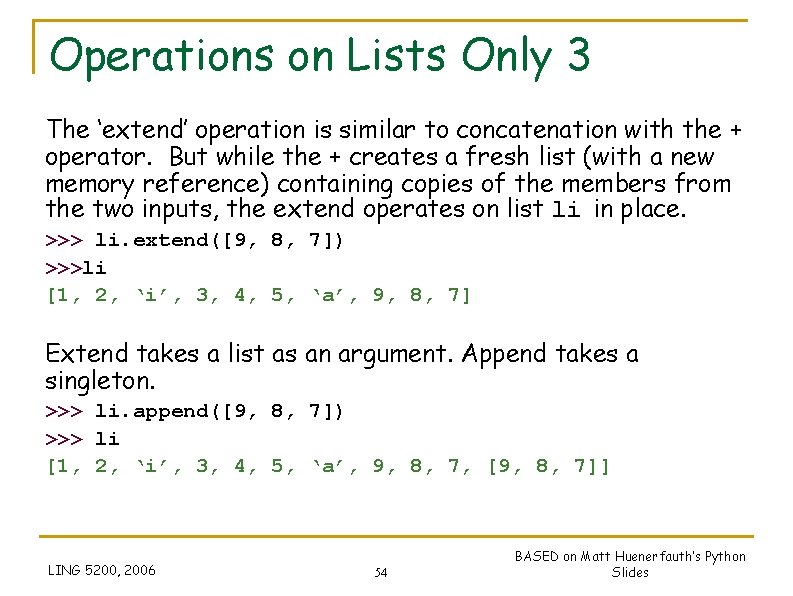
Operations on Lists Only 3 The ‘extend’ operation is similar to concatenation with the + operator. But while the + creates a fresh list (with a new memory reference) containing copies of the members from the two inputs, the extend operates on list li in place. >>> li. extend([9, 8, 7]) >>>li [1, 2, ‘i’, 3, 4, 5, ‘a’, 9, 8, 7] Extend takes a list as an argument. Append takes a singleton. >>> li. append([9, 8, 7]) >>> li [1, 2, ‘i’, 3, 4, 5, ‘a’, 9, 8, 7, [9, 8, 7]] LING 5200, 2006 54 BASED on Matt Huenerfauth’s Python Slides
Operations on Lists Only 4 >>> li = [‘a’, ‘b’, ‘c’, ‘b’] >>> li. index(‘b’) 1 # index of first occurrence >>> li. count(‘b’) 2 # number of occurrences >>> li. remove(‘b’) >>> li [‘a’, ‘c’, ‘b’] # remove first occurrence LING 5200, 2006 55 BASED on Matt Huenerfauth’s Python Slides
Operations on Lists Only 5 >>> li = [5, 2, 6, 8] >>> li. reverse() >>> li [8, 6, 2, 5] # reverse the list *in place* >>> li. sort() >>> li [2, 5, 6, 8] # sort the list *in place* >>> li. sort(some_function) # sort in place using user-defined comparison LING 5200, 2006 56 BASED on Matt Huenerfauth’s Python Slides
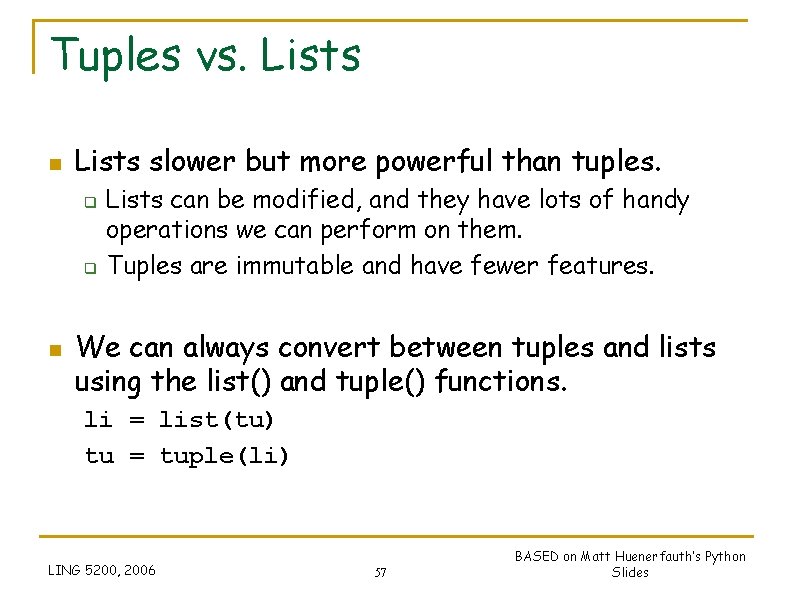
Tuples vs. Lists n Lists slower but more powerful than tuples. q q n Lists can be modified, and they have lots of handy operations we can perform on them. Tuples are immutable and have fewer features. We can always convert between tuples and lists using the list() and tuple() functions. li = list(tu) tu = tuple(li) LING 5200, 2006 57 BASED on Matt Huenerfauth’s Python Slides
String Conversions 58
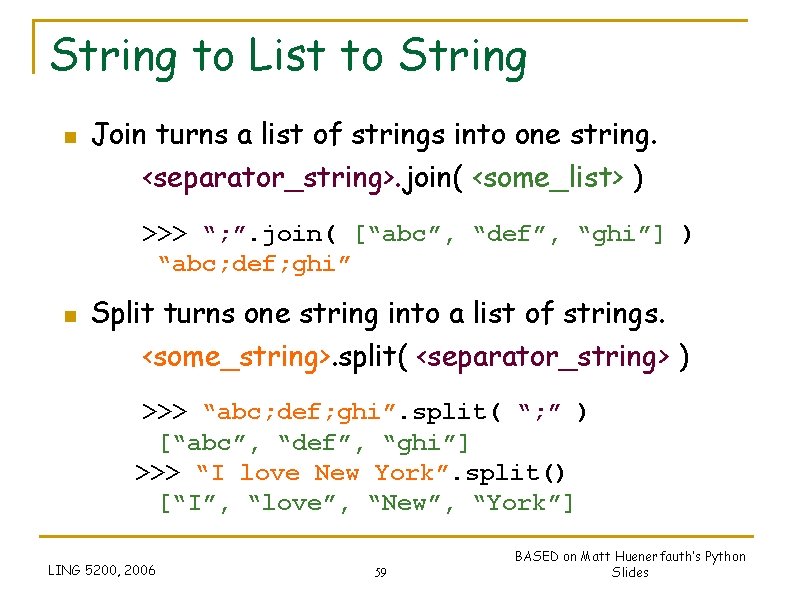
String to List to String n Join turns a list of strings into one string. <separator_string>. join( <some_list> ) >>> “; ”. join( [“abc”, “def”, “ghi”] ) “abc; def; ghi” n Split turns one string into a list of strings. <some_string>. split( <separator_string> ) >>> “abc; def; ghi”. split( “; ” ) [“abc”, “def”, “ghi”] >>> “I love New York”. split() [“I”, “love”, “New”, “York”] LING 5200, 2006 59 BASED on Matt Huenerfauth’s Python Slides
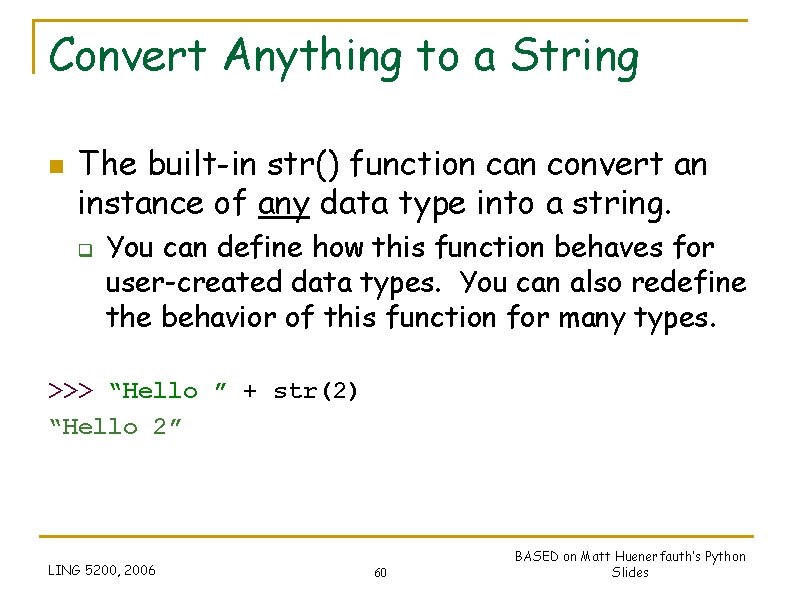
Convert Anything to a String n The built-in str() function can convert an instance of any data type into a string. q You can define how this function behaves for user-created data types. You can also redefine the behavior of this function for many types. >>> “Hello ” + str(2) “Hello 2” LING 5200, 2006 60 BASED on Matt Huenerfauth’s Python Slides
Dictionaries 61
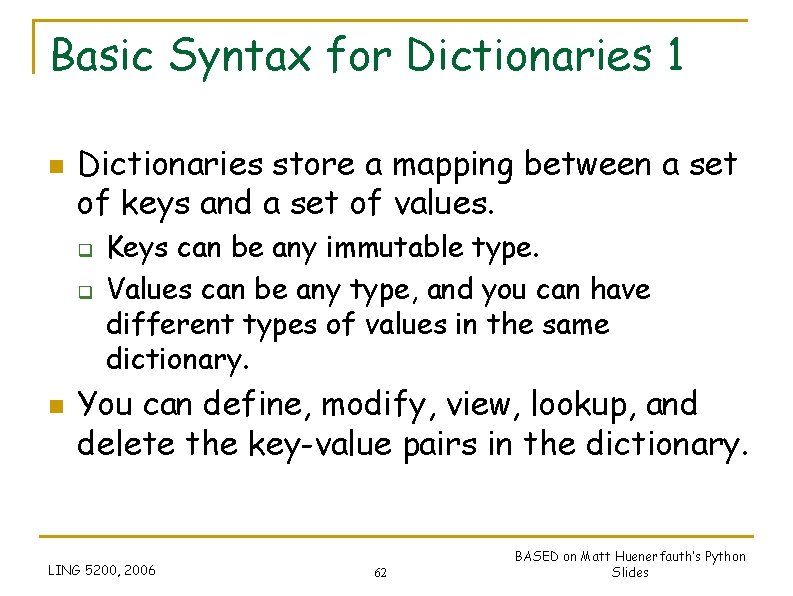
Basic Syntax for Dictionaries 1 n Dictionaries store a mapping between a set of keys and a set of values. q q n Keys can be any immutable type. Values can be any type, and you can have different types of values in the same dictionary. You can define, modify, view, lookup, and delete the key-value pairs in the dictionary. LING 5200, 2006 62 BASED on Matt Huenerfauth’s Python Slides
Basic Syntax for Dictionaries 2 >>> d = {‘user’: ‘bozo’, ‘pswd’: 1234} >>> d[‘user’] ‘bozo’ >>> d[‘pswd’] 1234 >>> d[‘bozo’] Traceback (innermost last): File ‘<interactive input>’ line 1, in ? Key. Error: bozo LING 5200, 2006 63 BASED on Matt Huenerfauth’s Python Slides
Basic Syntax for Dictionaries 3 >>> d = {‘user’: ‘bozo’, ‘pswd’: 1234} >>> d[‘user’] = ‘clown’ >>> d {‘user’: ‘clown’, ‘pswd’: 1234} Note: Keys are unique. Assigning to an existing key just replaces its value. >>> d[‘id’] = 45 >>> d {‘user’: ‘clown’, ‘id’: 45, ‘pswd’: 1234} Note: Dictionaries are unordered. New entry might appear anywhere in the output. LING 5200, 2006 64 BASED on Matt Huenerfauth’s Python Slides
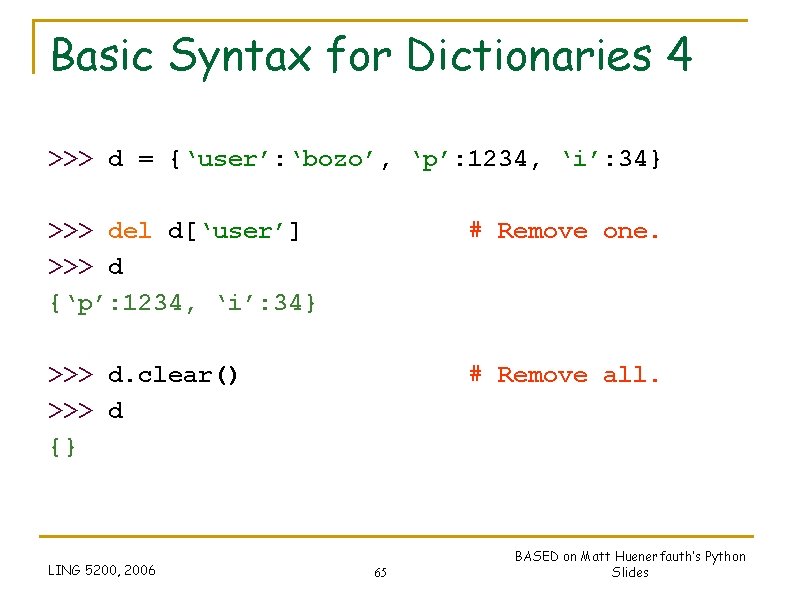
Basic Syntax for Dictionaries 4 >>> d = {‘user’: ‘bozo’, ‘p’: 1234, ‘i’: 34} >>> del d[‘user’] >>> d {‘p’: 1234, ‘i’: 34} # Remove one. >>> d. clear() >>> d {} # Remove all. LING 5200, 2006 65 BASED on Matt Huenerfauth’s Python Slides
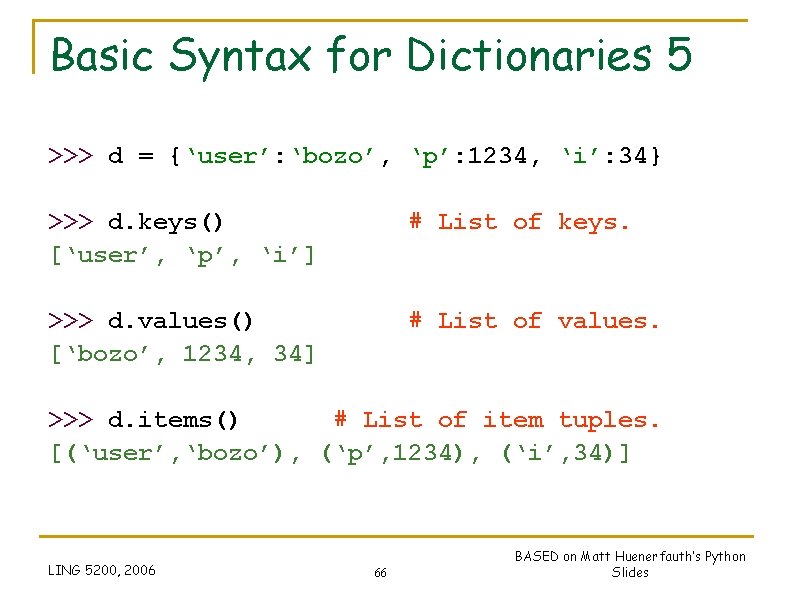
Basic Syntax for Dictionaries 5 >>> d = {‘user’: ‘bozo’, ‘p’: 1234, ‘i’: 34} >>> d. keys() [‘user’, ‘p’, ‘i’] # List of keys. >>> d. values() [‘bozo’, 1234, 34] # List of values. >>> d. items() # List of item tuples. [(‘user’, ‘bozo’), (‘p’, 1234), (‘i’, 34)] LING 5200, 2006 66 BASED on Matt Huenerfauth’s Python Slides
Assignment and Containers 67
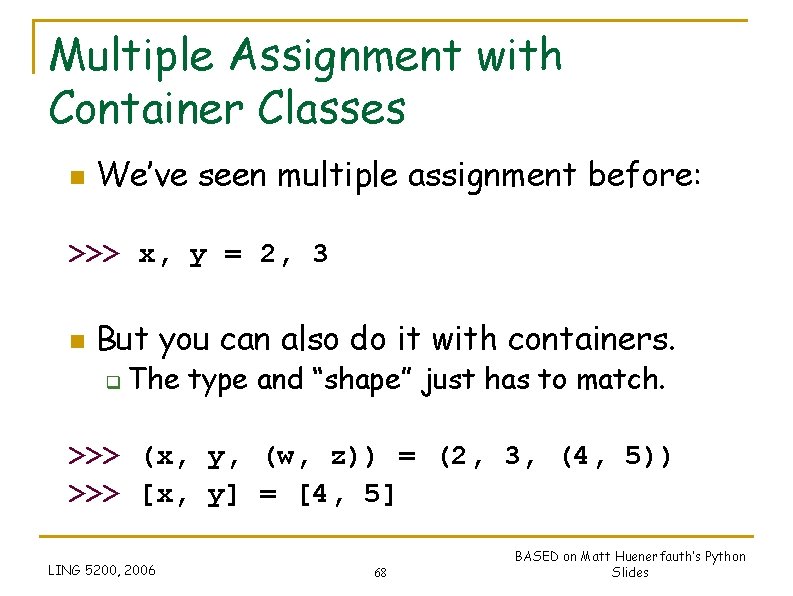
Multiple Assignment with Container Classes n We’ve seen multiple assignment before: >>> x, y = 2, 3 n But you can also do it with containers. q The type and “shape” just has to match. >>> (x, y, (w, z)) = (2, 3, (4, 5)) >>> [x, y] = [4, 5] LING 5200, 2006 68 BASED on Matt Huenerfauth’s Python Slides
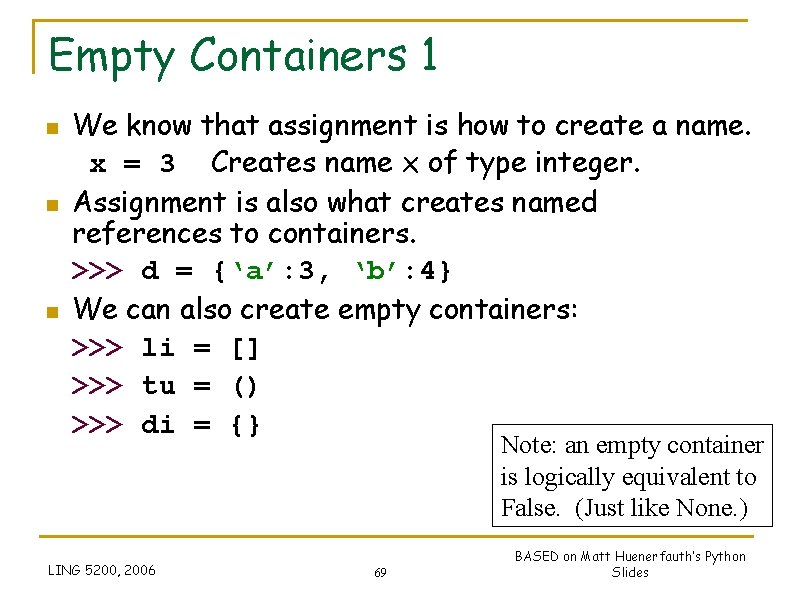
Empty Containers 1 n n n We know that assignment is how to create a name. x = 3 Creates name x of type integer. Assignment is also what creates named references to containers. >>> d = {‘a’: 3, ‘b’: 4} We can also create empty containers: >>> li = [] >>> tu = () >>> di = {} Note: an empty container is logically equivalent to False. (Just like None. ) LING 5200, 2006 69 BASED on Matt Huenerfauth’s Python Slides
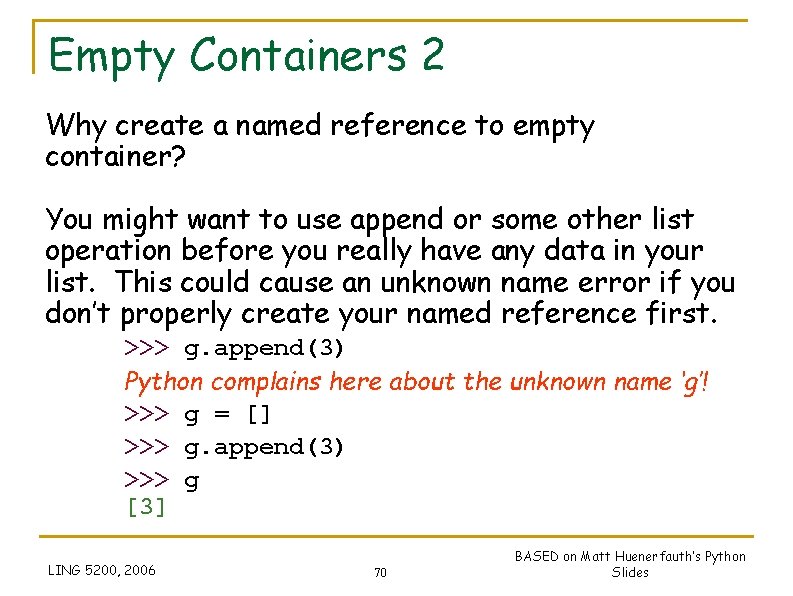
Empty Containers 2 Why create a named reference to empty container? You might want to use append or some other list operation before you really have any data in your list. This could cause an unknown name error if you don’t properly create your named reference first. >>> g. append(3) Python complains here about the unknown name ‘g’! >>> g = [] >>> g. append(3) >>> g [3] LING 5200, 2006 70 BASED on Matt Huenerfauth’s Python Slides