
Python An Introduction Shubin Liu Ph D Research
Python: An Introduction Shubin Liu, Ph. D. Research Computing Center University of North Carolina at Chapel Hill
Agenda § Introduction § Running Python § Python Programming • Data types • Control flows • Classes, functions, modules § Hands-on Exercises The PPT/WORD format of this presentation is available here: http: //its 2. unc. edu/divisions/rc/training/scientific/ /afs/isis/depts/its/public_html/divisions/rc/training/scientific/short_courses/ its. unc. edu 2
Course Goals § To understand the basic structure and syntax of Python programming language § To learn how to run Python scripts on our research computing facility, the Emerald Linux cluster § To write your own simple Python scripts. § To serve as the starting point for more advanced training on Python coding its. unc. edu 3
What is python? § § § § § its. unc. edu Object oriented language Interpreted language Supports dynamic data type Independent from platforms Focused on development time Simple and easy grammar High-level internal object data types Automatic memory management It’s free (open source)! 4
Timeline § Python born, name picked - Dec 1989 • § § § § its. unc. edu By Guido van Rossum, now at GOOGLE First public release (USENET) - Feb 1991 python. org website - 1996 or 1997 2. 0 released - 2000 Python Software Foundation - 2001 … 2. 4 released - 2004 2. 5 released – 2006 Current version: 2. 6. x 5
Language properties § Everything is an object § Modules, classes, functions § Exception handling § Dynamic typing, polymorphism § Static scoping § Operator overloading § Indentation for block structure its. unc. edu 6
High-level data types § Numbers: int, long, float, complex § Strings: immutable § Lists and dictionaries: containers § Other types for e. g. binary data, regular expressions, introspection § Extension modules can define new “builtin” data types its. unc. edu 7
Why learn python? § Fun-to-use "Scripting language" § Object-oriented • Highly educational § Very easy to learn § Powerful, scalable, easy to maintain • high productivity • Lots of libraries § Glue language • Interactive front-end for FORTRAN/C/C++ code its. unc. edu 8
Why learn python? (cont. ) § Reduce development time § Reduce code length § Easy to learn and use as developers § Easy to understand codes § Easy to do team projects § Easy to extend to other languages its. unc. edu 9
Where to use python? § § § § § its. unc. edu System management (i. e. , scripting) Graphic User Interface (GUI) Internet programming Database (DB) programming Text data processing Distributed processing Numerical operations Graphics And so on… 10
Python vs. Perl • Easier to learn w important for occasional users • More readable code w improved code maintenance • Fewer “magical” side effects • More “safety” guarantees • Better Java integration • Less Unix bias its. unc. edu 11
Python vs. Java • Code 5 -10 times more concise • Dynamic typing • Much quicker development w no compilation phase w less typing • Yes, it runs slower w but development is so much faster! • Similar (but more so) for C/C++ § Use Python with Java: JPython! its. unc. edu 12
Agenda § Introduction § Running Python § Python Programming • Data types • Control flows • Classes, functions, modules § Hands-on Exercises The PPT/WORD format of this presentation is available here: http: //its 2. unc. edu/divisions/rc/training/scientific/ /afs/isis/depts/its/public_html/divisions/rc/training/scientific/short_courses/ its. unc. edu 13
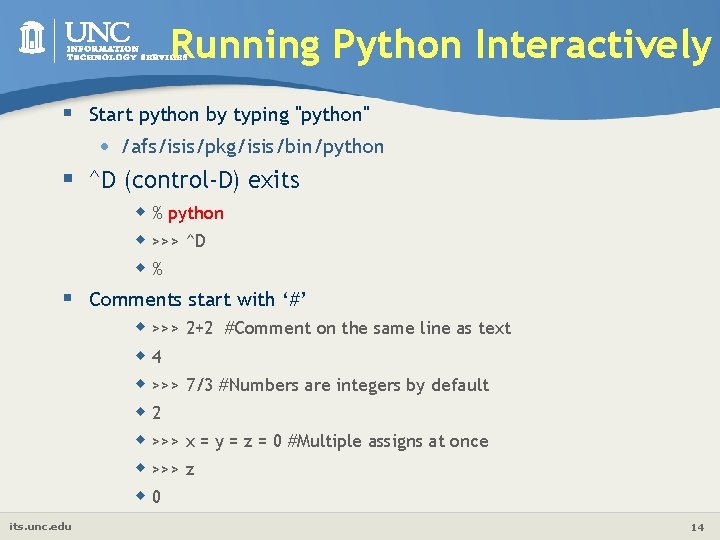
Running Python Interactively § Start python by typing "python" • /afs/isis/pkg/isis/bin/python § ^D (control-D) exits w % python w >>> ^D w% § Comments start with ‘#’ w >>> 2+2 #Comment on the same line as text w 4 w >>> 7/3 #Numbers are integers by default w 2 w >>> x = y = z = 0 #Multiple assigns at once w >>> z w 0 its. unc. edu 14
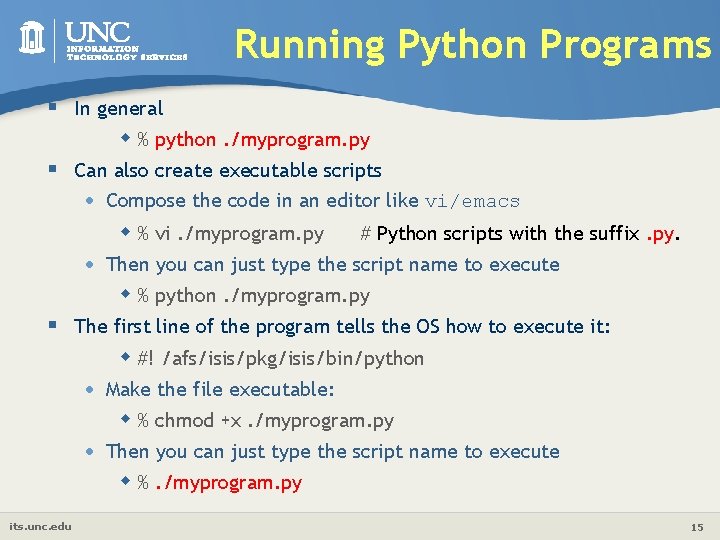
Running Python Programs § In general w % python. /myprogram. py § Can also create executable scripts • Compose the code in an editor like vi/emacs w % vi. /myprogram. py • # Python scripts with the suffix. py. Then you can just type the script name to execute w % python. /myprogram. py § The first line of the program tells the OS how to execute it: w #! /afs/isis/pkg/isis/bin/python • Make the file executable: w % chmod +x. /myprogram. py • Then you can just type the script name to execute w %. /myprogram. py its. unc. edu 15
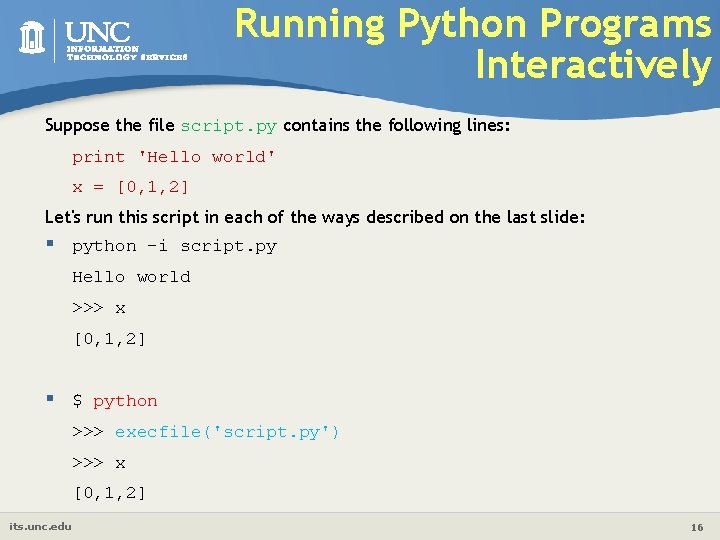
Running Python Programs Interactively Suppose the file script. py contains the following lines: print 'Hello world' x = [0, 1, 2] Let's run this script in each of the ways described on the last slide: § python -i script. py Hello world >>> x [0, 1, 2] § $ python >>> execfile('script. py') >>> x [0, 1, 2] its. unc. edu 16
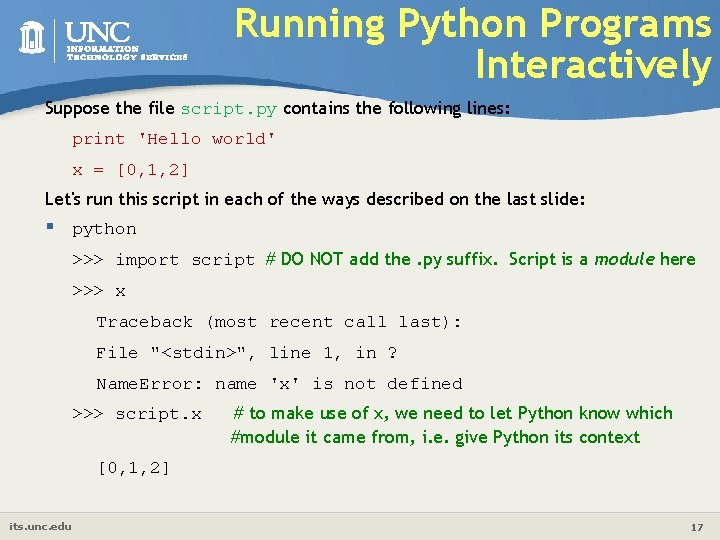
Running Python Programs Interactively Suppose the file script. py contains the following lines: print 'Hello world' x = [0, 1, 2] Let's run this script in each of the ways described on the last slide: § python >>> import script # DO NOT add the. py suffix. Script is a module here >>> x Traceback (most recent call last): File "<stdin>", line 1, in ? Name. Error: name 'x' is not defined >>> script. x # to make use of x, we need to let Python know which #module it came from, i. e. give Python its context [0, 1, 2] its. unc. edu 17
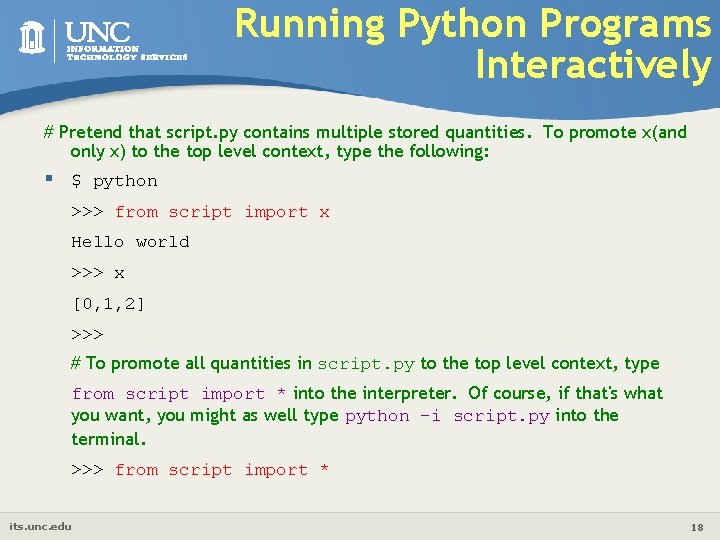
Running Python Programs Interactively # Pretend that script. py contains multiple stored quantities. To promote x(and only x) to the top level context, type the following: § $ python >>> from script import x Hello world >>> x [0, 1, 2] >>> # To promote all quantities in script. py to the top level context, type from script import * into the interpreter. Of course, if that's what you want, you might as well type python -i script. py into the terminal. >>> from script import * its. unc. edu 18
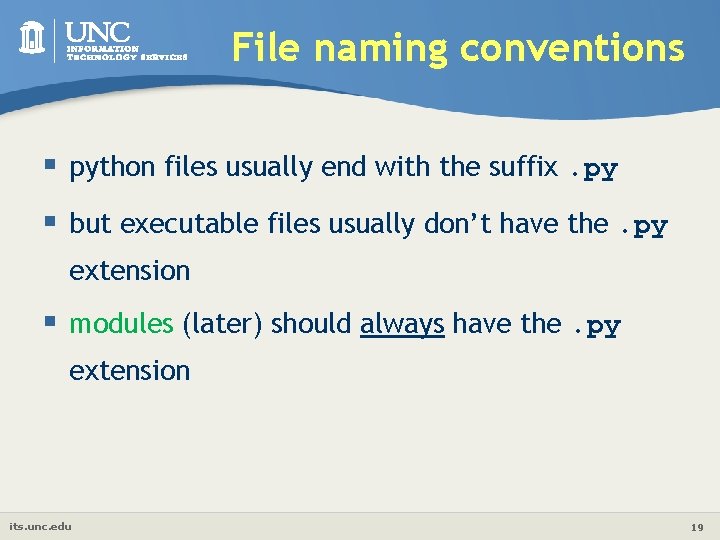
File naming conventions § python files usually end with the suffix. py § but executable files usually don’t have the. py extension § modules (later) should always have the. py extension its. unc. edu 19
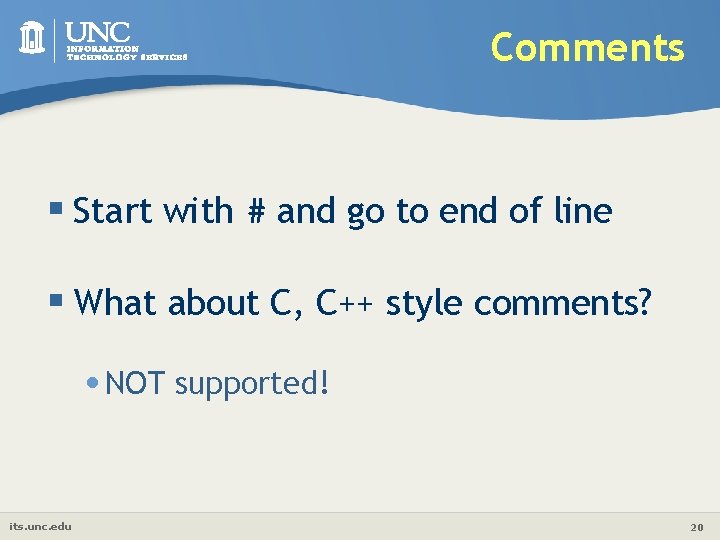
Comments § Start with # and go to end of line § What about C, C++ style comments? • NOT supported! its. unc. edu 20
Agenda § Introduction § Running Python § Python Programming • Data types • Control flows • Classes, functions, modules § Hands-on Exercises The PPT/WORD format of this presentation is available here: http: //its 2. unc. edu/divisions/rc/training/scientific/ /afs/isis/depts/its/public_html/divisions/rc/training/scientific/short_courses/ its. unc. edu 21
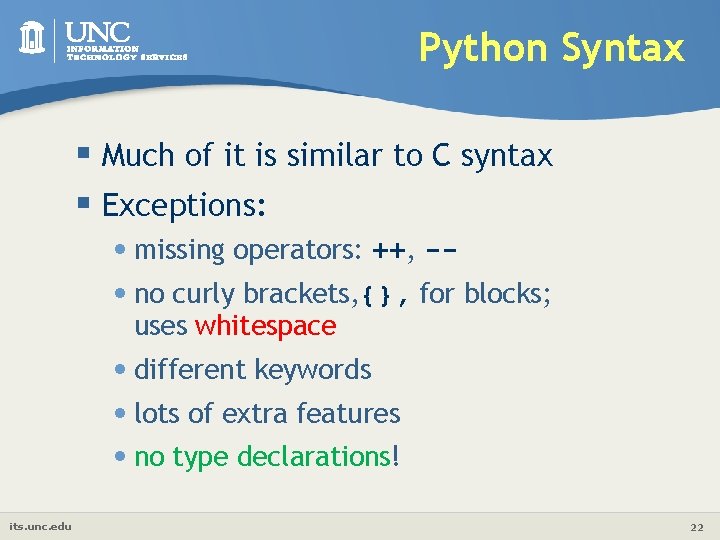
Python Syntax § Much of it is similar to C syntax § Exceptions: • missing operators: ++, - • no curly brackets, {}, for blocks; uses whitespace • different keywords • lots of extra features • no type declarations! its. unc. edu 22
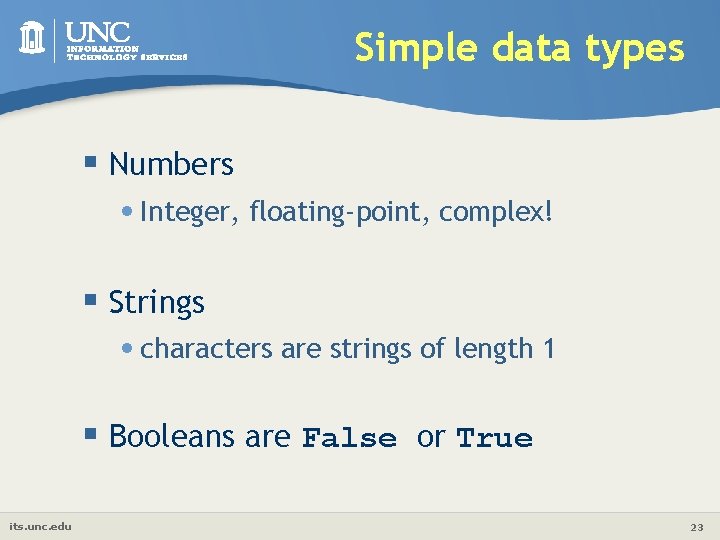
Simple data types § Numbers • Integer, floating-point, complex! § Strings • characters are strings of length 1 § Booleans are False or True its. unc. edu 23
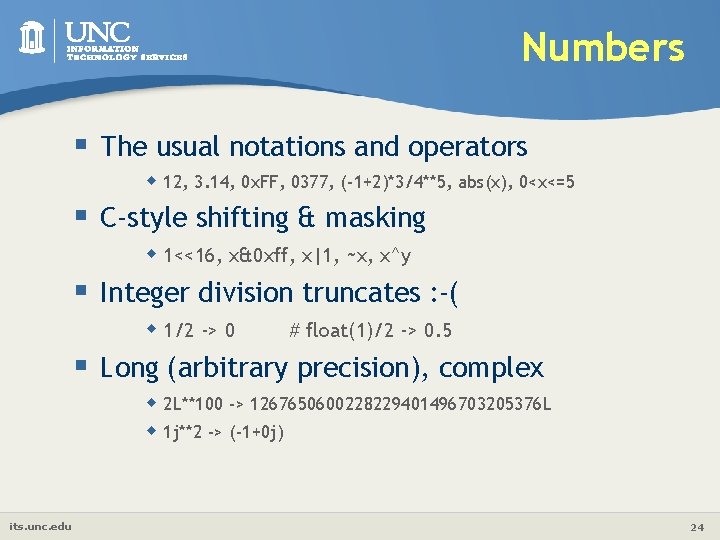
Numbers § The usual notations and operators w 12, 3. 14, 0 x. FF, 0377, (-1+2)*3/4**5, abs(x), 0<x<=5 § C-style shifting & masking w 1<<16, x&0 xff, x|1, ~x, x^y § Integer division truncates : -( w 1/2 -> 0 # float(1)/2 -> 0. 5 § Long (arbitrary precision), complex w 2 L**100 -> 1267650600228229401496703205376 L w 1 j**2 -> (-1+0 j) its. unc. edu 24
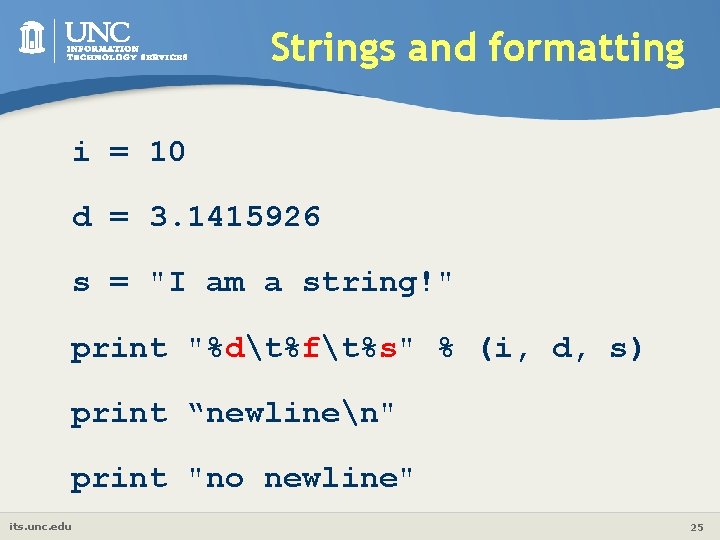
Strings and formatting i = 10 d = 3. 1415926 s = "I am a string!" print "%dt%ft%s" % (i, d, s) print “newlinen" print "no newline" its. unc. edu 25
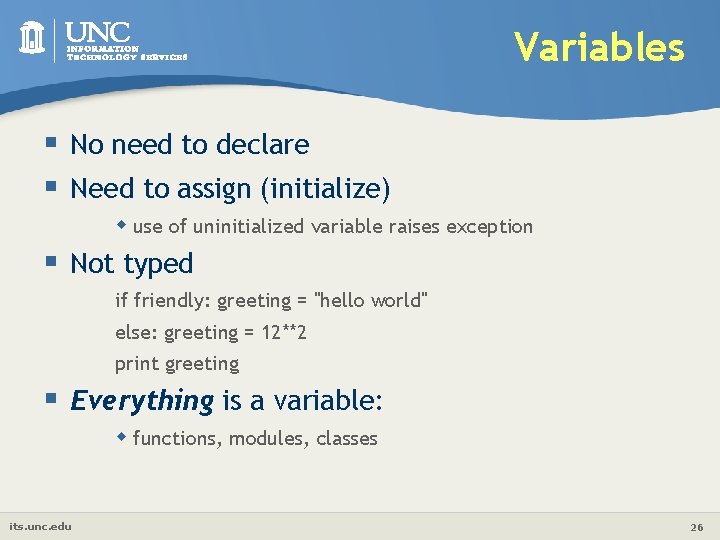
Variables § No need to declare § Need to assign (initialize) w use of uninitialized variable raises exception § Not typed if friendly: greeting = "hello world" else: greeting = 12**2 print greeting § Everything is a variable: w functions, modules, classes its. unc. edu 26
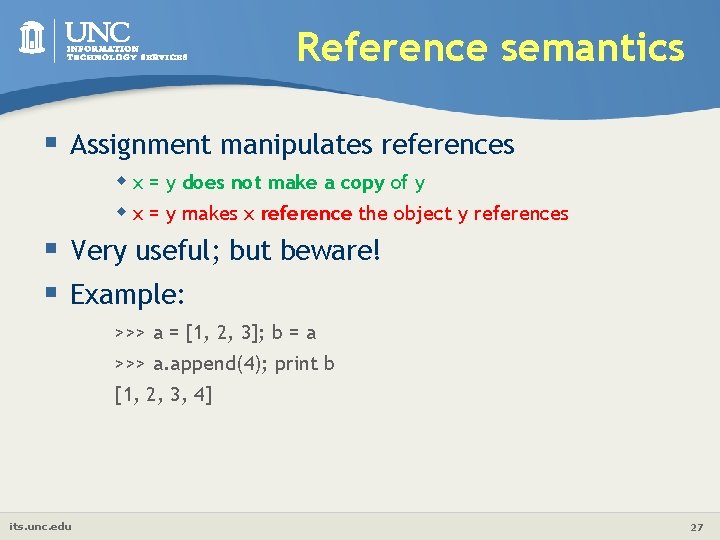
Reference semantics § Assignment manipulates references w x = y does not make a copy of y w x = y makes x reference the object y references § Very useful; but beware! § Example: >>> a = [1, 2, 3]; b = a >>> a. append(4); print b [1, 2, 3, 4] its. unc. edu 27
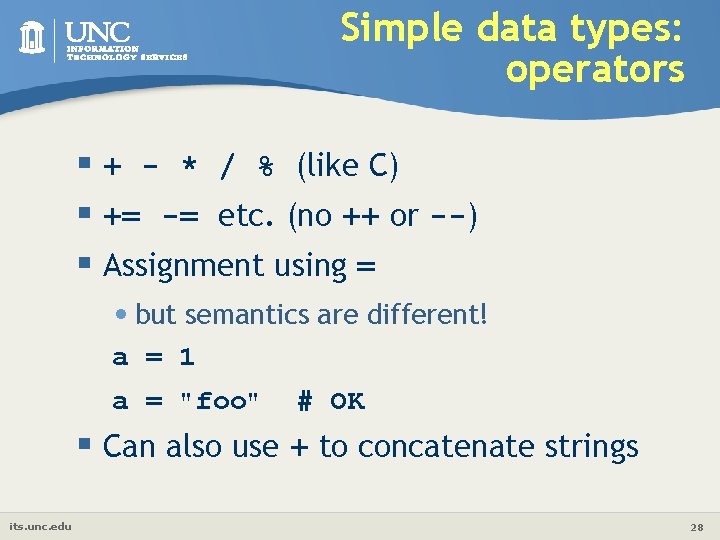
Simple data types: operators § + - * / % (like C) § += -= etc. (no ++ or --) § Assignment using = • but semantics are different! a = 1 a = "foo" # OK § Can also use + to concatenate strings its. unc. edu 28
![Strings w "hello"+"world" w "hello"*3 w "hello"[0] w "hello"[-1] w "hello"[1: 4] w len("hello")](http://slidetodoc.com/presentation_image/3990d6baf2f7c4548655f18931644b3e/image-29.jpg "Strings w \"hello\"+\"world\" w \"hello\"*3 w \"hello\"[0] w \"hello\"[-1] w \"hello\"[1: 4] w len(\"hello\")")
Strings w "hello"+"world" w "hello"*3 w "hello"[0] w "hello"[-1] w "hello"[1: 4] w len("hello") w "hello" < "jello" w "e" in "hello" w New line: w Line continuation: w Quotes: its. unc. edu "helloworld" # concatenation "hellohello" # repetition "h" # indexing "o" # (from end) "ell" # slicing 5 # size 1 # comparison 1 # search "escapes: n " triple quotes ’’’ ‘single quotes’, "raw strings" 29
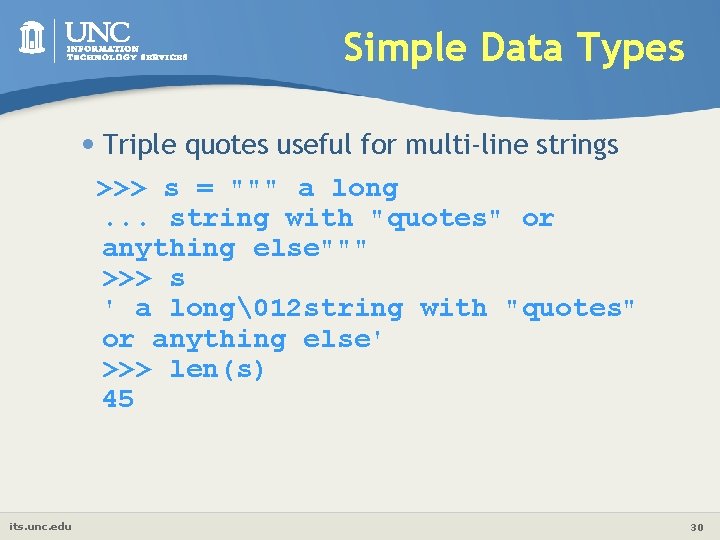
Simple Data Types • Triple quotes useful for multi-line strings >>> s = """ a long. . . string with "quotes" or anything else""" >>> s ' a long12 string with "quotes" or anything else' >>> len(s) 45 its. unc. edu 30
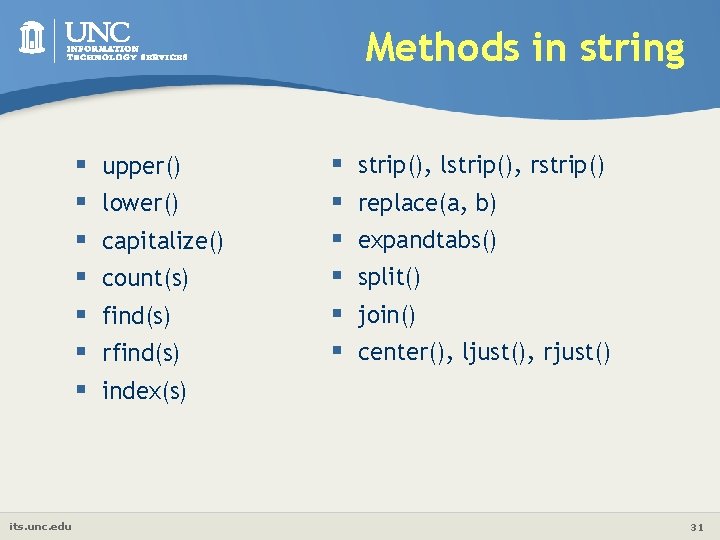
Methods in string § § § § its. unc. edu upper() lower() capitalize() count(s) find(s) rfind(s) § § § strip(), lstrip(), rstrip() replace(a, b) expandtabs() split() join() center(), ljust(), rjust() index(s) 31
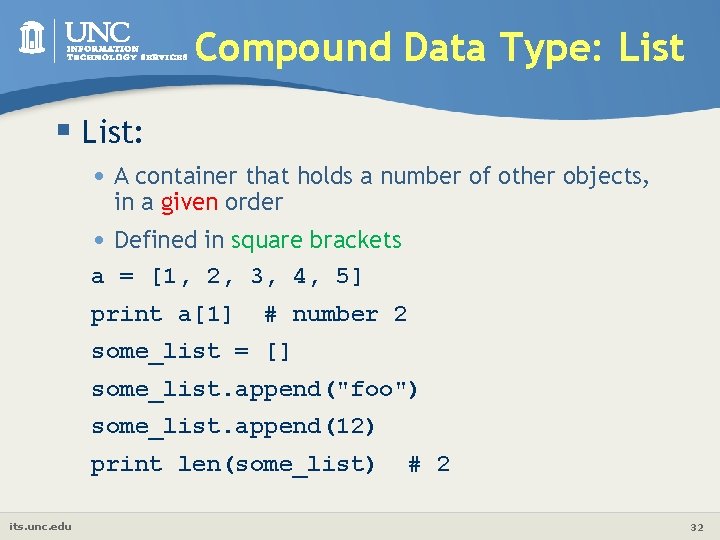
Compound Data Type: List § List: • A container that holds a number of other objects, in a given order • Defined in square brackets a = [1, 2, 3, 4, 5] print a[1] # number 2 some_list = [] some_list. append("foo") some_list. append(12) print len(some_list) its. unc. edu # 2 32
![List w a = [99, "bottles of beer", ["on", "the", "wall"]] § Flexible arrays,](http://slidetodoc.com/presentation_image/3990d6baf2f7c4548655f18931644b3e/image-33.jpg "List w a = [99, \"bottles of beer\", [\"on\", \"the\", \"wall\"]] § Flexible arrays,")
List w a = [99, "bottles of beer", ["on", "the", "wall"]] § Flexible arrays, not Lisp-like linked lists § Same operators as for strings w a+b, a*3, a[0], a[-1], a[1: ], len(a) § Item and slice assignment w a[0] = 98 w a[1: 2] = ["bottles", "of", "beer"] -> [98, "bottles", "of", "beer", ["on", "the", "wall"]] w del a[-1] its. unc. edu # -> [98, "bottles", "of", "beer"] 33
![More list operations >>> a = range(5) # [0, 1, 2, 3, 4] >>>](http://slidetodoc.com/presentation_image/3990d6baf2f7c4548655f18931644b3e/image-34.jpg "More list operations >>> a = range(5) # [0, 1, 2, 3, 4] >>>")
More list operations >>> a = range(5) # [0, 1, 2, 3, 4] >>> a. append(5) # [0, 1, 2, 3, 4, 5] >>> a. pop() # [0, 1, 2, 3, 4] 5 >>> a. insert(0, 5. 5) # [5. 5, 0, 1, 2, 3, 4] >>> a. pop(0) # [0, 1, 2, 3, 4] 5. 5 >>> a. reverse() >>> a. sort() its. unc. edu # [4, 3, 2, 1, 0] # [0, 1, 2, 3, 4] 34
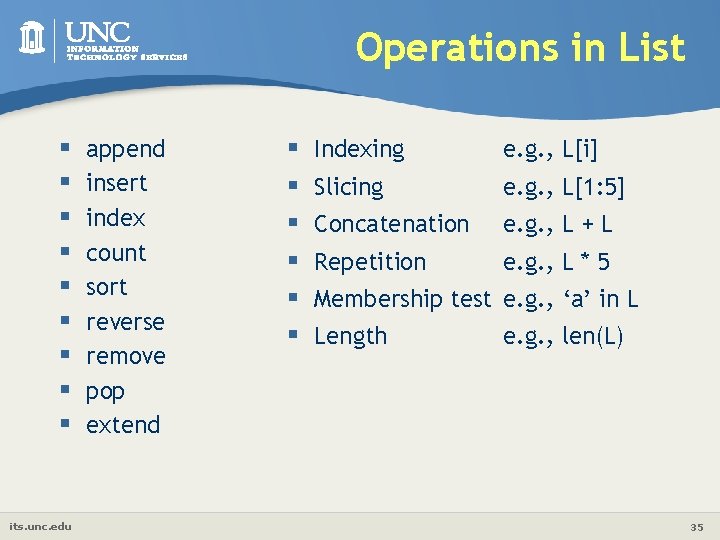
Operations in List § § § § § its. unc. edu append insert index count sort reverse remove pop extend § § § Indexing e. g. , L[i] Slicing e. g. , L[1: 5] Concatenation e. g. , L + L Repetition e. g. , L * 5 Membership test e. g. , ‘a’ in L Length e. g. , len(L) 35
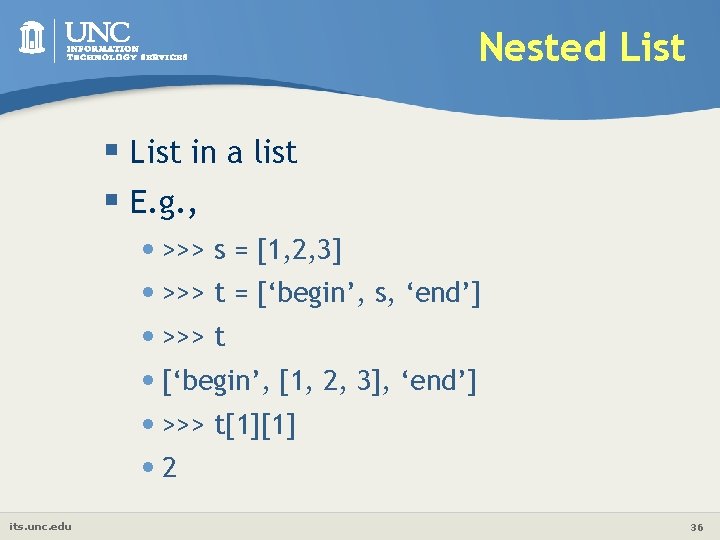
Nested List § List in a list § E. g. , • >>> s = [1, 2, 3] • >>> t = [‘begin’, s, ‘end’] • >>> t • [‘begin’, [1, 2, 3], ‘end’] • >>> t[1][1] • 2 its. unc. edu 36
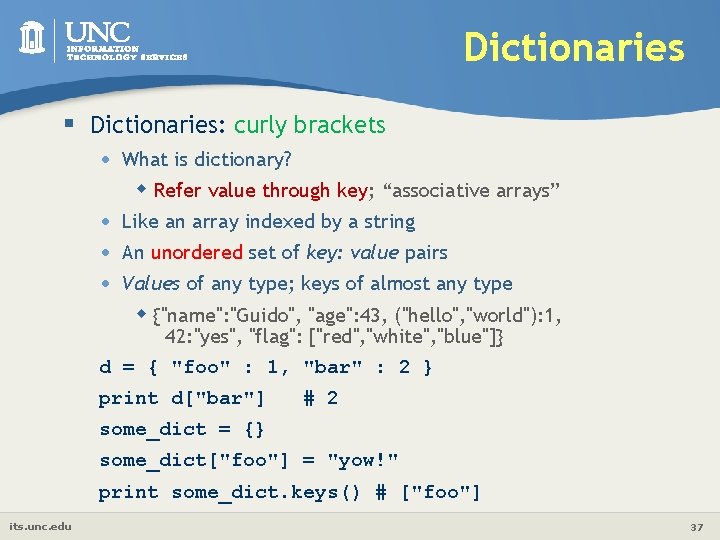
Dictionaries § Dictionaries: curly brackets • What is dictionary? w Refer value through key; “associative arrays” • • • Like an array indexed by a string An unordered set of key: value pairs Values of any type; keys of almost any type w {"name": "Guido", "age": 43, ("hello", "world"): 1, 42: "yes", "flag": ["red", "white", "blue"]} d = { "foo" : 1, "bar" : 2 } print d["bar"] # 2 some_dict = {} some_dict["foo"] = "yow!" print some_dict. keys() # ["foo"] its. unc. edu 37
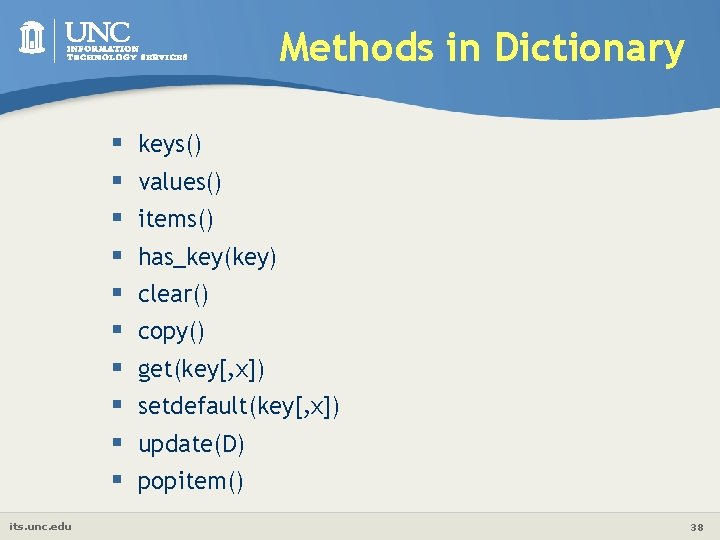
Methods in Dictionary § § § § § its. unc. edu keys() values() items() has_key(key) clear() copy() get(key[, x]) setdefault(key[, x]) update(D) popitem() 38
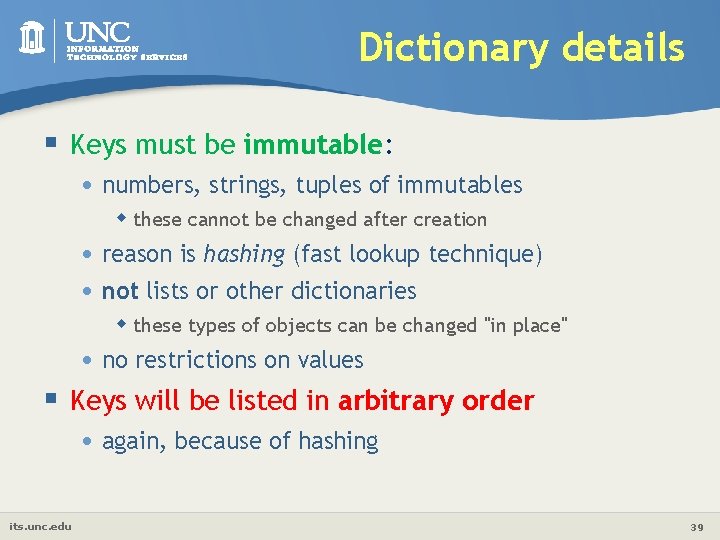
Dictionary details § Keys must be immutable: • numbers, strings, tuples of immutables w these cannot be changed after creation • reason is hashing (fast lookup technique) • not lists or other dictionaries w these types of objects can be changed "in place" • no restrictions on values § Keys will be listed in arbitrary order • again, because of hashing its. unc. edu 39
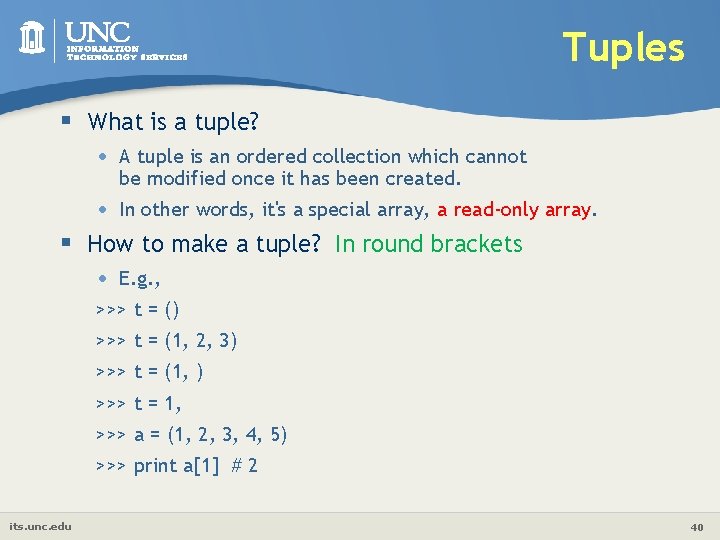
Tuples § What is a tuple? • A tuple is an ordered collection which cannot be modified once it has been created. • In other words, it's a special array, a read-only array. § How to make a tuple? In round brackets • E. g. , >>> t = () >>> t = (1, 2, 3) >>> t = (1, ) >>> t = 1, >>> a = (1, 2, 3, 4, 5) >>> print a[1] # 2 its. unc. edu 40
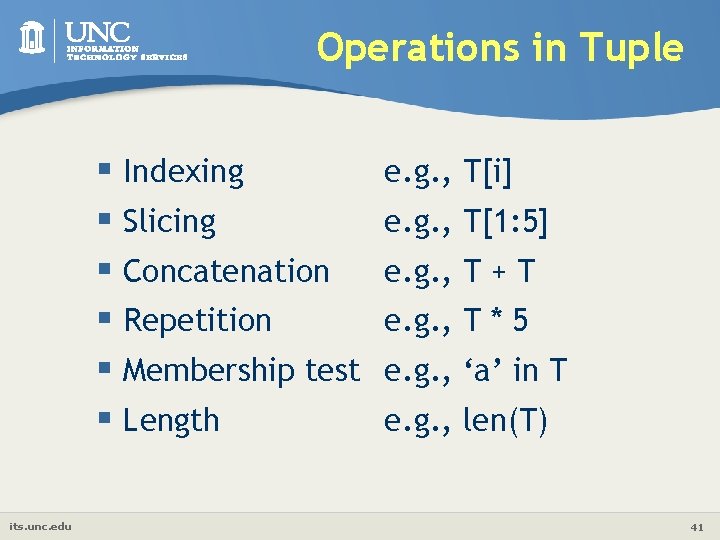
Operations in Tuple § Indexing § Slicing § Concatenation § Repetition § Membership test § Length its. unc. edu e. g. , T[i] e. g. , T[1: 5] e. g. , T + T e. g. , T * 5 e. g. , ‘a’ in T e. g. , len(T) 41
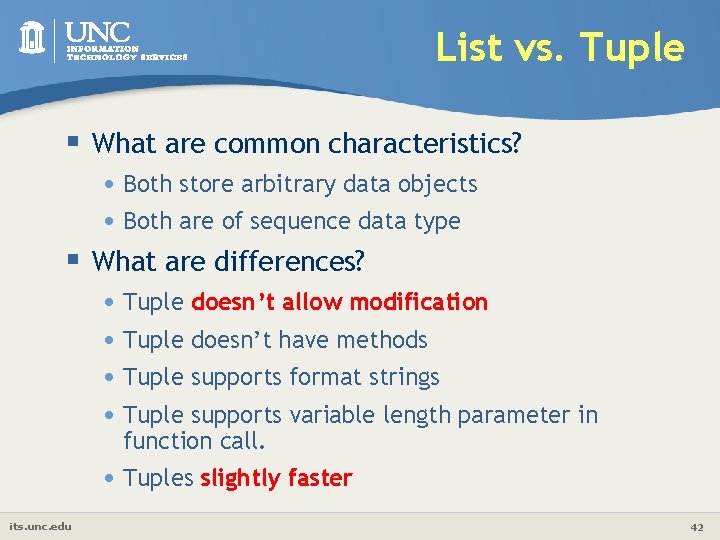
List vs. Tuple § What are common characteristics? • Both store arbitrary data objects • Both are of sequence data type § What are differences? • Tuple doesn’t allow modification • Tuple doesn’t have methods • Tuple supports format strings • Tuple supports variable length parameter in function call. • Tuples slightly faster its. unc. edu 42
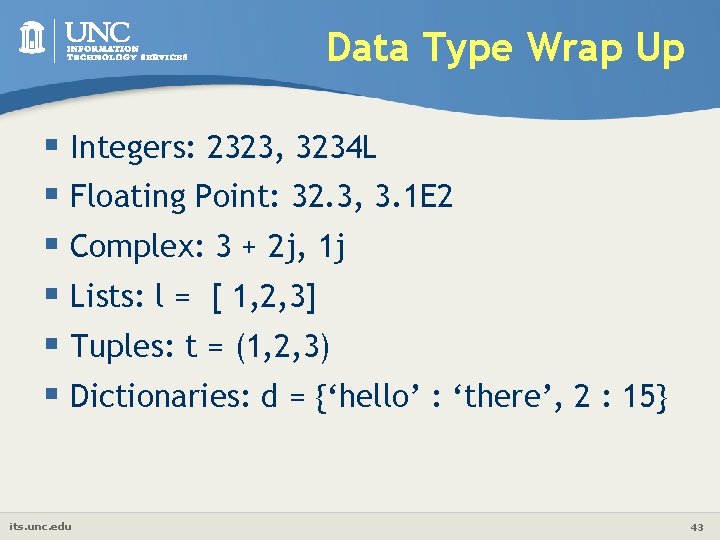
Data Type Wrap Up § Integers: 2323, 3234 L § Floating Point: 32. 3, 3. 1 E 2 § Complex: 3 + 2 j, 1 j § Lists: l = [ 1, 2, 3] § Tuples: t = (1, 2, 3) § Dictionaries: d = {‘hello’ : ‘there’, 2 : 15} its. unc. edu 43
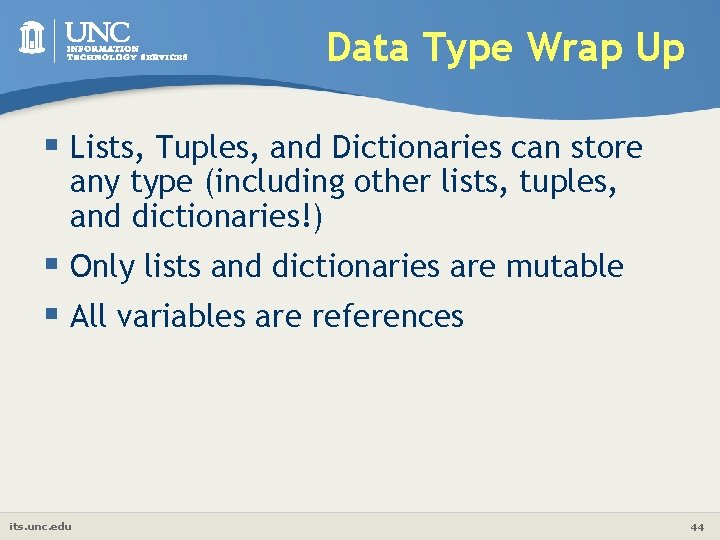
Data Type Wrap Up § Lists, Tuples, and Dictionaries can store any type (including other lists, tuples, and dictionaries!) § Only lists and dictionaries are mutable § All variables are references its. unc. edu 44
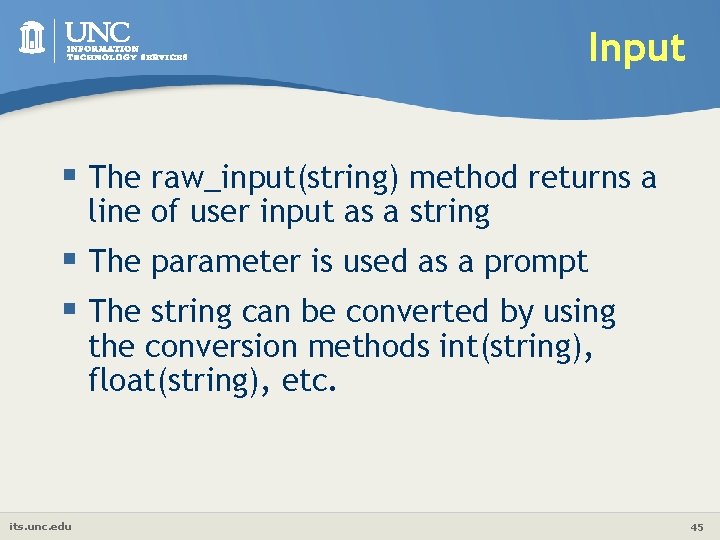
Input § The raw_input(string) method returns a line of user input as a string § The parameter is used as a prompt § The string can be converted by using the conversion methods int(string), float(string), etc. its. unc. edu 45
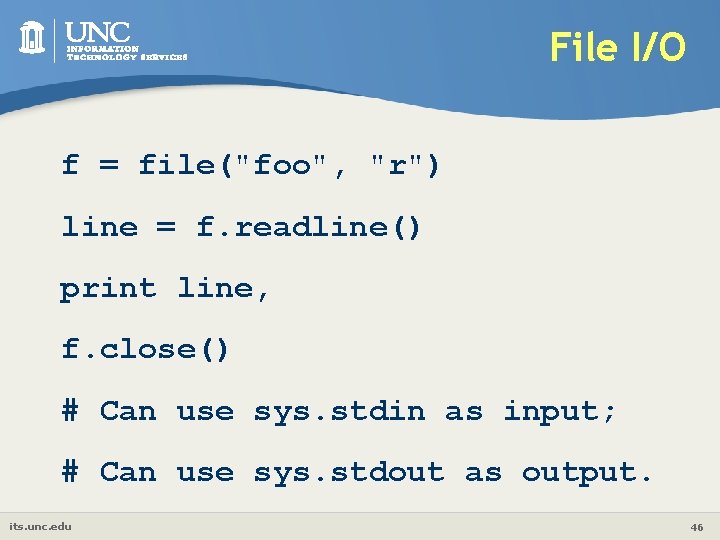
File I/O f = file("foo", "r") line = f. readline() print line, f. close() # Can use sys. stdin as input; # Can use sys. stdout as output. its. unc. edu 46
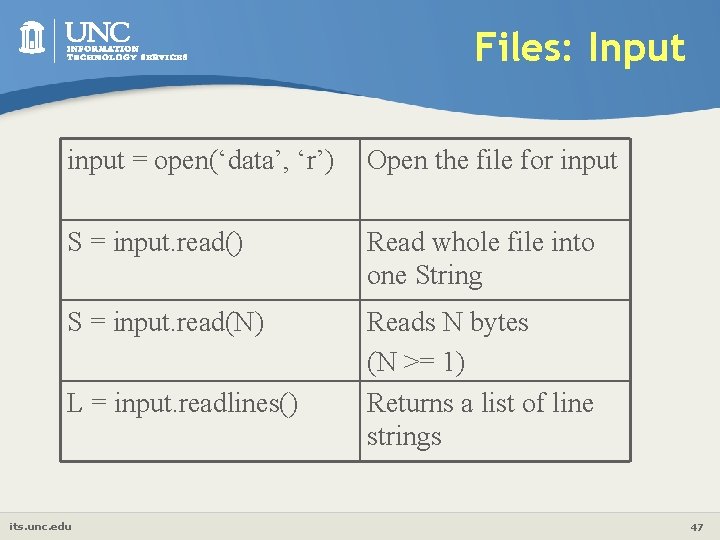
Files: Input input = open(‘data’, ‘r’) Open the file for input S = input. read() Read whole file into one String S = input. read(N) Reads N bytes (N >= 1) Returns a list of line strings L = input. readlines() its. unc. edu 47
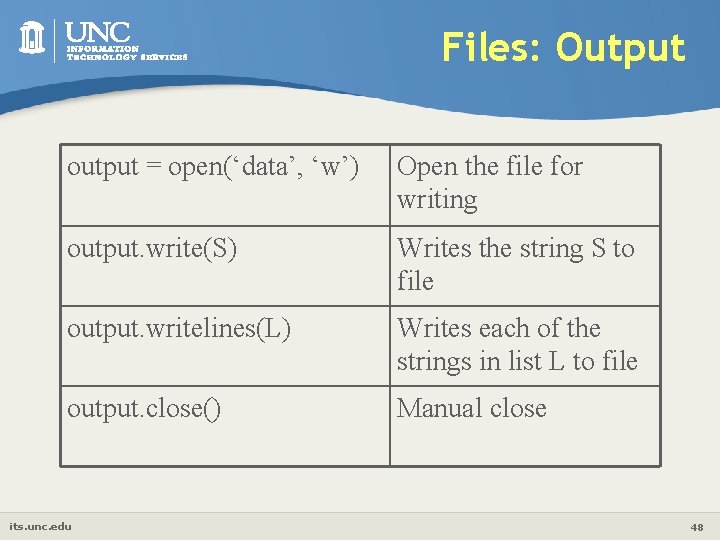
Files: Output output = open(‘data’, ‘w’) Open the file for writing output. write(S) Writes the string S to file output. writelines(L) Writes each of the strings in list L to file output. close() Manual close its. unc. edu 48
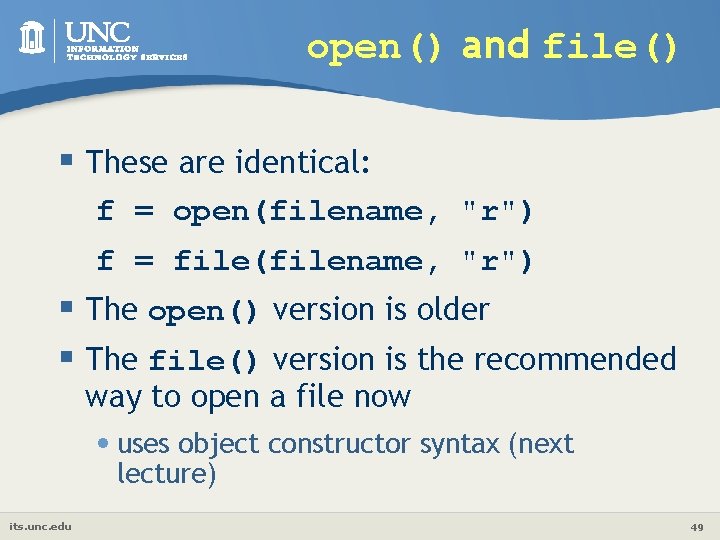
open() and file() § These are identical: f = open(filename, "r") f = file(filename, "r") § The open() version is older § The file() version is the recommended way to open a file now • uses object constructor syntax (next lecture) its. unc. edu 49
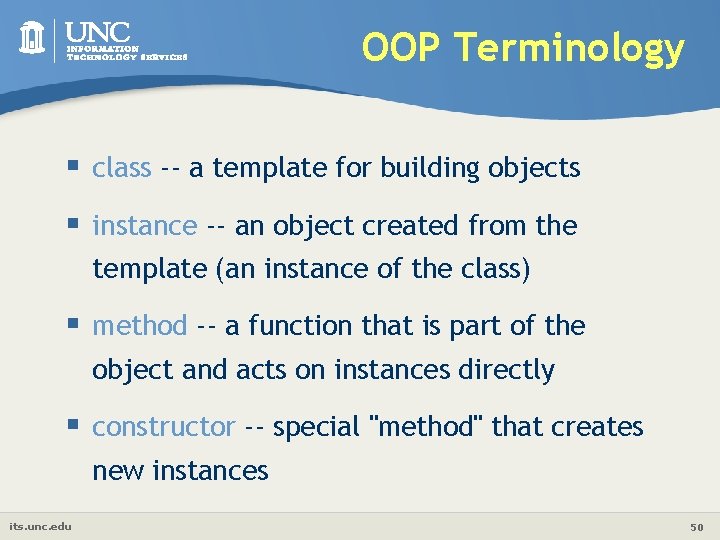
OOP Terminology § class -- a template for building objects § instance -- an object created from the template (an instance of the class) § method -- a function that is part of the object and acts on instances directly § constructor -- special "method" that creates new instances its. unc. edu 50
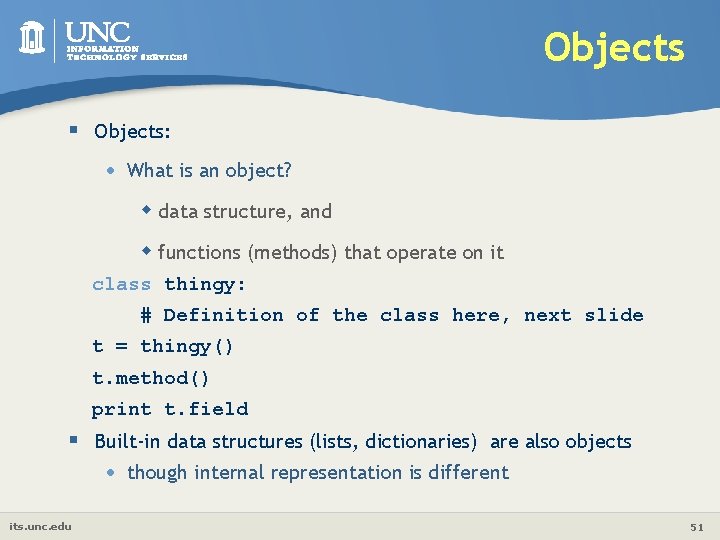
Objects § Objects: • What is an object? w data structure, and w functions (methods) that operate on it class thingy: # Definition of the class here, next slide t = thingy() t. method() print t. field § Built-in data structures (lists, dictionaries) are also objects • its. unc. edu though internal representation is different 51
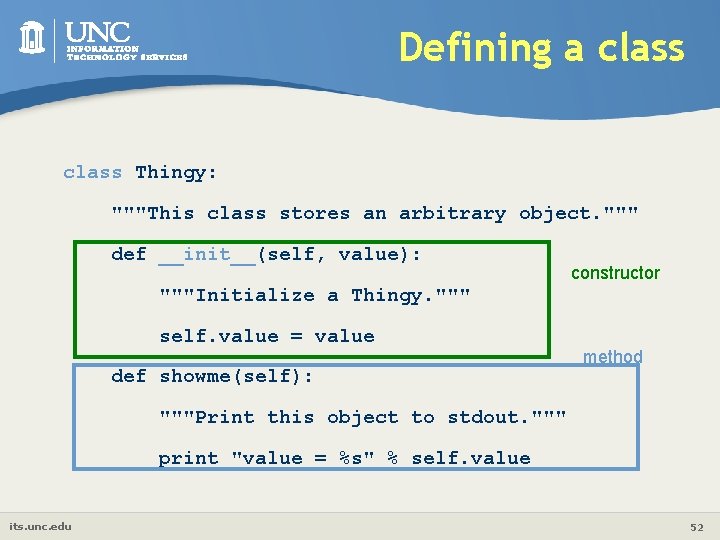
Defining a class Thingy: """This class stores an arbitrary object. """ def __init__(self, value): constructor """Initialize a Thingy. """ self. value = value def showme(self): method """Print this object to stdout. """ print "value = %s" % self. value its. unc. edu 52
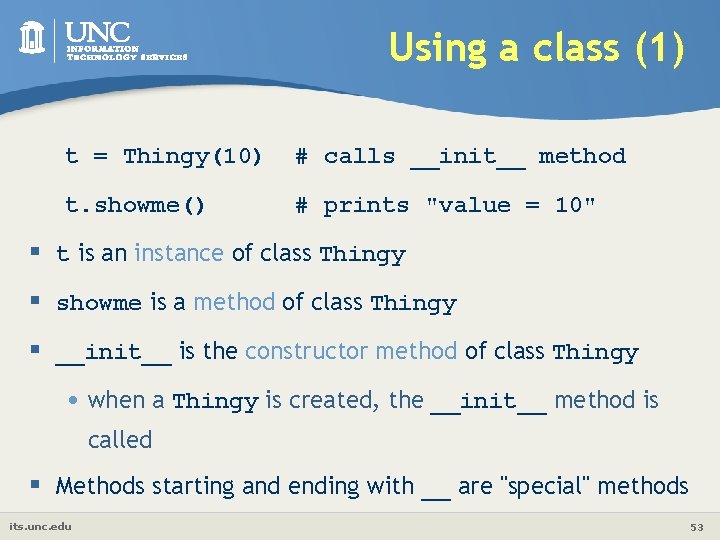
Using a class (1) t = Thingy(10) # calls __init__ method t. showme() # prints "value = 10" § t is an instance of class Thingy § showme is a method of class Thingy § __init__ is the constructor method of class Thingy • when a Thingy is created, the __init__ method is called § Methods starting and ending with __ are "special" methods its. unc. edu 53
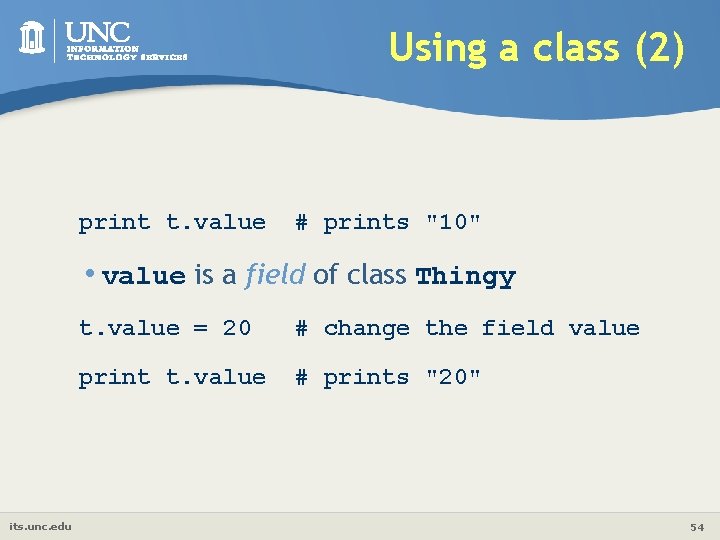
Using a class (2) print t. value # prints "10" • value is a field of class Thingy its. unc. edu t. value = 20 # change the field value print t. value # prints "20" 54
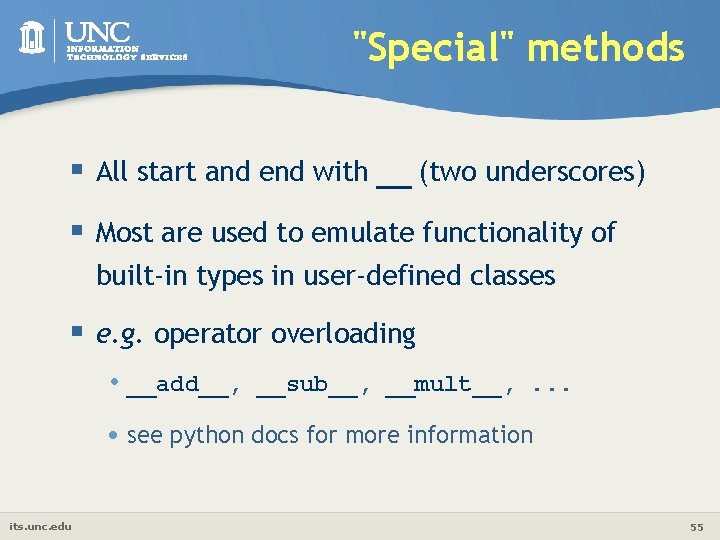
"Special" methods § All start and end with __ (two underscores) § Most are used to emulate functionality of built-in types in user-defined classes § e. g. operator overloading • __add__, __sub__, __mult__, . . . • see python docs for more information its. unc. edu 55
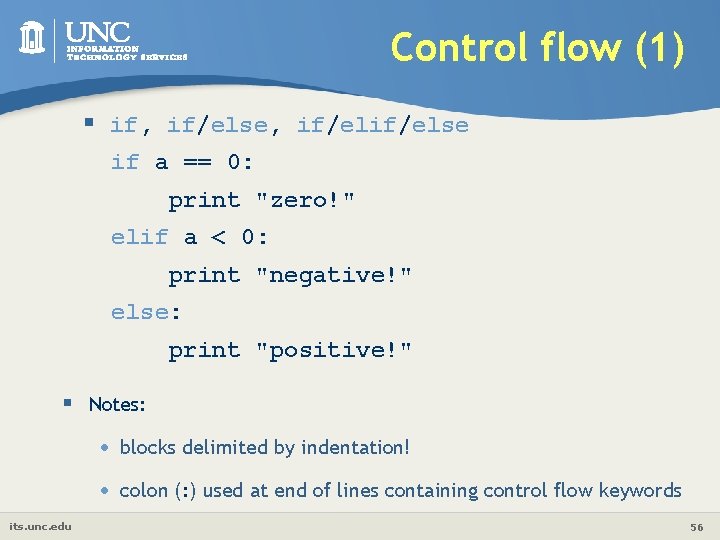
Control flow (1) § if, if/else, if/else if a == 0: print "zero!" elif a < 0: print "negative!" else: print "positive!" § Notes: its. unc. edu • blocks delimited by indentation! • colon (: ) used at end of lines containing control flow keywords 56
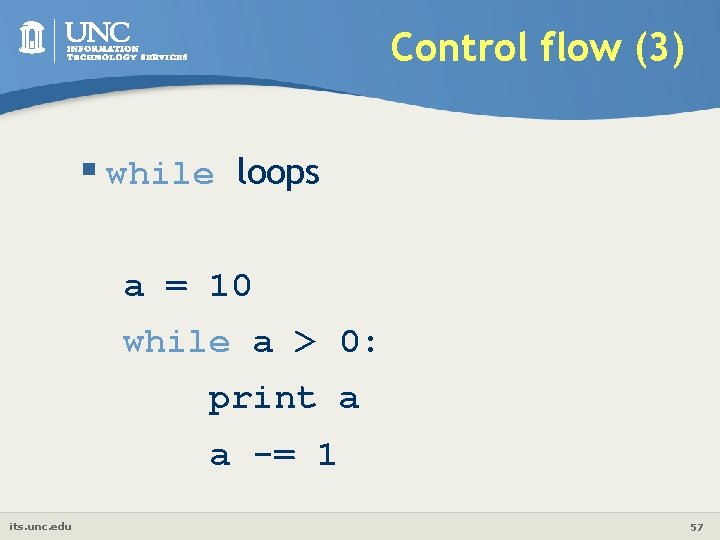
Control flow (3) § while loops a = 10 while a > 0: print a a -= 1 its. unc. edu 57
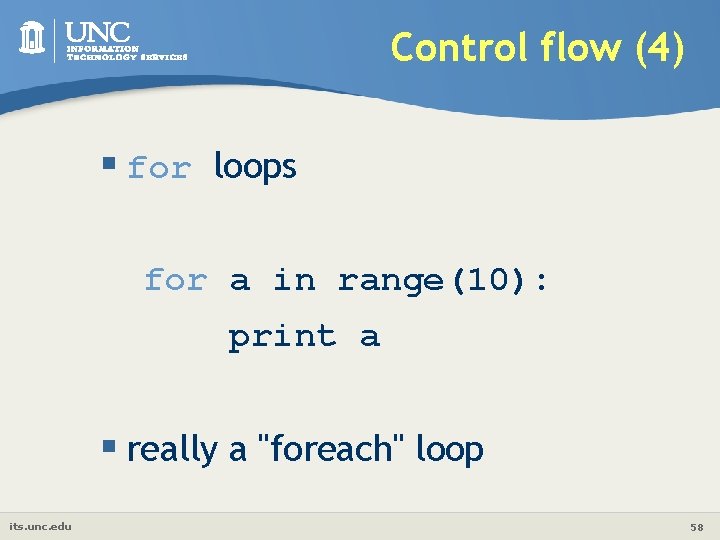
Control flow (4) § for loops for a in range(10): print a § really a "foreach" loop its. unc. edu 58
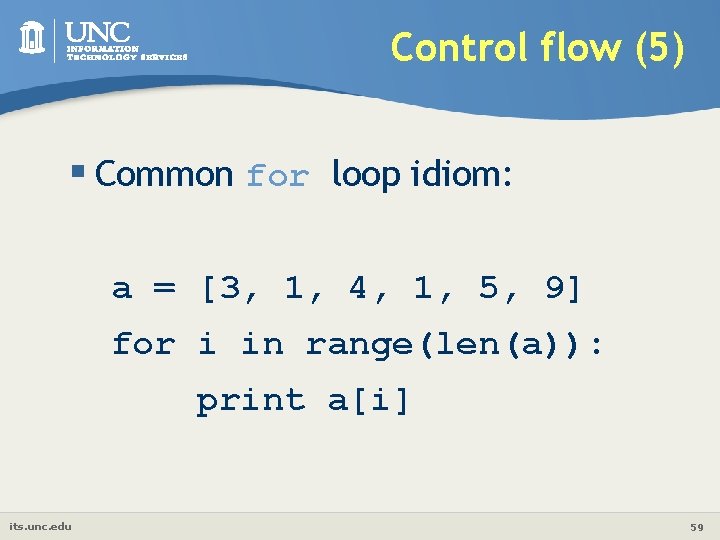
Control flow (5) § Common for loop idiom: a = [3, 1, 4, 1, 5, 9] for i in range(len(a)): print a[i] its. unc. edu 59
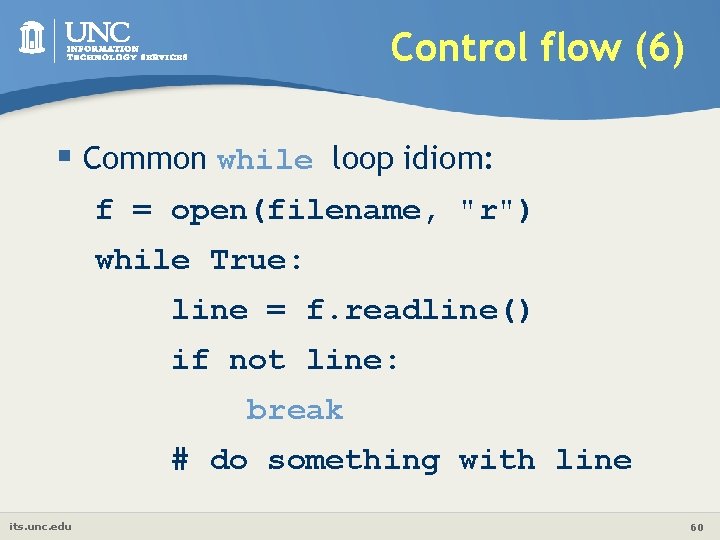
Control flow (6) § Common while loop idiom: f = open(filename, "r") while True: line = f. readline() if not line: break # do something with line its. unc. edu 60
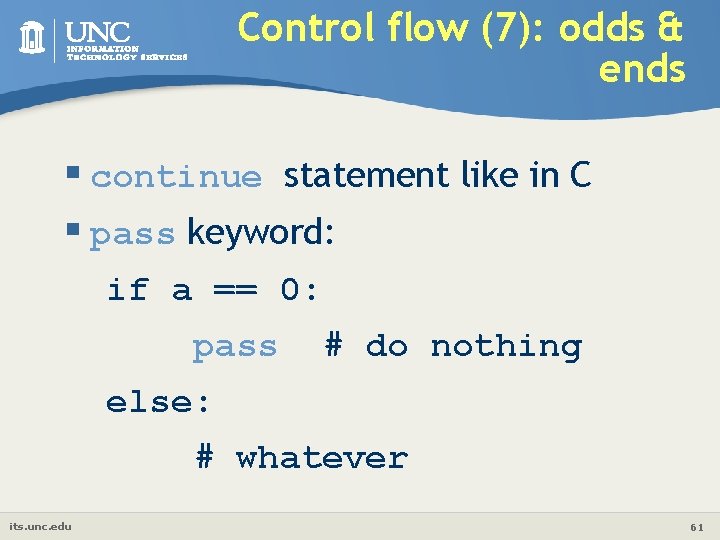
Control flow (7): odds & ends § continue statement like in C § pass keyword: if a == 0: pass # do nothing else: # whatever its. unc. edu 61
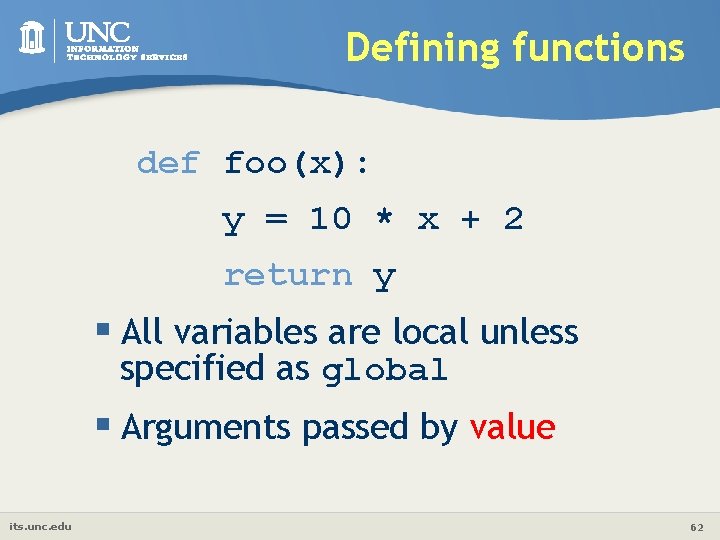
Defining functions def foo(x): y = 10 * x + 2 return y § All variables are local unless specified as global § Arguments passed by value its. unc. edu 62
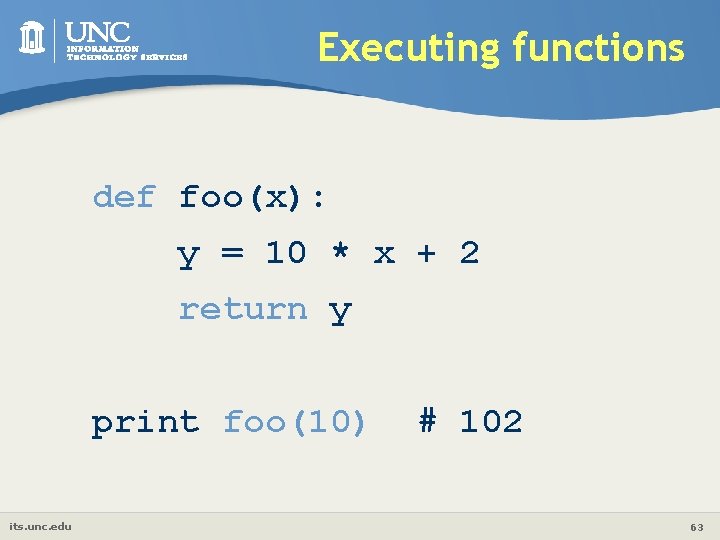
Executing functions def foo(x): y = 10 * x + 2 return y print foo(10) its. unc. edu # 102 63
Why use modules? § Code reuse • Routines can be called multiple times within a program • Routines can be used from multiple programs § Namespace partitioning • Group data together with functions used for that data § Implementing shared services or data • Can provide global data structure that is accessed by multiple subprograms its. unc. edu 64
Modules § Modules are functions and variables defined in separate files § Items are imported using from or import w from module import function w function() w import module w module. function() § Modules are namespaces • Can be used to organize variable names, i. e. w atom. position = atom. position - molecule. position its. unc. edu 65
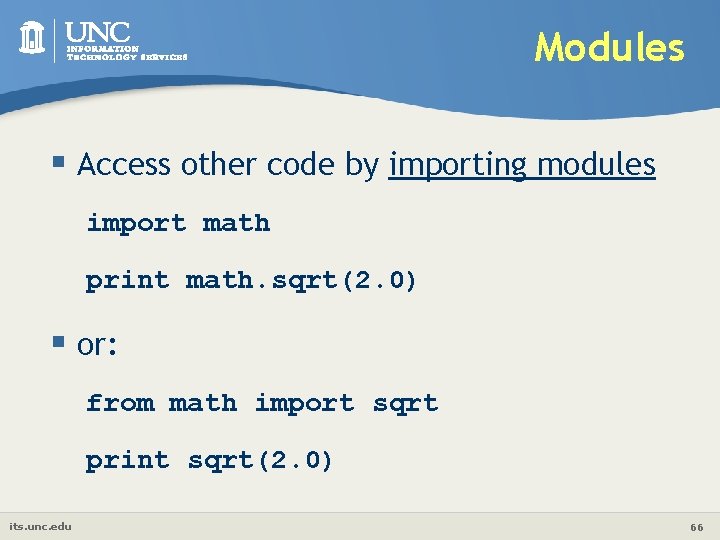
Modules § Access other code by importing modules import math print math. sqrt(2. 0) § or: from math import sqrt print sqrt(2. 0) its. unc. edu 66
Modules § or: from math import * print sqrt(2. 0) § Can import multiple modules on one line: import sys, string, math § Only one "from x import y" per line its. unc. edu 67
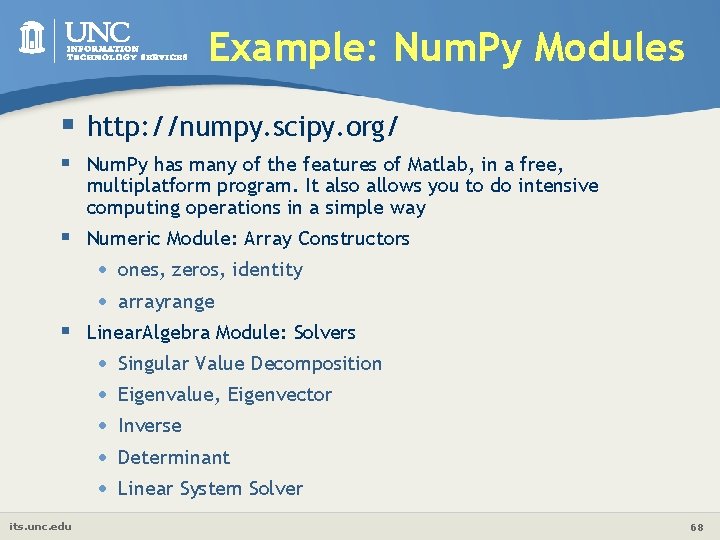
Example: Num. Py Modules § http: //numpy. scipy. org/ § Num. Py has many of the features of Matlab, in a free, multiplatform program. It also allows you to do intensive computing operations in a simple way § Numeric Module: Array Constructors • • ones, zeros, identity arrayrange § Linear. Algebra Module: Solvers • • • its. unc. edu Singular Value Decomposition Eigenvalue, Eigenvector Inverse Determinant Linear System Solver 68
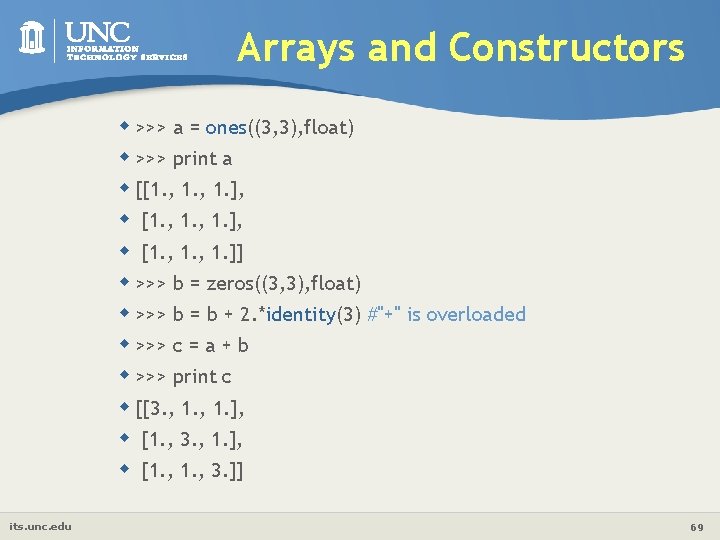
Arrays and Constructors w >>> a = ones((3, 3), float) w >>> print a w [[1. , 1. ], w [1. , 1. ]] w >>> b = zeros((3, 3), float) w >>> b = b + 2. *identity(3) #"+" is overloaded w >>> c = a + b w >>> print c w [[3. , 1. ], w [1. , 3. ]] its. unc. edu 69
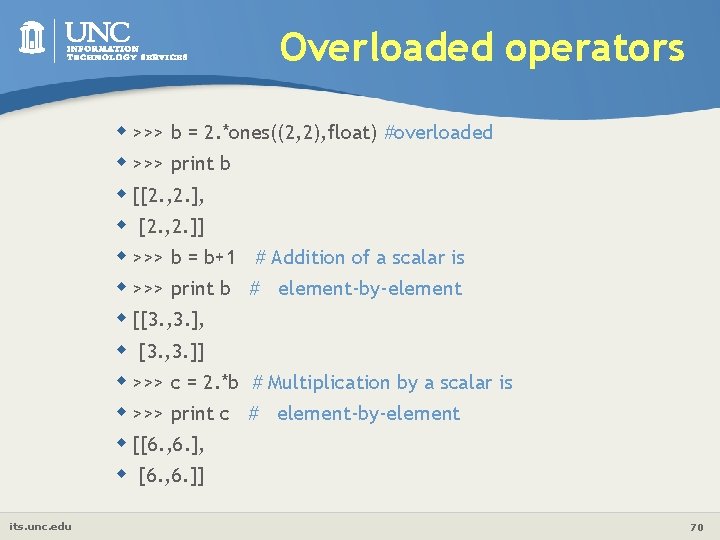
Overloaded operators w >>> b = 2. *ones((2, 2), float) #overloaded w >>> print b w [[2. , 2. ], w [2. , 2. ]] w >>> b = b+1 # Addition of a scalar is w >>> print b # element-by-element w [[3. , 3. ], w [3. , 3. ]] w >>> c = 2. *b # Multiplication by a scalar is w >>> print c # element-by-element w [[6. , 6. ], w [6. , 6. ]] its. unc. edu 70
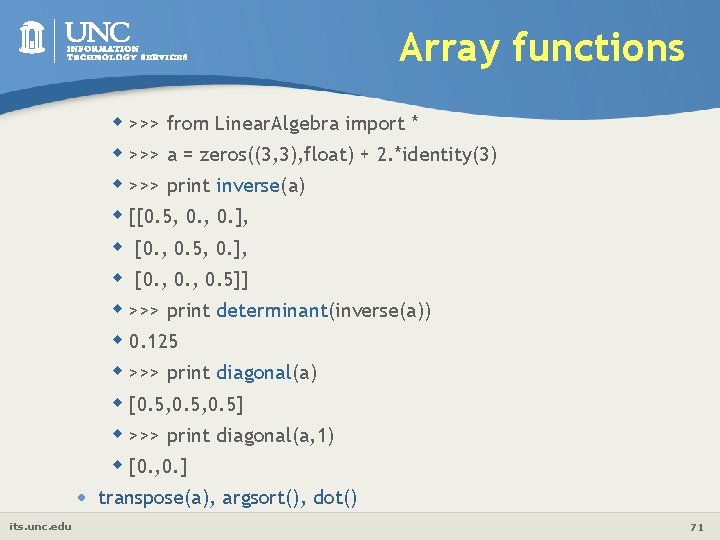
Array functions w >>> from Linear. Algebra import * w >>> a = zeros((3, 3), float) + 2. *identity(3) w >>> print inverse(a) w [[0. 5, 0. ], w [0. , 0. 5]] w >>> print determinant(inverse(a)) w 0. 125 w >>> print diagonal(a) w [0. 5, 0. 5] w >>> print diagonal(a, 1) w [0. , 0. ] • its. unc. edu transpose(a), argsort(), dot() 71
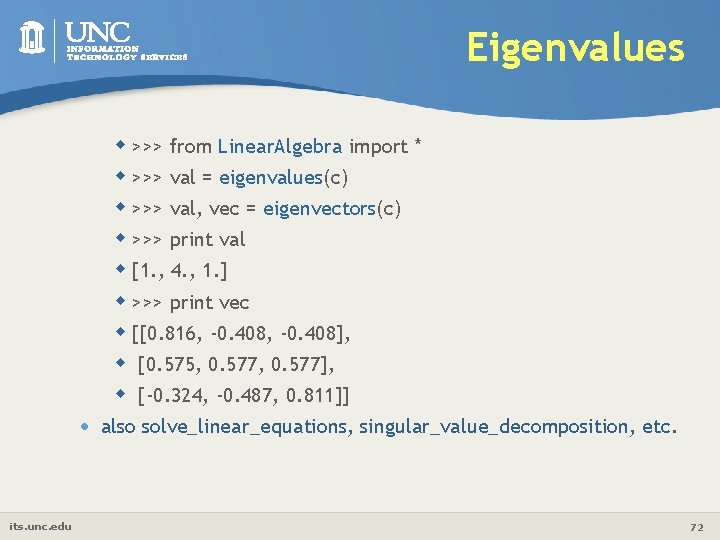
Eigenvalues w >>> from Linear. Algebra import * w >>> val = eigenvalues(c) w >>> val, vec = eigenvectors(c) w >>> print val w [1. , 4. , 1. ] w >>> print vec w [[0. 816, -0. 408], w [0. 575, 0. 577], w [-0. 324, -0. 487, 0. 811]] • its. unc. edu also solve_linear_equations, singular_value_decomposition, etc. 72
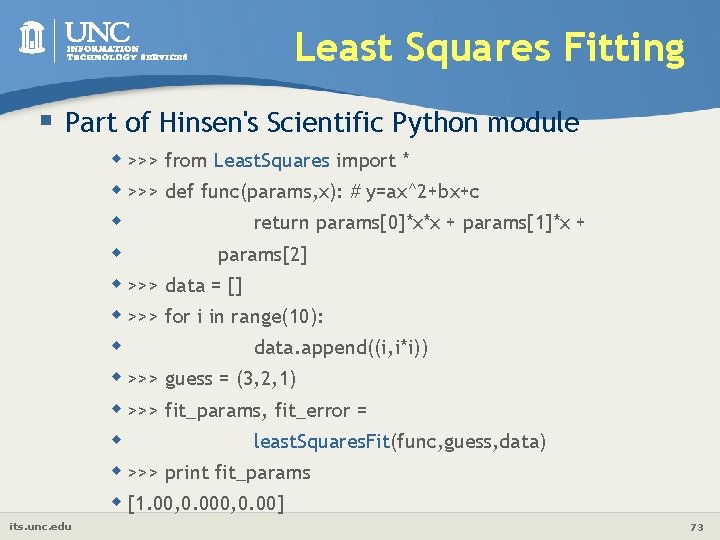
Least Squares Fitting § Part of Hinsen's Scientific Python module w >>> from Least. Squares import * w >>> def func(params, x): # y=ax^2+bx+c w return params[0]*x*x + params[1]*x + w params[2] w >>> data = [] w >>> for i in range(10): w data. append((i, i*i)) w >>> guess = (3, 2, 1) w >>> fit_params, fit_error = w least. Squares. Fit(func, guess, data) w >>> print fit_params w [1. 00, 0. 00] its. unc. edu 73
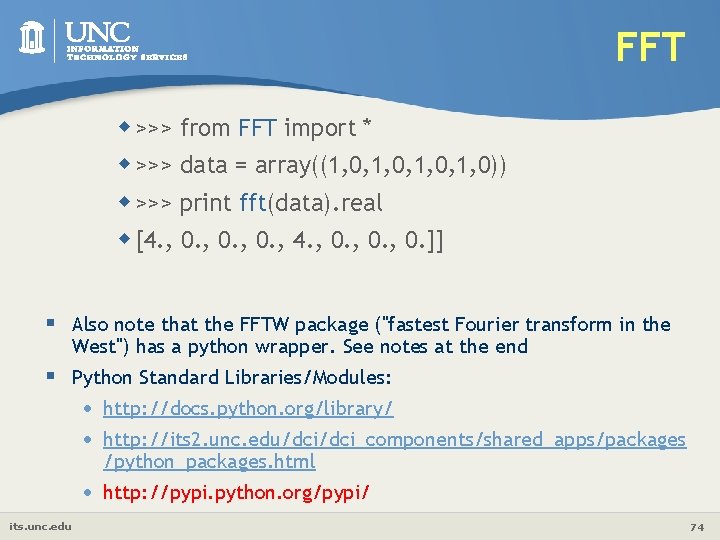
FFT w >>> from FFT import * w >>> data = array((1, 0, 1, 0)) w >>> print fft(data). real w [4. , 0. , 4. , 0. ]] § Also note that the FFTW package ("fastest Fourier transform in the West") has a python wrapper. See notes at the end § Python Standard Libraries/Modules: its. unc. edu • • http: //docs. python. org/library/ • http: //pypi. python. org/pypi/ http: //its 2. unc. edu/dci_components/shared_apps/packages /python_packages. html 74
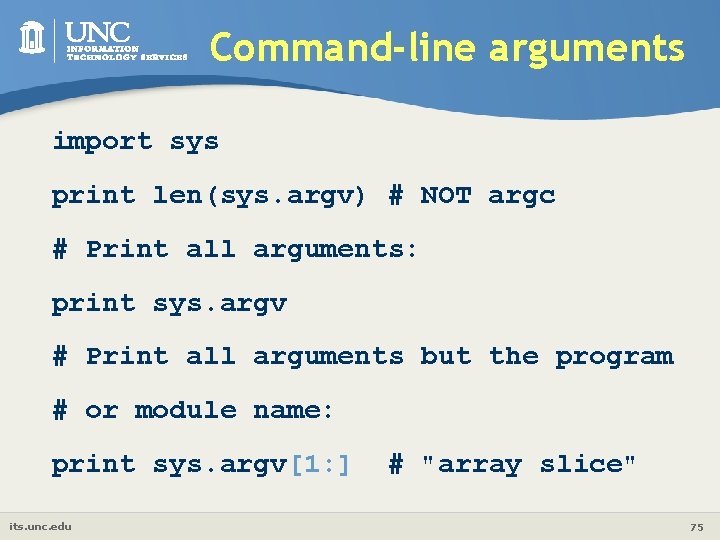
Command-line arguments import sys print len(sys. argv) # NOT argc # Print all arguments: print sys. argv # Print all arguments but the program # or module name: print sys. argv[1: ] its. unc. edu # "array slice" 75
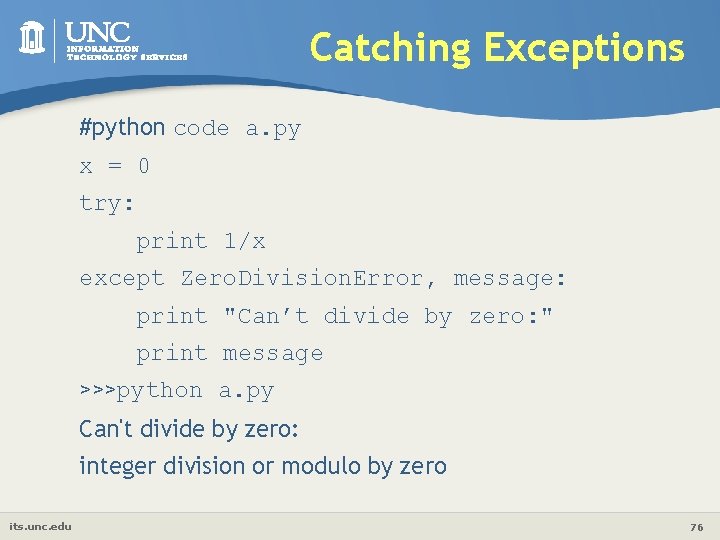
Catching Exceptions #python code a. py x = 0 try: print 1/x except Zero. Division. Error, message: print "Can’t divide by zero: " print message >>>python a. py Can't divide by zero: integer division or modulo by zero its. unc. edu 76
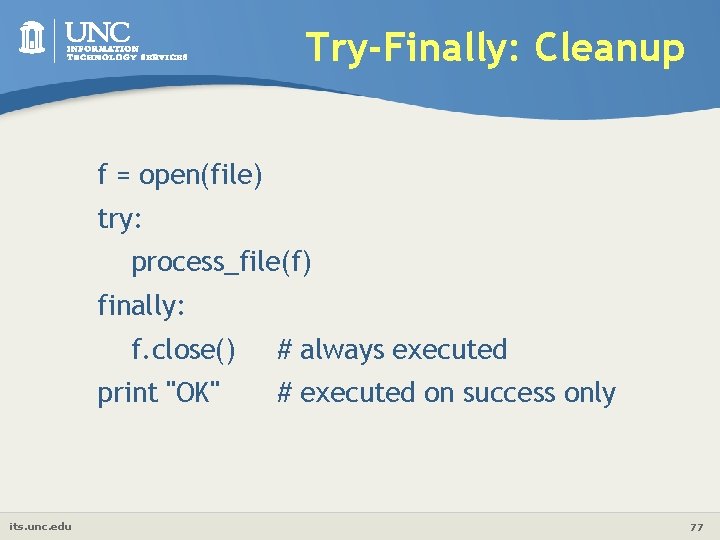
Try-Finally: Cleanup f = open(file) try: process_file(f) finally: f. close() print "OK" its. unc. edu # always executed # executed on success only 77
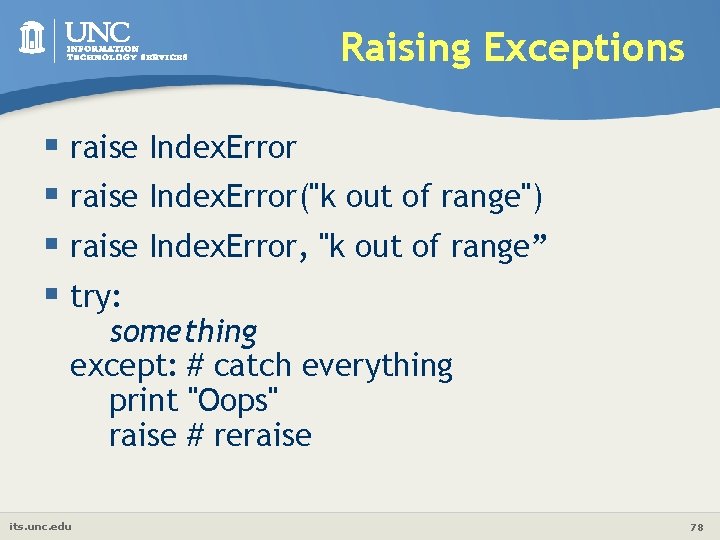
Raising Exceptions § raise Index. Error("k out of range") § raise Index. Error, "k out of range” § try: something except: # catch everything print "Oops" raise # reraise its. unc. edu 78
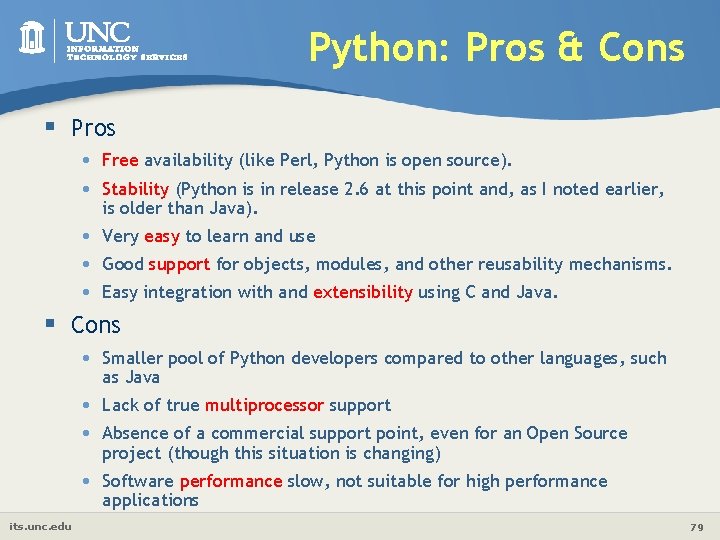
Python: Pros & Cons § Pros • • Free availability (like Perl, Python is open source). • • • Very easy to learn and use Stability (Python is in release 2. 6 at this point and, as I noted earlier, is older than Java). Good support for objects, modules, and other reusability mechanisms. Easy integration with and extensibility using C and Java. § Cons its. unc. edu • Smaller pool of Python developers compared to other languages, such as Java • • Lack of true multiprocessor support • Software performance slow, not suitable for high performance applications Absence of a commercial support point, even for an Open Source project (though this situation is changing) 79
References • Python Homepage • http: //www. python. org • Python Tutorial • http: //docs. python. org/tutorial/ • Python Documentation • http: //www. python. org/doc • Python Library References w http: //docs. python. org/release/2. 5. 2/lib. html • Python Add-on Packages: w http: //pypi. python. org/pypi its. unc. edu 80
Questions & Comments Please direct comments/questions about research computing to E-mail: research@unc. edu Please direct comments/questions pertaining to this presentation to E-Mail: shubin@email. unc. edu The PPT file of this presentation is available here: http: //its 2. unc. edu/divisions/rc/training/scientific/short_courses/Python_intro. ppt its. unc. edu
Hands-On Exercises § § 26 codes at /netscr/training/Python Copy to your own /netscr/$USER Read, understand, and then run them Suggested order: • hello, input, print, readwrite • number, string_test, sort • list, dictionary, tuple, function, class • loop, fact, … • calculator, guess, prime_number • matrix, opt, leastsq The PPT/WORD format of this presentation is available here: http: //its 2. unc. edu/divisions/rc/training/scientific/ its. unc. edu /afs/isis/depts/its/public_html/divisions/rc/training/scientific/short_courses/ 82
- Slides: 82