
PYTHON AN INTRODUCTION David Wynne Clinton Dow What
- Slides: 30
PYTHON: AN INTRODUCTION David Wynne, Clinton Dow
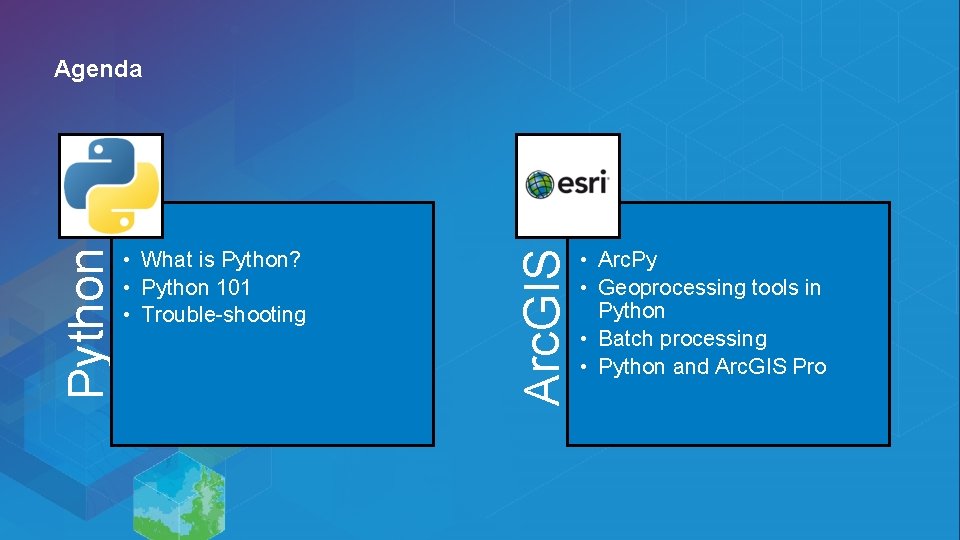
• What is Python? • Python 101 • Trouble-shooting Arc. GIS Python Agenda • Arc. Py • Geoprocessing tools in Python • Batch processing • Python and Arc. GIS Pro
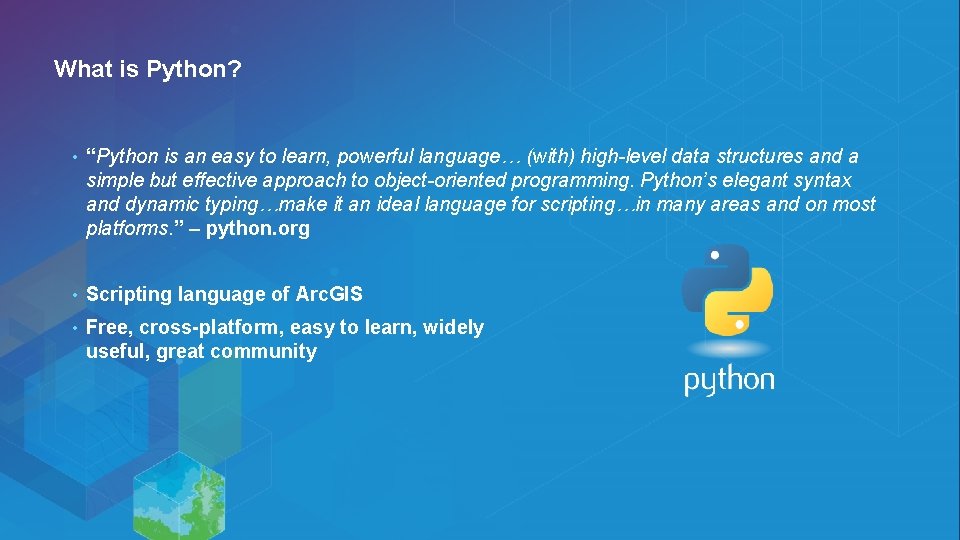
What is Python? • “Python is an easy to learn, powerful language… (with) high-level data structures and a simple but effective approach to object-oriented programming. Python’s elegant syntax and dynamic typing…make it an ideal language for scripting…in many areas and on most platforms. ” – python. org • Scripting language of Arc. GIS • Free, cross-platform, easy to learn, widely useful, great community
Why use Python and Arc. GIS? • Automate repetitive tasks • Make your own geoprocessing tools • Add geoprocessing to web applications • Customize Desktop apps • Extend the capabilities of Arc. GIS
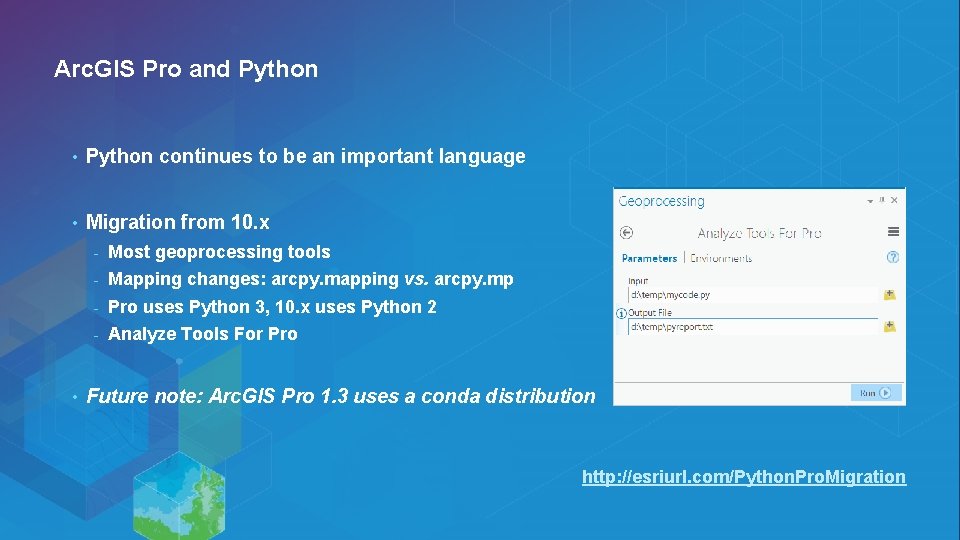
Arc. GIS Pro and Python • Python continues to be an important language • Migration from 10. x • - Most geoprocessing tools - Mapping changes: arcpy. mapping vs. arcpy. mp - Pro uses Python 3, 10. x uses Python 2 - Analyze Tools For Pro Future note: Arc. GIS Pro 1. 3 uses a conda distribution http: //esriurl. com/Python. Pro. Migration
Python 101 - IDEs • Python code is written in. py files - • Where do I write Python code? - • Or an interactive Python prompt (Python command line, Python window in Arc. GIS) IDEs such as Wing IDE, Py. Charm, Spyder, Py. Scripter, Python IDLE, … How do I run? - Double-click. py, from command line, IDEs, Arc. GIS
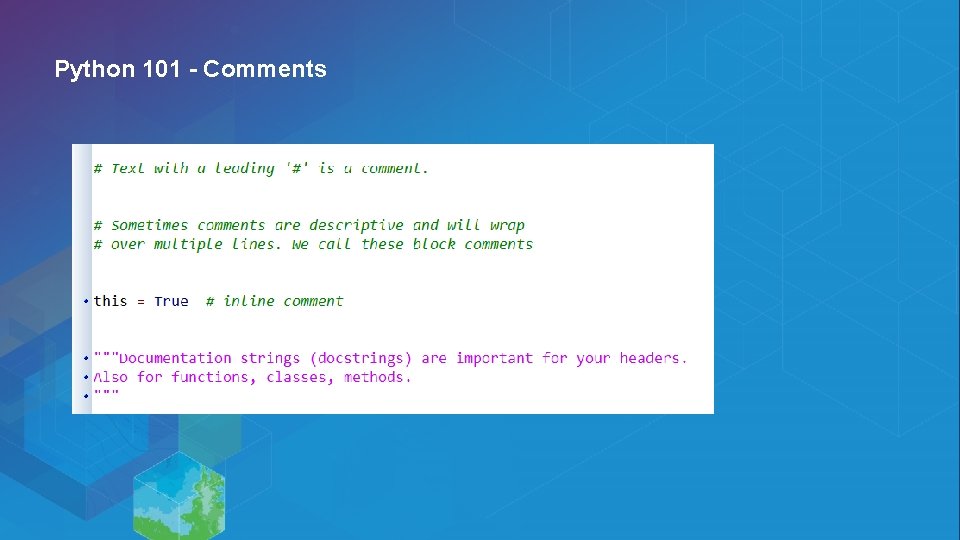
Python 101 - Comments
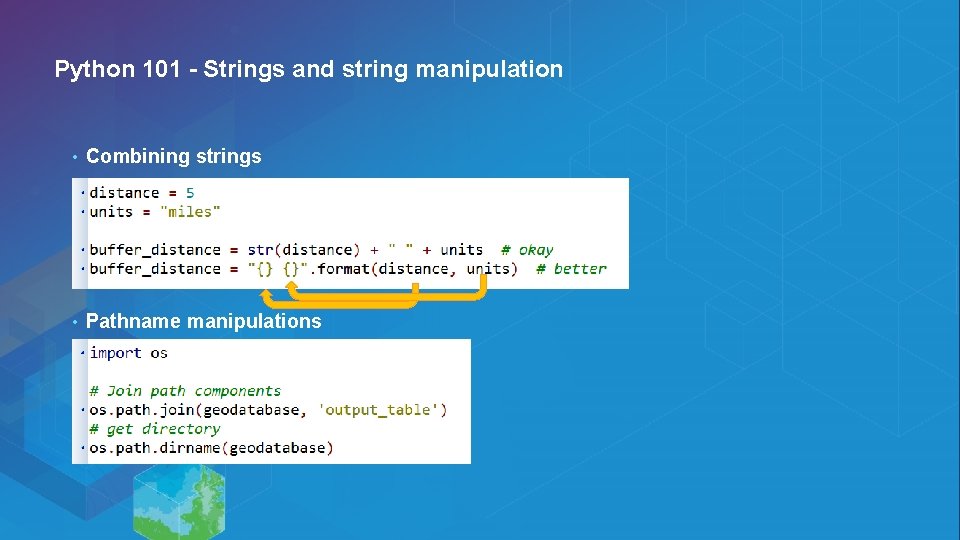
Python 101 - Strings and string manipulation • Combining strings • Pathname manipulations
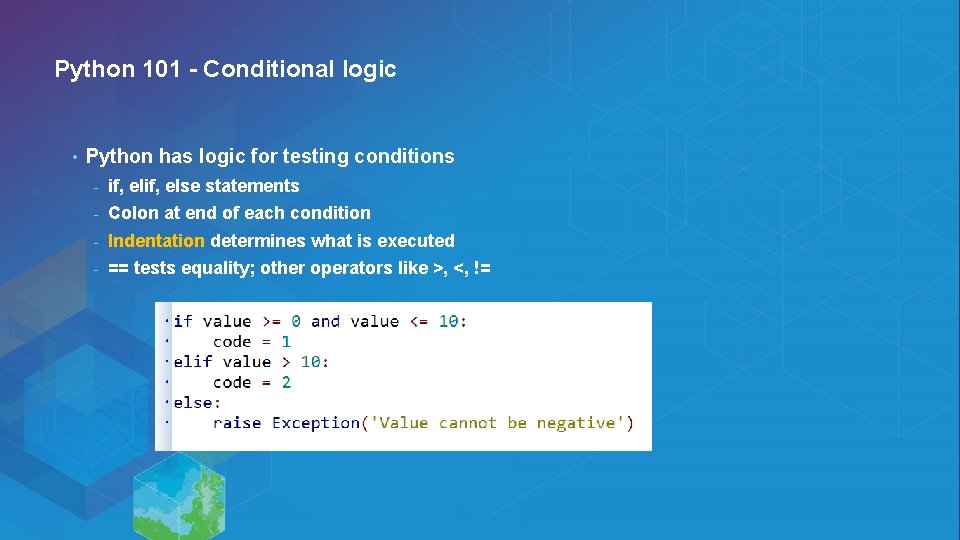
Python 101 - Conditional logic • Python has logic for testing conditions - if, else statements - Colon at end of each condition - Indentation determines what is executed - == tests equality; other operators like >, <, !=
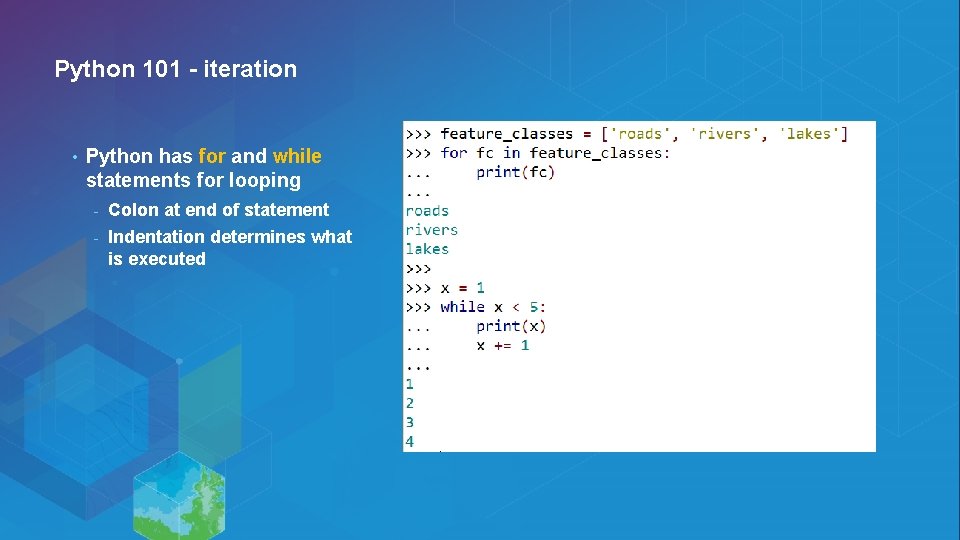
Python 101 - iteration • Python has for and while statements for looping - Colon at end of statement - Indentation determines what is executed
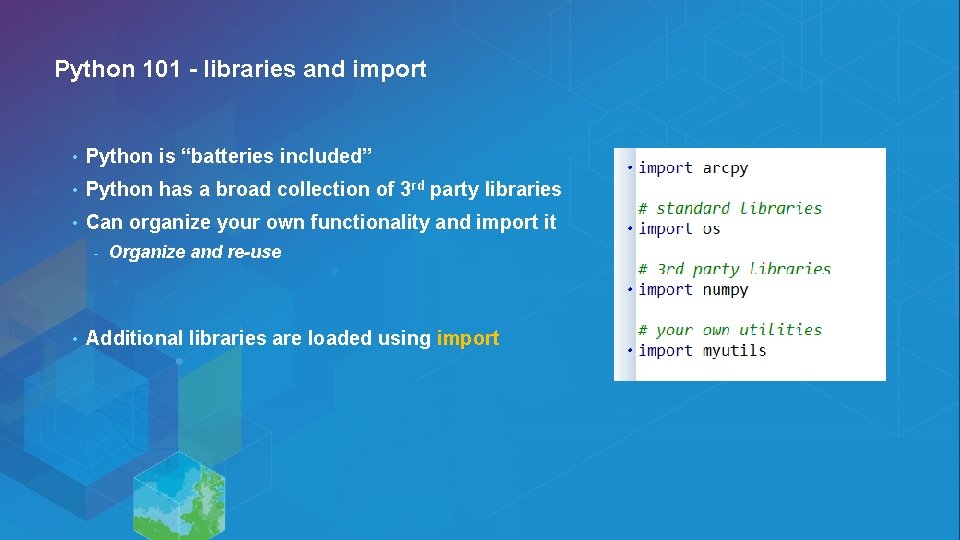
Python 101 - libraries and import • Python is “batteries included” • Python has a broad collection of 3 rd party libraries • Can organize your own functionality and import it - • Organize and re-use Additional libraries are loaded using import
Python basics Demo
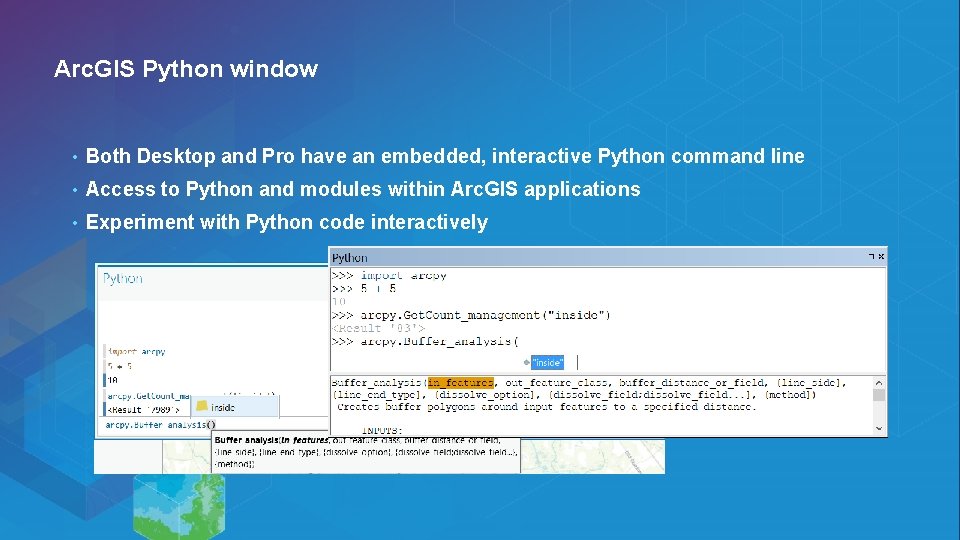
Arc. GIS Python window • Both Desktop and Pro have an embedded, interactive Python command line • Access to Python and modules within Arc. GIS applications • Experiment with Python code interactively
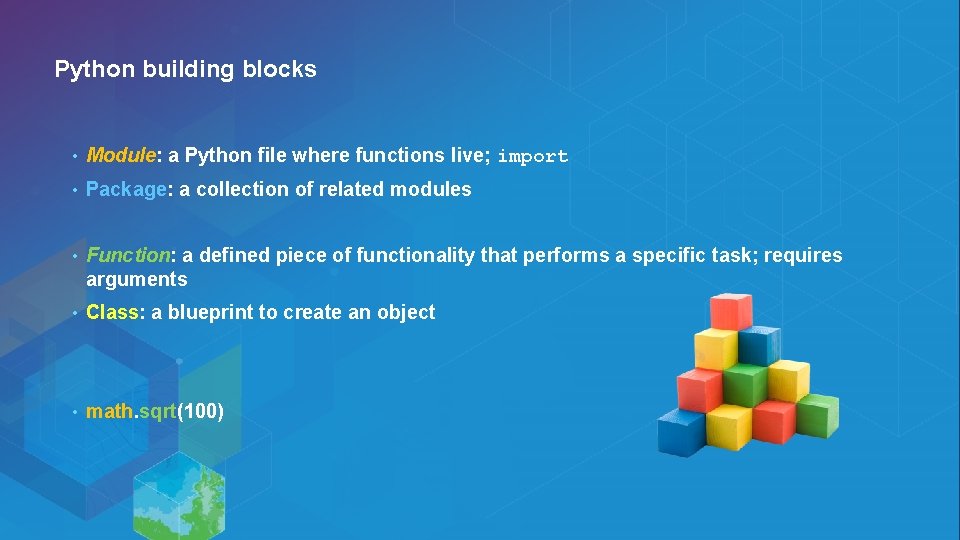
Python building blocks • Module: a Python file where functions live; import • Package: a collection of related modules • Function: a defined piece of functionality that performs a specific task; requires arguments • Class: a blueprint to create an object • math. sqrt(100)
Arc. Py • Access point to Arc. GIS functionality through Python - Desktop, Server, Engine, and Pro 1. Geoprocessing tools 2. Functions like List. Feature. Classes, Describe 3. Classes like Polygon, Spatial. Reference, Field. Map 4. Modules 1. Mapping: arcpy. mapping / arcpy. mp 2. Data access: arcpy. da 3. Map algebra: arcpy. sa 4. Network Analyst: arcpy. na
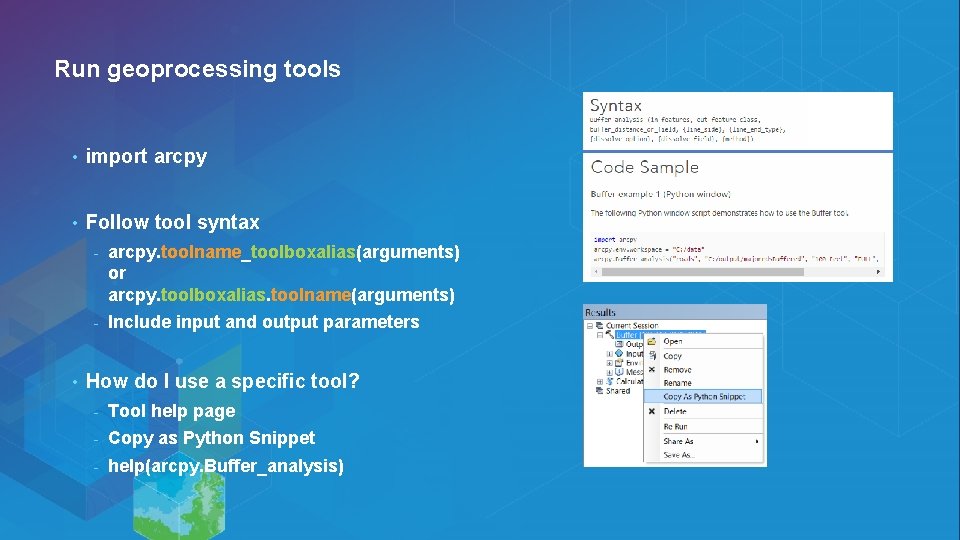
Run geoprocessing tools • import arcpy • Follow tool syntax • - arcpy. toolname_toolboxalias(arguments) or arcpy. toolboxalias. toolname(arguments) - Include input and output parameters How do I use a specific tool? - Tool help page - Copy as Python Snippet - help(arcpy. Buffer_analysis)
Geoprocessing and Python Demo
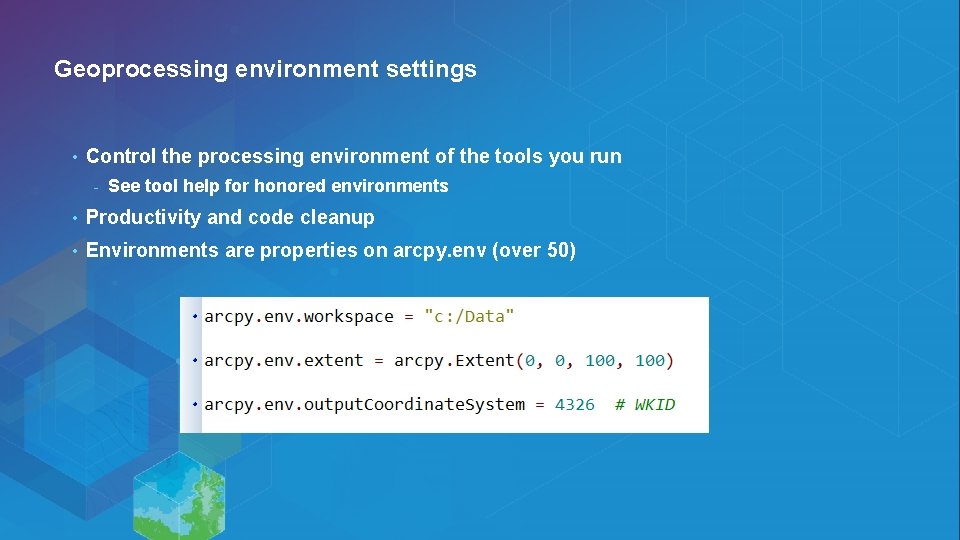
Geoprocessing environment settings • Control the processing environment of the tools you run - See tool help for honored environments • Productivity and code cleanup • Environments are properties on arcpy. env (over 50)
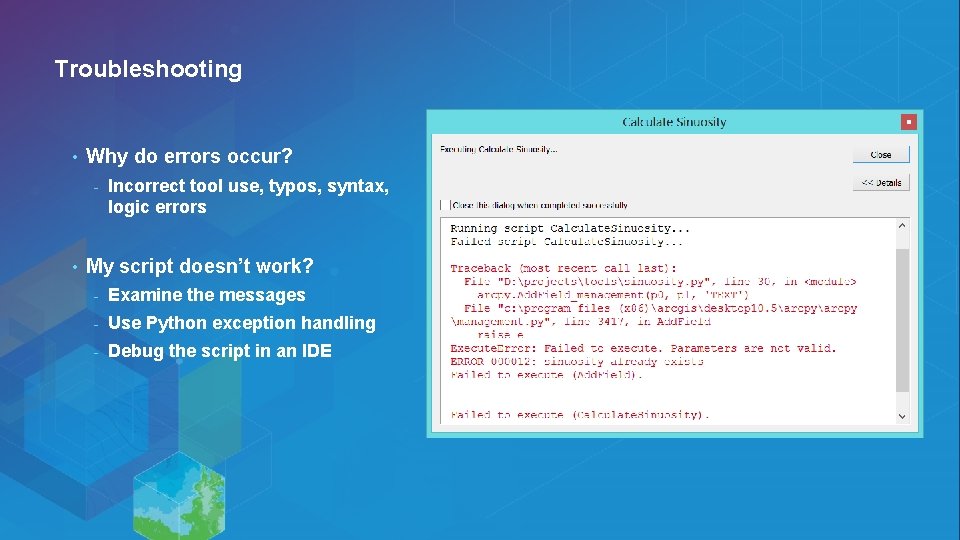
Troubleshooting • Why do errors occur? - • Incorrect tool use, typos, syntax, logic errors My script doesn’t work? - Examine the messages - Use Python exception handling - Debug the script in an IDE
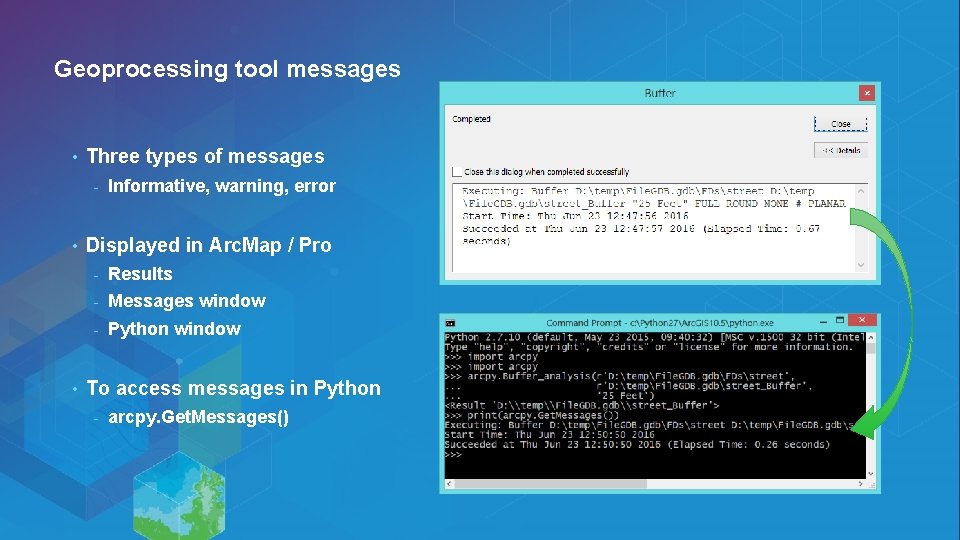
Geoprocessing tool messages • Three types of messages - • • Informative, warning, error Displayed in Arc. Map / Pro - Results - Messages window - Python window To access messages in Python - arcpy. Get. Messages()
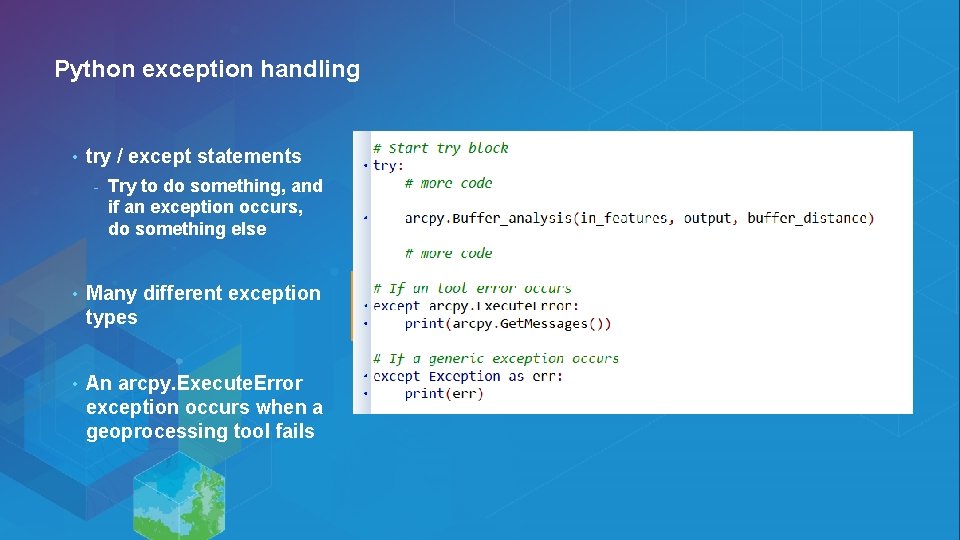
Python exception handling • try / except statements - Try to do something, and if an exception occurs, do something else • Many different exception types • An arcpy. Execute. Error exception occurs when a geoprocessing tool fails
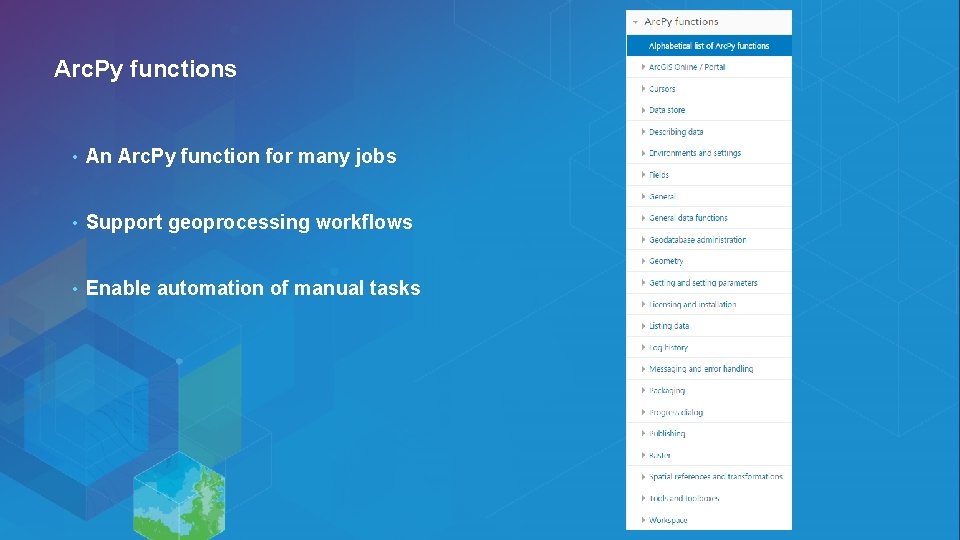
Arc. Py functions • An Arc. Py function for many jobs • Support geoprocessing workflows • Enable automation of manual tasks
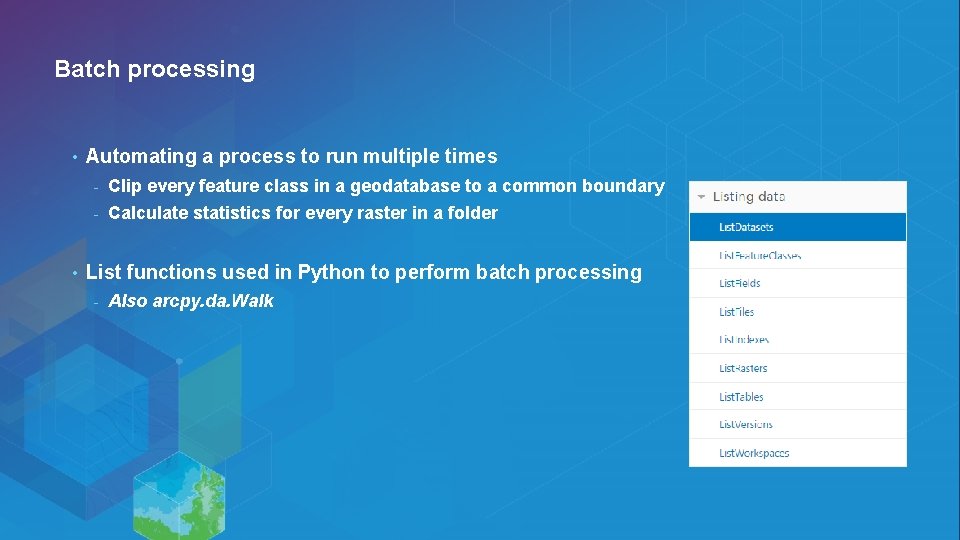
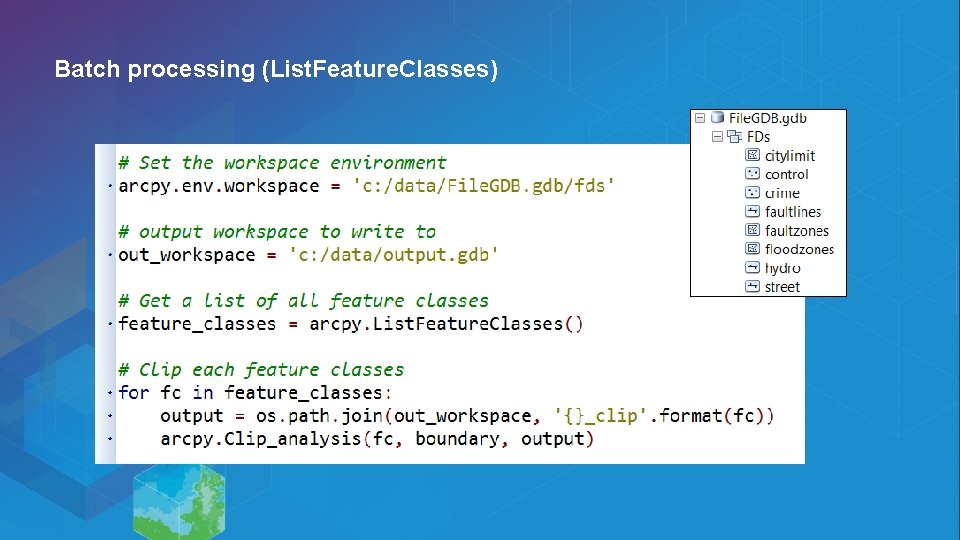
Batch processing • • Automating a process to run multiple times - Clip every feature class in a geodatabase to a common boundary - Calculate statistics for every raster in a folder List functions used in Python to perform batch processing - Also arcpy. da. Walk
Batch processing (List. Feature. Classes)
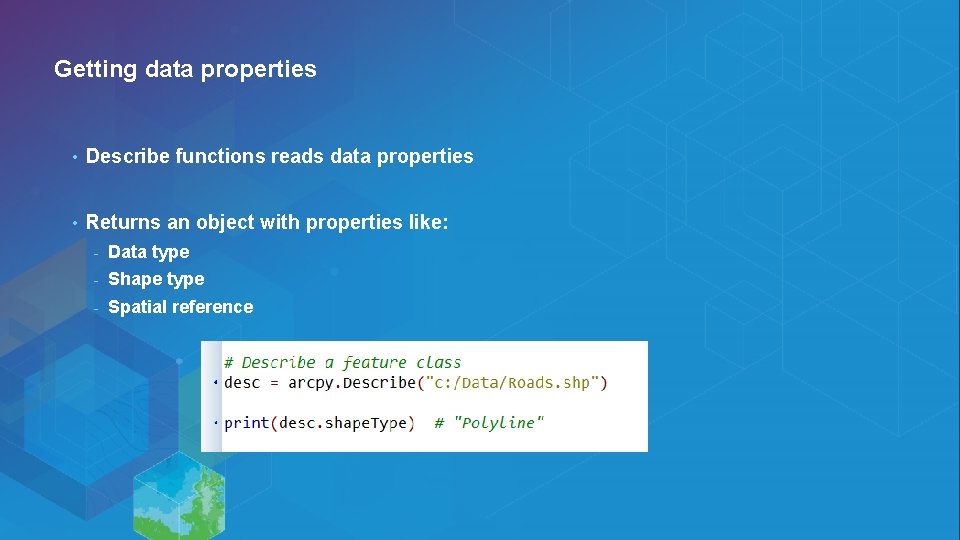
Getting data properties • Describe functions reads data properties • Returns an object with properties like: - Data type - Shape type - Spatial reference
Writing a Python script Demo
Conda is part of Pro at 1. 3 • “Conda is an open source package management system and environment management system for installing multiple versions of software packages and their dependencies and switching easily between them. ” -- http: //conda. pydata. org/docs/ • Conda solves limitations in core Python infrastructure - Handling dependencies - Locating, compiling Python libraries - Managing multiple Python versions
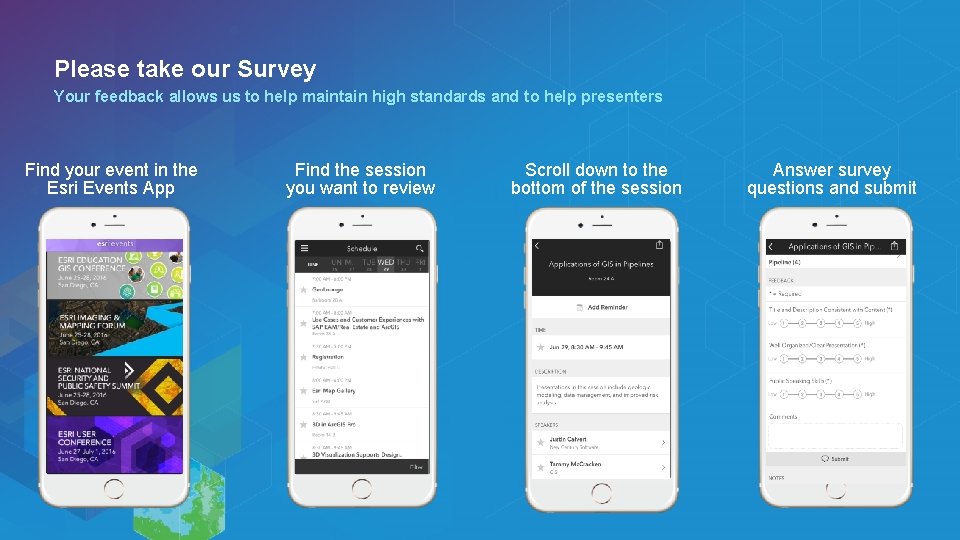
Please take our Survey Your feedback allows us to help maintain high standards and to help presenters Find your event in the Esri Events App Find the session you want to review Scroll down to the bottom of the session Answer survey questions and submit
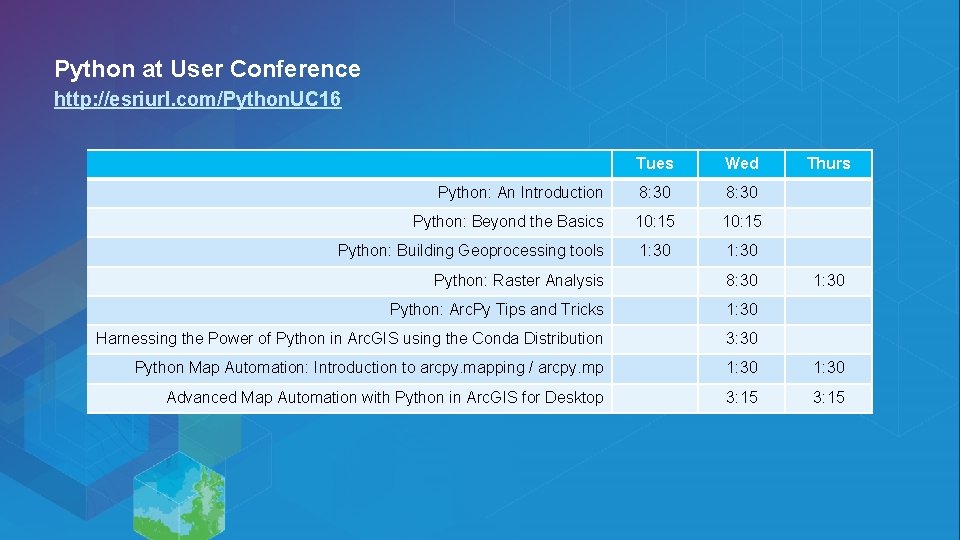
Python at User Conference http: //esriurl. com/Python. UC 16 Tues Wed Python: An Introduction 8: 30 Python: Beyond the Basics 10: 15 Python: Building Geoprocessing tools 1: 30 Thurs Python: Raster Analysis 8: 30 1: 30 Python: Arc. Py Tips and Tricks 1: 30 Harnessing the Power of Python in Arc. GIS using the Conda Distribution 3: 30 Python Map Automation: Introduction to arcpy. mapping / arcpy. mp 1: 30 Advanced Map Automation with Python in Arc. GIS for Desktop 3: 15