
Pymol tutorial Refresher and advanced topics Chem 258
![set light=[5. 0000, 0. 2500, 0. 2000] ray 900, 700 Halloween What deep dark](https://slidetodoc.com/presentation_image_h/a4fc22296bf778a829b810c0dcbe8875/image-43.jpg "set light=[5. 0000, 0. 2500, 0. 2000] ray 900, 700 Halloween What deep dark")
![set light=[-0. 0500, 0. 0000, -1. 0000] ray 900, 700 Lit up pocket From](https://slidetodoc.com/presentation_image_h/a4fc22296bf778a829b810c0dcbe8875/image-44.jpg "set light=[-0. 0500, 0. 0000, -1. 0000] ray 900, 700 Lit up pocket From")
- Slides: 51
Pymol tutorial Refresher and advanced topics Chem 258 Michael R. Sawaya and Duilio Cascio Oct 14, 2016
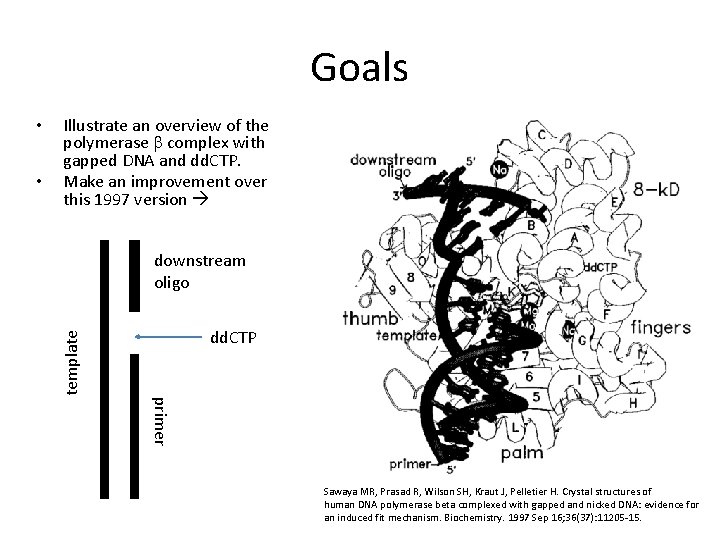
Goals • Illustrate an overview of the polymerase b complex with gapped DNA and dd. CTP. Make an improvement over this 1997 version downstream oligo dd. CTP template • primer Sawaya MR, Prasad R, Wilson SH, Kraut J, Pelletier H. Crystal structures of human DNA polymerase beta complexed with gapped and nicked DNA: evidence for an induced fit mechanism. Biochemistry. 1997 Sep 16; 36(37): 11205 -15.
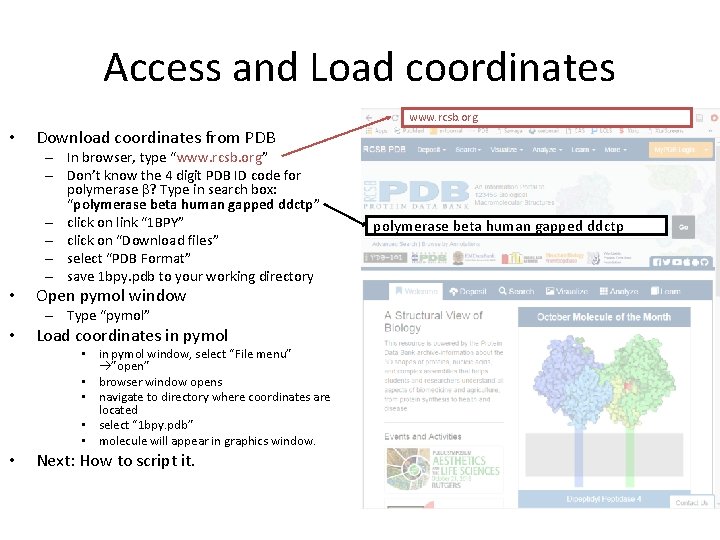
Access and Load coordinates www. rcsb. org • Download coordinates from PDB – In browser, type “www. rcsb. org” – Don’t know the 4 digit PDB ID code for polymerase b? Type in search box: “polymerase beta human gapped ddctp” – click on link “ 1 BPY” – click on “Download files” – select “PDB Format” – save 1 bpy. pdb to your working directory • Open pymol window – Type “pymol” • Load coordinates in pymol • in pymol window, select “File menu” ”open” • browser window opens • navigate to directory where coordinates are located • select “ 1 bpy. pdb” • molecule will appear in graphics window. • Next: How to script it. polymerase beta human gapped ddctp
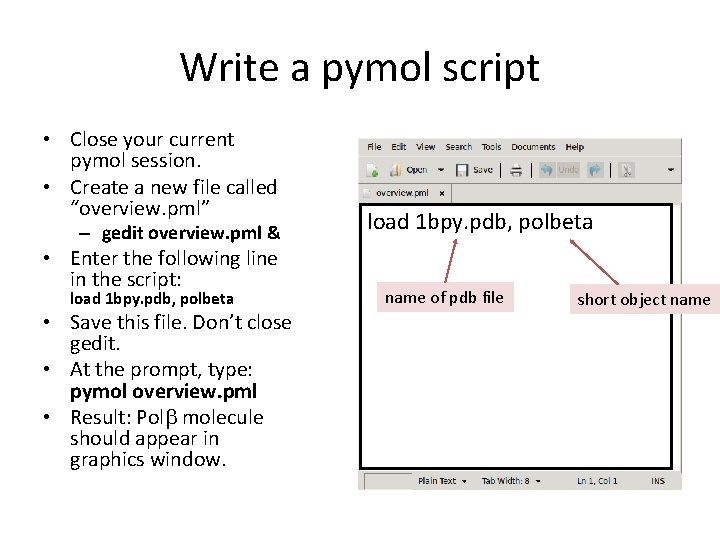
Write a pymol script • Close your current pymol session. • Create a new file called “overview. pml” – gedit overview. pml & • Enter the following line in the script: load 1 bpy. pdb, polbeta • Save this file. Don’t close gedit. • At the prompt, type: pymol overview. pml • Result: Polb molecule should appear in graphics window. load 1 bpy. pdb, polbeta name of pdb file short object name
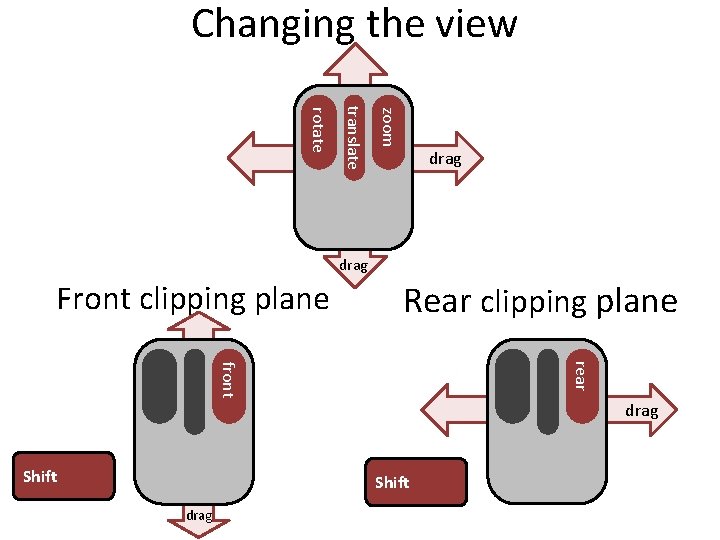
Changing the view zoom translate rotate drag Front clipping plane Rear clipping plane rear front drag Shift drag
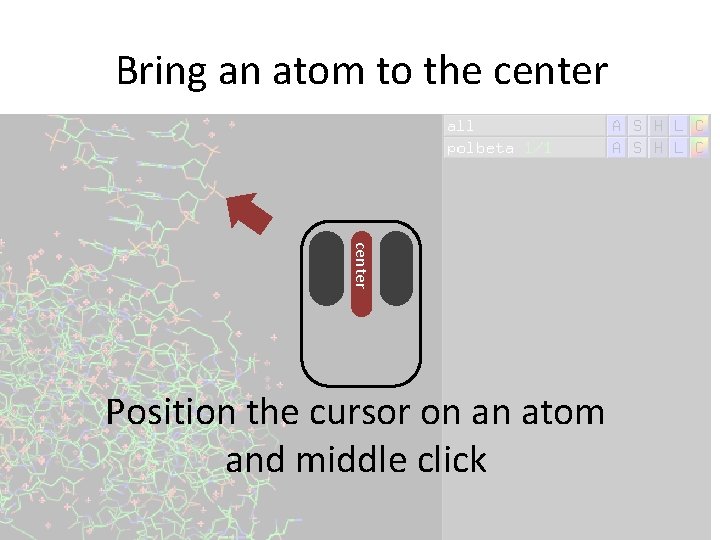
Bring an atom to the center Position the cursor on an atom and middle click
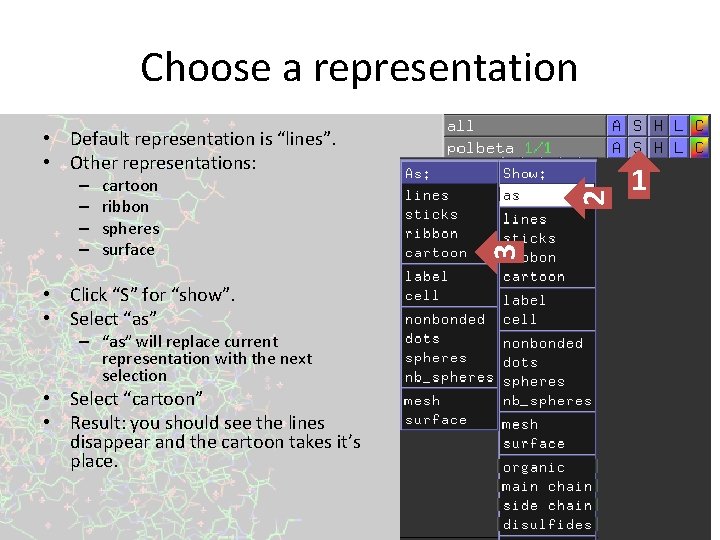
Choose a representation cartoon ribbon spheres surface • Click “S” for “show”. • Select “as” – “as” will replace current representation with the next selection • Select “cartoon” • Result: you should see the lines disappear and the cartoon takes it’s place. 3 – – 2 • Default representation is “lines”. • Other representations: 1
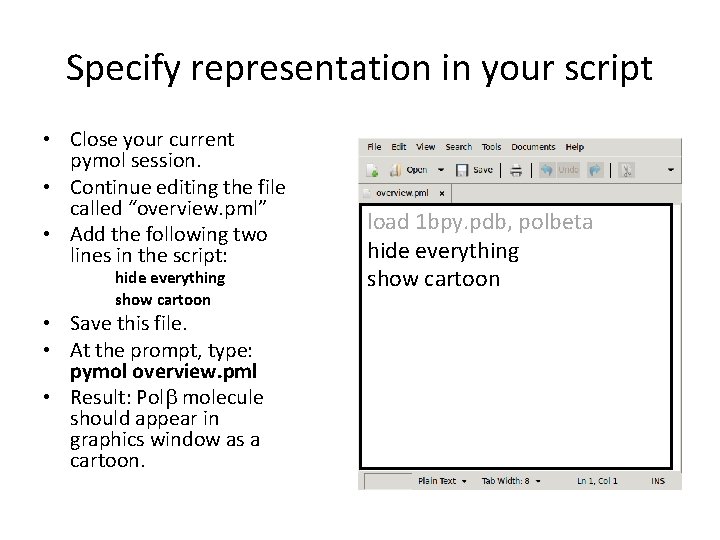
Specify representation in your script • Close your current pymol session. • Continue editing the file called “overview. pml” • Add the following two lines in the script: hide everything show cartoon • Save this file. • At the prompt, type: pymol overview. pml • Result: Polb molecule should appear in graphics window as a cartoon. load 1 bpy. pdb, polbeta hide everything show cartoon
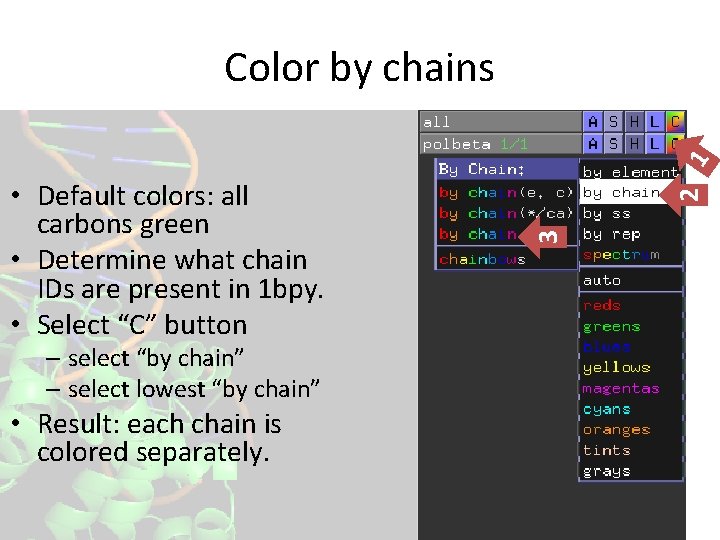
– select “by chain” – select lowest “by chain” • Result: each chain is colored separately. 3 • Default colors: all carbons green • Determine what chain IDs are present in 1 bpy. • Select “C” button 2 1 Color by chains
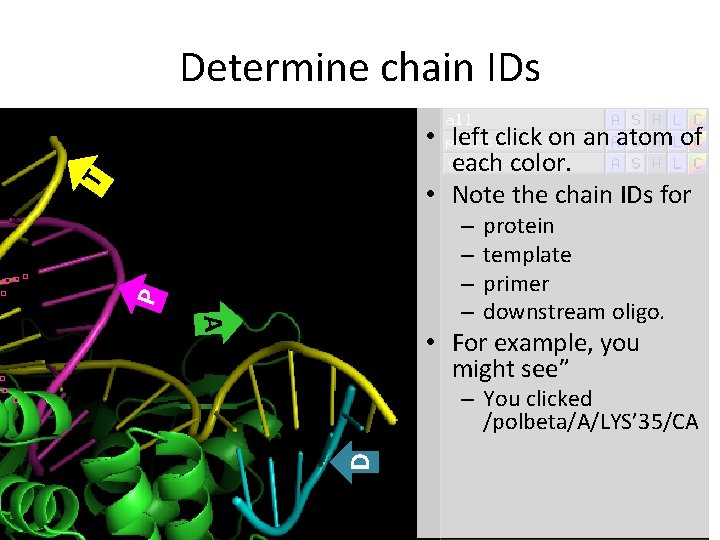
Determine chain IDs T • left click on an atom of each color. • Note the chain IDs for P – – A protein template primer downstream oligo. • For example, you might see” D – You clicked /polbeta/A/LYS’ 35/CA
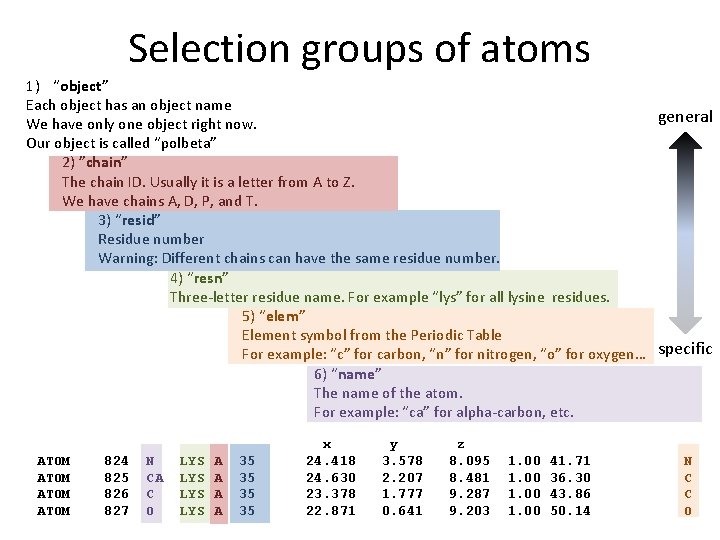
Selection groups of atoms 1) “object” Each object has an object name general We have only one object right now. Our object is called “polbeta” 2) ”chain” The chain ID. Usually it is a letter from A to Z. We have chains A, D, P, and T. 3) “resid” Residue number Warning: Different chains can have the same residue number. 4) “resn” Three-letter residue name. For example “lys” for all lysine residues. 5) “elem” Element symbol from the Periodic Table For example: “c” for carbon, “n” for nitrogen, “o” for oxygen… specific 6) “name” The name of the atom. For example: “ca” for alpha-carbon, etc. ATOM 824 825 826 827 N CA C O LYS LYS A A 35 35 x 24. 418 24. 630 23. 378 22. 871 y 3. 578 2. 207 1. 777 0. 641 z 8. 095 8. 481 9. 287 9. 203 1. 00 41. 71 36. 30 43. 86 50. 14 N C C O
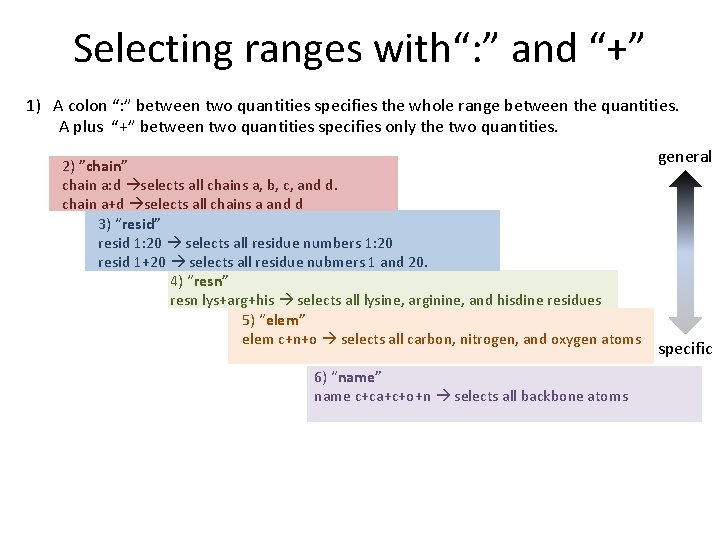
Selecting ranges with“: ” and “+” 1) A colon “: ” between two quantities specifies the whole range between the quantities. A plus “+” between two quantities specifies only the two quantities. 2) ”chain” chain a: d selects all chains a, b, c, and d. chain a+d selects all chains a and d 3) “resid” resid 1: 20 selects all residue numbers 1: 20 resid 1+20 selects all residue nubmers 1 and 20. 4) “resn” resn lys+arg+his selects all lysine, arginine, and hisdine residues 5) “elem” elem c+n+o selects all carbon, nitrogen, and oxygen atoms 6) “name” name c+ca+c+o+n selects all backbone atoms general specific
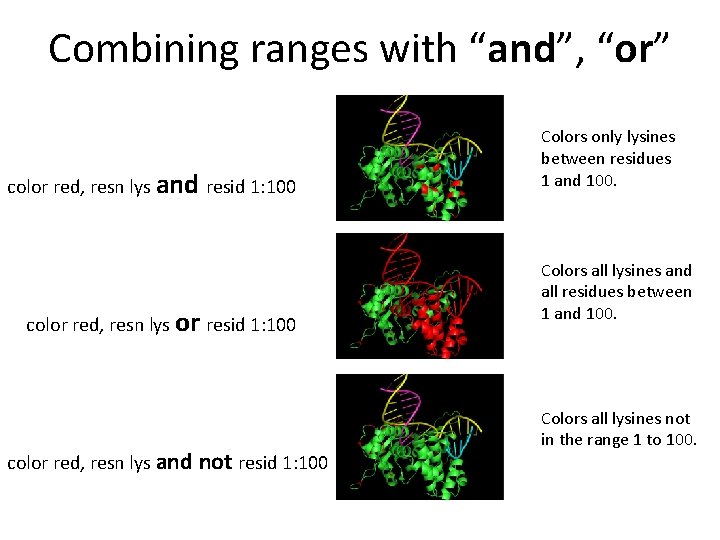
Combining ranges with “and”, “or” color red, resn lys and resid 1: 100 color red, resn lys or resid 1: 100 color red, resn lys and not resid 1: 100 Colors only lysines between residues 1 and 100. Colors all lysines and all residues between 1 and 100. Colors all lysines not in the range 1 to 100.
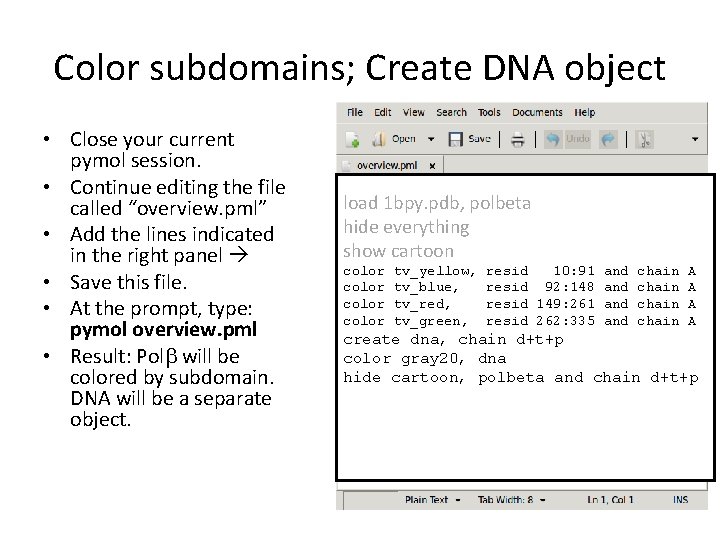
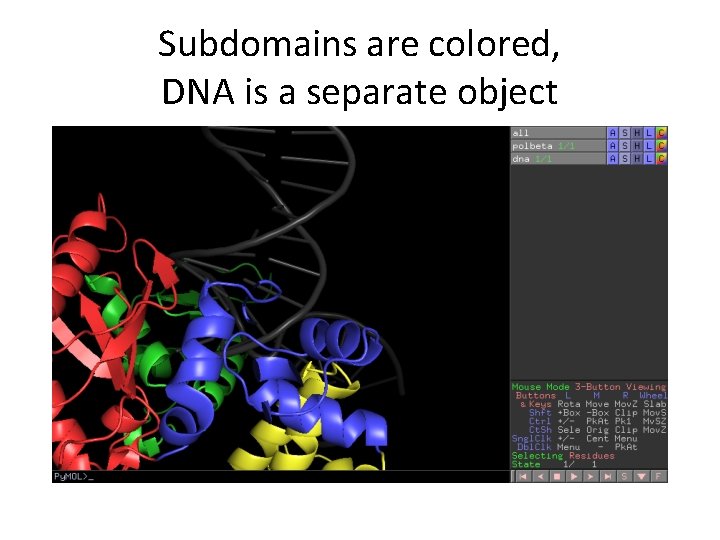
Color subdomains; Create DNA object • Close your current pymol session. • Continue editing the file called “overview. pml” • Add the lines indicated in the right panel • Save this file. • At the prompt, type: pymol overview. pml • Result: Polb will be colored by subdomain. DNA will be a separate object. load 1 bpy. pdb, polbeta hide everything show cartoon color tv_yellow, tv_blue, tv_red, tv_green, resid 10: 91 and resid 92: 148 and resid 149: 261 and resid 262: 335 and chain A A create dna, chain d+t+p color gray 20, dna hide cartoon, polbeta and chain d+t+p
Subdomains are colored, DNA is a separate object
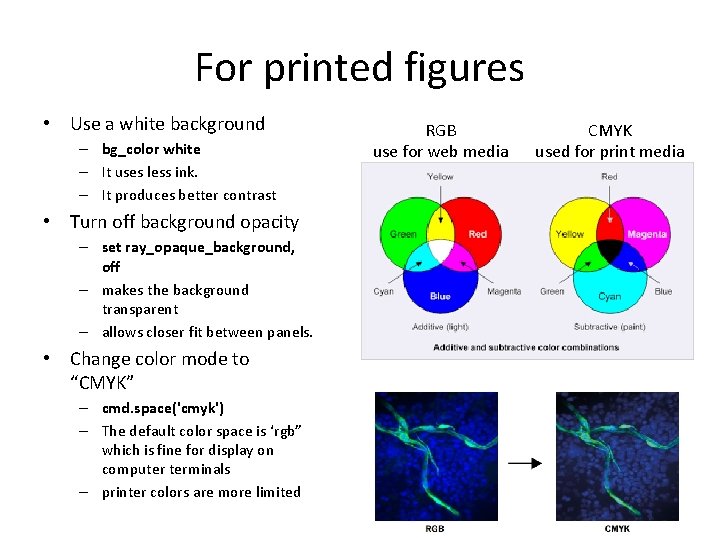
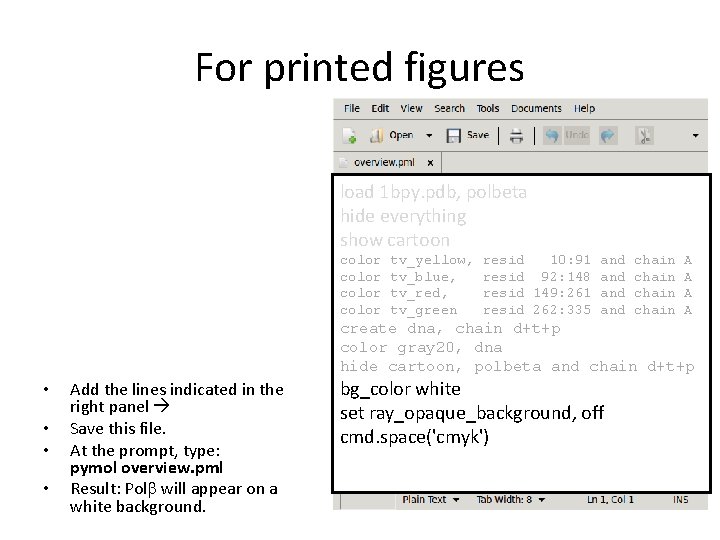
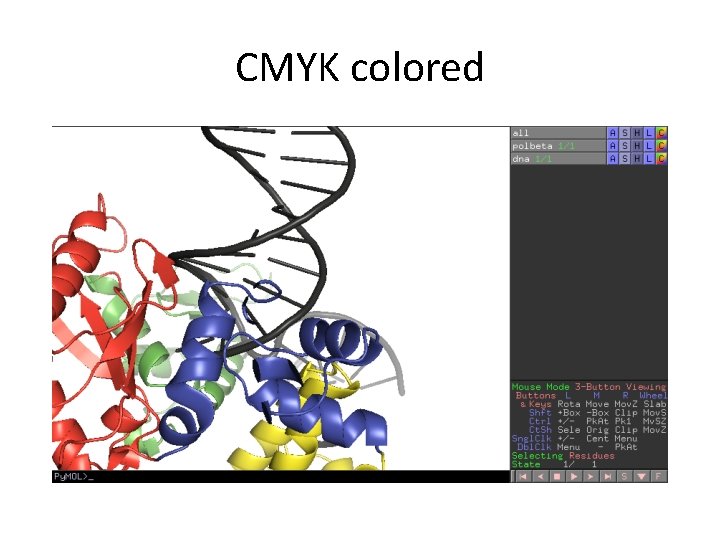
For printed figures • Use a white background – bg_color white – It uses less ink. – It produces better contrast • Turn off background opacity – set ray_opaque_background, off – makes the background transparent – allows closer fit between panels. • Change color mode to “CMYK” – cmd. space('cmyk') – The default color space is ‘rgb” which is fine for display on computer terminals – printer colors are more limited RGB use for web media CMYK used for print media
For printed figures load 1 bpy. pdb, polbeta hide everything show cartoon color tv_yellow, tv_blue, tv_red, tv_green resid 10: 91 and resid 92: 148 and resid 149: 261 and resid 262: 335 and chain A A create dna, chain d+t+p color gray 20, dna hide cartoon, polbeta and chain d+t+p • • Add the lines indicated in the right panel Save this file. At the prompt, type: pymol overview. pml Result: Polb will appear on a white background. bg_color white set ray_opaque_background, off cmd. space('cmyk')
CMYK colored
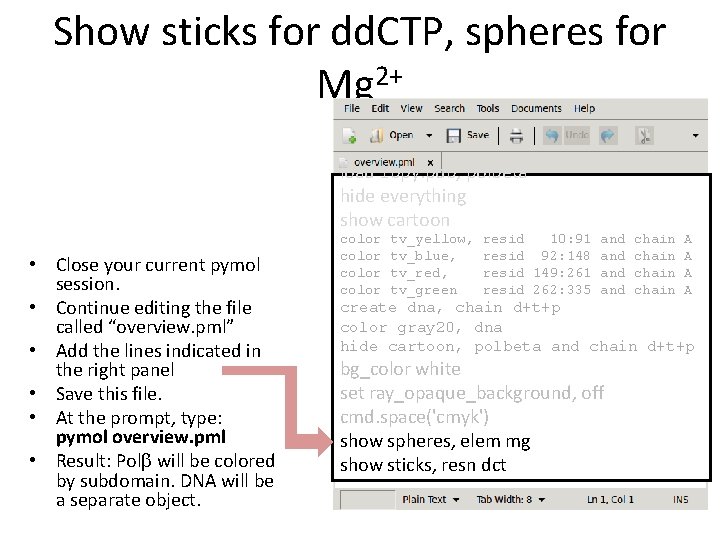
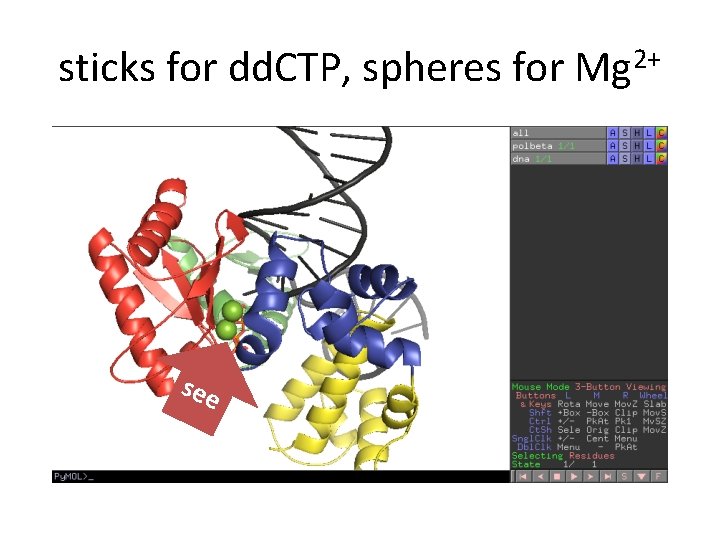
Show sticks for dd. CTP, spheres for Mg 2+ load 1 bpy. pdb, polbeta hide everything show cartoon • Close your current pymol session. • Continue editing the file called “overview. pml” • Add the lines indicated in the right panel • Save this file. • At the prompt, type: pymol overview. pml • Result: Polb will be colored by subdomain. DNA will be a separate object. color tv_yellow, tv_blue, tv_red, tv_green resid 10: 91 and resid 92: 148 and resid 149: 261 and resid 262: 335 and chain A A create dna, chain d+t+p color gray 20, dna hide cartoon, polbeta and chain d+t+p bg_color white set ray_opaque_background, off cmd. space('cmyk') show spheres, elem mg show sticks, resn dct
sticks for dd. CTP, spheres for Mg 2+ see
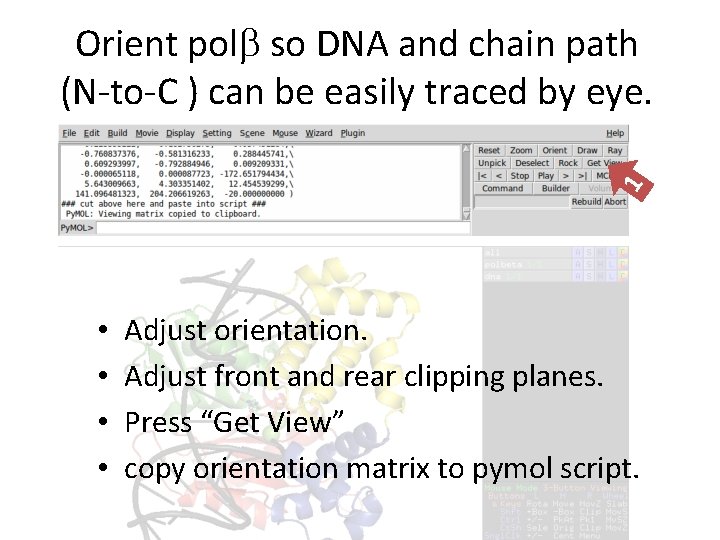
1 Orient polb so DNA and chain path (N-to-C ) can be easily traced by eye. • • Adjust orientation. Adjust front and rear clipping planes. Press “Get View” copy orientation matrix to pymol script.
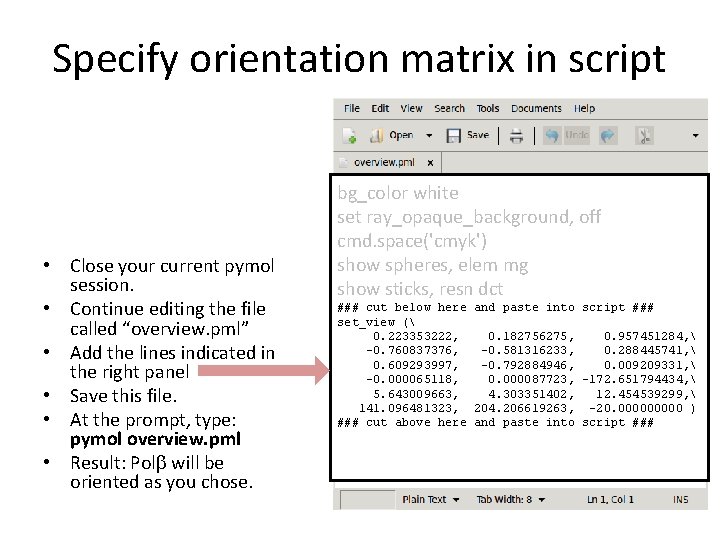
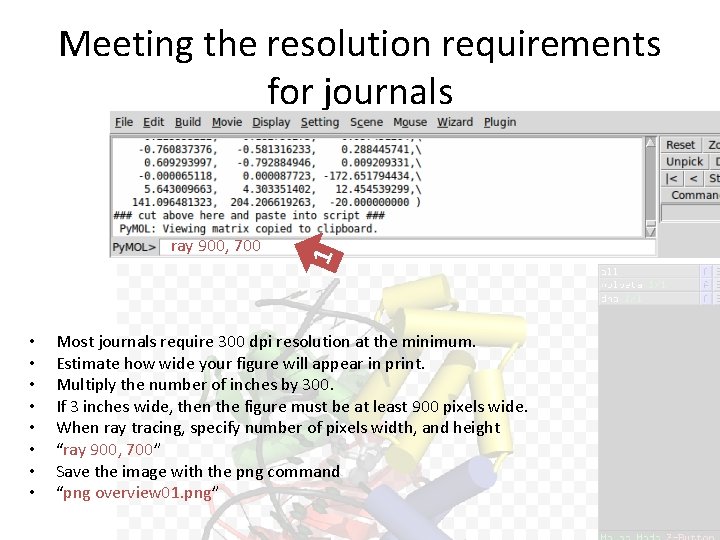
Specify orientation matrix in script • Close your current pymol session. • Continue editing the file called “overview. pml” • Add the lines indicated in the right panel • Save this file. • At the prompt, type: pymol overview. pml • Result: Polb will be oriented as you chose. bg_color white set ray_opaque_background, off cmd. space('cmyk') show spheres, elem mg show sticks, resn dct ### cut below here and paste into script ### set_view ( 0. 223353222, 0. 182756275, 0. 957451284, -0. 760837376, -0. 581316233, 0. 288445741, 0. 609293997, -0. 792884946, 0. 009209331, -0. 000065118, 0. 000087723, -172. 651794434, 5. 643009663, 4. 303351402, 12. 454539299, 141. 096481323, 204. 206619263, -20. 00000 ) ### cut above here and paste into script ###
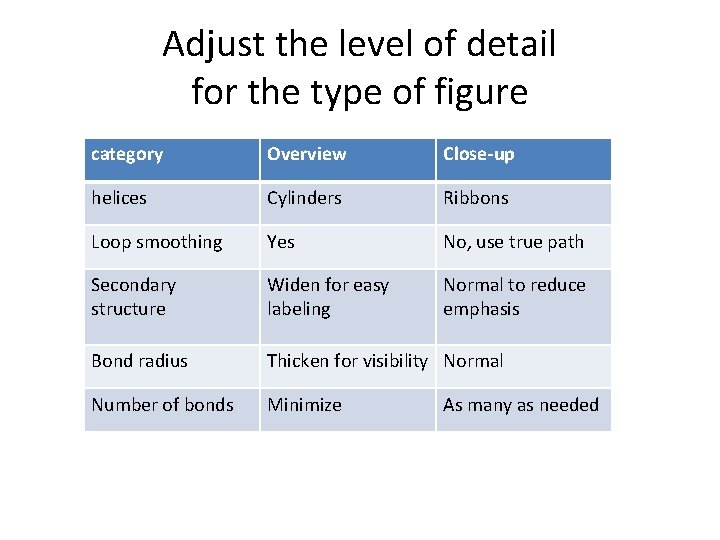
Adjust the level of detail for the type of figure category Overview Close-up helices Cylinders Ribbons Loop smoothing Yes No, use true path Secondary structure Widen for easy labeling Normal to reduce emphasis Bond radius Thicken for visibility Normal Number of bonds Minimize As many as needed
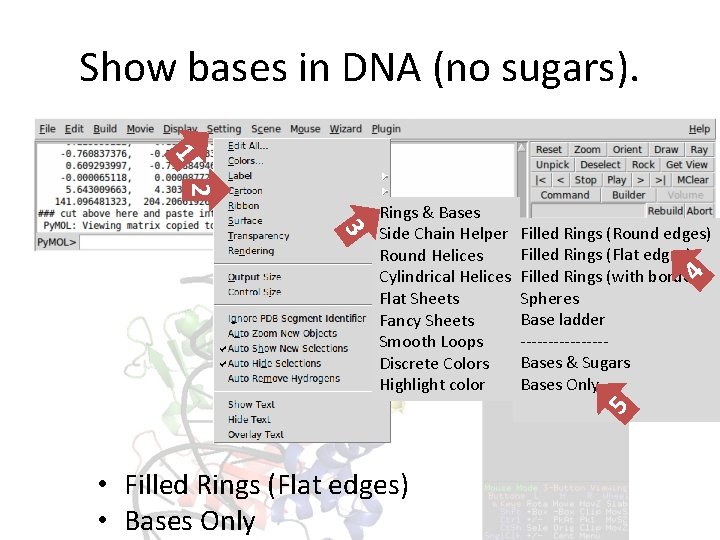
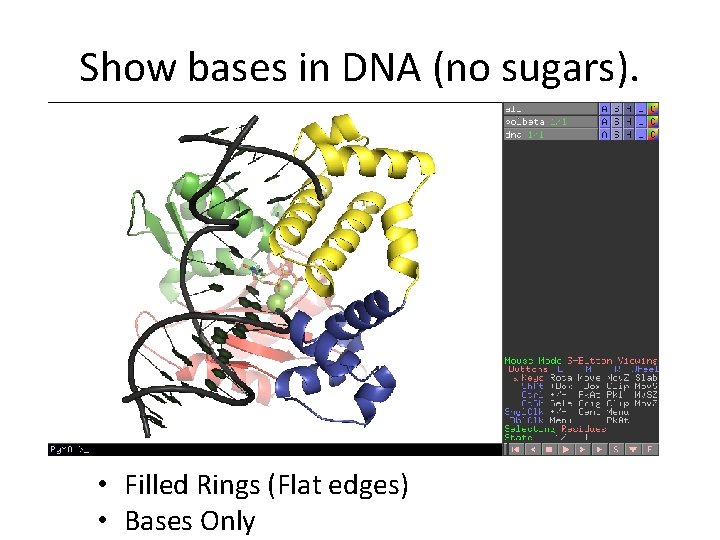
Show bases in DNA (no sugars). 1 2 4 Filled Rings (Round edges) Filled Rings (Flat edges) Filled Rings (with border) Spheres Base ladder --------Bases & Sugars Bases Only 5 3 Rings & Bases Side Chain Helper Round Helices Cylindrical Helices Flat Sheets Fancy Sheets Smooth Loops Discrete Colors Highlight color • Filled Rings (Flat edges) • Bases Only
Show bases in DNA (no sugars). • Filled Rings (Flat edges) • Bases Only
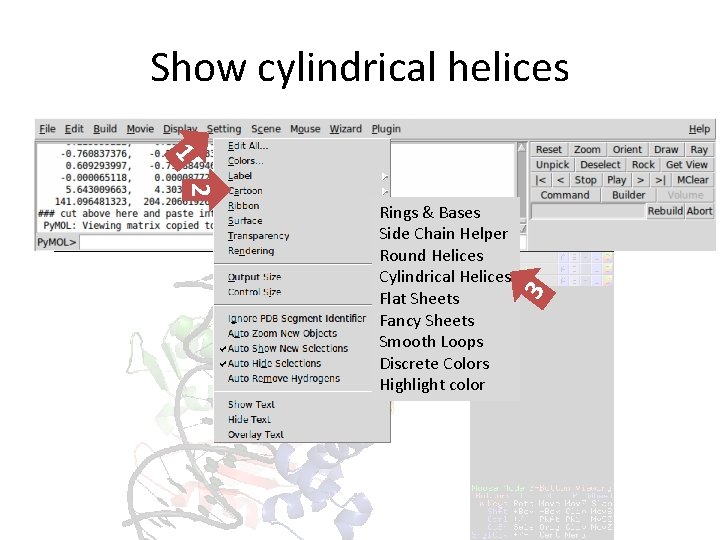
Show cylindrical helices 1 2 3 Rings & Bases Side Chain Helper Round Helices Cylindrical Helices Flat Sheets Fancy Sheets Smooth Loops Discrete Colors Highlight color
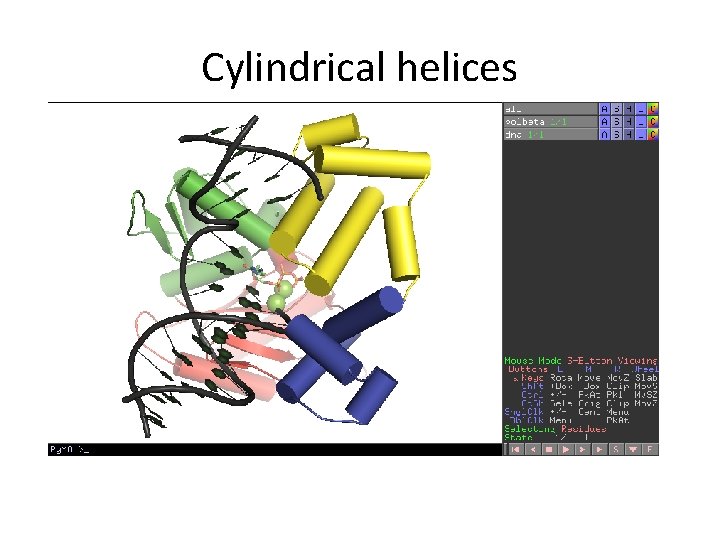
Cylindrical helices
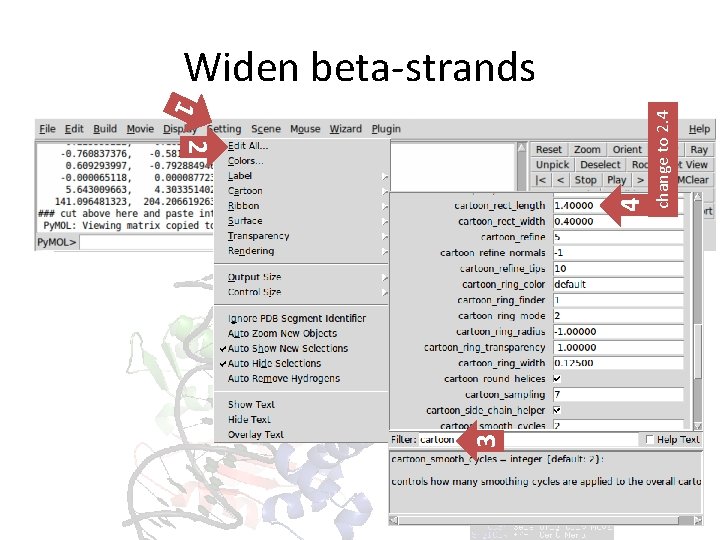
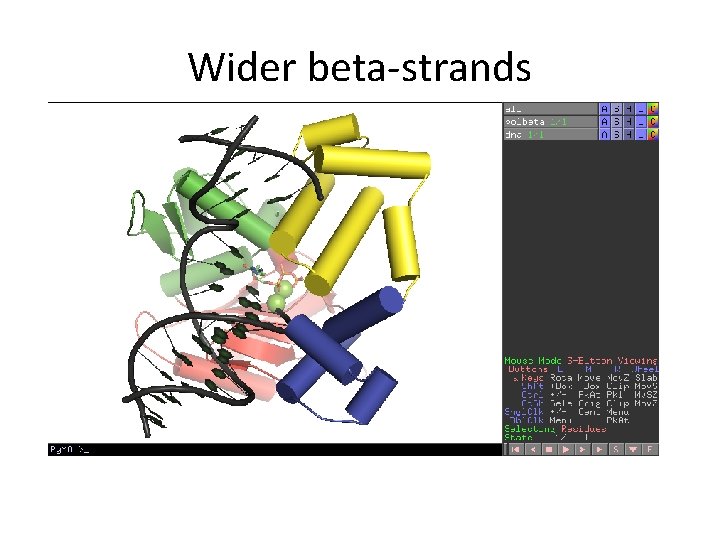
3 4 1 2 change to 2. 4 Widen beta-strands
Wider beta-strands
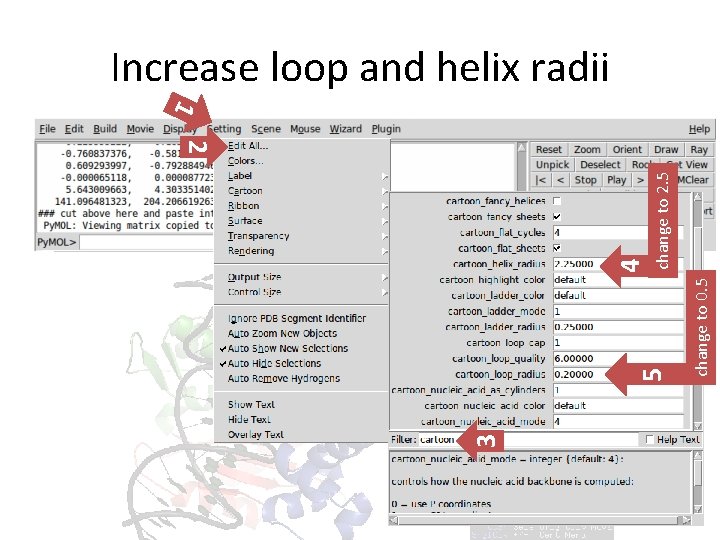
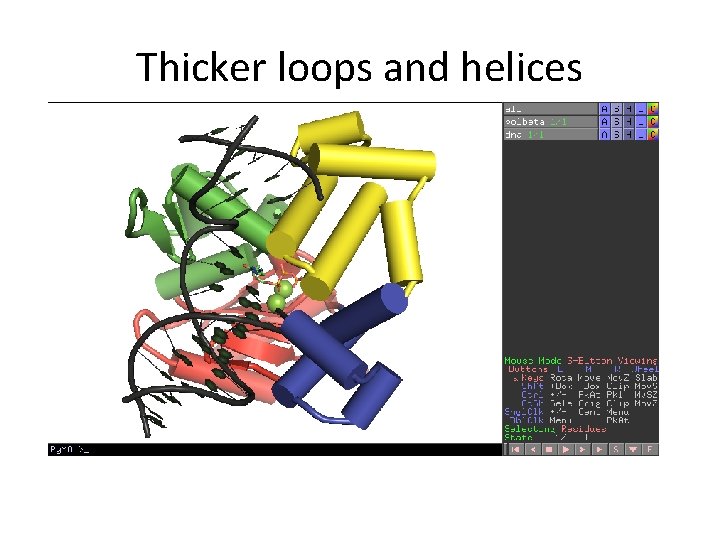
Increase loop and helix radii 3 change to 0. 5 change to 2. 5 5 4 1 2
Thicker loops and helices
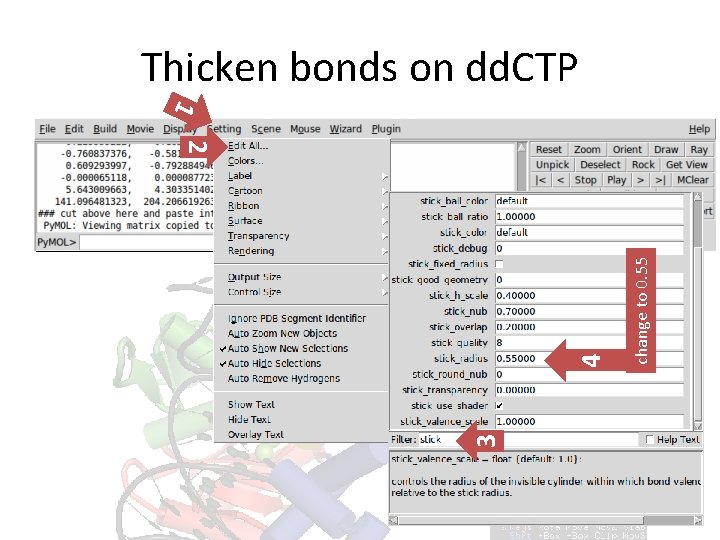
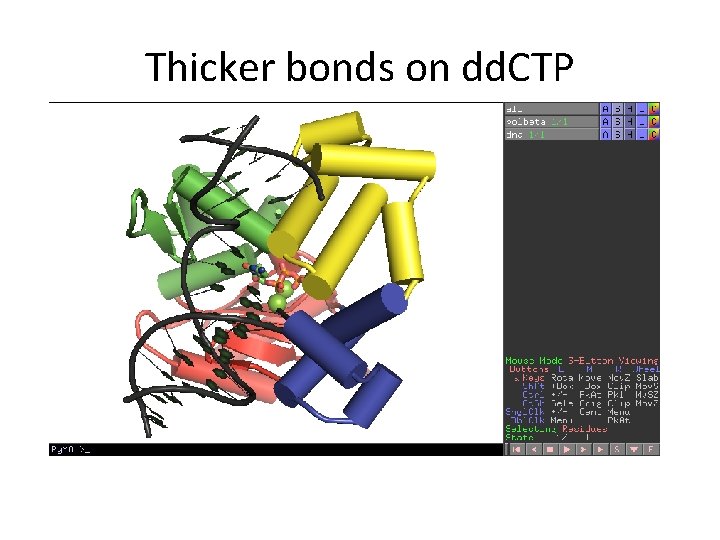
Thicken bonds on dd. CTP 3 change to 0. 55 4 1 2
Thicker bonds on dd. CTP
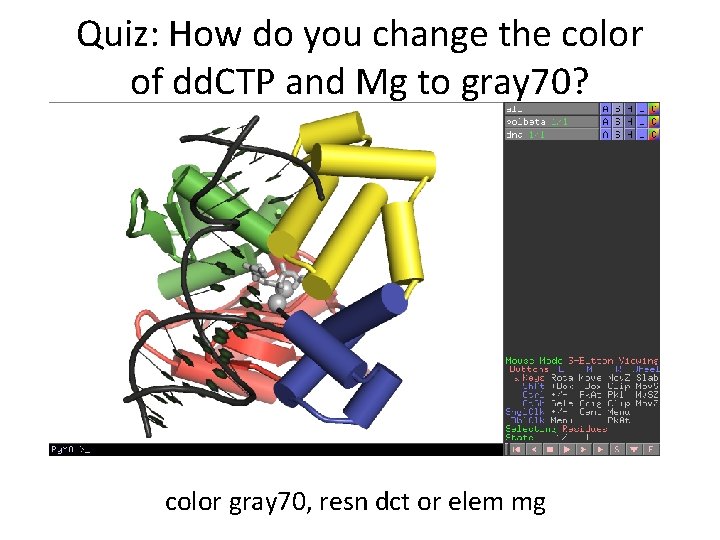
Quiz: How do you change the color of dd. CTP and Mg to gray 70? color gray 70, resn dct or elem mg
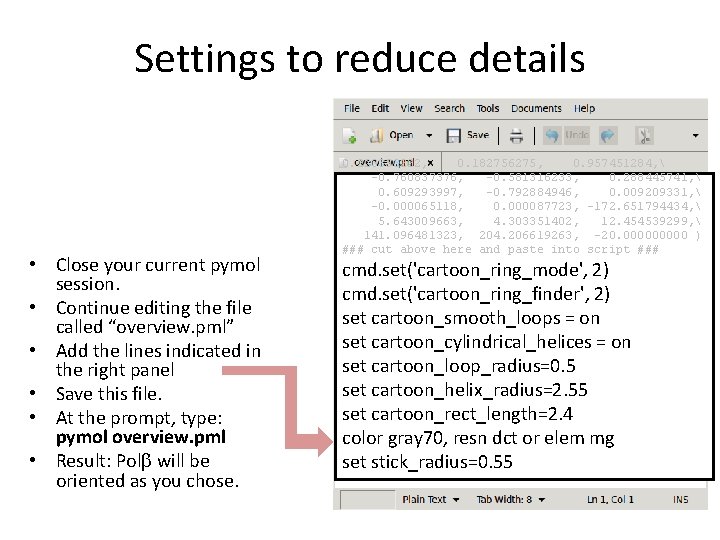
Settings to reduce details • Close your current pymol session. • Continue editing the file called “overview. pml” • Add the lines indicated in the right panel • Save this file. • At the prompt, type: pymol overview. pml • Result: Polb will be oriented as you chose. 0. 223353222, 0. 182756275, 0. 957451284, -0. 760837376, -0. 581316233, 0. 288445741, 0. 609293997, -0. 792884946, 0. 009209331, -0. 000065118, 0. 000087723, -172. 651794434, 5. 643009663, 4. 303351402, 12. 454539299, 141. 096481323, 204. 206619263, -20. 00000 ) ### cut above here and paste into script ### cmd. set('cartoon_ring_mode', 2) cmd. set('cartoon_ring_finder', 2) set cartoon_smooth_loops = on set cartoon_cylindrical_helices = on set cartoon_loop_radius=0. 5 set cartoon_helix_radius=2. 55 set cartoon_rect_length=2. 4 color gray 70, resn dct or elem mg set stick_radius=0. 55
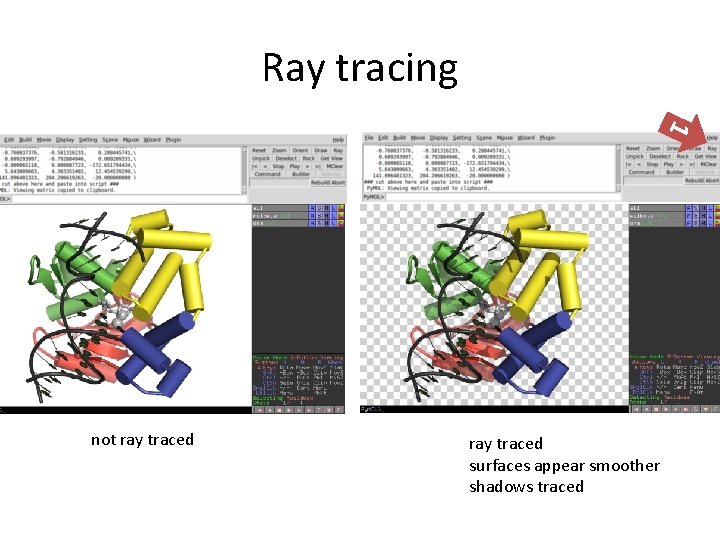
Ray tracing 1 not ray traced surfaces appear smoother shadows traced
ray 900, 700 • • 1 Meeting the resolution requirements for journals Most journals require 300 dpi resolution at the minimum. Estimate how wide your figure will appear in print. Multiply the number of inches by 300. If 3 inches wide, then the figure must be at least 900 pixels wide. When ray tracing, specify number of pixels width, and height “ray 900, 700” Save the image with the png command “png overview 01. png”
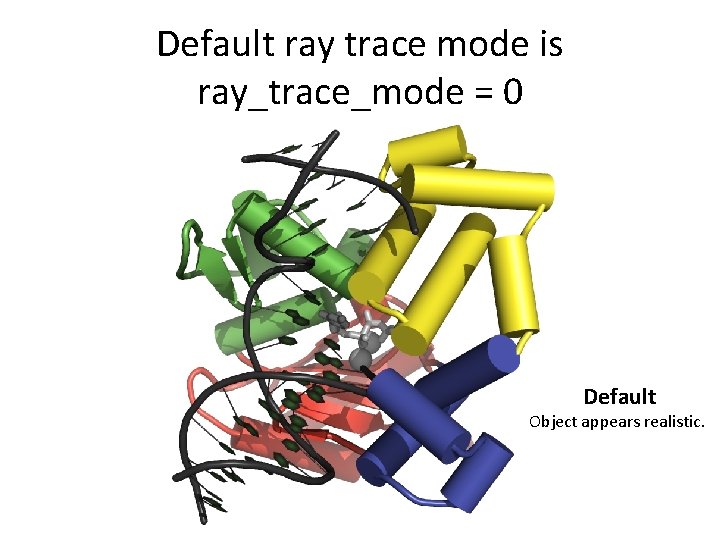
Default ray trace mode is ray_trace_mode = 0 Default Object appears realistic.
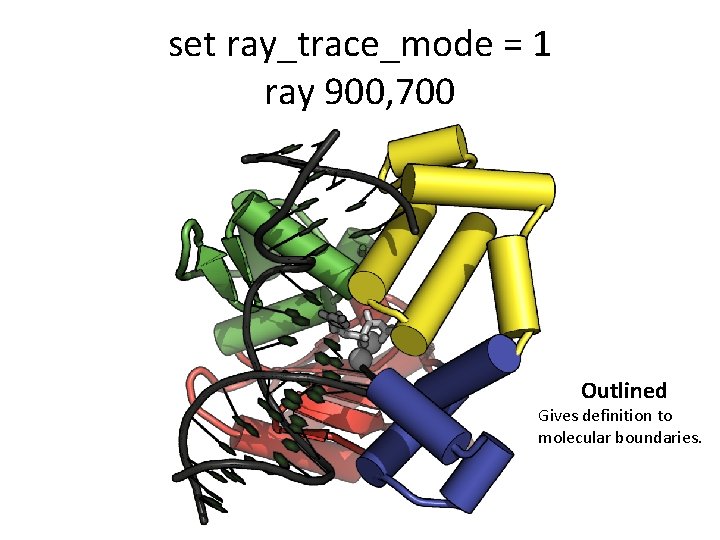
set ray_trace_mode = 1 ray 900, 700 Outlined Gives definition to molecular boundaries.
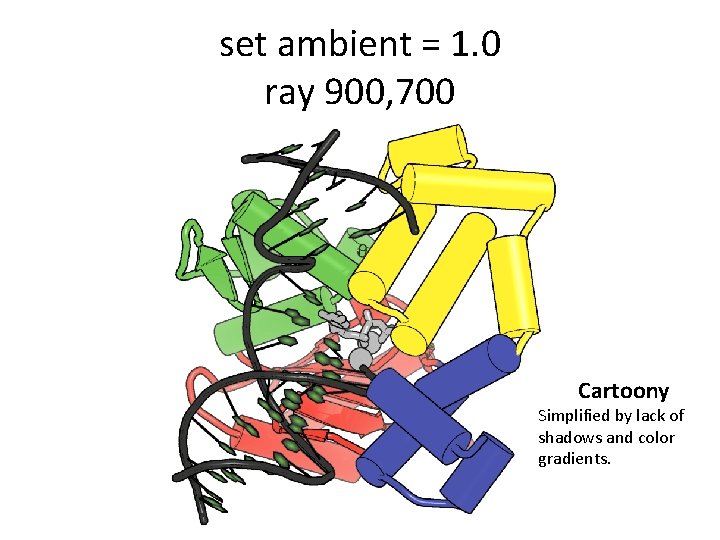
set ambient = 1. 0 ray 900, 700 Cartoony Simplified by lack of shadows and color gradients.
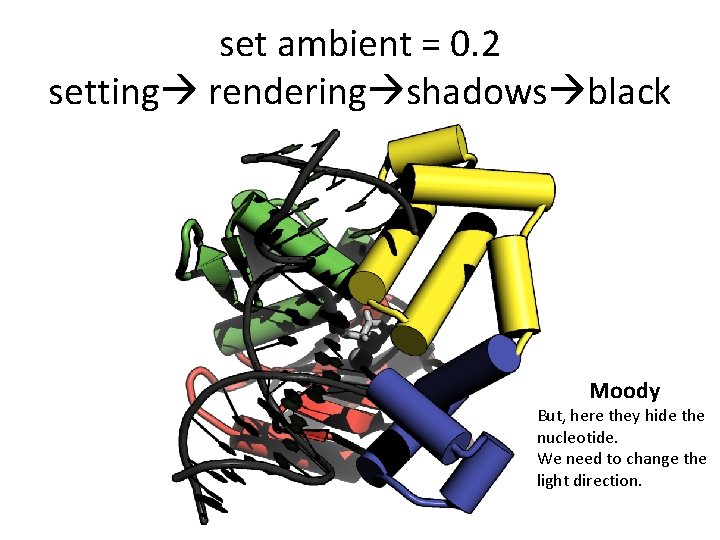
set ambient = 0. 2 setting rendering shadows black Moody But, here they hide the nucleotide. We need to change the light direction.
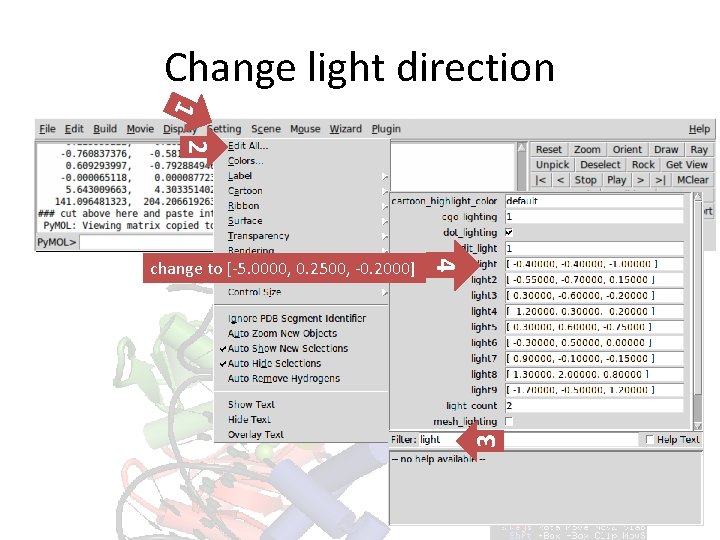
Change light direction 1 2 3 4 change to [-5. 0000, 0. 2500, -0. 2000]
set light=[5. 0000, 0. 2500, 0. 2000] ray 900, 700 Halloween What deep dark secret is locked away in the nucleotide binding pocket?
set light=[-0. 0500, 0. 0000, -1. 0000] ray 900, 700 Lit up pocket From this direction, strong light hits the dd. CTP.
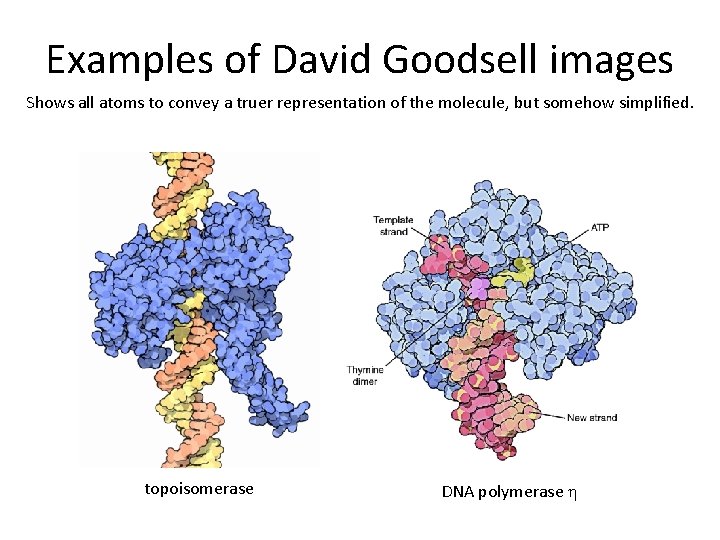
Examples of David Goodsell images Shows all atoms to convey a truer representation of the molecule, but somehow simplified. topoisomerase DNA polymerase h
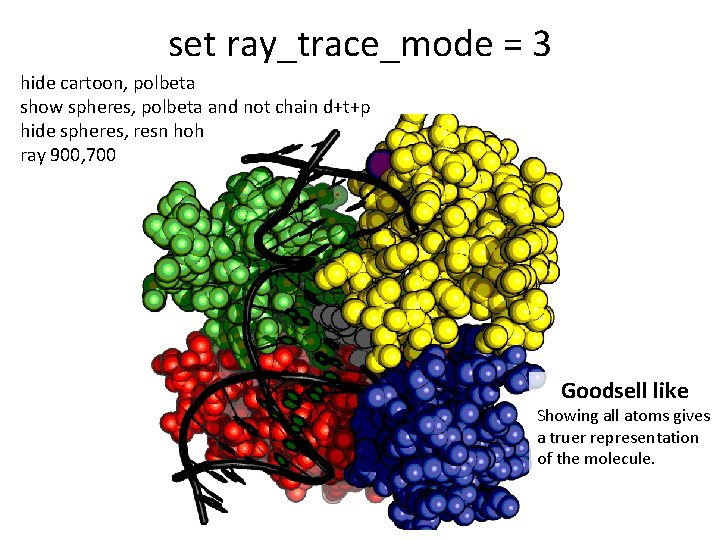
set ray_trace_mode = 3 hide cartoon, polbeta show spheres, polbeta and not chain d+t+p hide spheres, resn hoh ray 900, 700 Goodsell like Showing all atoms gives a truer representation of the molecule.
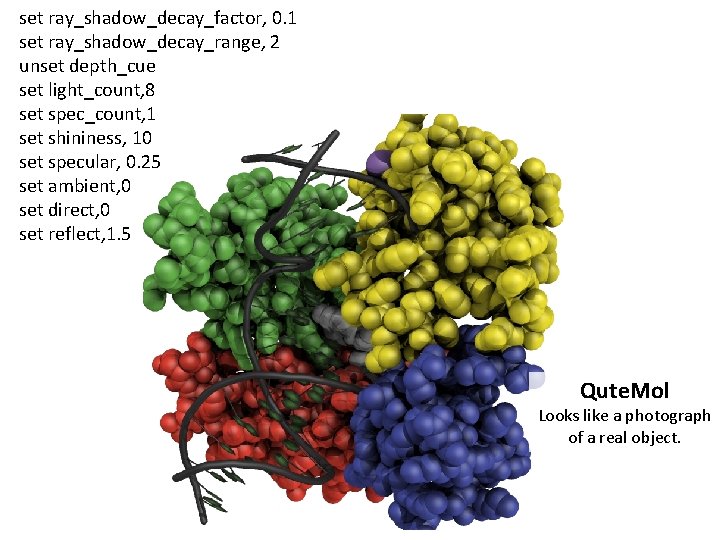
set ray_shadow_decay_factor, 0. 1 set ray_shadow_decay_range, 2 unset depth_cue set light_count, 8 set spec_count, 1 set shininess, 10 set specular, 0. 25 set ambient, 0 set direct, 0 set reflect, 1. 5 Qute. Mol Looks like a photograph of a real object.
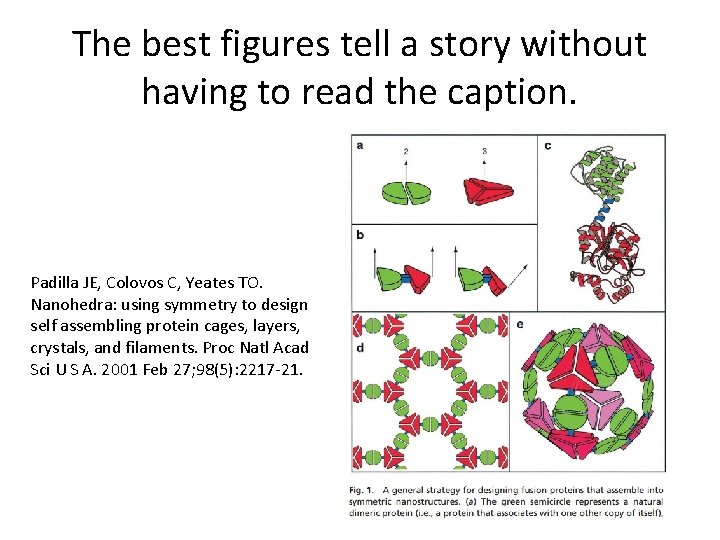
The best figures tell a story without having to read the caption. Padilla JE, Colovos C, Yeates TO. Nanohedra: using symmetry to design self assembling protein cages, layers, crystals, and filaments. Proc Natl Acad Sci U S A. 2001 Feb 27; 98(5): 2217 -21.
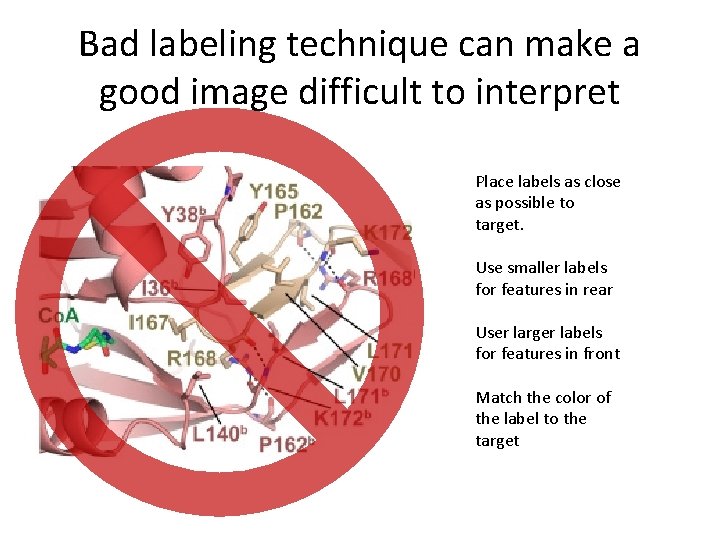
Bad labeling technique can make a good image difficult to interpret Place labels as close as possible to target. Use smaller labels for features in rear User larger labels for features in front Match the color of the label to the target
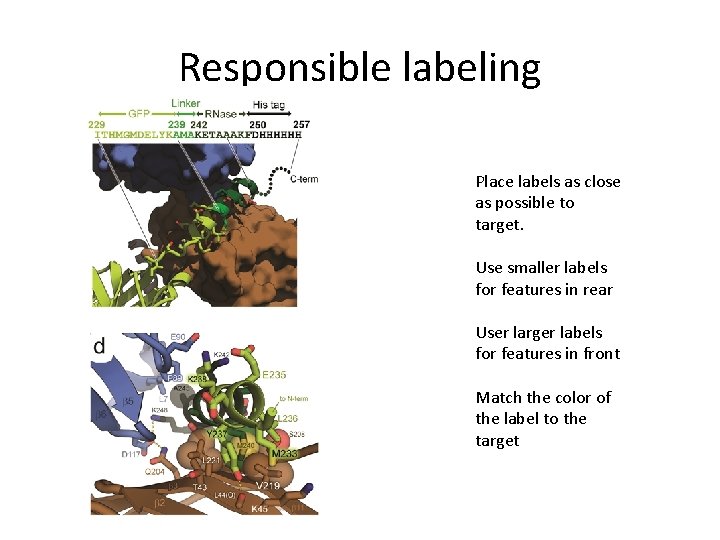
Responsible labeling Place labels as close as possible to target. Use smaller labels for features in rear User larger labels for features in front Match the color of the label to the target
Pymol help Google it Nice examples of different styles: https: //pymolwiki. org/index. php/Gallery http: //www-cryst. bioc. cam. ac. uk/members/zbyszek/figures_pymol Pymol scripts: An introduction to biomolecular graphics. http: //journals. plos. org/ploscompbiol/article? id=10. 1371/journal. pc bi. 1000918