
Putting DDI 3 0 to Work for You



- Slides: 74
Putting DDI 3. 0 to Work for You! Sanda Ionescu, Documentation Specialist, ICPSR Mary Vardigan, DDI Alliance Director IASSIST Conference – Stanford University May 27, 2008
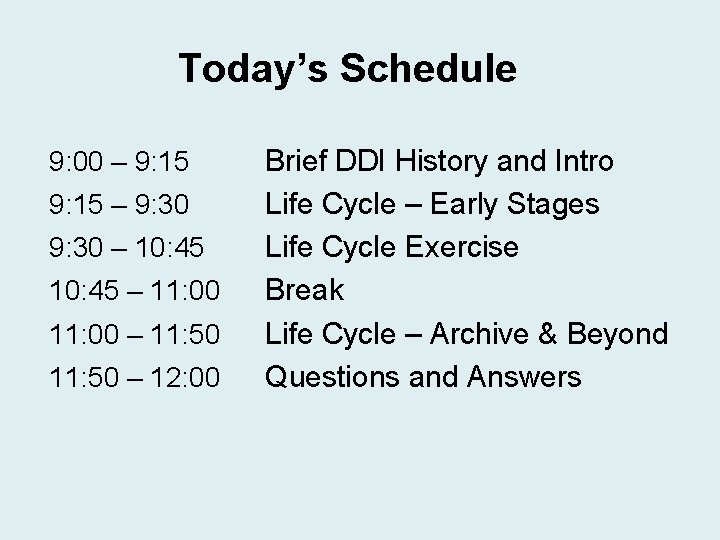
Today’s Schedule 9: 00 – 9: 15 – 9: 30 – 10: 45 – 11: 00 – 11: 50 – 12: 00 Brief DDI History and Intro Life Cycle – Early Stages Life Cycle Exercise Break Life Cycle – Archive & Beyond Questions and Answers
First Half of Morning • We will be moving through the data life cycle of a real study and will document it as we go. • We will use a tool to produce “markup” for seven life cycle stages. • Sanda will guide us through the exercise and Mary will go step by step onscreen. • End result is DDI documentation deposited into an archive.
Second Half • Once our sample data and documentation are deposited, we review the changes made by the archive. • Then we discuss DDI 3. 0 in the archival context and why it makes sense to use it. • Finally, assuming we have convinced you, we discuss how to move to DDI 3. 0!
DDI History • Effort began in 1995 when ICPSR convened a small international group at IASSIST in Quebec City. • Standard began as SGML, then converted to Web-friendly XML. • 2000 – DDI Version 1. 0 published as a DTD, mainly document- and codebookcentric.
DDI History • 2003 – DDI Version 2. 0 published with extended scope including aggregate data coverage and geography. • Versions 1. 0 through 2. 1 (latest published) are backwards compatible, and based on the same structure.
DDI History • February 2003 – Formation of the DDI Alliance, a self-sustaining membership organization whose members have a voice in the development of the DDI specification. http: //www. ddialliance. org/
DDI History Version 3. 0: • • • 2004 -2006: Planning and Development November 2006: Internal Review February 2007: Public Review July 2007: Candidate Draft Release April 2008: Proof of Concept and Vote April 28, 2008: Official Publication of DDI 3. 0 http: //www. ddialliance. org/ddi 3/index. html
DDI 3. 0 Features • Full implementation of XML Schemas • Emphasis on metadata reuse: – Modular structure – Use of schemes
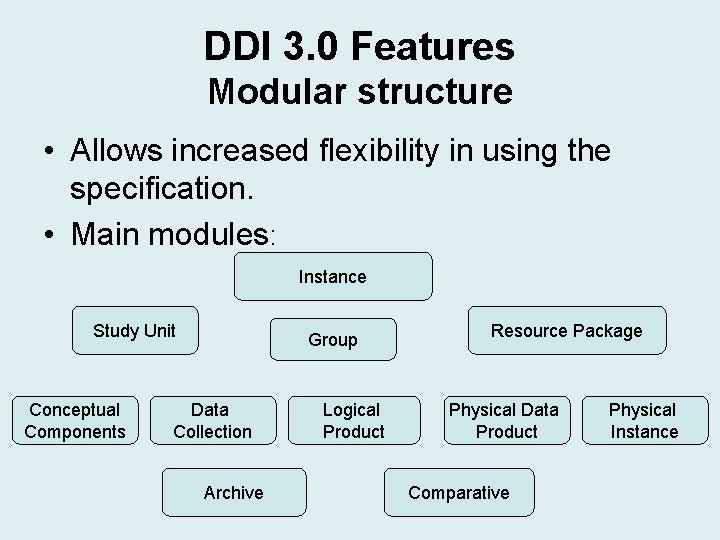
DDI 3. 0 Features Modular structure • Allows increased flexibility in using the specification. • Main modules: Instance Study Unit Conceptual Components Group Data Collection Archive Logical Product Resource Package Physical Data Product Comparative Physical Instance
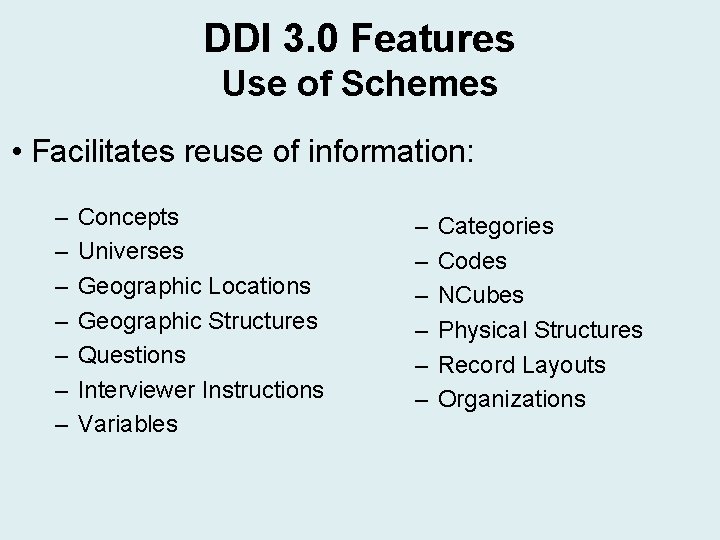
DDI 3. 0 Features Use of Schemes • Facilitates reuse of information: – – – – Concepts Universes Geographic Locations Geographic Structures Questions Interviewer Instructions Variables – – – Categories Codes NCubes Physical Structures Record Layouts Organizations
DDI 3. 0 Features • • • Machine-actionable Grouping and comparison features Registries now possible Versioning clarified Multi-lingual support
DDI 3. 0 Features • Compatibility with other metadata standards: • • • MARC, DC, but also… SDMX (Statistical Data and Metadata Exchange) ISO 11179 (Metadata Registries) FGDC (Digital Geospatial Metadata) ISO 19115 (Geographic Information Metadata) PREMIS, METS – forthcoming… • Life cycle orientation
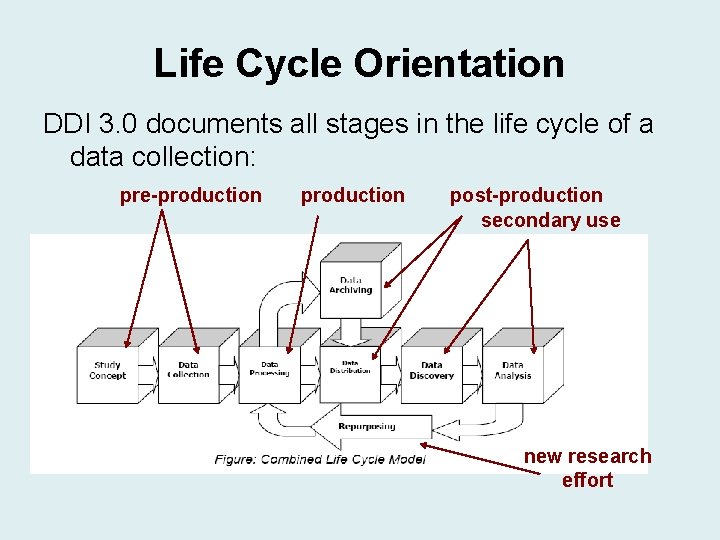
Life Cycle Orientation DDI 3. 0 documents all stages in the life cycle of a data collection: pre-production post-production secondary use new research effort
DDI 3. 0 Use Cases • Documenting an on-going, original research project. • Documenting secondary use of data. • Creating concept/question/variable banks. • Generating multiple delivery formats for data dissemination/discovery. • Metadata mining for comparison, etc.
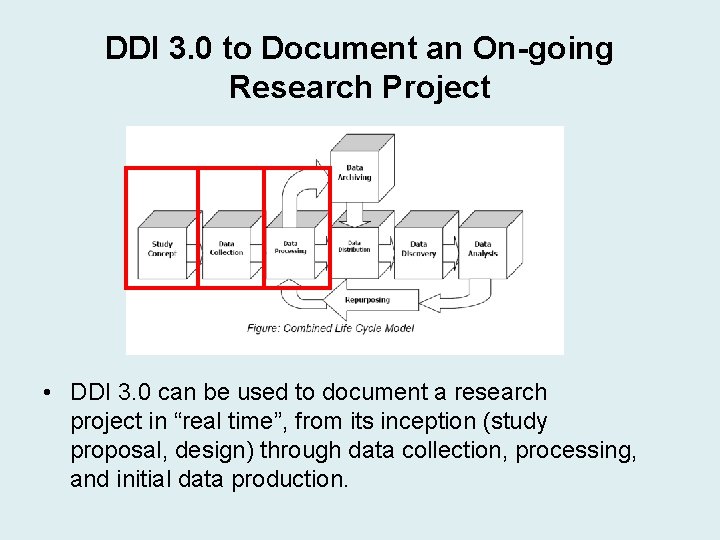
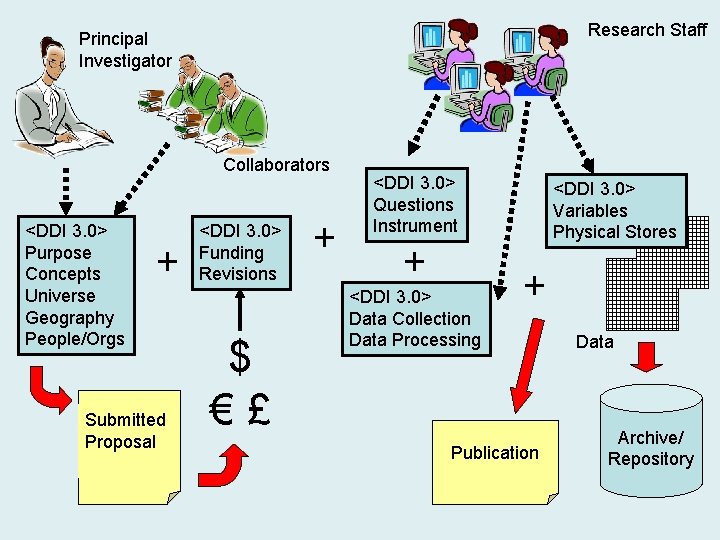
DDI 3. 0 to Document an On-going Research Project • DDI 3. 0 can be used to document a research project in “real time”, from its inception (study proposal, design) through data collection, processing, and initial data production.
Research Staff Principal Investigator Collaborators <DDI 3. 0> Purpose Concepts Universe Geography People/Orgs + Submitted Proposal <DDI 3. 0> Funding Revisions $ €£ + <DDI 3. 0> Questions Instrument + <DDI 3. 0> Data Collection Data Processing <DDI 3. 0> Variables Physical Stores + Publication Data Archive/ Repository
DDI 3. 0 to Document an On-going Research Project Advantages: • Richer, contextual information made available and preserved. • Increased accuracy, as life cycle stages are documented “at the source”. • No loss of information as study progresses through its life cycle. • Changes in documentation preserved through versioning. • Ultimately gives data analysts more information to understand assess data quality.
DDI 3. 0 to Document an On-going Research Project Use case exercise: • Academic environment. • Faculty member/researcher initiates an original, independent research project. • Small-scale effort. • No use of computer-assisted interviewing software. • Resulting data and documentation to be deposited to a data center/archive. • Archive provides incentives and support for documenting all activities in DDI as they happen.
DDI 3. 0 to Document an On-going Research Project Incentives for entering documentation “at the source”: • Information easy to enter: use of data entry tool “hides” complexities of xml code. • Underlying DDI structure provides prompts and preorganizes information. • DDI may also serve as a management/diagnostic tool to assist in data processing and cleaning operations, or revising the documentation. • Real-time entries and standardized content ensure high-quality documentation that facilitates primary data analysis and preparing reports.
DDI 3. 0 to Document an On-going Research Project Use case exercise: • Based on a real study in the ICPSR archive (ICPSR study No. 9413, “Survey of Three Generations of Mexican Americans, 1981 -1982”) • Study documentation is laid out sequentially according to the life cycle. http: //www. icpsr. umich. edu/DDI/ddi 3/workshop • Data entry tool provides a user-friendly interface and is projected to produce DDI 3. 0 output; follows life cycle, but may also be used retrospectively.
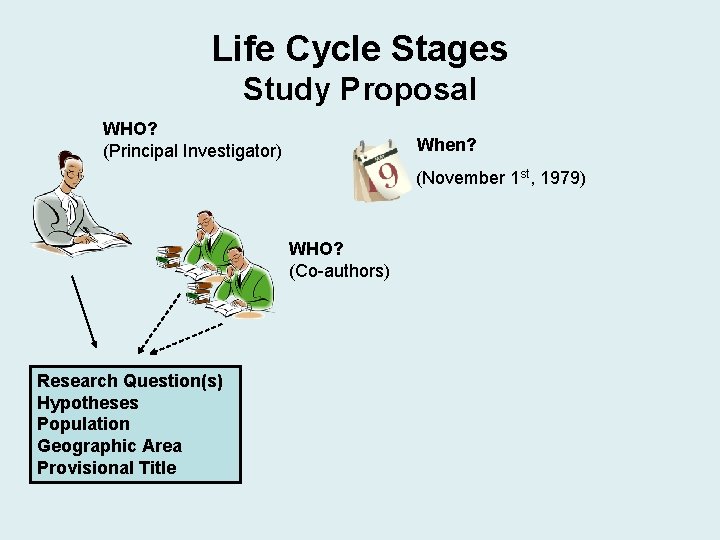
Life Cycle Stages Study Proposal WHO? (Principal Investigator) When? (November 1 st, 1979) WHO? (Co-authors) Research Question(s) Hypotheses Population Geographic Area Provisional Title
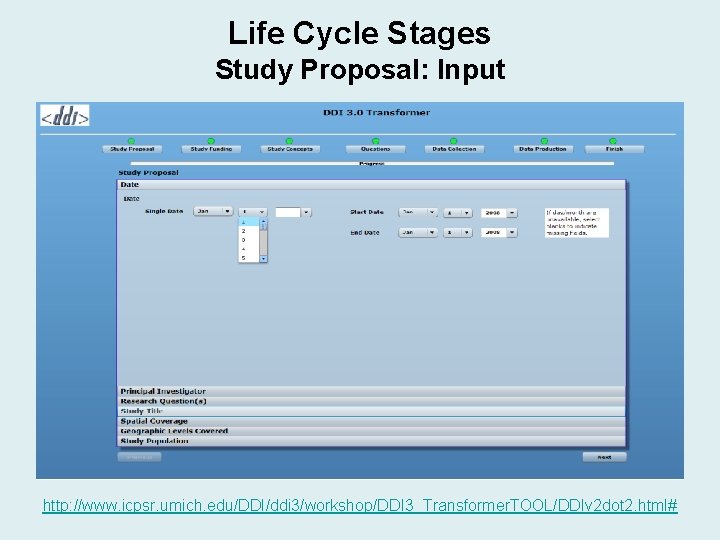
Life Cycle Stages Study Proposal: Input http: //www. icpsr. umich. edu/DDI/ddi 3/workshop/DDI 3_Transformer. TOOL/DDIv 2 dot 2. html#
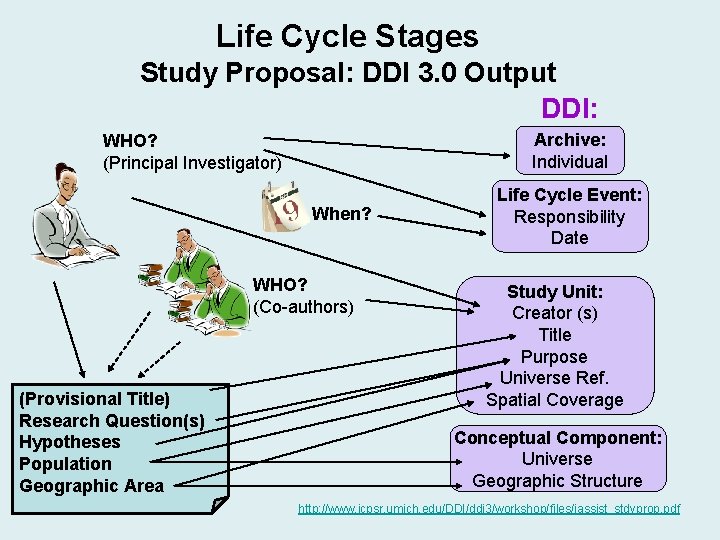
Life Cycle Stages Study Proposal: DDI 3. 0 Output DDI: Archive: Individual WHO? (Principal Investigator) When? WHO? (Co-authors) (Provisional Title) Research Question(s) Hypotheses Population Geographic Area Life Cycle Event: Responsibility Date Study Unit: Creator (s) Title Purpose Universe Ref. Spatial Coverage Conceptual Component: Universe Geographic Structure http: //www. icpsr. umich. edu/DDI/ddi 3/workshop/files/iassist_stdyprop. pdf
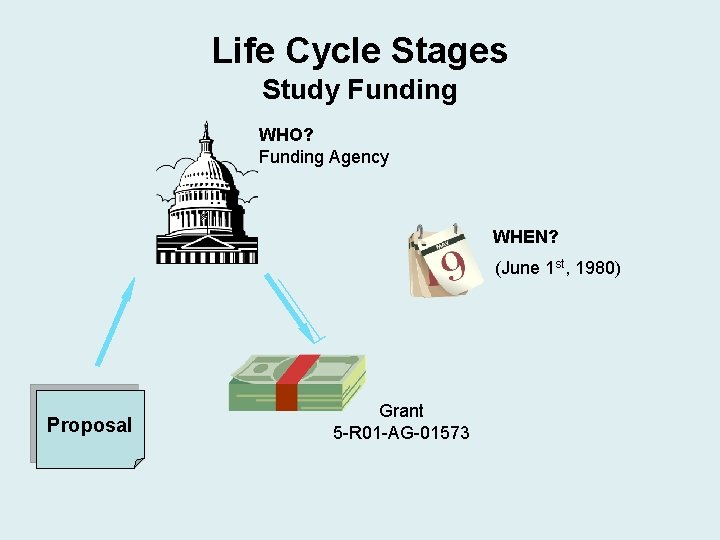
Life Cycle Stages Study Funding WHO? Funding Agency WHEN? (June 1 st, 1980) Proposal Grant 5 -R 01 -AG-01573
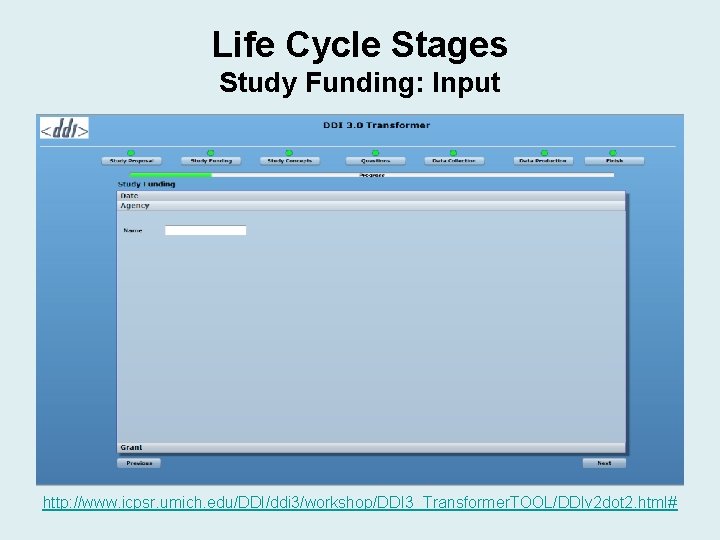
Life Cycle Stages Study Funding: Input http: //www. icpsr. umich. edu/DDI/ddi 3/workshop/DDI 3_Transformer. TOOL/DDIv 2 dot 2. html#
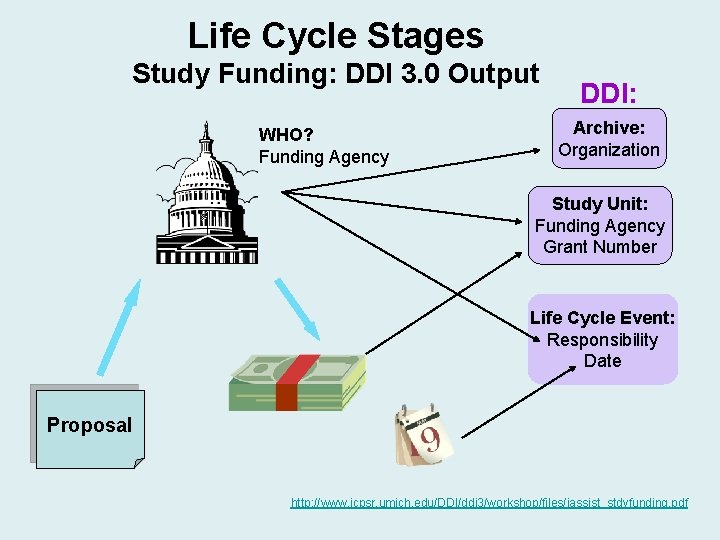
Life Cycle Stages Study Funding: DDI 3. 0 Output WHO? Funding Agency DDI: Archive: Organization Study Unit: Funding Agency Grant Number Life Cycle Event: Responsibility Date Proposal http: //www. icpsr. umich. edu/DDI/ddi 3/workshop/files/iassist_stdyfunding. pdf
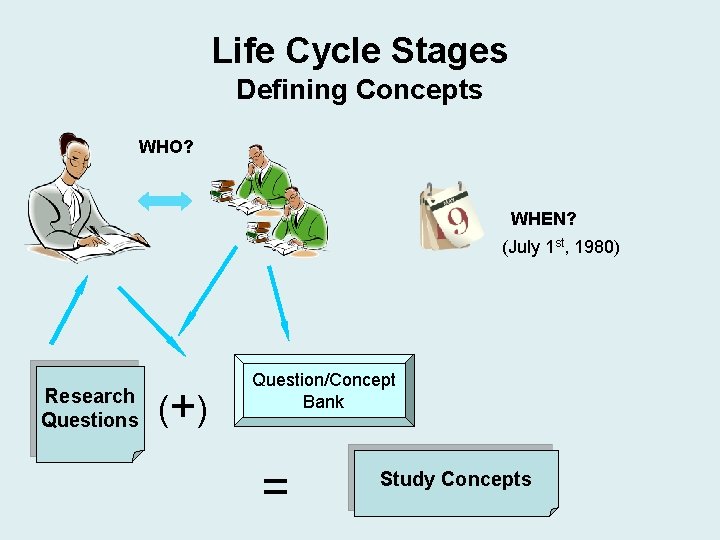
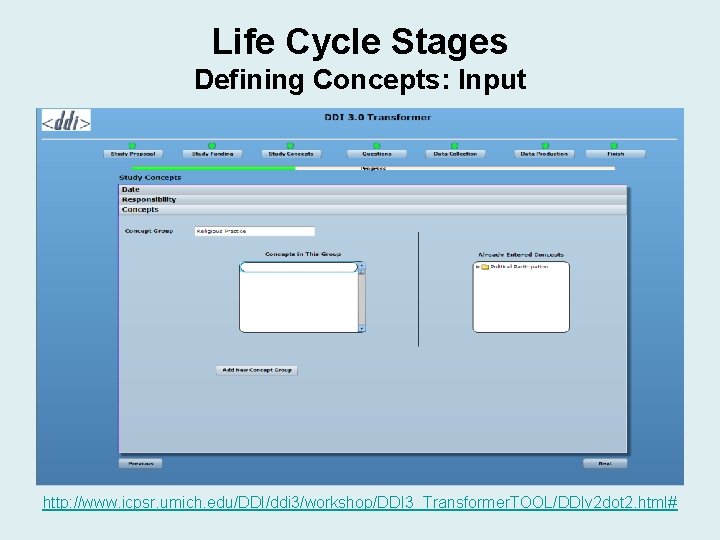
Life Cycle Stages Defining Concepts WHO? WHEN? (July 1 st, 1980) Research Questions (+ ) Question/Concept Bank = Study Concepts
Life Cycle Stages Defining Concepts: Input http: //www. icpsr. umich. edu/DDI/ddi 3/workshop/DDI 3_Transformer. TOOL/DDIv 2 dot 2. html#
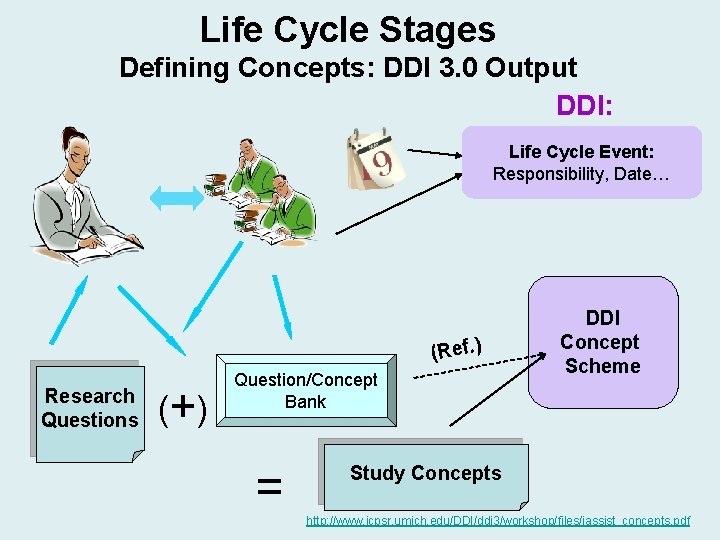
Life Cycle Stages Defining Concepts: DDI 3. 0 Output DDI: Life Cycle Event: Responsibility, Date… (Ref. ) Research Questions (+ ) Question/Concept Bank = DDI Concept Scheme Study Concepts http: //www. icpsr. umich. edu/DDI/ddi 3/workshop/files/iassist_concepts. pdf
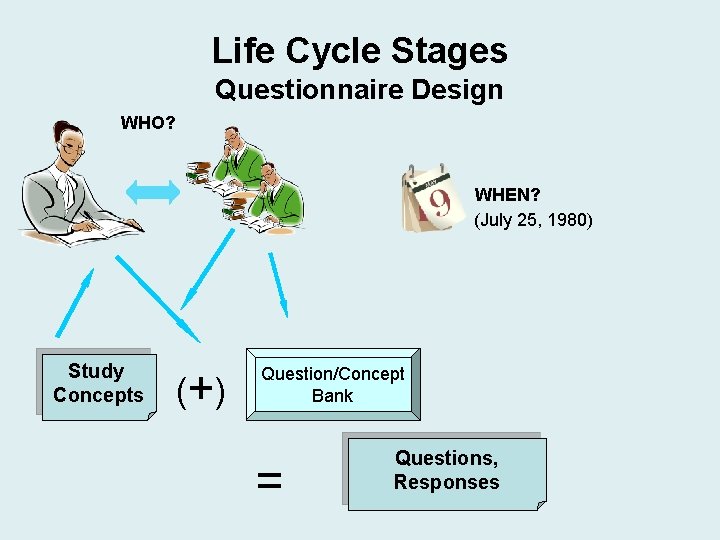
Life Cycle Stages Questionnaire Design WHO? WHEN? (July 25, 1980) Study Concepts (+ ) Question/Concept Bank = Questions, Responses
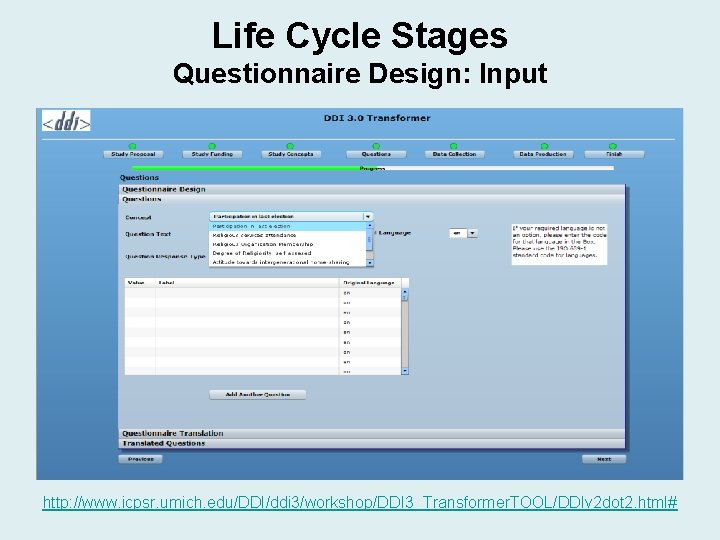
Life Cycle Stages Questionnaire Design: Input http: //www. icpsr. umich. edu/DDI/ddi 3/workshop/DDI 3_Transformer. TOOL/DDIv 2 dot 2. html#
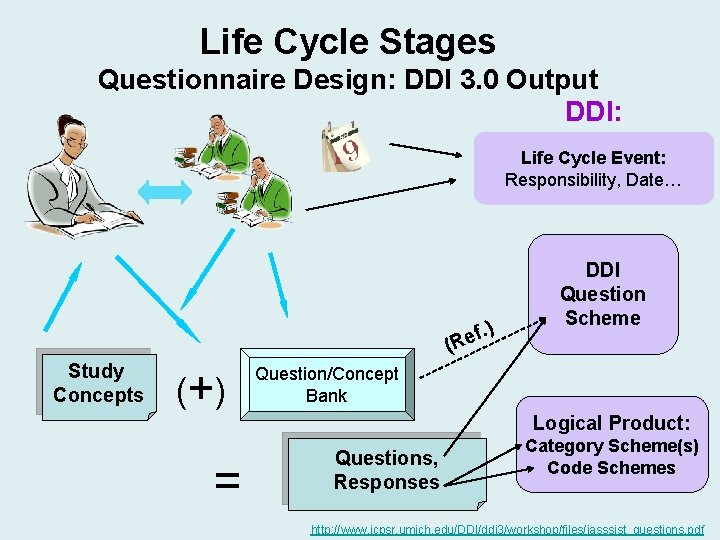
Life Cycle Stages Questionnaire Design: DDI 3. 0 Output DDI: Life Cycle Event: Responsibility, Date… f. ) e (R Study Concepts (+ ) = DDI Question Scheme Question/Concept Bank Logical Product: Questions, Responses Category Scheme(s) Code Schemes http: //www. icpsr. umich. edu/DDI/ddi 3/workshop/files/iasssist_questions. pdf
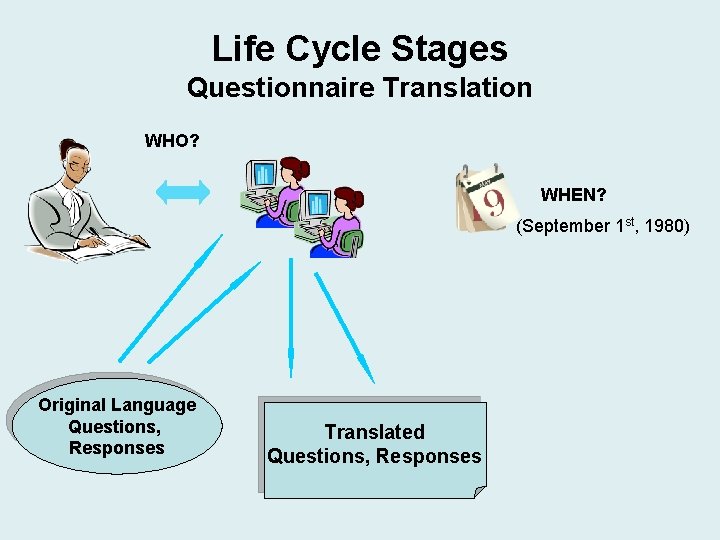
Life Cycle Stages Questionnaire Translation WHO? WHEN? (September 1 st, 1980) Original Language Questions, Responses Translated Questions, Responses
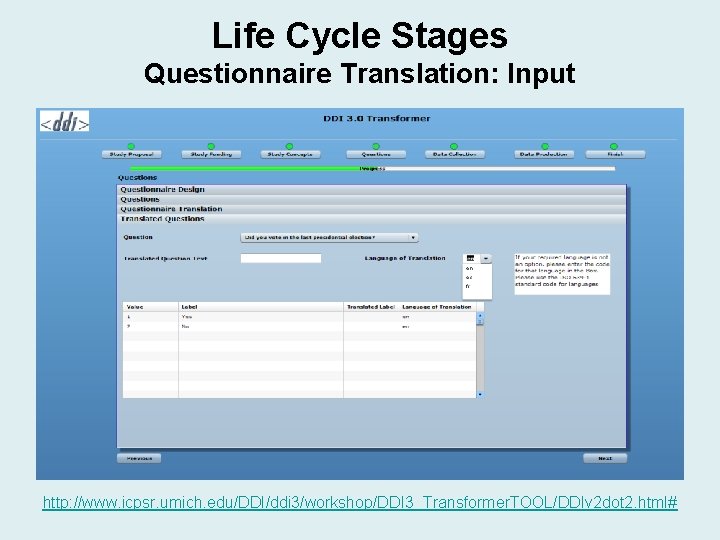
Life Cycle Stages Questionnaire Translation: Input http: //www. icpsr. umich. edu/DDI/ddi 3/workshop/DDI 3_Transformer. TOOL/DDIv 2 dot 2. html#
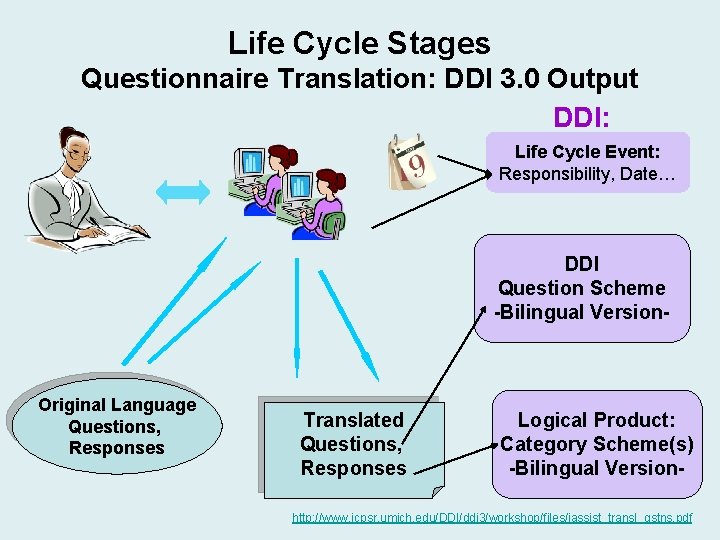
Life Cycle Stages Questionnaire Translation: DDI 3. 0 Output DDI: Life Cycle Event: Responsibility, Date… DDI Question Scheme -Bilingual Version- Original Language Questions, Responses Translated Questions, Responses Logical Product: Category Scheme(s) -Bilingual Version- http: //www. icpsr. umich. edu/DDI/ddi 3/workshop/files/iassist_transl_qstns. pdf
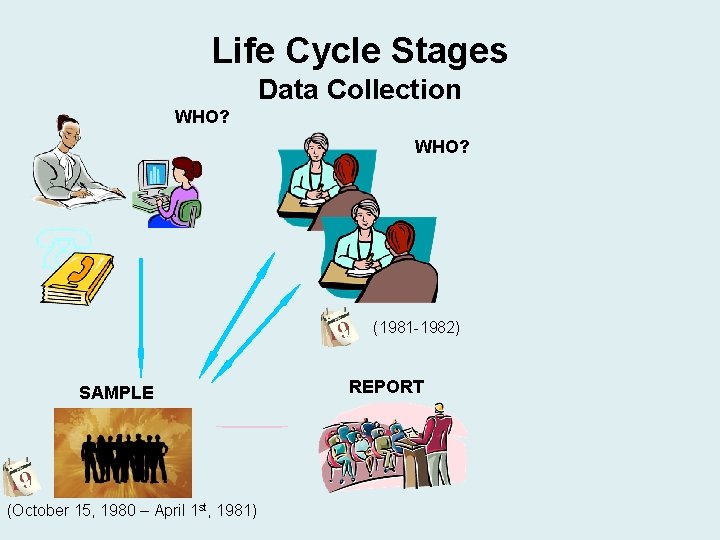
Life Cycle Stages Data Collection WHO? (1981 -1982) SAMPLE (October 15, 1980 – April 1 st, 1981) REPORT
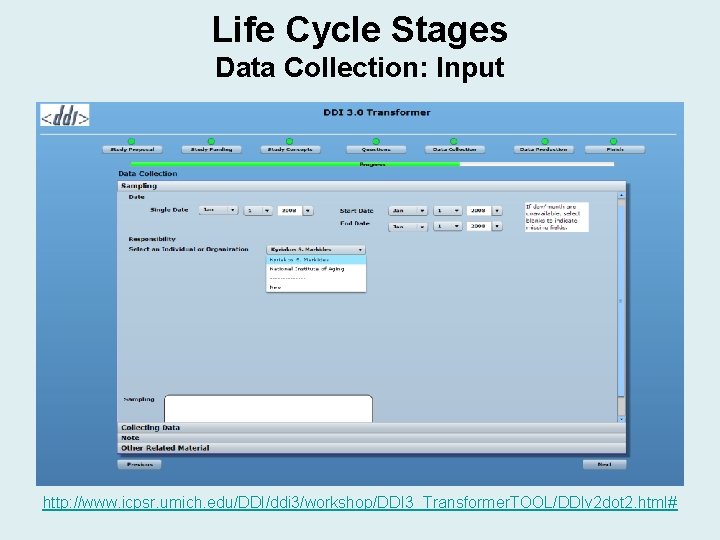
Life Cycle Stages Data Collection: Input http: //www. icpsr. umich. edu/DDI/ddi 3/workshop/DDI 3_Transformer. TOOL/DDIv 2 dot 2. html#
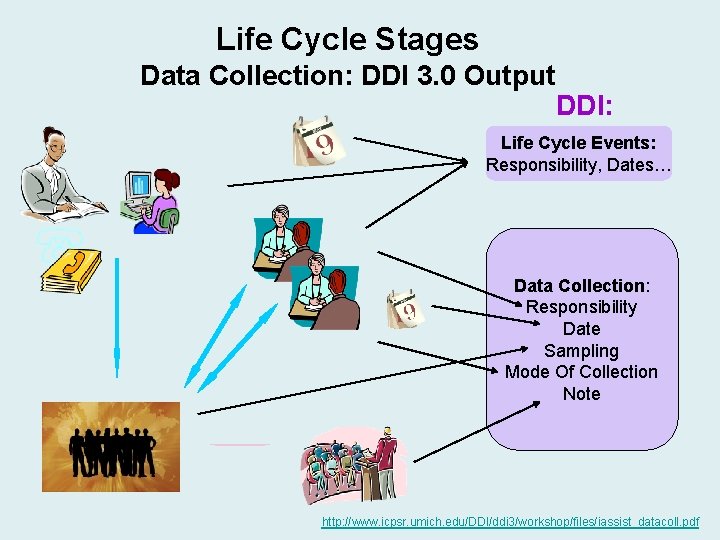
Life Cycle Stages Data Collection: DDI 3. 0 Output DDI: Life Cycle Events: Responsibility, Dates… Data Collection: Responsibility Date Sampling Mode Of Collection Note http: //www. icpsr. umich. edu/DDI/ddi 3/workshop/files/iassist_datacoll. pdf
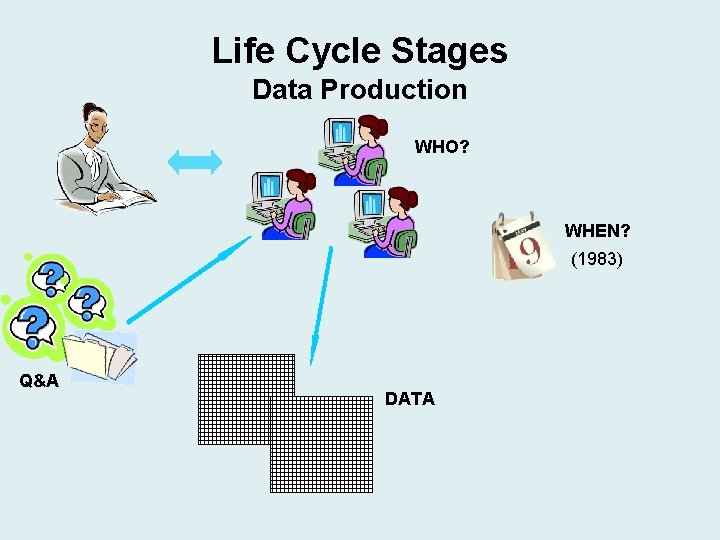
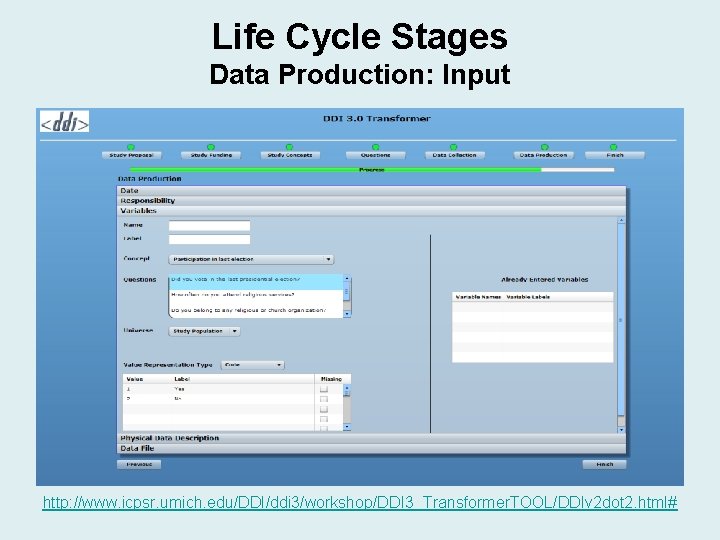
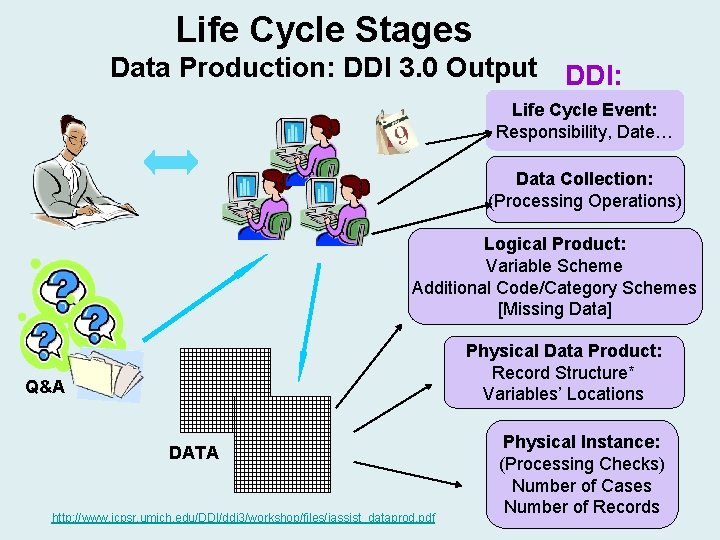
Life Cycle Stages Data Production WHO? WHEN? (1983) Q&A DATA
Life Cycle Stages Data Production: Input http: //www. icpsr. umich. edu/DDI/ddi 3/workshop/DDI 3_Transformer. TOOL/DDIv 2 dot 2. html#
Life Cycle Stages Data Production: DDI 3. 0 Output DDI: Life Cycle Event: Responsibility, Date… Data Collection: (Processing Operations) Logical Product: Variable Scheme Additional Code/Category Schemes [Missing Data] Physical Data Product: Record Structure* Variables’ Locations Q&A DATA http: //www. icpsr. umich. edu/DDI/ddi 3/workshop/files/iassist_dataprod. pdf Physical Instance: (Processing Checks) Number of Cases Number of Records
BREAK …
Life Cycle Stages Data Cleaning and Processing: DDI as diagnostic/management tool • The presence of standardized documentation facilitates data processing. • DDI documentation can be used as a project “dashboard” to identify problems and keep track of operations. • Queries can address: – Data errors: missing values, out-of-range values (incorrect computation or recode logic), inconsistent or undocumented codes – Missing documentation: question text, description – Editing errors: missing labels, misspelled variable names
Life Cycle Stages Deposit to Archive At the time of deposit, both the research process and the data are already documented in DDI… Advantages: • The presence of standardized information facilitates archival processing, enabling procedure streamlining and automation. • Richer, more accurate information made available for preservation, archival processing and dissemination: enhances data discovery and secondary analysis.
Life Cycle Stages Deposit to Archive Richer, more accurate information. Examples: • Original / working title preserved (may be found in early reports, published prior to any title changes). • Author’s affiliation and position at the time of research. • Responsible agencies and dates made available for all life cycle events. • Parallel / associated research efforts and publications accurately documented.
Life Cycle Stages Deposit to Archive Richer, more accurate information. Examples: • Presence of concepts represents an important added value for data discovery, appraisal, and further analysis. • Documented source of concepts and questions (original or re-used) is relevant for secondary, and particularly comparative analysis efforts. • For bi- or multilingual studies, multiple language versions of descriptive elements are made available side-by-side, facilitating comparison, analysis and/or filtered specific language(s) retrieval. http: //www. icpsr. umich. edu/cocoon/DDI 3/workshop/9413_CR 3_2_Data. Prod. xml? display=vars&highlight-token=no
Life Cycle Stages Deposit to Archive • Use of DDI throughout the study life cycle prevents loss of information. • Preservation of successive versions allows early-bound information retrieval. – To meet specific goals and needs, the archive may create its own version(s) of the documentation, but will also preserve the originally deposited version. – The DDI format enables easy, automated navigation among all existing versions.
Life Cycle Stages Archival Processing: Data and Documentation The archive becomes the maintaining agency and creates its own instance: • The archive is described as organization, as owner/maintainer of collection, and specified as (new) publisher and/or distributor, with appropriate date(s). • Original archive (depositor to present archive) referenced in the archive module. • Reference may also be included to originally deposited DDI that is preserved and also made accessible.
Life Cycle Stages Archival Processing: Data and Documentation The archive edits or adds information and populates new DDI fields to support archival operations: • Edits title to conform to archive’s standards (ICPSR adds study date) • Updates author’s affiliation according to current position, and adds/updates contact information (telephone, e-mail, current address, etc. ) • Adds subject headings and keywords to assist data discovery (searches at study level)
Life Cycle Stages Archival Processing: Data and Documentation The archive edits or adds information: • Adds study abstract, integrating purpose with description of data collection and the final data product. • Adds structured methodological information, enabling more granular, targeted searches (e. g. , temporal coverage, analysis unit(s) covered, kind of data, data source). http: //www. icpsr. umich. edu/cocoon/DDI 3/workshop/9413_CR 3_2_ARCHIVE. xml? highlight-token=yes
Life Cycle Stages Archival Processing: Data and Documentation The archive documents any in-house, “postproduction” processing as well as resulting changes in the data: • New data file identification, to reflect archive location. • Description of processing checks performed by archive. • Description of added variables (archive-specific, indexes, recodes, etc. ) if appropriate. • Variable- and category-level statistics may be calculated and added to the DDI documentation to enhance variables description.
Life Cycle Stages Archival Processing: Data and Documentation The archive adds an itemized description of the entire distribution package associated with a study, including archival-specific information like availability, access conditions/restrictions, and collection completeness, as well as item-level identification, URI, format, medium, etc. http: //www. icpsr. umich. edu/cocoon/DDI 3/workshop/9413_CR 3_2_ARCHIVE. xml? highlight-token=yes
Integrating DDI 3 into Archives What is in it for us? • Standardized study descriptions provide for integration and consistency between collection catalog and documentation products. • Standardized documentation supports automated generation of multiple delivery formats, including PDF and HTML.
Integrating DDI 3 into Archives What is in it for us? • DDI 3 enables the creation of an expanded scientific record covering the full life cycle, including instrument documentation. • DDI 3 supports streamlining and increased automation of archival operations. • DDI 3 instances can carry data inline. • DDI 3 has improved functionality for complex/hierarchical files.
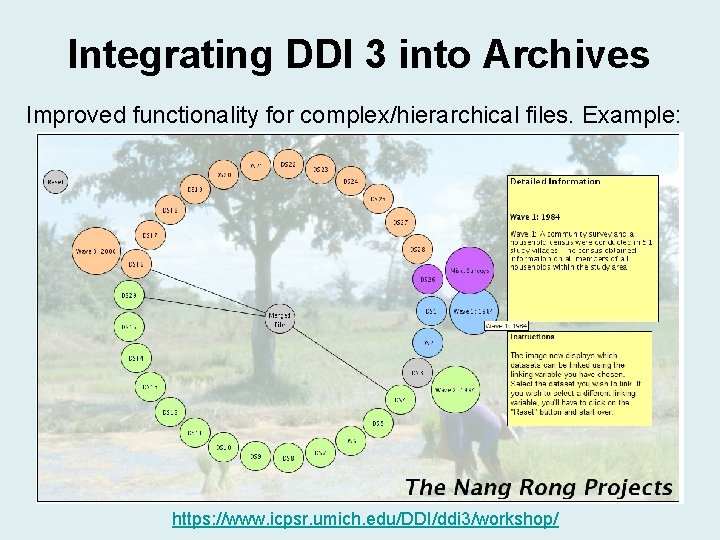
Integrating DDI 3 into Archives Improved functionality for complex/hierarchical files. Example: https: //www. icpsr. umich. edu/DDI/ddi 3/workshop/
Integrating DDI 3 into Archives What is in it for us? • DDI 3 facilitates grouping and comparison from the highest level to the lowest: – Mechanism to organize series information, showing only what changes over time. – Variable harmonization and comparison.
Integrating DDI 3 into Archives What is in it for us? • Modular structure and use of schemes allow creation of meta-resources, offering additional functionality: – Question/concept/variable banks – Geography databases – Organizations/Individuals registries
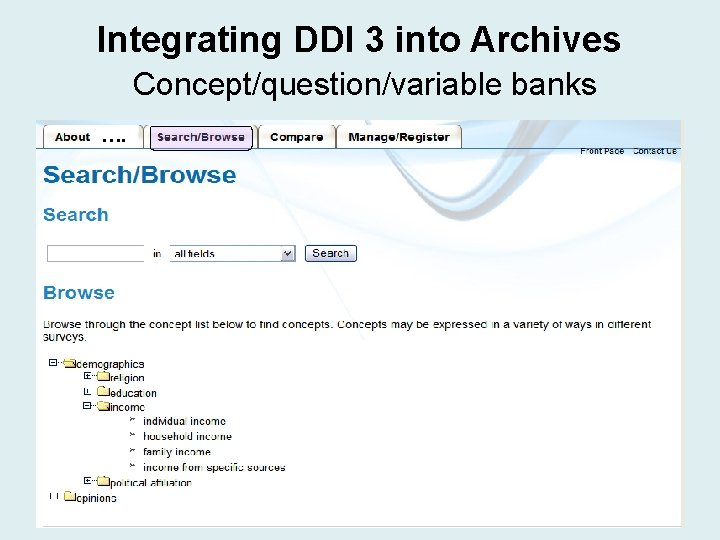
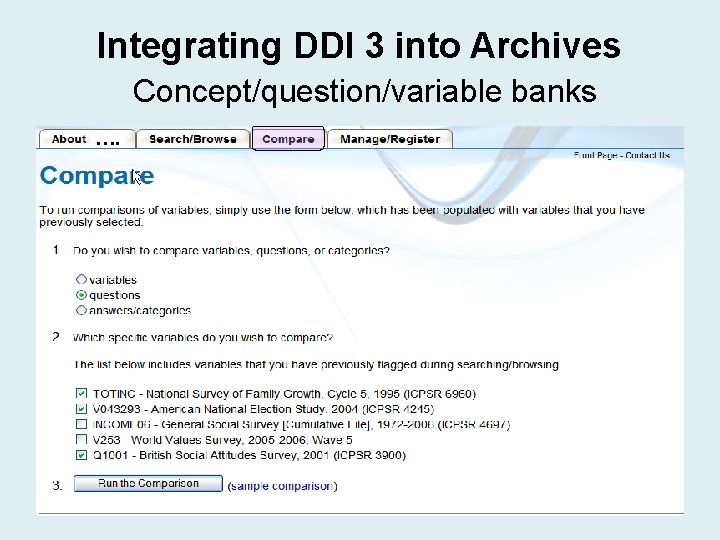
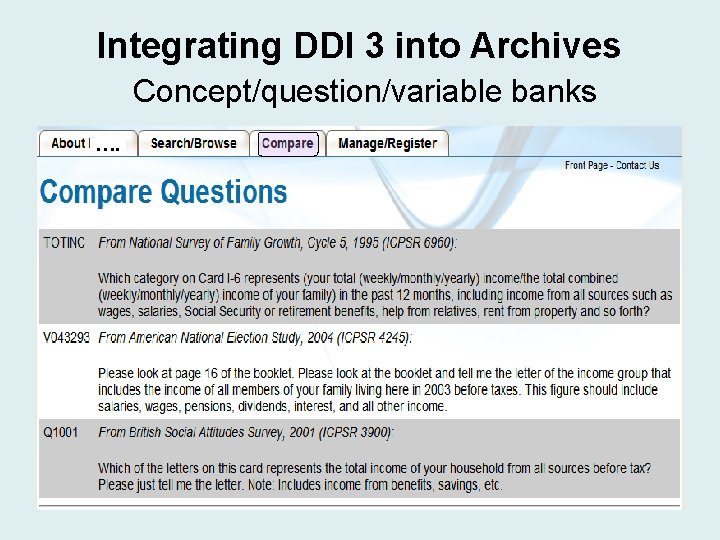
Integrating DDI 3 into Archives What is in it for us? • Concept/question/variable banks: – Metadata reuse – Cross-study variable/question/concept searches and analyses – Cross-study comparisons – Track questions/variables over time – Register an organization’s official measures
Integrating DDI 3 into Archives Concept/question/variable banks ….
Integrating DDI 3 into Archives Concept/question/variable banks ….
Integrating DDI 3 into Archives Concept/question/variable banks ….
Integrating DDI 3 into Archives • Geography databases /registries: – Automatically match locations with appropriate geographic level – Keep track of historical changes – Information always accurate and up-todate – Facilitate data entry
Integrating DDI 3 into Archives • Organizations/Individuals registries: – Keep track of historical changes (names, affiliations, contact information, etc. ) – Information always accurate and up-todate – Facilitate data entry
Integrating DDI 3 into Archives What is in it for us? Preservation: • Life cycle orientation of documentation means that a “chain of custody” is provided to meet preservation requirements. • Archives can use the life cycle events to track data processing activities (data transformation). • The structure of DDI 3. 0 integrates well with FEDORA (Flexible Extensible Digital Object Repository Architecture) – a digital repository management system used by many archives. • Separate instances can be created to follow the OAIS model: SIP, AIP, DIP.
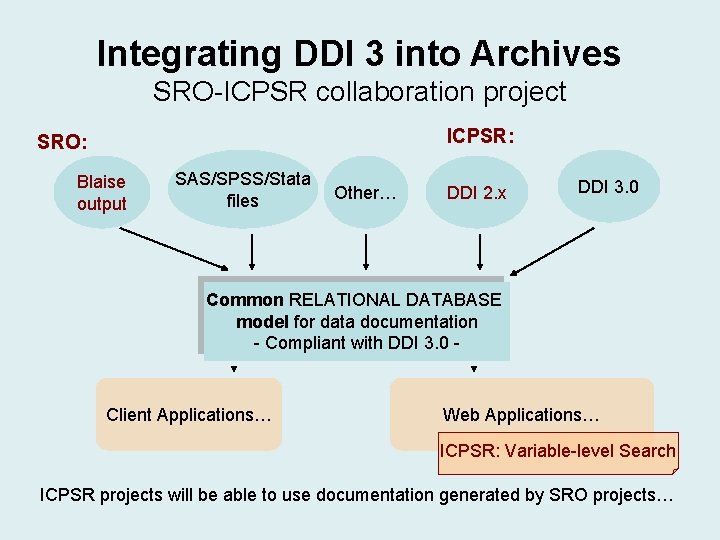
Integrating DDI 3 into Archives Information sharing: • Use of DDI 3 facilitates information sharing and collaborative projects among archives: – Example: SRO-ICPSR “Data Documentation and Dissemination” project implements a common, DDI 3. 0 compliant, database model to allow a smooth data transfer between the two organizations.
Integrating DDI 3 into Archives SRO-ICPSR collaboration project ICPSR: SRO: Blaise output SAS/SPSS/Stata files Other… DDI 2. x DDI 3. 0 Common RELATIONAL DATABASE model for data documentation - Compliant with DDI 3. 0 - Client Applications… Web Applications… ICPSR: Variable-level Search ICPSR projects will be able to use documentation generated by SRO projects…
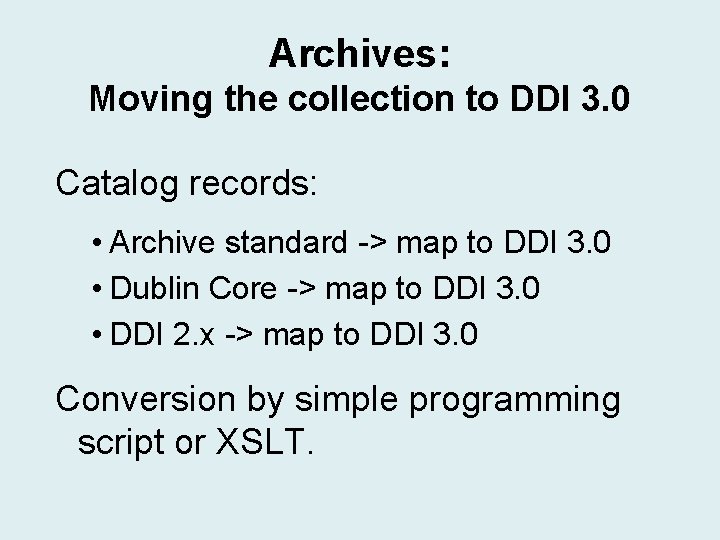
Archives: Moving the collection to DDI 3. 0 Catalog records: • Archive standard -> map to DDI 3. 0 • Dublin Core -> map to DDI 3. 0 • DDI 2. x -> map to DDI 3. 0 Conversion by simple programming script or XSLT.
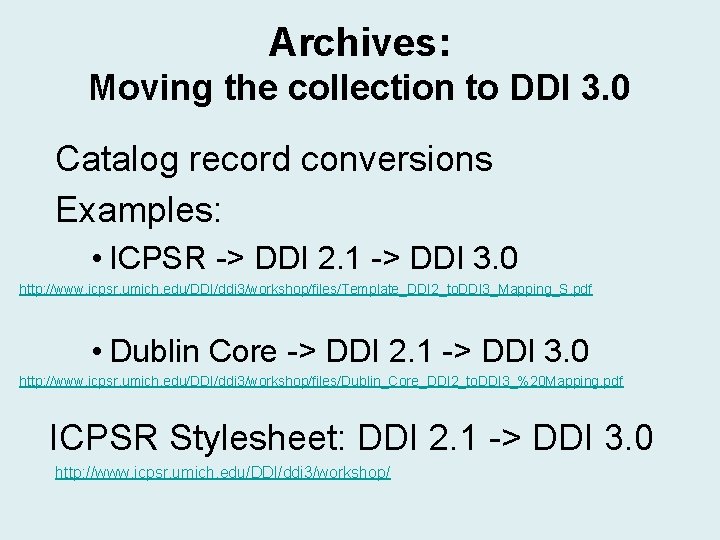
Archives: Moving the collection to DDI 3. 0 Catalog record conversions Examples: • ICPSR -> DDI 2. 1 -> DDI 3. 0 http: //www. icpsr. umich. edu/DDI/ddi 3/workshop/files/Template_DDI 2_to. DDI 3_Mapping_S. pdf • Dublin Core -> DDI 2. 1 -> DDI 3. 0 http: //www. icpsr. umich. edu/DDI/ddi 3/workshop/files/Dublin_Core_DDI 2_to. DDI 3_%20 Mapping. pdf ICPSR Stylesheet: DDI 2. 1 -> DDI 3. 0 http: //www. icpsr. umich. edu/DDI/ddi 3/workshop/
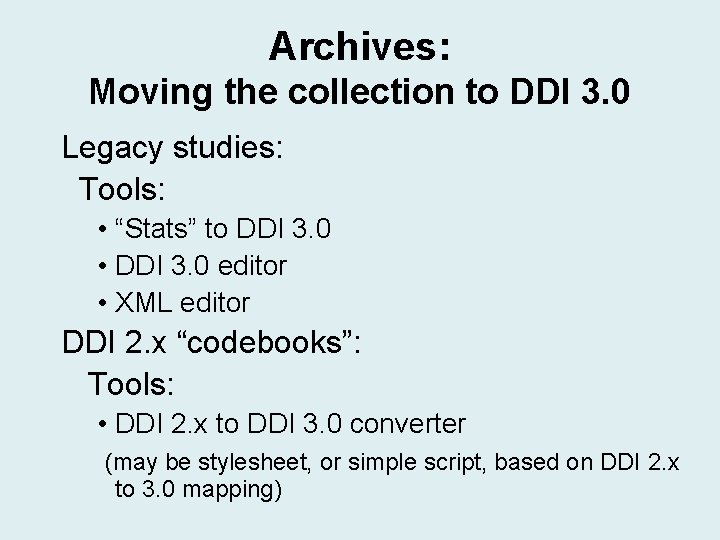
Archives: Moving the collection to DDI 3. 0 Legacy studies: Tools: • “Stats” to DDI 3. 0 • DDI 3. 0 editor • XML editor DDI 2. x “codebooks”: Tools: • DDI 2. x to DDI 3. 0 converter (may be stylesheet, or simple script, based on DDI 2. x to 3. 0 mapping)
Resources: • DDI 3. 0 Proof of Concept Use Cases and Implementations: http: //www. ddialliance. org/DDI/ddi 3/use-cases. html • DDI Tools: http: //tools. ddialliance. org/ • Workshop materials: http: /www. icpsr. umich. edu/DDI/ddi 3/workshop
Contact Information – Sanda Ionescu: sandai@umich. edu – Mary Vardigan: vardigan@umich. edu – Matthew Richardson: matvey@umich. edu DDI users’ list: http: //www. ddialliance. org/codebook/listserv. html
Questions?
The End.