
Purpose Introduction to Universal Design for Learning UDL
- Slides: 10
Purpose � Introduction to Universal Design for Learning (UDL) � Describe the similarities and differences between UDL and Assistive Technology (AT). � By the end of the presentation you should. . . Have basic understanding of UDL Understand some of the similarities and differences between UDL and AT Be able to identify some of the AT devices used in UDL instructions
What is Universal Design? “Universal design is the design of products and environments to be usable by all people, to the greatest extent possible, without the need for adaptation or specialized design. ” (Mace, R. 1997; Center for Universal Design)
UDL Principles UDL is built on three research-based principles: § Provide multiple means of representation to give learners various ways of acquiring information and knowledge § Provide multiple means of expression to provide learners alternatives for demonstrating what they know § Provide multiple means of engagement to tap into learners' interests, challenge them appropriately, and (Basham, Edyburn, Lowrey, & Wissick, 2007) motivate them to learn
UDL Instruction New Content, Student Engagement, and Throughout Provide for multiple means (and media) of representation and presentation (e. g. , textbooks, digital documents, websites, models) Provide multiple means for students to demonstrate knowledge and skill (e. g. , oral, visual, written) Offer appropriate choices and various levels of engagement (e. g. , tools, content, individual/group) Highlight necessary and critical features (e. g. vary tone, body movement, be explicit) Provide ongoing feedback and facilitate understanding Encourage self-reflection to support meta-cognition (e. g. , self-talk, journaling) Encourage home & school connection
Assistive Technology (AT) is defined as “Any item, piece of equipment, or product system, whether acquired commercially off the shelf, modified, or customized, that is used to increase, maintain, or improve the functional capabilities of a child with disabilities” (Technology Related Assistance for Individuals with Disabilities (Tech Act), 1988) AT is required to be addressed in a student’s Individualized Education Program (IEP) Providing AT is to be considered in decisions related to Free Appropriate Public Education (FAPE) in the least restrictive environment (LRE)
Basic Similarities of UDL & AT � Both utilize problem-solving process � Both utilize various forms of modern technology � Related to individuals with disabilities, both UDL and AT are focused on Providing Access Increasing Participation Improving Outcomes
Basic Differences of UDL & AT UDL is focused on: Providing access and betterment for individuals of all abilities and disabilities Proactively making environmental-based decisions related to the learning environment focused on curriculum, instruction, and assessment. Dealing with issues of access and betterment related to the environment’s design (targets the larger system) AT is focused on: – Providing access and betterment for individuals with disabilities (by definition) – Reactively providing technology to increase, maintain, or improve the functional capabilities – Generally considering issues of access and betterment as an individual’s issue (targets individual need) (Rose, Hasselbring, Stahl, & Zabala, 2005)
Working Together. . . Realistically, UDL and AT work together to �Develop and implement a well-designed learning environment focused on various abilities and disabilities �Provide individual support where barriers were overlooked and/or costeffectiveness may limit or prohibit systems level change § Support access and betterment for all individuals
21 st Century Classroom
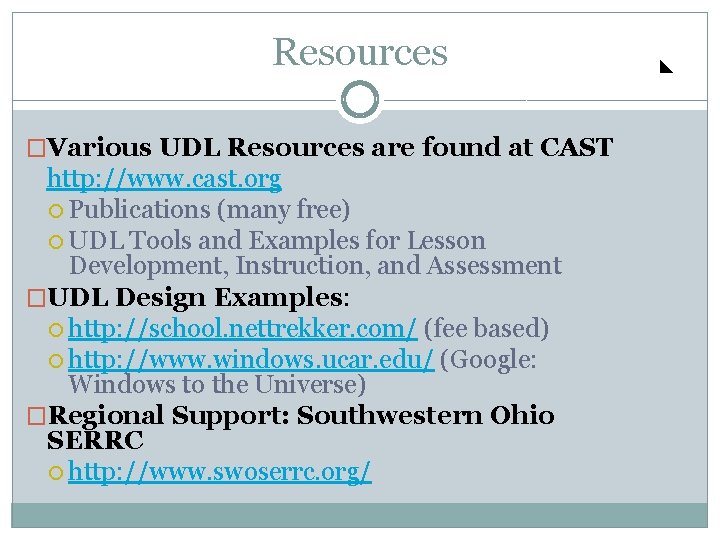
Resources �Various UDL Resources are found at CAST http: //www. cast. org Publications (many free) UDL Tools and Examples for Lesson Development, Instruction, and Assessment �UDL Design Examples: http: //school. nettrekker. com/ (fee based) http: //www. windows. ucar. edu/ (Google: Windows to the Universe) �Regional Support: Southwestern Ohio SERRC http: //www. swoserrc. org/