
PURCHASING GUIDELINES DISCOVER YOUR OPPORTUNITIES e PROCUREMENT REQUESTOR

- Slides: 25
PURCHASING GUIDELINES & DISCOVER YOUR OPPORTUNITIES e. PROCUREMENT REQUESTOR TRAINING REVISED 11/04/2020 Information contained in this training was provided by: The Valdosta State University Department o f Procurement
Today’s Objectives At the end of today’s training, Requesters will have a high level of understanding of: • Federal, State, USG, & VSU Procurement Policies & Procedures for: – Making purchases – Contract Review and Execution – Conducting Solicitations – Submitting requisitions in e. Procurement • Requester and Departmental Responsibilities • Procurement Tips & Resources
Introduction Contact Info – Phone: 229 -333 -5708 – Fax: 229 -333 -7408 – Email: procurement@valdosta. edu • itpurchasing@valdosta. edu • contracts@valdosta. edu • pcard@valdosta. edu • fuelcard@valdosta. edu Location – University Center, Entrance 7 – Office Suite 1200 – Location that previously housed the Office of Centralized Advising. VSU Procurement Website: http: //www. valdosta. edu/administrat ion/finance-admin/financialservices/procurement/ VSU IT Procurement Website: https: //www. valdosta. edu/administr ation/it/procurement/ VSU Financial Services Forms: https: //www. valdosta. edu/administrati on/finance-admin/financialservices/forms/
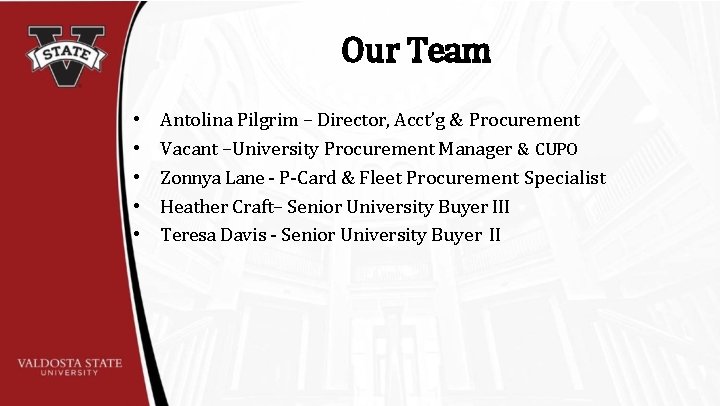
Our Team • • • Antolina Pilgrim – Director, Acct’g & Procurement Vacant –University Procurement Manager & CUPO Zonnya Lane - P-Card & Fleet Procurement Specialist Heather Craft– Senior University Buyer III Teresa Davis - Senior University Buyer II
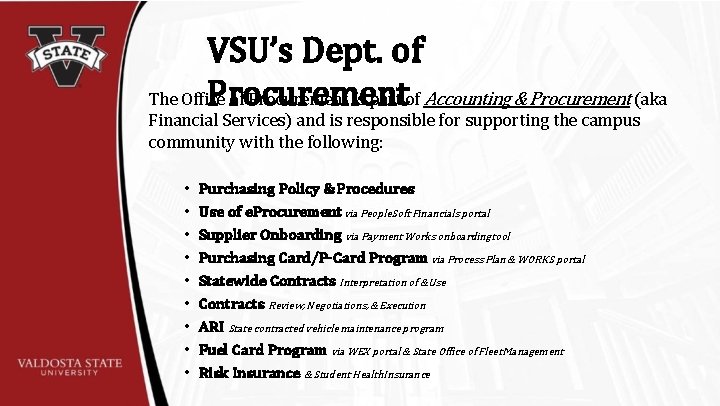
VSU’s Dept. of Procurement The Office of Procurement is part of Accounting & Procurement (aka Financial Services) and is responsible for supporting the campus community with the following: • • • Purchasing Policy & Procedures Use of e. Procurement via People. Soft Financials portal Supplier Onboarding via Payment Works onboardingtool Purchasing Card/P-Card Program via Process Plan & WORKS portal Statewide Contracts Interpretation of &Use Contracts Review, Negotiations, & Execution ARI State contracted vehicle maintenance program Fuel Card Program via WEX portal & State Office of Fleet Management Risk Insurance & Student Health Insurance
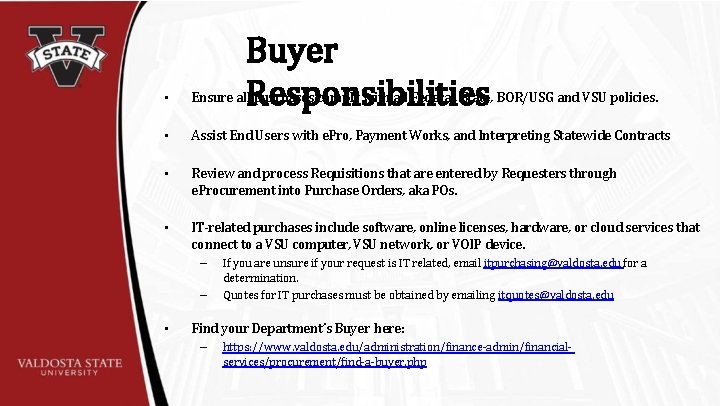
Buyer Responsibilities • Ensure all purchases comply with all Federal, State, BOR/USG and VSU policies. • Assist End Users with e. Pro, Payment Works, and Interpreting Statewide Contracts • Review and process Requisitions that are entered by Requesters through e. Procurement into Purchase Orders, aka POs. • IT-related purchases include software, online licenses, hardware, or cloud services that connect to a VSU computer, VSU network, or VOIP device. – – • If you are unsure if your request is IT related, email itpurchasing@valdosta. edu for a determination. Quotes for IT purchases must be obtained by emailing itquotes@valdosta. edu Find your Department’s Buyer here: – https: //www. valdosta. edu/administration/finance-admin/financialservices/procurement/find-a-buyer. php
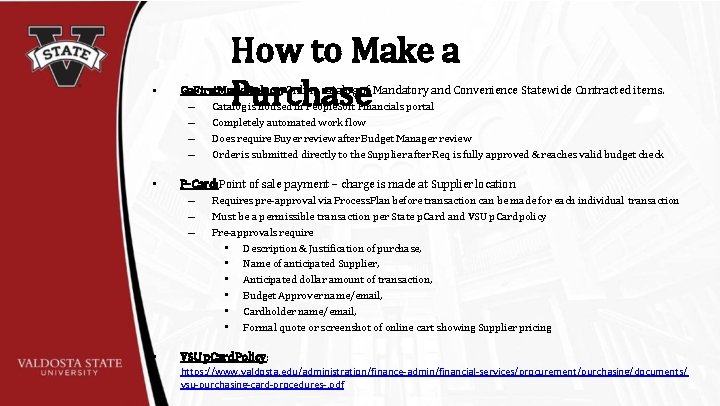
How to Make a Purchase • Ga. First. Marketplace: Online catalog of Mandatory and Convenience Statewide Contracted items. – Catalog is housed in People. Soft Financials portal – Completely automated work flow – Does require Buyer review after Budget Manager review – Order is submitted directly to the Supplier after Req is fully approved & reaches valid budget check • P-Card: Point of sale payment – charge is made at Supplier location – Requires pre-approval via Process. Plan before transaction can be made for each individual transaction – Must be a permissible transaction per State p. Card and VSU p. Card policy – Pre-approvals require • Description & Justification of purchase, • Name of anticipated Supplier, • Anticipated dollar amount of transaction, • Budget Approver name/email, • Cardholder name/email, • Formal quote or screenshot of online cart showing Supplier pricing • VSU p. Card Policy: https: //www. valdosta. edu/administration/finance-admin/financial-services/procurement/purchasing/documents/ vsu-purchasing-card-procedures-. pdf
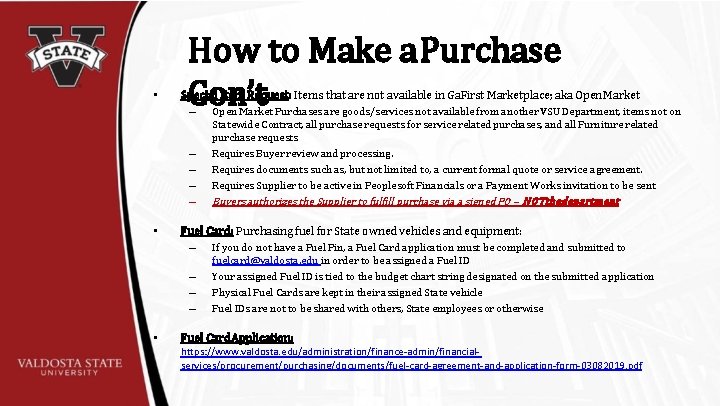
• How to Make a Purchase Con’t Special Item Request: Items that are not available in Ga. First Marketplace; aka Open Market – Open Market Purchases are goods/services not available from another VSU Department, items not on – – • Buyers authorizes the Supplier to fulfill purchase via a signed PO – NOTthedepartment Fuel Card: Purchasing fuel for State owned vehicles and equipment: – If you do not have a Fuel Pin, a Fuel Card application must be completed and submitted to – – – • Statewide Contract, all purchase requests for service related purchases, and all Furniture related purchase requests Requires Buyer review and processing. Requires documents such as, but not limited to, a current formal quote or service agreement. Requires Supplier to be active in Peoplesoft Financials or a Payment Works invitation to be sent fuelcard@valdosta. edu in order to be assigned a Fuel ID Your assigned Fuel ID is tied to the budget chart string designated on the submitted application Physical Fuel Cards are kept in their assigned State vehicle Fuel IDs are not to be shared with others, State employees or otherwise Fuel Card Application: https: //www. valdosta. edu/administration/finance-admin/financialservices/procurement/purchasing/documents/fuel-card-agreement-and-application-form-03082019. pdf
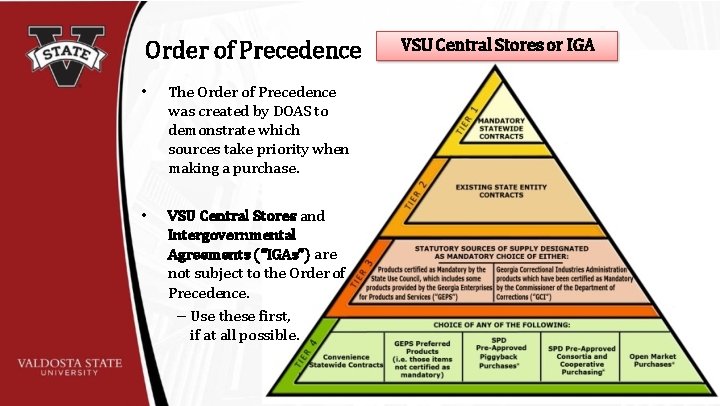
Order of Precedence • The Order of Precedence was created by DOAS to demonstrate which sources take priority when making a purchase. • VSU Central Stores and Intergovernmental Agreements (“IGAs”) are not subject to the Order of Precedence. – Use these first, if at all possible. VSU Central Stores or IGA
• VSU Central Stocks standard white 8. 5” x 11” copy paper Stores • Standard copy paper MUST be purchased from Central Stores. • Standard copy paper that is purchased in GAFirst Marketplace will result in the ENTIRE ORDER being rejected at the time of delivery to Central Receiving. – Any other stems on the rejected delivery will need to be re-ordered by the Requestor. – Requestor must request Procurement to cancel the associated PO in order to free up funds for the re-order of rejected items For more information contact Central Stores at x 5958.
• Intergovernmental Agreements (aka IGAs): – Contracts/purchases between government entities. – States Agencies & Programs, State Funded Higher Education Institutions, and Local Municipalities. – Does NOT include the Federal government. – Do not require competitive bidding. – Do not require Contract Review or – Available for Piggy Back purchases • Provides greater purchasing power resulting in savings from bulk purchases among more than one agency/institution
Security & Immigration Contractor Affidavit • State and Federal law require VSU to confirm that any Supplier performing a service for or on behalf of VSU, where there is human involvement/interaction, are enrolled in the Federal e. Verify program. • This requirement applies to “any physical performance of labor or services for a public employer using a bidding process or by contract wherein the labor or services exceed $2, 499. 99…” (O. C. G. A. 13 -10 -90) • Purpose of Affidavit is to ensure that all services provided are through and by individuals who are authorized to work in the United States. • Requirement does not apply to any services performed in another country
• Special Items/services not available through VSU or a State Request Agency/Institution – VSU provides Print Shop, Creative Services, Central Stores, Recycling & Employee Development • Items that are not available or have price listed in Ga. First Marketplace • Required additional actions & documents (as applicable): – Payment Works Invitation if: • • Supplier that is not active or up-to-date in People. Soft Active Supplier that has not set up Direct Deposit information – Completed Service Agreement & HR-Approved Determination of Status Form: • For services provided by an individual; who agree to VSU terms & conditions – Valid quote • • Must not be expired or be more than 30 days old, whichever is greater Does not reference Company terms & conditions or the Company agrees to VSU’s
Special Item Request Cont. Required additional actions & documents cont. (as applicable): • Security & Immigration Contractor Affidavit: – Services provided by a Company that totals $2, 500+ per service. – Required for each service/job regardless of when the last services was provided – For an Individual/Independent Contractor – a copy of a Government issued ID – Such as a drivers license, passport, work visa, etc. • Fully Executed Contract from VSU Contract Officer; to include Contracts resulting from a successful bid award
• • VSU Amazon Business Prime account provides Prime discounts and delivery times. To purchase through the Amazon Business Prime account: – – • Amazon is now available on GAFirst Market. Place, this is not covered by a Convienience or Mandatory Contract Your VSU email address cannot be tied to an existing Amazon account to use the Punch-out catalog through GAFirst Market. Place Confirm items are not on a Statewide Mandatory Contract. Confirm that items are either Prime or fulfilled by Amazon Procurement will review the requisition and provide Buyer approval after Budget Manager approval is complete Important Note: Price changes and availability between the time of requisition creation and final order submission may result in parts or all of the order not being accepted by Amazon. Budget Managers MUST approve Amazon requisitions within 72 hours or the requisition will need to be recreated.
• VSU Copier Program Multifunction Printers/Copiers: – – • Purchases, leases, and maintenance agreements are coordinated through Procurement. For all inquiries, issues, or requests contact Procurement@valdosta. edu Annual Copier Renewals: each fiscal year you will submit an e. Pro Requisition for your departmental machine(s) to be renewed. – Requisitions for renewals must follow these guidelines: • Enter a single line per machine on the requisition (whether a lease or maintenance plan) - encumber enough funds for all 12 months of charges • Enter a different line for black/white and color prints. Enter a quantity of 1, and a dollar value that will encumber adequate funding for the entire fiscal year ( color prints as applicable) • Our Xerox-Specific Service provider is American Business Center. – Have your machine’s serial number(s) on hand BEFORE calling : • To order supplies call 800 -599 -2198 • For servicing of machine call 800 -821 -2797
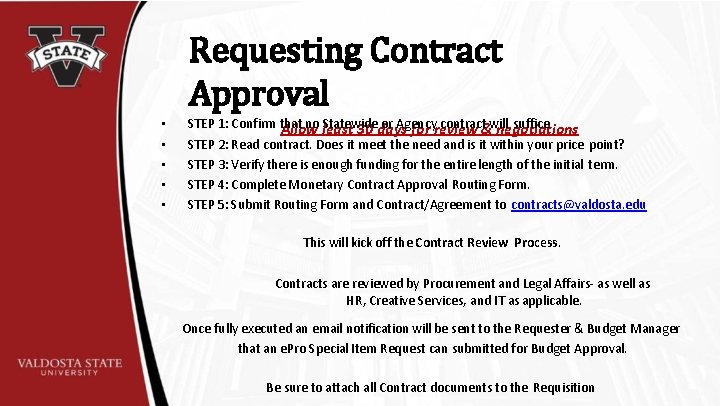
Requesting Contract Approval • • • STEP 1: Confirm that no least Statewide or Agency contract&will suffice Allow 30 days for review negotiations STEP 2: Read contract. Does it meet the need and is it within your price point? STEP 3: Verify there is enough funding for the entire length of the initial term. STEP 4: Complete Monetary Contract Approval Routing Form. STEP 5: Submit Routing Form and Contract/Agreement to contracts@valdosta. edu This will kick off the Contract Review Process. Contracts are reviewed by Procurement and Legal Affairs- as well as HR, Creative Services, and IT as applicable. Once fully executed an email notification will be sent to the Requester & Budget Manager that an e. Pro Special Item Request can submitted for Budget Approval. Be sure to attach all Contract documents to the Requisition
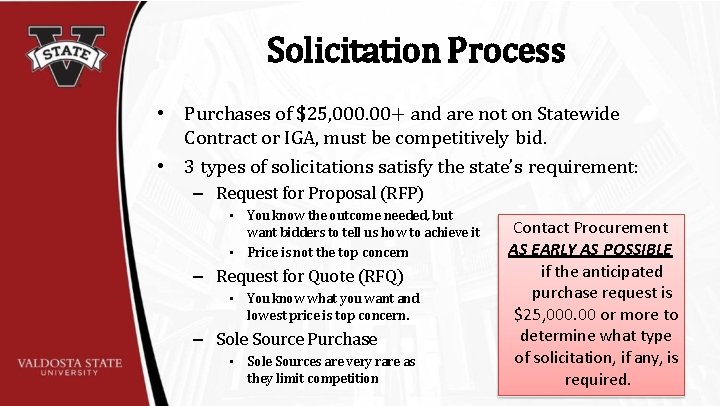
Solicitation Process • Purchases of $25, 000. 00+ and are not on Statewide Contract or IGA, must be competitively bid. • 3 types of solicitations satisfy the state’s requirement: – Request for Proposal (RFP) • You know the outcome needed, but want bidders to tell us how to achieve it • Price is not the top concern – Request for Quote (RFQ) • You know what you want and lowest price is top concern. – Sole Source Purchase • Sole Sources are very rare as they limit competition Contact Procurement AS EARLY AS POSSIBLE if the anticipated purchase request is $25, 000. 00 or more to determine what type of solicitation, if any, is required.
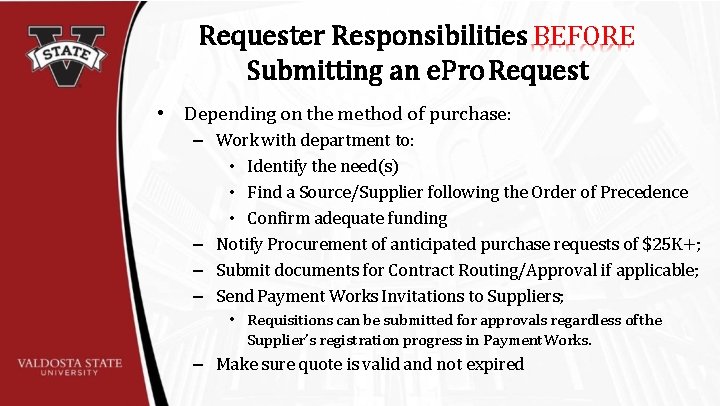
Requester Responsibilities BEFORE Submitting an e. Pro Request • Depending on the method of purchase: – Work with department to: • Identify the need(s) • Find a Source/Supplier following the Order of Precedence • Confirm adequate funding – Notify Procurement of anticipated purchase requests of $25 K+; – Submit documents for Contract Routing/Approval if applicable; – Send Payment Works Invitations to Suppliers; • Requisitions can be submitted for approvals regardless of the Supplier’s registration progress in Payment Works. – Make sure quote is valid and not expired
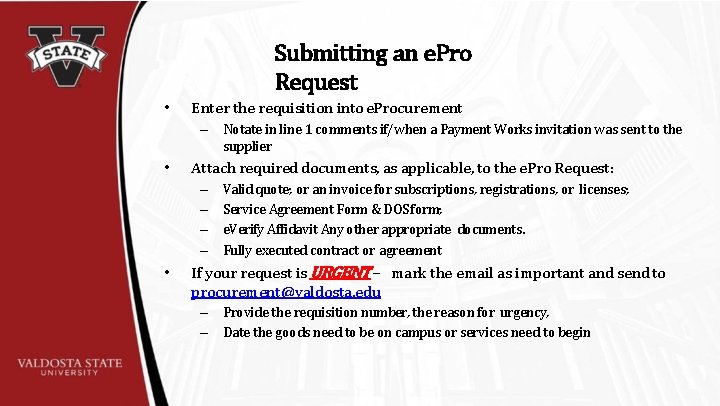
Submitting an e. Pro Request • Enter the requisition into e. Procurement – Notate in line 1 comments if/when a Payment Works invitation was sent to the supplier • Attach required documents, as applicable, to the e. Pro Request: – – • Valid quote; or an invoice for subscriptions, registrations, or licenses; Service Agreement Form & DOS form; e. Verify Affidavit Any other appropriate documents. Fully executed contract or agreement If your request is URGENT – mark the email as important and send to procurement@valdosta. edu – Provide the requisition number, the reason for urgency, – Date the goods need to be on campus or services need to begin
Requester Responsibilities AFTER Submitting an e. Pro Request • • Track the status of requisitions in e. Pro through Manage Requisitions Inspect and accept or reject purchased items when delivered to your Department by VSU Central Receiving Submit invoices and request for payment forms to Accounts Payable via accountspayable@Valdosta. edu Document and alert Procurement to any problems with Supplier(s) or with purchased items/services RIGHT AWAY.
• Requisitions (Reqs) are processed by a Buyer in the order they are approved & pass Req budget check. – • Enter your Req when all required documents are obtained or a fully executed contract is provided back to the Department by the VSU Contracting Officer. Requisitions do NOT secure funds out of your budget; Req budget check only determines if funds are available at the time of Req submission & Approval – • Purchasing Tips & Limitations Funds are not actually secured out of your budget until you receive a signed PO back from Procurement authorizes and places Special Item orders/services with the Supplier; not the Department – Submitted a Special Item Requests are not to give authorization to Supplier to begin order/service fulfillment • Only those employees with Delegated Signing Authority have the right to incur debt on behalf of VSU. • Delegated Signing Authority is different than a Budget Manager’s signing authority. – – Budget Managers are authorized to sign VSU related documents confirming that funds are available for the request. Requestors are authorized to sign VSU related documents confirming that they are the End User making the request. • If you do not have Delegated Signing Authority, but authorize a Supplier to proceed with fulfillment of an order or begin providing services without the funds being secured on a PO - you are in direct conflict with State and USG policy and may be held liable to cover the cost of the purchase out of personal funds. • The list of Delegated Signatories can be found here: https: //www. valdosta. edu/administration/legal/documents/delegationofcontractsigningauthority. pdf
Purchasing Tips & Limitations Cont. • USG and SACs requires all payments are made via ACH/EFT Direct Deposit – – • Request for Payment forms submitted to Accounts Payable without a PO must be <$2, 499. – • Requests for Payment that do not have an established PO will require the Requesting End User’s, Budget Manager’s, & the Department’s VP’s signature, acknowledging that proper Procurement Policy was not followed by the Department. Request for Payment forms submitted to Accounts Payable will be sent back to the department I the purchase was $2, 500+ and no PO was established before purchase was made. – – – • ACH is more secure, but takes longer to deposit into the Supplier’s bank account EFT is less secure, but will deposit into the Supplier’s bank account sooner than an ACH payment Departments that receive a returned Request for Payment form for a purchase that was $2, 500+ must submit the invoice for the purchase & the Request for Payment form, into e. Pro as a Special Item Request. A Request for Payment with your VP’s signature must be attached to the Special Item Request. Accounts Payable will not remit payment for purchases that were $2, 500+ without an established after-the-fact PO & signed Request for Payment Form. Requisitions submitted with a quote or agreement that include Supplier terms OR there are Supplier terms are included on the quote or agreement by reference via a web link will require contract review. – – This review is required of all Supplier provided terms & conditions regardless of dollar value. This requirement because a breech of Supplier terms may result in legal action & fees to resolve the breech.
If You Need Assistance With: e. Procurement Approval, Workflow, or Login Issues pshelp@valdosta. edu Contract Review Requests, Questions, or Issues contracts@valdosta. edu General Procurement; Supplier Onboarding procurement@valdosta. edu; supplier@valdosta. edu p. Card or Fleet Management pcard@valdosta. edu; fuelcard@valdosta. edu IT Purchasing or IT Quotes itpurchasing@valdosta. edu; itquotes@valdosta. edu
If You Need Assistance With Cont. : Determination of Status for Independent Contractors vsuindependentcontractor@valdosta. edu Travel; Accounts Payable travel@valdosta. edu; accountspayable@valdosta. edu Budget budgets@valdosta. edu Training Requests training@valdosta. edu