
Purchase Return to Vendor Our example of Customer

- Slides: 32
Purchase Return to Vendor
Our example of Customer – Vendor ? • Finsys user name is Akito Kowa Packaging Ltd • He makes Flexible Packaging in NCR Delhi • His vendor is Uflex ( supplier of Flexible raw film) – sends 10, 000 kg • We reject part of the shipment, And return 2000 kg
Pre GST • We used to make a Purchase Return invoice • This was as per Excise Rules
Post GST : What people are doing ? • Method 1 : – Make a Delivery Challan – Ask for vendors’ Credit Note • Method 2 : – Make a Purchase Return Invoice – And charge him Value + taxes
Now in Detail
Law • There is no section on “Purchase return” in the law. • There is no notification / Circular on “Purchase returns”
Sale : 1 lakh, Purchase return invoice : 5000 • Benefits – My books are correct, Vendor account is debited immediately. – No risk of excess payment to Vendor
Benefit no 2 – E way bill / – Document for the “road” movement – no Risk on the Road
Benefit 3 : Vendor Reconciliation • No risk of goods sent, – But Debit Note not made. • No risk of goods sent, – Debit Note not sent by courier. Lost on the way. – Reco problems • No risk of vendor denying, I don’t know, I don’t remember.
Benefit 4 • GSTR 1 , I am not dependent on the vendor. • I debit him straight away. I charge him the basic and the tax on that. In GSTR-1, I show this as my outward supply. • He accepts in GSTR-2. • Cycle is complete • So, easy since GSTR 2 is automatically made
Benefit 2 • Government gets the GST, • and no need to reconcile the Delivery Challans and Debit Notes / reversals. • Simplification during the excise audit after some years
Case 2 : Credit Notes
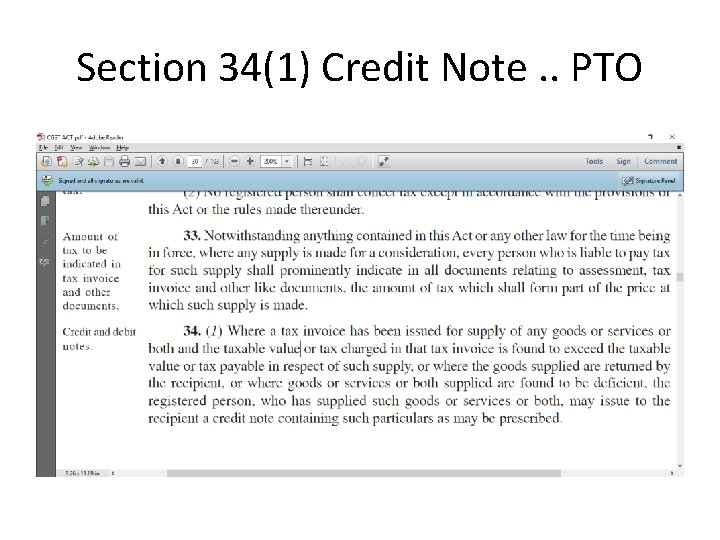
Section 34(1) Credit Note. . PTO
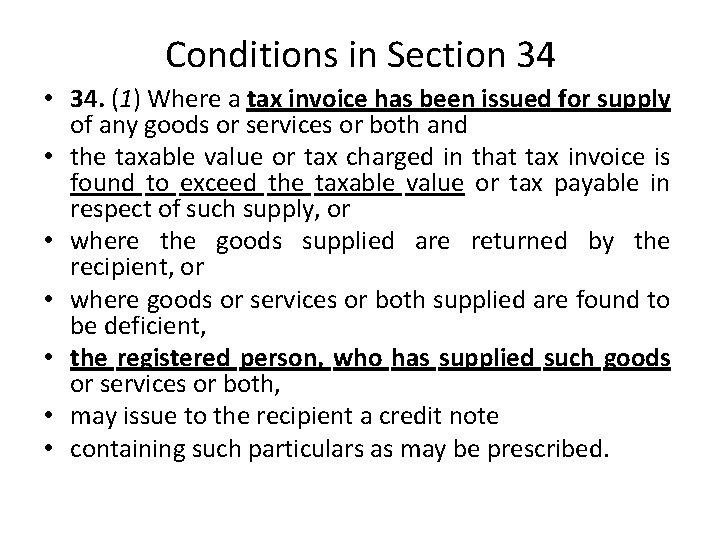
Conditions in Section 34 • 34. (1) Where a tax invoice has been issued for supply of any goods or services or both and • the taxable value or tax charged in that tax invoice is found to exceed the taxable value or tax payable in respect of such supply, or • where the goods supplied are returned by the recipient, or • where goods or services or both supplied are found to be deficient, • the registered person, who has supplied such goods or services or both, • may issue to the recipient a credit note • containing such particulars as may be prescribed.
How to do in Finsys ?
Make Delivery Challan • RGP in 22 Series • This is non returnable material
Make Debit Note 59 Series • • • This is against that Delivery Challan But no link in ERP So, a large risk remains, And all the Since Debit Notes are unlimited in variety – Rate – Qnty – Calculation – Freight
Now in Finsys
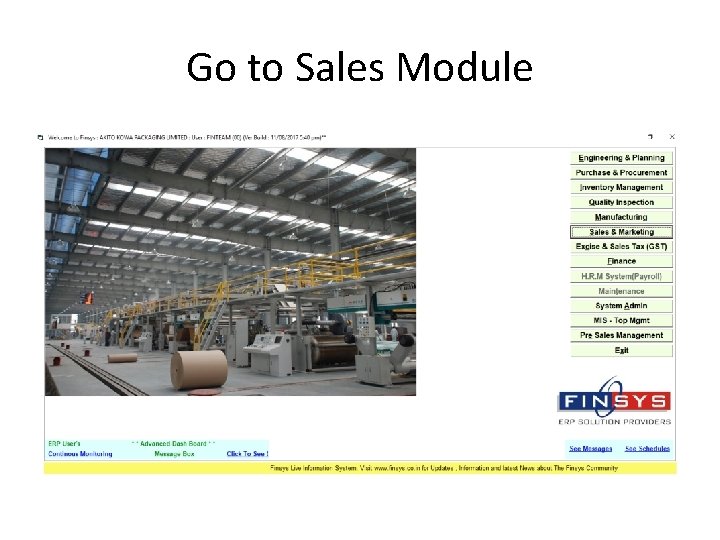
Go to Sales Module
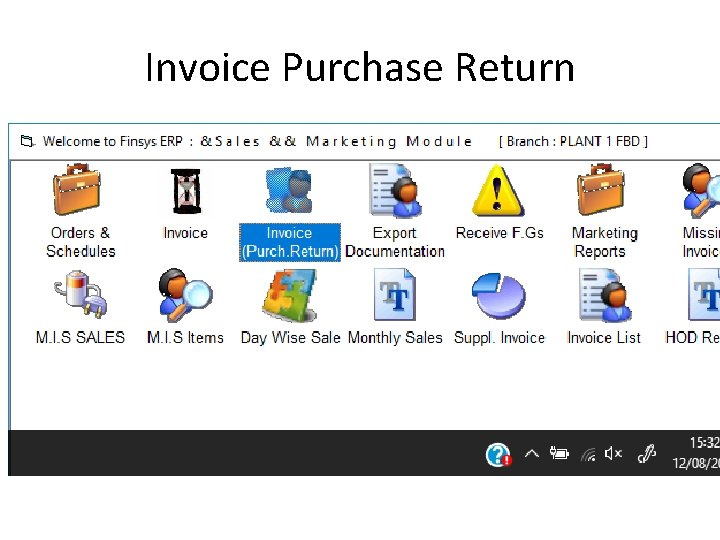
Invoice Purchase Return
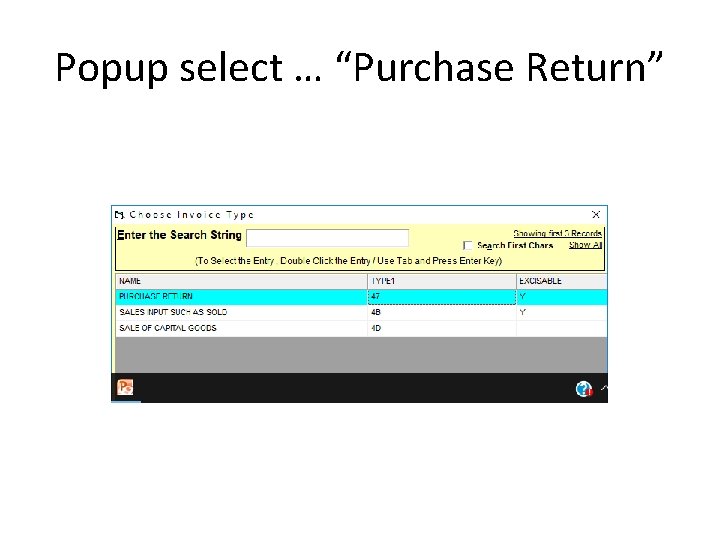
Popup select … “Purchase Return”
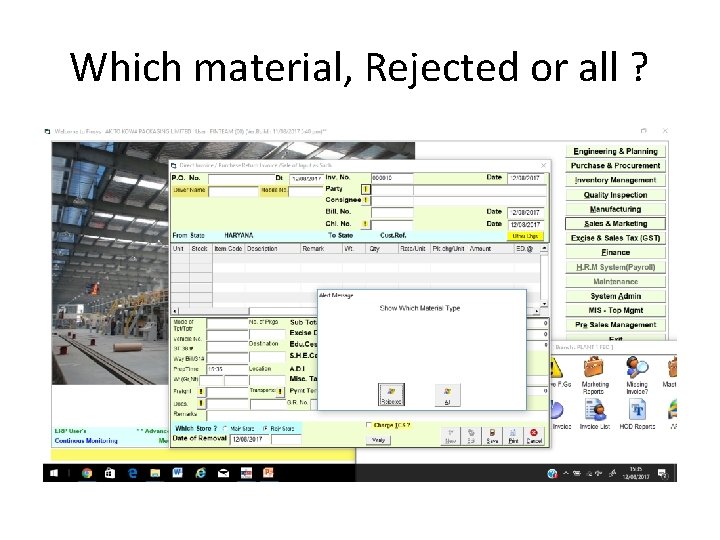
Which material, Rejected or all ?
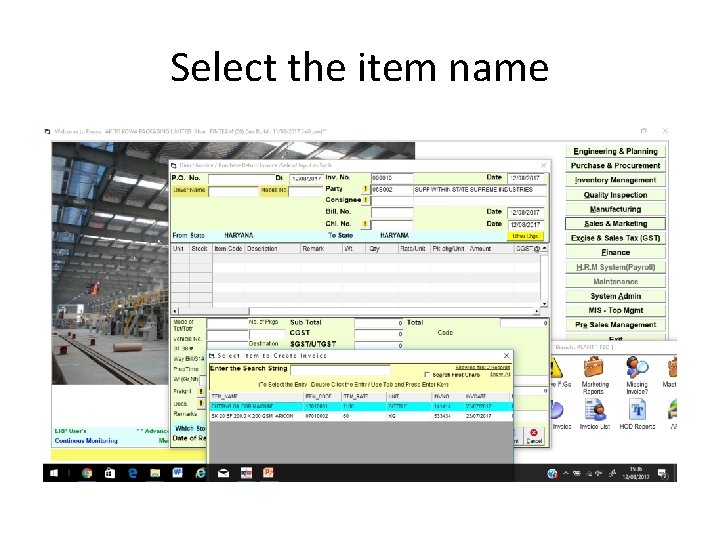
Select the item name
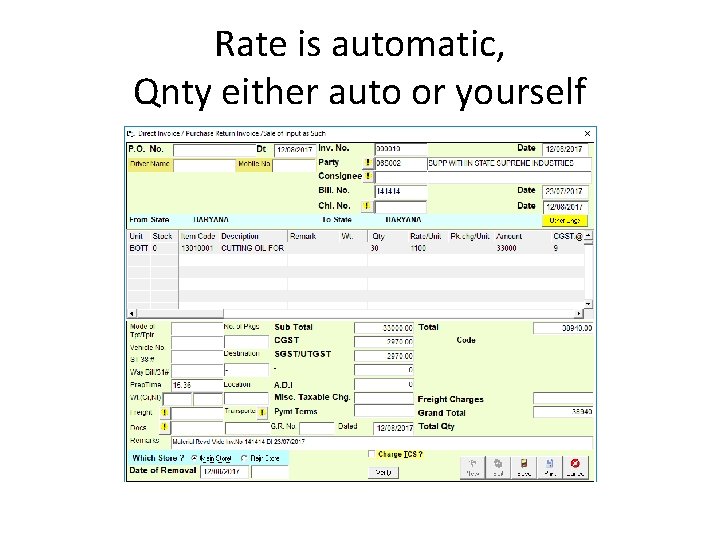
Rate is automatic, Qnty either auto or yourself
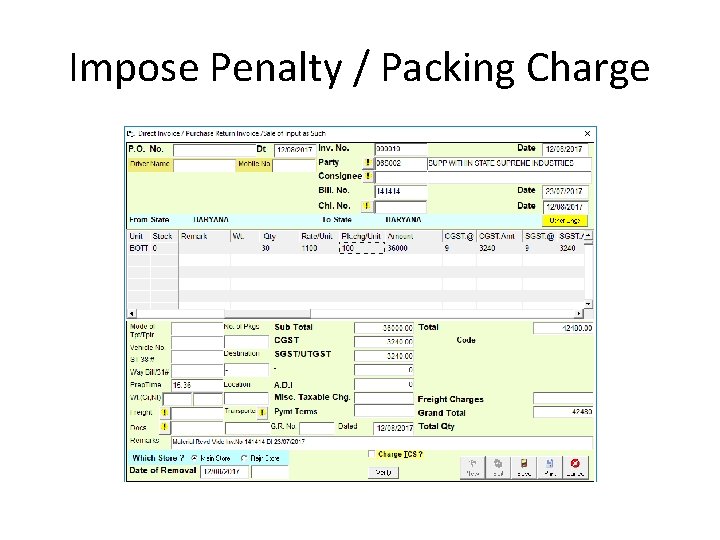
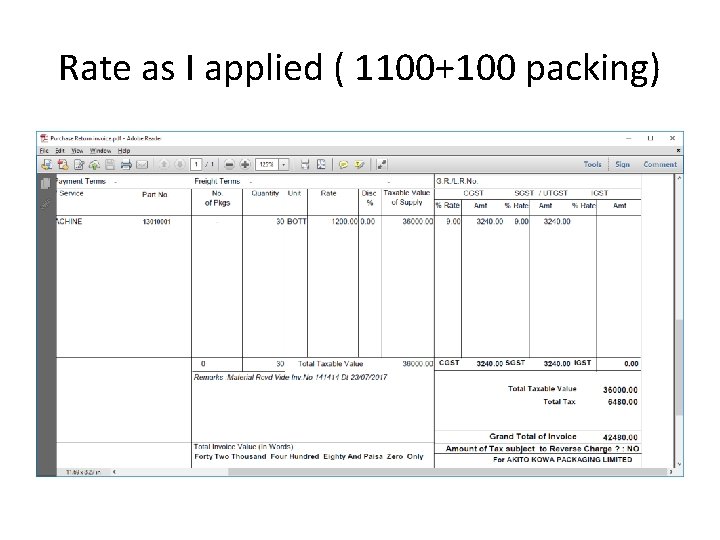
Impose Penalty / Packing Charge
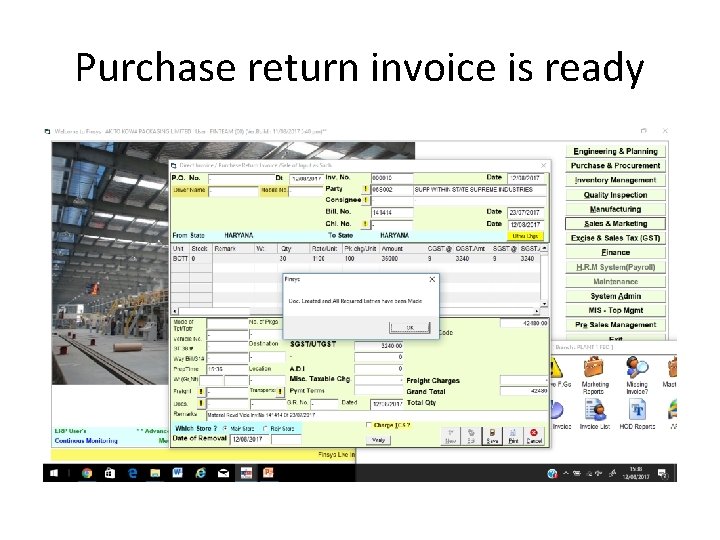
Purchase return invoice is ready
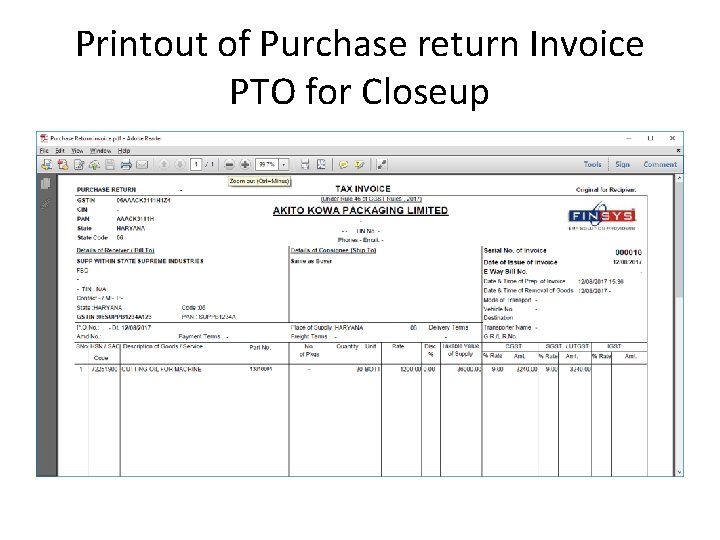
Printout of Purchase return Invoice PTO for Closeup
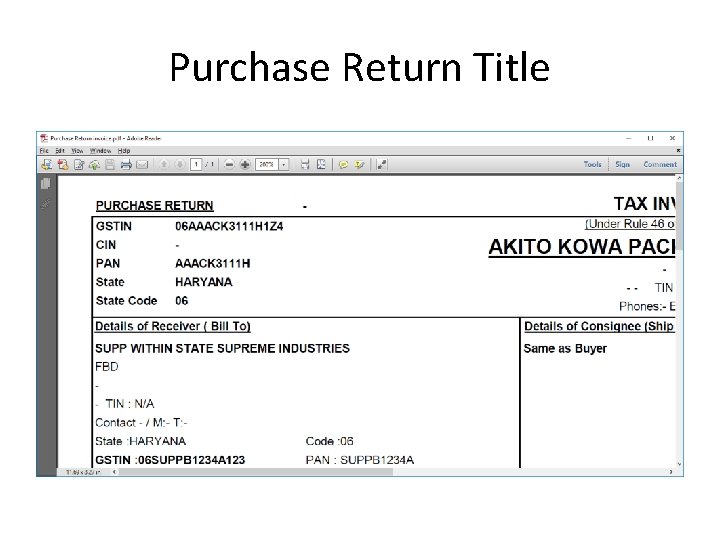
Purchase Return Title
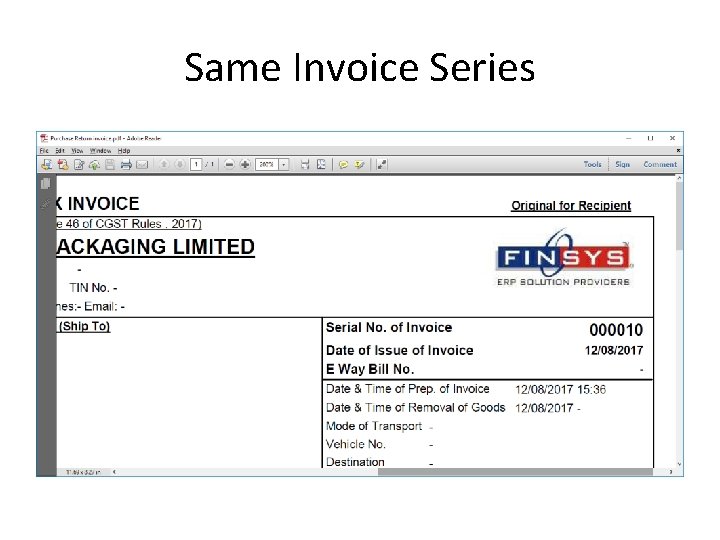
Same Invoice Series
Rate as I applied ( 1100+100 packing)
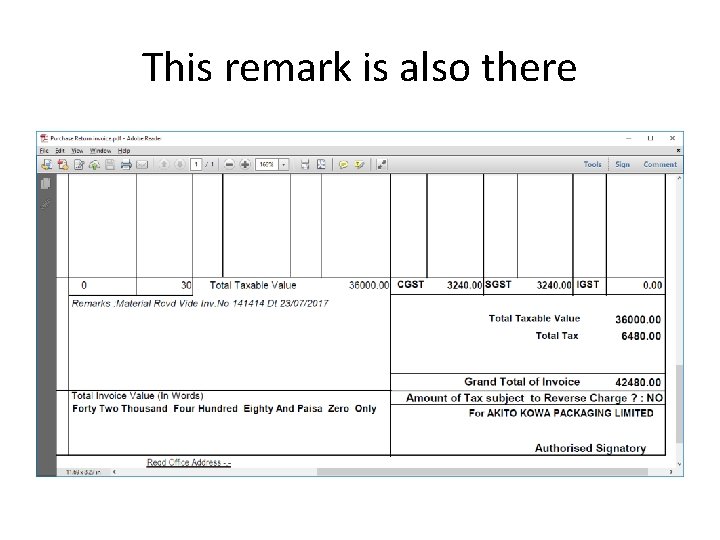
This remark is also there