
Purchase Request Data Standard PRDS Overview Why the

- Slides: 7
Purchase Request Data Standard (PRDS) Overview
Why the need for a PR Data Standard? • The establishment of accurate and standard data is critical since the purchase request (PR) is the source of critical data used in contract award. • Alignment of requirements throughout the procure-to-pay process, beginning with the purchase request and continuing through procurement, delivery, acceptance, and inventory management, enables data accuracy and more accurate order fulfillment. – Use of a standard PR data set will support these goals. – The PR data standard has been designed to be congruent with the previously published Procurement Data Standard
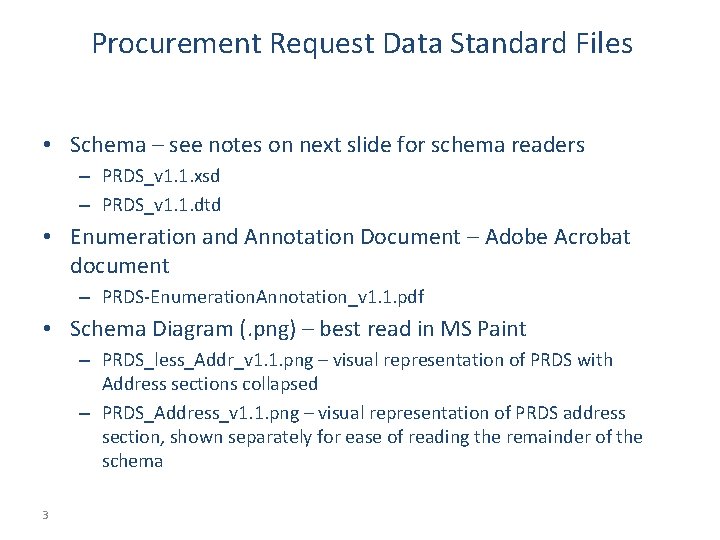
Procurement Request Data Standard Files • Schema – see notes on next slide for schema readers – PRDS_v 1. 1. xsd – PRDS_v 1. 1. dtd • Enumeration and Annotation Document – Adobe Acrobat document – PRDS-Enumeration. Annotation_v 1. 1. pdf • Schema Diagram (. png) – best read in MS Paint – PRDS_less_Addr_v 1. 1. png – visual representation of PRDS with Address sections collapsed – PRDS_Address_v 1. 1. png – visual representation of PRDS address section, shown separately for ease of reading the remainder of the schema 3
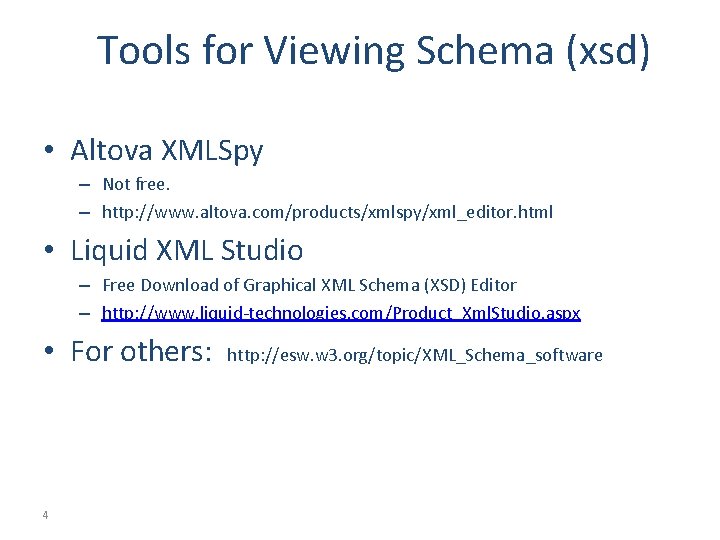
Tools for Viewing Schema (xsd) • Altova XMLSpy – Not free. – http: //www. altova. com/products/xmlspy/xml_editor. html • Liquid XML Studio – Free Download of Graphical XML Schema (XSD) Editor – http: //www. liquid-technologies. com/Product_Xml. Studio. aspx • For others: 4 http: //esw. w 3. org/topic/XML_Schema_software
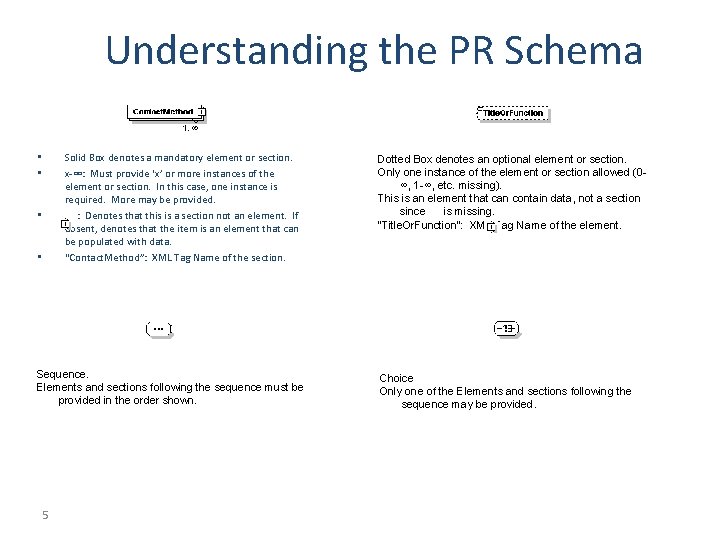
Understanding the PR Schema Solid Box denotes a mandatory element or section. x-∞: Must provide ‘x’ or more instances of the element or section. In this case, one instance is required. More may be provided. : Denotes that this is a section not an element. If absent, denotes that the item is an element that can be populated with data. “Contact. Method”: XML Tag Name of the section. • • Sequence. Elements and sections following the sequence must be provided in the order shown. 5 Dotted Box denotes an optional element or section. Only one instance of the element or section allowed (0∞, 1 -∞, etc. missing). This is an element that can contain data, not a section since is missing. “Title. Or. Function”: XML Tag Name of the element. Choice Only one of the Elements and sections following the sequence may be provided.
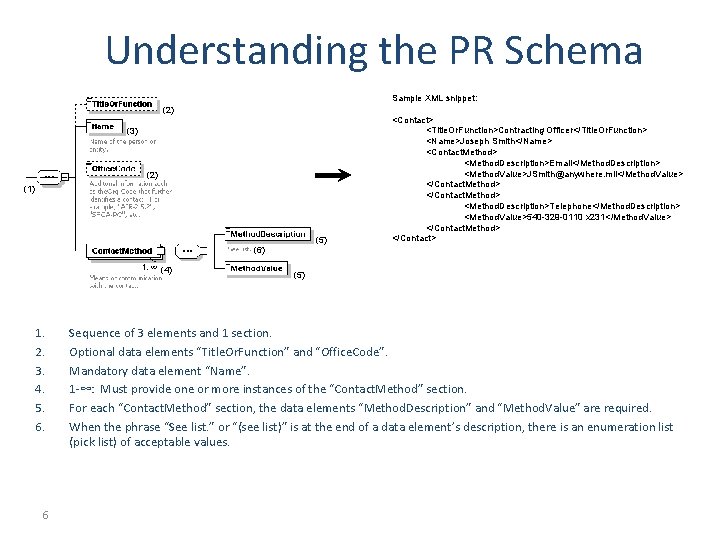
Understanding the PR Schema Sample XML snippet: (2) (3) (2) (1) (5) (6) (4) 1. 2. 3. 4. 5. 6. 6 <Contact> <Title. Or. Function>Contracting Officer</Title. Or. Function> <Name>Joseph Smith</Name> <Contact. Method> <Method. Description>Email</Method. Description> <Method. Value>JSmith@anywhere. mil</Method. Value> </Contact. Method> <Method. Description>Telephone</Method. Description> <Method. Value>540 -329 -0110 x 231</Method. Value> </Contact. Method> </Contact> (5) Sequence of 3 elements and 1 section. Optional data elements “Title. Or. Function” and “Office. Code”. Mandatory data element “Name”. 1 -∞: Must provide one or more instances of the “Contact. Method” section. For each “Contact. Method” section, the data elements “Method. Description” and “Method. Value” are required. When the phrase “See list. ” or “(see list)” is at the end of a data element’s description, there is an enumeration list (pick list) of acceptable values.
Understanding the PR Schema Sample XML snippet: (2) (2)(4) (1) (2) (3) 1. 2. 3. 4. 5. 7 <Committed. Amounts> <Committed. Amount>6000. 00</Committed. Amount> <Commitment. Identification. Number>N 000199115 AAAA 0001</Commitment. Identific ation. Number> <Commitment. Identification. Number>N 000199115 AAAA 0002</Commitment. Identific ation. Number> <Accounting. Identifier> … </Accounting. Identifier> </Committed. Amounts> <Committed. Amount>2500. 00</Committed. Amount> <Commitment. Identification. Number>N 000199115 AAAA 0003</Commitment. Identific ation. Number> <Transporation. Account. Code>N 217</Transportation. Account. Code> <Loa. Details> … </Loa. Details> </Committed. Amounts> Sequence of 4 elements. Optional Section “Committed. Amounts”. Optional data element “Transportation. Account. Code”. Mandatory elements “Committed. Amount” and “Commitment. Identification. Number”. Choice of two sections. Since the individual sections are mandatory, one must be chosen. If they were optional (dotted box), would not have to choose one. 0 -∞: May provide one or more instances of the “Committed. Amounts” section. When the phrase “See list. ” or “(see list)” is at the end of a data element’s description, there is an enumeration list (pick list) of acceptable values.