
Pubman and Selenium tests What is Selenium Selenium
Pubman and Selenium tests
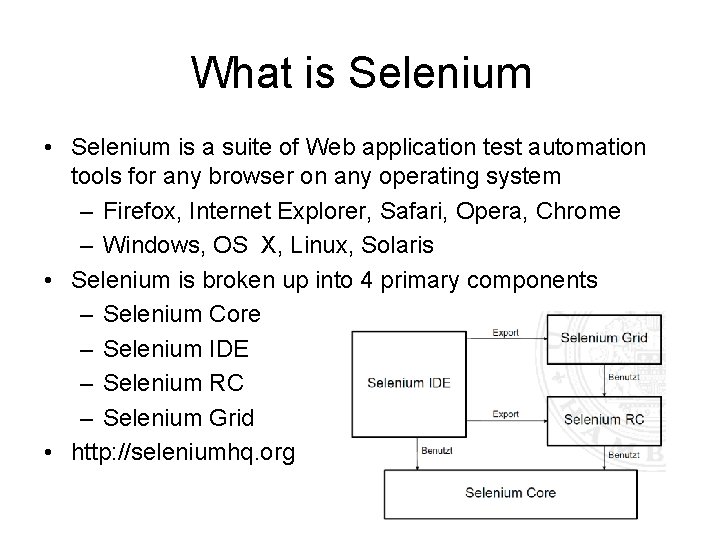
What is Selenium • Selenium is a suite of Web application test automation tools for any browser on any operating system – Firefox, Internet Explorer, Safari, Opera, Chrome – Windows, OS X, Linux, Solaris • Selenium is broken up into 4 primary components – Selenium Core – Selenium IDE – Selenium RC – Selenium Grid • http: //seleniumhq. org
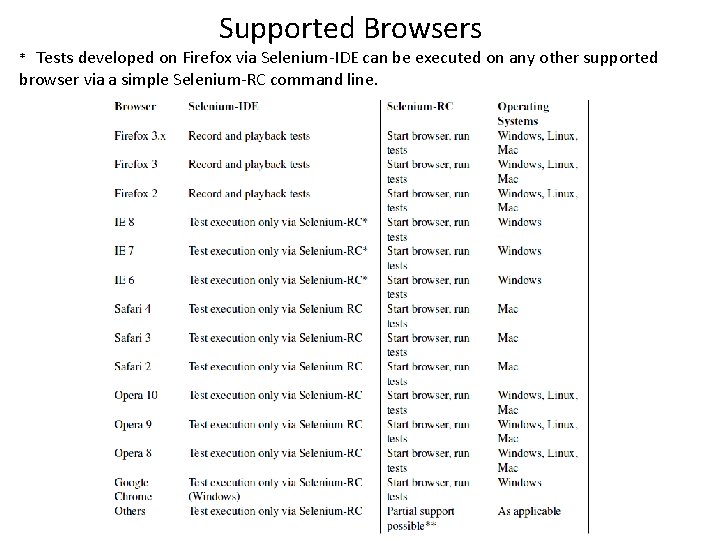
Supported Browsers Tests developed on Firefox via Selenium-IDE can be executed on any other supported browser via a simple Selenium-RC command line. *
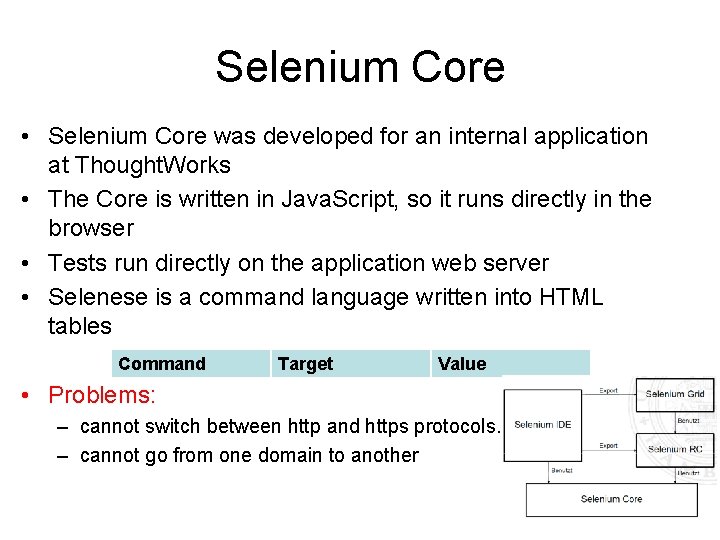
Selenium Core • Selenium Core was developed for an internal application at Thought. Works • The Core is written in Java. Script, so it runs directly in the browser • Tests run directly on the application web server • Selenese is a command language written into HTML tables Command Target Value • Problems: – cannot switch between http and https protocols. – cannot go from one domain to another
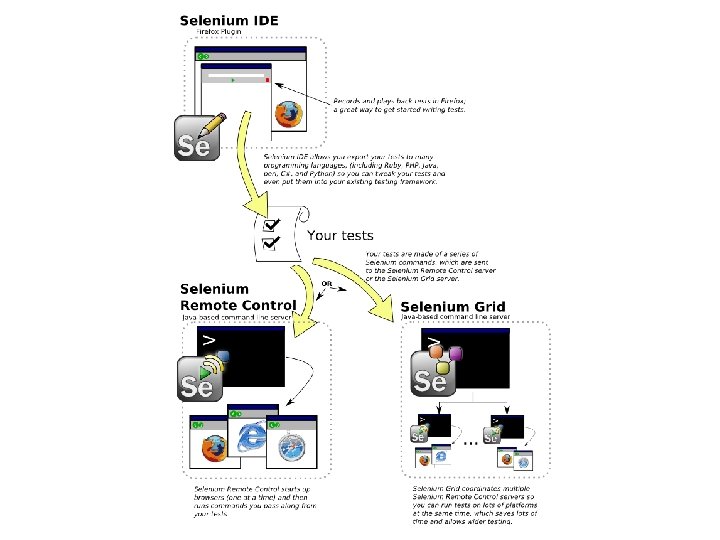
Selenium IDE • The IDE is a record and playback tool with built-in debugger and editor • The IDE is an add-on for Mozilla Firefox only • The IDE automatically creates test scripts in the Selenese HTML table format • The IDE can generate code into a wide variety of languages and test frameworks – HTML Selenese, C#, Java, Perl, PHP, Python, Ruby – Bromine, JUnit, NUnit, RSpec, Test: : Unit, Test. NG, unittest • Does not directly support: – – – condition statements, iteration logging and reporting of test results error handling, particularly unexpected errors database testing test case grouping, test case dependency screenshot capture of test failures
Selenium IDE
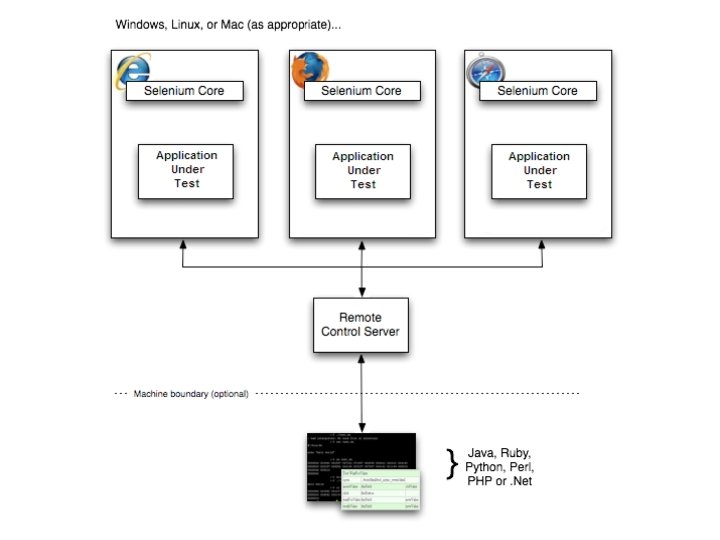
Selenium RC • is written in Java for portability and is executed from the command line • Selenium-RC components are: – The selenium Server which launches and kills browsers, interprets and runs the Selenese commands passed from the test program, and acts as an HTTP proxy, intercepting and verifying HTTP messages passed between the browser and AUT. – client libraries which provide the interface between each programming language and the Selenium-RC Server • client programming languages: C#, Java, Perl, PHP, Python, Ruby
Selenium RC

Selenium Grid • The Grid enables you to run tests in parallel on multiple machines – Tests can be ran in parallel for reduced execution time – Test can be ran on various browser and operating system combinations – Generates a collated report from all test machines • The Grid can be run on a server farm or in the Cloud – The tests are distributed by the Hub server to multiple Selenium RC machines – The tests can be ran by various Cloud computing services such as Amazon EC 2, Sauce Labs, Browser. Mob, and Push. To. Test – The Grid is written in Java for portability and is executed from the command line
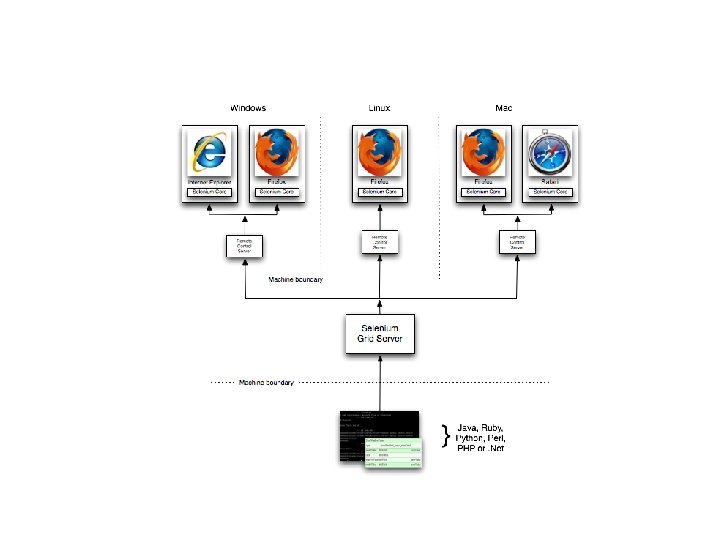
Selenium Grid
Pubman Selenium tests Selenium IDE Test demo in https: //zim 01. gwdg. de/repos/smc/trunk/05_Implemen tation/02_Testing/Pubman_Selenium_Tests Selenium RC test demo in …/pubman_ear/src/test/java/

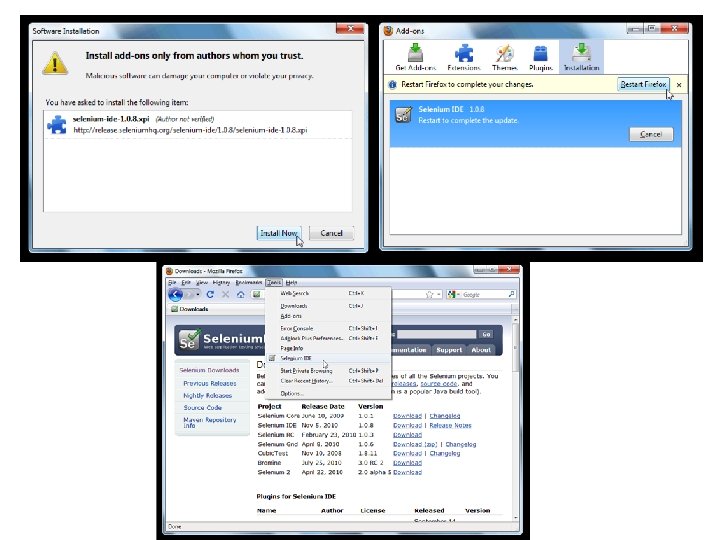
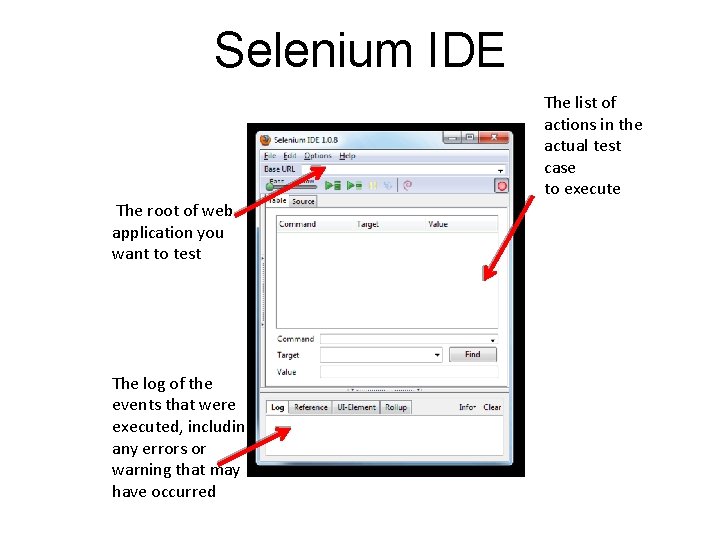
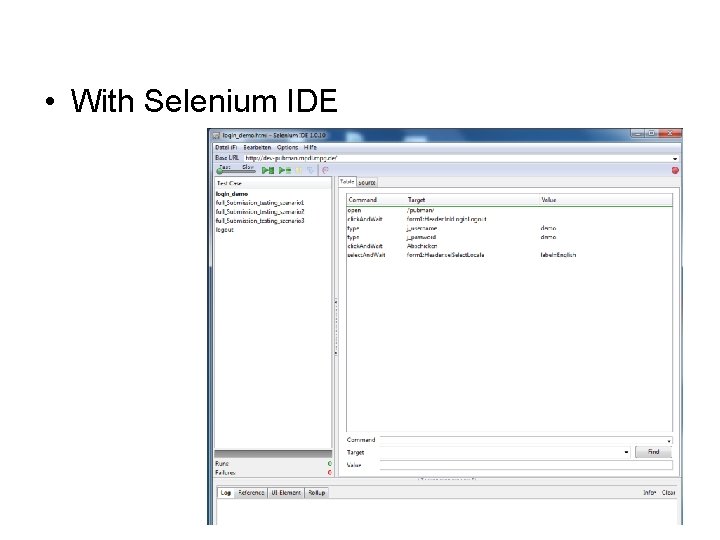
Selenium IDE The root of web application you want to test The log of the events that were executed, including any errors or warning that may have occurred The list of actions in the actual test case to execute
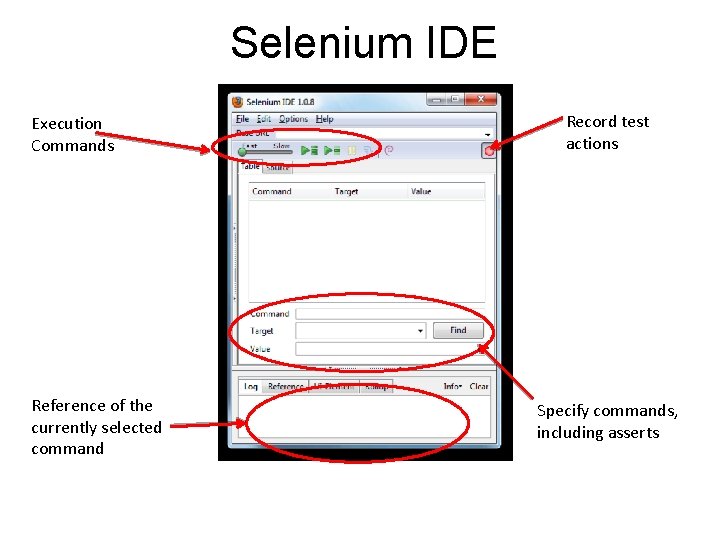
Selenium IDE Execution Commands Reference of the currently selected command Record test actions Specify commands, including asserts
Running the Test Suite • Execute the test suite using the Selenium IDE plug-in Test. Runner. html chrome: //selenium-ide/content/selenium/Test. Runner. html? base. URL=<BASE>&test=file: ///<TEST SUITE FILE>&auto=true bug? http: //jira. openqa. org/browse/SIDE-222
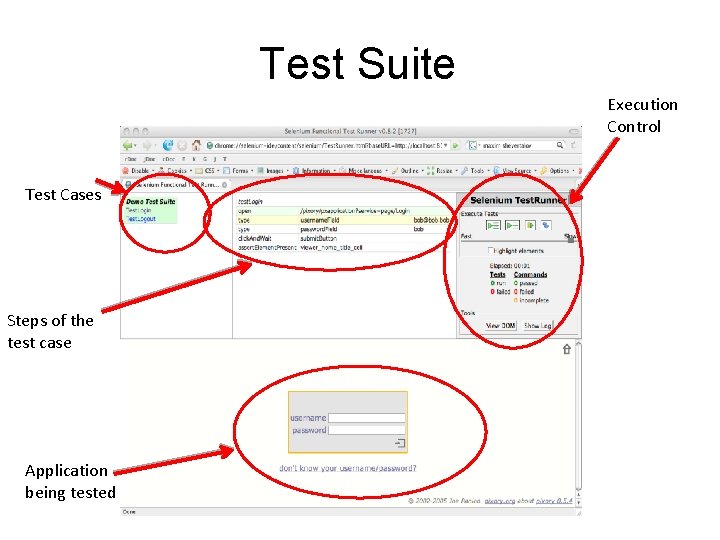
Test Suite Execution Control Test Cases Steps of the test case Application being tested
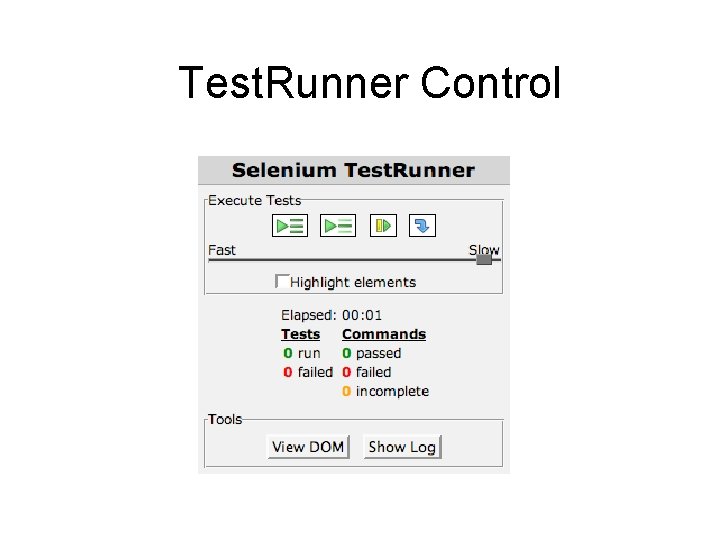
Test. Runner Control
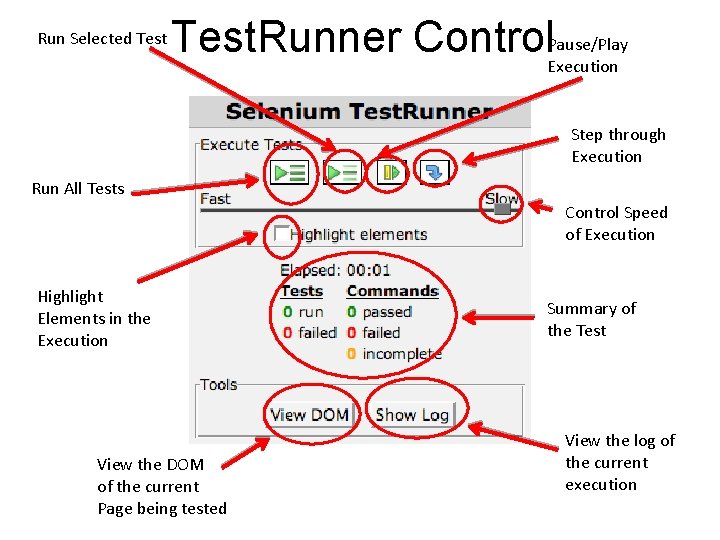
Run Selected Test ause/Play Test. Runner Control. PExecution Step through Execution Run All Tests Control Speed of Execution Highlight Elements in the Execution View the DOM of the current Page being tested Summary of the Test View the log of the current execution
• With Selenium IDE
Upcoming: Selenium 2. 0 and Web. Driver
- Slides: 22