
PTC INTERNAL USE ONLY Windchill PDMLink Part Creation
- Slides: 27
PTC INTERNAL USE ONLY Windchill PDMLink Part Creation Utility
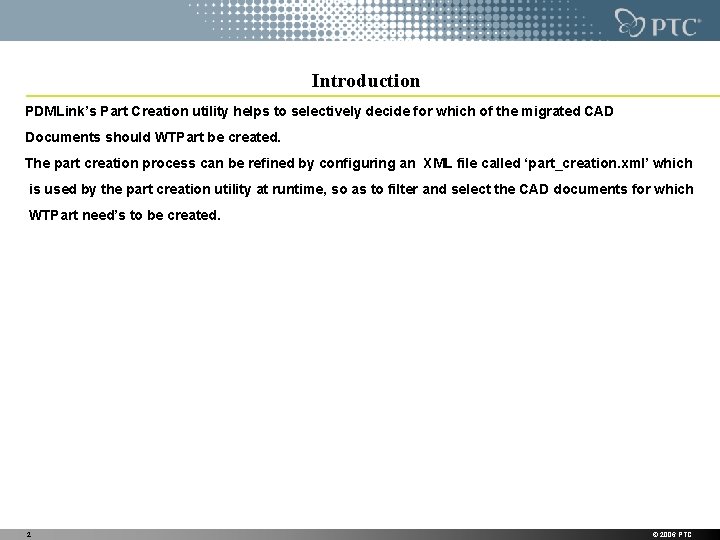
Introduction PDMLink’s Part Creation utility helps to selectively decide for which of the migrated CAD Documents should WTPart be created. The part creation process can be refined by configuring an XML file called ‘part_creation. xml’ which is used by the part creation utility at runtime, so as to filter and select the CAD documents for which WTPart need’s to be created. 2 © 2006 PTC
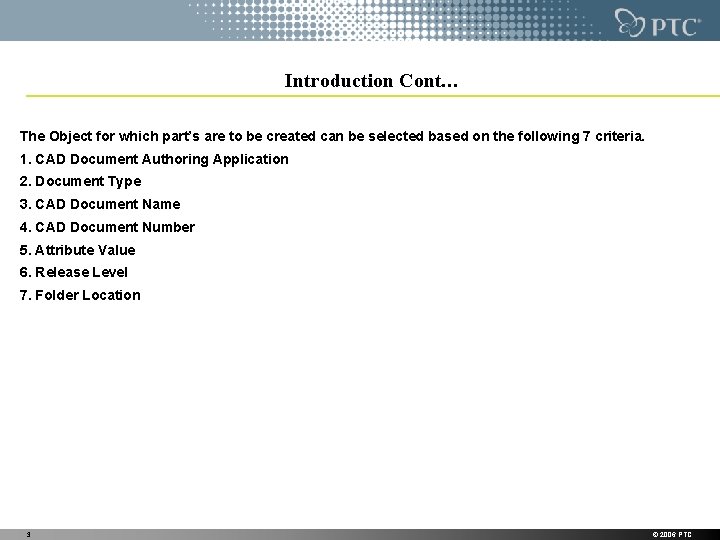
Introduction Cont… The Object for which part’s are to be created can be selected based on the following 7 criteria. 1. CAD Document Authoring Application 2. Document Type 3. CAD Document Name 4. CAD Document Number 5. Attribute Value 6. Release Level 7. Folder Location 3 © 2006 PTC
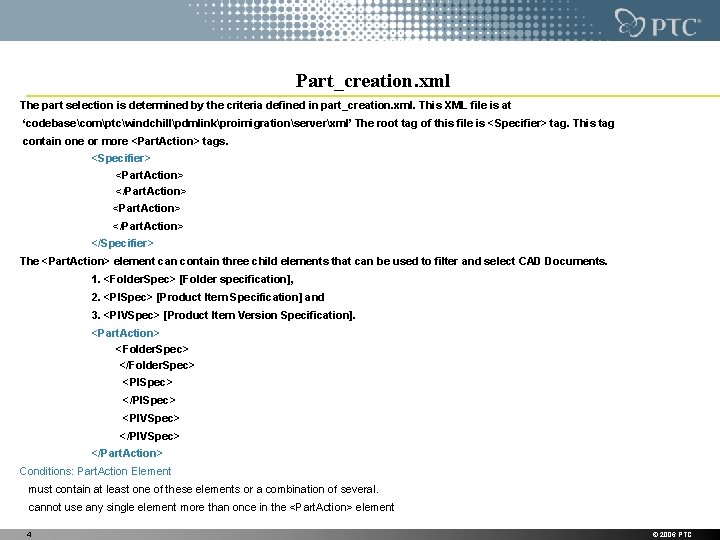
Part_creation. xml The part selection is determined by the criteria defined in part_creation. xml. This XML file is at ‘codebasecomptcwindchillpdmlinkproimigrationserverxml’ The root tag of this file is <Specifier> tag. This tag contain one or more <Part. Action> tags. <Specifier> <Part. Action> </Part. Action> </Specifier> The <Part. Action> element can contain three child elements that can be used to filter and select CAD Documents. 1. <Folder. Spec> [Folder specification], 2. <PISpec> [Product Item Specification] and 3. <PIVSpec> [Product Item Version Specification]. <Part. Action> <Folder. Spec> </Folder. Spec> <PISpec> </PISpec> <PIVSpec> </Part. Action> Conditions: Part. Action Element must contain at least one of these elements or a combination of several. cannot use any single element more than once in the <Part. Action> element 4 © 2006 PTC
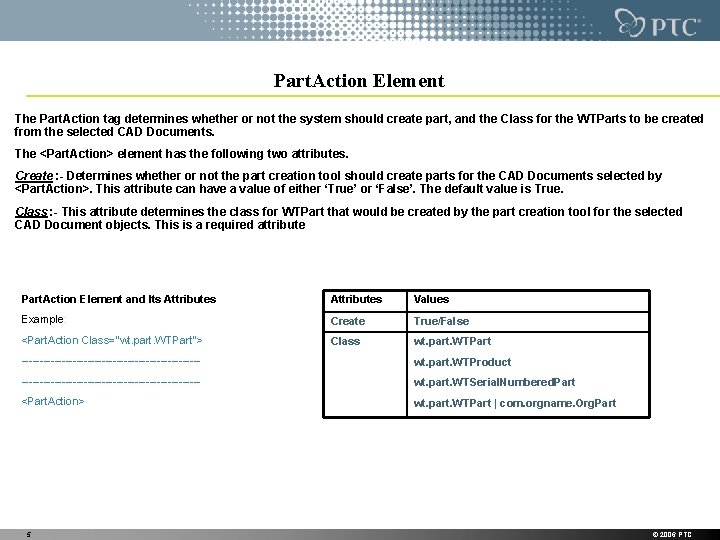
Part. Action Element The Part. Action tag determines whether or not the system should create part, and the Class for the WTParts to be created from the selected CAD Documents. The <Part. Action> element has the following two attributes. Create : - Determines whether or not the part creation tool should create parts for the CAD Documents selected by <Part. Action>. This attribute can have a value of either ‘True’ or ‘False’. The default value is True. Class : - This attribute determines the class for WTPart that would be created by the part creation tool for the selected CAD Document objects. This is a required attribute Part. Action Element and Its Attributes Values Example: Create True/False <Part. Action Class="wt. part. WTPart"> Class wt. part. WTPart ------------------------- wt. part. WTProduct ------------------------- wt. part. WTSerial. Numbered. Part <Part. Action> wt. part. WTPart | com. orgname. Org. Part 5 © 2006 PTC
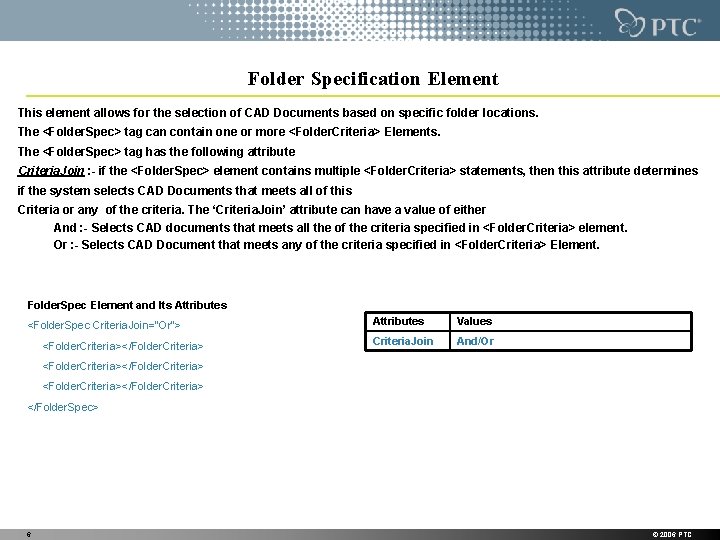
Folder Specification Element This element allows for the selection of CAD Documents based on specific folder locations. The <Folder. Spec> tag can contain one or more <Folder. Criteria> Elements. The <Folder. Spec> tag has the following attribute Criteria. Join : - if the <Folder. Spec> element contains multiple <Folder. Criteria> statements, then this attribute determines if the system selects CAD Documents that meets all of this Criteria or any of the criteria. The ‘Criteria. Join’ attribute can have a value of either And : - Selects CAD documents that meets all the of the criteria specified in <Folder. Criteria> element. Or : - Selects CAD Document that meets any of the criteria specified in <Folder. Criteria> Element. Folder. Spec Element and Its Attributes <Folder. Spec Criteria. Join="Or"> <Folder. Criteria></Folder. Criteria> Attributes Values Criteria. Join And/Or <Folder. Criteria></Folder. Criteria> </Folder. Spec> 6 © 2006 PTC
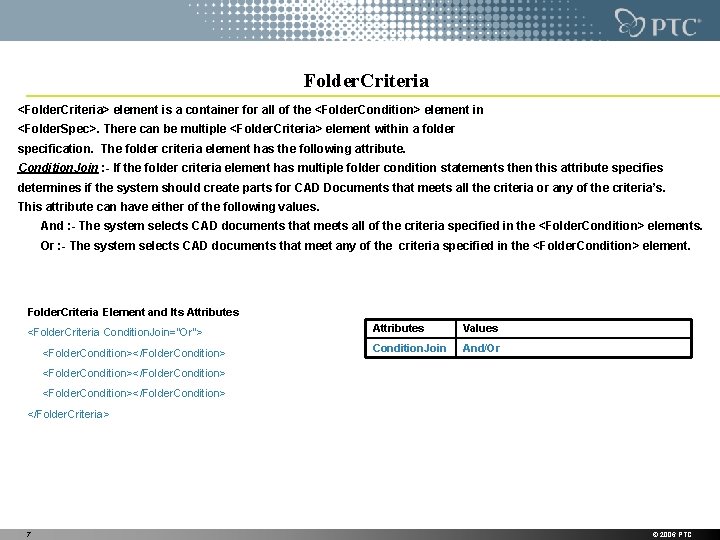
Folder. Criteria <Folder. Criteria> element is a container for all of the <Folder. Condition> element in <Folder. Spec>. There can be multiple <Folder. Criteria> element within a folder specification. The folder criteria element has the following attribute. Condition. Join : - If the folder criteria element has multiple folder condition statements then this attribute specifies determines if the system should create parts for CAD Documents that meets all the criteria or any of the criteria’s. This attribute can have either of the following values. And : - The system selects CAD documents that meets all of the criteria specified in the <Folder. Condition> elements. Or : - The system selects CAD documents that meet any of the criteria specified in the <Folder. Condition> element. Folder. Criteria Element and Its Attributes <Folder. Criteria Condition. Join="Or"> <Folder. Condition></Folder. Condition> Attributes Values Condition. Join And/Or <Folder. Condition></Folder. Condition> </Folder. Criteria> 7 © 2006 PTC
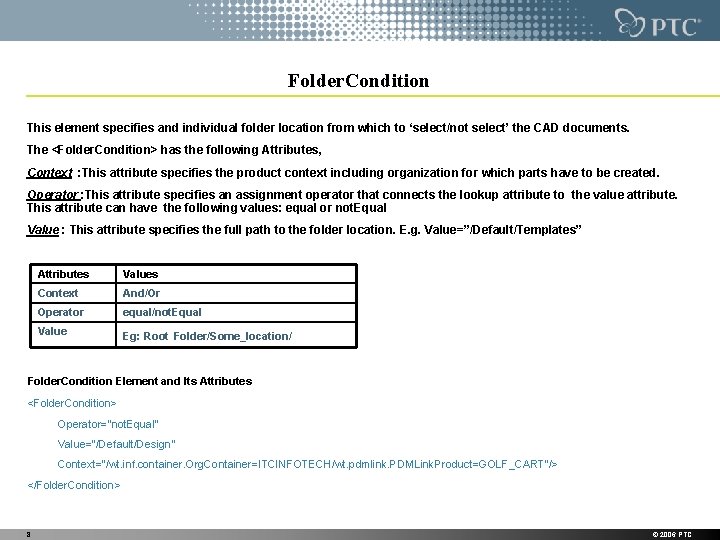
Folder. Condition This element specifies and individual folder location from which to ‘select/not select’ the CAD documents. The <Folder. Condition> has the following Attributes, Context : This attribute specifies the product context including organization for which parts have to be created. Operator : This attribute specifies an assignment operator that connects the lookup attribute to the value attribute. This attribute can have the following values: equal or not. Equal Value : This attribute specifies the full path to the folder location. E. g. Value=”/Default/Templates” Attributes Values Context And/Or Operator equal/not. Equal Value Eg: Root Folder/Some_location/ Folder. Condition Element and Its Attributes <Folder. Condition> Operator="not. Equal" Value="/Default/Design“ Context="/wt. inf. container. Org. Container=ITCINFOTECH/wt. pdmlink. PDMLink. Product=GOLF_CART"/> </Folder. Condition> 8 © 2006 PTC
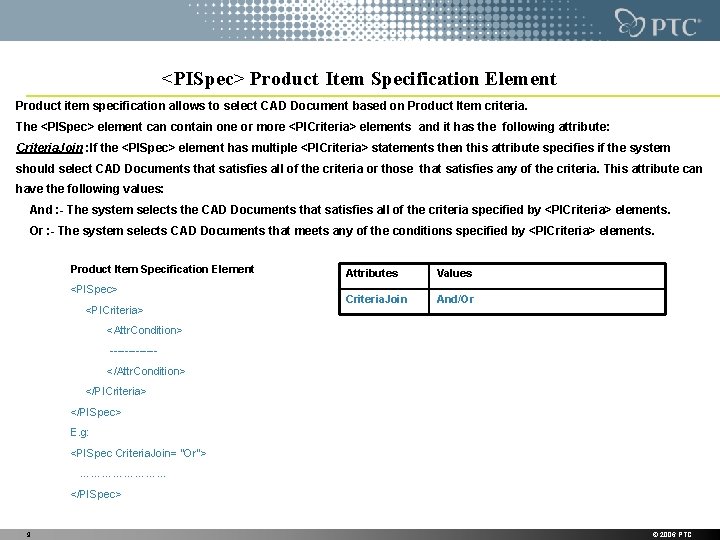
<PISpec> Product Item Specification Element Product item specification allows to select CAD Document based on Product Item criteria. The <PISpec> element can contain one or more <PICriteria> elements and it has the following attribute: Criteria. Join : If the <PISpec> element has multiple <PICriteria> statements then this attribute specifies if the system should select CAD Documents that satisfies all of the criteria or those that satisfies any of the criteria. This attribute can have the following values: And : - The system selects the CAD Documents that satisfies all of the criteria specified by <PICriteria> elements. Or : - The system selects CAD Documents that meets any of the conditions specified by <PICriteria> elements. Product Item Specification Element <PISpec> <PICriteria> Attributes Values Criteria. Join And/Or <Attr. Condition> ------</Attr. Condition> </PICriteria> </PISpec> E. g: <PISpec Criteria. Join= "Or"> ………… </PISpec> 9 © 2006 PTC
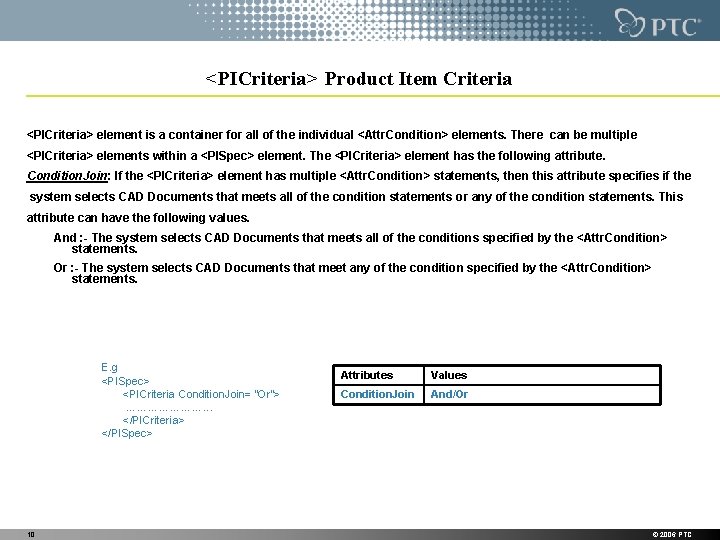
<PICriteria> Product Item Criteria <PICriteria> element is a container for all of the individual <Attr. Condition> elements. There can be multiple <PICriteria> elements within a <PISpec> element. The <PICriteria> element has the following attribute. Condition. Join: If the <PICriteria> element has multiple <Attr. Condition> statements, then this attribute specifies if the system selects CAD Documents that meets all of the condition statements or any of the condition statements. This attribute can have the following values. And : - The system selects CAD Documents that meets all of the conditions specified by the <Attr. Condition> statements. Or : - The system selects CAD Documents that meet any of the condition specified by the <Attr. Condition> statements. E. g <PISpec> <PICriteria Condition. Join= “Or”> …………………. . . </PICriteria> </PISpec> 10 Attributes Values Condition. Join And/Or © 2006 PTC
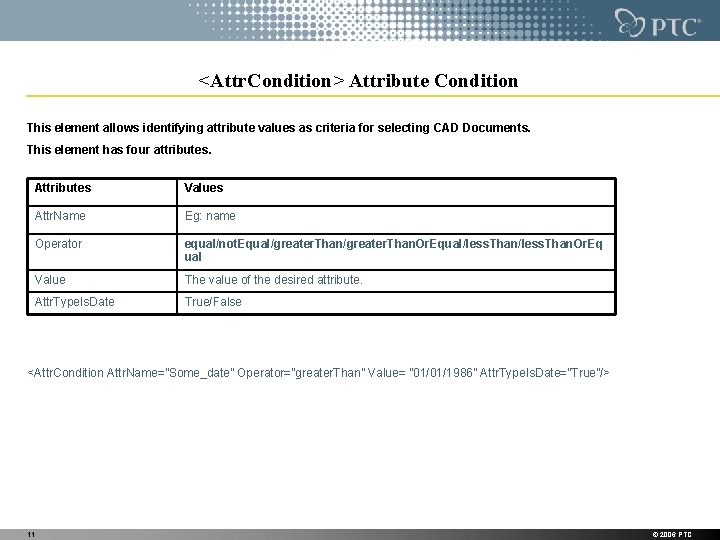
<Attr. Condition> Attribute Condition This element allows identifying attribute values as criteria for selecting CAD Documents. This element has four attributes. Attributes Values Attr. Name Eg: name Operator equal/not. Equal/greater. Than. Or. Equal/less. Than. Or. Eq ual Value The value of the desired attribute. Attr. Type. Is. Date True/False <Attr. Condition Attr. Name=”Some_date” Operator=”greater. Than” Value= ” 01/01/1986” Attr. Type. Is. Date=”True”/> 11 © 2006 PTC
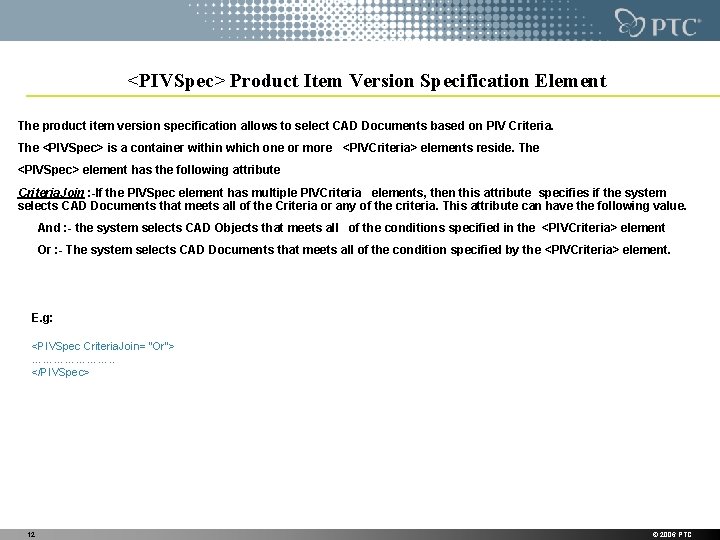
<PIVSpec> Product Item Version Specification Element The product item version specification allows to select CAD Documents based on PIV Criteria. The <PIVSpec> is a container within which one or more <PIVCriteria> elements reside. The <PIVSpec> element has the following attribute Criteria. Join : -If the PIVSpec element has multiple PIVCriteria elements, then this attribute specifies if the system selects CAD Documents that meets all of the Criteria or any of the criteria. This attribute can have the following value. And : - the system selects CAD Objects that meets all of the conditions specified in the <PIVCriteria> element Or : - The system selects CAD Documents that meets all of the condition specified by the <PIVCriteria> element. E. g: <PIVSpec Criteria. Join= “Or”> …………………. . </PIVSpec> 12 © 2006 PTC
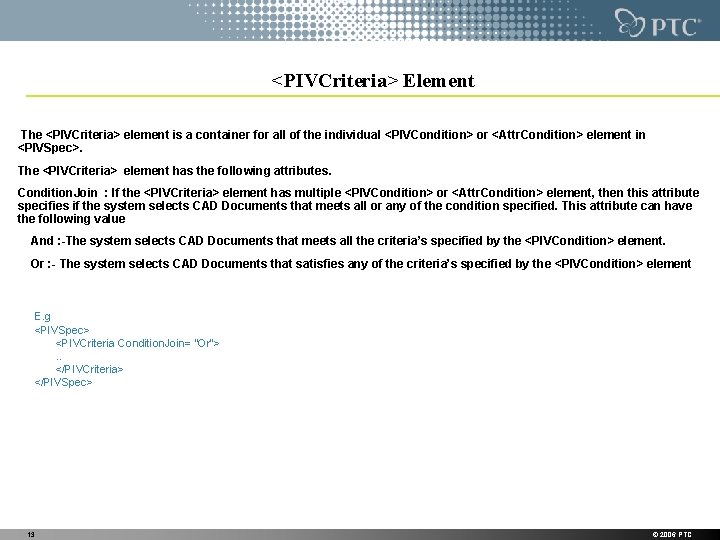
<PIVCriteria> Element The <PIVCriteria> element is a container for all of the individual <PIVCondition> or <Attr. Condition> element in <PIVSpec>. The <PIVCriteria> element has the following attributes. Condition. Join : If the <PIVCriteria> element has multiple <PIVCondition> or <Attr. Condition> element, then this attribute specifies if the system selects CAD Documents that meets all or any of the condition specified. This attribute can have the following value And : -The system selects CAD Documents that meets all the criteria’s specified by the <PIVCondition> element. Or : - The system selects CAD Documents that satisfies any of the criteria’s specified by the <PIVCondition> element E. g <PIVSpec> <PIVCriteria Condition. Join= “Or”>. . </PIVCriteria> </PIVSpec> 13 © 2006 PTC
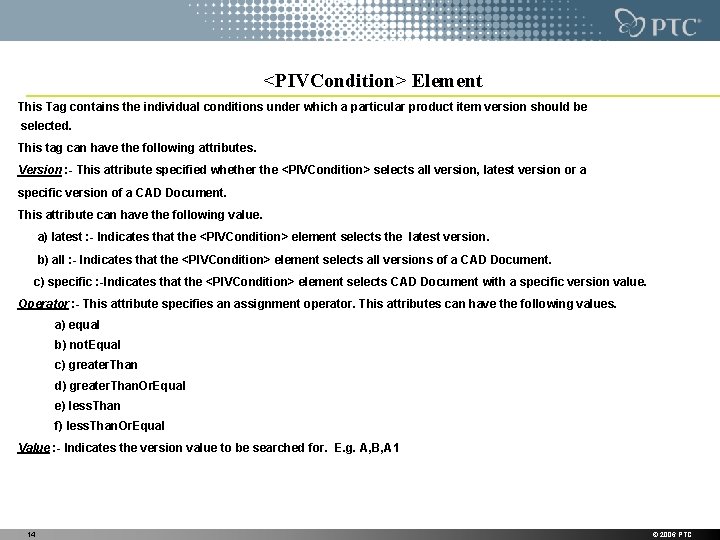
<PIVCondition> Element This Tag contains the individual conditions under which a particular product item version should be selected. This tag can have the following attributes. Version : - This attribute specified whether the <PIVCondition> selects all version, latest version or a specific version of a CAD Document. This attribute can have the following value. a) latest : - Indicates that the <PIVCondition> element selects the latest version. b) all : - Indicates that the <PIVCondition> element selects all versions of a CAD Document. c) specific : -Indicates that the <PIVCondition> element selects CAD Document with a specific version value. Operator : - This attribute specifies an assignment operator. This attributes can have the following values. a) equal b) not. Equal c) greater. Than d) greater. Than. Or. Equal e) less. Than f) less. Than. Or. Equal Value : - Indicates the version value to be searched for. E. g. A, B, A 1 14 © 2006 PTC
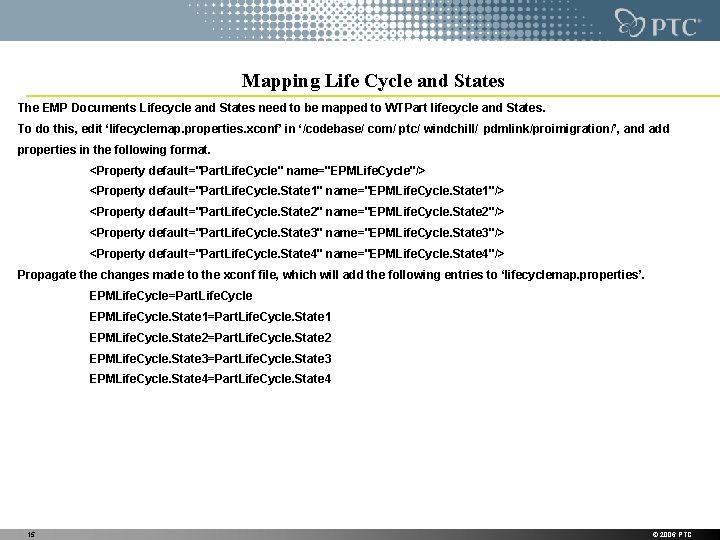
Mapping Life Cycle and States The EMP Documents Lifecycle and States need to be mapped to WTPart lifecycle and States. To do this, edit ‘lifecyclemap. properties. xconf’ in ‘/codebase/ com/ ptc/ windchill/ pdmlink/proimigration/’, and add properties in the following format. <Property default="Part. Life. Cycle" name="EPMLife. Cycle"/> <Property default="Part. Life. Cycle. State 1" name="EPMLife. Cycle. State 1"/> <Property default="Part. Life. Cycle. State 2" name="EPMLife. Cycle. State 2"/> <Property default="Part. Life. Cycle. State 3" name="EPMLife. Cycle. State 3"/> <Property default="Part. Life. Cycle. State 4" name="EPMLife. Cycle. State 4"/> Propagate the changes made to the xconf file, which will add the following entries to ‘lifecyclemap. properties’. EPMLife. Cycle=Part. Life. Cycle EPMLife. Cycle. State 1=Part. Life. Cycle. State 1 EPMLife. Cycle. State 2=Part. Life. Cycle. State 2 EPMLife. Cycle. State 3=Part. Life. Cycle. State 3 EPMLife. Cycle. State 4=Part. Life. Cycle. State 4 15 © 2006 PTC
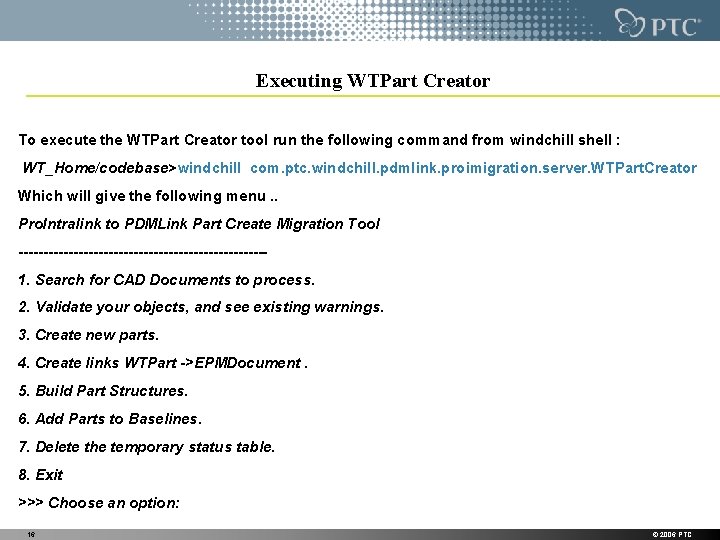
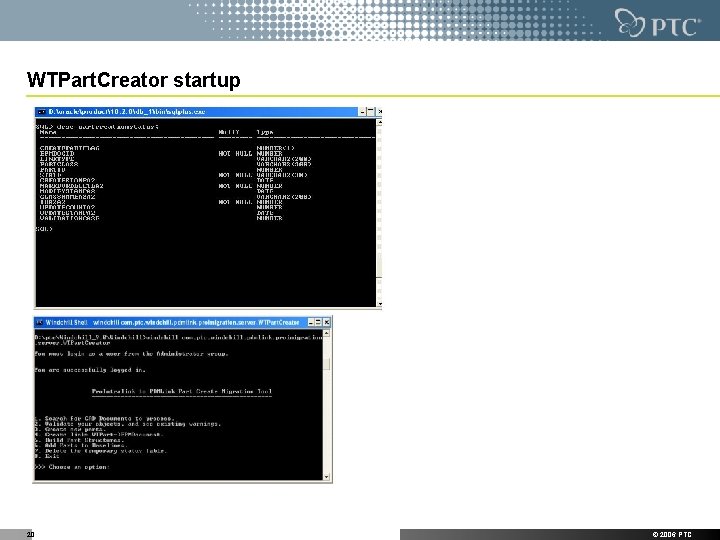
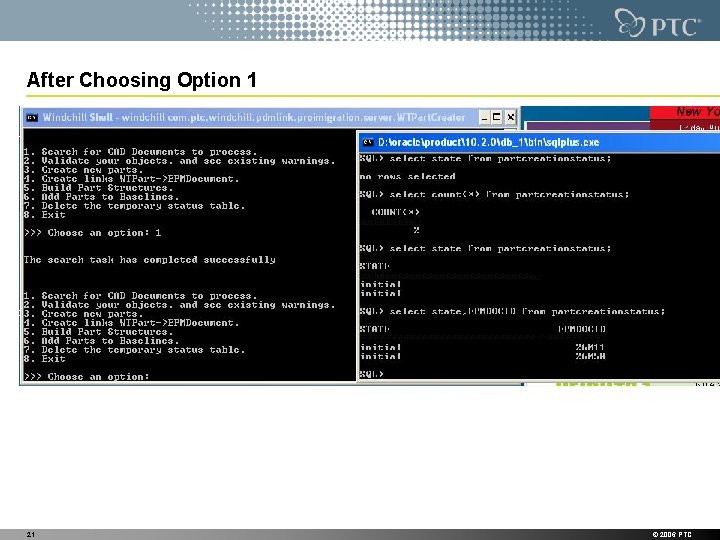
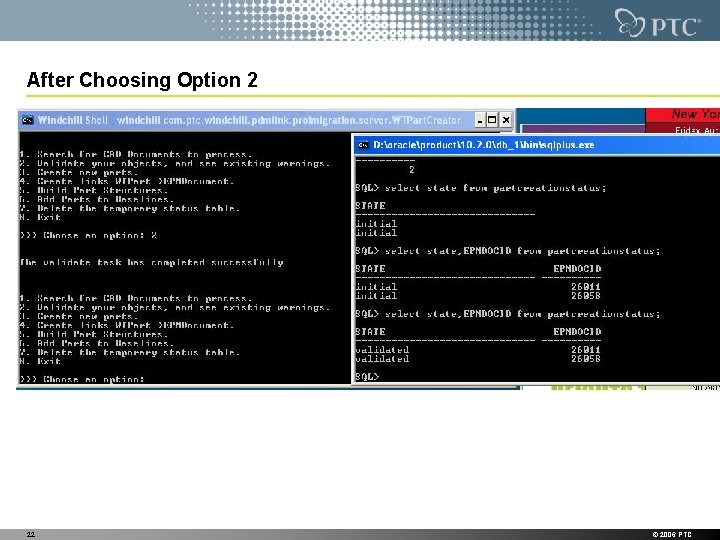
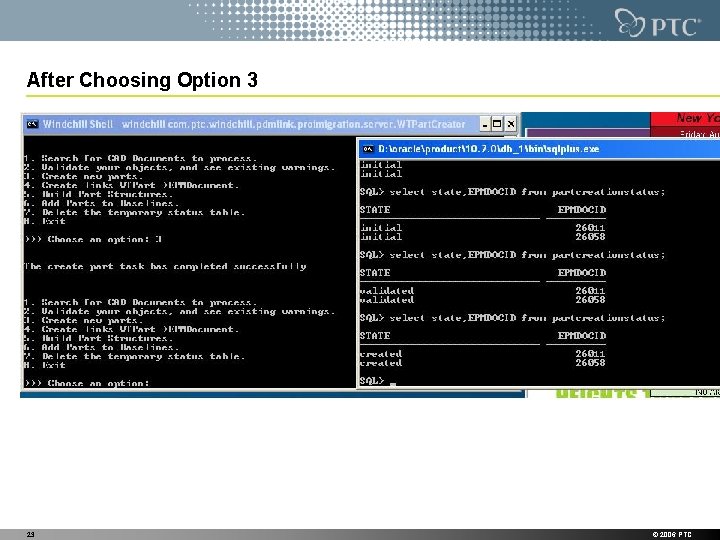
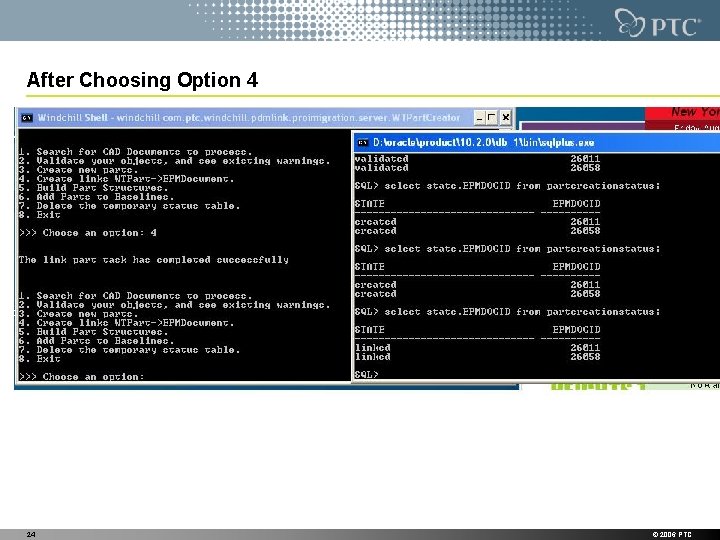
Executing WTPart Creator To execute the WTPart Creator tool run the following command from windchill shell : WT_Home/codebase>windchill com. ptc. windchill. pdmlink. proimigration. server. WTPart. Creator Which will give the following menu. . Pro. Intralink to PDMLink Part Create Migration Tool -------------------------1. Search for CAD Documents to process. 2. Validate your objects, and see existing warnings. 3. Create new parts. 4. Create links WTPart ->EPMDocument. 5. Build Part Structures. 6. Add Parts to Baselines. 7. Delete the temporary status table. 8. Exit >>> Choose an option: 16 © 2006 PTC
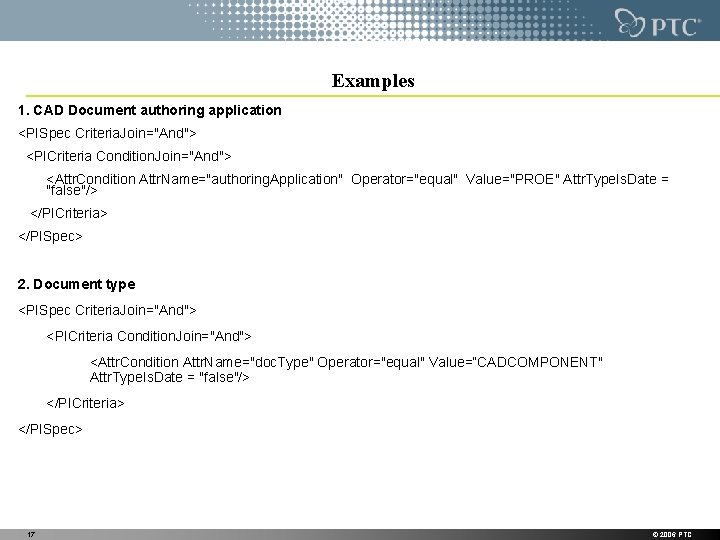
Examples 1. CAD Document authoring application <PISpec Criteria. Join="And"> <PICriteria Condition. Join="And"> <Attr. Condition Attr. Name="authoring. Application" Operator="equal" Value="PROE" Attr. Type. Is. Date = "false"/> </PICriteria> </PISpec> 2. Document type <PISpec Criteria. Join="And"> <PICriteria Condition. Join="And"> <Attr. Condition Attr. Name="doc. Type" Operator="equal" Value=“CADCOMPONENT" Attr. Type. Is. Date = "false"/> </PICriteria> </PISpec> 17 © 2006 PTC
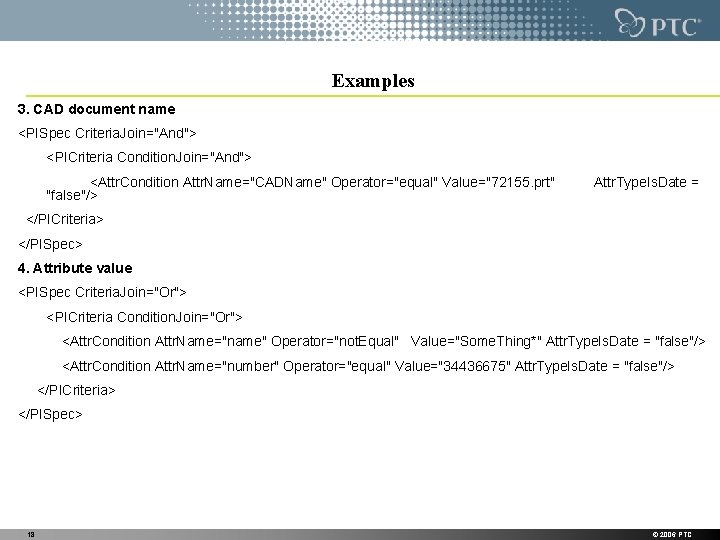
Examples 3. CAD document name <PISpec Criteria. Join="And"> <PICriteria Condition. Join="And"> <Attr. Condition Attr. Name="CADName" Operator="equal" Value="72155. prt" "false"/> Attr. Type. Is. Date = </PICriteria> </PISpec> 4. Attribute value <PISpec Criteria. Join="Or"> <PICriteria Condition. Join="Or"> <Attr. Condition Attr. Name="name" Operator="not. Equal" Value="Some. Thing*" Attr. Type. Is. Date = "false"/> <Attr. Condition Attr. Name="number" Operator="equal" Value="34436675" Attr. Type. Is. Date = "false"/> </PICriteria> </PISpec> 18 © 2006 PTC
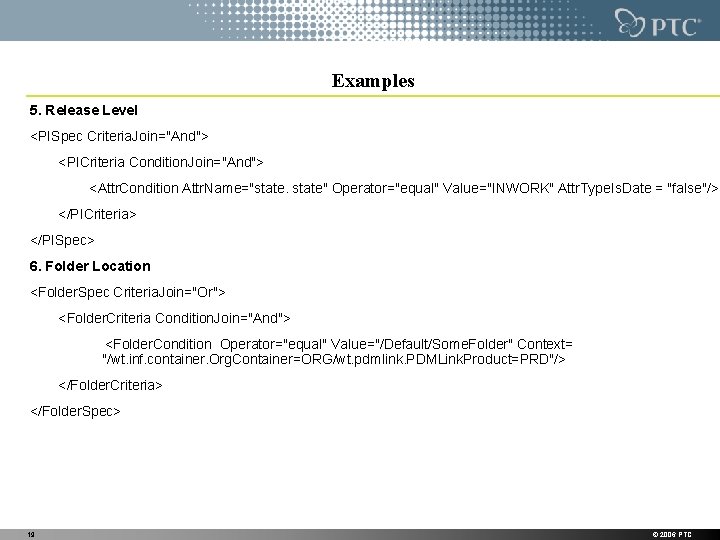
Examples 5. Release Level <PISpec Criteria. Join="And"> <PICriteria Condition. Join="And"> <Attr. Condition Attr. Name="state" Operator="equal" Value="INWORK" Attr. Type. Is. Date = "false"/> </PICriteria> </PISpec> 6. Folder Location <Folder. Spec Criteria. Join="Or"> <Folder. Criteria Condition. Join="And"> <Folder. Condition Operator="equal" Value="/Default/Some. Folder" Context= "/wt. inf. container. Org. Container=ORG/wt. pdmlink. PDMLink. Product=PRD"/> </Folder. Criteria> </Folder. Spec> 19 © 2006 PTC
WTPart. Creator startup 20 © 2006 PTC
After Choosing Option 1 21 © 2006 PTC
After Choosing Option 2 22 © 2006 PTC
After Choosing Option 3 23 © 2006 PTC
After Choosing Option 4 24 © 2006 PTC
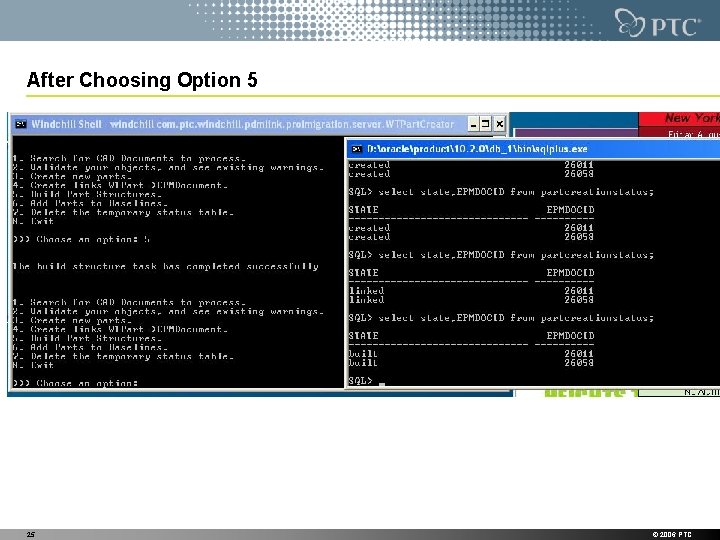
After Choosing Option 5 25 © 2006 PTC
After Choosing Option 7 • It will remove the rows exists with status initial or validated • It will not remove rows with status created or linked or built 26 © 2006 PTC
Questions 27 © 2006 PTC